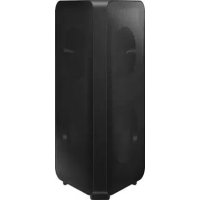
MXST50B - Pregnant SAMSUNG - Free user manual and instructions
Find the device manual for free MXST50B SAMSUNG in PDF.



| Product Type | Portable Speaker (Sound Tower) |
| Brand | Samsung |
| Model | MXST50B |
| Dimensions (W x H x D) | 329 x 665 x 301 mm |
| Weight | 11.94 kg |
| Power Source | AC power cord or built-in rechargeable lithium-ion battery |
| Battery | Lithium-ion 72 Wh (model EB-T24C-00), battery life up to 18 h, charging < 3.5 h |
| Output Power (AC) | 240 W |
| Output Power (battery) | 90 W |
| Power Consumption (standby) | 2.0 W |
| Bluetooth Connectivity | Bluetooth 5.0 (estimated), multi-connection up to 2 devices, range ~10 m |
| Ports | 2 x USB (5V/2.1A), 1 x AUX1 (3.5 mm), 1 x AUX2 (RCA), 1 x microphone (6.35 mm), 1 x power input |
| Protection Rating | IPX5 (water jet resistant) |
| Supported Audio Formats | MP3, WMA, AAC, WAV, FLAC (via USB) |
| Audio Functions | 8 sound modes (Party, Standard, HipHop, EDM, Rock, Latin, House, Reggae), DJ effect (Noise, Filter, Crush, Chorus, WahWah), bass boost (BASS) |
| Network Functions | Group Play (up to 10 speakers wirelessly or wired), stereo mode (2 speakers), Samsung TV connection via Bluetooth |
| Lighting | LED with modes Ambient, Party, Dance, Thunderbolt, Star, Off |
| Remote Control | Yes, with AAA batteries (2 x 1.5 V) |
| App | Samsung Sound Tower (Android 8.0+ / iOS 11.0+) |
| Operating Temperature | +5 °C to +35 °C |
Frequently Asked Questions - MXST50B SAMSUNG
User questions about MXST50B SAMSUNG
0 question about this device. Answer the ones you know or ask your own.
Ask a new question about this device
Download the instructions for your Pregnant in PDF format for free! Find your manual MXST50B - SAMSUNG and take your electronic device back in hand. On this page are published all the documents necessary for the use of your device. MXST50B by SAMSUNG.
USER MANUAL MXST50B SAMSUNG
Thank you for purchasing this Samsung product.
To receive more complete service, please register
your product at www.samsung.com/register
SAFETY INFORMATION
SAFETY WARNINGS
TO REDUCE THE RISK OF ELECTRIC SHOCK, DO NOT REMOVE THE COVER (OR BACK). NO USER-SERVICEABLE PARTS ARE INSIDE. REFER SERVICING TO QUALIFIED SERVICE PERSONNEL.
Refer to the table below for an explanation of symbols which may be on your Samsung product.
 | CAUTIONRISK OF ELECTRIC SHOCK.DO NOT OPEN. |  |
 | This symbol indicates that high voltage is present inside. It is dangerous to make any kind of contact with any internal part of this product. | |
 | This symbol indicates that this product comes with important literature concerning operation and maintenance. | |
 | Class II product: This symbol indicates that a safety connection to electrical earth (ground) is not required.If this symbol is not present on a product with a power cord, the product MUST have a reliable connection to protective earth (ground). | |
 | AC voltage: This symbol indicates that the rated voltage marked with the symbol is AC voltage. | |
 | DC voltage: This symbol indicates that the rated voltage marked with the symbol is DC voltage. | |
 | Caution. Consult Instructions for use:This symbol instructs the user to consult the user manual for further safety related information. | |
WARNING
- To reduce the risk of fire or electric shock, do not expose this appliance to rain or moisture.
- This product contains chemicals known to the State of California to cause cancer and birth defects or other reproductive harm.
- The battery (battery or batteries or battery pack) shall not be exposed to excessive heat such as sunshine, fire or the like.
CAUTION
- TO PREVENT ELECTRIC SHOCK, MATCH WIDE BLADE OF PLUG TO WIDE SLOT, FULLY INSERT.
- This apparatus shall always be connected to a AC outlet with a protective grounding connection.
- To disconnect the apparatus from the mains, the plug must be pulled out from the mains socket, therefore the mains plug shall be readily operable.
- Do not expose this apparatus to dripping or splashing. Do not put objects filled with liquids, such as vases, on the apparatus.
- To turn this apparatus off completely, you must pull the power plug out of the wall socket. Consequently, the power plug must be easily and readily accessible at all times.
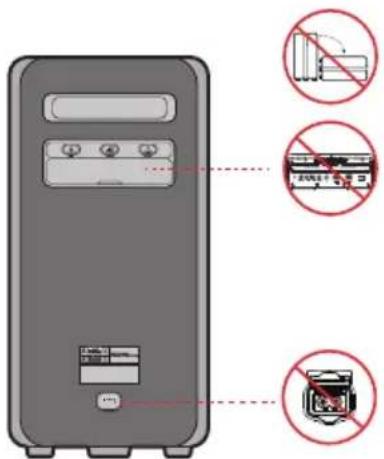
To avoid deterioration of water resistant
Check the following and use the unit correctly.
- Deformation or damage from dropping the unit or subjecting it to mechanical shock may cause deterioration of the water resistant.
- This unit does not have a design that is resistant to water pressure. Use of the unit in a location where high water pressure is applied, such as in the shower, may cause a malfunction.
- Do not pour high-temperature water or blow hot air from a hair dryer or any other appliance on the unit directly. Also never use the unit in a place subject to high temperatures, such as in a sauna or near a heat source.
- Handle the cap with care. Port cover and AC plug cover plays a very important role in maintenance of the water resistant. When using the unit, make sure that the cap is closed completely. When closing the cap, be careful not to allow foreign objects inside. If the cap is not closed completely the water resistant may deteriorate and may cause a malfunction of the unit as a result of water entering the unit.
- IPX5 cannot be met when any JACK or AC power is plugged in.
- The product cannot be dumped to ensure it is water resistant.
• The Sound Tower provides durability by IPX5.
| Protection against solids | IP | Protection against water | |
| 0 | 5 | ||
| No requirements X X No requirements | |||
| No protection 0 0 No protection | |||
| Solids> 50 mm 1 1 Vertically falling water | |||
| Solids> 12 mm 2 2 Vertically water-enclosure tilted 15° | |||
| Solids> 2.5 mm | 3 | 3 | Sprayed water 60° from vertical |
| Solids> 1.0 mm | 4 | 4 | Splashed water from all directions |
| Dust Protected | 5 | 5 | Hosing jets from all directions |
| Dust tight | 6 | 6 | Strong hosing jets from all directions |
| - | 7 | Temporary Immersion: 1m for 30 minutes | |
| - | 8 | Immersion: manufacture defined depth and time | |
PRECAUTIONS
-
Ensure that the AC power supply in your house complies with the power requirements listed on the identification sticker located on the rear of your product. Install your product horizontally, on a suitable base (furniture), with enough space around it for ventilation (7\~10 cm). Make sure the ventilation slots are not covered. Do not place the unit on amplifiers or other equipment which may become hot. This unit is designed for continuous use. To fully turn off the unit, disconnect the AC plug from the wall outlet. Unplug the unit if you intend to leave it unused for a long period of time.
-
During thunderstorms, disconnect the AC plug from the wall outlet. Voltage peaks due to lightning could damage the unit.
-
Do not expose the unit to direct sunlight or other heat sources. This could lead to overheating and cause the unit to malfunction.
-
Protect the product from moisture (i.e. vases), and excess heat (e.g. a fireplace) or equipment creating strong magnetic or electric fields. Unplug the power cable from the AC wall socket if the unit malfunctions. Your product is not intended for industrial use. It is for personal use only. Condensation may occur if your product has been stored in cold temperatures. If transporting the unit during the winter, wait approximately 2 hours until the unit has reached room temperature before using.
-
The battery used with this product contains chemicals that are harmful to the environment. Do not dispose of the battery in the general household trash. Do not expose the battery to excess heat, direct sunlight, or fire. Do not short circuit, disassemble, or overheat the battery.
CAUTION: Danger of explosion if the battery is replaced incorrectly. Replace only with the same or equivalent type.
Others
- As the battery is manufactured only for this product, do not use the battery for other electronic appliances or other purposes.
- When discarding a dead battery, put it into a battery collection box for recycling.
- Do not disassemble the battery.
- To protect the battery, the battery cannot be charged when the temperature is lower than 3 °C or higher than 42 °C.
- When the battery level is low, recharge it. If the level of the battery remains low for a long period of time, it can cause the performance of the battery to degrade.
- Do not apply heat to the battery and do not put the battery in a fire.
- Do not disassemble the battery.
- To protect the battery, the Sound Tower may not operate when the temperature is lower than -17^ or higher than 57^ .
ABOUT THIS MANUAL
The user manual has two parts: this simple paper USER MANUAL and a detailed FULL MANUAL you can download.
 | USER MANUALSee this manual for safety instructions, product installation, components, connections, and product specifications. |
  | FULL MANUALYou can access the FULL MANUAL on Samsung's on-line customer support centre by scanning the QR code on the left. To see the manual on your PC or mobile device, download the manual in document format from Samsung's website.(https://www.samsung.com/us/support/downloads/) |
| Design and specifications are subject to change without prior notice. | |
CONTENTS
01 Checking the Components 1
Inserting Batteries before using the Remote Control (AAA batteries X 2)
02 Product Overview 2
Top Panel of the Sound Tower 2 Rear Panel of the Sound Tower 3
03 Connecting the Sound Tower 5
Connecting Electrical Power ____ 5 How to use Audio Group ____ 6
04 Connecting an External Device 12
Connecting using an Analogue Audio (AUX) Cable ____ 12 Connecting a mobile device via Bluetooth ____ 13 Connecting the Samsung TV via Bluetooth ____ 16
05 Connecting a USB Storage Device 17
Software Update 18 Connecting an External Microphone 19
06 Using the Remote Control 20
How to Use the Remote Control ____ 20 How to use Sound Mode ____ 23 How to use the DJ Effect ____ 23
07 Using the Samsung Sound Tower App 25
Install Samsung Sound Tower App ____ 25
Launching the Samsung Sound Tower App 25
08 Troubleshooting 26
09 LICENCE 27
10 Open Source LICENCE Notice 28
11 Important Notes About Service 28
12 Specifications and Guide 29
Specifications 29
01 CHECKING THE COMPONENTS
natural_image
Illustration of a rectangular electronic device with a circular top and side panel (no text or symbols)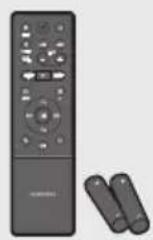
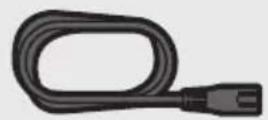
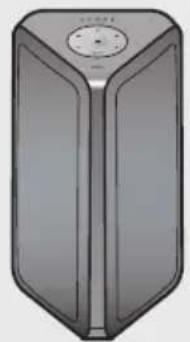
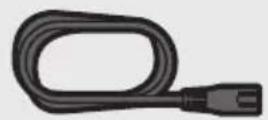
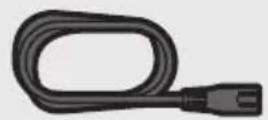
Sound Tower Main Unit Remote Control / Batteries Power Cord
- For more information about the power supply and power consumption, refer to the label attached to the product. (Label: Rear of the Sound Tower Main Unit)
- To purchase additional components or optional cables, contact a Samsung Service Centre or Samsung Customer Care.
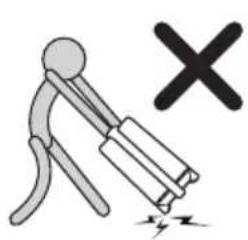
- When moving the product, do not drag or pull the product from the ground. Lift the product when moving the product.
- Design and specifications are subject to change without prior notice.
natural_image
Illustration of a person using a tool to cut a broken object with a 'X' symbol (no text or labels)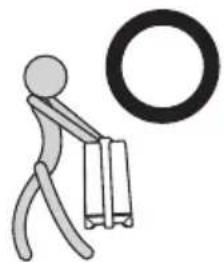
natural_image
Simple stick figure carrying a briefcase with a large circular symbol above (no text or symbols present)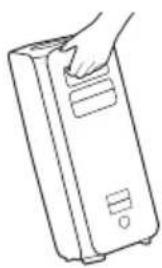
natural_image
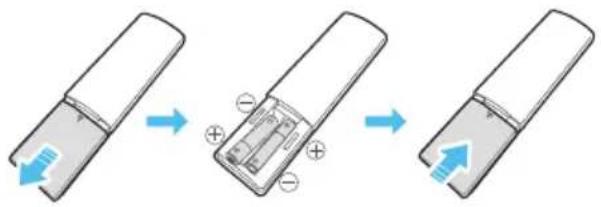
Line drawing of a hand inserting a card into a rectangular device (no text or symbols)Inserting Batteries before using the Remote Control (AAA batteries X 2)
Slide the battery cover in the direction of the arrow until it is completely removed. Insert 2 AAA batteries (1.5V) oriented so that their polarity is correct. Slide the battery cover back into position.
02 PRODUCT OVERVIEW
Top Panel of the Sound Tower
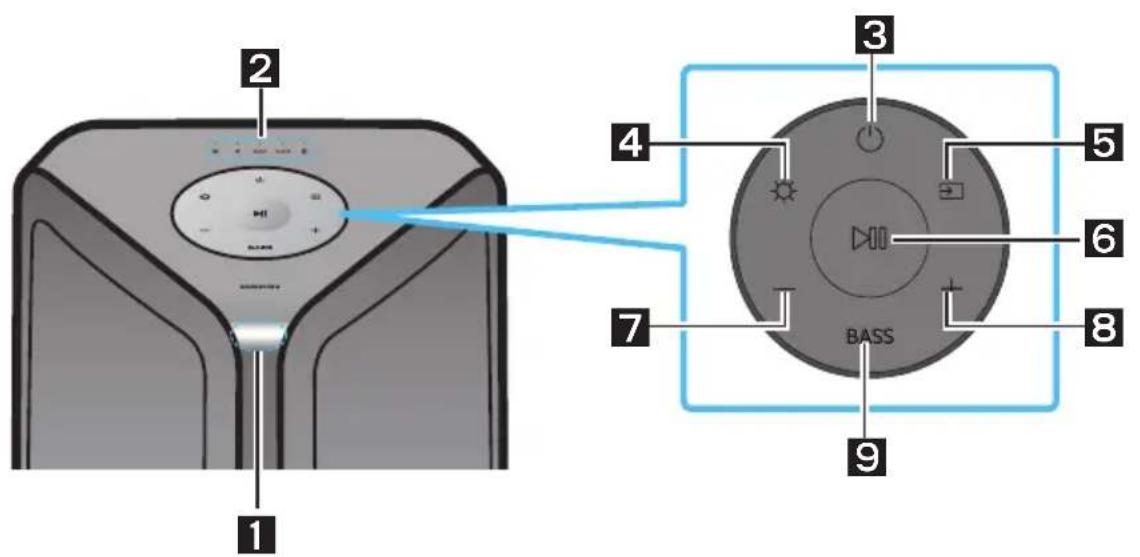
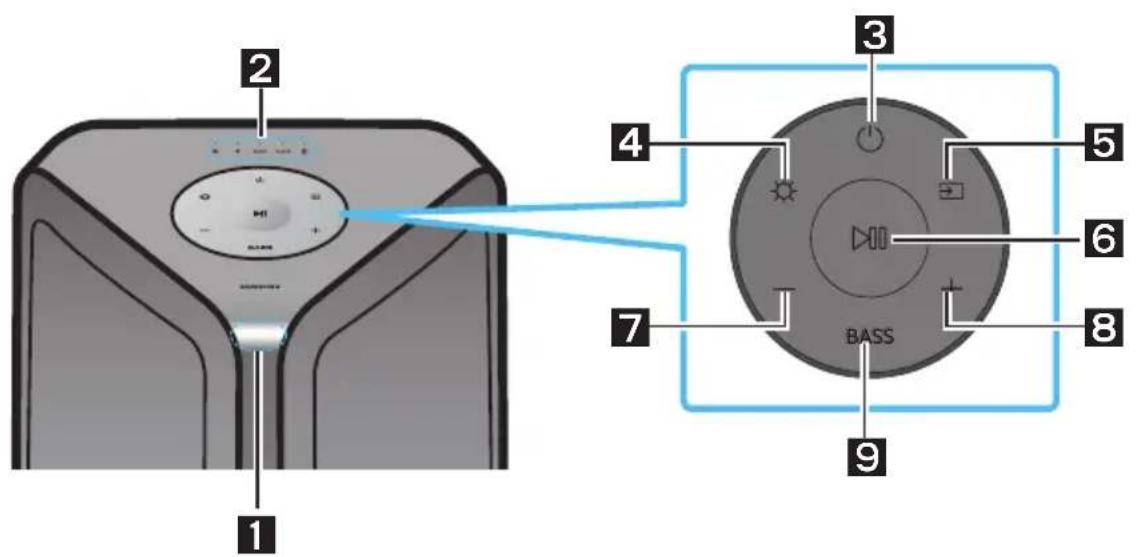
| 1 | Remote Sensor | When operating the Sound Tower system, please aim the front of the remote control at the remote sensor. |
| 2 | LED Indicator | Displays operating messages or current source of the Sound Tower system.The information sources represented by each LED are as follows:(BT)ψ(USB)AUX1(AUX1)AUX2(AUX2)(Power/Battery) |
| 3 | Power Turns the Sound Tower on and off. | |
| 4 | Light | Press the (Light) button to turn the Lighting Mode on. |
| 5 | Source | Press to select a source connected to the Sound Tower.Press and hold the (Source) button for more than 5 seconds to enter the “SEARCHING TV” mode. |
| 6 | Play/Pause | Play/PausePress the button to pause a music file temporarily.When you press the button again, the music file plays.Demo playPress and hold the button for more than 5 seconds to start the Demo play while the system is turned on. 5 LEDs flashing simultaneously and it plays demo music for 90 seconds.- Please be careful as it may play louder than the set volume. |
| 7 | Volume down | Press the—(Volume down) button to lower the volume. |
| 8 | Volume up | Press the +(Volume up) button to raise the volume. |
| 9 | BASS | Press the BASS button to use the powerful bass sound. |
Rear Panel of the Sound Tower
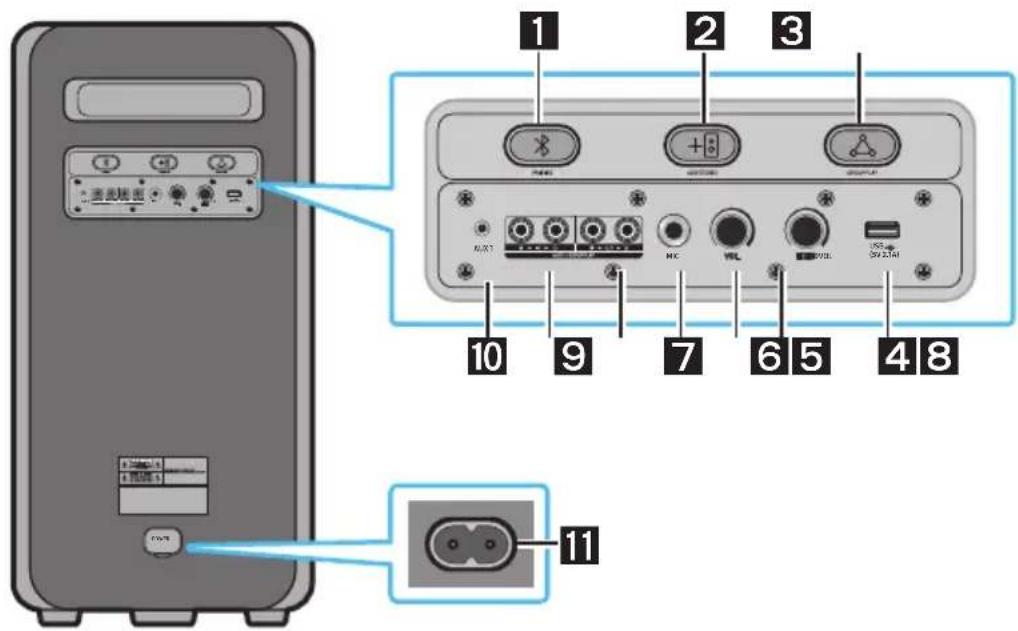
| 1 | Bluetooth PAIRING | Press the ✗ PAIRING button to enter pairing mode, "PAIRING" LED on the rear plane will be fast blink. |
| 2 | ADD STEREO | Press the ADD STEREO button to connect to another same model Sound Tower wirelessly. |
| 3 | GROUP PLAY | Press the GROUP PLAY button to connect up to ten Sound Tower systems wirelessly. |
| 4 | USB | Connect a USB device to the USB ports on the main unit.If you connect your cell phone to the USB port, you can charge it.Press the → (Source) button to select USB. |
| 5 | ECHO | You can give an echo effect to the sound from a connected microphone (MIC) by adjusting the ECHO knob. |
| 6 | VOL | Use the VOL knob to adjust the volume of a connected microphone (MIC). |
| 7 | MIC | Connect your microphone to the MIC jack. |
| 8 | GROUP PLAY OUT Terminals | Use an Audio Cable (not supplied) to connect GROUP PLAY (OUT) terminals on the main unit to Audio In on an external analogue output device. |
| 9 | GROUP PLAY IN Terminals | Use an Audio Cable (not supplied) to connect AUX2(IN) terminals on the main unit to Audio Out on an external analogue output device. |
| 10 | AUX1 | Use an Audio (AUX) Cable (not supplied) to connect AUX1 jack on the main unit to Audio Out on an external device. |
| 11 | Power | Connect the power cord to the Power jack and connect the other end of the power cord to a wall socket to supply electrical power to the Sound Tower. |
Charge LED State of the Sound Tower:
| Sound Tower state | Charging state | Charge LED (AC Mode) | Charge LED (DC Mode) | Remark |
| Off | Fully charged | Off(black) | Off (black) | |
| Off Charging Green blinks N/A | ||||
| Off Not in charging Off (black) Off (black) | The AC cable is not inserted. | |||
| Stand by | Fully charged | Blue on | N/A | There is no standby mode in DC mode. |
| Stand by | Charging | Green blinks | N/A | The charging LED is the same as when Sound Tower is shut down. |
| On Fully charged Blue on | Blue on | When turned on, Sound Tower mainly reflects the current battery state. | ||
| On | Charging | Green blinks | N/A | |
| On | Not in charging and 30%~98%power | Green on | Green on | |
| On | Not in charging and 5% ~ 29% power | Red on | Red on | |
| On | Not in charging and below 5% power | Red on | Power off after Light bar orange blink once | |
In DC mode shutdown, the entire system power will be turned off. So in the off state, compared with AC mode, the following functions are not supported.
| Feature |
| Wake up via bluetooth |
| Shop mode |
| Power Off Setting |
| Customer Reset |
| Power on via IR |
| Battery Charge |
| AUI on/off |
| UI feedback of LED lighting bar(front) on/off |
Connecting Electrical Power
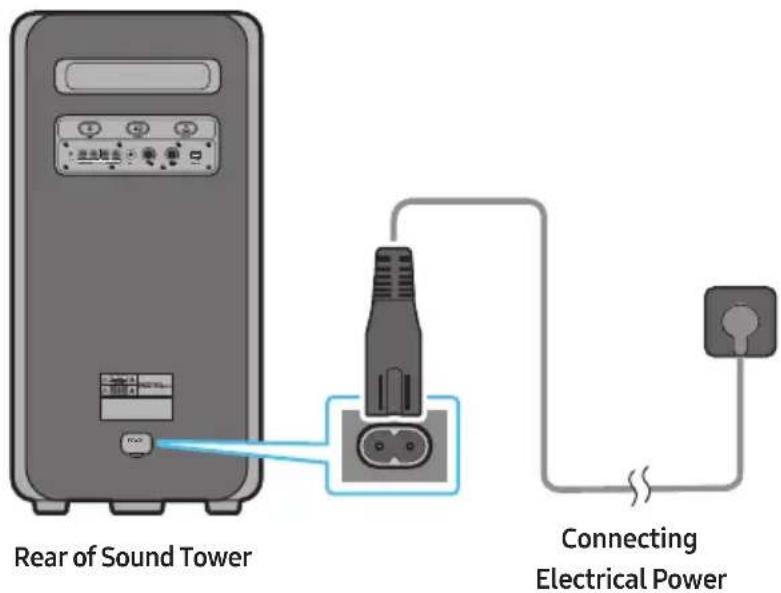
Use the power cord to connect the Sound Tower to an electrical outlet in the following order:
Connect the power cord to the Sound Tower and then to a wall socket.
See the illustrations below.
- When the AC cord is pressed in, the built-in battery will be charged automatically until the battery is fully charged. The LED indicator on the top panel will show the current charging state (refer to page ENG - 4).
- When you unplug the set to run on battery, the volume level drops dramatically.
- For more information about the required electrical power and power consumption, refer to the label attached to the product. (Label: Rear of the Sound Tower)
How to use Audio Group
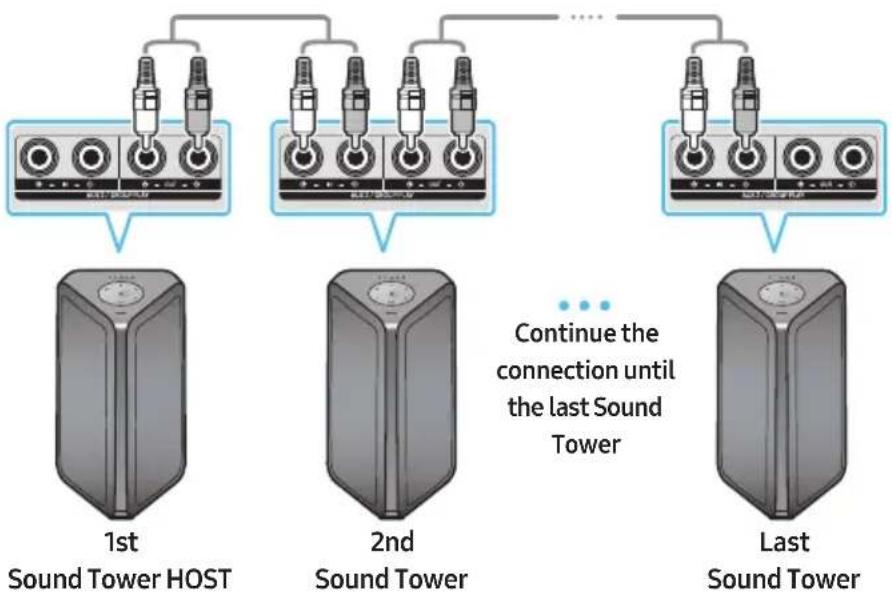
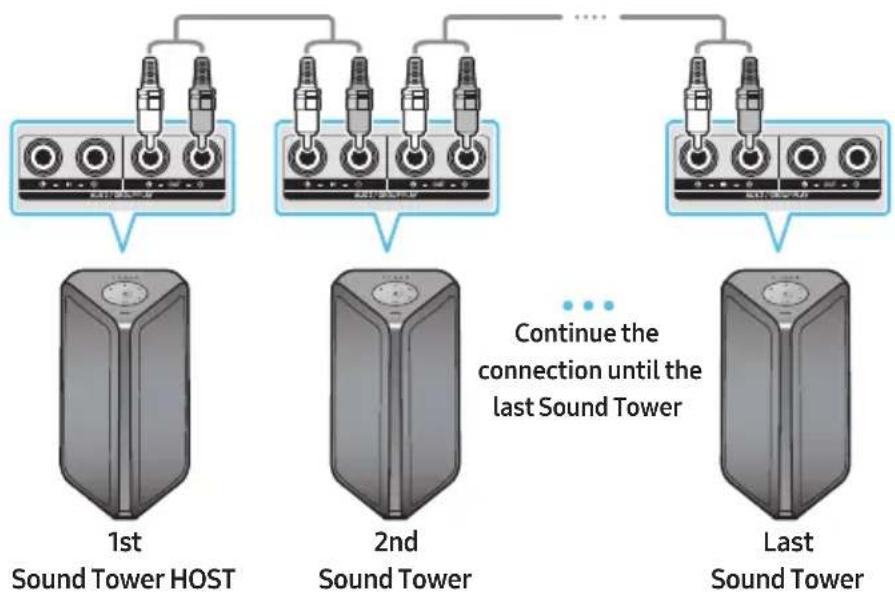
You can connect multiple audio systems in a group to create a party environment and produce higher sound output. Set one Sound Tower as the HOST and any music played on it will be shared among any other Sound Tower systems in the Audio group.
Connecting the wired Group Play mode
flowchart
graph TD
    A["1st Sound Tower HOST"] --> B["2nd Sound Tower"]
    B --> C["... Continue the connection until the last Sound Tower"]
    D["Last Sound Tower"] --> C
    style A fill:#f9f,stroke:#333
    style B fill:#f9f,stroke:#333
    style C fill:#f9f,stroke:#333
Set up Group Play by connecting all the systems using audio cables (not supplied). Use the AUX or → (Source) button to change the source to AUX2 for every Sound Tower system except the 1st (or HOST) Sound Tower system.
NOTES
• The 1st Sound Tower HOST can play music from any source.
- Depending on the length or characteristics of the cable, there may be a difference in operating distance.
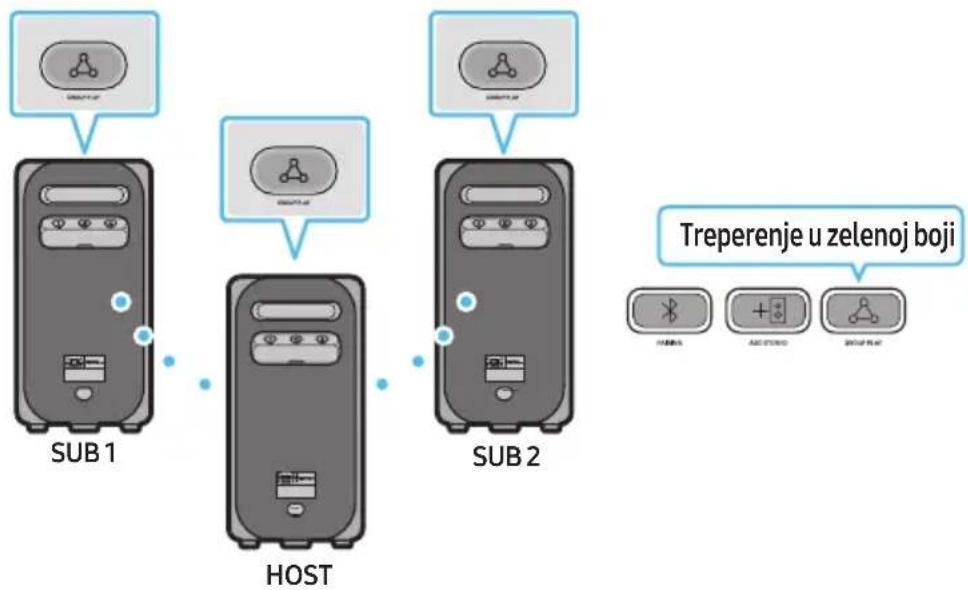
Connecting the wireless Group Play mode
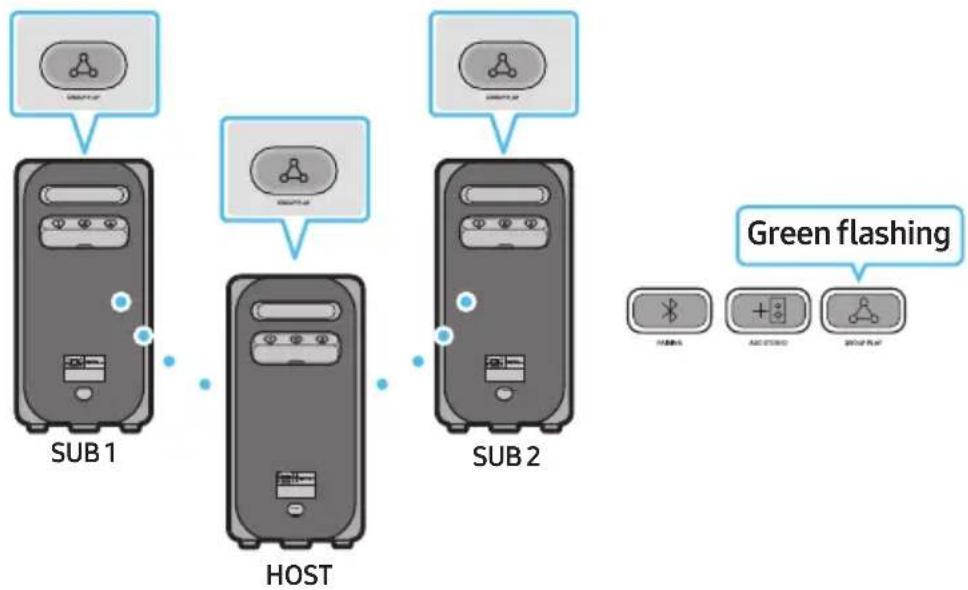
You can connect up to ten Sound Tower systems with the wireless Group Play function.
flowchart
graph TD
    A["SUB 1"] --> B["HOST"]
    C["SUB 2"] --> D["HOST"]
    E["Green flashing"] --> F["+ wireless"]
    G["Green flashing"] --> H["+ audio"]
    I["Green flashing"] --> J["+ group play"]
- Press the GROUP PLAY button on the HOST Sound Tower system, After "GROUP LED" solw blinks 10 seconds, "GROUP PLAY"LED will be fast blink (30s).
- Press the GROUP PLAY button on the 2nd Sound Tower system (SUB 1). "GROUP PLAY" LED will be blink. And then SUB1 will be connected with HOST, "GROUP PLAY" LED of SUB1 and HOST will stop blinking and turn on.
- Press the GROUP PLAY button on the 3rd Sound Tower system (SUB 2). Tone prompt instead the GROUP PLAY button on the system stops blinking.
- If you want to add more Sound Tower systems, repeat step 3.
- Play music on the HOST Sound Tower. Sound outputs from all the connected systems.
NOTES
-
In Group play mode, "HOST" Sound Tower (Figure 1) can connect to the Samsung TV. After the connection is successful, the Group play mode automatically exits.
• The wireless Group Play connection is available for MX-ST90B/MX-ST50B/MX-ST40B. -
Environmental conditions or other factors with connected devices may have effect on playback quality.
- If the red LED is on the GROUP PLAY button, an error has occurred in the wireless Group Play connection. Try step 1 to step 5 again.
- The ADD STEREO button and ✗ PAIRING button on the SUB Sound Tower systems are not available while in wireless Group Play mode.
- The ADD STEREO button on the HOST Sound Tower system is not available while in wireless Group Play mode.
- Long press "GROUP PLAY" in BT Source state to enter Group mode as "HOST".
- All SUB units must be connected one by one. For example, after HOST is connected, press GROUP PLAY button on SUB 1 to connect, and after SUB 1 is connected, you should connect SUB 2 and SUB 3 one by one sequentially.
- While using Group Play, currently connected Bluetooth devices are disconnected and Bluetooth connection is disabled.
- Bluetooth devices can search and connect with the HOST Sound Tower only.
- When in Group Play mode, the SUB cannot connect to a Bluetooth device.
- If you power off and then power on the Sound Tower or select any source other than BT on a SUB unit, in Group Play mode, the Group Play mode is disconnected.
- This product does not support aptX audio stream with Wireless Group Play mode.
Disconnecting the wireless Group Play mode
- Press and hold the GROUP PLAY button over 5 seconds (HOST or SUB) after Group Play is connected or press the GROUP PLAY button (HOST or SUB) before Group Play is connected.
- Tone prompt instead and the LED above the GROUP PLAY button is off.
- If you select any source other than BT on the SUB units or turn off the HOST Sound Tower, the Group Play mode is disconnected.
- If the disconnection is made from the HOST Sound Tower, Group Play is disconnected.
LED Indications
| LED STATE Description | ||
| Green | Blink Waiting for a wireless Group Play connection. | |
| Solid The wireless Group Play connection was successful. | ||
| Red | Solid | There is an error with the wireless Group Play connection. |
NOTE
- In wireless connection, Playback quality can be unstable depending on Bluetooth environment. For better play, please keep the device in wired Group Play mode.
- The first bluetooth connection should be within 1m.
Using a Smartphone and Stereo Group mode
Connect two Sound Tower and use them with your smartphone to enjoy stereo sound.
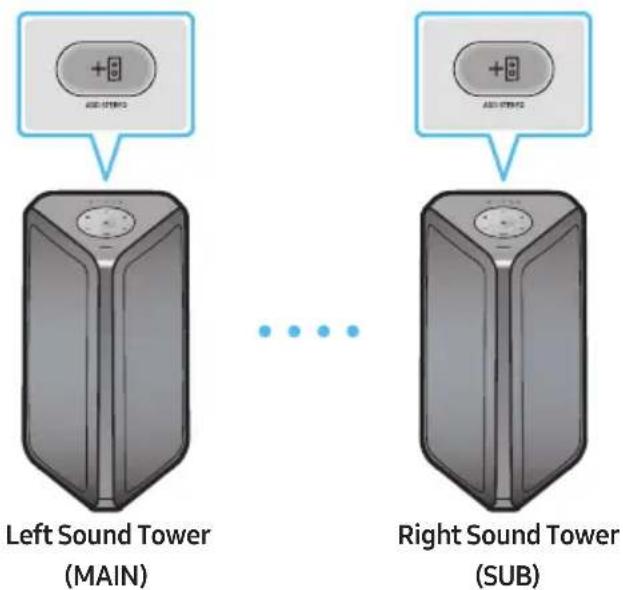
- Press the ADD STEREO button on the left Sound Tower system. The LED blinks on the ADD STEREO button.
- Press the ADD STEREO button on the right Sound Tower system. The LED blinks on the ADD STEREO button.
- When the connection is made, tone prompt. Back plane ADD LED Green Indicator Steady on.
- The MAIN Sound Tower system outputs left channel sound and the SUB Sound Tower system outputs right channel sound. Press the ADD STEREO button on the MAIN or SUB Sound Tower to change the sound channel of the Sound Tower.
- Play music by connecting your smartphone to the MAIN Sound Tower and Bluetooth. Sound is output from both Sound Tower.
NOTES
- To use the Stereo Group mode, both Sound Tower systems must be the same model.
- Environmental conditions or other factors with connected devices may have effect on playback quality.
- If the red LED is on the ADD STEREO, an error has occurred in the Stereo Group connection. Try step 1 and step 3 again.
- Remote Controller, BT PAIRING, GROUP PLAY and → (Source) buttons on the SUB Sound Tower systems are disabled while in Stereo Group mode.
-
The GROUP PLAY button on the MAIN Sound Tower system is not available while in Stereo Group mode.
-
In mode other than "BT" (ex. USB, AUX mode), music is played only in MAIN Sound Tower and music is not played in SUB Sound Tower.
- The lighting colours between MAIN Sound Tower and SUB Sound Tower may vary.
- This product does not support aptX audio stream with Stereo Group mode.
- If you try to connect a Bluetooth device while Stereo Group is connecting, the Stereo Group mode may fail.
Terminate the Stereo Group mode
Press the ADD STEREO button (MAIN or SUB) for at least 5 seconds while the Stereo Group is connected.
- Tone prompt and the LED above the ADD STEREO button is off.
LED Indications
| LED STATE Description | |
| Green | Blink Waiting for a Stereo Group connection. |
| Solid The Stereo Group connection is successful. | |
| Red Solid There is an error with the Stereo Group connection. | |
Using Samsung TV and Stereo Group mode
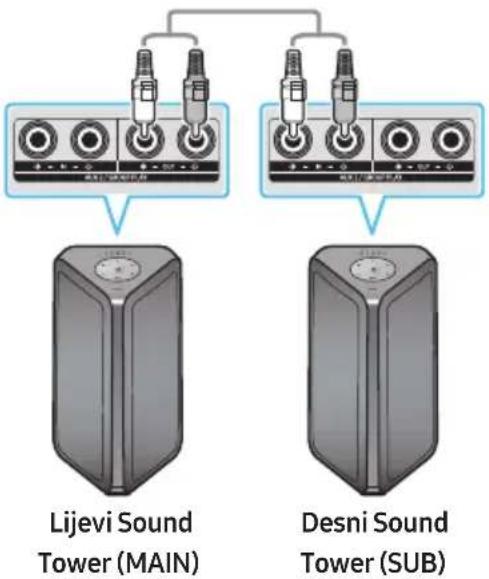
Connect two Sound Tower by wire and use them with Samsung TV to enjoy stereo sound.
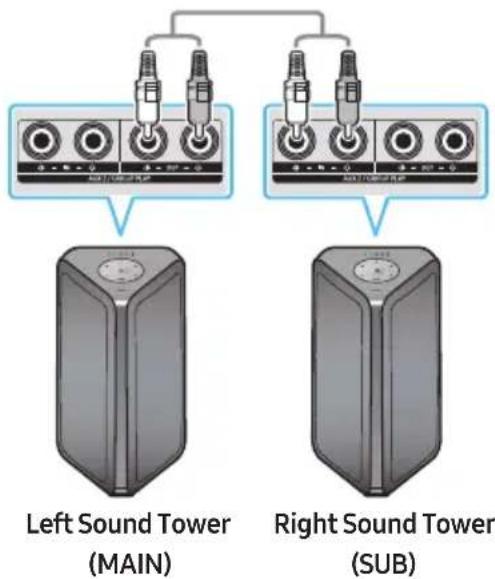
-
Connect two sound towers via stereo mode by press the ADD STEREO button on the two Sound Tower.
-
Connect the RCA cable to the AUX2 OUT on the MAIN and AUX2 IN on the SUB as shown by using the RCA cable (not supplied).
-
In "BT" mode, press the "AUX" button on the MAIN Sound Tower remote control for at least 5 seconds. The LED blinks on the ADD STEREO button.
-
When the connection is complete, the "ADD STEREO" LED turn on and then the current output. Tone prompt instead.
- When the connection is complete, the SUB top panel "AUX2" LED turn on.
- The MAIN Sound Tower outputs the left channel sound and the SUB Sound Tower outputs the right channel sound. Press the ADD STEREO button on the MAIN or SUB Sound Tower to change the sound channel of the Sound Tower.
- Connect a TV and MAIN Sound Tower via Bluetooth to play music. Sound is output from both Sound Tower.
NOTES
- To use Stereo Group mode, both Sound Tower must be the same model.
- A red light on the LED on the ADD STEREO button indicates an error in the Stereo Group connection. Try Step 1 to 5 again.
- In Stereo Group mode, the remote control, BT PAIRING, GROUP PLAY, and → (Source) buttons on the SUB Sound Tower are disabled.
- The GROUP PLAY button on the MAIN Sound Tower is not available in Stereo Group mode.
- If Samsung TV supports a simple connection, the connection pop-up is automatically displayed on the TV, and if you select "Yes", it connects to the TV. If there is a previous connection history between Samsung TV and Sound Tower, it will be connected to Samsung TV without pop-up. For a simple connection to Samsung TV, refer to page 16.
- The lighting colours may vary between the MAIN Sound Tower and the SUB Sound Tower.
Terminating the Stereo Group mode connection
Press the ADD STEREO button (MAIN or SUB) for at least 5 seconds after the Stereo Group is connected.
- "OFF-STEREO MODE" tone prompt and the LED on the ADD STEREO button turns off.
04 CONNECTING AN EXTERNAL DEVICE
Connect to an external device via a wired or wireless network to play the external device's sound through the Sound Tower.
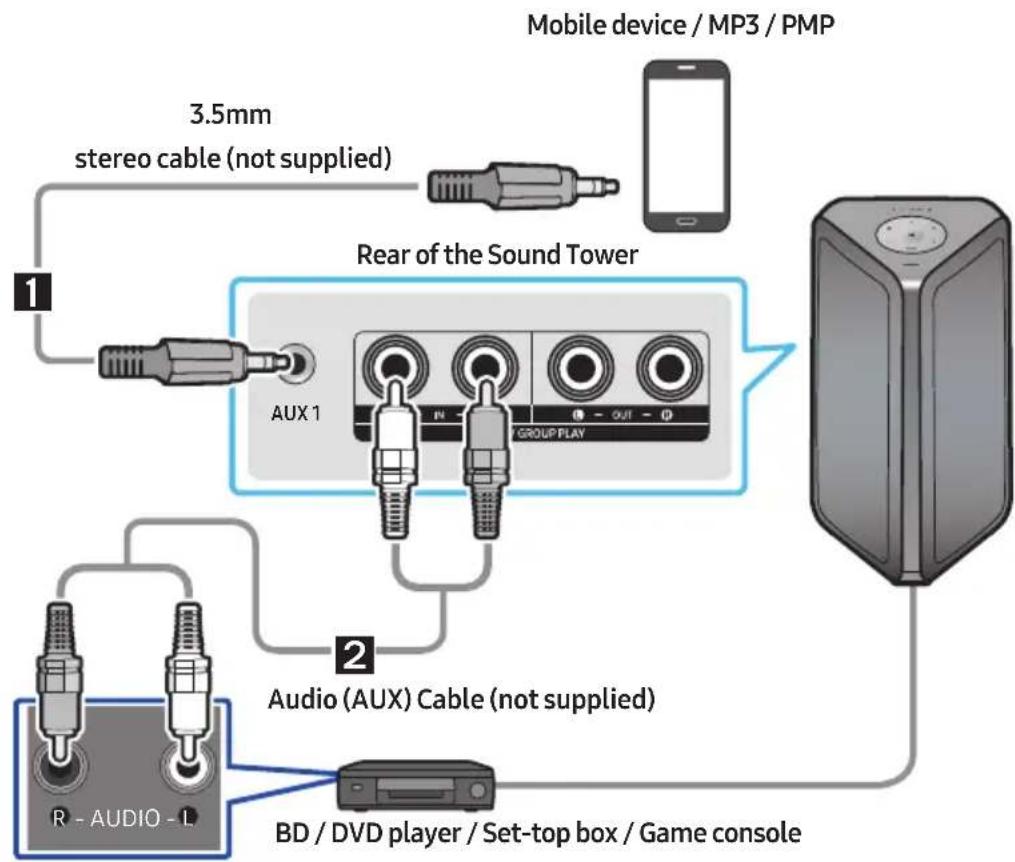
Connecting using an Analogue Audio (AUX) Cable
flowchart
graph TD
    A["1: Audio (AUX) Cable (not supplied)"] --> B["2: Audio (AUX) Cable (not supplied)"]
    B --> C["3.5mm stereo cable (not supplied)"]
    C --> D["1: Rear of the Sound Tower"]
    D --> E["Group Play"]
    E --> F["Mobile device / MP3 / PMP"]
    G["BD / DVD player / Set-top box / Game console"] --> E
1 3.5mm stereo Cable (AUX1)
-
Connect AUX1 jack on the main unit to the AUDIO OUT jack of the Source Device using an 3.5mm stereo cable.
-
Select "AUX1" mode by pressing the → (Source) button on the top panel or on the remote control.
- You can also select a source using AUX button on the remote control.
2 Audio Cable (AUX2)
-
Connect AUX2 (IN) terminals on the main unit to the AUDIO OUT terminals of the Source Device using an audio cable.
-
Select "AUX2" mode by pressing the → (Source) button on the top panel or on the remote control.
- You can also select a source using AUX button on the remote control.
Connecting a mobile device via Bluetooth
When a mobile device is connected using Bluetooth, you can hear stereo sound without the hassle of cabling.
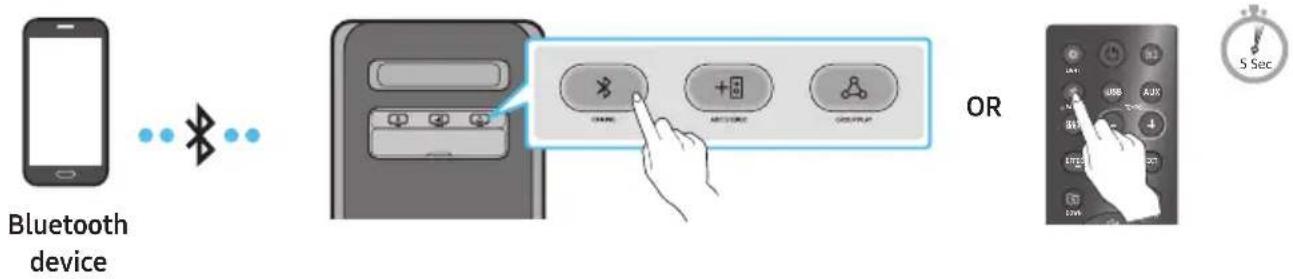
* In battery mode, when the Sound Tower is power off, Bluetooth connection and the party audio app are not available.
The initial connection
- Press and hold the ✝ PAIRING button on the remote control for more than 5 seconds to enter the "BT PAIRING" mode.
(OR) Press the ✧ PAIRING button on the rear panel.
- On your device, select "[AV] MX-ST5B Series" from the list that appears.
- After the device is connected. The third light on the top panel blinks three times cyan, and the bluetooth light on the rear panel is steady on.
- Play music files from the device connected via Bluetooth through the Sound Tower.
If the device fails to connect
• Sound tower will play voice prompt via bluetooth disconnected.
- If a previously connected Sound Tower listing (e.g. "[AV] MX-ST5B Series") appears in the list, delete it.
- Then repeat steps 1 and 2.
What is the difference between BT READY and BT PAIRING?
- BT READY: In this mode, you can use the previously connected TV or mobile device to connect to Sound Tower.
- BT PAIRING : In this mode, you can connect a new device to the Sound Tower. (Press and hold the ✝ PAIRING button on the remote control for more than 5 seconds or press the ✝ PAIRING button on the rear of the Sound Tower to enter the "BT PAIRING" mode.)
Bluetooth Multi connection
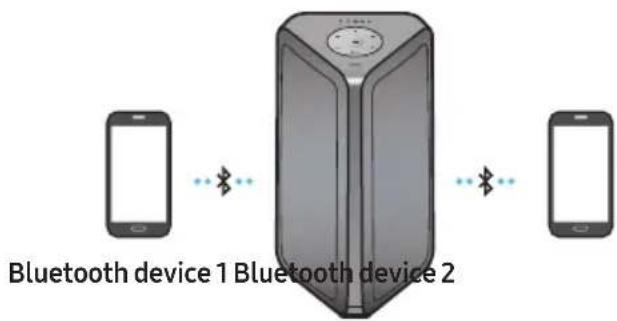
Sound Tower supports up-to two simultaneous Bluetooth device connections. Sound Tower can play music through one of the connected Bluetooth devices without disconnecting the second device.
-
Connect Sound Tower to the first device and the second device respectively for the first time. (See page 13)
-
Music can be played on only one of the two connected devices, and when the music is played on the other device, the music on the playing device is paused.
NOTES
- If you want to connect Sound Tower to a third device, you can disconnect Sound Tower from one of the two currently connected devices and then connect Sound Tower to the third device. (Device include Samsung TV)
- With the Sound Tower and two devices currently connected, when pairing to a new Bluetooth device, the devices currently connected maybe disconnected.
- You can connect to two Bluetooth devices at the same time.
- Environmental conditions or other factors with connected devices may have effect on playback quality.
- The Sound Tower automatically turns off after 18 minutes with no command input in the ready state.
- The Sound Tower may not perform Bluetooth search or connection correctly under the following circumstances:
- If there is a strong electrical field around the Sound Tower.
- If several Bluetooth devices are simultaneously paired with the Sound Tower.
- If the Bluetooth device is turned off, not in place, or malfunctions.
- Electronic devices may cause radio interference. Devices that generate electromagnetic waves must be kept away from the Sound Tower main unit - e.g., microwaves, wireless LAN devices, etc.
- Bluetooth Multi connection may not be supported depending on the connected device's specifications.
- Removable/detachable Bluetooth devices (Ex:Dongle etc..),windows phone, laptops, TV, etc. do not support Bluetooth Multi connection.
- After Bluetooth Multi connection pairing, there may be a slight delay before music starts playing depending on the Bluetooth devices.
- If you move too far out of range from the Sound Tower without first disconnecting your Bluetooth
device, it may take a few minutes to connect other Bluetooth devices. If you turn the Sound Tower off and back on, you can connect other Bluetooth devices without waiting.
LED Indications
| LED STATE Description | ||
| Blue | Fast Blink BT PAIRING mode | |
| Blink BT READY mode | ||
| Solid A Bluetooth device is connected. | ||
Using Bluetooth Power On
When the Sound Tower is turned off, you can connect your smart device via a Bluetooth connection to turn it on. Battery status cannot use Bluetooth power on.
- Press and hold the BASS button on the remote control or on the top panel to set the Bluetooth Power On function on. Lighting bar will be blink white once.
- When the Sound Tower is off, connect your smart device via Bluetooth. (For information on Bluetooth connections, refer to your smart device's manual.)
- When the connection is complete, the Sound Tower turns itself on automatically in Bluetooth mode.
- Select the desired music to play from your smart device.
NOTE
- Each time you press and hold the BASS button for 5 seconds. LED lighting bar will be blink white once and status switched:
BLUETOOTH POWER-ON → BLUETOOTH POWER-OFF
Connecting the Samsung TV via Bluetooth
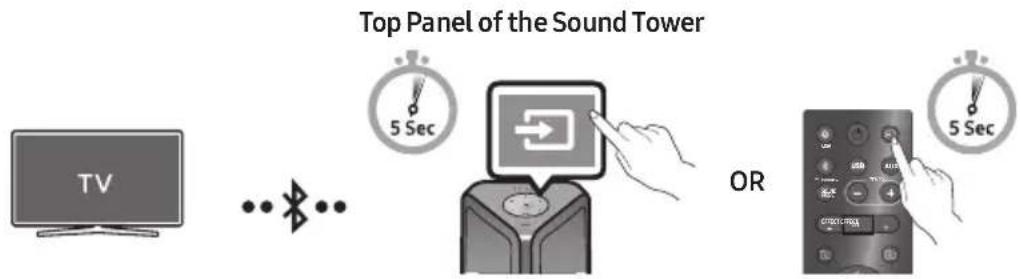
If Sound Tower connected with Samsung TV via Bluetooth, Sound Tower can be controlled by TV UI. (Volume +/-, Mute On/Off and Power On/Off)
flowchart
graph LR
    A["TV"] --> B["..."]
    B --> C["Bluetooth"]
    C --> D["Top Panel of the Sound Tower"]
    D --> E["OR"]
    E --> F["Control Interface"]
Easy connect with Samsung TV (SEARCHING TV mode)
Sound Tower has "SEARCHING TV" mode for easy connect with Samsung TV.
-
Press and hold → (Source) bottom for more than 5 seconds on remote control or top panel then Sound Tower will start to search Samsung TV. Lighting bar will blink white once and then blink cyan, The back plane "PAIRING" LED will be slow blink. (Or, when the wired Stereo Group mode connection is complete, the "SEARCHING TV" mode is automatically activated.)
-
If Samsung TV support easy connection, connection popup will be displayed on TV. If Samsung TV has connected with Sound Tower before, Samsung TV will be connected without popup.
-
If Sound Tower can not find any Samsung TV within 5 minutes, Sound Tower will terminate "SEARCHING TV" mode and turn to "BT PAIRING" mode. If find any Samsung TV, Sound Tower will request connection to those TV.
NOTES
- While in wireless Group Play mode, searching TV is not available.
- To stop searching Samsung TV, turn off the Sound Tower or press the → (Source) or ✗ PAIRING button.
- Sound Tower does not support multi connection if Samsung TV is connected.
- While Samsung TV is connected, Sound mode is PARTY and SOUND MODE button is not available.
- While Samsung TV is connected, Sound Tower APP can not connect with Sound Tower.
- Connection popup may not be displayed according to TV spec.
- You can select and connect directly from the Bluetooth speaker list on your TV when the connection pop-up does not appear on your TV.
- When the Sound Tower is connected to your TV by Bluetooth connection, the video on the TV and audio from the Sound Tower may not be synchronised because the distance between the Sound Tower and the TV is too far. It is recommended to move the Sound Tower closer to your TV within 1 meter.
05 CONNECTING A USB STORAGE DEVICE
You can play music files located on USB storage devices through the Sound Tower.
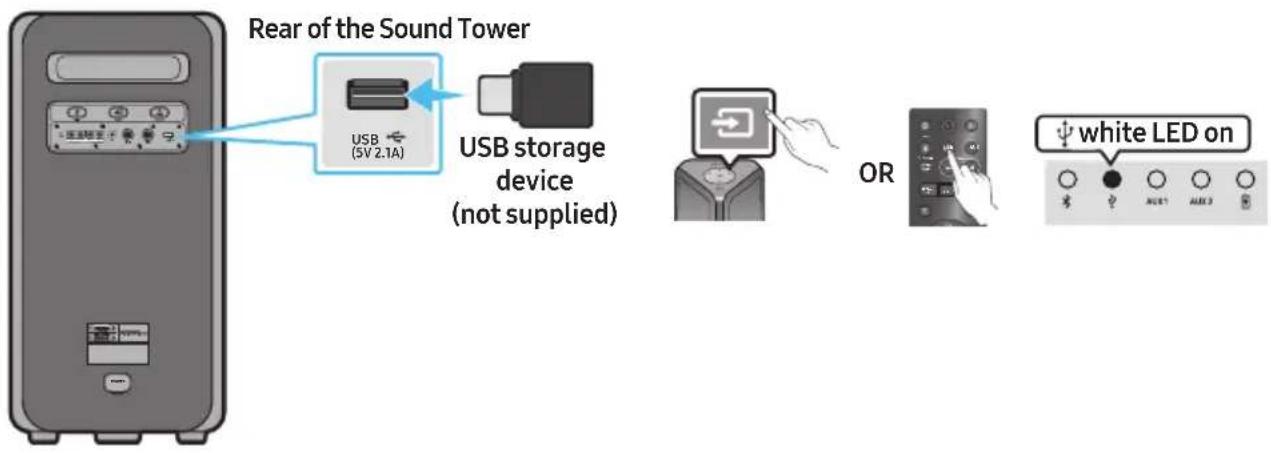
- Connect a USB storage device to the USB jacks on your Sound Tower.
- Press the → (Source) button on the top panel or on the remote control, and then select "USB".
- You can also select a source using USB button on the remote control.
- The second USB indicator on the top panel is steady on.
- Play music files from the USB storage device through the Sound Tower.
- The Sound Tower automatically turns off (Auto Power Down) if USB device is not connected, playback stopped, or there is no input for more than 18 minutes.
NOTES
- This product only supports USB storage devices that are formatted in the FAT and FAT32 file system.
- This product does not support HDD storage or storage on mobile devices.
- A maximum of 999 files can be played per USB storage device.
- A maximum of 256 folders can be read per USB storage device.
Supported Audio Formats
| File Extension Audio Codec Sampling Rate Bit Rate | |||
| *.mp3 | MPEG 1 Layer3 32 kHz ~ 48 kHz 32 kbps ~ 320 kbps | ||
| MPEG 2 Layer3 16 kHz ~ 24 kHz 8 kbps ~ 160 kbps | |||
| MPEG 2.5 Layer3 8 kHz ~ 12 kHz 8 kbps ~ 160 kbps | |||
| *.wma WMA7/8/9 8 kHz ~ 48 kHz 32 kbps ~ 320 kbps | |||
| *.aac | AAC 8 kHz ~ 96 kHz < 1728 kbps | ||
| AAC-LC | 8 kHz ~ 96 kHz | < 1728 kbps | |
| HE-AAC | 8 kHz ~ 96 kHz < 1728 kbps | ||
| *.wav | PCM/LPCM/IMA_ADPCM | 8 kHz ~ 192 kHz | < 5 Mbps |
| *flac | - | 8 kHz ~ 192 kHz | < 5 Mbps |
NOTES
- This product does not support WMA Professional codec.
- The above table shows supported sampling rates and bit rates. Files in formats that are not supported will not play.
• AAC files only support the ADTS native format.
Software Update
Samsung may offer updates for the Sound Tower's system firmware in the future.
If an update is offered, you can update the firmware by connecting a USB device with the firmware update stored on it to the USB port on your Sound Tower. For more information about how to download update files, go to the Samsung Electronics website at www.samsung.com/us/support/.
Then, enter or select the model number of your Sound Tower, select the Software & Apps option, and then Downloads. Note that the option names can vary.
Connecting an External Microphone
You can output your voice from the system by connecting a dynamic microphone with a normal plug (not supplied).
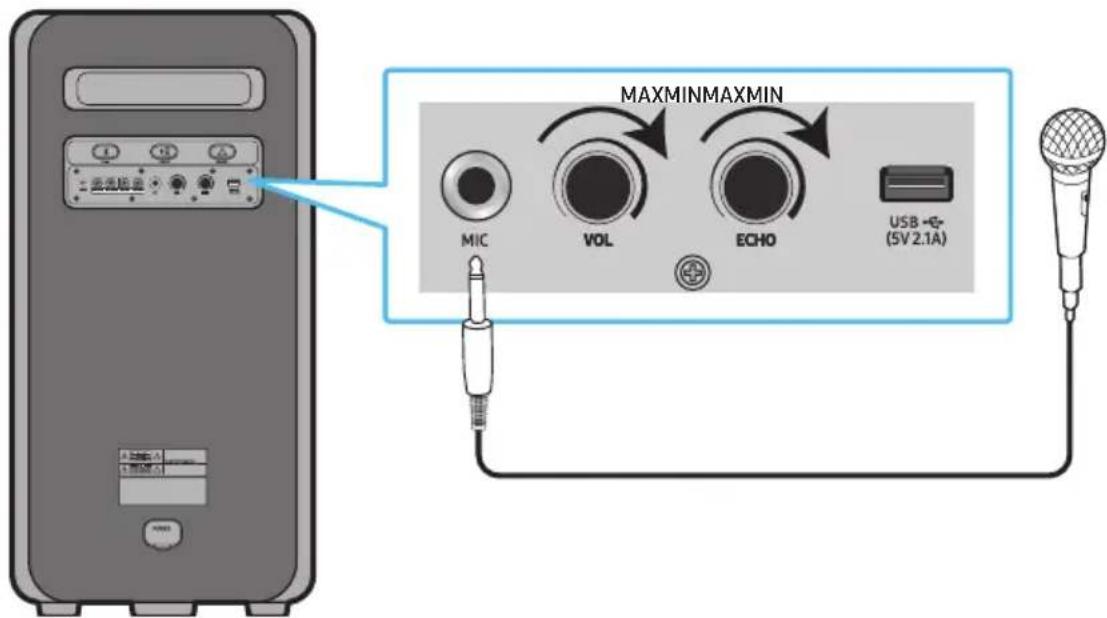
- Turn the MIC LEVEL knob to MIN to reduce the microphone volume level.
- Connect an optional microphone to the MIC jack on the unit.
- Adjust the volume using the MIC "VOL" knob.
- Adjust the Effect of the echo using the MIC "ECHO" knob.
- Speak or sing into the connected microphone.
NOTES
- When using the wireless Group mode or stereo mode function, sound from the microphone is only output from the system to which the microphone is connected.
- When Sound Tower is in battery mode, the MIC sound level will be lower.
06 USING THE REMOTE CONTROL
How to Use the Remote Control

* To reduce battery drain, the product does not turn on when press the power button of remote control while the battery is in use.
| 1 |  Power Power | Turn the Sound Tower on and off. |
| 2 |  LIGHT LIGHT | Press the (LIGHT) button to turn the Lighting Mode on.(Only during music playback is effective)Press the button repeatedly to cycle through the available light modes: AMBIENT, PARTY, DANCE, THUNDERBOLT, STAR or OFF. |
| 3 |  Source Source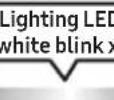 | Press to select a source connected to the Sound Tower.Press the button repeatedly to cycle through the available sources: BT, USB, AUX1 or AUX2 .LED indicator on the top of the product |
| 4 |  Bluetooth PAIRING Bluetooth PAIRING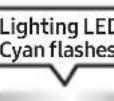 | Press to select a source connected directly to "BT" mode.Press and hold the button for more than 5 seconds to enter the "BT PAIRING" mode.You can connect the Sound Tower to a new Bluetooth device in this mode by selecting the Sound Tower from the Bluetooth device's search list.LED indicator on the top of the product |
| 5 |  USB USB | Press to select the USB source connected to the Sound Tower.white LED onLED indicator on the top of the product |
| 6 |  AUXLighting LED white blink x1 AUXLighting LED white blink x1 | Press to select the AUX1 or AUX2 sources connected to the Sound Tower.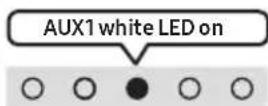 OR OR 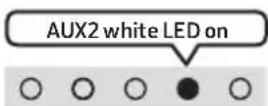 LED indicator on the top of the product LED indicator on the top of the product |
| 7 |  SOUND MODE SOUND MODE | Press the button repeatedly to cycle through the available sound effects: PARTY, STANDARD, HIPHOP, EDM, ROCK, LATIN, HOUSE or REGGAE.PARTY: Term for more upbeat music effect,like a partyStandard: Term for raw musical effects, like no EQ.HIPHOP: term for Dynamic dance and music.EDM: A more “generalized concept” genre than electronic music.ROCK: Band music.LATIN: Term for the music of many South American countries.HOUSE: Fast beat dance music played on electronic instruments. |
| 8 |  TEMPO+, - TEMPO+, - | Press the TEMPO + or TEMPO - buttons to change the tempo of the music up or down.This function only works in the USB mode. |
| 9 |  DJ DJ | This function lets you turn on the DJ effect function.Press the button repeatedly to cycle through the available DJ sound effects:NOISE, FILTER, CRUSH, CHORUS, WAHWAH or OFF.NOISE: Mixing white noise into the original sound.FILTER: Filter out the sound of some frequencies.CRUSH: Make the original sound sharp.CHORUS: Separate the original sound into several track and delay them separately,then mix again. Create a chorus effect.WAHWAH: WAHWAH effect created by enhancing some specific frequencies of original sound. |
 EFFECT+, - EFFECT+, - | Press the EFFECT + or EFFECT - buttons to change the level of the each DJ sound effect up or down.Effect value default is 5, can be changed to - 15 ~ 0 ~ +15. | |
| 10 |  Folder DOWN Folder DOWN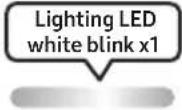 | Press the (DOWN) button to move to the next folder in the USB device. |
| 11 |  Folder UP Folder UP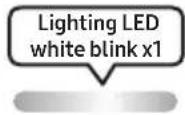 | Press the (UP) button to move to the previous folder in the USB device. |
| 12 | 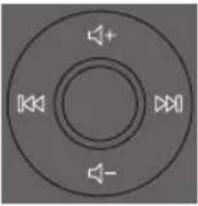   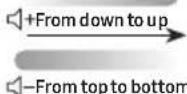 | Volume up, Volume downPress the + (Volume up) or - (Volume down) to adjust the volume level up or down.Music SkipPress the button to select the next music file. Press the button once to play the current music again. Pass the button twice to select the previous music file.Press and hold the button or the button for more than 3 seconds in USB play mode to search forward or search backward. Press and hold the button or the button for more than 3 seconds again to get back to normal play. |
| 13 |  Play / Pause Play / Pause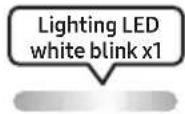 | Press the button to pause a music file temporarily.When you press the button again, the music file plays.Auto Power Down FunctionTo turn off Auto Power Down function while the unit is in AUX1, AUX2 mode, press and hold the button for more than 5 seconds. Lighting bar will be blink white once. |
| 14 |  Mute Mute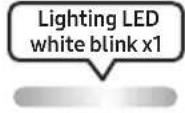 | Press the (Mute) button to mute the sound.Press it again to unmute the sound. |
| 15 |  Repeat Repeat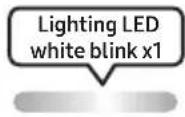 | Press the (Repeat) button to use the Repeat function in "USB" mode.Press the button repeatedly to cycle through the available repeat functions:ONE, FOLDER, ALL, RANDOM or OFF. |
| 16 |  BASS BASS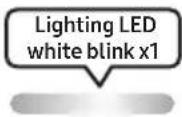 | Press theBASSbutton to use the powerful bass sound.Press it again to return to the normal sound.Press and hold theBASSbutton for more than 5 seconds to turn on or off theBLUETOOTH POWERfunction. |
| ※ | Not availableLighting LEDPink FlashesFrom middle to end | The remote control button function is not available in the current source. |
How to use Sound Mode
Your Sound Tower provides predefined equalizer settings that are optimized for particular music genres.
- Press the SOUND MODE button on the Remote control.
- Each time you press the SOUND MODE button, the Sound Tower cycles through the available sound effects: PARTY, STANDARD, HIPHOP, EDM, ROCK, LATIN, HOUSE or REGGAE.
NOTES
- Default sound mode is PARTY.
- When turned off, press and hold the ▶ button on product or remote control for more than 5 seconds to turn on in the default Sound Mode setting.
How to use the DJ Effect
The DJ Effect function lets you add DJ sound effects to your music. The level of each effect is adjustable.
- Press the DJ button on the Remote control.
-
Each time you press the DJ button, the Sound Tower cycles through the available DJ Effects:
-
NOISE: Create white noise and mixed with the original sound through the filter and output.
-
FILTER : Creates an effect similar to the sound of only treble or bass.
• CRUSH: Creates an effect that makes the original sound sharper.
• CHORUS : Creates an effect similar to a singing chorus. -
WAHWAH : Creates a 'Wah\~ Wah\~' effect.
• DJ EFFECT OFF : Turns off the DJ Effect. -
Press the EFFECT + or EFFECT - buttons to raise or lower the level of each of the DJ sound effects from -15 to +15.
NOTE
- When turned off, press and hold the > button on product or remote control for more than 5 seconds to turn on in the default DJ Effect setting.
07 USING THE SAMSUNG SOUND TOWER APP
Install Samsung Sound Tower App
To control this product with your Smart Device and the Samsung Sound Tower app, download the Samsung Sound Tower App from the Google Play Store or Apple App Store, and install it on your Smart Device.
NOTES
- The Samsung Sound Tower app is compatible with Android mobile phone devices running Android OS 8.0 or later.
- The Samsung Sound Tower app is compatible with Apple mobile devices running iOS 11.0 or later.
Market search : Samsung Sound Tower

Launching the Samsung Sound Tower App
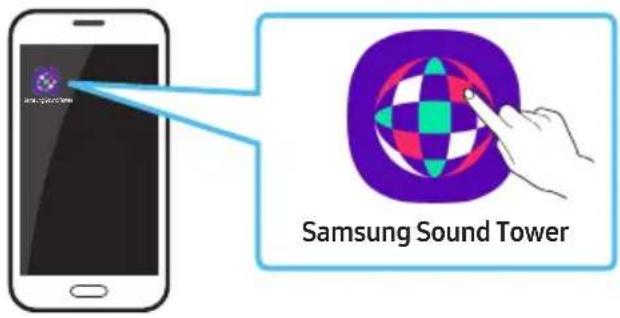
To launch and use the Samsung Sound Tower app, touch the Samsung Sound Tower icon on your smart device, and then follow the directions on the screen.
08 TROUBLESHOOTING
Before seeking assistance, check the following.
The unit will not turn on.
→The battery may be fully discharged. Please connect the power plug and try to turn it on.
A function does not work when the button is pressed.
→After removing the power plug, turn off the Sound Tower. And insert power plug again, turn on the Sound Tower.
→Power cycle the external device and try again.
→If there is no signal, the Sound Tower automatically turns off after a certain period of time. Turn on the power.
Sound dropouts occur in BT mode.
→See the Bluetooth connection sections on page 13.
Sound is not produced.
Is the Mute function on?
→ Press the ⚫ (Mute) button to cancel the mute function.
Is the volume set to minimum?
→Adjust the Volume.
The remote control does not work.
Are the batteries drained?
→Replace them with new batteries.
Is the distance between the remote control and Sound Tower main unit too far?
→ Move the remote control closer to the Sound Tower main unit.
Stereo Group connection is not working.
Is the system in wireless Group Play mode?
→Disconnect the wireless Group Play mode and try Stereo Group connection again.
It cannot make a Bluetooth connection.
Is the system connected to another system in wireless Group Play mode or Stereo Group mode?
→Try Bluetooth connection again after disconnecting the wireless Group Play or Stereo Group connection.
Are the two Bluetooth devices already connected?
→Try Bluetooth connection again after disconnecting other Bluetooth connections.
The ✦PAIRING button is not working.
Is the system in wireless Group Play mode or Stereo Group mode?
→Try again after disconnecting the wireless Group Play or Stereo Group connection.
I want to switch the HOST (MAIN) system to the other in wireless Group Play or Stereo Group connection.
→Disconnect Group Play mode, press the Speaker which you want make to HOST first, and after it use Group LED to judge instead connect the others one by one.
→ With Stereo Group mode, MAIN is fixed. You can not change others as MAIN.
I want to play AUX1 or AUX2 more than 8 hours without control input.
→Press and hold the remote control▶▶ button for more than 5 seconds in AUX1 or AUX2 mode to disable Auto Power Down Function. Change from ON-AUTO POWER DOWN to OFF-AUTO POWER DOWN.
I can't connect a SUB to Group play.
→After 1 hour, the HOST will block any additional SUB from being added.
Press the GROUP PLAY button on HOST, the SUB can be reconnected.
It cannot make a "Wireless/Wired Group/Add Stereo/Bluetooth" connection.
Is the distance between systems too far?
→It is recommended to make a "Wireless/Wired Group/Add Stereo/Bluetooth" pairing within 1 meter from the system.
→The recommended operating distance between Sound Tower systems is closer than 10 meters.
09 LICENCE

Bluetooth®
The Bluetooth® word mark and logos are registered trademarks owned by the Bluetooth SIG, Inc. and any use of such marks by Samsung Electronics Co., Ltd. is under licence. Other trademarks and trade names are those of their respective owners.

Qualcomm aptX™
Qualcomm aptX is a product of Qualcomm Technologies, Inc. and/or its subsidiaries. Qualcomm is a trademark of Qualcomm Incorporated, registered in the United States and other countries. aptX is a trademark of Qualcomm Technologies International, Ltd., registered in the United States and other countries.

[ENERGY STAR]
ENERGY STAR qualified model only
- Your Samsung product is ENERGY STAR qualified in its factory default setting. Change to certain features, settings and functionality in this product can change the power consumption, possibly beyond the limits required for ENERGY STAR qualification.
- Environmental Protection Agency and Department of Energy. ENERGY STAR is a joint program of the Government agencies, designed to promote energy efficient products and practices.
Refer to www.energystar.gov for more information of the ENERGY STAR Program.
ENERGY STAR qualified model only (Applicable to Thin Client models only)
As an ENERGY STAR® Partner, SAMSUNG has determined that this product meets the ENERGY STAR® guidelines for energy efficiency.
- The ENERGY STAR Program has been to reduced greenhouse gas emissions and save energy through voluntary labeling.
- Power management setting of this product have been enabled by default, and have various timing setting from 1 minutes to 5 hours.
- The product can wake with a button press on the chassis from sleep mode.
ENERGY STAR qualified model only (The other models)
- As an ENERGY STAR Partner, Samsung has determined that this product or product models meets the ENERGY STAR guideline for energy efficiency.
10 OPEN SOURCE LICENCE NOTICE
To send inquiries and requests for questions regarding open sources, contact Samsung Open Source (http://opensource.samsung.com)
11 IMPORTANT NOTES ABOUT SERVICE
- Figures and illustrations in this User Manual are provided for reference only and may differ from actual product appearance.
- An administration fee may be charged if either
(a) an engineer is called out at your request and there is no defect with the product (i.e. where the user manual has not been read).
(b) you bring the unit to a repair centre and there is no defect with the product (i.e. where the user manual has not been read).
- You will be informed of the administration fee amount before a technician visits.
12 SPECIFICATIONS AND GUIDE
Specifications
| Model Name MX-ST50B | ||
| USB 5V/2.1A | ||
| Weight 11.94kg | ||
| Dimensions (W x H x D) 329×665×301mm | ||
| Operating Temperature Range +5°C to +35°C | ||
| Operating Humidity Range 10 % ~ 75 % | ||
| AMPLIFIER Rated Output power | Power cord plug-in 240W | |
| Battery 90W | ||
| Overall Power Consumption 65W | ||
| Battery Type Lithium-ion 72Wh | ||
| Battery play time | up to 18hrs | |
| Battery charge time | <3.5hrs | |
| Li-ion Rechargeable Battery | Battery Model | EB-T24C-00, 2INR19/65-4 |
| Nominal Voltage | 7.34 V--- | |
| Rate Capacity | 9800 mAh, 71.93 Wh | |
| Limited Charge Voltage | 8.4 V--- | |
| Typical Capacity | 10000 mAh, 73.40 Wh | |
| WIRELESS DEVICE OUTPUT POWERBT max transmitter power | 100 mW at 2,4 GHz - 2,4835 GHz | |
| Overall Standby Power Consumption (W) | 2.0W | |
| BluetoothPort deactivation method | Press and hold theBASSbutton for more than 5 seconds to turn off Bluetooth Power function. | |
NOTES
- Samsung Electronics Co., Ltd reserves the right to change the specifications without notice.
- Weight and dimensions are approximate.
- Battery Play time and Battery charge time vary with use conditions.
- In an extremely cold or hot environment, charging stops for safety. To resolve these issues, disconnect the AC power cord and connect it again in an operating temperature between 5°C and 35°C.
Hereby, Samsung declares that this radio equipment is in compliance with Directive 2014/53/EU and the relevant UK statutory requirements.
The full text of the declaration of conformity is available at the following internet address:
http://www.samsung.com go to Support and enter the model name.
This equipment may be operated in all EU countries and in the UK.
CE
[Correct disposal of batteries in this product]
(Applicable in countries with separate collection systems)
This marking on the battery, manual or packaging indicates that the batteries in this product should not be disposed of with other household waste at the end of their working life. Where marked, the chemical symbols Hg, Cd or Pb indicate that the battery contains mercury, cadmium or lead above the reference levels in EC Directive 2006/66.
If batteries are not properly disposed of, these substances can cause harm to human health or the environment.
To protect natural resources and to promote material reuse, please separate batteries from other types of waste and recycle them through your local, free battery return system.
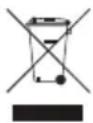
Correct Disposal of This Product
(Waste Electrical & Electronic Equipment)
(Applicable in countries with separate collection systems)
This marking on the product, accessories or literature indicates that the product and its electronic accessories (e.g. charger, headset, USB cable) should not be disposed of with other household waste at the end of their working life. To prevent possible harm to the environment or human health from uncontrolled waste disposal, please separate these items from other types of waste and recycle them responsibly to promote the sustainable reuse of material resources.
Household users should contact either the retailer where they purchased this product, or their local government office, for details of where and how they can take these items for environmentally safe recycling.
Business users should contact their supplier and check the terms and conditions of the purchase contract. This product and its electronic accessories should not be mixed with other commercial wastes for disposal.
For information on Samsung's environmental commitments and product specific regulatory obligations e.g. REACH, WEEE, Batteries, visit:
www.samsung.com/uk/aboutsamsung/sustainability/environment/our-commitment/data/
natural_image
Illustration of a gray rectangular device with a circular top and side panel (no text or symbols)Sound Tower Основен модул
natural_image
Illustration of a person using a tool to mark a defect or explosion (no text or symbols present)
natural_image
Simple line drawing of a stick figure carrying a briefcase with a large circular symbol above (no text or symbols present)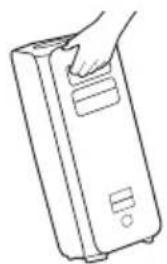
natural_image
Line drawing of a hand holding a rectangular device with buttons (no text or symbols)The Bluetooth® word mark and logos are registered trademarks owned by the Bluetooth SIG, Inc. and any use of such marks by Samsung Electronics Co., Ltd. is under license. Other trademarks and trade names are those of their respective owners.

Qualcomm aptX™
Qualcomm aptX is a product of Qualcomm Technologies, Inc. and/or its subsidiaries. Qualcomm is a trademark of Qualcomm Incorporated, registered in the United States and other countries. aptX is a trademark of Qualcomm Technologies International, Ltd., registered in the United States and other countries.

[ENERGY STAR]
ENERGY STAR qualified model only
- Your Samsung product is ENERGY STAR qualified in its factory default setting. Change to certain features, settings and functionality in this product can change the power consumption, possibly beyond the limits required for ENERGY STAR qualification. - Environmental Protection Agency and Department of Energy. ENERGY STAR is a joint program of the Government agencies, designed to promote energy efficient products and practices.
Refer to www.energystar.gov for more information of the ENERGY STAR Program.
ENERGY STAR qualified model only (Applicable to Thin Client models only)
As an ENERGY STAR® Partner, SAMSUNG has determined that this product meets the ENERGY STAR® guidelines for energy efficiency.
- The ENERGY STAR Program has been to reduced greenhouse gas emissions and save energy through voluntary labeling.
- Power management setting of this product have been enabled by default, and have various timing setting from 1 minutes to 5 hours.
- The product can wake with a button press on the chassis from sleep mode.
ENERGY STAR qualified model only (The other models)
- As an ENERGY STAR Partner, Samsung has determined that this product or product models meets the ENERGY STAR guideline for energy efficiency.
10 БЕЛЕЖКА ЗА ЛИЦЕНЗА ЗА ОТВОРЕН КОД
• Sound Tower osigurava trajnost prema standardu IPX5.
| Protection against solids | IP | Zaštita od vode | |
| 0 | 5 | ||
| Nema preduvjeta X X Nema preduvjeta | |||
| Nema zaštite 0 0 Nema zaštite | |||
| Krute čestice > 50 mm 1 1 | Voda koja | pada okomito | |
| Krute čestice > 12 mm 2 2 | Voda koja | pada okomito – kućište nagnuto 15° | |
| Krute čestice > 2,5 mm | 3 | 3 | Prskanje vode 60° od okomice |
| Krute čestice > 1,0 mm | 4 | 4 | Prskanje vode iz svih smjerova |
| Zaštita od prašine | 5 | 5 | Mlazovi vode iz svih smjerova |
| Otporno na prašinu | 6 | 6 | Jaki mlazovi vode iz svih smjerova |
| - | 7 Privremeno uranjanje: 1 m u trajanju od 30 min | ||
| - | 8 | Uranjanje: dubinu i vrijeme određuje proizvođač | |
MJERE OPREZA
natural_image
Illustration of a person sitting on a sofa using a tablet device (no text or symbols visible)KORISNIČKI PRIRUČNIK
Pogledajte ovaj priručnik za sigurnosne upute, instalaciju proizvoda, komponente, povezivanje i specifikacije proizvoda.
natural_image
Illustration of a person sitting on a couch next to a desk with a computer (no text or symbols visible)
POTPUNI PRIRUČNIK
POTPUNI PRIRUČNIK možete pristupiti putem web-centra službe za korisnike tvrtke Samsung skeniranjem QR koda. Za pregled priručnika na računalu ili mobilnom uređaju preuzmite priručnik u formatu dokumenta s web-stranice tvrtke Samsung. (https://www.samsung.com/us/support/downloads/)
Dizajn i specifikacije mogu se promijeniti bez prethodne najave.
SADRŽAJ
01 Provjera Komponenti 1
natural_image
Illustration of a gray rectangular device with a circular top and side panel (no text or symbols)Glavna jedinica Sound Tower
natural_image
Illustration of a person using a tool to mark a defect or explosion (no text or symbols present)
natural_image
Simple line drawing of a stick figure carrying a briefcase with a large circular symbol above (no text or symbols present)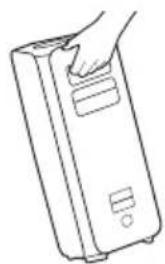
natural_image
Line drawing of a hand inserting a card into a rectangular device (no text or symbols)02 PREGLED PROIZVODA
Gornja ploča sustava Sound Tower
How to use Audio Group
You can connect multiple audio systems in a group to create a party environment and produce higher sound output. Set one Sound Tower as the HOST and any music played on it will be shared among any other Sound Tower systems in the Audio group.
Connecting the wired Group Play mode
flowchart
graph TD
    A["1st Sound Tower HOST"] --> B[" connector pin 1"]
    C["2nd Sound Tower"] --> D[" connector pin 2"]
    E["Last Sound Tower"] --> F[" connector pin 3"]
    B --> G["..."]
    D --> H["..."]
    F --> I["..."]
    style A fill:#f9f,stroke:#333
    style C fill:#f9f,stroke:#333
    style E fill:#f9f,stroke:#333
    style B fill:#ccf,stroke:#333
    style D fill:#ccf,stroke:#333
    style F fill:#ccf,stroke:#333
    note right of A Continue the connection until the last Sound Tower
Set up Group Play by connecting all the systems using audio cables (not supplied). Use the AUX or → (Source) button to change the source to AUX2 for every Sound Tower system except the 1st (or HOST) Sound Tower system.
NOTES
- The 1st Sound Tower HOST can play music from any source.
- Depending on the length or characteristics of the cable, there may be a difference in operating distance.
Spajanje načina Group Play bežično
Pomoću funkcije Group Play možete spojiti do deset sustava Sound Tower bežičnim putem.
flowchart
graph TD
    A["SUB 1"] --> B["HOST"]
    C["SUB 2"] --> B
    B --> D["Treperenje u zelenoj boji"]
    style D fill:#f9f,stroke:#333,stroke-width:2px
- Pritisnite gumb GROUP PLAY na HOST sustavu uređaja Sound Tower, zatreperit će „GROUP PLAY” LED indikator. Nakon 10 sekundi „GROUP PLAY” LED indikator treperit će brzo (30 s)
- Pritisnite gumb GROUP PLAY na drugom sustavu Sound Tower (SUB 1). Zatreperit će „GROUP PLAY”LED indikator. Zatim će se SUB1 povezati s funkcijom HOST, „GROUP PLAY”LED indikator značajki SUB1 i HOST prestat će treperiti i uključit će se.
- Pritisnite tipku GROUP PLAY na trećem sustavu Sound Tower (SUB 2). Čut će se zvučni signal i prestat će treperiti gumb GROUP PLAY na sustavu.
- Ako želite dodati više sustava Sound Tower, ponovite treći korak.
- Reproducirajte glazbu u HOST Sound Toweru. Zvuk će se reproducirati na svim povezanim sustavima.
NAPOMENE
- U načinu Group play, „HOST“ Sound Tower (slika 1) može se spojiti na Samsung TV uređaj. Nakon uspješnog povezivanja, način Group play automatski se reproducira.
- Bežična veza za funkciju Group play dostupna je za modele MX-ST90B/MX-ST50B/MX-ST50B.
- Okolišni uvjeti ili drugi faktori s povezanim uređajima mogu utjecati na kvalitetu reprodukcije.
- Ako svijetli crveni LED indikator na tipki GROUP PLAY, znači da je došlo do pogreške prilikom bežičnog spajanja funkcije Group Play. Pokušajte ponoviti prvi i peti korak.
- Tipka ADDSTEREO i tipka ✝ PAIRING u sustavima SUB Sound Tower nisu dostupne u bežičnom načinu Group Play.
-
Tipka ADD STEREO u sustavu HOST Sound Tower nije dostupna u bežičnom načinu Group Play.
-
Dugo držite pritisnut gumb „GROUP PLAY” u stanju BT Source kako biste ušli u značajku Group mode kao „HOST”.
- Sve jedinice SUB moraju se pojedinačno povezivati. Na primjer, nakon što se poveže HOST, pritisnite tipku GROUP PLAY na SUB 1 za povezivanje, a nakon što se SUB 1 poveže, trebate povezati SUB 2 i SUB 3 pojedinačno i po redu.
- Dok koristite Group Play, trenutačno povezani Bluetooth uređaji se isključuju i Bluetooth veza se onemoqućava.
- Bluetooth uređaji mogu pretraživati i povezivati se samo s HOST Sound Towerom.
- U načinu Group Play SUB se ne moqu povezati s Bluetooth uređajem.
- Ako isključite i potom uključite Sound Tower ili odaberete izvor koji nije BT na jedinici SUB, u načinu Group Play, način Group Play će se odspojiti.
- Ovaj proizvod ne podržava strujanje zvuka uz kodek aptX u bežičnom načinu Group Play.
Prekid bežičnog načina Group Play
- Pritisnite i držite tipku GROUP PLAY 5 sekundi (HOST ili SUB) nakon što se uspostavila veza pomoću funkcije Group Play ili pritisnite tipku GROUP PLAY (HOST ili SUB) prije uspostavljanja veze pomoću funkcije Group Play.
Lijevi Sound Tower (MAIN) Desni Sound Tower (SUB)
-
Pritisnite tipku ADD STEREO na lijevom sustavu Sound Tower. LED indikator na gumbu ADD STEREO treperi.
-
Pritisnite tipku ADD STEREO na desnom sustavu Sound Tower. LED indikator na gumbu ADD STEREO treperi.
-
Kada se veza uspostavi, čut će se zvučni signal.LED indikator funkcije Backplane ADD postojano svijetli u zelenoj boji.
- Sustav MAIN Sound Tower reproducira zvuk lijevog kanala, a sustav SUB Sound Tower reproducira zvuk desnog kanala. Pritisnite tipku ADD STEREO u MAIN ili SUB Sound Toweru kako biste promijenili kanal zvuka u Sound Toweru.
- Reproducirajte glazbu povezivanjem pametnog telefona s MAIN Sound Towerom i Bluetoothom. Zvuk će se reproducirati na oba Sound Towera.
NAPOMENE
- Da biste koristili način Stereo grupe, sustavi Sound Tower moraju biti istog modela.
- Okolišni uvjeti ili drugi faktori s povezanim uređajima mogu utjecati na kvalitetu reprodukcije.
- Ako svijetli crveni LED indikator na tipki ADD STEREO, znači da je došlo do pogreške prilikom spajanja u načinu Stereo grupe. Pokušajte ponoviti prvi i 3 korak.
- Tipke daljinskog upravljača, BT PAIRING, GROUP PLAY i → (Izvor) u sustavima SUB Sound Tower onemoqućene su u načinu Stereo grupe.
-
Tipka GROUP PLAY u sustavu MAIN Sound Tower nije dostupna u načinu Stereo grupe.
-
U načinu koji nije „BT” (npr. način USB, AUX), glazba će se reproducirati samo u MAIN Sound Toweru, dok se u SUB Sound Toweru glazba neće reproducirati.
- Boje osvjetljenja u MAIN Sound Toweru i SUB Sound Toweru mogu se razlikovati.
- Ovaj proizvod ne podržava aptX audio stream sa Stereo Grupni način rada.
- Ako pokušate povezati Bluetooth uređaj dok se povezuje grupa Stereo, način rada grupe Stereo možda neće uspjeti.
Prekini Stereo Grupni način rada
Pritisnite tipku ADD STEREO (MAIN ili SUB) najmanje 5 sekundi nakon što je povezana Stereo grupa.
- Zvučni signal i LED indikator iznad gumba ADD STEREO isključeni su.
LED indikatori
| LED STANJE Opis | ||
| Zeleni | Treptanje Čekanje na vezu Stereo grupe. | |
| Uključeno Povezivanje grupe Stereo je uspješno. | ||
| Crveni | Uključeno | Došlo je do pogreške s povezivanjem grupe Stereo. |
Upotreba Samsung TV-a i načina Stereo grupe
Žično povežite dva Sound Towera i upotrijebite ih sa Samsung TV-om kako biste uživali u stereo zvuku.
- Povežite dva uređaja Sound Tower putem mogućnosti stereo mode pritiskom na gumb ADD STEREO na obadva uređaja Sound Tower.
- Povežite RCA kabel s AUX2 OUT u MAIN i AUX2 IN u SUB kako je prikazano koristeći RCA kabel (nije uključen).
-
U načinu „BT“, pritisnite tipku „AUX“ na daljinskom upravljaču za MAIN Sound Tower najmanje 5 sekundi. LED indikator na gumbu ADD STEREO treperi.
-
Kada je povezivanje dovršeno, uključuje se LED indikator „ADD STEREO“, a nakon njega trenutačni izlaz. Čuje se zvučni signal.
-
Kada je povezivanje dovršeno, uključuje se LED indikator „AUX2” na gornjoj SUB ploči.
- Povežite Sound Tower sa prvim uređajem, a drugi će uređaj odgovarati odmah sa prvim. (Vidi stranicu 13)
- Music can be played on only one of the two connected devices, and when the music is played on the other device, the music on the playing device is paused.
NOTES
- Ako želite spojiti Sound Tower s trećim uređajem, možete prekinuti vezu Sound Tower uređaja s jednog od dva trenutno povezana uređaja i zatim povezati Sound Tower na treći uređaj. (Uređaj, uključujući Samsung TV uređaj)
- Kad su Sound Tower i dva uređaja trenutno spojena, pri uparivanju s novim Bluetooth uređajem, trenutno povezani uređaji moqu izqubiti vezu.
- Možete se istovremeno povezati s dva Bluetooth uređaja.
- Okolišni uvjeti ili drugi faktori s povezanim uređajima mogu utjecati na kvalitetu reprodukcije.
- Sound Tower se automatski isključuje nakon 18 minuta ako nema unosa naredbe u stanju spremnosti.
- Sound Tower ne može pravilno izvršiti Bluetooth pretraživanje ili povezivanje pod sljedećim uvjetima:
* To reduce battery drain, the product does not turn on when press the power button of remote control while the battery is in use.
The Bluetooth® word mark and logos are registered trademarks owned by the Bluetooth SIG, Inc. and any use of such marks by Samsung Electronics Co., Ltd. is under license. Other trademarks and trade names are those of their respective owners.

Qualcomm aptX™
Qualcomm aptX is a product of Qualcomm Technologies, Inc. and/or its subsidiaries. Qualcomm is a trademark of Qualcomm Incorporated, registered in the United States and other countries. aptX is a trademark of Qualcomm Technologies International, Ltd., registered in the United States and other countries.

[ENERGY STAR]
ENERGY STAR qualified model only
- Your Samsung product is ENERGY STAR qualified in its factory default setting. Change to certain features, settings and functionality in this product can change the power consumption, possibly beyond the limits required for ENERGY STAR qualification.
- Environmental Protection Agency and Department of Energy. ENERGY STAR is a joint program of the Government agencies, designed to promote energy efficient products and practices.
Refer to www.energystar.gov for more information of the ENERGY STAR Program.
ENERGY STAR qualified model only (Applicable to Thin Client models only)
As an ENERGY STAR® Partner, SAMSUNG has determined that this product meets the ENERGY STAR® guidelines for energy efficiency.
- The ENERGY STAR Program has been to reduced greenhouse gas emissions and save energy through voluntary labeling.
- Power management setting of this product have been enabled by default, and have various timing setting from 1 minutes to 5 hours.
- The product can wake with a button press on the chassis from sleep mode.
ENERGY STAR qualified model only (The other models)
- As an ENERGY STAR Partner, Samsung has determined that this product or product models meets the ENERGY STAR guideline for energy efficiency.
10 OBAVIJEST O LICENCI ZA UPORABU SOFTVERA OTVORENOG KODA
Želite li poslati upite i zahtjeve u vezi sa softverom otvorenog koda, obratite se grupi Samsung Open Source (http://opensource.samsung.com)
11 VAŽNA NAPOMENA VEZANA UZ SERVIS
- Slike u ovom korisničkom priručniku služe kao samo kao referenca i mogu se razlikovati od stvarnog izgleda proizvoda.
- Moguća je naplata administrativne pristojbe u slučaju
a. Inženjer se na vaš zahtjev poziva u vaš dom i nema kvara na proizvodu.
b. Donijeli ste jedinicu u servisni centar, a ustanovi se da je proizvod ispravan.
- Bit ćete obaviješteni o iznosu administrativne naknade prije nego što se obavi neki posao ili kućni posjet.
12 TEHNIČKI PODACI I VODIČ
Tehnički podaci
| Naziv modela MX-ST50B | ||
| USB 5V/2,1A | ||
| Težina 11,94 kg | ||
| Dimenzije (Š x V x D) 329 × 665 × 301 mm | ||
| Raspon radne temperature +5°C do +35°C | ||
| Raspon vlažnosti 10 % ~ 75 % | ||
| POJAČALO Nazivna izlazna snaga | Utikač kabela za napajanje 240 W | |
| Baterija 90 W | ||
| Ukupna potrošnja energije 65 W | ||
| Vrsta baterije Litij-ionska 72 Wh | ||
| Vrijeme trajanja baterije pri reprodukciji do 18 h | ||
| Vrijeme punjenja baterije <3,5 óra | ||
| Litij-ionska izmjenjiva baterija | Model baterije | EB-T24C-00, 2INR19/65-4 |
| Nominalni napon | 7,34 V --- | |
| Nazivni kapacitet | 9800 mAh, 71,93 Wh | |
| Ograničeni napon punjenja | 8,4 V --- | |
| Karakterističan kapacitet | 10000 mAh, 73,40 Wh | |
| IZLAZNA SNAGA BEŽIČNOG UREĐAJA Maks. snaga BT odašiljača | 100mW pri 2,4GHz – 2,4835GHz | |
| Ukupna potrošnja energije u stanju mirovanja (W) | 2,0 W | |
| Bluetooth Način isključivanja ulaza | Pritisnite i držite gumb BASS dulje od 5 sekundi da biste isključili funkciju Bluetooth Power. | |
NAPOMENE
- Samsung Electronics Co., Ltd pridržava pravo promjene specifikacija bez prethodne obavijesti.
- Težina i dimenzije su približni.
www.samsung.com/uk/aboutsamsung/sustainability/environment/our-commitment/data/
BEZPEČNOSTNÍ INFORMACE
BEZPEČNOSTNÍ VAROVÁNÍ
ABYSTE PŘEDEŠLI RIZIKU ÚRAZU ELEKTRICKÝM PROUDEM, NEODNÍMEJTE ZADNÍ KRYT PŘÍSTROJE.
UVNITŘ PŘÍSTROJE NEJSOU ŽÁDNÁ SERVISNÍ MÍSTA. OPRAVU SVĚŘTE KVALIFIKOVANÉMU SERVISNÍMU TECHNIKOVI.
natural_image
Illustration of a gray rectangular device with a circular top and side panel (no text or symbols)natural_image
Illustration of a person using a tool to mark a defect or explosion (no text or symbols present)
natural_image
Simple line drawing of a stick figure carrying a briefcase with a large circular symbol above (no text or symbols present)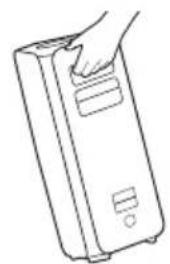
natural_image
Line drawing of a hand holding a rectangular device (no text or symbols)02 POPIS VÝROBKU
Levá Sound Tower (MAIN) Pravá Sound Tower (SUB)
The Bluetooth® word mark and logos are registered trademarks owned by the Bluetooth SIG, Inc. and any use of such marks by Samsung Electronics Co., Ltd. is under license. Other trademarks and trade names are those of their respective owners.

Qualcomm aptX™
Qualcomm aptX is a product of Qualcomm Technologies, Inc. and/or its subsidiaries. Qualcomm is a trademark of Qualcomm Incorporated, registered in the United States and other countries. aptX is a trademark of Qualcomm Technologies International, Ltd., registered in the United States and other countries.

[ENERGY STAR]
ENERGY STAR qualified model only
- Your Samsung product is ENERGY STAR qualified in its factory default setting. Change to certain features, settings and functionality in this product can change the power consumption, possibly beyond the limits required for ENERGY STAR qualification. - Environmental Protection Agency and Department of Energy. ENERGY STAR is a joint program of the Government agencies, designed to promote energy efficient products and practices.
Refer to www.energystar.gov for more information of the ENERGY STAR Program.
ENERGY STAR qualified model only (Applicable to Thin Client models only)
As an ENERGY STAR® Partner, SAMSUNG has determined that this product meets the ENERGY STAR® guidelines for energy efficiency.
- The ENERGY STAR Program has been to reduced greenhouse gas emissions and save energy through voluntary labeling.
- Power management setting of this product have been enabled by default, and have various timing setting from 1 minutes to 5 hours.
- The product can wake with a button press on the chassis from sleep mode.
ENERGY STAR qualified model only (The other models)
- As an ENERGY STAR Partner, Samsung has determined that this product or product models meets the ENERGY STAR guideline for energy efficiency.
10 POZNÁMKA K LICENCI OTEVŘENÉHO SOFTWARU
natural_image
Illustration of a rectangular electronic device with a circular top and side panel (no text or symbols)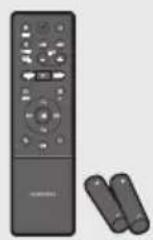
natural_image
Illustration of a person using a tool to trigger a collision with a 'X' symbol (no text or labels)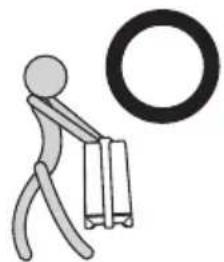
natural_image
Simple stick figure carrying a briefcase with a large circular symbol above (no text or symbols present)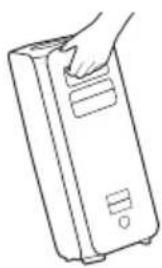
natural_image
Line drawing of a hand inserting a card into a rectangular device (no text or symbols)02 PRODUKTÜBERSICHT
The Bluetooth® word mark and logos are registered trademarks owned by the Bluetooth SIG, Inc. and any use of such marks by Samsung Electronics Co., Ltd. is under license. Other trademarks and trade names are those of their respective owners.

Qualcomm aptX™
Qualcomm aptX is a product of Qualcomm Technologies, Inc. and/or its subsidiaries. Qualcomm is a trademark of Qualcomm Incorporated, registered in the United States and other countries. aptX is a trademark of Qualcomm Technologies International, Ltd., registered in the United States and other countries.

[ENERGY STAR]
ENERGY STAR qualified model only
- Your Samsung product is ENERGY STAR qualified in its factory default setting. Change to certain features, settings and functionality in this product can change the power consumption, possibly beyond the limits required for ENERGY STAR qualification. - Environmental Protection Agency and Department of Energy. ENERGY STAR is a joint program of the Government agencies, designed to promote energy efficient products and practices.
Refer to www.energystar.gov for more information of the ENERGY STAR Program.
ENERGY STAR qualified model only (Applicable to Thin Client models only)
As an ENERGY STAR® Partner, SAMSUNG has determined that this product meets the ENERGY STAR® guidelines for energy efficiency.
- The ENERGY STAR Program has been to reduced greenhouse gas emissions and save energy through voluntary labeling.
- Power management setting of this product have been enabled by default, and have various timing setting from 1 minutes to 5 hours.
- The product can wake with a button press on the chassis from sleep mode.
ENERGY STAR qualified model only (The other models)
- As an ENERGY STAR Partner, Samsung has determined that this product or product models meets the ENERGY STAR guideline for energy efficiency.
10 BEKANNTMACHUNG ZU OPEN SOURCE LIZENZEN
www.samsung.com/uk/aboutsamsung/sustainability/environment/our-commitment/data/
OHUTUSTEAVE
HOIATUSED
ELEKTRILÖÖGIOHU VÄHENDAMISEKS ÄRGE EEMALDAGE KAANT (EGA TAGAPANEELI).
SEADMES POLE KASUTAJA HOOLDATAVAID OSI. HOOLDAMISEKS PÖÖRDUGE KVALIFITSEERITUD TEENINDUSTÖÖTAJATE POOLE.
• Sound Tower tagab kestvuse standardiga IPX5.
natural_image
Illustration of a gray rectangular device with a circular top and side panel (no text or symbols)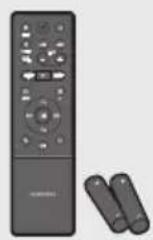
natural_image
Illustration of a person using a tool to mark a defect or explosion (no text or symbols present)
natural_image
Simple stick figure carrying a briefcase next to a large ring (no text or symbols)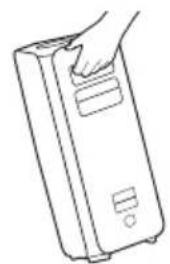
natural_image
Line drawing of a hand holding a rectangular device (no text or symbols)02 TOOTE ÜLEVAADE
The Bluetooth® word mark and logos are registered trademarks owned by the Bluetooth SIG, Inc. and any use of such marks by Samsung Electronics Co., Ltd. is under license. Other trademarks and trade names are those of their respective owners.

Qualcomm aptX™
Qualcomm aptX is a product of Qualcomm Technologies, Inc. and/or its subsidiaries. Qualcomm is a trademark of Qualcomm Incorporated, registered in the United States and other countries. aptX is a trademark of Qualcomm Technologies International, Ltd., registered in the United States and other countries.

[ENERGY STAR]
ENERGY STAR qualified model only
- Your Samsung product is ENERGY STAR qualified in its factory default setting. Change to certain features, settings and functionality in this product can change the power consumption, possibly beyond the limits required for ENERGY STAR qualification.
- Environmental Protection Agency and Department of Energy. ENERGY STAR is a joint program of the Government agencies, designed to promote energy efficient products and practices.
Refer to www.energystar.gov for more information of the ENERGY STAR Program.
ENERGY STAR qualified model only (Applicable to Thin Client models only)
As an ENERGY STAR® Partner, SAMSUNG has determined that this product meets the ENERGY STAR® guidelines for energy efficiency.
- The ENERGY STAR Program has been to reduced greenhouse gas emissions and save energy through voluntary labeling.
- Power management setting of this product have been enabled by default, and have various timing setting from 1 minutes to 5 hours.
- The product can wake with a button press on the chassis from sleep mode.
ENERGY STAR qualified model only (The other models)
- As an ENERGY STAR Partner, Samsung has determined that this product or product models meets the ENERGY STAR guideline for energy efficiency.
10 AVATUD LÄHTEKOODI LITSENTSI TEATIS
www.samsung.com/ee/aboutsamsung/sustainability/environment/our-commitment/data/
INFORMATIONS RELATIVES À LA SÉCURITÉ
AVERTISSEMENTS
POUR ÉVITER LES RISQUES DE CHOC ÉLECTRIQUE, NE DÉMONTEZ PAS LE CAPOT. L'APPAREIL NE CONTIENT PAS DE PIÈCES RÉPARABLES PAR L'UTILISATEUR ; S'ADRESSER À UN SERVICE APRÈS-VENTE QUALIFIÉ.
natural_image
Illustration of a person sitting on a sofa using a tablet (no text or symbols visible)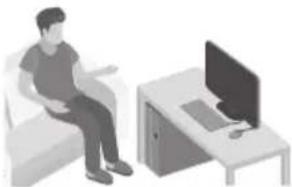
natural_image
Illustration of a person sitting on a couch next to a desk with a monitor (no text or symbols visible)
MANUEL D'UTILISATEUR
natural_image
Illustration of a gray rectangular device with a circular top and side panel (no text or symbols)Unité principale Sound Tower
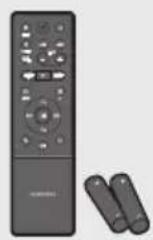
Télécommande/Piles
natural_image
Illustration of a person using a tool to cut a tool with a 'X' symbol (no text or labels)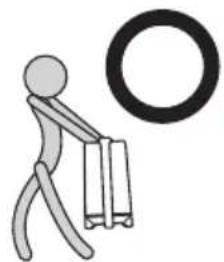
natural_image
Simple stick figure carrying a briefcase with a large circular symbol above (no text or symbols present)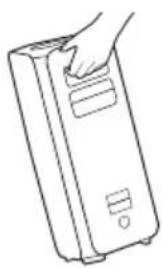
natural_image
Line drawing of a hand inserting a card into a rectangular device (no text or symbols)02 PRÉSENTATION DU PRODUIT
Easy connect with Samsung TV (SEARCHING TV mode)
Sound Tower has "SEARCHING TV" mode for easy connect with Samsung TV.
The Bluetooth® word mark and logos are registered trademarks owned by the Bluetooth SIG, Inc. and any use of such marks by Samsung Electronics Co., Ltd. is under license. Other trademarks and trade names are those of their respective owners.

Qualcomm aptX ^TM
Qualcomm aptX is a product of Qualcomm Technologies, Inc. and/or its subsidiaries. Qualcomm is a trademark of Qualcomm Incorporated, registered in the United States and other countries. aptX is a trademark of Qualcomm Technologies International, Ltd., registered in the United States and other countries.

[ENERGY STAR]
ENERGY STAR qualified model only
- Your Samsung product is ENERGY STAR qualified in its factory default setting. Change to certain features, settings and functionality in this product can change the power consumption, possibly beyond the limits required for ENERGY STAR qualification.
- Environmental Protection Agency and Department of Energy. ENERGY STAR is a joint program of the Government agencies, designed to promote energy efficient products and practices.
Refer to www.energystar.gov for more information of the ENERGY STAR Program.
ENERGY STAR qualified model only (Applicable to Thin Client models only)
As an ENERGY STAR® Partner, SAMSUNG has determined that this product meets the ENERGY STAR® guidelines for energy efficiency.
- The ENERGY STAR Program has been to reduced greenhouse gas emissions and save energy through voluntary labeling.
- Power management setting of this product have been enabled by default, and have various timing setting from 1 minutes to 5 hours.
- The product can wake with a button press on the chassis from sleep mode.
ENERGY STAR qualified model only (The other models)
- As an ENERGY STAR Partner, Samsung has determined that this product or product models meets the ENERGY STAR guideline for energy efficiency.
10 AVIS DE LICENCE LIBRE
natural_image
Illustration of a person sitting on a sofa using a tablet device (no text or symbols visible)
natural_image
Illustration of a person sitting on a couch next to a desk with a laptop (no text or symbols visible)
ΕΓΧΕΙΡΙΔΙΟ ΧΡΗΣΗΣ
(https://www.samsung.com/us/support/downloads/)
natural_image
Illustration of a gray rectangular device with a circular top and side panel (no text or symbols)natural_image
Illustration of a person using a tool to cut a broken object with a 'X' symbol nearby (no text or labels)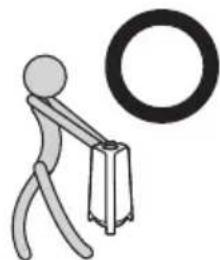
natural_image
Simple stick figure carrying a briefcase with a large circular symbol above (no text or symbols present)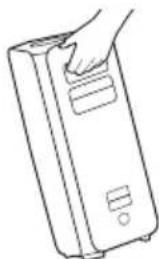
natural_image
Line drawing of a hand inserting a card into a rectangular device (no text or symbols)The Bluetooth® word mark and logos are registered trademarks owned by the Bluetooth SIG, Inc. and any use of such marks by Samsung Electronics Co., Ltd. is under license. Other trademarks and trade names are those of their respective owners.

Qualcomm aptX is a product of Qualcomm Technologies, Inc. and/or its subsidiaries. Qualcomm is a trademark of Qualcomm Incorporated, registered in the United States and other countries. aptX is a trademark of Qualcomm Technologies International, Ltd., registered in the United States and other countries.

[ENERGY STAR]
ENERGY STAR qualified model only
- Your Samsung product is ENERGY STAR qualified in its factory default setting. Change to certain features, settings and functionality in this product can change the power consumption, possibly beyond the limits required for ENERGY STAR qualification.
- Environmental Protection Agency and Department of Energy. ENERGY STAR is a joint program of the Government agencies, designed to promote energy efficient products and practices.
Refer to www.energystar.gov for more information of the ENERGY STAR Program.
ENERGY STAR qualified model only (Applicable to Thin Client models only)
As an ENERGY STAR® Partner, SAMSUNG has determined that this product meets the ENERGY STAR® guidelines for energy efficiency.
- The ENERGY STAR Program has been to reduced greenhouse gas emissions and save energy through voluntary labeling.
- Power management setting of this product have been enabled by default, and have various timing setting from 1 minutes to 5 hours.
- The product can wake with a button press on the chassis from sleep mode.
ENERGY STAR qualified model only (The other models)
- As an ENERGY STAR Partner, Samsung has determined that this product or product models meets the ENERGY STAR guideline for energy efficiency.
natural_image
Illustration of a gray rectangular device with a circular top and side panel (no text or symbols)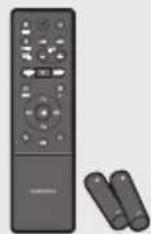
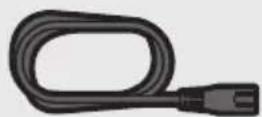
natural_image
Illustration of a person using a tool to mark a defect or explosion (no text or symbols present)
natural_image
Simple stick figure carrying a briefcase with a large circular symbol above (no text or symbols present)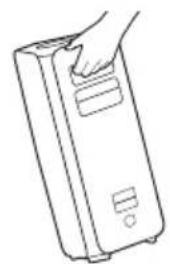
natural_image
Line drawing of a hand holding a rectangular device (no text or symbols)02 TERMÉK ÁTTEKINTÉS
Bal Sound Tower (MAIN) Jobb Sound Tower (SUB)
Sound dropouts occur in BT mode.
The Bluetooth® word mark and logos are registered trademarks owned by the Bluetooth SIG, Inc. and any use of such marks by Samsung Electronics Co., Ltd. is under license. Other trademarks and trade names are those of their respective owners.

Qualcomm ^ aptX ^TM
Qualcomm aptX is a product of Qualcomm Technologies, Inc. and/or its subsidiaries. Qualcomm is a trademark of Qualcomm Incorporated, registered in the United States and other countries. aptX is a trademark of Qualcomm Technologies International, Ltd., registered in the United States and other countries.

[ENERGY STAR]
ENERGY STAR qualified model only
- Your Samsung product is ENERGY STAR qualified in its factory default setting. Change to certain features, settings and functionality in this product can change the power consumption, possibly beyond the limits required for ENERGY STAR qualification.
- Environmental Protection Agency and Department of Energy. ENERGY STAR is a joint program of the Government agencies, designed to promote energy efficient products and practices.
Refer to www.energystar.gov for more information of the ENERGY STAR Program.
ENERGY STAR qualified model only (Applicable to Thin Client models only)
As an ENERGY STAR® Partner, SAMSUNG has determined that this product meets the ENERGY STAR® guidelines for energy efficiency.
– The ENERGY STAR Program has been to reduced greenhouse gas emissions and save energy through voluntary labeling.
- Power management setting of this product have been enabled by default, and have various timing setting from 1 minutes to 5 hours.
- The product can wake with a button press on the chassis from sleep mode.
ENERGY STAR qualified model only (The other models)
- As an ENERGY STAR Partner, Samsung has determined that this product or product models meets the ENERGY STAR guideline for energy efficiency.
10 NYÍLT FORRÁSKÓDÚ LICENC MEGJEGYZÉS
• La Sound Tower garantisce la durata in base a IPX5.
natural_image
Illustration of a person sitting on a sofa using a tablet (no text or symbols visible)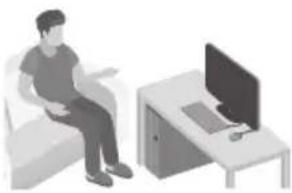
natural_image
Illustration of a person sitting on a couch next to a computer (no text or symbols visible)
MANUALE UTENTE
natural_image
Illustration of a gray rectangular device with a circular top and side panel (no text or symbols)natural_image
Illustration of a stick figure using a tool to compress a weight with a 'X' symbol (no text or labels)
natural_image
Simple stick figure pushing a large circular object (no text or symbols)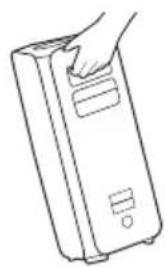
natural_image
Line drawing of a hand holding a rectangular device (no text or symbols)02 PANORAMICA DEL PRODOTTO
The Bluetooth® word mark and logos are registered trademarks owned by the Bluetooth SIG, Inc. and any use of such marks by Samsung Electronics Co., Ltd. is under license. Other trademarks and trade names are those of their respective owners.

Qualcomm aptX™
Qualcomm aptX is a product of Qualcomm Technologies, Inc. and/or its subsidiaries. Qualcomm is a trademark of Qualcomm Incorporated, registered in the United States and other countries. aptX is a trademark of Qualcomm Technologies International, Ltd., registered in the United States and other countries.

[ENERGY STAR]
ENERGY STAR qualified model only
- Your Samsung product is ENERGY STAR qualified in its factory default setting. Change to certain features, settings and functionality in this product can change the power consumption, possibly beyond the limits required for ENERGY STAR qualification. - Environmental Protection Agency and Department of Energy. ENERGY STAR is a joint program of the Government agencies, designed to promote energy efficient products and practices.
Refer to www.energystar.gov for more information of the ENERGY STAR Program.
ENERGY STAR qualified model only (Applicable to Thin Client models only)
As an ENERGY STAR® Partner, SAMSUNG has determined that this product meets the ENERGY STAR® guidelines for energy efficiency.
- The ENERGY STAR Program has been to reduced greenhouse gas emissions and save energy through voluntary labeling.
- Power management setting of this product have been enabled by default, and have various timing setting from 1 minutes to 5 hours.
- The product can wake with a button press on the chassis from sleep mode.
ENERGY STAR qualified model only (The other models)
- As an ENERGY STAR Partner, Samsung has determined that this product or product models meets the ENERGY STAR guideline for energy efficiency.
10 AVVISO DI LICENZA OPEN SOURCE
http://www.samsung.com/it/aboutsamsung/sustainability/environment/our-commitment/data/
© 2022 Samsung Electronics Co., Ltd. All rights reserved.
Contact SAMSUNG WORLD WIDE
If you have any questions or comments relating to Samsung products, please contact the SAMSUNG customer care Centre.
| Country | Samsung Service Centre | Web Site |
| ■Europe | ||
| UK 0333 000 0353 | www.samsung.com/uk/support | |
| IRELAND (EIRE) 0818 717100 | www.samsung.com/ie/support | |
| GERMANY 06196 77 555 77 | www.samsung.com/de/support | |
| FRANCE 01 48 63 00 00 | www.samsung.com/fr/support | |
| ITALIA 800-SAMSUNG (800.7267864) | www.samsung.com/it/support | |
| SPAIN 91175 00 15 | www.samsung.com/es/support | |
| PORTUGAL | 210 608 098Chamada para a rede fixa nacionalDias úteis das 9h às 20h | www.samsung.com/pt/support |
| LUXEMBURG 261 03 710 | www.samsung.com/be_fr/support | |
| NETHERLANDS 088 90 90 100 | www.samsung.com/nl/support | |
| BELGIUM 02-201-24-18 | www.samsung.com/be/support (Dutch)www.samsung.com/be_fr/support (French) | |
| NORWAY 21629099 | www.samsung.com/no/support | |
| DENMARK 707 019 70 | www.samsung.com/dk/support | |
| FINLAND 030-6227 515 | www.samsung.com/fi/support | |
| SWEDEN 0771-400 300 | www.samsung.com/se/support | |
| POLAND | 801-172-678* lub +48 22 607-93-33*Specjalistyczna infolinia do obstugi zapytań dotyczących telefonów komórkowych: 801-672-678** (optata według taryfy operatora) | http://www.samsung.com/pl/support/ |
| HUNGARY 0680 SAMSUNG (0680-726-7864) | www.samsung.com/hu/support | |
| AUSTRIA 0800 72 67 864 (0800-SAMSUNG) | www.samsung.com/at/support | |
| SWITZERLAND | 0800 726 786 | www.samsung.com/ch/support (German)www.samsung.com/ch_fr/support (French) |
| Country | Samsung Service Centre | Web Site |
| CZECH | 800 - SAMSUNG (800-726786) | www.samsung.com/cz/support |
| SLOVAKIA | 0800 - SAMSUNG (0800-726 786) | www.samsung.com/sk/support |
| CROATIA 072 726 786 | www.samsung.com/hr/support | |
| BOSNIA | 055 233 999 | www.samsung.com/support |
| NORTH MACEDONIA | 023 207 777 | www.samsung.com/mk/support |
| MONTENEGRO | 020 405 888 | www.samsung.com/support |
| SLOVENIA 080 697 267 (brezplačna številka) | www.samsung.com/si/support | |
| SERBIA | 011 321 6899 | www.samsung.com/rs/support |
| KOSOVO | 038 40 30 90 | www.samsung.com/support |
| ALBANIA 045 620 202 | www.samsung.com/al/support | |
| BULGARIA | 0800 111 31 - Безплатен за всички оператори*3000 - Цена на един градски разговор или според тарифата на мобилният оператор09:00 до 18:00 - Понеделник до Петък | www.samsung.com/bg/support |
| ROMANIA | 0800872678 - Apel gratuit*8000 - Apel tarifat în rețea | www.samsung.com/ro/support |
| CYPRUS | 8009 4000 only from landline, toll free | www.samsung.com/gr/support |
| GREECE | 80111-SAMSUNG (80111 726 7864) only from land line(+30) 210 6897691 from mobile and land line | |
| LITHUANIA | 8-800-77777 | www.samsung.com/lt/support |
| LATVIA | 8000-7267 | www.samsung.com/lv/support |
| ESTONIA 800-7267 | www.samsung.com/ee/support | |
DROŠĪBAS INFORMĀCIJA
DROŠĪBAS BRĪDINĀJUMI
LAI SAMAZINĀTU ELEKTRISKĀS STRĀVAS TRIECIENA RISKU, NENONEMIET PÄRSEGU (VAI KORPUSA AIZMUGURI).
IERÍCES IEKŠPUSĚ NEATRODAS NEVIENA DETAŁA, KURAS APKOPE BÜTU JÄVEIC LIETOTĀJAM. UZTICIET APKOPI KVALIFICĒTIEM APKOPES SPECIĀLISTIEM.
natural_image
Illustration of a gray rectangular device with a circular top and side panel (no text or symbols)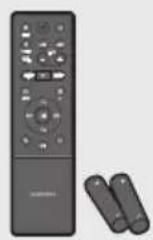
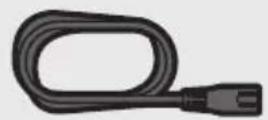
natural_image
Illustration of a stick figure with a lightning bolt striking a broken object, accompanied by a large 'X' symbol (no text or labels present)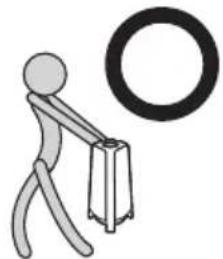
natural_image
Simple stick figure carrying a briefcase with a large circular ring nearby (no text or symbols)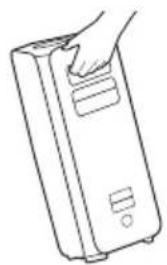
natural_image
Line drawing of a hand inserting a card into a rectangular device (no text or symbols)02 IZSTRĀDĀJUMA PĀRSKATS
Rear Panel of the Sound Tower
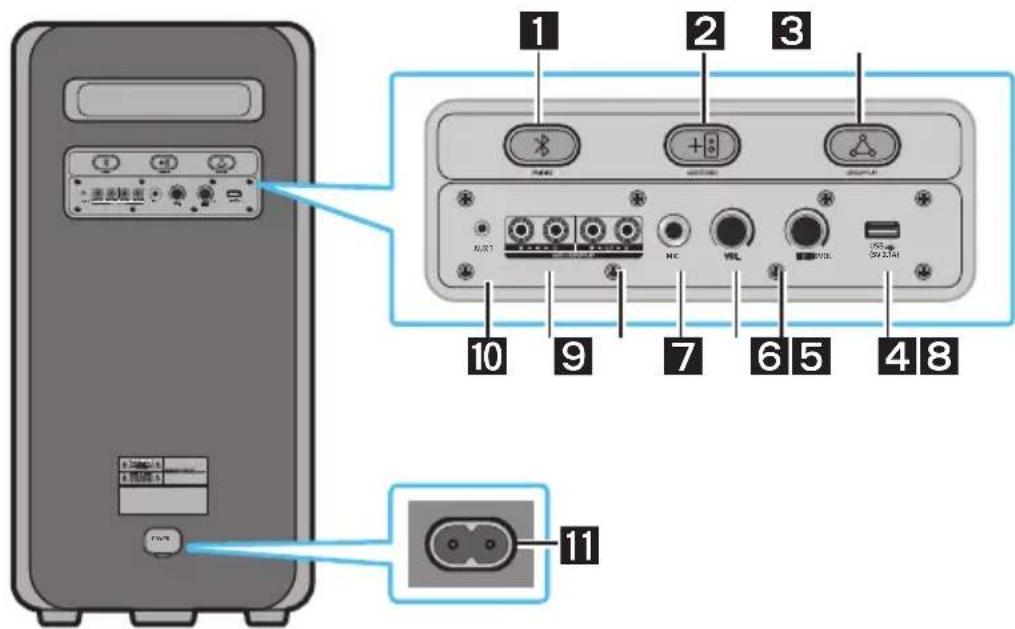
The Bluetooth® word mark and logos are registered trademarks owned by the Bluetooth SIG, Inc. and any use of such marks by Samsung Electronics Co., Ltd. is under license. Other trademarks and trade names are those of their respective owners.

Qualcomm ^® aptX ^™
Qualcomm aptX is a product of Qualcomm Technologies, Inc. and/or its subsidiaries. Qualcomm is a trademark of Qualcomm Incorporated, registered in the United States and other countries. aptX is a trademark of Qualcomm Technologies International, Ltd., registered in the United States and other countries.

[ENERGY STAR]
ENERGY STAR qualified model only
- Your Samsung product is ENERGY STAR qualified in its factory default setting. Change to certain features, settings and functionality in this product can change the power consumption, possibly beyond the limits required for ENERGY STAR qualification. - Environmental Protection Agency and Department of Energy. ENERGY STAR is a joint program of the Government agencies, designed to promote energy efficient products and practices.
Refer to www.energystar.gov for more information of the ENERGY STAR Program.
ENERGY STAR qualified model only (Applicable to Thin Client models only)
As an ENERGY STAR® Partner, SAMSUNG has determined that this product meets the ENERGY STAR® guidelines for energy efficiency.
- The ENERGY STAR Program has been to reduced greenhouse gas emissions and save energy through voluntary labeling.
- Power management setting of this product have been enabled by default, and have various timing setting from 1 minutes to 5 hours.
- The product can wake with a button press on the chassis from sleep mode.
ENERGY STAR qualified model only (The other models)
- As an ENERGY STAR Partner, Samsung has determined that this product or product models meets the ENERGY STAR guideline for energy efficiency.
10 PAZIÑOJUMS PARATVĚRTĀ PIRMKODA LICENCI
natural_image
Illustration of a person sitting on a sofa using a tablet (no text or symbols visible)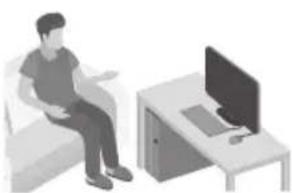
natural_image
Illustration of a person sitting on a couch next to a desk with a computer (no text or symbols visible)
NAUDOTOJO VADOVAS
natural_image
Illustration of a gray cylindrical device with a circular top and side panel (no text or symbols)„Sound Tower“ pagrindinis jrenginys
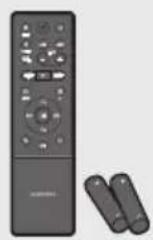
Nuotolinis pultelis / maitinimo elementai
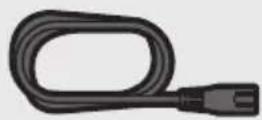
Maitinimo laidas
natural_image
Simple line drawing of a stick figure using a tool to cut a block with a 'X' symbol (no text or labels)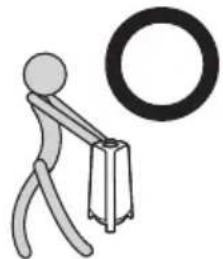
natural_image
Simple stick figure carrying a briefcase with a large circular ring nearby (no text or symbols)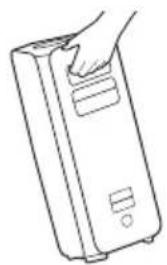
natural_image
Line drawing of a hand inserting a card into a rectangular device (no text or symbols)02 PRODUKTO APŽVALGA
flowchart
graph TD
    A["1: Kairysis, "Sound Tower (MAIN)""] --> B["2: Dešinysis, "Sound Tower (SUB)""]
Sound dropouts occur in BT mode.
Is the distance between systems too far? Ar atstumas tarp sistemu per didelis?
The Bluetooth® word mark and logos are registered trademarks owned by the Bluetooth SIG, Inc. and any use of such marks by Samsung Electronics Co., Ltd. is under license. Other trademarks and trade names are those of their respective owners.

Qualcomm ^ aptX ^TM
Qualcomm aptX is a product of Qualcomm Technologies, Inc. and/or its subsidiaries. Qualcomm is a trademark of Qualcomm Incorporated, registered in the United States and other countries. aptX is a trademark of Qualcomm Technologies International, Ltd., registered in the United States and other countries.

[ENERGY STAR]
ENERGY STAR qualified model only
- Your Samsung product is ENERGY STAR qualified in its factory default setting. Change to certain features, settings and functionality in this product can change the power consumption, possibly beyond the limits required for ENERGY STAR qualification.
- Environmental Protection Agency and Department of Energy. ENERGY STAR is a joint program of the Government agencies, designed to promote energy efficient products and practices.
Refer to www.energystar.gov for more information of the ENERGY STAR Program.
ENERGY STAR qualified model only (Applicable to Thin Client models only)
As an ENERGY STAR® Partner, SAMSUNG has determined that this product meets the ENERGY STAR® guidelines for energy efficiency.
- The ENERGY STAR Program has been to reduced greenhouse gas emissions and save energy through voluntary labeling.
- Power management setting of this product have been enabled by default, and have various timing setting from 1 minutes to 5 hours.
- The product can wake with a button press on the chassis from sleep mode.
ENERGY STAR qualified model only (The other models)
- As an ENERGY STAR Partner, Samsung has determined that this product or product models meets the ENERGY STAR guideline for energy efficiency.
10 ATVIROSIOS PROGRAMINĖS JRANGOS LICENCIJOS PRANEŠIMAS
www.samsung.com/uk/aboutsamsung/sustainability/environment/our-commitment/data/
INFORMACJE DOTYCZĄCE BEZPIECZEŃSTWA
natural_image
Illustration of a person sitting on a sofa using a tablet (no text or symbols visible)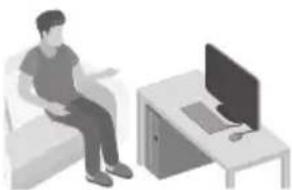
natural_image
Illustration of a person sitting on a couch next to a desk with a laptop (no text or symbols visible)
natural_image
Illustration of a gray rectangular device with a circular top and side panel (no text or symbols)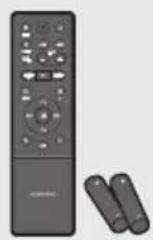
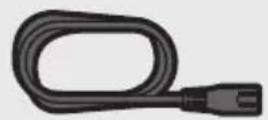
natural_image
Illustration of a person using a tool to mark a defect or explosion (no text or symbols present)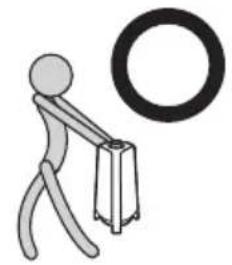
natural_image
Simple stick figure carrying a briefcase next to a large ring (no text or symbols)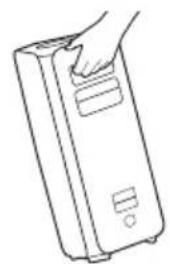
natural_image
Line drawing of a hand holding a rectangular device (no text or symbols)02 INFORMACJE O PRODUKCIE
Górny panel Sound Tower
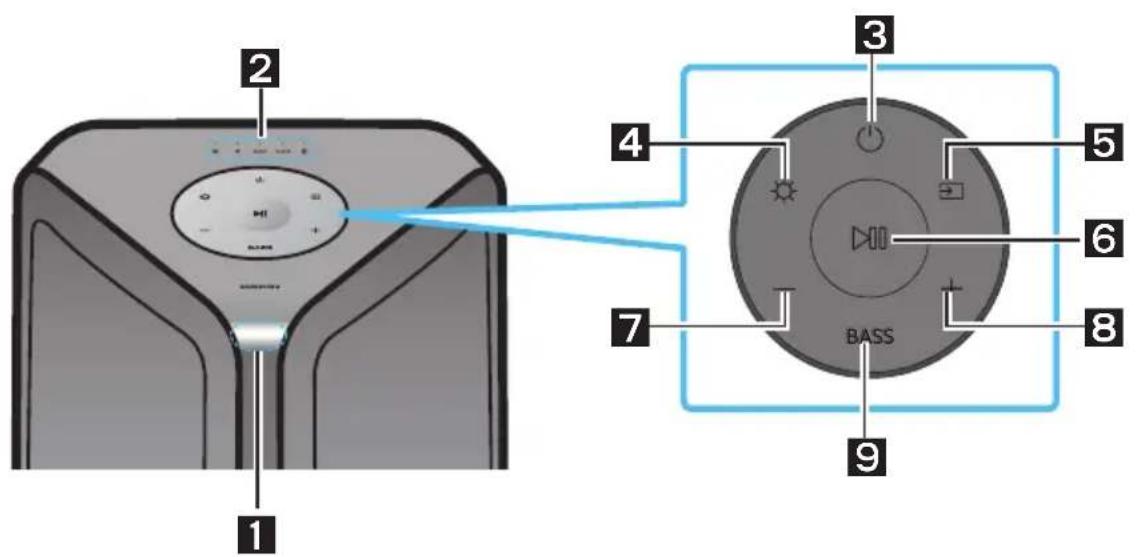
flowchart
graph LR
    A["Smartphone"] -->|Bluetooth 1| B["Device with antenna"]
    C["Smartphone"] -->|Bluetooth 2| D["Device with antenna"]
08 DIAGNOSTYKA I ROZWIĄZYWANIE PROBLEMÓW
The Bluetooth® word mark and logos are registered trademarks owned by the Bluetooth SIG, Inc. and any use of such marks by Samsung Electronics Co., Ltd. is under license. Other trademarks and trade names are those of their respective owners.

Qualcomm aptX™
Qualcomm aptX is a product of Qualcomm Technologies, Inc. and/or its subsidiaries. Qualcomm is a trademark of Qualcomm Incorporated, registered in the United States and other countries. aptX is a trademark of Qualcomm Technologies International, Ltd., registered in the United States and other countries.

[ENERGY STAR]
ENERGY STAR qualified model only
- Your Samsung product is ENERGY STAR qualified in its factory default setting. Change to certain features, settings and functionality in this product can change the power consumption, possibly beyond the limits required for ENERGY STAR qualification. - Environmental Protection Agency and Department of Energy. ENERGY STAR is a joint program of the Government agencies, designed to promote energy efficient products and practices.
Refer to www.energystar.gov for more information of the ENERGY STAR Program.
ENERGY STAR qualified model only (Applicable to Thin Client models only)
As an ENERGY STAR® Partner, SAMSUNG has determined that this product meets the ENERGY STAR® guidelines for energy efficiency.
- The ENERGY STAR Program has been to reduced greenhouse gas emissions and save energy through voluntary labeling.
- Power management setting of this product have been enabled by default, and have various timing setting from 1 minutes to 5 hours.
- The product can wake with a button press on the chassis from sleep mode.
ENERGY STAR qualified model only (The other models)
- As an ENERGY STAR Partner, Samsung has determined that this product or product models meets the ENERGY STAR guideline for energy efficiency.
10 INFORMACJA O LICENCJI OPEN SOURCE
www.samsung.com/uk/aboutsamsung/sustainability/environment/our-commitment/data/
INFORMATII DE SIGURANTĂ
AVERTISMENTE PRIVIND SIGURANTA
PENTRU A REDUCE RISCUL DE ELECTROCUTARE, NU SCOATEȚI CAPACUL POSTERIOR (SAU DIN SPATE). ÎN INTERIOR NU EXISTĂ PIESE CARE POT FI REPARATE DE UTILIZATOR. PENTRU SERVICE, ADRESAȚI-VĂ PERSONALULUI CALIFICAT.
natural_image
Illustration of a person sitting on a sofa using a tablet (no text or symbols visible)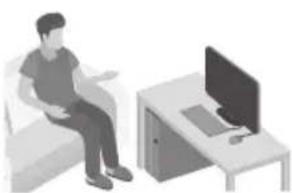
natural_image
Illustration of a person sitting on a couch next to a desk with a computer (no text or symbols visible)
MANUAL DE UTILIZARE
natural_image
Illustration of a gray cylindrical device with a circular top and side panel (no text or symbols)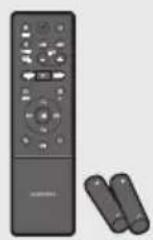
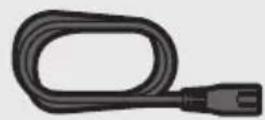
natural_image
Simple line drawing of a stick figure using a tool to cut a block with a 'X' symbol (no text or labels)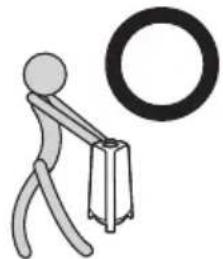
natural_image
Simple stick figure carrying a briefcase with a large circular ring nearby (no text or symbols)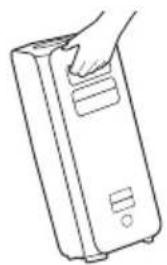
natural_image
Line drawing of a hand inserting a card into a rectangular device (no text or symbols)02 PREZENTAREA PRODUSULUI
Panoul superior al Sound Tower
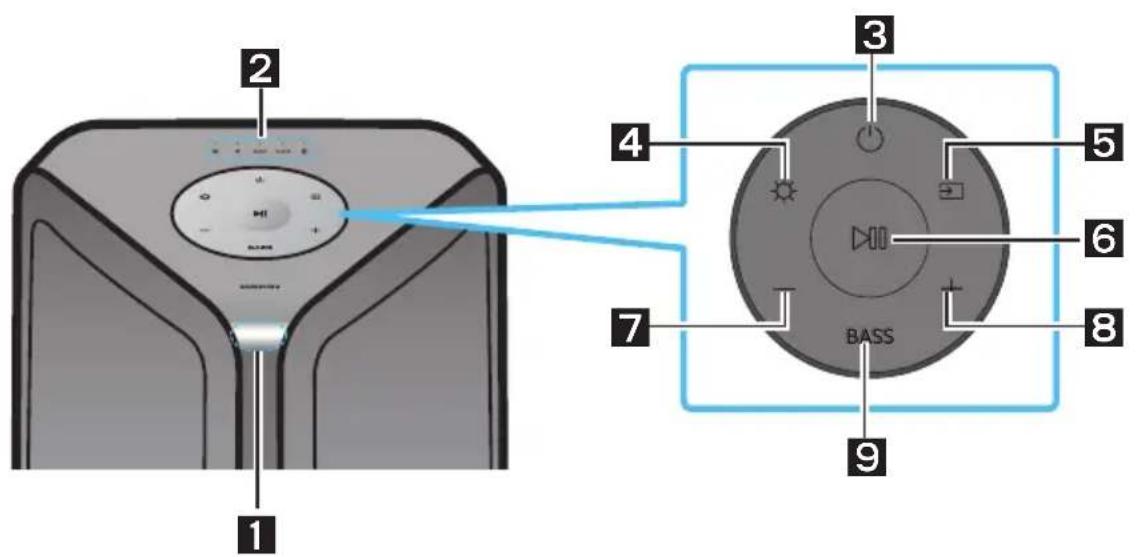
Sound Tower (MAIN) stâng Sound Tower (SUB) drept
The Bluetooth® word mark and logos are registered trademarks owned by the Bluetooth SIG, Inc. and any use of such marks by Samsung Electronics Co., Ltd. is under license. Other trademarks and trade names are those of their respective owners.

Qualcomm aptX™
Qualcomm aptX is a product of Qualcomm Technologies, Inc. and/or its subsidiaries. Qualcomm is a trademark of Qualcomm Incorporated, registered in the United States and other countries. aptX is a trademark of Qualcomm Technologies International, Ltd., registered in the United States and other countries.

[ENERGY STAR]
ENERGY STAR qualified model only
- Your Samsung product is ENERGY STAR qualified in its factory default setting. Change to certain features, settings and functionality in this product can change the power consumption, possibly beyond the limits required for ENERGY STAR qualification.
- Environmental Protection Agency and Department of Energy. ENERGY STAR is a joint program of the Government agencies, designed to promote energy efficient products and practices.
Refer to www.energystar.gov for more information of the ENERGY STAR Program.
ENERGY STAR qualified model only (Applicable to Thin Client models only)
As an ENERGY STAR® Partner, SAMSUNG has determined that this product meets the ENERGY STAR® guidelines for energy efficiency.
- The ENERGY STAR Program has been to reduced greenhouse gas emissions and save energy through voluntary labeling.
- Power management setting of this product have been enabled by default, and have various timing setting from 1 minutes to 5 hours.
- The product can wake with a button press on the chassis from sleep mode.
ENERGY STAR qualified model only (The other models)
- As an ENERGY STAR Partner, Samsung has determined that this product or product models meets the ENERGY STAR guideline for energy efficiency.
10 NOTIFICARE DE LICENȚĂ OPEN SOURCE
11 NOTĂ IMPORTANTĂ DESPRE SERVICE
www.samsung.com/uk/aboutsamsung/sustainability/environment/our-commitment/data/
SIGURNOSNE INFORMACIJE
SIGURNOSNA UPOZORENJA
DA BISTE SMANJILI OPASNOST OD
ELEKTRIČNOG UDARA, NE SKIDAJTE POKLOPAC (ILI ZADNJU PLOČU).
UNUTRA SE NE NALAZE DELOVI KOJI SE MOGU SERVISIRATI. SERVISIRANJE POVERITE KVALIFIKOVANOM OSOBLJU SERVISA.
Pogledajte tabelu u nastavku za objašnjenje simbola koje možete naći na svom Samsung proizvodu.
 | OPREZOPASNOST ODELEKTRIČNOG UDARA.NE OTVARATI. |  |
 | Ovaj simbol ukazuje na to da je unutar uređaja prisutan visoki napon. Svaka vrsta kontakta sa unutrašnjim komponentama ovog uređaja predstavlja opasnost. | |
 | Ovaj simbol ukazuje na to da se uz proizvod isporučuje važna dokumentacija koja se odnosi na rukovanje i održavanje. | |
 | Proizvod klase II: Ovaj simbol označava da povezivanje na zaštitno električno uzemljenje nije neophodno.Ako ovaj simbol ne postoji na proizvodu sa kablom za napajanje, proizvod MORA da ima pouzdanu vezu sa zaštitnim uzemljenjem. | |
 | Naizmenična struja: Ovaj simbol označava da naizmeničnu struju. | |
 | Jednosmerna struja: Ovaj simbol označava da jednosmernu struju. | |
 | Oprez, videti uputstva za upotrebu: Ovaj simbol upućuje korisnika da u korisničkom priručniku pročita dodatne informacije u vezi sa bezbednošću. | |
OPREZ
UPOZORENJE
- Da biste smanjili opasnost od požara ili električnog udara, ne izlažite ovaj proizvod kiši ili vlazi.
- Ovaj proizvod sadrži za koje je u državi Kalifornija poznato da izazivaju karcinom i urođene mane ili druga reproduktivna oštećenja.
- Baterija (baterija ili baterije ili pakovanje baterija) ne sme se izlagati prekomernoj toploti poput svetlosti sunca, vatri ili sličnim izvorima toplote.
OPREZ
• Sound Tower pruža izdržljivost prema standardu IPX5.
natural_image
Illustration of a gray rectangular device with a circular top and side panel (no text or symbols)Glavna jedinica sistema Sound Tower
natural_image
Illustration of a person using a tool to mark a defect or explosion (no text or symbols present)
natural_image
Simple stick figure carrying a briefcase with a large circular symbol above (no text or symbols present)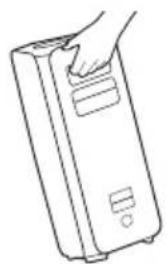
natural_image
Line drawing of a hand holding a rectangular device with buttons (no text or symbols)Stavljanje baterija pre korišćenja daljinskog upravljača (dve AAA baterije)
Gurnite poklopac za baterije u smeru strelice dok ga potpuno ne skinete. Stavite dve AAA baterije (1,5 V) sa ispravno okrenutim polaritetom. Gurnite poklopac baterije nazad na mesto.
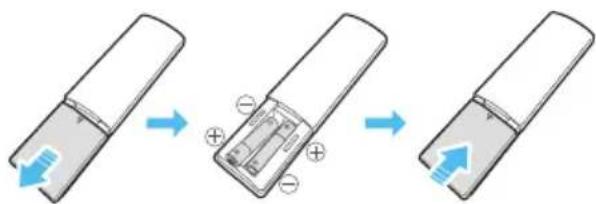
02 PREGLED PROIZVODA
Gornji panel sistema Sound Tower
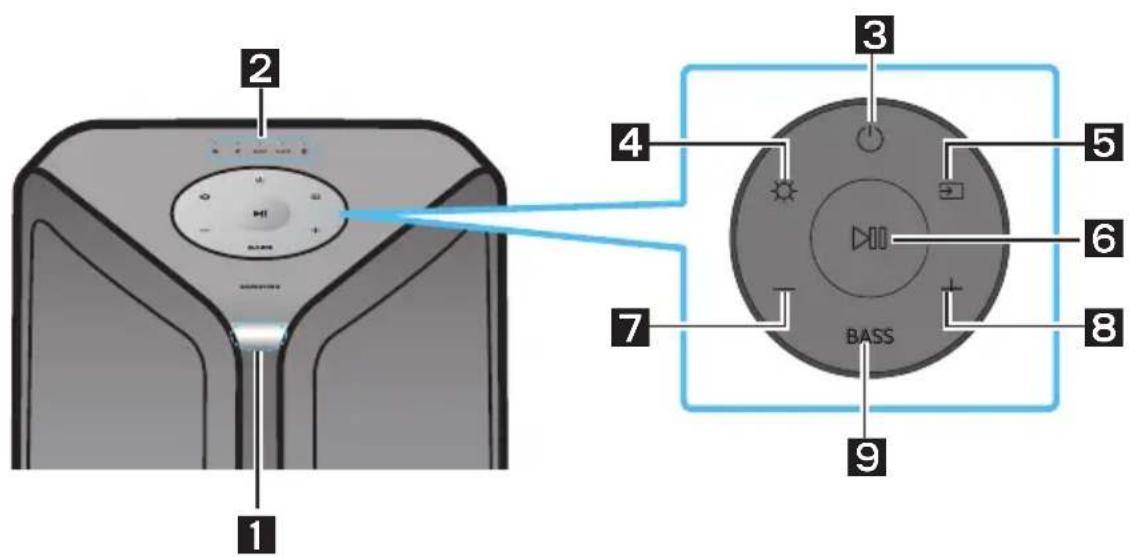
| 1 | Senzor za daljinski upravljač | Kada upravljate sistemom Sound Tower, usmerite prednju stranu daljinskog upravljača ka senzoru za daljinski upravljač. |
| 2 | LED indikator | Prikazuje poruke o radu ili trenutni izvor sistema Sound Tower.Izvori informacija koje predstavlja svaka LED lampica su sledeći:※(BT) ◆(USB) AUX1(AUX1) AUX2(AUX2) [IMAGE](napajanje/baterija) |
| 3 | Napajanje Uklučuje i isključuje sistem Sound Tower. | |
| 4 | Osvetljenje | Pritisnite dugme ⚙(Osvetljenje) da biste uključili režim osvetljenja. |
| 5 | Izvor | Pritisnite da biste izabrali izvor povezan na sistem Sound Tower.Pritisnite i zadržite pritisnutim dugme→(Izvor) duže od 5 sekundi kako biste ušli u režim „SEARCHING TV”. |
| 6 | Reprodukcija/Pauza | • Reprodukcija/PauzaPritisnite dugme ▶da biste privremeno pauzirali muzičku datoteku.Kada ponovo pritisnete dugme, počeće reprodukcija muzičke datoteke.• Reprodukcija demonstracijePritisnite dugme ▶nadržite ga duže od 5 sekundi da biste pokrenuli demo reprodukciju dok je sistem uključen. Treperi 5 LED lampica istovremeno i reprodukuje se demo muzika u trajanju od 90 sekundi.- Molimo budite oprezni jer može da čuje glasnije od postavljene jačine. |
| 7 | Smanjivanje jačine zvuka | Pritisnite dugme —(Smanjenje jačine zvuka) da biste podesili niži nivo jačine zvuka. |
| 8 | Povećavanje jačine zvuka | Pritiskanjem dugmeta + (Povećanje jačine zvuka) povećava se jačina zvuka. |
| 9 | BASS | Pritisnite dugme BASS da biste koristili snažni zvuk basa. |
Zadnji panel sistema Sound Tower
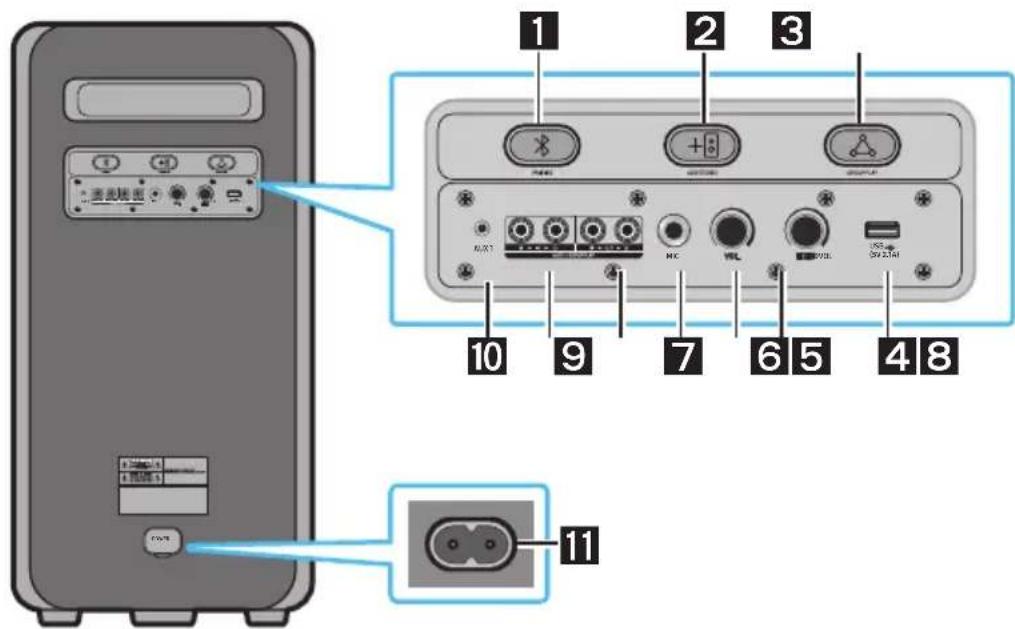
| 1 | Bluetooth PAIRING | Pritisnite dugme ✦ PAIRING da biste ušli u režim za uparivanje. LED indikator funkcije „PAIRING” na zadnjoj ravnoj površini će brzo treptati. |
| 2 | ADD STEREO | Pritisnite dugme ADD STEREO za bežično povezivanje sa drugim istim modelom uređaja Sound Tower. |
| 3 | GROUP PLAY | Pritisnite dugme GROUP PLAY da biste bežično povezali do deset sistema Sound Tower. |
| 4 | USB | Povežite USB uređaj u port USB na glavnoj jedinici.Ako priključite mobilni telefon u USB port, možete da ga punite.• Pritisnite dugme → (Izvor) da biste izabrali USB. |
| 5 | ECHO | Zvuku iz povezanog mikrofona (MIC) možete da dodate efekat odjeka prilagođavanjem dugmeta ECHO. |
| 6 | VOL | Koristite dugme VOL da biste prilagodili jačinu zvuka povezanog mikrofona (MIC). |
| 7 | MIC | Uključite mikrofon u priključak MIC. |
| 8 | Priključci GROUP PLAY OUT | Pomoću audio kabla (ne isporučuje se) povežite priključke GROUP PLAY (OUT) na glavnoj jedinici sa audio izlazom na spoljnom analognom izlaznom uređaju. |
| 9 | Priključci GROUP PLAY IN | Pomoću audio kabla (ne isporučuje se) povežite priključke AUX2 (IN) na glavnoj jedinici sa audio izlazom na spoljnom analognom izlaznom uređaju. |
| 10 | AUX1 | Pomoću audio (AUX) kabla (ne isporučuje se) povežite priključak AUX1 na glavnoj jedinici sa audio izlazom na spoljnom uređaju. |
| 11 | Napajanje | Povežite kabl za napajanje u priključak Napajanje, a zatim povežite drugi kraj kabla za napajanje u zidnu utičnicu da biste dostavili električnu energiju sistemu Sound Tower. |
LED za status napunjenosti uređaja Sound Tower:
| Stanje uređaja Sound Tower | Stanje punjenja | LED punjenja (režim AC) | LED punjenja (režim DC) | Napomena |
| Isključeno Potpuno napunjeno | Isključeno (crna) | Isključeno (crna) | ||
| Isključeno Puni se Zelena treperi | Nije primenljivo | |||
| Isključeno Ne puni se | Isključeno (crna) | Isključeno (crna) | AC kabl nije priključen. | |
| Režim pripravnosti | Potpuno napunjeno Plava svetli | Nije primenljivo | Nema režima pripravnosti u režimu DC. | |
| Režim pripravnosti | Puni se Zelena treperi | Nije primenljivo | LED lampica punjenja je ista kao i kada je Sound Tower isključen. | |
| Uključeno Potpuno napunjeno Plava svetli Plava svetli | Kada se uključi, Sound Tower uglavnom oslikava trenutno stanje baterije. | |||
| Uključeno Puni se Zelena treperi | Nije primenljivo | |||
| Uključeno | Ne puni se i kapacitet je 30%-98% | Zelena svetli Zelena svetli | ||
| Uključeno | Ne puni se i kapacitet je 5%-29% | Crvena svetli Crvena svetli | ||
| Uključeno | Ne puni se i kapacitet je ispod 5% | Crvena svetli | Isključite napajanje nakon što svetlosna traka jednom trepne u narandžastoj boji | |
-
Pritisnite dugme ADD STEREO na levom sistemu Sound Tower. Treperi LED lampica na dugmetu ADD STEREO.
-
Pritisnite dugme ADD STEREO na desnom sistemu Sound Tower. Treperi LED lampica na dugmetu ADD STEREO.
-
Kada se uspostavi veza, čuje se zvučni signal. Postojano svetli zeleni indikator ADD LED na osnovnoj ploči.
- Sistem MAIN Sound Tower emituje zvuk levog kanala, a sistem SUB Sound Tower emituje zvuk desnog kanala. Pritisnite dugme ADD STEREO na MAIN ili SUB Sound Tower da biste promenili zvučni kanal za Sound Tower.
- Povežite dva uređaja Sound Tower putem opcije stereo mode pritiskom na dugme ADD STEREO na obadva uređaja Sound Tower.
- Povežite RCA kabl na AUX2 OUT na MAIN jedinici i na AUX2 IN na SUB jedinici kao što je pokazano koristeći RCA kabl (ne isporučuje se).
-
U „BT“ režimu, pritisnite dugme „AUX“ na daljinskom upravljaču MAIN Sound Tower najmanje na 5 sekundi. Treperi LED lampica na dugmetu ADD STEREO.
-
Kada veza uspostavi, LED lampica „ADD STEREO“ prikazuje se na ekranu, a zatim se pojavljuje izlazna struja. Čuće se zvučni signal.
-
Kada veza uspostavi, uključuje se LED lampica „AUX2“ na gornjem panelu uređaja SUB.
- MAIN Sound Tower emituje zvuk levog kanala, a SUB Sound Tower emituje zvuk desnog kanala. Pritisnite dugme ADD STEREO na MAIN ili SUB Sound Tower da biste promenili zvučni kanal za Sound Tower.
- Povežite televizor i MAIN Sound Tower preko Bluetooth veze da biste reprodukovali muziku. Zvuk se emituje sa oba Sound Tower uređaja.
NAPOMENE
- Da biste koristili grupni režim Stereo, oba Sound Tower uređaja moraju da budu istog modela.
- Crveno svetlo na LED lampici dugmeta ADD STEREO ukazuje na grešku grupne veze Stereo. Ponovo pokušajte sa koracima 1 do 5.
- U grupnom režimu Stereo, daljinski upravljač, BT PAIRING, GROUP PLAY i dugmad → (Izvor) na SUB Sound Tower su onemogućeni.
- Dugme GROUP PLAY na MAIN Sound Tower nije na raspolaganju u grupnom režimu Stereo.
- Ako Samsung televizor podržava jednostavno povezivanje, iskačući prozor za povezivanje se automatski prikazuje na televizoru i ako pritisnete „Da“, uspostavlja se veza sa televizorom. Ako postoji istorija prethodnih veza Samsung televizora i Sound Tower, povezivanje sa Samsung televizorom vrši se bez iskačućeg prozora. Za jednostavno povezivanje sa Samsung televizorom, pogledajte stranu 16.
- Boje svetla se mogu razlikovati između MAIN Sound Tower i SUB Sound Tower.
Prekidanje veze grupnog režima Stereo
Pritisnite dugme ADD STEREO (MAIN ili SUB) najmanje 5 sekundi nakon povezivanja grupe Stereo.
- Čuće se zvučni signal „OFF-STEREO MODE“ i isključiće se LED lampica na dugmetu ADD STEREO.
04 POVEZIVANJE NA SPOLJNI UREĐAJ
The Bluetooth® word mark and logos are registered trademarks owned by the Bluetooth SIG, Inc. and any use of such marks by Samsung Electronics Co., Ltd. is under license. Other trademarks and trade names are those of their respective owners.

Qualcomm ^ aptX ^TM
Qualcomm aptX is a product of Qualcomm Technologies, Inc. and/or its subsidiaries. Qualcomm is a trademark of Qualcomm Incorporated, registered in the United States and other countries. aptX is a trademark of Qualcomm Technologies International, Ltd., registered in the United States and other countries.

[ENERGY STAR]
ENERGY STAR qualified model only
- Your Samsung product is ENERGY STAR qualified in its factory default setting. Change to certain features, settings and functionality in this product can change the power consumption, possibly beyond the limits required for ENERGY STAR qualification. - Environmental Protection Agency and Department of Energy. ENERGY STAR is a joint program of the Government agencies, designed to promote energy efficient products and practices.
Refer to www.energystar.gov for more information of the ENERGY STAR Program.
ENERGY STAR qualified model only (Applicable to Thin Client models only)
As an ENERGY STAR® Partner, SAMSUNG has determined that this product meets the ENERGY STAR® guidelines for energy efficiency.
- The ENERGY STAR Program has been to reduced greenhouse gas emissions and save energy through voluntary labeling.
- Power management setting of this product have been enabled by default, and have various timing setting from 1 minutes to 5 hours.
- The product can wake with a button press on the chassis from sleep mode.
ENERGY STAR qualified model only (The other models)
- As an ENERGY STAR Partner, Samsung has determined that this product or product models meets the ENERGY STAR guideline for energy efficiency.
10 OBAVEŠTENJE O LICENCI OTVORENOG IZVORNOG KODA
Da biste poslali pitanja i zahteve u vezi sa softverom otvorenog koda obratite se grupi
Samsung Open Source
(http://opensource.samsung.com).
11 VAŽNA NAPOMENA O SERVISIRANJU
www.samsung.com/uk/aboutsamsung/sustainability/environment/our-commitment/data/
BEZPEČNOSTNÉ INFORMÁCIE
BEZPEČNOSTNÉ VAROVANIA
ABY STE PREDIŠLI RIZIKU VZNIKU POŽIARU A RIZIKU ÚRAZU ELEKTRICKÝM PRÚDOM, NEODSTRAŇUJTE PREDNÝ (ANI ZADNÝ) KRYT. ZARIADENIE SA NEPOKÚŠAJTE SVOJPOMOCNE OPRAVOVAŤ. OPRAVY PRENECHAJTE KVALIFIKOVANÉMU SERVISNÉMU PRACOVNÍKOVI.
natural_image
Illustration of a gray rectangular electronic device with a circular top and side panel (no text or symbols)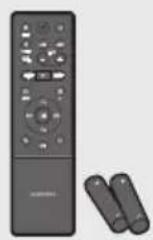
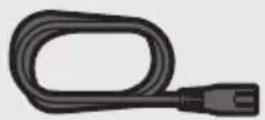
natural_image
Simple line drawing of a stick figure using a tool to cut a block with a 'X' symbol (no text or labels)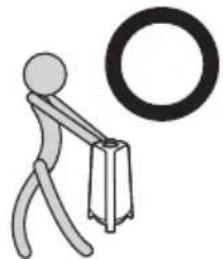
natural_image
Simple stick figure carrying a briefcase with a large circular ring nearby (no text or symbols)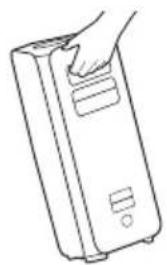
natural_image
Line drawing of a hand inserting a card into a rectangular device (no text or symbols)02 POPIS PRODUKTU
Vrchný panel zariadenia Sound Tower
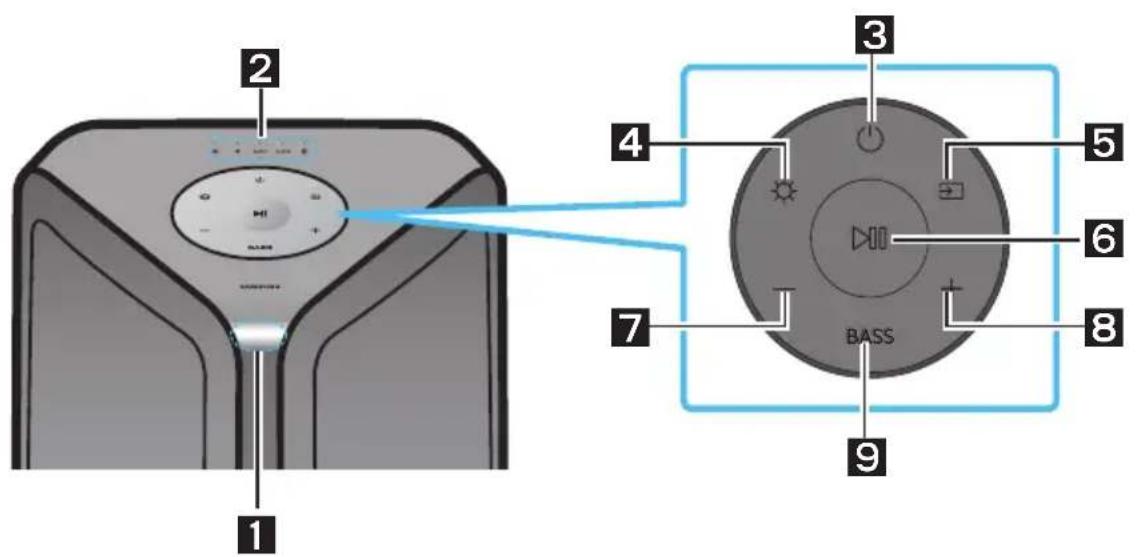
The Bluetooth® word mark and logos are registered trademarks owned by the Bluetooth SIG, Inc. and any use of such marks by Samsung Electronics Co., Ltd. is under license. Other trademarks and trade names are those of their respective owners.

Qualcomm ^® aptX ^™
Qualcomm aptX is a product of Qualcomm Technologies, Inc. and/or its subsidiaries. Qualcomm is a trademark of Qualcomm Incorporated, registered in the United States and other countries. aptX is a trademark of Qualcomm Technologies International, Ltd., registered in the United States and other countries.

[ENERGY STAR]
ENERGY STAR qualified model only
- Your Samsung product is ENERGY STAR qualified in its factory default setting. Change to certain features, settings and functionality in this product can change the power consumption, possibly beyond the limits required for ENERGY STAR qualification.
- Environmental Protection Agency and Department of Energy. ENERGY STAR is a joint program of the Government agencies, designed to promote energy efficient products and practices.
Refer to www.energystar.gov for more information of the ENERGY STAR Program.
ENERGY STAR qualified model only (Applicable to Thin Client models only)
As an ENERGY STAR® Partner, SAMSUNG has determined that this product meets the ENERGY STAR® guidelines for energy efficiency.
- The ENERGY STAR Program has been to reduced greenhouse gas emissions and save energy through voluntary labeling.
- Power management setting of this product have been enabled by default, and have various timing setting from 1 minutes to 5 hours.
- The product can wake with a button press on the chassis from sleep mode.
ENERGY STAR qualified model only (The other models)
- As an ENERGY STAR Partner, Samsung has determined that this product or product models meets the ENERGY STAR guideline for energy efficiency.
10 POZNÁMKA K LICENCII S OTVORENÝM ZDROJOVÝM KÓDOM
11 DÔLEŽITÁ POZNÁMKA OHĽADOM SERVISU
natural_image
Illustration of a gray rectangular device with a circular top and side panel (no text or symbols)Glavna enota Sound Tower
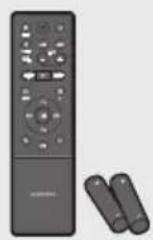
Daljinski upravljalnik / Baterije
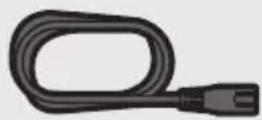
Napajalni kabel
natural_image
Illustration of a stick figure using a tool to cut a block with a 'X' symbol (no text or labels)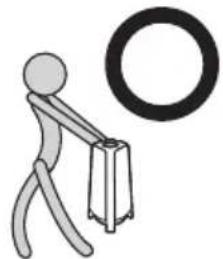
natural_image
Simple stick figure carrying a briefcase with a large circular ring nearby (no text or symbols)
natural_image
Line drawing of a hand inserting a card into a rectangular device (no text or symbols)02 PREGLED IZDELKA
Zgornja plošča sistema Sound Tower
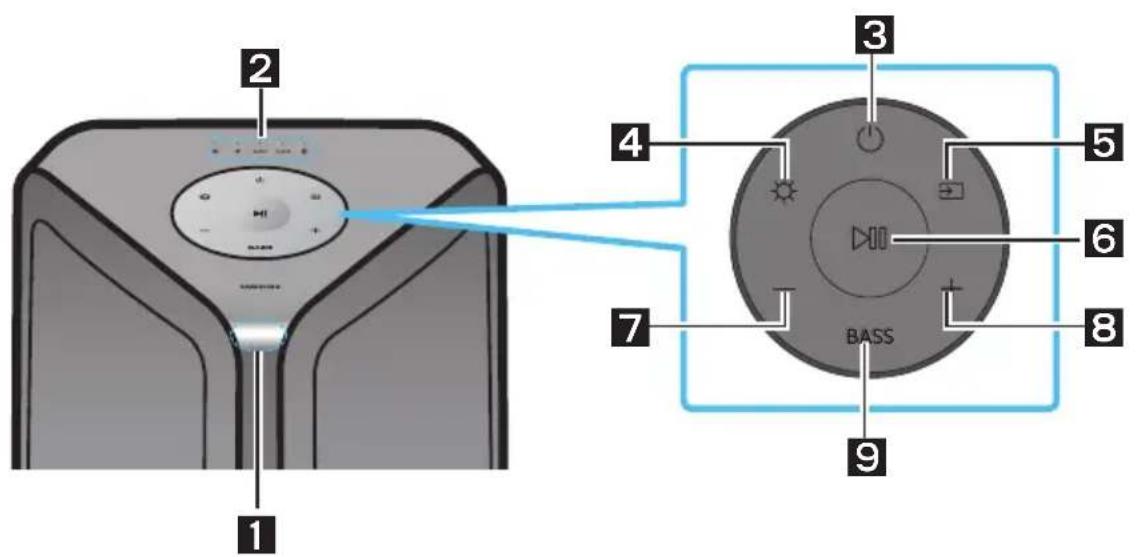
Levi Sound Tower (MAIN) Desni Sound Tower (SUB)
-
Pritisnite gumb ADD STEREO na levem sistemu Sound Tower. Lučka LED utripa na tipki ADD STEREO.
-
Pritisnite gumb ADD STEREO na desnem sistemu Sound Tower. Lučka LED utripa na tipki ADD STEREO.
-
Ko je povezava vzpostavljena, se oglasi zvočni signal.Zeleni LED indikator ADD na hrbtni plošči sveti.
- Sistem MAIN Sound Tower predvaja zvok levega kanala, sistem SUB Sound Tower pa zvok desnega kanala. Za spremembo zvočnega kanala na Sound Tower, pritisnite gumb ADD STEREO, ki se nahaja na MAIN ali SUB Sound Tower.
- Predvajajte glasbo tako, da vaš pametni telefon povežete z MAIN Sound Tower in Bluetooth. Zvok se bo predvajal prek obeh Sound Tower-jev.
OPOMBE
The Bluetooth® word mark and logos are registered trademarks owned by the Bluetooth SIG, Inc. and any use of such marks by Samsung Electronics Co., Ltd. is under license. Other trademarks and trade names are those of their respective owners.

Qualcomm ^® aptX ^™
Qualcomm aptX is a product of Qualcomm Technologies, Inc. and/or its subsidiaries. Qualcomm is a trademark of Qualcomm Incorporated, registered in the United States and other countries. aptX is a trademark of Qualcomm Technologies International, Ltd., registered in the United States and other countries.

[ENERGY STAR]
ENERGY STAR qualified model only
- Your Samsung product is ENERGY STAR qualified in its factory default setting. Change to certain features, settings and functionality in this product can change the power consumption, possibly beyond the limits required for ENERGY STAR qualification. - Environmental Protection Agency and Department of Energy. ENERGY STAR is a joint program of the Government agencies, designed to promote energy efficient products and practices.
Refer to www.energystar.gov for more information of the ENERGY STAR Program.
ENERGY STAR qualified model only (Applicable to Thin Client models only)
As an ENERGY STAR® Partner, SAMSUNG has determined that this product meets the ENERGY STAR® guidelines for energy efficiency.
- The ENERGY STAR Program has been to reduced greenhouse gas emissions and save energy through voluntary labeling.
- Power management setting of this product have been enabled by default, and have various timing setting from 1 minutes to 5 hours.
- The product can wake with a button press on the chassis from sleep mode.
ENERGY STAR qualified model only (The other models)
- As an ENERGY STAR Partner, Samsung has determined that this product or product models meets the ENERGY STAR guideline for energy efficiency.
10 OBVESTILO O ODPRTOKODNIH LICENCAH
www.samsung.com/uk/aboutsamsung/sustainability/environment/our-commitment/data/
© 2022 Samsung Electronics Co., Ltd. All rights reserved.
Contact SAMSUNG WORLD WIDE
If you have any questions or comments relating to Samsung products, please contact the SAMSUNG customer care Centre.
| Country | Samsung Service Centre | Web Site |
| ■Europe | ||
| UK 0333 000 0353 | www.samsung.com/uk/support | |
| IRELAND (EIRE) 0818 717100 | www.samsung.com/ie/support | |
| GERMANY 06196 77 555 77 | www.samsung.com/de/support | |
| FRANCE 01 48 63 00 00 | www.samsung.com/fr/support | |
| ITALIA 800-SAMSUNG (800.7267864) | www.samsung.com/it/support | |
| SPAIN 91175 00 15 | www.samsung.com/es/support | |
| PORTUGAL | 210 608 098Chamada para a rede fixa nacionalDias úteis das 9h às 20h | www.samsung.com/pt/support |
| LUXEMBURG 261 03 710 | www.samsung.com/be_fr/support | |
| NETHERLANDS 088 90 90 100 | www.samsung.com/nl/support | |
| BELGIUM 02-201-24-18 | www.samsung.com/be/support (Dutch)www.samsung.com/be_fr/support (French) | |
| NORWAY 21629099 | www.samsung.com/no/support | |
| DENMARK 707 019 70 | www.samsung.com/dk/support | |
| FINLAND 030-6227 515 | www.samsung.com/fi/support | |
| SWEDEN 0771-400 300 | www.samsung.com/se/support | |
| POLAND | 801-172-678* lub +48 22 607-93-33*Specjalistyczna infolinia do obstugi zapytań dotyczących telefonów komórkowych: 801-672-678** (optata według taryfy operatora) | http://www.samsung.com/pl/support/ |
| HUNGARY 0680 SAMSUNG (0680-726-7864) | www.samsung.com/hu/support | |
| AUSTRIA 0800 72 67 864 (0800-SAMSUNG) | www.samsung.com/at/support | |
| SWITZERLAND | 0800 726 786 | www.samsung.com/ch/support (German)www.samsung.com/ch_fr/support (French) |
| Country | Samsung Service Centre | Web Site |
| CZECH | 800 - SAMSUNG (800-726786) | www.samsung.com/cz/support |
| SLOVAKIA | 0800 - SAMSUNG (0800-726 786) | www.samsung.com/sk/support |
| CROATIA 072 726 786 | www.samsung.com/hr/support | |
| BOSNIA | 055 233 999 | www.samsung.com/support |
| NORTH MACEDONIA | 023 207 777 | www.samsung.com/mk/support |
| MONTENEGRO | 020 405 888 | www.samsung.com/support |
| SLOVENIA 080 697 267 (brezplačna številka) | www.samsung.com/si/support | |
| SERBIA | 011 321 6899 | www.samsung.com/rs/support |
| KOSOVO | 038 40 30 90 | www.samsung.com/support |
| ALBANIA 045 620 202 | www.samsung.com/al/support | |
| BULGARIA | 0800 111 31 - Безплатен за всички оператори*3000 - Цена на един градски разговор или според тарифата на мобилният оператор09:00 до 18:00 - Понеделник до Петък | www.samsung.com/bg/support |
| ROMANIA | 0800872678 - Apel gratuit*8000 - Apel tarifat în rețea | www.samsung.com/ro/support |
| CYPRUS | 8009 4000 only from landline, toll free | www.samsung.com/gr/support |
| GREECE | 80111-SAMSUNG (80111 726 7864) only from land line(+30) 210 6897691 from mobile and land line | |
| LITHUANIA | 8-800-77777 | www.samsung.com/lt/support |
| LATVIA | 8000-7267 | www.samsung.com/lv/support |
| ESTONIA 800-7267 | www.samsung.com/ee/support | |

- SAFETY INFORMATION
- SAFETY WARNINGS
- WARNING
- CAUTION
- To avoid deterioration of water resistant
- PRECAUTIONS
- Others
- ABOUT THIS MANUAL
- CONTENTS
- Checking the Components 1
- Product Overview 2
- Connecting the Sound Tower 5
- Connecting an External Device 12
- Connecting a USB Storage Device 17
- Using the Remote Control 20
- Using the Samsung Sound Tower App 25
- Troubleshooting 26
- LICENCE 27
- Open Source LICENCE Notice 28
- Important Notes About Service 28
- Specifications and Guide 29
- CHECKING THE COMPONENTS
- Sound Tower Main Unit Remote Control / Batteries Power Cord
- Inserting Batteries before using the Remote Control (AAA batteries X 2)
- PRODUCT OVERVIEW
- Rear Panel of the Sound Tower
- Connecting Electrical Power
- How to use Audio Group
- NOTES
- Connecting the wireless Group Play mode
- Disconnecting the wireless Group Play mode
- LED Indications
- NOTE
- Using a Smartphone and Stereo Group mode
- Terminate the Stereo Group mode
- Using Samsung TV and Stereo Group mode
- Terminating the Stereo Group mode connection
- CONNECTING AN EXTERNAL DEVICE
- Connecting using an Analogue Audio (AUX) Cable
- 3.5mm stereo Cable (AUX1)
- Audio Cable (AUX2)
- Connecting a mobile device via Bluetooth
- The initial connection
- If the device fails to connect
- What is the difference between BT READY and BT PAIRING?
- Bluetooth Multi connection
- Using Bluetooth Power On
- Connecting the Samsung TV via Bluetooth
- Easy connect with Samsung TV (SEARCHING TV mode)
- CONNECTING A USB STORAGE DEVICE
- Supported Audio Formats
- Software Update
- Connecting an External Microphone
- USING THE REMOTE CONTROL
- How to use Sound Mode
- How to use the DJ Effect
- USING THE SAMSUNG SOUND TOWER APP
- Install Samsung Sound Tower App
- Launching the Samsung Sound Tower App
- TROUBLESHOOTING
- The unit will not turn on.
- A function does not work when the button is pressed.
- Sound dropouts occur in BT mode.
- Sound is not produced.
- Is the Mute function on?
- Is the volume set to minimum?
- The remote control does not work.
- Are the batteries drained?
- Is the distance between the remote control and Sound Tower main unit too far?
- Stereo Group connection is not working.
- Is the system in wireless Group Play mode?
- It cannot make a Bluetooth connection.
- Is the system connected to another system in wireless Group Play mode or Stereo Group mode?
- Are the two Bluetooth devices already connected?
- The ✦PAIRING button is not working.
- Is the system in wireless Group Play mode or Stereo Group mode?
- I want to switch the HOST (MAIN) system to the other in wireless Group Play or Stereo Group connection.
- I want to play AUX1 or AUX2 more than 8 hours without control input.
- I can't connect a SUB to Group play.
- It cannot make a "Wireless/Wired Group/Add Stereo/Bluetooth" connection.
- Is the distance between systems too far?
- LICENCE
- Bluetooth®
- Qualcomm aptX™
- [ENERGY STAR]
- ENERGY STAR qualified model only
- ENERGY STAR qualified model only (Applicable to Thin Client models only)
- ENERGY STAR qualified model only (The other models)
- OPEN SOURCE LICENCE NOTICE
- IMPORTANT NOTES ABOUT SERVICE
- SPECIFICATIONS AND GUIDE
- [Correct disposal of batteries in this product]
- (Applicable in countries with separate collection systems)
- Correct Disposal of This Product
- (Waste Electrical & Electronic Equipment)
- БЕЛЕЖКА ЗА ЛИЦЕНЗА ЗА ОТВОРЕН КОД
- MJERE OPREZA
- KORISNIČKI PRIRUČNIK
- POTPUNI PRIRUČNIK
- SADRŽAJ
- Provjera Komponenti 1
- PREGLED PROIZVODA
- Spajanje načina Group Play bežično
- NAPOMENE
- Prekid bežičnog načina Group Play
- Prekini Stereo Grupni način rada
- Upotreba Samsung TV-a i načina Stereo grupe
- OBAVIJEST O LICENCI ZA UPORABU SOFTVERA OTVORENOG KODA
- VAŽNA NAPOMENA VEZANA UZ SERVIS
- TEHNIČKI PODACI I VODIČ
- BEZPEČNOSTNÍ INFORMACE
- BEZPEČNOSTNÍ VAROVÁNÍ
- POPIS VÝROBKU
- POZNÁMKA K LICENCI OTEVŘENÉHO SOFTWARU
- PRODUKTÜBERSICHT
- BEKANNTMACHUNG ZU OPEN SOURCE LIZENZEN
- OHUTUSTEAVE
- HOIATUSED
- TOOTE ÜLEVAADE
- AVATUD LÄHTEKOODI LITSENTSI TEATIS
- INFORMATIONS RELATIVES À LA SÉCURITÉ
- AVERTISSEMENTS
- MANUEL D'UTILISATEUR
- PRÉSENTATION DU PRODUIT
- Qualcomm aptX TM
- AVIS DE LICENCE LIBRE
- ΕΓΧΕΙΡΙΔΙΟ ΧΡΗΣΗΣ
- TERMÉK ÁTTEKINTÉS
- Qualcomm ^ aptX TM
- NYÍLT FORRÁSKÓDÚ LICENC MEGJEGYZÉS
- MANUALE UTENTE
- PANORAMICA DEL PRODOTTO
- AVVISO DI LICENZA OPEN SOURCE
- Contact SAMSUNG WORLD WIDE
- DROŠĪBAS INFORMĀCIJA
- DROŠĪBAS BRĪDINĀJUMI
- IZSTRĀDĀJUMA PĀRSKATS
- Qualcomm ® aptX ™
- PAZIÑOJUMS PARATVĚRTĀ PIRMKODA LICENCI
- NAUDOTOJO VADOVAS
- PRODUKTO APŽVALGA
- Is the distance between systems too far? Ar atstumas tarp sistemu per didelis?
- ATVIROSIOS PROGRAMINĖS JRANGOS LICENCIJOS PRANEŠIMAS
- INFORMACJE DOTYCZĄCE BEZPIECZEŃSTWA
- INFORMACJE O PRODUKCIE
- DIAGNOSTYKA I ROZWIĄZYWANIE PROBLEMÓW
- INFORMACJA O LICENCJI OPEN SOURCE
- INFORMATII DE SIGURANTĂ
- AVERTISMENTE PRIVIND SIGURANTA
- MANUAL DE UTILIZARE
- PREZENTAREA PRODUSULUI
- NOTIFICARE DE LICENȚĂ OPEN SOURCE
- NOTĂ IMPORTANTĂ DESPRE SERVICE
- SIGURNOSNE INFORMACIJE
- SIGURNOSNA UPOZORENJA
- OPREZ
- UPOZORENJE
- Stavljanje baterija pre korišćenja daljinskog upravljača (dve AAA baterije)
- Zadnji panel sistema Sound Tower
- Prekidanje veze grupnog režima Stereo
- POVEZIVANJE NA SPOLJNI UREĐAJ
- OBAVEŠTENJE O LICENCI OTVORENOG IZVORNOG KODA
- VAŽNA NAPOMENA O SERVISIRANJU
- BEZPEČNOSTNÉ INFORMÁCIE
- BEZPEČNOSTNÉ VAROVANIA
- POPIS PRODUKTU
- POZNÁMKA K LICENCII S OTVORENÝM ZDROJOVÝM KÓDOM
- DÔLEŽITÁ POZNÁMKA OHĽADOM SERVISU
- PREGLED IZDELKA
- OPOMBE
- OBVESTILO O ODPRTOKODNIH LICENCAH
Brand : SAMSUNG
Model : MXST50B
Category : Pregnant