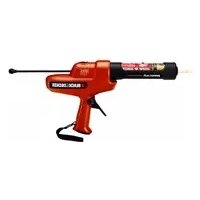
CG100 - Coffee grinder BLACK & DECKER - Free user manual and instructions
Find the device manual for free CG100 BLACK & DECKER in PDF.



| Product type | Electric coffee grinder |
| Brand and model | Black & Decker CG100 |
| Power supply | 6 V DC (4 AA alkaline batteries LR06) |
| Weight | 950 g |
| Bean hopper capacity | Approximately 200 g |
| Ground coffee container capacity | Approximately 100 g |
| Dimensions (L x W x H) | 150 x 150 x 250 mm |
| Grinding speed | Adjustable |
| Grinding system | Stainless steel blades |
| Main functions | Grinding coffee beans, fineness adjustment |
| Safety | Automatic stop if lid open, on/off switch |
| Care and cleaning | Clean with a damp cloth, do not immerse in water |
| Batteries | 4 AA alkaline batteries (LR06), remove if not used for several months |
| Warranty | 2 years |
| Repairability | Spare parts available from authorized repairer |
| Environment | Recyclable, do not dispose of with household waste |
Frequently Asked Questions - CG100 BLACK & DECKER
User questions about CG100 BLACK & DECKER
0 question about this device. Answer the ones you know or ask your own.
Ask a new question about this device
Download the instructions for your Coffee grinder in PDF format for free! Find your manual CG100 - BLACK & DECKER and take your electronic device back in hand. On this page are published all the documents necessary for the use of your device. CG100 by BLACK & DECKER.
USER MANUAL CG100 BLACK & DECKER
Your Black & Decker caulk gun has been designed to assist with the application of caulk, adhesive, sealant and filler materials from tubes. This tool is intended for consumer use only.
General safety rules
Warning! Read all instructions. Failure to follow all instructions listed below may result in electric shock, fire and/or serious injury. The term "power tool" in all of the warnings listed below refers to your mains operated (corded) power tool or battery operated (cordless) power tool.
SAVE THESE INSTRUCTIONS.
- Work area
a. Keep work area clean and well lit. Cluttered and dark areas invite accidents.
b. Do not operate power tools in explosive atmospheres, such as in the presence of flammable liquids, gases or dust. Power tools create sparks which may ignite the dust or fumes.
c. Keep children and bystanders away while operating a power tool. Distractions can cause you to lose control.
- Electrical safety
a. Power tool plugs must match the outlet. Never modify the plug in any way. Do not use any adapter plugs with earthed (grounded) power tools. Unmodified plugs and matching outlets will reduce risk of electric shock.
b. Avoid body contact with earthed or grounded surfaces such as pipes, radiators, ranges and refrigerators. There is an increased risk of electric shock if your body is earthed or grounded.
c. Do not expose power tools to rain or wet conditions. Water entering a power tool will increase the risk of electric shock.
d. Do not abuse the cord. Never use the cord for carrying, pulling or unplugging the power tool. Keep cord away from heat, oil, sharp edges or moving parts. Damaged or entangled cords increase the risk of electric shock.
e. When operating a power tool outdoors, use an extension cord suitable for outdoor use. Use of a cord suitable for outdoor use reduces the risk of electric shock.
- Personal safety
a. Stay alert, watch what you are doing and use common sense when operating a power tool. Do not use a power tool while you are tired or under the influence of drugs, alcohol or medication. A moment of inattention while operating power tools may result in serious personal injury.
b. Use safety equipment. Always wear eye protection. Safety equipment such as dust mask, non-skid safety shoes, hard hat, or hearing protection used for appropriate conditions will reduce personal injuries.
c. Avoid accidental starting. Make sure that the switch is in the off position before plugging in. Carrying power tools with your finger on the switch or plugging in power tools that have the switch on invites accidents.
d. Remove any adjusting key or wrench before turning the power tool on. A wrench or a key left attached to a rotating part of the power tool may result in personal injury.
e. Do not overreach. Keep proper footing and balance at all times. This enables better control of the power tool in unexpected situations.
f. Dress properly. Do not wear loose clothing or jewellery. Keep your hair, clothing and gloves away from moving parts. Loose clothes, jewellery or long hair can be caught in moving parts.
g. If devices are provided for the connection of dust extraction and collection facilities, make sure that these are connected and properly used. Use of these devices can reduce dust related hazards.
- Power tool use and care
a. Do not force the power tool. Use the correct power tool for your application. The correct power tool will do the job better and safer at the rate for which it was designed.
b. Do not use the power tool if the switch does not turn it on and off. Any power tool that cannot be controlled with the switch is dangerous and must be repaired.
c. Disconnect the plug from the power source before making any adjustments, changing accessories, or storing power tools. Such preventive safety measures reduce the risk of starting the power tool accidentally.
d. Store idle power tools out of the reach of children and do not allow persons unfamiliar with the power tool or these instructions to operate the power tool. Power tools are dangerous in the hands of untrained users.
e. Maintain power tools. Check for misalignment or binding of moving parts, breakage of parts and any other condition that may affect the power tools operation. If damaged, have the power tool repaired before use. Many accidents are caused by poorly maintained power tools.
f. Keep cutting tools sharp and clean. Properly maintained cutting tools with sharp cutting edges are less likely to bind and are easier to control.
ENGLISH
g. Use the power tool, accessories and tool bits etc., in accordance with these instructions and in the manner intended for the particular type of power tool, taking into account the working conditions and the work to be performed. Use of the power tool for operations different from those intended could result in a hazardous situation.
5. Service
a. Have your power tool serviced by a qualified repair person using only identical replacement parts. This will make sure that the safety of the power tool is maintained.
Additional safety instructions for the caulk gun
Keep hands out of the plunger and rod area of the caulk gun. Fingers can be crushed between the tube holder and the plunger.
- When operating caulk gun overhead, do not have the plunger rod in the path of your eyes or head. The plunger rod may slip back in the direction of user. Always wear eye protection when using the caulk gun.
Always read and follow all manufacturer's instructions regarding caulk or adhesive. Failure to do so may result in personal injury.
Always work in properly ventilated area and wear appropriate respiratory protection if necessary. Fumes from some caulks and adhesives can be noxious.
Do not operate the caulk gun with a sealed caulk or adhesive tube. Always remove any seals and make sure that the nozzle is clear from blockages before use.
Make sure that the speed selector switch is in the off position before inserting the batteries, making adjustments or cleaning. Accidental start-up may cause injury.
Additional safety instructions for non-rechargeable batteries
Warning! Batteries can explode, or leak, and can cause injury or fire. To reduce this risk:
- Make sure that the speed selector switch is in the off position before inserting the battery(s). Inserting batteries into power tools and appliances that have the switch on invites accidents.
Under abusive conditions, liquid may be ejected from the battery, avoid contact. If contact accidentally occurs, flush with water. If liquid contacts eyes, additionally seek medical help. Liquid ejected from the battery may cause irritation or burns.
Carefully follow all instructions and warnings on the battery label and package.
Always insert batteries correctly with regard to polarity (+ and -), marked on the battery and the equipment.
Do not short battery terminals.
Do not charge batteries.
Do not mix old and new batteries. Replace all of them at the same time with new batteries of the same brand and type.
- Keep batteries out of the reach of children.
Remove batteries if the device will not be used for several months.
- Never attempt to open for any reason.
Do not store in locations where the temperature may exceed 40^
- When disposing of batteries, follow the instructions given in the section "Protecting the environment".
Do not incinerate the batteries.
Features
- Caulk carriage
- Seal poker
- Speed selector switch
- Plunger rod
- Trigger switch
- Battery compartment
- Wrist strap
Assembly
Installing the batteries (fig. A)
Warning! Use AA size batteries only. Use alkaline batteries only.
Slide the cover of the battery compartment (6) forward to open it.
Insert four new alkaline AA batteries (8), make sure to match the (+) positive and the (-) negative terminals correctly.
Close the cover of the battery compartment (6) and slide it rearwards to lock it into position.
Preparing the caulk or adhesive tube (fig. B)
Follow the manufacturer's recommendation to select the caulk material or adhesive to suit the job.
Cut the nozzle of the tube at an angle. The closer to the end of the nozzle that you make your cut, the narrower the opening will be. The smaller the opening the smaller the bead of caulk.
- The seal poker (2) is located on the caulk carriage (1) and can be used to pierce the inner seal of the tube or to clear blockages from a partially used tube.
Make sure that the seal is pierced and the nozzle is unblocked before use. If not, the material may be forced out the rear of the gun.
Installing the caulk or adhesive tube (fig. C & D)
Pull the plunger rod (4) back far enough to allow the tube to fit in the caulk carriage (1).
- Rotate the caulk carriage (1) anti-clockwise and remove it from the main housing.
Insert the caulk or adhesive tube into the caulk carriage (1).
Insert the caulk carriage (1) into the main housing. Confirm that the caulk carriage (1) is aligned properly and rotate it clockwise until the arrow on the main housing is aligned with the lock image on the caulk carriage (1).
Push the plunger rod (4) forward until it rests against the back of the tube.
Removing the caulk or adhesive tube (fig. C & E)
Release the trigger switch (5), set the speed selector switch (3) to off (0) and pull the plunger rod (4) back.
- Rotate the caulk carriage (1) anti-clockwise and remove it from the main housing.
Remove the tube from the caulk carriage (1).
Use
Switching on and off (fig. E)
Move the speed selector switch (3) from the off position (0) to the high-speed position (II).
Pull the trigger switch (5) to begin dispensing caulk or adhesive.
As the material begins to dispense from the tube, move the speed selector switch (3) to the low-speed position (I) if more control of the flow of material is required.
Release the trigger switch (5) to stop dispensing the material from the tube. Set the speed selector switch (3) to the off position (0).
Hints for optimum use
The diameter of the nozzle, the temperature and the type of material being used will affect the flow rate.
Pull the trigger switch (5) at a consistent rate to achieve a more consistent bead and delivery of material.
Warning! Make sure that the speed selector switch (3) is in the off (0) position before inserting the batteries, making adjustments or cleaning. Accidental start-up may cause injury.
Maintenance
Your Black & Decker tool has been designed to operate over a long period of time with a minimum of maintenance. Continuous satisfactory operation depends upon proper tool care and regular cleaning
Regularly clean the motor housing using a damp cloth. Do not use any abrasive or solvent-based cleaner. Never let any liquid get inside the tool and never immerse any part of the tool in liquid.
Clean any caulk material or adhesive from the tube locations on the caulk carriage and main housing.
Protecting the environment
Separate collection

This product must not be disposed of with normal household waste.
Should you find one day that your tool needs replacement, or if it is of no further use to you, think of the protection of the environment. Black & Decker repair agents will accept old Black & Decker tools and ensure that they are disposed of in an environmentally safe way.

Separate collection of used products and packaging allows materials to be recycled and used again. Re-use of recycled materials helps prevent environmental pollution and reduces the demand for raw materials.
Local regulations may provide for separate collection of electrical products from the household, at municipal waste sites or by the retailer when you purchase a new product. Black & Decker provides a facility for the collection and recycling of Black & Decker products once they have reached the end of their working life. To take advantage of this service please return your product to any authorised repair agent who will collect them on our behalf.
You can check the location of your nearest authorised repair agent by contacting your local Black & Decker office at the address indicated in this manual. Alternatively, a list of authorised Black & Decker repair agents and full details of our after-sales service and contacts are available on the Internet at: www.2helpU.com.

At the end of their useful life, discard batteries with due care for our environment. Remove the batteries as described above.
Place the batteries in suitable packaging to ensure that the terminals cannot be short-circuited.
Take the batteries to a local recycling station.
CG100
Technical data
| Voltage Vdc 6 |
| No load speed mm/min 90 - 150 |
| Battery size Type LR06 (AA) |
| Weight g 950 |
ENGLISH
EC declaration of conformity
CG100
Black & Decker declares that these products conform to:
98/37/EC, 89/336/EEC, EN 60745, EN 55014
LpA (sound pressure) 61.6 dB(A),
LWA (acoustic power) 72.6 dB(A),
hand/arm weighted vibration 0.18m/s2,
Kpa (sound pressure uncertainty 3 dB(A),
Kwa (sound power uncertainty 3 dB(A),
Kevin Hewitt
Director of Consumer Engineering
Spennymoor, County Durham
DL16 6JG,
United Kingdom
06-12-2006
Guarantee
Black & Decker is confident of the quality of its products and offers an outstanding guarantee. This guarantee statement is in addition to and in no way prejudices your statutory rights. The guarantee is valid within the territories of the Member States of the European Union and the European Free Trade Area.
If a Black & Decker product becomes defective due to faulty materials, workmanship or lack of conformity, within 24 months from the date of purchase, Black & Decker guarantees to replace defective parts, repair products subjected to fair wear and tear or replace such products to make sure of the minimum inconvenience to the customer unless:
The product has been used for trade, professional or hire purposes.
The product has been subjected to misuse or neglect.
The product has sustained damage through foreign objects, substances or accidents.
Repairs have been attempted by persons other than authorised repair agents or Black & Decker service staff.
To claim on the guarantee, you will need to submit proof of purchase to the seller or an authorised repair agent. You can check the location of your nearest authorised repair agent by contacting your local Black & Decker office at the address indicated in this manual. Alternatively, a list of authorised Black & Decker repair agents and full details of our after-sales service and contacts are available on the Internet at:
www.2helpU.com
Please visit our website www.blackanddecker.co.uk to register your new Black & Decker product and to be kept up to date on new products and special offers. Further information on the Black & Decker brand and our range of products is available at www.blackanddecker.co.uk.
Director of Consumer Engineering
Spennymoor, County Durham
DL16 6JG,
Spennymoor, County Durham
DL16 6JG,
Royaume-Uni
06-12-2006
Garantie
Spennymoor, County Durham
DL16 6JG,
Regno Unito
06-12-2006
Garanzia
Director of Consumer Engineering
Spennymoor, County Durham
DL16 6JG,
Verenigd Koninkrijk
06-12-2006
Garantie
Spennymoor, County Durham
DL16 6JG,
Reino Unido
06-12-2006
Garantía
Instalar as pilhas (fig. A)
Spennymoor, County Durham
DL16 6JG,
Reino Unido
06-12-2006
Garantia
Director of Consumer Engineering
Spennymoor, County Durham
DL16 6JG,
Storbritannien
06-12-2006
Garanti
Spennymoor, County Durham
DL16 6JG,
Storbritannia
6.12.2006
Garanti
Black & Decker er trygg på kvaliteten til sineprodukter og tilbyr en enestående garanti. Denne garantierklæringenkommen i tillegg til dine lovbestemte rettigheter, og er ikke i konflikt med disse. Garantien er gyldig i EU- og EFTA-medlemsstatene.
Director of Consumer Engineering
Spennymoor, County Durham
DL16 6JG,
Storbritannien
06-12-2006
Garanti
Director of Consumer Engineering
Spennymoor, County Durham
DL16 6JG,
Iso-Britannia
06-12-2006
Takuu
Sigma npomegakecs obnyies aopaaeias ia to mioAoiikovns
MnV PAnoiace Ta xepia oac oTo Xwpo Tou eBolou kai Tou wotnpiou Tou mtoAio ou Alikovnc Ynapxei KivduvoC ovthetauocTwv daxTuWv oac metaTns undoxnc Tou owanyapiou kai Tou eBolou.
'Otav xpnoiopoioite To mIoTolai oIAIIOVnc syntoepa anoTo Kepaia Oac, mny kateuOuvete To wotnpio Tou eIou otnv euOeia Tuv paIiw n Tou kepaiaou oac. To wotnpio Tou eIbOau ptopei va yIOTpnoei Tiow npoc to xpnoTn. Oopate navta npootateutikya yuaia otav xpnoiopoie Te mIoTolai oIAIIOVnc.
AiaBaTeKai akoLouthe navTa oLe tsOdbnyies Tou kataoKeuaotn oxetikae Tov apuOToKO h Tnv Koa.2e avTioen npinwn unapxkiivduvoic npokAnontpaupatiouou.
Na epyaTe navTa oKala aepiOpevouc xwpou cKai, eav xpeiaZetai, va opate kataaAn avanveuotik naoka npoToaiac. O1 avaUmuoeic ano opioevouc apoTokouc kai KoAae s Itopei va eivai enBbaeic.
Mx npnooioite to nioai oiaikovnc me
opayioeva oanvapia apootokou n kOaac.
Piiv ano tn xpon, apaieite naVTa Ta TUxov niuata
kai enibetaaiwveote ottoqio dev exei emtodia.
Beaiowte 01 o diaokontns emioync taxutntac eivai otn theananepeyonoinoc npotou tooetnoete tic matapiec kavTe puthetaic n kaopiaote to niToI. H kat aaoe Ekkivnog nnpoe i va pokaaleoi tpaumatioo.
Uunpomegaatikc oynieac aopaaeias yia n enavaopoptoceus natapiecs
Pnoeiooian! Ynapxekivduovc ekpnns n diappons Tuv mataipiWv kai npokanr Tpaumatou n npkayiac. Ia va meiwoete auto tov kivduvo:
Beaioweiote oI 0 diaokntnc enlloync taxutnac eivai otN thee aneepyooinanpotou tooetnoe Tnvic) matapiia(c). H iaywn nataipiuv oe nkeptipka epyaaleia kai ouokeuec twv onoiw o diaokntnc aeitoupyiac piaeketai otN theon evpyooinancs evexeiTov Kivduvo atuxmuatoC.
Yn oakpiae ouvthkec, eivai mthavn n diappoyn uypou ano tny mnatapia, me to onioo npenei va anopuyete tn v enapn. Se nepinnwn kat aaooc enapns, gennuve t nevo. Eav to uypo epoei oe npan p ta paia, nntote kai iatpiik boonieia. To uypo nou diappeei ano tny mnatapia mtopei va npokalaeoei eepoiouc n eykaumata.
Akooutheta npoektka oaes tic odnyies kai npoeioboinoeis nou avaypovtai otnv etiketa kai tn ouokeuaia twv mntapipw.
Tootheite navta tis pntapiec oov apopa otnv noikotna (+kai-),oupwva te ts onpavoic enaw otny mntapia kai tn ouokeun.
Mn pauxukkawveTe Touc nolouc Tov matapuiv.
Mn qopriCte Tc matapiae.
Mn xpnaiopnoite Tauroxpova naaies kai Kaivoupiies mntapiec. Avtikataotne Tc oaes Tauroxpova me Kaivoupiies Tns idiac npkac kai Tou iou toun.
ΦuaTe TIC mntapies kpiia ano naia.
Eav n ouakeun npokei a va un xpnaioonoiintheta yia noaouc mvecs, apapeote Tc mtatapies.
Mnv enixepnoete note va avoieTe Tc mntapiecs yia onoiobnite loyo.
Mny quaooe TIGIATAPies oepn onou n 0epuokpaaia npoei va unepbeta tous 40^
'OraV aOnoppinTETc TIC mTatapieCs, aKoAouTheta TIC odnyies nou sivovtai otny evotnTa "PpooTaoia Tou nepiBaalovToC".
Mn pixveTc Tmuatapieo n wtiá.
Xapaktnpiotika
- Θηκη σωλναρίου
- DiatpnTiko oopayionc
- Aikonntns eiloyns taxtntas
- Ωπριο εμβόλου
- Diakontns okaVaDaalns
- Θκημπατριών
- Aoupaki Kapnou
SuvappoLoynon
Spennymoor, County Durham
DL16 6JG,
Ayyia Hvμévo Baoiλeio
06-12-2006
Eyyunon
H Black & Decker éivai oiyoupn yia tvnv noiótnta twv npoiovtwv tnc kai napexei onmuavtikéyyunon. H
napouoa ypaattn eyyunon anoteleipooeTodeltaiauopa aKaI dev znuiwei ta vopmudeltaiauupaTaac.Heyyunon Ioxuei evtoc nnc enikpateiac twv Kpatw Meaw tns
Eupwntaikns Evwons kai ts Eupwntaikns Zwvs
EaUθερων Σuvaλaγωv.

- General safety rules
- ENGLISH
- Service
- Additional safety instructions for the caulk gun
- Additional safety instructions for non-rechargeable batteries
- Features
- Assembly
- Installing the batteries (fig. A)
- Preparing the caulk or adhesive tube (fig. B)
- Installing the caulk or adhesive tube (fig. C & D)
- Removing the caulk or adhesive tube (fig. C & E)
- Use
- Switching on and off (fig. E)
- Hints for optimum use
- Maintenance
- Protecting the environment
- Separate collection
- EC declaration of conformity
- Guarantee
- Garantie
- Garanzia
- Garantía
- Instalar as pilhas (fig. A)
- Garantia
- Garanti
- Takuu
- Sigma npomegakecs obnyies aopaaeias ia to mioAoiikovns
- Uunpomegaatikc oynieac aopaaeias yia n enavaopoptoceus natapiecs
- Xapaktnpiotika
- SuvappoLoynon
- Eyyunon
Brand : BLACK & DECKER
Model : CG100
Category : Coffee grinder