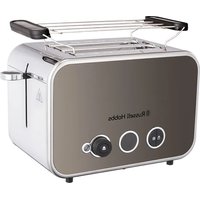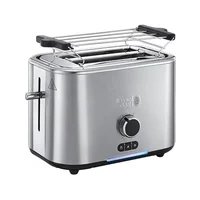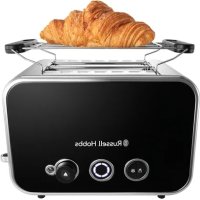
Glass Touch 1439057 - Toaster RUSSELL HOBBS - Free user manual and instructions
Find the device manual for free Glass Touch 1439057 RUSSELL HOBBS in PDF.



| Brand | Russell Hobbs |
| Model | Glass Touch 1439057 |
| Product type | Toaster |
| Dimensions (L x W x H) | 30 x 20 x 22 cm (approx) |
| Weight | 1.4 kg (approx) |
| Power supply | Mains, 220-240 V, 900 W (approx) |
| Capacity | 2 slices of bread, max thickness 28 mm |
| Controls | Touch |
| Browning levels | 4 levels with indicator lights |
| Functions | Grill, defrost, reheat, cancel, extra lift |
| Croissant warmer | Yes, removable (use only at level 1) |
| Crumbs tray | Yes, removable, must be properly closed |
| Material | Plastic and metal, glass control panel |
| Cord length | 0.8 m (approx) |
| Safety | Standby mode after 5 min of inactivity, do not immerse, child protection |
| Cleaning | Wipe with a damp cloth, empty crumb tray regularly |
| Use | Household only |
Frequently Asked Questions - Glass Touch 1439057 RUSSELL HOBBS
User questions about Glass Touch 1439057 RUSSELL HOBBS
0 question about this device. Answer the ones you know or ask your own.
Ask a new question about this device
Download the instructions for your Toaster in PDF format for free! Find your manual Glass Touch 1439057 - RUSSELL HOBBS and take your electronic device back in hand. On this page are published all the documents necessary for the use of your device. Glass Touch 1439057 by RUSSELL HOBBS.
USER MANUAL Glass Touch 1439057 RUSSELL HOBBS
HHCTpyKcnn (bblrapcn)
instructions
50
54
58
62
66
70
74
78
82
86
BaXHbIe MepblpeOCTOpOXHOCTN
CneyuTe OCHOBbIM HNCTpyKcIyam N0 6e3oNaCHOCTN, BKJIouyAra CneyuOuJe:
1 DeTm pa3peSeHNOJIb3OBAbCra yCTPOINCTBOM TOJIbKO NOI npICMOTpOM B3pOCJbIX.
2 IcnoIb3yIte u xpaHnte np6Op B MeCTax HeoOCTynhIx dIaTei.
3 He norpykaite np6op B kakyo-lno 60 xndKoctb; He nCNoB3yTe erO B BaHHoKOMHaTe, OKOLO BObl IIN BHe NOMEeHn.
4 YctaHOBtE TOCTep BepTnKaJIbHO Ha TBepnyIO, Ropn3OHTaJIbHyIO, TepMOCTOnKyIO NOBepxHOCTb.
5 He yctaHaBnBaIe np6op Ha nIIN PRAOM C ppeMeTAMN, KOToPbE MOryT NOUHTb IOBpeKdEHHa DaKe BCNeDCTBNE BO3DeiCTBNA yMepeHHoro TeIIa.
6 Xne6 moKet noIropeB. He nCnoJIb3yIte yCTpoIcTBO pAOM nIe IoD 3aHaBeCKAMn nn DpyrIMN rOpOChM MaTePnaJAmn n CLeIte 3a npI6OpOM, KOrDa OH rOpAyn.
7 O6naCTb BOKpyr pa3beMOB IJRA TOCTOB HArpeBaetc OueHb CInlbHO - He TporaTe ee!
8 CneiTe, uTo6bI uHyp He cBeeuBacra co cTOna n He haxoNcra Ha npoxOe, rDe o6 Hero MOxHO CNOTKHyTbCra nn 3auePiNTbCra 3a Hero.
9 He haKpbIbaiTe npnbop n He pa3MeaaiTe Hnueero Ha ero nobepxHocTn.
10 EcnxIe6 cIaBnIbAeTc, OTKnIOuHTe TOCTep, DaIte emy OCTbITb N OCTopoXHO BbIHbTe XIe6. He nCnoNb3yIte ocTpblpe npEmdTbl, Bbl moKeTe nobpeDNTb 3JeMeHtbl.
11 He noJxapnBaIte cMa3aHhbIe MaCnOM n3dEIny, OHN MOrTy 3aRopeTbCra.
12 He nCnoJb3yIe pa3OpBaHHbI, 3aKpyeHHbI nn DeΦopMnPoBaHHbI xIe6, Bbl MoKeTe 3aKJIINHTb TOCTep.
13 OTKIouaIte npnbop ot cetn, KOrda He nCnoJb3yeTe ee, nepe I nepeHocKo nnN chTko. DaIte emy nonHOCTbIO OCTbITb nepeq uNCTKO IN XpaHeHEm.
14 Yacto ouuau Te TocTep ot KpoWeK, UTo6bI n36eKaTb HaKOpJIeHnK KoWeK. 3To HeNtneHnHO I MoKeT npNBecTn K BO3HNKHOBeHnIO NOJapa.
15 He nCnoB3yIe TocTepe, ecn noDOndIg KpoWeK He yCTaHOBJeH n He 3akpbIt.
16 XpaHnte npn6op n Ka6enb BdaIOn OT 3JekTpuecknx PInTOK, KOHOpOK I RopeNoK.
17 IcnoIb3yIte np6Op ToIbKO no Ha3NaYeHIO.
18 Пибор He может pa60taTb OT BHeшero TaMepa ИпДИСТаHцINOHОСNTeMbI ynpaBneHn.
19 He nCnoJIb3yIte npI6Op, ecn OH noBpeJdeH nn pa6OtaeT c nepe6oAIM.
20 Ecnn Ka6enb nobpejdeH, OH donxhen 6bItb 3aMeH en npOn3BODHTeHem, cepBnchbIM areHTOM nI IN dpYrIM KBaINΦNtUPOBaHHbIM IINcOM DnI PpeDToBpaueHnO NaCHOCTN.
TOnbKO DnI 6bITOBORO NcNoB3OBaHnI
ceHCOPHbIe 3JeMeHTbI ynpaBHeHnIa
HeHaXIMMaTb,,TOJbKOKaCaTbCra.
HeaKTNBbI pEKIM
- Ecni He kacaTbCRA 3JIeMeHToB ynpaBHeHnB TeueHne 5 MInHyT, INHdNKaTOpbl BbIKIIOuAIOTCa CZeIbIO 3KOHOMn 3JIeKTPo3Heprnn.
-Дя ВьЮда TOCTepa n3 peЖиMa OЖиДаHЯ DOCTaTOUHO KOCHyTbCRA -nIN
PpeIeNepBbIM NcNoJIb3OBAHnEm PpI6Opa
- YcTaHOBnTe yPoBeHn PoJxapKn Ha MaKcMymm (nHnKaTOp yPoBnHaOxapKn 3aRopntc).
Bknouhte np6op nnpBeHn B npaOK 3JeMeHTOB. - MoXeT NOBtbcr He6oJbWOn 3aNaX, HO BOLHOBaTbcr He CTOUT.
- 06ecneuyte xopoouy BOHTnlaucu KOMHaTbl.
PoiKapuBaHne Xle6a
1 YcTaHOBnTe TocTep BepTnKaIbHo Ha TBepDyIO, Ropn3OHTaIbHyIO, TepMOCToIKyIO NOBepXHOCTb.
2 He yctaHaBnBaIe np6op Ha nIIN pIeMTeAMN, KOToPbIe MOryT noIyHTb NOBpeKdEHHa DaJke BCNeIcTBne BO3deIcTBna UMepeHHoro TeIIa.
3 Xne6 moKet noDropeb. He nCnoB3yIte ycTpoiCTBO pAOM nIN POn 3aHaBeckamn nn DpyrIMN rOpUChmM MaTePnaIamn IN cIeIte 3a npnbopom, KOrda OH rOpAyn.
4 BkIIOUHTe BUNKy Bpo3eTKy.
5 YcTpoIcTBo HaHHeT pa60Ty c BbINOnHeHn npOeDpybI caMOHaTHOCTNKn.
64IeBbIX HnDnKaTopaNoJxapKn 3arOpTc.
7 IcnoIb3yIte KnaBnHn Ha IIO6OM KOHcE INHdNkAToPOB yPOBnI NOJXapKn IJIaToro, YTO6bl CdeJaTb TOCT CBETNbIM
8 INHdkatopby ypoBn noJxapKn 6ydyT 3aopaTbca n NOTyXaTb dIy INHdkauu Bbl6paHHoro ypoBn.
9 Yem 6oJIbIe INHdNkAToPOB NOKa3aHO, TeM TemHee ToCT.
10 NonoXte Xne6 B pa3bem Dnla TocTob (MaKcImaBHa TaIuHa Kycka 28 MM).
11 Haxmte Ha pbiuar Bn3 do ero noJHoro onueneHna.
Oh He 6ydeT 3anept, noka TocTeP He noCoeHHeN K JneKtpueckomy uCTouHnky.
12 3aTeM npOnCxOAnT o6paTHbI OTCuET INdNkAToPOb NOpJkaPkn:
a) KpaHnI npaBbI INdNkATOp HaunHaet MNaTb, INdNkATOp CneBa OT Hero -CBETNbCra HeNPeppbIBHO
b) 3aTeM KpaHnI npaBbI uHdNkATOp rachET, uHdNkATOp cNeBa OT Hero NaHHaET MraTb
c) npoeccc npoDOnJaETcra, Noka He noracHyT Bce HndKaTopbI
d) KaK ToIbKO 3TO npON3OJDeT, BbITaIKuBaETCr rTOBbI TOCT.
N3BLeueHne
13ДЯВыкlioуеняTOCTepaB XOIDEZUKlaKoCHNTecb
14 INnkaTop 3aropaeTc,TOCT BbITaNkBaetc,INnKKaTOP TaCHET.
DONOHNTeBHyI NODbem
15 Nocne noJxapnBaHna He6oIbIuX n3denn (6y6NIKOB, c06NbIX nbIweK n T,d.) pbIaR MOryt 6bITb NoHNrTbl, YTO6bl IeKo INx BblHyTb.
3amopoxeHHbI xIe6
30 OTKIIOUHTe TOCTe np DaIte Emy OCTbITb.
31 PpOtpnTe BHeuHIO IOBepxHocTb BlaJHoN TkaHbI, pRr Heo6xoDmOcTn NcNoJIb3yIte HEMHO MOUeero CpeICTBa.
32 ChIMITE NOДОн И NOUCTIte KPOsKn C NOДOHa. ПрOTpIte BlaJxHoi TkaHbI, BbITpIte N yCTaHOBInTe erO o6paTHo B TocTeP.
33 He nCnoBzynTe TocTepe, cInn POnDoH IJRA KPOweK He yCTaHOBJIeH n He 3aKpbIT.
34 He nomeaayTe np6op B BODy IINn HnyxNdkoCTb.
35 He nCnoB3yIte JecTkne nn a6pa3nBhble BeuecTba, nn paCTbOpnten.
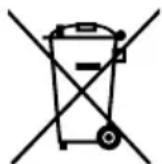
CIMBOJ Mycophoro KOHTeHepa
ДяТоTO6bI n36exKaTb yrpo3ДЯ 3ДОРOBьИ OKpykaUошЕСрды n3-3a BpeHbIX BeueCTB B эЛeКТpruecknX И эЛeKТрOHbIX TObApax,прборbl, OTmeeHHbIe ДaHHbIM CmBOJOM,ДOLЖHbI yTuJIIN3uPObaTbcR He KaK He OTCOPtIPoBaHHbIe 6bITOBbIe OTxOdbI, a KaK BOCCTaHOBJIeHHbIe INI NOBTopHo NCNoJIb3OBaHHbIe.
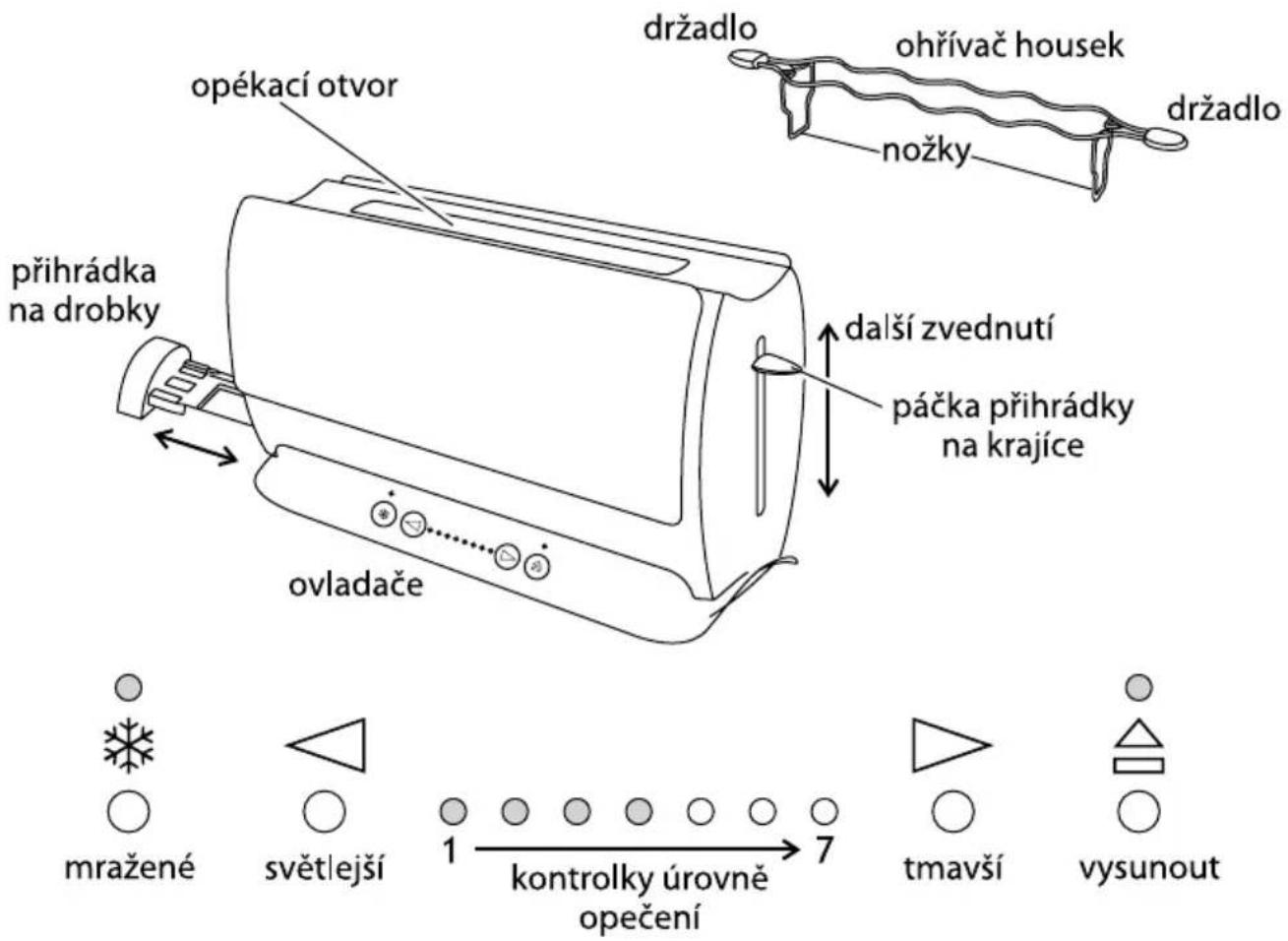
Prcetete si poukyny a bezpecne je uskladnete. Pokud spotrebi c prdezte dale, predejte jej i s poukyny. Sejmete vsechny obaly, ale uschovejte je, dokud nebudete mit jistotu, ze spotrebi funguje.
3aToPnIHe Ha Beue npeneuHn 0nn
25 I3noJI3BaIte HaI-HnCKaTa CTepeH. MoXeTe Da 3aToPJIaTe cMo YnCTn, T.e. 6e3 MaCNo npeneuHn fnnn.
cBBeTn npenopbkn
26 Ako npenuatae noBuee oTe eHa fHnna, n3noJ3BaIte fHnna C eHaKbB pa3Mep, de6eHnHa n npecHOta.
27 CtapnT (Buepaen) xna6 e c no-MaIKo Bnara, 3aTOBa npi npennuHaTe TOn CTaba No-xpynkab.
28 Ctapnayt xna6 nnn TbHKnTe fuiu nn ce npennuat no-6bp3o, OTKoJKOto npecnrt xna6 nnn de6ennte fuiu.
29 Пюдуктinte OT сладно ТсTo (keKCчeTa, плodOBи пИТКи И др.) ce npenuHaT MHoro no-6bp30, OTKOKOTO obukHOBehnЯ xIa6. 3aTOBa pri Tp86Ba DA ce n3NoJ3Ba NO-HNcKa CTeneH.
rpnn n npdpkka
30 ɪzhʌŋʊte TocTepa OT KɔHTaKtæ n rO ocTaBeTe da ce oxlaɪn.
31Почисте Вьншнite NOBbpxHOCn C BlaXHa Kbpna.Ак e Heo6xoImo,прложete MaNKO KOJIueCTBO TeuHOCT 3a MIneHe Ha CbIOBe.
32 I3BaTe I nI3npa3HeTe TaBnUkKaTa 3a TpoXn. NocTeTe Y C BnaJHa KbPna, noCyuWeTe Y IOTHOBO I NOCTaBeTe B TOCTepa.
33 He n3noJ3BaIte TocTepe, npeIN TaBnUKaTa 3a TpoXn da e npaBnJIHO NOCTaBeHa n 3aTbOpeHa.
34 He noctabrayte ypea BbB BOa nlln B npyra TeuhoCT.
35 He n3noJ3BaIte cnJIHn nn a6pa3NBHn NOuchTbaun npenapatn nn pa3TBOpHTeJI.
CIMBOI,3auepkHaTO KoUe 3a 6oknyK"
3a da ce n36erHaT ekOJorUHn n 3dpabHn npoIeMn nopAin HauNue Ha onaChn cy6ctanuB eIektpnuecknte n eIektpoHHn CTOKn, ypeINTe, o603NaueHn CTo3n cIMBOJ, He Tp8Ba Da ce I3XBbPnT 3aeDHO C HecOpTnpaHHn O6uHNCKn OTpaDbu, a cIeDa Da ce BbpHaT o6paTHO, da ce n3NON3BaT OTHOBn PeuNKInpaT.
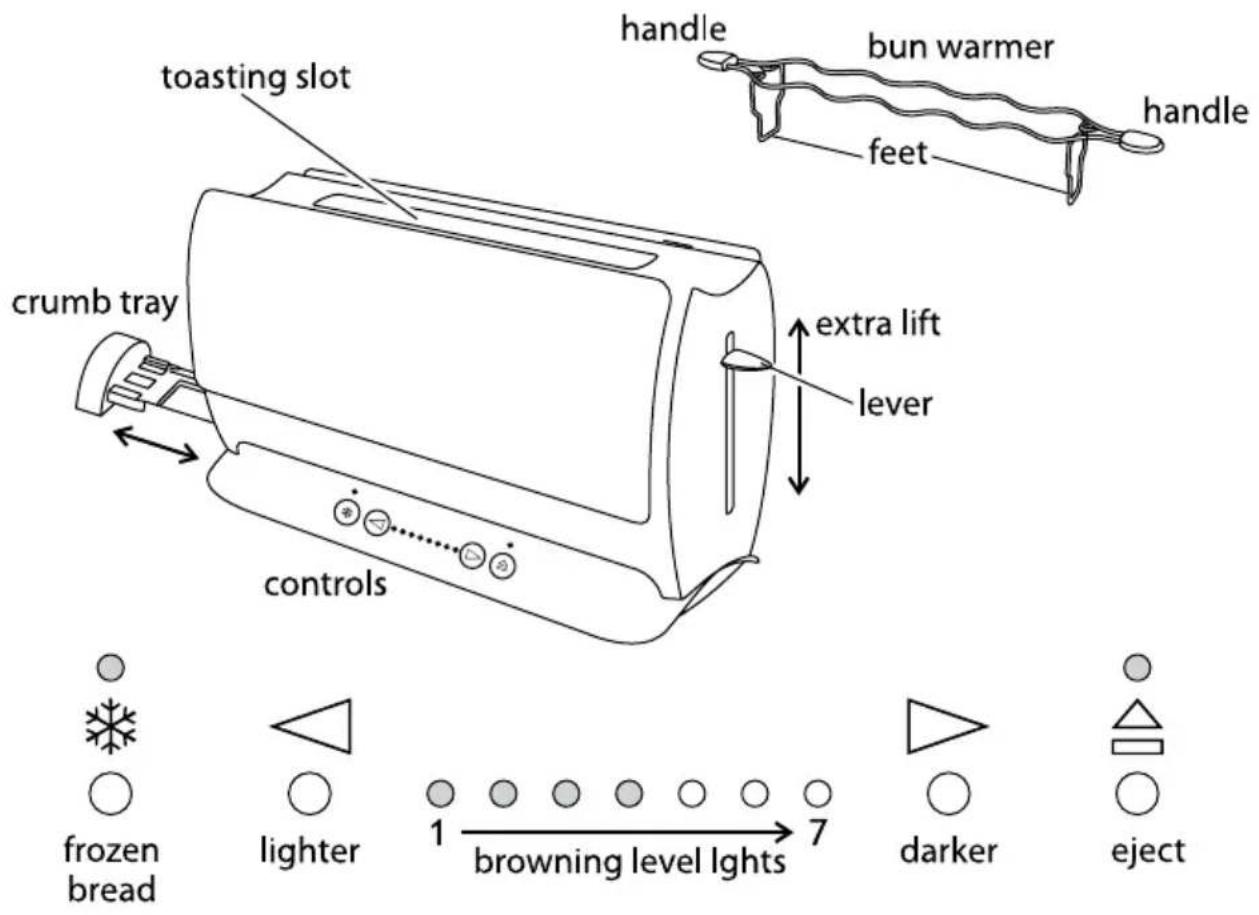
Read the instructions and keep them safe. Pass them on if you pass the appliance on. Remove all packaging, but keep it till you're satisfied that the appliance is working.
important safeguards
Follow basic safety precautions, including:
1 The appliance must only be used by or under the supervision of a responsible adult.
2 Use and store the appliance out of reach of children.
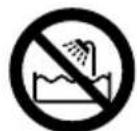
3 Don't put the appliance in liquid, don't use it in a bathroom, near water, or outdoors.
4 Sit the toaster upright on a firm, level, heat-resistant surface.
5 Don't put it on or near anything that could be damaged even by moderate heat.
6 Bread may burn. Don't use the appliance near or below curtains or other combustible materials and watch it while it's hot.
7 The area round the toasting slot gets very hot - don't touch!
8 Route the cable so it doesn't overhang, and can't be tripped over or caught.
9 Don't cover the appliance or put anything on top of it.
10 If bread gets jammed, unplug the toaster, let it cool, and carefully remove the bread. Don't use anything sharp, you'll damage the elements.
11 Don't toast "buttered" items, they may catch fire.
12 Don't use torn, curled, or misshapen bread, you may jam the toaster.
13 Unplug the appliance when not in use, before moving and before cleaning. Let it cool down fully before cleaning and storing away.
14 Clean the crumbs out of your toaster frequently, to avoid a build up of crumbs. This is unhygienic and could cause a fire hazard.
15 Don't use the toaster unless the crumb tray is fitted and closed.

16 Keep the appliance and the cable away from hotplates, hobs or burners.
17 Don't use the appliance for any purpose other than those described in these instructions.
18 This appliance must not be operated by an external timer or remote control system.
19 Don't operate the appliance if it's damaged or malfunctions.
20 If the cable is damaged, it must be replaced by the manufacturer, its service agent, or someone similarly qualified, in order to avoid hazard.
household use only
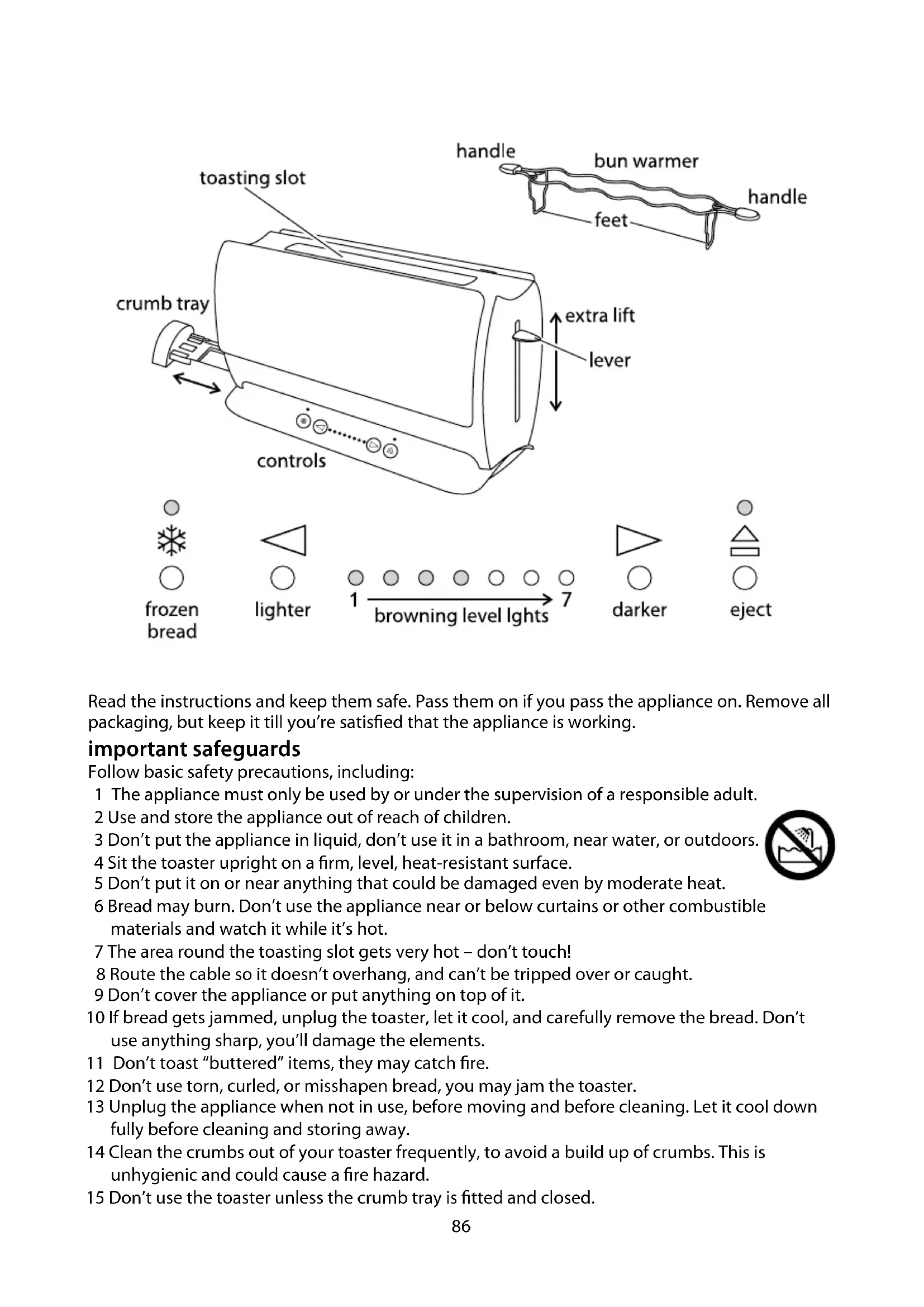
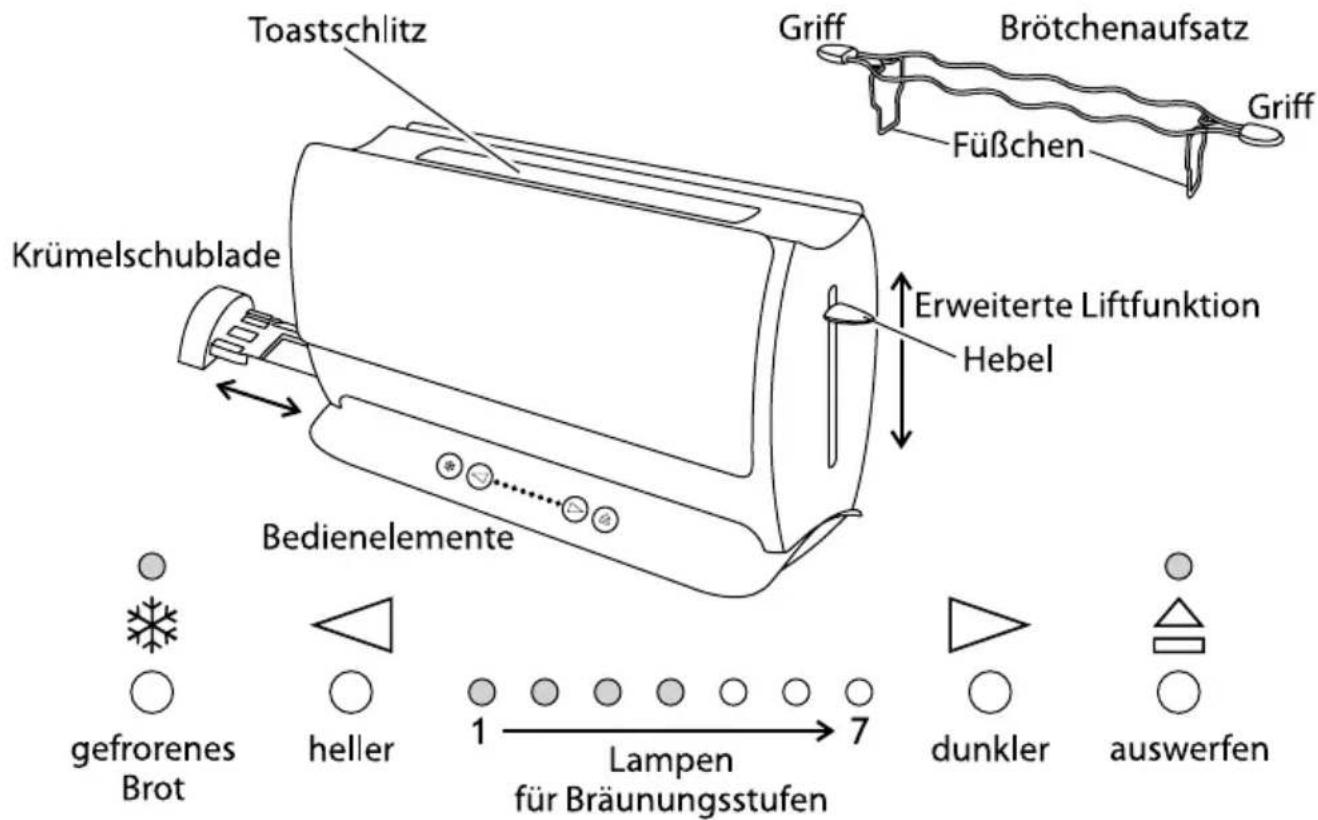
touch controls
- Don't press , , just touch them.
sleep mode
- If you don't touch the controls for 5 minutes, the lights will go out, to save electricity.
- To wake the toaster, simply touch or .
before using for the first time
- Set the browning level to maximum (all browning level lights on).
- Operate the appliance empty, to cure the new elements.
- This may smell a bit, but it's nothing to worry about. Ensure the room is well ventilated.
toasting bread
1 Sit the toaster upright on a firm, level, heat-resistant surface.
2 Don't put it on or near anything that could be damaged even by moderate heat.
3 Bread may burn. Don't use the appliance near or below curtains or other combustible materials and watch it while it's hot.
4 Put the plug into the power socket.
5 The appliance will first run through a self-check routine.
6 The left four browning level lights will light up.
7 Use the buttons at either end of the browning level lights to lighten or darken the toast.
8 The browning level lights will come on/go off to indicate the level chosen.
9 The more lights showing, the darker the toast.
10 Put bread into the toasting slot (maximum thickness 28mm).
11 Press the lever down fully.
It won't lock down unless the toaster is connected to the electricity supply.
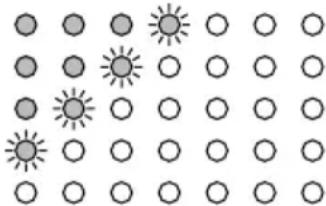
12 The browning level lights will count down:
a) the rightmost light will flash, the lights to its left will glow
b) the rightmost light will go out, the light to its left will flash
c) this will carry on till all the lights are out
d) when they're all out, the toast will pop up.
eject
13 To stop the toaster mid-cycle, touch
14 The light will glow, the toast will pop up, then the light will go out.
extra lift
15 After toasting small items (bagels, crumpets, etc.) the lever may be raised further, to allow them to be removed more easily.
frozen bread
16 Leave the browning control at your favoured setting, insert the frozen bread, lower the lever, then touch.
17 The light will come on, and the toasting time will be altered automatically to give the same degree of browning you get with unfrozen bread.
bun warmer
Use the bun warmer only on browning level 1.
18 Don't use the bun warmer to warm frozen, buttered, coated, iced, or filled buns.
19 Sit the bun warmer on top of the toaster, with the feet inside the slot.
20 Sit the buns on top of the bun warmer.
21 Set the browning level to 1, then lower the lever.
22 When the lever pops up,remove the warmed buns.
23 Don't touch the bun warmer wires - they'll be hot.
24 Remove the bun warmer before using the toaster normally.
reheating toast
25 Use the lowest setting. Only reheat plain, "unbuttered" toast.
Hints and tips
26 If toasting more than one slice, use slices of similar size, thickness and freshness.
27 Old (yesterday's) bread contains less moisture, so makes crisp toast
28 Old or thin bread cooks faster than fresh or thick bread. Use a lower setting
29 Sweet bread products (tea cakes, fruit loaf, etc.) brown much more quickly than ordinary bread, so should be toasted on a lighter setting
care and maintenance
30 Unplug the toaster and let it cool down.
31 Wipe outer surfaces with a damp cloth.
32 Remove and empty the crumb tray. Wipe with a damp cloth, dry, then replace it in the toaster.
33 Don't use the toaster unless the crumb tray is fitted and closed.
34 Don't put the appliance in water or any other liquid.
35 Don't use harsh or abrasive cleaning agents or solvents.
wheelie bin symbol
To avoid environmental and health problems due to hazardous substances in electrical and electronic goods, appliances marked with this symbol mustn't be disposed of with unsorted municipal waste, but recovered, reused, or recycled.