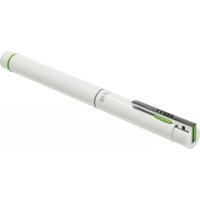
Complete Pen Pro 2 - Wireless pointer LEITZ - Free user manual and instructions
Find the device manual for free Complete Pen Pro 2 LEITZ in PDF.



| Product type | Wireless pointer / presenter |
| Brand | Leitz |
| Model | Complete Pen Pro 2 |
| Dimensions (diameter × length) | 13 mm × 162 mm |
| Weight | 35 g |
| Power supply | 1 AAA 1.5 V battery (not included) |
| Laser type | Red laser class 2 |
| Laser wavelength | 630–680 nm |
| Laser output power | < 1 mW |
| Laser standard | DIN EN 60825-1:2015-07 |
| Transmission technology | RF 2.4 GHz |
| Maximum range | 15 m |
| Transmission power | 3 mW |
| Receiver | Removable USB module |
| Compatible operating systems | Windows, Mac, Linux (Unix) |
| Control functions | Previous/next page buttons, laser on/off button |
| Integrated pen | Replaceable ballpoint pen (type D1, 67 mm) |
| Pen replacement | By unlocking latch |
| Battery replacement | Yes, screw-off compartment |
| Operating temperature | 0 to 40 °C |
| Box contents | Presenter, USB receiver, AAA battery (not installed), laser warning label, ballpoint pen |
Frequently Asked Questions - Complete Pen Pro 2 LEITZ
User questions about Complete Pen Pro 2 LEITZ
0 question about this device. Answer the ones you know or ask your own.
Ask a new question about this device
Download the instructions for your Wireless pointer in PDF format for free! Find your manual Complete Pen Pro 2 - LEITZ and take your electronic device back in hand. On this page are published all the documents necessary for the use of your device. Complete Pen Pro 2 by LEITZ.
USER MANUAL Complete Pen Pro 2 LEITZ
Do not stare into beam
Class 2 Laser Product
DIN EN 60825-1:2015-07
λ:630-680nm
P: <1mW
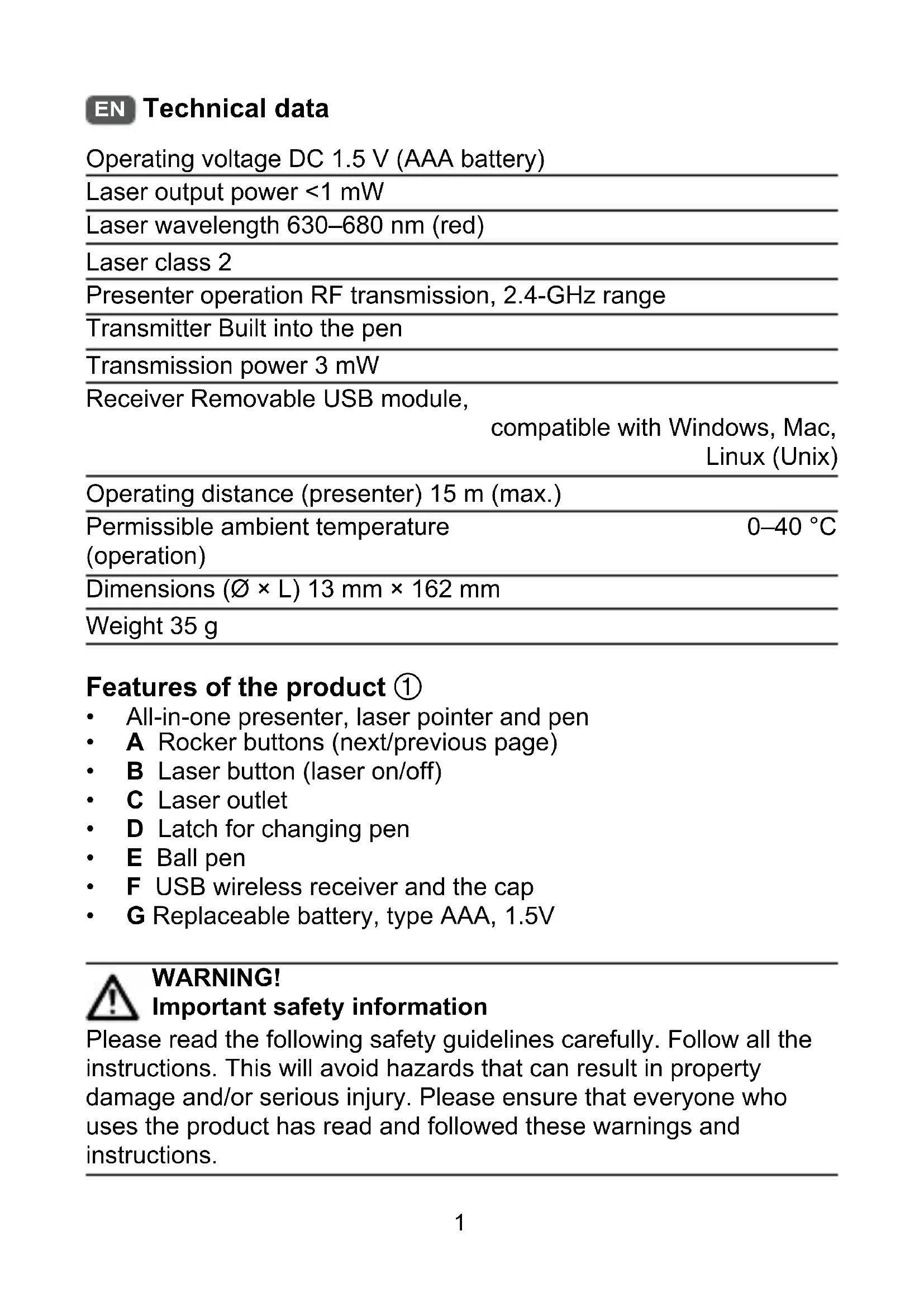
| Operating voltage DC 1.5 V (AAA battery) | |
| Laser output power <1 mW | |
| Laser wavelength 630–680 nm (red) | |
| Laser class 2 | |
| Presenter operation RF transmission, 2.4-GHz range | |
| Transmitter Built into the pen | |
| Transmission power 3 mW | |
| Receiver Removable USB module,compatible with Windows, Mac,Linux (Unix) | |
| Operating distance (presenter) 15 m (max.) | |
| Permissible ambient temperature | 0–40 °C |
| (operation) | |
| Dimensions (Ø × L) 13 mm × 162 mm | |
| Weight 35 g | |
Features of the product ①
All-in-one presenter, laser pointer and pen
- A Rocker buttons (next/previous page)
B Laser button (laser on/off)
C Laser outlet
D Latch for changing pen
E Ball pen
F USB wireless receiver and the cap
- G Replaceable battery, type AAA, 1.5V

WARNING!
Important safety information
Please read the following safety guidelines carefully. Follow all the instructions. This will avoid hazards that can result in property damage and/or serious injury. Please ensure that everyone who uses the product has read and followed these warnings and instructions.
Intended use
- The product is intended to be used as a laser pointer for presentations and/or as a device to scroll through different applications such as PowerPoint®, KeyNote, PDF etc.
- Use the product only in the manner described in this manual.
- Check the product for any damage before use. Do not use if obviously damaged, not working as intended or if moisture has penetrated the interior.
- Protect the product from moisture, extreme temperatures, strong sunlight and gases, vapours and solvents.
- Do not attempt to modify, alter or repair the product. Do not drop, bend or knock about.
- Use and store the product out of reach of children and pets.
- Keep these instructions and pass them on to subsequent users of the product.
Safe use of laser pointers
This product uses a class 2 laser as governed by European standard EN 60825-1:2015-07.
- CAUTION! Laser beams can cause eye or skin injuries.
- Never look into the laser directly or through optical devices.
- If laser radiation strikes your eye, deliberately close your eyes and turn away immediately.
- Never point the laser beam at people or animals. Never point the laser beam at mirrors or other surfaces.
- The product must be marked with a laser warning label in the language of your country. Attach the appropriate supplied label to the Presenter. Operating the laser without such a label is not permitted.
Safe use of batteries
- When inserting the battery, make sure to insert the battery in the correct direction (+/-) as marked.
- Remove the battery when the product is not being used regularly. Otherwise the battery may leak. Leaking acid can burn skin or damage the product.
-
Store batteries out of reach of children and pets. Otherwise they could be swallowed by children or pets. If swallowed, contact a doctor immediately.
-
Only use batteries of the type specified.
- Do not dismantle or short circuit the battery and keep the battery away from fire. Never attempt to charge non-rechargeable batteries (danger of explosion!).
Safe use of radio transmitters
The product emits low-powered radio (RF) signals when the rocker buttons are pressed. Radio signals can interfere with other electronic devices.
- Do not use the product in locations where it is forbidden to use electronic devices (e.g. in aircraft or hospitals).
- Do not use the product near medical equipment. When in doubt, ask a doctor.
Using the product
To use the presenter ②
- Remove the USB wireless receiver F
- Make sure the USB connector is slid out fully.
- Plug the USB wireless receiver ① into a free USB port on your computer. The computer installs a driver. No further steps are required.
- Open the desired application on your computer (e.g. PowerPoint®).
- Use the rocker buttons ④ to move to the previous/next page. (Equivalent to pressing the page-up/page-down keys on the computer keyboard.)
- To use the laser pointer: Hold the Presenter so that the laser outlet is facing away from you. Then press the laser button .
To prevent early discharge, remove the batteries when the product is not in use.
Replacing the ball pen ③
- Remove the USB wireless receiver F
- Unscrew the upper part of the Presenter.
- Move the latch ① upwards.
- Pull out the ball pen and replace with a new one (type D1 or similar, 67 mm).
Inserting/changing batteries ④
The batteries are not installed when the product is shipped.
- Remove the USB wireless receiver (F).
- Unscrew the upper part of the Presenter to open the battery compartment.
- Insert the AAA battery into the battery compartment. Pay attention to the polarity (+/-) .
- Close the battery compartment.
Hereby, Esselte Leitz GmbH & Co. KG declares that this product complies with the basic requirements and other relevant provisions of the relevant CE Directives.
BaTapeiKa He BCTaHOBnIOeTbcS npN noCTaUHHi npOdykTy.
- BnIMtB USB-6e3dpoTobn npnMauch F
- BiДкpyть Верхню части hy пpeэntepa, соб BiДкрптв BiДсikдя батари.
- BCTaBTe 6aTapeiKy Tnna AAA y BiDcik dIy 6aTapeiKn. 3BepHiTb yBaIy Ha nOJIpaHicTb (+/-).
- 3akpiTe BiDcik dIaTaapeKn.
Liz Esselte Leitz GmbH & Co. KG 3aBne, 0doHn npOyK T BiIOBida OCHOBNM BmOram Ta iHsIM NIOJXeHHr M BiIOBIDHX DnpeKtNB CE.
Bo n36eXaHne 6bICTpoi pa3pIaKn BbIHMaIte 6aTapeN i3 n3dJIy, KOrda OHO He IcNoIb3YeTcY.
3aMeHa ⅢapNKOBoB pyuKn ③
- 3aKpoIe aKKymyJIaTOpHbI OTCeK.
HacToaIcM KOMpaHnA Esselte Leitz GmbH & Co. KG 3aBnJeT o TOM, YTO DaHHoe n3dJIe NcOTBeTCTByeT OCHOBhIM Tpe6OBAHnA M I dpyrIM COOTBeTCTByUoIcM NOIOXeHNaM PrIMeHMbIX DInpeKtNB CE.
Kayinci3dkke KaTbICTbI MaHbI3dbI aKnapaT
TemeHderi kayinci3dk HycKaynapbIH MKNrT OKbln 1bIfbHbI3. BapbIK hcyckaynapbOpbIHdaHbI3.OcblnaMsa MylkiTH 3aKbIMdanybHa XHe/Hemecae aybp JkapakKa aKeJyIMyMKiH
KoIdaHy MaKcaTbI
Бул сим пезэнтаяларда лазэрлік керсөтkiш ретиджэнe/нemecce PowerPoint®, KeyNote, PDF xэнe таftы 6acka 6aftapламаларда aiHaДыру Кypынгьсbl ретидe пайдалануfa apHaflfahn.
- ΘимдіTek OсыніСКауЛьіКТа керсTiJrReH MaKcaTTapДа naДаЛаНыИbI3.
- Пайдаланбай Турьн, симпн 3akbIMdaJMaFaHbIn TeKcepiH3. Альк 3akbIMdalfaH, ТиICTI Tpype JyMbIC icTeMeiTin 6oJca Hemece iшHe blnfaN Kipren JkaFdaJaObl пайдаланHyfa 6oJmaIdbI.
- ΘиIMdi bINfaiIaH, WAMaIaH TbIC TemnepaTypaIapdaH, KaTbI KYN cayIeciHEn XHe ra3dapHaH, 6yIapdaH XHe epiTkiWTepeH KopFaHbI3.
- Θимді модификагаIGNayfa, əЗreptуге Hemece XeHdeyre ĀpekeTTeH6eHi3. Ohbl Jxepre TycipMeHi3, MaNbICTbIpMaHbI3 Hemece COKNaHbI3.
- Θимdi 6aIanap MeH yJ xaHyapApbIHbIH KOJI b JxetTneTih Jxepde naJaHaHbIHb3 XHe CaKTaHbI3.
Ocbl HycayapdbI caKtan KoibHb3 XHe eHIMHi KeiHri naJaHaHybInapbHa 6epiH3.
Ia3epnik KopceTkiwTeprdi Kayinci3 naJaIaNy
Бул симде Eyponaьк EN 60825-1:2015-07 ctaндана 6ерінг徳, 2-клacc пазepi падапалда.
HA3AP AYDApblHbI3! Ia3ep caynelepi Ke3i Hemece TepiHi JkapaalaybIMyMKiH.
Ja3epre eWkaaH tic Hemece ONTnKaIbIK Kypblfblap apKblbl Kapayfa 60lmamdbi.
- Erep na3ep caylneci Ke3iH3re Tuce, Ke3depiHi3di JyMbIbI3 XHe Depey 6acbl3dbI Kepi 6ypbl3.
Ja3ep caynein aamapra Hemece kahyapnapra 6afttayfa 6oImaIbI. Ja3ep caynciH aHaFa Hemece 6acka da 6etTepre 6afttayfa 6oImaIbI.
- Θним re ci3 typaTBH eIin TiiInderi na3ep TypaBb ecKepty 6eIrici KoBbIybl Tnic. BiPRE bepinre H tnicti 6eIriHi npe3entaunia
CTINyCbHa XaNCbIPbIHbI3. ByHdaJ 6eIrci JOK Ia3epdi NaJaIaNHyfA TbIbIM CaJIbIHadbl.
Батарегларды падалану
BaTapeHbI caHaH Ke3e, OHbIH 6eJIrIepre caiKec Iypbic caIbIHFaHbHa (+/-) K03 JxETKi3iHi3.
- Θин ki nai da naHbIMaTbIH xaFdaJa 6aTapeHbI aNbIn TactaHbI3. BoImaca, 6aTape aFybIMyMKiH. AfaTbIH KblKbI IN TepiHi KyiDipYi Hemece eHimDi 3aKbIMdAybl yMMyKiH.
- BaTapeЯnapdbi 6aIanap MeH yJ XaHyapApbIHbIH KOJIbI JxETneTIN JxepDe caKtahbI3. BoImaca, 6aIanap Hemece XaHyapnap OHbl KytBIn KOIObl MymKIn. KytBIn KOIFaH 6oJCa, Depey dApirepre xa6apnacbIHbI3.
Tek KaHa KepcetilreH typeri 6aTapeJapbl naJaIaNbIHb3.
BaTapeHbI 6eJIWeKTeMeHi3 HeMeCe KbICKa TybIKTaMaHbI3 XaHe OTaH aIbIC yCTaHbI3. 3apdTaImaMyTBiH 6aTapeApDbI 3apdTayfa 6oImaMyDbI (Xapblbc KayPi TybHdaNdbI!).
Papno TacbImaIdaIbIHTapbIH Kayinci3 naJaIaHy
blkTBipMaJIbI TymMeIep 6acblIHaH Ke3de eHIM TeMeH KyaTTbI paNo (PJK) cnHaIapbIH TaPaTaIbI. PaNo cnHaIapbI bAcKa 3JIeKTPoHDbI KypblIbIJaPfA KeJeprI TydbIpYbIMyMKiH.
- ΘиIMdi эЛeКТрОндыК Kypblfblapdbl NaДаАнуfa TbIbIM caIbIHraH JepJIepde NaДaАнуfa 6Oлмайдbl (MbIC. Yшak Hemece emxahanap).
- ΘΗΜΙmeινηλύκχαδύκταρύκηχαΗκήσηνηλανηδαύκης. Kymονιίειδόνις, ἀρίρεριδενυμαύκής.