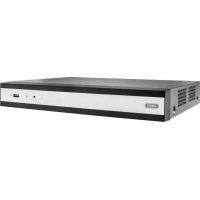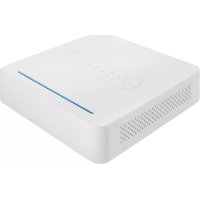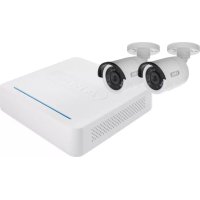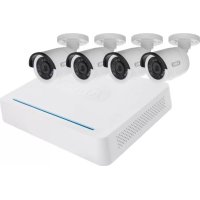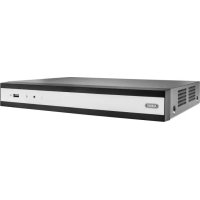
TVVR36700 - Digital Video Recorder ABUS - Free user manual and instructions
Find the device manual for free TVVR36700 ABUS in PDF.



| Product Type | 8-channel Network Video Recorder (NVR) |
| Brand | ABUS |
| Model | TVVR36700 |
| Power Supply | 12 V DC via included power adapter |
| Video Outputs | HDMI, VGA |
| Audio Input | 1 x RCA (Audio IN) |
| Audio Output | 1 x RCA (Audio OUT) |
| Network Connectivity | 1 x RJ45 10/100/1000 Mbps port |
| USB Ports | 2 x USB (for mouse and peripherals) |
| Internal Storage | 1 bay for SATA hard drive (not included) |
| Main Functions | Continuous or motion detection recording, remote access via DDNS, management via CMS or mobile app |
| Dimensions (approx.) | 300 x 250 x 50 mm (estimate) |
| Weight (approx.) | 1.5 kg (estimate) |
| Care and Cleaning | Do not expose to magnetic fields, liquids; ensure adequate ventilation; disconnect before servicing |
| Security | Administrator password required at activation; shared camera password |
| Spare Parts and Repairability | Replaceable hard drive; ABUS technical support for password reset |
| General Information | Compliant with European directives; manufactured by ABUS Security-Center GmbH & Co. KG |
Frequently Asked Questions - TVVR36700 ABUS
User questions about TVVR36700 ABUS
0 question about this device. Answer the ones you know or ask your own.
Ask a new question about this device
Download the instructions for your Digital Video Recorder in PDF format for free! Find your manual TVVR36700 - ABUS and take your electronic device back in hand. On this page are published all the documents necessary for the use of your device. TVVR36700 by ABUS.
USER MANUAL TVVR36700 ABUS
Security Tech Germany
ABUS


TVVR36300 / TVVR36700
QUICKGUIDE FÜR IP- REKORDER
Scope of delivery 24
Warnings 25
Connections 26
Tips for camera installation 28
Hardware installation 29
System activation 31
Software set-up 32
Instructions, software and app 38
Français
natural_image
Line drawing of a cable-wrapped electronic device (no text or symbols)
natural_image
Line drawing of a computer mouse with a circular head and scroll wheel (no text or symbols)
natural_image
Line drawing of a coiled cable or connector with two connectors (no text or symbols)
natural_image
Simple concentric circle diagram with no text or symbols
text_image
Quick GuideWARNHINWEISE

Security Tech Germany
natural_image
Line drawing of a security camera connected to a router via cables (no text or symbols)Security Tech Germany
1

text_image
Adversing Deutschnahme Anzahl Nurses Comment anzeln Kontext bedeignen P-Camera Achievingpasswert √ Umglicher Konsverbindlich Geldungsbedaten und Spurze 100% 20% 30% 40% 50% 60% 70% 80% 90% 100% 110% 120% 130% 140% 150% 160% 170% 180% 190% 200% 210% 220% 230% 240% 250% 260% 270% 280% 290% 300% 310% 320% 330% 340% 350% 360% 370% 380% 390% 400% 410% 420% 430% 440% 450% 460% 470% 480% 490% 500% 510% 520% 530% 540% 550% 560% 570% 580% 590% 600% 610% 620% 630% 640% 650% 660% 670% 680% 690% 700% 710% 720% 730% 740% 750% 760% 770% 780% 790% 800% 810% 820% 830% 840% 850% 860% 870% 880% 890% 900% 910% 920% 930% 940% 950% 960% 970% 980% 990% 1000%text_image
DNS Tag DNS Address P-Net Address P-Net Address Block P-Net Contact Address Accessories Address for DNS Server... Accessing DNS Server Accessing DNS Servertext_image
MAC Type MAC IP address (1) Win Interface 100, 100, 1 Win Default Mask 200, 200, 200, 0 Win Default Gateway 100, 100, 1 Subnetworks Manager (SMM Server) Newsgate (SMM Server) Alternative (SMM Server) Cancel Help Cancel Helptext_image
Server Port H1TCP Port FTP Port TCP/IP address TCP/IP address TCP/IP type Request and Server address Send Exchange to Other Send Exchange to Access Access name: Password: Send Send Sendtext_image
Server/Port HCP/Port TCP/IP/Port USB IP address DNS IP address TCP/IP Type Region and Server Options Server Options Database Server Name Status DNS IP setup (system) Parameters Password Cancel Help Finishtext_image
Camera Type IP address IP address IP address IP address IP address IP address IP address IP address IP address IP address IP address IP address IP address IP address IP address IP address IP address IP address IP address IP address IP address IP address IP address IP address IP address IP address IP address IP address IP address IP address IP address IP address IP address IP address
Security Tech Germany
16

text_image
Report ID | IP Address | Document | Object Name | Case Label | Report 1 | 100-100.0000 | 100.0000 | 100.0000 | 100.0000 | 3 | 100-100.0000 | 100.0000 | 1 | 100.0000 | 100.0000 | Date: March 28, 2024 Email: 136.255.28 (Dialog/OK) Contact: Email: 136.255.28 (Dialog/OK)https://www.abus.com/product/TVVR36300
Soft ware:

Security Tech Germany
ABUS


TVVR36300 / TVVR36700
This quick-start guide describes the initial installation steps for your IP recorder. More detailed information can be found in the user guide.
ABUS


Dear Customer,
Thank you for purchasing one of our products. This product complies with current domestic and European regulations.
Conformity has been proven, and all related certifications are available from the manufacturer on request: ABUS Security-Center GmbH & Co. KG, Linker Kreuthweg 5, 86444 Affing, GERMANY.
To ensure that this standard is maintained and that safe operation is guaranteed, you are obliged to observe the stipulations set out in this user guide. Read the entire user manual before putting the product into operation, and pay attention to all operating instructions and safety information.
All company names and product descriptions are trademarks of the corresponding owner. All rights reserved. If you have any questions, please contact your specialist dealer.
SCOPE OF DELIVERY
TVVR36300:
• 4-channel recorder
• 12 V power supply unit
- Wireless USB mouse
- 1 m network cable
• Hard disk drive connection cable
- Screws for hard disk drive
• CD
- Quick start guide
TVVR36700:
- 8-channel recorder
• 12 V power supply unit - Wireless USB mouse
- 1 m network cable
• Hard disk drive connection cable - Screws for hard disk drive
• CD - Quick start guide

text_image
023 + + + 98→
natural_image
Line drawing of a cable and rectangular device (no text or symbols)
natural_image
Line drawing of a computer mouse with no text or symbols
natural_image
Line drawing of a flexible broadband cable with two connectors (no text or symbols)
natural_image
Simple geometric diagram with two concentric circles inside a rectangle (no text or symbols)
text_image
Quick start guideWARNINGS

Security Tech Germany
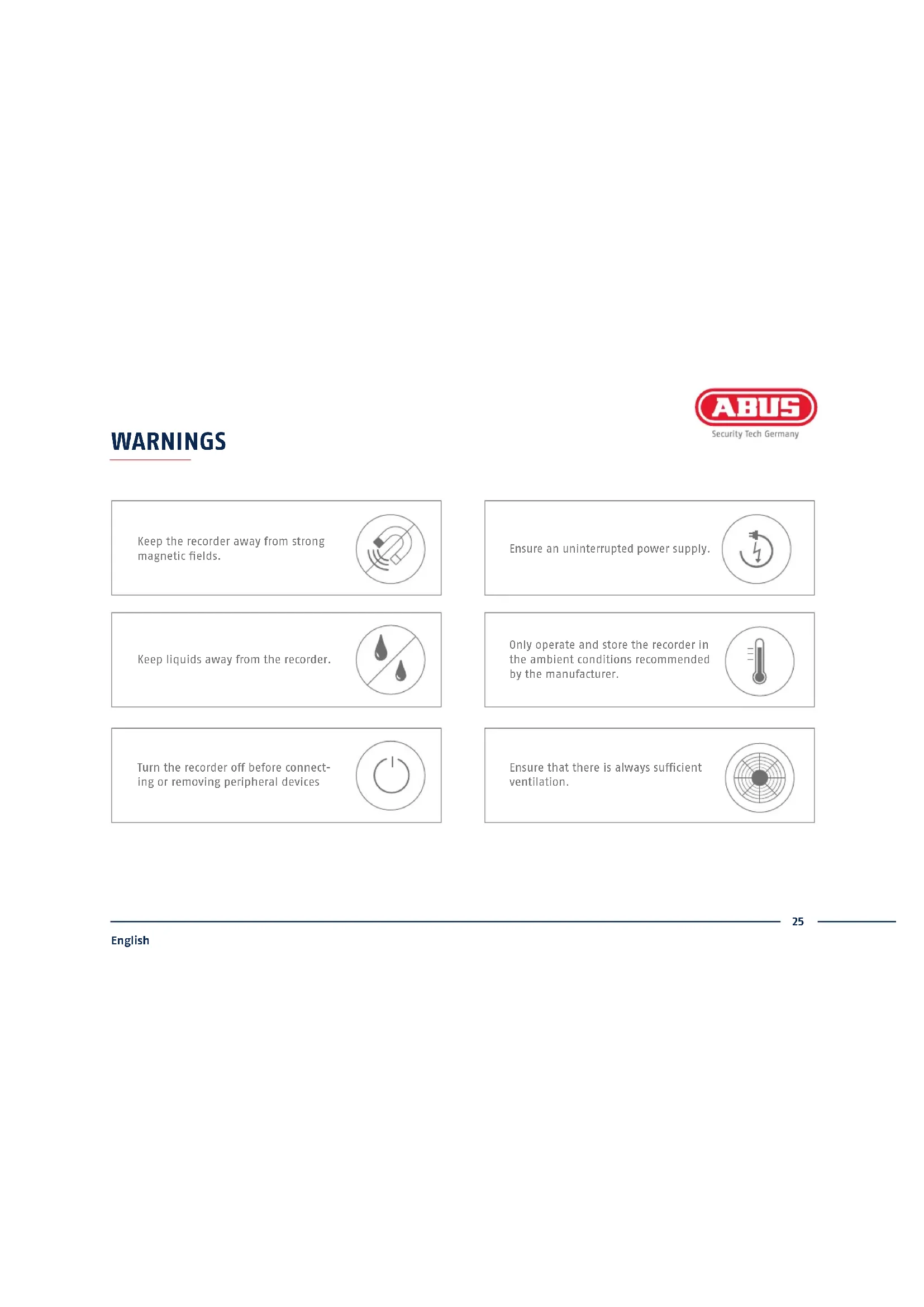
Keep the recorder away from strong magnetic fields.
Ensure an uninterrupted power supply.

Keep liquids away from the recorder.

Only operate and store the recorder in the ambient conditions recommended by the manufacturer.

Turn the recorder off before connecting or removing peripheral devices

Ensure that there is always sufficient ventilation.

CONNECTIONS

text_image
Power LED Display signalling readiness for operation Data LED Display of the current hard disk drive (HDD) activity Network LED Display of the current network activity USB Connection for USB devices

text_image
Audio IN Chinch audio input LAN RJ45 port for a network connection On/off switch Switch for switching the device on and off 12 V 12 V DC connection for power supply USB Connection for USB devices HDMI HDMI monitor connection VGA VGA monitor connection Audio OUT Chinch audio outputTIPS FOR CAMERA INSTALLATION

natural_image
Line drawing of a security camera connected to an outdoor surveillance device via cables (no text or symbols present)Connect the recorder to the power supply. Connect the recorder to your home network via the network cable. Connect the power to the cameras and connect these to your home network too. You can then add the cameras in the software set-up.
HARDWARE INSTALLATION


text_image
13 42 Remove the six screws on the sides and back of the recorder.
text_image
Open the box carefully. Align t
text_image
e hard disk drive with the base plate of the recorder.
text_image
Secure the hard disk drive onto the underside of the recorder using the screws provided.
text_image
5678 Connect the hard disk drive to the motherboard with the data cable (small connector) and the power cable (large connector).
text_image
Now place the box along the guide rails over the base plate of the recorder.
text_image
Then secure the box and the base plate with the six screws.
text_image
Connect the power supply unit and switch the recorder on using the on/off switch.SYSTEM ACTIVATION

Security Tech Germany
1

text_image
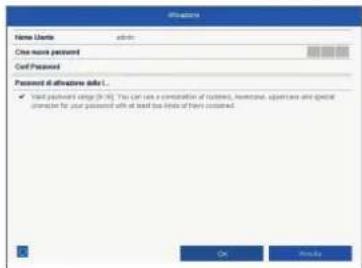
User Name Create New Password Collection Password IP Camera Activation Password ✓ Select password range (0-10) ✓ Select password range (0-10) OK CancelEnter a password for the admin user in the 'New password' field.
The password must meet the specified minimum requirements.
Recommendation: Use a password that is as complex as possible and is classified as "strong".
2

text_image
Addition User Name: admin Create New Password: Custom New Password: IP Camera Activation Password ✓ Valid password range (0-100) OK CancelRe-enter the password to confirm it. Note down the new password and keep it in a secure location. The admin password can only be reset by ABUS technical support.
3

text_image
User Name Create New Password Confirm New Password IP Camera Activation Password ✓ Write password range (R: 100%) ✓ Initialize, install box and special imize the your password. OK CancelYou should also enter the activation password for the cameras here. If you activate a camera via the recorder, the recorder uses this password for it. Then click on "OK". The device is now activated and all of its functions can be used.
Admin password:
SOFTWARE SET-UP
1
text_image
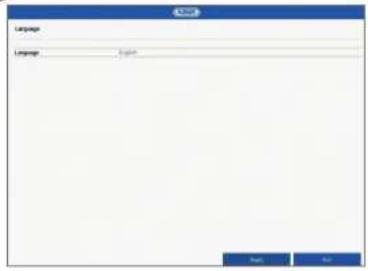
Language Language Language English OK CancelSelect the desired language and click "Apply".
2

text_image
Start value when data starts? Text OKIf you untick the checkbox, the set-up wizard will not automatically pop up the next time the software starts up. Click on "Next".
3

text_image
System Time Date: 2007-07-03 (Industrial, Bank, Office, Policy) Date: 2014-07-03 System Date: 16.05.2019 System Time: 16:00:00 System Time: 0Set the time zone, date/date format and system time. Close the screen by clicking "Next".

4
text_image
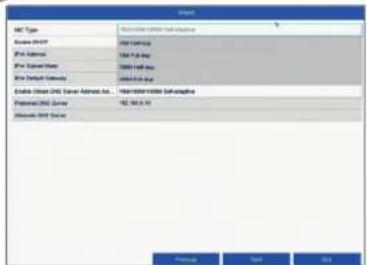
MNT Type Database DNS File Address Data Pack Data Server Name Data List Address Database DNS Server Address As... Database DNS Server Database DNS Server Database DNS Server Database DNS Server Database DNS Server Database DNS Server Database DNS Server Database DNS Server Database DNS Server Database DNS Server Database DNS Server Database DNS Server Database DNS Server Database DNS Server Database DNS Server Database DNS Server Database DNS Server Database DNS Server Database DNS Server Database DNS Server Database DNS Server Database DNS Server Database DNS Server Database DNS Server Database DNS Server Database DNS ServerSet the connection speed for "NIC Type" manually. Automatic detection is preset and recommended (self-adaptive).
5

text_image
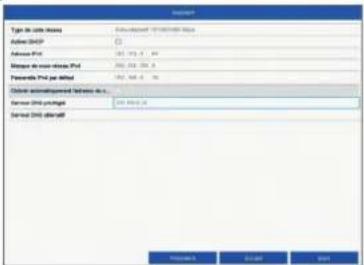
HIC Type: IFR 2000/2001/2002 Access DHCP: (1) IFR Address: 100, 100.0, 10 IFR Subtotal Host: 294, 322, 328.0 IFR Default Gateway: 122, 165.0, 17 Access DHCP Server Address Ad... Preferred DHCP Server: 152, 153.0 (1) Alternate DHCP Server: Status: Yes, No, AddIf you wish the address data to be automatically assigned, tick the "Enable DHCP" checkbox. The addresses will then be automatically assigned by your router (where supported). If proceeding in this way, move on to point 13.
6

text_image
192.168.0.25 192.168.0.20 192.168.0.1If your router does not automatically assign the address data, enter the data according to the following steps. The image gives an example of connected devices with the corresponding IP addresses.
7

text_image
Network Network Type: All Other Network Sub-Application Network Address: 100, 100, 100, 100 IP/Net Address: 1, 2, 3, 4, 5, 6, 7, 8, 9, 10, 11, 12, 13, 14, 15, 16, 17, 18, 19, 20, 21, 22, 23, 24, 25, 26, 27, 28, 29, 30, 31, 32, 33, 34, 35, 36, 37, 38, 39, 40, 41, 42, 43, 44, 45, 46, 47, 48, 49, 50, 51, 52, 53, 54, 55, 56, 57, 58, 59, 60, 61, 62, 63, 64, 65, 66, 67, 68, 69, 70, 71, 72, 73, 74, 75, 76, 77, 78, 79, 80, 81, 82, 83, 84, 85, 86, 87, 88, 89, 90, 91, 92, 93, 94, 95, 96, 97, 98, 99, 100 Network Address: IP/Net Address: IP/Net Address: IP/Net Address: IP/Net Address: IP/Net Address: IP/Net Address: IP/Net Address: IP/Net Address: IP/Net Address: IP/Net Address: IP/Net Address: IP/Net Address: IP/Net Address: IP/Net Address: IP/Net Address: IP/Net Address: IP/Net Address: IP/Net Address: IP/Net Address: IP/Net Address: IP/Total Network Address: IP/Net Address: IP/Net Address: IP/Net Address: IP/Net Address: IP/Net Address: IP/Net Address: IP/Net Address: IP/Net Address: IP/Net Address: IP/Net Address: IP/Net Address: IP/Total Network Address: IP/Net Address: IP/Net Address: IP/Net Address: IP/Net Address: IP/Net Address: IP/Net Address: IP/Net Address: LP Network Address: IP/Net Address: IP/Net Address: IP/Net Address: IP/Net Address: IP/Net Address: IP/Net Address: IP/Net Address: IP/Net Address: IP/Total Network Address: IP/Net Address: IP/Net Address: IP/Net Address: IP/Net Address: IP/Net Address: IP/Net Address: IP/Total Network Address: IP/Net Address: IP/Net Address: IP/Net Address: IP/Net Address: IP/Net Address: IP/Total Network Address: IP/Net Address: IP/Net Address: IP/Net Address: IP/Net Address: IP/Total Network Address: IP/Net Address: IP/Net Address: IP/Net Address: IP/Total Network Address: IP/Net Address: IP/Net Address: IP/Total Network Address: IP/Net Address: IP/Net Address: IP/Total Network Address: IP/Total Network Address: IP/Total Network Address: IP/Total Network Address: IP/Total Network Address: IP/Total Network Address: IP/Total Network Address: IP/Total Network Address: IP/Total Network Address: IP/Total Network Address: IP/Total Network Address: IP/Total Network Address: IP/Total Network Address: IP/Total Network Address: IP/Total Network Address: Network Address: Network Address: Network Address: Network Address: Network Address: Network Address: Network Address: Network Address: Network Address: Network Address: Network Address: Network Address: Network Address: Network Address: Network Address: Network Address: Network Address: Network Address: Network Address: Network Address: Network Address: Network Address: Network Address: Network Address: Network Address: Network Address: Network Address: Network Address: Network Address: Network Address: Network Address: Network Address: Network Address: System System System System System System System System System System System System System System System System System System System System System System System System System System System System System System System System System System System System System System System System System System System System System System System System System System SystemThe first three positions of the IP address must correspond to the default gateway value. The final digit identifies devices addressed by the default gateway and is individually set for each device. For the recorder, choose e.g. 64: i.e. xxx.xxx.xxx.64.
8

text_image
Network Network Type: Windows 90/80000000000000000000000000000000000000000000000000000000000000000000000000000000000000000000000000000 Enable DHCP Pro Address: 162.434.25.24 Pro Connection Method: 162.234.25.24 Pro Connection Subcode: 162.234.25.24 Enable DHCP Server: 162.234.25.24 Enable DHCP Server: 162.234.25.24 OK Cancel Help Finish Next NextThe subnet mask is a network segment in which IP addresses with the same network address are used. The standard value is normally 255.255.255.0 in such cases. To determine the value for the default gateway, use a Windows PC connected to the network.
9

text_image
Network Type MACS/SECURITY (all applicable) Enable DHCP IPs Address 200, 100, 0, 34 IPs Default Island 200, 200, 195 IPs Default Gateway Open: 100, 0, 14 Enable Windows DNS Server Address Bus... Prepaid DNS Server Access DNS Server New New NewEnter the IP address of your router here. You can find the address with "cmd" and the command "ipconfig" on your Windows PC.

10

text_image
Network HCP Type: Microsoft Azure Lab installed Oracle DHCP Oracle DHCP Oracle Server: 90, 100, 50, 60 Oracle Server: 90, 100, 50, 60 Oracle Server: 90, 100, 50, 60 Oracle Server: 90, 100, 50, 60 Oracle Server: 90, 100, 50, 60 Oracle Server: 90, 100, 50, 6 Oracle Server: 90, 100, 50, 6 Oracle Server: 90, 100, 50, 6 Oracle Server: 90, 100, 50, 6 Oracle Server: 90, 100, 50, 6 Oracle Server: 90, 100, 50, 6 Oracle Server: AllThe DNS server "translates" an internet address into an IP address. Enter the value of the default gateway under "Preferred DNS server".
11

text_image
Server Port Host IP Host FTP Host Server UGP Driver Devices DNS Type Address Server Address Server Address Name Address User Name Password Process Next ExitYou can manage and, if necessary, edit your ports here. We recommend that the default values are maintained.
12

text_image
Server Port: 0000 HKEY Port: 16 TCP/IP Port: 154 Server IP/XP: 82 Server OCEM: 83 Network Type: Windows Server NetworkCount: 00000000000000000000000000000000000000000000000000000000000000000000000000000000000000 Server Address: 98.967 Server Address Name: 98.967 Status: Windows 12 (Windows 12) User Name: Windows 12 (Windows 12) Password: Browse Help NextIf you wish to set up remote access, tick the "Enable DDNS" checkbox. Then select your DDNS type using the entry field.

text_image
13 Device Name Server Name: 2000 Ctrl Server: 65 FTP Pack: 514 Create (CPIP) Create (SOD) DOOR Type: 900000 Host Device: Custom Device Names Device Domain Name: Status: Connecting the administrator Site User Names: Password: Next, save the server address and the Device Domain Name, user name and password. Go to the next screen with "Next".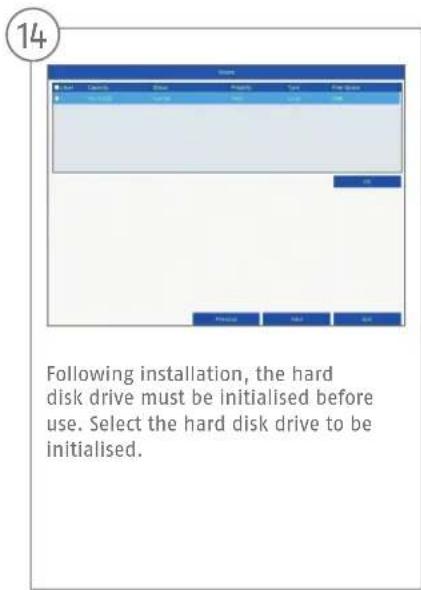
text_image
Following installation, the hard disk drive must be initialised before use. Select the hard disk drive to be initialised.
text_image
15 Click on "Init" and confirm the successful initialisation by clicking on "OK". Go to the next screen with "Next".
16
text_image
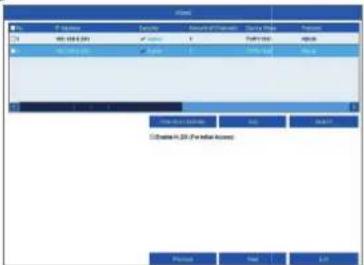
Network M1: 100-100.000 M2: 100.000 (100) Network Details Access: Access: 1 Type: Normal Type: Normal Network Details Network Details Network Details Network Details Network Details Network Details Network Details Network Details Network Details Network Details Network Details Network Details Network Details Network Details Network Details Network Details Network Details Network Details Network Details Network Details Network Details Network Details Network Details Network Details Network Details Network Details Network Details Network Details Network Details Network Details Network Details Network Details Network Details Network DetailsClick on "Search" to look for available network cameras in the network.
17

text_image
History File | Projector | Security | Server of Network | Operating Mode | Protocol 1.00 148-152-2341 2.00 148-152-2341 3.00 148-152-2341 4.00 148-152-2341 5.00 148-152-2341 6.00 148-152-2341 7.00 148-152-2341 8.00 148-152-2341 9.00 148-152-2341 10.00 148-152-2341 11.00 148-152-2341 12.00 148-152-2341 13.00 148-152-2341 14.00 148-152-2341 15.00 148-152-2341 16.00 148-152-2341 17.00 148-152-2341 18.00 148-152-2341 19.00 148-152-2341 20.00 148-152-2341 21.00 148-152-2341 22.00 148-152-2341 23.00 148-152-2341 24.00 148-152-2341 25.00 148-152-2341 26.00 148-152-2341 27.00 148-152-2341 28.00 148-152-2341 29.00 148-152-2341 30.00 148-152-2341 31.00 148-152-2341 32.00 148-152-2341 33.00 148-152-2341 34.00 148-152-2341 35.00 148-152-2341 36.00 148-152-2341 37.00 148-152-2341 38.00 148-152-2341 39.00 148-152-2341 40.00 148-152-2341 41.00 148-152-2341 42.00 148-152-2341 43.00 148-152-2341 44.00 148-152-2341 45.00 148-152-2341 46.00 148-152-2341 47.00 148-152-2341 48.00 148-152-2341 49.00 148-152-2341 50.00 148-152-2341 51.00 148-152-2341 52.00 148-152-2341 53.00 148-152-2341 54.00 148-152-2341 55.00 148-152-2341 56.00 148-152-2341 57.00 148-152-2341 58.00 148-152-2341 59.00 148-152-2341 60.00 148-152-2341 61.00 148-152-2341 62.00 148-152-2341 63.00 148-152-2341 64.00 148-152-2341 65.00 148-152-2341 66.00 148-152-2341 67.00 148-152-2341 68.00 148-152-2341 69.00 148-152-2341 70.00 148-152-2341 71.00 148-152-2341 72.00 148-152-2341 73.00 148-152-2341 74.00 148-152-2341 75.00 148-152-2341 76.00 148-152-234You will find all the compatible network cameras below. Tick the checkbox of the network cameras you wish to use and click on "Add". Go to the next screen with "Next".
18

text_image
Clone Continue Initial Connection OK Cancel HelpSelect the recording type. You can choose between "Continuous" and "Motion detection". Close the set-up wizard by clicking "OK".
INSTRUCTIONS, SOFTWARE AND APP
Instructions:

instructions for operating the online and recorder interfaces can be found under the "Downloads"
tab at the following link:
https://www.abus.com/product/TVVR36300
Soft ware:

01 ABUS Central Monitor Station (CMS) allows you to monitor, control and manage the video
data from your ABUS recorder on your PC:
ABUS IP Installer to find your recorder in the network, to check for and install fi rmware updates and to
download instruction manuals and quick start guides directly to your PC:
ou free, fast remote access to
your recorder:

Download on the
App Store

GET IT ON
Google Play

Security Tech Germany
ABUS


TVVR36300 / TVVR36700
GUIDE DE DÉMARRAGE RAPIDE POUR ENREGISTREUR IP
natural_image
Line drawing of a cable and rectangular device (no text or symbols)
natural_image
Line drawing of a computer mouse with no text or symbols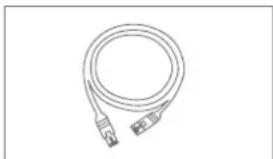
natural_image
Line drawing of a flexible broadband cable with connectors (no text or symbols)
natural_image
Simple geometric diagram with two concentric circles inside a rectangle (no text or symbols)
Security Tech Germany
natural_image
Line drawing of a security camera connected to a network device via cables (no text or symbols present)text_image
Active Name d'attributeur Date: 10.00.00 Create an link to voice Confirm MLP M4 de voice d'actions de la. ✓ Valid password range (0-10) OK Cancel OK Cancel OK Cancel OK Cancel OK Cancel OK Cancel OK Cancel OK Cancel OK Cancel OK Cancel OK Cancel OK Cancel OK Cancel OK Cancel OK Cancel OK Cancel OK Cancel OK Cancel OK Cancel OK Cancel OK Cancel OK Cancel OK Cancel OK Cancel OK Cancel OK Cancel OK Canceltext_image
Type de cabs-diesse Auto-SHOP Address: SP Name: 100 Message to Cabs-diesse Prol Formulation Prol per Mio Description: Software/Information/Services in L. Format: CDS software Format: CDS email Preview Add Helptext_image
Type of cable network Actual DHCP Address Pd Message in wireless network Passive IPv or IPv Device information: http://www.123.com/ Service DNS pipeline Device DNS alertiff Access Save As Helptext_image
Type of cable modules Active DHCP Address Fnd Apache to access network Fnd Passivate Fnd per address Other broadband access (e.g. 10.0) Server TCP portlogis Server TCP abnormal New New New New New New New New New New New New New New New New New New New New New New New New New New New New New New New New New New New New New New New New New New New New New New New New New New Next
Security Tech Germany
10
text_image
File File name: 1000 File ID: 142 File URL: 1000 Action PDF: 36 Action ODM: 62 Action (OEM): Active (OEM) Program Files: Personalize Categories by service: www.doi.com/xxx.com User for the database to create a new file File: Active data collection and control functions Data collection: Data file type: Pre-Date: 10.0.0.2017 Post-Date: 10.0.0.2017 OKtext_image
File name: file Export Date: 01 Export Date: 02 Export Date: 03 Export Date: 04 Export Date: 05 Export Date: 06 Export Date: 07 Export Date: 08 Export Date: 09 Export Date: 10 Export Date: 11 Export Date: 12 Export Date: 13 Export Date: 14 Export Date: 15 Export Date: 16 Export Date: 17 Export Date: 18 Export Date: 19 Export Date: 20 Export Date: 21 Export Date: 22 Export Date: 23 Export Date: 24 Export Date: 25 Export Date: 26 Export Date: 27 Export Date: 28 Export Date: 29 Export Date: 30 Export Date: 31 Export Date: 32 Export Date: 33 Export Date: 34 Export Date: 35 Export Date: 36 Export Date: 37 Export Date: 38 Export Date: 39 Export Date: 40 Export Date: 41 Export Date: 42 Export Date: 43 Export Date: 44 Export Date: 45 Export Date: 46 Export Date: 47 Export Date: 48 Export Date: 49 Export Date: 50 Export Date: 51 Export Date: 52 Export Date: 53 Export Date: 54 Export Date: 55 Export Date: 56 Export Date: 57 Export Date: 58 Export Date: 59 Export Date: 60 Export Date: 61 Export Date: 62 Export Date: 63 Export Date: 64 Export Date: 65 Export Date: 66 Export Date: 67 Export Date: 68 Export Date: 69 Export Date: 70 Export Date: 71 Export Date: 72 Export Date: 73 Export Date: 74 Export Date: 75 Export Date: 76 Export Date: 77 Export Date: 78 Export Date: 79 Export Date: 80 Export Date: 81 Export Date: 82 Export Date: 83 Export Date: 84 Export Date: 85 Export Date: 86 Export Date: 87 Export Date: 88 Export Date: 89 Export Date: 90 Export Date: 91 Export Date: 92 Export Date: 93 Export Date: 94 Export Date: 95 Export Date: 96 Export Date: 97 Export Date: 98 Export Date: 99 Export Date: 100MANUEL + LOGICIEL + APPLICATION
Manuels :

https://www.abus.com/product/TVVR36300
Logiciel :

Security Tech Germany
ABUS


TVVR36300 / TVVR36700
QUICKGUIDE VOOR IP- REKORDER
natural_image
Line drawing of a cable and rectangular device (no text or symbols)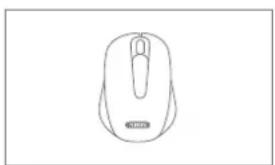
natural_image
Line drawing of a computer mouse with no text or symbols
natural_image
Line drawing of a flexible broadband cable with connectors (no text or symbols)
natural_image
Simple geometric diagram with two concentric circles inside a rectangle (no text or symbols)
text_image
Quick GuideWAARSCHUWINGEN

Security Tech Germany
natural_image
Line drawing of a security camera connected to a mounted device via cables (no text or symbols present)text_image
Default User New account status New website If Cows are registration. ✓ Create new account status (N-10). It must not constitute any other, these rights, installations on existing website generation using the website. Get to create new account status.text_image
Adversing Sebrahouse New viewport notes Spectly viewport Camera advantages... ✓ Design view/screening ✓ Screen exposure used to use a device, name notes, filterless at specific below aperture used to use a device, name notes, filterless at specific below aperture used to use a device, name notes, filterless at specific below aperture used to use a device, name notes, filterless at specific below aperture used to use a device, name notes, filterless at specific below aperture used to use a device, name notes, filterless at specific below aperture used to use a device, name notes, filterless at specific below aperture used to use an object OK Auto/Usertext_image
Subthreshold settings User verification status Details settlement IP Camera settings ✓ Design software settings ● Select other settings or specific Tetals configuration your details OK Cancel Helptext_image
HCP type DHCP adhesion Port name: 00.116.0 - 25 Port terminal Port terminal ports Port port network Port port network terminal Switch port network Switch port network Switch port network Switch port network Switch port network Switch port network Switch port network Switch port network Switch port network Switch port network Switch port network Switch port network Switch port network Switch port network Switch port network Switch port network Switch port network Switch port network Switch port network Switch port network Switch port network Switch port network Switch port network Switch port network Switch port network Switch port networks Switch port networks Switch port networks Switch port networks Switch port networks Switch port networks Switch port networks Switch port networks Switch port networks Switch port networks Switch port networks Switch port networks Switch port networks Switch port networks Switch port networks Switch port networks Switch port networks Switch port networks Switch port networks Switch port networks Switch port networks Switch port networks Switch port networks Switch port networks Switch port networks Switch port systemstext_image
Network Network type: COMPRETOLERATION NAME DHCP access: For access: 100, 982.2, 544 For automatics: 100, 100, 100, 0 For standard group: 0, 1, 2, 3, 4, 5, 6, 7, 8, 9, 10, 11, 12, 13, 14, 15, 16, 17, 18, 19, 20, 21, 22, 23, 24, 25, 26, 27, 28, 29, 30, 31, 32, 33, 34, 35, 36, 37, 38, 39, 40, 41, 42, 43, 44, 45, 46, 47, 48, 49, 50, 51, 52, 53, 54, 55, 56, 57, 58, 59, 60, 61, 62, 63, 64, 65, 66, 67, 68, 69, 70, 71, 72, 73, 74, 75, 76, 77, 78, 79, 80, 81, 82, 83, 84, 85, 86, 87, 88, 89, 90, 91, 92, 93, 94, 95, 96, 97, 98, 99, 100 Access: DHCP server Access: DHCP server Access: DHCP server Access: DHCP server Access: DHCP server Access: DHCP server Access: DHCP server Access: DHCP server Access: DHCP server Access: DHCP server Access: DHCP server Access: DHCP server Access: DHCP server Access: DHCP server Access: DHCP server Access: DHCP server Access: DHCP server Access: DHCP server Access: DHCP server Access: DHCP server Access: DHCP Server Access: DHCP Server Access: DHCP Server Access: DHCP Server Access: DHCP Server Access: DHCP Server Access: DHCP Server Access: DHCP Server Access: DHCP Server Access: DHCP Server Access: DHCP Server Access: DHCP Server Access: DHCP Server Access: DHCP Server Access: DHCP Server Access: DHCP Server Access: DHCP Server Access: DHCP Server Access: DHCP Server Access: DHCP Server Access: DHCP Service Access: DHCP Service Access: DHCP Service Access: DHCP Service Access: DHCP Service Access: DHCP Service Access: DHCP Service Access: DHCP Service Access: DHCP Service Access: DHCP Service Access: DHCP Service Access: DHCP Service Access: DHCP Service Access: DHCP Service Access: DHCP Service Access: DHCP Service Access: DHCP Service Access: DHCP Service Access: DHCP Service Access: DHCP Service Access: DHCP Server Access: DHCP Server Access: DHCP Server Access: DHCP Server Access: DHCP Server Access: DHCP Server Access: DHCP Server Access: DHCP Server Access: DHCP Server Access: DHCP Server Access: DHCP Server Access: DHCP Server Access: DHCP Server Access: DHCP Server Access: DHCP Server Access: DHCP Server Access: DHCP Server Access: DHCP Server Access: DHCP Server Access: DHCP Systemtext_image
Security HTTP request FTP request UPF address COM access CDM access Internet and Internet access Internet access Status Not including letters not all accounts or accounts Connection Authentication Systemtext_image
Security Network HITP point 100 FTP point 150 UPF address 30 DNS server 20 DNS type [0.0.0.2004] Network port DNS port Networks DNS port DNS port DNS port DNS port DNS port DNS port DNS port DNS port DNS port DNS port DNS port DNS port DNS port DNS port DNS port DNS port DNS port DNS port DNS port DNS port DNS port DNS port DNS port DNS port DNS port DNS port DNS port DNS port DNS port DNS port DNS port DNS port DNS port DNS porttext_image
Department MIL Department Security Department name Department name MIL MIL Security Security Department name MIL MIL Security Department name MIL MIL Security Department name MIL MIL Security Department name MIL MIL Security Department name MIL MIL Security Department name MIL MIL Security Department name MIL MIL Security Department name MIL MIL Security Department name MIL MIL Security Department name MIL MILhttps://www.abus.com/product/TVVR36300
Soft ware:

Security Tech Germany
ABUS


TVVR36300 / TVVR36700
KVIKGUIDE TIL IP-OPTAGER
natural_image
Line drawing of a cable-wrapped electronic device (no text or symbols)
natural_image
Line drawing of a computer mouse with a circular head and scroll wheel (no text or symbols)
natural_image
Line drawing of a flexible broadband cable with connectors (no text or symbols)
natural_image
Simple concentric circle diagram with no text or symbols
text_image
KvllkguldeADVARSELSHENVISNINGER

natural_image
Line drawing of a security camera connected to an Ethernet via cable (no text or symbols)Security Tech Germany
1

text_image
Adjusting Description: admin Open my Internet Send your Internet If Camera Activation Password: ✓ Getting remote (from user) [0-10]. Do linkages are transmitted out. Use log card background or log accessing it continuously. Use network transfer to other types. OK Finishtext_image
Advising Stagnets Open lock lock Set lock lockCamera Activation Password
✓ Click up lock for lock specimen lock lock OK Cancel OK Finishtext_image
Form Systematic Balance OK Canceltext_image
Tools Start tool and update? Help OKtext_image
MT Type Windows NTFS Net address Net address Net Subnetworks Net Subnetworks Network traffic Network traffic Network traffic (NTFS) (Net address) (NTFS) Network traffic (NTFS) (Net address) Network traffic (NTFS) (Net address)Indstil forbindelseshastigheden manuelt under "NIC Type". Den automatiske registrering er forindstillet og anbefalet (self adaptive).
5

text_image
HKT Type AT&T DHCP Pte adhesion Pte Subscribers Pte (Standard memory) Windows NTFS DNS Server Network Id. Framdbias DNS server Absolute DNS server 1.000 GB/MB/MB 32 2.000 GB/MB/MB 32 3.000 GB/MB/MB 32 4.000 GB/MB/MB 32 5.000 GB/MB/MB 32 6.000 GB/MB/MB 32 7.000 GB/MB/MB 32 8.000 GB/MB/MB 32 9.000 GB/MB/MB 32 10.000 GB/MB/MB 32 11.000 GB/MB/MB 32 12.000 GB/MB/MB 32 13.000 GB/MB/MB 32 14.000 GB/MB/MB 32 15.000 GB/MB/MB 32 16.000 GB/MB/MB 32 17.000 GB/MB/MB 32 18.000 GB/MB/MB 32 19.000 GB/MB/MB 32 20.000 GB/MB/MB 32 21.000 GB/MB/MB 32 22.000 GB/MB/MB 32 23.000 GB/MB/MB 32 24.000 GB/MB/MB 32 25.000 GB/MB/MB 32 26.000 GB/MB/MB 32 27.000 GB/MB/MB 32 28.000 GB/MB/MB 32 29.000 GB/MB/MB 32 30.000 GB/MB/MB 32 31.000 GB/MB/MB 32 32.000 GB/MB/MB 32 33.000 GB/MB/MB 32 34.000 GB/MB/MB 32 35.000 GB/MB/MB 32 36.000 GB/MB/MB 32 37.000 GB/MB/MB 32 38.000 GB/MB/MB 32 39.000 GB/MB/MB 32 40.000 GB/MB/MB 32 41.000 GB/MB/MB 32 42.000 GB/MB/MB 32 43.000 GB/MB/MB 32 44.000 GB/MB/MB 32 45.000 GB/MB/MB 32 46.000 GB/MB/MB 32 47.000 GB/MB/MB 32 48.000 GB/MB/MB 32 49.000 GB/MB/MB 32 50.000 GB/MB/MB 32 51.000 GB/MB/MB 32 52.000 GB/MB/MB 32 53.000 GB/MB/MB 32 54.000 GB/MB/MB 32 55.000 GB/MB/MB 32 56.000 GB/MB/MB 32 57.000 GB/MB/MB 32 58.000 GB/MB/MB 32 59.000 GB/MB/MB 32 60.000 GB/MB/MB 32 61.000 GB/MB/MB 32 62.000 GB/MB/MB 32 63.000 GB/MB/MB 32 64.000 GB/MB/MB 32 65.000 GB/MB/MB 32 66.000 GB/MB/MB 32 67.000 GB/MB/MB 32 68.000 GB/MB/MB 32 69.000 GB/MB/MB 32 70.000 GB/MB/MB 32 71.000 GB/MB/MB 32 72.000 GB/MB/MB 32 73.000 GB/MB/MB 32 74.000 GB/MB/MB 32 75.000 GB/MB/MB 32 76.000 GB/MB/MB 32 77.000 GB/MB/MB 32 78.000 GB/MB/MB 32 79.000 GB/MB/MB 32 80.000 GB/MB/MB 32text_image
HC Type Adder DHCP Pvt Advance Pvt Submarine Pvt Standard gateway Adder Options (CHS Server Address Id) Adder (CHS Server) Remove (CHS Server) Adder (CHS Server) Adder (CHS Server) Adder (CHS Server) Adder (CHS Server) Adder (CHS Server) Adder (CHS Server) Adder (CHS Server) Adder (CHS Server) Adder (CHS Server) Adder (CHS Server) Adder (CHS Server) Adder (CHS Server) Adder (CHS Server) Adder (CHS Server) Adder (ChS Server) Adder (ChS Server) Adder (ChS Server) Adder (ChS Server) Adder (ChS Server) Adder (ChS Server) Adder (ChS Server) Adder (ChS Server) Adder (ChS Server) Adder (ChS Server) Adder (ChS Server) Adder (ChS Server) Adder (ChS Server) Adder (ChS Server) Adder (ChS Version) Adder (ChS Version) Adder (ChS Version) Adder (ChS Version) Adder (ChS Version) Adder (ChS Version) Adder (ChS Version) Adder (ChS Version) Adder (ChS Version) Adder (ChS Version) Adder (ChS Version) Adder (ChS Version) Adder (ChS Version) Adder (ChS Version) Adder (ChS Version) All Pages Name Edittext_image
File Name: 10.000.000 Size: 500 Date: 2018-03-27 Time: 9:30-11:30 Address: 104111666 Password setting: 10% 1% Customer: X-200 year birth idagangtext_image
Formwork FormworkoutSecurity Tech Germany
ABUS


TVVR36300 / TVVR36700
SNABBGUIDE FÖR IP-INSPELARE
natural_image
Line drawing of a cable-wrapped electronic device (no text or symbols)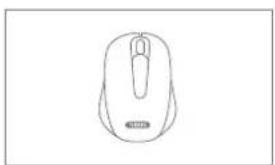
natural_image
Line drawing of a computer mouse with a circular head and scroll wheel (no text or symbols)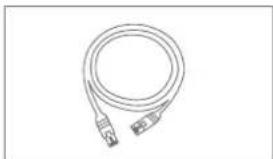
natural_image
Line drawing of a coiled cable or connector with two connectors (no text or symbols)
natural_image
Simple concentric circle diagram with no text or symbols
text_image
SnabbguideWARNINGAR

Security Tech Germany
natural_image
Line drawing of a security camera connected to an Ethernet via cable (no text or symbols)Security Tech Germany
1

text_image
Allowing Andemware Stage nyl Island Details nyl Island Userable for allowing to P... ✓ Off the island environment[0-10]. Do not enable an island name or other generator, server set. specify this, then check full as a local type or network.text_image
Analog Analogcam Admin Steps nft Element Microsoft Nft Element Liberal Tab adhering to IP... ✓ Click Home/Internet (P) + 100% C:400x - generic version with specification, custom version + 100% C:400x - generic version with + 100% C:400x - generic version with + 100% C:400x - generic version with + 100% C:400x - generic version with + 100% C:400x - generic version with + 100% C:400x - generic version with + 100% C:400x - Generic version with + 100% C:400x - Generic version with + 100% C:400x - Generic version with + 100% C:400x - Generic version with + 100% C:400x - Generic version with + 100% C:400x - Generic version with + 100% C:400y - Generic version with + 100% C:400y - Generic version with + 100% C:400y - Generic version with + 100% C:400y - Generic version with + 100% C:400y - Generic version with + 100% C:400y - Generic version with + 100% C:4.5x - Generic version with + 100% C:4.5x - Generic version with + 100% C:4.5x - Generic version with + 100% C:4.5x - Generic version with + 100% C:4.5x - Generic version with + 100% C:4.5x - Generic version with + 100% C:4. - Open Canceltext_image
Adversing Name/Description: admin Steps list stored: Details list stored: Listened for adhering on IP ✓ Design the following steps: specification: set/inserted by OK OK Cancel OK OK OK OK OK OK OK OK OK OK OK OK OK OK OK OK OK OK OK OK OK OK OK OK OK OK OK OK OK OK OK OK OK OK OK OK OK OK OK OK OK OK OK OK OK OK OK OK OK OK Ok OK OK Cancel OK OK OK OK OK OK OK OK OK OK OK OK OK OK OK OK OK OK OK OK OK OK OK OK OK OK OK OK OK OK OK OK OK OK OK OK OK OK OK OK OK OK OK OK OK OK Oktext_image
Network Network ID: 01-01-01-01 IP Address: 01-01-01-01 IP Address: 01-01-01-02 IP Address: 01-01-01-03 IP Address: 01-01-01-04 IP Address: 01-01-01-05 IP Address: 01-01-01-06 IP Address: 01-01-01-07 IP Address: 01-01-01-08 IP Address: 01-01-01-09 IP Address: 01-01-01-10 IP Address: 01-01-01-11 IP Address: 01-01-01-12 IP Address: 01-01-01-13 IP Address: 01-01-01-14 IP Address: 01-01-01-15 IP Address: 01-01-01-16 IP Address: 01-01-01-17 IP Address: 01-01-01-18 IP Address: 01-01-01-19 IP Address: 01-01-01-20 IP Address: 01-01-01-21 IP Address: 01-01-01-22 IP Address: 01-01-01-23 IP Address: 01-01-01-24 IP Address: 01-01-01-25 IP Address: 01-01-01-26 IP Address: 01-01-01-27 IP Address: 01-01-01-28 IP Address: 01-01-01-29 IP Address: 01-01-01-30 IP Address: 01-01-01-31 IP Address: 01-01-01-32 IP Address: 01-01-01-33 IP Address: 01-01-01-34 IP Address: 01-01-01-35 IP Address: 01-01-01-36 IP Address: 01-01-01-37 IP Address: 01-01-01-38 IP Address: 01-01-01-39 IP Address: 01-01-01-40 IP Address: 01-01-01-41 IP Address: 01-01-01-42 IP Address: 01-01-01-43 IP Address: 01-01-01-44 IP Address: 01-01-01-45 IP Address: 01-01-01-46 IP Address: 01-01-01-47 IP Address: 01-01-01-48 IP Address: 01-01-01-49 IP Address: 01-01-01-50 IP Address: 01-01-01-51 IP Address: 01-01-01-52 IP Address: 01-01-01-53 IP Address: 01-01-01-54 IP Address: 01-01-01-55 IP Address: 01-01-01-56 IP Address: 01-01-01-57 IP Address: 01-01-01-58 IP Address: 01-01-01-59 IP Address: 01-01-01-60 IP Address: 01-01-01-61 IP Address: 01-01-01-62 IP Address: 01-01-01-63 IP Address: 01-01-01-64 IP Address: 01-01-01-65 IP Address: 01-01-01-66 IP Address: 01-01-01-67 IP Address: 01-01-01-68 IP Address: 01-01-01-69 IP Address: 01-01-01-70 IP Address: 01-01-02/23/24/25/26/27/28/29/3/3/3/3/3/3/3/3/3/3/3/3/3/3/3/3/3/3/3/3/3/3/3/3/3/3/3/3/3/3/3/3/3/3/3/3/3/3/3/3/3/3/3/3/3/3/3/3/3/3/4/4/4/4/4/4/4/4/4/4/4/4/4/4/4/4/4/4/4/4/4/4/4/4/4/4/4/4/4/4/4/4/4/4/4/4/4/4/4/4/4/4/4/4/4/4/4/4/4/4/5text_image
Scanned screenshot of a software interface showing file selection options and system details in Chinese.text_image
File Name: 10.000.000 Size: 500 Date: March 2013 Date: March 2013 Date: March 2013 Date: March 2013 Date: March 2013 Date: March 2013 Date: March 2013 Date: March 2013 Date: March 2013 Date: March 2013 Date: March 2013 Date: March 2013text_image
Preview Preview Preview Preview OK Finishhttps://www.abus.com/product/TVVR36300
Programvara:

Security Tech Germany
ABUS


TVVR36300 / TVVR36700
GUIDA RAPIDA PER
REGISTRATORE IP
natural_image
Line drawing of a cable and rectangular device (no text or symbols)
natural_image
Line drawing of a computer mouse with a label 'ALABE' on the head (no other text or symbols)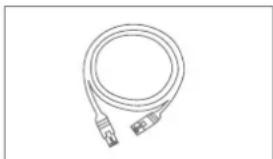
natural_image
Line drawing of a flexible broadband cable with connectors (no text or symbols)
natural_image
Simple geometric diagram with two concentric circles inside a rectangle (no text or symbols)
text_image
Gulda RapidaAVVERTENZE

Security Tech Germany
natural_image
Line drawing of a security camera connected to a network device via cables (no text or symbols present)Security Tech Germany
1
text_image
Welcome Home Users admin One name password Conf Password Password at destination info... ✓ Visit password range (in %). You can use a combination of business, restaurant, apartment and special character for your password with at least two times of heart consented. OK Finishtext_image
No authentication Home Users Access One name password Gait Password Password of alliations adds... ✓ Valid password range (0-10) ✓ Select common passwords and specific interface for your password. OK Canceltext_image
Name User(s) Name: password Circ type: password Circ Password: Password of attributes (delta...) ✓ Circ password range (0-100%) ✓ Select password range (0-100%) ✓ Select password range (0-100%) ✓ Select password range (0-100%) OK Canceltext_image
Properties Screen Type: HTML Name: HTML-000000000000000 Address: 123 Subtitle: 123 Software Name: Database Name: Description: automatic system name: Name (SIN) No. DNT: Unavailabletext_image
MapNet Colors Tip MFC File Edit Add Edit Remove Print Save As Delete As Edit As Edit As Edit As Edit As Edit As Edit As Edit As Edit As Edit As Edit As Edit As Edit As Edit As Edit As Edit As Edit As Edit As Edit As Edit As Edit As Edit As Edit As Edit As Edit As Edit As Edit As Edit As Edit As Edit As Edit As Edit As Edit As Edit As Edit 100% (100%) Edit 100% (100%) Edit 100% (100%) Edit 100% (100%) Edit 100% (100%) Edit 100% (100%) Edit 100% (100%) Edit 100% (100%) Edit 100% (100%) Edit 150% Edit 150% Edit 150% Edit 150% Edit 150% Edit 150% Edit 150% Edit 150% Edit 150% Edit 150% Edit 150% Edit 150% Edit 150% Edit 150% Edit 150% Edit 150% Edit 150% Edit 100% Edit 100% Edit 100% Edit 100% Edit 100% Edit 100% Edit 100% Edit 100% Edit 100% Edit 100% Edit 150% Edit 150% Edit 150% Edit 150% Edit 150% Edit 150% Edit 150% Edit 150% Edit 150% Edit 150% Edit 150% Edit 150% Edit 150% Edit 150% Edit 150% Edit 150% Edit Edit As Edit As Edit As Edit As Edit As Edit As Edit As Edit As Edit As Edit As Edit As Edit As Edit As Edit As Edit As Edit As Edit As Edit As Edit As Edit As Edit As Edit As Edit As Edit As Edit As Edit As Edit As Edit As Edit As Edit As Edit As Edit As Edit Astext_image
Proprietor License Type: MCI Address: DHCP Address: IPM Database: IPM Database: IPM Proprietor License (Initial Service) Server: DHCP No. DNS: Secondcode Name: http://www=DHP.org/10.0.12345789 System: http://www=DHP.org/10.0.12345789 Source: http://www=DHP.org/10.0.12345789 Edit: 12345789 Edit: 12345789 Edit: 12345789 Edit: 12345789 Edit: 12345789 Edit: 12345789 Edit: 12345789 Edit: 12345789 Edit: 123text_image
Primary Data Name: Summary_P Sequence: 1 Description: Summary_1 / Summary_2 Description: Summary_3 Description: Summary_4 Description: Summary_5 Description: Summary_6 Description: Summary_7 Description: Summary_8 Description: Summary_9 Description: Summary_10 Description: Summary_11 Description: Summary_12 Description: Summary_13 Description: Summary_14 Description: Summary_15 Description: Summary_16 Description: Summary_17 Description: Summary_18 Description: Summary_19 Description: Summary_20 Description: Summary_21 Description: Summary_22 Description: Summary_23 Description: Summary_24 Description: Summary_25 Description: Summary_26 Description: Summary_27 Description: Summary_28 Description: Summary_29 Description: Summary_30 Description: Summary_31 Description: Summary_32 Description: Summary_33 Description: Summary_34 Description: Summary_35 Description: Summary_36 Description: Summary_37 Description: Summary_38 Description: Summary_39 Description: Summary_40 Description: Summary_41 Description: Summary_42 Description: Summary_43 Description: Summary_44 Description: Summary_45 Description: Summary_46 Description: Summary_47 Description: Summary_48 Description: Summary_49 Description: Summary_50 Description: Summary_51 Description: Summary_52 Description: Summary_53 Description: Summary_54 Description: Summary_55 Description: Summary_56 Description: Summary_57 Description: Summary_58 Description: Summary_59 Description: Summary_60 Description: Summary_61 Description: Summary_62 Description: Summary_63 Description: Summary_64 Description: Summary_65 Description: Summary_66 Description: Summary_67 Description: Summary_68 Description: Summary_69 Description: Summary_70 Description: Summary_71 Description: Summary_72 Description: Summary_73 Description: Summary_74 Description: Summary_75 Description: Summary_76 Description: Summary_77 Description: Summary_78 Description: Summary_79 Description: Summary_80 Description: Summary_81 Description: Summary_82 Description: Summary_83 Description: Summary_84 Description: Summary_85 Description: Summary_86 Description: Summary_87 Description: Summary_88 Description: Summary_89 Description: Summary_90 Description: Summary_91 Description: Summary_92 Description: Summary_93 Description: Summary_94 Description: Summary_95 Description: Summary_96 Description: Summary_97 Description: Summary_98 Description: Summary_99 Description: Summary_100text_image
Properties Editor In confirm Deletehttps://www.abus.com/product/TVVR36300
Soft ware:

Security Tech Germany
ABUS


TVVR36300 / TVVR36700
natural_image
Line drawing of a cable and rectangular device (no text or symbols)
natural_image
Line drawing of a computer mouse with a label 'SARDA' on the handle (no other text or symbols)
natural_image
Line drawing of a flexible broadband cable with connectors (no text or symbols)
natural_image
Simple geometric diagram with two concentric circles inside a rectangle (no text or symbols)
text_image
Guía rápidaADVERTENCIAS

Security Tech Germany
natural_image
Line drawing of a security camera connected to a mounted device via cables (no text or symbols present)natural_image
Line drawing of a hand holding a rectangular device with arrows indicating movement or force (no text or symbols)text_image
Diagram showing three labeled views of a server rack with screw, battery, and indicator lights, indicating internal components and connections.natural_image
Hand holding a pen icon with control buttons and an arrow pointing to it (no text or symbols present)text_image
Type as XML DEEP Delete As Remove to Select Pvd Remove Pvd per instance Remove Pvd per instance (Pvd) as Sub-Set (Pvd) contains Sub-Set (Pvd) absence OK Cancel Helptext_image
Type of NET CNC Direction load Miscellaneous Control Pin Service Pin per operation Miscellaneous Service to Service Solid mode Service Solid mode Service Solid mode options End Eggs Exporttext_image
Type in NT: 100 (200/1000 GB) DHCP Direction not 100 (100, 5, 46) Direction not per instance 100 (100, 5, 46) Direction not per instance 100 (100, 5, 46) Direction not per instance 100 (100, 5, 46) Direction not per instance 100 (100, 5, 46) Direction not per instance 100 (100, 5, 46) Direction not per example 100 (100, 5, 46) Direction not per example 100 (100, 5, 46) Direction not per example 100 (100, 5, 46) Direction not per example 100 (100, 5, 46) Direction not per example 100 (100, 5, 46) Direction not per instance 100 (100, 5, 46) Direction not per instance 100 (100, 5, 46) Direction not per instance 100 (100, 5, 46) Direction not per instance 100 (100, 5, 46) Direction not per instances 100 (100, 5, 46) Direction not per instances 100 (100, 5, 46) Direction not per instances 100 (100, 5, 46) Direction not per instance 100 (100, 5, 46) Direction not per instance 100 (100, 5, 46) Direction not per instance 100 (100, 5, 46) Direction not per instance 100 (100, 5, 46) Direction not per occurrence 100 (100, 5, 46) Direction not per occurrence 100 (100, 5, 46) Direction not per occurrence 100 (100, 5, 46) Direction not per occurrence 100 (100, 5, 46) Direction not per occurrence 100 (100, 5, 46) Direction not per occurrences 100 (100, 5, 46) Direction not per occurrences 100 (100, 5, 46) Direction not per occurrences 100 (100, 5, 46) Direction not per occurrences 100 (100, 5, 46) Direction not per occurrences 100 (100, 5, 46) Direction not per occurrence 100 (100, 5, 46) Direction not per occurrence 100 (100, 5, 46) Direction not per occurrence 100 (100, 5, 46) Direction not per occurrence 100 (100, 5, 46) Direction not per appearance 100 (100, 5, 46) Direction not per appearance 100 (100, 5, 46) Direction not per appearance 100 (100, 5, 46) Direction not per appearance 100 (100, 5, 46) Direction not per appearance 100 (100, 5, 46) Direction not per occurrence 100 (100, 5, 46) Direction not per occurrence 100 (100, 5, 46) Direction not per occurrence 100 (100, 5, 46) Direction not per occurrence 100 (100, 5, 46) Direction not per event 1. Direction is left to the left. 2. Direction is right to the right. 3. Direction is left to the right. 4. Direction is right to the left. 5. Direction is left to the right. 6. Direction is right to the left. 7. Direction is left to the right. 8. Direction is right to the left. 9. Direction is left to the right. 1. Direction is left to the right. 2. Direction is right to the left. 3. Direction is left to the right. 4. Direction is left to the left. 5. Direction is right to the right. 6. Direction is left to the left. 7. Direction is right to the right. 8. Direction is left to the right. 9. Direction is right to the left. 1. Direction is left to the right. 2. Direction is right to the left. 3. Direction is left to the right. 4. Direction is left to the left. 5. Direction is right to the right. 6. Direction is left to the left. 7. Direction is right to the right. 8. Direction is left to the right. 9. Direction is right to the left. 1. Direction is left to the right. 2. Direction is right to the left。 3. Direction is left to the right. 4. Direction is left to the left. 5. Direction is right to the right. 6. Direction is left to the left. 7. Direction is right to the right. 8. Direction is left to the right. 9. Direction is right to the left. Bottom line: Bottom line: Left line: Right line: Left line: Right line: Left line: Right line: Left line: Right line: Left line: Right line: Left line: Right line: Left line: Right line: Left line: Right line: Left line: Right line: Left line: Right line: Left line: Right line: Left line: Right line: Left line: Right line: Left line: Right line: Left line: Right line: Left line: Right line: Left line: Right line: Left Line: Right line: Left line: Right line: Left line: Right line: Left line: Right line: Left line: Right line: Left line: Right line: Left line: Right line: Left line: Right line: Left line: Right line: Left line: Right line: Left line: Right line: Left line: Right line: Left line: Right line: Left line: Right line: Left line: Right line: Left line: Right line: Left line: Right linetext_image
File Path File Path ID File Path ID File Path Name: C:\Users\10.0000 Description: Personalization Description as true: www.cbs.com Description as true: C:\Users\10.0000 Description as true: C:\Users\10.0000 Description as true: C:\Users\10.0000 Description as true: C:\Users\10.0000 Description as true: C:\Users\10.0000 Description as true: C:\Users\10.0000 Description as true: C:\Users\10.0000 Description as True Description as False Description as False Description as False Description as False Description as False Description as False Description as False Description as False Description as False Description as False Description as False Description as False Description as False Description as False Description as False Description as False Description as False Description as False Description as False Description as False Description as False Description as False Description as False Description as False Description as False Description as True Description as True Description as True Description as True Description as True Description as True Description as True Description as True Description as True Description as True Description as True Description as True Description as True Description as True Description as True Description as True Description as True Description as True Description as True Description as True Description as True Description as True Description as True Description as True Description as True Description as Falsetext_image
File Edit View Help File Edit View Help File Edit View Help File Edit View Help File Edit View Help File Edit View Help File Edit View Help File Edit View Help File Edit View Help File Edit View Help File Edit View Help File Edit View Help File Edit View Help File Edit View Help File Edit View Help File Edit View Help File Edit View Help File Edit View Help File Edit View Help File Edit View Help File Edit View Helphttps://www.abus.com/product/TVVR36300
Soft ware:

Security Tech Germany
ABUS


TVVR36300 / TVVR36700
KRÓTKI PRZEWODNIK DO NAGRYWARKI IP
natural_image
Line drawing of a cable and rectangular device (no text or symbols)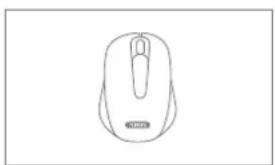
natural_image
Line drawing of a computer mouse with no text or symbols
natural_image
Line drawing of a flexible broadband cable with connectors (no text or symbols)
natural_image
Simple geometric diagram with two concentric circles inside a rectangle (no text or symbols)
text_image
Skrócony poradníknatural_image
Line drawing of a security camera connected to a router via cables (no text or symbols)Security Tech Germany

text_image
Name: obtywnia Display: Only display type Default displays Hosts do obtywni/boxy mini... ✓ Display screen displays (5.0), display only software icons, mostly used for real-time scanning/analysis. You can't have displays or download any programming device successfully download any data.text_image
Name: ablyllsnkta Address: 10000000000000000000000000000000000000000000000000000000000000000000000000000000000000000000000000000 Title to address summary info... ✓ Display names (e.g., 25-35) ✓ Print any or similar table in the image. OK Cancel Help Finishtext_image
Name optimization Lower name fields Parameters fields Hosts in any local currency info... ✓ Lower names (first 20, 15) ✓ Lower names (second 20, 15) ✓ Lower names (third 20, 15) OK Cancel OK Cancel OK Cancel OK Cancel OK Cancel OK Cancel OK Cancel OK Cancel OK Cancel OK Cancel OK Cancel OK Cancel OK Cancel OK Cancel OK Cancel OK Cancel OK Cancel OK Cancel OK Cancel OK Cancel OK Cancel OK Cancel OK Cancel OK Cancel OK Cancel OK Cancel OK Cancel OK Cancel OK Cancel OK Cancel OK Cancel OK Cancel OK Cancel OK Cancel OK Cancel OK Cancel OK Cancel OK Cancel OK Cancel OK Cancel OK Cancel 确定(O) Cancel Cancel Cancel Cancel Cancel Cancel Cancel Cancel Cancel Cancel Cancel Cancel Cancel Cancel Cancel Cancel Cancel Cancel Cancel Cancel Cancel Cancel Cancel Cancel Cancel Cancel Cancel Cancel Cancel Cancel Cancel Cancel Cancel Cancel Cancel Cancel Cancel Cancel Cancel Cancel Cancel Cancel Cancel Cancel Cancel Cancel Cancel Cancel Cancel Cancel Ctrl OK Cancel OK Cancel OK Cancel OK Cancel OK Cancel OK Cancel OK Cancel OK Cancel OK Cancel 确定(O) Cancel Cancel Cancel/Cancel Cancel/Cancel/Cancel/Cancel/Cancel/Cancel/Cancel/Cancel/Cancel/Cancel/Cancel/Cancel/Cancel/Cancel/Cancel/Cancel/Cancel/Cancel/Cancel/Cancel/Cancel/Cancel/Cancel/Cancel/Cancel/Cancel/Cancel/Cancel/Cancel/Cancel/Cancel/Cancel/Cancel/Cancel/Cancel/Cancel/Cancel/Cancel/Cancel/Cancel/Cancel/Cancel/Cancel/Cancel/Cancel/Cancel/Cancel/Cancel/Cancel/Cancel/Cancel / OK Cancel Cancel Cancel/Cancel/Cancel/Cancel/Cancel/Cancel/Cancel/Cancel/Cancel/Cancel/Cancel/Cancel/Cancel/Cancel/Cancel/Cancel/Cancel/Cancel/Cancel/Cancel/Cancel/Cancel/Cancel/Cancel/Cancel/Cancel/Cancel/Cancel/Cancel/Cancel/Cancel/Cancel/Cancel/Cancel/Cancel/Cancel/Cancel/Cancel/Cancel/Cancel/Cancel/Cancel/Cancel/Cancel/Cancel/Cancel/Cancel/Cancel/Cancel/c OK Cancel Cancel Cancel/Cancel/Cancel/Cancel/Cancel/Cancel/Cancel/Cancel/Cancel/Cancel/Cancel/Cancel/Cancel/Cancel/Cancel/Cancel/Cancel/Cancel/Cancel/Cancel/Cancel/Cancel/Cancel/Cancel/Cancel/Cancel/Cerneltext_image
Data entry ID: 01 Name: ID Name name: ID Name name: ID Description: C:\Users\Data\test\test.txt Parameters: C:\Users\Data\test\test.txt Parameters: C:\Users\Data\test.txt Parameters: C:\Users\Data\test.txt Settings: Details Save Cancel Helptext_image
File Settings File name: 0006 File path: 00 File ID: 123 Winning Image COMS Realtek (CDM) MicroPort Audio waveform Video waveform Realtek (CDM) Value Maximodate Lightest to 5 microfilm audio Noise optimization None OK/Cancel OK/Cancel Canceltext_image
Format Cells Type: 100 Name: 100 Size: 50 mm Size: 50 mm Size: 50 mm Size: 50 mm Size: 50 mm Size: 50 mm Size: 50 mm Size: 50 mm Size: 50 mm Size: 50 mm Size: 50 mm Size: 50 mm Size: 50 mm Size: 50 mm Size: 50 mm Slope: 1.266 (1.266) (1.266) Use: 1.266 (1.266) OK/Cancel Cancel Help Help OK/Cancel Cancel Help Canceltext_image
File1 (Normal) Name: 0 Description: Normal Page: 1 Document Type: Normal Type: Normal Date: 2015-04-23 Date: 2015-04-23 Date: 2015-04-23 Date: 2015-04-23 Date: 2015-04-23 Date: 2015-04-23 Date: 2015-04-23 Date: 2015-04-23 Design: Normal Page: Normal Date: 2015-04-23 Date: 2015-04-23 Date: 2015-04-23 Date: 2015-04-23 Date: 2015-04-23 Date: 2015-04-23 Date: 2015-04-26 Date: 2015-04-26 Date: 2015-04-26 Date: 2015-04-26 Date: 2015-04-26 Date: 2015-04-26 Date: 2015-04-26 Date: 2015-04-26 Deductions for the following: Balance: Balance: Balance to -1.0% due to non-zero imputations. Balance:text_image
Simulation Volume Chips Datalogs Storagehttps://www.abus.com/product/TVVR36300
Oprogramowanie: