
DW03101 - Rangefinder DEWALT - Free user manual and instructions
Find the device manual for free DW03101 DEWALT in PDF.



| Product Type | Laser Distance Measurer |
| Brand | DeWALT |
| Model | DW03101 |
| Dimensions (H x D x W) | 125.2 x 58 x 32.6 mm |
| Weight (with batteries) | 154 g |
| Power Supply | 2 AAA batteries (alkaline recommended) |
| Battery Life | Up to 5000 measurements |
| Laser Class | Class 2, 635 nm, < 1 mW |
| Measuring Range (target plate) | 100 m |
| Typical Range | 80 m |
| Measurement Tolerance (typical) | ± 1.0 mm |
| Smallest Displayed Unit | 0.1 mm |
| Inclination Measurement | Yes, up to 360° with tolerance ±0.2° |
| Measurement Functions | Distance, Min/Max, continuous, stakeout, addition/subtraction, area, volume, triangular, Pythagoras (2/3 points, partial height), intelligent horizontal mode, lateral tracking, horizontal leveling |
| Memory | Last 20 readings |
| Delay Timer | Yes, adjustable up to 60 s |
| Audible Beep | Yes (can be turned on/off) |
| Display Backlight | Yes |
| Protection Rating | IP54 (dust and water splash protection) |
| Auto Power Off | Laser after 90 s, device after 180 s |
| Operating Temperature | -10 °C to +50 °C |
| Storage Temperature | -25 °C to +70 °C |
| Multifunctional End Piece | Automatic detection, zero point adjustment |
| Maintenance | Clean with a soft, damp cloth; do not use solvents |
| Warranty | 30-day satisfaction guarantee, 1 year free maintenance, 1 year full warranty (Europe); 3 year limited warranty (North America) |
Frequently Asked Questions - DW03101 DEWALT
User questions about DW03101 DEWALT
0 question about this device. Answer the ones you know or ask your own.
Ask a new question about this device
Download the instructions for your Rangefinder in PDF format for free! Find your manual DW03101 - DEWALT and take your electronic device back in hand. On this page are published all the documents necessary for the use of your device. DW03101 by DEWALT.
USER MANUAL DW03101 DEWALT
Please read these instructions before operating the product.


Table of Contents
Instrument Set-up-2
Introduction- - - - - - - - - - - - - - - - - - - - - - - - - - - - - - - - - - - - - - - 2
Overview 2
Display - 3
Insert batteries 3
Operations 4
Switching ON/OFF -4
Clear 4
Message Codes 4
Adjusting measuring reference / tripod ----4
Multifunctional endpiece- - - - - - - - - - - - - - - - - - - - - - - - - - - - - - - - - - - - - - 5
Distance unit setting -5
Tilt unit setting----5
Timer (automatic release) -5
Beep ON/OFF----6
Illumination ON/OFF -6
Measuring Functions ......7
Measuring single distance - - - - - - - - - - - - - - - - - - - - - - - - - - - - - - - - - - - - - - - - - - 7
Permanent / Minimum-Maximum measuring - - - - - - 7
Add / Subtract - - - - - - - - - - - - - - - - - - - - - - - - - - - - - - - - - - - - - - 7
Area-8
Volume-9
Triangular area 10
Pythagoras (2-point) 11
Pythagoras (3-point) 11
Pythagoras (partial height) 12
Stake out 13
Smart Horizontal Mode 13
Height tracking 14
Leveling 14
Memory (20 last displays) 15
Delete Memory 15
Calibration 16
Calibration of tilt sensor (Tilt Calibration) - - - - - - - - 16
Technical Data 17
Message Codes 18
Care 18
Warranty 18
Safety Instructions....18
Areas of responsibility 18
Permitted use 19
Prohibited use - - - - - - - - - - - - - - - - - - - - - - - - - - - - - - - - - 19
Hazards in use 19
Limits of use 19
Disposal 19
Electromagnetic Compatibility (EMC)- - - - - - - - - - - 19
FCC statement (applicable in U.S.) - - - - - - - - - - - - - - - - - - - - 20
Laser classification- - - - - - - - - - - - - - - - - - - - - - - - - - - - - - - - - - - - - - - 20
Labelling - - - - - - - - - - - - - - - - - - - - - - - - - - - - - - - - - - - - 20
Instrument Set-up
Introduction

The safety instructions and the user manual should be read through carefully before the product is used for the first time.

The person responsible for the product must ensure that all users understand these directions and adhere to them.
The symbols used have the following meanings:
WARNING
Indicates a potentially hazardous situation or an unintended use which, if not avoided, will result in death or serious injury.
CAUTION
Indicates a potentially hazardous situation or an unintended use which, if not avoided, may result in minor injury and/or appreciable material, financial and environmental damage.
i Important paragraphs which must be adhered to in practice as they enable the product to be used in a technically correct and efficient manner.
Overview
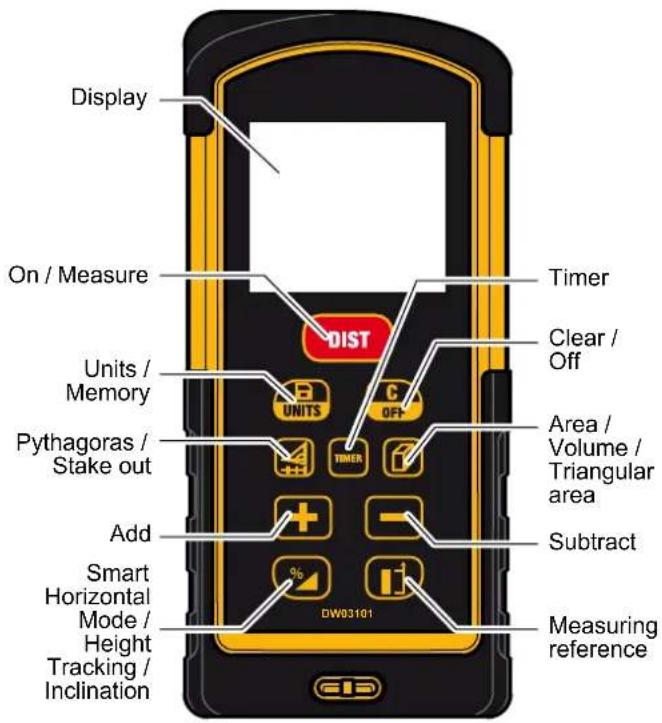
Instrument Set-up
Display
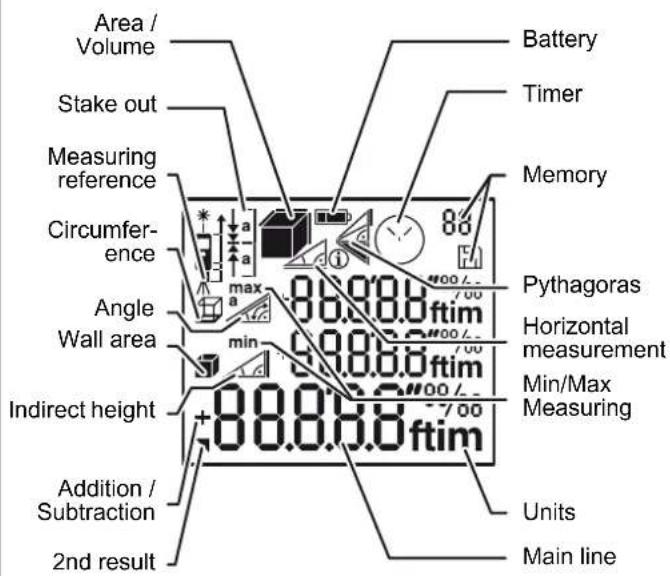
Insert batteries
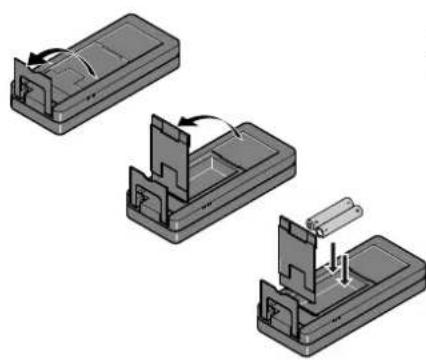
natural_image
Three technical diagrams showing mechanical assembly steps (no text or symbols)i
To ensure a reliable use, do not use zinc-carbon batteries. Change batteries when battery symbol is flashing.
Operations
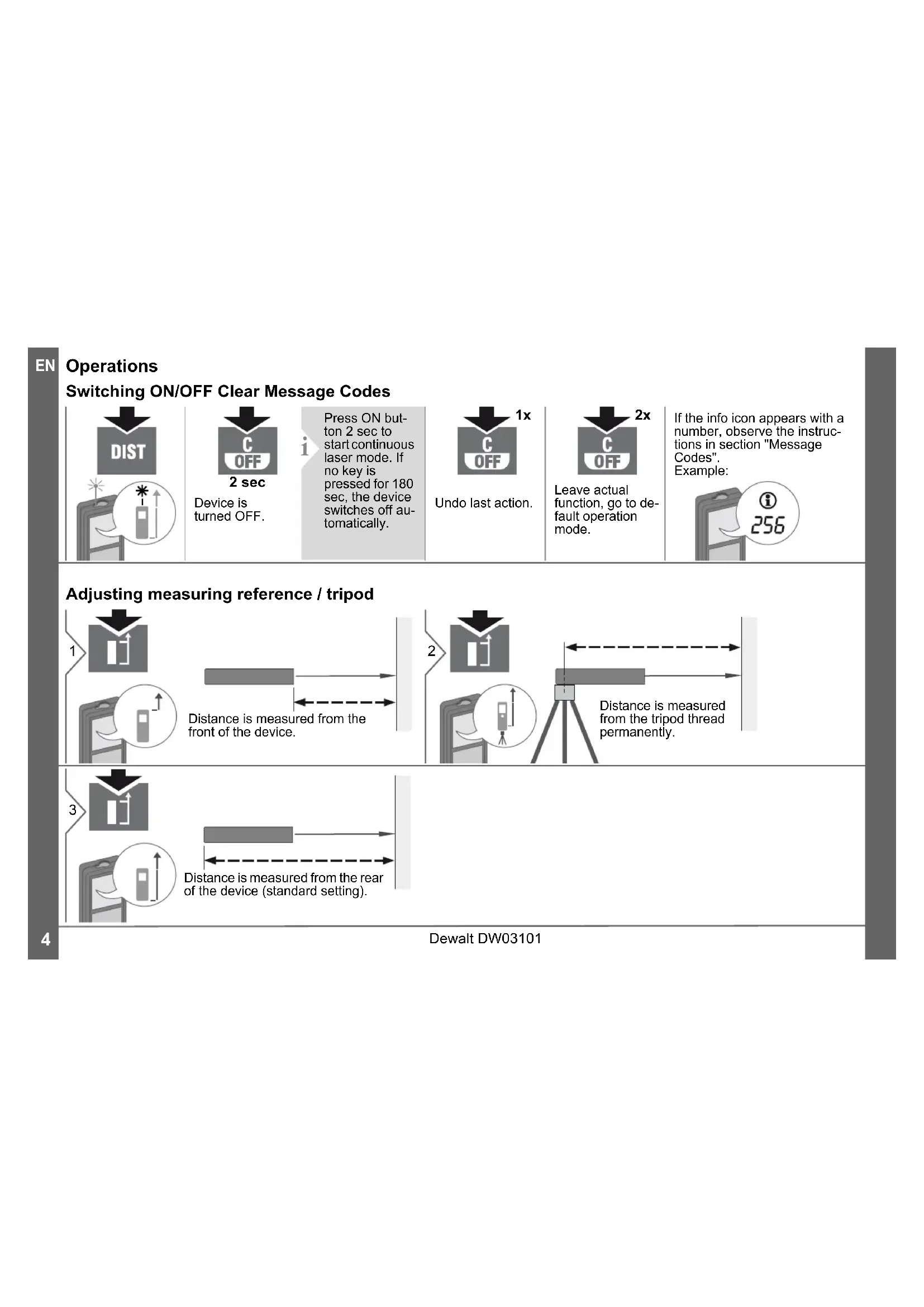
Switching ON/OFF Clear Message Codes
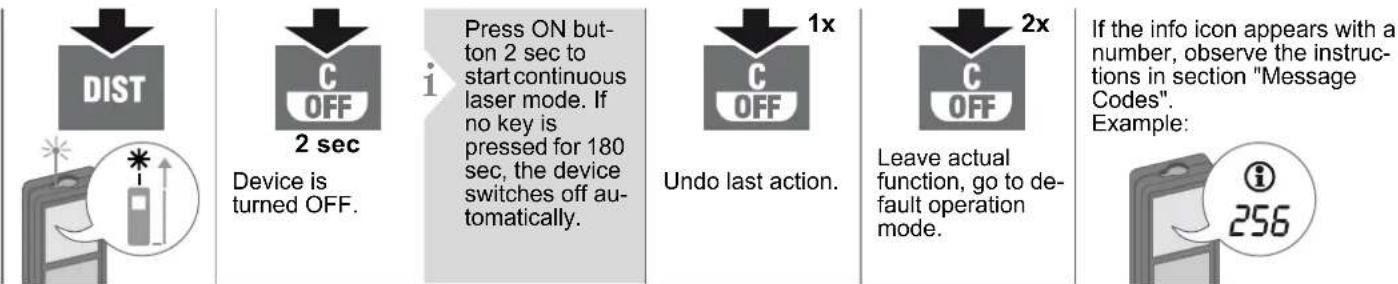
flowchart
graph LR
    A["DIST"] --> B["Device is turned OFF"]
    B --> C["Press ON button 2 sec to start continuous laser mode. If no key is pressed for 180 sec, the device switches off automatically."]
    C --> D["Undo last action"]
    D --> E["Leave actual function, go to default operation mode."]
    E --> F["If the info icon appears with a number, observe the instructions in section "Message Codes". Example: i 256"]
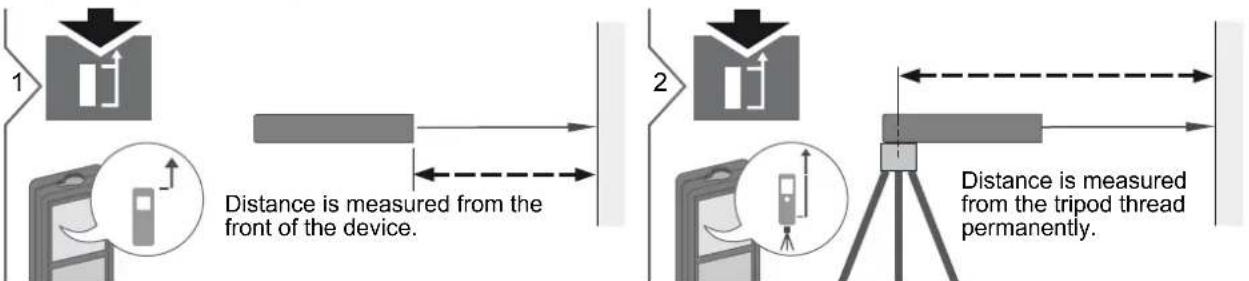
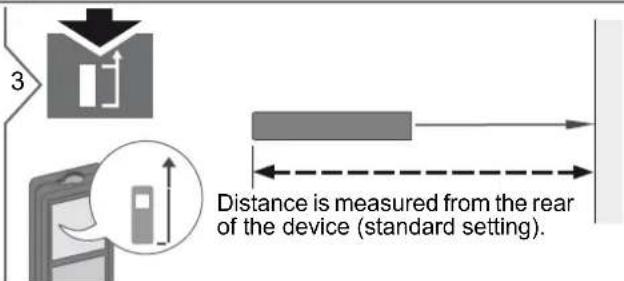
Adjusting measuring reference / tripod
Operations
Multifunctional endpiece
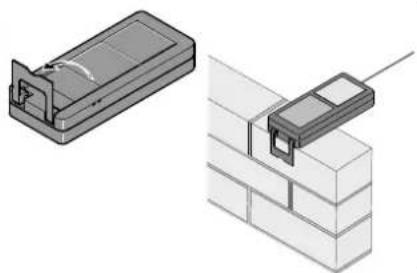
natural_image
Two technical illustrations of a brick wall assembly: one with a plastic housing and the other with a mounted component (no text or symbols)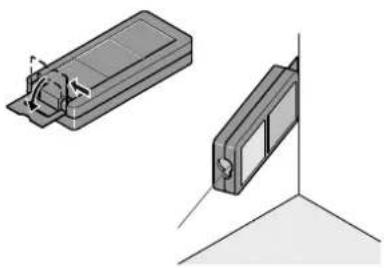
natural_image
Technical illustration of two mechanical components with directional arrows indicating motion (no text or symbols)i
The orientation of the endpiece is automatically detected and the zero point is accordingly adjusted.
Distance unit setting Tilt unit setting

2 sec
Switch between the following units:
| 0.000 m | 0.00 ft |
| 0.0000 m | 0'00" 1/32 |
| 0.00 m | 0.00 in |
| 0 in 1/32 |


2 sec
simultaneously
Switch between the following units:
| 180° |
| 0.0% |
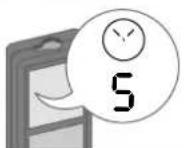
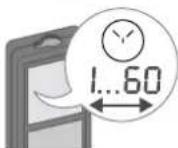
Timer (automatic release)

2


Adjust delay of automatic release (max. 60 sec, standard setting 5 sec)
i
Once the key is released with the laser activated, the remaining seconds until the measurement are displayed in a countdown. The delayed release is recommended for precise aiming e.g. at long distances. It avoids shaking of the device when pressing the measurement key.
Dewalt DW03101
Operations
Beep ON/OFF Illumination ON/OFF

2 sec
simultaneously


2 sec
simultaneously
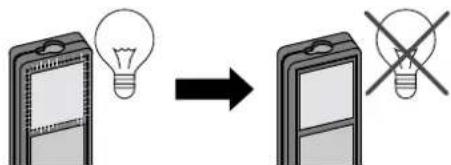
Measuring Functions
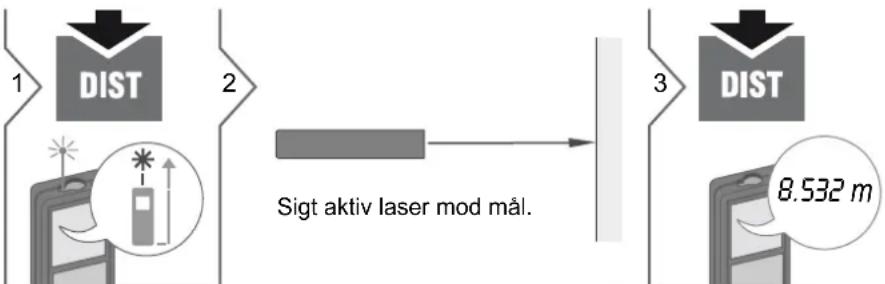
Measuring single distance

flowchart
graph LR
    A["1 DIST"] --> B["2"]
    B --> C["3"]
    C --> D["3"]
    D --> E["8.532 m"]
Permanent / Minimum-Maximum measuring
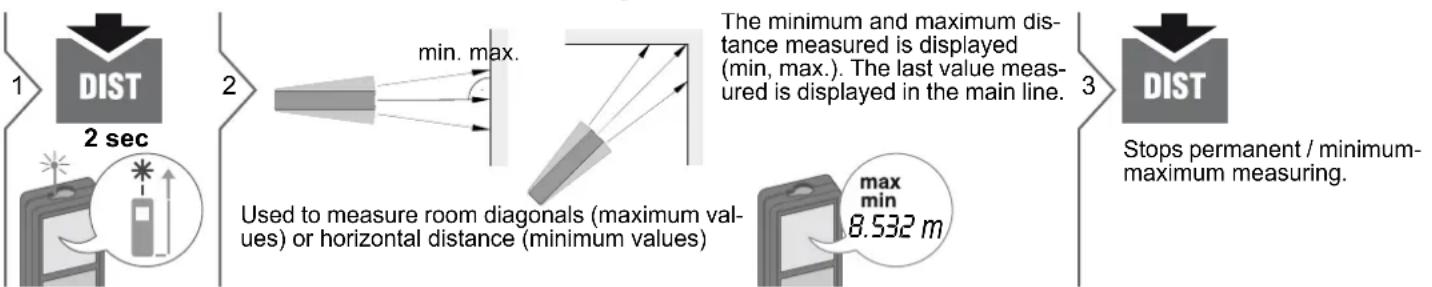
flowchart
graph LR
    A["1 DIST 2 sec"] --> B["2"]
    B --> C["3"]
    C --> D["3"]

    subgraph Section 1
        E["User icon with light source"] --> F["User device icon"]
    end

    subgraph Section 2
        G["Used to measure room diagonals (maximum values) or horizontal distance (minimum values)"] --> H["The minimum and maximum distance measured is displayed (min, max). The last value measured is displayed in the main line."]
    end

    subgraph Section 3
        I["User device icon"] --> J["Stop permanent / minimum-maximum measuring."]
    end
Add / Subtract
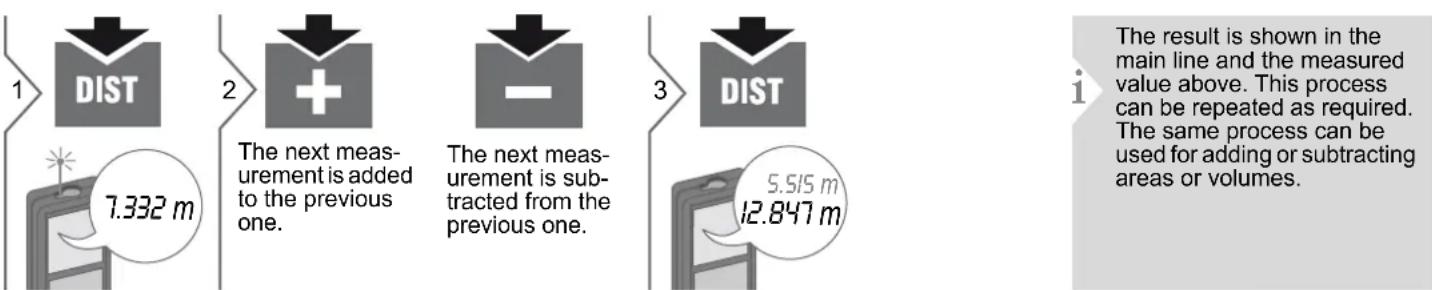
flowchart
graph LR
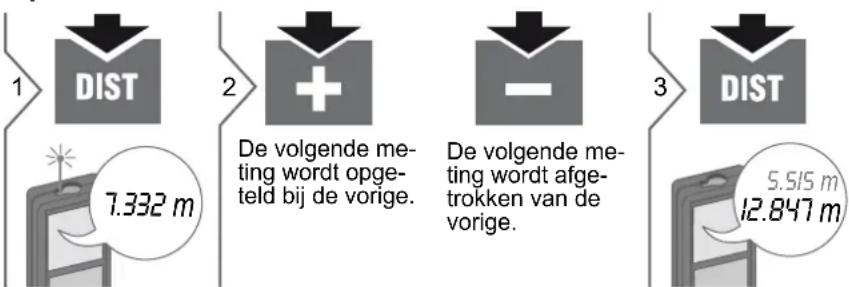
    A["1: DIST"] --> B["2: The next measurement is added to the previous one."]
    B --> C["3: The next measurement is subtracted from the previous one."]
    C --> D["5.515 m"]
    D --> E["12.847 m"]
Dewalt DW03101
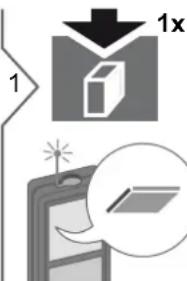
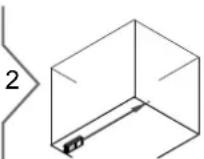
Aim laser at first target point.


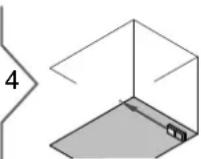
Aim laser at second target point.

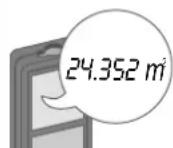
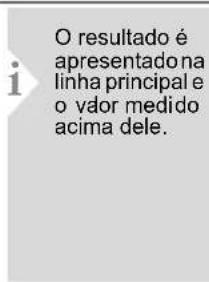
The result is shown in the main line and the measured value above.

2 sec

19.823 m
Circumference
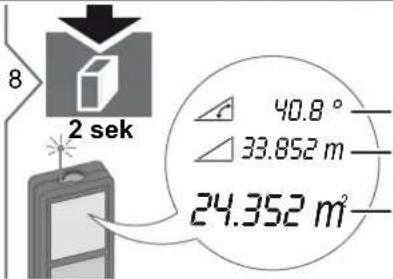
24.352 m²
Area
Measuring Functions
Volume
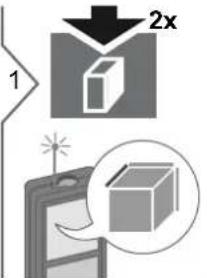
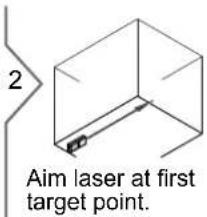
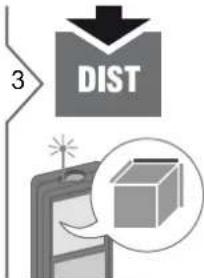
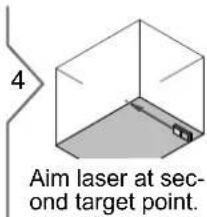
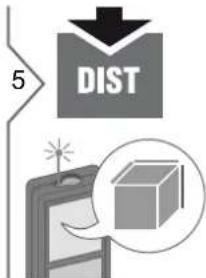
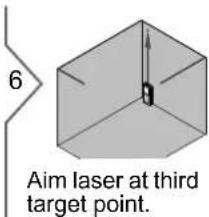
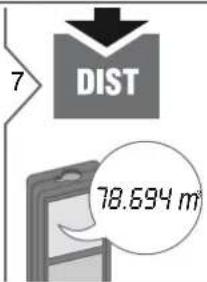
The result is shown in the main line and the measured value above.
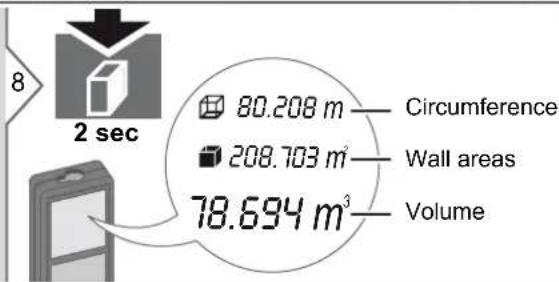
Measuring Functions
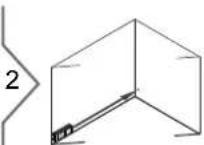
Triangular area
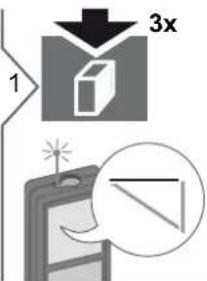
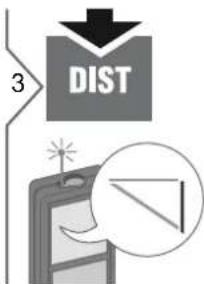
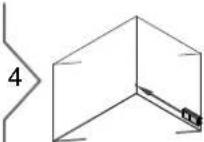
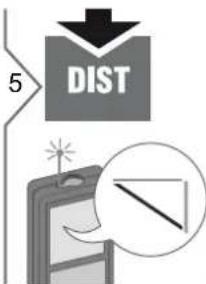
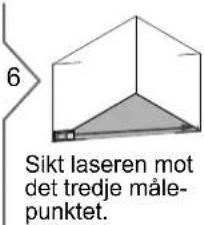
Aim laser at first target point.
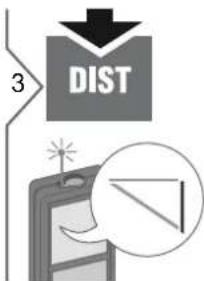

Aim laser at second target point.
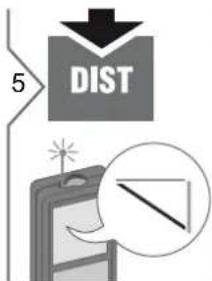
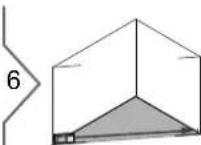
Aim laser at third target point.
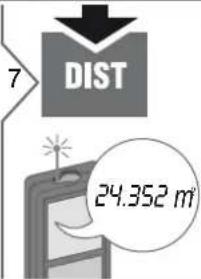
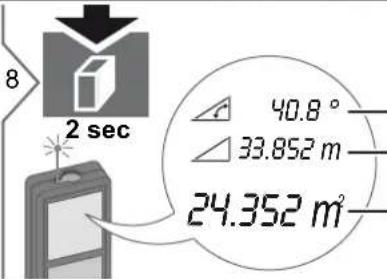
Angle included by the first two measurements
Circumference
Triangular area
Measuring Functions
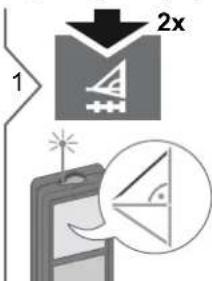
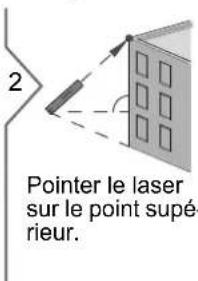
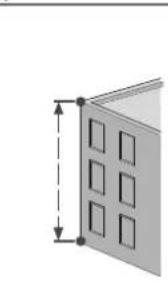
Pythagoras (2-point)
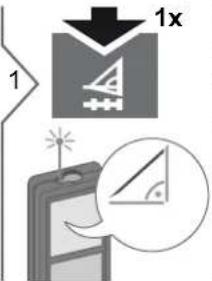
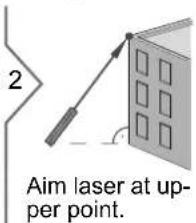
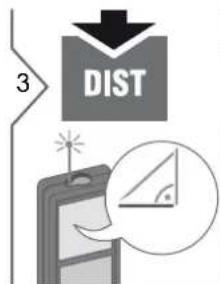
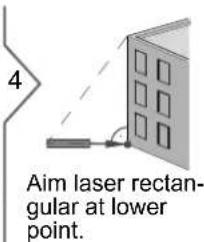
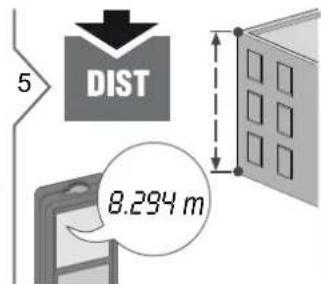
The result is shown in the main line and the measured distance above. Pressing the measuring key for 2 sec in the function activates automatically Minimum or Maximum measurement.
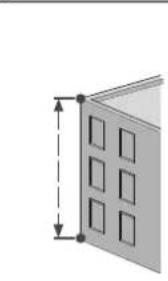
Pythagoras (3-point)
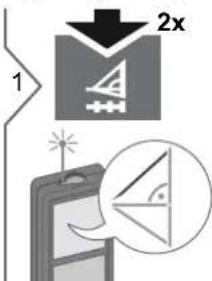
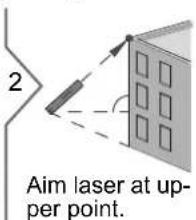
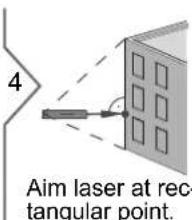
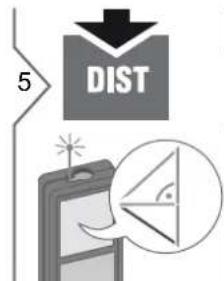
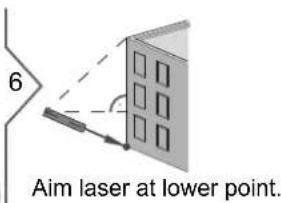
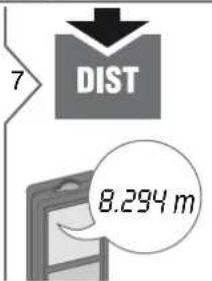
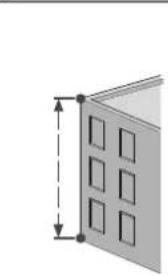
natural_image
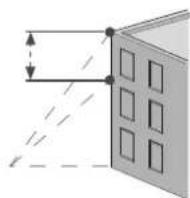
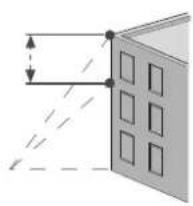
Diagram of a door with square cutouts and vertical dimension lines (no text or symbols)The result is shown in the main line and the measured distance above. Pressing the measuring key for 2 sec in the function activates automatically Minimum or Maximum measurement.
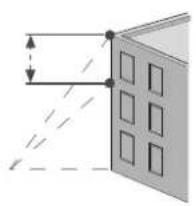
Measuring Functions Pythagoras (partial height)
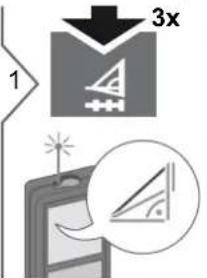
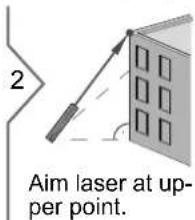
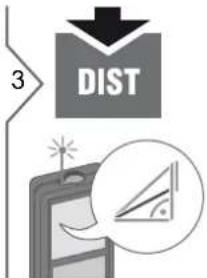
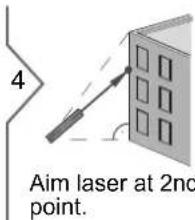
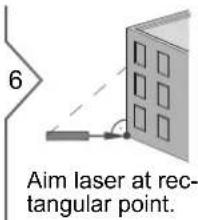
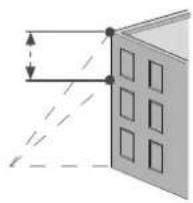
natural_image
Diagram showing light rays passing through a window with a dashed line indicating direction (no text or symbols)i
The result is shown in the main line and the measured distance above. Pressing the measuring key for 2 sec in the function activates automatically Minimum or Maximum measurement.
Measuring Functions
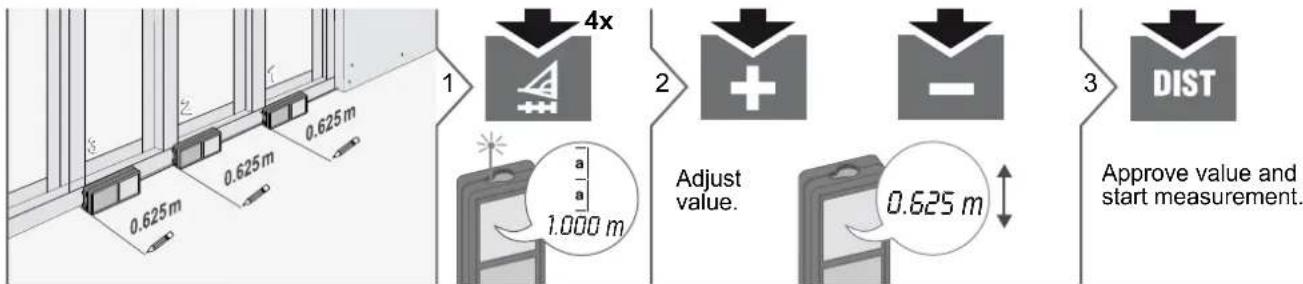
Stake out

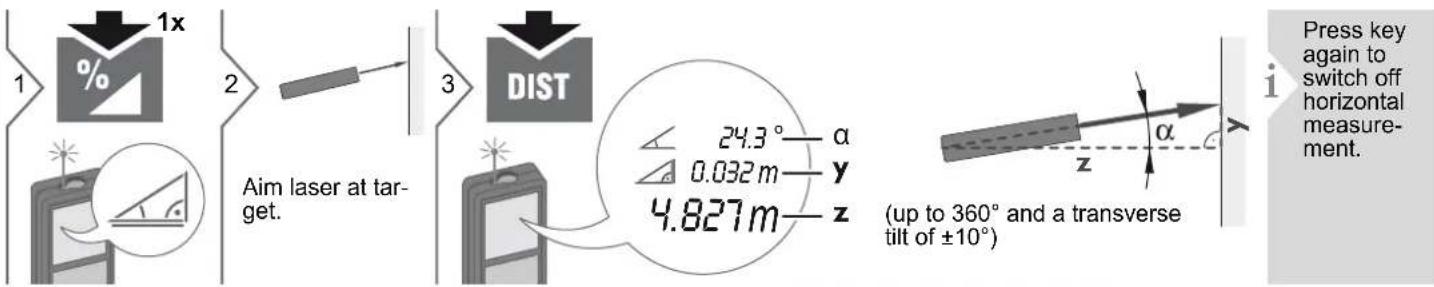
Smart Horizontal Mode
Dewalt DW03101
Measuring Functions
Height tracking

This function displays continuously the tracking height if the device is turned on a tripod. No 2nd distance measuring is needed as only the angle is automatically measured.
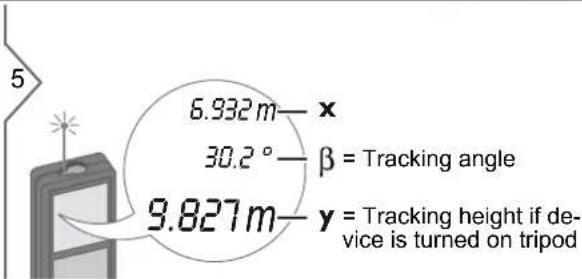
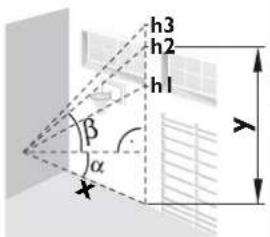
The tracked height "y" is in 90° to the 1st aimed point "x".
Stops Height tracking and displays last measurement.
Leveling
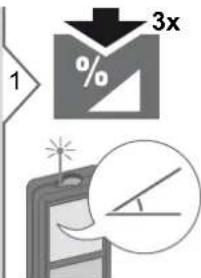
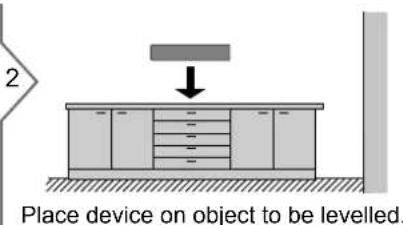
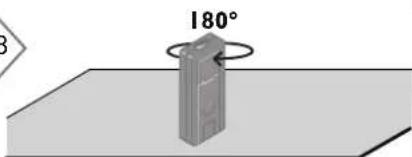
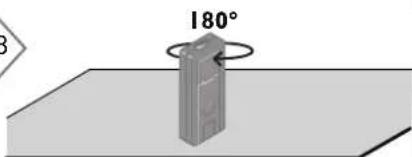
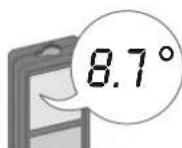
This function displays continuously the inclination of the device. From an inclination of ±5^ the device starts beeping frequently. The more it gets to 0^ the faster it beeps. If an inclination of ±0.3^ is reached the device beeps continuously.
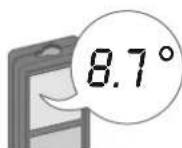
The inclination is displayed (Range ±180°).
Measuring Functions
Memory (20 last displays) Delete Memory
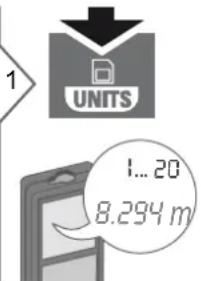
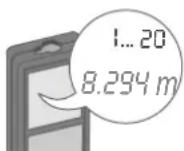
20 last displays are displayed.
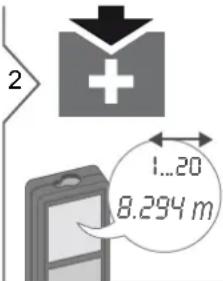

Navigates trough 20 last displays.

2 sec
The value from the main line can be used for further calculations.
3

2 sec
simultaneously
Memory is completely deleted.
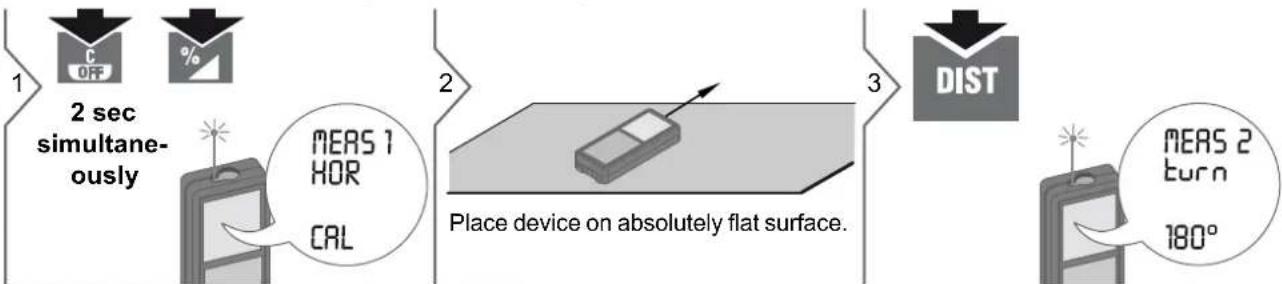
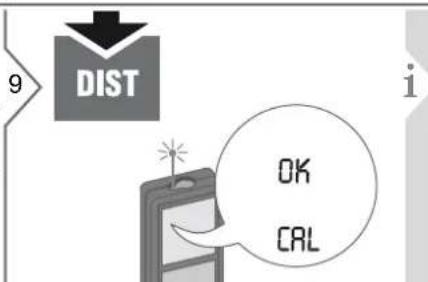
Calibration
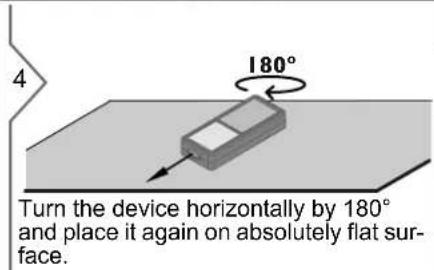
Calibration of tilt sensor (Tilt Calibration)
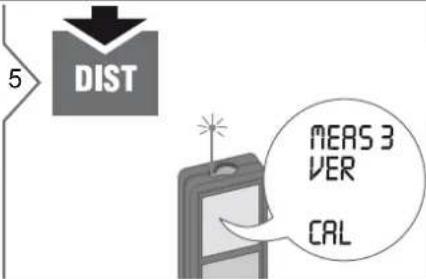
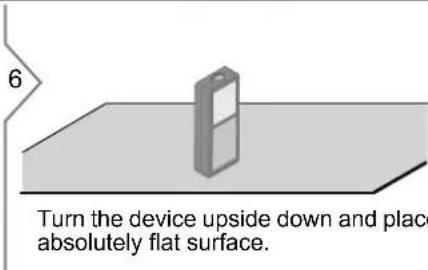
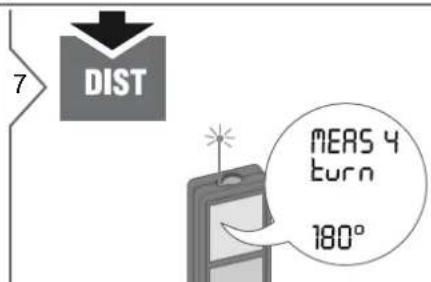
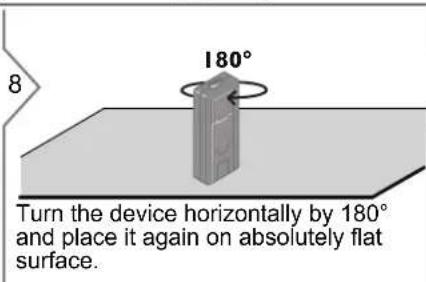
Technical Data
| Distance measurement | |
| Typical Measuring Tolerance* ± 1.0 mm / 0.04 in *** | |
| Maximum Measuring Tolerance** | ± 2.0 mm / 0.08 in *** |
| Range of target plate 100 m / 330 ft | |
| Typical Range* 80 m / 262 ft | |
| Range at unfavourable condition **** | 60 m / 197 ft |
| Smallest unit displayed 0.1 mm / 1/32 in | |
| ∅ laser point at distances | 6 /30 / 60 mm(10 / 50 / 100 m) |
| Tilt measurement | |
| Measuring tolerance to laser beam**** | ± 0.2° |
| Measuring tolerance to housing**** | ± 0.2° |
| Range 360° | |
| General | |
| Laser class 2 | |
| Laser type 635 nm, < 1 mW | |
| Beam divergence 0.16 x 0.6 mrad | |
| Impulse duration 0.2 x 10 | -9s - 0.8 x 10⁻⁹s |
| Protection class IP54 (dust- and splash water protected) | |
| Autom. laser switch off after 90 s | |
| Autom. power switch-off after 180 s | |
| Battery durability (2 x AAA) up to 5000 measurements | |
| Dimension (H x D x W) 125.2 x 58 x 32.6 mm4.9 x 2.3 x 1.3 in | |
| Weight (with batteries) | 154 g / 5.43 oz |
| Temperature range: | |
| - Storage | -25 to 70 °C-13 to 158 °F |
| - Operation | -10 to 50 °C14 to 122 °F |
* applies for 100 % target reflectivity (white painted wall), low background illumination, 25 °C
** applies for 10 to 500 % target reflectivity, high background illumination, - 10 °C to + 50 °C
*** Tolerances apply from 0.05 m to 10 m with a confidence level of 95%. The maximum tolerance may deteriorate to 0.1 mm/m between 10 m to 30 m and to 0.2 mm/m for distances above 30 m
**** applies for 100 % target reflectivity, background illumination of approximately 30'000 lux
\\\\ after user calibration. Additional angle related deviation of +/- 0.01^ per degree up to +/- 45^ in each quadrant. Applies at room temperature. For the whole operating temperature range the maximum deviation increases by +/- 0.1^ .
For accurate indirect results, the use of a tripod is recommended. For accurate tilt measurements a transverse tilt should be avoided.
| Functions | |
| Distance measuring | yes |
| Min/Max measuring | yes |
| Permanent measuring | yes |
| Stake-out | yes |
| Addition/Subtraction | yes |
| Area | yes |
| Volume | yes |
| Pythagoras | 2-point, 3-point, partial height |
| Smart Horizontal Mode / Indirect height | yes |
| Height tracking | yes |
| Levelling | yes |
| Memory | 20 displays |
| Beep | yes |
| Illuminated display | yes |
| Multifunctional endpiece | yes |
Message Codes
If the message Error does not disappear after switching on the device repeatedly, contact the dealer.
If the message InFo appears with a number, press the Clear button and observe the following instructions:
No. Cause Correction
| 156 Transverse tilt greater than 10° | Hold the instrument without any transverse tilt. |
| 162 Calibration mistake Make sure, the device is placed on a absolutely horizontal and flat surface. Repeat the calibration procedure. If the mistake still occurs, contact your dealer. | |
| 204 Calculation error Perform measurement again. | |
| 252 Temperature too high | Let device cool down. |
| 253 Temperature too low | Warm device up. |
| 255 Received signal too weak, measuring time too long | Change target surface (e.g. white paper). |
| 256 Received signal too high | Change target surface (e.g. white paper). |
| 257 Too much background light | Shadow target area. |
| 258 Measurement outside of measuring range | Correct range. |
| 260 Laser beam interrupted | Repeat measurement. |
Care
- Clean the device with a damp, soft cloth.
- Never immerse the device in water.
- Never use aggressive cleaning agents or solvents.
Warranty
Europe:
•30 day no risk satisfaction guarantee
•One year free service
•One year full warranty
Detailed information are available on the internet at www.2helpU.com.
North America:
•Three year limited warranty
•One year free service
•90 day money back guarantee
Detailed information are available on the internet at www.dewalt.com.
Safety Instructions
The person responsible for the instrument must ensure that all users understand these directions and adhere to them.
Areas of responsibility
Responsibilities of the manufacturer of the original equipment:
Europe:
DEWALT
D-65510 Idstein, Germany
www.2helpU.com
www.dewalt.eu
North America:
DEWALT Industrial Tool Co.
Baltimore, MD21286, USA
For service call 1-800-4-DEWALT.
www.dewalt.com
The company above is responsible for supplying the product, including the User Manual in a completely safe condition. The company above is not responsible for third party accessories.
Responsibilities of the person in charge of the instrument:
• To understand the safety instructions on the product and the instructions in the User Manual.
• To be familiar with local safety regulations relating to accident prevention.
•Always prevent access to the product by unauthorised personnel.
Safety Instructions
Permitted use
•Measuring distances
•Tilt measurement
Prohibited use
• Using the product without instruction
• Using outside the stated limits
- Deactivation of safety systems and removal of explanatory and hazard labels
- Opening of the equipment by using tools (screwdrivers, etc.)
- Carrying out modification or conversion of the product
- Use of accessories from other manufacturers without express approval
- Deliberate dazzling of third parties; also in the dark
• Inadequate safeguards at the surveying site (e.g. when measuring on roads, construction sites, etc.)
- Deliberate or irresponsible behavior our on scaffolding, when using ladders, when measuring near machines which are running or near parts of machines or installations which are unprotected
•Aiming directly in the sun
Hazards in use
WARNING
Watch out for erroneous measurements if the instrument is defective or if it has been dropped or has been misused or modified. Carry out periodic test measurements. Particularly after the instrument has been subject to abnormal use, and before, during and after important measurements.
CAUTION
Never attempt to repair the product yourself. In case of damage, contact a local dealer.
WARNING
Changes or modifications not expressly approved could void the user's authority to operate the equipment.
Limits of use
i Refer to section "Technical data". The device is designed for use in areas permanently habitable by humans. Do not use the product in explosion hazardous areas or in aggressive environments.
Disposal
CAUTION
Flat batteries must not be disposed of with household waste. Care for the environment and take them to the collection points provided in accordance with national or local regulations.
The product must not be disposed with household waste.
Dispose of the product appropriately in accordance with the national regulations in force in your country.

Adhere to the national and country specific regulations.
Product specific treatment and waste management can be downloaded from our homepage.
Electromagnetic Compatibility (EMC)
WARNING
The device conforms to the most stringent requirements of the relevant standards and regulations.
Yet, the possibility of causing interference in other devices cannot be totally excluded.
Safety Instructions
FCC statement (applicable in U.S.)
This equipment has been tested and found to comply with the limits for a Class B digital device, pursuant to part 15 of the FCC Rules. These limits are designed to provide reasonable protection against harmful interference in a residential installation. This equipment generates, uses and can radiate radio frequency energy and, if not installed and used in accordance with the instructions, may cause harmful interference to radio communications.
However, there is no guarantee that interference will not occur in a particular installation. If this equipment does cause harmful interference to radio or television reception, which can be determined by turning the equipment off and on, the user is encouraged to try to correct the interference by one or more of the following measures:
- Reorient or relocate the receiving antenna.
- Increase the separation between the equipment and receiver.
- Connect the equipment into an outlet on a circuit different from that to which the receiver is connected.
- Consult the dealer or an experienced radio/TV technician for help.
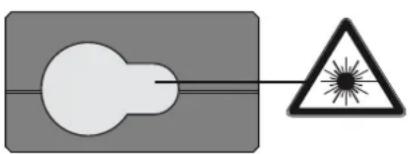
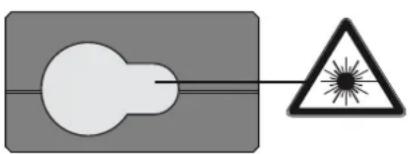
Laser classification
natural_image
Simple diagram showing a light bulb connected to a triangular warning symbol (no text or labels)The device produces visible laser beams, which are emitted from the instrument: It is a Class 2 laser product in accordance with:
- IEC60825-1 : 2007 „Radiation safety of laser products“
Laser Class 2 products:
Do not stare into the laser beam or direct it towards other people unnecessarily. Eye protection is normally afforded by aversion responses including the blink reflex.
WARNING
Looking directly into the beam with optical aids (e.g. binoculars, telescopes) can be hazardous.
CAUTION
Looking into the laser beam may be hazardous to the eyes.
Labelling
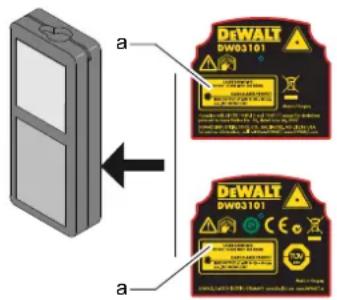
Attach the laser sticker (a) of your country language.
Inhalt
Inbetriebnahme -2
Einleitung - - - - - - - - - - - - - - - - - - - - - - - - - - - - - - - - - - - - - - 2
Übersicht 2
Anzeige 3
Batterien einsetzen - - - - - - - - - - - - - - - - - - - - - - - - - - - - - - - - - - - - - 3
Bedienung 4
Ein- / Ausschalten - - - - - - - - - - - - - - - - - - - - - - - - - - - - - - - - - - - - - - 4
Zurück - - - - - - - - - - - - - - - - - - - - - - - - - - - - - - - - - - - - - - - 4
Meldungscodes- - - - - - - - - - - - - - - - - - - - - - - - - - - - - - - - - - - - - - - - - - - 4
Einstellung der Messebene / Stativ - - - - - - - - - - - - - - - - - - - - - - - - - - - - - - - - - - - - - - - 4
Multifunktionales Endstück - - - - - - - - - - - - - - - - - - - - - - - - - - - - 5
Einstellung der Einheit der Distanz - - - - - - - - - - - - - - - - - - - - - - - - - - - - - - - - - - - - - - 5
natural_image
Three technical diagrams showing mechanical assembly steps (no text or symbols)i
natural_image
Two technical illustrations of a brick wall assembly: one with a rectangular block and internal cutout, the other with a small rectangular component inserted into a stack (no text or symbols)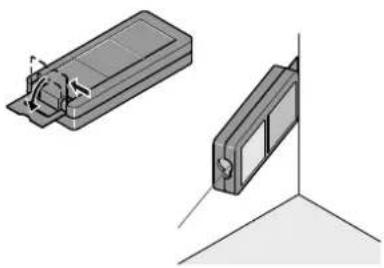
natural_image
Technical illustration of two mechanical components with mounting holes and a vertical guide (no text or symbols)i
Messfunktionen
flowchart
graph LR
    A["1: Laser on computer"] --> B["2x: 2x laser on 2x point"]
    B --> C["3: Laser on 2x point"]
    C --> D["4: Laser on 2x point"]
    D --> E["5: Laser on 2x point"]
    E --> F["6: Laser on 2x point"]
    style A fill:#f9f,stroke:#333
    style F fill:#f9f,stroke:#333

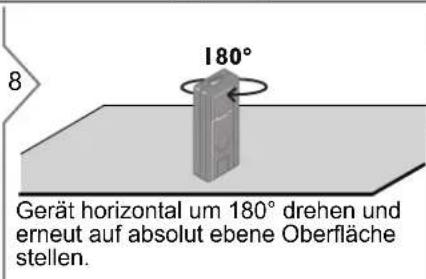
Technische Daten
Distanzmessung
D-65510 Idstein, Germany
www.2helpU.com
www.dewalt.eu
Nordamerika:
DEWALT Industrial Tool Co.
Baltimore, MD21286, USA
Service-Telefonnummer: 1-800-4-
DEWALT
www.dewalt.com
natural_image
Simple diagram showing a light bulb connected to a triangular warning symbol with a radiating starburst (no text or labels)natural_image
Three technical diagrams showing mechanical assembly steps (no text or symbols)Fonctions de mesure
Addition / Soustraction
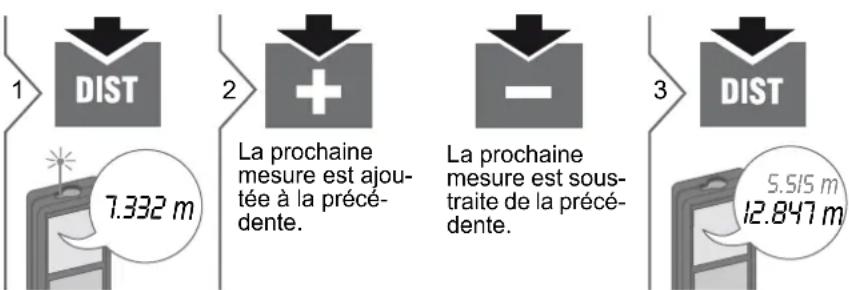
Pythagore (2 points)
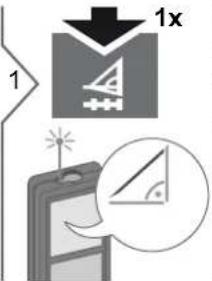
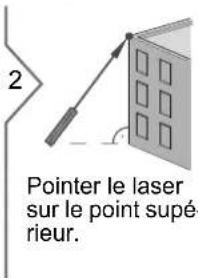
Pythagore (3 points)
natural_image
Diagram of a 3D panel with a grid pattern and vertical dimension lines (no text or symbols)
natural_image
Diagram showing a window with a vertical line and dashed lines, no text or symbols presenti
natural_image
Simple diagram of a cabinet with an arrow pointing downward, no text or symbols presentflowchart
graph TD
    A["5 DIST"] --> B["Device with 'MEAS 3 VER CAL' speech bubble"]
D-65510 Idstein, Germany
www.2helpU.com
www.dewalt.eu
Amérique du Nord:
DEWALT Industrial Tool Co.
Baltimore, MD21286, USA
Classification laser
natural_image
Simple diagram showing a light bulb connected to a triangular warning symbol (no text or labels)natural_image
Three technical diagrams showing mechanical assembly steps (no text or symbols)natural_image
Technical illustration of two mechanical components mounted on a brick wall (no text or symbols)
natural_image
Technical illustration of two mechanical components with mounting holes, shown in isometric view (no text or symbols)i
Funzioni di misura

Dati tecnici
D-65510 Idstein, Germany
www.2helpU.com
www.dewalt.eu
Nord America:
DEWALT Industrial Tool Co.
Baltimore, MD21286, USA
natural_image
Simple diagram showing a light bulb connected to a triangular warning symbol (no text or labels)natural_image
Three technical diagrams showing mechanical assembly steps (no text or symbols)
natural_image
Diagram of a 3D panel with a grid pattern and vertical dimension lines (no text or symbols)
i
natural_image
Simple diagram of a cabinet with an arrow pointing downward, no text or symbols presentnatural_image
Simple 3D diagram of a vertical rectangular object on a flat surface, no text or symbols present8
D-65510 Idstein, Germany
www.2helpU.com
www.dewalt.eu
Norte América:
DEWALT Industrial Tool Co.
Baltimore, MD21286, USA
natural_image
Simple diagram showing a light bulb connected to a triangular warning symbol (no text or labels)natural_image
Three technical diagrams showing mechanical assembly steps (no text or symbols)i
natural_image
Two technical illustrations of a brick wall assembly: one with a plastic housing and the other with a mounted component (no text or symbols)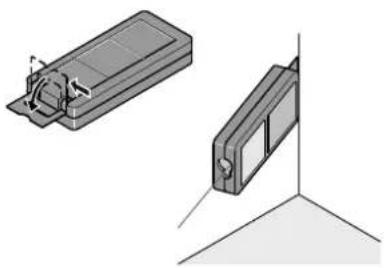
natural_image
Technical illustration of two mechanical components with mounting holes and a vertical guide (no text or symbols)i
Dewalt DW03101
natural_image
Diagram showing a window with a vertical line and dashed lines, no text or symbols presenti
natural_image
Simple diagram of a cabinet with an arrow pointing downward, no text or symbols present
natural_image
Simple 3D diagram of a vertical rectangular object on a flat surface (no text or symbols)8
D-65510 Idstein, Germany
www.2helpU.com
www.dewalt.eu
América do Norte:
DEWALT Industrial Tool Co.
Baltimore, MD21286, USA
natural_image
Simple diagram showing a light bulb connected to a triangular warning symbol with a starburst (no text or labels)natural_image
Three technical diagrams showing mechanical assembly steps (no text or symbols)i
natural_image
Technical illustration of two mechanical components mounted on a brick wall, one with a bracket and the other with a bracket (no text or symbols present)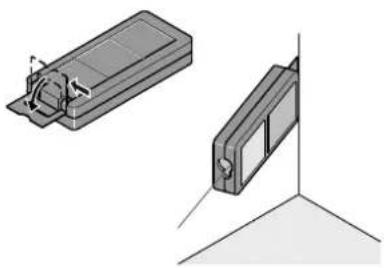
natural_image
Technical illustration of two mechanical components with mounting holes, shown from different angles (no text or symbols)i
Stopt permanent / minimum-maximum meting.
Optellen / Aftrekken
pie
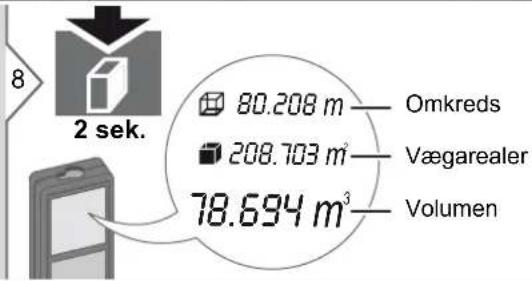
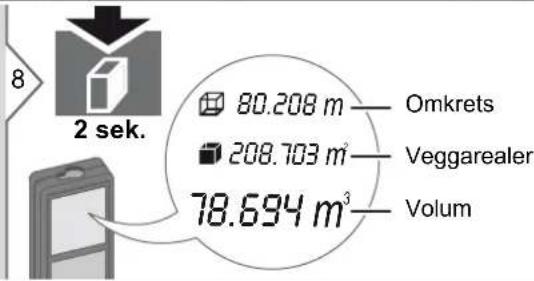
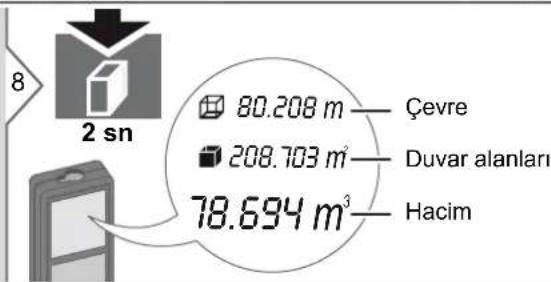
| Category | Value (m) | |---|---| | Omtrek | 80.208 | | Opp. wand | 208.703 | | Volume | 78.694 |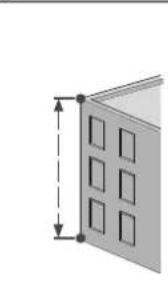
natural_image
Diagram of a 3D panel with a grid pattern and vertical dimension lines (no text or symbols)
natural_image
Simple diagram of a cabinet with drawers and a downward arrow, no text or symbols presentD-65510 Idstein, Germany
www.2helpU.com
www.dewalt.eu
Noord Amerika:
DEWALT Industrial Tool Co.
Baltimore, MD21286, USA
Voor assistentie bel 1-800-4-DEWALT.
www.dewalt.com
natural_image
Simple diagram showing a light bulb connected to a triangular warning symbol (no text or labels)Bevestig de lasersticker (a) in uw lands- taal.
Indholdsfortegnelse
natural_image
Three technical diagrams showing mechanical assembly steps (no text or symbols)natural_image
Two technical illustrations of a brick wall assembly: one with a plastic housing and the other with a mounted component (no text or symbols)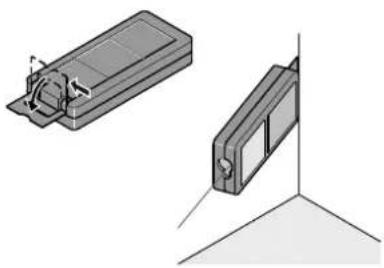
natural_image
Technical illustration of two mechanical components with mounting holes and a vertical guide (no text or symbols)i
Endestykkets retning spores automatisk og nulpunkt indstilles tilsvaren-de.
Målefunktioner
Måle enkelt afstand
flowchart
graph LR
    A["1 DIST"] --> B["2"]
    B --> C["3"]
    C --> D["3"]
    style A fill:#f9f,stroke:#333
    style B fill:#ccf,stroke:#333
    style C fill:#cfc,stroke:#333
    style D fill:#fcc,stroke:#333
i
natural_image
Simple diagram of a cabinet with drawers and a downward arrow, no text or symbols presentD-65510 Idstein, Germany
www.2helpU.com
www.dewalt.eu
Nordamerika:
DEWALT Industrial Tool Co.
Baltimore, MD21286, USA
Ring 1-800-4-DEWALT for service.
www.dewalt.com
natural_image
Simple diagram showing a light bulb connected to a triangular warning symbol (no text or labels)natural_image
Three technical diagrams showing mechanical assembly steps (no text or symbols)natural_image
Technical illustration of two mechanical components mounted on a brick wall, one with a bracket and the other with a bracket (no text or symbols)
natural_image
Technical illustration of two mechanical components with mounting holes, shown in isometric and orthographic views (no text or symbols)i
pie
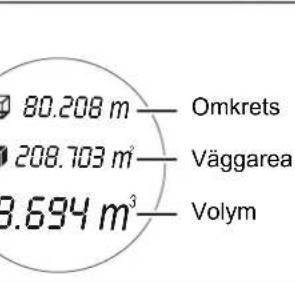
| Category | Value (m³) | |---|---| | Omkrets | 80.208 | | Väggarea | 208.703 | | Volym | 3.694 |
natural_image
Diagram of a 3D panel with square cutouts and dimension lines (no text or symbols)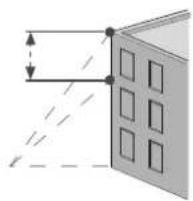
i
natural_image
Simple diagram of a cabinet with an arrow pointing downward, no text or symbols presentPlacera instrumentet på objektet som skall nivelleras.
Lutningen visas (räck- vidd ±180°).
Mätfunktioner
Minne (20 senaste displayer) Radera minne
1

20 senaste dis- player visas.
2

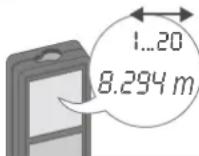

Bläddra genom de 20 senaste displayerna.

2 sek
D-65510 Idstein, Germany
www.2helpU.com
www.dewalt.eu
Nordamerika:
DEWALT Industrial Tool Co.
Baltimore, MD21286, USA
natural_image
Simple diagram showing a light bulb connected to a triangular warning symbol with a radiating starburst (no text or labels)natural_image
Three technical diagrams showing mechanical assembly steps (no text or symbols)i
Mittaustoiminnot
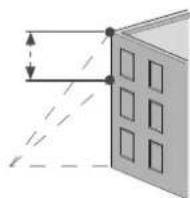
i
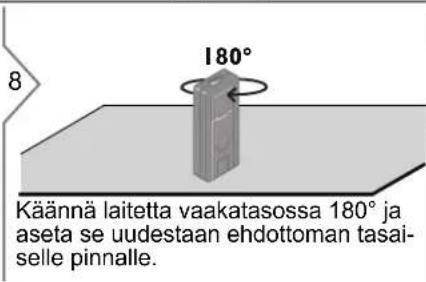
Tekniset tiedot
Etäisyyden mittaus
D-65510 Idstein, Germany
www.2helpU.com
www.dewalt.eu
Pohjois-Amerikka:
DEWALT Industrial Tool Co.
Baltimore, MD21286, USA
natural_image
Simple diagram showing a light bulb connected to a triangular warning symbol (no text or labels)natural_image
Three technical diagrams showing mechanical assembly steps (no text or symbols)i
Angre siste hand- ling.
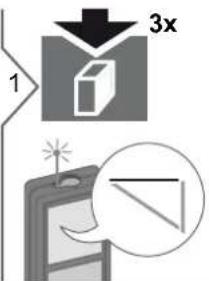
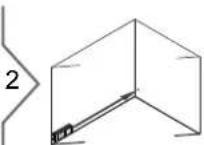
Sikt laseren mot det første målepunktet.
Sikt laseren mot det andre målepunktet.
natural_image
Simple diagram of a cabinet with an arrow pointing downward, no text or symbols present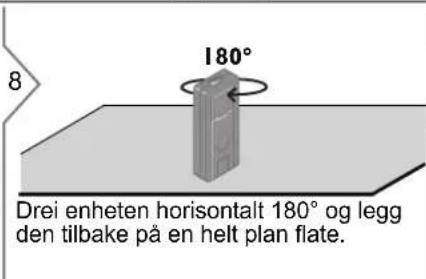
D-65510 Idstein, Germany
www.2helpU.com
www.dewalt.eu
Nord-Amerika:
DEWALT Industrial Tool Co.
Baltimore, MD21286, USA
For service ringer du 1-800-4-DEWALT.
www.dewalt.com
natural_image
Simple diagram showing a light bulb inside a rectangular frame connected to a triangular warning symbol with a starburst (no text or labels)natural_image
Three technical diagrams showing mechanical assembly steps (no text or symbols)i
natural_image
Illustration of a device with a magnified view showing a vertical device and a tripod (no text or symbols)natural_image
Two technical illustrations of a brick wall assembly: one with a plastic housing and the other with a mounted component (no text or symbols)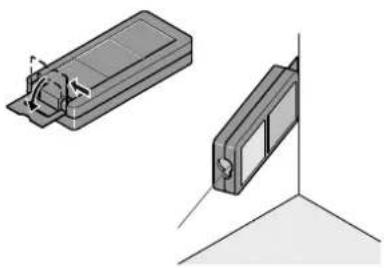
natural_image
Technical illustration of two mechanical components with mounting holes, shown in isometric and orthographic views (no text or symbols)i
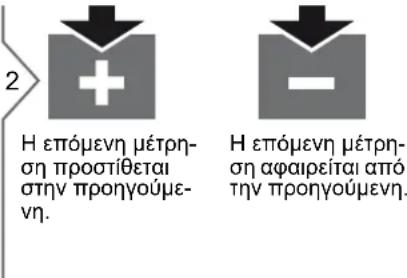
i
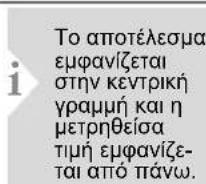
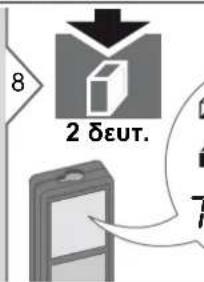
other
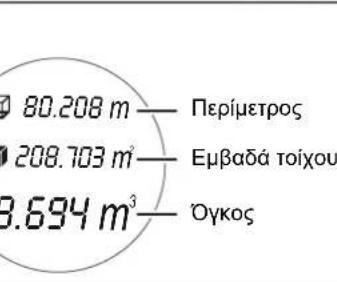
| City | Mass (m) | | :--- | :--- | | Perímetro | 80.208 | | Embadá toixou | 208.703 | | Ōykoš | 3.694 |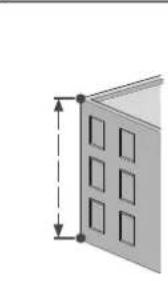
natural_image
Diagram of a 3D panel with rectangular cutouts and dimension lines (no text or symbols)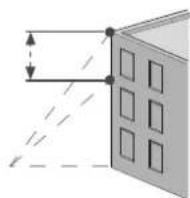
i
natural_image
Simple diagram of a cabinet with an arrow pointing downward from the top panel (no text or symbols)natural_image
Simple 3D diagram of a vertical rectangular object on a flat surface (no text or symbols)8
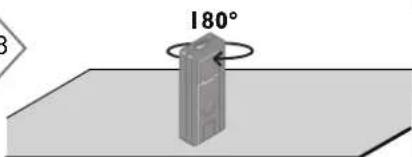
D-65510 Idstein, Germany
www.2helpU.com
www.dewalt.eu
Βόρεια Αμερική:
DEWALT Industrial Tool Co.
Baltimore, MD21286, USA
natural_image
Simple diagram showing a light bulb connected to a triangular warning symbol (no text or labels)natural_image
Three technical diagrams showing mechanical assembly steps (no text or symbols)natural_image
Illustration of a device with a magnified view of a vertical device mounted on a tripod (no text or symbols)natural_image
Technical illustration of two mechanical components mounted on a brick wall, one with a curved housing and the other with a rectangular bracket (no text or symbols)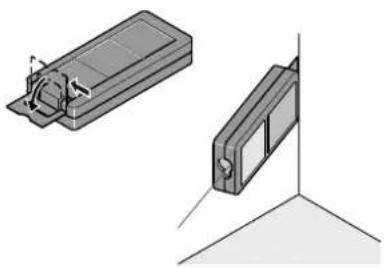
natural_image
Technical illustration of two mechanical components with mounting holes, shown in isometric and orthographic views (no text or symbols)i
Ölçüm İşlevleri
Üç köşeli alan
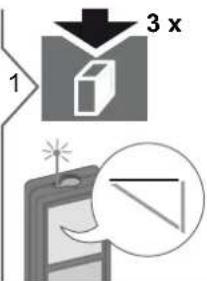
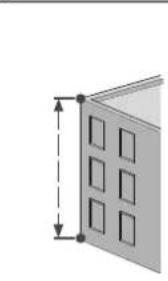
natural_image
Diagram of a 3D panel with a grid pattern and vertical dimension lines (no text or symbols)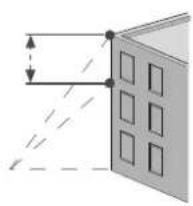
natural_image
Diagram showing a window with a vertical line and dashed lines, no text or symbols presenti
natural_image
Simple diagram of a cabinet with drawers and an upward arrow, no text or symbols presentnatural_image
3D diagram of a vertical rectangular object on a flat surface, no text or symbols present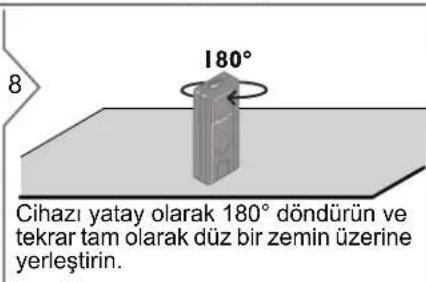
D-65510 Idstein, Germany
www.2helpU.com
www.dewalt.eu
Kuzey Amerika:
DEWALT Industrial Tool Co.
Baltimore, MD21286, USA
natural_image
Simple diagram showing a light bulb connected to a triangular warning symbol (no text or labels)© 2017 DeWalt Industrial Tool Co., DEWALT Europe, DEWALT D-65510 Idstein, Germany 65509
Made in China
097400
April 2017



- Table of Contents
- Instrument Set-up-2
- Operations 4
- Measuring Functions ......7
- Calibration 16
- Technical Data 17
- Message Codes 18
- Care 18
- Warranty 18
- Safety Instructions....18
- Instrument Set-up
- Introduction
- WARNING
- CAUTION
- Display
- Insert batteries
- Operations
- Switching ON/OFF Clear Message Codes
- Adjusting measuring reference / tripod
- Multifunctional endpiece
- Distance unit setting Tilt unit setting
- Timer (automatic release)
- Beep ON/OFF Illumination ON/OFF
- Measuring Functions
- Volume
- Triangular area
- Pythagoras (2-point)
- Pythagoras (3-point)
- Measuring Functions Pythagoras (partial height)
- i
- Height tracking
- Leveling
- Memory (20 last displays) Delete Memory
- simultaneously
- Calibration
- Calibration of tilt sensor (Tilt Calibration)
- Message Codes
- Care
- Warranty
- Europe:
- North America:
- Safety Instructions
- Areas of responsibility
- Responsibilities of the manufacturer of the original equipment:
- Responsibilities of the person in charge of the instrument:
- Permitted use
- Prohibited use
- Hazards in use
- Limits of use
- Disposal
- Electromagnetic Compatibility (EMC)
- FCC statement (applicable in U.S.)
- Laser classification
- Laser Class 2 products:
- Labelling
- Inhalt
- Inbetriebnahme -2
- Bedienung 4
- Messfunktionen
- Technische Daten
- Fonctions de mesure
- Pythagore (2 points)
- Pythagore (3 points)
- Classification laser
- Funzioni di misura
- Indholdsfortegnelse
- Mätfunktioner
- Minne (20 senaste displayer) Radera minne
- Mittaustoiminnot
- Tekniset tiedot
- Ölçüm İşlevleri
- Üç köşeli alan
Brand : DEWALT
Model : DW03101
Category : Rangefinder