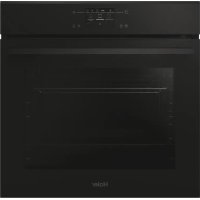
USER MANUAL H6 ID46C3HTB1 HAIER
Thank you for choosing our product. To ensure your safety and get the best results, please read this manual carefully, including the safety instructions, and keep it for future reference.
Before installing the oven note the serial number, which you might need for repairs. Check for any damage during transportation and consult a technician if you're unsure before using it. Keep packaging materials away from children.
NOTE: Please note that the oven's features and accessories may vary depending on the model you purchased.
SUMMARY
2. PRODUCT INTRODUCTION
2.1. Overview of the product
2.2. Accessories
2.3. Control panel
2.4. Connectivity
3. BEFORE STARTING
3.1. Information to start
3.2. First usage
3.3. Preliminary cleaning
4. OPERATION OF PRODUCT
4.1. How the product works
4.2. Cooking functions
4.2.1. Main functions
4.2.2. Special functions
4.2.3. Multi Step Feature
5. COOKING GUIDELINES
5.1. General Cooking tables
5.2. Everyday Cooking tables
6. CARE & CLEANING
6.1. General recommendations
6.2. Cleaning the oven
6.2.1. Inside the oven: cleaning functions
6.2.2. Outside the oven: removal and cleaning the glass door
6.3. Cleaning of accessories
6.4. Maintenance
6.5. Demo Mode
7. TROUBLESHOOTING
8. ENVIRONMENTAL PROTECTION & DISPOSAL
8.1. Appliance disposal
8.2. Saving and respecting the environment
9. INSTALLATION
GENERALWARNINGS
- Do not use a steam cleaner for cleaning operations.
- CAUTION: in order to avoid a hazard due to inadvertent resetting of the thermal cut-out, this appliance must not be supplied through an external switching device, such as a timer, or connected to a circuit that is regularly switched on and off by the utility
- During use the appliance become hot. Care should be taken to avoid touching heating elements inside the oven.
Use in accordance with attendend use
- Only use the oven for its intended purpose, that is only for the cooking of foods: any other use, for example as a heat source, is considered improper and therefore dangerous. The manufacturer cannot be held responsible for any damage resulting from improper, incorrect or unreasonable usage.
Use limitations
- The appliance can be used by children aged from 8 years and above and persons with reduced physical, sensory or mental capabilities or lack of experience and knowledge if they have been given supervision or instruction concerning use of the appliance in a safe way and understand the hazards involved. Children shall not play with the appliance. Cleaning and maintenance shall not be made by children without supervision.
- This appliance is not intended to be used by persons (including children) with reduced physical, sensory or mental capabilities, or lack of experience and knowledge, unless they have been given supervision or instruction concerning use of the appliance by a person responsible for their safety.
- Children should be supervised to ensure that they do not play with the appliance.
- WARNING: the appliance and its accessible parts become hot during use. Care should be taken to avoid touching heating elements. Children less than 8 years of age shall be kept at away unless continuously supervised.
WARNING: Accessible parts may become hot during use. Young children should be kept away.
INSTALLATIONWARNINGS
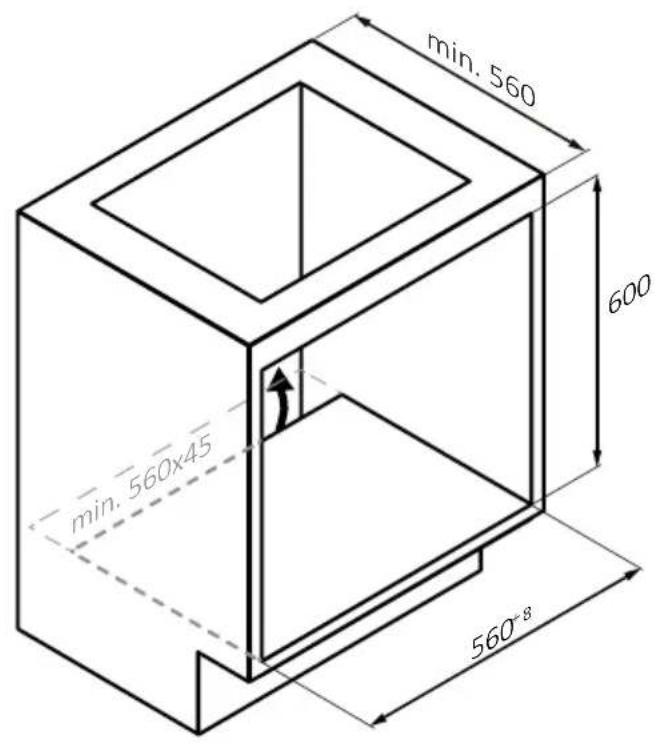
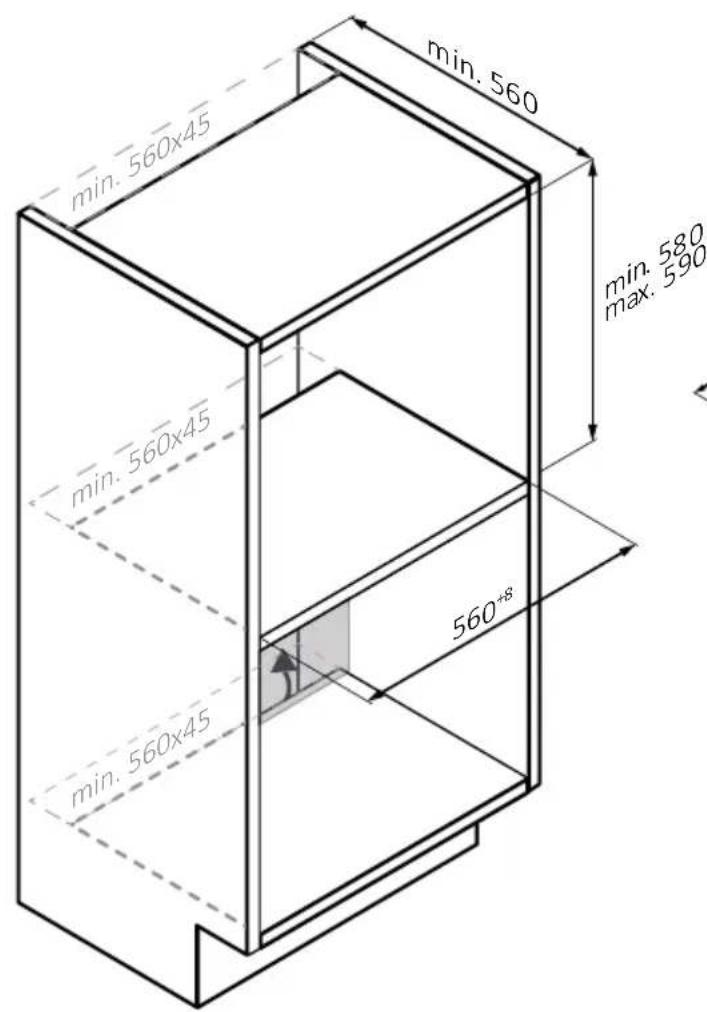
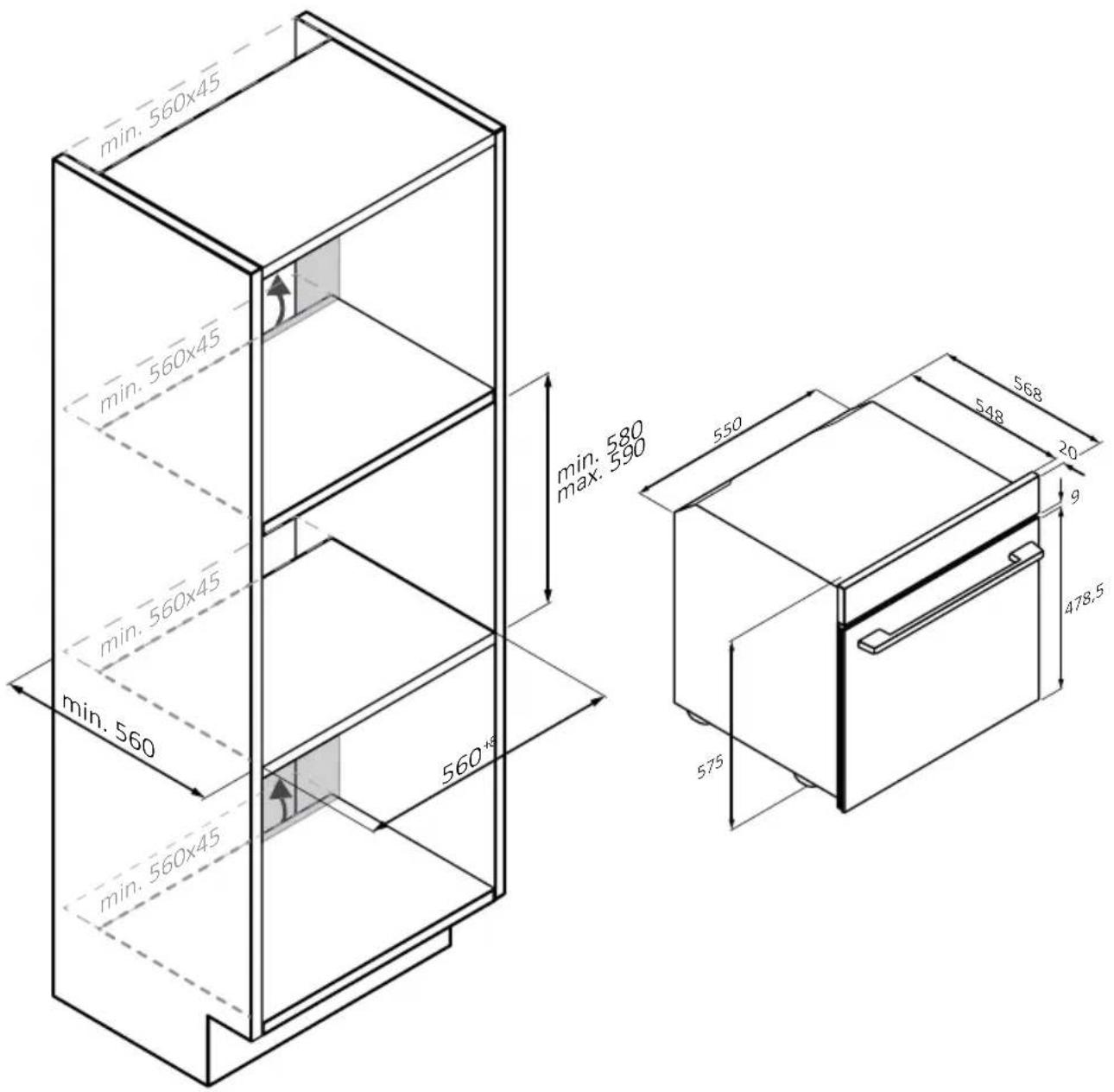
- The oven can be located high in a column or under a worktop.
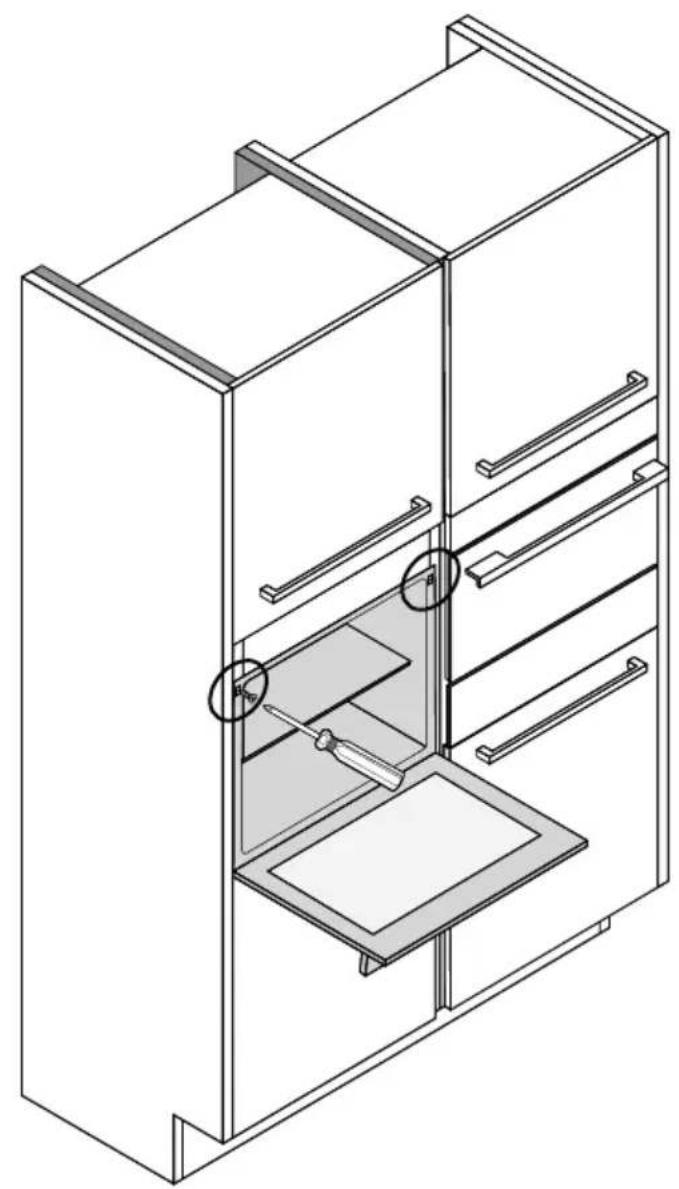
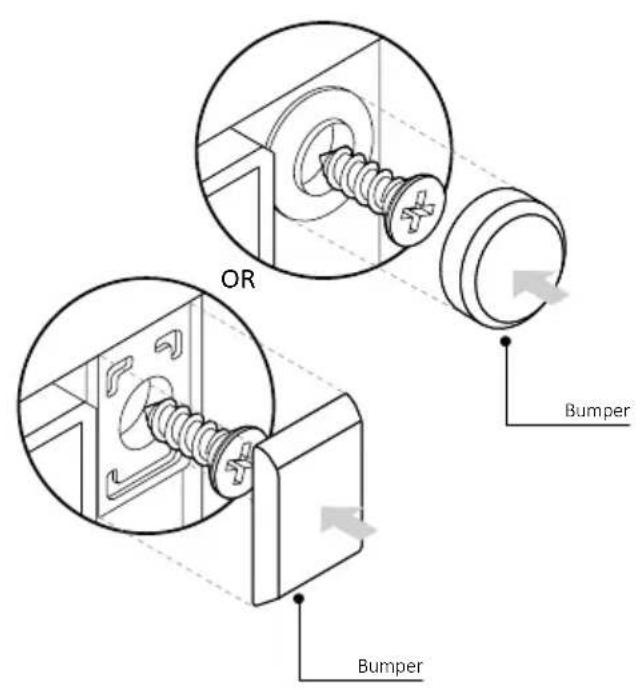
- Before fixing, you must ensure good ventilation in the oven space to allow proper circulation of the fresh air required for cooling and protecting the internal parts. Make the openings specified on the illustrations according to the type of fitting. Always fix the oven to the furniture with screws provided with the appliance.
- No additional operation/setting is required in order to operate the appliance at the rated frequencies.
- The appliance must not be installed behind a decorative door in order to avoid overheating.
- During installation the oven should be disconnected from the mains to avoid overheating.
- If the assistance of the manufacturer is required to rectify faults arising from incorrect installation, this assistance is not covered by the guarantee. The installation instructions for professionally qualified personnel must be followed.
- Incorrect installation may cause harm or injury to people, animals or belongings. The manufacturer cannot be held responsible for such harm or injury.
- Installation must be carried on by a qualified technician who must know and respect the laws in force in the country of installation and the manufacturer's instruction.
- After unboxing the appliance, always check it is not damaged, in case of issue contact the customer service before installing and do not connect to the power supply.
- Remove the packaging material before operating the appliance.
- During installation do not use the oven door's handle to lift and move the oven.
- The installation furniture and the adjacent ones must with stand temperatures of 95^ .
- It is recommended to wear protective gloves during installation to avoid cut injuries.
- Do not install the product in open environments exposed to atmos
pheric agents.
- This appliance is designed to be used at altitude lower than 2000m .
- To remove protective films and advertisement stickers on front surface of the oven before first usage.
ELECTRICALWARNINGS
- The socket must be suitable for the load indicated on the tag and must have ground contact connected and in operation. The earth conductor is yellow-green in colour. This operation should be carried out by a suitably qualified professional.
- Connection to the power source can be made by plug or by fixed wiring placing an omnipolar breaker, with contact separation compliant to the requirements for overvoltage category III, between the appliance and the power source that can bear the maximum connected load and that is in line with current legislation.
- In case of incompatibility between the socket and the appliance plug, ask a qualified electrician to substitute the socket with another suitable type. The plug and the socket must be conformed to the current norms of the installation country.
- The yellow-green earth cable should not be interrupted by the breaker. The socket or omnipolar breaker used for the connection should be easily accessible when the appliance is installed.
- If the supply cord is damaged, it must be replaced by the manufacturer, its service agent or similarly qualified persons in order to avoid a hazard. For any repairs, refer only to the Customer Care Department and request the use of original spare parts.
- Disconnect the appliance from the mains electricity supply before carrying out any work or maintenance on it.
- WARNING: ensure that the appliance is switched off before replacing the bulb, to avoid the possibility of electric shocks.
- The oven must be switched off before removing the removable parts. After cleaning, reassemble them according the instructions.
-
The use of any electrical appliance implies the observance of some fundamental rules:
-
do not pull on the power cable to disconnect the appliance from the power source;
-
do not touch the appliance with wet or damp hands or feet;
-
in general the use of adaptors, multiple sockets and extension cables is not recommended;
- in case of malfunction and/or poor operation, switch off the appliance and do not tamper with it.
NOTE: as the oven could require maintenance work, it is advisable to keep another wall socket available so that the oven can be connected to this if it is removed from the space in which it is installed.
- Any repair, installation and maintenance not carried out correctly can seriously endanger the user.
- The manufacturing company hereby states that it does not assume any responsibility for direct or indirect damages caused by incorrect installation, maintenance, or repair work. Furthermore, it is not liable for damages caused by the absence or interruption of the grounding system (e.g., electric shock).
- CAUTION: in order to avoid a hazard due to inadvertent resetting of the thermal cut-out, this appliance must not be supplier through an external switching device, such as a timer, or connected to a circuit that is regularly switched on and off by the utility.
- The appliance is not designed to be activated by an external timer or separate remote control system.
USE & MANTEINANCE
- The dripping pan collects the residues that drip during cooking.
- When you place the Airfry tray or the grid on the side racks, make sure that the shorter section of the side (between the stop and the extremity) is directed towards the interior of the oven. If the grid has a decorative metal bar, pay attention to position it on the exterior of the oven so that the brand logo can be visible and readable. For the correct positioning refer also to the image in the Accessories section of this user manual.
- Do not use harsh abrasive cleaners or sharp metal scrapers to clean the oven door glasses, since they can scratch the surface, which may result in shattering of the glass.
- Only use the temperature probe recommended for this oven.
- During cooking, moisture may condense inside the oven cavity or on the glass of the door. This is a normal condition. To reduce this effect, wait 10-15 minutes after turning on the power before putting food
inside the oven. In any case, the condensation disappears when the oven reaches the cooking temperature.
- Cook the vegetables in a container with a lid instead of an open tray.
- Avoid leaving food inside the oven after cooking for more than 15/20 minutes.
- A long power supply failure during an occurring cooking phase may cause a malfunction of the monitor. In this case contact customer service.
- A WARNING: Do not line the oven walls with aluminium foil or single-use protection available from stores. Aluminium foil or any other protection, in direct contact with the hot enamel, risk melting and deteriorating the enamel of the insides.
WARNING: Never remove the oven door seal.
- CAUTION: Do not refill the cavity bottom with water during cooking or when the oven is hot.
- For a correct use of the oven it is advisable not to put the food in direct contact with the racks and trays, but to use oven papers and/or special containers.
WARNING (*FOR PYRO OVENS)
-
Excess spillage must be removed before cleaning.
WARNING: before initiating the automatic cleaning cycle:
-
Clean the oven door;
- Remove large or coarse food residues from the inside of the oven using a damp sponge. Do not use detergents;
- Remove all accessories and the sliding rack kit (where present);
-
Do not place tea towels.
-
In ovens with Preci Probe it is necessary, before making the cleaning cycle, close the hole with the nut provided. Always close the hole with the nut when the Preci Probe is not used.
- During the pyrolytic cleaning process (if available), the surfaces may get hotter than usual and children should be kept away.
- If a hob has been fitted above the oven, never use the hob while the Pyrolizer is working, this will prevent the hob from overheating.
WARNINGs for PRECI PROBE (only if present*)
- This product is exclusive for oven appliances. It should only be used as described in this User Manual.
- DO NOT TOUCH Preci Probe WITH BARE HANDS JUST AFTER COOKING. Always wear oven gloves to remove Preci Probe from the food after cooking.
- To use the temperature probe correctly, it is essential to fully insert the metal bar of the probe into the food during cooking until it reaches the black-colored ceramic portion located at the tip of the probe.
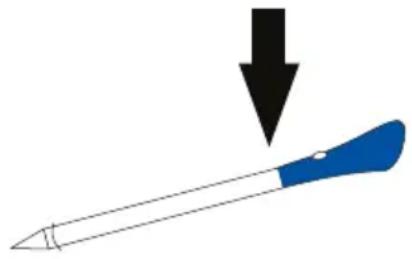
Insert Preci Probe in the food up to there
- Do not expose the metal part of Preci Probe to the heat generated by oven directly.
- Do not use Preci Probe in another appliance except for the built-in oven.
- Do not use Preci Probe in a microwave oven.
- Preci Probe can be cleaned and washed but do not immerse it long in water.
- This product is not intended for use by persons with ages 12 and under.
- The supplier will not be liable for any damage of Preci Probe due to misuse of the device.
- Clean the Preci Probe before the use.
- Probe can work in this range of temperature: 10^ to an internal maximum temperature of 100^ of the metal part. Ceramic part can reach 350^ .
- If the Preci Probe temperature exceeds 100^ , cooking will stop and the Preci Probe must be removed from the oven as soon as possible, wearing gloves, to avoid damage to the probe.
2.PRODUCT INTRODUCTION
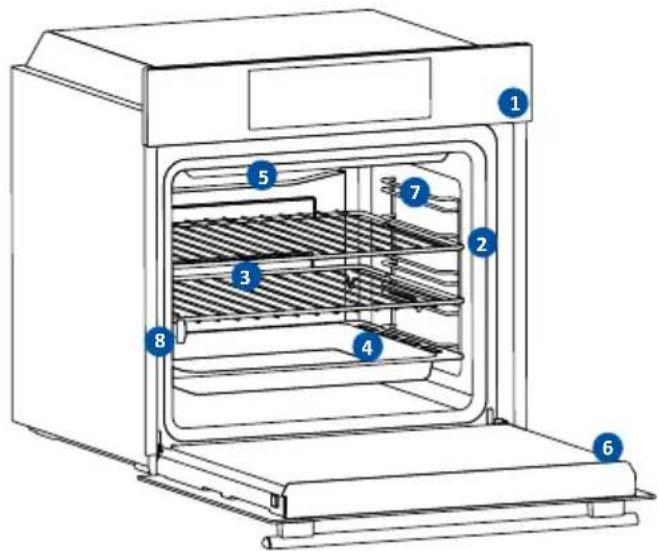
2.1. OVERVIEW OF THE PRODUCT
2.2 ACCESSORIES
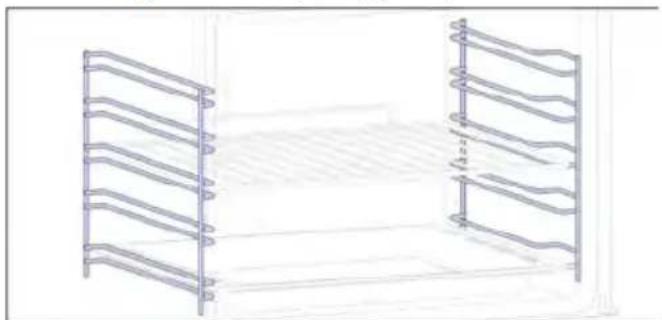
Lateral wire grids (only if present*)
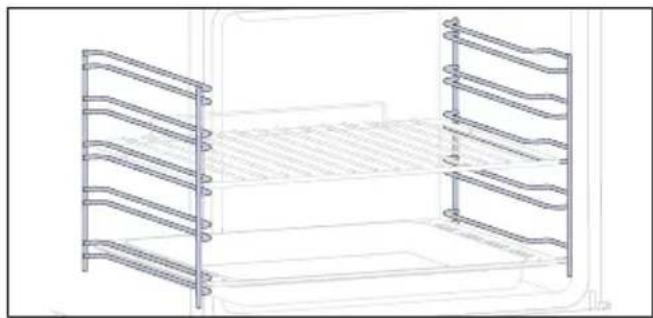
Located on both sides of the oven cavity, the side racks are designed for placing baking tray and grids during the cooking.
NOTE: 6 or 7 levels depending on the model.
Baking tray (only if present*)
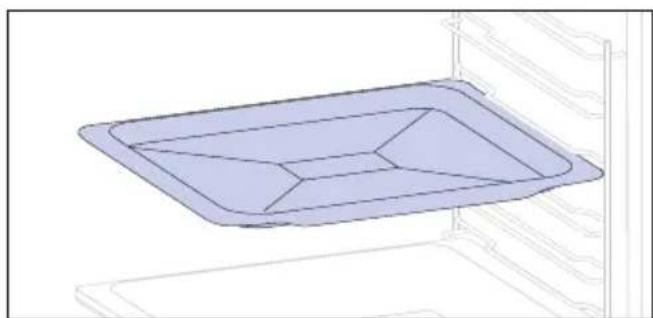
A baking tray is ideal for achieving even bottom browning, making it perfect for cookies and pastries due to its shallow, flat design. Additionally, placing it under a cooking grid can help collect drips and prevent messes in the oven.
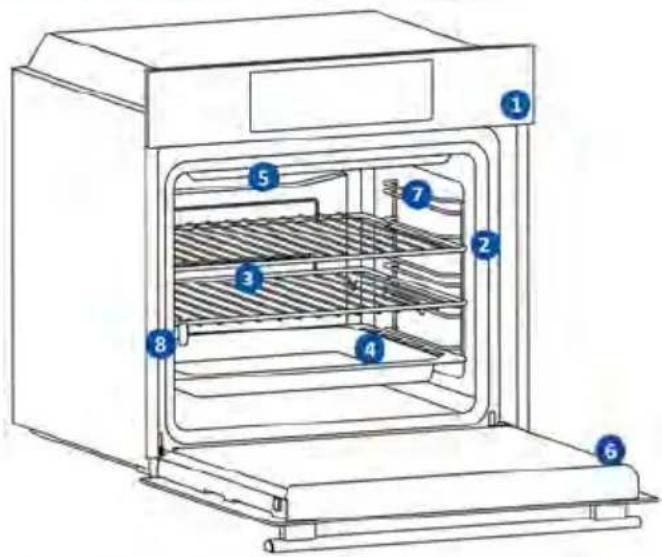
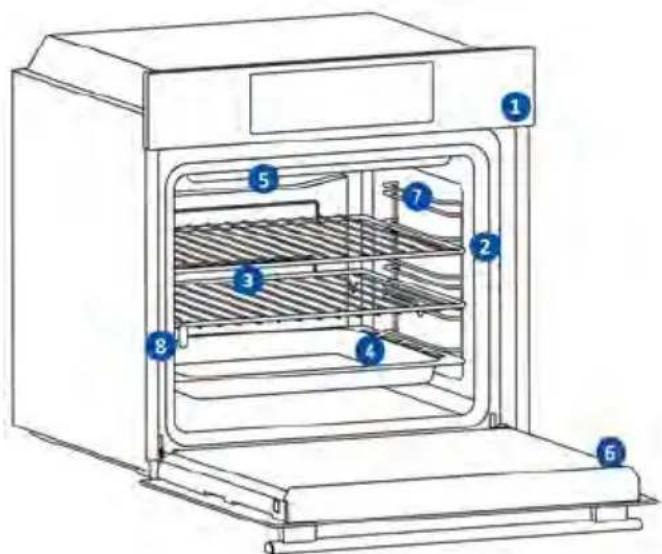
- Control panel
- Shelf positions numbers
- Grids
- Trays
- Fan cover
- Oven door
- Lateral wire grids (if present: only for flat cavity)
- Serial number & QRcode
Write here your serial number for future reference:
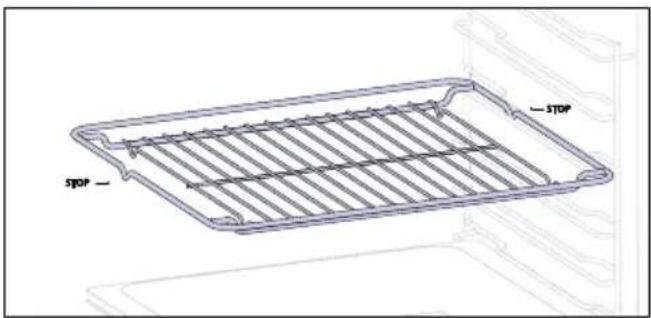
A metal grid in an oven is a removable, adjustable shelf that supports cookware, ensuring even cooking, and makes cleaning easy. It can be used to hold plates and pans at different heights for various cooking needs. Trays are counted from bottom to top
Deeper Tray
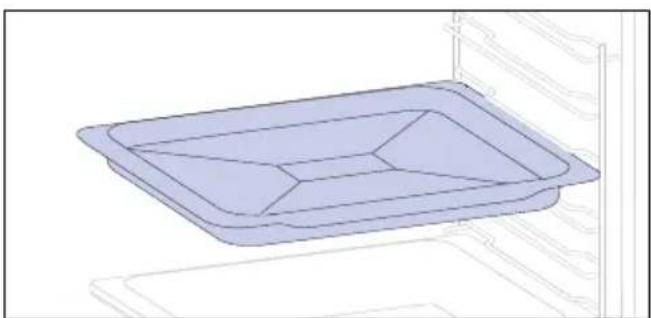
The deeper tray is ideal for recipes with added liquids or layers, such as casseroles or roasts. Its depth is specifically designed to ensure the desired consistency of the food prepared in it.
Telescopic Guides (only if present*)
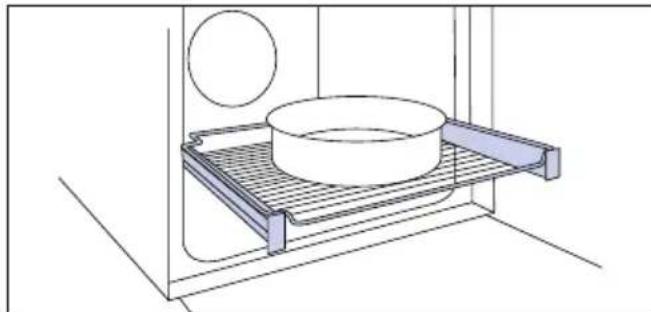
Telescopic oven rails are shelves that can be extended, making it easier to place or remove items, without the need to reach deep inside a hot oven. They improve safety, stability, and can be adjusted at different level positions.
Dual tray - STEAM mode (only if present*)
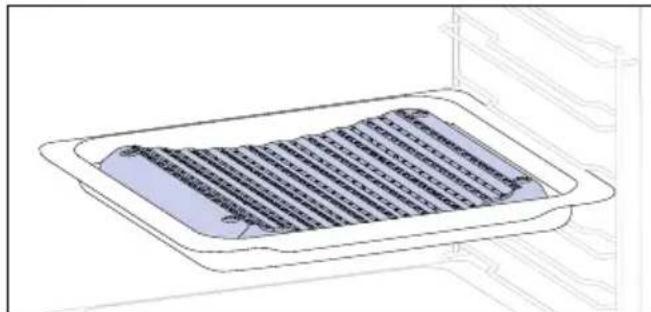
The concave shape allows a correct circulation of humidity generated in cooking, keeping the food humidity rate high. According to the quantity of water inserted in the tray, a drier or more "wet" cooking will be obtained.
Catalytic Panels (only if present*)
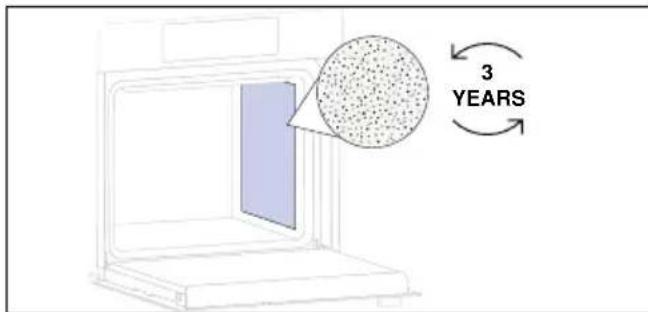
Special panels coated with enamel, made with a microporous structure to turn fat into gaseous elements that are easy to remove. Replace after 3 years of use (at 2/3 cooking cycles per week).
Softclose/Soft open hinges (only if present*)
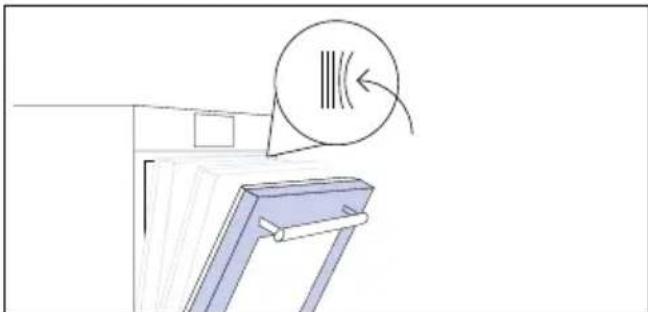
Soft close and open hinges control the door's motion, ensuring smooth movement and preventing slamming.
Dual tray - BBQ mode (only if present*)
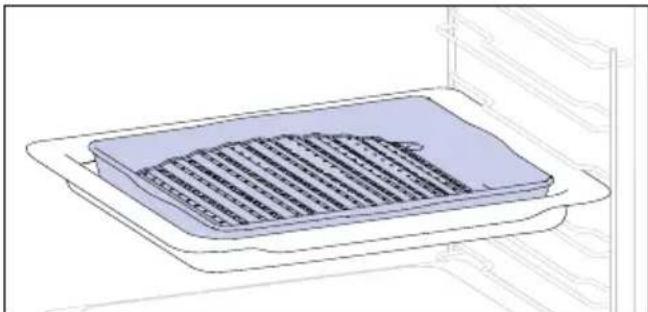
The convex shape is suitable for grilling in the oven at high temperature (220^) allowing a BBQ result even at home with little smoke thanks to the drainage action of the fats on the bottom of the tray.
Preci Probe (only if present*)
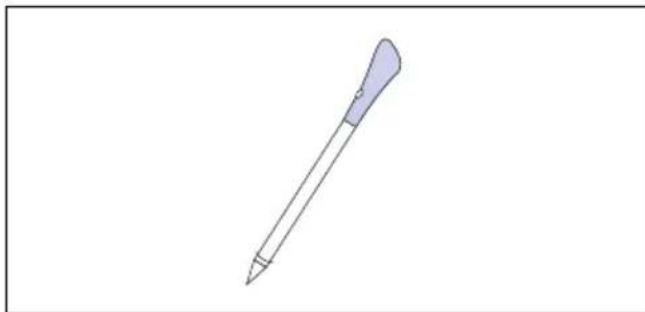
This Preci Probe is a temperature sensor that, inserted into the food and connected to the oven via cable, allows to control the inner temperature of the food during cooking. It is mainly used for fish and meat.
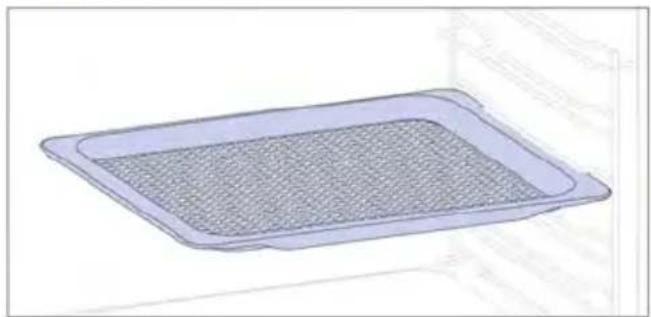
Airfry tray (only if present*)
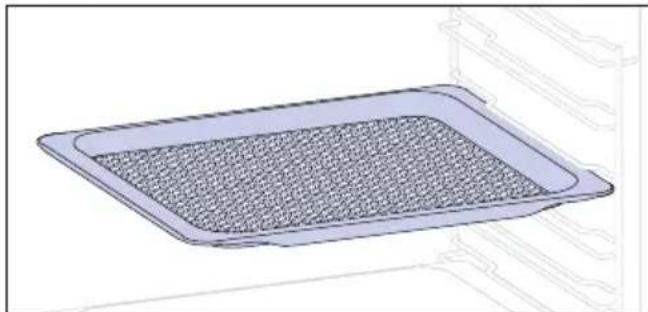
The air fry tray ensures that hot air reaches the food evenly and tridimensionally, resulting in a crispier exterior while maintaining tenderness inside. A baking tray can be optionally placed at L1 to collect juices or breadings.
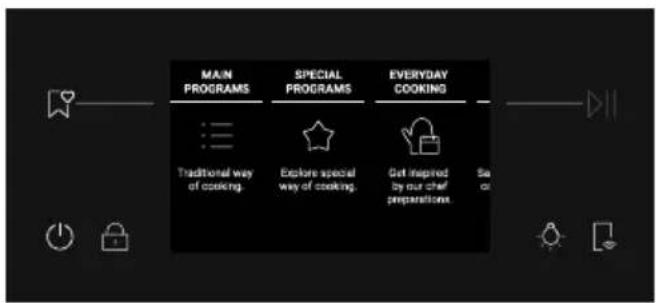
2.3 CONTROL PANEL

Functions and function ranking can be changed depending on the model.
- On/Off
- Child Lock
- Lamp
- Remote Control
- Favorites
- Start/Pause
MAIN FUNCTIONS
| Symbol Function Description | |
| On/Off | Press to turn on/off the oven. |
| Child lock | Press and hold for 3 seconds to lock the screen and prevent unwanted use by minors. |
| Light | Press to turn on/off the oven cavity light. |
| Remote Control | Press and hold the button for 3 seconds to activate remote control, after pairing the oven with the hOn app (through the application). |
| Favorites | Press to access the Favorites menu. |
| Start/Pause | Press to Start/Pause cooking or to confirm the functions. |
2.4 CONNECTIVITY
Wireless parameters
| Technology Wi-Fi Bluetooth |
| Standard IEEE 802.11 b/g/n | Bluetooth v4.2, BR/EDR, BLE |
| Frequency Band(s) [MHz] | 2401 ÷2483 2402÷2480 |
| Maximum Power [mW] | 100 10 |
Power consumption of the product in networked standby if all wired network ports are connected and all wireless network ports are activated: 2,0 W.
Preci probe model et180 wireless parameters
| Technology Bluetooth | |
| Standard Bluetooth v4.0 BLE | |
| Frequency Band(s) [MHz] 2400÷2480 |
| Maximum Power [mW] | 2.5 - (4dBm) |
How to activate wireless network port
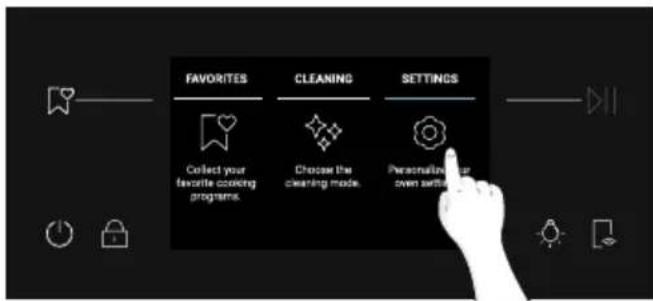
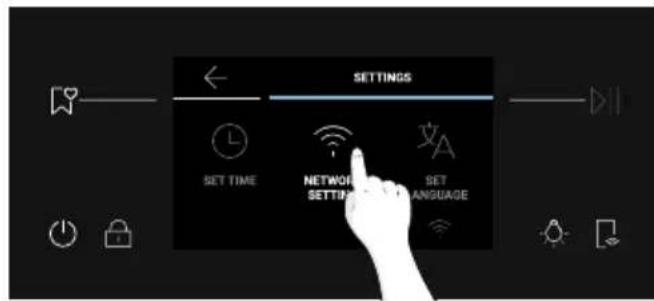
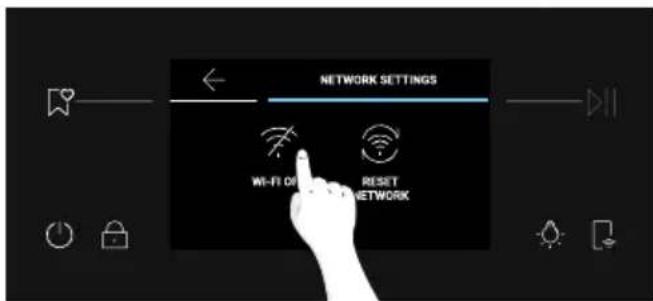
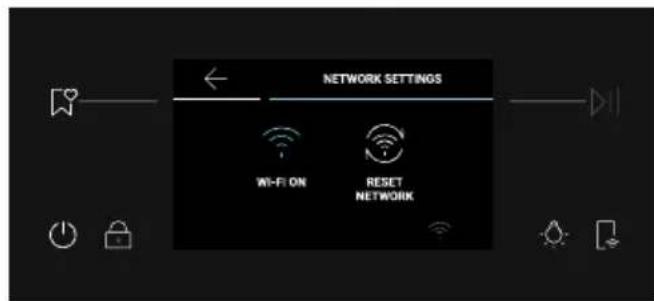
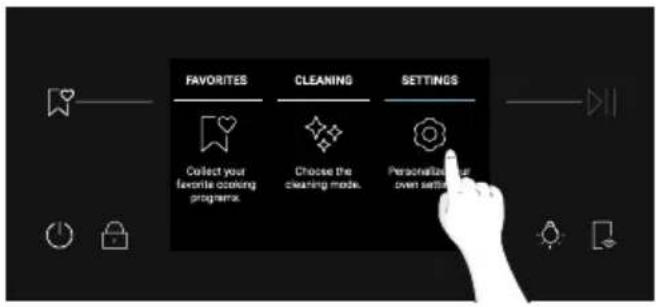
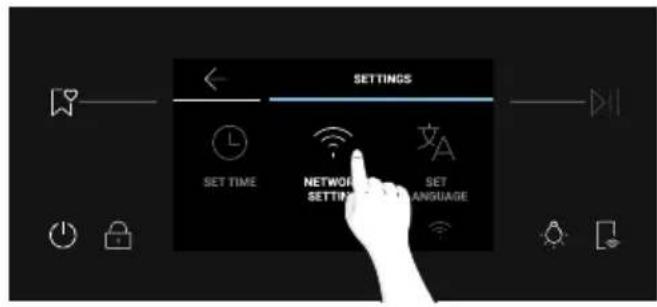
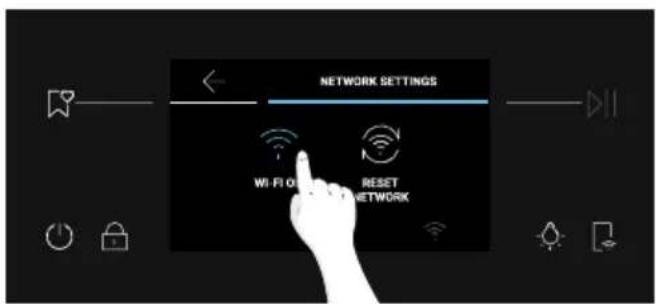
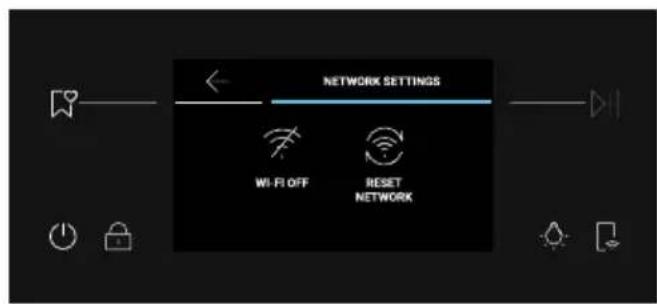
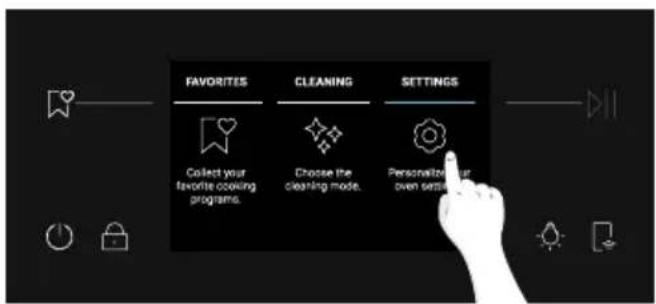
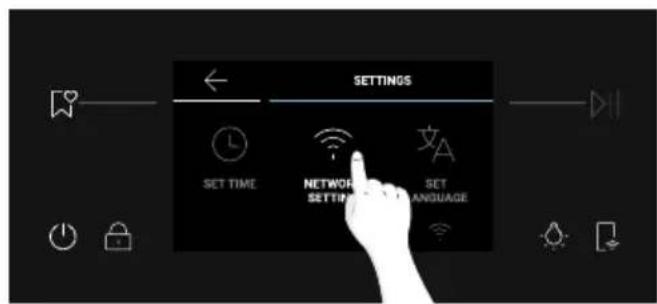
Press "Settings" on the Home Carousel, then press on "Network Settings". Toggle Wi-Fi OFF to turn on the Wi-Fi.
Hereby, Candy Hoover Group Srl declares that the radio equipment is in compliance with Directive 2014/53/EU and with the relevant statutory requirements for the UK market. The full text of the declaration of conformity is available at the following internet address: www.candy-group.com
How to deactivate wireless network port
Press "Settings" on the Home Carousel, then press on "Network Settings". Toggle Wi-Fi ON to turn off the Wi-Fi.
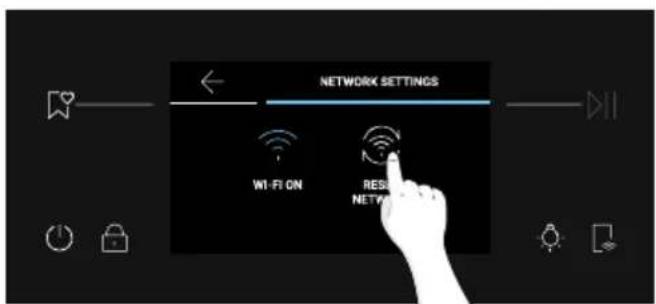
How to reset the network
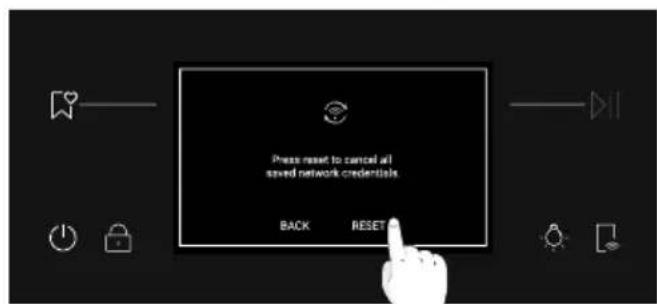
- Press Settings on the Home Carousel, then press Network Settings;
- Press "Reset Network" (only enabled if the appliance has already been paired);
- Confirm pop-up message by pressing on "Reset"
HOW TO INTERACT WITH THE APP
Your appliance may be connected to your home wireless network and operated remotely using the app. Connect your appliance to ensure it stays up to date with the latest software and features.

NOTE
- Once the oven is turned on, the WIFI icons blinks for 30 minutes. During this period it's possible to enroll the product.
- Ensure your home Wi-Fi network is turned on.
- You will be given step by step guidance on both your appliance and mobile device.
- It may take up to 10 minutes to connect your oven.
- For further guidance and troubleshooting, please refer to the app.
Download on your smartphone.


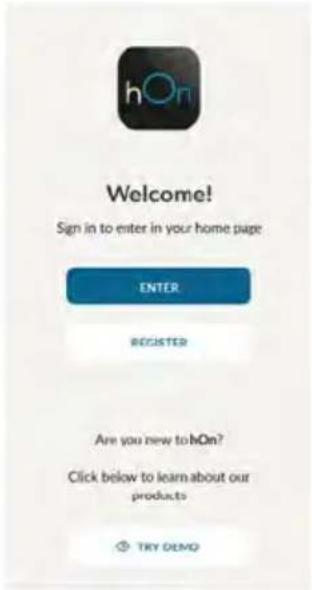
NEW USER REGISTRATION
- Click on "Register"
- You can register through social accounts or sign up with your personal email

QUICK PAIR ENROLLMENT
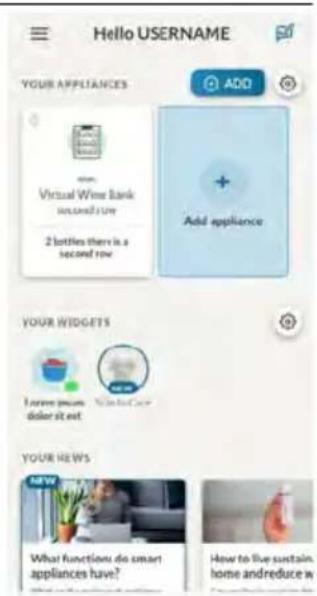
Step 1
Step 2
- Allow your location permission.
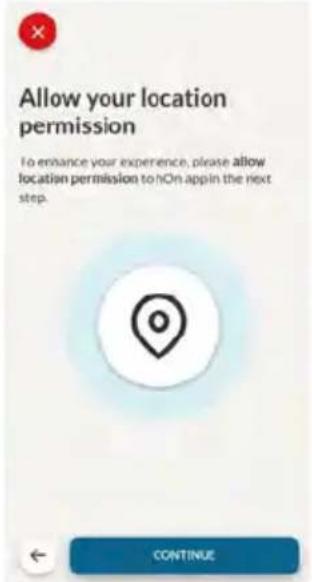
Step 3
- Select oven from the appliance category.
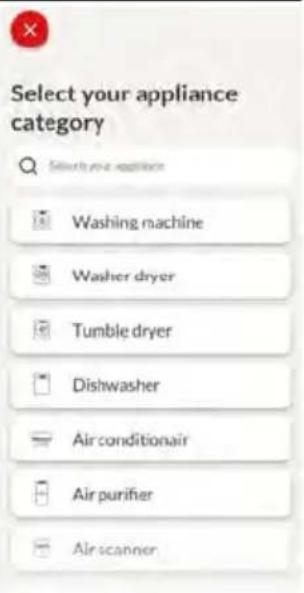
Step 4
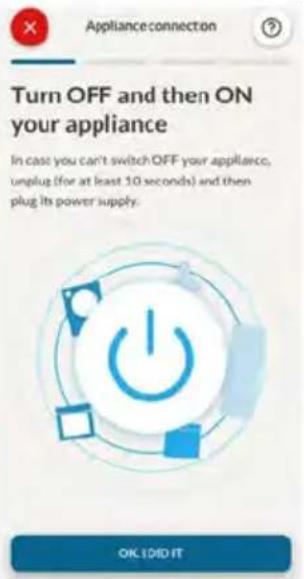
- Turn on your appliance; if it is already on, turn it off and on again.
Step 5
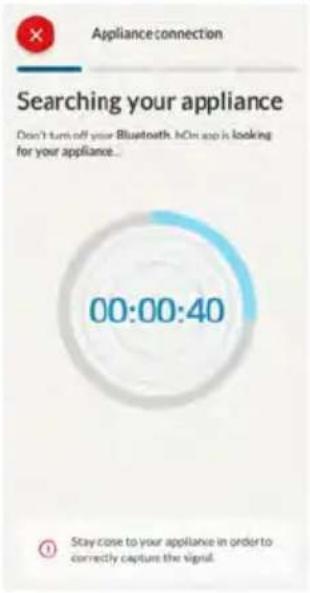
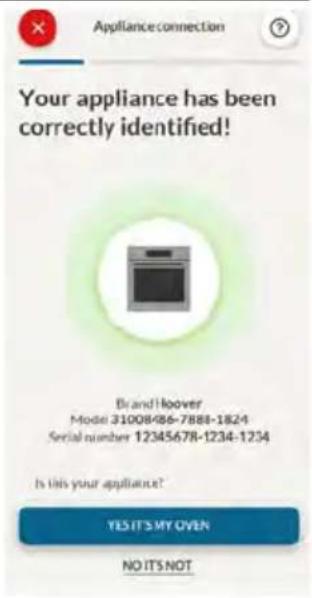
- After turning on, the hOn app will start searching for your home appliance.
Step 6.1-6.2
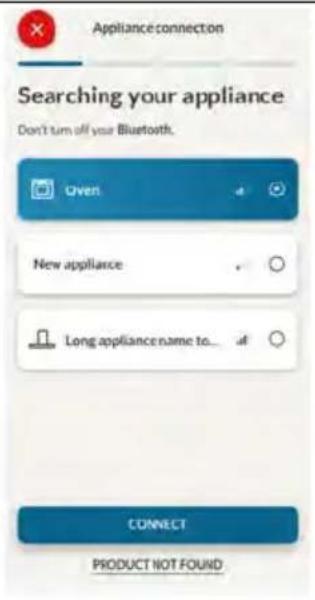
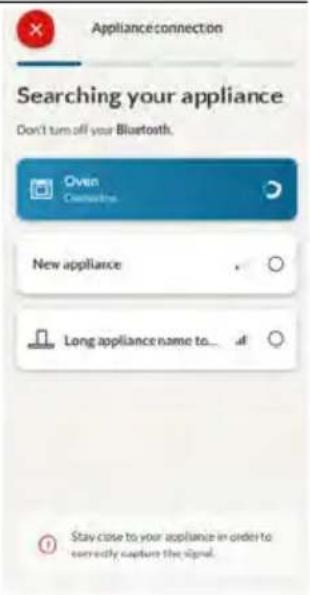
- Select your home appliance, tap on "connect" and wait a few seconds.
Step 7
- Your Oven will be found and you can control it through hOn.
REMOTE CONTROL
The Remote Control offers numerous advantages for users, enhancing convenience, efficiency, and the overall cooking experience, by giving the capability to control the product directly from both the appliance and hOn App.
This function allows you, through your device, to enjoy various features, such as: instant or scheduled start of recipes or cooking programs already available in the app both with the probe and without; real-time monitoring of the progress of your recipes; adjustment of the cooking parameters in use; management and monitoring of the cooking process through the Preci Probe; creation of customized recipes through the U-create function; and saving the recipes created directly on the product through the "Jolly function."
The Remote Control can be activated exclusively when the product is enrolled.
You can also stop the cooking program remotely using the app by clicking the 'STOP' Button on the device display. The oven will automatically stop the cooking.
When Remote Control is ON, you can start/stop and monitor cooking programs and recipes both directly from the App and from the appliance. If the Remote Control is switched OFF after a cooking program has already started, the program can be stopped only from the oven.
NOTE: Remote Control is available for all cooking functions on the product, except for Grill + Fan and Supergrill programs.
How to activate Remote Control:
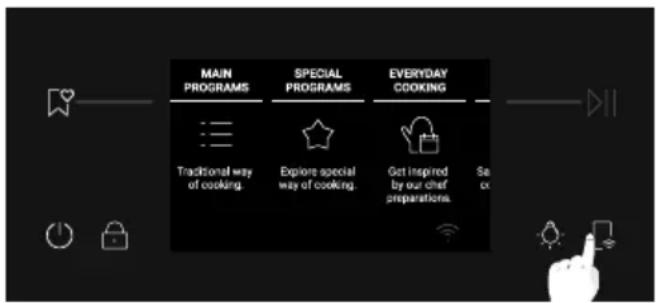
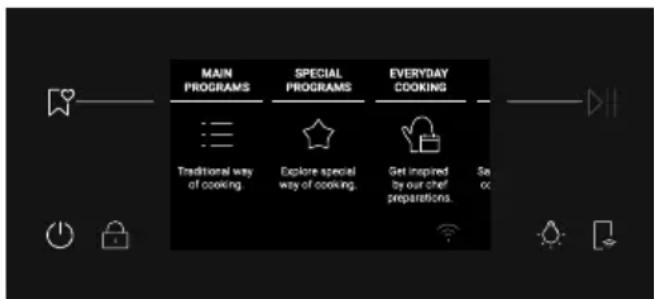
1.FromHomeCarousel,press in the bottom right corner;
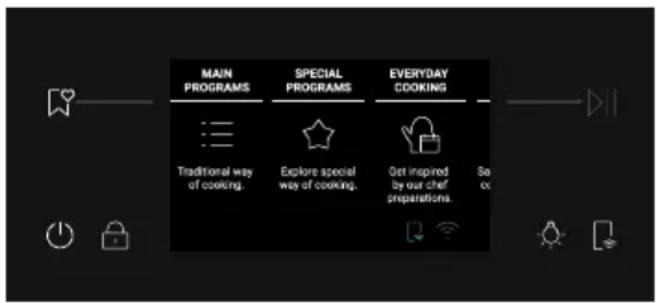
2. "Remote Control ON" icon will be shown at the bottom of the screen;
3. Access the App, select a program and let the cooking start. During the process it is possible to control and change the program parameters from both product and App.
How to deactivate Remote Control:
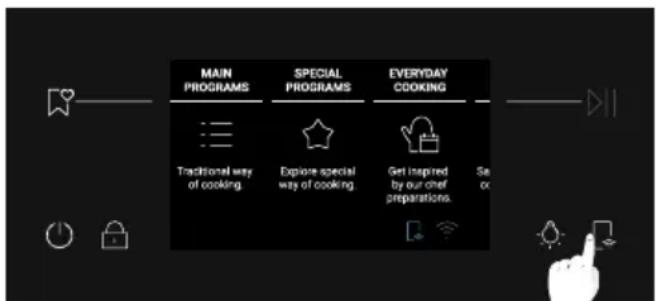
- When Remote Control is active, press
to switch it off.
- "Remote Control ON" icon will disappear.
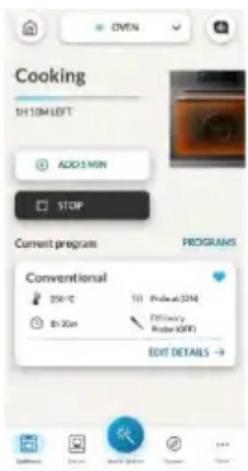
NOTE: If the user stops the cooking in progress from the oven, simultaneously the stopped cooking will be seen in the App.
OVER THE AIR UPDATE (OTA)
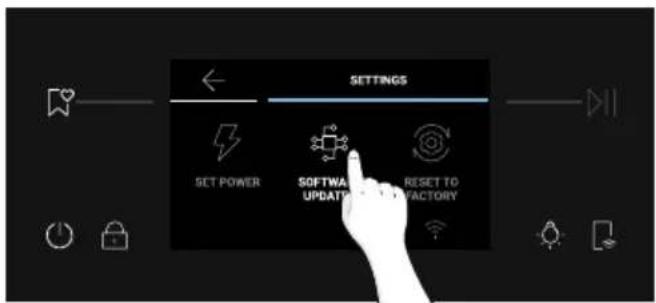
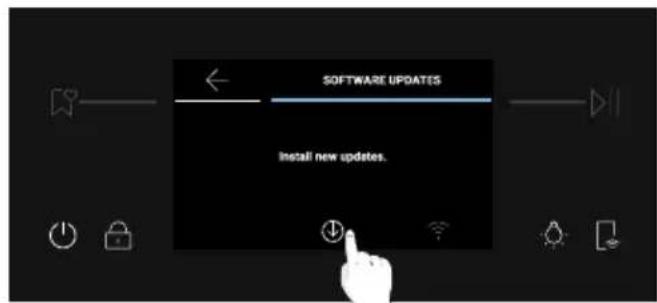
The oven is provided with an over the air update function that will ensure the product software maintenance and it is recommended every time to guarantee the updated oven functionality, which is enabled as soon as the product is enrolled in app. When an update is available and the oven is connected, you will be notified through a pop-up message on the display.
The OTA process will be done in 2 steps.
-
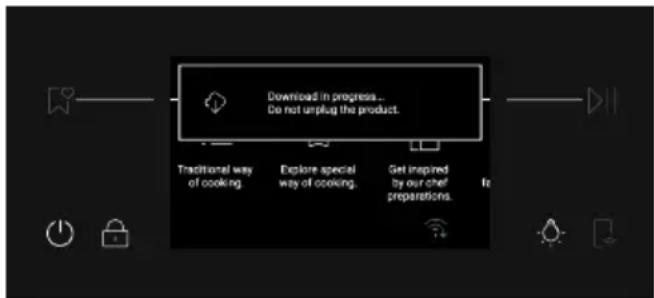
SOFTWARE DOWNLOAD - During this process, that may take around 2 hours, it is possible to use the oven to cook but hOn App will not be available.
-
By selecting "Proceed", the update will start downloading and the Wi-Fi icon with a blue arrow will remain visible until the end of download. To switch off the display during this time, remote control shall be activated before pressing ON/OFF button, otherwise the download process will be interrupted.
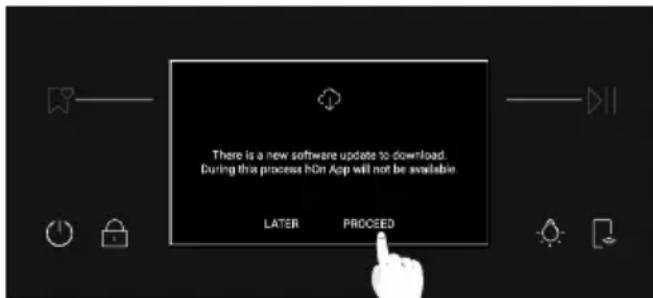
- By selecting "Later", it is possible to start the process by entering "Software Updates" in the Settings menu.
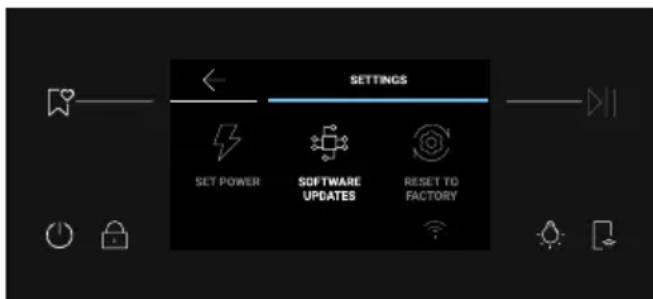
-
INSTALLATION During this process, that may take around 2 hours, it is possible to use the oven to cook but hOn App will not be available.
-
by tapping "Proceed", the update will be installed.
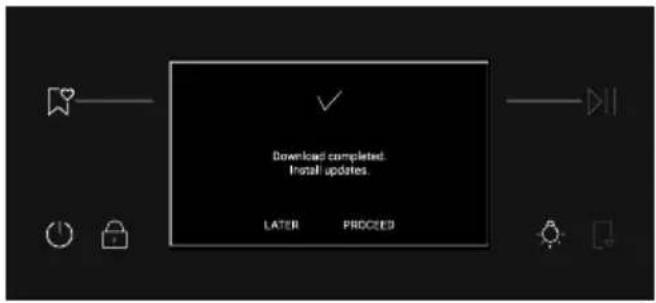
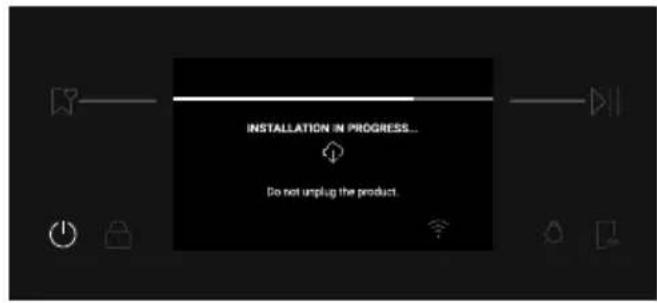
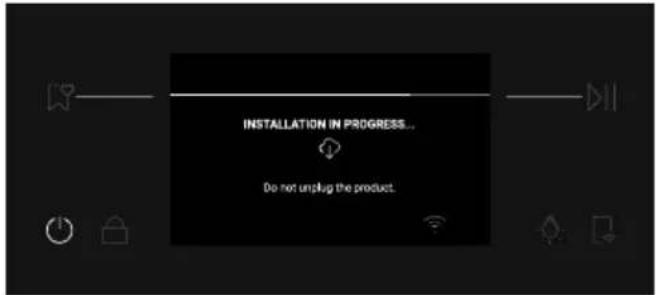
- By selecting "Later", it is possible to start the process by entering "Software Updates" in the Settings menu.
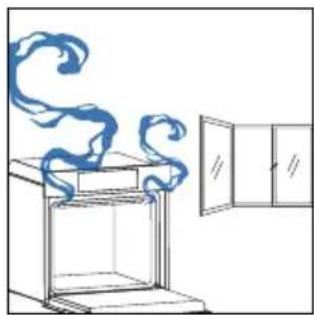
When you first turn on the oven, you might notice some smoke. Don't worry, just wait for the smoke to clear before using the oven.
How door works
During the pyrolytic cleaning process, the oven door remains locked at all times. If it's not locked, the oven will display error code 24 and pause the cleaning function.
How illumination works
The oven cavity is illuminated by one or more light bulbs, typically activated each time a cooking function begins.
For ovens equipped with a door switch (see below), the light automatically turns on when the door is opened.
For ovens equipped with lamp button, it can also be used to activate the lighting. If the oven door remains open for more than 10 minutes, the lights will automatically turn off. During pyrolytic cleaning process light remains off. *
How cooling fan works
The cooling fan is responsible for dissipating the heat, keeping the oven and its surroundings from getting too hot, as well as protecting kitchen appliances from the effects of high temperatures. For this reason, the cooling fan remains audible for a period of time even after the oven is turned off. It operates during and after cooking cycle in relation to the internal temperature of the oven. When the cooling fan is operational, it usually generates a gentle humming or whirring noise. You may also notice a warm airflow emanating from the gap between the oven door and the control panel. During pyrolytic cleaning and when door is locked, cooling fan is switched on. * During ECO function the light will remain off.
(^*only for pyro ovens)
How status bar works
The status bar, based on the set programs, simplifies monitoring of temperature and time. Specifically, for functions involving preheating, it displays the temperature increase during this phase. In cooking programs and the pyrolytic cleaning function, it shows the countdown of cooking time and the cleaning cycle, respectively.
3.2. FIRST USAGE
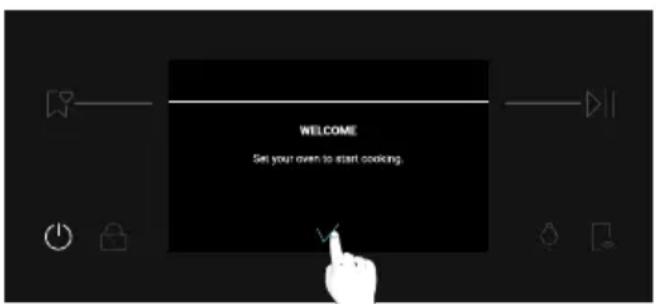
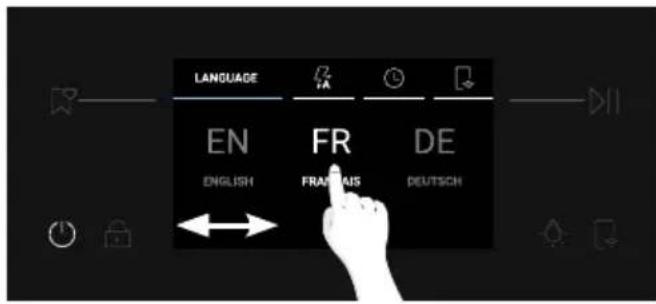
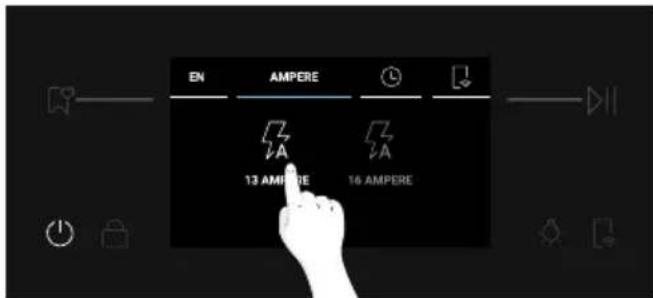
When the appliance is switched on for the first time, the initial step is to select the language, set time of day, choose between 13 ampere or 16 ampere.
First, a welcome message will appear on the display. To continue, press
- SELECT THE LANGUAGE: A carousel menu will be shown. Scroll the carousel horizontally to select the desired language. Tap on the language of choice to go to the next step.
- SET AMPERAGE: By default, the oven is set to work with higher power suitable for households with more than 3kW (16 A). If your home has lower power, you can change this setting to 13 A. This setting affects how quickly the oven heats up. Choosing the higher option (16A) means it heats up faster (because the power absorption is increased). On the display, you'll see two choices: 13A and 16A. Press on the desired amperage to select it and go to the next step.
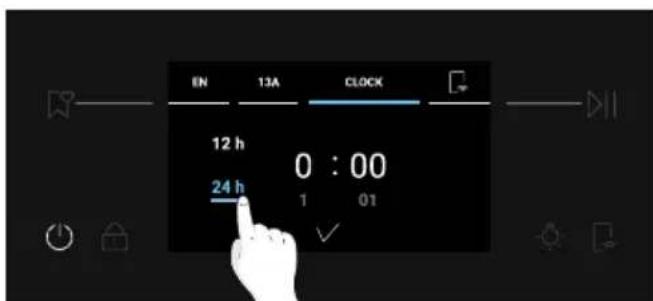
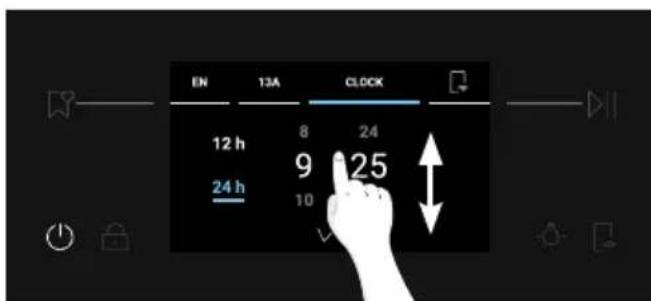
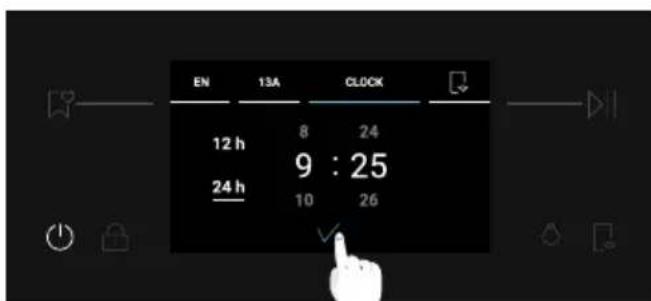
- SET THE TIME: The display will show the preset time '0:00' in the preset 24h time format. To change the time format, press 12h / 24h on the left side of the screen. To set the time, scroll the numbers vertically.
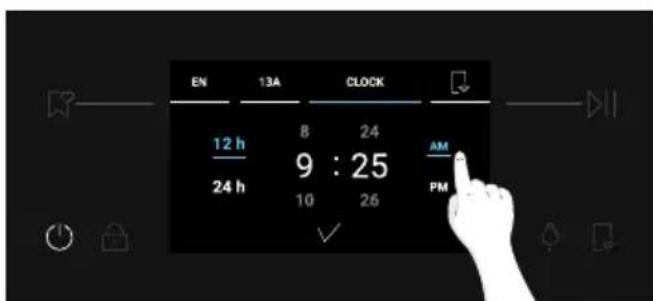
If you selected the 12h time format, also press on AM / PM to select the time of day. To confirm your choice, press on
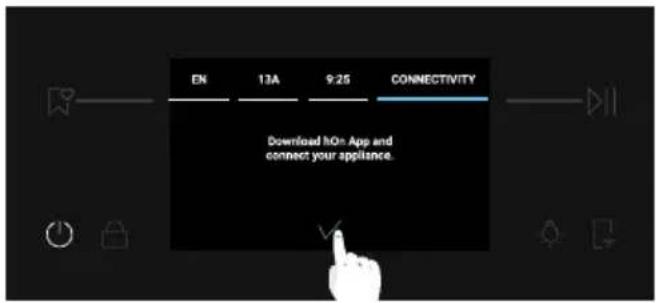
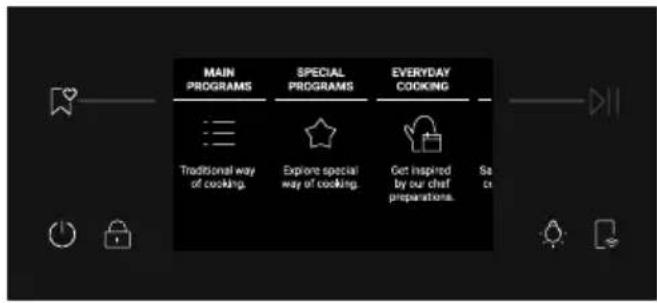
After adjusting the initial settings, a pop-up message about pairing information will appear. Press to confirm and go to the Home carousel menu.
ADDITIONAL SETTINGS
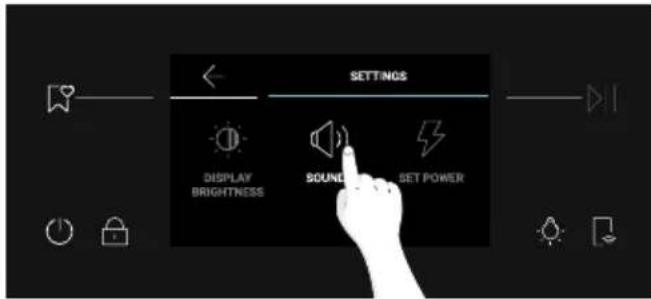
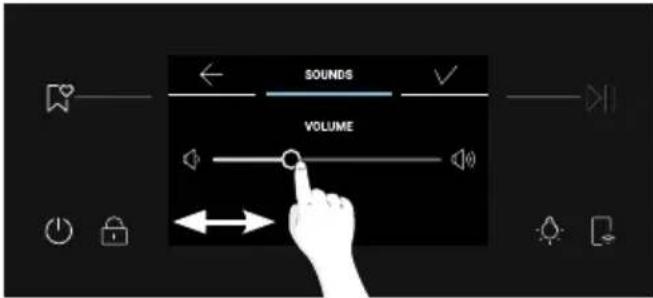
Brightness and Sound levels can be adjusted by the user in the Settings section.
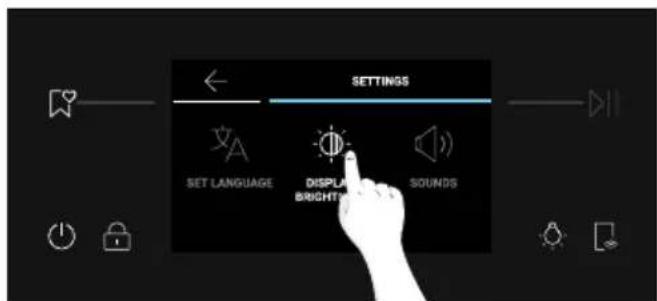
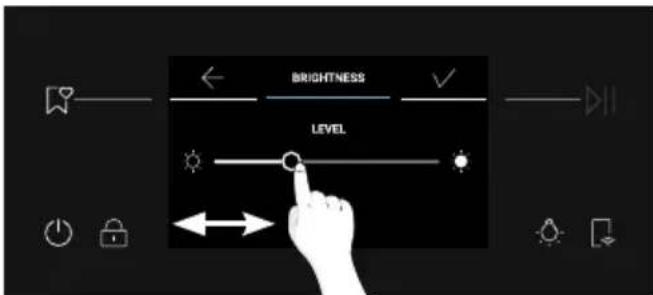
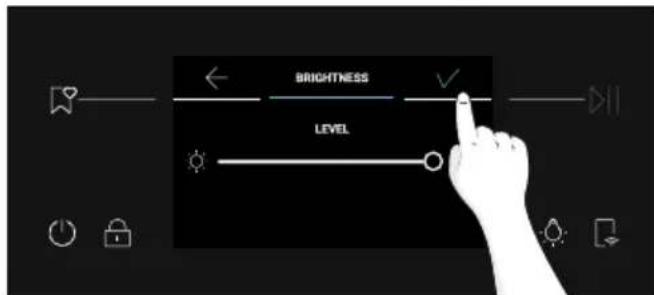
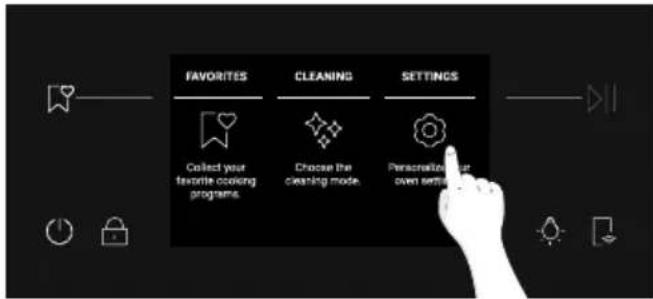
- BRIGHTNESS: From the Home carousel, press "Settings". Scroll the Settings menu horizontally and press on "Display Brightness". Scroll the slider horizontally to adjust brightness. Press to confirm.
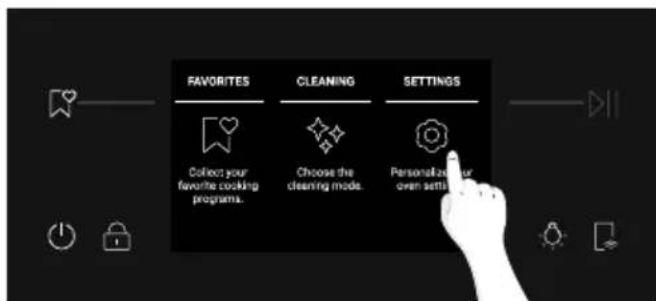
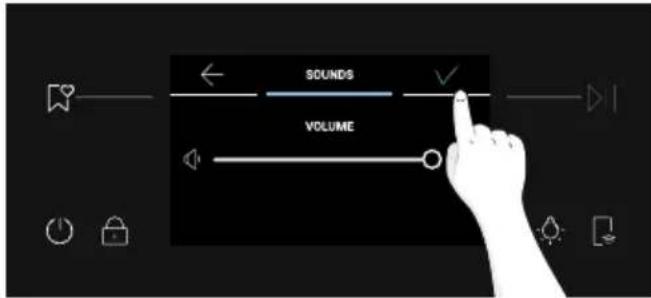
- SOUND: From the Home carousel, press "Settings". Scroll the Settings menu horizontally and press on "Sounds". Scroll the slider left and right to adjust the sound volume. Press to confirm.
3.3. PRELIMINARY CLEANING
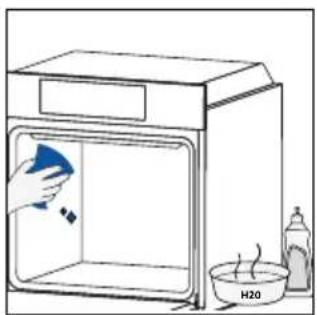
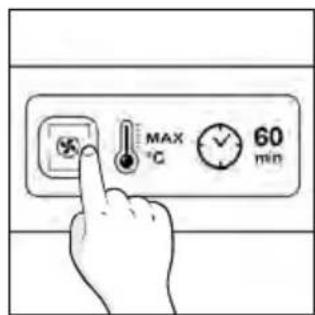
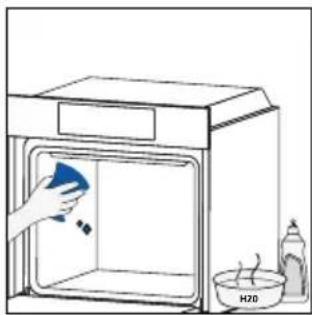
Clean the oven before using it for the first time. Wipe over external surfaces with a damp soft cloth. Wash all accessories and wipe inside the oven with a solution of hot water and washing up liquid. Set the empty oven to the maximum temperature and leave on for about 1 hour, this will remove any lingering smells of newness.
4. OPERATION OF PRODUCT
4.1. HOW THE PRODUCT WORKS
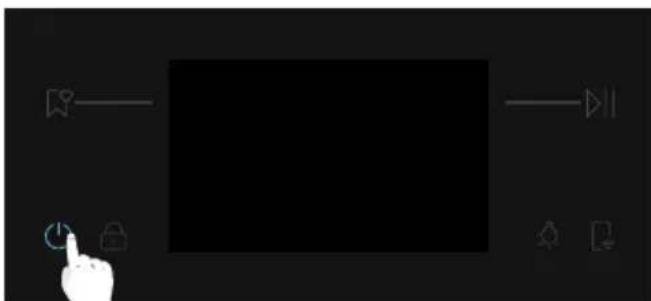
SWITCHING ON/OFF THE OVEN
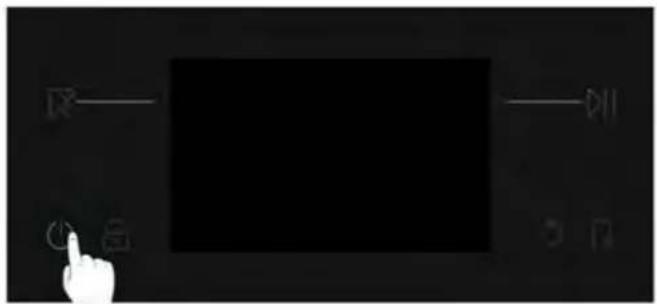
To switch the oven ON/OFF, long press the ON/OFF button.
SET COOKING FUNCTION
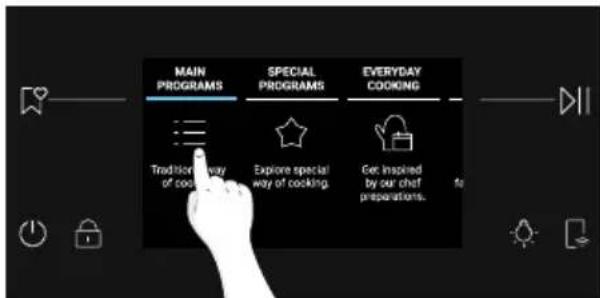
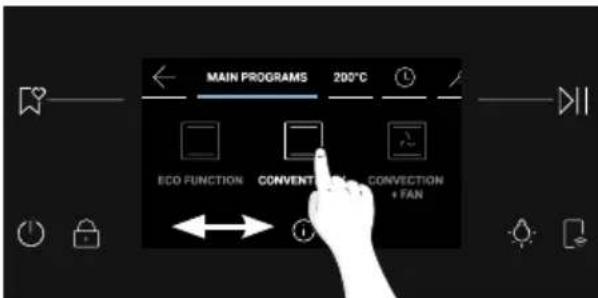
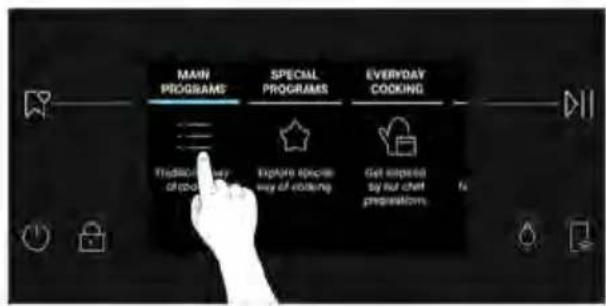
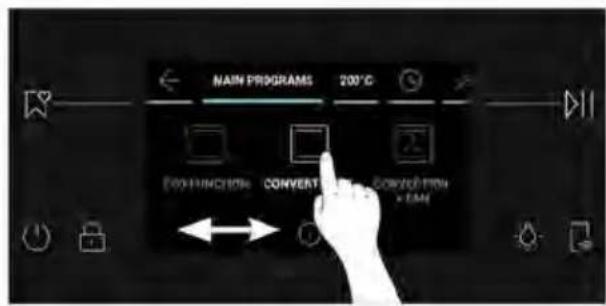
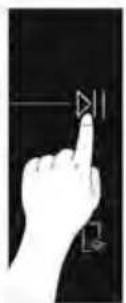
To select a cooking function, press "Main Programs" from the Home carousel menu. Scroll the carousel horizontally until you reach the desired function. Press to start cooking at the default temperature for the selected cooking function.

SETTEMPERATURE
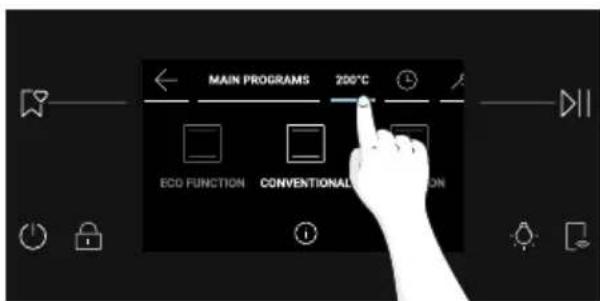
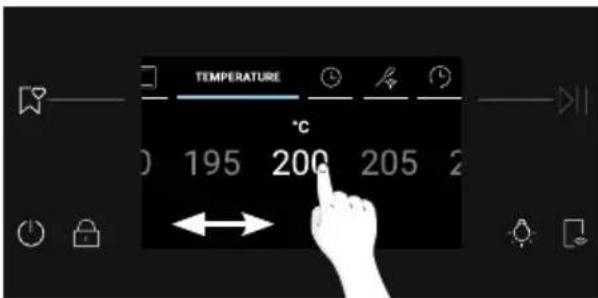
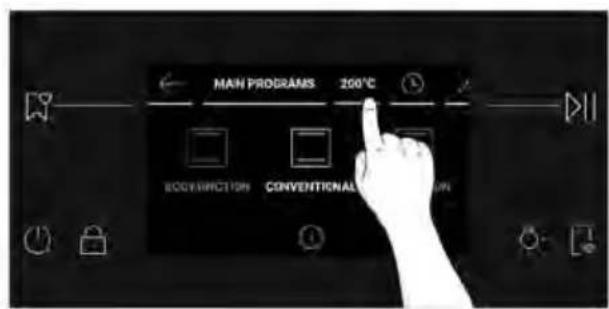
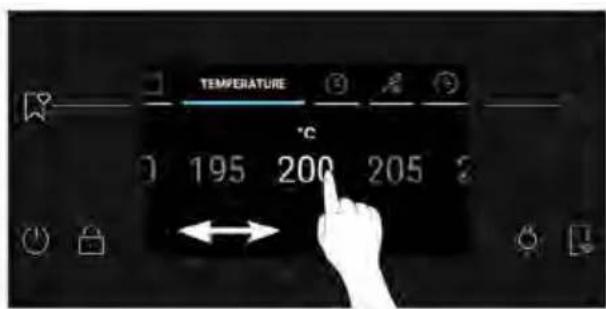
Press the temperature indicated next to "Main Programs" on the carousel. Scroll horizontally to select the desired temperature. Press to confirm your choice.

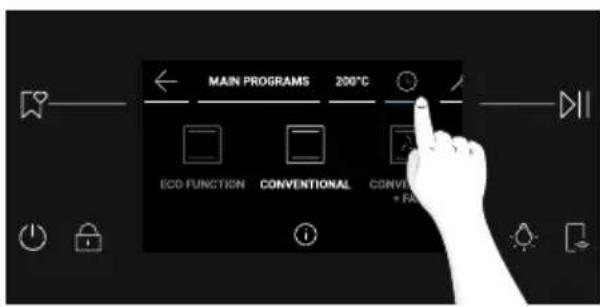
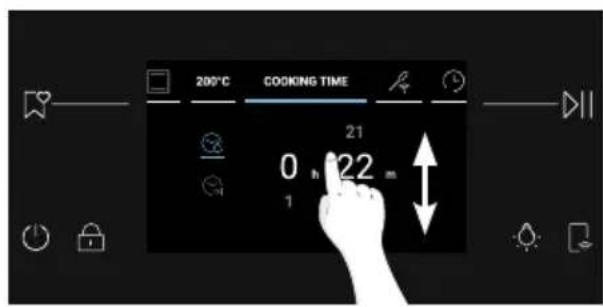
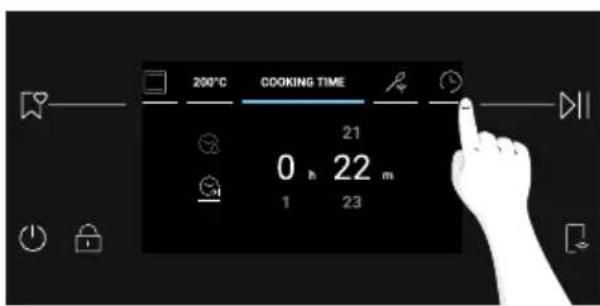
Access the Time menu by pressing Cooking Time on the carousel.
The user can enter the following settings:
a. Minute Minder
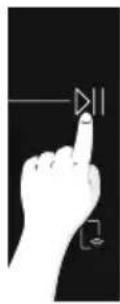
This function allows the user to set a reminder for the cooking time. After pressing Cooking Time on the carousel, the Minute Minder icon is switched on by default. Scroll the numbers vertically to adjust the time, then press to confirm.
b. Auto-Off
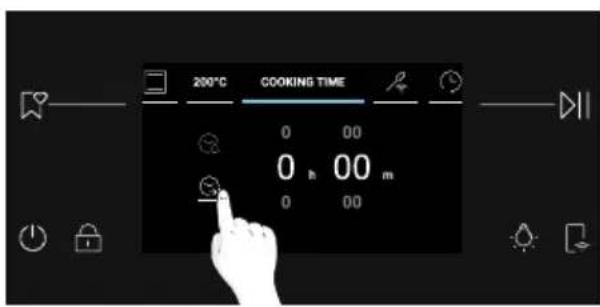
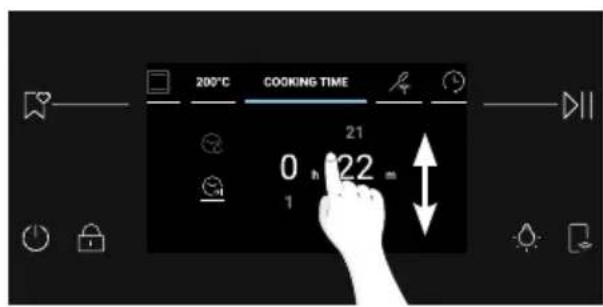
Auto-Off makes the oven automatically turn off after the set reminder. This function is switched off by default and needs to be activated on demand by the user.
Press to activate Auto-Off. Adjust the time by scrolling vertically, then press to proceed.
c. Delay Start
Press to set Delay Start. Scroll vertically to set the desired time, then press to confirm.
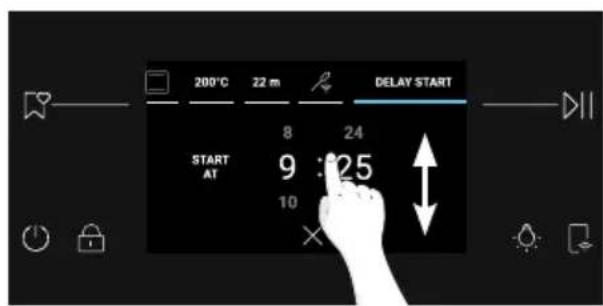
NOTE: Delay Start is activable only after setting Cooking Duration and it is not available when the Preci Probe is set. When using Delay Start, the cooking duration will be automatically converted to Auto-Off.
ADDITIONAL FUNCTIONS

LIGHT
To switch the cavity light ON/OFF,

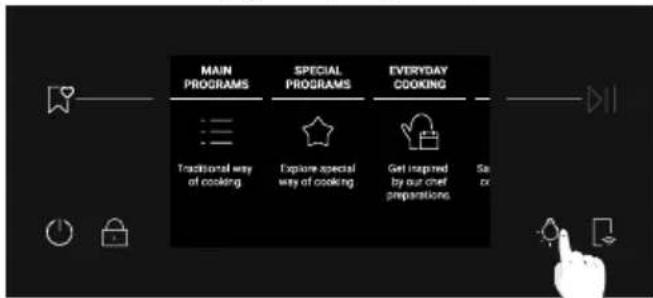
NOTE: The cavity light is OFF by default during general navigation processes. While a process such as cooking or cleaning is ongoing, the light will be switched ON by default.

CHILD LOCK
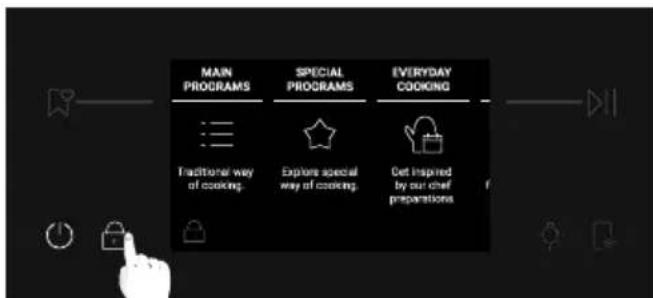
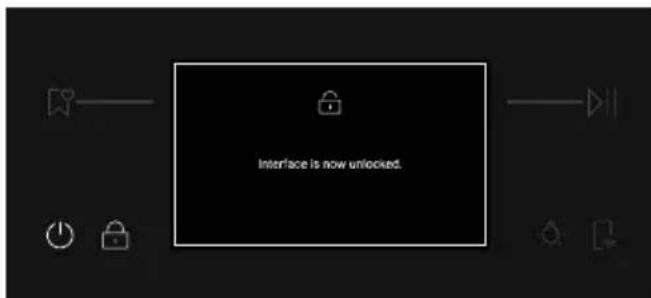
This function allows you to lock the screen to prevent any unwanted use by minors. To activate the screen lock, long press A pop-up message will be shown for a few seconds. When Child Lock is on, all the buttons will be disabled except for ON/OFF and Child Lock.
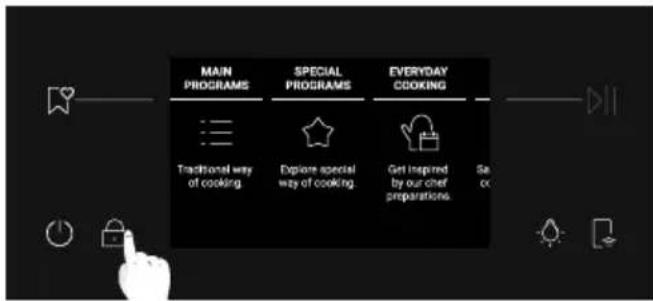
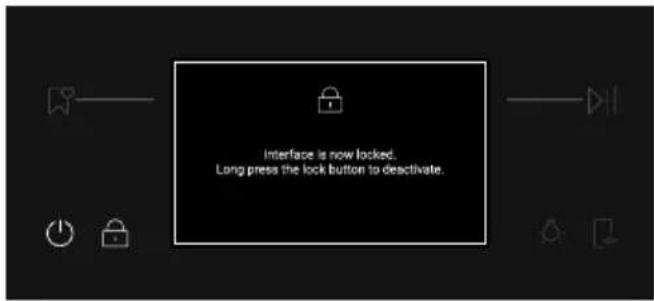
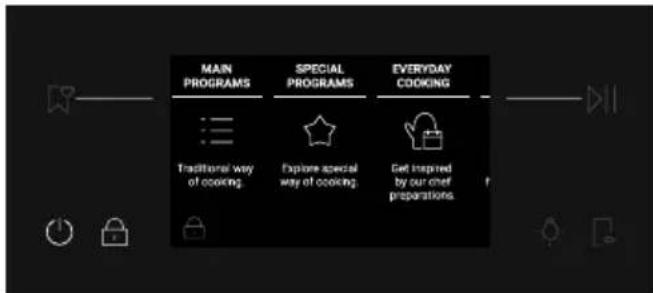
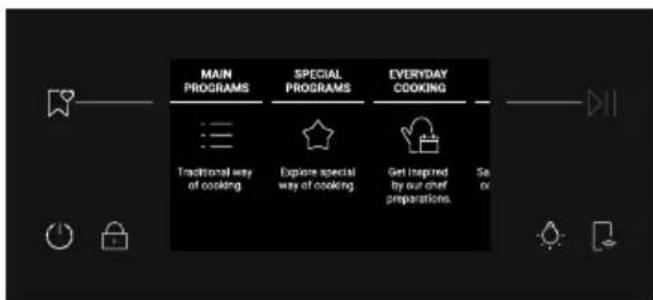
To unlock the screen, long press again. A pop-up message will be shown for a few seconds, or you can tap anywhere on the screen to hide it. The display will unlock and resume to the previous screen.
4.2. COOKING FUNCTIONS
FAST PREHEATING OPTION
The fast preheat is always recommended by a message on the display and starts automatically. When the fast preheat starts the option "skip" appears. If "skip" is selected, the desired cooking function starts and the food can be inserted with cold oven. The Fast Preheat will activate a combination of fan and heating elements regardless of the chosen cooking function; the lamp will be turned OFF until the oven reaches the desired temperature to save energy.
4.2.1. MAIN PROGRAMS
NOTE: for functions that require preheating, ensure all accessories are removed during this phase. Follow instructions in the table below for what regards preheating.
"Yes" means that fast preheating is automatically activated and can be skipped; "NO" means that preheat is not available and foods must be inserted with cold oven.
When a cooking program ends you can add 5 more minutes of cooking time or save it to favorites menu or return to home screen.
| Symbol Function | T°C default T°C range | Suggested shelf position | Preheat | PRECIPROBE available | Suggestions |
| ECO | *ECO | 190 °C 150-220 °C | L3/L4 NO NO | | | IDEAL FOR: cooking meat, fish or vegetablesThis function allows to save energy during cooking keeping the food moist and tender. Cavity lamp is switched off |
| *Conventional | 200°C 30-250°C | L2/L3 YES YES | | | IDEAL FOR: cakes, breads, biscuits,on one level. |
| Multi-Level | 160°C 50-250°C | L3 (one tray) L3+L6 (two trays) L2+L4+L6 (three trays) | YES YES | | IDEAL FOR: cakes, biscuits and pizzas on one or more levels. Ideal to cook different foods. |
| Convection + Fan | 175°C 50-250°C | L2/L3 YES YES | | | IDEAL FOR: roasts, casseroles, vegetables or pies with moist fillings. |
| **Grill | L5 L1-L5 L6/L7 | NO YES | | | IDEAL FOR: small quantities of sausages or steak. Use with the door closed |
| Symbol Function | T°C default T°C range | Suggested shelf position | Preheat | PRECIPROBE available | Suggestions |
| **Super Grill | L5 L1-L5 | L7 for thin food, L5 for thicker food. | NO YES | | IDEAL FOR: big quantities of sausages, steaks and toast bread. The entire area below the grill element becomes hot. Use with the door closed. Turn food two thirds of the way through cooking (If necessary). |
| **Grill + Fan | 200°C 150-250°C | L4/L5 YES YES | | | IDEAL FOR: whole pieces of meat (roasts) or gratinated foods. Use with the door closed. Slide the drip tray under the shelf to collect juices. Turn food over halfway through cooking if needed. |
| Bottom heating + fan | 170°C 50-230°C | L2/L3 YES YES | | | IDEAL FOR: salty cakes or foods with liquid toppings on one level |
| Bottom heating | 170°C 50-230°C | L1/L2 YES YES | | | IDEAL FOR: stews and gentle cooking on one level |
- Tested in accordance with the EN 60350-1 for the purpose of energy consumption declaration and energy class.
**Use with the door closed.
4.2.2. SPECIAL FUNCTIONS
| Symbol Function | T°C default T°C range | Suggested shelf position | Preheat | PRECIPROBE available | Suggestions |
| Pizza 300 | 300 °C200-300 °C | L2/L3 NO | | | IDEAL TO: cook all pizza types, without the need of preheating. Use lower heating for frozen pizza, and 300° for round fresh pizza. |
| Dehydration | 55°C45-65°C | L4 NO | | | IDEAL TO: dehydrate portions of vegetables and fruits. For a better result, cut slices thinly, and place them on a single layer without overlap. |
| Keep Warm 65°C L3 NO | | | | IDEAL TO: maintain the food warm |
| Yogurt 40°C L4 NO | | | | IDEAL TO: prepare yogurts enabling a correct fermentation process |
| Leavening 40°C L3 NO | | | | IDEAL FOR: pizza and bread dough leavening, position meals on the third level |
| MULTICOOKING | 200 °C150-250 °C | L1+L3+L5+L7 YES | | | IDEAL TO: simultaneously cook different dishes of a full meal on different levels without mixing odors. Position food on all levels available after preheating. Take out each dish separately, depending on whether the cooking temperature has been reached. |
| Air fry | 200 °C150-250 °C | L3/L4 NO | | | IDEAL TO: prepare frozen, pre-fried andbreaded meals. Thanks to the dedicated accessory, hot air covers food evenly. |
Save recipes as Favorites:
You can save a recipe in the Favorites menu directly from the oven, at the end of any cooking program, by pressing "Save in Favorites" on the display. This button will be shown after the "Enjoy Your Plate" message.
Favorite recipes can be later accessed from the Favorites menu.
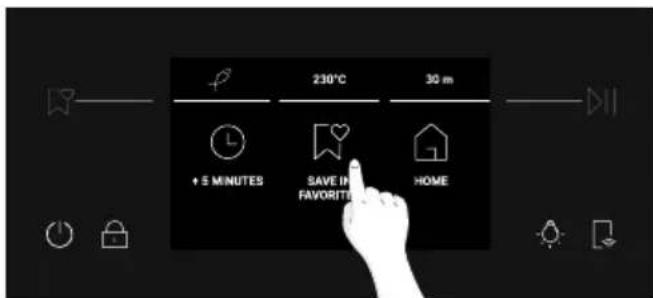
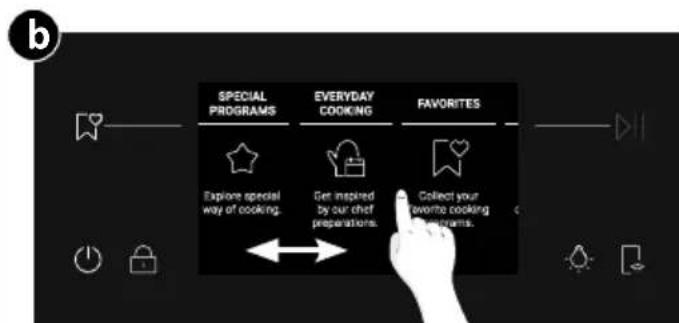
Press on the display. Alternatively, scroll the Home carousel until you reach Favorites and press on it. The Favorites menu will be displayed, and you can scroll through the previously saved recipes. The recipes saved directly from the oven will be shown first; the recipes saved through the Jolly function will be shown at the end of the carousel. Once you have reached the desired recipe, press to let the cooking start.
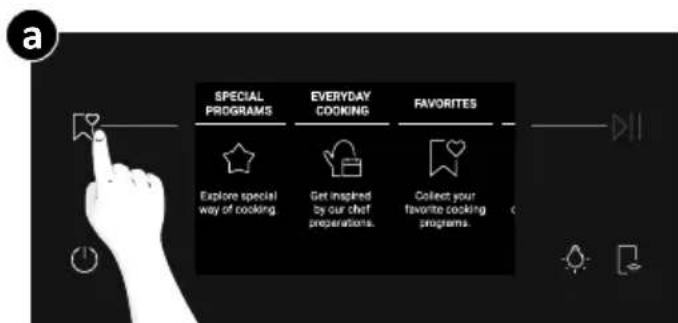
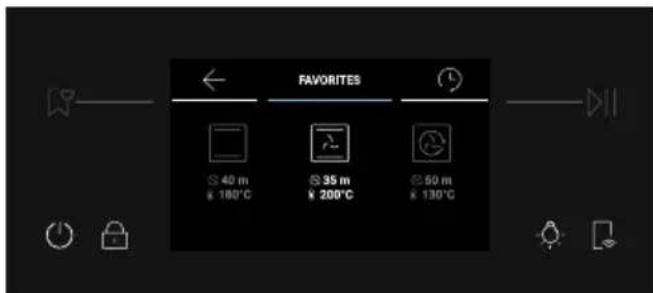

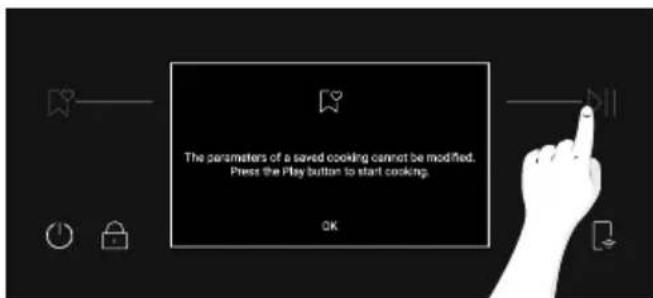
NOTE: Settings like Cooking Duration and Temperature cannot be changed for recipes saved as Favorites. If you click on the recipe in the Favorites menu, a pop-up message will appear. Press "OK" to go back to the carousel, or press to confirm your choice and let the cooking start.
Jolly function (Maximum 5 recipes)
Thanks to the Jolly function, this product offers a fully customizable experience, allowing you to store your personalized recipes directly on the oven. You can execute these recipes as often as you like, even without the need to log into the app.
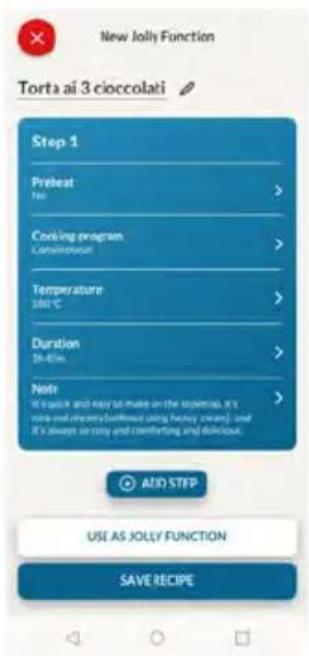
How to Set the Jolly Function:
To set the Jolly function on your oven, open the app's recipe section, select the recipe you want to use, and click 'Use As Jolly Function'. From this point onward, you can launch it from the product even without interaction with the app.
How to edit the Jolly function:
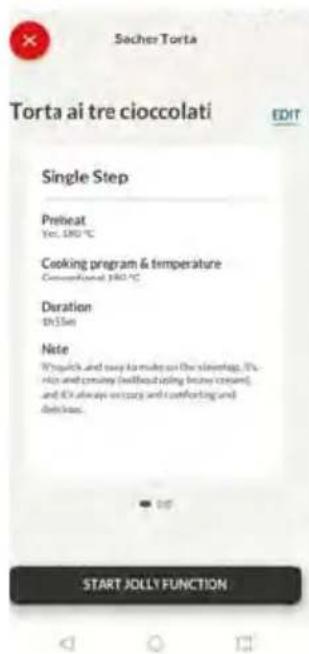
To edit a Jolly function, go to the app's recipe section and select the card of the recipe designated as a Jolly function. Tap the "edit" button to customize the recipe and modify the previously set settings.
A pop-up message will inform you that to save the newly modified Jolly function, you must remove the previous one. If you confirm, the previous Jolly function will be deleted, and the new parameters will be saved on the product and will be visible in the app.
How to Delete the Jolly Function:
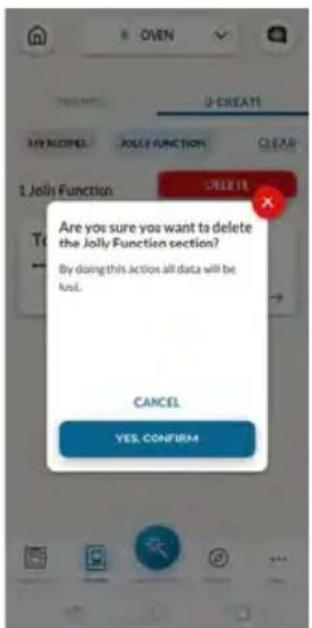
To remove the Jolly function from the oven's user interface, access the app's recipe section.
By tapping on the card of the recipe designated as a Jolly function, it's possible to delete it by clicking the red button 'delete button'.
A pop-up will confirm the operation, asking for your confirmation. If you proceed, the Jolly function saved on the oven will be removed, and it will no longer be available in the app.
The recipes saved through Jolly function can be seen in the Favorites menu on the oven.

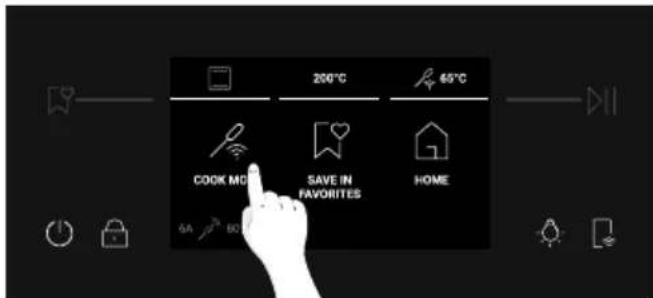
WIRELESS PRECI PROBE (available depending on the model)
How to use the probe:
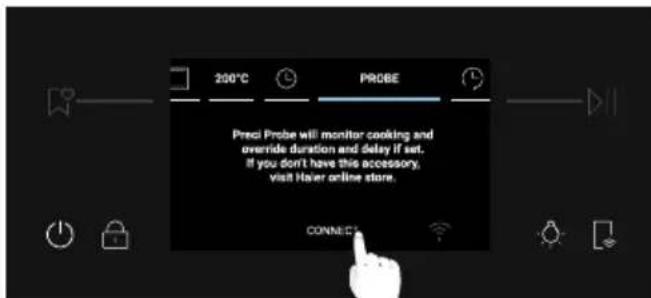
1.From the Home carousel, press
2. Press "Connect" to match the Preci Probe with the oven.
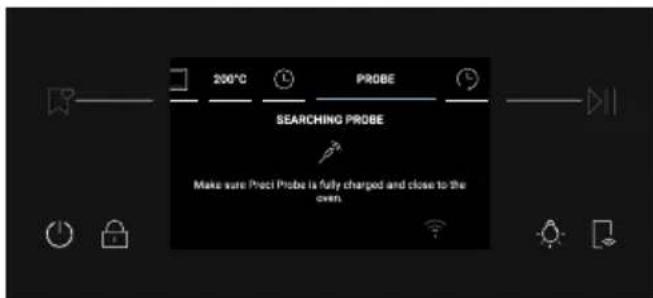
3. The oven will start searching for the Preci Probe. At this time, make sure the Preci Probe is fully charged and close to the oven.
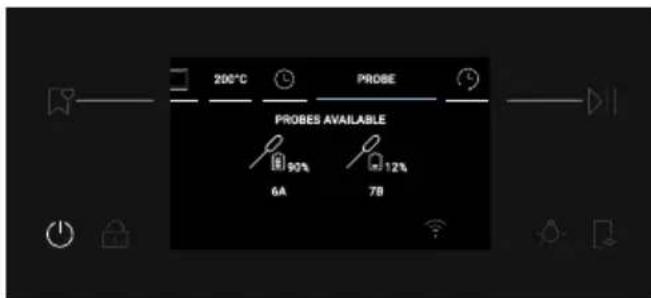
4. Once the Preci Probe is detected, select it by pressing on its icon on the display. will appear at the bottom left of the display.
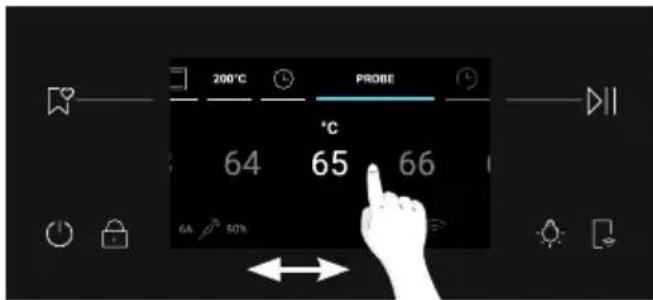
5. Select the desired target temperature by scrolling left and right, then press to confirm your choice. Fast Preheating starts.
6. A pop-up message will appear: insert the Preci Probe into the food and place it in the oven, then press to let the cooking start. When cooking stops, an "Enjoy your plate" message will be shown for a few seconds. Before taking the food out of the oven, be sure to remove the Preci Probe from the food carefully.
NOTE: When using the probe, there's no need to set a cooking timer; it will automatically stop once the desired temperature is reached.
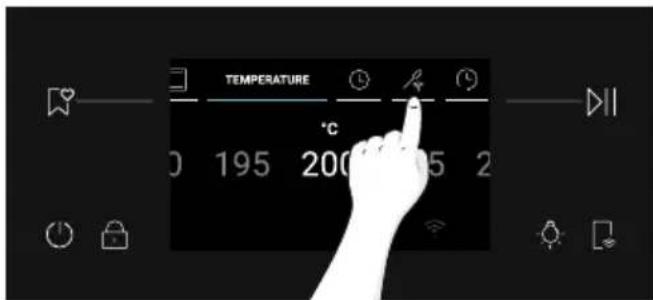
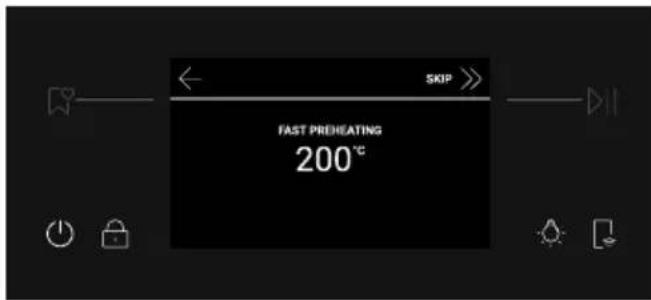
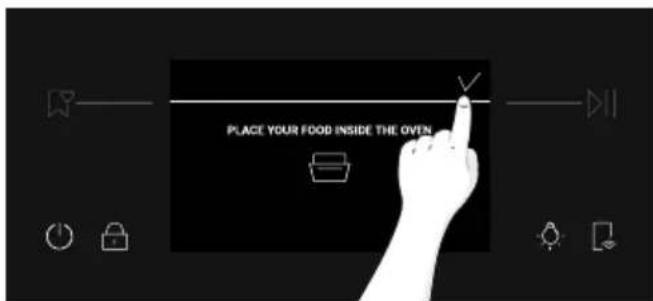
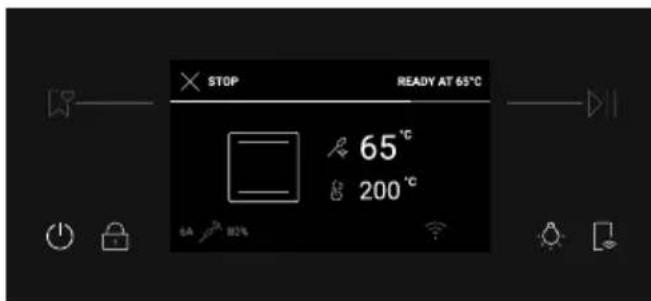
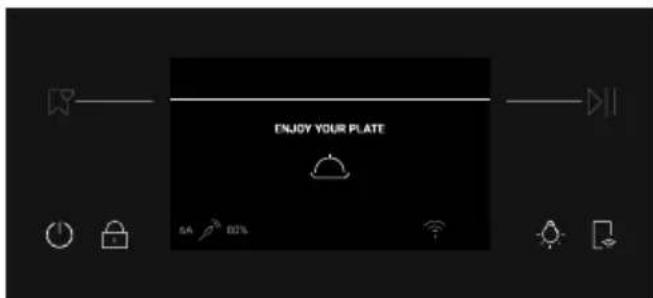
If you wish to cook your food more, press "Cook more" on the display and set a new target temperature for the Preci Probe.
Cooking tips
The Probe is equipped with a single measuring point. Insert it entirely into the food with the metal tip positioned at the centre of the food. Place this point as close as possible to the thickest (coldest) part of the food to accurately monitor the cooking process.
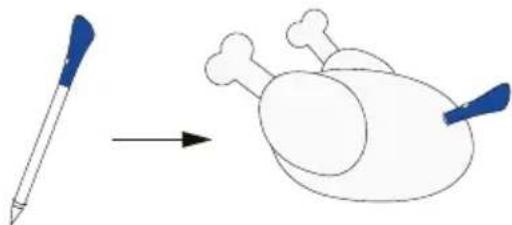
The Probe can be used with manual functions (Conventional, Conventional + Fan, Grill, Super grill, Grill + Fan, and Multilevel), with FOOD COOKING CATEGORIES (Meat, Fish and Vegetables) and Gentle cooking.
| Food category Suggested | core T°C Suggested positioning | |
| Roast beef 45°C | | Diagonally in the thickest part. For cylindrical shape foods (i.e. beef roasts) place the tip as close as possible to the geometric center |
| Roasted meats 55 °C / 60 | °C / 65 °C |
| Poultry 83-85°C Into the thickest part of the breast | |
| Fish (whole/steaks) 65°C Diagonally in the thickest part | |
| Bread/casseroles 90°C | | Close to the geometric center of the food |
4.2.3. MULTI STEP FEATURE
The multi step feature allows to maintain previously set cooking parameters (temperature and time) while changing function during cooking.
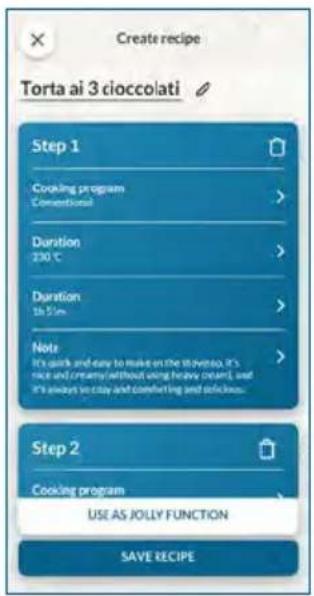
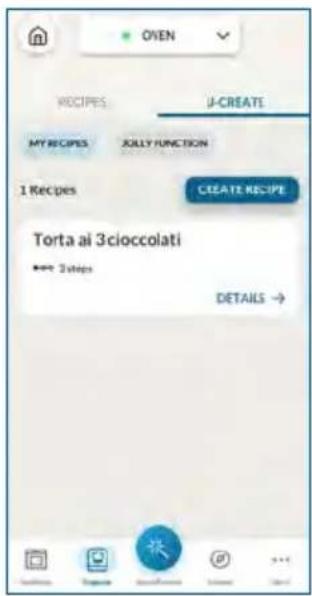
Multi-step recipes can be created on hOn App through the U-Create function and saved on the oven. The user can start the Multi-step recipe from the Favorites menu.
The user can save the Multi-step recipe as a Jolly Function to store it in the Favorites menu on the oven, or save it on hOn to start it remotely from the App.
Step 1. From the U-Create section of the App, press "Create Recipe".
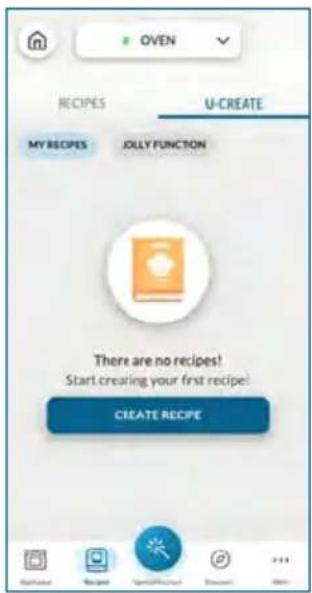
Step 2. Edit the recipe's name and choose the parameters for the first step of the recipe.
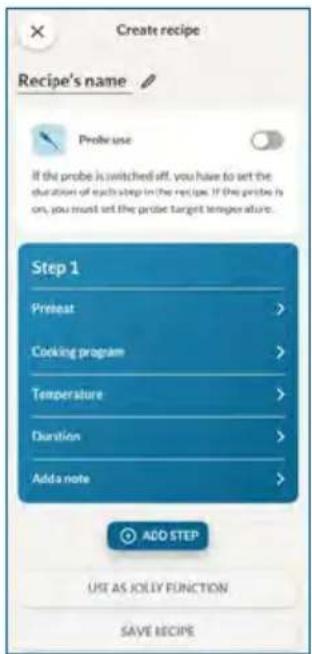
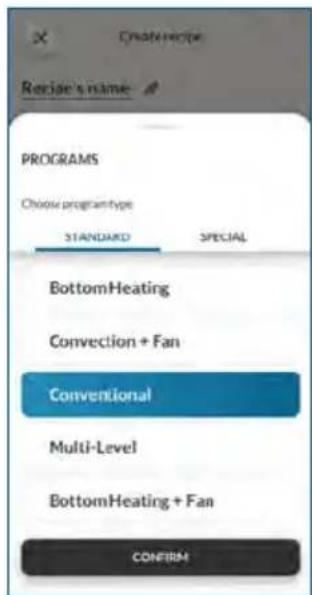
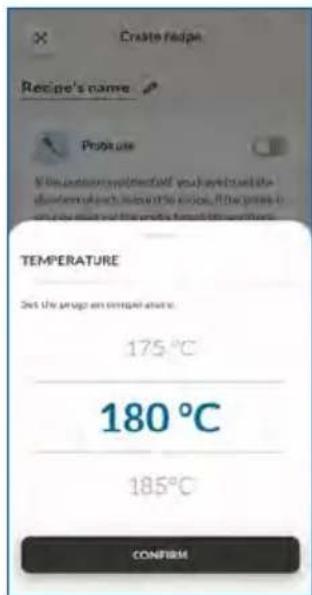
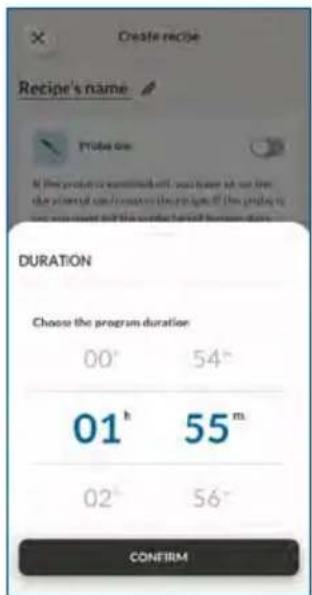
Step 3. After customizing the first step, press "Add step" to add another cooking function to the recipe and customize its parameters.
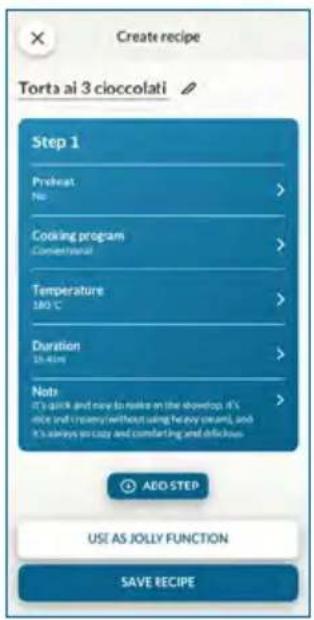
Step 4. Save the recipe on the app to start it from hOn remotely, or save it as a "Jolly Function" to find it in the Favorites menu directly on the oven.
5.1. GENERAL COOKING TABLE
| Category Recipe | N°of levels | Cooking program | T°C Preheat | Cooking accessory | Shelf position | Cooking time after preheating* (min) |
| Sweet bakery | Small cakes/Muffins | 1 | Conventional Multilevel | 175°C 160°C | Y | Baking tray L3 | | 20-3030-40 |
| 2 Multilevel 150°C | | L4+L6 40-50 | Baking + Deeper trays | L3+L6 30-40 | |
| 3 Multilevel 140°C Baking trays L2 | 50 | | |
| Sponge cakes(26 cm Ø) | 1 | Conventional Multilevel | 170°C 150°C | Y | Metal grid + Cake tin | L2 L3 | 30-4040-50 |
| 2 Multilevel 150°C | | Metal grids + Cake tin | L3+L6 50-60 | |
| Biscuits/Shortbreads | 1 | Conventional Multilevel | 150°C 150°C | Y | Baking tray L3 | | 25-3030-40 |
| 2 Multilevel 140°C Baking trays L3 | L6 35-45 | | |
| 3 Multilevel 140°C Baking trays L2 | L4+L6 35-40 | | |
| Choquettes | 1 Multilevel 190°C | | Y | Baking tray L3 | 25-35 | |
| 2 Multilevel 170°C Baking trays L3+ | L6 25-35 | | |
| Yorkshire pudding | 1 | Conventional | 200°C | Y | Baking tray | L3 | 20-30 |
| Meringues | 1 | Multilevel | 90°C | Y | Baking tray | L3 | 90-160 |
| Macaron | 1 | Conventional | 150°C | Y | Baking tray | L3 | 15-20 |
| Apple pie | 1 Conventional 185°C | Y | | Metal grid + Cake tin | L2 60-70 | |
| 1 Multilevel 170°C | | | Metal grid + Cake tin | L3 65-75 | |
| Tarte tatin | 1 | Conventional | 170°C | Y | Metal grid + Cake tin | L2 40-60 | |
| Chocolate souffle | 1 Conventional 200°C | Y | | Baking tray + molds | L3 10-15 | |
| Cheesecake 1 | Conventional 150°C | Y | | Metal grid + Cake tin | L2 50-65 | |
| Frozen croissants | 1 Conventional 180°C | | L5 28-35 | Baking tray L3 | 20-25 | |
| 2 Multilevel 180°C Baking trays L2 | | | |
| 3 Multilevel 160°C Baking trays L2 | L4+L6 30-40 | | |
| Strudel,frozen | 1 | Conventional | 210°C | Y | Baking tray | L3 | 30-45 |
| Breads and Flatbreads | Toast bread | 1 | Supergrill | 05 | N | Metal grid | L7 | 4-6 |
| Focaccia | 1 | Conventional | 200°C | Y | Baking tray | L2/L3 | 25-35 |
| Bread, whole | 1 | Conventional | 200°C | Y | Baking tray | L3 | 35-50 |
| Savory pies and casseroles | Salty cakes / Quiches (26 cm Ø) | 1 Convection+Fan 180°C | | Y | Metal grid + Quiche tin | L3 45-60 | |
| 2 Multilevel 180°C | | Metal grid + Quiche tin | L2+L5 50-70 | |
| Cheese souffle | 1 Convectional 200°C Y Baking tray L3 20-35 | | | | |
| Lasagna, fresh | 1 Convectional 200°C Y | | | Metal grid + ovenproof dish | L3 40-60 | |
| Lasagna, frozen | 1 Convection+Fan 180°C Y | | | Metal grid + ovenproof dish | L3 45-55 | |
| Cannelloni, frozen | 1 Convection+Fan 180°C Y | | | Metal grid + ovenproof dish | L3 45-55 | |
| Baked pasta 1 | Grill+Fan 200°C Y | | | Metal grid + ovenproof dish | L4 20-30 | |
| Pizza | Pizza, fresh (Tray) | 1 | Conventional Pizza | 250°C 300°C | YN | Baking tray | L2/L3 | 15-20 18-25 |
| 2 Multilevel 180°C Y | | | | Baking + Deeper trays | L2+L5 25-35 | |
| Pizza, fresh (Round) | 1 | Conventional Pizza | 250°C 300°C | YN | Baking tray | L2/L3 | 8-10 15-20 |
| 2 Multilevel 180°C Y | | | | Baking + Deeper trays | L2+L5 30-40 | |
| Pizza, frozen (thin crust) | 1 | Conventional Pizza | 220°C 200°C | YN | Metal grid | L3 10-15 | |
| 2 | Multilevel | 200°C | Y | Metal grid | L2+L5 | 15-25 |
| 3 | Multilevel | 180°C | Y | Metal grid | L2+L4+L6 | 25-35 |
| Meat & Poultry | Roasted whole chicken (1-1.2kg) | 1 Grill+Fan 220°C Y | | | Metal grid Place baking tray at L1 | L4 40-60 | |
| Chicken thighs | 1 | Air fry | 220°C | N | Air fry tray** | L4 | 30-50 |
| Roasted duck | 1 Grill+Fan 200°C Y | | | Metal grid + Ovenproof dish | L3 50-60 | |
| Category | Recipe | N°of levels | Cooking program | T°C | Prehe- at | Cooking accessory | Shelf position | Cooking time after preheating* (min) |
| Meat & Poultry | Rooster 1 G | grill+Fan 220°C Y | | | | Metal grid Place baking tray at L1 | L4 20-40 | |
| Roasted Turkey | 1 Grill | +Fan 200°C Y | | | Metal grid + Ovenproof dish | L3 50-60 | |
| Pork ribs (1000-1200g) | 1 Conventional 200°C Y | | | | Metal grid + Ovenproof dish | L3 80-100 | |
| Sausages 1 Supergrill | 04 Y Metal grid L5 40-50 | | | | | | |
| Roast beef (500g) | 1 Grill | +Fan 220°C Y Baking tray | | L3 20-40 | | | |
| Meatloaf (1000-1500g) | 1 Conventional 180°C Y Baking tray | | | L3 40-50 | | | |
| Roasted chicken with potatoes | 1 Grill | +Fan 200°C Y | Deeper tray | L4 45-60 | | | |
| Fish and Seafood | Grilled seafood | 1 | Supergrill | 04 | N | Metal grid | L5 | 15-30 |
| Frozen fish sticks | 1 | AirFry | 200°C | N | Air fry tray** | L4 | 20-25 |
| Baked fish | 1 | ECO | 200°C | N | Metal grid Place baking tray at L1 | L3 40-60 | |
| Vegetables | Vegetable gratin | 1 | ECO | 200°C | N | Metal grid + Ovenproof dish | L3 80-90 | |
| Frozen french fries (300-500g) | 1 | AirFry | 220°C | N | Air fry tray** | L4 | 18-25 |
| Potato gratin | 1 Grill | +Fan 200°C Y | | | Metal grid + Ovenproof dish | L4 15-25 | |
| Roasted potatoes | 1 Conventional 200°C Y Baking tray | | | L4 30-50 | | | |
Cooking times may vary according to consumer's recipe and ingredients.
if preheating required
* Depending on the oven model.
NOTE: For cooking cakes, quiches and other recipes that require a mold or a container on 2 levels, place them staggered: the upper tray on the left side and the lower tray on the right side.
5.2. EVERYDAY COOKING TABLE
Food category menu allows to cook a variety of recipes, thanks to dedicated cooking programs tailored to each category needs.
After selecting the food category and the recipe, you will be able to select the amount of trays to cook simultaneously or the food weight range (according to selected category). The default time and temperature are shown and can be edited by pressing the dedicated icons on the display. Cooking temperature can be set within a limited range.
Fast preheat option is recommended and activated by default, but can be skipped.
When a cooking program ends you can add 5 more minutes of cooking time or save it to favorites menu or return to home screen.
| Symbol Food Category Recipe Serving range Preci Probe available | | |
| Pizza, bread & Pizza | Round pizza 1 to 3 trays No | |
| Focaccia 1 to 2 trays No | |
| Frozen pizza 1 to 3 trays No | |
| Fresh lasagna 1 to 2 trays Yes | |
| Cannelloni 1 to 2 trays Yes | |
| Frozen Lasagna & Cannelloni | 1 to 2 trays No | |
| Bread 1 to 2 trays Yes | |
| Meat & Poultry | Roast Pork | 500-1500g Yes | |
| Roasted Beef |
| Pot Roast |
| Deboned thigh of lamb |
| Roast Chicken |
| Stuffed Chicken |
| Meatloaf |
| Fish | Fish Fillet | 200-1200g | Yes |
| Whole, oven baked | Yes |
| Grilled fish | No |
| Salt baked fish | No |
| Frozen fish | No |
| Savoury tarts & Pies | Savoury puff pastries | 1 to 3 trays | No |
| Souffle | 1 to 2 trays |
| Savoury tart | 1 to 2 trays |
| Vegetable flan | 1 to 2 trays |
| Symbol Food Category Recipe Serving range Preciprobe available | | |
| Vegetables | Baked potatoes | 500-1200g No | |
| Vegetable au gratin |
| Vegetables en papillote |
| Grilled vegetables |
| Stuffed vegetables |
| Sweet Bakery | Butter biscuits 1 to 4 trays | No | |
| Frozen croissants 1 to 4 trays |
| Fruit tart 1 to 2 trays |
| Mille-Feuille 1 to 2 trays |
| Muffins 1 to 3 trays |
| Sponge cakes 1 to 2 trays |
| Strudel 1 to 3 trays |
| Leavened cake 1 to 2 trays |
| Leavened cake with diced fruits | 1 to 2 trays |
6.1. GENERAL RECOMMENDATIONS
Regular cleaning can extend the lifecycle of your appliance. Wait for the oven to cool before carrying out manual cleaning.
- After each use of the oven, a minimum of cleaning will help keep the oven perfectly clean.
- Do not line the oven walls with aluminum foil or single-use protection available from stores. Aluminum foil or any other protection, in direct contact with the hot enamel, risks melting and deteriorating the enamel of the insides.
- In order to prevent excessive dirt of your oven and the resulting strong smokey smells, we recommend not using the oven at very high temperature. It is better to extend the cooking time and lower the temperature a little.
- In addition to the accessories supplied with the oven, we advise you only use dishes and baking molds resistant to very high temperatures.
6.2. CLEANING THE OVEN
6.2.1. INSIDE THE OVEN: cleaning functions
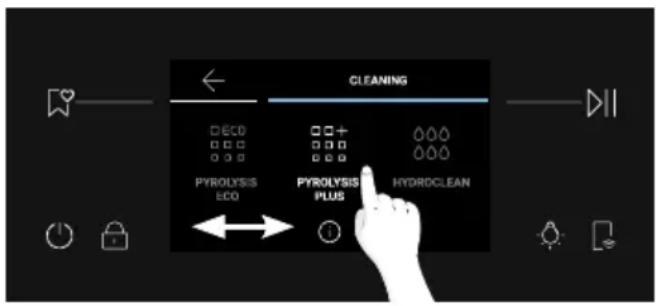
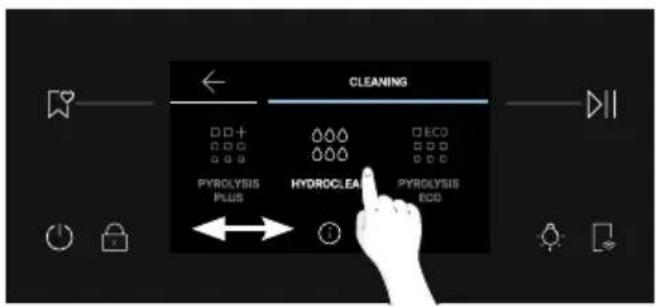
Scroll the home carousel horizontally and press Cleaning to access the Cleaning menu.
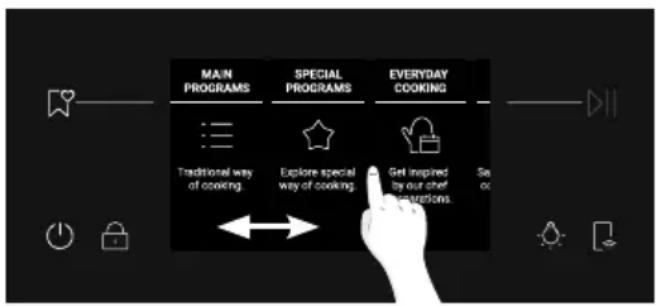
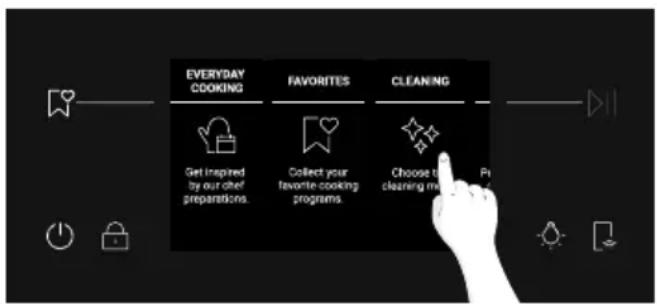
Scroll the Cleaning carousel to view the different functions. For any function, press description and the suggested use.
to read its
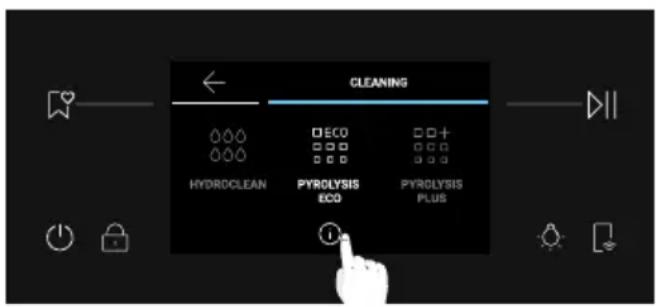
You can choose among the following cleaning options:
PYROLYSIS (depending on the model)
This process relies on the chemical process bearing the same name, which involves the decomposition of complex substances through the application of heat treatment.
Once initiated, it automatically locks the oven door and swiftly elevates the temperature to a searing 410^ .
At the end of the cleaning cycle, all that remains within the cavity is a minimal deposit of dust, easily wiped away with a damp cloth.
There are two Pyrolysis cleaning functions to choose from:
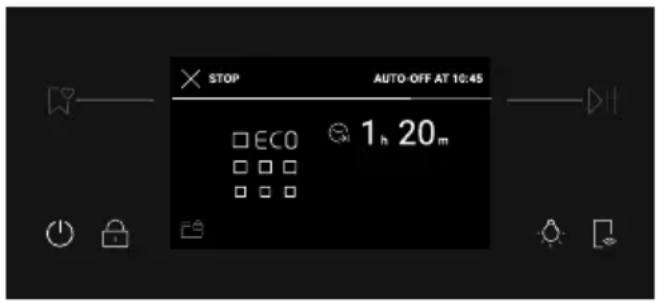
Pyrolysis eco
Cleans a moderately stained oven. Operates for a period of 90 minutes.
How it works:
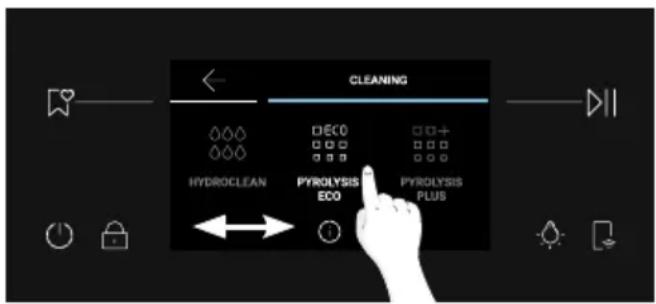
- From the Cleaning carousel, scroll until you reach Pyrolysis Eco.
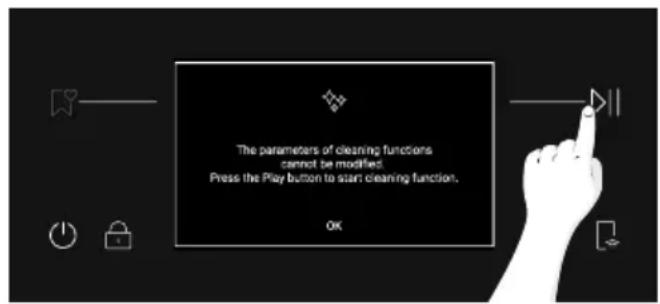
A pop-up message will appear. Press to proceed, or press "OK" to go back.
- Press to proceed.
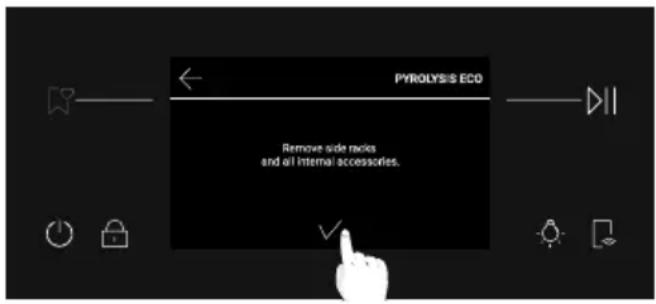
- A pop-up message will appear. Remove all internal accessories and side racks from the oven. Tap the when you are done.
- The cleaning process starts. During this time and during the following cooling phase, the door will be locked and the will appear on the display.
- When the appliance has cooled down, the door unlocks and a pop-up message will appear. At this time, you can open the door and clean the inner surfaces of the oven with a cloth.
Pyrolysis plus
Cleans a heavily stained oven. Operates for a period of 120 minutes.
How it works:
- From the Cleaning carousel, scroll until you reach Pyrolysis Plus.
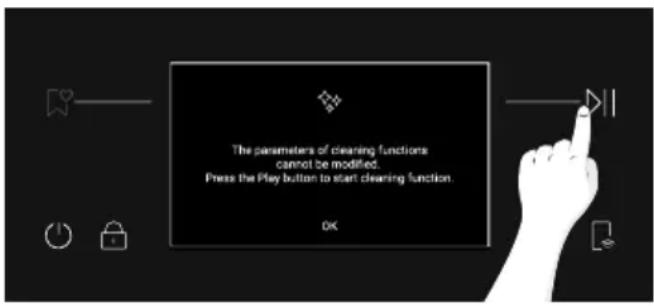
A pop-up message will appear. Press to proceed, or press "OK" to go back.
- Press to proceed.
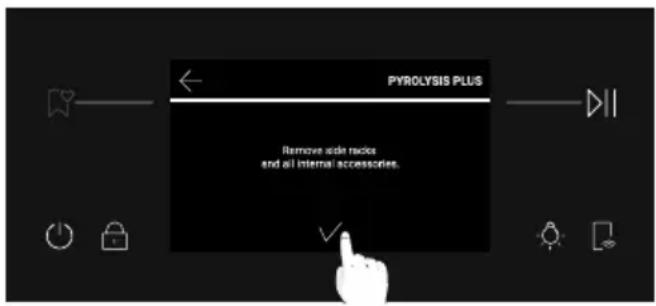
- A pop-up message will appear. Remove all internal accessories and side racks from the oven. Tap when you are done.
- The cleaning process starts. During this time and during the following cooling phase, the door will be locked and the will appear on the display.
- When the appliance has cooled down, the door unlocks and a pop-up message will appear. At this time, you can open the door and clean the inner surfaces of the oven with a cloth.
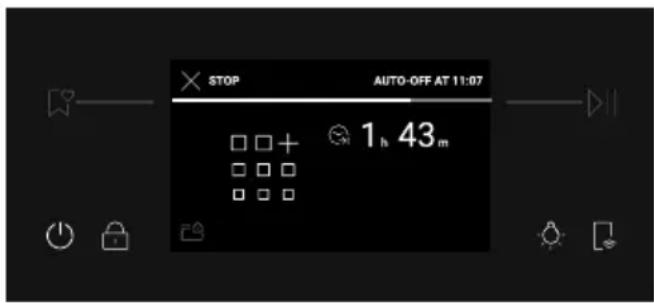
HYDROLEAN
The Hydroclean function is designed to effortlessly tackle light dirt and provide a quick and eco-friendly solution for cleaning your oven cavity using the power of steam.
How it works:
- From the Cleaning carousel, scroll until you reach Hydroclean.
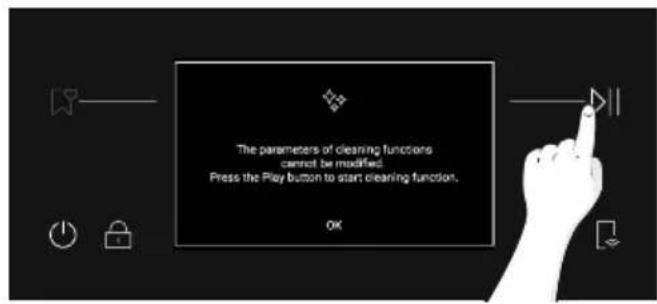
If you press on the function, a pop-up message will appear. Press to proceed, or press "OK" to go back.
- Press to proceed.
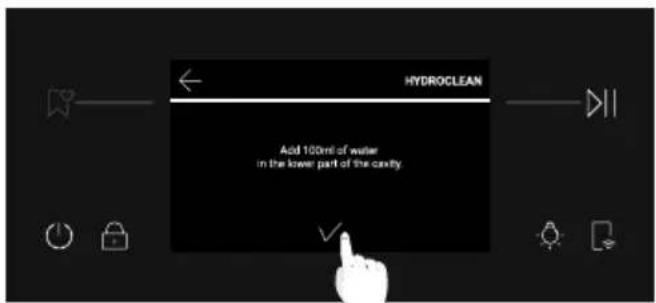
- A pop-up message will ask you to add 100ml of water in the lower part of the cavity. When you are done, press
- The cleaning process starts. Do not open the door during this time.
- When the cleaning process is over, a pop-up message will appear and you can open the oven door. The screen will resume to the Home carousel.
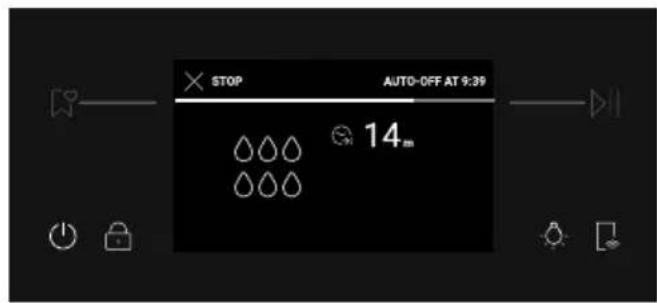
NOTE: All cleaning functions can be interrupted at any time by pressing the Stop button in the top left corner. After interrupting the Pyrolysis Eco and Pyrolysis Plus functions, the door will stay locked until the appliance has cooled down. A pop-up message will appear when the door is unlocked.
6.2.2. OUTSIDE THE OVEN: removal and cleaning the glass door
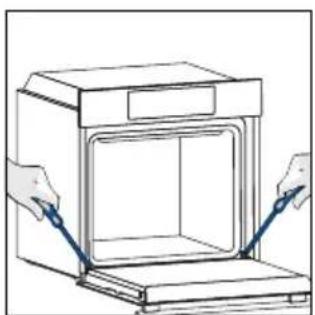
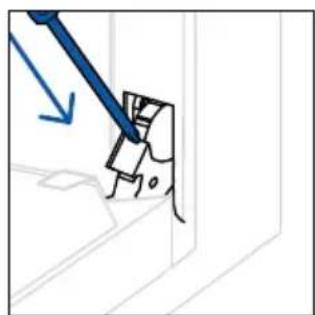
- Position the door at 90^ . Rotate the hinge locking tabs outward from the oven.
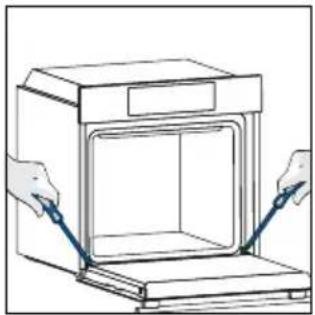
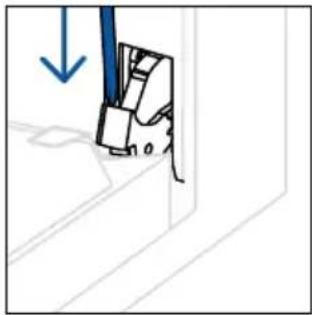
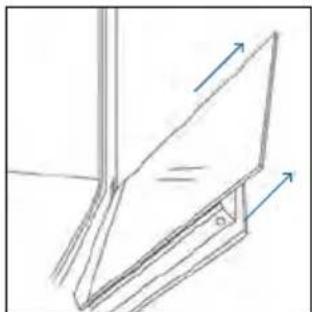
- Position the door at 45^ . Simultaneously press the two buttons on both the sides of the door's lateral shoulders and pull towards yourself to remove the upper glasses' door cover.

- Very carefully remove the oven glass, starting with the inner one. During the procedure, firmly hold the glass with both hands and place them on a cushioned flat surface (e.g., on a fabric).
- A WARNING: The outer glass is not removable.
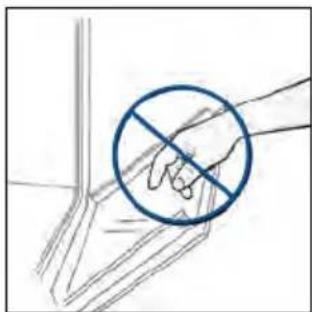
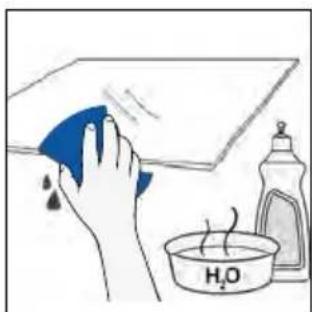
- Clean the glass using a soft cloth and suitable cleaning products.
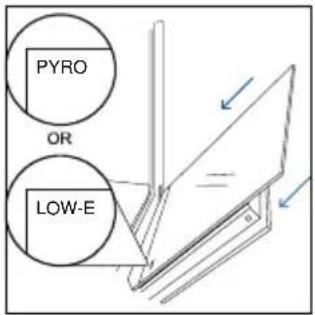
- Insert the glass panels, making sure that the "LOW-E / PYRO" label is correctly readable and positioned on the lower left side of the door, near the left-side hinge. This way, the printed label on the first glass will remain on the inside of the door.
- Reattach the upper glasses' door cover by pushing it inwards until you hear a click from the two side buttons.
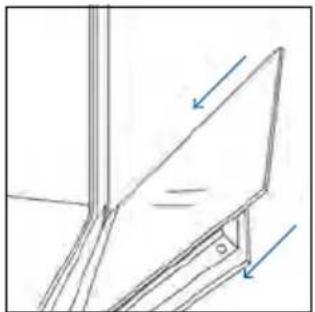
- Then, bring the door back to 90^ and rotate the hinge locking tabs inward towards the inside of the oven.
6.3 CLEANING OF ACCESSORIES
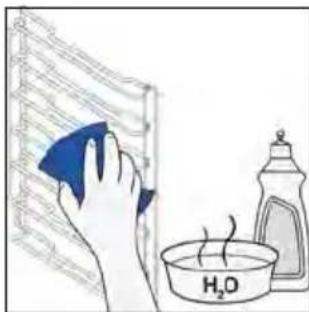
Ensure that you clean the accessories thoroughly after every use and dry them using a towel. For persistent residues, consider soaking the accessories in a mixture of water and soap for approximately 30 minutes before giving them a second wash.
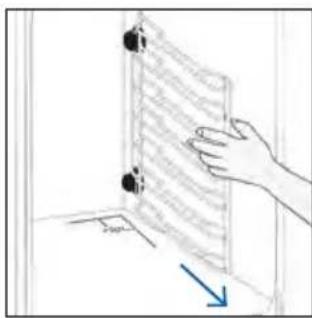
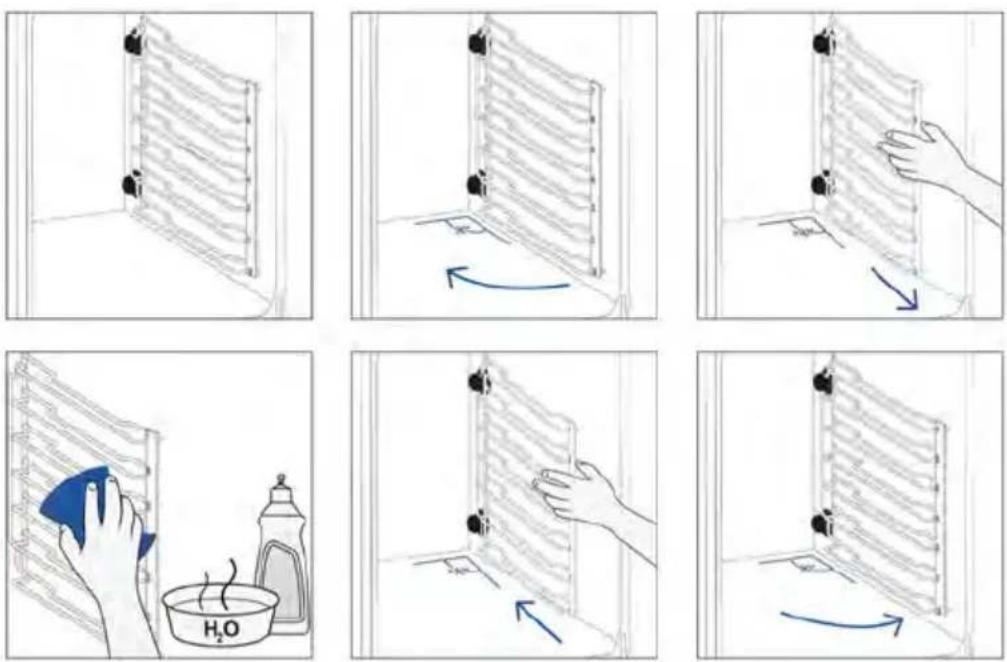
CLEANING OF SIDE RACKS:
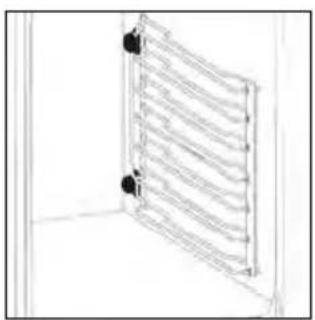
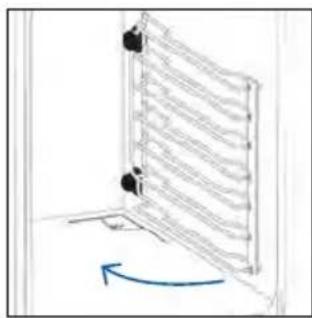
- Remove the side racks by first pulling the front part in the direction of the arrow and detaching the rear part from the screws.
- To clean the side racks either put them in the dishwasher or use a wet sponge, ensuring that they are dried afterwards.
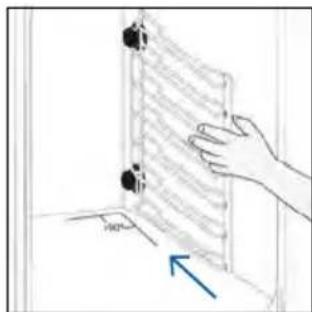
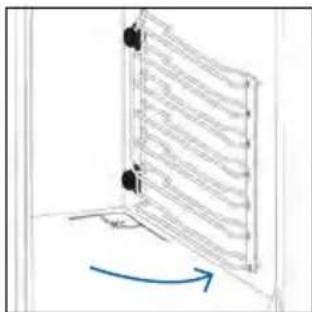
- After the cleaning process install the side racks in reverse order: positioning the rear part between the screws and push the front part in the direction of the arrow.
6.4 MAINTENANCE
COMPONENTS REPLACEMENT
Changing the bulb on top:
- Disconnect the oven from mains supply.
- Remove the lamp's glass cover.
- Disassemble the bulb.
- Replace the bulb with a new one of the same type.
- Relocate the lamp's glass cover.
- Reconnect the oven from mains supply.
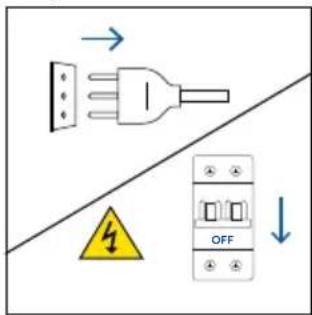
Step 1
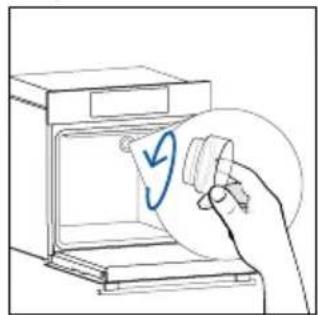
Step 2
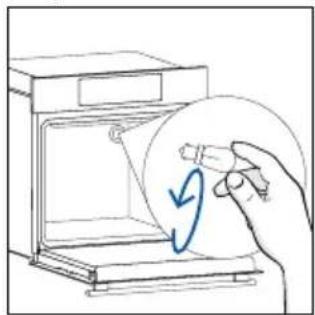
Step 3
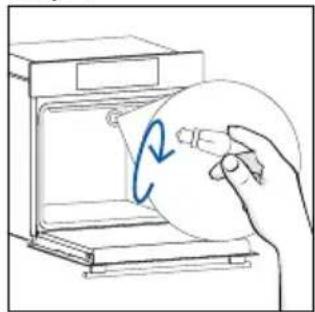
Step 4
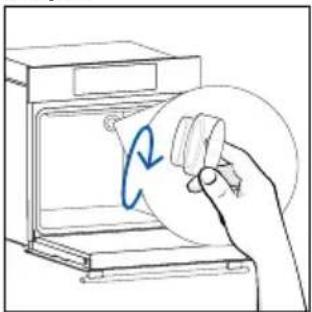
Step 5
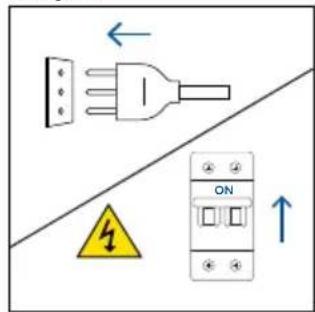
Step 6
This product contains one or more light sources of energy efficiency class G (Lamp)
Changing the lateral bulb:
- Disconnect the oven from mains supply.
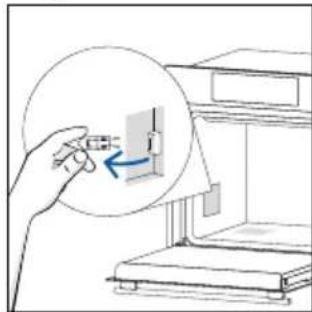
- Use a flat-head screwdriver by positioning it to the side of the protective glass and gently apply pressure to remove it.
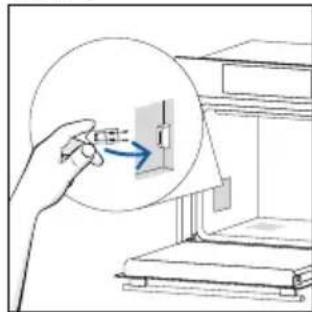
- Carefully grasp the bulb from its base.
- Insert the new one.
- Reinstall the protective glass by pressing it gently until it's locked into position.
- Reconnect the oven from mains supply.
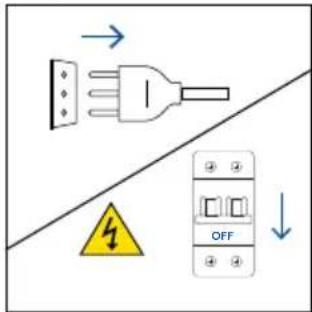
Step 1
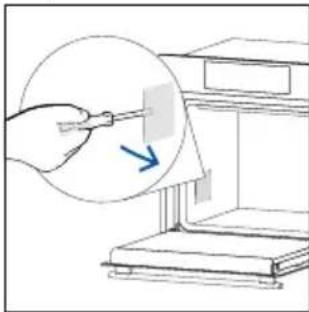
Step 2
Step 3
Step 4
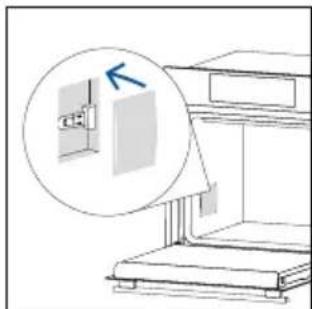
Step 5
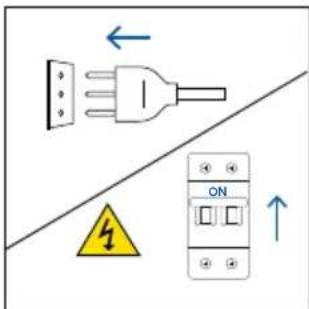
Step 6
This product contains one or more light sources of energy efficiency class G (Lamp)
6.5 DEMO MODE
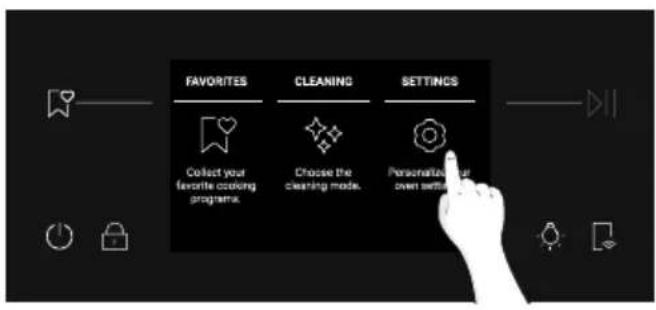
- From the Home Carousel, select Settings.
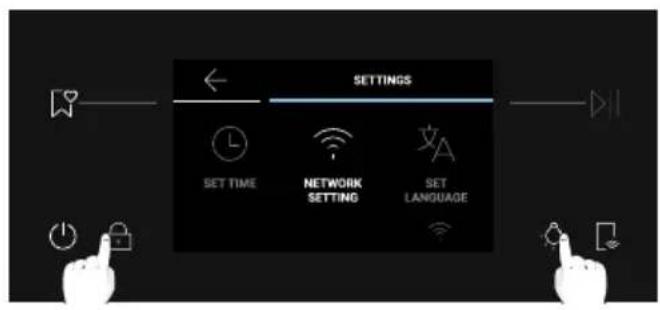
2.Once in the Settings menu, long press and at the same time.
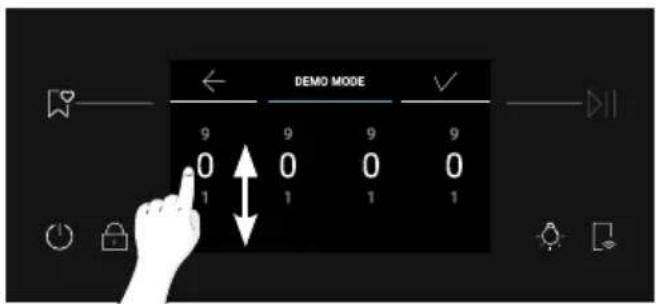
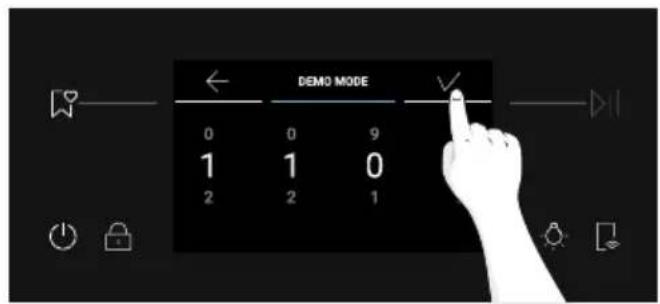
- Scroll the numbers vertically to enter the password 1100, then press
- The display will resume to the Home Carousel in Demo Mode.
- To exit the Demo Mode, repeat the same steps.
to confirm.
7. TROUBLESHOOTING
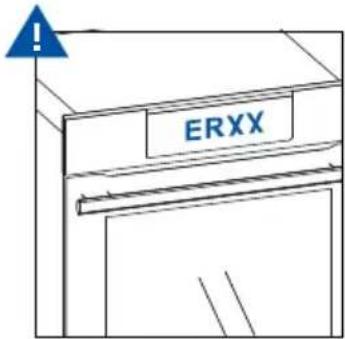
If, during oven use, an error occurs, the display will show the code "ER" followed by two digits, which will identify the error.
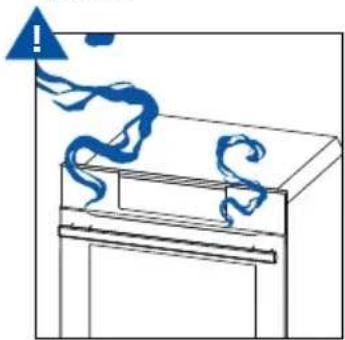
Proceed by turn off the oven and un Plug it, wait for a few minutes, and then reconnect it. If the error disappears, you can resume using the oven. If it doesn't, call customer service and com -municate the code (ERXX) you see on the display.
Error

Smoke
8. ENVIRONMENTAL PROTECTION & DISPOSAL
8.1.APPLIANCE DISPOSAL
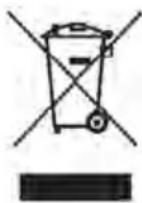
This appliance is labelled in accordance with European Directive 2012/19/EU regarding electric and electronic appliances (WEEE). The WEEE contain both polluting substances (that can have a negative effect on the environment) and base elements (that can be re - used). It is important that the WEEE undergo specific treatments to correctly remove and dispose of the pollutants and recover all the materials.
Individuals can play an important role in ensuring that the WEEE do not become an envi -
ronmental problem; it is essential to follow a few basic rules:
- the WEEE should not be treated as domestic waste;
- the WEEE should be taken to dedicated collection areas managed by the town council or a registered company.
In many countries, domestic collections may be available for large WEEEs. When you buy a new appliance, the old one can be returned to the vendor who must accept it free of charge as a one-off, as long as the appliance is of an equivalent type and has the same functions as the purchased appliance.
8.2. SAVING AND RESPECTING THE ENVIRONMENT
Where possible, avoid pre-heating the oven and always try to fill it.
Open the oven door as infrequently as possible, because heat from the cavity disperses every time it is opened. For a significant energy saving, switch off the oven between 5 and 10 minutes before the planned end of the cooking time, and use the residual heat that the oven continues to generate.
Keep the seals clean and in order, to avoid any heat dispersal outside of the cavity. If you have an elec tric contract with an hourly tariff, the "delayed cooking" programme makes energy saving simpler, moving the cooking process to start at the reduced tariff time slot.
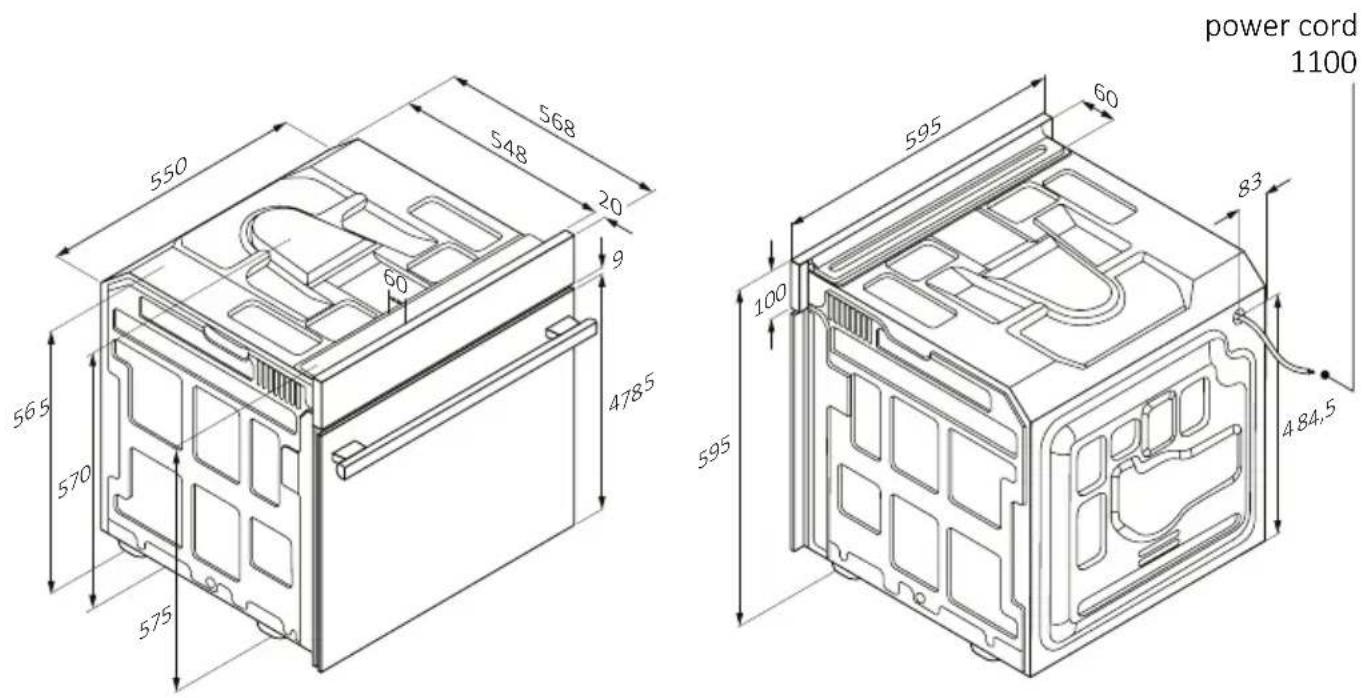
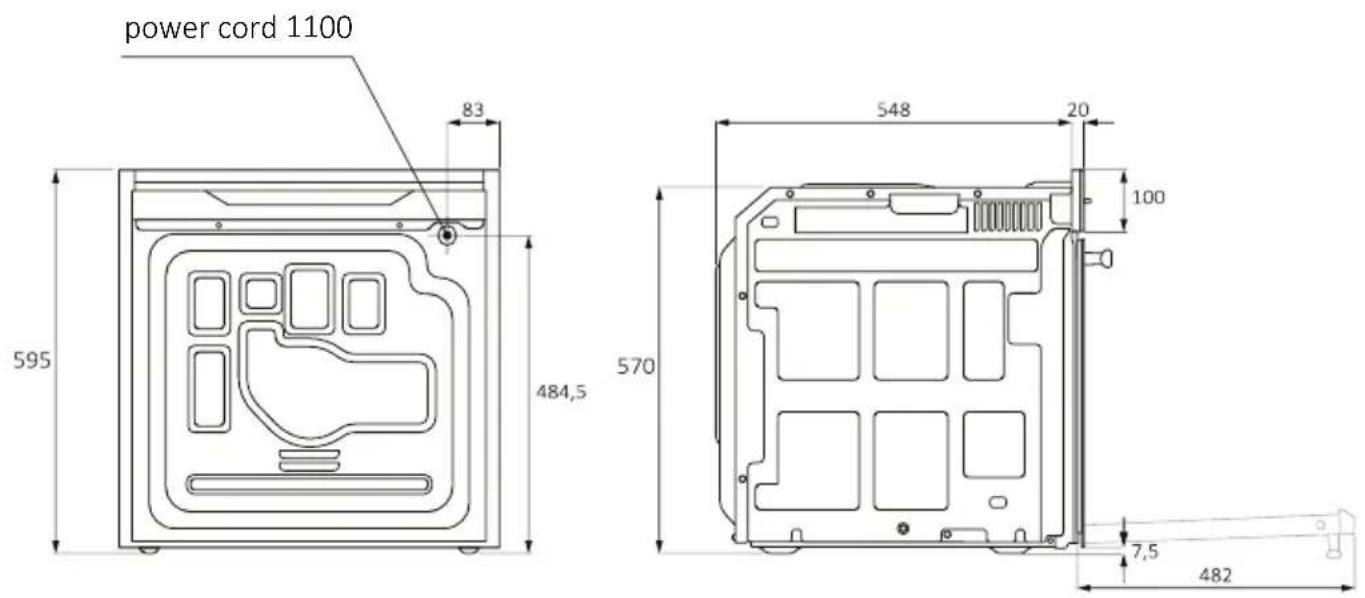
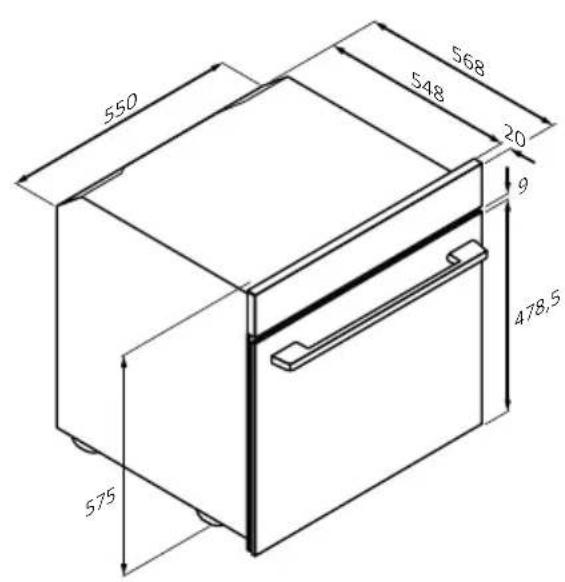
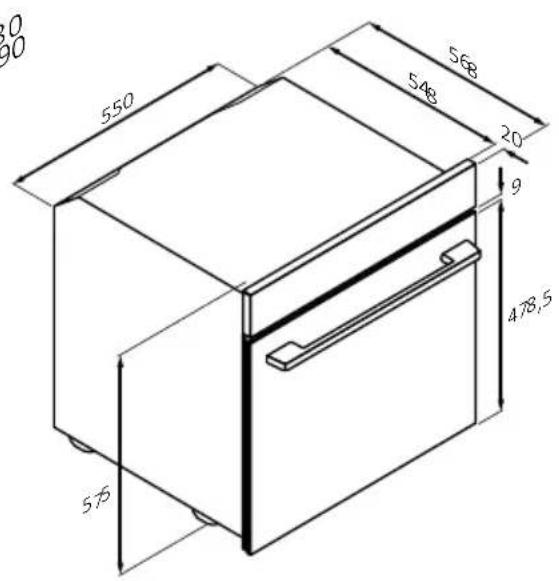
Back view Side view
BIENVENUE
OVER THE AIR UPDATE (OTA)
5.2. INAKAÇEVERYDAY COOKING
To tic katayopiec trophiimwv enitpei va noikia ouvtaywv, xapn ota eikak npoypamata i a t o c ia katheta katayopia.
Afou eIeTe Tnv kaTnyopia trophiou kai tn ouvtayn, mnpeiTE va eIeEeTe nosa taia 0a tautoxpova n to npiOwpoBapouc tou trophiou (avloya me tnv enlaevyn katnyopia).
EuaviZetai npoEpiLeyEvn diapkeia kai thepuokpaia kai npoeite va ta aaladete, natovtc ta
avtioia eikovidia otny oToyn. MnpeiTE va puOioTe tn thepukpaia psiouatoc o KaOpioevo eupoc.
H npoepmuavoc ouviotatai kai evpyonoiitai ano npoeiayn, aaa npopei va npapalεiΦθεi.
Afou teIeIeI eVa npoypaumauayepaatoC, mOpTe va npootheoet 5 eIinleov aeT a
nsiatoC, n va anoThekeuot npoypaumau oEvou ayanmEvwv, n va eniortpeyete otnv
apxukn oOvN.
2. PRODUCTINTRODUCTIE
2.1. OVERZICHT VAN HET PRODUCT
2.2. ACCESSORIES
2.3.BEDIENINGSPANEEL
2.4. CONNECTIVITEIT
3. VOORDAT U BEGINT
3.1. INFORMATIE OM TE BEGINNEN
3.2. EERSTE GEBRUIK
3.3. VOORAFGAANDEREINIGING
4. WERKING VAN HET PRODUCT
4.1. HOE HET PRODUCT WERKT
4.2. BEREIDINGSFUNCTIES
4.2.1. HOOFDPROGRAMMA'S
4.2.2. SPECIALE FUNCTIONS
4.2.3. MEERSTAPPENFUNCTIE
ALGEMENE WAARSCHUWINGEN
INSTALLATIEWAARSCHUWINGEN
2.PRODUCTINTRODUCTIE
2.1. OVERZICHT VAN HET PRODUCT
2.2. ACCESSORIES
4. WERKING VAN HET PRODUCT
4.1. HOE HET PRODUCT WERKT
DE OVEN AAN-/UITZETTEN
UTILIZACAO E MANUTENCAO
7. RIESENIE PROBLEMOV
8. OCHRANA ZIVOTNEHO PROSTREDA A LIKVIDÁCIA SPOTREBAČA
8.1.LIKVIDÁCIA SPOTREBICA
8.2. SETRENIE A OCHRANA ZIVOTNEHO PROSTREDA
9. INSTALÁCIA
VŠEOBECné VÍSTRAHY
7. RIESENIE PROBLEMOV
JAK KORZYSTAC Z APLIKACJI
Functia Jolly (Maximum 5 rete)
2.3. NADZORNA PLOŠCA

CISCENJE BOCNIH NOSACA:
- Uklonite bočne držače takо što cete prvo povuci prednji deo u smeru strelice i odvojiti zadnjdeo od vijaka.
- Da biste očistiliŽicane nosače, stavite ih u masinu za pranje sudova ili koristite vlžni sunder i obavezno ih posle osušite.
- Nakon postupka cisćenja postavite bočne nosače obrutim redosledom: postavite zadnji deo izmeu vijaka i gurnite prednji deo u smeru strelice.

6.5. ODRžAVANJE
ZAMENA KOMPONENTI
4.1. KAIP GAMINYS VEIKIA
ORKAITÉS JUNGIMAS / ISJUNGIMAS
Noredami jjungti arba ijsjungti orkaite, ilgai spauskite Jjungimo / isjungimo mygtuka.
MAISTO RUOSIMO FUNKCIJOS NUSTATYMAS
Noredami pasirinkti maisto ruosimo funkcija, pradžios karuselés meniu paspauskite „Pagrindines programos". Slinkite karusele horizontalai, kol pasieksite norimä funkcija. Pasauskite , kad tradétumete maisto ruosima pagal numatytaja pasirinktos maisto ruosimo funkcijos temperatura.
TEMPERATUROS NUSTATYMAS
Karuseleje paspauskite temperatura, nurodyta salia „Pagrindines programos". Slinkite horizontalai, kad pasirinktumete norimat temperatura. Paspauskite DII, kad patvirtintumete savo pasirinkima.
LAIKO MENIU
Laiko menui pateksite karuselèje paspausdami „Gaminimo laikas".
2.1. PRODUKTA PÄRSKATS
- Vadibas panelis
- Plauktu poziciju numuri
- Restites
- Paplates
- Ventilatoraparsegs
- Cepeškrāsns durvis
- Sanu stiepu restites (ja ir: tikai lidzenam cepeškrasns telpam)
- Serijas numurs un kvadraktods
lerakstiet seit savu sereijas numuru turpmakai atsaucei.
2.2. PIEDERUMI
Sān u stieplu restites (tikai, ja ir*)
Airfry plate (ja ir*)
Airfry plate nodrošina, ka karstais gaiss partikai pieklust vienmérigi un tris dimensijas, tāpec arpuse ir kraukskigaka, bet iekspuse ediens ir suligs. Cepsanas plati pec izveles var novietot uz L1, lai savaktu sulas vai drupačas.
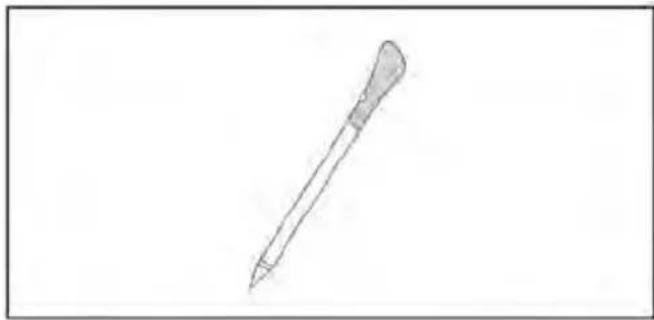
Zonde Preci Probe (tikai, ja ir*)
Ši Preci Probe zonde ir temperaturas sensors, ko var ievietot ediena un pievienot cepeskrasnij ar kabeli, lai kontroletu partikas ieksejo temperaturu ediena gatavošanas laika. To galvenokart izmanto zivim un galai.