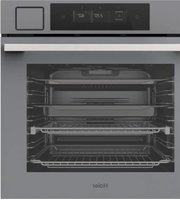
HIL2501CBSH - Oven HAIER - Free user manual and instructions
Find the device manual for free HIL2501CBSH HAIER in PDF.


Pick your language and provide your email: we'll send you a specifically translated version.
| Product Type | Built-in Electric Oven |
| Brand | Haier |
| Model | HIL2501CBSH |
| Dimensions (H x W x D) | 59.5 x 59.5 x 54.8 cm |
| Weight | Approx. 45 kg |
| Power Supply | 230 V ~ 50 Hz |
| Rated Power | 2.5 kW |
| Energy Efficiency Class | A |
| Oven Capacity | 71 L |
| Main Functions | Conventional, Grill, Fan-assisted, Defrost |
| Temperature Range | 50°C - 250°C |
| Control Type | Electronic touch + rotary knobs |
| Display | LED digital display |
| Interior Light | Yes |
| Cleaning Type | Catalytic enamel inner surfaces |
| Safety Features | Child lock, automatic shut-off, cool-touch door |
| Spare Parts Availability | Via Haier service centers and authorized dealers |
| Repairability Index | 8.5/10 (based on design and parts availability) |
| Accessories Included | 1 baking tray, 1 wire shelf, 1 grill grid |
| Warranty | 2 years (standard) |
Frequently Asked Questions - HIL2501CBSH HAIER
How do I install the HIL2501CBSH oven?
The oven must be installed by a qualified professional. Ensure the cutout dimensions match the product specifications and the electrical connection complies with local regulations. Refer to the installation manual for complete instructions.
What is the first use procedure?
Before first use, remove all packaging and accessories. Heat the empty oven at 250°C for 30 minutes to burn off any manufacturing residues. Ventilate the room well.
How do I set the oven timer?
Press the timer button, use the +/- buttons to set the desired time, and confirm. The oven will start counting down and turn off automatically when finished.
What does the 'Fan' function do?
The fan function circulates hot air evenly throughout the oven, allowing for faster and more uniform cooking. It is ideal for baking multiple trays at once.
How do I clean the oven interior?
The oven has catalytic enamel panels that absorb grease. For stubborn dirt, use a mild detergent and a soft sponge. Avoid abrasive cleaners. The bottom can be cleaned with soapy water.
Why is my oven not heating?
Check that the oven is plugged in and the circuit breaker is on. Ensure the timer is set (if using). If still not heating, the heating element may be faulty; contact Haier service.
How do I activate the child lock?
Press and hold the 'Lock' button for 3 seconds until the lock icon appears on the display. To deactivate, press and hold again.
What spare parts are available for this model?
Common spare parts include heating elements, thermostat, door gasket, control board, and knobs. They can be ordered through Haier authorized centers.
Can I use aluminum foil in the oven?
Yes, but avoid covering the bottom or placing it too close to the heating elements. Use foil only on the trays or to wrap food, as per standard oven use.
How do I reset the oven after a power cut?
After a power cut, the oven may display a blinking time. Simply press any button to exit standby, then reset the clock if needed. The oven will function normally.
User questions about HIL2501CBSH HAIER
0 question about this device. Answer the ones you know or ask your own.
Ask a new question about this device
No questions yet. Be the first to ask one.
Download the instructions for your Oven in PDF format for free! Find your manual HIL2501CBSH - HAIER and take your electronic device back in hand. On this page are published all the documents necessary for the use of your device. HIL2501CBSH by HAIER.
USER MANUAL HIL2501CBSH HAIER
Manual assistant
Powered by Anthropic
Waiting for your message
Product information
Brand : HAIER
Model : HIL2501CBSH
Category : Oven