
TX Servo Base - Controller THRUSTMASTER - Free user manual and instructions
Find the device manual for free TX Servo Base THRUSTMASTER in PDF.

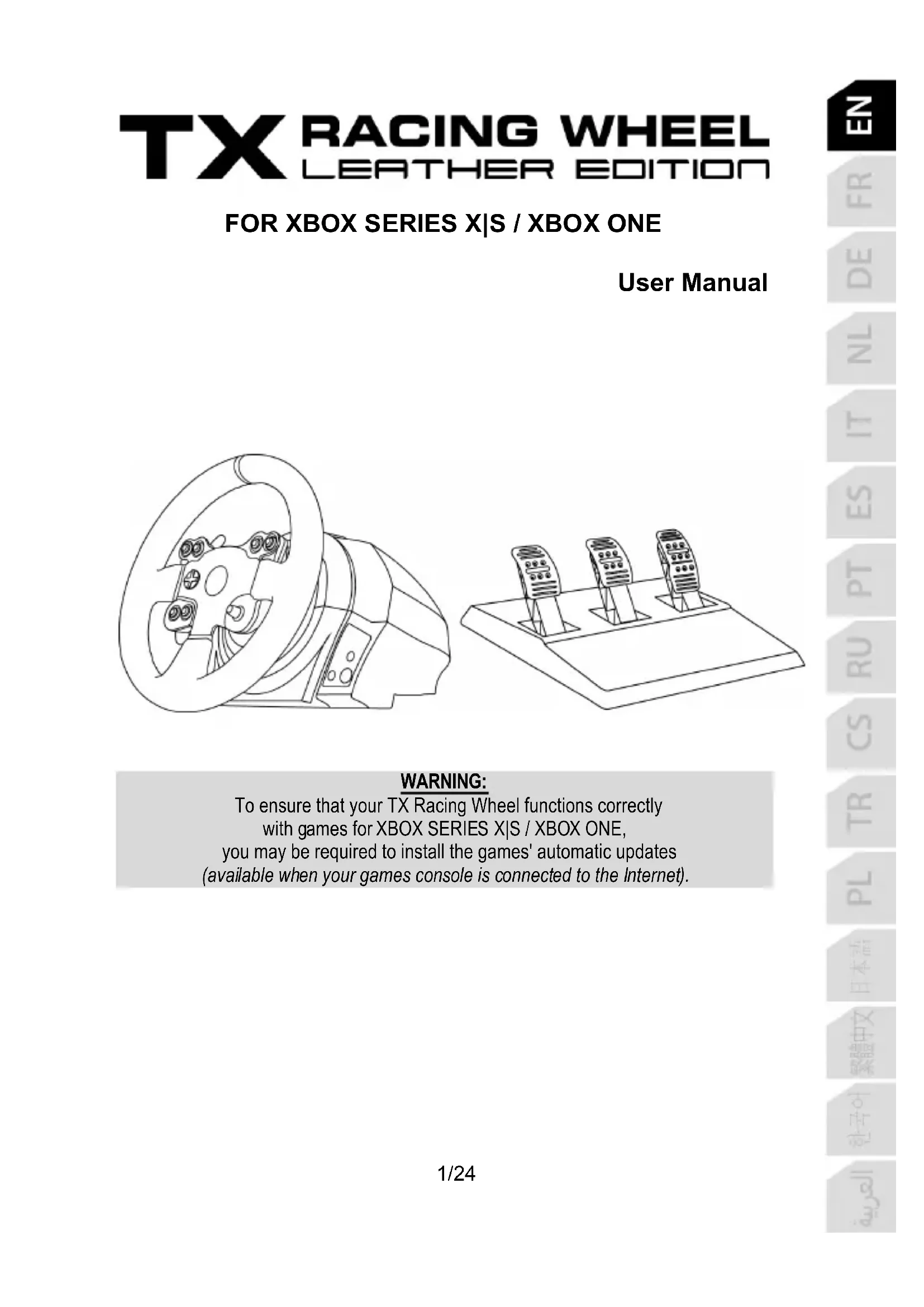


| Product Type | Racing Wheel Base |
| Brand | Thrustmaster |
| Model | TX Servo Base |
| Compatibility | Xbox Series X|S, Xbox One, PC |
| Force Feedback Technology | Yes, force feedback motor |
| Rotation Angle | 900 degrees (auto-calibration) |
| Power Supply | 100-125V or 220-240V (internal) or 110-240V (external depending on version) |
| Connectivity | USB (cable) and mains power |
| Fixation System | Table clamp with tightening screw, cockpit compatible (M6 screws) |
| Quick Release System | Thrustmaster Quick Release for quick wheel change |
| Connectors | Pedal set (RJ), gearbox (sold separately) |
| Internal Temperature Sensor | Yes, safety shutdown in case of overheating |
| Firmware Updates | Via PC at support.thrustmaster.com |
| Materials | Metal and plastic |
| Warranty | 2 years (EU) or 1 year (other countries) |
| Repairability | Contains no user-serviceable parts |
| Included Accessories | Base, wheel, fixation system, tightening screw, power cable, USB cable, 2.5 mm Allen key |
| Special Function | MODE button to invert pedals (red/green indicator) |
| Operating Temperature | Do not obstruct ventilation grills, keep free of dust |
| Regulations | Compliant with Class B (Canada), WEEE recycling (EU) |
Frequently Asked Questions - TX Servo Base THRUSTMASTER
User questions about TX Servo Base THRUSTMASTER
0 question about this device. Answer the ones you know or ask your own.
Ask a new question about this device
Download the instructions for your Controller in PDF format for free! Find your manual TX Servo Base - THRUSTMASTER and take your electronic device back in hand. On this page are published all the documents necessary for the use of your device. TX Servo Base by THRUSTMASTER.
USER MANUAL TX Servo Base THRUSTMASTER
natural_image
Line drawing of a steering wheel and three mobile phone holders on a platform (no text or symbols)WARNING:
To ensure that your TX Racing Wheel functions correctly with games for XBOX SERIES X|S / XBOX ONE, you may be required to install the games' automatic updates (available when your games console is connected to the Internet).
TECHNICAL SPECIFICATIONS
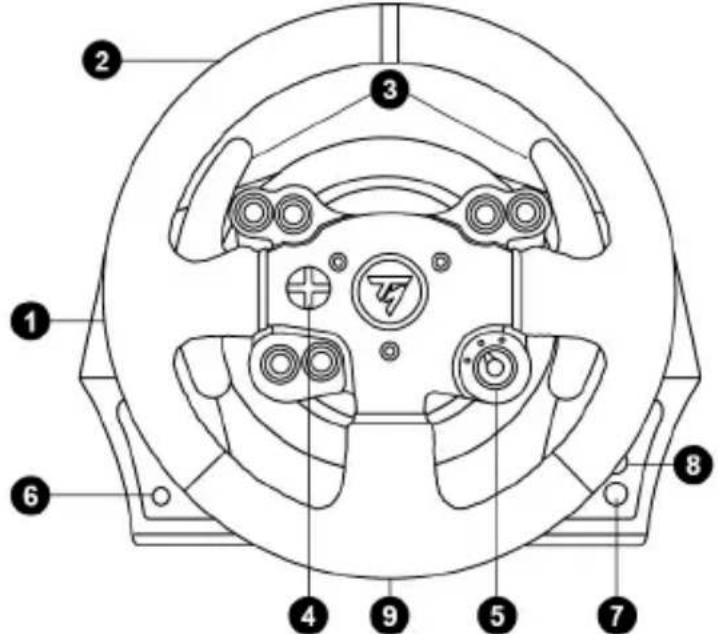
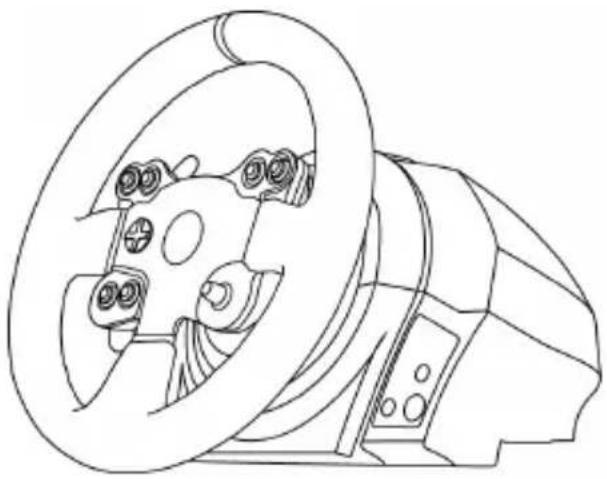
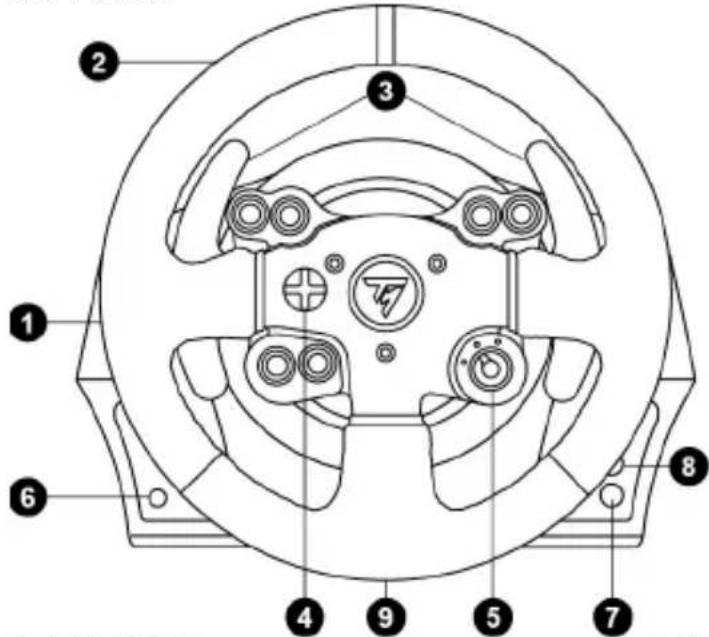
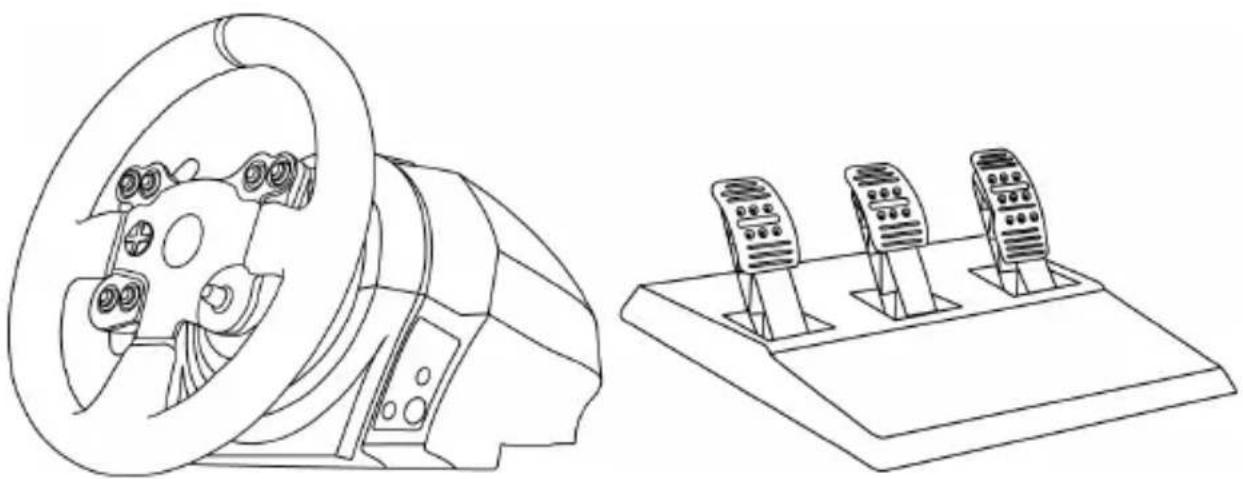
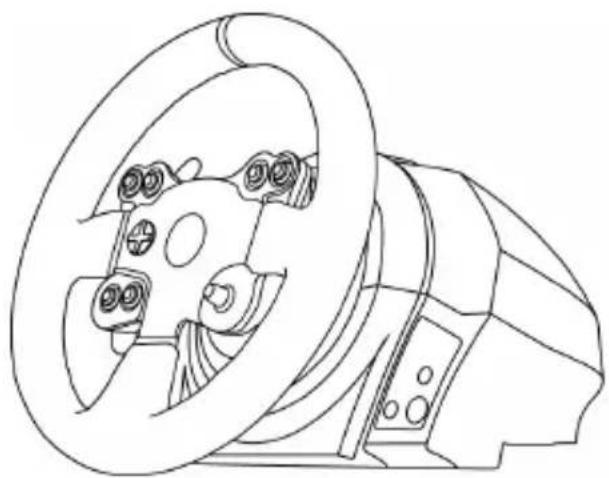
1 Racing wheel base
2 Racing wheel
3 2 sequential gear shift levers (Up & Down)
4 Multidirectional D-Pad
5 Switch (3 positions)
6 MODE button + Red/Green indicator light
7 Xbox Guide button
8 White indicator light
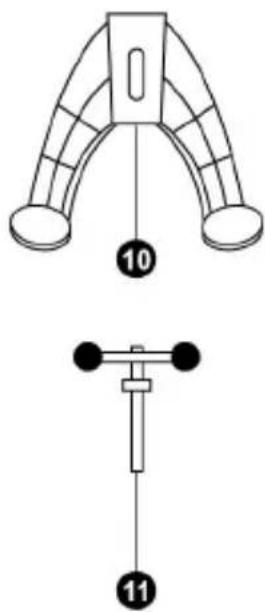
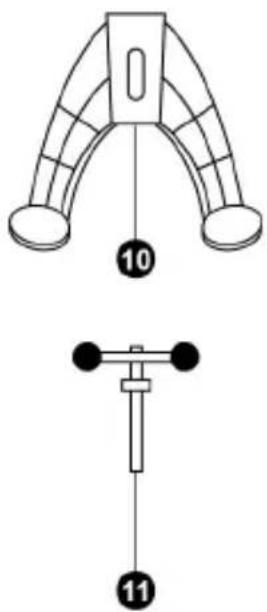
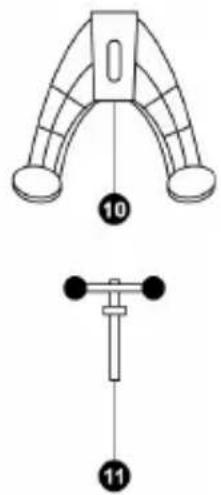
9 Large threaded hole (for attachment system and tightening screw)
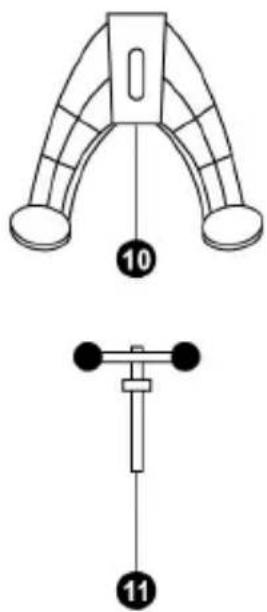
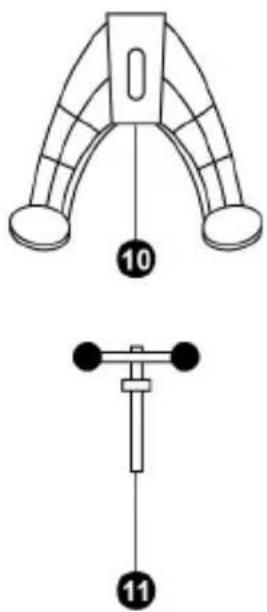
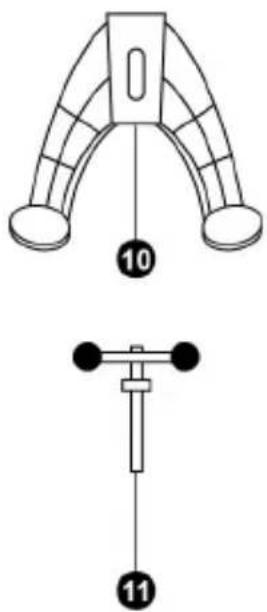
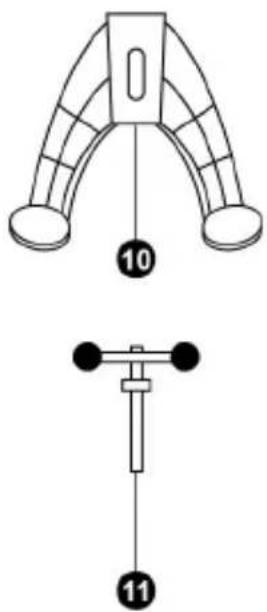
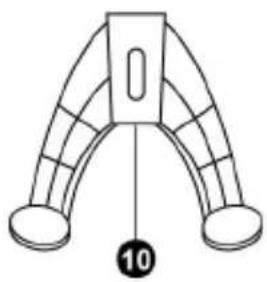
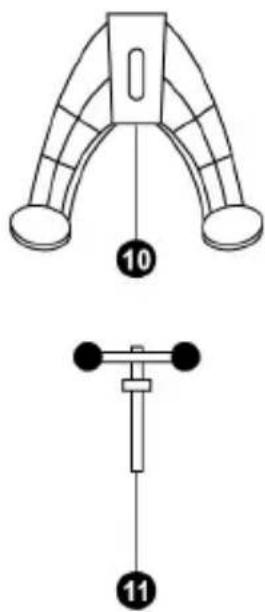
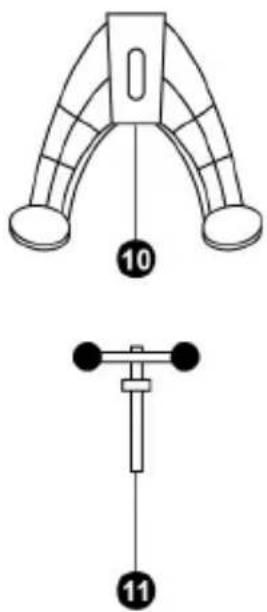
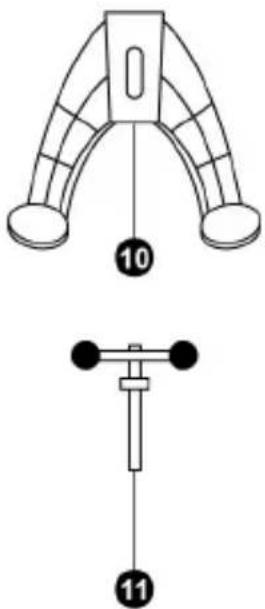
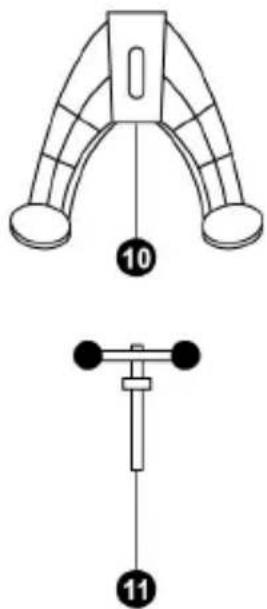
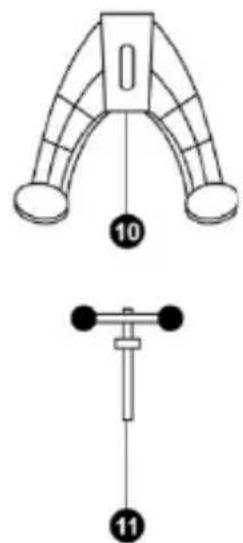
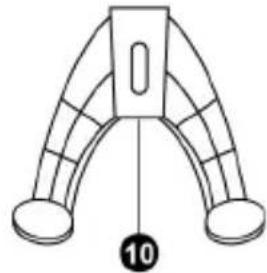
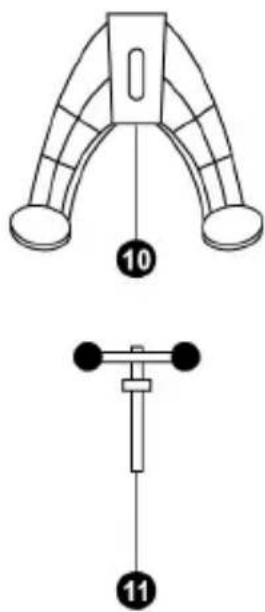
10 Attachment system
11 Metal fastening screw
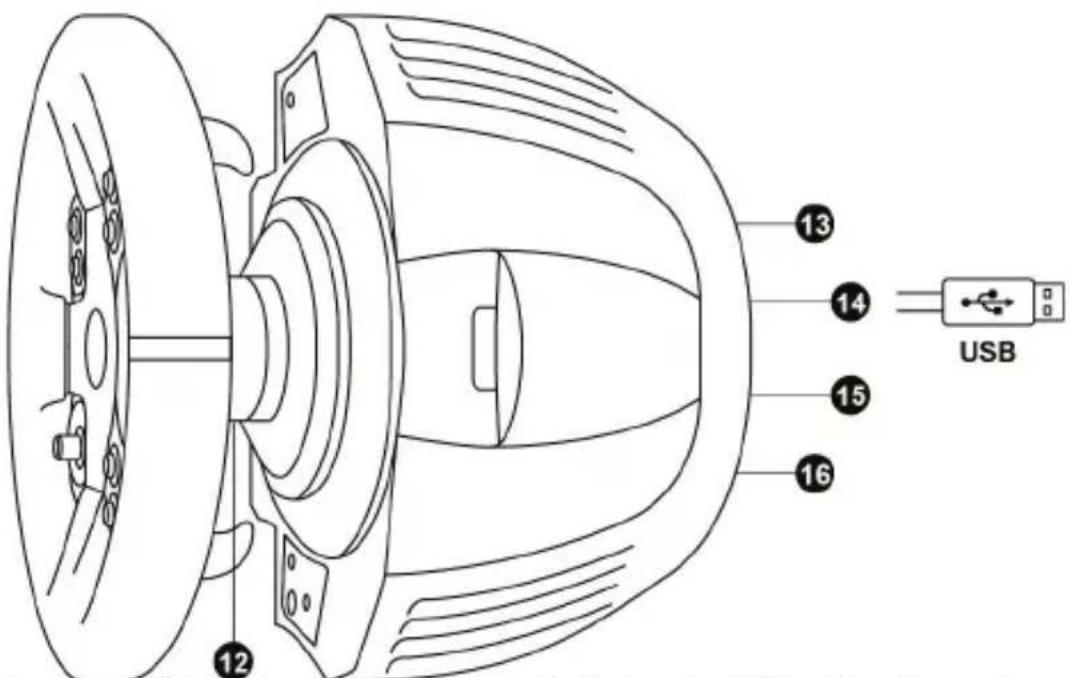
12 Thrustmaster Quick Release
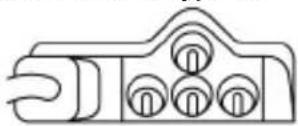
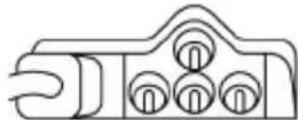
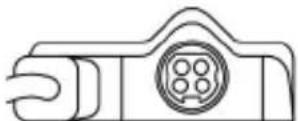
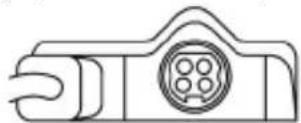
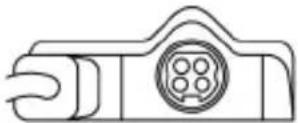
13 Mains supply connector (type A or B) (Varies from one country to another)
14 Racing wheel USB cable and connector
15 Gearbox connector (sold separately)
16 Pedal set connector
CONNECTING THE RACING WHEEL TO THE MAINS = PLEASE READ BEFORE PROCEEDING!
Your racing wheel's power supply varies according to the country where you purchased your device.
The mains supply can be:
Internal, with:
* A power supply unit located directly inside the racing wheel's base, with a type A connector
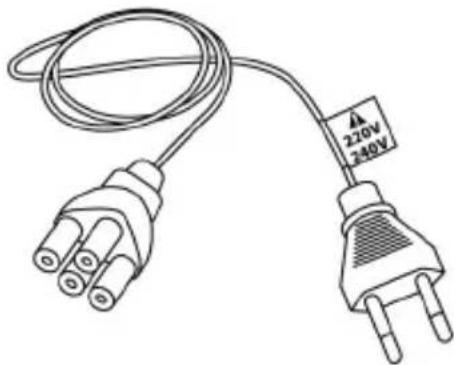
*A 220-240V mains power supply cable
= compatible only with a 220-240V electrical supply.
natural_image
Line drawing of an electrical outlet with three leads and a 220V/240V power rating label (no text or symbols beyond specifications)
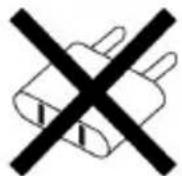
Never connect the 220-240V cable
to a 100-130V power outlet!
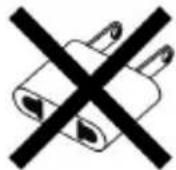
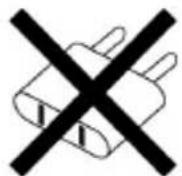
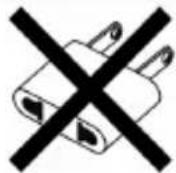
Never connect this cable to a mains power adapter!
Internal, with:
* A power supply unit located directly inside the racing wheel's base, with a type A connector
*A 100-125V power supply cable
= compatible only with a 100-125V electrical supply.
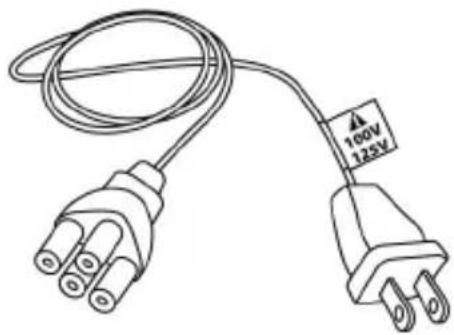
natural_image
Line drawing of a two-pin electrical plug with a 100V power label and 125V AC input, no text or symbols on the plug itself
Never connect the 100-125V cable
to a 220-240V power outlet!
Never connect this cable to a mains power adapter!
IMPORTANT: if you do not know which voltage is supplied in the area in which you are using your racing wheel, please refer to your local electricity supplier.
External, with:
* An external power supply unit located on the racing wheel's base, with a type B connector
* A mains power supply cable
= compatible with all supply voltages, 110-240V.
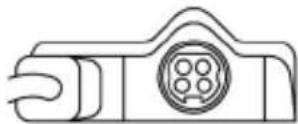

WARNINGS
Before you use this product, please read this documentation carefully and keep it safe should you need to consult it later.

Warning – Electric shock
* Store the product in a dry location and do not expose it to dust or sunlight.
* Respect the connection direction.
* Do not twist or pull the connectors and cables.
* Do not spill any liquid on the product or its connectors.
* Do not short-circuit the product.
* Never dismantle the product; do not throw it onto a fire and do not expose it to high temperatures.
* Do not use a power supply cable other than the one provided with your racing wheel.
* Do not use the mains power supply cable if the cable or the connectors are damaged, split or broken.
* Make sure that the mains power cable is properly inserted into the power outlet and the connector located on the rear face of the racing wheel's base.
* Do not open. No user replaceable parts inside. Refer servicing to manufacturer, specified agency or qualified technician.
* Only use attachments/accessories specified by the manufacturer.
* If the steering wheel is operating unusually (if it is emitting any abnormal sounds, heat or odors), stop using it immediately, disconnect the power cable from the socket and disconnect the other cables.
* If you are not going to be using the steering wheel for an extended period, disconnect the mains adaptor from the wall socket.

Air vents
Make sure that you do not block any of the air vents on the steering wheel base. For optimum ventilation, respect the points below:
* Position the base at least 10 cm away from any wall surfaces.
* Do not place the base in any tight spaces.
* Do not cover the base.
* Do not let any dust build up on the air vents.

For safety reasons, never use the pedal set with bare feet or while wearing only socks on your feet.
THRUSTMASTER® DISCLAIMS ALL RESPONSIBILITY IN THE EVENT OF INJURY RESULTING FROM USE OF THE PEDAL SET WITHOUT SHOES.

Warning – Injuries due to force feedback and repeated movements
Playing with a force-feedback steering wheel may cause muscle or joint pain. To avoid any problems:
* Avoid lengthy gaming periods.
* Take 10 to 15 minute breaks after each hour of play.
* If you feel any fatigue or pain in your hands, wrists, arms, feet or legs, stop playing and rest for a few hours before you start playing again.

Warning – Injuries due to force feedback and repeated movements (continued)
* If the symptoms or pain indicated above persist when you start playing again, stop playing and consult your doctor.
* Keep out of children's reach.
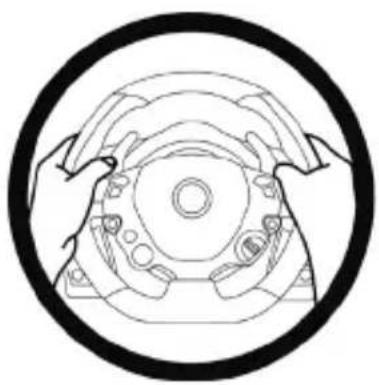
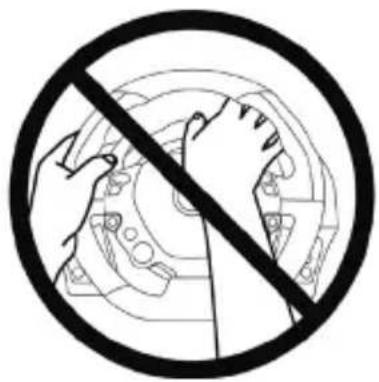
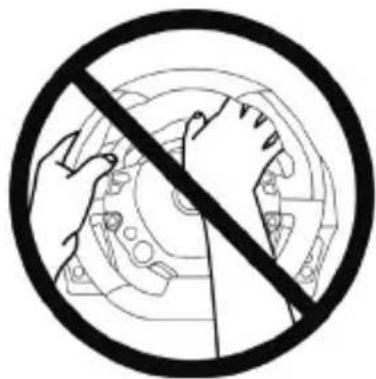
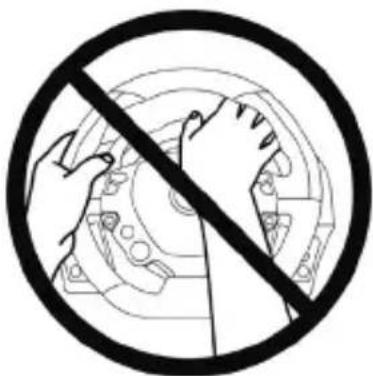
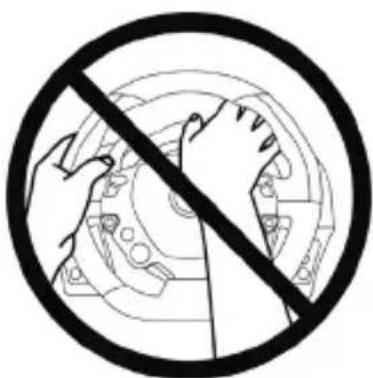
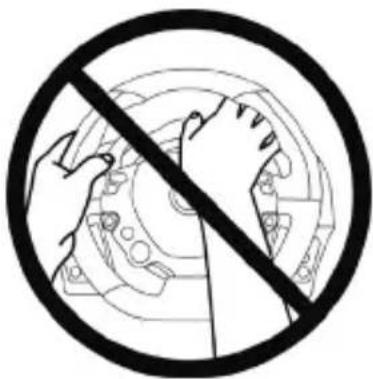
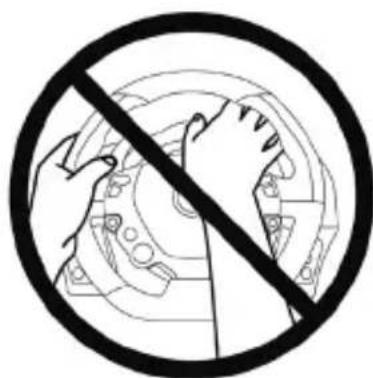
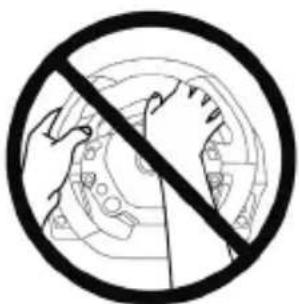
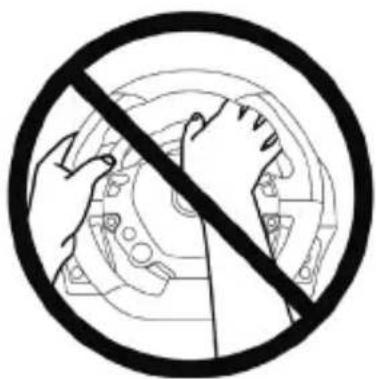
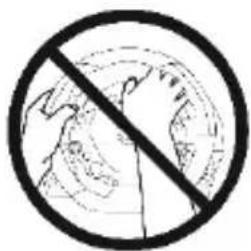
* During games, always leave both hands correctly positioned on the steering wheel without completely letting go.
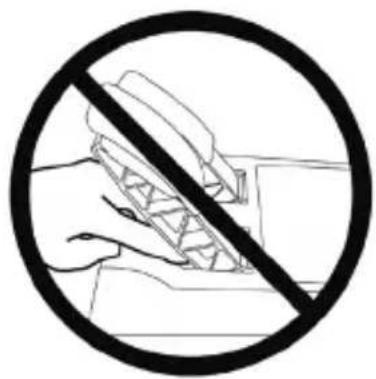
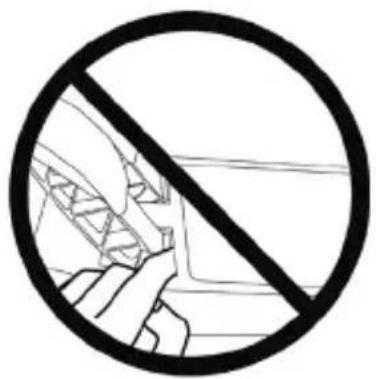
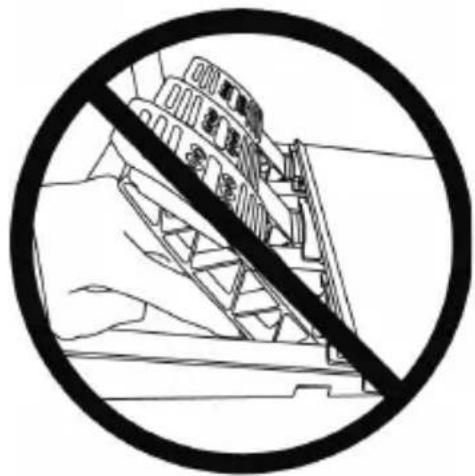
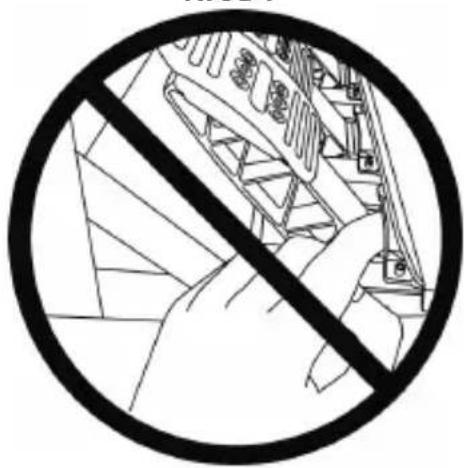
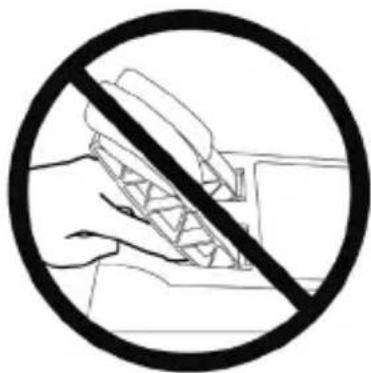
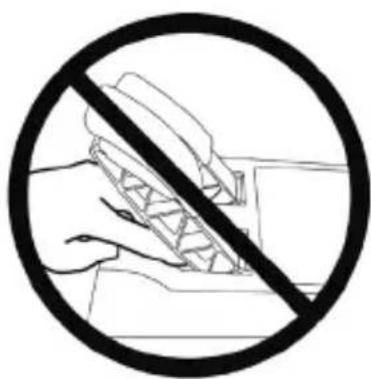
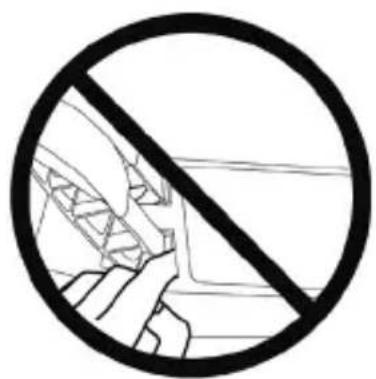
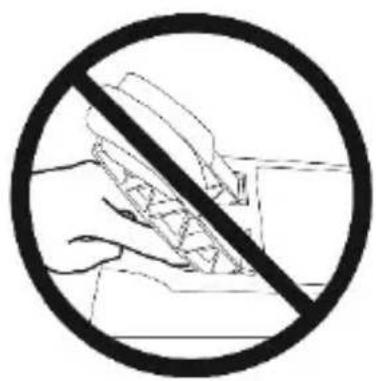
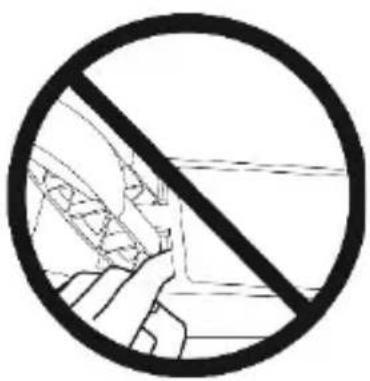
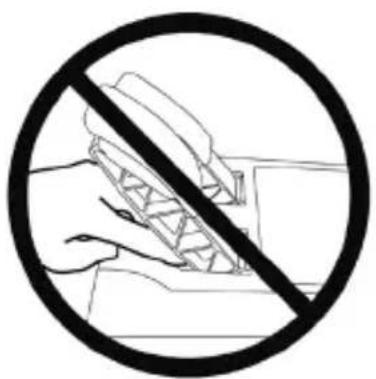
* During gameplay, never place your hands or your fingers under the pedals or anywhere near the pedal set.
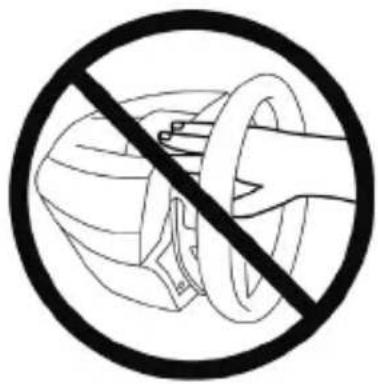
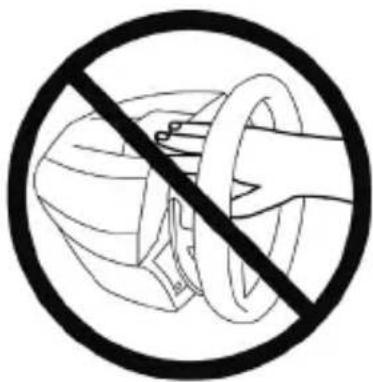
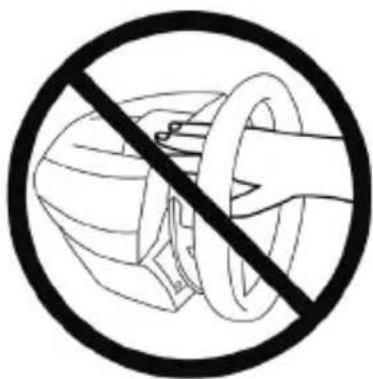
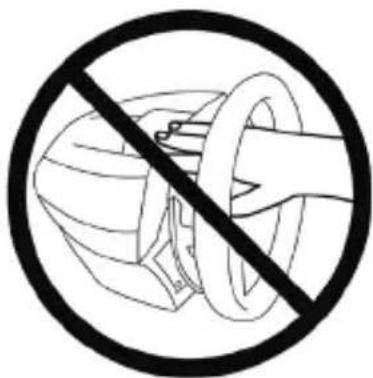
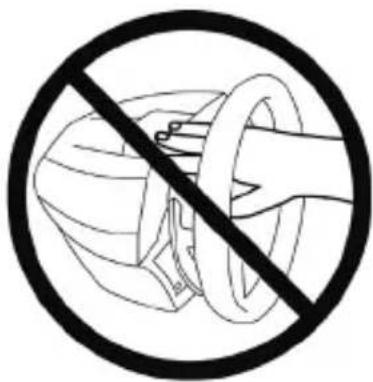
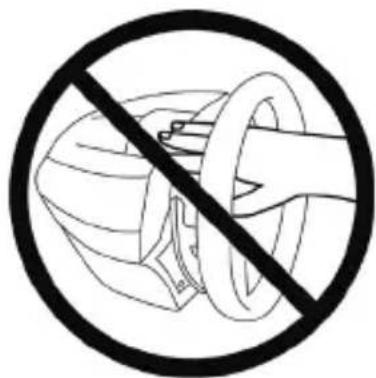
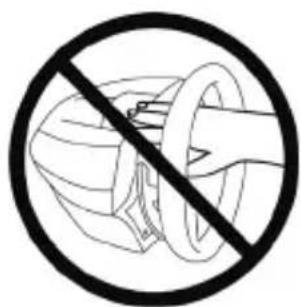
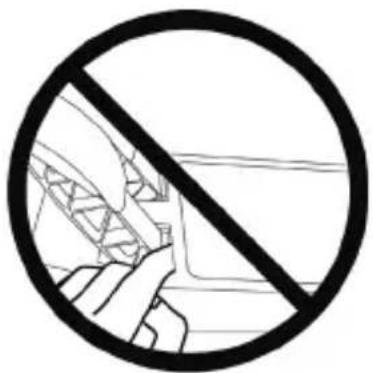
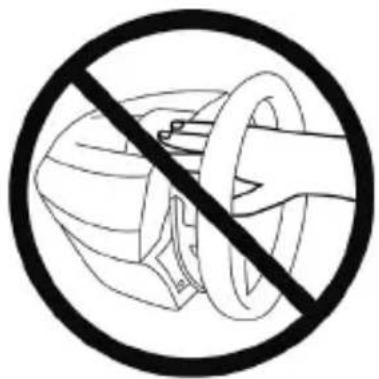
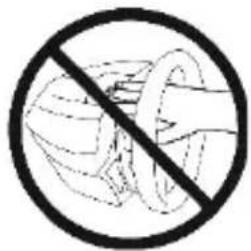
* During calibration and gameplay, never place your hand or your arm through the openings in the racing wheel.
* Check the steering wheel base is carefully clamped as per manual's instructions.
HEAVY PRODUCT
To be handled only by users 16 years of age or older

Be careful not to drop the product on yourself or on anyone else!
ALWAYS NEVER NEVER
natural_image
Technical line drawing of a mechanical component with concentric circular features (no text or symbols)
natural_image
Prohibition sign showing hands using a mechanical component to avoid collision or repair (no text present)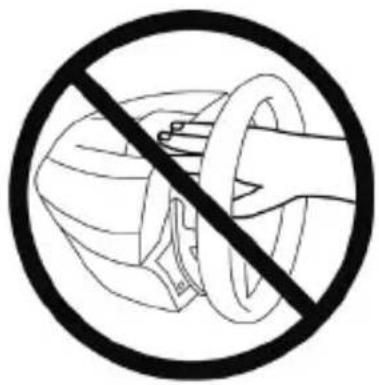

Warning – Pedal set pinch hazard when playing
* Keep the pedal set out of children's reach.
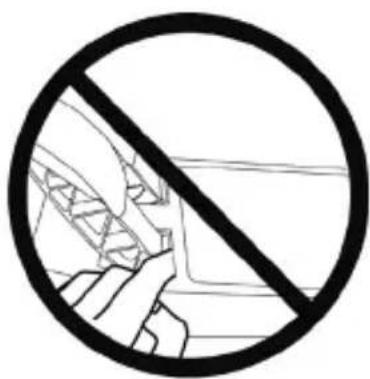
* When playing, never place your fingers on or anywhere near the sides of the pedals.
* When playing, never leave your fingers on or anywhere near the pedals' rear base.
* When playing, never place your fingers on or anywhere near the pedals' front base.
NEVER NEVER NEVER
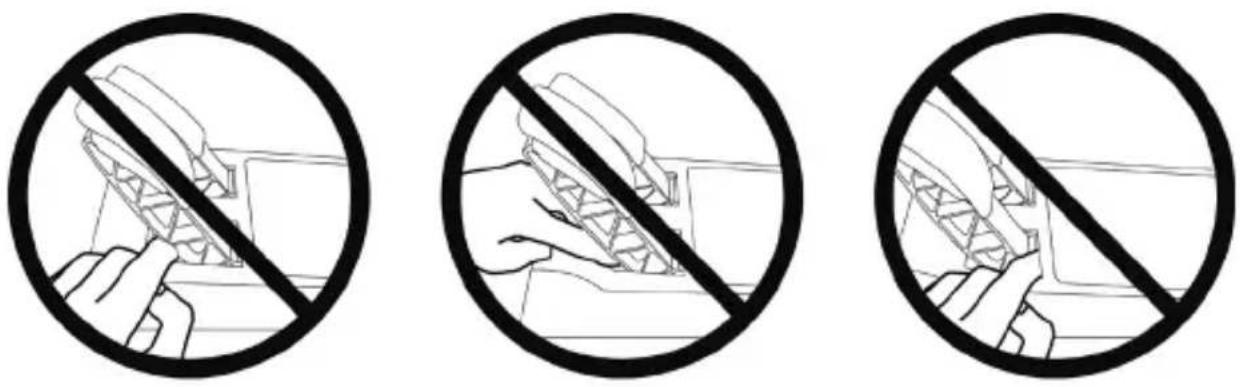

Warning – Pedal set pinch hazard when not playing
* Store the pedal set in a safe place, and keep it out of children's reach.
ATTACHING THE WHEEL TO ITS BASE
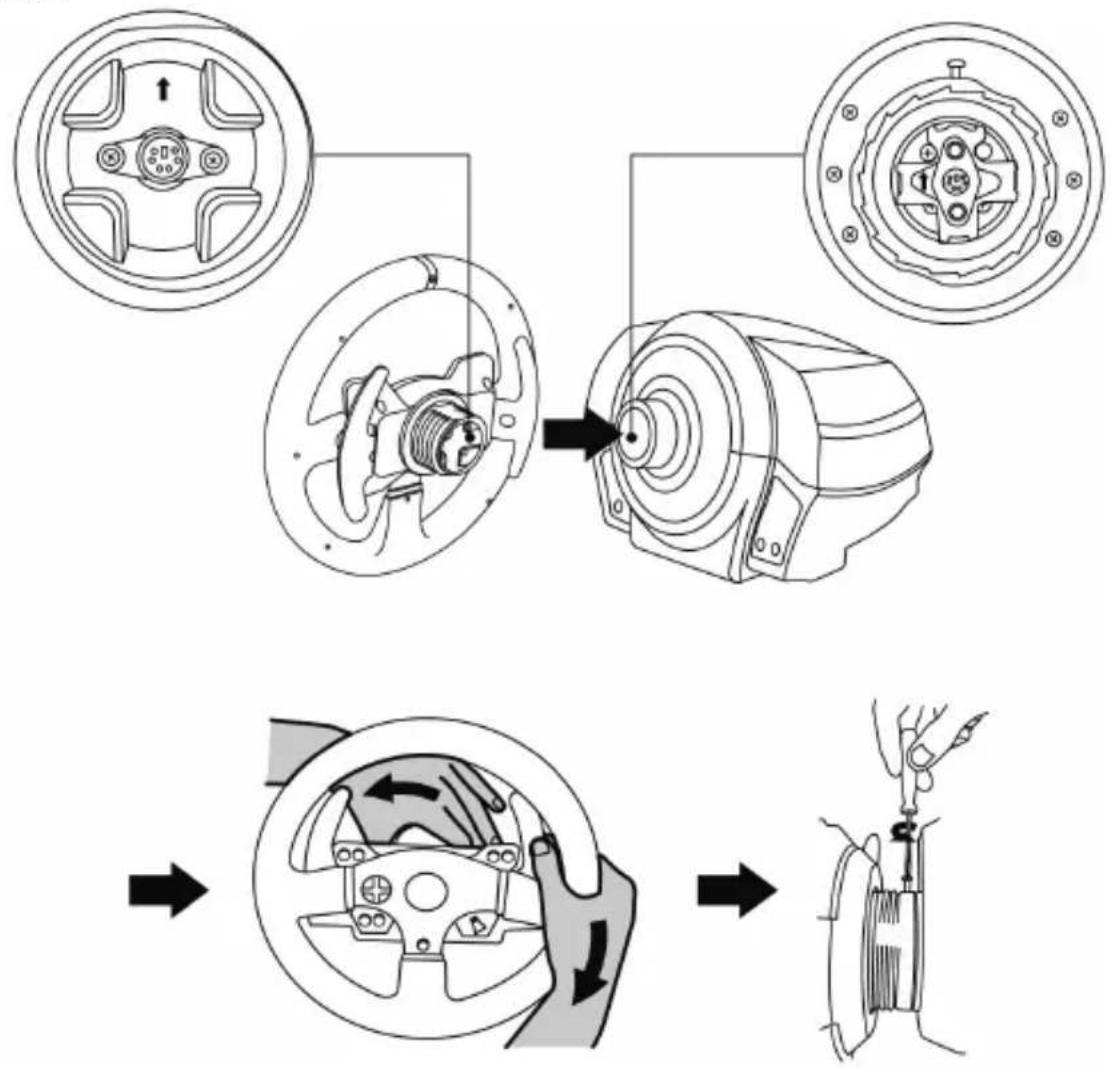
Align the connector locations using the arrows:
Base (1) connector: Arrow pointing upwards.
Racing wheel (2) connector: Arrow pointing upwards.
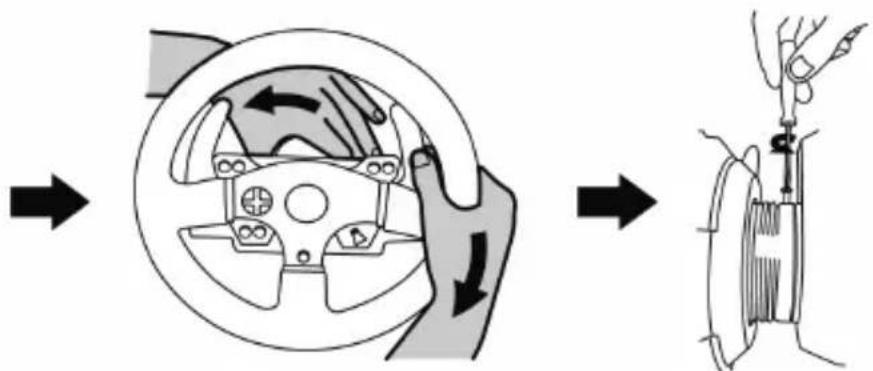
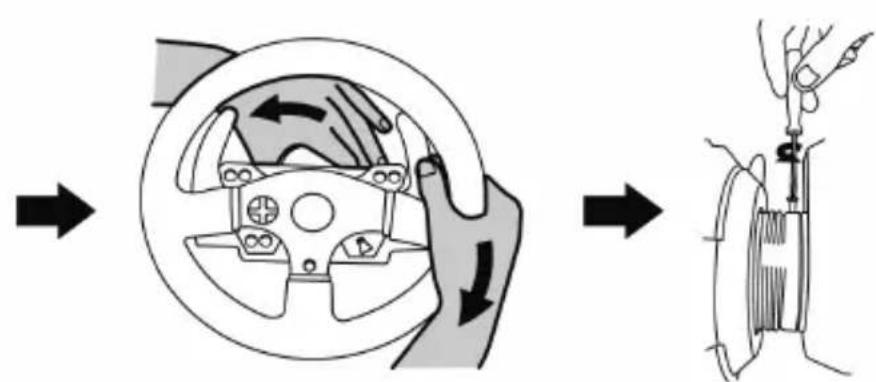
Once the connectors are correctly positioned, simply rotate the Thrustmaster Quick Release (12) device's ring counterclockwise, while holding the racing wheel (2) in position.
Then, tighten the ring as much as you can; to do so, hold the ring in position and rotate the racing wheel clockwise.
flowchart
graph TD
    A["Wheel rim"] --> B["Internal Component"]
    B --> C["Motor"]
    C --> D["Fear Component"]
    D --> E["Final Assembly"]
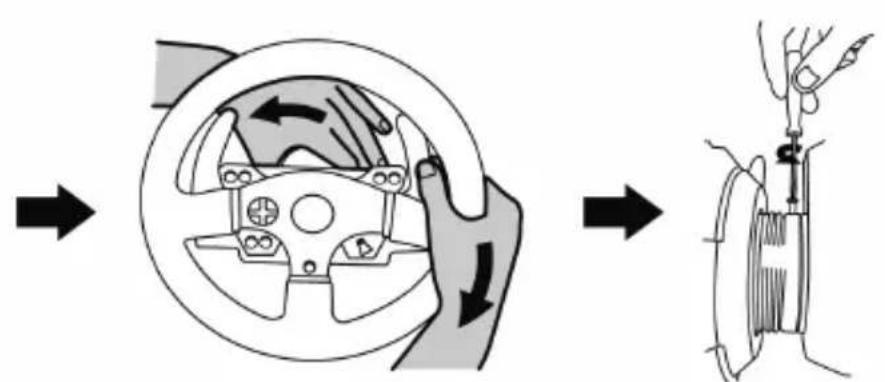
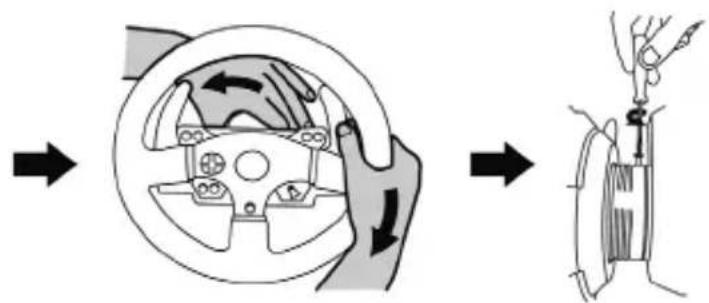
Once you have installed the wheel, rotate it 180^ (when facing the wheel, the logo should be upside down) to access the small attachment screw located on the Thrustmaster Quick Release (12) device. Use a large cross-slot screwdriver to tighten the small attachment screw (do not use excessive force), turning it clockwise.
Do not use excessive force when screwing the small attachment screw (using a cross-slot screwdriver)!
Stop turning the screw as soon as you feel some resistance.
ATTACHING THE RACING WHEEL
Attaching the racing wheel to a table or a desktop
- Place the racing wheel on a table or any other horizontal, flat and stable surface.
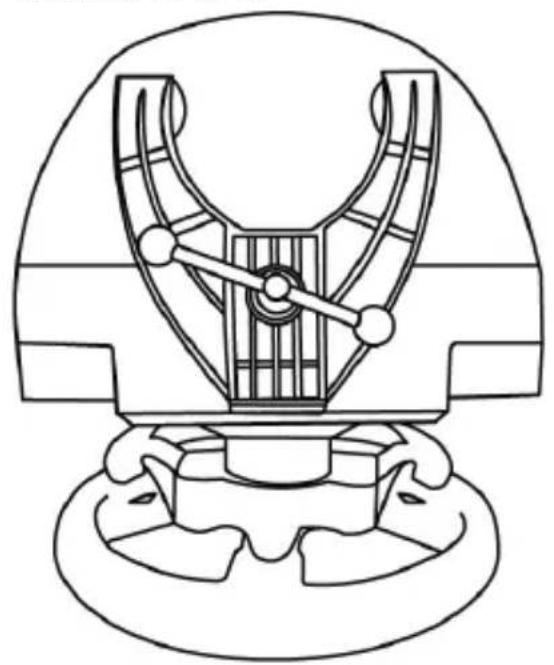
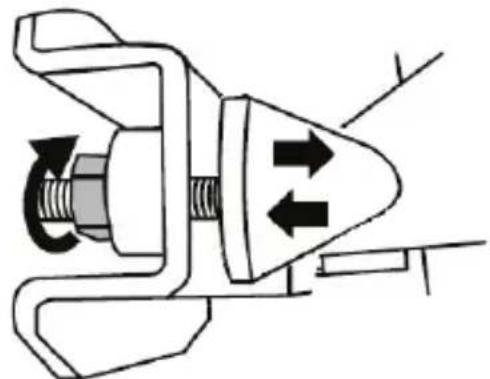
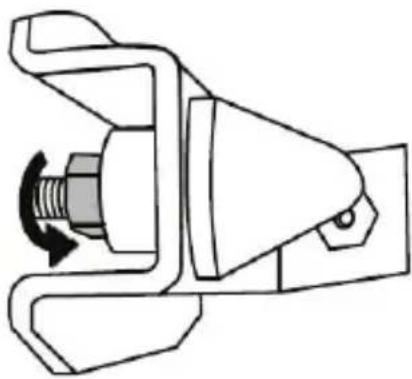
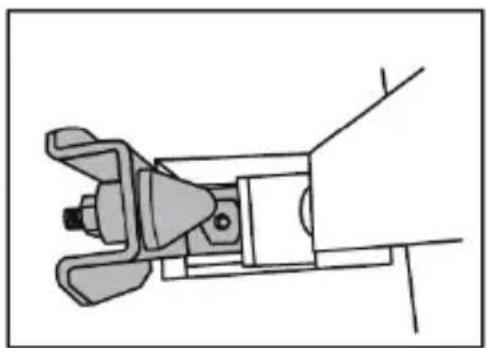
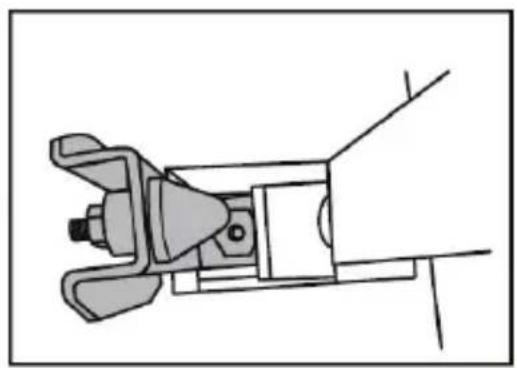
- Insert the fastening screw (11) in the attachment system (10), then tighten the device by turning the screw counterclockwise, so that it feeds into the large threaded hole (9) located beneath the racing wheel, until the device is perfectly stable.
ALWAYS NEVER
natural_image
Technical line drawing of a mechanical assembly with no visible text or symbols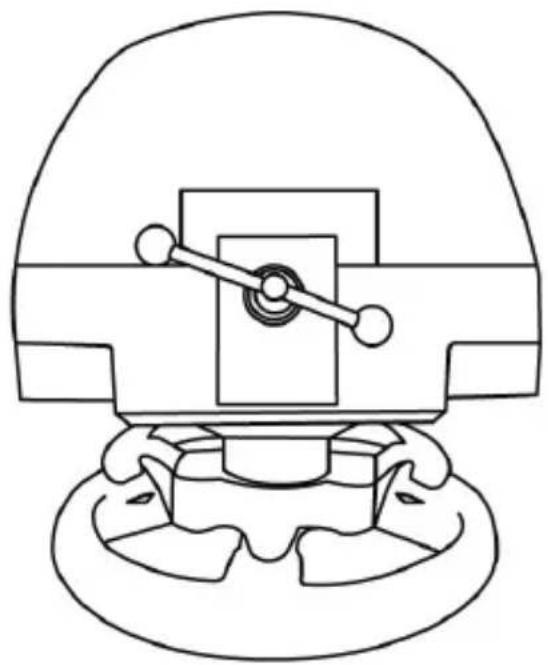
natural_image
Technical line drawing of a mechanical component with no visible text or symbolsWARNING: Never tighten the screw alone, without the attachment system! (This could damage the racing wheel).
| ATTACHMENT / REMOVAL | DIRECTION | |
| To tighten:Turn the screw counterclockwise | 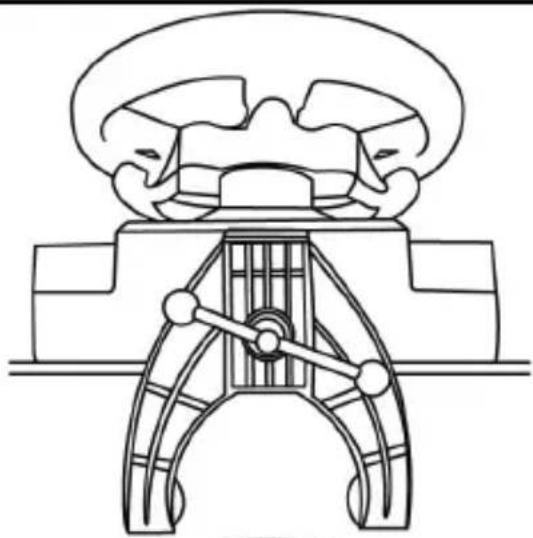 | |
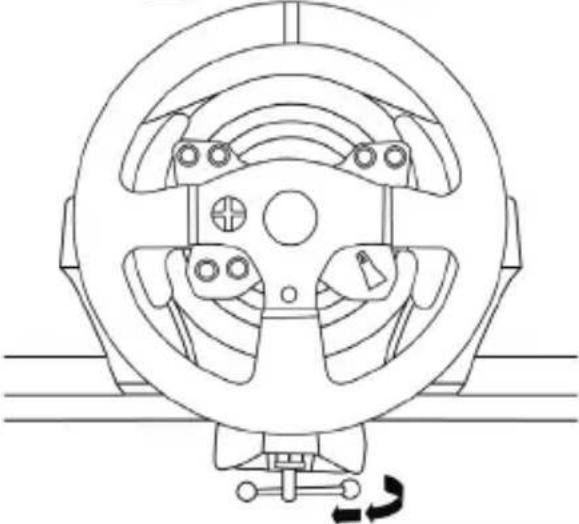 | ||
| To release:Turn the screw clockwise | 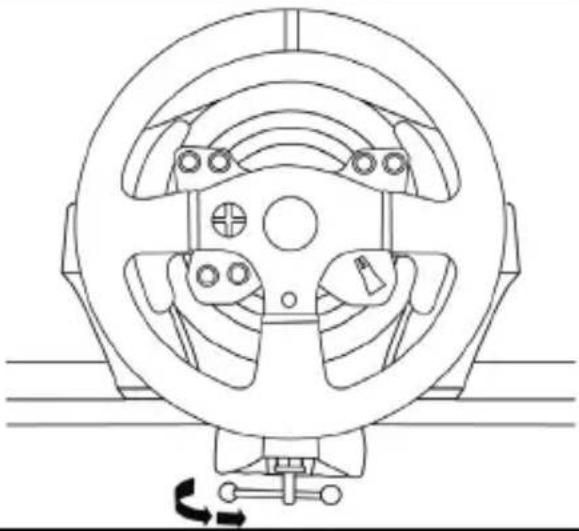 | |
Attaching the racing wheel's base to a cockpit
- Place the racing wheel's base on the cockpit shelf.
- Drive two M6 screws (not included) through the cockpit shelf, then feed them into the two small threaded holes located beneath the racing wheel.
Important: The length of the M6 screws should not exceed the thickness of the shelf + 12 mm; longer screws could cause damage to internal components located in the racing wheel's base.
- If required, tighten the standard attachment system by inserting the fastening screw in the large threaded hole.
XBOX SERIES X|S / XBOX ONE MAPPING

PC MAPPING
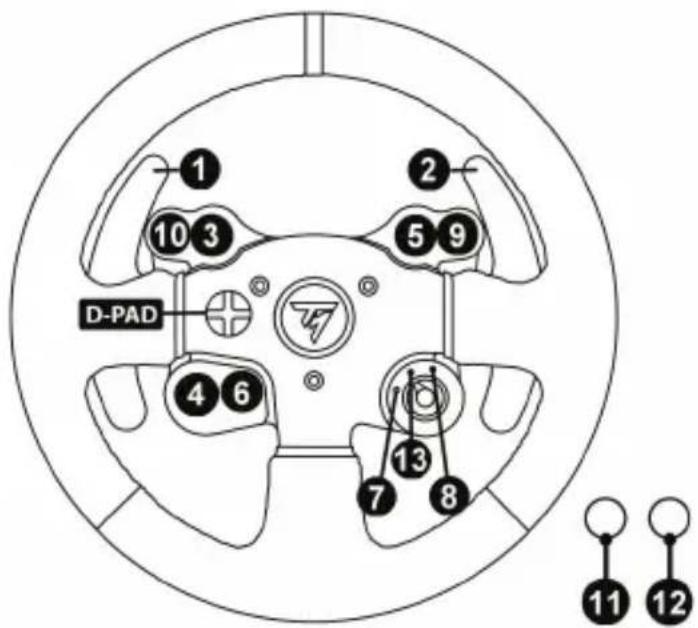
UPDATING YOUR RACING WHEEL'S FIRMWARE
The firmware included in your racing wheel's base can be updated to a more recent version featuring product enhancements.
To display the firmware version that your racing wheel is currently using and update it if required: on PC, visit https://support.thrustmaster.com. Click Racing Wheels / TX Racing Wheel LEATHER Edition, then select Firmware and follow the instructions describing the download and installation procedure.
SETTING UP THE RACING WHEEL FOR THE XBOX SERIES X|S / XBOX ONE
- Connect the pedal set to the connector (16) located at the back of the racing wheel's base.
- Connect the power supply cable to the connector (13) located at the back of the racing wheel's base.
- Connect the power supply cable to a mains outlet with proper voltage specifications.

For more information about this, please refer to the CONNECTING THE RACING WHEEL TO THE MAINS section, on page 3 in this manual.
- Connect the racing wheel's USB connector (14) to one of the console's USB ports.
You are now ready to race!
AUTOMATIC RACING WHEEL AND PEDAL SET CALIBRATION
The racing wheel automatically self-calibrates when you connect the racing wheel to the mains and the racing wheel's USB connector to the console.
During this phase, the racing wheel will rotate quickly towards the left and the right, covering a 900-degree angle, before stopping at the center.

WARNING:
Never touch the racing wheel during the self-calibration phase! (This could cause an incorrect calibration and/or personal injuries).
AUTOMATIC CALIBRATION OF THE PEDAL SET
Never connect the pedal set to the racing wheel's base (or disconnect it from the base) when it is connected to the console or during gameplay (this could cause incorrect calibration).
Always connect the pedal set before connecting the racing wheel to the console.
Once the racing wheel's calibration is done and the game has been launched, the pedals are automatically calibrated after a few presses.

WARNING:
Never press the pedals
during the racing wheel's self-calibration phase or while a game is loading!
(This could cause incorrect calibration)
If your racing wheel and pedal set do not operate correctly, or if calibration seems incorrect:
Turn off your console, disconnect your racing wheel entirely, reconnect all cables (using the mains power supply cable and pedal set), then restart your console and your game.
INTERNAL TEMPERATURE SENSOR
For safety reasons, the racing wheel's base features a temperature sensor.
If the device's temperature becomes too high, your racing wheel can shut down suddenly.
In this event:
- Unplug the mains power supply cable and the device's USB connector.
- Wait for the racing wheel's base to cool down entirely.
- Then, reconnect the device.
MODE BUTTON AND INDICATOR LIGHT (6)
MODE button for the pedal set
You can electronically swap the accelerator and clutch pedals.
To do so, simply press the MODE button (6) for 2 seconds.
The racing wheel's internal memory stores whether the pedals have been swapped around or not.
| ACCELERATOR AND CLUTCH PEDALS | Color of the MODE indicator light (6) |
| NORMAL RED | |
| SWAPPED AROUND | GREEN |
Other information regarding the MODE button
To learn more about the MODE button and indicator light, please visit https://support.thrustmaster.com. Click Racing Wheels / TX Racing Wheel LEATHER Edition, then select Manual or FAQ.
HELP FILES AND FAQs (NOT INCLUDED IN THIS MANUAL)
Please visit https://support.thrustmaster.com, click Racing Wheels / TX Racing Wheel LEATHER Edition, then select Manual or FAQ.
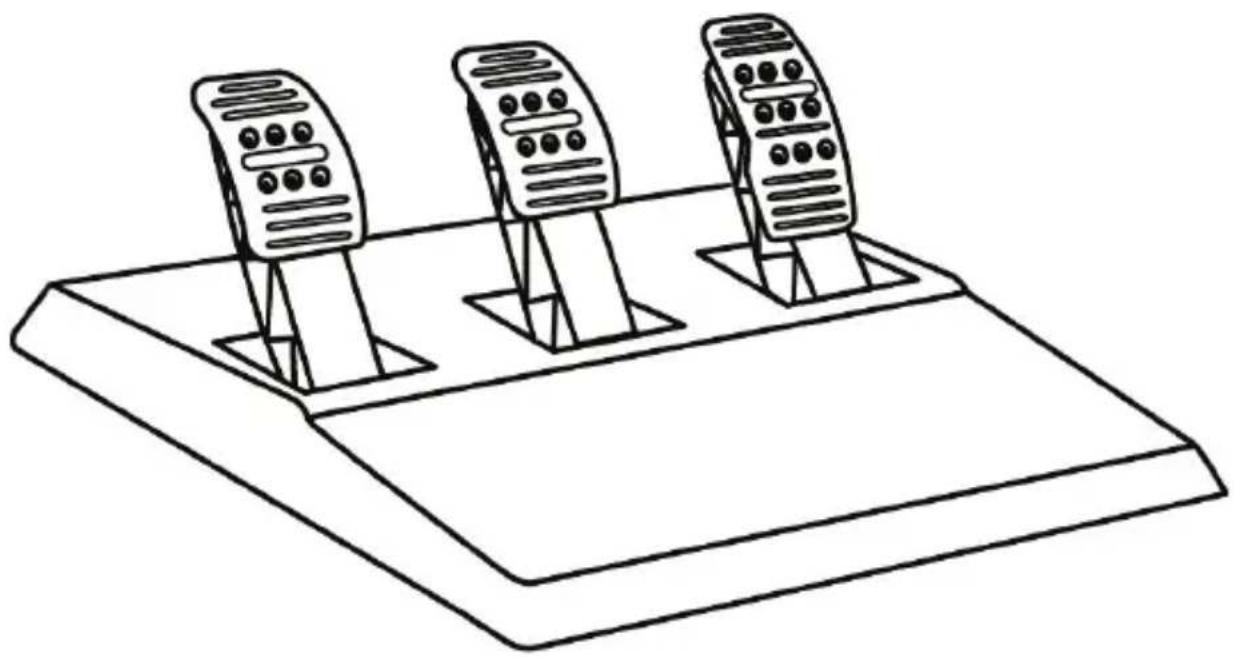
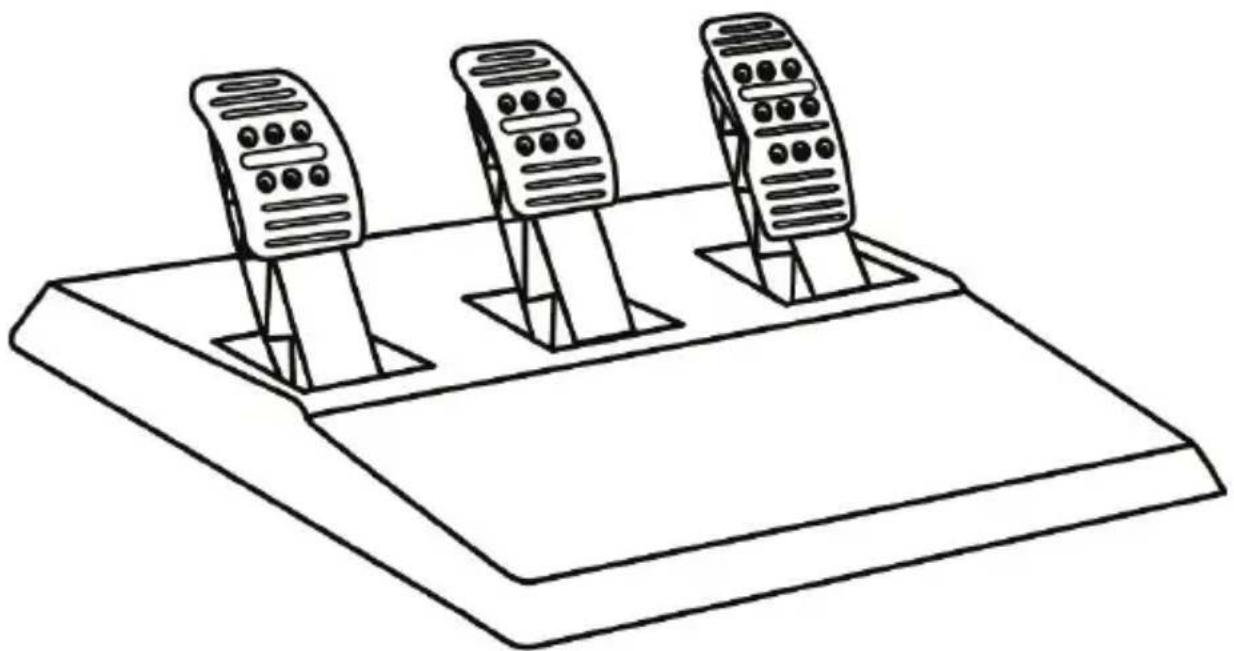
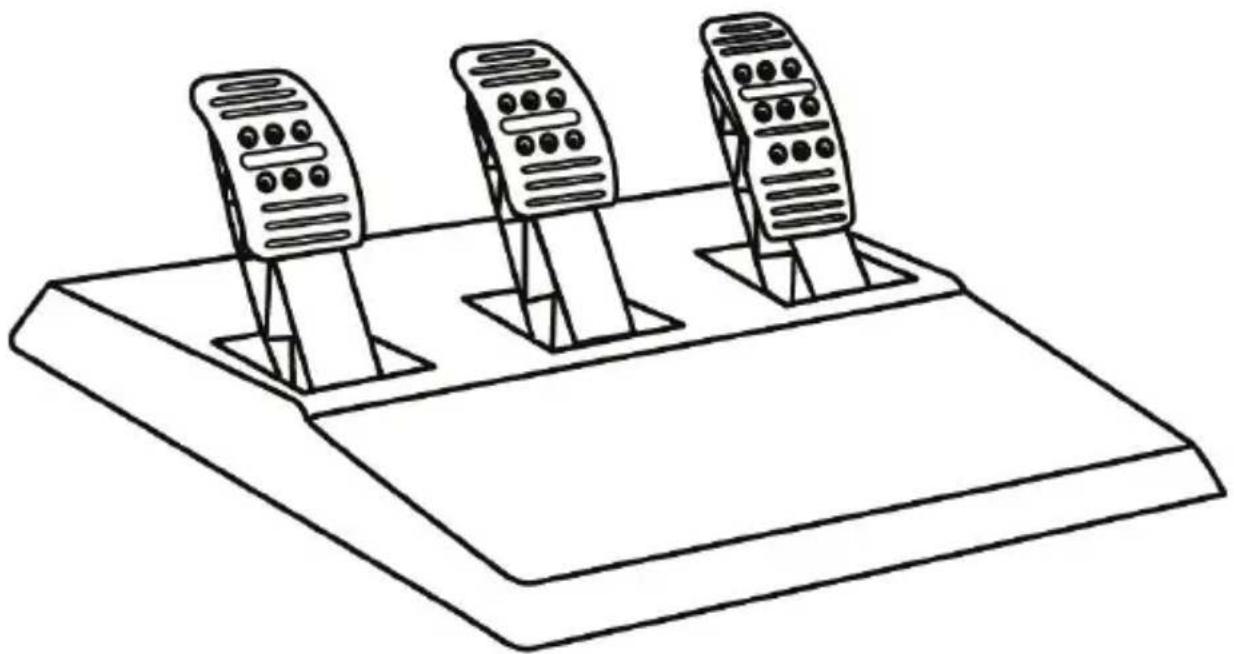
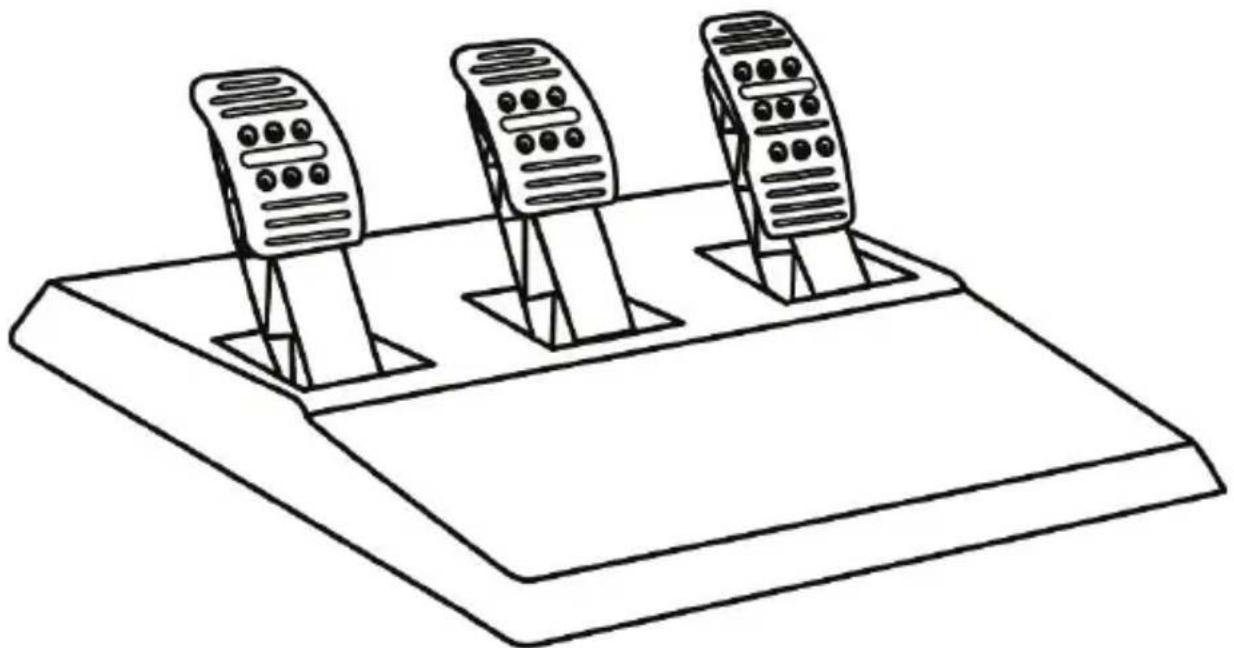
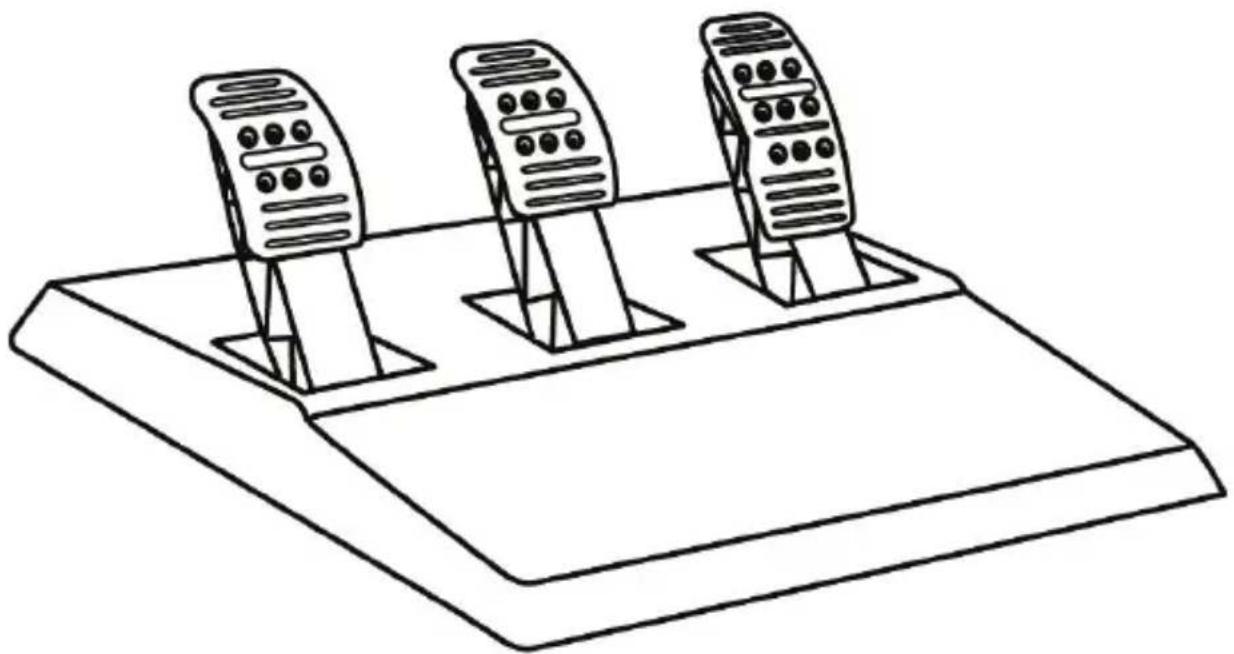
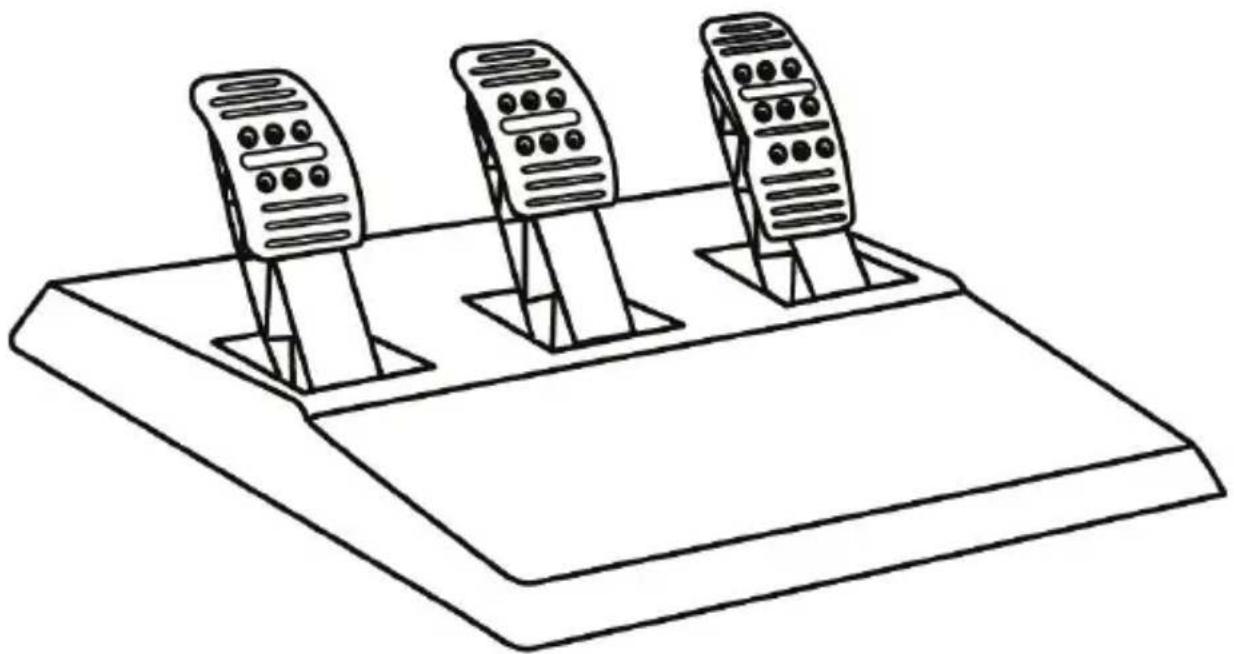
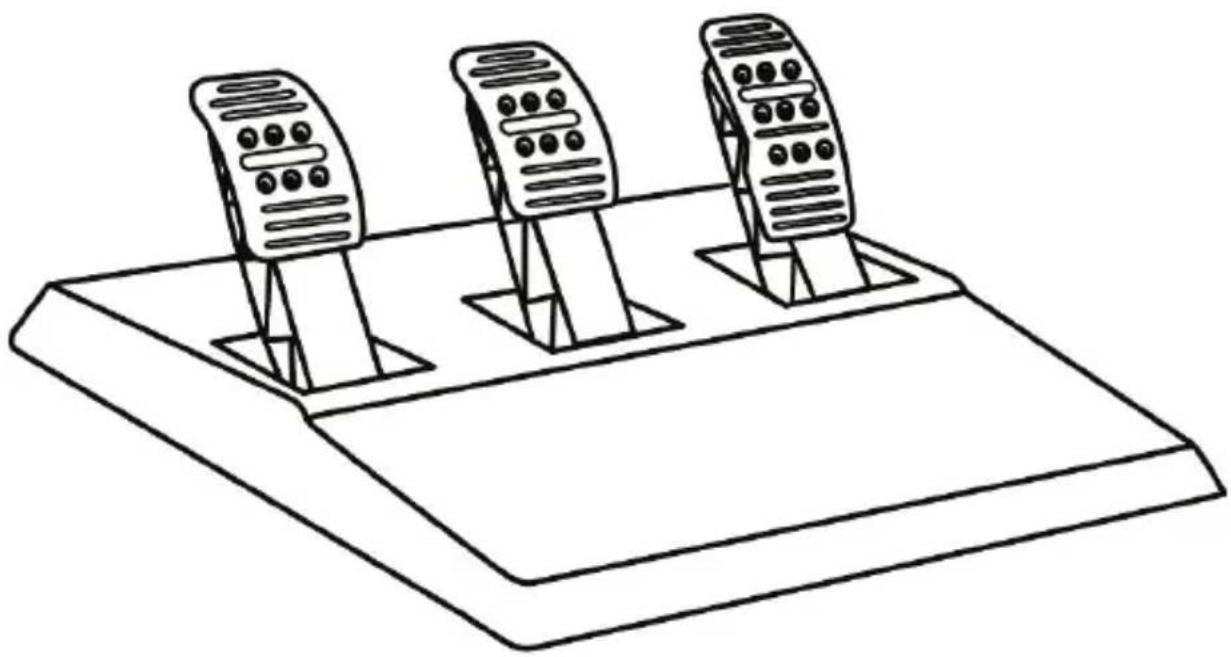
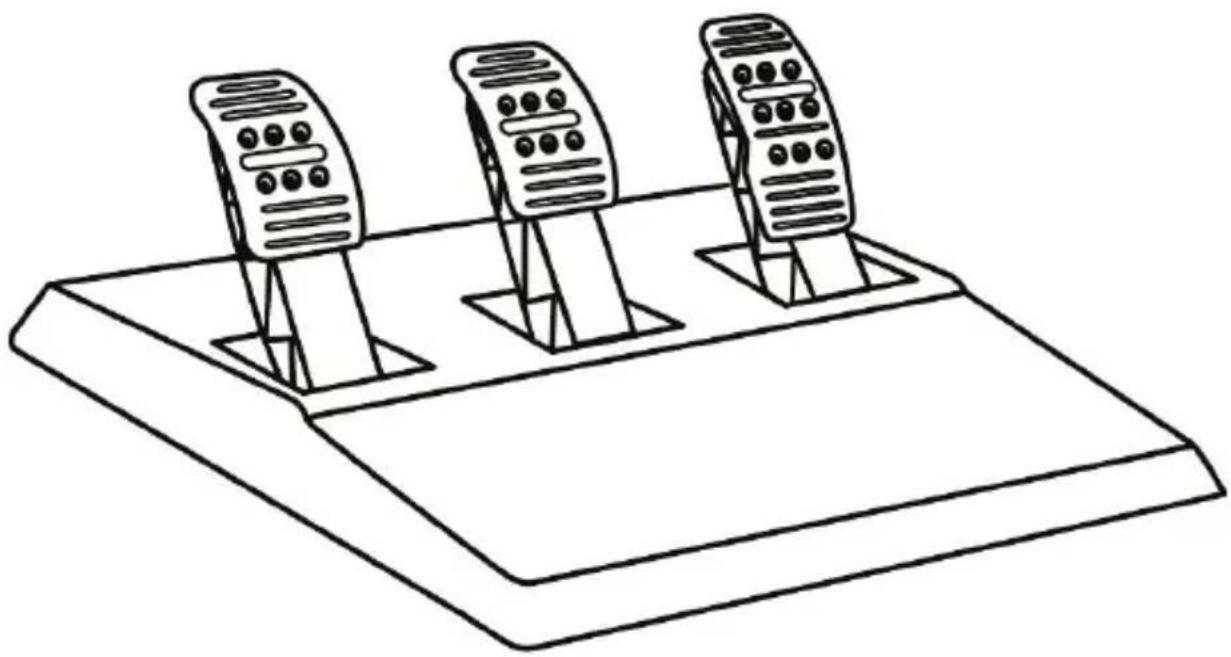
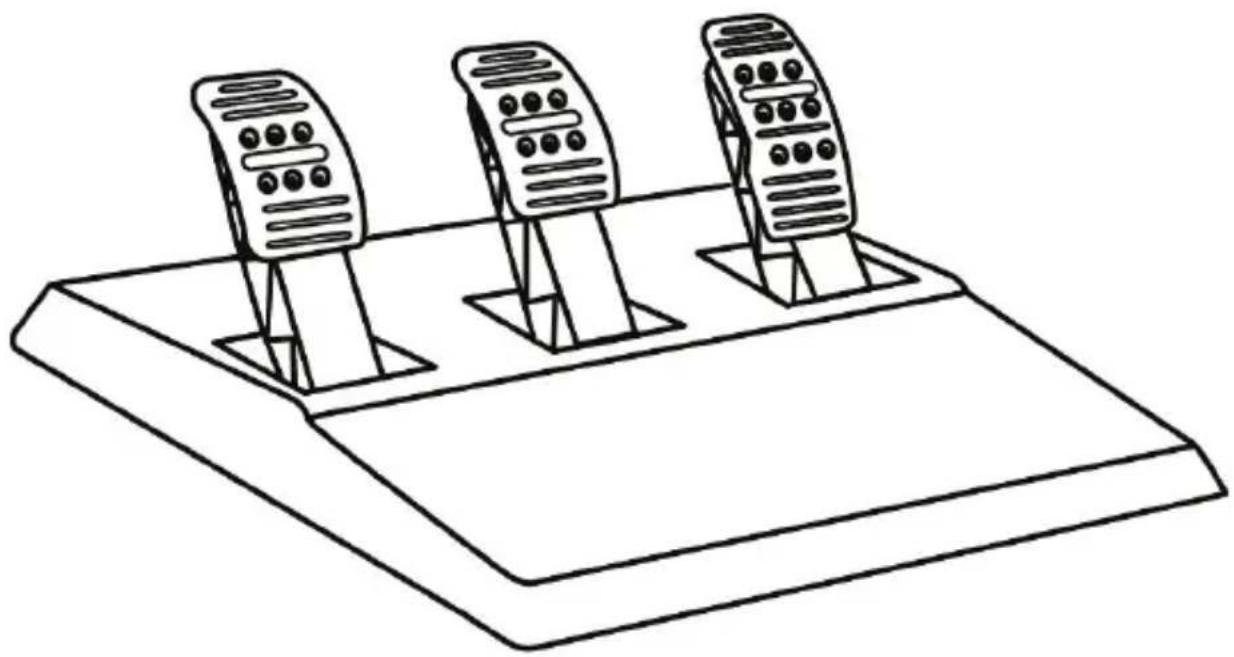
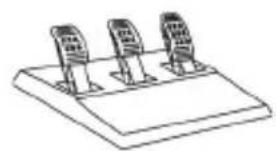
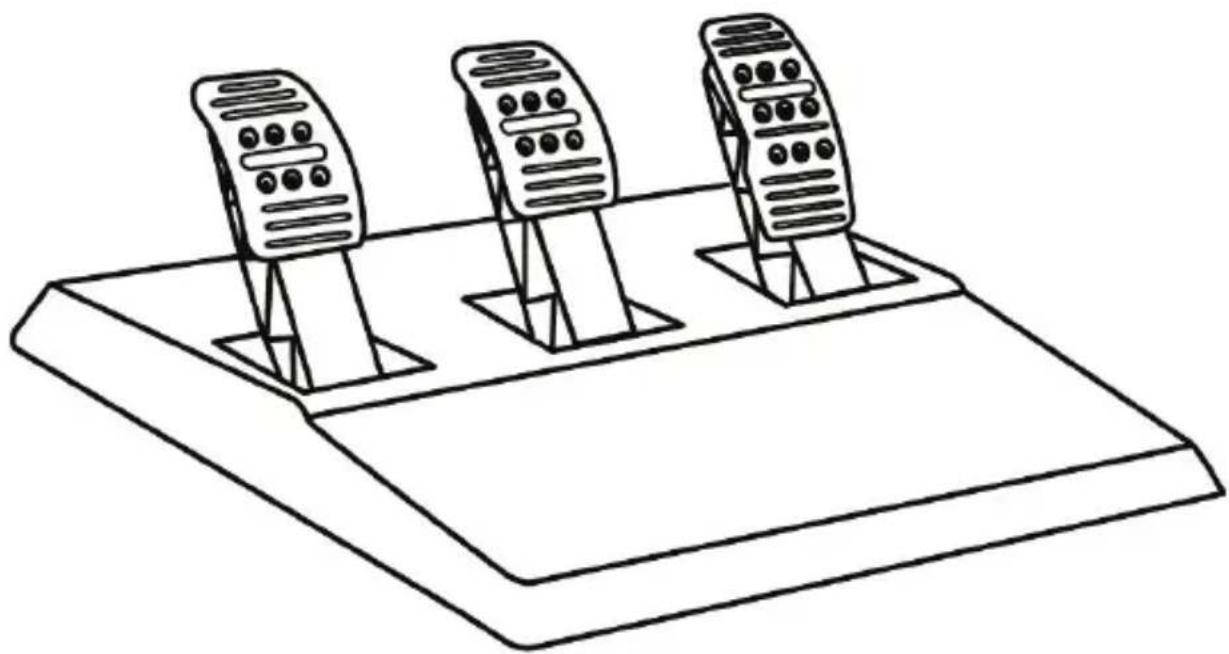
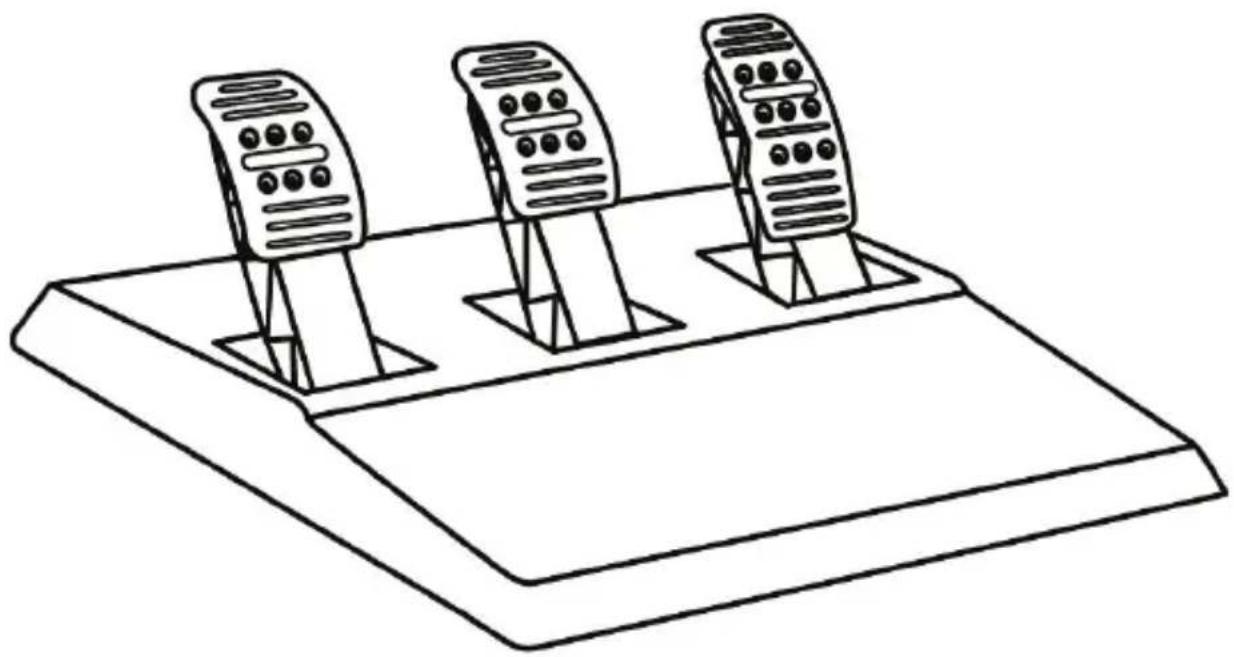
T3PA THRUSTMASTER 3 PEDALS ADD-ON
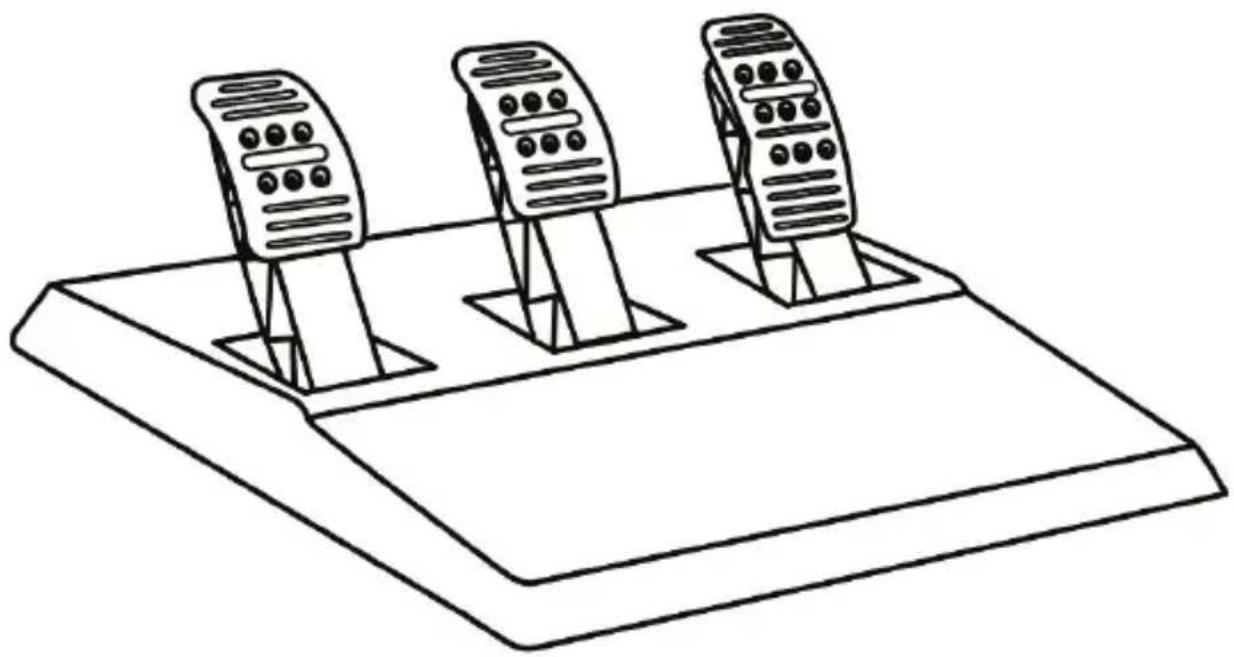
natural_image
Line drawing of three identical speed limit switches mounted on a base platform (no text or symbols)TECHNICAL FEATURES
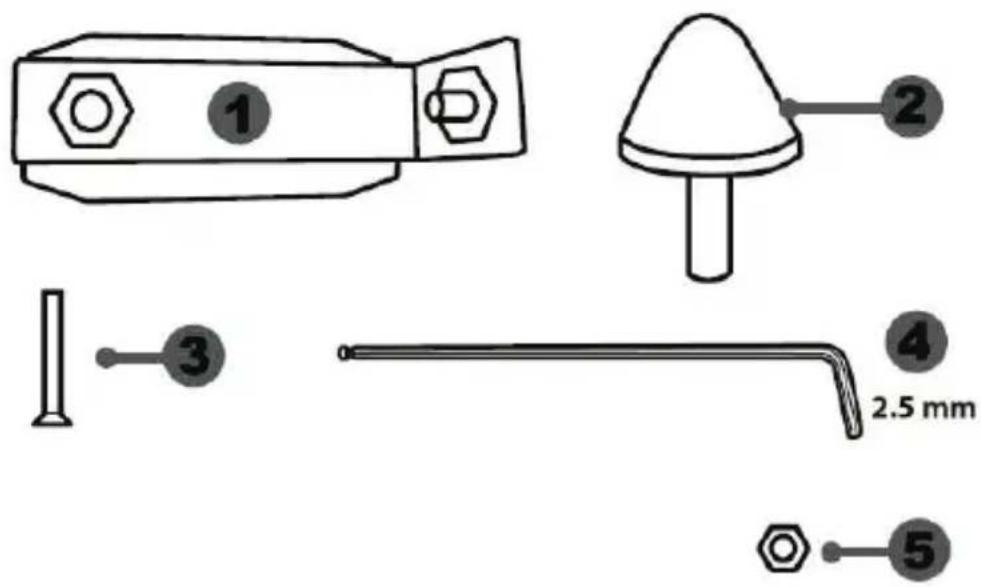
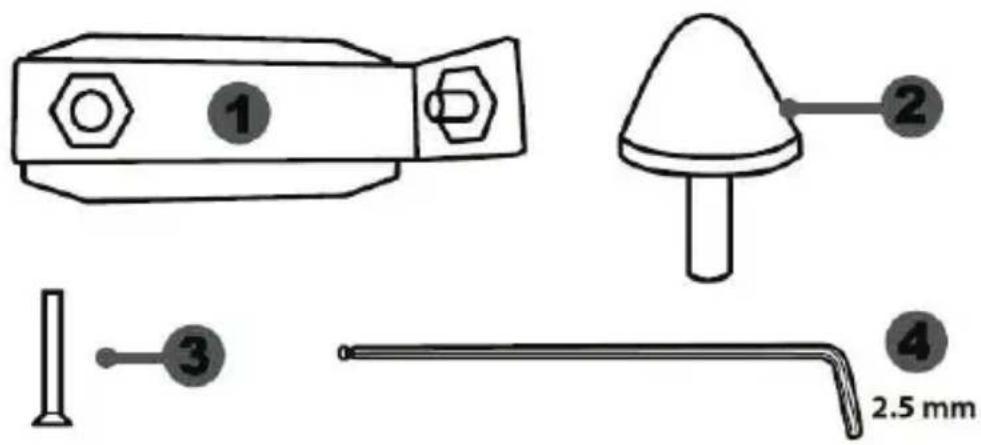
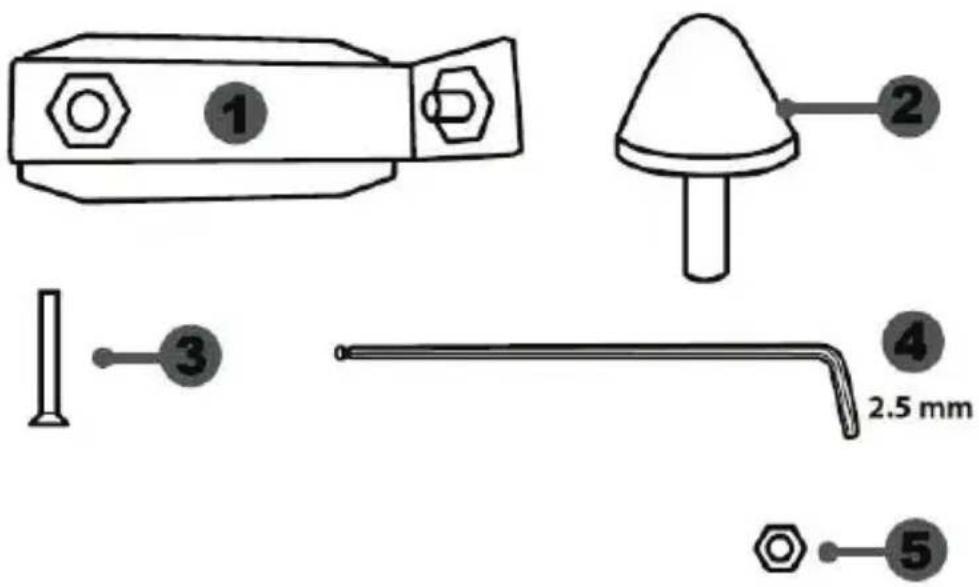
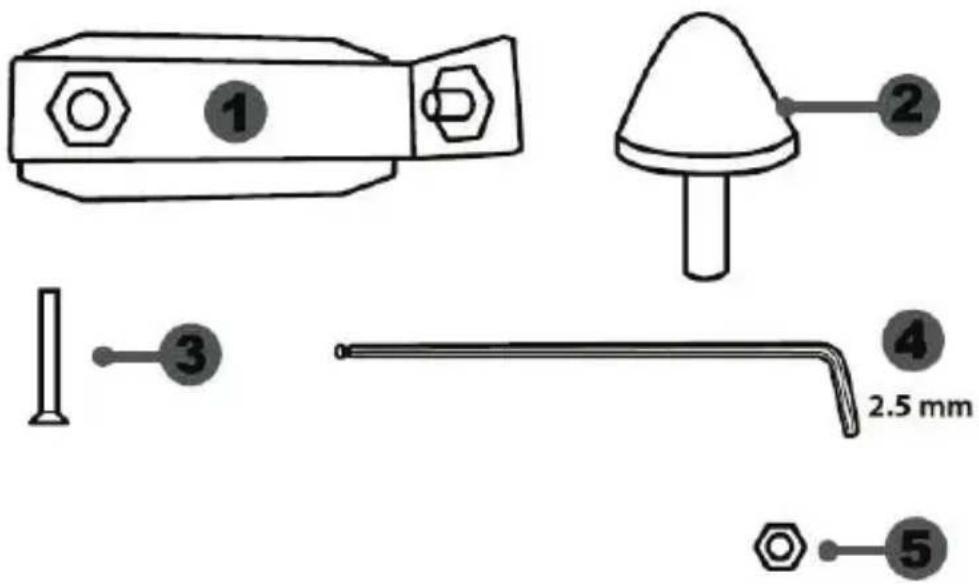
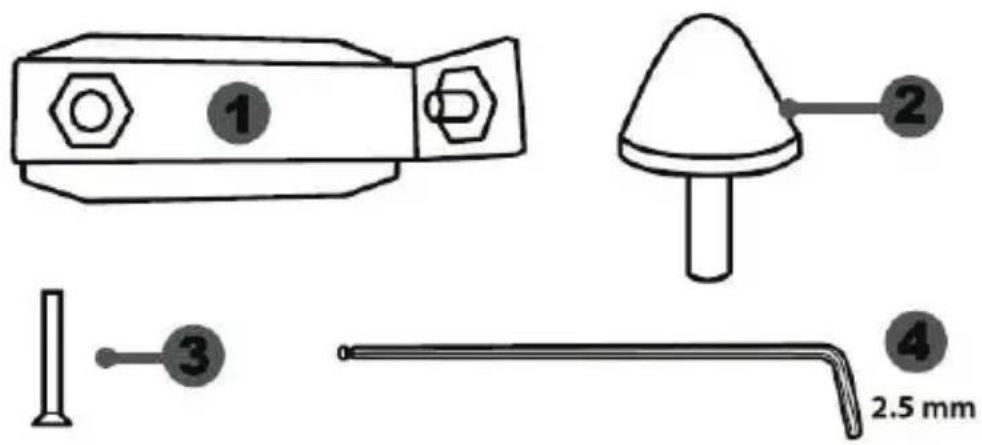
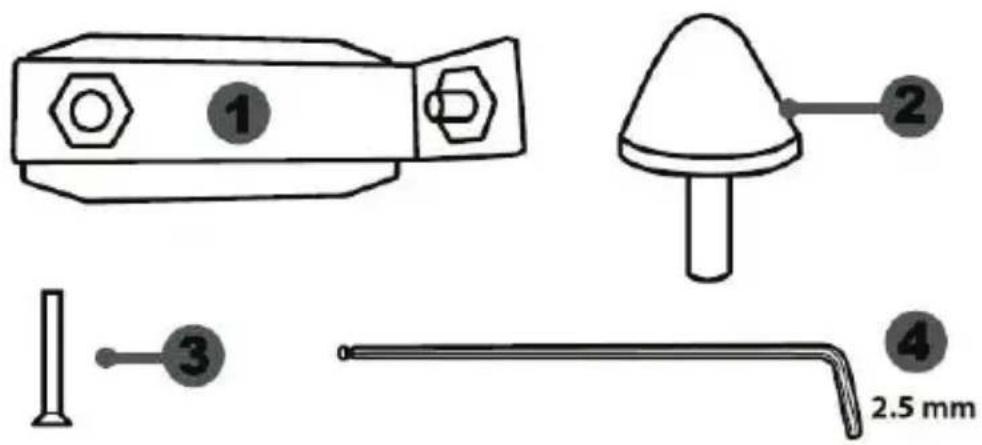
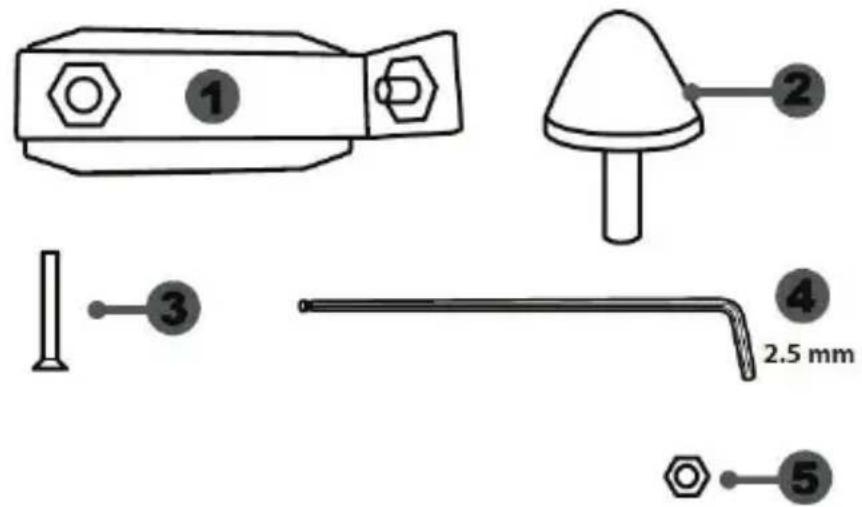
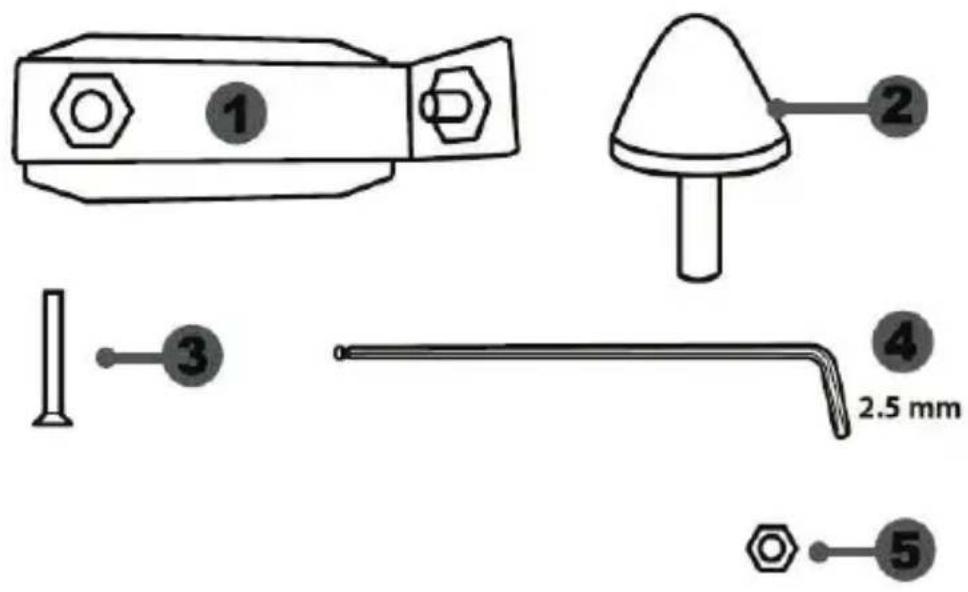
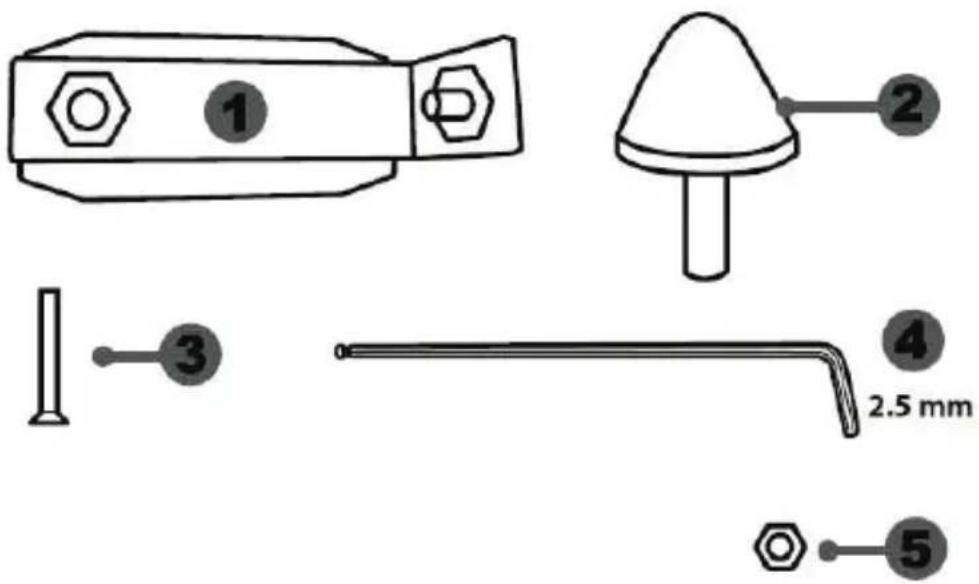
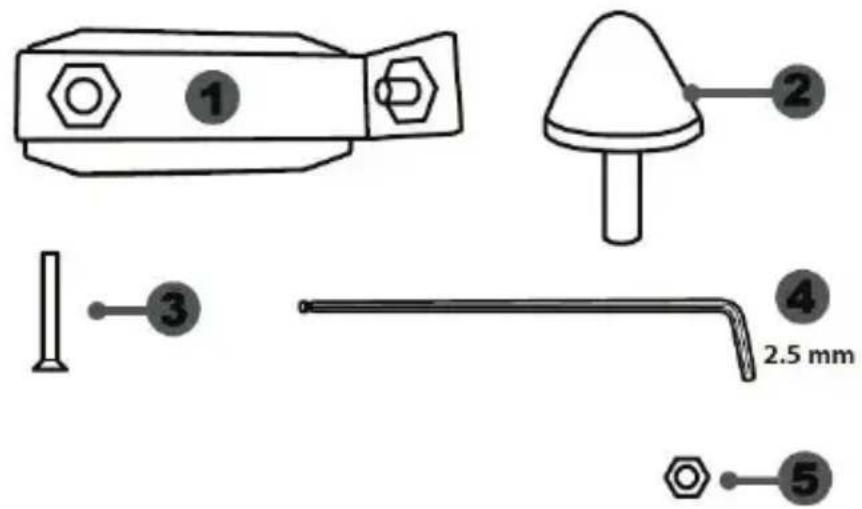
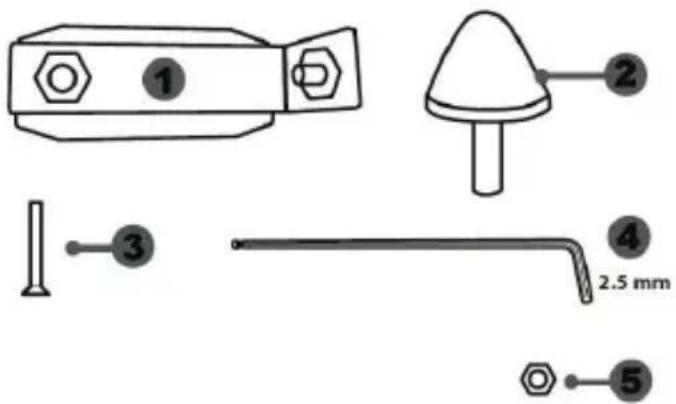
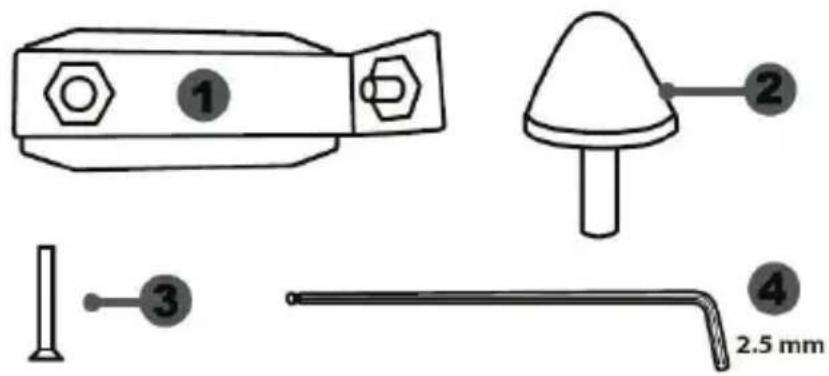
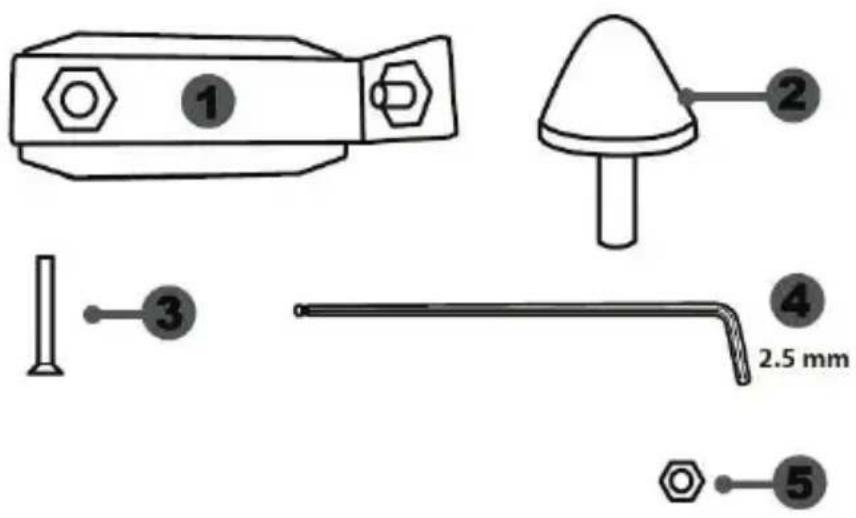
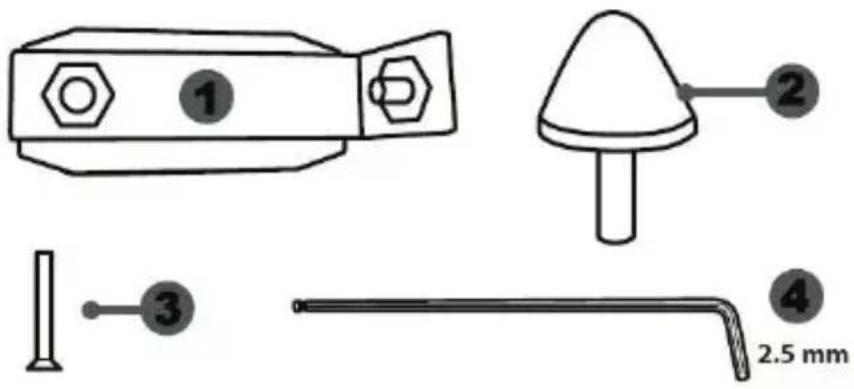
1 Metal support for conical stop (not installed by default)
2 Conical stop
3 Attachment screw for metal support
4 2.5 mm Allen key (included)
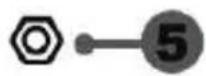
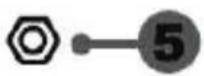
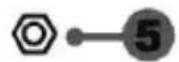
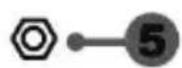
5 Position adjustment nut for conical stop
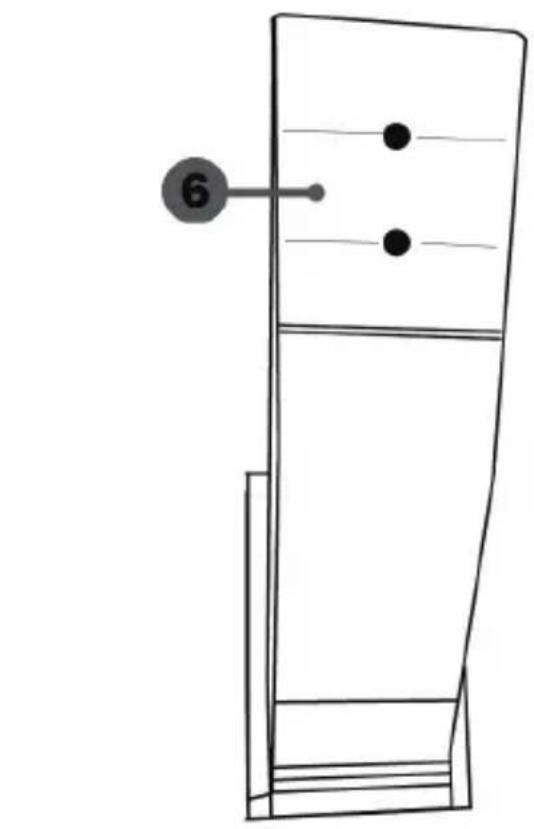
natural_image
Simple line drawing of a door with two dots and a numbered label (6) pointing to the side, no text or symbols present.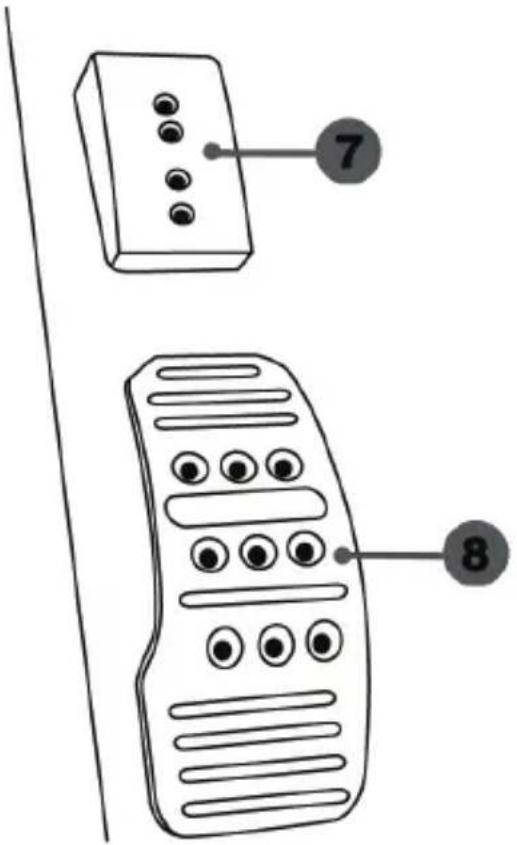
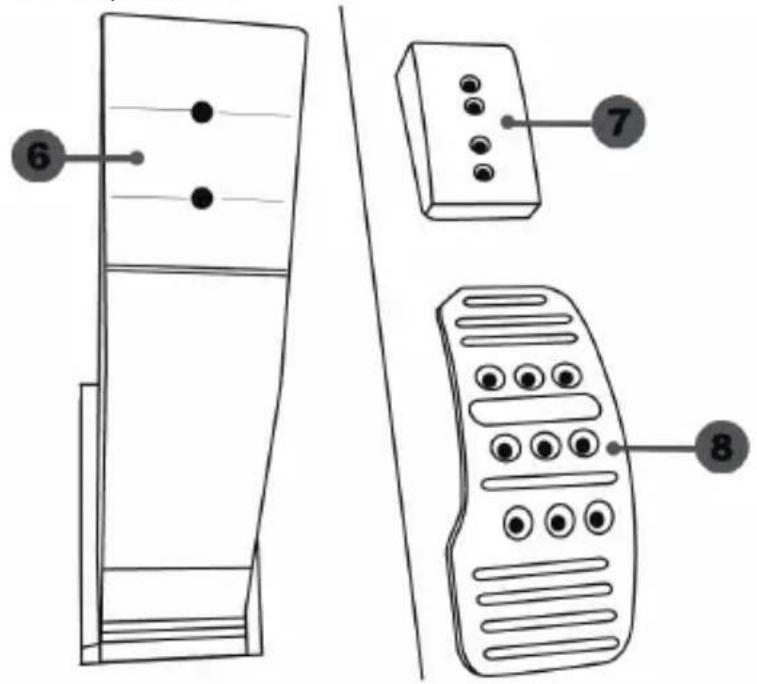
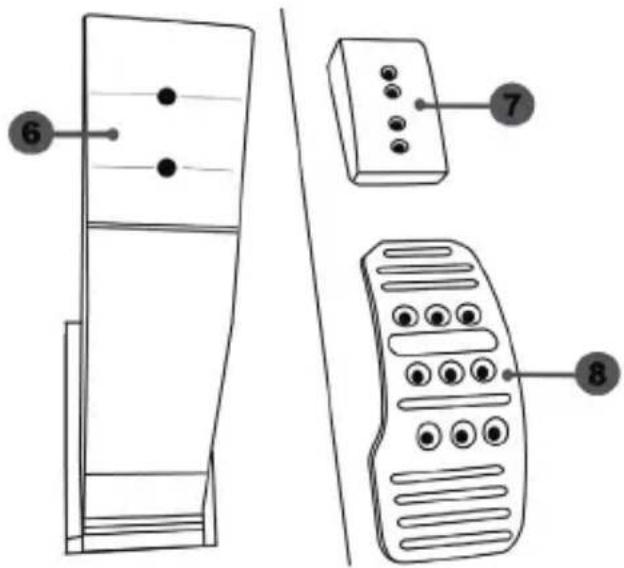
6 Pedal arm
7 Plastic head support
8 Metal pedal head
WARNING
Before using this product, be sure to read these instructions carefully and save them for future reference.

For safety reasons, never use the pedal set with bare feet or while wearing only socks on your feet.
THRUSTMASTER® DISCLAIMS ALL RESPONSIBILITY IN THE EVENT OF INJURY RESULTING FROM USE OF THE PEDAL SET WITHOUT SHOES.

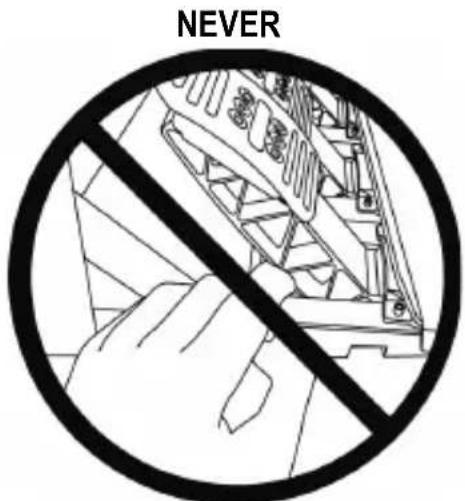
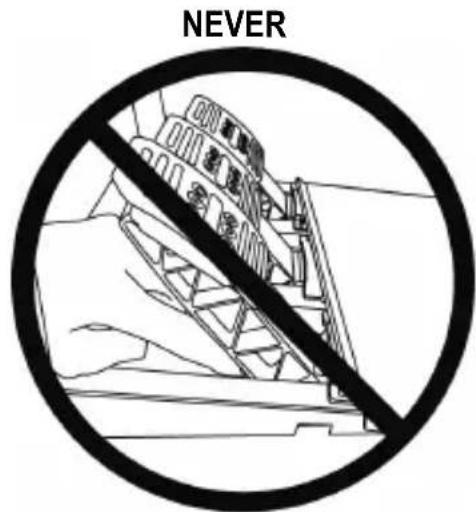
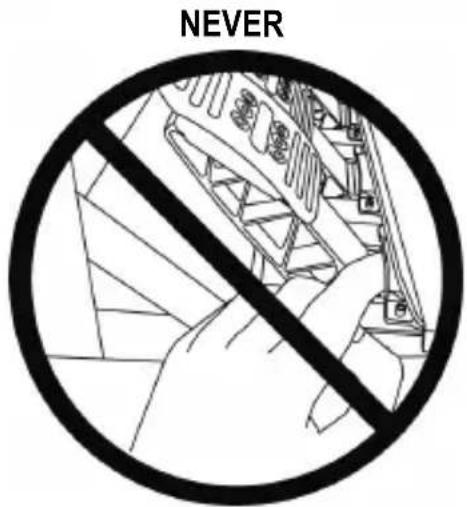
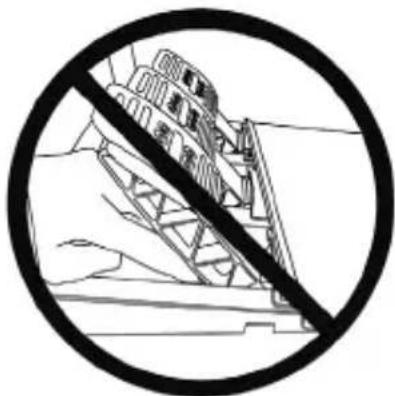
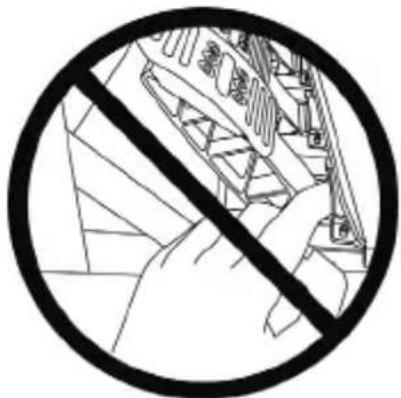
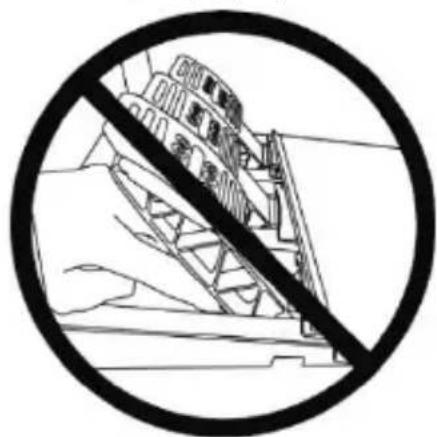
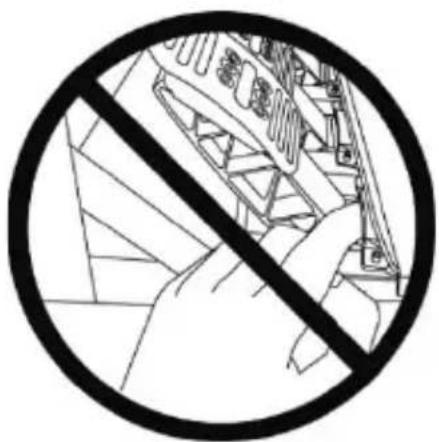
Warning – Pedal set pinching hazard during gaming sessions
* Keep the pedal set out of the reach of children.
* During gaming sessions, never place your fingers or thumbs on or near the sides of the pedals.
* During gaming sessions, never place your fingers or thumbs on or near the rear base of the pedals.
* During gaming sessions, never place your fingers or thumbs on or near the front base of the pedals.
AUTOMATIC CALIBRATION OF PEDALS

- Never connect or disconnect the pedal set from the base of the wheel when the wheel is connected to the console or PC, or during gaming sessions, to avoid calibration problems.
= Always connect the pedal set to the wheel before connecting the wheel to the console or PC. - Once the wheel has self-calibrated and the game has started, the pedals automatically calibrate themselves after being pressed a few times.
- Never press on the pedals when the wheel is self-calibrating or when your game is starting up, to avoid calibration problems.
- If the pedals are not functioning correctly or appear to be improperly calibrated, power off your console, completely disconnect your wheel, then reconnect all of the cables (including the power supply cable and the pedal set cable), power the console back on and restart your game.
ATTACHING THE PEDAL SET TO A COCKPIT
- Attach the pedal set using the small screw threads located on the underside of the pedal set.
- Screw two M6 screws (not included) into the cockpit's pedal support plate and into the two small screw threads located on the underside of the pedal set.
Important: The length of the two M6 screws must not exceed the thickness of the cockpit's pedal support plate plus an additional 10 mm, to avoid damaging the pedal set's internal components.
ADJUSTING THE PEDAL SET
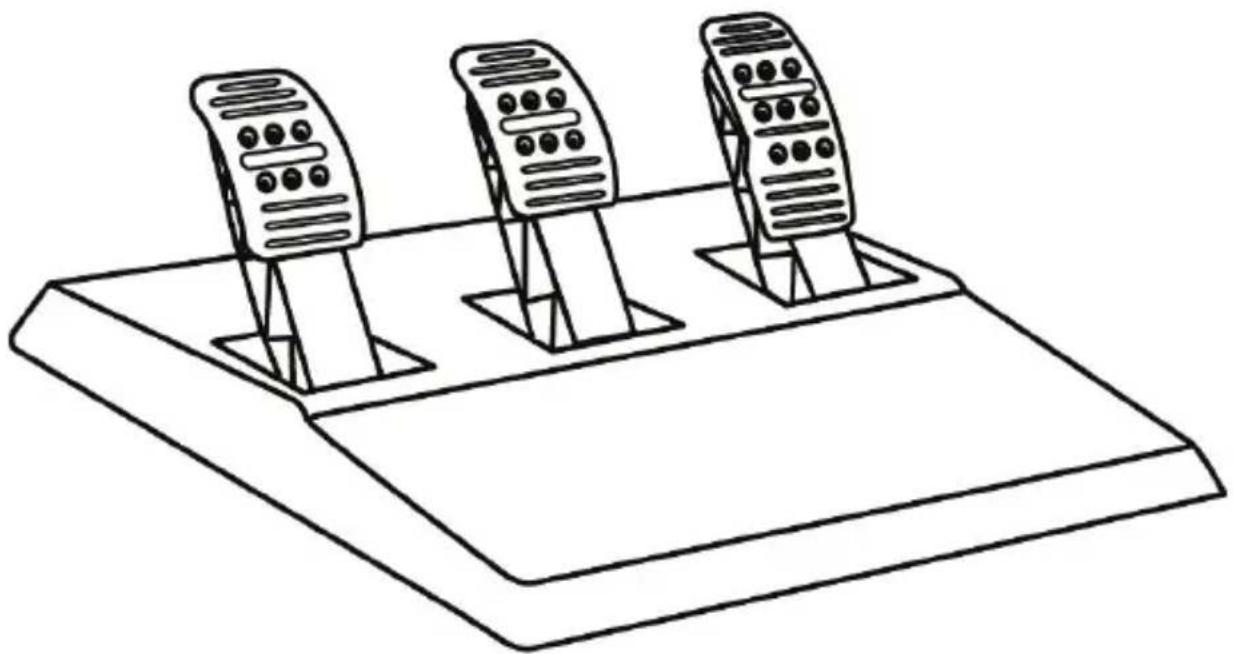
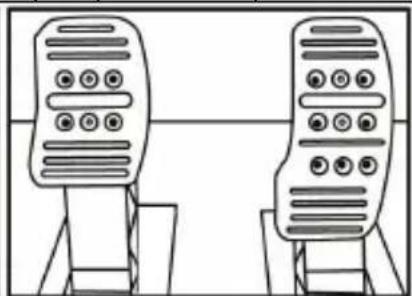
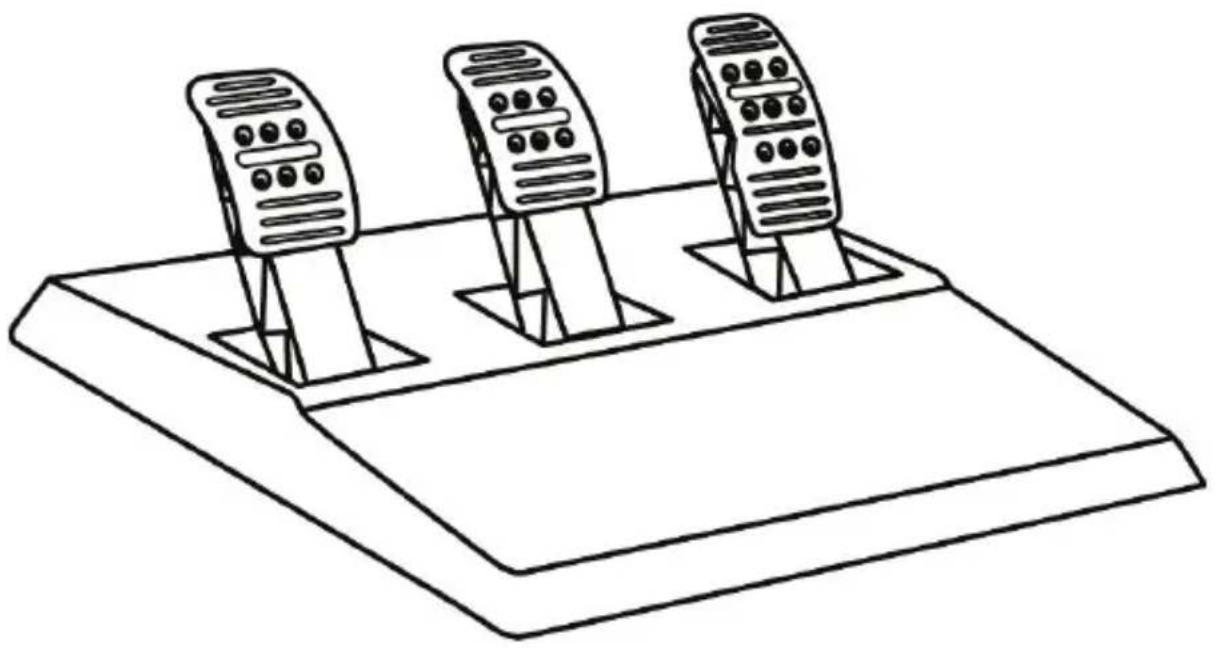
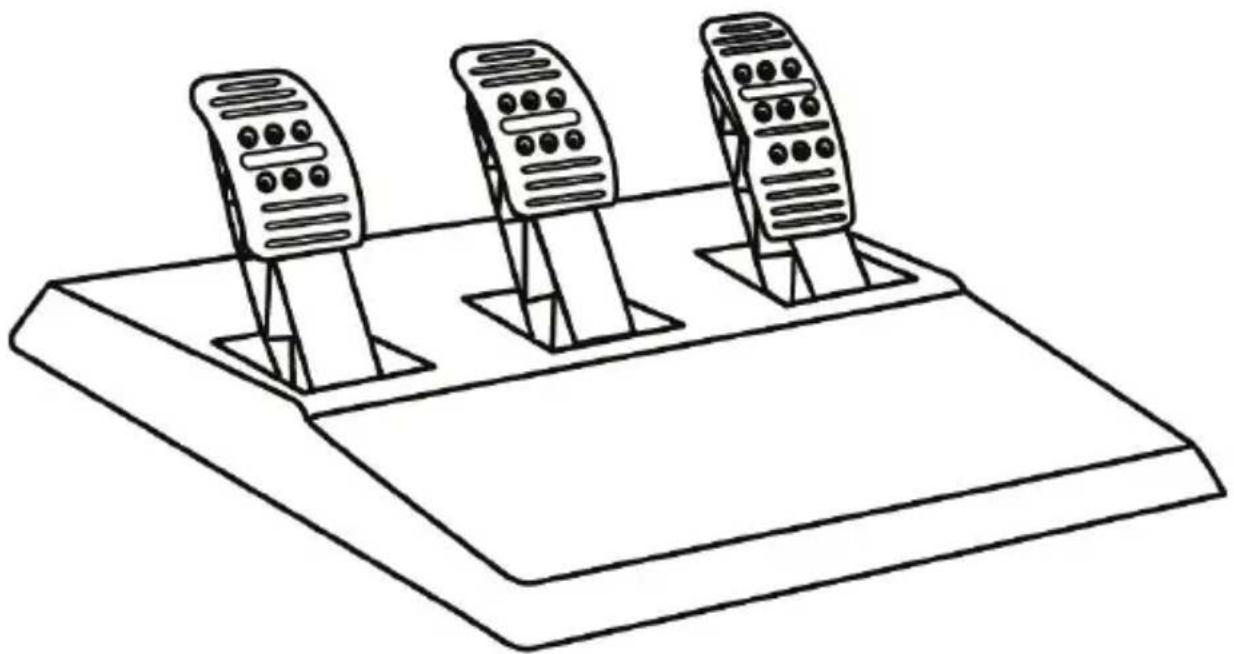
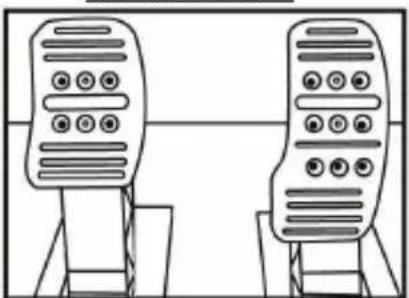
Each of the three pedals includes:
- A metal head (8) with multiple perforations (nine for the accelerator – six for the brake – six for the clutch).
- A plastic head support (7) (placed between the head and the arm) with four perforations.
- A pedal arm (6) with two perforations.
ATTENTION: To avoid any calibration problems, be sure to always disconnect your wheel's USB cable from the console or PC before making any adjustments to your pedal set.
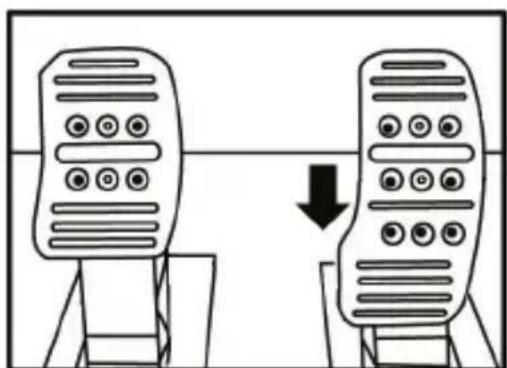
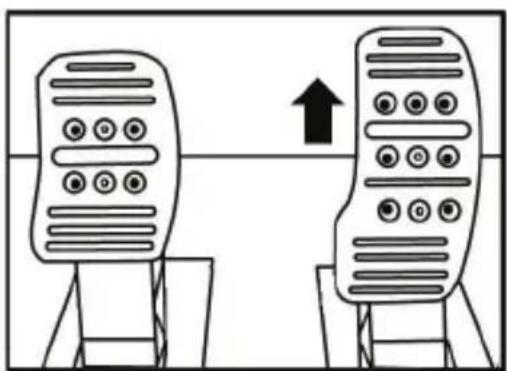
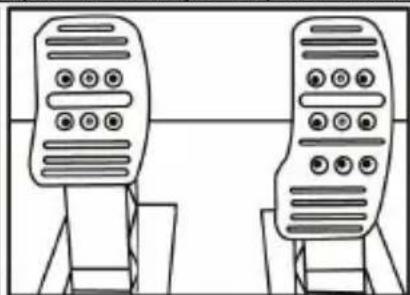
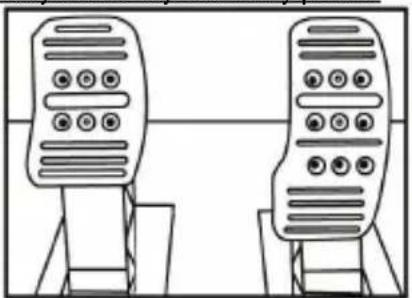
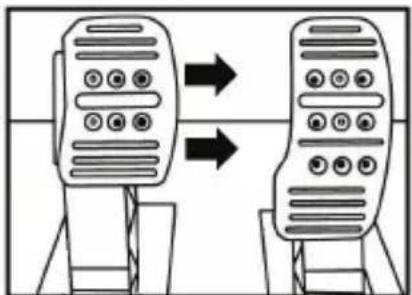
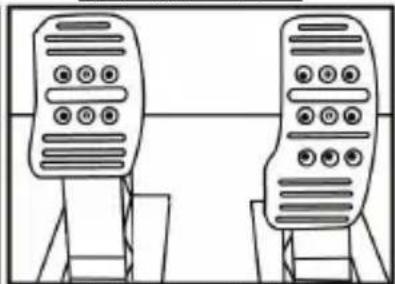
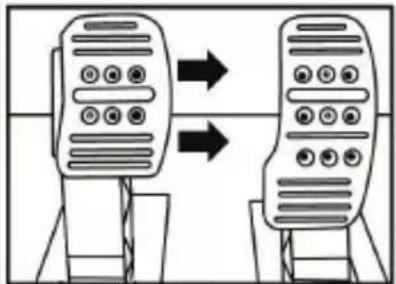
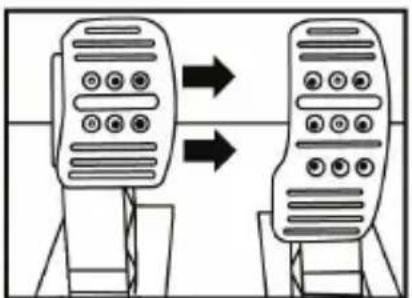
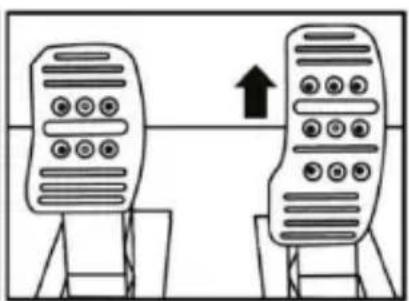
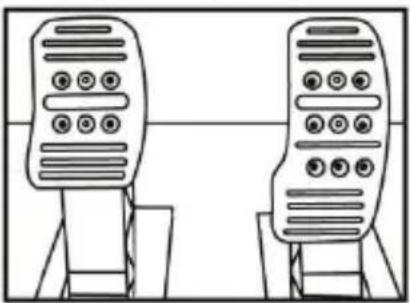
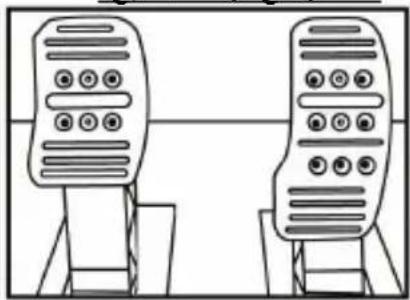
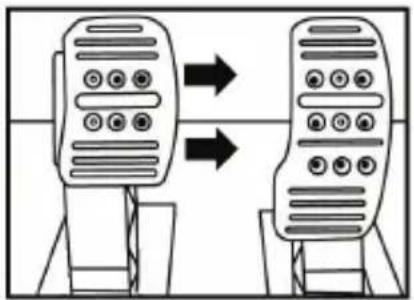
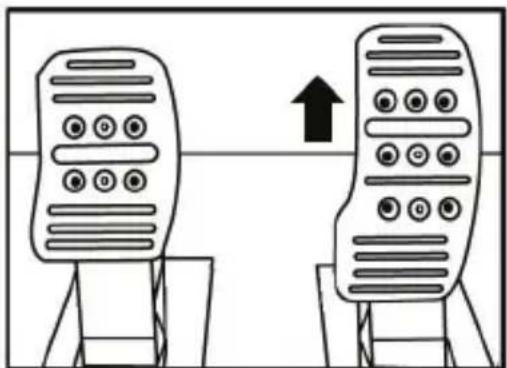
Adjusting the HEIGHT of the accelerator pedal
- Using the included 2.5 mm Allen key (4), unscrew the two screws holding the metal head (8) and its support (7) in place.
- Select your preferred height position, then replace and re-tighten the screws so that the metal head (8) and its support (7) are held firmly in place.
natural_image
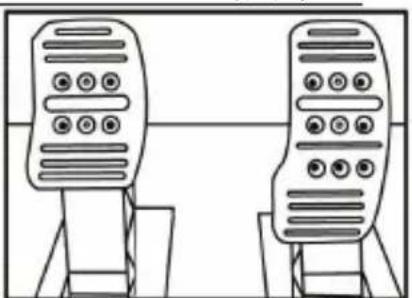
Diagram showing two identical mobile devices connected by a double-headed arrow, indicating a change or transformation (no text or symbols present)Low position (default)
natural_image
Two identical mobile phone screens with buttons and a bidirectional arrow between them (no text or symbols)High position
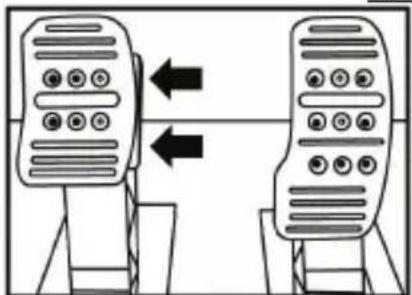
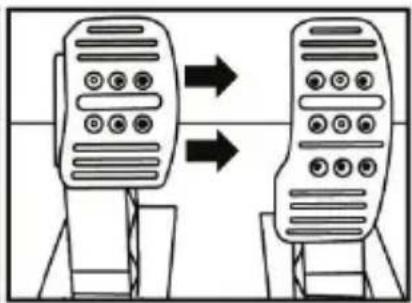
Adjusting the SPACING of the three pedals
- Using the included 2.5 mm Allen key (4), unscrew the two screws holding the metal head (8) and its support (7) in place.
- Select your preferred position (to the left, centered, or to the right), then replace and re-tighten the screws so that the metal head (8) and its support (7) are held firmly in place.
Examples illustrating the brake pedal:
natural_image
Two identical mobile phone controllers with bidirectional arrows indicating signal or connection (no text or symbols)Left position
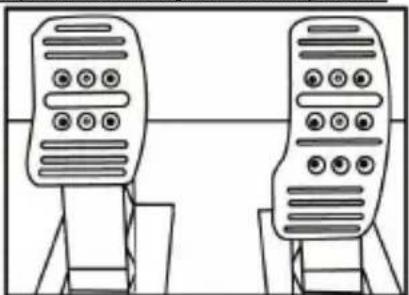
natural_image
Line drawing of two identical mobile phone devices standing upright, no text or symbols presentCentered position (default)
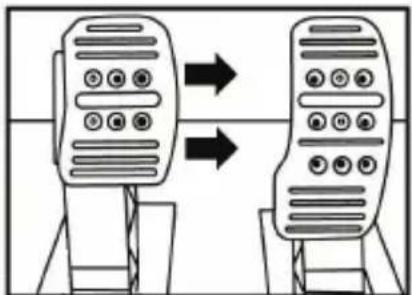
flowchart
graph TD
    A["Device 1"] --> B["Device 2"]
    B --> C["Device 3"]
    style A fill:#f9f,stroke:#333
    style B fill:#f9f,stroke:#333
    style C fill:#f9f,stroke:#333
Right position
Number of possible spacing positions per pedal:
- Three for accelerator pedal
- Three for brake pedal
- Three for clutch pedal
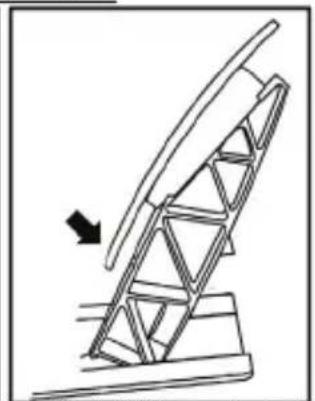
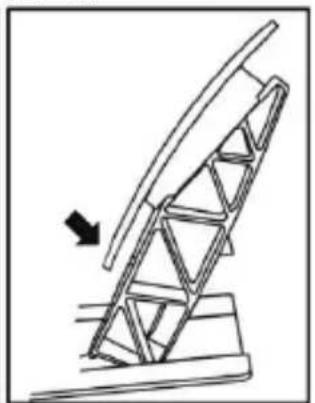
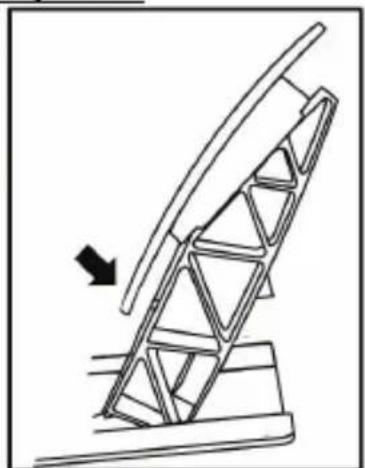
Adjusting the INCLINATION of the pedals
- Using the included 2.5 mm Allen key (4), unscrew the two screws holding the metal head (8) and its support (7) in place.
- Turn the plastic head support (7) 180°, then replace and re-tighten the screws so that the metal head (8) and its support (7) are held firmly in place.
Examples illustrating the accelerator pedal:
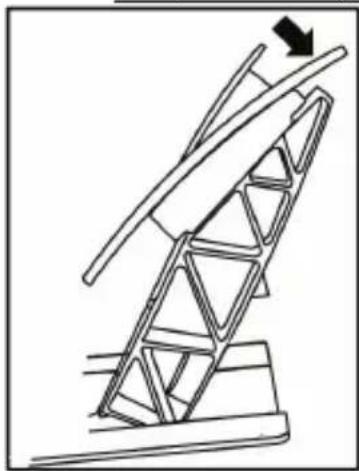
natural_image
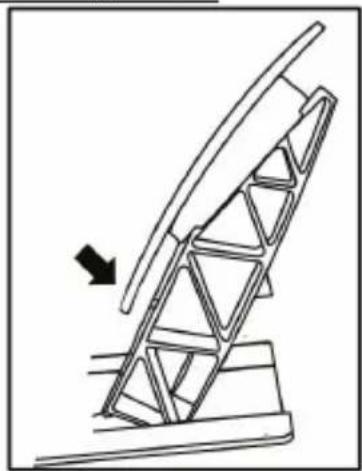
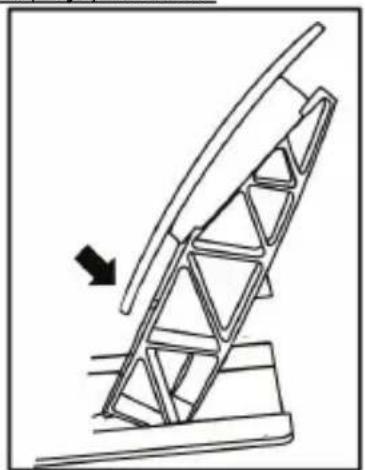
Diagram of a mechanical structure with a triangular frame and an arrow indicating upward motion (no text or symbols)Less inclined position
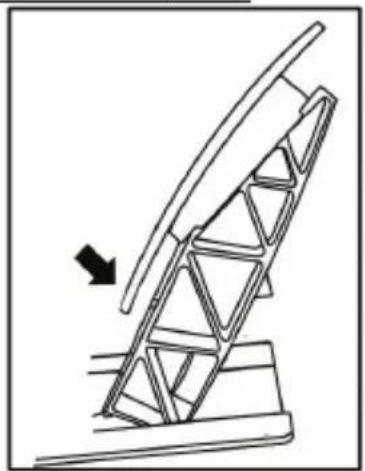
natural_image
Diagram of a mechanical structure with an arrow indicating direction, no text or symbols presentMore inclined position (default)
Number of possible inclination positions per pedal:
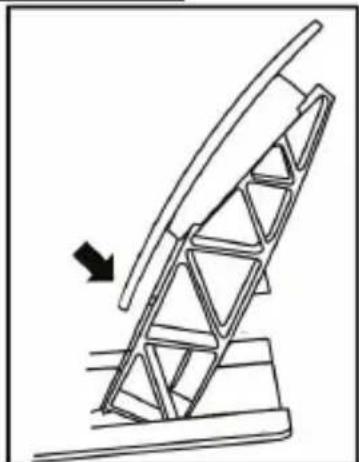
- Two for accelerator pedal
- Two for brake pedal
- Two for clutch pedal
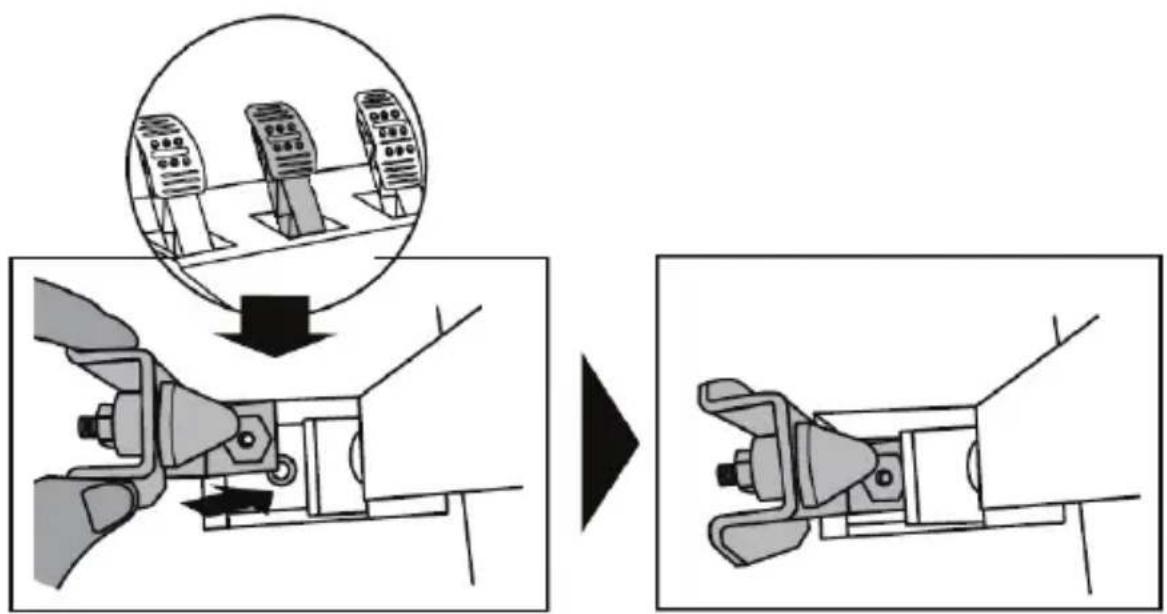
Installing the conical stop ("CONICAL RUBBER BRAKE" mod)
This modification (or "mod") is not essential, and is not installed by default. This means that the brake pedal functions perfectly even if the mod is not installed.
This mod lets you experience a different feeling and resistance when braking. It's up to you whether or not to install it, depending on your own preferences.
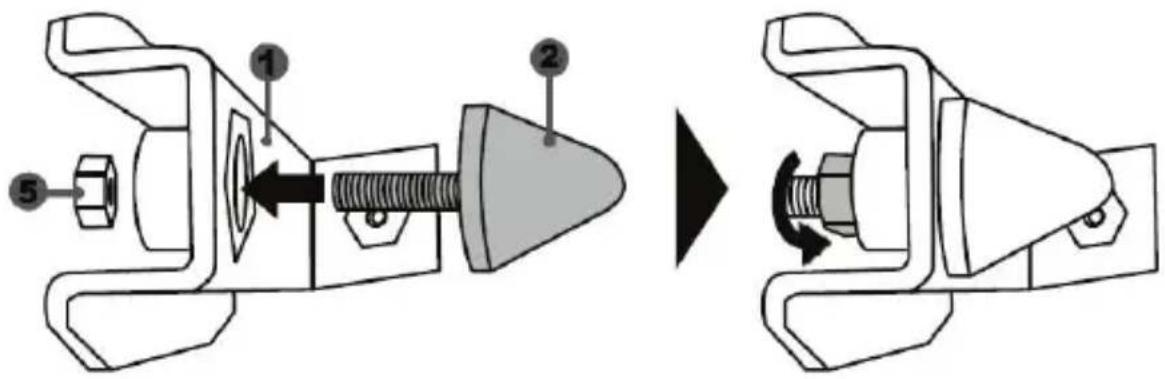
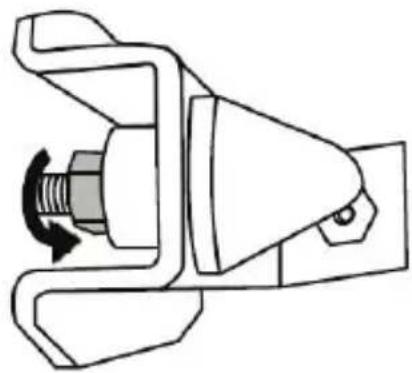
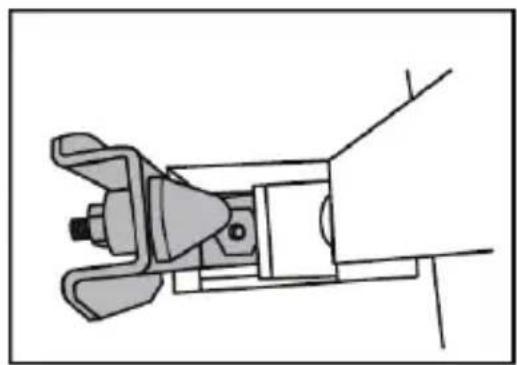
- Screw the conical stop (2) onto its metal support (1).
- Screw the position adjustment nut (5) onto the bottom (onto the conical stop's screw thread).
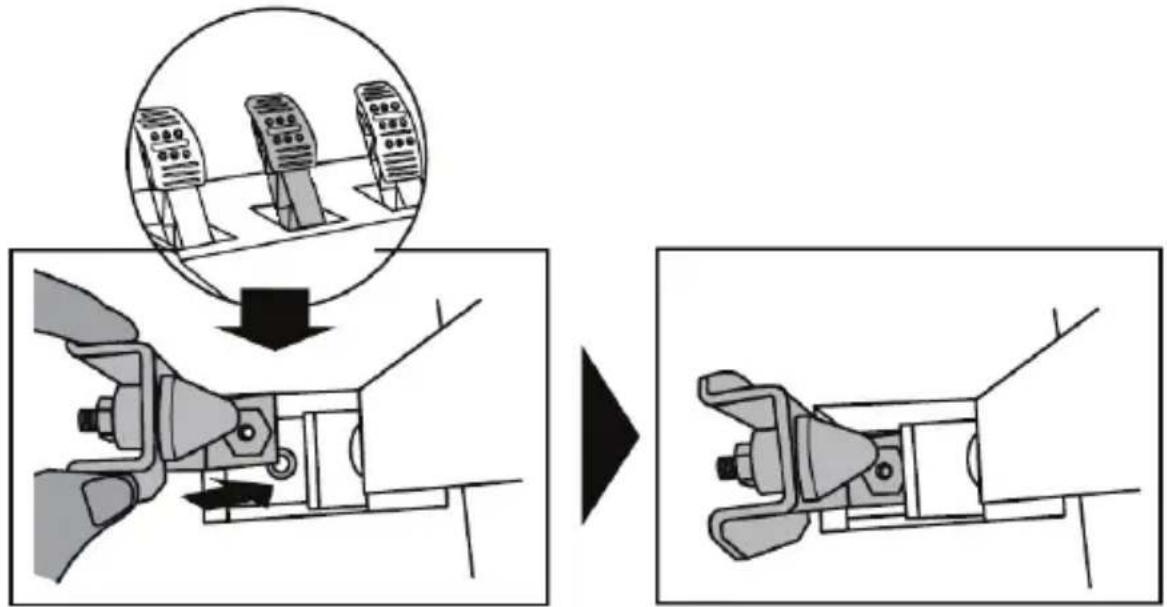
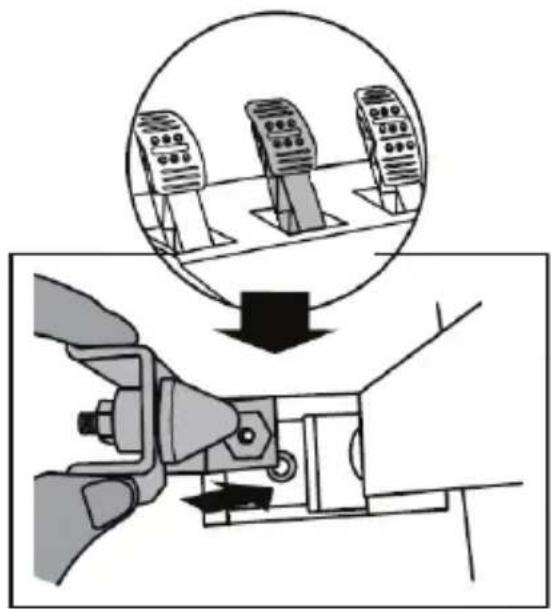
- Position the unit at the back of the brake pedal's arm.
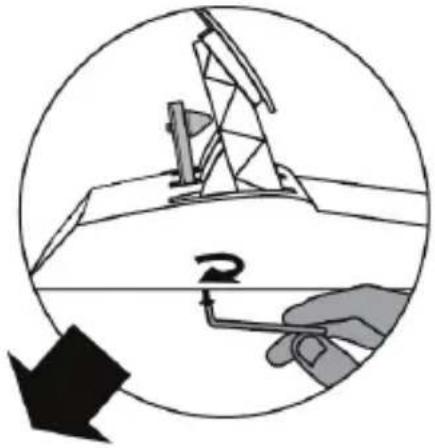
- Using the included 2.5 mm Allen key (4), attach the unit using the attachment screw (3) and the small central screw thread located on the underside of the pedal set.
natural_image
Diagram showing a hand holding a tool inside a circular frame with an arrow and a magnifying glass, no text or symbols present.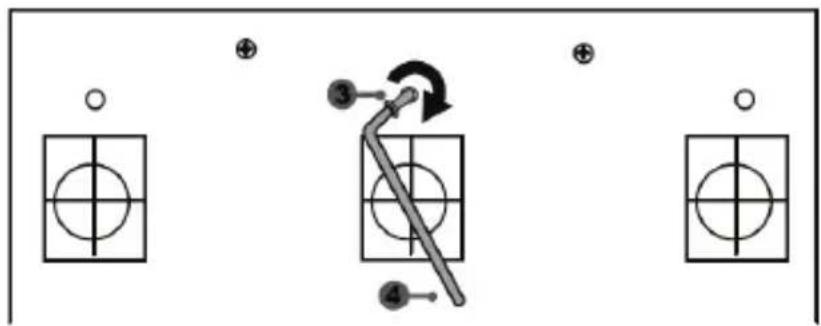
flowchart
graph TD
    A["○"] --> B["○"]
    C["⊕"] --> D["○"]
    E["●"] --> F["○"]
    G["●"] --> H["○"]
    I["●"] --> J["○"]
    K["●"] --> L["○"]
    M["●"] --> N["○"]
    O["●"] --> P["○"]
    Q["●"] --> R["○"]
    S["●"] --> T["○"]
    U["●"] --> V["○"]
    W["●"] --> X["○"]
    Y["●"] --> Z["○"]
The "CONICAL RUBBER BRAKE" mod is now installed!
Adjusting the brake pedal's RANGE of travel and STRENGTH of resistance
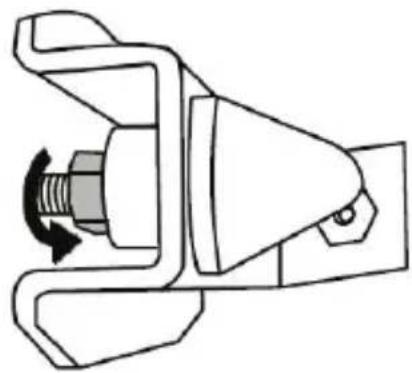
By slightly unscrewing the nut (5), you can further strengthen the resistance of the brake pedal by moving the conical stop (2) closer to the back of the pedal's arm (if necessary, use a 14 mm wrench or pliers to re-tighten the nut and maintain the selected position). The closer the conical stop is positioned to the back of the pedal's arm, the greater the strength of resistance will be.
natural_image
Mechanical component diagram showing a valve mechanism with directional arrows (no text or symbols)Note: When the conical stop is very close to the back of the brake pedal's arm, you may experience difficulties in reaching the maximum calibration value. Should that be the case:
* Slowly, press very hard on the brake pedal so as to reach the maximum value (if necessary, stand very briefly on the pedal – just for a second), then release the pressure; or else
* Move the conical stop a bit farther away from the back of the brake pedal's arm.
CONSUMER WARRANTY INFORMATION
Worldwide, Guillemot Corporation S.A., whose registered office is located at Place du Granier, B.P. 97143, 35571 Chantepie, France (hereinafter "Guillemot") warrants to the consumer that this Thrustmaster product shall be free from defects in materials and workmanship, for a warranty period which corresponds to the time limit to bring an action for conformity with respect to this product. In the countries of the European Union, this corresponds to a period of two (2) years from delivery of the Thrustmaster product. In other countries, the warranty period corresponds to the time limit to bring an action for conformity with respect to the Thrustmaster product according to applicable laws of the country in which the consumer was domiciled on the date of purchase of the Thrustmaster product (if no such action exists in the corresponding country, then the warranty period shall be one (1) year from the original date of purchase of the Thrustmaster product).
Notwithstanding the above, rechargeable batteries are covered by a warranty period of six (6) months from the date of original purchase.
Should the product appear to be defective during the warranty period, immediately contact Technical Support, who will indicate the procedure to follow. If the defect is confirmed, the product must be returned to its place of purchase (or any other location indicated by Technical Support).
Within the context of this warranty, the consumer's defective product shall, at Technical Support's option, be either replaced or returned to working order. If, during the warranty period, the Thrustmaster product is subject to such reconditioning, any period of at least seven (7) days during which the product is out of use shall be added to the remaining warranty period (this period runs from the date of the consumer's request for intervention or from the date on which the product in question is made available for reconditioning, if the date on which the product is made available for reconditioning is subsequent to the date of the request for intervention). If permitted under applicable law, the full liability of Guillemot and its subsidiaries (including for consequential damages) is limited to the return to working order or the replacement of the Thrustmaster product. If permitted under applicable law, Guillemot disclaims all warranties of merchantability or fitness for a particular purpose.
This warranty shall not apply: (1) if the product has been modified, opened, altered, or has suffered damage as a result of inappropriate or abusive use, negligence, an accident, normal wear, or any other cause unrelated to a material or manufacturing defect (including, but not limited to, combining the Thrustmaster product with any unsuitable element, including in particular power supplies, rechargeable batteries, chargers, or any other elements not supplied by Guillemot for this product); (2) if the product has been used for any use other than home use, including for professional or commercial purposes (game rooms, training, competitions, for example); (3) in the event of failure to comply with the instructions provided by Technical Support; (4) to software, said software being subject to a specific warranty; (5) to consumables (elements to be replaced over the product's lifespan: disposable batteries, audio headset or headphone ear pads, for example); (6) to accessories (cables, cases, pouches, bags, wrist-straps, for example); (7) if the product was sold at public auction.
This warranty is nontransferable.
The consumer's legal rights with respect to laws applicable to the sale of consumer goods in his or her country are not affected by this warranty.
Additional warranty provisions
During the warranty period, Guillemot shall not provide, in principle, any spare parts, as Technical Support is the only party authorized to open and/or recondition any Thrustmaster product (with the exception of any reconditioning procedures which Technical Support may request that the consumer carry out, by way of written instructions – for example, due to the simplicity and the lack of confidentiality of the reconditioning process – and by providing the consumer with the required spare part(s), where applicable).
Given its innovation cycles and in order to protect its know-how and trade secrets, Guillemot shall not provide, in principle, any reconditioning notification or spare parts for any Thrustmaster product whose warranty period has expired.
In the United States of America and in Canada, this warranty is limited to the product's internal mechanism and external housing. In no event shall Guillemot or its affiliates be held liable to any third party for any consequential or incidental damages resulting from the breach of any express or implied warranties. Some States/Provinces do not allow limitation on how long an implied warranty lasts or exclusion or limitation of liability for consequential or incidental damages, so the above limitations or exclusions may not apply to you. This warranty gives you specific legal rights, and you may also have other rights which vary from State to State or Province to Province.
Liability
If permitted under applicable law, Guillemot Corporation S.A. (hereinafter “Guillemot”) and its subsidiaries disclaim all liability for any damages caused by one or more of the following: (1) the product has been modified, opened or altered; (2) failure to comply with assembly instructions; (3) inappropriate or abusive use, negligence, an accident (an impact, for example); (4) normal wear; (5) the use of the product for any use other than home use, including for professional or commercial purposes (game rooms, training, competitions, for example). If permitted under applicable law, Guillemot and its subsidiaries disclaim all liability for any damages unrelated to a material or manufacturing defect with respect to the product (including, but not limited to, any damages caused directly or indirectly by any software, or by combining the Thrustmaster product with any unsuitable element, including in particular power supplies, rechargeable batteries, chargers, or any other elements not supplied by Guillemot for this product).

COPYRIGHT
© 2022 Guillemot Corporation S.A. All rights reserved. Thrustmaster® is a registered trademark of Guillemot Corporation S.A. All other trademarks are the property of their respective owners. Illustrations not binding. Contents, designs and specifications are subject to change without notice and may vary from one country to another. Made in China.
FCC STATEMENT
- This device complies with Part 15 of the FCC Rules. Operation is subject to the following two conditions:
(1) This device may not cause harmful interference, and
(2) This device must accept any interference received, including interference that may cause undesired operation.
2. Changes or modifications not expressly approved by the party responsible for compliance could void the user's authority to operate the equipment.

WARNING: this product can expose you to chemicals including Bisphenol A (BPA), is known to the State of California to cause birth defects or other reproductive harm. For information go to www.P65Warnings.ca.gov
ENVIRONMENTAL PROTECTION RECOMMENDATION
natural_image
Symbol of a trash bin with crossed lines and a black rectangular block below (no text or labels)In the European Union: At the end of its working life, this product should not be disposed of with standard household waste, but rather dropped off at a collection point for the disposal of Waste Electrical and Electronic Equipment (WEEE) for recycling.
This is confirmed by the symbol found on the product, user manual or packaging.
Depending on their characteristics, the materials may be recycled. Through recycling and other forms of processing Waste Electrical and Electronic
Equipment, you can make a significant contribution towards helping to protect the environment.
Please contact your local authorities for information on the collection point nearest you.
For all other countries: Please adhere to local recycling laws for electrical and electronic equipment.
Retain this information. Colours and decorations may vary.
Plastic fasteners and adhesives should be removed from the product before it is used.
www.thrustmaster.com
*Applicable to EU, UK and Turkey only


TX RACING WHEEL LEATHER EDITION
POUR XBOX SERIES X|S / XBOX ONE
natural_image
Line drawing of a steering wheel and three handheld motors on a platform (no text or symbols)ATTENTION :
natural_image
Line drawing of a three-pin electrical plug with a 220V and 240V power rating label (no text beyond specifications)natural_image
Line drawing of an electrical outlet with two plug terminals and a cable, no text or symbols presentnatural_image
Technical line drawing of a mechanical component with concentric circular features and mounting holes (no text or symbols)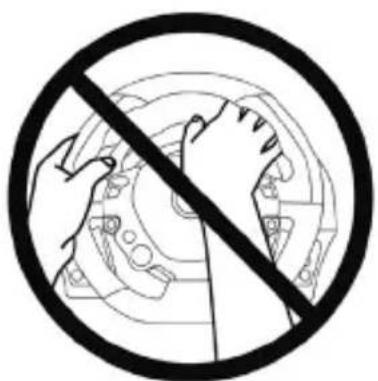
natural_image
Prohibition sign showing hands holding a circular mechanical component, no text or symbols present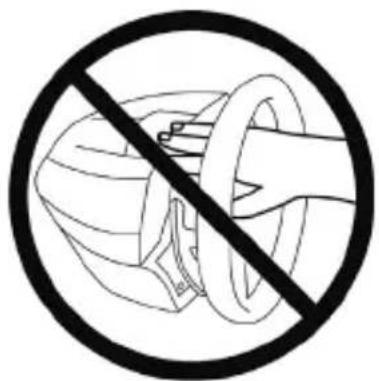
natural_image
Prohibition sign showing a hand holding a helmet against a circular background (no text or symbols)
natural_image
Three circular diagrams showing a hand holding a device, with no text or symbols present.
natural_image
Technical line drawing of a mechanical assembly with no visible text or symbols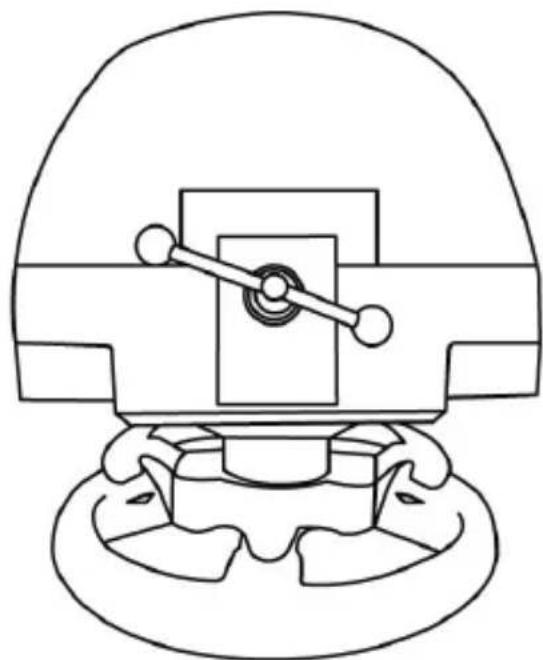
natural_image
Technical line drawing of a mechanical component with no visible text or symbolsT3PA THRUSTMASTER 3 PEDALS ADD-ON
natural_image
Line drawing of three motor push-ups on a base platform (no text or symbols)CARACTERISTIQUES TECHNIQUES
natural_image
Simple line drawing of a door with two dots and a numbered label (6) pointing to the left side (no text or symbols on the door itself)natural_image
Simple 3D diagram of a rectangular device with four circular buttons and a numbered label '7' pointing to one (no text or symbols on the device itself)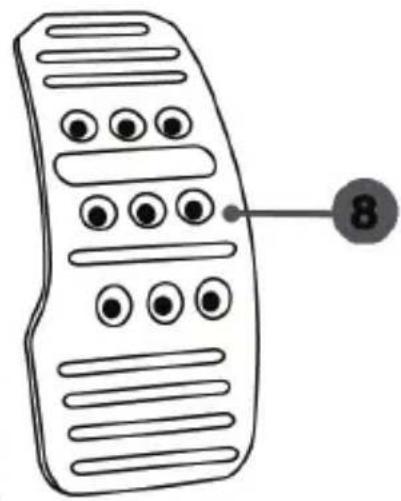
natural_image
Line drawing of a remote control with buttons and a numbered label (8) pointing to the right side (no text or symbols on the device itself)AVERTISSEMENT
natural_image
Two identical mobile phone controllers with circular buttons on top, connected by a black arrow indicating transformation (no text or symbols)natural_image
Two identical mobile phone icons on stands, one with a black upward arrow between them (no text or symbols)Position haute
natural_image
Two identical mobile phone controllers standing upright, each connected by a double-headed arrow (no text or symbols visible)Position à gauche

natural_image
Line drawing of two identical mobile phones with buttons and ventilation gauges (no text or symbols)natural_image
Diagram of a mechanical structure with triangular supports and a downward arrow indicating force or motion (no text or symbols)natural_image
Diagram of a mechanical structure with an arrow indicating direction, no text or symbols presentnatural_image
Illustration of an oil pumpjack inside a circle with a hand holding a tool, no text or symbols present.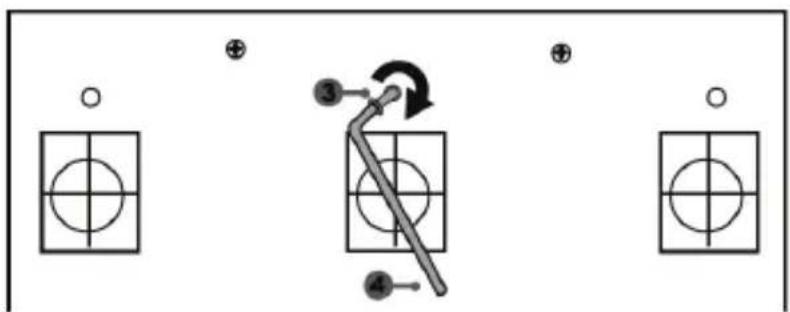
flowchart
graph TD
    A["Input"] --> B["Step 1: Circle with cross"]
    B --> C["Step 2: Arrow with arrow indicating rotation"]
    C --> D["Step 3: Line with circle and plus sign"]
    D --> E["Step 4: Line with circle and plus sign"]
natural_image
Mechanical component diagram showing a valve mechanism with two directional arrows indicating flow or movement (no text or symbols present)INFORMATIONS RELATIVES A LA GARANTIE AUX CONSOMMATEURS
COPYRIGHT
natural_image
Symbol of a trash bin crossed with a diagonal line and a black rectangle below (no text or labels)www.thrustmaster.com
natural_image
Line drawing of a steering wheel and three mobile phone holders on a platform (no text or symbols)WARNUNG:

natural_image
Line drawing of an electrical plug with three leads and a 220V/240V label, no text or symbols present.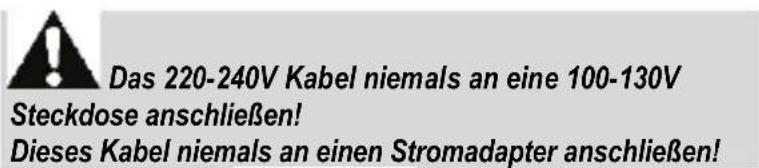
natural_image
Line drawing of an electrical plug with three leads and a 100V power label (no text or symbols beyond labels)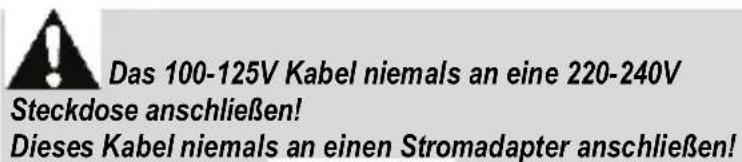
natural_image
Technical line drawing of a mechanical component with no visible text or symbolsNIE
natural_image
Prohibition sign with hand holding gear inside a circular frame (no text or symbols)NIE
natural_image
Prohibition sign showing a hand holding a circular object with a diagonal line, no text or symbols present.
flowchart
graph TD
    A["Wheel rim with clockwise hub"] --> B["Internal gear assembly"]
    B --> C["Motor assembly with head, side, and wheel"]
    C --> D["Cable component with cable, hand, and wire"]
    D --> E["Bear assembly with cable, hand, and wire"]
natural_image
Technical line drawing of a mechanical assembly with no visible text or symbols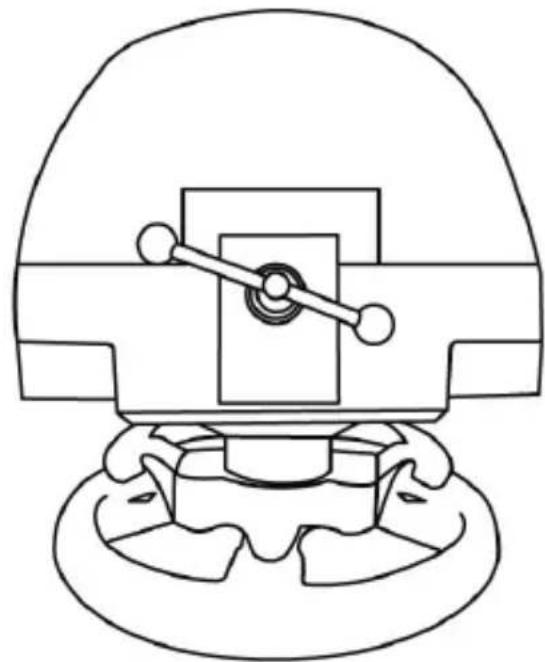
natural_image
Technical line drawing of a mechanical component with no visible text or symbolsT3PA THRUSTMASTER 3 PEDALS ADD-ON
natural_image
Line drawing of three speed limit switches mounted on a base (no text or symbols)TECHNISCHE MERKMALE
EINBAU DES PEDALSETS IN EIN COCKPIT
ANPASSEN DES PEDALSETS
natural_image
Two identical mobile phone controllers with buttons and a downward arrow indicating interaction (no text or symbols)natural_image
Two identical mobile phone screens with circular buttons on stands, connected by a horizontal line and an upward arrow (no text or symbols)Hohe Position
natural_image
Diagram showing two mechanical configurations with arrows indicating motion direction (no text or symbols)natural_image
Illustration of an oil pumpjack inside a circular frame, with a hand holding a tool and a downward arrow indicating rotation (no text or symbols)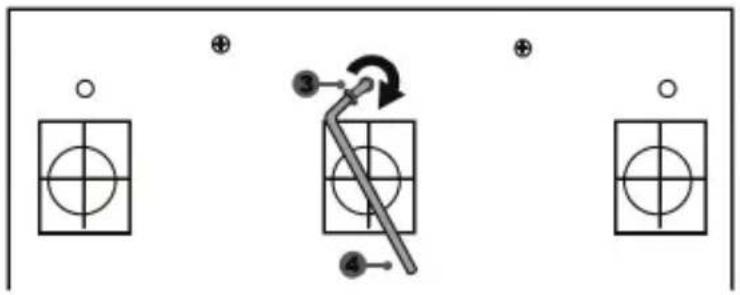
flowchart
graph TD
    A["○"] --> B["○"]
    C["⊕"] --> D["○"]
    E["●"] --> F["○"]
    G["⊕"] --> H["○"]
    I["●"] --> J["○"]
    K["●"] --> L["○"]
    M["●"] --> N["○"]
    O["●"] --> P["○"]
    Q["●"] --> R["○"]
    S["●"] --> T["○"]
    U["●"] --> V["○"]
    W["●"] --> X["○"]
    Y["●"] --> Z["○"]
natural_image
Mechanical component diagram showing a valve mechanism with directional arrows (no text or symbols)https://support.thrustmaster.com

COPYRIGHT
www.thrustmaster.com
natural_image
Line drawing of a steering wheel and a three-position electric motor drive platform (no text or symbols)WAARSCHUWING:
natural_image
Line drawing of a three-pin electrical plug with a 220V and 240V power rating label (no text or symbols beyond specifications)
Steek de 220-240 V kabel
natural_image
Line drawing of an electrical plug with three leads and a 100V power label (no text or symbols beyond labels)
Steek de 100-125 V kabel
natural_image
Technical line drawing of a mechanical component with no visible text or symbols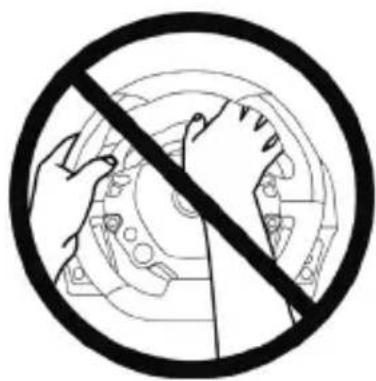
natural_image
Black and white prohibition symbol with hands holding a gear mechanism inside a circle (no text or symbols)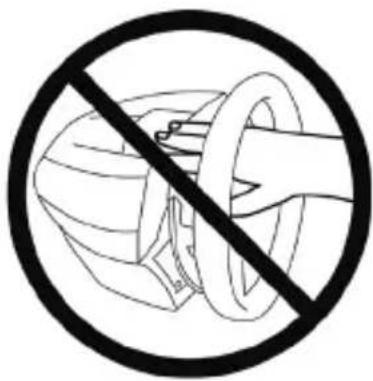

flowchart
graph TD
    A["Wheel with clockwise head"] --> B["Gear with central hub"]
    B --> C["Motor with circular head"]
    C --> D["Motor with clockwise hub"]
    D --> E["Carriage with hand"]
    E --> F["Carriage with hand"]
    style A fill:#f9f,stroke:#333
    style B fill:#ccf,stroke:#333
    style C fill:#cfc,stroke:#333
    style D fill:#fcc,stroke:#333
    style E fill:#cff,stroke:#333
    style F fill:#ffc,stroke:#333
natural_image
Technical line drawing of a mechanical assembly with no visible text or symbols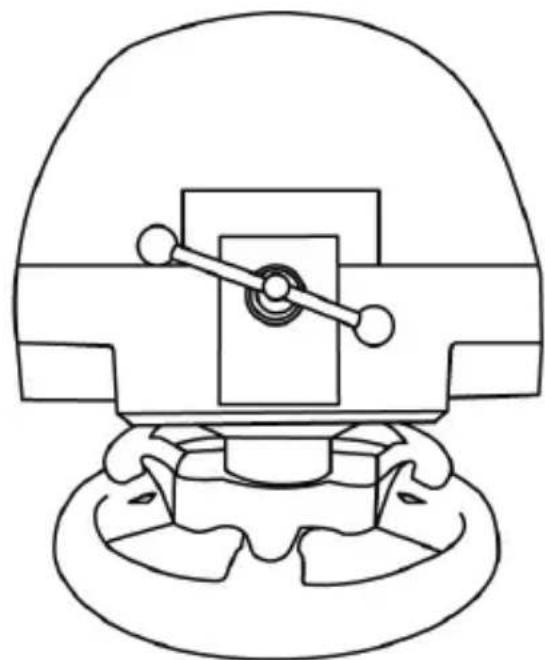
natural_image
Technical line drawing of a mechanical component with no visible text or symbolsT3PA THRUSTMASTER 3 PEDALS ADD-ON
natural_image
Line drawing of three motor push-ups on a base platform (no text or symbols)DE PEDAALSET AAN EEN COCKPIT BEVESTIGEN
natural_image
Two identical mobile phone controllers on stands, one with a downward arrow indicating change (no text or symbols present)natural_image
Two identical mobile phone screens connected by a line with an upward arrow (no text or symbols)Hoge stand
natural_image
Illustration of an oil pumpjack inside a circular frame, with a hand holding a tool and a downward arrow indicating rotation (no text or symbols)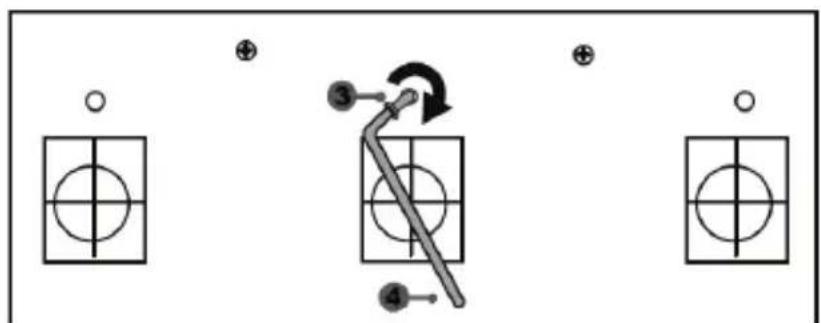
flowchart
graph TD
    A["○"] --> B["○"]
    C["⊕"] --> D["○"]
    E["●"] --> F["○"]
    G["⊕"] --> H["○"]
    I["●"] --> J["○"]
    K["●"] --> L["○"]
    M["●"] --> N["○"]
    O["●"] --> P["○"]
De "CONICAL RUBBER BRAKE" mod is nu gemonteerd
natural_image
Mechanical component diagram showing a valve assembly with directional arrows indicating flow or movement (no text or symbols)https://support.thrustmaster.com


COPYRIGHT
natural_image
Simple line drawing of a trash bin with crossed lines indicating no waste or discharge (no text or symbols)www.thrustmaster.com
natural_image
Line drawing of a steering wheel and three handheld motors on a platform (no text or symbols)ATTENZIONE:
natural_image
Line drawing of a three-pin electrical plug with a 220V AC power cord (no text or symbols on the plug itself)
natural_image
Line drawing of an electrical outlet with two terminal leads and a 100V power label (no text or symbols on the main subject)
natural_image
Simple line drawing of two connected electrical plugs (no text or symbols)
ATTENZIONE
natural_image
Prohibition sign showing a hand using a device to cut a component, enclosed in a circle (no text or symbols)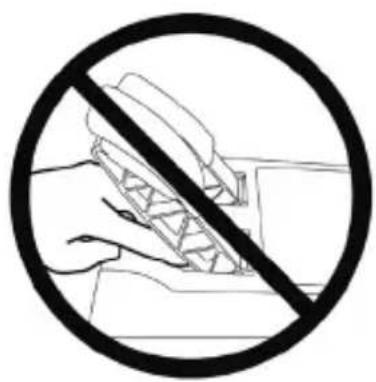
natural_image
Prohibition sign showing hands holding a device, no text or symbols present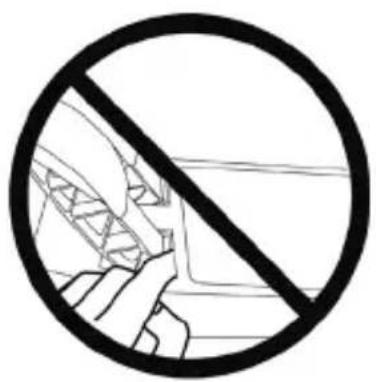

natural_image
Technical line drawing of a mechanical assembly with no visible text or symbols
natural_image
Technical line drawing of a mechanical component with no visible text or symbolsT3PA THRUSTMASTER 3 PEDALS ADD-ON
natural_image
Line drawing of three motor push-ups on a base platform (no text or symbols)CARATTERISTICHE TECNICHE
natural_image
Simple line drawing of a door with two dots and a numbered label (6) pointing to the side, no text or symbols present.natural_image
Diagram showing two identical devices connected by a black arrow, no text or symbols presentnatural_image
Two identical mobile phone screens with circular buttons on stands, connected by a horizontal line and an upward arrow (no text or symbols)Posizione alta
natural_image
Diagram showing two identical devices connected by a bidirectional arrow, no text or symbols presentnatural_image
Two identical mobile phone controllers standing upright, no text or symbols visiblenatural_image
Two identical line drawings of a mechanical structure with arrows indicating motion direction (no text or symbols)natural_image
Illustration of an oil pump with a hand holding a tool, enclosed in a circular frame (no text or symbols)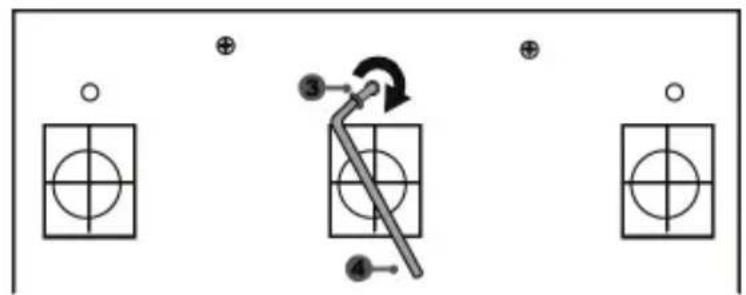
flowchart
graph TD
    A["Step 1: Circle with cross"] --> B["Step 2: Arrow with arrow"]
    B --> C["Step 3: Arrow with circle"]
    C --> D["Step 4: Arrow with circle"]
    style A fill:#fff,stroke:#000
    style B fill:#fff,stroke:#000
    style C fill:#fff,stroke:#000
    style D fill:#fff,stroke:#000
natural_image
Mechanical component diagram showing a valve mechanism with directional arrows (no text or labels)https://support.thrustmaster.com



COPYRIGHT
natural_image
Symbol of a trash bin crossed with no text or labels, accompanied by a black rectangular block below (no text or symbols present)www.thrustmaster.com
natural_image
Line drawing of a steering wheel and three handheld motors on a platform (no text or symbols)AVISO:
12 Thrustmaster Quick Release
natural_image
Line drawing of a three-pin electrical plug with a 210V and 240V power rating label (no text beyond specifications)natural_image
Line drawing of an electrical outlet with two 3-pin plug and a 100V power label (no text or symbols on the main subject)natural_image
Technical line drawing of a mechanical component with concentric rings and mounting holes (no text or symbols)NUNCA
natural_image
Prohibition sign showing hands using a mechanical gear to avoid collision or repair (no text or symbols)NUNCA

natural_image
Technical line drawing of a mechanical assembly with no visible text or symbols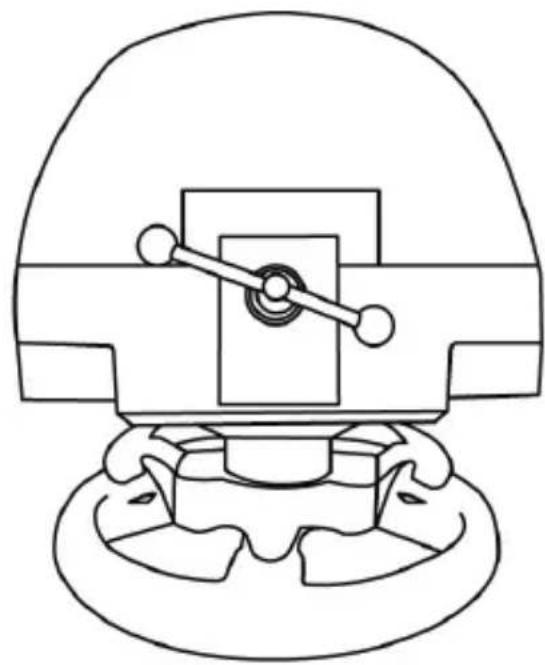
natural_image
Technical line drawing of a mechanical component with no visible text or symbolsT3PA THRUSTMASTER 3 PEDALS ADD-ON
natural_image
Line drawing of three motor push-ups on a base platform (no text or symbols)CARACTERÍSTICAS TÉCNICAS
natural_image
Two identical mobile phone controllers with buttons on top, connected by a black arrow indicating transformation (no text or symbols)natural_image
Two identical mobile phone controllers with buttons and a bidirectional arrow between them (no text or symbols)Posición alta
natural_image
Two identical mobile phone controllers with left-hand side arrows, no text or symbols presentPosición izquierda
natural_image
Two identical mobile phone controllers standing upright, no text or symbols visiblenatural_image
Diagram of a mechanical structure with a triangular frame and an arrow indicating upward motion (no text or symbols)natural_image
Diagram of a mechanical structure with an arrow indicating direction, no text or symbols presentnatural_image
Illustration of an oil pumpjack inside a circle with a hand holding a tool, showing a circular arrow (no text or symbols)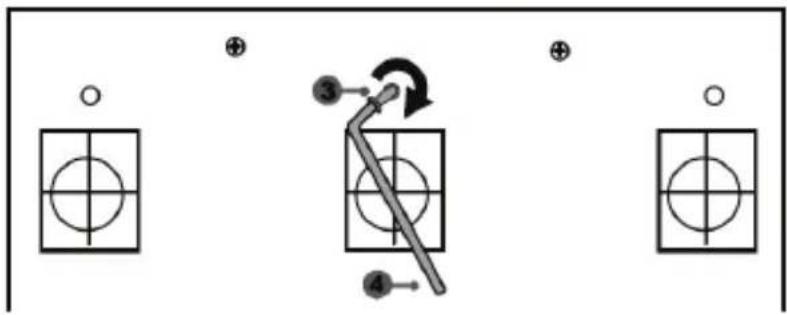
flowchart
graph TD
    A["Start"] --> B["Step 3: Arrow with clockwise arrow"]
    B --> C["Step 4: Arrow with clockwise arrow"]
    C --> D["Step 5: Arrow with clockwise arrow"]
    D --> E["End"]
natural_image
Mechanical assembly diagram showing a valve mechanism with directional arrows (no text or labels)https://support.thrustmaster.com

COPYRIGHT
natural_image
Symbol of a trash bin with crosshair and no text or numbers presentwww.thrustmaster.com
natural_image
Line drawing of a steering wheel and three handheld motors on a platform (no text or symbols)ATENÇÃO:
natural_image
Simple line drawing of a symmetrical arch-shaped structure with two circular ends and a central vertical line labeled '10' (no text or symbols beyond the number)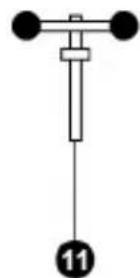
natural_image
Line drawing of a three-pin electrical plug with a 220V and 240V power rating label (no text or symbols beyond specifications)
Nunca ligue o cabo de 220-240 V
natural_image
Line drawing of a two-pin electrical plug with a 100V power label (no text or symbols on the plug itself)
natural_image
Technical line drawing of a mechanical component with concentric circular features (no text or symbols)NUNCA
natural_image
Black and white prohibition symbol with hands holding a gear (no text or symbols)NUNCA

natural_image
Technical line drawing of a mechanical assembly with no visible text or symbols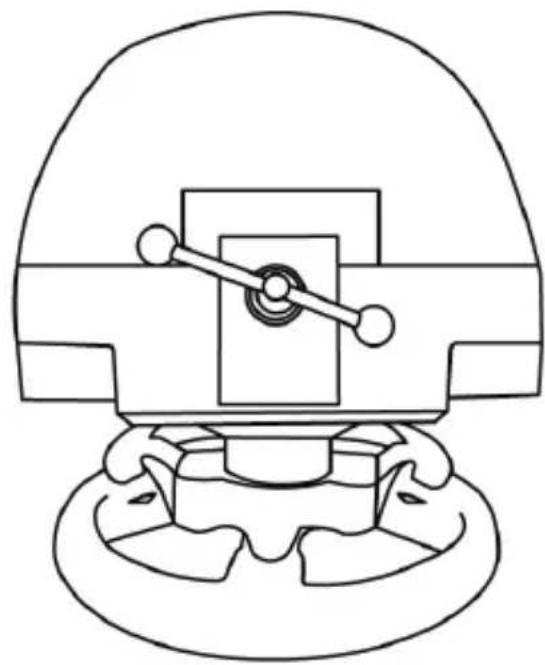
natural_image
Technical line drawing of a mechanical component with no visible text or symbolsT3PA THRUSTMASTER 3 PEDALS ADD-ON
natural_image
Line drawing of three motor push-ups on a base platform (no text or symbols)CARACTERÍSTICAS TÉCNICAS
natural_image
Simple line drawing of a door with two dots and a numbered label (6) pointing to the side, no text or symbols present.natural_image
Simple 3D diagram of a rectangular device with five circular buttons and a numbered label '7' pointing to one (no text or symbols on the device itself)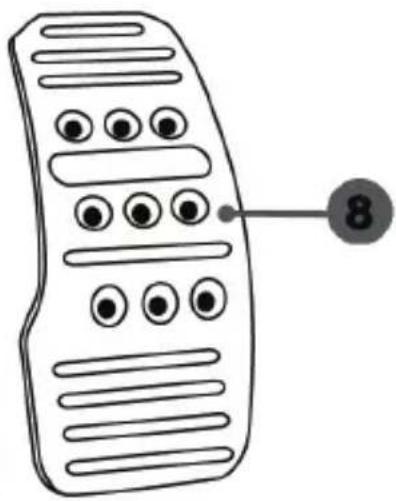
natural_image
Line drawing of a remote control with buttons and a numbered label (8) pointing to the right side (no text or symbols on the device itself)ATENÇÃO
FIXAR O CONJUNTO DE PEDALS A UM COCKPIT
- Fixe o conjunto de pedais utilizando as pequenas roscas de parafusos situadas na parte inferior do conjunto de pedais.
- Enrosque dois parafusos M6 (não incluídos) na chapa de apoio do conjunto de pedais e nas duas pequenas roscas de parafusos situadas na parte inferior do conjunto de pedais.
natural_image
Diagram showing two identical devices with circular buttons on top, connected by a downward arrow (no text or symbols)natural_image
Two identical mobile phone screens with circular buttons on one side and a black upward arrow between them (no text or symbols)Posição alta
natural_image
Two identical mobile phone controllers with left-hand side indicators and bidirectional arrows (no text or symbols)Posição à esquerda
natural_image
Two identical mobile phone controllers standing upright, no text or symbols visiblenatural_image
Diagram of a ladder structure with an arrow indicating upward motion (no text or symbols)natural_image
Line drawing of a mechanical structure with an arrow indicating direction (no text or symbols)natural_image
Illustration of an oil pumpjack inside a circular frame with a hand holding a tool, no text or symbols present.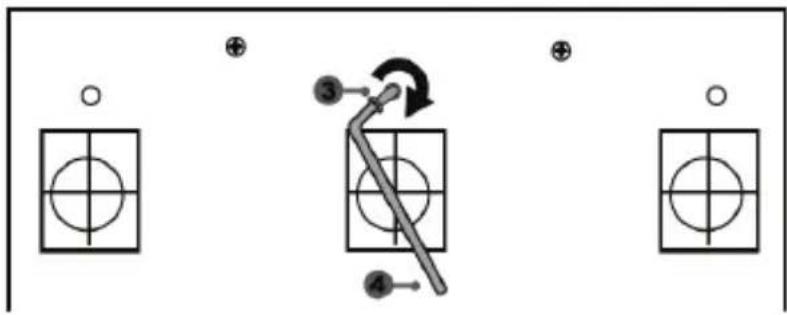
flowchart
graph TD
    A["Step 1: Circle with cross"] --> B["Step 2: Arrow with arrow"]
    B --> C["Step 3: Arrow with circle"]
    C --> D["Step 4: Arrow with circle"]
    style A fill:#f9f,stroke:#333
    style B fill:#ccf,stroke:#333
    style C fill:#cfc,stroke:#333
    style D fill:#fcc,stroke:#333
natural_image
Mechanical assembly diagram showing a valve mechanism with directional arrows (no text or labels)https://support.thrustmaster.com


DIREITOS DE AUTOR
natural_image
Symbol of a trash bin with crossed lines and a black rectangle below (no text or labels)www.thrustmaster.com
natural_image
Line drawing of a steering wheel and three handheld motors on a platform (no text or symbols)ВНИМАНИЕ!
natural_image
Line drawing of a three-pin electrical plug with a 220V and 240V power rating label (no text or symbols on the plug itself)
natural_image
Line drawing of an electrical plug with three leads and a 100V power label (no text or symbols beyond labels)
natural_image
Simple line drawing of a coiled electrical plug (no text or symbols)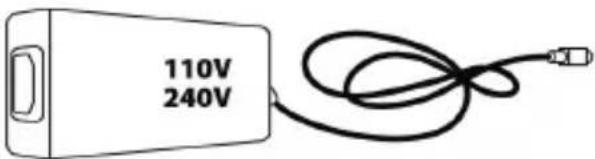
ВНИМАНИЕ!
natural_image
Technical line drawing of a mechanical component with concentric circles and internal components (no text or symbols)НЕЛЬЗЯ
natural_image
Prohibition sign showing hands using a gear mechanism within a circle (no text or symbols)НЕЛЬЗЯ

natural_image
Prohibition sign showing a hand using a crane to cut a device (no text or symbols)НЕЛЬЗЯ
natural_image
Prohibition sign showing hands holding a pen, crossed out by a diagonal line (no text or symbols)НЕЛЬЗЯ

T3PA THRUSTMASTER 3 PEDALS ADD-ON
natural_image
Line drawing of three motor push-ups on a base platform (no text or symbols)natural_image
Diagram showing two identical mobile phones on stands with a downward arrow indicating change (no text or symbols present)natural_image
Two identical mobile phone icons on stands, one with a black upward arrow between them (no text or symbols)Высокое положение
natural_image
Line drawing of two identical mobile phones with buttons on stands (no text or symbols)natural_image
Diagram of a mechanical structure with a triangular frame and an upward arrow, no text or symbols presentУгол наклона меньше
natural_image
Diagram of a mechanical structure with an arrow indicating direction, no text or symbols presentnatural_image
Illustration of an oil pumpjack inside a circle with a hand holding a tool, no text or symbols present.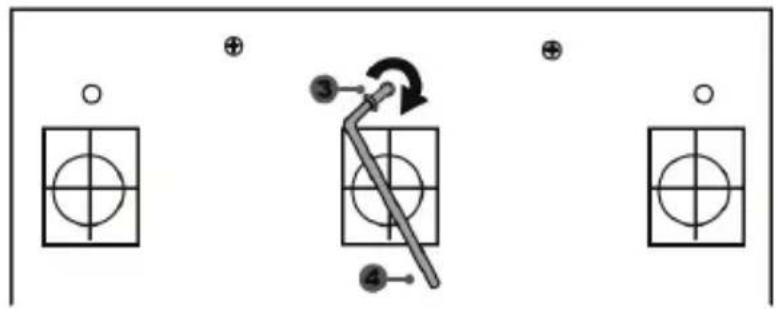
flowchart
graph TD
    A["○"] --> B["○"]
    C["⊕"] --> D["○"]
    E["●3"] --> F["←"]
    G["⊕"] --> H["○"]
    I["●4"] --> J["←"]
    K["○"] --> L["○"]
Модуль CONICAL RUBBER BRAKE mod установлен!
natural_image
Mechanical assembly diagram showing a valve mechanism with directional arrows (no text or labels)https://support.thrustmaster.com


АВТОРСКОЕ ПРАВО
www.thrustmaster.com
EAC
TX RACING WHEEL LEATHER EDITION
PRO XBOX SERIES X|S / XBOX ONE
Uživatelský Manuál
natural_image
Technical line drawing of a mechanical component with no visible text or symbols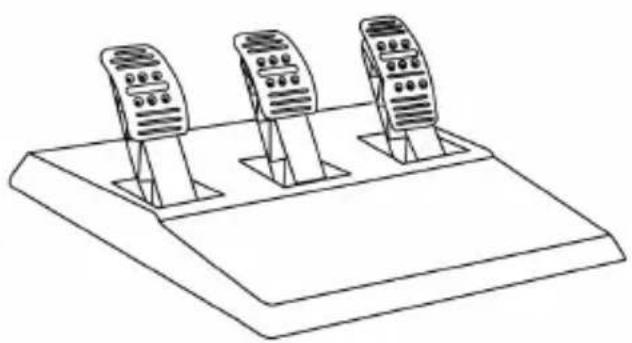
natural_image
Line drawing of three identical mobile phone holders on a base platform (no text or symbols)UPOZORNĚNÍ:
natural_image
Line drawing of a three-pin electrical plug with a 220V AC power terminal (no text or symbols on the plug itself)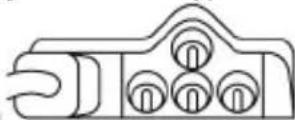
natural_image
Line drawing of two electrical plug wires with a 100V power label and 125V AC voltage tag (no text beyond labels)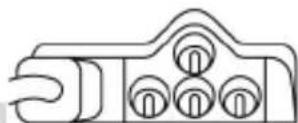
natural_image
Technical line drawing of a mechanical component with no visible text or symbols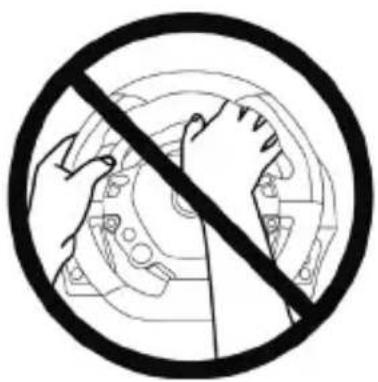
natural_image
Black and white prohibition symbol with hands holding a circular mechanical component (no text or symbols)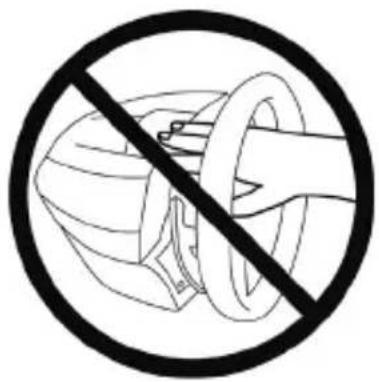
natural_image
Prohibition sign showing a hand holding a helmet and ring, enclosed in a circle (no text or symbols)
flowchart
graph TD
    A["Top view: Top wheel with clockwise hub"] --> B["Left side: Wheel assembly with central hub"]
    B --> C["Right side: Motor with head and wheel"]
    C --> D["Left side: Wheel switch with clockwise hub"]
    D --> E["Right side: Gear shift mechanism with hand and tool"]
natural_image
Technical line drawing of a mechanical assembly with no visible text or symbols
natural_image
Technical line drawing of a mechanical component with no visible text or symbolsT3PA THRUSTMASTER 3 PEDALS ADD-ON
natural_image
Line drawing of three identical speed limit switches mounted on a base platform (no text or symbols)TECHNICKÉ VLASTNOSTI
natural_image
Diagram showing two identical mobile devices connected by a double-headed arrow (no text or symbols)natural_image
Two identical mobile phone screens with buttons and a bidirectional arrow between them (no text or symbols)Vysoká pozice
natural_image
Two identical mobile phone controllers with left-hand side indicators (no text or symbols)Levá pozice
natural_image
Line drawing of two identical mobile phones with buttons and ventilation slots (no text or symbols)natural_image
Diagram of a mechanical structure with a triangular frame and an arrow indicating upward motion (no text or symbols)natural_image
Diagram of a mechanical structure with an arrow indicating direction, no text or symbols presentnatural_image
Diagram showing a hand holding a tool inside a circular frame with an arrow indicating rotation (no text or symbols)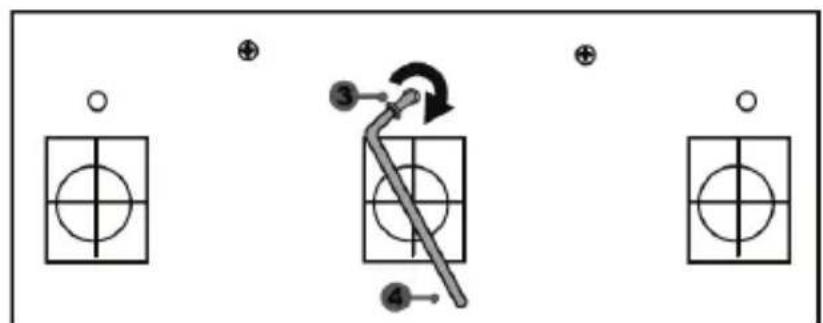
flowchart
graph TD
    A["○"] --> B["○"]
    C["⊕"] --> D["○"]
    E["●"] --> F["○"]
    G["⊕"] --> H["○"]
    I["●"] --> J["○"]
    K["③"] --> L["→"]
    M["④"] --> N["→"]
natural_image
Mechanical component diagram showing a valve mechanism with directional arrows (no text or symbols)COPYRIGHT
natural_image
Symbol of a trash bin crossed with no text or labels, including a black rectangle and a white asterisk (no readable text or symbols)www.thrustmaster.com
natural_image
Line drawing of a steering wheel and three motor podiums (no text or symbols)UYARI:
natural_image
Simple line drawing of a symmetrical arch structure with two circular ends and a central vertical line labeled '10' (no text or symbols beyond the number)natural_image
Line drawing of a three-pin electrical plug with a 220V and 240V power rating label (no text beyond specifications)
natural_image
Line drawing of an electrical outlet with three leads and a 100V power label (no text or symbols beyond labels)
natural_image
Technical line drawing of a mechanical component with concentric circles and internal components (no text or symbols)ASLA
natural_image
Prohibition sign showing a hand turning a gear mechanism within a circle (no text or symbols)ASLA

natural_image
Technical line drawing of a mechanical assembly with no visible text or symbols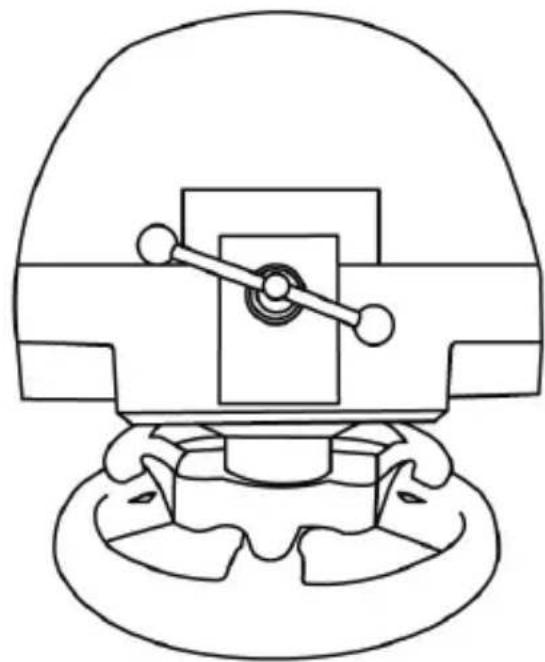
natural_image
Technical line drawing of a mechanical component with no visible text or symbolsT3PA THRUSTMASTER 3 PEDALS ADD-ON
natural_image
Line drawing of three identical speed limit switches mounted on a base (no text or symbols)TEKNİK ÖZELLİKLER
natural_image
Diagram showing two identical devices with circular buttons on top, connected by a downward arrow (no text or symbols)natural_image
Two identical mobile phone icons on stands, one with a black upward arrow between them (no text or symbols)Yüksek pozisyon
natural_image
Line drawing of two identical mobile phone controllers standing upright (no text or symbols)natural_image
Technical line drawing of a mechanical structure with a downward arrow indicating motion (no text or symbols)Az eğimli pozisyon
natural_image
Line drawing of a mechanical structure with an arrow indicating direction (no text or symbols)natural_image
Diagram showing a hand holding a tool inside a circular frame with an arrow indicating rotation (no text or symbols)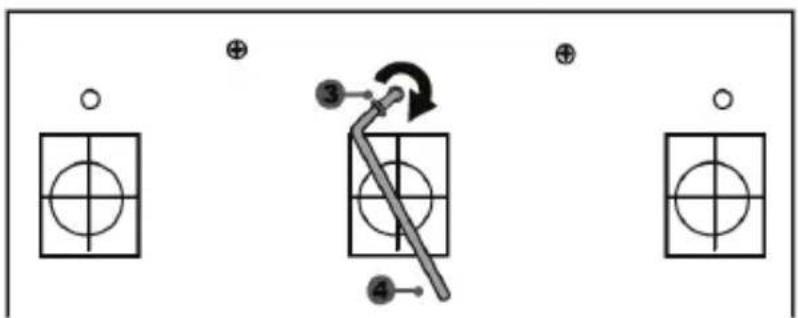
"CONICAL RUBBER BRAKE" mod şimdi monteli!
natural_image
Mechanical component diagram showing a valve mechanism with directional arrows (no text or symbols)https://support.thrustmaster.com


TELİF HAKKI
www.thrustmaster.com
natural_image
Line drawing of a steering wheel and three motor drive holders on a platform (no text or symbols)OSTRZEŻENIE:
natural_image
Line drawing of an electrical plug with three leads and a 220V/240V label (no text or symbols on the plug itself)
natural_image
Line drawing of an electrical plug with two terminal pins and a cable, no text or symbols present
natural_image
Simple line drawing of two connected electrical plugs (no text or symbols)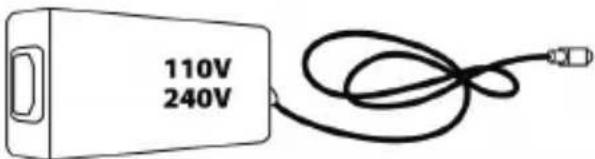
OSTRZEŻENIE
natural_image
Technical line drawing of a mechanical component with concentric circular features (no text or symbols)NIGDY
natural_image
Prohibition sign with hands holding a gear, no text or symbols presentNIGDY

natural_image
Technical line drawing of a mechanical assembly with no visible text or symbols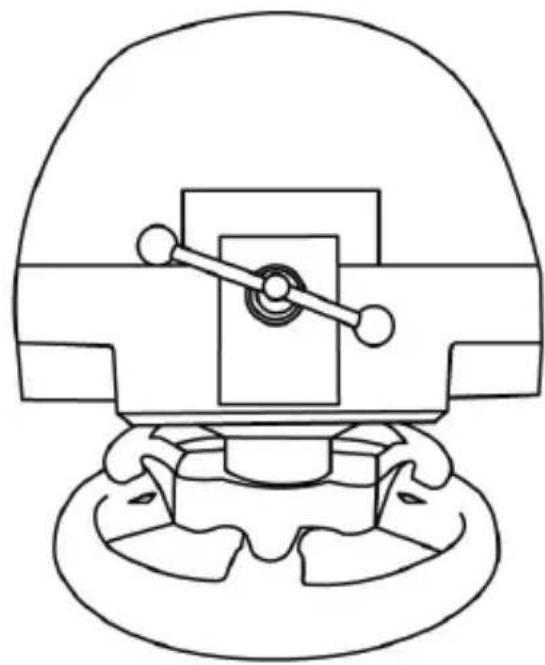
natural_image
Technical line drawing of a mechanical component with no visible text or symbolsT3PA THRUSTMASTER 3 PEDALS ADD-ON
natural_image
Line drawing of three motor push-ups on a base platform (no text or symbols)ELEMENTY
natural_image
Prohibition sign showing a hand blocking a building interior (no text or symbols)NIGDY
natural_image
Black and white construction diagram showing a dam or bridge with a diagonal line crossing it, enclosed in a circle (no text or symbols)NIGDY
natural_image
Prohibition sign showing a hand holding a construction equipment, no text or symbols presentAUTOMATYCZNA KALIBRACJA PEDAŁÓW
WAŻNE:
natural_image
Diagram showing two identical mobile devices connected by a double-headed arrow, with no text or symbols present.natural_image
Two identical mobile phone screens with circular buttons on one side and a black upward arrow between them (no text or symbols)Położenie wysokie
natural_image
Line drawing of two identical mobile phones with control buttons on stands (no text or symbols)natural_image
Diagram of a mechanical structure with a triangular frame and an arrow indicating upward motion (no text or symbols)Mniejsze nachylenie
natural_image
Diagram of a mechanical structure with an arrow indicating direction, no text or symbols present
natural_image
Mechanical component diagram showing a valve or actuator assembly with a rotating knob (no text or symbols)
natural_image
Technical line drawing of a mechanical clamp or bracket assembly (no text or symbols)natural_image
Illustration of an oil pumpjack inside a circular frame, with a hand holding a tool near it and a black arrow indicating rotation (no text or symbols)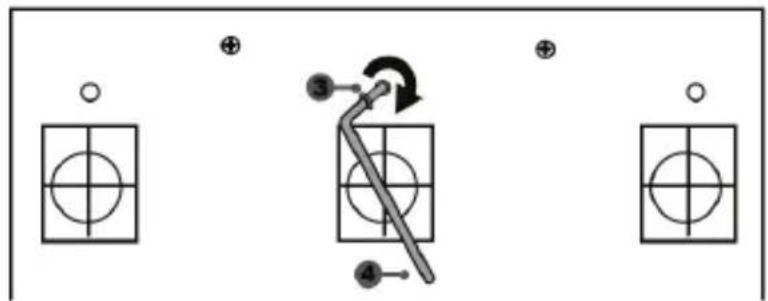
flowchart
graph TD
    A["○"] --> B["○"]
    C["⊕"] --> D["○"]
    E["●3"] --> F["○"]
    G["⊕"] --> H["○"]
    I["●4"] --> J["○"]
natural_image
Mechanical component diagram showing a valve mechanism with directional arrows (no text or symbols)https://support.thrustmaster.com


PRAWA AUTORSKIE
natural_image
Symbol of a trash bin with no text or labels, including a crossed-out box and a black rectangle below (no readable text or symbols)www.thrustmaster.com
natural_image
Technical line drawing of a mechanical component with a circular head and flanged base (no text or symbols)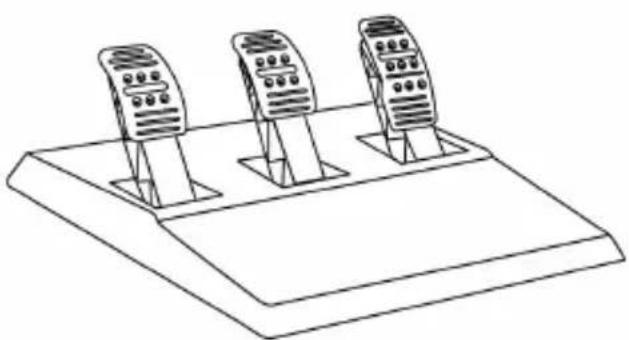
natural_image
Line drawing of three identical mobile phone holders on a base platform (no text or symbols)警告:
natural_image
Line drawing of a two-pin electrical plug with a cable, no text or symbols presentnatural_image
Line drawing of an electrical outlet with three leads and a terminal block (no text or symbols)natural_image
Technical line drawing of a mechanical component with concentric circles and internal components (no text or symbols)誤
誤
natural_image
Prohibition sign showing a hand holding a ring above a circular background (no text or symbols)
natural_image
Black and white prohibition symbol with hand holding a pen, crossed out by diagonal line (no text or symbols)危険
natural_image
Prohibition sign showing hands using a tool to cut a device (no text or symbols)危険
natural_image
Technical line drawing of a mechanical assembly with no visible text or symbols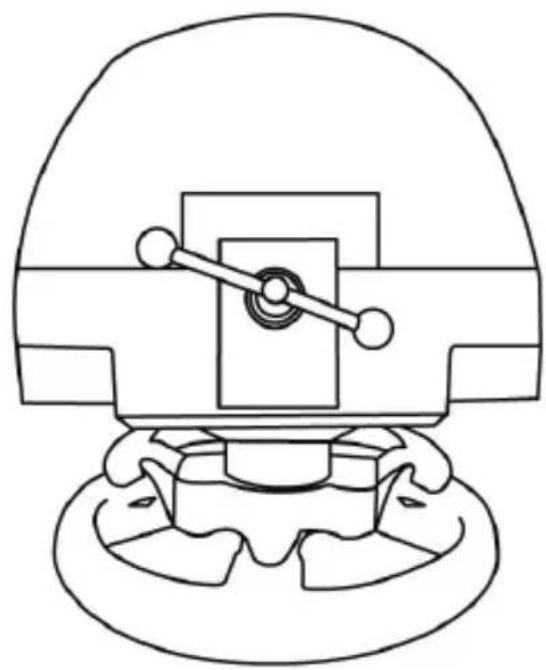
natural_image
Technical line drawing of a mechanical component with no visible text or symbolsT3PA THRUSTMASTER 3 PEDALS ADD-ON
natural_image
Line drawing of three identical speed limit switches mounted on a base platform (no text or symbols)テクニカルフィーチャー
natural_image
Simple line drawing of a door with two dots and a numbered label (6) pointing to the side, no text or symbols present.natural_image
Black and white prohibition symbol with diagonal line crossing over a building silhouette (no text or symbols)禁止
natural_image
Black and white construction diagram showing a pile of concrete with diagonal lines indicating no construction or reinforcement (no text or symbols)禁止
natural_image
Black and white prohibition symbol over a stylized building facade, no text or symbols presentペダルの自動キャリブレーション
重要:
低位置(デフォルト) 高位置
3 つのペダルの間隔を調整する
natural_image
Two identical mobile phone controllers with bidirectional arrows indicating signal or connection (no text or symbols)左位置
右位置
natural_image
Line drawing of two identical mobile phones with buttons on stands (no text or symbols)中央位置(デフォルト)
flowchart
graph TD
    A["Mobile Device 1"] -->|→| B["Mobile Device 2"]
    B -->|→| A
ペダル毎の間隔位置のオプション数
- アクセラレーターペダルでは 3つ
natural_image
Diagram showing two mechanical supports with arrows indicating motion direction (no text or symbols)低傾斜位置
高傾斜位置(デフォルト)
ペダル毎の傾斜位置のオプション数:
- アクセラレーターペダルでは 2 つ
natural_image
Illustration of a hand holding a tool inside a circular frame, with a question mark and arrow symbol (no text or labels)
natural_image
Mechanical component diagram showing a valve mechanism with directional arrows (no text or labels)www.thrustmaster.com
Made in China.
:外箱

TX RACING WHEEL LEATHER EDITION
TX 皮革版力反馈方向盘
适用于 XBOX SERIES X|S / XBOX ONE
用户手册
natural_image
Line drawing of a car steering wheel and dashboard (no text or symbols)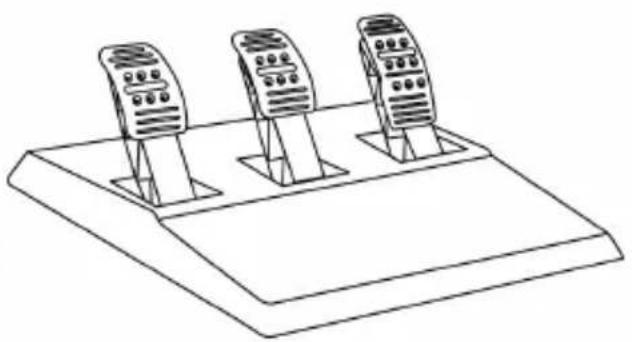
natural_image
Line drawing of three identical mobile phone holders on a base platform (no text or symbols)警告:
为确保 TX 方向盘能够正常操控
XBOX SERIES X|S / XBOX ONE 游戏,
您可能需要安装游戏的自动更新
(当您的游戏主机连接到互联网时可用)。
技术规格
natural_image
Line drawing of a three-pin electrical plug with a 220V and 240V power rating label (no text or symbols beyond specifications)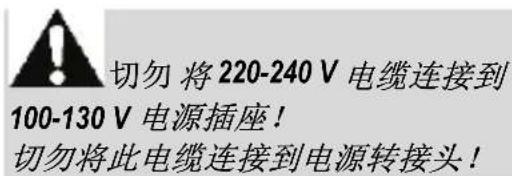
natural_image
Line drawing of an electrical plug with three leads and a 100V AC power outlet (no text or symbols on the plug itself)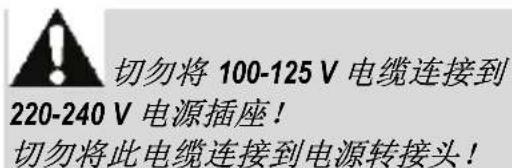
flowchart
graph TD
    A["Wheel rim with clockwise hub"] --> B["Internal gear assembly"]
    B --> C["Motor assembly with head, wheel, and gear"]
    C --> D["Final motor component with hand and lever"]
natural_image
Technical line drawing of a mechanical assembly with no visible text or symbols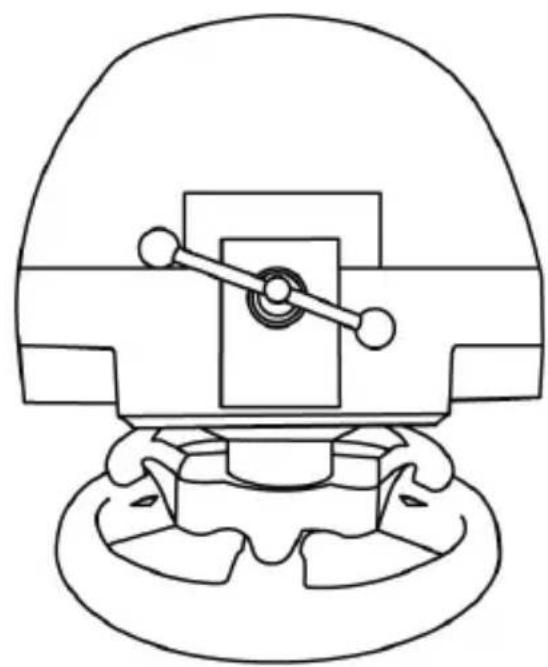
natural_image
Technical line drawing of a mechanical component with no visible text or symbols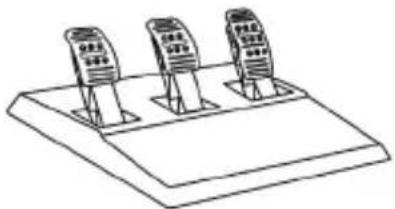
natural_image
Simple line drawing of three identical electronic devices mounted on a base (no text or symbols)技术特性
1 锥形刹车片金属支架 (默认不安装)
4 2.5 mm 内六角扳手(随附)
2 锥形刹车片
5 锥形刹车片的位置调节螺母
3 金属支架固定螺丝
6 踏板臂
8 金属踏板头
7 塑料头支架
警告
低位置(默认) 高位置
调节三个踏板的间距
natural_image
Diagram showing two identical devices connected by a bidirectional arrow, no text or symbols present靠左位置
natural_image
Two identical mobile phone controllers standing upright, no text or symbols visible居中位置(默认)
flowchart
graph TD
    A["Device 1"] --> B["Device 2"]
    B --> C["Output Arrow"]
    style A fill:#f9f,stroke:#333
    style B fill:#bbf,stroke:#333
靠右位置
每个踏板可选的距离位置数:
- 油门踏板 3 个
- 刹车踏板 3 个
- 离合器踏板 3 个
调节踏板的倾角
natural_image
Diagram of a ladder structure with an arrow indicating upward motion (no text or symbols)倾角较小的位置
natural_image
Diagram of a mechanical structure with an arrow indicating direction, no text or symbols present倾角较大的位置(默认)
每个踏板可选的倾角位置数:
- 油门踏板 2 个
- 刹车踏板 2 个
- 离合器踏板 2 个
安装锥形刹车片(锥形橡胶刹车片组)
- 将刹车片组置于刹车踏板臂的背部。
natural_image
Illustration of an oil pumpjack inside a circular frame with a hand holding a tool, no text or symbols present.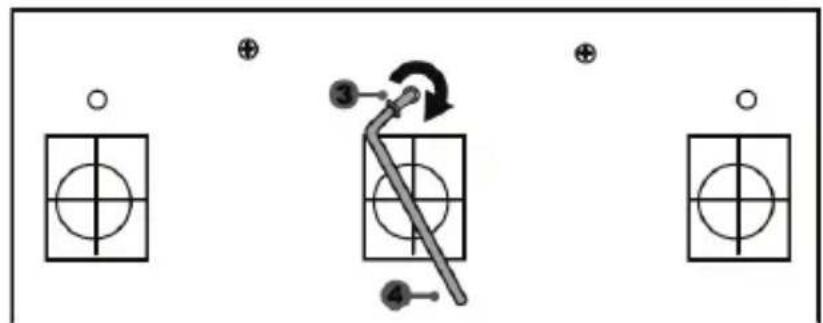
flowchart
graph TD
    A["Input"] --> B["Step 3"]
    B --> C["Step 4"]
    C --> D["Output"]
    style A fill:#fff,stroke:#000
    style B fill:#fff,stroke:#000
    style C fill:#fff,stroke:#000
    style D fill:#fff,stroke:#000
锥形橡胶刹车片组至此安装完毕!
调整刹车踏板的行程和阻力
natural_image
Mechanical component diagram showing a valve mechanism with directional arrows (no text or labels)www.thrustmaster.com
CE FC
THRUSTMASTER®
技术支持
http://support.thrustmaster.cn

TX RACING WHEEL LEATHER EDITION
適用於 XBOX SERIES X|S / XBOX ONE
使用者手册
natural_image
Line drawing of a steering wheel and three mobile phone holders on a platform (no text or symbols)警告:
為確保 TX 方向盤能夠正常操控
natural_image
Line drawing of an electrical outlet with three leads and a 220V/240V power rating label (no text or symbols beyond labels)
切勿將 220-240 V 纔線連線到
100-130 V 電源插座!
切勿將此纜線連線到電源配接器!
內部電源:
natural_image
Line drawing of a three-pin electrical plug with a 100V power label and 125V AC input, no text or symbols on the plug itself
切勿將 100-125 V 纜線連線到
220-240 V 電源插座!
切勿將此纜線連線到電源配接器!
natural_image
Technical line drawing of a mechanical component with concentric circular features (no text or symbols)切勿
natural_image
Prohibition sign showing hands using a mechanical device to avoid collision or repair (no text or symbols)切勿
natural_image
Prohibition sign showing a hand holding a helmet against a circular background (no text or symbols)
警告-玩遊戲時存在的踏板組夾傷危險
natural_image
Prohibition sign showing a hand using a device to cut a device (no text or symbols present)切勿
natural_image
Black and white prohibition symbol with hands holding a device, no text or symbols present切勿
警告-不玩遊戲時存在的踏板組夾傷危險
flowchart
graph TD
    A["Top: Top view of wheel with clockwise arrow"] --> B["Left side: Internal gear assembly with central hub"]
    B --> C["Right side: Motor assembly with circular head and gear hub"]
    C --> D["Bottom: Midpiece assembly with clockwise hand, clockwise arrow indicating motion"]
    D --> E["Bottom right: Motor assembly with gear hub and hand holding a tool"]
natural_image
Technical line drawing of a mechanical assembly with no visible text or symbols
natural_image
Technical line drawing of a mechanical component with no visible text or symbolsT3PA THRUSTMASTER 3 PEDALS ADD-ON
natural_image
Line drawing of three speed limit switches mounted on a base (no text or symbols)技術特徵
低位置(預設) 高位置
調節三個踏板的間距
natural_image
Two identical mobile phone controllers with bidirectional arrows indicating data flow (no text or symbols)靠左位置
natural_image
Line drawing of two identical mobile phones on stands, no text or symbols present居中位置(預設)
flowchart
graph TD
    A["Mobile Device 1"] --> B["Mobile Device 2"]
    style A fill:#f9f,stroke:#333
    style B fill:#bbf,stroke:#333
靠右位置
每個踏板可選的間距位置數:
natural_image
Diagram of a ladder structure with an arrow indicating upward motion (no text or symbols present)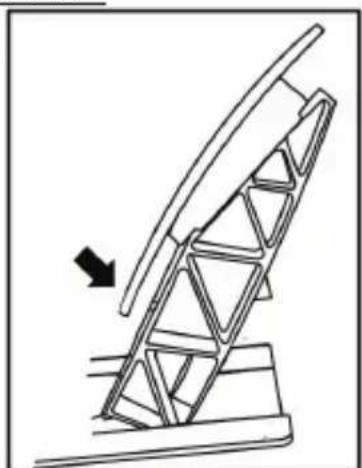
natural_image
Line drawing of a mechanical structure with an arrow indicating direction (no text or symbols)傾角較小的位置 傾角較大的位置(預設)
每個踏板可選的傾角位置數:
- 油門踏板 2 個
-煞車踏板2個
- 離合器踏板 2 個
安裝錐形煞車片(錐形橡膠煞車片組)
natural_image
Mechanical component diagram showing a valve mechanism with a rotating knob (no text or symbols)- 將煞車片組置於煞車踏板臂的背部。
natural_image
Technical line drawing of a mechanical clamp or bracket assembly (no text or symbols)natural_image
Illustration of an oil pumpjack inside a circular frame, with a hand holding a tool and a downward arrow indicating rotation (no text or symbols)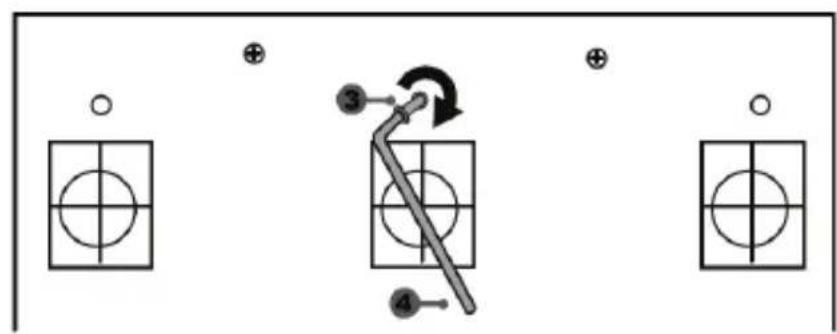
flowchart
graph TD
    A["○"] --> B["○"]
    C["⊕"] --> D["○"]
    E["⊕"] --> F["○"]
    G["○"] --> H["○"]
    I["③"] --> J["←"]
    K["④"] --> L["←"]
    style A fill:#fff,stroke:#000
    style C fill:#fff,stroke:#000
    style E fill:#fff,stroke:#000
    style G fill:#fff,stroke:#000
    style I fill:#fff,stroke:#000
    style J fill:#fff,stroke:#000
    style K fill:#fff,stroke:#000
    style L fill:#fff,stroke:#000
錐形橡膠煞車片組至此安裝完畢!
調節煞車踏板的行程和阻力
natural_image
Technical diagram of a mechanical component with directional arrows indicating motion or flow (no text or symbols)www.thrustmaster.com
CE
TX RACING WHEEL LEATHER EDITION
natural_image
Line drawing of a steering wheel and three handheld devices on a platform (no text or symbols)경고:
natural_image
Electrical plug and power outlet symbols (no text or labels)natural_image
Pure electrical circuit lines without any symbolsnatural_image
Abstract circular diagram with concentric rings and curved lines, no text or symbols present절대 금지
natural_image
Black and white prohibition sign with a globe silhouette inside a circle (no text or symbols)절대 금지

natural_image
Prohibition sign showing a hand holding a device against a screen (no text or symbols)절대 금지
natural_image
Prohibition sign showing a hand holding a pen, crossed out by a diagonal line (no text or symbols)절대 금지

flowchart
graph TD
    A["Wheel rim"] --> B["Gear Shift"]
    B --> C["Wheel Switch"]
    C --> D["Wheel Switch with Arrow indicating rotation or motion"]
natural_image
Simple line drawing of three identical devices on a base (no text or symbols)기술적 특징
natural_image
Prohibition sign with diagonal line crossing over a mechanical component diagram (no text or symbols)절대 금지
natural_image
Prohibition sign showing a ship being blocked, no text or symbols present절대 금지
natural_image
Prohibition sign with diagonal line crossing over a mechanical component (no text or symbols)페달 자동 보정
중요:
natural_image
Two identical mobile phone controllers with buttons and a downward arrow indicating interaction (no text or symbols)낮은 위치(기본 위치)
natural_image
Two identical mobile phone screens with a black upward arrow between them, no text or symbols present.높은 위치
세 개 폐달의 '간격' 조정
natural_image
Two identical mobile phone controllers with left-pointing arrows indicating bidirectional connection (no text or symbols)왼쪽 위치
natural_image
Line drawing of two identical mobile phone devices with buttons and ventilation slots (no text or symbols)가운데 위치(기본 위치)
flowchart
graph TD
    A["Device 1"] --> B["Device 2"]
    B --> C["Device 3"]
    style A fill:#f9f,stroke:#333
    style B fill:#f9f,stroke:#333
    style C fill:#f9f,stroke:#333
오른쪽 위치
페달 별 가능한 간격 위치 수:
-가속 폐달 3 개
-브레이크 폐달 3 개
-클러치 폐달 3 개
페달 경사 조정
natural_image
Diagram of a mechanical structure with a ladder and support frame, no text or symbols present덜 경사진 위치
natural_image
Diagram of a ladder leaning against an inclined plane, with an arrow indicating motion direction (no text or symbols)더 경사진 위치(기본 위치)
페달 별 가능한 경사 위치 수:
-가속 폐달용 2 개
-브레이크 폐달용2개
-클러치 폐달용2개
natural_image
Mechanical assembly diagram showing a valve mechanism with rotation arrow (no text or labels)
natural_image
Technical line drawing of a mechanical clamp or bracket assembly (no text or symbols)natural_image
Illustration of an oil pumpjack inside a circle with a hand holding a tool, no text or symbols present.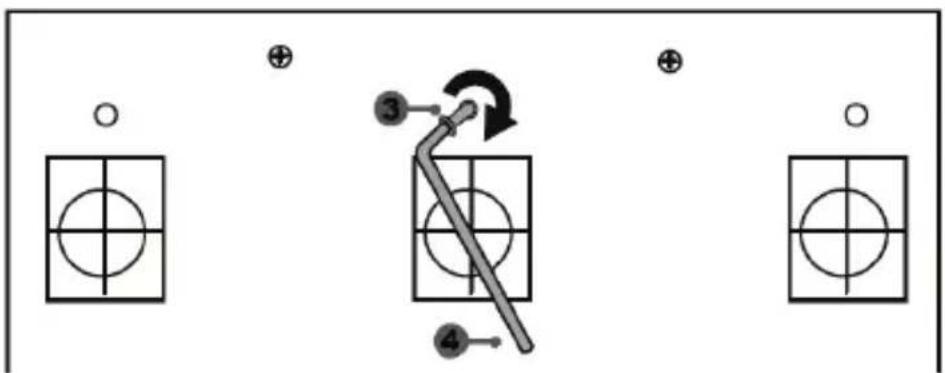
flowchart
graph TD
    A["○"] --> B["○"]
    C["⊕"] --> D["○"]
    E["●"] --> F["○"]
    G["⊕"] --> H["○"]
    I["●"] --> J["○"]
    K["●"] --> L["○"]
    M["●"] --> N["○"]
    O["●"] --> P["○"]
natural_image
Mechanical component diagram showing a valve mechanism with directional arrows (no text or symbols)www.thrustmaster.com

TX RACING WHEEL LEATHER EDITION
XBOX ONE / XBOX SERIES X|S - خاصة ب
natural_image
Technical line drawing of a mechanical component with no visible text or symbols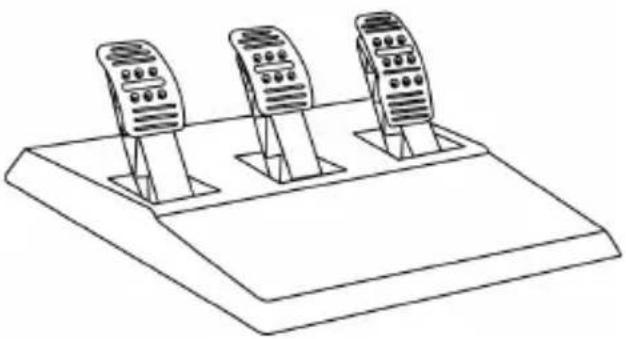
natural_image
Line drawing of three identical mobile phone holders on a base platform (no text or symbols)المواصفات التقنية
natural_image
Simple line drawing of a symmetrical arch structure with two circular ends and a central vertical line, labeled with number 10 (no text or symbols on the diagram itself)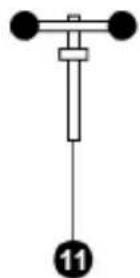
Xbox Guide 7
8 مصباح مؤشر أبيض
Thrustmaster Quick Release 12
natural_image
Technical line drawing of a mechanical component with concentric circular features (no text or symbols)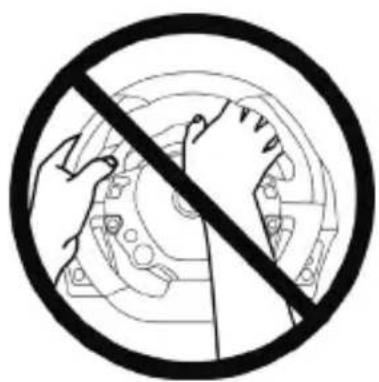
natural_image
Prohibition sign showing hands using a mechanical device to avoid collision or repair (no text or symbols)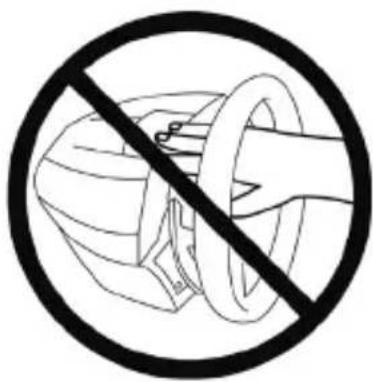
natural_image
Prohibition sign showing a hand using a tool to cut a device, enclosed in a circle (no text or symbols)مطلقا
natural_image
Prohibition sign showing hands holding a device, no text or symbols presentمُطْلَقًا
natural_image
Prohibition sign with diagonal line crossing over a vehicle silhouette (no text or symbols)flowchart
graph TD
    A["Wheel rim with clockwise hub"] --> B["Internal gear assembly"]
    B --> C["Motor component with head, wheel, and hub"]
    C --> D["Steering wheel with hand, steering wheel, and motor"]
TX < Racing Wheels .https://support.thrustmaster.com
.FAQManual , Racing Wheel LEATHER Edition
T3PA THRUSTMASTER 3 PEDALS ADD-ON
natural_image
Line drawing of three identical mobile phones on a base platform (no text or symbols)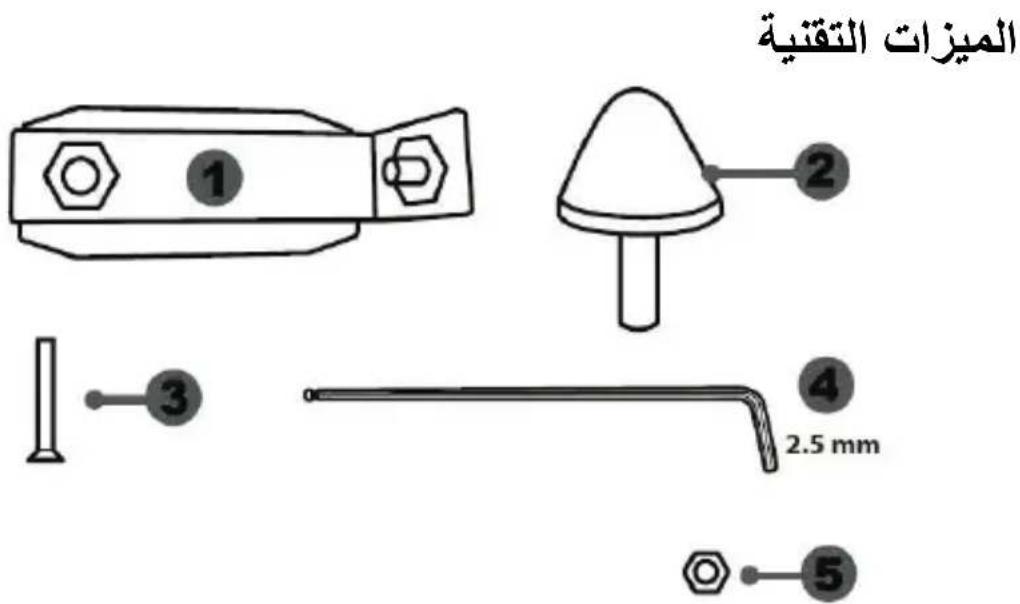
natural_image
Diagram showing two identical devices connected by a double-headed arrow, no text or symbols presentnatural_image
Two identical remote control devices on stands, one with a black upward arrow indicating rotation (no text or symbols)الوضع المرفtec
natural_image
Two identical mobile phone controllers with left-pointing arrows indicating bidirectional connection (no text or symbols)القي行事
natural_image
Line drawing of two identical mobile phones on stands, no text or symbols presentفي المنصف (افتراضي)
flowchart
graph TD
    A["Mobile Device 1"] --> B["Mobile Device 2"]
    style A fill:#f9f,stroke:#333
    style B fill:#bbf,stroke:#333
في اليمين
natural_image
Diagram of a ladder structure with an arrow indicating upward motion (no text or symbols)وضع مائل قليلا
natural_image
Diagram of a mechanical structure with an arrow indicating direction, no text or symbols presentnatural_image
Illustration of an oil pumpjack inside a circle with a hand holding a tool, no text or symbols present.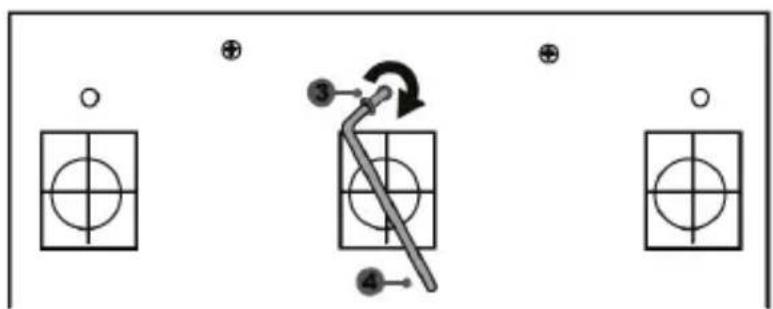
flowchart
graph TD
    A["Start"] --> B["Step 3: Rotation"]
    B --> C["Step 4: Pulling"]
    C --> D["Step 5: Forward"]
    D --> E["End"]
natural_image
Mechanical component diagram showing a valve mechanism with directional arrows (no text or symbols)https://support.thrustmaster.com
حقوق النشر
www.thrustmaster.com
natural_image
Line drawing of a steering wheel and three mobile phone holders on a platform (no text or symbols)WARNING:
natural_image
Line drawing of an electrical outlet with three leads and a 210V/740V power rating label (no text or symbols beyond labels)
Anslut aldrig 220-240V-kabeln
natural_image
Line drawing of an electrical plug with three leads and a 100V power label (no text or symbols beyond labels)
Anslut aldrig 100-125V-kabeln
natural_image
Simple line drawing of two connected electrical plugs (no text or symbols)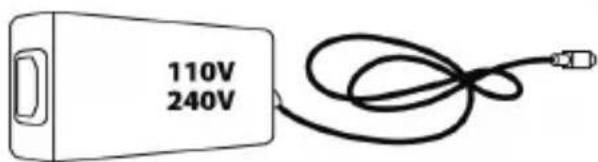
WARNINGAR
natural_image
Technical line drawing of a mechanical component with no visible text or symbols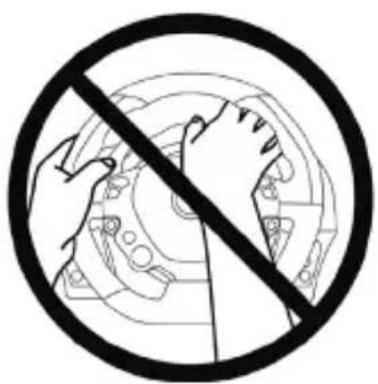
natural_image
Prohibition sign showing hands crossed out of a circular mechanical component (no text or symbols)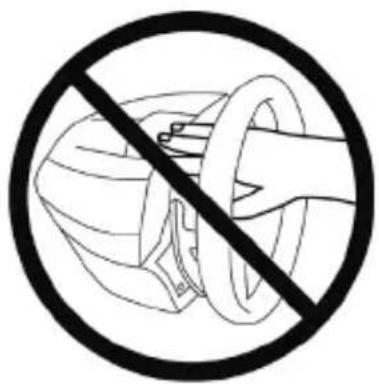
natural_image
Prohibition sign showing a hand holding a helmet and ring, enclosed in a circle (no text or symbols)
natural_image
Prohibition sign showing a hand holding a device against a circular background (no text or symbols)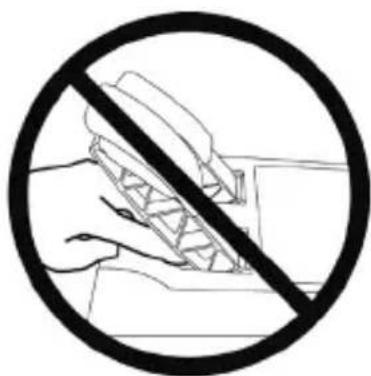
natural_image
Prohibition sign showing a hand holding a device with a diagonal line crossing through it, enclosed in a circle (no text or symbols)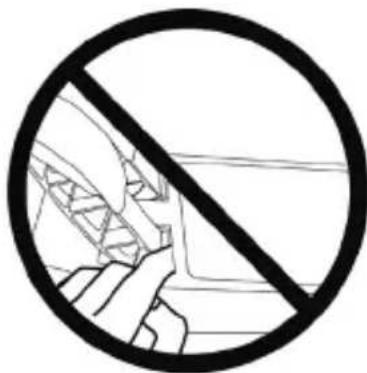
natural_image
Prohibition sign with a diagonal line crossing over a vehicle silhouette (no text or symbols)
INTERN TEMPERATURSENSOR
T3PA THRUSTMASTER 3 PEDALS ADD-ON
natural_image
Line drawing of three speed limit switches mounted on a base (no text or symbols)TEKNISKA DELAR
natural_image
Simple line drawing of a door with two dots and a numbered label (6) pointing to the side panel (no text or symbols on the door itself)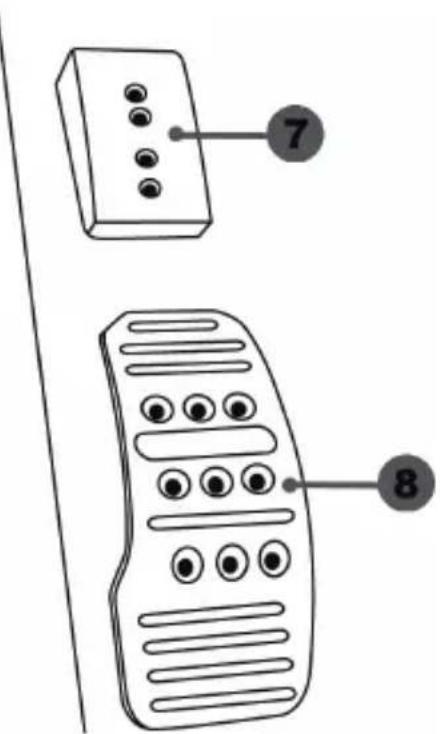
MONTERA PEDALSETET PÅ EN COCKPIT
natural_image
Diagram showing two identical mobile phones on stands with a downward arrow indicating change (no text or symbols present)Låg position (standard)
natural_image
Two identical mobile phone icons on stands, one with a black upward arrow between them (no text or symbols)Hög position
Justera MELLANRUMMET mellan de tre pedalerna
natural_image
Two identical mobile phone controllers with left-hand side indicators (no text or symbols)Vänster position
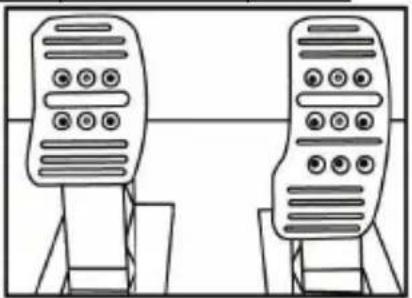
natural_image
Line drawing of two identical mobile phones with buttons on stands (no text or symbols)Central position (standard)
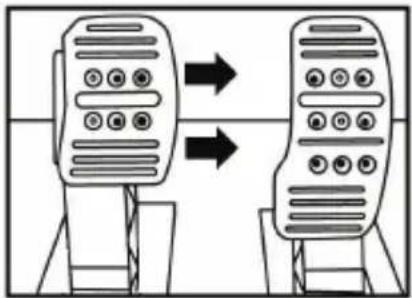
flowchart
graph TD
    A["Mobile Device 1"] --> B["Mobile Device 2"]
    style A fill:#f9f,stroke:#333
    style B fill:#bbf,stroke:#333
Höger
position
natural_image
Diagram of a mechanical structure with a triangular frame and an arrow indicating upward motion (no text or symbols)Mindre lutad position
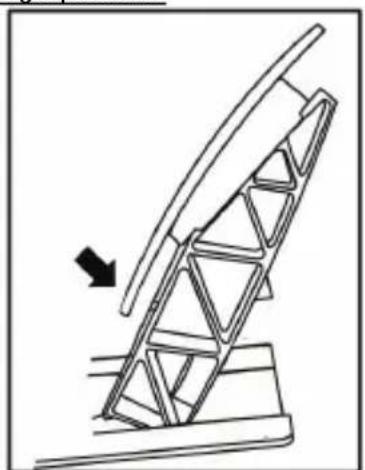
natural_image
Diagram of a ladder structure with an arrow indicating upward motion (no text or symbols present)Mer lutad position (standard)
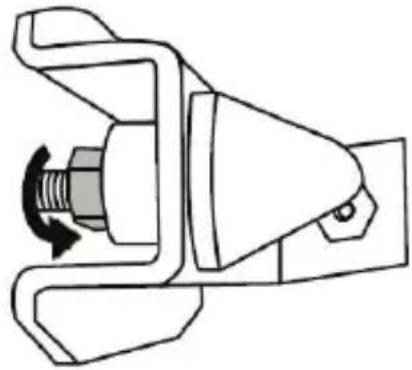
natural_image
Mechanical component diagram showing a valve mechanism with a rotating knob (no text or symbols)
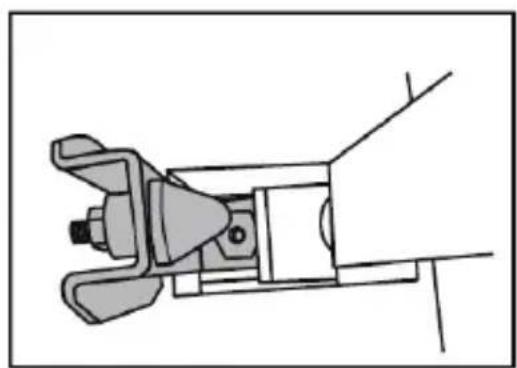
natural_image
Technical line drawing of a mechanical clamp or bracket assembly (no text or symbols)natural_image
Diagram showing a hand holding a tool near an oil pumpjack, with a circular arrow indicating rotation or cycle (no text or symbols)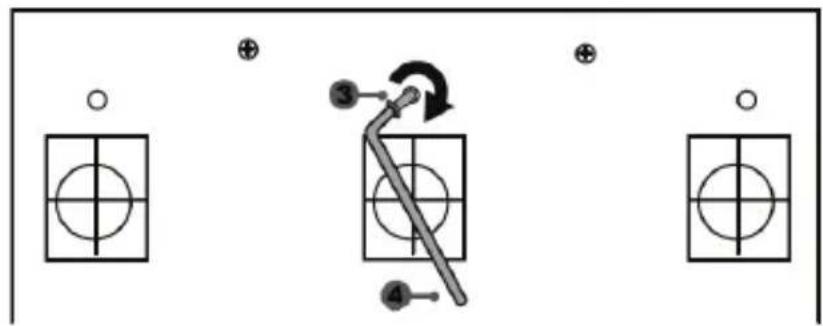
flowchart
graph TD
    A["○"] --> B["○"]
    C["⊕"] --> D["○"]
    E["●"] --> F["○"]
    G["●"] --> H["○"]
    I["③"] --> J["←"]
    K["④"] --> L["←"]
    style A fill:#fff,stroke:#000
    style C fill:#fff,stroke:#000
    style E fill:#fff,stroke:#000
    style G fill:#fff,stroke:#000
    style I fill:#fff,stroke:#000
    style J fill:#fff,stroke:#000
    style K fill:#fff,stroke:#000
natural_image
Mechanical component diagram showing a valve mechanism with directional arrows (no text or symbols)UPPHOVSRÄTTSSKYDD
www.thrustmaster.com
natural_image
Line drawing of a car steering wheel and dashboard (no text or symbols)
natural_image
Line drawing of three remote control devices on a base platform (no text or symbols)VAROITUS:
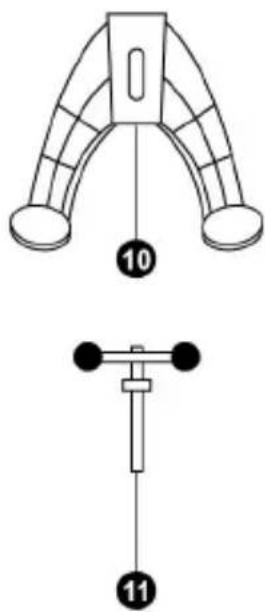
natural_image
Line drawing of a three-pin electrical plug with a 220V and 740V power rating label (no additional text or symbols)
natural_image
Line drawing of an electrical plug with three leads and a 100V power label (no text or symbols on the plug itself)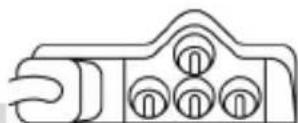

natural_image
Simple line drawing of two connected electrical plugs (no text or symbols)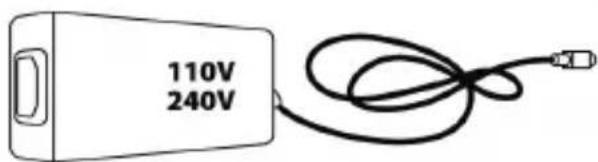
VAROITUS
natural_image
Technical line drawing of a mechanical component with no visible text or symbolsEI IKINÄ
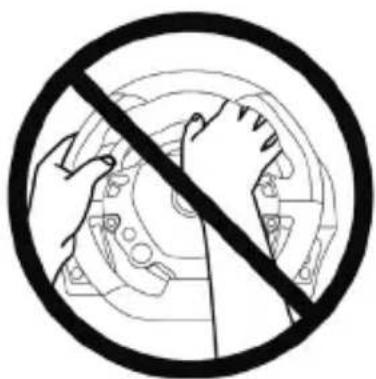
natural_image
Black and white prohibition symbol with hands holding a gear (no text or symbols)EI IKINÄ
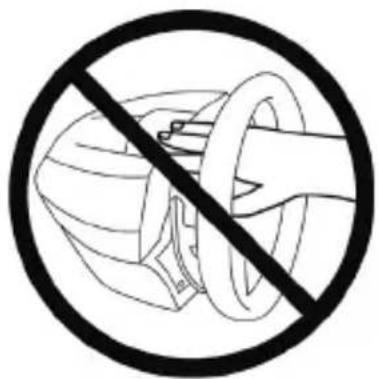
natural_image
Prohibition sign showing a hand holding a helmet against a circular background (no text or symbols)
natural_image
No sign depicting a hand holding a device, crossed out by a diagonal line (no text or symbols)EI IKINÄ
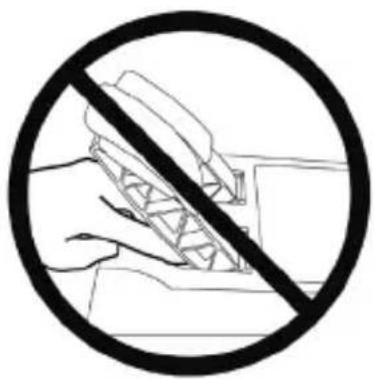
natural_image
Black and white prohibition symbol with hand holding a pen, crossed out by a diagonal line (no text or symbols)EI IKINÄ
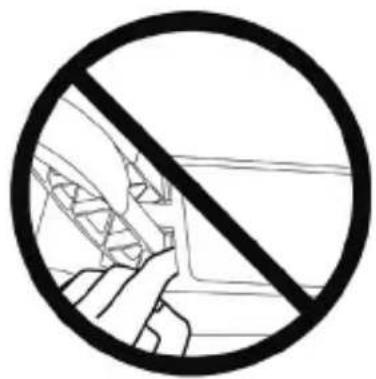
natural_image
Prohibition sign with diagonal line crossing over a vehicle interior (no text or symbols)
natural_image
Technical line drawing of a mechanical assembly with no visible text or symbols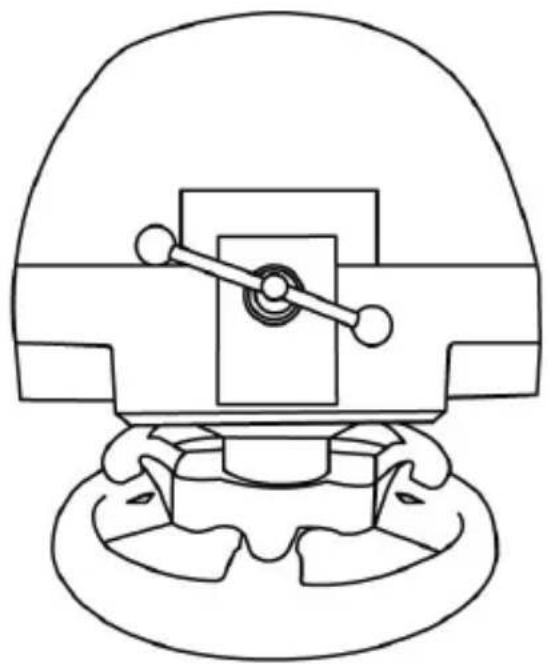
natural_image
Technical line drawing of a mechanical component with no visible text or symbolsT3PA THRUSTMASTER 3 PEDALS ADD-ON
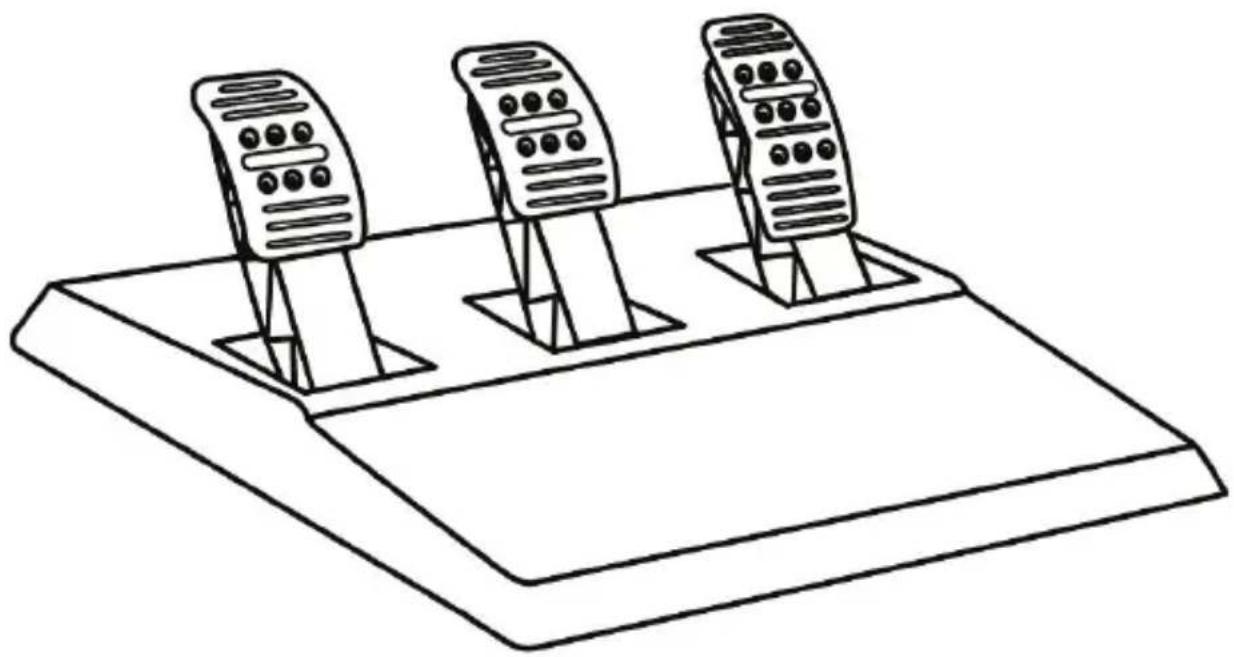
natural_image
Line drawing of three speed limit switches mounted on a base (no text or symbols)TEKNISET OMINAISUUDET
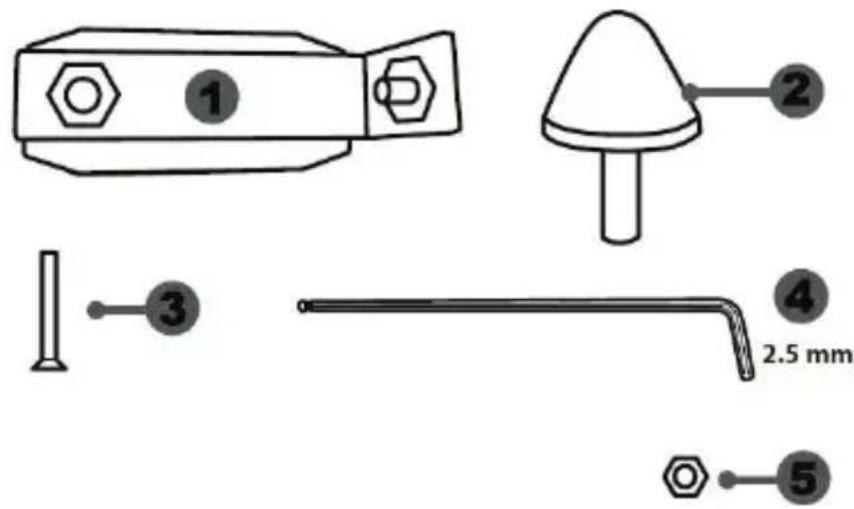
natural_image
Simple line drawing of a refrigerator with two dots and a label '6' pointing to the side panel (no text or symbols on the diagram itself)
6 Polkimen varsi
7 Muovinen kärkituki
natural_image
Two identical mobile phone controllers with left-pointing arrows indicating bidirectional connection (no text or symbols)Vasen asento
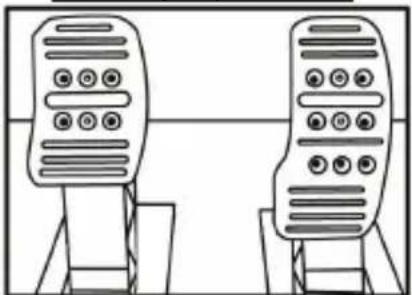
natural_image
Line drawing of two identical mobile phones on stands, no text or symbols presentKeskiasento (oletus)
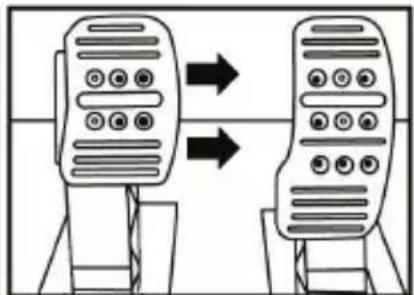
flowchart
graph TD
    A["Device 1"] --> B["Device 2"]
    style A fill:#f9f,stroke:#333
    style B fill:#bbf,stroke:#333
Oikea asento
natural_image
Diagram of a mechanical structure with a triangular frame and an arrow indicating upward motion (no text or symbols)natural_image
Diagram of a mechanical structure with an arrow indicating direction, no text or symbols presentnatural_image
Illustration of an oil pumpjack inside a circular frame with a hand holding a tool, no text or symbols present.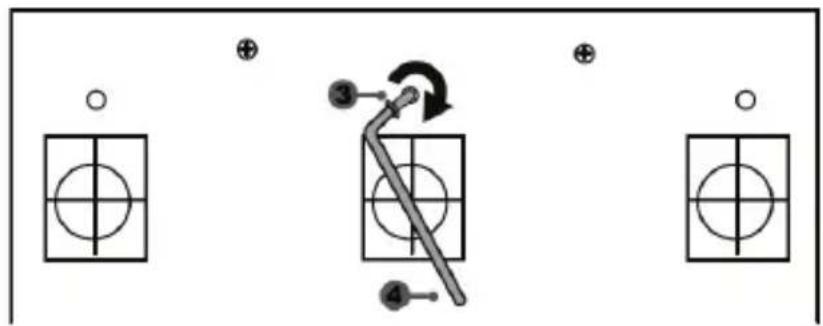
natural_image
Mechanical component diagram showing a valve assembly with directional arrows (no text or labels)https://support.thrustmaster.com



TEKIJÄNOIKEUS
natural_image
Simple line drawing of a trash bin with crossed lines indicating no waste or discharge (no text or symbols)www.thrustmaster.com
natural_image
Technical line drawing of a mechanical component with a circular head and flanged base (no text or symbols)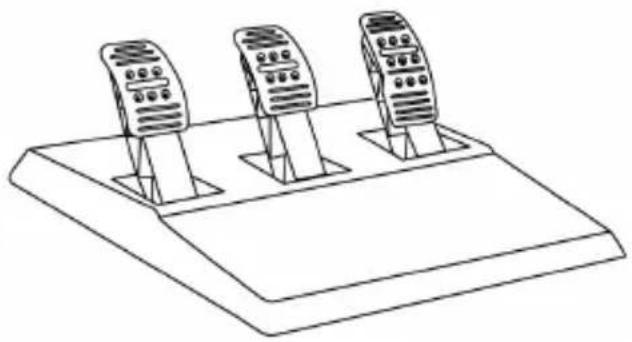
natural_image
Line drawing of three mobile phones on a base platform (no text or symbols)UPOZORNENIE:
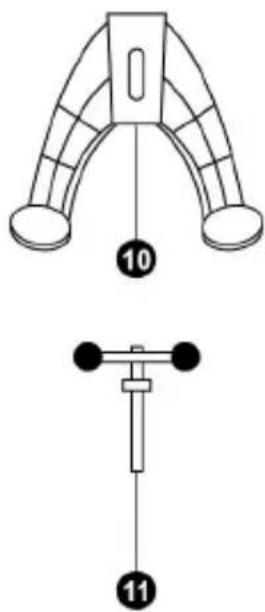
natural_image
Line drawing of a three-pin electrical plug with a 220V and 240V power rating label (no text or symbols on the plug itself)Nikdy nepripájajte 220-240V kábel do 100-130V elektrickej zásuvky! Tento kábel nikdy nepripájajte k siet'ovému adaptéru!
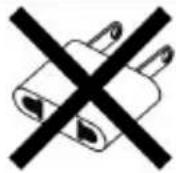
Interné:
natural_image
Line drawing of an electrical plug with three leads and a 100V power label (no text or symbols beyond labels)Nikdy nepripájajte 100-130V kábel do 220-240V elektrickej zásuvky! Tento kábel nikdy nepripájajte k siet'ovému adaptéru!
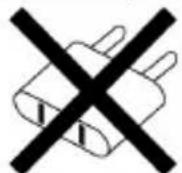
natural_image
Technical line drawing of a mechanical component with no visible text or symbols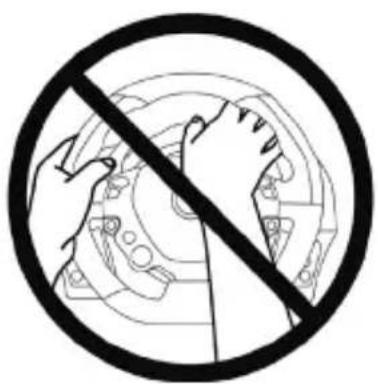
natural_image
Prohibition sign with crossed hands and gear mechanism inside a circle (no text or symbols)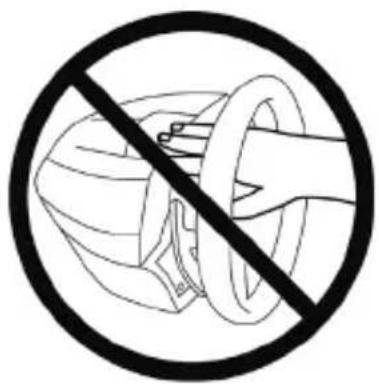
natural_image
Prohibition sign showing a hand holding a helmet and ring, enclosed in a circle (no text or symbols)

flowchart
graph TD
    A["Top view: Top circular component with clockwise arrow"] --> B["Internal gear assembly"]
    B --> C["Motor drive with head, wheel, and gear hub"]
    C --> D["Bottom view: Internal gear assembly with clockwise arrow"]
    D --> E["Motor drive with head, wheel, and gear hub"]
    E --> F["Bottom view: Motor drive with head, wheel, and gear hub"]
natural_image
Technical line drawing of a mechanical assembly with no visible text or symbols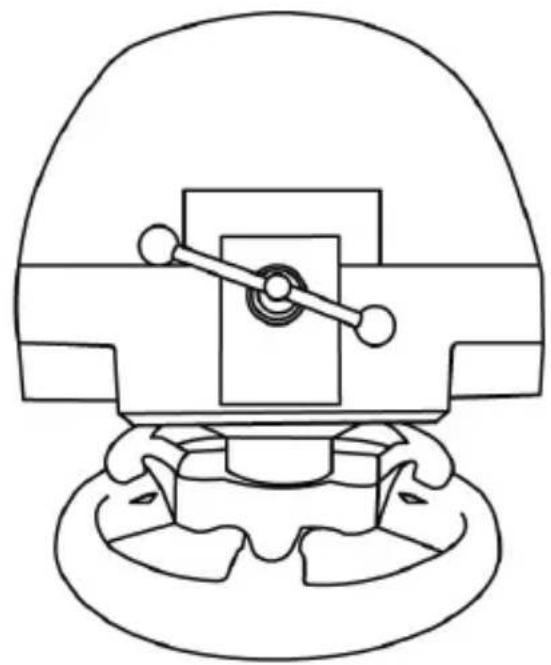
natural_image
Technical line drawing of a mechanical component with no visible text or symbolsUPOZORNENIE: Skrutku nikdy neutiahnite samostatne bez upevňovacieho systému (Mohlo by to poškodit' pretekársky volant).
INTERNÝ SENZOR TEPLOTY
T3PA THRUSTMASTER 3 PEDALS ADD-ON
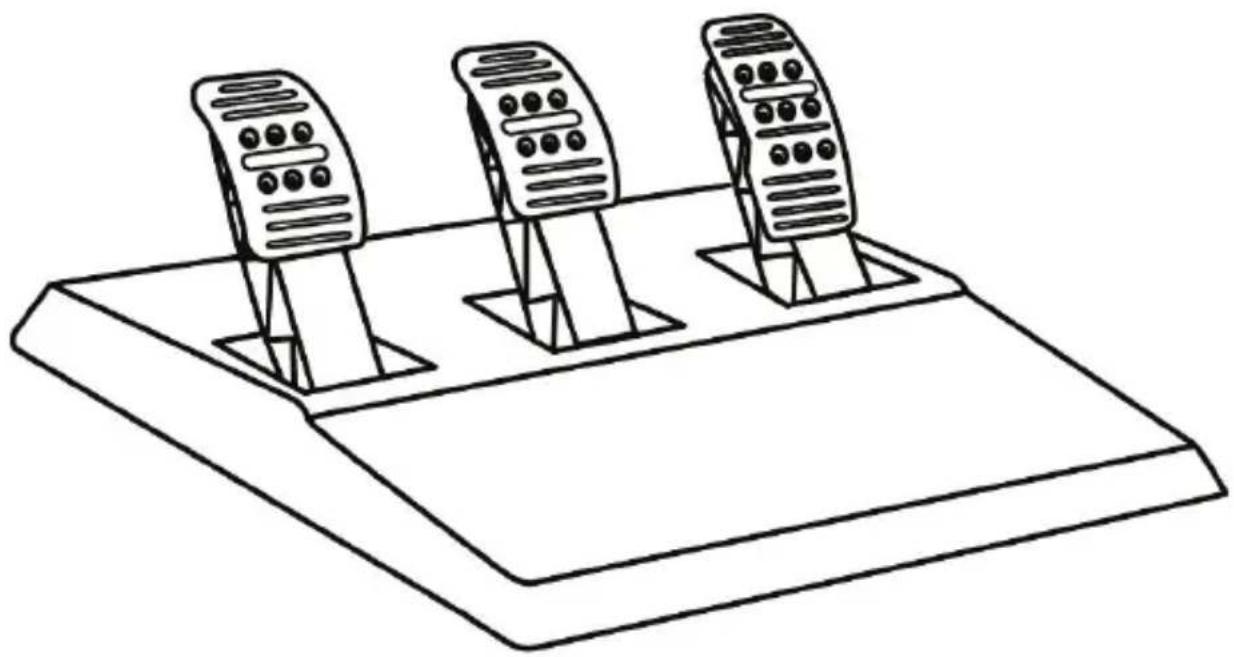
natural_image
Line drawing of three speed limit switches mounted on a base (no text or symbols)TECHNICKÉ ÚDAJE
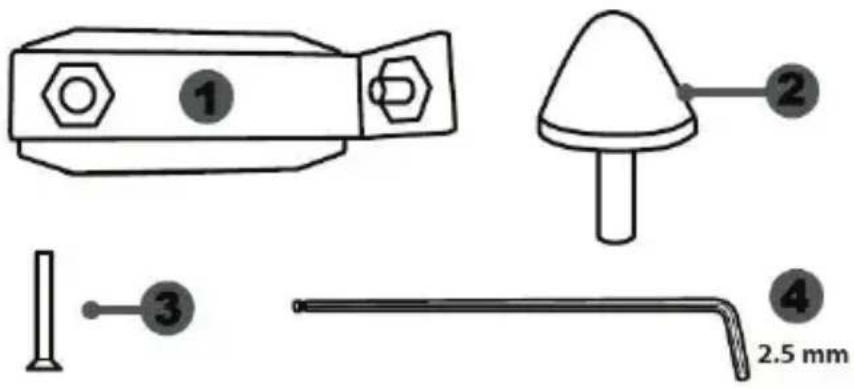
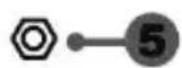
natural_image
Simple line drawing of a door with two dots and a label '6' pointing to the side (no text or symbols on the door itself)natural_image
Diagram showing two identical mobile devices connected by a double-headed arrow, with no text or symbols present.natural_image
Two identical mobile phone icons on stands, one with a black upward arrow between them (no text or symbols)Vysoká pozícia
Nastavenie ROZOSTUPU troch pedálov
natural_image
Line drawing of two identical mobile phones with buttons on stands (no text or symbols)natural_image
Diagram of a mechanical structure with triangular supports and a directional arrow (no text or symbols)natural_image
Diagram of a mechanical structure with an arrow indicating direction, no text or symbols presentViac naklonená poloha (predvolená)
natural_image
Diagram showing a hand holding a tool near an oil pumpjack inside a circle, with a black arrow indicating rotation (no text or symbols)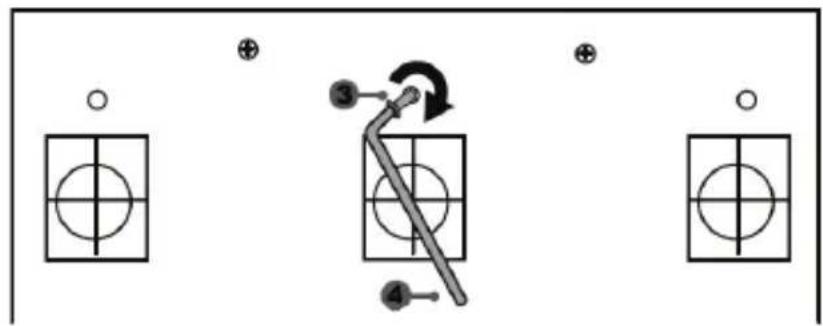
flowchart
graph TD
    A["○"] --> B["○"]
    C["⊕"] --> D["○"]
    E["●"] --> F["○"]
    G["③"] --> H["←"]
    I["④"] --> J["←"]
    K["⊕"] --> L["○"]
natural_image
Mechanical assembly diagram showing a valve mechanism with directional arrows (no text or labels)https://support.thrustmaster.com

COPYRIGHT
natural_image
Symbol of a trash bin with crossed lines indicating no waste or discharge (no text or labels)www.thrustmaster.com
natural_image
Line drawing of a steering wheel and a three-pin handheld device (no text or symbols)FIGYELMEZTETÉS:
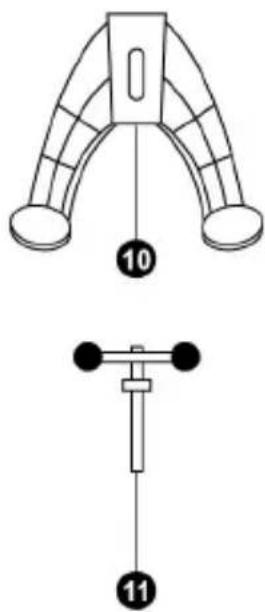
natural_image
Line drawing of a three-pin electrical plug with a 210V and 740V power rating label (no additional text or symbols)
natural_image
Line drawing of an electrical plug with three leads and a 100V power label (no text or symbols beyond labels)
natural_image
Technical line drawing of a mechanical component with no visible text or symbols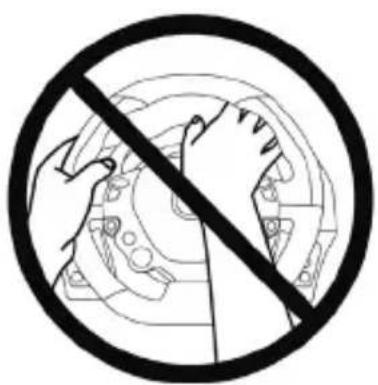
natural_image
Prohibition sign with hands holding a circular mechanical component, no text or symbols present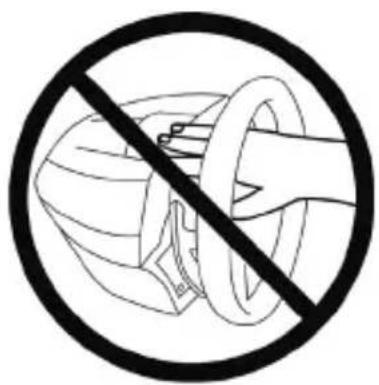

flowchart
graph TD
    A["Top: Top circular component with clockwise arrow"] --> B["Left: Internal gear assembly with central hub"]
    B --> C["Right: Top circular component with clockwise hub and internal gear assembly"]
    C --> D["Bottom: Left side of gear assembly with central hub and inner gear assembly"]
    D --> E["Right side of gear assembly with external motor"]
natural_image
Technical line drawing of a mechanical assembly with no visible text or symbols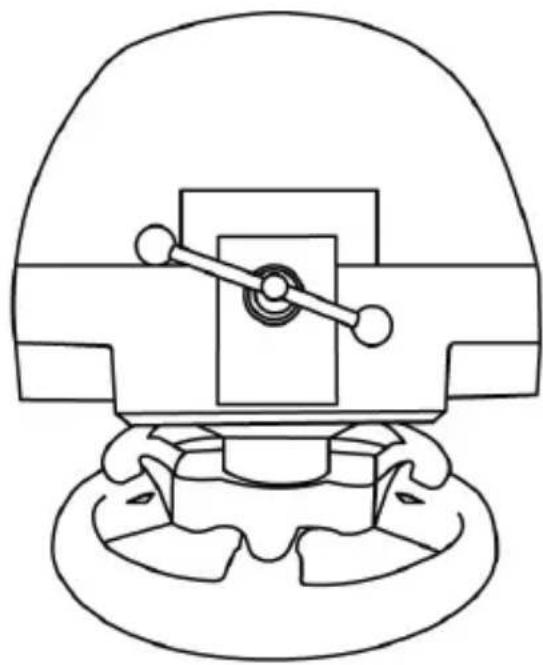
natural_image
Technical line drawing of a mechanical component with no visible text or symbolshttps://support.thrustmaster.com. Kattintson a Racing Wheels / TX Racing Wheel LEATHER
T3PA THRUSTMASTER 3 PEDALS ADD-ON
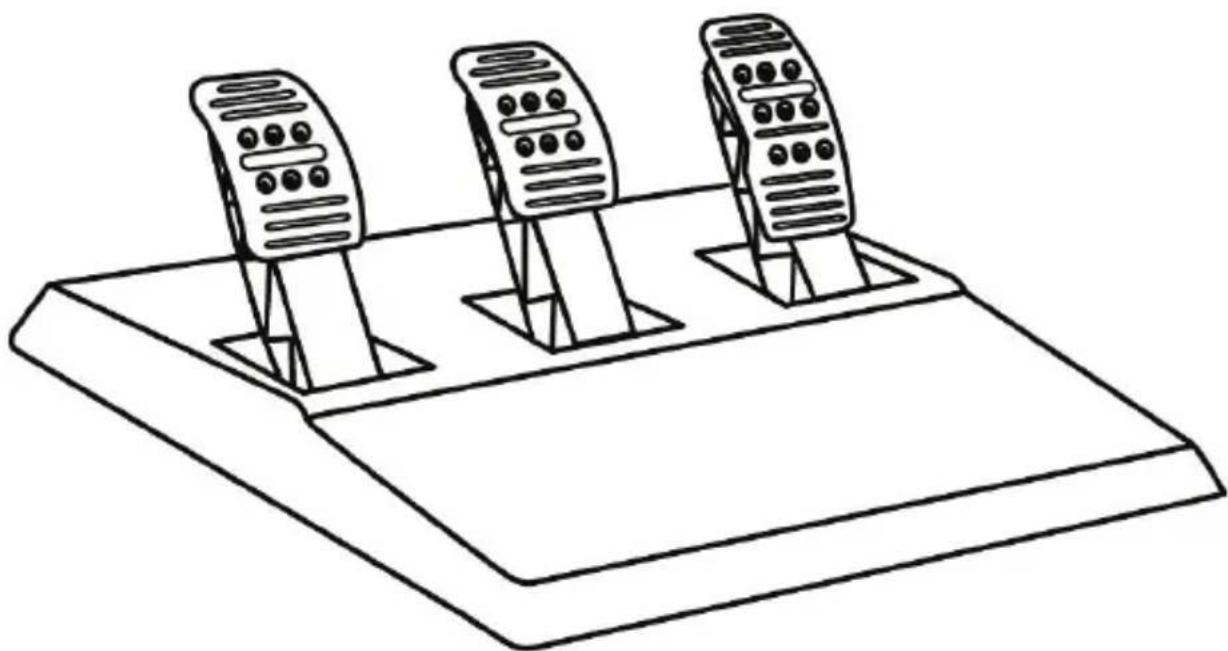
natural_image
Line drawing of three identical mobile phones on a base platform (no text or symbols)MÜSZAKI LEÍRÁS
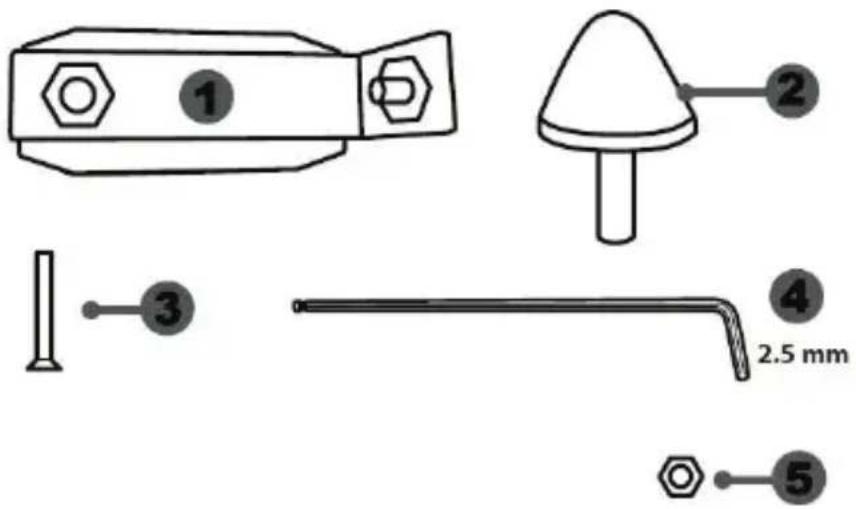
natural_image
Diagram showing two identical devices with circular buttons on top, connected by a downward arrow (no text or symbols)natural_image
Two identical mobile phone screens with buttons and a bidirectional arrow between them (no text or symbols)Magas pozíció
natural_image
Two identical mobile phone controllers with left-hand arrows indicating bidirectional connection (no text or symbols)Bal pozíció
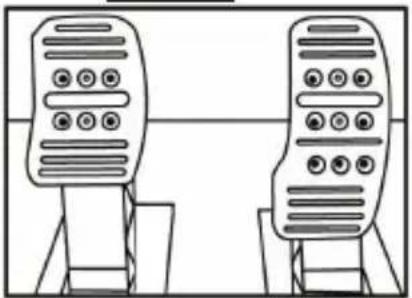
natural_image
Line drawing of two identical mobile phones with buttons on stands (no text or symbols)natural_image
Diagram of a mechanical structure with triangular supports and a directional arrow (no text or symbols)Kevésbé döl
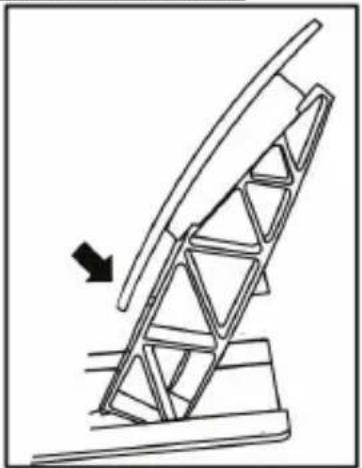
natural_image
Diagram of a mechanical structure with an arrow indicating direction, no text or symbols presentnatural_image
Diagram showing a hand holding a tool near an oil pumpjack inside a circle, with a black arrow indicating rotation (no text or symbols)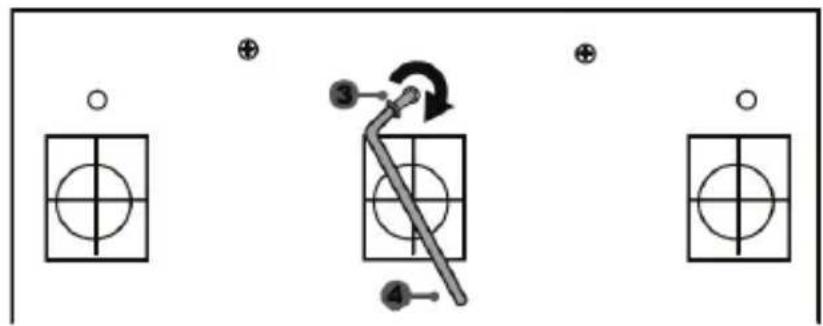
flowchart
graph TD
    A["○"] --> B["○"]
    C["⊕"] --> D["○"]
    E["●"] --> F["○"]
    G["③"] --> H["←"]
    I["④"] --> J["←"]
    K["⊕"] --> L["○"]
natural_image
Mechanical assembly diagram showing a valve mechanism with directional arrows (no text or labels)https://support.thrustmaster.com

natural_image
Three black icons: a lowercase 'i' in a circle, an envelope symbol, and a telephone handset (no text or labels)SZERZÓI JOG
natural_image
Symbol of a trash bin with crossed lines indicating no waste or restriction, plus a solid black rectangle below (no text or labels)www.thrustmaster.com
natural_image
Technical line drawing of a mechanical component with no visible text or symbols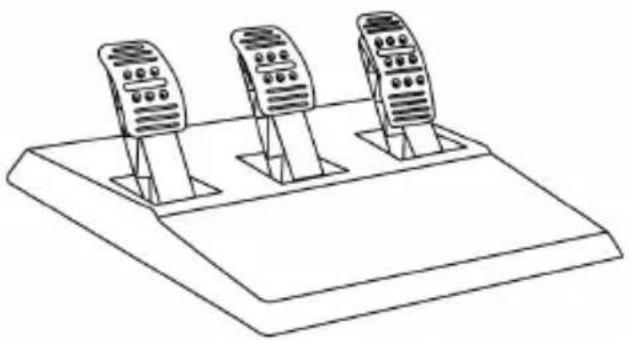
natural_image
Line drawing of three mobile phone holders on a base platform (no text or symbols):7771N
"הכלהה" (אַלְׁרָה) "הכלהה" (אַלְׁרָה) "הכלהה" (אַלְׁרָה) "הכלהה" (אַלְׁרָה) "הכלהה" (אַלְׁרָה) "הכלהה" (אַלְׁרָה)
natural_image
Line drawing of a three-pin electrical plug with a 220V and 240V power rating label (no text beyond labels)
בַרְשָׁה, בַרְשָׁה:
*
natural_image
Line drawing of an electrical outlet with two terminal plugs and a cable, no text or symbols presentnatural_image
Technical line drawing of a mechanical component with concentric circular features (no text or symbols)בַרְשָׁה
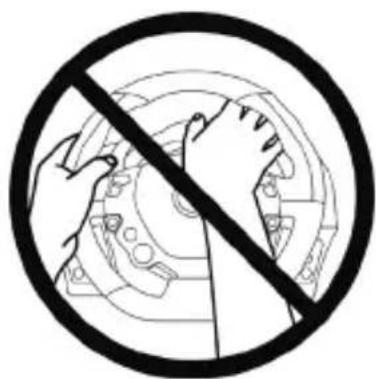
natural_image
Black and white prohibition symbol with hands holding a gear (no text or labels)בַרְשָׁה
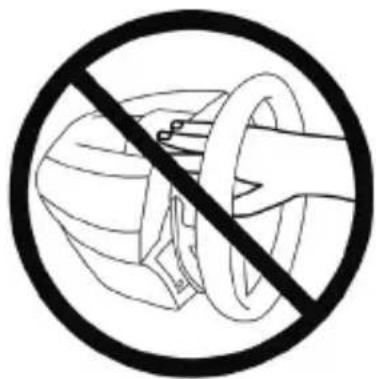
natural_image
Prohibition sign showing a hand using a tool to cut a device, enclosed in a circle (no text or symbols)בַרְשָׁה
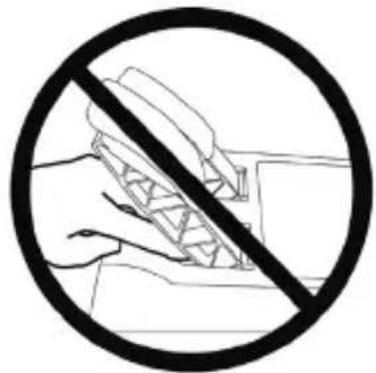
natural_image
Black and white prohibition symbol with hands holding a device, no text or symbols presentבַרְשָׁה
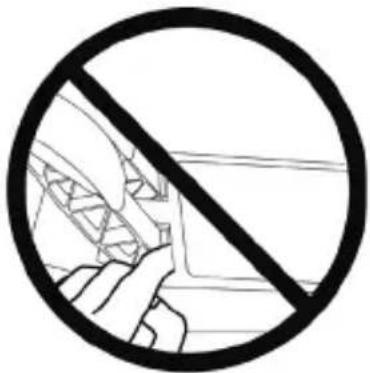
natural_image
Prohibition sign with a diagonal line crossing over a vehicle silhouette (no text or symbols)(12) Thrustmaster Quick Release
.הכלה (2)
natural_image
Technical line drawing of a mechanical device with no visible text or symbols
T3PA THRUSTMASTER 3 PEDALS ADD-ON
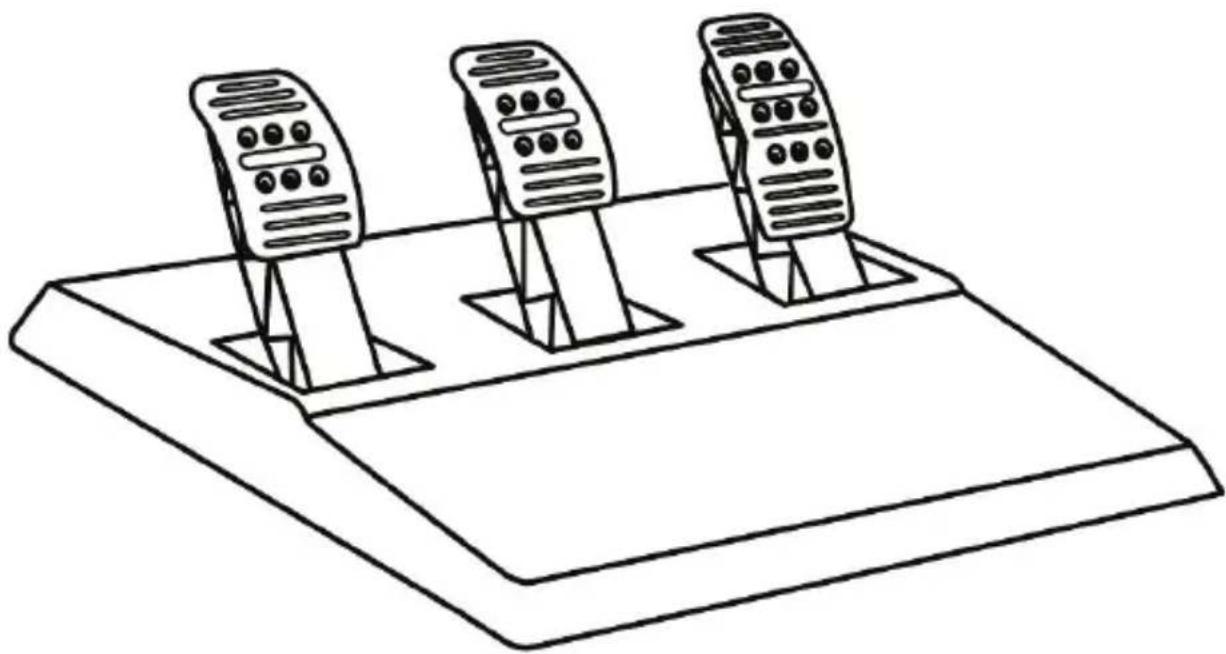
natural_image
Line drawing of three identical mobile phones on a base platform (no text or symbols)תְקָרִי בְּשַׁה
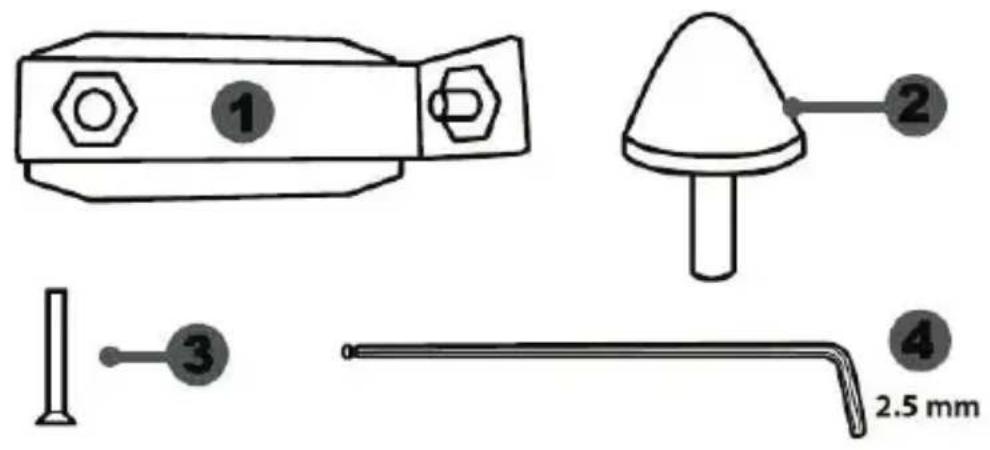
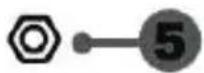
(הכלהה-הכלהה-הכלהה-הכלהה-הכלהה-הכלהה-הכלהה-הכלהה-הכchia) (8)
natural_image
Diagram showing two identical mobile phones on stands with a downward arrow indicating change (no text or symbols present)natural_image
Two identical mobile phone icons on stands, one with a black upward arrow between them (no text or symbols)תְבָרִי בְּלָה
natural_image
Two identical electronic devices with left-pointing arrows indicating bidirectional connection (no text or symbols)תָאַעְרִים
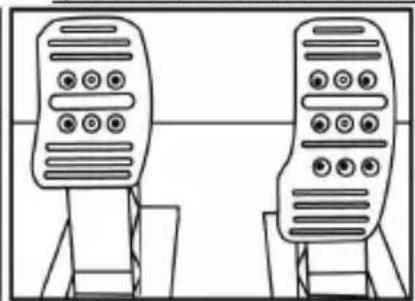
natural_image
Two identical mobile phone controllers standing upright, no text or symbols visiblenatural_image
Diagram of a mechanical structure with a ladder and support frame, no text or symbols present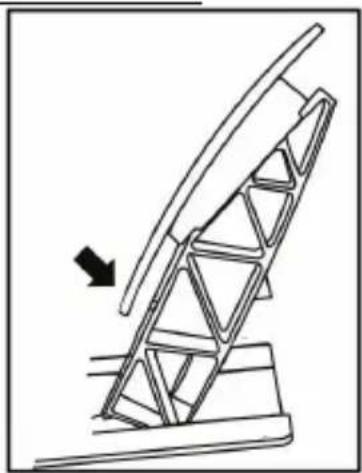
natural_image
Diagram of a mechanical structure with an arrow indicating direction, no text or symbols present
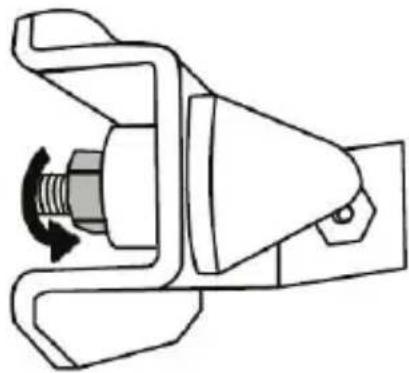
natural_image
Mechanical component diagram showing a valve or connector with a rotating knob (no text or symbols)
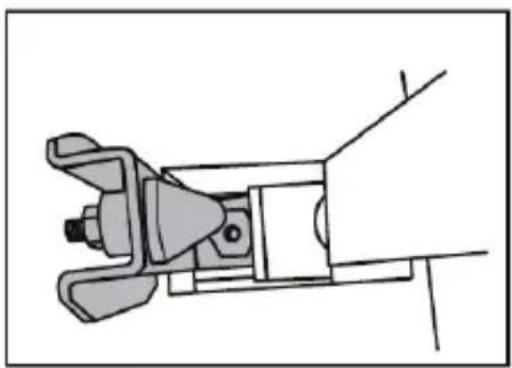
natural_image
Technical line drawing of a mechanical clamp or bracket assembly (no text or symbols)natural_image
Illustration of an oil pumpjack inside a circular frame, with a hand holding a tool and a downward arrow indicating rotation (no text or symbols)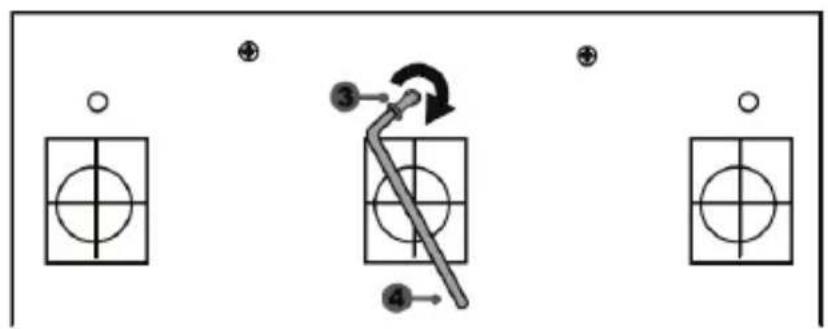
flowchart
graph TD
    A["Step 1: Circle"] --> B["Step 2: Crosshair"]
    B --> C["Step 3: Arrow with clockwise arrow"]
    C --> D["Step 4: Arrow with clockwise arrow"]
    D --> E["End"]
natural_image
Mechanical component diagram showing a valve mechanism with directional arrows (no text or labels)https://support.thrustmaster.com

www.thrustmaster.com
*
CE*
- WARNING:
- CONNECTING THE RACING WHEEL TO THE MAINS = PLEASE READ BEFORE PROCEEDING!
- Internal, with:
- External, with:
- WARNINGS
- Warning – Electric shock
- Air vents
- Warning – Injuries due to force feedback and repeated movements
- Warning – Injuries due to force feedback and repeated movements (continued)
- Warning – Pedal set pinch hazard when playing
- Warning – Pedal set pinch hazard when not playing
- ATTACHING THE WHEEL TO ITS BASE
- ATTACHING THE RACING WHEEL
- Attaching the racing wheel to a table or a desktop
- Attaching the racing wheel's base to a cockpit
- UPDATING YOUR RACING WHEEL'S FIRMWARE
- SETTING UP THE RACING WHEEL FOR THE XBOX SERIES X|S / XBOX ONE
- AUTOMATIC RACING WHEEL AND PEDAL SET CALIBRATION
- AUTOMATIC CALIBRATION OF THE PEDAL SET
- INTERNAL TEMPERATURE SENSOR
- MODE BUTTON AND INDICATOR LIGHT (6)
- MODE button for the pedal set
- Other information regarding the MODE button
- HELP FILES AND FAQs (NOT INCLUDED IN THIS MANUAL)
- T3PA THRUSTMASTER 3 PEDALS ADD-ON
- WARNING
- Warning – Pedal set pinching hazard during gaming sessions
- AUTOMATIC CALIBRATION OF PEDALS
- ATTACHING THE PEDAL SET TO A COCKPIT
- ADJUSTING THE PEDAL SET
- Adjusting the HEIGHT of the accelerator pedal
- Adjusting the SPACING of the three pedals
- Adjusting the INCLINATION of the pedals
- Installing the conical stop ("CONICAL RUBBER BRAKE" mod)
- Adjusting the brake pedal's RANGE of travel and STRENGTH of resistance
- CONSUMER WARRANTY INFORMATION
- Additional warranty provisions
- Liability
- COPYRIGHT
- FCC STATEMENT
- ENVIRONMENTAL PROTECTION RECOMMENDATION
- TX RACING WHEEL LEATHER EDITION
- ATTENTION :
- AVERTISSEMENT
- INFORMATIONS RELATIVES A LA GARANTIE AUX CONSOMMATEURS
- WARNUNG:
- EINBAU DES PEDALSETS IN EIN COCKPIT
- ANPASSEN DES PEDALSETS
- https://support.thrustmaster.com
- WAARSCHUWING:
- DE PEDAALSET AAN EEN COCKPIT BEVESTIGEN
- ATTENZIONE:
- ATTENZIONE
- AVISO:
- ATENÇÃO:
- ATENÇÃO
- FIXAR O CONJUNTO DE PEDALS A UM COCKPIT
- DIREITOS DE AUTOR
- ВНИМАНИЕ!
- АВТОРСКОЕ ПРАВО
- UPOZORNĚNÍ:
- UYARI:
- TELİF HAKKI
- OSTRZEŻENIE:
- OSTRZEŻENIE
- AUTOMATYCZNA KALIBRACJA PEDAŁÓW
- WAŻNE:
- PRAWA AUTORSKIE
- 警告:
- ペダルの自動キャリブレーション
- 重要:
- つのペダルの間隔を調整する
- 警告:
- 技术特性
- 警告
- 调节三个踏板的间距
- 调节踏板的倾角
- 安装锥形刹车片(锥形橡胶刹车片组)
- 调整刹车踏板的行程和阻力
- 內部電源:
- 警告-玩遊戲時存在的踏板組夾傷危險
- 警告-不玩遊戲時存在的踏板組夾傷危險
- 技術特徵
- 調節三個踏板的間距
- 安裝錐形煞車片(錐形橡膠煞車片組)
- 調節煞車踏板的行程和阻力
- 페달 자동 보정
- 중요:
- 세 개 폐달의 '간격' 조정
- 페달 경사 조정
- WARNINGAR
- INTERN TEMPERATURSENSOR
- TEKNISKA DELAR
- MONTERA PEDALSETET PÅ EN COCKPIT
- UPPHOVSRÄTTSSKYDD
- www.thrustmaster.com
- VAROITUS:
- VAROITUS
- TEKIJÄNOIKEUS
- UPOZORNENIE:
- Interné:
- INTERNÝ SENZOR TEPLOTY
- TECHNICKÉ ÚDAJE
- Nastavenie ROZOSTUPU troch pedálov
- FIGYELMEZTETÉS:
- MÜSZAKI LEÍRÁS
- SZERZÓI JOG
- :7771N
Brand : THRUSTMASTER
Model : TX Servo Base
Category : Controller