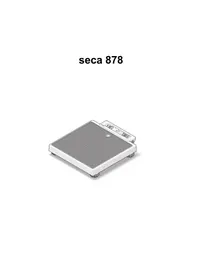
878 - Scale SECA - Free user manual and instructions
Find the device manual for free 878 SECA in PDF.



| Product type | Medical electronic scale |
| Maximum capacity | 200 kg |
| Accuracy | 0–50 kg: ±50 g, 50–150 kg: ±100 g, 150–200 kg: ±200 g |
| Dimensions (L × W × H) | 321 × 360 × 60 mm |
| Net weight | ~4.0 kg |
| Power supply | 6 AA batteries (1.5 V) or 12 V AC adapter (optional) |
| Display | Digital LCD screen, digit height 20 mm |
| Main functions | Auto zero, 2 in 1 function (mother-child weighing), Hold function, auto off |
| Operating temperature range | +10°C to +40°C |
| Material | Robust chassis with rubberized surface |
| Standards | Directive 2009/23/EC, class III, medical device EN 60601-1 type B |
| Warranty | 2 years |
| Maintenance | Clean with household cleaner or disinfectant |
| Cleaning | Wipe with a damp cloth, do not immerse |
| Safety | Use on stable and level floor, avoid shocks |
| Spare parts | AC adapter, carrying bag, batteries |
| Repairability | Repairs by authorized personnel only |
| Included accessories | Batteries, user manual |
Frequently Asked Questions - 878 SECA
User questions about 878 SECA
0 question about this device. Answer the ones you know or ask your own.
Ask a new question about this device
Download the instructions for your Scale in PDF format for free! Find your manual 878 - SECA and take your electronic device back in hand. On this page are published all the documents necessary for the use of your device. 878 by SECA.
USER MANUAL 878 SECA
D Bedienungsanleitung und Garantieerklärung ..... 3
GB Instruction manual and guarantee 13
FR Mode d'emploi et garantie. 23
IT Manuale di istruzioni e garanzia 33
ES Manual de instrucciones y garantia 43
DK Betjeningsvejledning og garantibevis. 53
S Bruksanvisning och garanti 63
N Bruksanvisning og garantierklæring. 73
FIN Käyttöohje ja takuu.... 83
NL Bedieningshandleiding en garantieverklaring ..... 93
PT Instruções de utilização e declaração de garantia ..... 103
GR Οδηγίες χειρισμού και εγγύηση 113
PL Instrukcja obsługi i gwarancja 125
Stromversorgung
9. Technische Daten
Höchstlast 200 kg
Mindestlast 2 kg
Feineinteilung
1. Full certification

M
With products from seca you are not only purchasing technology developed over a century, but also quality that has been validated by official bodies, the legal system and relevant institutes. seca products comply with European directives, standards and national laws. With seca you are buying into the future.
Scales bearing this symbol comply with the European directive 2009/23/EC on non-automatic weighing instruments. seca scales with this symbol comply with the stringent quality and technical requirements applicable to calibratable scales.

CE 11 0109 0123
Scales bearing this symbol comply with the stringent requirements of Class III of the directive and can be used for medical measurements which are subject to calibration.
Products bearing this symbol comply with the European Community regulatory requirements applicable to them, in particular the following:
- directive 2009/23/EC governing non-automatic weighing instruments
- directives 93/42/EEC and 2007/47/EC governing medical devices
• DIN EN 45501 governing metrological aspects of non-automatic weighing instruments
ISO 9001 ISO 13485
seca's professionalism has also been officially recognised. The certificate from TÜV Product Service, the body responsible for medical devices, confirms that as a manufacturer of medical devices, seca rigorously complies with the stringent legal requirements applicable. seca's quality assurance system includes the design, development, production, sales and service of medical scales and height measuring systems together with that of software and measuring systems for assessing state of health and nutrition.

seca contributes to environmental protection. We are anxious to preserve our natural resources. This is why we strive to save packaging material where practical.
And what is left over can be conveniently disposed of locally via Germany's Dual System recycling programme.
2. Congratulations
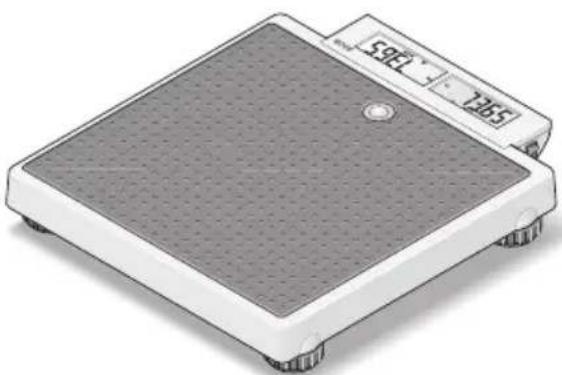
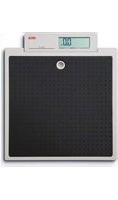
In the seca 878 electronic personal scale you have acquired a highly-accurate and at the same time sturdy piece of equipment.
seca has been putting its experience at the service of health for over 150 years, and as market leader in many countries of the world, is always setting new standards with its innovative weighing and measuring developments.
The seca 878 electronic personal scale is designed for private use and also for use in public institutions.
A special feature of the seca 878 scale is the “mother-and-baby function”. This enables the weight of babies and small children to be determined quite easily - in their mothers’ arms.
The maximum load is 200 kg.
3. Safety
Before using the new scale, please take a little time to read the following safety instructions.
- Follow the instructions in the instructions for use.
- Keep the operating manual and the declaration of conformity contained therein in a safe place.
- Use only the type of battery stated (see "Changing the batteries" on page 20).
-
When using the scale with a mains unit, ensure that the supply cable is routed in such a way as to exclude any type of tripping hazard.
-
Do not drop the scale or subject it to violent shocks.
- Do not step on the display as this could damage it. Step only on the rubberized area.
- Have repairs carried out only by authorised persons.
- Have scale serviced and re-calibrated on a regular basis (see „Servicing/recalibration“ on page 20).
4. Before you start ...
Setting up the scale
The scale is fully assembled when dispatched.
- Remove the packaging and place the scale on a firm, level surface.
Power supply
The scale is powered exclusively by batteries.
The LC display has a low power consumption - 10.000 weighing operations can be performed with one set of batteries. When □ or bAtt appear in the display, you should change the batteries. You need 6 type AA 1.5 V batteries.
- Carefully turn over the scale so that the base is accessible.
- Press the closure of the battery compartment in the direction of the cover itself and open the battery compartment.
- Insert the supplied batteries into the battery compartment.
Check that the polarity is correct.
- Close the cover and then turn the scale back up the right way.
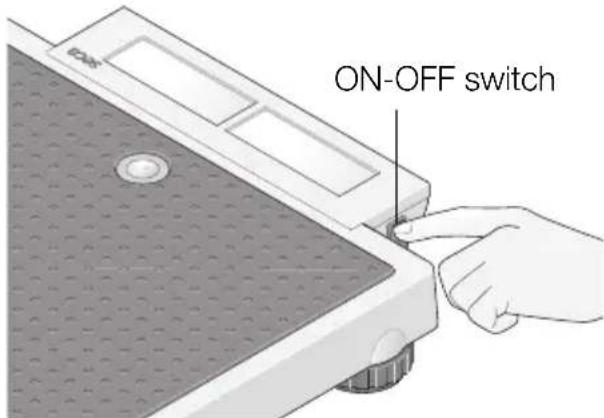
- To activate the power supply, push the switch in position "ON".
Note: the scale is prepared for u se with a seca mains unit which is available as an accessory.
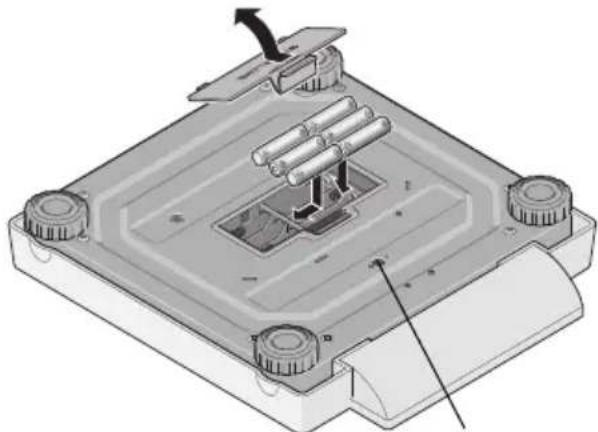
Connection for mains unit
Setting up and aligning the scale
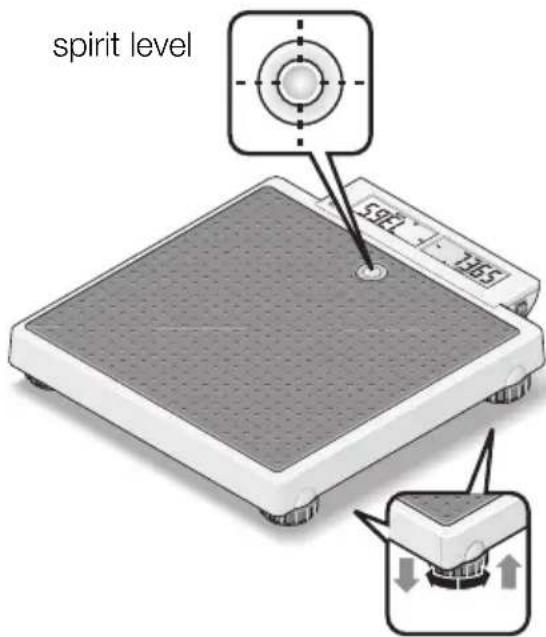
- Place the scale on a level surface.
- Align the scale by screwing the fo ot screws. The air bubble in the spirit le vel must be right in the centre of the circle.
- Ensure that only the feet of the scale are in contact with the floor. The scale may not be in contact at any other point.
Important!
The alignment of the base of the scale must be checked and corrected if necessary every time the location of the scale is changed.
5. Operation
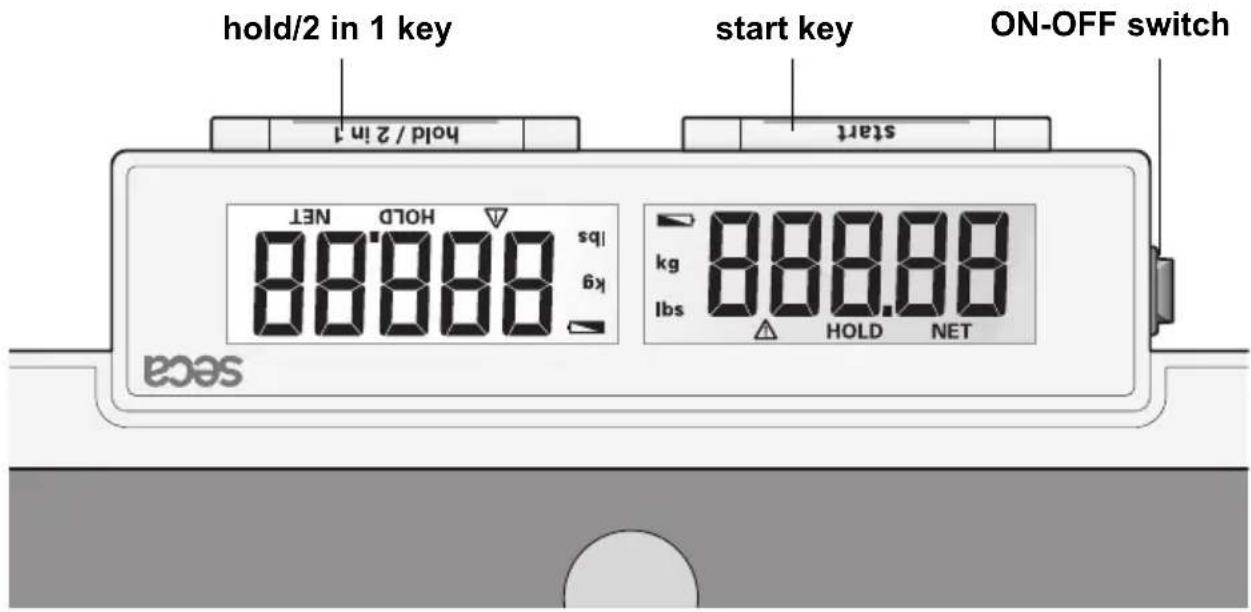
Controls and displays
How to weigh properly
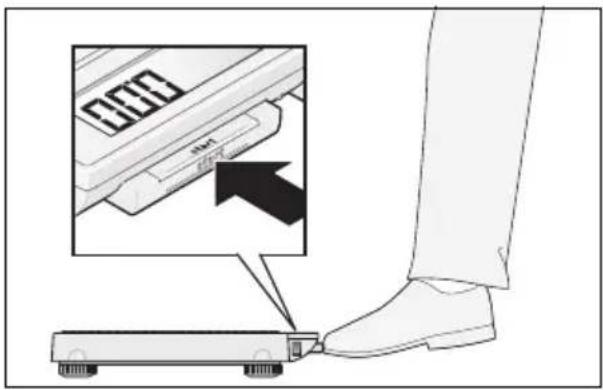
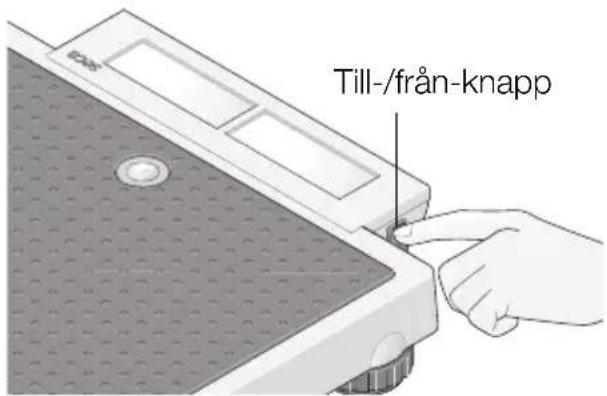
- Press the start key with no load on the scale.
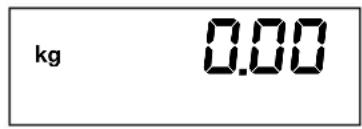
SECA, 8.8.8.8. and 0.00 appear consecutively in the display. The scale is then automatically set to zero and ready for use.
- Ask the patient to mount the scale. Once on the scale, the patient should stand still.
- Read off the weighing result on the digital display.
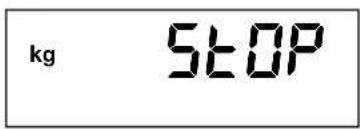
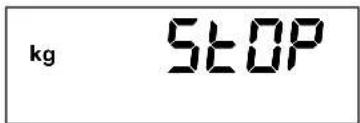
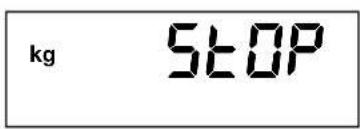
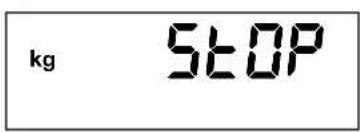
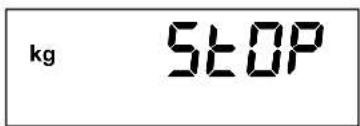
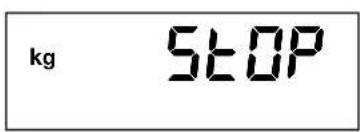
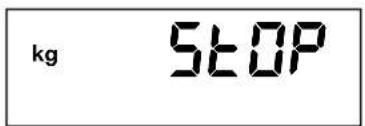
- If a load greater than 200 kg is placed on the scale, STOP appears in the display.
- To switch off the scale, press the start key again.
Automatic switch-off/stand-by mode
If no further weighing operations are performed, the scale switches off automatically after a certain time:
in normal mode: after 3 minutes
with the 2 in 1 function switched on: after 2 minutes
2 in 1 function
The 2 in 1 function enables the body weight of babies and small children to be determined. The child is held in the arms of an adult. Proceed as follows.
- Press the start key briefly with no load on the scales.
- Wait until the display 0.00 appears.
- Stand on the scale without the child. You can read off the weighing result on the digital display.
- Now hold down the adult-and-child function.
The scale stores the weight of the adult and the display returns to zero. 000 and the display NET appear in the display.
- Now take the child onto the scale. You can leave the scale to do this, in which case ---- appears in the display.
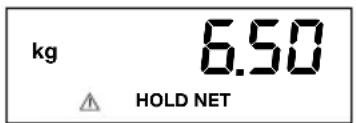
The scale determines the weight of the child. Once the value is stable for about 3 seconds, the display is retained. This avoids the display jumping about as a result of the child's movements.
⚠️ HOLD and NET appear in the display.
If several children are to be weighed consecutively, it is important that it is always the same adult who performs the measurement and that this person's weight does not change (e.g. due to a piece of clothing being removed).
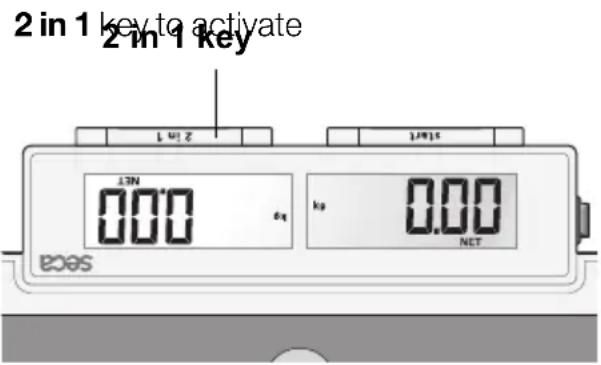
The 2 in 1 function remains switched on until
- you press the 2 in 1 key again (total weight is displayed).
– the scale switches off automatically.
Store weight value (HOLD)
You can also continue displaying the weight determined once the load has been removed. This makes it possible to look after a patient first, before having to note the weight:
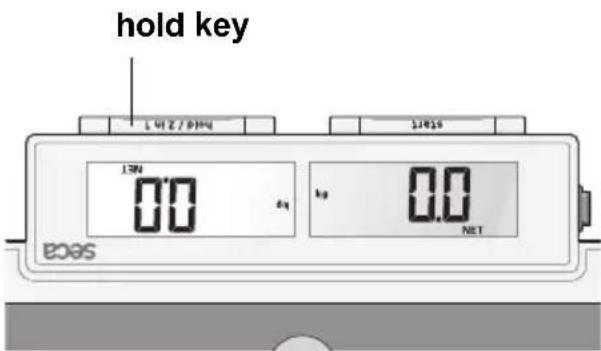
- Press the hold key whilst the load is on the scale.
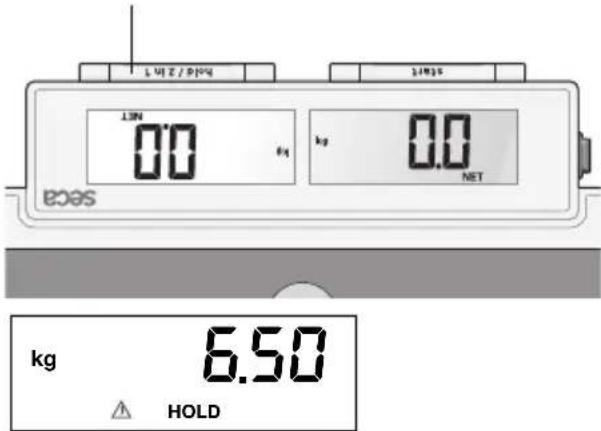
"HOLD" appears in the digital display. The value is stored until the scale switches off automatically (operation on batteries).
The triangle with the exclamation mark indicates that this frozen display is an additional facility which is not subject to calibration.
- The HOLD function can be switched off by pressing the hold key again.
0.00 appears in the display if the scale h as no load on it, otherwise the current weigh ht. The "HOLD" display vanishes.
6. Cleaning
Clean the outside of the scale as required using a domestic cleaning agent or a commercially-available disinfectant. Follow the manufacturer's instructions.
7. What do I do if ...
... no weight is displayed when there is a load on the scale?
– Is the scale switched on?
– Is the ON-OFF switch in position “ON”?
- Check the batteries.
... the scale keeps switching on, while being transported, for example?
- The start key has been pressed. Due to the very low energy requirement of the scale, the service life of the batteries will not be impaired. For longer journeys, you can push the ON-OFF switch in position "OFF" if necessary.
... the scale displays a weight after being transported or after new batteries have been put in?
- Press the Start key again. The scale will then work normally again.
... 0.00 does not appear before weighing?
- Press the Start key again - there should not be any load on the scale.
... ---- appears instead of 0.00 before weighing?
- Press the Start key again - there should not be any load on the scale.
... one segment is illuminated constantly or not at all?
– The relevant segment has a fault. Inform Servicing.
... the display shows?
- Battery voltage is running low. Change the batteries in the next few days.
... bAET appears in the display?
- Batteries are empty. Put in new batteries.
... STOP appears in the display?
– Maximum load has been exceeded.
... the display flashes?
- Take the load off the scale and start the scale again. Wait until 0.00 appears and then weigh again.
... the display and a number appear?
- Start the scale again after it switches off automatically. The scale will then work normally again.
If this is not the case, disconnect the power supply by briefly switching off the scale at the ON-OFF switch. If this measure is equally unsuccessful, inform the Service department.
8. Servicing/recalibration
Have the scale recalibrated by authorised persons in accordance with national legal requirements. The year of initial calibration can be found behind the CE symbol on the rating plate above the number of the appointed office, 0109 (Hessen Weights & Measures Office). Recalibration is essential if one or more security marks are damaged.
We recommend having your scale serviced by your local service agent before having it recalibrated. seca Customer Service will be pleased to give you further assistance.
Changing the batteries
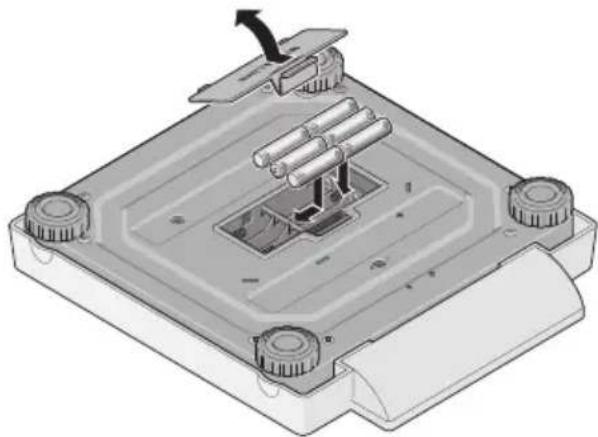
When 📄 or bAtt appear in the display, you should change the batteries. You need 6 type AA 1.5 V batteries.
- Carefully turn over the scale so that the base of the scale is accessible.
- Press the closure of the battery compartment in the direction of the cover itself and open the battery compartment.
- Remove the used batteries and insert new batteries.
Check that the polarity is correct.
- Close the cover.
- Then turn the scale back up the right way.
9. Technical data
Maximum capacity 200 kg
Minimum load 2 kg
Graduation
0 to 150 kg 100 g 150 kg to 200 kg 200 g
Accuracy
0 to 50 kg ±50 g 50 kg to 150 kg ±100 g 150 kg to 200 kg ±200 g
Height of figures 20 mm
EN 60 601-1:
medical electrical equipment type B
Dimensions
Width: 321 mm Height: 60 mm
Depth:

360 mm
Weight approx. 4.0 kg
Temperature range +10 °C to +40 °C
Calibration as per
Directive 2009/23/EC Class III
Medical product as per
Directive 93/42/EEC Class I
Power supply 6 type AA 1.5 V batteries
mains unit (option)
10. Spare parts and accessories
Power supply
Model dependent mains unit
Plug-in mains unit, Euro: 230V\~ / 50Hz / 12V= / 130mA
seca no. 68-32-10-252
Switchmode power adapter, 100-240V\~ / 50-60Hz / 12V= / 0.5A
seca no. 68-32-10-265
Attention!
Use only seca original plug-in mains units with 9 V or controlled 12 V output voltage. Commercially-available mains units may supply a higher voltage than stated and thus lead to damage to the scale.
Accessories
Carrying case 421 seca no. 421 00 00 009
11. Disposal
Disposing of the device
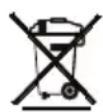
Do not dispose of the device in domestic waste. The device must be disposed of properly as electronic waste. Follow the national regulations which apply in your case. For further information, contact our service department at: service@seca.com

seca helps the environment. We are concerned to save natural resources. We therefore strive to save pakkaging material where meaningful. What is left over
can conveniently be disposed of locally via the German Dual System (recycling programme).
Batteries
Do not throw used batteries away in domestic waste. Dispose of batteries at collection points in the vicinity. When buying new batteries, select those low in harmful substances and containing no mercury (Hg), cadmium (Cd) or lead (Pb).
12. Warranty
A two-year warranty from date of delivery applies to defects attributable to poor materials or workmanship. All moveable parts - batteries, cables, mains units, rechargeable batteries etc. - are excluded. Defects which come under warranty will be made good for the customer at no charge on production of the receipt. No further claims can be entertained. The costs of transport in both directions will be borne by the customer should the equipment be located anywhere other than the customer's premises. In the event of transport damage, claims under warranty can be honoured only if the complete original packaging was used for any transport and the scale secured and attached in that packaging just as it was when originally packed. All the packaging should therefore be retained.
A claim under warranty will not be honoured if the equipment is opened by persons not expressly authorised by seca to do so.
We would ask our customers abroad to contact their local sales agent in the event of a warranty matter.
9. Fiche technique
Charge maximale 200 kg
Charge mini 2 kg
Graduation
0 à 150 kg 100 g
directive 93/42/CEE classe I
Alimentation 6 piles type AA, 1,5 V
9. Datos técnicos
Carga máxima 200 kg
Carga mínima 2 kg
Strømforsyning
9. Tekniske data
Max. last 200 kg
Min. last 2 kg
Finindstilling
0 indtil 150 kg 100 g 150 kg indtil 200 kg 200 g
Nøjagtighed
0 til 50 kg ±50 g 50 kg til 150 kg ±100 g 150 kg til 200 kg ±200 g
Strömförsörjning
Anslutning for nätaggregat
9. Tekniska data
Max. belastning 200 kg
Min. belastning 2 kg
Indelning
0 till 150 kg 100 g 150 kg till 200 kg 200 g
Noggrannhet
0 till 50 kg ±50 g 50 kg till 150 kg ±100 g 150 kg till 200 kg ±200 g
Sifferstorlek 20 mm
EN 60 601-1:
elektromedicinsk utrustning, typ B

Mått
Bredd: 321 mm
Höjd: 60 mm
Djup: 360 mm
Egenvikt ca. 4,0 kg
Temperaturområde +10 °C till +40 °C
Kalibrering enli gt
direktiv 2009/23/EG klass III
Medicinsk produktenligt direk tiv
93/42/EEG klass I
Strømforsyning
Riktig veiing
9. Tekniske data
Maksimum belastning 200 kg
Minimum belastning 2 kg
Fininndeling
0 inntil 150 kg 100 g 150 kg inntil 200 kg 200 g
Nøyaktighet
0 til 50 kg ±50 g 50 kg til 150 kg ±100 g 150 kg til 200 kg ±200 g
Sifferhøyde 20 mm
EN 60 601-1:
elektromedisinsk apparat, type B

Dimensjoner
Bredde: 321 mm
Høyde: 60 mm
Dybde: 360 mm
Egenvekt ca. 4,0 kg
Temperaturområde +10 °C til +40 °C
Kalibrering jf. direktivet 2009/23/EF klasse III
Käyttövirta
9. Tekniset tiedot
Maksimikuorma 200 kg
Minimikuorma 2 kg
Hienojako
0 - 150 kg 100 g
150 kg - 200 kg 200 g
Tarkkuus
0 - 50 kg ±50 g
50 kg - 150 kg ±100 g
150 kg - 200 kg ±200 g
Numeroiden koko 20 mm
EN 60 601-1:
Stroomtoevoer
Pesar correctamente
9. Dados técnicos
Carga máxima 200 kg
Carga mínima 2 kg
Divisão mínima
Τροφοδοσία ρεύματος
9. Τεχνικά στοιχεία
9. Dane techniczne
The non-automatic personal scales
EC type approval D07-09-032
Homologation CE D07-09-032
GB ...corresponds to the type described in the certificate in respect of type approval permit.
The scales comply with the applicable requirements of the following directives:
2009/23/EC governing non-automatic weighing instruments, 93/42/EEC and directive 2007/47/EC governing medical devices, EN 45501 governing metrological aspects of non-automatic weighing instruments.
CEO Development and Manufacturing seca gmbh & co. kg.
Hammer Steindamm 9-25
22089 Hamburg
Telefon: +49 40.200 000-0
Telefax: +49 40.200 000-50
i: www.seca.com
- STROMVERSORGUNG
- TECHNISCHE DATEN
- FEINEINTEILUNG
- FULL CERTIFICATION
- CONGRATULATIONS
- SAFETY
- BEFORE YOU START
- SETTING UP THE SCALE
- POWER SUPPLY
- CHECK THAT THE POLARITY IS CORRECT
- SETTING UP AND ALIGNING THE SCALE
- IMPORTANT
- OPERATION
- HOW TO WEIGH PROPERLY
- AUTOMATIC SWITCH-OFF/STAND-BY MODE
- 2 IN 1 FUNCTION
- STORE WEIGHT VALUE (HOLD)
- CLEANING
- WHAT DO I DO IF
- SERVICING/RECALIBRATION
- CHANGING THE BATTERIES
- TECHNICAL DATA
- GRADUATION
- ACCURACY
- EN 60 601-1
- DIMENSIONS
- SPARE PARTS AND ACCESSORIES
- ATTENTION
- ACCESSORIES
- DISPOSAL
- DISPOSING OF THE DEVICE
- BATTERIES
- WARRANTY
- FICHE TECHNIQUE
- DATOS TÉCNICOS
- STRØMFORSYNING
- TEKNISKE DATA
- FININDSTILLING
- NØJAGTIGHED
- STRÖMFÖRSÖRJNING
- TEKNISKA DATA
- INDELNING
- NOGGRANNHET
- MÅTT
- KALIBRERING ENLI GT
- MEDICINSK PRODUKTENLIGT DIREK TIV
- RIKTIG VEIING
- FININNDELING
- NØYAKTIGHET
- DIMENSJONER
- KÄYTTÖVIRTA
- TEKNISET TIEDOT
- STROOMTOEVOER
- PESAR CORRECTAMENTE
- DADOS TÉCNICOS
- ΤΡΟΦΟΔΟΣΊΑ ΡΕΎΜΑΤΟΣ
- ΤΕΧΝΙΚΆ ΣΤΟΙΧΕΊΑ
- DANE TECHNICZNE
Brand : SECA
Model : 878
Category : Scale