770 - Scale SECA - Free user manual and instructions
Find the device manual for free 770 SECA in PDF.



| Brand | Seca |
| Model | 770 |
| Product type | Electronic scale |
| Maximum capacity | 200 kg / 440 lb (USA: 450 lb) |
| Accuracy | ± 0.4 % |
| Weight units | kg / lb (switchable) |
| Display | LC digital, digit height 20 mm |
| Power supply | 4 type M batteries (1.5 V) |
| Battery life | Up to 120,000 weighings |
| Dimensions (W × H × D) | 138 × 326 × 396 mm |
| Net weight | Approx. 6.6 kg |
| Ambient temperature range | +10 °C to +40 °C |
| Start-up | Vibration sensor (foot placement) |
| Auto-off | 20 seconds after last weighing |
| Cleaning | Household cleaner or commercial disinfectant |
| Recommended maintenance | Every 3 to 5 years by specialized service |
| Warranty | 2 years (material and manufacturing defects) |
| Intended use | Private use and public institutions |
Frequently Asked Questions - 770 SECA
User questions about 770 SECA
0 question about this device. Answer the ones you know or ask your own.
Ask a new question about this device
Download the instructions for your Scale in PDF format for free! Find your manual 770 - SECA and take your electronic device back in hand. On this page are published all the documents necessary for the use of your device. 770 by SECA.
USER MANUAL 770 SECA
Precision for health
Deutsch Seite 3
English Page 6
Français Page 9
Español Página 12
Italiano Pagina 15
Portugês Página 18
(USA: 5 0 g lt; 1 5 0 kg gt; 1 0 0 g /
0. 1 lbs lt; 3 0 0 lbs gt; 0. 2 lbs)
In the seca 770 electronic personal scale you have acquired a highly accurate and at the same time sturdy piece of equipment. seca has been putting its experience at the service of health for over 150 years, and as market leader in many countries of the world, is always setting new standards with its innovative weighing and measuring developments.
The seca 770 electronic personal scale is designed for private use and also for use in public institutions.
Weight display can be switched between kilogrammes (kg) and pounds (lbs).
The maximum load is 200 kg or 440 lbs (USA: 450 lbs).
Before you start...
Setting up the scale
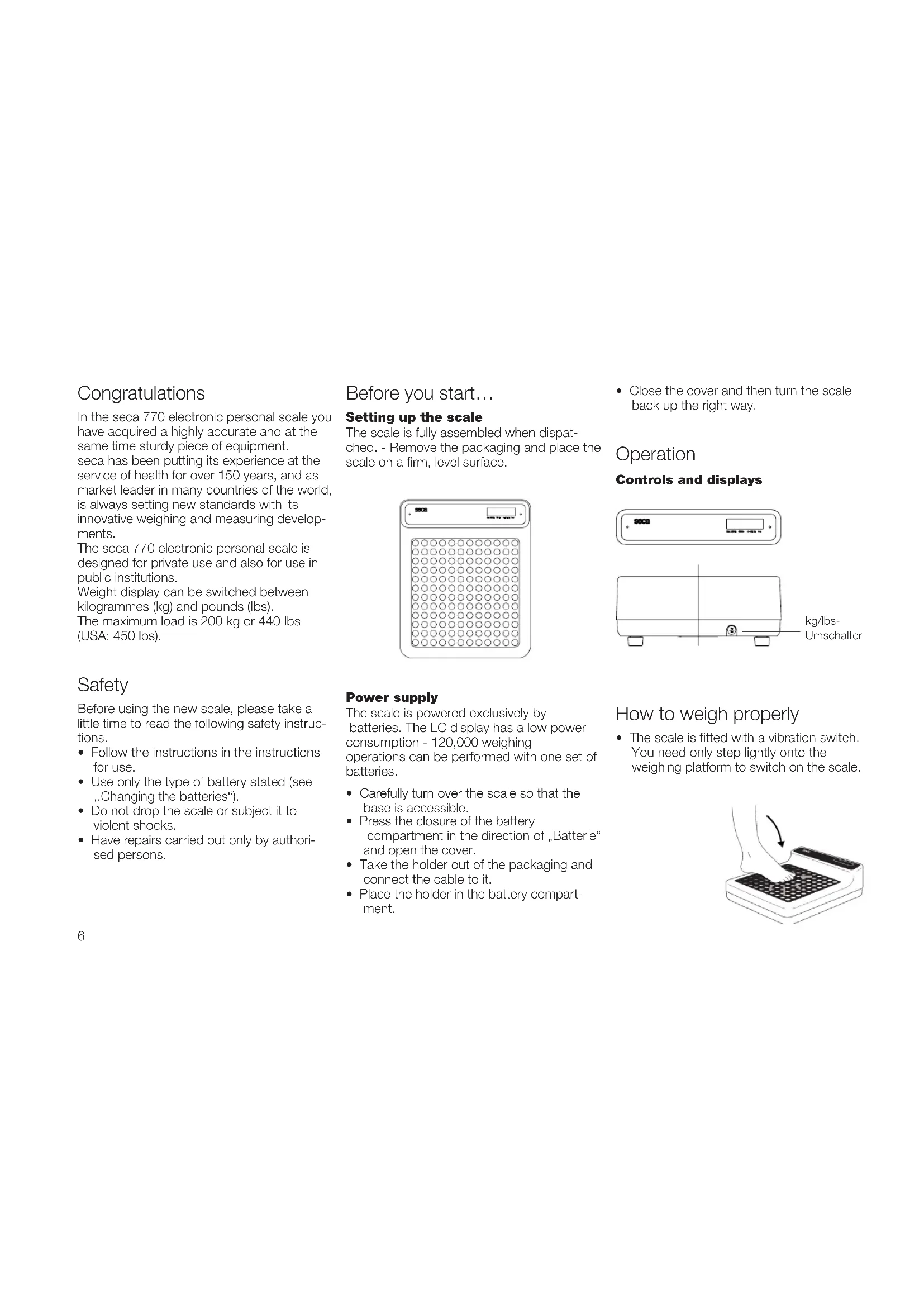
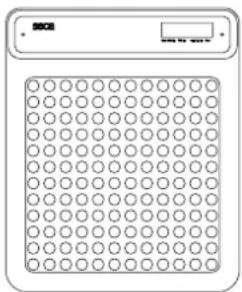
The scale is fully assembled when dispatched. - Remove the packaging and place the scale on a firm, level surface.
- Close the cover and then turn the scale back up the right way.
Operation
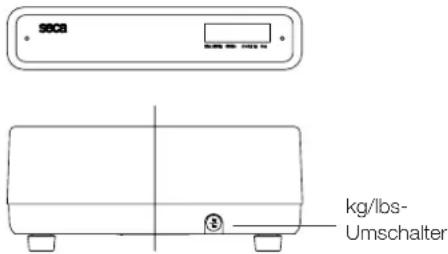
Controls and displays
Safety
Before using the new scale, please take a little time to read the following safety instructions.
- Follow the instructions in the instructions for use.
- Use only the type of battery stated (see „Changing the batteries“).
- Do not drop the scale or subject it to violent shocks.
- Have repairs carried out only by authorised persons.
Power supply
The scale is powered exclusively by batteries. The LC display has a low power consumption - 120,000 weighing operations can be performed with one set of batteries.
- Carefully turn over the scale so that the base is accessible.
- Press the closure of the battery compartment in the direction of „Batterie“ and open the cover.
- Take the holder out of the packaging and connect the cable to it.
- Place the holder in the battery compartment.
How to weigh properly
- The scale is fitted with a vibration switch. You need only step lightly onto the weighing platform to switch on the scale.
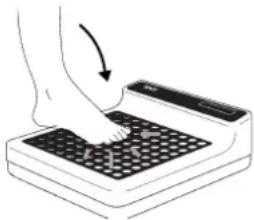
SECA, and appear consecutively in the display. The scale is then automatically set to zero and ready for use.
- Switch weight display if required (see below)
- Step on the scale and keep still.
- Read off the weighing result on the digital display.
- If a load of over 200 kg or 440 lbs (USA: 450 lbs) is put on the scale, STOP appears in the display.
Automatic switch-off
The scale switches off automatically 20 seconds after the last weighing operation.
Switching weight display
The weight display can be switched between kilogrames (kg) and pounds (lbs).
- Switch on the scale. The weight is first displayed in the last setting selected
- In order to display weight in kilogrammes, press the kg/lbs switch until kg appears in the display.
- To display weight in English units, press the kg/lbs switch until lbs appears in the display.
Cleaning
Clean the outside of the scale as required using a domestic cleaning agent or a commercially available disinfectant. Follow the manufacturer's instructions.
What do I do if...
... no weight is displayed when there is a load on the scale?
• Is the scale switched on?
- Check the batteries.
... the scale keeps switching on, while being transported, for example?
- The vibration switch has been activated by the movement of the scale. Due to the very low energy requirement of the scale, the service life of the batteries will not be impaired. For longer journeys, you can remove the batteries if necessary.
... does not appear before weighing?
- Start the scale again after it switches off automatically – there should not be any load on the scale.
... -appears instead of before weighing?
- Start the scale again after it switches off automatically – there should not be any load on the scale.
... one segment is illuminated constantly or not at all?
- The relevant segment. has a fault. Inform Servicing.
... the display shows ?
- Battery voltage is running low. Change the batteries in the next few days.
... bRt appears in the display?
- Batteries are empty. Put in new batteries.
... STOP appears in the display?
• Maximum load has been exceeded.
... the display flashes?
- Take the load off the scale and start the scale again. Wait until 0.00 appears and then weigh again.
... the display EENP appears?
- The ambient temperature of the scale is too high or too low. Place the scale in an ambient temperature between +10 °C and +40 °C. Wait about 15 minutes for the scale to adapt to the ambient temperature and then weigh again.
... the display E and a number appear?
- Start the scale again after it switches off automatically. The scale will then work nor mally again. If this is not the case, inform Servicing.
Servicing
Your seca scale leaves the factory with an accuracy better than ± 0.4% . To ensure that this degree of accuracy is maintained, the product must be carefully set up and regularly serviced. Depending on frequency of use, we recommend servicing at intervals of 3 to 5 years. Please note that a qualified servicing agent should be used for this. If you are in doubt, seca Customer Service will give you more information.
Changing the batteries
When → appear in the display, you should change the batteries. You need four type M 1.5 V batteries.
- Carefully turn over the scale so that the base of the scale is accessible.
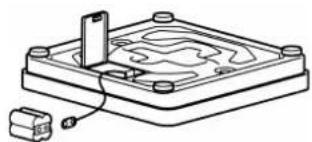
- Push the cover of the battery compartment towards "Batterie" and open the cover.
• Take out the holder and batteries. - Remove the used batteries and insert new batteries in the holder.
Check that the polarity is correct.
- Place the holder and batteries in the battery compartment.
- Close the cover.
- Then turn the scale back up the right way.
Technical data
Maximum capacity 200 kg /440 lbs (USA: 200 kg / 450 lbs)
Graduations 100 g / 0.2 lbs (USA: 50 g <150 kg>100 g/ 0.1 lbs < 300 lbs > 0.2 lbs)
Accuracy Better than ± 0,4 %
Size of digits 20 mm
Dimensions
Width: 138 mm
Height: 326 mm
Depth: 396 mm
Weight: approx. 6.6 kg
Temperature range +10 °C to +40 °C
Disposal
Batteries
Do not throw used batteries away in domestic waste. Dispose of batteries at collection points in the vicinity. When buying new batteries, select those low in harmful substances and containing no mercury (Hg), cadmium (Cd) or lead (Pb).
Disposing of the device
Do not dispose of the device in domestic waste. The device must be disposed of properly as electronic waste. Follow the national regulations which apply in your case. For further information, contact our service department at:
service@seca.com
Warranty
A two-year warranty from date of delivery applies to defects attributable to poor materials or workmanship. All moveable parts – batteries, cables, mains units, rechargeable batteries etc. – are excluded. Defects which come under warranty will be made good for the customer at no charge on production of the receipt. No further claims can be entertained. The costs of transport in both directions will be borne by the customer should the equipment be located anywhere other than the customer's premises. In the event of transport damage, claims under warranty can be honoured only if the complete original packaging was used for any transport and the scale secured and attached in that packaging just as it was when originally packed. All the packaging should therefore be retained.
A claim under warranty will not be honoured if the equipment is opened by persons not expressly authorised by seca to do so.
We would ask our customers abroad to contact their local sales agent in the event of a warranty matter.
Félicitations
Charge maximale 200 kg /440 lbs (USA: 200 kg / 450 lbs)
Graduation 100 g / 0.2 lbs
(USA: 50 g<150 kg>100 g /
0.1 lbs<300 lbs>0.2 lbs)
We hereby certify that the above designated product meets the basic safety requirements laid down in the Directive of the Council pertaining to the harmonisation of the legal provisions of the member states in respect of electro -magnetic compatibility (2004/108/EC).
If temporary interference and/or inaccurate weighing should nevertheless occur when the scale is used in the vicinity of intensive electromagnetic radiation sources such as microwave appliances, mobile telephones, walkie-talkies and the like, please move the scale away from the interference source or switch off the interference source and repeat the weighing operation.
F
Telephone +49 40 20 00 00 0
Telefax +49 40 20 00 00 50
E-Mail info@seca.com
seca branches around the world:
seca austria
seca france
seca mexico
seca nihon
seca north america east
seca north america west
seca schweiz
seca united kingdom
seca zhong guo
All contact data under www.seca.com
seca group
seca d e u t
séance
seated kingdom
seca n orth americ
seca s c h v
sechong guo
seidon
seca mexico
seustria
- BEFORE YOU START
- SETTING UP THE SCALE
- OPERATION
- SAFETY
- POWER SUPPLY
- HOW TO WEIGH PROPERLY
- AUTOMATIC SWITCH-OFF
- SWITCHING WEIGHT DISPLAY
- CLEANING
- WHAT DO I DO IF
- SERVICING
- CHANGING THE BATTERIES
- TECHNICAL DATA
- DISPOSAL
- BATTERIES
- DISPOSING OF THE DEVICE
- SERVICE@SECA.COM
- WARRANTY
- FÉLICITATIONS
- F
- SECA BRANCHES AROUND THE WORLD
- SECA GROUP
Brand : SECA
Model : 770
Category : Scale