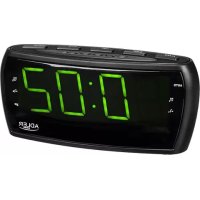
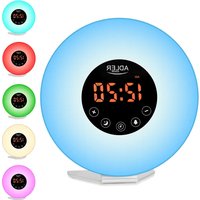
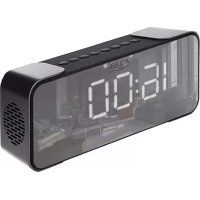
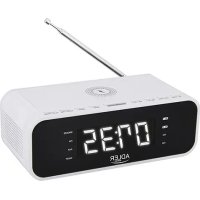
USER MANUAL AD 1121 ADLER
GENERAL SAFETY CONDITIONS
IMPORTANT SAFETY INSTRUCTIONS FOR USE READ CAREFULLY AND KEEP FOR FUTURE REFERENCE
- Before using the device, read the instruction manual and follow the instructions contained therein. The manufacturer is not responsible for damage caused by using the device contrary to its intended use or improper operation.
- The device is for domestic use only. Do not use for other purposes incompatible with its intended use.
- Connect the device only to a 230V 50Hz grounded outlet. In order to increase the safety of use, do not connect multiple electrical appliances to a single circuit at the same time.
- Be especially careful when using the device when children are around. Do not allow children to play with the appliance do not allow children or persons unfamiliar with the appliance to use it.
- WARNING: This equipment may be used by children over 8 years of age and persons with limited physical, sensory or mental ability, or persons without experience or familiarity with the equipment, if this is done under the supervision of a person responsible for their safety or they have been given instructions on the safe use of the equipment and are aware of the dangers associated with its use. Children should not play with the equipment. Cleaning and maintenance of the equipment should not be performed by children unless they are over 8 years of age and these activities are performed under supervision.
- Always remove the plug from the power outlet after use by holding the outlet with your hand. DO NOT pull on the power cord.
7.Do not immerse the cord, plug and the entire device in water or other liquid. Do not expose the unit to weather conditions (rain, sun, etc.) or use in high humidity conditions (bathrooms, damp camping houses).
8.Periodically check the condition of the power cord. If the power cord is damaged, it should be replaced by a specialized repair facility to avoid danger.
- Do not use the device with a damaged power cord or if it has been dropped or damaged in any other way or malfunctions. Do not repair the device yourself, as there is a risk of electrocution. Return a damaged device to a competent service center for inspection or repair. Any repairs may be made only by authorized service centers. Improper repair may cause serious danger to the user.
- Place the appliance on a cool stable, level surface, away from hot kitchen
appliances such as an electric stove, gas burner, etc.
11.Do not use the device near flammable materials.
12. The power cord must not hang over the edge of the table or touch hot surfaces.
13.Do not leave the device or the power supply to the outlet unattended.
14. To provide additional protection, it is advisable to install in the electrical circuit, a residual current device (RCD) with a rated residual current of not more than 30mA . In this regard, please consult an electrical specialist.
15. Use and store the device only in a dry room.
16. Do not allow the device to get wet with water. If the device gets wet, first disconnect the plug from the power outlet with dry hands. Then take the device to a service center for inspection or repair of the device.
17. Do not put any objects on the device.
18. Ensure that the ventilation grilles are always uncovered. An obstructed ventilation grille can cause damage to the unit and even cause a fire.
19. Do not place open sources of fire or heat on or near the unit.
20. Do not leave the battery in the device if it will not be used for more than a week.
DESCRIPTION OF THE DEVICE
- sNOOZE button
- aLARM 1/VOLUME UP button
- TIME/MEMORY button
- sLEEP button
- HOUR/TUNING UP button
- MINUTE/TUNING DOWN button
- ON/OFF button
- mODE button
- aLARM 2/VOLUME DOWN button 10. battery box
- power cable
CLOCK SETTING
Open the battery compartment (10) and insert a new 2 x LR03 (AAA) battery. The battery maintains the clock's operation in case of power failure in the mains. Plug the mains cable (11) into an outlet. Turn off the radio with the ON/OFF button (7). Press and hold the TIME button (3). The time display will flash. Set the correct time by pressing the HOUR setting button (5) and then the MINUTE setting button (6). Press the TIME button (3) for confirmation.
SETTING THE ALARM
Turn off the radio with the ON/OFF button (7). Set the alarm by pressing and holding the ALARM 1 button (2). The time display will flash. Press the ALARM 1 button to choose between waking up with a beep (the LED next to the bell icon will light up on the display), or waking up with the radio (the LED next to the note icon will light up on the display). Next, select the alarm time by setting the hour with the HOUR button (5) and the minutes with the MINUTE button (6). Press the ALARM button (3) for confirmation. In the same way, you can set a second alarm by pressing ALARM 2 button (9) respectively and repeating the remaining steps. Once the alarm is set, an LED will light up next to the corresponding clock icon. You can turn off the alarm for 9 minutes by pressing the SNOOZE button (1) or completely by pressing the corresponding ALARM button (2 or 9) (then the word OFF will appear and the icon backlights will turn off).
AUTOMATIC RADIO SHUTDOWN.
By pressing the SLEEP button (4) you can leave the radio running before going to sleep. It will turn off automatically.
Press the ON button (7). Select the AM/FM reception mode with the MODE button (8). Select a radio station with the buttons (5 and 6). By pressing the MEMORY button (4) you can save the desired stations in memory. To save a station under the same number you must save all possible 10 stations and repeat all steps from the beginning. Adjust the volume with the buttons (2 and 9). The radio can be turned off with the OFF button (7).
TECHNICAL DATA
Power supply voltage:230V 50Hz & 2× LR03
Power: 3W Max; 6W FM: 87.5-108 Mhz AM: 522-1620kHz
Adler Sp. z o.o., Ordona 2a, 01-237 Warsaw, Poland hereby declares that the AD 1121 is in compliance with Directive 2014/53/EU.
The full text of the EU Declaration of Conformity is available at the following internet address:
For the sake of the environment. Dispse of cardboagng and polyhene (PE) bgs in the apropriatc conters for searate colction of municipal waste according to their description. If there are batteries in the device, remove them and separately return them to the collection and storage facility. Return the used device to a suitable collection and storage facility, as the hazardous substances in it may pose a threat to health and the environment. The marking on the product indicates that the device should not be disposed of in the container with municipal waste. Waste electrical equipment, is waste that contains substances harmful to humans, animals and the environment. These substances can lead to contamination of the soil, water or air, and through this they can enter the human body and lead to numerous health ailments, such as vision, hearing, speech disorders, they can also damage the kidneys, liver and heart, and cause skin diseases. Harmful substances can also have adverse effects on the respiratory and reproductive systems and lead to cancerous changes. Consumption of plants growing on the complained of soils, and products made from them may risk the above-mentioned health effects. Do not dispose of the device in the municipal waste container!!!
Service If you wish to purchase spare parts or report any complaints, please contact directly with the seller who issued the receipt.
PykoBoODCTBO noIb3OBaTeJIa (RU)
OBUINE YCIOBNA BE3OJACHOCTN BAKHBIE YKA3AHNIA IO TEXHNIKE BE3OJACHOCTN BHIMATEJIbHO IPOUYTAE IN COXPAHNTE JIJAHLHEIJERO NCIOLb3OBAHNIA
1.Ipeed nCnoIb3OBAHnem npnbopa npoTnte nHcTpyKuIO no 3KcPnyaTuIN I cIeDyIte coedePkaUIMcB He yKa3aHnM. PpOn3BoDInTeJIb He HecET OTBeTCTBHeHOCTH 3a yUep6, Bbl3BaHHbI INCNoIb3OBAHnEM npnbopa He No Ha3NaueHnIO nn He npaBnIbHbIM o6paUeHnEM C Hm.
2.Прибор пеДиа3нayeh TOько Дя 6ыTOВОг IOСпОЛьЗOBAHЯ. He ИспОЛьЗУITE erO DЯДPyгИX ZeIeN, HecOBMeCTIMbIX C erO Ha3HaueHHeM.
3.Поdkлюаite np6op tolbko K 3a3eMJIeHNoI po3etke 230 B~50 Tc.ДЯ 6oJbWei 6e3OpaCHOCTn IcnoJb3OBaHnI He PdKlIOuaite OndHOBpeMeHNO HeCKoJbKO 3JIeKTPoPnp6OpOB K OdHNo ZeHn.
4.При ИсторбаньnpибopaВпрсутстгдTee седуET co6л�адь оco6ую
OCTOPOXHOCb. He no3BOJrTe DeTm nrgaTb C np6Opom, He no3BOJrTe DeTm nINnIuam, He 3HaKOMbIM C np6Opom, NOJIb3OBaTbcra IM.
5.IPENYIINPEKIDEHNE: DaHHOe oBOpUOBAHHe MoKeT IcNoJIb3OBaTbcra DeTbMn CTapwe 8 let n nnuamn C OrpaHnueHHbIMn fN3nuecknMn, CEHCOPHBIMn Nm YMCTBeHHbIMn cno6oHocTAMn, a TAKKe IiuaMn, He IMeIOUImN ONbITa IIN 3HaHn OB 3tOM oBOpUdoBaHnn, ecn 3TO deJaetcra NOD Ha6JIouDeHneM Iuca, OTBETCTBEHHORO 3a INx 6e3OnacHOCTb, nIn ecn OHn NOyUnn IHCTpykunn PO 6e3OnacHomy IcNoJIb3OBaHnIO oBOpUdoBaHnry n 3HaOT o6 OnaCHOCTaX, CBJ3aHHbIX C erO IcNoJIb3OBaHnem. DeTn He DoJnxHbI nIgPaTb C oBOpUdoBaHnem. YIcSTka n ObCnyJXBaHne oBOpUdoBaHnry He DoJnxHbI BblONHЯTbcra DeTbMn, ecn TOJIbKO OHN He CTapwe 8 let n He BblONHЯTcra NOD pncmOTpom.
6.Послеспобзовая BCeГа BынмайтЕ ВЛКУ n3 pO3eTKI, пидержИВае eepyко. HE TЯнITE 3a ceTeBOJ shHyp.
7. HE norgykaite shnyp, Bnky nnn BecB np6op B Bodny nIIO6yIO dpuyIO XnIKoCTb. He noDBepraite np6op Bo3deIcTBIO NOrOHNbIX yCNOBNI (doXdb, coJIHce n T.D.) n He NCNoJb3yIte eRO B yCNOBIAx IOBbISeHHOIN BnaXHOCTN (BaHHbIE KOMHaTbI, BnaXHbIE Doma Ha KOlecax).
8.Перноюески повераятс состогне shHypa nHTaHnЯ.Есишур nHTaHnя NOBpeжден, BO n36жанne onacHOCTn erO cIeJyET 3aMeHnTb y cIeuaJIncTa no peMOHTy.
9.He nCnoJb3yIte np6op c NOBpeKdEHHbIM shHypom NITaHnA, a TaKke ecn erO ypoHnI, NOBpeDJIu KAKIM-JIb6O dpyrIM CNOco6OM nIi OH He pa6oTaET DOJXHBIM o6pa30M. He pemOnTupyIe np6op camocToTeJbHo, TAK KaK cyUeCTByeT ONaCHOCTb IopaxHeNJa 3JIeKTPnueckm TokOM. OTHeCITE NOBpeKdEHHbI INp6Op B KOMnTeHThBi CEpBnCHbI ueTp dIra npOBepKn IJI npMOHTa. IIO6oB peMOHT MoKeT BbINOJHrTbCra TOJbKO B aBTOpN3OBAHHbIX cepBnCHbIX ueHTpax. HEnpaBnblHbI peMOHT MoKeT npEdCTaBJIaTb cepBe3HyIO OnaCHOCTb dIra NoJb3OBATeJIa.
10.Помecтinte пибор на похладную ровнию NOВерхноctь, подльше OT ropячnx Kухоньх пиборOB, тaknx кak олктponlta, ra3OBая ropeпka n T.d.
11.He nCnoB3yIe np6op B6n3n IerKOBocPnaMeHryUxxCa MaTePnaNoB.
12.Шур пітань He дOLжен CBиCatbЧepe3 Край сToJa Илп кacatbсг roрачnx NOBepxHocTei.
13.He octabnIte np6op nnn 6nok nntaHn, BkIIOueHHbI B po3eTKy, 6e3 npncmOTpa.
14.Дя ДОПОЛНТЕЛбОН 3aцNTы peKOMeHdyeTcR yCTaHOBnTB B 3JIeKTPnueCKOи YCTPOnCTBO 3aцNTHOrO OTKIoueHnR (Y3O) C HOMHaJIbHbIM OCTaTOUHbIM TOKOM He 6oJee 30 mA. По эTomу BONpocy cIeIyET npOKOHcYIbTnPoBaTbcR CO CNeuaJIInCTOM-3JIeKTPnKOM.
- Pn6op cIeJyET nCNoB3OBaTb I XpaHHTb TOnbKO B CyXOM NOMEeHIN.
- He donyckaite nonadaHna Hero BoDbI. Ecni npnbop Hamok, chaana OTcoeHHte BnKy ot po3ETKn cyxImn pykamn. 3aTeM o6paTntecb B cepBnchbl I cHTp dIy npOBepkn nI npMOHTa np6opa.
- He cTaBbTe Ha npi6Op HnKaKnx ppeMToB.
- Cneinte 3a tem, yTo6bI BeHTnlaunHOHbIe peWetKn BcERda 6blnn OTKpbITbl.
HenprnkpbitaBentnlaunohna peweetka moxet npnbectn K nobpejdeHIO npnbopa nn daxe K noxapy.
19. 3anpeaetcpa3MeaTb Ha npibope nIIN pAOM C HIM OTKpbITbIE NCTOCHNKn ORH INIIN TeIIa.
20. He octablainte 6atapeiB B npibope, ecn OH He 6ydt nCnoIb3OBaTbc8 6oJIe HeJeI.
ОПИСАНЕ YСТРОДСТВА
- KhoNka cnaepekma
- Khoonka ALARM 1/VOLUME UP
- KhoNka BPEM/ PAMrTb
- KhoNka cnIeero peKIma
- KhoIIka YAcbl/HACTPOIKA BBEPX
- KhoNka MHHyTbI/HACTPOJKA BHN3
- Khonka BKN/BbIKN
- KhoNka peKIma
- KhoNka ALARM 2/YMeHbSeHHe rPOMKocTn 10. 6aTapeHbI oTcEK
- cTeBoi Ka6eIb
HACTPOIKA YACOB
OTkpOte 6aTapeHbI OTcEK (10) IN BCTaBbTe HOByo 6aTapeKy 2 x LR03 (AAA). BaTapeKa 6yTe IIOJIepKINBaT YaCbI B pa6oYem COCTOAHn B Cnyae OTKnIOUeHn cTeBOrO NITAHn. POnIKIIOHTe cTeBOr KabeJIb (11) Kpo3eTKe. BbIKIOHTe padIOCTaHnIO C NMOuBIO KNOpKN ON/OFF (7). HaxMITE n UdRpXNBaTe KNOpKY TIME (3). Ha DnCIIee 6yTe MIRATb BpeM. YcTaHObTE npabInbHoe BpEm, HaxAB KhoNkU hAcToPouKu YACOB (5), a 3aTeM KhoNkU hAcToPouKu MNHYT (6). HaxMITE KhoNkY TIME (3) dner noTBePxDeHn.
HACTPOIKA ByuINbHNIKA
BbKIOHHTe padnoctaHcIO C nOMOU bKONK ON/OFF (7). YcTahOBtE 6yDnIbHK, Hxab N ydepXNBAR KONKY ALARM 1 (2). Ha dncJIee 6ydt MIRATb Bpem. HaxMITE KONKY ALARM 1, UTObI BbIbpaTb MEXdy npObyKeHNEM C nOMOUIBO 3ByKOBOrO cRHaJIa (Ha dncJIee 3arOpNTcCBToND pAOM CO 3NauchKOM KOJIOKOBuKA) INPObYdEHNIEM C nOMOUIBO paINO (Ha dncJIee 3arOpNTcCBToND pAOM CO 3NauchKOM HObl). 3aTeM BbIbepnte Bpem 6yDnIbHKa, yCTAHOBN BAC C nOMOUIBO KONKN HOUR (5) mNHybl c NOMOUIBO KONKN MINUTE (6). HaxMITE KONKY ALARM (3) IIN NOITBePXDHeNIA. TaKM JVE o6pa3OM MOXHO yCTAHOBNTB BTOPOB 6yDnIbHK, Hxab COOTBeTCTBeHHO KONKY ALARM 2 (9) IN NOBTOPIB OCTaJIbHbIE WArN. IocNe yCTAHOBK 6yDnIbHKa PAnOM C COOTBeTCTByIOUIM 3NauchKOM YAcOB 3arOpNTc CBToND. ByDnIbHK MOXHO OTKIOCHNTb Ha 9 MNHyT, Hxab KONKY SNOOZE (1) INN NOIHOCTbIO HxAB COOTBeTCTByIOU KONKY ALARM (2 INN 9) (Inn 3Tom NOBHTC SNOBO OFF, a IOnDCBEueHHble 3NauchN Norachyt).
ABTOMATNUECKOE BbIKJIIOUeHNE PAJINONPNEMHNAKA.
Haxab KhoNky SLEEP (4), BbMOKeTe ocTabuTb paNo paOtaTb nepeChom. OHO BbIKHouHTcA ABToMaTHueCKn.
ПОСЛУШИВАНЕ РАДNO
HaKmTe KhoNky ON (7). Bb6epnte peKIM npHema AM/FM c NOMOJIIO KHONKI MODE (8). Bb6epnte padnoctaHIO C NOMOJIIO KHONOK (5 6). HaKab KhoNky MEMORY (4), Bbl MOKeTe COxPAHtB HxHbIe CTaHcII IN PAMrTn. YTo6bl COxPAHtB cTAHcIIIO NOd OHN M I TEM JVE HOMEPOM, Heo6xoJIMIO COxPAHtB BCE BO3MOXHbIe 10 cTAHcII IN NOBTOPIB BCE UARIN C CAMORHOHAPA. Perynpuyte rpoMKoCTb c NOMOJIIO KHONOK (2 9). PaJNO MoKHO BblKnIOHTb c NOMOJIIO KHONKI OFF (7).

B INHTepecax oxpaHbOkpykaOoie cpebl. KapToHHyU ynaKOBky N noNtIneHOBble (T3) nakTe bCneYET BbIbpaBbATB COOTBeCTByIOue KOHeHepbl Ipa3dEhBOc60ba 6bTOBbIX OTXODB C COOTBeCTBN C XN OINCAHEM. EcnB N pnp6ope HmEOTc8aTapeN, IX Heo6xOIMO n3BLehy u TynH3PobA bOTdeHb N pyHKte c60paHnH.NcNoJIb3OBAHbN pnp6p Heo6xOIMO cTaB B COOTBeCTBYOuN PyHKc SOpBaN XpaHEnra, TAK KAc codepkauee B HEm onaHbte BeueceCTBa MOryt npedctabnry Yrpo3y dnn 3doopBbN OKpykaOooie cpebl. MapkpOBKa H na3JeHnM yka3bBaet Ha To, 0To np6bp HeNb38 BbIbpaCbAIB B KOHeHep dnn 6bTOBbIX OTXODB. Otpa6oTaHHoe 3NeKTPoOboDobAHne - 3TO OTXoBl, COpejkaune BeueCTBa, BpeHbIe dnn 7eOBeKa, XBOtBH N OKpykaOooie cpebl. 3Tu BeueceTB MOYr 3aprrnHbT NOyB, BOHy IIN Bo3Oy, Ype3 KOtObe OH MOryt nonactB OPaHnH3cYOBeka N npivBeCn K prdy np6bEm co 3doopBem, TaNX KAK yxyduene 3peHn, CNYA, peHy, MOryt TAKKe NOpeBnT NobCh, NeHb N cepDu, B13BaTb KoxHbte 3aboBHaN. BpeHbIe BeueceTBA TAKKYE OKa3bBaIB HeratNaHBE BlnHme HA DbyXaTeBHyN nePpOyDKTHBHyN cNCTeMb I npivBoDnB K paKOBbIM 3MeHEHnEM. YnTopeBHeine pactehn, pactuynx H naopaeHHbx IOyBAX, IN PpOyDAHbN, I3TOTOBHeHHbx IN hX, Moxet TnpBcTn K bIbyePOMaHyTbIM NocIeCTBMM dnn 3doopBb. He BbIbpaCbAite o60pOBOaHne B KOHeHep dnn 6bTOBbIX OTXODB!
CepBc Ecm Bbl XOTIe npno6peTn 3anachbte qactn m y Bac ectb kaKe-1n6o npeTeHm, noXaynyCTa o6paauTecb HEnocpeDCTBeHNO K npOdaBuY, BblAaMeMy Yek.
Eyxεiipidio xpnoons (EL)
TENIKO1 OPOI AΣΦAΛE1AΣ
BESCHRIJVING VAN HET APPARAAT
-
sNOOZE-knop
-
knop ALARM 1/VOLUME OMHOOG
3.tJD/MEUGEN toets
-
sLAAP knop
-
uUR/BIJNAAM OMHOOG knop
-
knop MINUUT OMLAAG
-
oN/OFF knop
-
knop MODE
-
knop ALARM 2/VOLUME OMLAAG
-
batterijdoos
-
netkabel
KLOKINSTELLING
Jaiuui jaii jia jia jia jia jia jia 11
aiiiaaie 12
Aiee ie e 10000000000000000000000000000000000000000000
30 2 1 (RCD)
Jaaia 1y
15
j5y all jlgallabal p. aIg y lal ball gao no ylll Jgall . clly llily 16
.
jglalglcglz1.17
18
Aia jj j j j j j j j j j j j j j j j j j j j j j j j j j j j j j j j j j j j j j j
20
a0g
gssy12s
4 3

Electric Kettle AD 1282
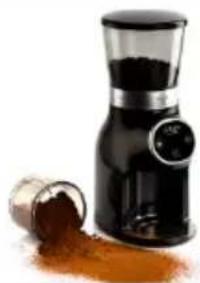
Burr Coffee Grinding AD 4450

Milk Frother AD 4491

Sandwich Maker AD 3055
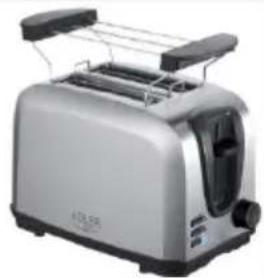
TOASTER 2 SLICE AD3222

ELECTRIC GRILL AD 3052
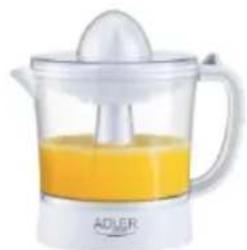
CITRUS JUICER AD 4009

PERSONAL BLENDER AD4081

FOOD PROCESSOR AD 4224

MIXER AD 4225
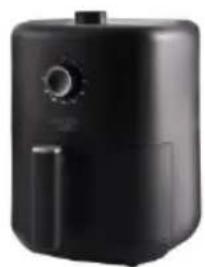
AIR FRYER AD 6310

PASTEURIZATION POT AD 4496

AIR CONDITIONER AD 7916

AIR HUMIDIFIER AD 7966

FANHEATER AD7725

KITCHEN SCALE AD 3166
ADLER
EUROPE

COFFEE GRINDER AD 4446

TOASTER 2 SLICE AD3214

HAND BLENDER Ad4625
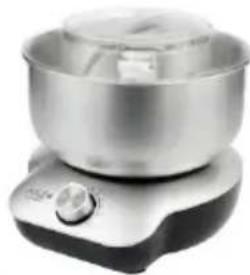
MIXER WITH BOWL AD 4222
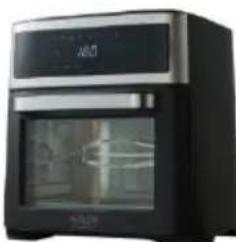
AIR FRYER OVEN AD 6309

MICROWAVE OVEN AD 6205

WAFFLE MAKER AD 3049

KITCHEN SCALE AD 3170

ELECTRIC KETTLE AD 1286


SANDWICH MAKER AD 3043
PORTABLE FRIDGE AD 8077

Electric Oven With HOB AD 6020

FAN HEATER AD 7728
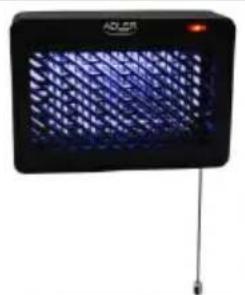
MOSQUITOLAMP AD7938

HEATED PAD AD 7433

ORAL IRRIGATOR AD 2176
| AFTER SALE SERVICE NOTICE |
| GB | If you want to buy spare parts or make any complaints, please contact the seller who issued the receipt directly. |
| DE | Wenn Sie Ersatzteile kaufen oder reklamieren möchten, wenden Sie sichitte direkt an den Verkäufer, der die Quittung ausgestellt hat. |
| FR | Si vous souhaitez acheter des pieces de change ou faire des réclamations, veuillez contacter directement le vendeur qui a émis le reçu. |
| ES | Si desea comprar repuestos o presentation alguna queja, comuniquesse direcamente con el vendedor que emitié el recibo. |
| PT | Se você quiser comprar peças de reposicao ou fazer alguma reclamação, entre em contato diretamente com o vendedor que emitiu o recibo. |
| LT | Jei norite jsigyti atsarginiu daliu ar pateikti nusiskundimu, susisiekite tiesiogai su kvitá isdavusiu pardaveju. |
| LV | Ja vélas iegādãtes rezerves dalas vai izteikt pretenzijas, ludzu, szainieties tieši ar pärdevēju, kurš izsniédza Čeku. |
| EST | Kui sooïve ita varuosi voi esitada pretensioone, võtte otse ühendust kvil tungi väljastanud mūjaga. |
| HU | Ha potalkatrészeket szeretne vásárolni, vagy panaszt szeretne tenni, forduljon kozvetlenü al bizonylatot kiàllito eladóhoz. |
| BS | Ako Želite kupiti rezervne dijelove iii napravitri reklamaciju, obratite se direktno prodavaču koji je izdao račun. |
| RO | Ecnii Bix XOTITE KUYNITB ZANCACTNI IINI PPEDYABIVT B KAKHE-ПИБО PPETEN3N, POKAJNYCTA, CBANKTCEB HAPRIMYIO C PPODAVZOM, BIDAVBIMM YEK. |
| CZ | Chcete-li zakoupit nahradni dily nebo uplatnit jakoukoli reklamaci,kontaktujte primo prodejce, ktery Účtenku vystavil. |
| RU | Dacà doriti sá cumpárati piese de schimb saú sá faceti vreo reclamajtie, ∀rugam sá contacta direc't VNZATORL care amis chitanja. |
| GR | Eáv θÉLETE VA OYOPAOETE AVTALAAKTIKI ἡ VAI KAVETE OTIOIABHTOTE TAPÁTVO, ETIKOIVUVYOTE ATTEUθEIGAÇ ME TOV TIIAANTI TIOU ESEBDWAE TYV ATTOBDEIGN. |
| MK | Ako cakate da kynite prezebrn dénoBVι NIN Da noNDecete kackb δINO nonnaK, KONTAKTIAPJIte DIPREKTHO CO PPODAVAHOT KOJ ja M3dAN CMETKATA. |
| NL | Als u reserveonderdelen wilt kopen of een klacht wilt indienen, neem danrechtstreeks contact op met de verkoper die de bon heeft afgegeben. |
| SL | Če Želite kupiti nadomestne dele ai vložiti reklamacije, se obrnite neposredno na prodajalca,ki je izdal račun. |
| FI | Jos haluat ostaa varaosia tai tehdà valituksa, ota yhteyttä suoraan kuitin antaneeseen myjään. |
| PL | W przypadku checi zakupu częsci zamiennych lub zgloszenia ewentualnych reklamaciji naležykontaktowac sie bezposrednio ze sprzedawca, ktory wystawit paragon. |
| IT | Se desideri acquistare pezzi di ricambio o presentare reclami, contatta direttamente il venditore che ha emesso la ricevuta. |
| HR | Se desideri acquistare pezzi di ricambio o presentare reclami, contatta direttamente il venditore che ha emesso la ricevuta. |
| SV | Om du vill köpa reservdar deli gorda nagra reklamationer, vänligen kontakta säljaren som utfardat kvittot direkt. |
| DK | Hvis du onsker at kobe reservedele ell erklamere, bedes du kontakte saelgeren, som har udstedt kvitteringen, direkte. |
| UA | Якши вухоче пindбати зач actiniи abo noDatni byd-bякпретензii, зернitsь сеэлносядью do noPDAZA, якши вддв чек. |
| SR | Ako jokinte da kynite prezebrn DeNoBE IINI Da yIPOXITPE PEKNAAMUJy, obparnte ce dinpeKTNO PPODABUY KOJ eu IN3do paun. |
| SK | Ak si chcete kupit nahradne diely alebo uplatnil' akukolvek reklamaciu, kontaktujte priamo predajcu, ktory Úctenku vystavil. |
| AR | Sis sncate da zakynite prezebrn Chacti IINI da hnpabite ONIKABAHNA, MONA, CBpKete ce dinpeKTNO C PPODABAU, KOJIte IN3dAN KACOBATA 6BeL2K2. |
| BG | Ako nckate da zakynite prezebrn Chacti IINI da hnpabite ONIKABAHNA, MONA, CBpKete ce dinpeKTNO C PPODABAU, KOJIte IN3dAN KACOBATA 6BeL2K2. |
| AZ | Ehtiyat hisseleri almaq va ya her hansi sikayat etmek isteyirsinizsa, qebzi veren satici lile birbaşa eIaq saxlayin. |
| ALB | Neše deshironi t blini pjesé kembimi ose tbe ndonje ankesë, ju lutemi kontaktoni drejtpendreetj shitësin qe ka leshuar faturën. |
| KA | Og abgmon bunsummng 50000000000000000000000000000000000000000000000000000000000000000000000000000000000000000000000000000 |