
SRC 4325 CD - Radio AEG - Free user manual and instructions
Find the device manual for free SRC 4325 CD AEG in PDF.
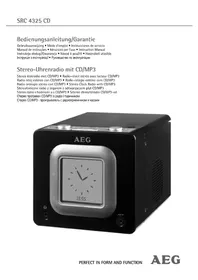


| Brand | AEG |
| Model | SRC 4325 CD |
| Product type | Radio alarm clock with CD/MP3 player |
| Weight | 1.34 kg |
| Power supply | 230 V ~ 50 Hz |
| Backup batteries | 2 x AAA 1.5 V (R03) |
| Power consumption | 13 W |
| Protection class | II |
| Laser type | Class 1 |
| FM frequency range | 87.5 - 108.0 MHz |
| AM frequency range | 540 - 1600 kHz |
| Main functions | FM/AM Radio, CD/MP3 Player, Dual alarm, Snooze, Sleep, EQ (Pop/Jazz/Rock/Classic), Track programming, Random and repeat playback |
| Connectivity | 3.5 mm headphone jack, 3.5 mm AUX input, FM wire antenna |
| Display | LCD with adjustable backlight (standby 12h/24h) |
| Cleaning | Soft slightly damp cloth (unplugged) |
| Safety | Do not expose to moisture, do not open, do not block ventilation openings |
| Maintenance | Remove batteries if not used for a long time, clean CDs from center to edge |
| Repairability | Repairs only by an authorised specialist |
Frequently Asked Questions - SRC 4325 CD AEG
User questions about SRC 4325 CD AEG
0 question about this device. Answer the ones you know or ask your own.
Ask a new question about this device
Download the instructions for your Radio in PDF format for free! Find your manual SRC 4325 CD - AEG and take your electronic device back in hand. On this page are published all the documents necessary for the use of your device. SRC 4325 CD by AEG.
USER MANUAL SRC 4325 CD AEG
Overview of the Components.. Page 3
Instruction Manual.. Page 41
Technical Data.. 46
Polish
Table of Contents
General Safety Instructions
Read the operating instructions carefully before putting the appliance into operation and keep the instructions including the warranty, the receipt and, if possible, the box with the internal packing. If you give this device to other people, please also pass on the operating instructions.
- To avoid the risk of fire or an electric shock, you should not expose the device to rain or moisture. Consequently, do not use the device in the immediate vicinity of water - for example near a bath tub, a swimming pool or in a damp cellar.
- Use the device only for the intended purpose.
- Only connect the device at a properly installed plug socket. Pay attention that the specified voltage corresponds to the voltage of the plug socket.
- When using external mains supply, pay attention to the correct polarity and voltage. Always place the batteries in the correct direction.
- Assemble the device in such a way that the available ventilation openings are not covered.
- Never open the housing of the device. Incorrect repairs can constitute a considerable risk for the user. Should the device become damaged, in particular the mains supply cable, do not operate the device any longer, but rather have it repaired by an expert. Check the mains supply cable regularly for damage.
- For safety reasons a broken or damaged mains lead may only be replaced by an equivalent lead from the manufacturer, our customer service department or a similar qualified person.
- If the device is not used for a longer period, remove the plug connector from the plug socket or take out the batteries.
These symbols may be found on the machine and are intended to indicate the following:
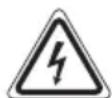
The lightning symbol should advise the user of parts in the inside of the device which carry dangerously high voltage levels.

The symbol with an exclamation mark should advise the user of important operation or maintenance instructions in the accompanying documentation.

Devices bearing this symbol work with a "class 1 laser" for tracing the CD. The built-in safety switches should prevent the user being exposed to dangerous laser light, which is invisible to the human eye, when the CD compartment is opened.
Under no circumstances should these safety switches be bypassed or manipulated, as this could result in a danger of exposure to the laser light.
Children and Frail Individuals
- In order to ensure your children's safety, please keep all packaging (plastic bags, boxes, polystyrene etc.) out of their reach.
WARNING!
Caution! Do not allow small children to play with the foil as there is a danger of suffocation!
- This device is not intended to be used by individuals (including children) who have restricted physical, sensory or mental abilities and/or insufficient knowledge and/or experience, unless they are supervised by an individual who is responsible for their safety or have received instructions on how to use the device. Children should be supervised at all times in order to ensure that they do not play with the device.
Symbols in these Instructions for Use
Important information for your safety is specially marked. It is essential to comply with these instructions in order to avoid accidents and prevent damage to the machine:
WARNING:
This warns you of dangers to your health and indicates possible injury risks.
CAUTION:
This refers to possible hazards to the machine or other objects.
NOTE: This highlights tips and information.
Special safety information
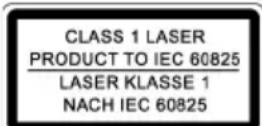
This device works with a class 1 laser.
Overview of the Components
1 EQ button 2 Volume buttons 3 ALARM 1 button 4 CD compartment 5 button 6 FUNCTION function selection button 7 OPEN/CLOSE (open/close) CD compartment 8 TUNING selector
9 ▸ II / ST./MO button (play/pause/stereo/mono)
10 FOLDER button 11 PLAY MODE button (repeat/random play) 12 Function button (SNOOZE / DIMMER) 13 ALARM 2 button
14 ▸▸ I / I◀ button (search forward/back)
15 Function button for delayed off (SLEEP) 16 CLOCK ADJ. / PROGRAM button
(set clock / memory)
17 Function selection display 18 LCD display 19 Display for activated alarm function
(ALARM 1)
20 Display for activated alarm function (ALARM 2) 21 AUX IN connection 22 FM stereo display 23 Time/alarm time, CD title no., frequency display 24 Control lamp SLEEP 25 headphone socket 26 Mains switch 27 AC mains adapter 28 Battery compartment 29 Wire aerial (FM)
Start-up of the device/introduction
- Please read the operating instructions carefully before using the device for the first time!
- Select a suitable location for the device, such as a dry, flat, non-slip surface on which it is easy to operate the machine.
- Ensure that the device is sufficiently ventilated!
- Remove the protective film from the display if it is still present.
Power Supply
- Insert the plug into a properly installed 230 V, 50 Hz power socket.
- Ensure that the voltage is the same as that indicated on the model identification plate.
Switching the Device on/off (5)
- Switch on your device by activating the mains switch (26) on the back of the unit, which simply has to be placed in the ON position.
- Switch the device to the standby mode with the button (the digital time display appears). If this button is pressed once more, the device switches on again.
Setting the Time (in standby mode (OFF))
- Press the CLOCK ADJ. / PROGRAM button (16) for about 3 seconds. The display will now display the "24 H" mode.
- Use the ▸▸ I / I◀ buttons (14) to set up either the 24 hour or 12 hour display mode. Press the CLOCK ADJ./PROGRAM button to confirm your selection.
i NOTE:
If you choose the 12 hour display mode, time will be displayed as follows
AM = before noon, PM = after noon.
- Press the ▶▶ 1 / 1◀ buttons to set the hours. Keep the button pressed down until the desired hour appears. Next, press the CLOCK ADJ. / PROGRAM to confirm your selection.
- To set the minutes, press the ▶▶ I / I◀ buttons. Keep the button pressed down until the desired minutes have been entered.
- Press the CLOCK ADJ. / PROGRAM button one more time to save the time entered.
i NOTE:
The 24 hour display will only work in the digital time display, which is displayed during the standby mode. - The analog clock features a 12 hour display.
Inserting the batteries (not supplied)
If there is a power cut or the mains plug has been removed from the power socket, the settings will be retained if the power reserve batteries are inserted.
- Open the lid of the battery compartment (28) on the back. Insert 2 batteries of type R03/AAA 1.5V. Please ensure that the polarity is correct (see the floor of the battery compartment)!
- Close the battery compartment again.
- If the device is not used for a prolonged period of time, please take the batteries out in order to prevent leakage of battery acid.
CAUTION:
- Different battery types or new and used batteries must not be used together.
- Batteries are not to be disposed of together with domestic wastes. Dispose of the used batteries at the relevant collection bin or at your dealer's.
WARNING:
Do not expose the batteries to high temperatures or direct sunlight. Never throw batteries into the fire. There is a danger of explosion!
Transport Safety Device, CD Compartment
- To open the CD compartment (4), press the OPEN/CLOSE (open/close) button (7).
- Before operating the machine for the first time, remove the transport safety device from the CD player if it is still in place.
Volume
Use the volume buttons -1/2 + (2) to set up the desired volume.
Display Brightness
Use the SNOOZE / DIMMER button (12) to adjust the brightness of the display.
Headphone Socket (25)
Please use headphones with a 3.5mm stereo jack plug; these should be inserted into the socket. The loudspeakers are then switched off.
AUX IN socket
To connect analogue replay devices. Via this socket you can also hear the sound of other playback devices such as MP3 players, CD players etc. through the loudspeakers.
- Please connect the external device with a 3.5 mm stereo jack plug to the AUX IN socket (21).
- Turn the device on by the button (5). Press the FUNCTION button (6) as many times as necessary for AUX to appear in the display.
- The loudspeaker plays the audio from the external device; use the buttons (2) to adjust the volume.
- For the remaining procedure please see the operating instructions of the external sound source.
NOTE:
Adjust the volume of the external device to a comfortable level.
Listening to the Radio
- Turn the device on by the button (5).
- Press the FUNCTION button (6) as many times as necessary for TUNER to appear in the display. To receive AM frequency band broadcasts, press the FUNCTION button again.
VHF = FM, Medium wave = AM (Mono)
- Tune in the desired station with the station adjustment knob TUNING (8).
- The control lamp (22) only lights up when you have selected FM stereo and the station is being received in stereo quality. If reception is too weak and there is noise on the station being received, this lamp will flicker. If you are not happy with the quality of your reception, we recommend you press the ▸ /ST./MO button to switch to mono mode.
- If reception is too weak, change the position of the dipole antenna in order to improve the reception.
- An aerial is integrated into the device for the reception of AM stations. The machine can be aligned to the station by turning it. In this frequency band programs are transmitted in "mono" only.
Alarm function
Setting of the Alarm (24 h)
It is possible to set up to two alarm times as follows:
- Keep the ALARM1 button (3) pressed down. The hour index of the currently selected alarm time will blink as a result and the control lamp ALARM1 will be illuminated.
- Please use the I / I buttons (14) to adjust the desired alarm time hour.
- Press the ALARM1 button one more time. Now the minute index will begin to blink.
- Use the I / I buttons to set up the minutes for your desired alarm time.
- Press the I / I buttons one more time to save the selected alarm time.
NOTE:
After approx. 8 seconds the numbers stop flashing and the time currently displayed is automatically stored.
- To set up a second alarm time, keep the ALARM2 button (13) pressed down. Proceed as described above in order to set the second alarm time.
Deactivating the Alarm Time
Press the ALARM1 or ALARM2 button as many times as necessary for the word OFF to appear on the right-hand side of the display. The indicator lamp ALARM 1 or ALARM 2 goes off.
Radio alarm
After you have set the alarm time and selected a radio station, turn the device off by the button (5). - Press the ALARM1 or ALARM2 button as many times as necessary for the word TUNER to appear on the right-hand side of the display.
NOTE:
As soon as the alarm time is reached, the radio is switched on. The selected radio station plays at the set volume.
Buzzer alarm
- If you prefer not to awake to a radio signal, press the ALARM1 or ALARM2 button as many times as necessary for the word BUZZ to appear on the right-hand side of the display. Instead of the radio, the buzzer goes off when the alarm time is reached.
Waking up to a CD
- If you would like to wake to the sounds of an inserted CD, press on the ALARM1 or ALARM2 as many times as necessary for the word CD to appear on the right-hand side of the display. Ensure that the CD is correctly inserted in the CD compartment.
- As soon as the set alarm time is reached the CD player switches on automatically. Playback is started at the set volume.
Turning off the Alarm
- Wake to audio from a CD or the radio: Press the button (5) once to turn off the alarm function until the next day. The CD or radio will continue to play. Press on the button again to turn off your device.
- Wake to the buzzer: Press the button (5) in order to switch off the alarm.
Automatic Alarm Interval
The automatically set alarm function can be shut off for approximately 9 minutes with the SNOOZE / DIMMER key (12). ALARM1 or ALARM2 blinks in the display; function selection display (17) SNOOZE and the time remaining until the second alarm goes off are displayed.
Delayed Switch-off (SLEEP Button (15))
While the device is on, you can use this function to set up the time in intervals of 10 minutes ranging from 90 to 10 minutes after which the device goes into standby mode (Standby). Press the SLEEP button repeatedly until the desired length of time is shown in the display. The SLEEP indicator lamp lights up. After the time that has been entered has elapsed the device switches off automatically.
The switch-off time can be reset afterwards by pressing the SLEEP button again.
If you want to cancel the function, press the SLEEP button as many times as necessary for the display SLEEP to be turned off.
Playing CDs/MP3s
This is how you play a CD
- Turn the device on by the button (5). Press the FUNCTION button (6) as many times as necessary for "CD" to appear in the display.
- To open the CD compartment (4), press the OPEN/CLOSE (open/close) button (7).
- Insert an audio CD with the printed side facing upwards on to the central cone so that the CD clicks into place and then close the lid of the CD compartment.
- The word Cd will appear in the display while the device reads your CD.
- Playback begins automatically with the first track on the CD.
- If you have inserted an audio CD: The display will alternate between showing the title of the song that is playing and the time elapsed since it started playing. If you have inserted an MP3 CD: The display will alternate between playing the title of the song that is playing, the current folder and the time elapsed since it started playing.
- In order to remove a CD, please press the FOLDER key (10), open the CD compartment and lift the CD out carefully.
Always keep the CD deck closed.
i NOTE:
- If a disc is incorrectly inserted - or no disc has been inserted - the symbol "Cd" and the word "no" appear in the display.
- Playback of CDs produced by the user cannot be guaranteed due to the large variety of software and CD media available.
Description of the CD Buttons
II/ST./MO (9)
You can briefly interrupt and resume playback using this button. The current piece of music flashes in the display. Pressing again continues playback.
FM radio mode:
Switch between STEREO and MONO.
AS
With you can jump to the next or subsequent track etc.
- If the button is kept pressed down, the machine starts to search through the tracks.
The I button can be used as follows:
Press once = This starts the current track again from the beginning.
Press twice = This jumps back to the previous track.
Press three times = This plays the song before, etc. If the button is kept pressed down, the machine starts to search through the tracks.
FOLDER (10)
The CD stops.
For MP3 CDs:
Keep this button pressed while the CD is playing if you want to switch to a folder above the current one. The display, e.g. F02 appears. Then the CD begins to play back automatically. If you keep the button pushed down in the stop mode, the display, e.g. F02 will also appear. Then start playback with the ▸ II / ST./MO button.
PLAY MODE (10)
While an audio CD is playing:
Press once = (REPEAT ONE appears in the display) the current track is repeated continuously.
Press twice = (REPEAT ALL appears in the display) the whole CD is played continuously.
Press three times = (RANDOM appears in the display) All tracks are played back in random order.
Press four times = (INTRO appears in the display) Each song title on the CD is played for 10 seconds.
Press five times = all functions are cancelled. The normal play mode is resumed.
Only for CDs in MP3 format:
Press once = (REPEAT ONE appears in the display) the current track is repeated continuously.
Press twice = the selected folder of the MP3 CD is repeated continuously (REPEAT ALBUM appears in the display).
Press three times = (REPEAT ALL appears in the display) the whole CD is played continuously.
Press four times = (RANDOM appears in the display) All tracks are played back in random order.
Press five times = (INTRO appears in the display) Each song title on the CD is played for 10 seconds.
Press six times = all functions are cancelled. The normal play mode is resumed.
EQ (1)
(Pre-set equalizer function). You can choose from a variety of sound categories (POP, JAZZ, ROCK, CLASSIC).
Programmed Play
This can be used to program any desired sequence of tracks.
- Press the FOLDER key (10).
- Press the CLOCK ADJ. / PROGRAM key (16). The word P01 (memory setting) and the setting MEM appear in the display. Use the >>I / I<< buttons (14) to select the desired track and then press the CLOCK ADJ. / PROGRAM button again. The display changes to memory slot P02.
- Select the next track with the >>I / I<< key and press the CLOCK ADJ. / PROGRAM key again. Repeat the procedure until all the desired tracks are selected.
- Press the > II / ST./MO key (9). The playback starts. The first track number selected appears briefly in the display and the MEM indicator lamp lights up. Press this button to pause briefly the playback.
- Press once the FOLDER key to stop the playback while retaining the program.
- To resume the playback of the program press first the CLOCK ADJ. / PROGRAM key once and then the II / ST./MO key.
- To delete the program, first press the CLOCK ADJ. / PROGRAM button in stop mode, then press the FOLDER button.
The device stops automatically once the entire sequence of programmed tracks is completed. The programmed order of tracks remains in memory until you change to a different mode, remove the CD from the CD compartment, or switch off the device.
It is also possible to combine the programmed tracks with the REPEAT function. After you have programmed and started the device, press the PLAY MODE button (11) up to four times, and then you can use the functions as described under "PLAY MODE".
Playing Back Music in MP3 Format
With this device, it is possible to play back pieces of music in MP3 format. The device also supports all standard CD types: CD, CD-RW, CD-R.
This machine is able to play MP3 CDs. Up to 200 tracks can be compressed and stored on these CDs. Your machine detects an MP3 CD automatically (the total number of tracks and MP3s appears in the display). If you would like to play one of these CDs, proceed as described under "Playing CDs/MP3". Tracks can be programmed as described under "Playing Back Programmed Tracks".
Please note:
There are a number of different recording and compression methods, as well as quality differences between CDs and self-recorded CDs.
Furthermore, the music industry does not adhere to fixed standards (copy protection).
For these reasons, it is possible that in rare cases there are problems with the playback of CDs and MP3 CDs. This is not a malfunction of the device.
Cleaning and Maintenance
- Always remove the mains plug before cleaning the machine.
- Any marks on the surface can be wiped off with a slightly damp cloth without any additives.
Troubleshooting
| Symptoms Course | Solution | |
| CD can not be played back. | CD is not inserted or inserted incorrectly. | Ensure that the disc is inserted with the label facing upwards. |
| CD jumps during playback. | Check the disc for fingerprints, dirt or scratches. | Check the disc for fingerprints, dirt or scratches. |
Technical Data
Model: SRC 4325 CD
Power supply: 230 V, 50 Hz
Battery power reserve: 2x 1.5 V, AAA/R03
Power consumption: 13 W
Protection class: II
Net weight: 1.34 kg
Radio section:
Frequency ranges: VHF / FM 87.5 ~ 108.0 MHz MW / AM 540 ~ 1600 kHz
This device has been tested according to all relevant current CE guidelines, such as electromagnetic compatibility and low voltage directives, and has been constructed in accordance with the latest safety regulations.
Subject to technical changes without prior notice!
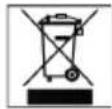
Meaning of the "Dustbin" Symbol
Protect our environment: do not dispose of electrical equipment in the domestic waste.
Please return any electrical equipment that you will no longer use to the collection points provided for their disposal.
This helps avoid the potential effects of incorrect disposal on the environment and human health.
This will contribute to the recycling and other forms of reutilisation of electrical and electronic equipment.
Information concerning where the equipment can be disposed of can be obtained from your local authority.
URH = FM, kozéphullam = AM (mono)
Do not allow children to play with this device. It contains small parts that could be swallowed.
This device is not intended for use by persons (including children) with reduced physical, sensory or mental capabilities, or lack of experience and knowledge, unless they have been given supervision or instruction concerning use of the device by a person responsible for their safety. Children should be supervised to ensure that they do not play with the device.
Symbols used in the instruction manual
Important safety instructions are specifically marked. To avoid accidents and damage to the device, always follow these instructions.

WARNING:
Indicates a hazard to your health and points out a possible risk of injury.

CAUTION:
Indicates a possible hazard to the device or other objects.

NOTE:
Additional tips and information.
Special safety instructions
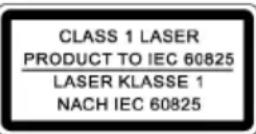
Ley npna npaioe 3 na3epom Knacy 1.
Ornienynpablinna
1 KhoIIka ekBaIaI3epa 2 KhoKpepyHOBaHHryuHoCTi 3 Khonka ALARM 1 4 BiDcIK DnKOMnKaT-DnCKiB 5 KhoNka 6 KhoIIKa Bn6Opy FyHKuiI FUNCTION 7 OPEN/CLOSE: BiДКрпТ/N/3akрпTN BiДсICI KOMПаКТ-ДИСКIB 8 TUNING NaCTpouKa XBnJIb 9 KhoNka BiTbOpEHH /nay3a/CTepeo/MOHO II/ST./MO
10 Khonka FOLDER 11 Khonka NOBTOpy/BnnaKOBORo BiTBOpeHHA PLAY MODE 12 Khonka yHKu (SNOOZE / DIMMER) 13 Khonka ALARM 2
14 Khonka nowky ynepei/Ha3a 15 KhoIIka TaImepey BiIKJIIOUeHnR (SLEEP) 16 KhoNka HacptpoKn roDHHHnKa / 3aam'roTObYBaHH CLOCK ADJ. / PROGRAM 17 IHHkaizi Bn60py FyHKuiI 18 LCD-dinclnei 19 INdNkauiAaKTHBOBaHOrO 6yDnJIbHnKa (ALARM 1) 20 INdkauia aKTHBOBaHoro 6yDnblbHnka (ALARM 2) 21 THi3do NiKInOueHHAUX IN 22 INdkauia ctepeo FM 23 INDnKauiroHnHnKa,acybynbHnKa, HOMepa Tpeky DnCKa, YactOTN 24 KohtpoJIbHa JAmnOuKa SLEEP 25ПдкнючehhнаБушнкIB 26 TOnOBHn BmNkau 27ПдкнюechндМерекi AC 28 Bicik nia 6aatapei 29 AHTeHa (FM)
BkIIOUeHnI npuIaIy / BVeIeHnI
- IpeepnBkHoueHHm npnaLy yBaKHO npouHTaTe IHctpykuio 3 ekCnnyataui! Дя установки пидау obepiь пидахе Дя сюгогmicue-це Маь-bytu cyxa,piha, He cIn3bka nobepxhr, haRki Bn mokeTe 3pyHNo KOpncTyBaTcH pinnadom.
- PnIMtB do yBaH, 10 npHaMae MaTH DoCTaTHIO BEHTNJIauio!
- RaKIO Ha DnCnIeI npnaIy 6yna 3axnHa nnIBka, II cnId BnDaJIHTN.
3a6e3neueHH eNEKtpnHm cTpyMOM
BknHouitb Bnky eNeKtpnHOrO KnBHeHH B po3eKy, 0o 6naHaHa HaneKHMn 3axNCHMn KOHTaTAMi I Mae napametpn 230 B, 50 T. 3BepHitb ybary na Te, uo6 Hanpyra B MepeXi BiINOBiJaIa daHIM Ha Ta6JIuUci 3 TexHiuHIMn DaHIMN BInpo6HnKa npIaNy.
BknHoueHHBnKluOeHH npJnay (5)
BknHouItb npncpti3a donomoro1o rnoBHOrO BmHKaay (26)Ha 3aHnI naHeni, BCTaHOBbUIN BmHKauy noJooKeHH ON. - Ipeeknoyitb npnaB pexm OiyBaHH BkHoueHH Standby HATNCKYBaHHM KnaBiwa (3'ABNTc uHfpoBa iHnkauiyacy).KuO Bu HATNCheTe ue KnabiU ige pa3, npnaB BKnOHTbc3HOB.
YcTaHOBJIeHHaCay (BpeKmI Standby (OFF))
- Hatncitb kHONky CLOCK ADJ./PROGRAM npotrom 3 cekynd. Ha dincnnei 3'RnBtcb iHnkaiai 一 2 4 H "
- Press the MODE button (14) to select between 24-hour and 12-hour display modes. Press the CLOCK ADJ./PROGRAM button to confirm.
NOTE:
In the 12-hour display mode, AM appears for before noon, PM for after noon.
- Press the button with the right arrow and left arrow symbols to adjust the hour. Hold the button until the desired hour is reached. Press the CLOCK ADJ./PROGRAM button to confirm. 4. To set the minutes, press the button with the left arrow symbol. Hold the button until the desired minutes are reached.
- Press the CLOCK ADJ./PROGRAM button again to save the setting.
NOTE:
The 24-hour display mode is only available for the standby time display. The clock always displays in 12-hour mode.
Installing the batteries
(Batteries are not included)
Before the device is used for the first time, or if the plug is pulled out of the socket, the battery ensures that the settings you have made are retained.
- Open the battery compartment cover (28) on the back of the device. Insert 2 batteries of type R03/AA 1.5 V into the compartment. Pay attention to the correct polarity of the batteries (see the marking on the bottom of the battery compartment)!
- Close the battery compartment cover.
- If you do not plan to use the device for a long time, remove the batteries from the device to prevent leakage of battery acid.
WARNING:
- Batteries of different types or new and used batteries must not be used together.
- Do not dispose of batteries in household waste. Please take empty batteries to special collection points for hazardous waste or return them to the store where you purchased the device.
PROTECTION:
Do not expose batteries to high temperatures or direct sunlight. Do not throw batteries into fire. There is a risk of explosion!
Protective case for the CD during transport
Using the OPEN/CLOSE button (7), open the CD compartment (4). To turn on the device, insert the protective case for the CD during transport.
Volume
Use the volume control buttons -/+ (2) to set the desired volume.
Display brightness
Using the SNOOZE / DIMMER button (12) you can select the display brightness.
Headphones (3)
For listening through headphones, you need stereo headphones with a 3.5 mm jack plug that fits into the socket. In this case, the sound from the speakers is turned off.
AUX IN socket
This device can reproduce sound from other audio devices. Through this input, you can listen to the sound of other audio devices such as MP3 players, CD players, and others.
1. Connect the audio device to the 3.5 mm stereo jack input AUX IN (21). 2. Turn on the device by pressing the button (5). Press the FUNCTION button (6) until "AUX" appears on the display. 3. Through the speakers, you can listen to the sound from the external device. With the buttons - / + (2), you can adjust the volume. 4. Further instructions can be found in the user manual of the device you are connecting.
NOTE:
Set the volume control of the connected device to a level that is comfortable for listening.
Listening
- Turn on the device by pressing the button (5).
- Press the FUNCTION button (6) until "TUNER" appears on the display. To receive stations in the AM frequency range, press the FUNCTION button again.
UKW = FM, Cepednixbuni = AM (Mono)
- Use the TUNING control (8) to set the station you want to listen to. 4. The signal indicator (2) lights up when you tune to a stereo station and receive stereo sound. If the signal is weak and the reception is with interference, the signal indicator flashes. With poor reception, we recommend switching to mono by pressing the II/ST./MO button.
- If the signal is weak, change the position of the antenna to a place where the reception is better. 6. For radio stations in the AM range, the device has a built-in antenna. You can rotate the device around its axis to find the optimal radio signal reception. In this range, broadcasts are only in mono sound.
Alarm function
Setting the alarm time (24 h)
You have the ability to set two alarm times. To do this, perform the following operations:
- Press and hold the button (3) ALARM1. The current alarm time setting appears on the display, and
The control lamp ALARM1 lights up.
- 3. Install the alarm time using the buttons (14).
- Press the ALARM1 button. The indicator will flash. 4. Using the buttons, set the desired alarm time.
- Press the ▶ or ◀ button to select the alarm.
NOTE:
Approximately 8 seconds after the last button press, the set time will be automatically saved to memory.
To set the other alarm, press and hold the ALARM2 button (13). Repeat the operations described above to set the second alarm activation time.
Deactivating the alarm function
Press ALARM1 or ALARM2 until the OFF indicator appears on the display. The ALARM1 or ALARM2 control lamp will go out.
Radio alarm
To set the radio alarm activation time and select the radio station, turn on the radio by pressing the (5) button. Press the ALARM1 or ALARM2 button until the TUNER indicator appears on the display.
NOTE:
When the next set time for the radio alarm arrives, the radio will turn on. The radio station and volume will be those set by you.
Alarm with buzzer
- If you do not want to wake up to the sound of the radio alarm, press the ALARM1 or ALARM2 button until the BUZZ indicator appears on the display. Instead of the radio, at the set time, the buzzer will sound.
Alarm - program
Insert the CD. Press the ALARM1 or ALARM2 button; the CD indicator should appear on the display. Check that the CD is inserted correctly and the program is set. When the alarm time is reached, the CD will play automatically. The sound will have the tone that was set previously.
Turning off the alarm
Setting the alarm to CD or radio: Press button (5) once to turn on the alarm for the next day. The CD or radio will play. Press button (5) again to turn off the alarm. Setting the alarm to the timer: Press button (5) to turn on the alarm.
Automatic alarm function with intervals
The automatic alarm function can be set using the SNOOZE/DIMMER button (12) at intervals of 9 minutes. Press ALARM1 or ALARM2, and the display will show the function indicator (17), SNOOZE, and the time remaining until the next alarm.
Turning off after a time interval (SLEEP button (15))
With the device on, you can set a sleep timer from 90 to 10 minutes in 10-minute intervals, after which the device will switch to standby mode. Press the SLEEP button repeatedly until the desired time interval appears on the display. The SLEEP indicator light will turn on. The device will turn off automatically after the set time interval.
The turn-off time can be changed later by pressing the SLEEP button again.
To cancel the function, press the SLEEP button until the SLEEP indicator disappears.
(Reserve/standby mode (OFF))
- 1. Hold down the CLOCK ADJ./PROGRAM button (16) for about 3 seconds; the display will show "24H". 2. Use the button (14) to select 24-hour or 12-hour mode. Press the CLOCK ADJ./PROGRAM button to confirm.
NOTE:
In 12-hour mode, the display shows
AM = before noon, PM = after noon.
3. To set the hour, press button (14). Hold it down until the desired hour is reached. Press the CLOCK ADJ./PROGRAM button to confirm. 4. To set the minutes, press button (14). Hold it down until the desired number of minutes is reached. 5. Press the CLOCK ADJ./PROGRAM button again to save the time setting.
IMPORTANT:
The 24-hour clock display uses only digital hours in cooling mode. For analog clocks, the 12-hour display mode is used.
Inserting batteries
(Batteries are not included in the delivery)
In case of power failure or if the plug is pulled out of the socket, the inserted batteries serve as a backup for the clock and preserve the programming.
- Open the battery compartment cover (28) on the underside of the device. Insert 2 batteries of type R03/AAA, 1.5 V. Pay attention to the correct polarity (see the diagram in the compartment)!
- Close the battery compartment again.
- If the device is not used for a long time, remove the batteries to prevent them from leaking.
ATTENTION:
Never mix new batteries with old ones, nor with batteries of other types. Do not dispose of batteries in household waste. Please take used batteries to a collection point for recycling.
WARNING:
Do not expose batteries to strong heat or direct sunlight. Never throw batteries into fire. There is a risk of explosion!
Transport packaging of the CD player
- Open the CD player (4) by pressing the OPEN/CLOSE button (7).
- Remove the transport packaging from the player, if present.
Volume control
Use the volume control knob (2) to set the desired volume.
Display brightness
Use the SNOOZE / DIMMER knob (12) to adjust the display brightness.

Headphone jack (25)
To listen to audio recordings, use stereo headphones with a 3.5 mm stereo plug that fits into the jack. The speakers are then muted.
AUX IN jack
Through this jack, you can listen to other playback devices, such as MP3 players, CD players, etc., through the speakers.
1. Connect the external device to the AUX IN (21) jack using a stereo cable with a 3.5 mm plug. 2. Turn on the device with the knob (5). Press the FUNCTION button (6) repeatedly until "AUX" appears on the display. 3. The sound from the external device will be heard through the speakers; you can adjust the volume using the volume control knob (2). 4. For further steps, read the instructions for the external sound source.

NOTE:
Adjust the volume of the external device to a level that suits your hearing.
FM = VHF, medium waves = AM (mono)
- Tune to the desired radio station using the "TUNING" control (8).
- The indicator lamp (22) lights up only when the VHF stereo band is selected and the radio station is transmitting in "stereo" mode. If reception is poor due to interference, the lamp will blink. In case of poor reception, we recommend switching to "MONO" mode by pressing the II /ST./MO button.
- If the signal is weak, then to improve reception, change the position of the external antenna. 6. For the medium wave (AM) band, an antenna is built into the center. Rotate the device to change its position and tune to the radio station. In this band, radio broadcasts are transmitted only in "MONO" mode.
Alarm clock
Programming the alarm clock (24 hours)
It is possible to program the alarm clock for two alarm times. To do this, proceed as follows:
- Press and hold the ALARM1 button (3). The display shows the hour of the desired alarm time, and the ALARM1 indicator lamp flashes. 2. Set the required number of hours for the alarm time using the buttons 1/14 (14).
- Press the ALARM1 button again. The minutes will start flashing. 4. Set the required number of minutes for the alarm time using the buttons I/1.
- Press the I/1 button again to save the alarm time.
NOTE:
After approximately 8 seconds, the display stops flashing and the actual time is automatically saved.
- To set the second alarm time, press and hold the ALARM2 button (13). Then proceed as described above to set the second alarm time.
Turning off the alarm time
Press the ALARM1 or ALARM2 button repeatedly until "OFF" appears on the right side of the display. The ALARM1 or ALARM2 indicator lamp will go out.
Alarm clock with radio wake-up
After you have set the alarm time and selected the desired radio station, turn off the device by pressing the button (5). - Press the ALARM1 or ALARM2 button repeatedly until "TUNER" appears on the right side of the display.
I IIPIMEYAHNE:
When the alarm goes off, the buzzer will sound at the preset volume.
Buzzer with alarm
- If you do not want the radio to be used as the alarm signal, press the ALARM1 or ALARM2 button repeatedly until "BUZZ" appears on the right side of the display.
When the alarm goes off, instead of the radio signal, a tone signal will sound.
Turning on the CD player with the alarm
- If you want the alarm signal to be played from the inserted CD, press the ALARM1 or ALARM2 button repeatedly until "CD" appears on the right side of the display. Check that the CD is correctly inserted in the compartment. As soon as the alarm goes off, the CD player will turn on automatically. The recording from the disc will be played at the preset volume.
Canceling the alarm signal
CD or radio as alarm signal: Press button (5) once to disable the alarm function until the next alarm. The CD continues to play, or the radio continues to work. Press the button again to turn off the device. Buzzer as alarm signal: To turn off the alarm signal, press button (5).
Alarm with automatic interval
The CD stops.
When playing MP3 CDs:
Hold this button pressed during playback to switch to the next catalog. On the display, for example, "F02" will appear. After that, playback of the CD will start automatically. If you hold the button pressed in "Stop" mode, the display will show, for example, "F02". Then start playback using the II / ST./MO button.
PLAY MODE (10)
When playing an audio CD:
Press 1 time = (the display will show "REPEAT ONE") the track currently playing will be repeated continuously. Press 2 times = (the display will show "REPEAT ALL") the entire compact disc will be repeated continuously. Press 3 times = (the display will show "RANDOM") all tracks will be played in random order. Press 4 times = (the display will show "INTRO") each track on the compact disc will be played for 10 seconds. Press 5 times = all functions are turned off. Playback will continue in normal mode.
Only for MP3 format compact discs:
Press 1 time = (the display will show "REPEAT ONE") the track currently playing will be repeated continuously. Press 2 times = the selected folder on the CD disc with MP3 files will be played continuously (the display will show "REPEAT ALBUM"). Press 3 times = (the display will show "REPEAT ALL") the entire compact disc will be repeated continuously. Press 4 times = (the display will show "RANDOM") all tracks will be played in random order. Press 5 times = (the display will show "INTRO") each track on the compact disc will be played for 10 seconds. Press 6 times = all functions are turned off. Playback will continue in normal mode.
EQ (1)
Troubleshooting
Power supply: 230V, 50Hz
Backup battery: 2x1.5V, AAA/R03
Power consumption: 13 watts
Protection class: II
Net weight: 1.34 kg
Radio receiver:



- POLISH
- TABLE OF CONTENTS
- GENERAL SAFETY INSTRUCTIONS
- CHILDREN AND FRAIL INDIVIDUALS
- WARNING
- SYMBOLS IN THESE INSTRUCTIONS FOR USE
- CAUTION
- SPECIAL SAFETY INFORMATION
- OVERVIEW OF THE COMPONENTS
- START-UP OF THE DEVICE/INTRODUCTION
- POWER SUPPLY
- SWITCHING THE DEVICE ON/OFF (5)
- SETTING THE TIME (IN STANDBY MODE (OFF))
- I NOTE
- INSERTING THE BATTERIES (NOT SUPPLIED)
- TRANSPORT SAFETY DEVICE, CD COMPARTMENT
- VOLUME
- DISPLAY BRIGHTNESS
- HEADPHONE SOCKET (25)
- AUX IN SOCKET
- NOTE
- LISTENING TO THE RADIO
- ALARM FUNCTION
- SETTING OF THE ALARM (24 H)
- DEACTIVATING THE ALARM TIME
- RADIO ALARM
- BUZZER ALARM
- WAKING UP TO A CD
- TURNING OFF THE ALARM
- AUTOMATIC ALARM INTERVAL
- DELAYED SWITCH-OFF (SLEEP BUTTON (15))
- PLAYING CDS/MP3S
- THIS IS HOW YOU PLAY A CD
- DESCRIPTION OF THE CD BUTTONS
- II/ST./MO (9)
- AS
- FOLDER (10)
- FOR MP3 CDS
- PLAY MODE (10)
- EQ (1)
- PROGRAMMED PLAY
- PLAYING BACK MUSIC IN MP3 FORMAT
- PLEASE NOTE
- CLEANING AND MAINTENANCE
- TECHNICAL DATA
- MEANING OF THE "DUSTBIN" SYMBOL
- SYMBOLS USED IN THE INSTRUCTION MANUAL
- SPECIAL SAFETY INSTRUCTIONS
- ORNIENYNPABLINNA
- BKIIOUEHNI NPUIAIY / BVEIEHNI
- A6E3NEUEHH ENEKTPNHM CTPYMOM
- BKNHOUEHHBNKLUOEHH NPJNAY (5)
- YCTAHOBJIEHHACAY (BPEKMI STANDBY (OFF))
- INSTALLING THE BATTERIES
- PROTECTION
- PROTECTIVE CASE FOR THE CD DURING TRANSPORT
- HEADPHONES (3)
- LISTENING
- SETTING THE ALARM TIME (24 H)
- DEACTIVATING THE ALARM FUNCTION
- ALARM WITH BUZZER
- ALARM - PROGRAM
- AUTOMATIC ALARM FUNCTION WITH INTERVALS
- TURNING OFF AFTER A TIME INTERVAL (SLEEP BUTTON (15))
- (RESERVE/STANDBY MODE (OFF))
- IMPORTANT
- INSERTING BATTERIES
- ATTENTION
- TRANSPORT PACKAGING OF THE CD PLAYER
- VOLUME CONTROL
- HEADPHONE JACK (25)
- AUX IN JACK
- ALARM CLOCK
- PROGRAMMING THE ALARM CLOCK (24 HOURS)
- TURNING OFF THE ALARM TIME
- ALARM CLOCK WITH RADIO WAKE-UP
- I IIPIMEYAHNE
- BUZZER WITH ALARM
- TURNING ON THE CD PLAYER WITH THE ALARM
- CANCELING THE ALARM SIGNAL
- ALARM WITH AUTOMATIC INTERVAL
Brand : AEG
Model : SRC 4325 CD
Category : Radio