SRR 4317 CD - Radio AEG - Free user manual and instructions
Find the device manual for free SRR 4317 CD AEG in PDF.



User questions about SRR 4317 CD AEG
0 question about this device. Answer the ones you know or ask your own.
Ask a new question about this device
Download the instructions for your Radio in PDF format for free! Find your manual SRR 4317 CD - AEG and take your electronic device back in hand. On this page are published all the documents necessary for the use of your device. SRR 4317 CD by AEG.
USER MANUAL SRR 4317 CD AEG
Overview of the Components.. 3
Instruction Manual. 39
Technical Data.. 43
13 Guarantee 43
FRANÇAIS
JEZYK POLSKI
Sommaire
D-47906 Kempen/Germany

OPMERKING: Compact discs
24 TcBcAe/PAUSE (Lecture/Pause)
25 MIC (Microphone)
Face arrière (sans illustration)
26 Raccord ecouteurs PHONES
27 AUX IN fi che
28 Compartiment à piles
29 Raccordement electrique AC~IN
30
Antenne
UKW/FM
▶II PLAY/PAUSE (Lecture/Pause) (24)
REMARQUE: Disques compacts
▶▶TeKAP UP (Búsueda en avance)
20
Interruptor BBS (22)
Interruptor BBS (22)
I NOTEA: Compact Disc
Spille inn kassetter
General Safety Instructions
Read the operating instructions carefully before putting the appliance into operation and keep the instructions including the warranty, the receipt and, if possible, the box with the internal packing. If you give this device to other people, please also pass on the operating instructions.
- To avoid the risk of fire or an electric shock, you should not expose the device to rain or moisture. Consequently, do not use the device in the immediate vicinity of water - for example near a bath tub, a swimming pool or in a damp cellar.
- Use the device only for the intended purpose.
- Only connect the device at a properly installed plug socket. Pay attention that the specified voltage corresponds to the voltage of the plug socket.
- When using external mains supply, pay attention to the correct polarity and voltage. Always place the batteries in the correct direction.
- Assemble the device in such a way that the available ventilation openings are not covered.
- Never open the housing of the device. Incorrect repairs can constitute a considerable risk for the user. Should the device become damaged, in particular the mains supply cable, do not operate the device any longer, but rather have it repaired by an expert. Check the mains supply cable regularly for damage.
- For safety reasons a broken or damaged mains lead may only be replaced by an equivalent lead from the manufacturer, our customer service department or a similary qualified person.
- If the device is not used for a longer period, remove the plug connector from the plug socket or take out the batteries.
These symbols may be found on the machine and are intended to indicate the following:

The lightning symbol should advise the user of parts in the inside of the device which carry dangerously high voltage levels.

The symbol with an exclamation mark should advise the user of important operation or maintenance instructions in the accompanying documentation.

Devices bearing this symbol work with a ,class 1 laser for tracing the CD. The built-in safety switches should prevent the user being exposed to dangerous laser light, which is invisible to the human eye, when the CD compartment is opened.
Under no circumstances should these safety switches be bypassed or manipulated, as this could result in a danger of exposure to the laser light.
Children and Frail Individuals
- In order to ensure your children's safety, please keep all packaging (plastic bags, boxes, polystyrene etc.) out of their reach.
WARNING!
Do not allow small children to play with the foil as there is a danger of suffocation!
- In order to protect children or frail individuals from the hazards of electrical equipment, please ensure that this device is only used under supervision. This device is not a toy. Do not allow small children to play with it.
Symbols in these Instructions for Use
Important information for your safety is specially marked. It is essential to comply with these instructions in order to avoid accidents and prevent damage to the machine:
WARNING:
This warns you of dangers to your health and indicates possible injury risks.
CAUTION:
This refers to possible hazards to the machine or other objects.
NOTE: This highlights tips and information.
Special safety information
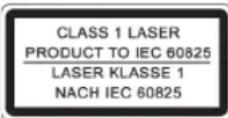
This device works with a class 1 laser.
Overview of the Components
1 VOLUME MIN/MAX (volume control)
2 OPEN CD compartment
3 CD
4 TUNING
compartment
control
5 Nylon carrying handle
6 Loudspeaker
7 Cassette
compartment
8 II Pause button - cassette
9 Stop/Eject button - cassette
10 Forward button - cassette
11 Reverse button - cassette
12 Playback button - cassette
13 Recording button - cassette
14 LCD display
15 STOP button
16 MODE button (repeat/random)
17 PROGRAM button (memory)
18 Station
scale
19 SKIP UP button (forward search)
20 SKIPDOWN button (reverse search)
21 Band selector switch (AM / FM / FM ST.)
22 BBS switch
23 Function selector switch
(AUX / TAPE / RADIO / CD)
24 II PLAY/PAUSE button (Play/Pause)
25 MIC (Microphone)
Reverse Side (not shown)
26 PHONES Headphone connection
27 AUX IN socket
28
Battery
compartment
29 AC~IN Mains connection
30
UKW/FM
aerial
Start-up of the device/introduction
- Read the operating instructions thoroughly before the start-up!
- Select an appropriate location for the device, e.g. a dry, flat, non-slip surface on which the device can be easily operated.
- Make sure that the device is adequately ventilated!
- Connect the power cable supplied (see battery compartment if necessary) to a properly installed 230V / 50Hz safety power socket and the mains connector AC~ IN on the back of the machine. Ensure that the voltage is the same as that indicated on the model identifi cation plate.
Inserting the Batteries (Batteries not supplied)
- Open the battery compartment cover on the rear.
- Insert 10 batteries of type UM 1/R20 1,5 V. Please ensure that the polarity is correct (see battery compartment cover)!
- If the device is not used for a long period of time, remove the batteries to avoid the spilling of battery acid.
- If the power cable is connected, the batteries are switched off automatically.
- Different battery types or new and used batteries must not be used together.
- Then close the battery lid.

CAUTION:
Batteries are not to be disposed of together with domestic wastes. Disposse of the used batteries at the relevant collection bin or at your dealer's.

WARNING:
Do not expose the batteries to high temperatures or direct sunlight. Never throw batteries into the fire. There is a danger of explosion!
CD deck transport protection
- Please open the CD compartment (3) by pressing the OPEN button (2).
- Remove the transport protection from the CD player if present before use.
PHONES Headphone Socket (26)
Please use headphones with a 3.5mm stereo jack plug; these should be inserted into the socket. The loudspeakers are then switched off.
BBS switch (22)
To increase or decrease the bass output.

Volume
The desired volume can be sent using the VOLUME regulator (1).
Switch-off
The machine is switched off when the function selector switch (23) is turned to the TAPE position. Unplug the device.
AUX IN socket
To connect analogue replay devices. Via this socket you can also hear the sound of other playback devices such as MP3 players, CD players etc. through the loudspeakers.
- Please connect the external device with a 3.5mm stereo jack plug to the AUX IN socket (27).
- Turn the function selector switch (23) to the AUX position.
- Through the loudspeakers you can hear the playback of the sound from the external device; with the VOLUME control (1) you can change the volume. The CD buttons do not have any function.
- For the remaining procedure please see the operating instructions of the external sound source.
I NOTE:
Adjust the volume of the external device to a comfortable level.
Listening to the Radio
- Turn the function selector switch (23) to the RADIO position.
- Use the band selector switch (21) to select the desired frequency band.
$$ \begin{array}{c} \text {V H F (S t r e s e o) = F M S T . , V H F = F M ,} \ \text {M e d i u m w a v e = A M (M o n o)} \end{array} $$
- Tune in the desired station with the station adjustment knob TUNING (4).
- For VHF/FM mode pull out the telescopic antenna (30) and turn it to improve reception. If the reception is too weak and there is interference on the station being received, we recommend switching to FM.
- An aerial is integrated into the device for the reception of AM stations. The machine can be aligned to the station by turning it. In this frequency band programs are transmitted in "mono" only.
Cassette Operation
Playing Cassettes
- Turn the function selector switch (23) to the TAPE position.
- Press the / stop/eject button (9) to open the cassette compartment (7).
- Push a recorded audio cassette, with the tape downwards and the listening side facing forwards, into the compartment (full reel to the left). Then close the cassette compartment again.
- Press the playback key (12) to listen to the tape.
-
With the / ▲stop/eject key you can stop playback.
-
Wind the tape forwards or backwards if necessary in the direction of the arrow keys
$$ \triangleright \triangleright = \text {f o r w a r d s} (1 0), \triangleleft = \text {r e v e r s e} (1 1). $$
- Always press the / stop/eject key when changing the direction or stopping the tape. This prevents damage to the machine and the tape.
- If the / ▲ stop/eject button is pressed again the fl ap of the cassette compartment opens.
- In order to interrupt playback briefly, press the II pause button (8). Pressing again continues playback.
Recording Cassettes
- Place an audio cassette with the side you wish to listen to facing downwards (full reel on the left). Ensure that the cassette is not copy-protected (the copy protection tab on the top narrow side of the cassette must not have been removed).
- Select the source from which you wish to record with the function switch (23) and then start playback from this source if necessary. The sound source which you are listening to is the one from which the recording is made. The recording level is controlled automatically. Any changes to the sound and volume do not affect the recording.
I NOTE:
If you have selected TAPE as the source you can make recordings with the built-in microphone (25).
- Please press the record button (13) (the playback button is automatically pressed down at the same time). Recording now begins. All previous recordings are automatically erased.
- The recording can be interrupted briefly using the II pause key, or stopped by means of the stop/eject button.
Playing CDs/MP3
This is how you play a CD
- Turn the function selector switch (23) to the "CD" position.
- Please open the CD compartment (3) by pressing the OPEN button (2).
- Insert a CD with the printed side facing up and close the CD deck.
- The CD will play from the fi rst title. The track currently being played, or MP3 are shown in the display.
- In order to remove a CD, please press the STOP key (15), open the CD compartment OPEN (2) and lift the CD out carefully.
Always keep the CD deck closed.
i NOTE:
- If a disc is incorrectly inserted - or no disc has been inserted - the symbol ,- " and the word ,no" appear in the display.
- Playback of CDs produced by the user cannot be guaranteed due to the large variety of software and CD media available.
Description of the CD buttons
II PLAY/PAUSE (Play/Pause) (24)
You can briefly interrupt and resume playback using this button. The symbol fl ashes in the display. Pressing again continues playback.
I SKIP DOWN / I SKIP UP (20/19)
With an audio CD or a CD in MP3 format playing:
With SKIP UP you can jump to the next or previous track etc.
- If the button is kept pressed down, the machine starts to search through the tracks.
- If the button is kept pressed down in stop mode the machine quickly plays through the songs until the desired track is reached. When the II PLAY/PAUSE button is pressed the track begins to play back.
The 一 SKIPDOWN button can be used as follows:
Press once = This starts the current track again from the beginning.
Press twice = This jumps back to the previous track.
Press three times = This plays the song before etc. If the button is kept pressed down, the machine starts to search through the tracks. If the button is kept pressed down in stop mode the machine quickly plays through the songs until the desired track is reached. When the II PLAY/PAUSE button is pressed the track begins to play back.
STOP (15)
The CD stops.
MODE (16)
Press once = (the REP.emits a fixed light) the current track is repeated continuously.
Press twice = (the REP emits a fixed light) the whole CD is played continuously.
Press three times = the display contains the word RND and the track number that is to be played first. All tracks are played back in random order.
NOTE:
Random playback (RND) always begins with the first track on the CD/MP3 CD.
Press four times = all functions are cancelled. The normal play mode is resumed.
Only for CDs in MP3 format
Press once = the current track is repeated continuously (REP. appears in the display).
Press twice = the whole CD is played continuously (REP appears in the display).
Press three times = the selected folder of the MP3 CD is repeated continuously (REP. ALBUM appears in the display).
Press four times = the display contains the word RND, MP3 and the track number that is to be played first. All tracks are played back in random order.
Press five times = the function is deactivated and the CD is played in the normal mode.
Programmed Play
This can be used to program any desired sequence of tracks.
- Press th STOPkey (15).
- Press the PROGRAM key (17). The number P01^ storage location) and the symbol PROG f ash in the display. Use the I SKIP DOWN / SKIP UP buttons (20/19) to select the desired track and then press the PROGRAM button again. The display changes to memory slot P02.
- Select the next track with the I SKIP DOWN / I SKIP UP key and press the PROGRAM key again. Repeat the procedure until all the desired tracks are selected.
NOTE: Once the storage capacity of the tracks to be programmed has been reached, "FUL" fl ashes in the display.
- Press th II PLAY/PAUSE key (24). The playback starts. The selected track numbers are shown in the display in the correct order and the symbol or MP3 and PROG. light up. Press this button to pause briefly the playback.
- Press once the STOP key (15) to stop the playback while retaining the program.
- To resume the playback of the program press first the PROGRAM key once and then the PLAY/PAUSE.
- In order to delete the programme, hold the PROGRAM key down for approximately 3 seconds in stop mode. The words "no PROG" flash briefly in the display. The PROG. control lamp goes out.
The device stops automatically once the entire sequence of programmed tracks is completed. The programmed order of tracks remains in the memory until you change to a different mode, remove the CD from the CD compartment or switch off the device.
It is also possible to combine the programmed tracks with the REPEAT function. After you have programmed and started the device, please press the MODE button (16) up to four times and then you can use the functions as described under "MODE".
Playing back Music in MP3 Format
With this device it is possible to play back pieces of music in MP3 format. The device also supports all standard CD types: CD, CD-RW, CD-R.
This machine of is able to play MP3 CDs. Up to 200 tracks can be compressed and stored on these CDs. Your machine detects an MP3 CD automatically (the total number of tracks and MP3s appears in the display). If you would like to play one of these CDs, proceed as described under „Playing CDs/MP3". Tracks can be programmed as described under „Playing Back
42
Programmed Tracks
Please note:
There are a number of different recording and compression methods, as well as quality differences between CDs and self-recorded CDs.
Furthermore, the music industry does not adhere to fixed standards (copy protection).
For these reasons it is possible that in rare cases there are problems with the playback of CDs and MP3 CDs. This is not a malfunction of the device.
Cleaning and Maintenance
Always remove the mains plug before cleaning the machine.
- Any marks on the surface can be wiped off with a slightly damp cloth without any additives.
NOTE: Compact Disks
- This device is able to play CDs with a diameter of 8 cm and 12 cm.
I NOTE:
Only place one disc in the CD compartment at a time.
Only audio CDs, CD-R and CD-RW disks can be played on this machine.
Always place the CD into the CD compartment with the label facing upwards. Compact discs can only be played on one side.
- Fingersprints and dust should be carefully removed from the recorded side of the CD (the side without the label) with a soft cloth. Wipe off in straight lines from the centre to the edge.
After being played, CDs should be returned to their case so that they do not become scratched.
- Do not expose CDs to direct sunlight, high humidity levels or prolonged high temperatures in order to prevent them from warping.
- Do not adhere any paper to the CD or write on it.
- Do not spray any cleaning agents or antistatic sprays on to the CD as in the case of phonographs.
Troubleshooting
| Symptoms Course Solution | ||
| CD can not be played back. | CD is not inserted or inserted incorrectly. | Ensure that the disc is inserted with the label facing upwards. |
| Batteries too weak. | Insert new batteries or operate the device with the mains lead. | |
| CD jumps during playback. | Check the disc for fingerprints, dirt or scratches. | Check the disc for fingerprints, dirt or scratches. |
Technical Data
Model: SRR 4317 CD/MP3
Power supply: 230 V, 50 Hz
Battery operation: 10 x 1,5 V, Type UM1 / R20
Output rating: 400 W PMPO
Protection class: II
Radio section:
Frequency ranges: VHF / FM 88 ~ 108,0 MHz MW / AM 540 ~ 1600 kHz
Net weight: 7.2 kg
This device has been tested according to all relevant current CE guidelines, such as electromagnetic compatibility and low voltage directives, and has been constructed in accordance with the latest safety regulations.
Subject to technical changes without prior notice!
Guarantee
The device supplied by our Company is covered by a 24 month guarantee starting on the date of purchase (receipt).
During the life of the guarantee any fault of the device or its accessories ascribable to material or manufacturing defects will be eliminated free of charge by repairing or, at our discretion, by replacing it. The guarantee services do not entail an extension of the life of the guarantee nor do they give rise to any right to a new guarantee!
Proof of the guarantee is provided by the proof of purchase. Without proof of purchase no free replacement or repair will be carried out.
If you wish to make a claim under the guarantee please return the entire machine in the original packaging to your dealer together with the receipt.
Defects to consumables or parts subject to wearing as well as cleaning, maintenance or the replacement of said parts are not covered by the guarantee and hence are to be paid!
The guarantee lapses in case of unauthorized tampering.
After the expiry of the guarantee
After the expiry of the guarantee repairs can be carried by the competent dealer or repair service against the payment of the ensuing costs.
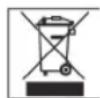
Meaning of the "Dustbin" Symbol
Protect our environment: do not dispose of electrical equipment in the domestic waste.
Please return any electrical equipment that you will no longer use to the collection points provided for their disposal.
This helps avoid the potential effects of incorrect disposal on the environment and human health.
This will contribute to the recycling and other forms of reutilisation of electrical and electronic equipment.
Information concerning where the equipment can be disposed of can be obtained from your local authority.
Kmitoctovere Rozsahy: VKV/FM 88\~108,0 MHz .SV/AM540\~1600kHz
21 PapeKIOUaTeNb Dnana3oHOB (AM / FM / FM ST.)
O6paTHaT CTOpOHa (6e3 pncyHka)
26 THe3do nOdklnouHnHauyuHnKOB PHONES
27 TheoAUX IN
28 OTeK 6aTaapeek
29 He3do NpokJIIOueHn cTeH AC\~IN
30 AHTeHHa YKB/FM
IoirotOBka K BkJIIOueHNO/BVeJeHne
- Pered BkIIOUeHMe TuaTeNbHO npOHTaIte pyKOBOCTBO noJb30BaTeTn!
Подберпг Дг yctанови Иделпн рдхогшемсTo,TakOBbIM RbIITcCyxA,ПLOCKaN HeCKoJIb3KaN NOBepxHOCTb,C XOPOShM DoCTyNOM. - Obecneue Te DoctatoHyu BeHTnIaIIO H3dEIA!
Bctabte pa3bem npnlaraeMoro ceteBoro shypa (cmotpn otcek 6atapeek) B rhe3do cetn AC\~ IN ha 3aHnei cTeHke n3dienra, a wTeNCeB b 3a3EmenHHy oposKy 230 B, 50 T, yCTAHOBENHHY BOOTBeTcBm C npedncaHnAMN.
IpoKoHTpOJIpyHTe, COOTBeTCTByeT IIN HAnPRAKeHHe BaSeI CeTI HApRKeHIO NITaHIN I3JeINr, YKa3aHHoe Ha TINOBOI TaBmUVe.
BCTaBHe 6aTaapeek (BaTapeKn B KOMJIeKT He BXOaI)
- OTKpoIte KpbIiKy oTceKa IJIa 6aTaapeek Ha 3aHHe CTopoHe.
BCTaBbTe BOTcEK 106atapeek Tnna UM 1/R20 1,5B. CNeDInTe 3a npaBnIbHoN nOraPHOCTbIO (CMOTPN KpbIiKa OTcKa dIg 6atapeek)!
EcnH3dJIeNe DOJIORe BpEMr He 3KcNJIyATnpyETCpeKOMEHdyETcBbIHytb6aTapeKn,HTObI npEDOTBpaNTbNX “BbITEKaHne”.
KakToIbko pa3bem CTeBOrO uHypa 6ydt BCTabJIe Hn3dJIne, nHTaHHe OT 6aTapeek ABOMaTHueckn OTKIOHaETcR.
HnB KOem Cnyae He MeMaJte HOBbE 6atapeKKn CO CTapbIMn, a TaKKe C 6atapeKamm DpyrNx TINOB.
3akponTe 0TceK.
BHIMAHHE:
He bIbopaBbAte 6aTapeKn B DomauHm Mycop. IoxanyIcTa cIaTe OtpaObaHHbIe 6aTapeKn Ha CneuHaBbI pyHKT pInema HINB TOpROBy ToKy.
PENEYTPEJKDEHNE:
He noDBepraTe 6atapeKn CINbHOMy HarpeBy nnn Bo3deICTBnIO npMbIX COJIeHbIX Lyyei. HIKoRda He 6pocaiTe 6atapeKn BOrOhb.CyIecTByET OnaCHocTb B3pbIbA!
TpaHcnpTHa ynakOBka CD nneepa
OTKpoTe OTEcK CD (3), HauKaB KhoNky" ▲OPEN" (2).
Ipeed nepBbIM BkHIOeHMe Heo6xOIMO ydaNtB 0TcKa CD TpaHCnOpTHyU yIaKOBky,ecIN TaKOBaH NMeETCA.
THe3doNoDknIoueHnHayuHnKOBPHONES(26)
Ipi npocnyuBaHn3Bkyo3anCe nObn3yntecb CTpeohayuHnKamn CO Ctepe-BnIOUKO3,5 MM, KOtopa BCTaJIHeTcB rHE3do. HAMMKn pIN 3OM OTKIOHOATC
IpekenuataBBS (22)
ClyjntIy ycnneHn nOcna6JeHn 6accob.

PerynipOBKa rpoMkoCTN
Pn nmooun peryntopa VOLUME / Ppomkoctb (1) yctaHOBNTe Heo6xOIMMyIO rpmkoctb.
BbIKIIOUeHnE
Yro6bblbkHIOHTb3eKtponpnp6oppeBnHbTe
fynKcHOnHaIbHbI nepeKIOHATeJIb (23) B noJooKeHne TAPE. B
3aKnIOUeHHN BbHbTe WtencJIb n3 p03eTkn.
The3do AUX IN
Дяп NOДКИОЕНИанANOROBbIX npOriPbIbATEJIe.СnomOUIBO 3TORO rHe3aYepe3 DInHaMnKn Bbl MoXte CnyuTaB 3ByuHne ыргnx BOCpOIN3BOJauNx yCTpOINCTB,Тaknx KaKwie MP3- Player, CD-Player nTd.
- Pódkluynte Bheuhee yctpoCTBO K rHe3dy AUX IN (27)
Pn NOMOUI COEHNHTeIbHOro CTpeo-Ka6eIc 3,5 MM BINOUCHKoi.
2.ПepeBnHbTeФyHKUHOHaIbHbI npeKJIIOuATEIb (23) NOJIOKeHHe AUX. - Yepe3 DnHaMKn Bbl CblIuTe 3ByKOBoE BOCnpOn3BeDeHne H3 nepeFepnHoro yCTpOJCTBa, npn NMOU peryNtropa rPOMKocTn VOLUME (1) Bbl MoKeTe N3MeHrTb rPOMKocTb. KhoNk CD He pa6oTaOT.
- Nopdok DaIbHeuHxN DeIcTBn IpoUHTaTe B HNCTpyKuIN NO 3KcNlyatauIN BHeUHero IcTOUHnka 3Byka.
I PIMMEAHHE:
Otperynpyte rpoMKocb BHeuHero npmbopa do COOTBeCTByUoJe BaWemy cyxmyrpoMKoctn.
PpocnyuHbAHne paHonepea
-
PapeBnHbTe FyHKUHOHaJIbHbI nepeKIOuATEIb (23) B noJIOKeHne RADIQ.
-
BbIepeTe npn nmoOni nepeKIOuATEaEN dHaNA3OHOB paHIO (21) HxNHyTO qACTOTy dHaNA3OHa.
$$ \begin{array}{l} \text {Y K B (c t e p e o)} = F M S T., \text {Y K B} = F M, \ \text {c p e d n i e B O l h b i} = A M (M O H O) \end{array} $$
- HactpoTeCb Ha HyxHcyo paIIOCTaHcHIO npn IOMOupeyIraTopa "TUNING" (4).
4.BpeKMe YKB/FM BbITaHnTe TeneckOnuueckyo aHTeHHy (30) INBpaauIte ee, yTO6bl yUnyuINb npHem. Ecn npHem CnIIuKOM CIAbI N NOINMaHHa paAnocTaHUNI HMeET IOMEXN, TO MBI peKOMeHdyEM nepeKJIIOuHTb Ha FM.
5.Ди npiHema paHonepeaB uHa ana3oHe CB (AM) B ceHTp BCtpoEHa aHTeHb.BpaJaan H3MeHRe ee nIoXKeHne HacTpoTeCb Ha paHocTaHnIO. B 3ToM dHaana3oHe paHonepeaau TpaHCnnpyTOc TOIbKO b pexKIMe "MOHO"
KaccetbMaHHToOH
Bocnpoh3bveHne 3aHncsEi
- IpeBnHbTe FyHKUHaJIbHbI nepeKIOuATEb (23) B NOJOKeHMe TAPE.
- HAnMnTe KHOH■/△CTON/BbIbPoc (9), YTO6bIOTKpbITb OTcEK KAccETbl (7).
3.BCTaBbTe BOTcK ayDINO-KacCETy CO 3ByKO3aHNCbHO, HENTo BHnI npocnyuBaEMoN CTopoHOi K Ce6e (NoHOn KaTyuKoBn Bo).3akpoTe OTCK o6paTHO.
4.Длвьбпpon3bveeHnI 3aIINCH naxKMITE KhoNky" " (12). - KhoIko / ▲ctoBbIbOc moKHO octaHOBTb BOCnpou3BeHeHne.
- Pn HeoXoDMOCTH KACCETy MOKHO NpeMOTaB BnepeI HnHa3ad Pn NOMOUI KNOHOK CO CTpeJIkamm
$$ \triangleright \triangleright = \text {B n e p e} _ {\text {d}} (1 0), \triangleleft = \text {H a 3 a} _ {\text {d}} (1 1). $$
- Mexdy nepeknouehnAM,Дla octaHOBKn JIeHTbI, BcERda HauHmaiTe KhoNky / ATo/BbIbPoc. 3To ctpaxyet OT NOLOMKJ HeTOnIpotaXHOrO mExaHn3Ma nHaHeceHHI NOBpeKdEHHJIeHTe.
- NOBTOPHoe HaxaTne KhoN/ ▲ cTOn/BbI6poc OTKpbIbAeT KpbIiKy OTceKa KacCeTbl.
- TTO pneocTaHOBnTB BOCpOn3BeDeHHe KACCetbHa KOpOTKoe BpeM HaKMITE KONky " (8). NOBtOpHoe HaKaTHe KONKn IpODoJIKN TBOcPOn3BeDeHHe.
3aHbHaKaccety
- Bctabte ayinno-kaccety nponrpbiaeMoI CTopoHOB BH3 (nonha katyuka cneba).PpoBepbTe, He 3aunueHa nn Kaccetota OT 3anncn (PiactmaccoBbI r3bYcK y3KOI CTopoHbI KaccetbHe DoJKeH 6bTb BblomAH).
- BbIePte npn nOoUHyHKUHOHaJIbHOrO nepeKIOuAteJRA (23) HcTOHnK 3Byka N BkIOUHTe erO. 3aINCbIbaETcra To, YTO BBcblHtE. YpOBHeB 3aINCH peryNIPyETcABTOMaTHueckn. BpaueHne peYInpOBOk rPOMKOCTn IN TEM6pa He bINReT Ha 3aINCb.
ПОНМЕЧАНИЗ:
EcnB KaueCTBe NCTOuyHnKa Bb Bi6paTNAPE,TO Bb MoKeTe npOn3BOAnTb 3aHcN npN NOMoU BCTpoEHHO MKNpOfoHa (25).
- Haxmte KhoNky 3aHcB (13), (KhOka Bocnpou3BeHeHnHaKMETcA aTOMaTHueCKn). HaHnaeTc3aHcB. Bce npbIduyue 3aHncn HaJeHTe aTOMaTHueCKn CTpaOTcR.
- 3aHcMbOHO ppeoCTAOBHTb Ha KOpOTKoe BpEmr,HaKaB KHONKy II Pause HIN OCTAOBHT coBCem,HaKaB KNOKy / ▲cton/Bbl6poc.
PpOurpbBaHne CD/MP3
Tak npoHrpBbAetc KOMnKaT-ндс
1.YctaHOBITEyHKIOHaJIbHbI nepeKIOUaTeIb (23) B nOLOXKeHHe "CD".
2. OTKpoIte oTceK CD IuCKa (3), HauKaB KhoNkY ▲ OPEN (2).
3. BCTaBbTe B OTcE K CD DnCK 3TnKETKoB BBepx N 3aKpoIe OTcEK.
4. Bocnpoun3BeHeHne Haunetc nepBoN neChn dNcKa. Bocnpoun3BouIma IopOka Hcoo6eHne MP3 6ydyT OTo6paKaTaBCHa DnCnnee.
5. Yro6bI BbItaunlt CD nck, HauKMTe KhoNky STOP (15), OTKpoTe oTceK CD nckKa ▲OPEN (2) n octopoKHO CHMHTe erO.
Pn nOMoUKNKn▶IKIP UP MOxHo nepeepbHyTb Ha CJeNyOuIIO nnnpdeBldyUdoOpokky.
- EcIn DepeKHaTb KHOJIky HaKaToI, To BKNIOHTcpeKIMNONCKa.
- EcIn DepeKaTb KOnKy HaKaToB B peKIme Stopp, CTapTyEtCb 6bIcTpbl Nocck Heo6xOaHMoD oPoKKn. EcIn HaKaTb KOnKy II PLAY/PAUSE, To cTapTyEtCb Bbl6paHaHa dopoKka.
KhONka SKIP DOWN nmeet cneyuoune yHKuIN:
1xpa3HaKaTb= BocnpoN3BeDHe NteKyuSei DopoJKN cHaJaJa.
2xpa3aHaKaTb= CkaK K npelbyuuei dopokke.
3xpa3aHaKaTb = CkaQK K cIeIyIOuEi DOpOKe H T.D.Ecnn depKaTb KHNky HaKaTo,TO BKNIOHTcpeKIMNONcKa.EcnN DEpKaTb KHNky HaKaToB Peknme Stopp,CTapTyETc8bICTpbINONCK Heo6XODmOJ DOpOKKn. EcnN HaKaTb KHNky II PLAY/PAUSE,TO CTapTyETcBbIbpaHHaDopOKKa.
STOP (15)
KOMnAKT-DnCK OCTaHOBHTCA.
MODE (16)
1x pa3 haKaTb = (REP. cBeITcH HenpepbIBHO) BOCPOn3BODIma Ha daHHbIM MOMEHT neCHy 6ydt HENpepbIBHO NOBTOPrTaC
2x paa HkaTb = (REP CBeHTnCT HepepbIBHO) Becb KOMpAKT-DnCK 6yJeT HepepbIBHO NOBTOPArTaC.
3x pa3a HaKaTb = HaДиСПЛeп NOВИТСоОБЧЕнe RND И Homeр 3aПИСИ, KOtOPAЯ 6уДeТ BOCПоИЗВОДИТСЯ поВоI. Вce 3aПИСИ 6уДyт BOCПоИЗВОДИТСЯ OДHA 3a ДPy罗В B CnyuHOM NopRДke.
I PIMMEUHHE:
BpeKIMe CnyaHOro nopRJa BocPOn3BeDeHnra (RND),OHO BCerda HauHaTeCn C nepBoi 3aPiuCn Ha CD/MP3 CD DnCke.
4x pa3a HaKaTb = BCE cyHKun BbIKnOuaOTcBocpnou3BeDeHne npoDOnKHTcbrB HopMaJIbHOM peXmE.
Tolbko DN CD dNCKOB c3aNNCbB B oopMaTe MP3
1x pa3 HaKaTb = TEkyuaIa IopOka 6yJeT NoCToHHo NOBTOpTaSC (Ha DCnIeE NoBHtCReP.).
2x pa3a HauKaTb = BeCb CD- dNcK 6yDet NoCToHHO NOBTOpTaBC (Ha dncnnee noRbntc RA REP
3x pa3a haKaTb = BbI6paHnHa nAnka CD dNcKa c 3aIncbHo B φopMaTe MP3 6yDet noCToRHHO BOCpOnu3BODHTCBra (Ha DnCnnee NOBHTCR REP. ALBUM).
4x pa3a HaKaTb = Na HnCnIe NnOBHTcR COO6eHne RND, MP3 n HmOp 3aInci, KOTOPa8 6ydt BocnpoIN3BOInTBcR nepBoi. Bce 3aInci 6ydt BOCpOIN3BOInTBcR OHa 3a dpyroB CnyauHOM npAKe.
5x pa3a HaKaTb = DeaKTHBnpyeTcN H BOCpOn3BeJeHne CD- INCKa nepeJdET B HopMaJIbHbI peKHM.
IporpamnoBaHne npAka BocnpOn3BeDeHH
Donyckaetra IIO6oI nopAOK BOCnpon3BeDeHn necen.
- Haxmte KhoTSTOP (15).
- HaKMITE KhoNky PROGRAM (17).Ha nCnnee haHnet MmRaTb P01 (Homep ryeKn pAmrTH) H aDnncb PROG. Ppi nOmooun kHOONk SKIP DOWN / SKIP UP (20/19) BbIePHTe HyKHyIO neCHIO HaKMITE NOBTOPO KhoNky PROGRAM. Poka3aHn DaCnnepepeyHT Ha cNeDuOyU OeyKy NaMTh P02.
- Пи поши КногOK! SKIP DOWN/ SKIP UP Bb6epnte cneIyOuIyO neChIO nHaKMnTe NOBtOpHO KhoNky PROGRAM. NOBToprIte 3ty npoeDpy do tex nop, noKa He b6epnte BCE neChn.
I PIMMEUAHHE:
Ecn nocnHynt npedel EMKoCTn 3anomnaioero yctpoCTBa nporpamnpyemoro Ha3BaHnra, To Ha dinCnnee Miraet nokasaTeIb ,FUL"
- HaKMITE KhoNkY II PLAY/PAUSE (24).HaunHaeTcBocnpOn3BeDeHHe. Ha dinCnIe 6yDyT noRbIbTCr Homepa BbIbpaHHbIX DOpOKeK B nopRKe BocnpOn3BeDeHn I CBETNbCra COo6UeHne MP3 nIN PROG. Haxab 3Ty KhoNkY MoKHO npepBaTb nporpyMMy BocnpOn3BeDeHn Ha KOPOTKoe BpeM.
- OzhokpaTHoe HaKaTne KhoNk STOP (15) octaHaBnBaet BocpOn3BeJeHne, nporpaMma JKe coxpaHReTcR.
- Дяноюста порраимьн нахмпесчада одн pa3 Ha кону PROGRAM, a 3a tem кону II PLAY/PAUSE.
- Tto6bI noTyuHtB npoPamMy, hAnMnTe KhoNkY Stopp, 3aTeM KhoNkY PROGRAM M depKte ee HaxaToi npm. 3 cekyHdbI. Ha KopotKoe BpemHa dncPiiee Mnaet nokaaHne ,no PROG'. KoHTpOJIbHaJ lamNoUka PROG. notyxHET.
Iocne BOCPON3BedeHn BCex necen nporpamMa ABTomatnueckn octaHOBNTc. 3anporpammnpoBaHHbIN nopAOK BOCPON3BedeHn XpaHnTcB nAmTn N CTpaETc TOnbKO B TOM Cnyae,ecmMy3bKaJIbHbN CEHTp ByET nepeKIOUeH B DpyrO pEXMM, KOMnAKT-DnCK bEyET BbHyT n3 OTECa Hn CEHTp ByIKIOUeH.
HMeetcB03MOHooCTb KOM6HINHOBaTb 3anporpamMnPOBaHHBe neChn C fHyKuHe REPEAT. Nocne nporpamMnPOBaHH n CTapTa npOrpAMMbHaKaMMte KHOKNy MODE (16),do4pa3, IN Bce FHyUHN MoHNo npImeHTb Ha nporpamMy, KaK 3to OnCaHo B pa3dene "MODE".
BocnpoH3BeHeHne My3bIKn B opMaTe MP3
HMeeTCA BO3MOXHOCTb BOCnPOn3BOOHTb 3ByKO3aNNCH, CEnaHHBe B φOpMaTe MP3. KpOme 3TOr Πneep YHTaET noTH BCE paCnPoCtpaHeHHBe BnDbI DNCKOB: CD, CD-RW, CD-R.
PnEEP BOCPON3BOJNT CD-DINCKN C 3aINCMA N B FOPMATE MP3. Ha noDIO6HbI DNcKe MOXHO 3aINCaTb Do 200 DOpOKeK. PnEEP paNIO3HaET 3TOF FOPMAT ABTomAHTueeCKN (Ha INCIIEE NOBNTCR O6Uee YHCNO 3aINCe N MP3).INR BOCPON3BeENHr 3aINCe B 3OM FOPMATE NoCTyNaTe
Kak 3to OnicaHO B rIabe "Bocnpo3BeDeHne CD-dNCKOB/ MP3".PpOrpaMMPOBaHne npRJa BOCnpo3BeDeHnMoJNO pOON3BeDnTe no npOeDype, OINCAHO B rIabe "PpOrpaMMPOBaHne npRJa BOCnpo3BeDeHnE".
Ponnynta yuHTte:
CyueTBye60lbHoe pa3Hoo6pa3ne nporpaMM nIaKOMPpeccn m 3aINCN daHHbIX, a TaKKe pa3JIuNBA KaueCTBeYcTBix n3aINcaHHbIX CD INCKOB.
KpOme 3ToR My3bIaJIbHaI pPOMbiUJIeHHOCtB He npIepeKINBaETCyTBepXJeHHbIX CTaHdApTOB (3aUNTa OT KONIPOBAHIA).
No 30n npuHHe, B peKHX CnyaX, MOrY T Bo3HNKHyTb np6Bemblc TteHEm CD NCKOB N DNCOB C 3aNcBHO B opMaTe MP3. 3To npOxCoJIT He no npuHHe HncPpabHObCTbO daHOrO n3dEInr.
UcnTka n yxOa
-ПередчисковынмайтБИКУи3 розтк.
- PAnHa ChapyKn KOpnyCa MoJHo ydaIHTb CJIeRka BnaKHO TpAknO, 63 npImeHeHnMoUox CpeCTB.
I PIPMEUAHHE: Komnacht-Dnck
Ha 3OM ueHTpe MOKHO npOurpbIbTaB KOMnakT DnCKN KaC dAmETpOM 8 cm, TaK n 12 cm.
I PIMMEAHHE:
BctabTnBeOTcEKCDToJIbKOODNCH
Ha 3OM ueHTpe MOKHO npoIrpBbTaB KOMnakT- DnCKH TOJbKO B opMaTax Audio CD, CD-R H CD-RW.
BceRda BCTaBnIe KOMNaKT-DnCK B OTCek 3TNKeTkoBBepx. Komnakt-DnCK NMeet 3aNcB TOnbKO C OdHONCTOPOHbl.
OTneuATKNaIbueBnIbNAcHnHaJIbHOCTopoHE DnCKA (CTOPoHa 6e3 3TKeTKn) HeoXoDMTOtateJbHO ydaJIrTB pNIOMOUIMRAKON TpRNOOKN. IpotnpaTbJeKMM, pIraMbIMDbHXHeHEM OT cepeINbIKPamM.
Поссп порогьовни Heохдимо 3acyHyт b KOMпакт-ДИСКИ образно В КОрбК,ЧТБЛ OHI He nOцapanalncb.
- PnpdoxpaHnTe KOMnAKT-DnCKn OTeiCTBnI pRmblx COJIHeuHbIX LyueB, BlicOKoB BlaXHOCTN IINTEJbHOrO Bo3DeiCTBnB BlicOKnX Tempeatyp, 3TO MOKeT NOKOpOBntb IX.
- He KJIeIeHa KOMnAaKT-DIck HNIkaKHX 6yMaXHHbIX HAJIeek HHe NIIuHTe Ha HNX.
He hAnbIJIaTe Ha NcKn HNkaKnx MoIOUnx IaHTNCtTaTnecknx CpeDCTB.
YcTpaHeHne HEnCnPaBHOCTe
3JIeKtpoNTaHHe: 230B,50Tc
Питане ot 6atapeek: ..10x1,5B,UM1/R20
BbIXOHaM MoUHOCtB: 400BaTT PMPO
Klacc 3aunTbI:
PaoHOpnpHMeMHNK:
MbOCTaBnAeM 3a C06oI npBaBO Ha TeXHueeCKne H3MeHeHnA!
TapaHTnHoe 063aTeJbCTBO
TapaHTnHbI cpoK h Ta TeppntOpn Pocsncko Fepepaunu yCTaHaBnBaetcnoNtHomOHyBMn npdeCTaBnTeMaM.
KaccobbyuekRbIeTcrapaTHnHbIM TaHOHom. Be3 Hero HeBO3MOKeH 6ecJIaTHbI peMOHT NIN 3ameHaN3dEInr.
B cnyae BO3HKNHOBHNNI npITeH3n no rapaHTN, npeIbVBITE 13dJIne B NOHIOKOMNIeKTAuIN, COpHnHaJIbHOJ yNaOBKO IN KACCObBM YeKOM TOPOBOI TOUKe, IpOdaBWe I30 H3dJIeNE.
DepeKtby 3HaWbAebMx npHnAaIeKHOCTe HIN TpyXNCdTeaJIe, a TaKHe YNCTKa, TexOcLyKbAHne HIN 3aMeHa TpyXNC dTeaJIe He NOnaJaOT nD rapaHTIO, IN PO3TOMy npBOoBArTc3a OTdEnbHyO ONlaly!
TapaHTN TepaETc npB BckpyTN H3dJIIN NOCTOPOHHIMNII
IocJe rapaHTm
Iocne OKoHuaHnI cpoKa rapaHTnn, peMOHT n3dJIi npOn3BODNTcra 3a ONlATy, COOTBeTCTByIOUzIMM MaCTepCKIMN nn NyHKtAMn CepBnCHOrO O6CnyKHBAHn.
GARANTIE-KARTE
Garantiebewijs · Carte de garantie