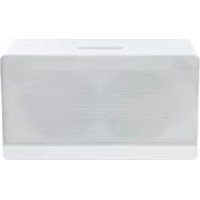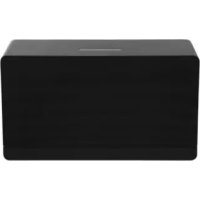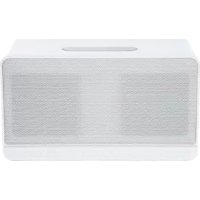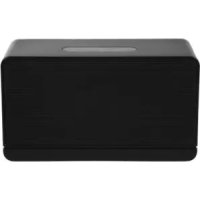
PPA500 - Docking station PEAQ - Free user manual and instructions
Find the device manual for free PPA500 PEAQ in PDF.



User questions about PPA500 PEAQ
0 question about this device. Answer the ones you know or ask your own.
Ask a new question about this device
Download the instructions for your Docking station in PDF format for free! Find your manual PPA500 - PEAQ and take your electronic device back in hand. On this page are published all the documents necessary for the use of your device. PPA500 by PEAQ.
USER MANUAL PPA500 PEAQ
Personal Audio Docking Station PPA500
The unit supports the listed iPod / iPhone devices (iPod / iPhone devices shown are not included)

iPod nano
1st generation
1GB 2GB 4GB

iPod nano
2nd generation
(aluminum)
2GB 4GB 8GB

iPod nano
3rd generation
(video)
4GB 8GB

iPod nano
4th generation (video)
8GB 16GB

iPod nano
5th generation
(video camera)
8GB 16GB

iPod nano
6th generation
8GB 16GB
iPod
4th generation
20GB
iPod
4th generation
40GB
iPod
4th generation
(color display)
20GB 30GB
iPod
4th generation
(color display)
40GB 60GB
iPod
5th generation
(video)
30GB
iPod
5th generation
(video)
60GB 80GB
iPod touch
1st generation
8GB 16GB 32GB
iPod touch
2nd generation
8GB 16GB 32GB
iPod touch
3rd generation
32GB 64GB
iPod touch
4th generation
8GB 32GB 64GB
iPhone
4GB 8GB 16GB
iPhone 3G
8GB 16GB
iPhone 3GS
16GB 32GB
iPhone 4
16GB 32GB
natural_image
Three electronic components: a black cord with two leads, a black control panel labeled 'PEAO', and a small electronic device (no visible text or symbols on the devices themselves)natural_image
Pure mechanical component diagram without any text, numbers, or symbolsnatural_image
Diagram showing a device with a globe inside and a vertical rod inserted, with an arrow pointing to it (no text or symbols present)natural_image
Close-up of a black electronic device rear panel with ventilation grille and indicator lights (no visible text or symbols)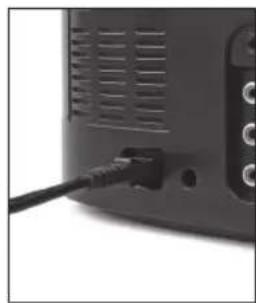
natural_image
Close-up of a black cable inserted into a black rectangular device (no visible text or symbols)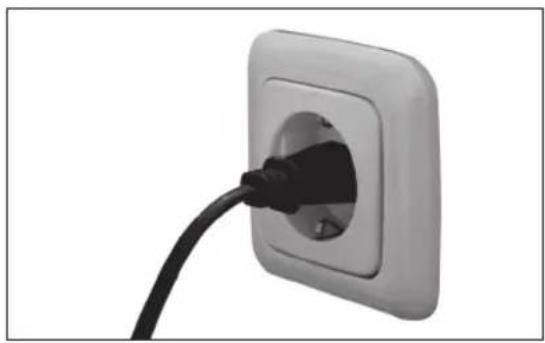
natural_image
Close-up of a black cable inserted into a square electrical outlet (no text or symbols visible)natural_image
Back view of a black electronic device showing ventilation grille, cable, and three ports (no visible text or symbols)natural_image
Close-up of a black electronic device showing three Ethernet cables inserted into a port (no text or symbols visible)natural_image
Close-up of a black electronic device front panel with control buttons (no visible text or symbols)natural_image
Close-up of a smart speaker with a screen displaying a white 'V' symbol, no visible text or symbols on the device itself.natural_image
Product display of audio equipment including a black cord, two USB cables, a digital controller, and a small electronic device (no visible text or symbols)natural_image
Pure mechanical component diagram without any text, numbers, or symbolsnatural_image
Diagram showing a device with a circular component and a vertical rod inserted into it, with an arrow pointing to it (no text or symbols present)natural_image
Close-up of a black electronic device rear panel showing ventilation slots and a cable inserted into a socket (no text or symbols visible)
natural_image
Close-up of a black cable inserted into a square electrical outlet (no text or symbols visible)natural_image
Back view of a black electronic device showing ventilation grille, cable, and three ports (no visible text or symbols)natural_image
Close-up of a black electronic device showing three Ethernet cables inserted into a port (no text or symbols visible)natural_image
Close-up of a black electronic device front panel with control buttons (no visible text or symbols)natural_image
Close-up of a handheld electronic device with a screen displaying a small image and control buttons (no readable text or symbols)IMPORTANT SAFETY INSTRUCTIONS
READ CAREFULLY AND KEEP FOR FUTURE REFERENCE.
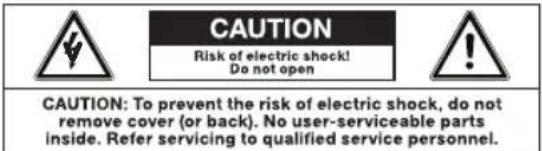
The lightning flash with arrowhead within an equilateral triangle is intended to alert the user to the presence of uninsulated "dangerous voltage" inside the enclosure of this appliance, which may be of sufficient magnitude to constitute a risk of electric shock to persons.
The exclamation point within an equilateral triangle is intended to alert the user to the presence of important operating and maintenance instructions in the literature accompanying this appliance
- For safety reasons, this class II appliance is provided with double or reinforced insulation as indicated by this symbol
- Before connecting the appliance to a socket outlet, make sure the voltage indicated on the appliance corresponds to your local mains.
- The MAINS plug is used as the disconnect device; the disconnect device shall remain readily operable.
- If the supply cord is damaged, it must be replaced by the manufacturer or its service agent or similarly qualified person in order to avoid hazard.
- WARNING: To reduce the risk of fire or electric shock, do not expose this appliance to rain or moisture. The apparatus shall not be exposed to dripping or splashing and no objects filled with liquids, such as vases, shall be placed on the apparatus.
- Regularly check if the supply cord, appliance or extension cable are defective. If
found defective, do not put appliance into operation. Immediately pull the plug.
- Place the supply cord and, if necessary, an extension cable in such a way that pulling or tripping over it is impossible. Do not allow the supply cord to hang down within easy reach.
- Do not jam, bend or pull the supply cord over sharp edges.
- Protect the supply cord from being walked on or pinched particularly at the plug, convenience receptacles and the point where it exits from the appliance.
- Never pull the plug by the supply cord or with wet hands.
- Disconnect the mains plug in case of faults during use, during lightening storms, before cleaning and when not using the appliance for a longer period of time.
- The appliance may not function properly or not react to the operation of any control due to electrostatic discharge. Switch off and disconnect the appliance; reconnect after a few seconds.
- Refer all servicing to qualified service personnel. Do not attempt to repair the appliance yourself. Servicing is required when the appliance has been damaged in any way, such as the supply cord or plug are damaged, liquid has been spilled, objects have fallen into the appliance, the enclosure is damaged, the appliance has been exposed to rain or moisture, does not operate normally, or has been dropped.
- Upon completion of any service or repairs to this product, ask the service technician to perform safety checks to determine that the product is in proper operating condition.
- Do not use attachments or accessories other than recommended by the manufacturer or sold with this appliance. Install in accordance with this user manual.
- When installing the appliance, leave sufficient space for ventilation. Do not install in bookcases, built-in cabinets or the like.
– The ventilation should not be impeded by covering the ventilation openings with items, such as newspapers, table-cloths, curtains, etc. Do not insert any objects.
- No naked flame sources, such as lighted candles, should be placed on the apparatus.
- Do not place any electronic equipment or toys on the appliance. Such items could fall from the top and cause product damage and/or personal injury.
- Do not install near any heat sources such as radiators, heat registers, stoves or other appliances (including amplifiers) that produce heat
- Do not apply excessive force to the front or top, as this could ultimately overturn the appliance.
- Do not shift or move the appliance when powered on.
- Do not touch, push or rub the surface of the appliance with any sharp or hard objects.
- Do not move the appliance from cold into warm places and vice versa. Condensation can cause damage to the appliance and electrical parts.
- For appliances with earphone jack: DANGER! Excessive sound pressure from earphones and headphones can cause hearing loss. If you listen to loud music for a long time, your hearing may be impaired. Set to moderate volume.
- For appliances with USB function: Reset appliance by disconnecting USB device from appliance in case of malfunction.
- For appliances with USB function: If an USB data storage medium malfunctions as a result of electrostatic discharge and momentary electrical surges, disconnect the device from the appliance.
- For appliances / accessories intended for use of batteries:
- CAUTION! Danger of explosion if batteries are incorrectly replaced. Replace only with the same or equivalent type. Observe correct polarity.
- Batteries (battery pack or batteries installed) shall not be exposed to excessive heat such as sunshine, fire or the like. Protect from mechanical shock. Keep dry and clean. Keep away from children.
- Do not open, dismantle, shred or short-circuit batteries. Do not mix old and new batteries.
- Dispose of properly. Pay attention to environmental aspects of battery disposal. Do not dispose of in household waste.
– Refer to safety and other instructions on the battery or its packaging.


Main unit
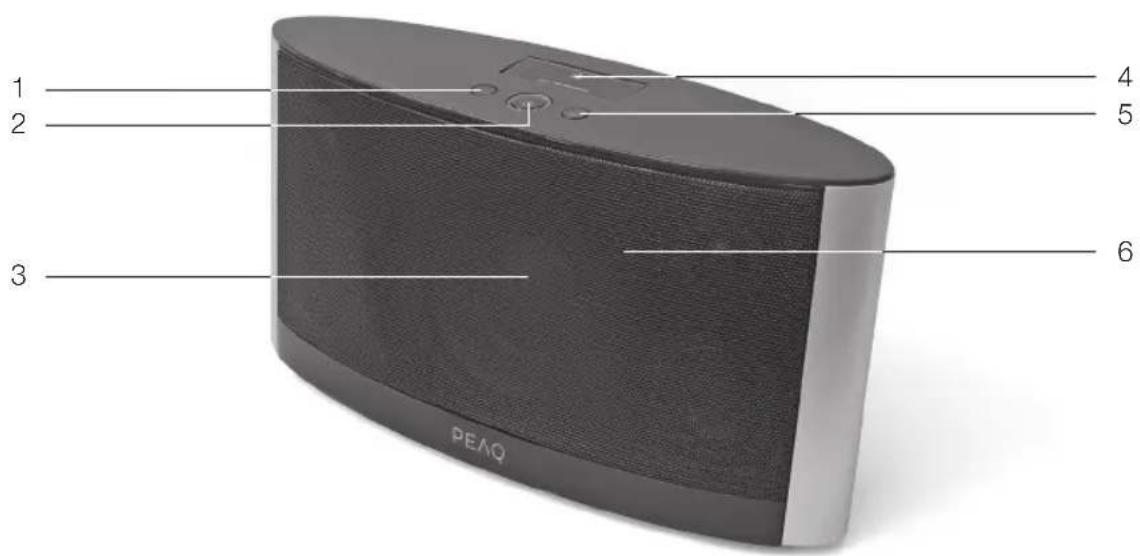
1 Volume - button
2 Standby button
3 Speakers
4 iPod/iPhone docking
5 Volume+ button
6 Remote control sensor
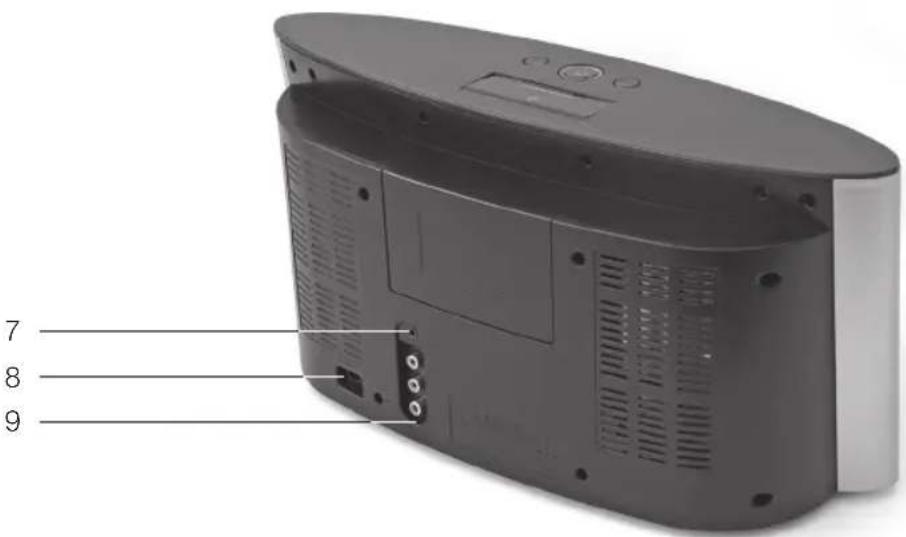
7 AUX IN jack
8 Supply cord socket
9 Component video out jacks
Accessories
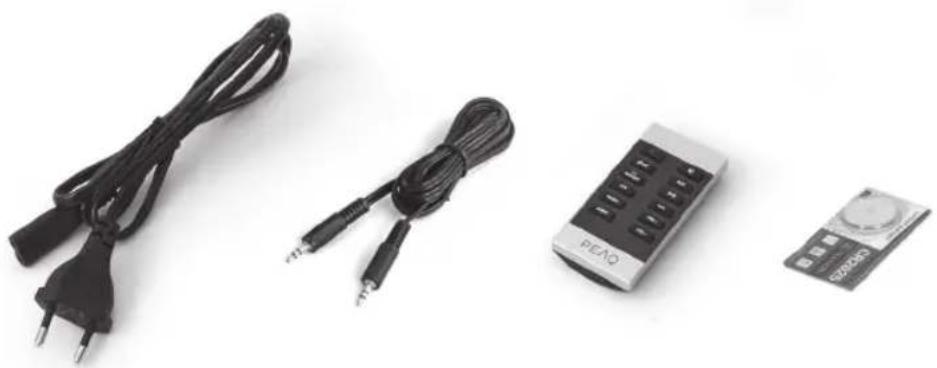
natural_image
Three electronic components: a black cord with two leads, a black control panel labeled 'PEAO', and a small electronic device (no visible text or symbols on the devices themselves)1x Supply cord
1x Audio cable 3.5 mm
1x Remote control
1x Battery (3 V CR2025)
1x User Manual
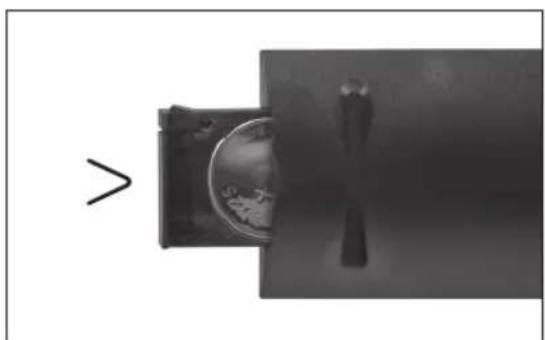
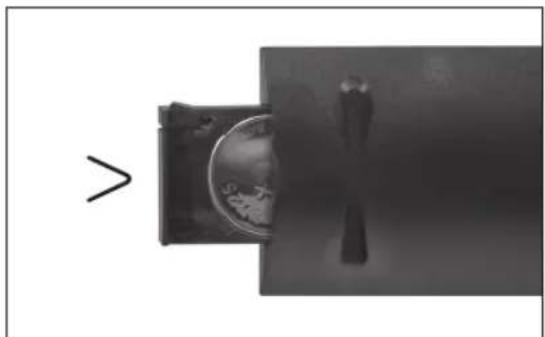
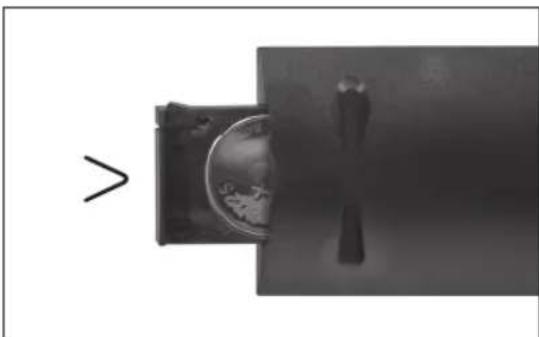
INSERTING BATTERIES
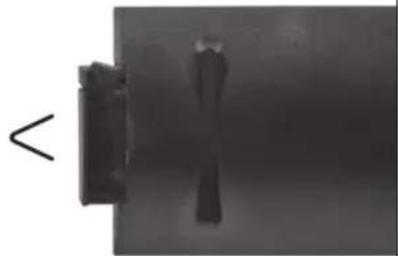
natural_image
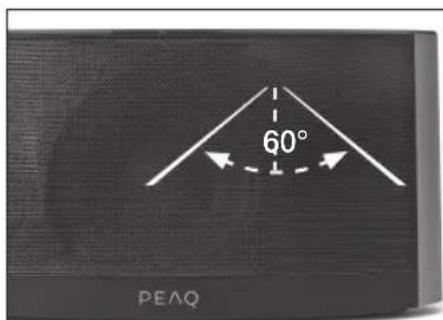
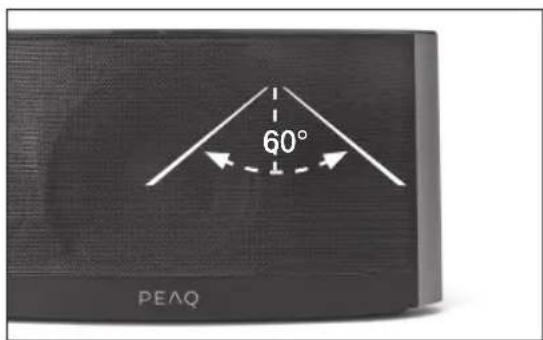
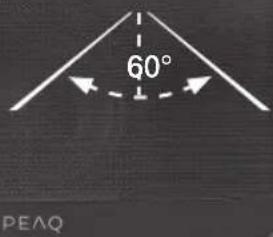
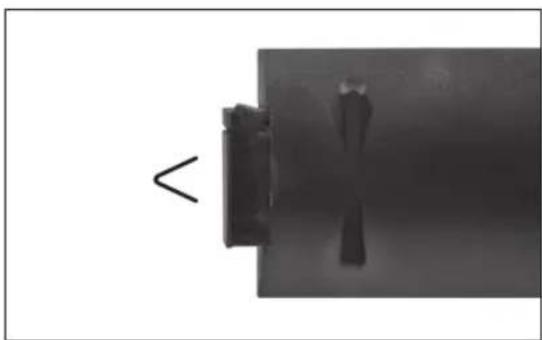
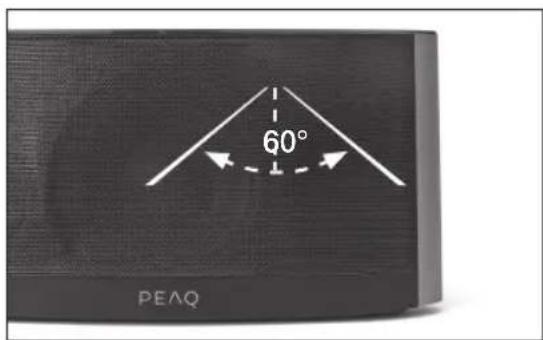
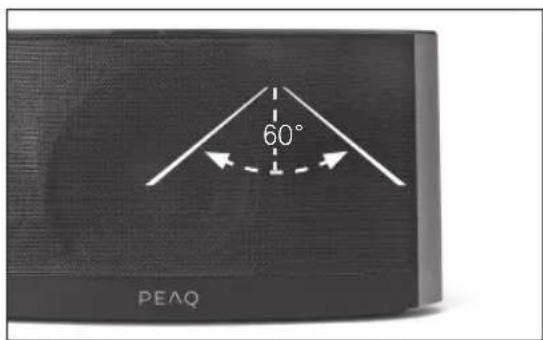
Pure mechanical component diagram without any text, numbers, or symbolsCONTROL RANGE APPROX. 7 M
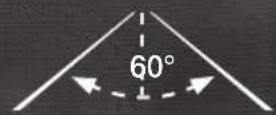
natural_image
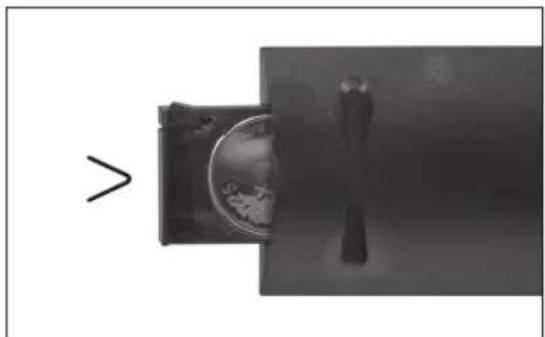
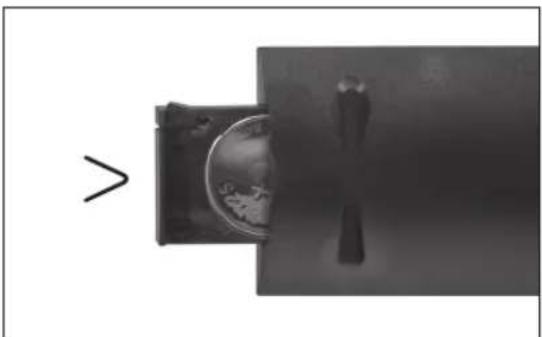
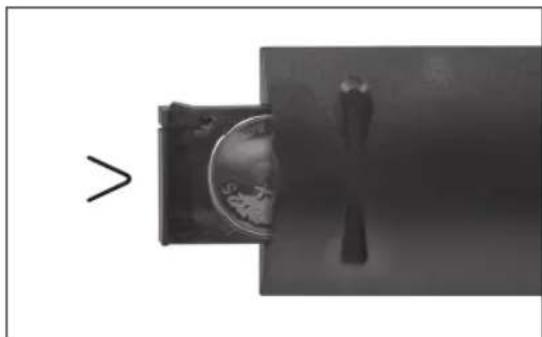
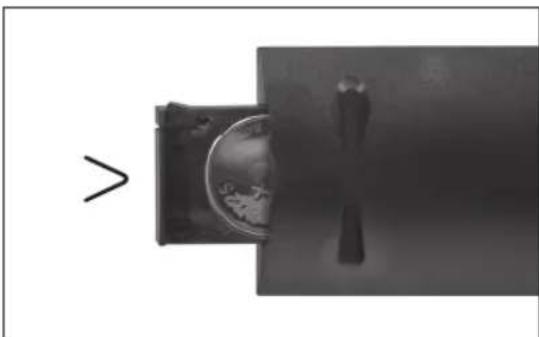
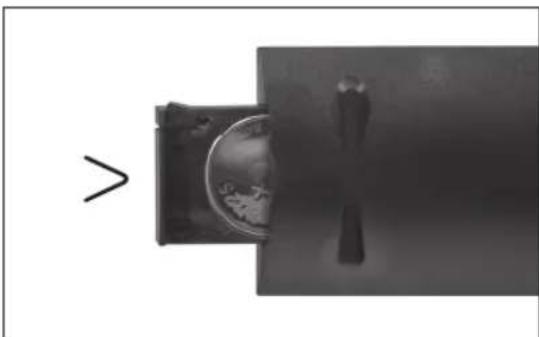
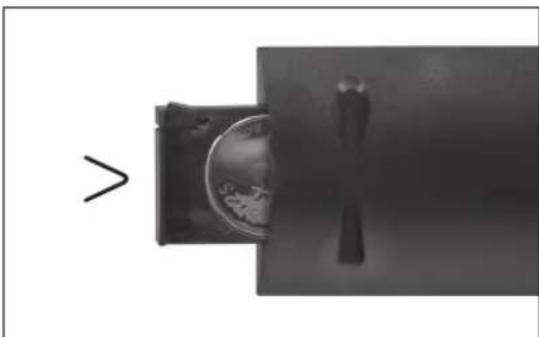
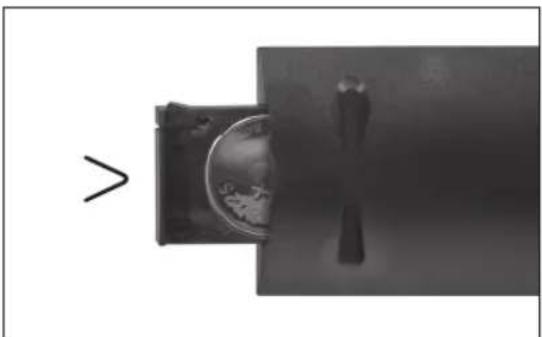
Diagram showing a device with a globe inside and a vertical rod inserted, with an arrow pointing to it (no text or symbols present)Pull out the battery holder. Install battery cell. Make sure that the battery polarity + matches the + marking on the holder/remote. Replace the battery holder.
Safety remark
Important safety instructions. Read carefully and keep for future reference.
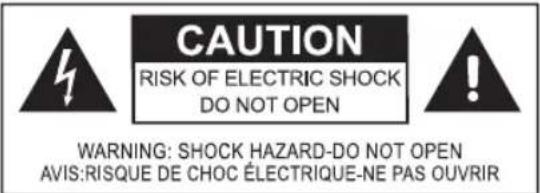
The lightning flash with arrowhead within an equilateral triangle is intended to alert the user to the presence of uninsulated “dangerous voltage” inside the enclosure of this appliance, which may be of sufficient magnitude to constitute a risk of electric shock to persons and animals.
The exclamation point within an equilateral triangle is intended to alert the user to the presence of important operating and maintenance instructions in the literature accompanying this appliance. To reduce the risk of fire or electric shock, do not expose this appliance to rain or moisture. The appliance shall not be exposed to dripping or splashing. Objects filled with liquids, such as vases, shall not be placed on appliance.
Setup
Select a stable, level and clean surface to place the appliance. Route cables so that they do not become a trip hazard and do not place heavy or sharp objects on the cables or units. Leave about 10 cm for ventilation around the appliance.
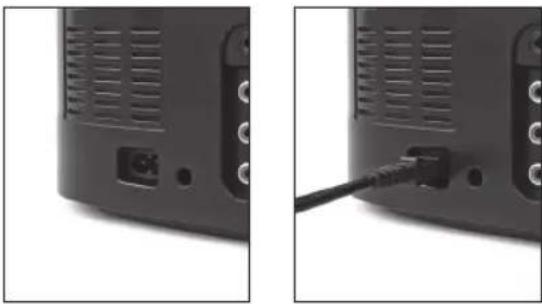
POWER SUPPLY
natural_image
Two black-and-white photos showing a device rear panel with ventilation slots and a cable inserted into a terminal block (no text or symbols visible)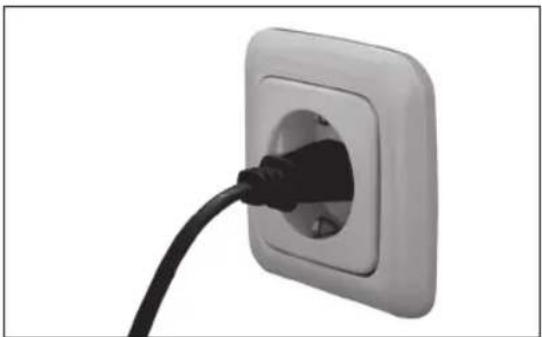
natural_image
Close-up of a black cable inserted into a square electrical outlet (no text or symbols visible)Plug the supply cable to the socket on the back of the appliance. Plug in the appliance.
Connections
LINE IN
natural_image
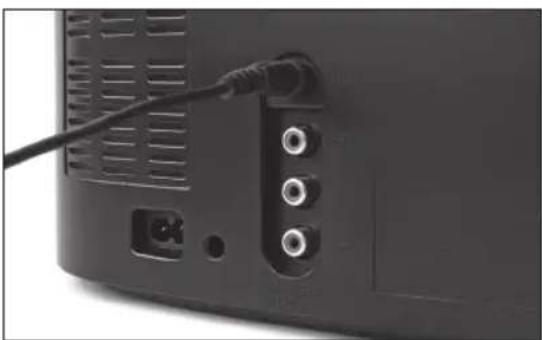
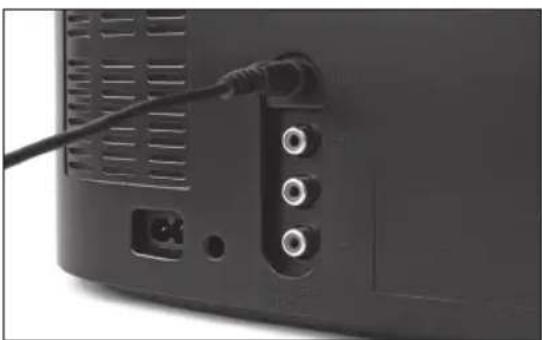
Back view of a black electronic device showing ports and a cable (no visible text or symbols)Use a 3.5 mm audio cable to connect external audio sources via the AUX IN jack. Press AUX on remote control.
VIDEO OUT
natural_image
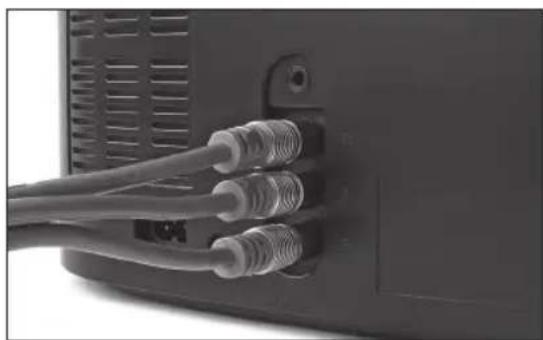
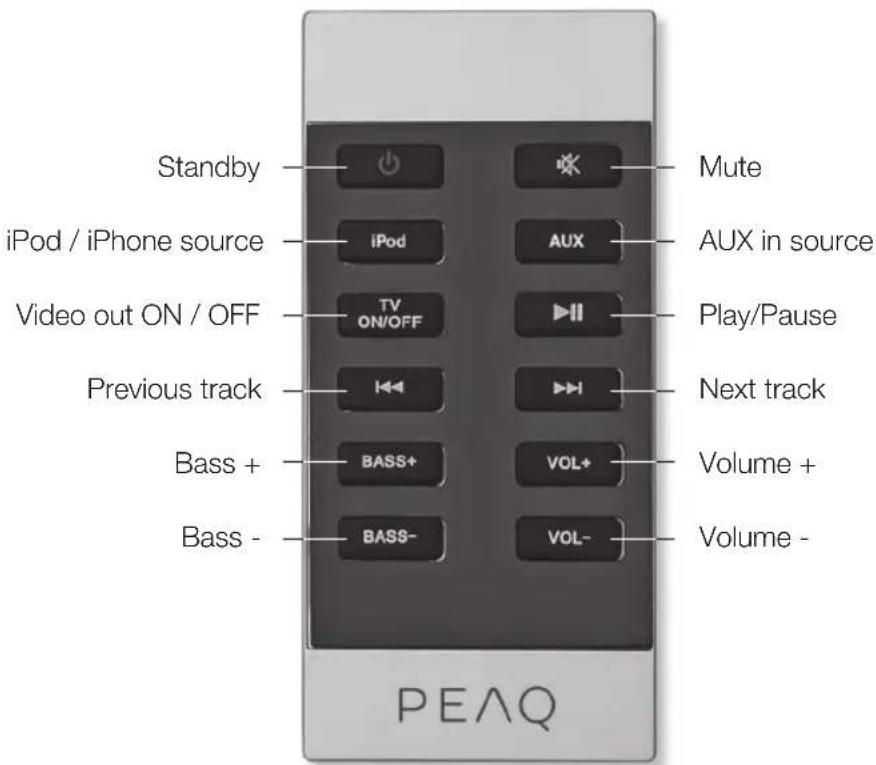
Close-up of a black electronic device showing three Ethernet cables inserted into a port (no text or symbols visible)Use a RGB video cable to connect a TV via the component video out jacks. Press TV ON/OFF on remote control to set video playback from iPhone/iPod on or off.
NOTE: Make sure the correct AV in source is selected on the TV.
Remote control
Operation
START
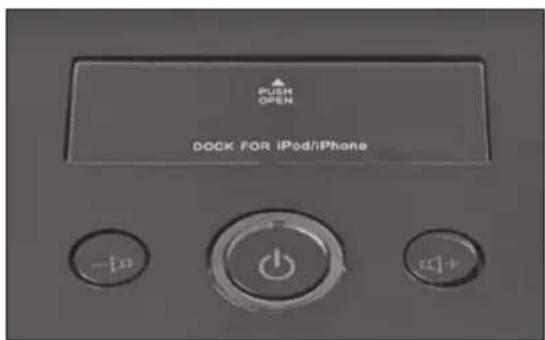
Press on the device or on the remote control to switch the appliance on. While the appliance is on, a white LED is on.
STANDBY
To turn the unit back into standby mode, press ☐ on the device or on the remote control. While the appliance is in standby, the white LED is off.
VOLUME
Press 📄+ on the panel or VOL+ on the remote control to increase volume.
Press ➤ on the panel or VOL- on the remote control to decrease volume.
BASS
Press the BASS +/- on the remote control to adjust the bass of the subwoofer.
PREVIOUS
NEXT
During playback, press▶d skip to the next track. After three seconds, to skip to previous track, press ◀twice fast. If pressed
once, current track will be played from the beginning.
PLAY / PAUSE
In stop mode, press ▶II once to start play-back. To pause the playback temporarily, press ▶II once more; sound will be muted. To resume, press ▶again.
MUTE
To switch off the volume temporarily, press ✗ on the remote control. Press ✗ again to resume at preset volume.
iPhone/iPod playback
CONNECT iPhone/iPOD
natural_image
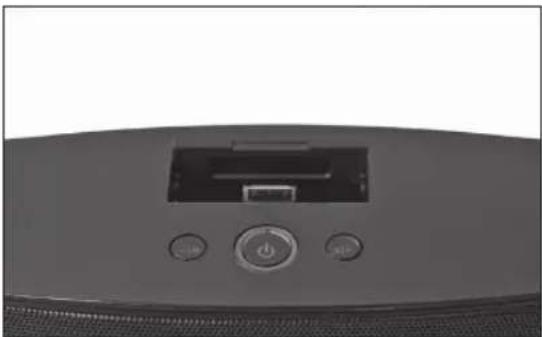
Close-up of a black electronic device front panel with control buttons (no visible text or symbols)To listen to an iPhone/iPod open the docking cover on top of the appliance.
natural_image
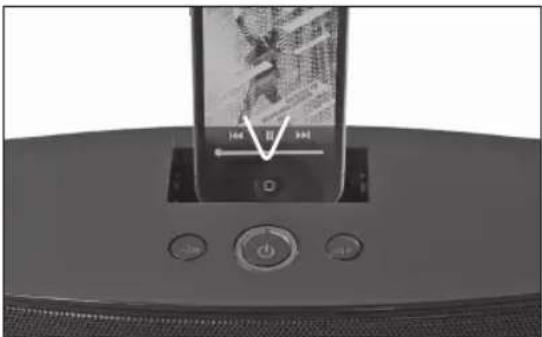
Close-up of a handheld electronic device with a screen displaying a black-and-white image and control buttons (no readable text or symbols)Connect the iPhone/iPod to the docking. Make sure, that the iPhone/iPod is fully connected. Press iPod on remote control. NOTE: Insert the iPhone/iPod carefully so that the connector pins are not damaged.
CHARGING
The connected iPhone/iPod will be charged in ON mode.
Troubleshooting
| No power Ensure that the wall socket has power by testing with an other device. | |
| iPhone/iPod does not respond | Check the docking and iPhone/iPod for obstruction on the connectors, then reconnect. |
| Check if the latest iPhone/iPod software is installed and make sure the iPhone/iPod works properly. | |
| No soundDistorted sound | Connect an other source to the docking or via AUX in to test the function. |
| Ensure that the TV is connected correctly and displays the correct AV channel. | |
| Ensure that the MUTE function of the appliance, TV or source is not active. | |
| No picture Ensure that the TV is connected | correctly and displays the correct AV channel. |
| Check if the connection cable is defective. | |
| Distorted or noisy picture The iPhone/iPod | may be damaged or dirty.Clean it or try an other one. |
| Reset the TV's color system. | |
| Ensure that the appliance is connected directly to the TV (and not via an AV-System, Cable Box, Satellite Receiver, etc.) | |
Specifications
Rated voltage: AC 230 V\~, 50 Hz
Power consumption: 130 W
Power consumption standby: < 1 W
Power output:
180 W RMS
(20W X 2 + 25W X 2 + 90W, 2.2.1 system)
L/R CH (60 Hz - 20 kHz at +1 / -2 dB)
Frequency response:
Sensitivity: L/R: 600 mV
Overload source e.m.f.: > 2 V
Separation: > 50 dB
S/N: 60 dB
Remote Control: > 7m
Dimensions (W x H x D): 166 (W) x 202 (H) x 400 (L) mm
Weight: 6.25 kg
Operating/ambient temperature: -10 °C to +40 °C
The rating label is located at the back of the appliance.
iPod / iPhone / iPad
"Made for iPod", "Made for iPhone" and "Made for iPad" mean that an electronic accessory has been designed to connect specifically to iPod, iPhone or iPad respectively and has been certified by the developer to meet Apple performance standards. Apple is not responsible for the operation of this device or its compliance with safety and regulatory standards. Please note that the use of this accessory with iPod, iPhone or iPad may affect wireless performance.
iPad, iPhone, iPod, iPod classic, iPod nano, iPod shuffle, and iPod touch are trademarks of Apple Inc., registered in the U.S. and other countries.
INTENDED USE
This appliance is intended for recieving and playing audio and video signals. Only use according to these instructions. Improper use is dangerous and will void any warranty claim. Observe the safety instructions.
DISPOSAL
The crossed-out wheeled bin logo requires the separate collection of waste electric and electronic equipment (WEEE). Electric and electronic equipment may contain dangerous and hazardous substances. Do not dispose of this appliance as unsorted municipal waste. Return it to a designated collection point for the recycling of WEEE. By doing so, you will help to conserve resources and protect the environment. Contact your retailer or local authorities for more information.
natural_image
Product display of electronic devices including a black cord, audio jack, and a small electronic device (no visible text or symbols)natural_image
Pure mechanical component diagram without any text, numbers, or symbolsRANGO DE CONTROL APROX. 7 M
natural_image
Diagram showing a device with a circular component and a vertical rod inserted into a container, with an arrow pointing to it (no text or symbols present)natural_image
Close-up of a device rear panel showing ventilation slots and a cable inserted into a socket (no text or symbols visible)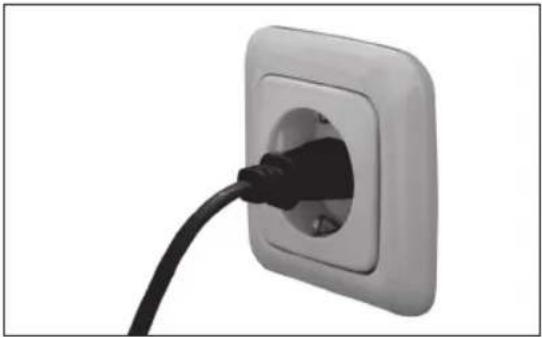
natural_image
Close-up of a black cable inserted into a white square electrical outlet (no text or symbols visible)natural_image
Back view of a black electronic device showing ventilation grille, cable, and three ports (no visible text or symbols)natural_image
Close-up of a black electronic device showing three Ethernet cables inserted into a port (no text or symbols visible)natural_image
Close-up of a black electronic device front panel with control buttons (no visible text or symbols)natural_image
Close-up of a digital audio recording device with a screen and control buttons (no visible text or symbols)natural_image
Product display of electronic devices including a black cord, audio jack, and a small electronic device (no visible text or symbols)natural_image
Pure mechanical component diagram without any text, numbers, or symbolsPORTÉE DE COMMANDE APPROX. 7 M
natural_image
Diagram showing a device with a circular component and a vertical rod inserted into a container, with an arrow pointing to it (no text or symbols present)natural_image
Close-up of a black electronic device rear panel with ventilation grille and indicator lights (no visible text or symbols)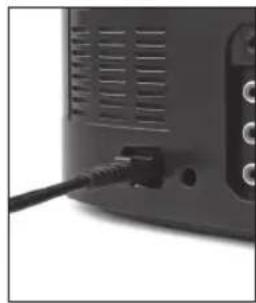
natural_image
Close-up of a black cable inserted into a gray electronic device (no visible text or symbols)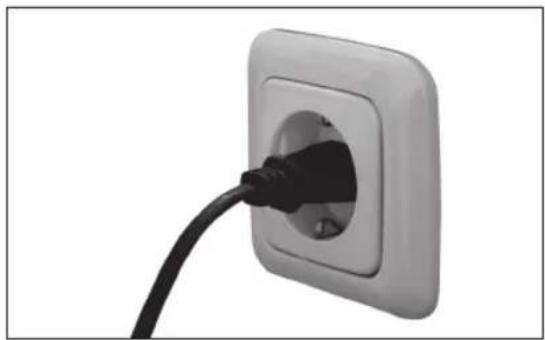
natural_image
Close-up of a black cable inserted into a square electrical outlet (no text or symbols visible)natural_image
Back view of a black electronic device showing ventilation grille, cable, and three ports (no visible text or symbols)natural_image
Close-up of a black electronic device showing three Ethernet cables inserted into a port (no text or symbols visible)natural_image
Close-up of a black electronic device front panel with control buttons (no visible text or symbols)natural_image
Close-up of a smart speaker with a screen displaying a white 'V' symbol, no visible text or symbols on the device itself.natural_image
Three electronic components: a black cord with two leads, a black control panel labeled 'PEAO', and a small electronic device (no visible text or symbols on the devices themselves)natural_image
Pure mechanical component diagram without any text, numbers, or symbolsHATÓTÁVOLSÁG KB. 7 M
natural_image
Diagram showing a device with a circular component and a vertical rod inserted into a container, with an arrow pointing to it (no text or symbols present)natural_image
Close-up of a black electronic device rear panel showing ventilation slots and a cable inserted into a socket (no text or symbols visible)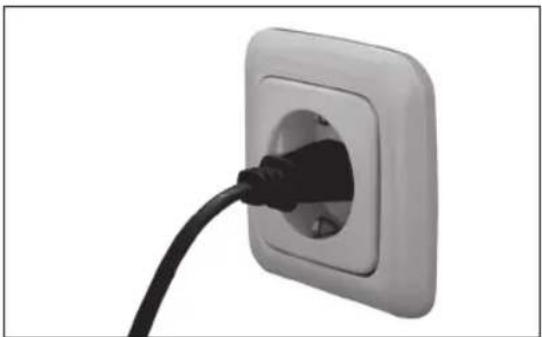
natural_image
Close-up of a black cable inserted into a square electrical outlet (no text or symbols visible)natural_image
Back view of a black electronic device showing ports and a cable (no visible text or symbols)natural_image
Close-up of a black electronic device showing three Ethernet cables inserted into a port (no text or symbols visible)natural_image
Close-up of a black electronic device rear panel with control buttons (no visible text or symbols)natural_image
Close-up of a device's front panel showing a screen with a V symbol and control buttons (no readable text or symbols)natural_image
Three electronic components: a black cord with two leads, a black control panel labeled 'PEAO', and a small electronic device (no visible text or symbols on the devices themselves)natural_image
Close-up of a mechanical component with a V-shaped notch and a small protrusion (no visible text or symbols)PORTATA APPROSS. 7 M
natural_image
Simple diagram showing a container with a circular object inside and a vertical rod inserted into it, with an arrow pointing to it (no text or symbols)natural_image
Close-up of a black electronic device rear panel showing ventilation slots and a cable inserted into a socket (no text or symbols visible)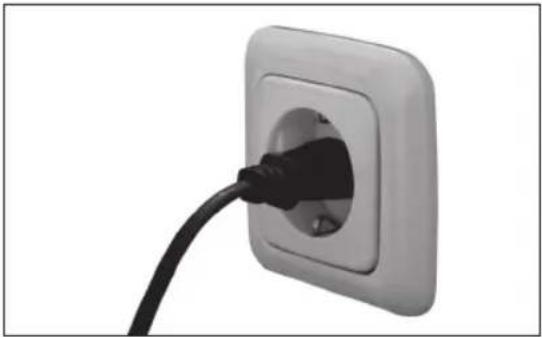
natural_image
Close-up of a black cable inserted into a square electrical outlet (no text or symbols visible)natural_image
Back view of a black electronic device showing ventilation grille, cable, and three ports (no visible text or symbols)natural_image
Close-up of a black electronic device showing three Ethernet cables inserted into a port (no text or symbols visible)natural_image
Close-up of a black electronic device front panel with control buttons (no visible text or symbols)natural_image
Close-up of a digital audio recording device with a screen and control buttons (no visible text or symbols)natural_image
Product display of electronic devices including a black cord, audio jack, and a small electronic device (no visible text or symbols)natural_image
Pure mechanical component diagram without any text, numbers, or symbolsBEDIENINGSBEREIK CIRCA 7 M
natural_image
Diagram showing a device with a circular component and a vertical rod, next to an arrow symbol (no text or labels present)natural_image
Close-up of a black cable inserted into a white square electrical outlet (no text or symbols visible)natural_image
Back view of a black electronic device showing ports and a cable (no visible text or symbols)natural_image
Close-up of a black electronic device showing three Ethernet cables inserted into a port (no text or symbols visible)natural_image
Close-up of a black electronic device front panel with control buttons (no visible text or symbols)natural_image
Close-up of a digital audio recording device with a screen and control buttons (no visible text or symbols)natural_image
Three electronic components: a black cord with two leads, a black control panel labeled 'PEAO', and a small electronic device (no visible text or symbols on the devices themselves)natural_image
Close-up of a mechanical component with a curved arrow pointing to it (no text or symbols visible)ZASIEG OK. 7 M
natural_image
Diagram showing a device with a circular component and a vertical rod inserted into a container, with an arrow pointing to it (no text or symbols present)natural_image
Close-up of a black cable inserted into a white square electrical outlet (no text or symbols visible)natural_image
Back view of a black electronic device showing ports and a cable (no visible text or symbols)natural_image
Close-up of a black electronic device showing three Ethernet cables inserted into a port (no text or symbols visible)natural_image
Close-up of a black electronic device front panel with control buttons (no visible text or symbols)natural_image
Close-up of a smart speaker with a screen displaying a white 'V' symbol, no visible text or symbols on the device itself.natural_image
Product display of electronic devices including a black cord, audio jack, and a small electronic device (no visible text or symbols)natural_image
Pure mechanical component diagram without any text, numbers, or symbolsALCANCE DO CONTROLO APROX. 7 M
natural_image
Diagram showing a device with a circular component and a vertical rod inserted into a container, with an arrow pointing to it (no text or symbols present)natural_image
Close-up of a black cable inserted into a square electrical outlet (no text or symbols visible)natural_image
Back view of a black electronic device showing ports and a cable (no visible text or symbols)natural_image
Close-up of a black electronic device showing three Ethernet cables inserted into a port (no text or symbols visible)natural_image
Close-up of a black electronic device front panel with control buttons (no visible text or symbols)natural_image
Close-up of a smart speaker with a screen displaying a white 'V' symbol, no visible text or symbols on the device itself.Risk of electric shock! Do not open

CAUTION: To prevent the risk of electric shock, do not remove cover (or back). No user-serviceable parts inside. Refer servicing to qualified service personnel.
natural_image
Three electronic devices: a black cord with two leads, a black control panel labeled 'PEAO', and a small electronic device (no visible text or symbols on the devices themselves)natural_image
Pure mechanical component diagram without any text, numbers, or symbolsnatural_image
Diagram showing a device with a circular component and a vertical rod inserted into a container, with an arrow pointing to it (no text or symbols present)natural_image
Close-up of a black electronic device rear panel with ventilation grille and indicator lights (no visible text or symbols)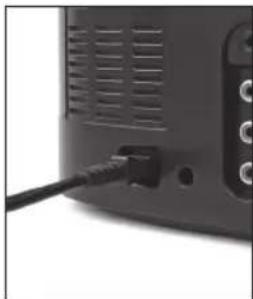
natural_image
Close-up of a black cable inserted into a white electronic device (no visible text or symbols)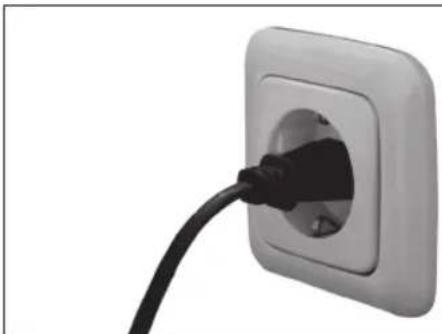
natural_image
Close-up of a black cable inserted into a white square electrical socket (no text or symbols visible)natural_image
Back view of a black electronic device showing ventilation grille, cable, and three ports (no visible text or symbols)natural_image
Close-up of a black electronic device showing three Ethernet cables inserted into a port (no text or symbols visible)natural_image
Close-up of a black electronic device front panel with control buttons (no visible text or symbols)natural_image
Close-up of a device's front panel showing a screen with a V symbol and control buttons (no readable text or symbols)(20BT X 2 + 25BT X 2 + 90BT, 2.2.1 system)
natural_image
Three electronic components: a black cord with two leads, a black control panel labeled 'PEAO', and a small electronic device (no visible text or symbols)1 st Strömkabel
1 st Ljudkabel 3,5 mm
1 st Fjärrkontroll
1 st Batteri (3 V CR2025)
1 st Bruksanvisning
ISÄTTNING AV BATTERIER
natural_image
Close-up of a mechanical component with a curved arrow pointing to it (no text or symbols visible)natural_image
Diagram showing a device with a circular component and a vertical rod inserted into a container, with an arrow pointing to it (no text or symbols present)natural_image
Close-up of a black electronic device rear panel with ventilation grilles and a small indicator button (no visible text or symbols)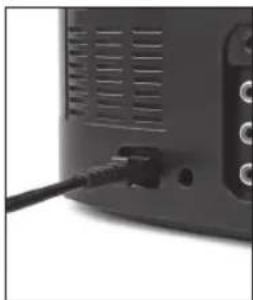
natural_image
Close-up of a black cable inserted into a gray electronic device (no visible text or symbols)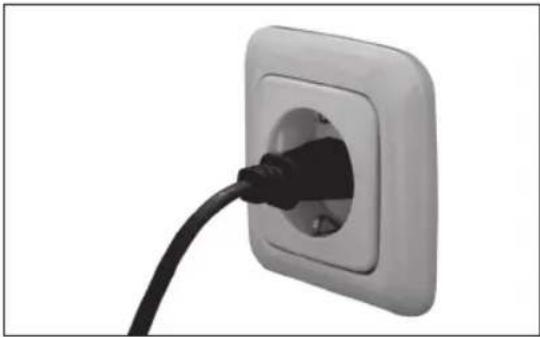
natural_image
Close-up of a black cable inserted into a white square electrical outlet (no text or symbols visible)Anslut strömkabeln till uttaget på apparatens baksida. Koppla in apparaten.
Anslutningar
LINE IN
natural_image
Back view of a black electronic device showing ports and a cable (no visible text or symbols)natural_image
Close-up of a black electronic device showing three Ethernet cables inserted into a port (no text or symbols visible)natural_image
Close-up of a black electronic device front panel with control buttons and a power button (no visible text or symbols)natural_image
Close-up of a desktop computer monitor with a screen displaying a video call interface (no readable text or symbols)L/R CH (60 Hz - 20 kHz at +1 / -2 dB)
Frekvensrespons:
natural_image
Product display of electronic devices including a black cord, audio jack, and a small electronic device (no visible text or symbols)1x Güç kablosu
1x Ses kablosu 3,5 mm
1x Uzaktan kumanda
1x Pil (3 V CR2025)
1x Kullanım Kilavuzu
natural_image
Close-up of a mechanical component with a curved arrow pointing to it (no text or symbols visible)UZAKTAN KUMANDA MESAFESİ YAKL. 7 M
natural_image
Diagram showing a device with a circular component and a vertical rod inserted into a container, with an arrow pointing to it (no text or symbols present)natural_image
Close-up of a black electronic device rear panel with ventilation grilles and a small indicator button (no visible text or symbols)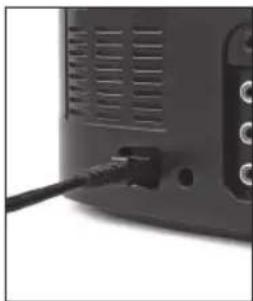
natural_image
Close-up of a black cable inserted into a white electronic device (no visible text or symbols)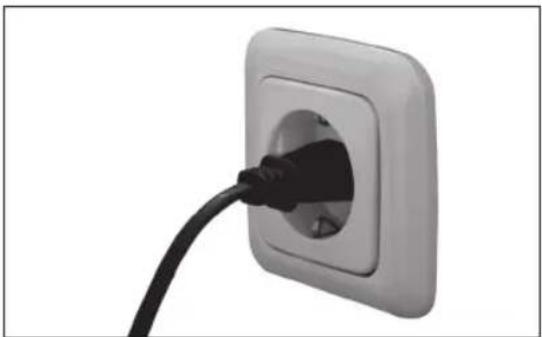
natural_image
Close-up of a black cable inserted into a white square electrical outlet (no text or symbols visible)natural_image
Back view of a black electronic device showing ventilation grille, cable, and three ports (no visible text or symbols)natural_image
Close-up of a black electronic device showing three Ethernet cables inserted into a port (no text or symbols visible)natural_image
Close-up of a black electronic device front panel with control buttons (no visible text or symbols)natural_image
Close-up of a handheld electronic device with a screen displaying a black-and-white image and control buttons (no readable text or symbols)natural_image
Three electronic components: a black cord with two leads, a black control panel labeled 'PEAO', and a small electronic device (no visible text or symbols)natural_image
Close-up of a mechanical component with a V-shaped notch and a small protrusion (no visible text or symbols)控制范围大约7 M
natural_image
Simple diagram showing a container with a globe inside and a vertical rod inserted, next to an arrow symbol (no text or labels)natural_image
Close-up of a black electronic device rear panel with ventilation grille and indicator lights (no visible text or symbols)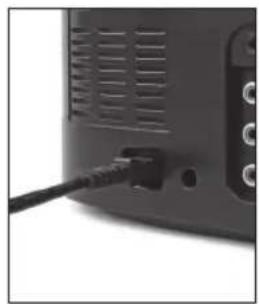
natural_image
Close-up of a black cable inserted into a gray electronic device panel (no visible text or symbols)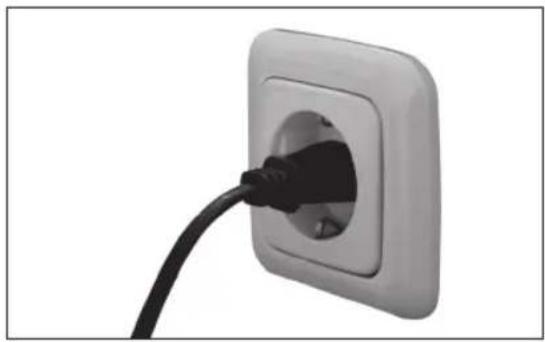
natural_image
Close-up of a black cable inserted into a white square electrical outlet (no text or symbols visible)natural_image
Back view of a black electronic device showing ventilation grille, cable, and three ports (no visible text or symbols)natural_image
Close-up of a black electronic device showing three Ethernet cables inserted into a port (no text or symbols visible)natural_image
Close-up of a black electronic device front panel with control buttons (no visible text or symbols)natural_image
Close-up of a handheld electronic device with a screen displaying a black-and-white image and control buttons (no readable text or symbols)$$ (2 0 W \times 2 + 2 5 W \times 2 + 9 0 W, $$
2.2.1 system)
$$ \mathrm{L} / \mathrm{RCH} (6 0 \mathrm{Hz} - 2 0 \mathrm{kHz} \text {at} + 1 / - 2 \mathrm{dB}) $$
频率响应:
敏感性:L/R:600mV
过载源e.m.f.: > 2V
分离:> 50 dB
S/N: 60 dB
远程控制:>7m