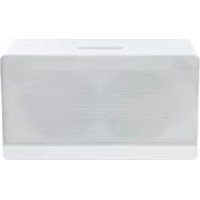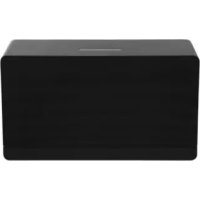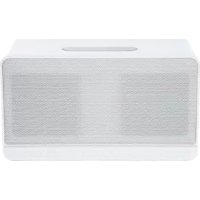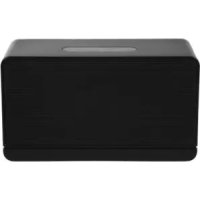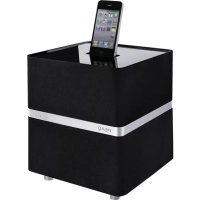
PPA300 - Docking station PEAQ - Free user manual and instructions
Find the device manual for free PPA300 PEAQ in PDF.



User questions about PPA300 PEAQ
0 question about this device. Answer the ones you know or ask your own.
Ask a new question about this device
Download the instructions for your Docking station in PDF format for free! Find your manual PPA300 - PEAQ and take your electronic device back in hand. On this page are published all the documents necessary for the use of your device. PPA300 by PEAQ.
USER MANUAL PPA300 PEAQ
Personal Audio Docking Station PPA300
DE Bedienungsanleitung
EL Odyiec xponoc
EN User Manual
ES Manual de instrucciones
FR Mode d'emploi
HU Kezelési leirás
IT Manuale dell'utente
NL Gebruiksaanwijzing
PL Instrukcja obslugi
PT Instruções de utilização
RU RykoBoIcTBO NJIb3OBaTeJIa
Bruksanvisning
TR Kullanim Kilavuzu
ZH 用户手册
Deutsch 4-13
Eaynvika 14-23
English 24-33
Espanol 34-43
Francais 44-53
Magyar 54-63
Italiano 64-73
Nederlands 74-83
Polski 84-93
Portugues 94-103
Pycckn y3bIK 104-113
Svenska 114-123
Türkce 124-133
汉语 134-143
The unit supports the listed iPod / iPhone devices (iPod / iPhone devices shown are not included)
4th generation (video)
8GB 16GB

iPod nano
5th generation
(video camera)
8GB 16GB

iPod nano
6th generation
8GB 16GB

iPod
4th generation
20GB

iPod
4th generation
40GB
iPod
4th generation
(color display)
20GB 30GB
iPod
4th generation
(color display)
40GB 60GB
iPod
5th generation
(video)
30GB
iPod
5th generation
(video)
60GB 80GB
iPod touch
1st generation
8GB 16GB 32GB
iPod touch
2nd generation
8GB 16GB 32GB
iPod touch
3rd generation
32GB 64GB
iPod touch
4th generation
8GB 32GB 64GB
iPhone
4GB 8GB 16GB
iPhone 3G
8GB 16GB
iPhone 3GS
16GB 32GB
iPhone 4
16GB 32GB
iPhone 4S
16GB 32GB 64GB
IMPORTANT SAFETY INSTRUCTIONS
READ CAREFULLY AND KEEP FOR FUTURE REFERENCE.
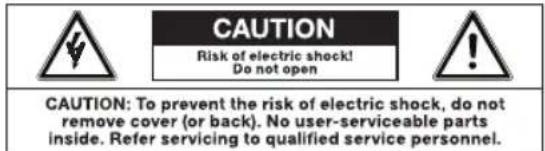
The lightning flash with arrowhead within an equilateral triangle is intended to alert the user to the presence of uninsulated "dangerous voltage" inside the enclosure of this appliance, which may be of sufficient magnitude to constitute a risk of electric shock to persons.
The exclamation point within an equi-lateral triangle is intended to alert the user to the presence of important operating and maintenance instructions in the literature accompanying this appliance
- For safety reasons, this class II appliance is provided with double or reinforced insulation as indicated by this symbol.
Before connecting the appliance to a socket outlet, make sure the voltage indicated on the appliance corresponds to your local mains.
The MAINS plug is used as the disconnect device; the disconnect device shall remain readily operable.
If the supply cord is damaged, it must be replaced by the manufacturer or its service agent or similarly qualified person in order to avoid hazard.
WARNING: To reduce the risk of fire or electric shock, do not expose this appliance to rain or moisture. The apparatus shall not be exposed to dripping or splashing and no objects filled with liquids, such as vases, shall be placed on the apparatus.
- Regularly check if the supply cord, appliance or extension cable are defective. If
found defective, do not put appliance into operation. Immediately pull the plug.
-
Place the supply cord and, if necessary, an extension cable in such a way that pulling or tripping over it is impossible. Do not allow the supply cord to hang down within easy reach.
-
Do not jam, bend or pull the supply cord over sharp edges.
-
Protect the supply cord from being walked on or pinched particularly at the plug, convenience receptacles and the point where it exits from the appliance.
-
Never pull the plug by the supply cord or with wet hands.
-
Disconnect the mains plug in case of faults during use, during lightening storms, before cleaning and when not using the appliance for a longer period of time.
-
The appliance may not function properly or not react to the operation of any control due to electrostatic discharge. Switch off and disconnect the appliance; reconnect after a few seconds.
Refer all servicing to qualified service personnel. Do not attempt to repair the appliance yourself. Servicing is required when the appliance has been damaged in any way, such as the supply cord or plug are damaged, liquid has been spilled, objects have fallen into the appliance, the enclosure is damaged, the appliance has been exposed to rain or moisture, does not operate normally, or has been dropped.
-
Upon completion of any service or repairs to this product, ask the service technician to perform safety checks to determine that the product is in proper operating condition.
-
Do not use attachments or accessories other than recommended by the manufacturer or sold with this appliance. Install in accordance with this user manual.
-
When installing the appliance, leave sufficient space for ventilation. Do not install in bookcases, built-in cabinets or the like.
- The ventilation should not be impeded by covering the ventilation openings with items, such as newspapers, table-cloths, curtains, etc. Do not insert any objects.
- No naked flame sources, such as lighted candles, should be placed on the apparatus.
- Do not place any electronic equipment or toys on the appliance. Such items could fall from the top and cause product damage and/or personal injury.
- Do not install near any heat sources such as radiators, heat registers, stoves or other appliances (including amplifiers) that produce heat
- Do not apply excessive force to the front or top, as this could ultimately overturn the appliance.
- Do not shift or move the appliance when powered on.
- Do not touch, push or rub the surface of the appliance with any sharp or hard objects.
- Do not move the appliance from cold into warm places and vice versa. Condensation can cause damage to the appliance and electrical parts.
- For appliances with earphone jack: DANGER! Excessive sound pressure from earphones and headphones can cause hearing loss. If you listen to loud music for a long time, your hearing may be impaired. Set to moderate volume.
- For appliances with USB function: Reset appliance by disconnecting USB device from appliance in case of malfunction.
-
For appliances with USB function: If an USB data storage medium malfunctions as a result of electrostatic discharge and momentary electrical surges, disconnect the device from the appliance.
-
For appliances / accessories intended for use of batteries:
- CAUTION! Danger of explosion if batteries are incorrectly replaced. Replace only with the same or equivalent type. Observe correct polarity.
- Batteries (battery pack or batteries installed) shall not be exposed to excessive heat such as sunshine, fire or the like. Protect from mechanical shock. Keep dry and clean. Keep away from children.
- Do not open, dismantle, shred or short-circuit batteries. Do not mix old and new batteries.
- Dispose of properly. Pay attention to environmental aspects of battery disposal. Do not dispose of in household waste.
- Refer to safety and other instructions on the battery or its packaging.
Main unit
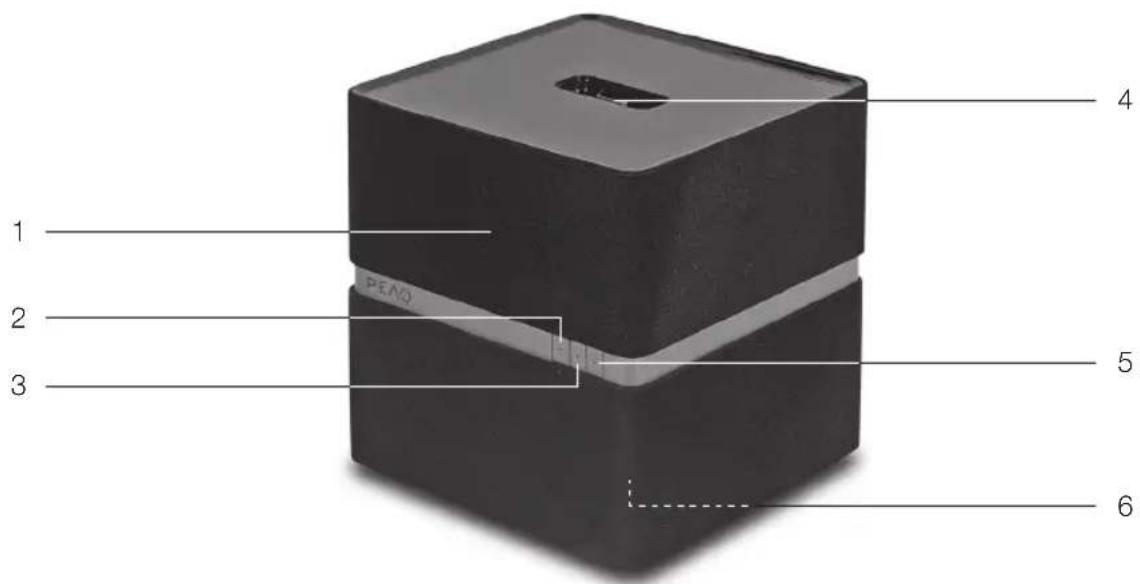
1 Status LED
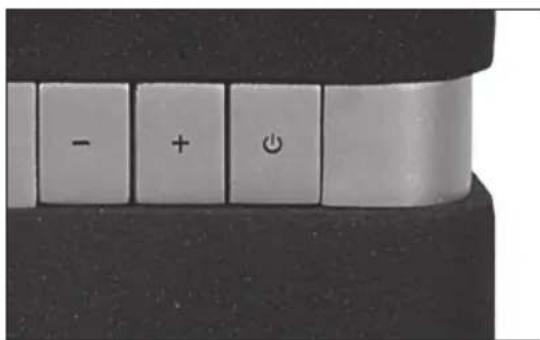
2 Volume - button
3 Volume + button
4 iPod/iPhone docking
5 Standby button
6 Subwoofer
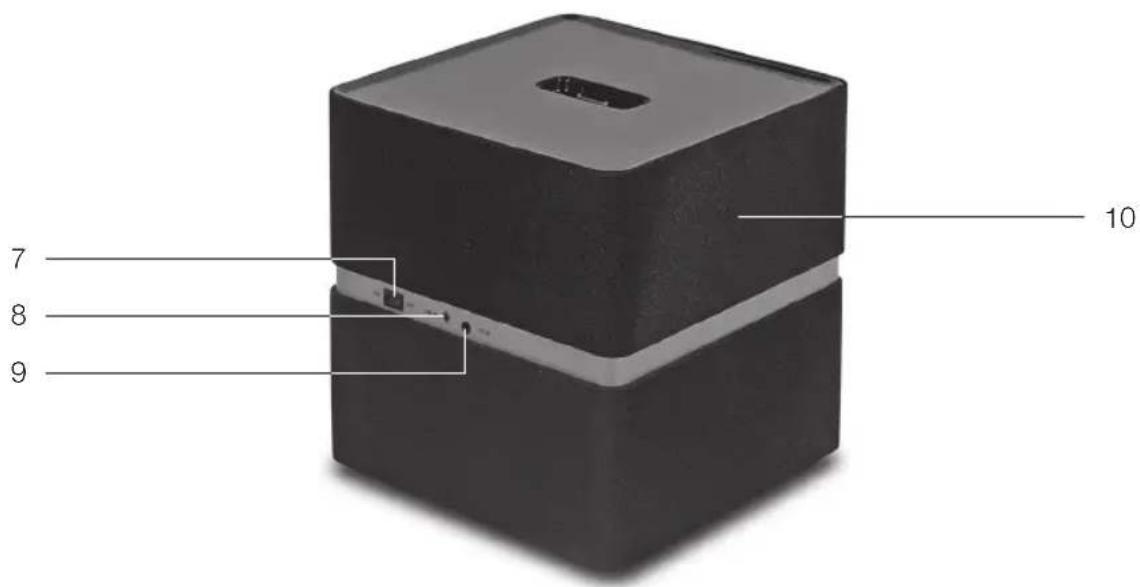
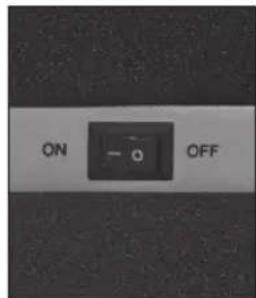
7 Power switch
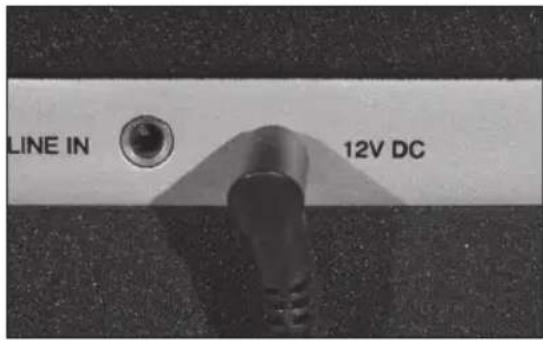
8 LINE IN jack
9 12V DC jack
10 3D Speaker
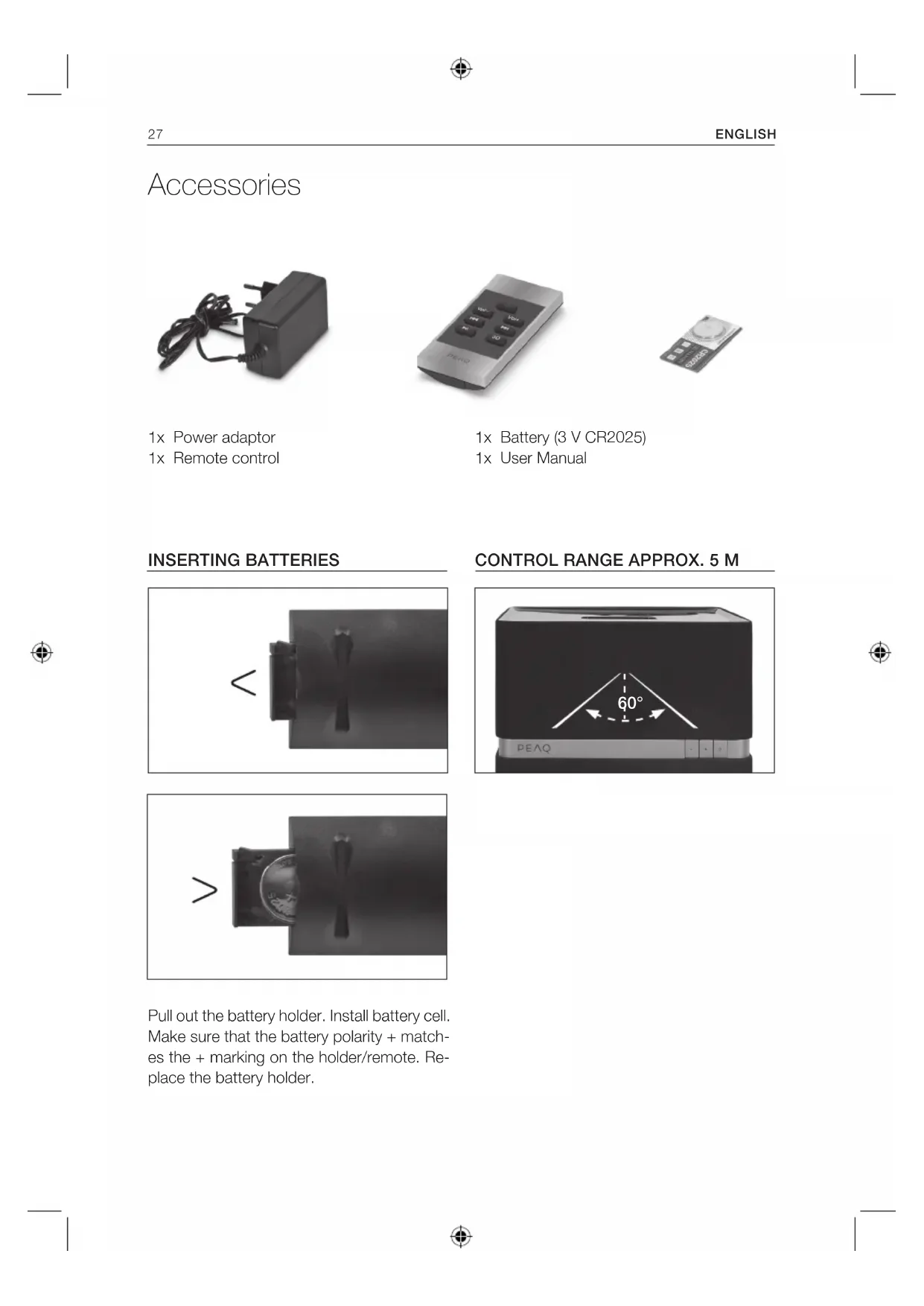
Accessories
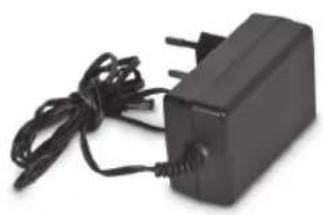
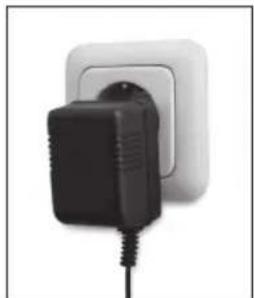
1x Power adaptor
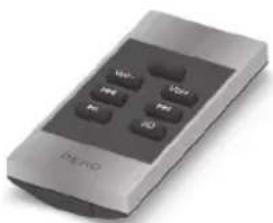
1x Remote control
1x Battery (3 V CR2025)
1x User Manual
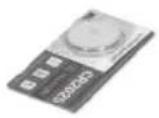
INSERTING BATTERIES
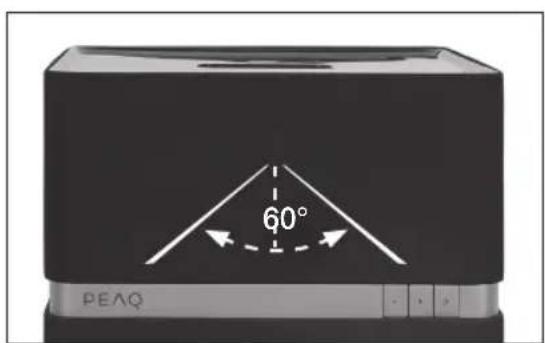
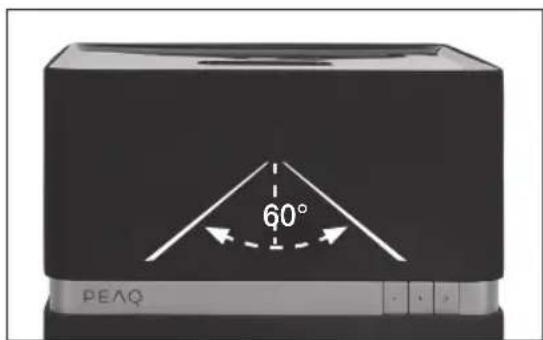
CONTROL RANGE APPROX. 5 M
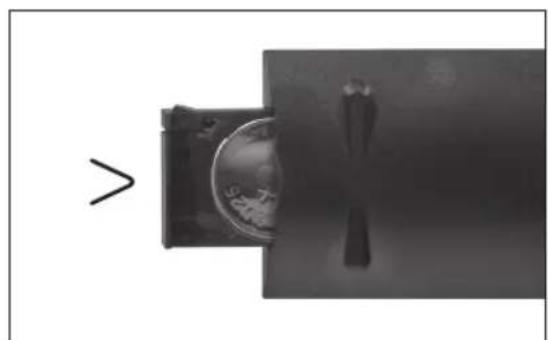
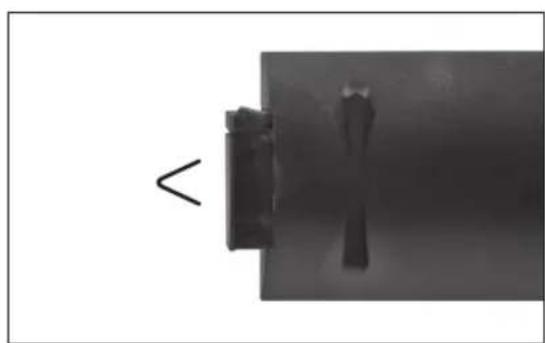
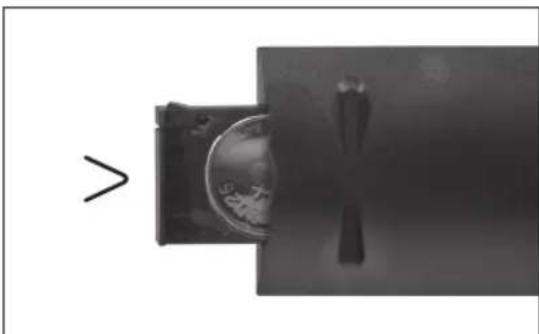
Pull out the battery holder. Install battery cell. Make sure that the battery polarity + matches the + marking on the holder/remote. Replace the battery holder.
Connections
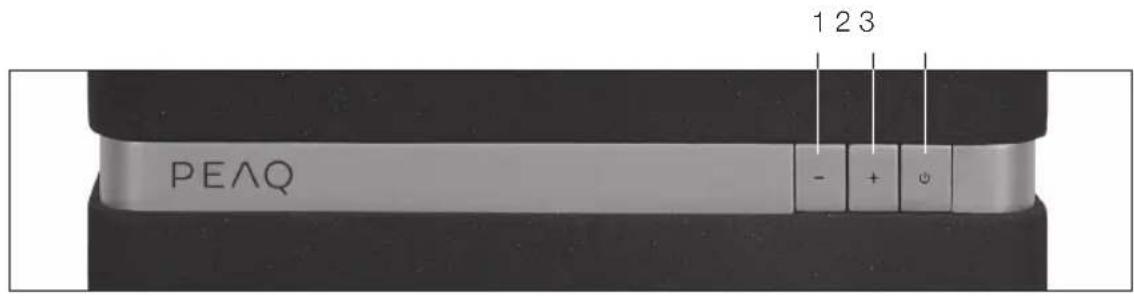
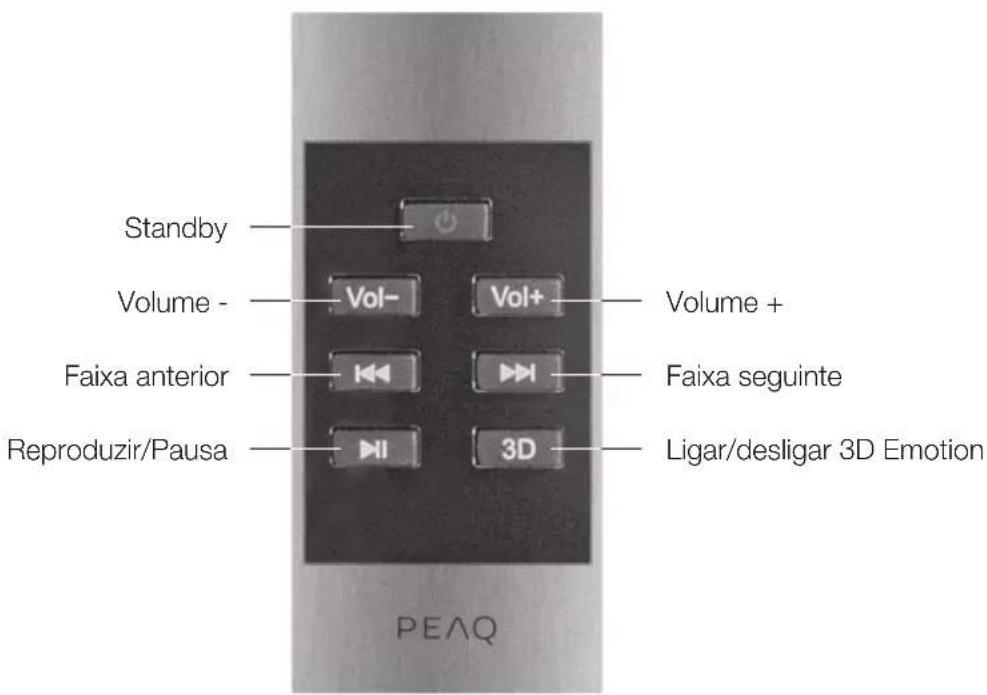
1 Volume -
2 Volume +
3 Standby
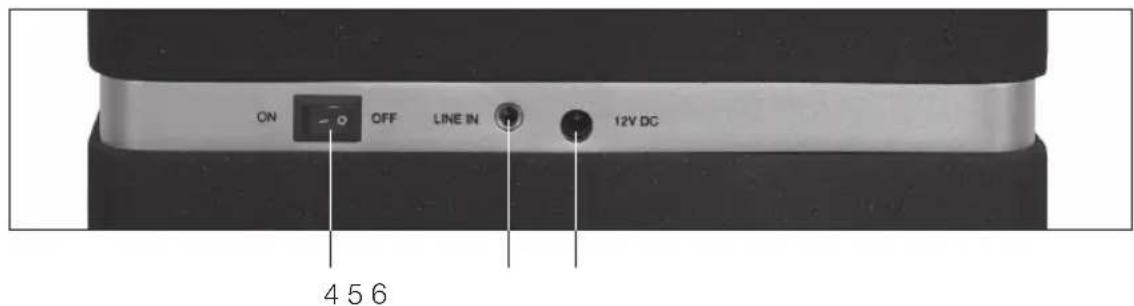
4 Power switch
5 LINE IN jack
6 12V DC jack
Remote control
Safety remark
Important safety instructions. Read carefully and keep for future reference.
The lightning flash with arrowhead within an equilateral triangle is intended to alert the user to the presence of uninsulated "dangerous voltage" inside the enclosure of this appliance, which may be of sufficient magnitude to constitute a risk of electric shock to persons and animals.
The exclamation point within an equilateral triangle is intended to alert the user to the presence of important operating and maintenance instructions in the literature accompanying this appliance. To reduce the risk of fire or electric shock, do not expose this appliance to rain or moisture. The appliance shall not be exposed to dripping or splashing. Objects filled with liquids, such as vases, shall not be placed on appliance.
Setup
Select a stable, level and clean surface to place the appliance. Route cables so that they do not become a trip hazard and do not place heavy or sharp objects on the cables or units. Leave about 10cm for ventilation around the appliance.
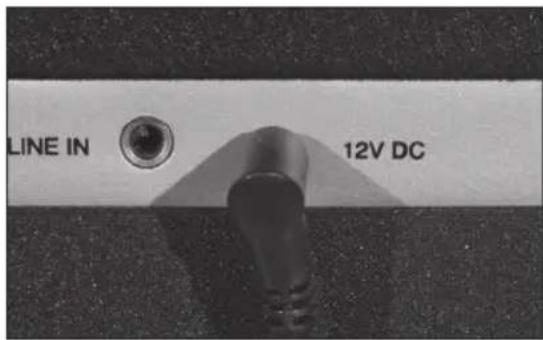
POWER SUPPLY
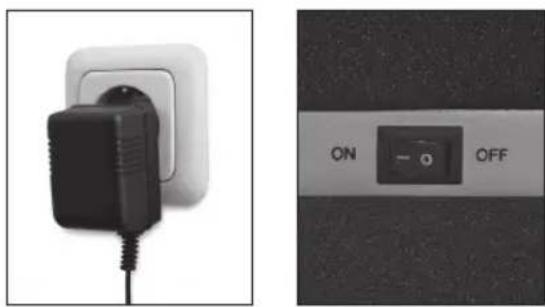
Plug in the power adaptor to the 12V DC jack and to a mains supply. Set the power switch to ON.
Operation
START
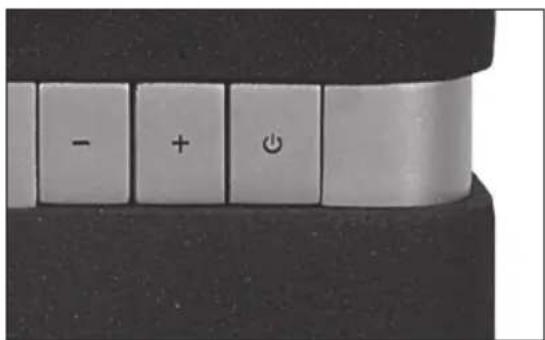
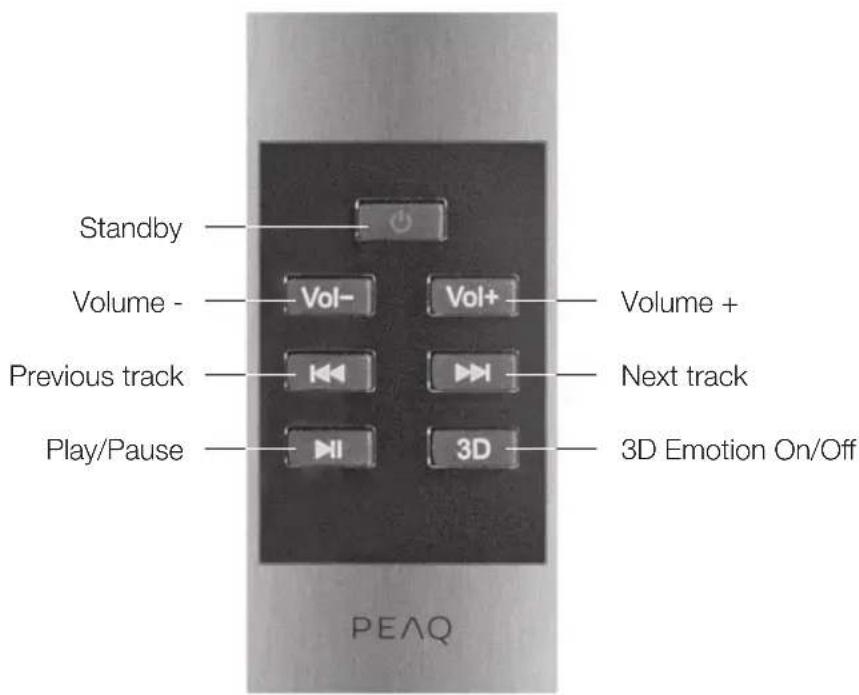
Press on the device or on the remote control to switch the appliance on. While the appliance is on, a white LED is on.
STANDBY
To turn the unit back into standby mode, press on the device or on the remote control. While the appliance is in standby, a red LED is on.
VOLUME
Press + on the panel or VOL+ on the remote control to increase volume.
Press - on the panel or VOL- on the remote control to decrease volume.
PREVIOUS NEXT
During playback, press skip to the next track. After three seconds, to skip to previous track, press twice fast. If pressed once, current track will be played from the beginning.
HI PLAY/PAUSE
In stop mode, press once to start playback. To pause the playback temporarily,
press once more; sound will be muted. To resume, press again.
3D EMOTION
Press 3D on the remote control to switch the 3D Emotion sound ON or OFF.
LINE IN
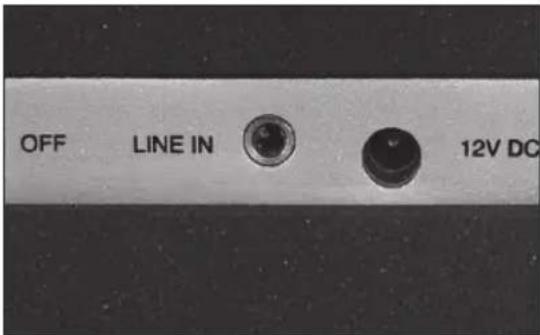
Use a 3.5 mm audio cable to connect external audio sources via the LINE IN jack.
NOTE: The source of the docking station is the first priority playback source. Please remove the iPhone/iPod from the docking station in order to listen through LINE IN.
iPhone/iPod playback
CONNECT iPhone/iPOD
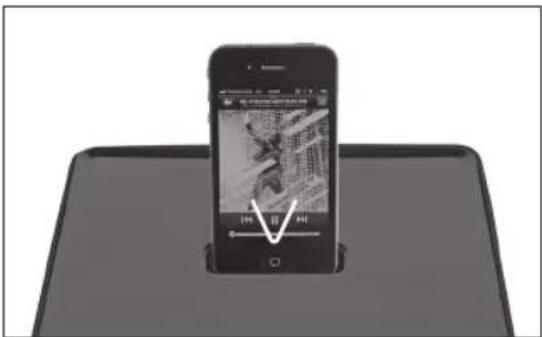
To listen to music from an iPhone/iPod connect the iPhone or iPod to the docking on top of the appliance. Make sure, that the iPhone/iPod is fully connected to the docking.
NOTE: Insert the iPhone/iPod carefully so that the connector pins are not damaged.
CHARGING
The connected iPhone/iPod will be charged as long as the appliance is connected to a mains supply.
Troubleshooting
| No sound Verify that the power adaptor and its jack are connected properly. |
| Make sure the power button is in ON position. |
| Make sure the appliance is ON (White LED is on). |
| Check if the iPhone/iPod is connected properly to the docking station. |
| Make sure the volume is set at a audible listening level. |
| Check if music is playing from your iPhone/iPod. |
| Check if a cable a the LINE IN overrides the iPhone/iPod playback. |
| No charging Check if the iPhone/iPod is connected properly to the docking station. |
Specifications
Rated voltage: 100 - 240V /50 / 60Hz
Power consumption: < 48W
Power consumption standby: < 1 W
6.1 Channel power output: 6 × 5 W & 1 × 10 W
Frequency response: L/R CH (60 Hz - 20 kHz at +1 / -2 dB)
Sensitivity: L/R: 550 mV
Overload source e.m.f.: >2V
Separation: >55 dB
S/N: 60 dB
Remote Control: >5m
Dimensions (W× H× D) .. 215× 215× 215mm
Weight: 6.0kg
Operating/ambient temperature: -10 °C to +40 °C
iPod/iPhone
"Made for iPod," and "Made for iPhone," mean that an electronic accessory has been designed to connect specifically to iPod or iPhone respectively, and has been certified by the developer to meet Apple performance standards. Apple is not responsible for the operation of this device or its compliance with safety and regulatory standards. Please note that the use of this accessory with iPod or iPhone may affect wireless performance.
iPhone & iPod are trademarks of Apple Inc., registered in the U.S. and other countries.

sonic emotion technology uses wavefield synthesis to eliminate the physical dimensions of a room and create a virtual soundfield.
sonic emotion and are registered trademarks of sonic emotion ag.
INTENDED USE
This appliance is intended for recieving and playing audio and video signals. Only use according to these instructions. Improper use is dangerous and will void any warranty claim. Observe the safety instructions.
DISPOSAL
The crossed-out wheeled bin logo requires the separate collection of waste electric and electronic equipment (WEEE). Electric and electronic equipment may contain dangerous and hazardous substances. Do not dispose of this appliance as unsorted municipal waste. Return it to a designated collection point for the recycling of WEEE. By doing so, you will help to conserve resources and protect the environment. Contact your retailer or local authorities for more information.


Risk of electric shock! Do not open

CAUTION: To prevent the risk of electric shock, do not remove cover (or back). No user-serviceable parts inside. Refer servicing to qualified service personnel.
PORTATA APPROSS. 5 M
1 Volume -
2 Volume +
3 Stand-by
4 Botão Liga/desliga
5 Conector LINE IN
6 Conector DC 12V
Controlo remoto
Risk of electric shock!
Do not open

CAUTION: To prevent the risk of electric shock, do not remove cover (or back). No user-serviceable parts inside. Refer servicing to qualified service personnel.

CIMBOJ MOJIHN CO CTpeKoB BHyTpnpaB-HOCTOPOHHERTOpeYroIbHnKa Cnyknt, TTo6bl
PnBHe BHMMAHMe NOBaTeJI K HAIHNO HEN3OJNPOBaHHOro "Onachoro HAnpXeHn" BHyTpN 3TOrO Pn6Opa, BeINHHa KOTOPo MOxET 6bITb DOCTaTOHON DnI NOPaXeHn IIOEi TOKOM.

BockJIuIaTeIbHbI 3HaK BHyTpI paBHocToPOnHero TpeYroJIbHnKa cIyXnT, YTObI npI
BInb BINMaHHe NIOJIb3OBATeJI K BaXHOI OtnepaUIMn Yka3aHmM NO OScIyXnBaHIO B IInTepaType, CoPBOxKaIouSeI 3TOT nPbOp.
JaHHbI CnMBoI 063HaHaET, YTO no COO6paxeHnA M 6e3OpacHOCTN B ATOM PnIOBope KnaCCa IINCNoJIb3yETcR DAOBHAR NIN yCINHeHHa N3OJIaMnI
Ipeed noKIOHHeHem np60pa K cTeBOH po3eTke y6eNTecb, YTO HApRKeHne, Yka3aHHoe Ha CAMOM np6Ope, COOTBETCTByET HApRKeHIO B JOKaJIbHO CETN 3JIeKTpONITAHIN.
- CeteB0I WTeNcIb IcNoJIb3yETcB KaYeCTBe pa3beINHITeJIpa3beINHITeJIdoJIkeH BceIda HaxOHTBCB I NCpPaBHOM COCTOHN.
B Cnyae NOBpeKdEHNcIIOBOrO Ka6eJI Heo6XoIMo, YTO6bI IPOIN3BOIDNTeJIb, ERO cepBnCHbI aERHT NII INDpyOE KBAINDINPPOBaHHOe NIO pON3BENI 3aMeHy Ka6eJI dNl yCTpaHEHnR BO3MOXHOI ONaCHOCTN.
PENEPYNPEXDEHNE:IymeHbWeHnOanHOCTNIOXapaUyapatoKOMHe NOBepraTe3OTnp6OpBO3eINCTBNOIOxJaNNBlaR.BepeNTeeroOTKanEnb6pb3r,HECTaBbTeHaHrO COCyDbICIKKOCTAM,HaPIMep,Ba3bl.
-Perynphno npOBepaTe 3Jektpueckn Ka6eB, Ka6eB camoTo np6opa nn yDnHntbHbN Ka6eB Ha npedmet Hauuynna NOBpeKdHn. B
CnyuaeOBnapxkHnIOBpeKdHnHe3KcNly- atnpyIe np6op.HezameiIteJbHOOTKIOHTe UTENCeIbHyO Bnky.
Pacnonarate cnoBOKabeH,ecn Heo6xO- DIMO,yINHTeHBHKnabeTb TaKIM ObpazOM, 1TO6bl NCKIOHTB BepoRTHOCTb TOFO,YTO KTOIIOMOKET HAcTyNTb INN3aCenITbcr 3a Hero. HeDonyckaTe npOBicaHn CNOBOKabeJI B JERKO DOCTyINbIX MeCTax.
-He 3axkmaTe, He cnaTe n He npotraBauTe CnIOBOI Ka6bIype3 ocTpbIyrgbl.
-He HactynaiTe Hne OpyckaTe 3aueMEnHn CnIOBOrO Ka6eI,OCo6eHNO BO3Je UTeNcEJIbHOu BnKn.ObecneYte yD6Hoe paCNoJoxKeHne npi60pa OTHCNTbHO cTeBOI po3ETKn.
Hikorda He OTKIOaHTe WTeNCbHyo BnIKy, noTAYHB 3a CINIOBOI LHP, INN MOKpbIM pyKaMn.
- OTKIIOUaIte CTeBOI UTIENCeB CJIyae KOpOTKOI 3AmbIKAHIN B IPOUcECE 3KCNlyaTauN, BO BpeM rpo3bl, nepeD y6bpKo, a TaKKe KOJa npu6Op He 3KcnIyATnpyETcR B TeHeHne DInITEJbHOBOPBpeMeHN.
Ipi6op MOKET cyHKUHOHPOBaT HeHaJIeKaIIM O6pa3OM IIN He peaHnpOBaT Ha KOMaHdbI IIObIX cpeCTB UynpABHeHn IO npuHnHE 3eKtPoCtAtuYeCKoR pa3Pra. BbIKNoHTe n OTKnIOHTe np6Op OT CETn 3eKTPoNTaHn; NOBTOHO NkIOHTe ERO No PPOeCTBm HECKOJIbKnx CeKyHd.
-ObcIyKINBaHnpe npmbopa DoJHKHO OcyIeCTBJIaTbCRA KBAInΦmUnpOBaHHbIMn COTpydHnKAMn cepBnCHOrO ueHTpa.He NbTaIteCb OTPMOHTnpOBaTb npnbop camocToTeJIbHo.ObcIyKINBaHnpe np60ba Tpe6byetcB clyuae IIObIX NOBpeXKeHn, HAnpIMep, NOBpeXKeHn CINOBORo Ka6EJIa NII UTENCEJBHO BUNK, PPOJINB XIKKOCTN, NaDEHne KaKIX-NI6O ppeMeTOB Ha np6Op, NOBpeXKeHn KOPNyCa, NpndaHnE DoJxN JIN BJIaRn, C6On B pa60te nn naDeHn ceMOrO np60ba.
BJIeHb BHIMaHHe NOJb3OBaTeJI K HAIuHIO HeN3OJInpoBaHHOrO "OnaCHOrO HaIpyKeHn" BHyTpN 3TOrO npIbOpa, BeJInuHn KaTOpOro MOKeT 6bITb DOCTaTOUHoi IJr NopaxKeHn JIODeN I XINBOTbIX TOKOM.

BocknuaTeIbHbI 3HaK BHyTp npaBHocToPOHHero TpeyroJIbHnka cnjxNt, YTO6blnpuBneB BHMa
Hne NOJIb3OBaTeJRA BaXHOI ONEpaUIMn IyKa3AHmM NO O6CJLYKINBaHNIO B JInTEpAlype, COnpOBoXdAIOUeN 3OT np6Op. Bo 136ExHaNe ONaCHOCTNu POxapa Nn Ydapa TOKOM 6epeRITe yCTPOINCTBO OT DOxJaN CbIpocTn. He nOdBepraIte np6Op BO3DeiCTBNUO KaneNb Nn 6pbI3r. He cTaBbTe Ha Hero COcyDbl C XnIDKOCTaMn, HApPImep, Ba3bl.
YCTaHOBka
IomeCTnte yctpoNCTBO Ha yctoynBvIO, POBNIO NCHTyIO NOBepxHocTB. IpoJIOKHTe KaBJI NaK, YTObI OHI He npEclTaBJIaNN CO60I NOMExy IJIa NpeMeUeHn; He CTaBBTe Ha KaBJI NII YcTPOINCTBO TIXeJIbIE NII OCTpBe IpeDMeTb.I. OctaBbTE BOKpyr yCTPOINCTBa OKO1 10 cm dIa BeHTNIJIuIN.
3NEKTPONITAHNE
IopKIOHTe aanTep nITaHnK pa3bemy 12BnoCT. Toka N K cETn.YcTaHOBtE BblKIOUoHaTeJIb nITaHnB nOLOXKeHne BKJI.
3Kcnpnyataua
HAYAJO PABOTbl
ДяВКЛЮЕнЯ yCTPOINCTBa HAXMNTe 6Ha yCTPOINCTBe nIi Ha nyIbTe DY. KordayCTPOINCTBO BKNIOUeyHO, ropIT 6eIbI CBETODINOHNH INHINKATOp.
PEKIM OXUNDAHNA
IJIpeBoa yCTpOInCTBa B pEXIM OXINDAHnHaXMnTe OHa yCTpOInCTBe NnHa nyIbTe DY.Korda yCTpOInCTBO HaxoINTcB PEXIMe OXINDAHn, RopNT KpaChbIN CBETOIOHNbIN INNkATOp.
「POMKOCTb
IyBvEJIuHEnrIpyOMKocTnHaXMMTe+Ha nHeINVOL+HaNpJIbTeDy.
IymeHbEHHrPOMKoCTnHaKMITE-Ha NaHeINVOL-HaNjIbTe dy.
PPEbIyUuN CJEyIOUsN
Bo BpemBaOcnpOn3BeDeneHnHaXMMTe▶, YTO6bI NpeeTn K CneDyHOUeMy TpeKy. Ype3 Tprn CeKHyDbl DBAxKDbI 6bICTpO HaXMMTe▶, YTO6bI NpeeTn K NpeBbIDyUeMy TpeKy. PnOJNOKpaTHOM HaxKaTmN TeKuSNI TpeK 6yET BoCnpON3BOoNTbcr C NaaJa.
HBOCnPON3BEdENHE/AY3A
BpeKIMeOCTaHOBN OINHpa3HaXMnTe II,HTo6bIHaxKaTbBOcnpOn3BeDeHne.ⅡI Naay3bIBBOcnpOn3BeDeHnHaXMnTeIIeue pa3;3Byk6yDetOTKnIOueH.HTo6bIBO306HOBNbBOcnpOn3BeDeHne,CHOBaHaXMnTeII
3D EMOTION
YTO6bI BKIOHOTb NIN BbIKHOHTb 3ByaHHe 3D Emotion, haxMITE 3D Ha nyIbTe Dv.
JIINHEINHbIN BXOJ
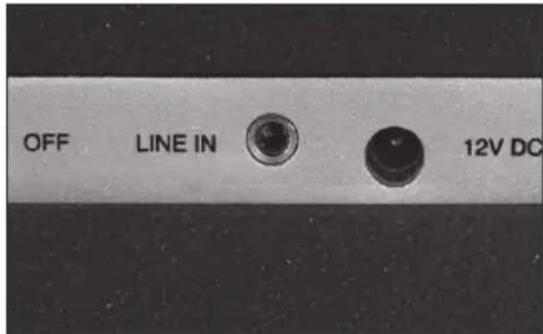
Pn nmoa aydnoka6e 3,5 MM noKIO-HTe BHeuHne aydnoCTOHNK IN pa3bem JINHEHOro BXODA.
PIMMEAHNE: HanBbicn npnopntet KaK NCTOCHN K BOCpON3BeDEHn IMeET NTOOHK DOK-CTaHcN. JIy NOkJIIOUeHn NCTOCHNka Ypeez JINHEINbI BXOD y6epTe iPhone/iPod c DOK-CTaHcN.
Воссанзveдени iPod/iPhone
IOKJIIOHTE iPHONE/iPOD
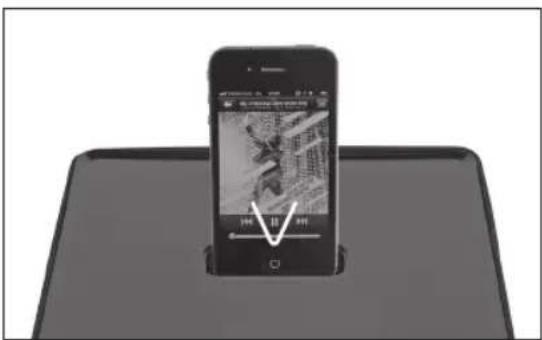
Для npocnyuBaHnMy3bIKc iPhone/ iPod, nodklouHTe iPhone nIIi iPod KdoKy B BepxHeJ yactn ycTpoNCTBa. IpocneIte 3a Tem, YTO6bl KOHTaKT iPhone/iPod c yCTPOINCTBOM 6bl NOJIHBIM.
ПРИМЕЧАНЕ:Вставлие iPhone/iPod aKKypaTHO,чTOБи He NOВpeДNTb KOHTaKTHbie WtBIPbKN.
3APRAKA
IopKIOUeHHb iPhone/iPod 6yET 3apJxatbcBCE BpEMn, noka yCTpoiCTBO 6yET IOpKIOUeHO K CETN.
Понь и устараенье неспразвостел