
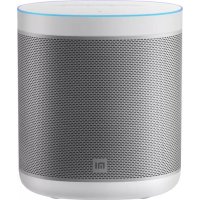
Bluetooth Speaker - Speakers Xiaomi - Free user manual and instructions
Find the device manual for free Bluetooth Speaker Xiaomi in PDF.


| Product Type | Portable Bluetooth Speaker |
| Brand | Xiaomi |
| Model | Mi Bluetooth Speaker |
| Dimensions (L x W x H) | 15,0 x 6,0 x 6,0 cm |
| Weight | 200 g |
| Power Supply | Rechargeable lithium-ion battery (1500 mAh) |
| Battery Life | Up to 10 hours (depending on volume) |
| Charging Time | Approximately 2 hours |
| Bluetooth Version | 5.0 |
| Output Power | 5 W |
| Frequency Response | 100 Hz - 20 kHz |
| Bluetooth Range | 10 m (without obstacles) |
| Auxiliary Input | Yes (3.5 mm jack) |
| Built-in Microphone | Yes, for hands-free calls |
| Control Functions | Play/pause, volume, next/previous track, call |
| Multipoint Pairing | No |
| TWS Mode | Yes, for stereo pairing of two speakers |
| Housing Material | ABS plastic with fabric grille |
| Color | Black |
| Protection Rating | Not specified (avoid water) |
| Care and Cleaning | Wipe with a soft, dry cloth. Do not use abrasive products. |
| Safety | Do not expose to water, do not disassemble, keep out of reach of children. |
| Spare Parts and Repairability | Battery not user-replaceable. Contact authorized after-sales service. |
| Box Contents | Speaker, micro-USB cable, quick start guide |
Frequently Asked Questions - Bluetooth Speaker Xiaomi
User questions about Bluetooth Speaker Xiaomi
0 question about this device. Answer the ones you know or ask your own.
Ask a new question about this device
Download the instructions for your Speakers in PDF format for free! Find your manual Bluetooth Speaker - Xiaomi and take your electronic device back in hand. On this page are published all the documents necessary for the use of your device. Bluetooth Speaker by Xiaomi.
USER MANUAL Bluetooth Speaker Xiaomi
Xiaomi Bluetooth Speaker User Manual · 01
Read this manual carefully before use, and retain it for future reference.
Product Overview
Note: Illustrations of product, accessories, and user interface in the user manual are for reference purposes only. Actual product and functions may vary due to product enhancements.

Package Contents

Speaker
Lanyard
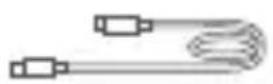
Charging Cable
User Manual
How to Use
Power button
- Press to turn the speaker on or off.
- Double press to check the current battery level.
- Press and hold for 10 seconds to force restart the speaker.
+ Volume +
- Press to increase the volume.
- Press and hold to keep increasing the volume.
- Press and hold the "+" and "-" buttons simultaneously for 10 seconds to restore factory settings.
© Multi-function button
- Press to play or pause music.
- Double press to play the next track.
- Press three times to play the previous track.
—Volume -
- Press to decrease the volume.
- Press and hold to keep decreasing the volume.
Bluetooth button
- Press to enable or disable the Bluetooth pairing status.
- Double press: Before pairing: Enable or disable the pairing status for stereo/group play. After pairing: Exit the stereo/group play mode.
- Press and hold for 2 seconds to disable the Bluetooth connection.
Note: "Stereo/group play" refers to stereo play or group play.
Ambient light strip description
- White: Turning on or off/voice notification/stereo play or group play/charging at a normal battery level
- Blue: Bluetooth pairing/restoring factory settings/system updating
- Orange: Low battery level/charging at a low battery level
Charging
- Before first use, open the port protective cover from the slot on top of it. Then use the charging cable and a qualified power adapter (sold separately) to fully charge the speaker.
Bluetooth connection
- Press ✗ to enable the Bluetooth pairing status, and select the speaker on the audio source device to complete Bluetooth pairing. Then, the speaker can be used to play the audio content on the audio source device.
- When the Bluetooth is connected, press and hold ✝ for 2 seconds to disable the Bluetooth connection.
Answering a call
- Press Ⓧ to answer an incoming call, and double press the button to reject an incoming call. During a call, press Ⓧ to end the call.
NFC function
- Enable the Bluetooth and NFC functions on the phone, and touch the icon Ⓧ on the speaker with the NFC sensor area of the phone to automatically complete the Bluetooth connection between the phone and the speaker.
- When the phone and the speaker are connected, touch the icon on the speaker with the NFC sensor area of the phone to relay the audio from the phone to the speaker for playing.
Notes:
- The NFC function mentioned above is only available for Xiaomi or Redmi phones with NFC support. For more information about models that support NFC, please visit the official website. This feature is subject to actual usage.
- Functions may vary across different phone models and are subject to actual usage.
Stereo/Group Play
- Press ✗ twice to enable the pairing status for each speaker.
- Two speakers of the same model can be automatically paired for stereo play. They play music in the left and right channels separately, providing a more immersive sound experience.
- Three to eight speakers of the same model can be automatically paired for group play. All speakers play music synchronously, delivering a richer music experience.
Notes:
- Two speakers of the same model can be paired for stereo play, while three or more speakers (up to eight) of the same model can be automatically paired for group play.
- When using multiple speakers together, it is recommended to keep them within 1 meter of each other.
- The combination feature is primarily intended for music playback. When playing videos, performance may be affected by device and network conditions, resulting in varying degrees of audio-video sync issues.
Auto Power Off
- If no operation is performed or no audio is played on the speaker for 15 minutes, it will automatically power off.
Note: This feature can be disabled or customized in the app.
Restarting/Resetting to Factory Settings
- In case of errors or other special circumstances, press and hold ⏻ for 10 seconds to restart the speaker. Alternatively, press and hold the "+" and "-" buttons simultaneously for 10 seconds to restore factory settings.
Notes:
• After the speaker is restored to factory settings, all connection and combination records and settings will be cleared. If the speaker has been connected to the app before, it has to be manually deleted from the app after being restored to factory settings to reconnect to the app. Besides, the speaker deleted from the app can be reconnected to the app only after the speaker is restored to factory settings.
Updating the system
- Update the system in time as prompted in the app. During the update, make sure that the speaker remains on and connected to the app.
- The speaker cannot be used during the update. Once updated, the speaker will restart automatically.
Connecting with the Mi Home/Xiaomi Home App
This product works with the Mi Home/Xiaomi Home app*. Control your device with Mi Home/Xiaomi Home app.
Scan the QR code to download and install the app. You will be directed to the connection setup page if the app is installed already. Or search for "Mi Home/Xiaomi Home" in the app store to download and install it. Open the Mi Home/Xiaomi Home app, tap "+" on the upper right, and then follow the instructions to add your device.

Install the Mi Home/Xiaomi Home app to access smart features
* The app is referred to as Xiaomi Home app in Europe (except for Russia). The name of the app displayed on your device should be taken as the default.
Note: The version of the app might have been updated, please follow the instructions based on the current app version.
Power Consumption Off mode: ≤ 0.3 W
Power Consumption Standby mode: ≤ 0.5 W
Time to Enter the Condition Standby mode: ≤ 2 min
Notes: The standby power consumption is 0.5 W if all wireless network ports are activated.
Please use a compatible and qualified adapter (with an output of DC 5 V 3 A/9V 2.5A) to power the product.
Specifications
| Name: Portable Bluetooth Speaker Model: ASM02G | ||
| Bluetooth: 5.3 Input: (Type-C) 5 V | 3 A / 9 V | 2.5 A |
| Battery Nominal Energy: 17.28 Wh | ||
| Operating Frequency and Radio Frequency Power | ||
| BT | 2402 MHz-2480 MHz (≤20 dBm) | |
| BLE | 2402 MHz-2480 MHz (≤20 dBm) | |
The serial number of the speaker can be checked on the packaging box or by scanning the QR code on the Type-C port protective cover of the speaker.
Important Safety Information
Read all safety information below before using your device:
- Use of unauthorized cables, power adapters, or batteries can cause fire, explosion, or pose other risks.
- Use only authorized accessories which are compatible with your device.
- This device's operating temperature range is 0°C to 40°C.
- If your device is provided with a built-in battery, to avoid damaging the battery or the device, do not attempt to replace the battery yourself.
- Charge this device only with the included or authorized cable and power adapter. Using other adapters may cause fire, electric shock, and damage the device and the adapter.
- After charging is complete, disconnect the adapter from both the device and the power outlet.
- The battery must be recycled or disposed of separately from household waste. Mishandling the battery may cause fire or explosion. Dispose of or recycle the device, its battery, and accessories according to your local regulations.
- Do not disassemble, hit, crush, or burn the battery. If the battery appears deformed or damaged, stop using it immediately.
- Do not short circuit the battery, as this may cause overheating, burns, or other injury.
- Do not place the battery in a high-temperature environment.
- Overheating may cause explosion.
- Do not disassemble, hit, or crush the battery, as this may cause the battery to leak, overheat, or explode.
- Do not burn the battery, as this may cause fire or explosion.
- Do not expose the battery to extremely low air pressure, which may result in an explosion or the leakage of flammable liquid or gas.
- The user shall not remove or alter the battery. Removal or repair of the battery shall only be done by an authorized repair center of the manufacturer.
- Keep your device dry.
- Do not try to repair the device yourself. If any part of the device does not work properly, contact the after-sales service team.
- Connect other devices according to their instruction manuals. Do not connect incompatible devices to this device.
- For AC/DC adapters, the socket-outlet shall be installed near the equipment and shall be easily accessible.
- Refer to the detailed product specifications on the label at the bottom of the device.
WARRANTY NOTICE
As a Xiaomi consumer, you benefit under certain conditions from additional warranties. Xiaomi offers specific consumer warranty benefits which are in addition to, and not instead of, any legal warranties provided by your national consumer law. The duration and conditions related to the legal warranties are provided by respective local laws. For more information about the consumer warranty benefits, please refer to Xiaomi's official website https://www.mi.com/global/support/warranty. Except as prohibited by laws or otherwise promised by Xiaomi, the after-sales services shall be limited to the country or region of the original purchase. Under the consumer warranty, to the fullest extent permitted by law, Xiaomi will, at its discretion, repair, replace or refund your product. Normal wear and tear, force majeure, abuse or damage caused by the user's negligence or fault are not warranted. The contact person for the after-sale service may be any person in Xiaomi's authorized service network, Xiaomi's authorized distributors or the final vendor who sold the products to you. If in doubt please contact the relevant person as Xiaomi may identify.
The present warranties do not apply in Hong Kong and Taiwan. Products which were not duly imported and/or were not duly manufactured by Xiaomi and/or were not duly acquired from Xiaomi or a Xiaomi's official seller are not covered by the present warranties. As per applicable law you may benefit from warranties from the non-official retailer who sold the product. Therefore, Xiaomi invites you to contact the retailer from whom you purchased the product.
EU Declaration of Conformity:
EU Declaration of Conformity

Hereby, Beijing Xiaomi Electronics Co., Ltd. declares that the radio equipment type ASM02G is in compliance with Directive 2014/53/EU and Directive 2011/65/EU. The full text of the EU declaration of conformity is available at the following internet address: http://www.mi.com/global/service/support/declaration.html
WEEE Information

All products bearing this symbol are waste electrical and electronic equipment (WEEE as in directive 2012/19/EU) which should not be mixed with unsorted household waste. Instead, you should protect human health and the environment by handing over your waste equipment to a designated collection point for the recycling of waste electrical and electronic equipment, appointed by the government or local authorities. Correct disposal and recycling will help prevent potential negative consequences to the environment and human health. Please contact the installer or local authorities for more information about the location as well as terms and conditions of such collection points.
The product is in compliance with UK PSTI regulations, the full text of declaration of conformity is available at the following internet address: https://www.mi.com/global/service/support/declaration.html
FCC Regulations:
- Note: This equipment has been tested and found to comply with the limits for a Class B digital device, pursuant to part 15 of the FCC Rules. These limits are designed to provide reasonable protection against harmful interference in a residential installation. This equipment generates, uses and can radiate radio frequency energy and, if not installed and used in accordance with the instructions, may cause harmful interference to radio communications. However, there is no guarantee that interference will not occur in a particular installation. If this equipment does cause harmful interference to radio or television reception, which can be determined by turning the equipment off and on, the user is encouraged to try to correct the interference by one or more of the following measures:
- Reorient or relocate the receiving antenna.
- Increase the separation between the equipment and receiver.
- Connect the equipment into an outlet on a circuit different from that to which the receiver is connected.
- Consult the dealer or an experienced radio/TV technician for help.
- This device complies with Part 15 of the FCC Rules. Operation is subject to the following two conditions: (1) this device may not cause harmful interference, and (2) this device must accept any interference received, including interference that may cause undesired operation.
- Caution!
- Any changes or modifications not expressly approved by the party responsible for compliance could void the user's authority to operate the equipment.
This device complies with FCC radiation exposure limits set forth for an uncontrolled environment and it also complies with Part 15 of the FCC RF Rules.
EU REP.
Xiaomi Technology Netherlands B.V.
Prinses Beatrixlaan 582, 2595BM, The Hague, The Netherlands
contact@support.mi.com
UK REP.
Xiaomi Technology UK Limited
Davidson House, Forbury Square, Reading, Berkshire RG1 3EU
contact@support.mi.com

The power delivered by the charger shall be between min [2.5] Watts required by the radio equipment, and max [22.5]
Watts in order to achieve the maximum charging speed.
USB PD fast charging.

Bluetooth
The Bluetooth® word mark and logos are registered trademarks owned by Bluetooth SIG, Inc. and any use of such marks by Xiaomi Inc. is under license. Other trademarks and trade names are those of their respective owners.
Manufacturer: Beijing Xiaomi Electronics Co., Ltd.
Address: Room 802, Floor 8, Building 5, No.15 KeChuang 10th Road,
Beijing Economic and Technological
Development Zone, Beijing City, China
For further information, please go to www.mi.com
User Manual Version: V1.0
Speaker
Lanyard
Charging cable
User manual
Use
Power button
D101BB7E
Install the Mi Home app to access smart features
| 藍牙:5.3輸入規格:(Type-C) 5 V 3 A/9 V 2.5 A = = |
Battery nominal energy: 17.28 Wh
Operating frequency and RF power
| BT | 2402 MHz-2480 MHz (≤20 dBm) |
| BLE | 2402 MHz-2480 MHz (≤20 dBm) |
http://www.mi.com/global/service/support/declaration.html
WEEE information

Lanyard
Charging cable speaker
User manual
Use
Power button
http://www.mi.com/global/service/support/declaration.html
EU declaration of conformity

Strap

http://www.mi.com/global/service/support/declaration.html
Manufacturer: Beijing Xiaomi Electronics Co., Ltd. Address: Room 802, Floor 8, Building 5, No.15 KeChuang 10th Road, Beijing Economic and Technological Development Zone, Beijing City, China
Cord

http://www.mi.com/global/service/support/declaration.html
Lanyard
http://www.mi.com/global/service/support/declaration.html
WEEE information

FR
Address: Room 802, Floor 8, Building 5, No.15 KeChuang 10th Road, Beijing Economic and Technological Development Zone, Beijing City, China
Manufacturer: Beijing Xiaomi Electronics Co., Ltd. Address: Room 802, Floor 8, Building 5, No.15 KeChuang 10th Road, Beijing Economic and Technological Development Zone, Beijing City, China
http://www.mi.com/global/service/support/declaration.html

Manufacturer: Beijing Xiaomi Electronics Co., Ltd. Address: Room 802, Floor 8, Building 5, No.15 KeChuang 10th Road, Beijing Economic and Technological Development Zone, Beijing City, China
Speaker
Strap
Charging cable
http://www.mi.com/global/service/support/declaration.html
Address: Room 802, Floor 8, Building 5, No.15 KeChuang 10th Road, Beijing Economic and Technological Development Zone, Beijing City, China
Lanyard

Address: Room 802, Floor 8, Building 5, No.15 KeChuang 10th
Road, Beijing Economic and Technological
Development Zone, Beijing City, China
Speaker
Cord
D101BB7E Install the Mi Home/Xiaomi Home app to access smart features
Address: Room 802, Floor 8, Building 5, No.15 KeChuang 10th Road, Beijing Economic and Technological Development Zone, Beijing, China
Manufacturer: Beijing Xiaomi Electronics Co., Ltd. Address: Room 802, Floor 8, Building 5, No.15 KeChuang 10th Road, Beijing Economic and Technological Development Zone, Beijing City, China
Speaker
Lanyard

User ManualCharging
How to Use
Power Button
D101BB7E
To access smart features,
install the Mi Home/Xiaomi
Home app.
Address: Room 802, Floor 8, Building 5, No.15 KeChuang 10th Road, Beijing Economic and Technological Development Zone, Beijing City, China
D101BB7E
Address: Room 802, Floor 8, Building 5, No.15 KeChuang 10th Road, Beijing Economic and Technological Development Zone, Beijing City, China
Disposal of this product after use
10th Road, Beijing Economic and Technological
Disposal method for this product after use has ended

10th Road, Beijing Economic and Technological
Development Zone, Beijing City, China
D101BB7E
http://www.mi.com/global/service/support/declaration.html

Speaker
Strap
Charging cable
D101BB7E
Address: Room 802, Floor 8, Building 5, No.15 KeChuang 10th Road, Beijing Economic and Technological Development Zone, Beijing City, China
D101BB7E
nanc. | ไศวุฒนาคุณ
http://www.mi.com/global/service/support/declaration.html
WEEE information

Development Zone, Beijing City, China
Speaker
Strap
Charging Cable
User Guide
How to Use
Power Button
Email: service.id@support.mi.com
Website: https://www.mi.com/id
| 1 Aceh | Xiaomi Exclusive Service Center -ACEH-PANGLIMAPOLIM | Jl. T. Panglima Polem No. 93, Peunayong, Kec. Kuta Alam, Kota Banda Aceh, Aceh 24415 |
| 2 Ambon | Xiaomi Exclusive Service Center -AMBON- JL CENGKEH | JL.Cengkeh No 6 Kecamatan Sirimau Kelurahan Honipopu |
| 3 Balikpapan | Xiaomi Exclusive Service Center -BALIKPAPAN-SUDIRMAN | Ruko Bandar No. 09, Jl. Jenderal Sudirman, Klandasan Ilir, Balikpapan Kota, Kota Balikpapan, Kalimantan Timur 76131 |
| 4 Bali | Xiaomi Exclusive Service Center -BALI-TEUKU UMAR | Jl. Teuku Umar No. 74XX/121, Denpasar Barat, Bali 80114Indonesia/082316025258 |
| 5 Bandung | Xiaomi Exclusive Service Center -BANJARMASIN-SUNGAI BARU | Bandung Electronic Center Lt. 3 A-07, Jl. Purnawarman, Babakanciamis, Sumurbandung, Bandung, Jawa Barat 40117 |
| 6 Banjarmasin | Xiaomi Exclusive Service Center -BANJARMASIN-SUNGAI BARU | Jl. Ahmad Yani KM.2 No. 69, Sungai Baru, Banjarmasin Tengah, Kota Banjarmasin, Kalimantan Selatan 70122 |
| 7 Batam | Xiaomi Exclusive Service Center -BATAM-LUCKY PLAZA | Komplek Lucky Plaza Batam Lt.2 No.12A, Nagoya, Batam 29444 |
| 8 Bekasi | Xiaomi Exclusive Service Center -BEKASI-MEGA HYPERMALL | Mega Bekasi Hypermall Lt.II Blok G2 No.10, Jl. Jend. Ahmad Yani No. 1, Bekasi 17144 |
| 9 Bogor | Xiaomi Exclusive Service Center -BOGOR-WARUNG JAMBU | Jl. Raya Pajajaran No.17B, Samping Panasonic Center, Warung Jambu, Bogor 16161 |
| 10 Cirebon | Xiaomi Exclusive Service Center -CIREBON-RUKO CSB | Komplek Ruko CSB, Blok Green Ville No. 23 Jl. Cipto Mangunkusumo, Cirebon 45131 |
| 11 Depok | Xiaomi Exclusive Service Center-DEPOK-MARGONDA | Depok Town Square Blok GE 2 No. 3, Jl. Margonda Raya, Kemiri Muka, Beji, Kota Depok, Jawa Barat 16424 |
| 12 Jakarta | Xiaomi Exclusive Service Center-DAANMOGOT-IMPERIAL | Ruko Imperial Blok C10, Jl. Daan Mogot No. 136, Kalideres, Jakarta Barat, DKI Jakarta 11850 |
| 13 Jakarta | Xiaomi Exclusive Service Center-CEMPAKAMAS-ITCCCE-MPAKA | ITC Cempaka Mas Lt. 6 Pusat Komputer Blok H 07-14, Jl. Letjend Suprapto, Sumur Batu, Kemayoran, Jakarta Pusat 10640 |
| 14 Jakarta | Xiaomi Exclusive Service Center-JAKARTA-ITC FATMAWATI | Ruko ITC Fatmawati No. 21, Cipete, Kebayoran Baru, Jakarta Selatan 12150 |
| 15 | Jakarta | Xiaomi Exclusive Service Center-JAKARTA-RUKO ROXY MAS | Ruko Blok H, Jl. Sriwijaya No. 177, Pagesangan Timur, Mataram, NTB 83115/087855649752 |
| 16 | Jakarta | Xiaomi Exclusive Service Center-JAKARTA-CILILITAN | Ruko Kokan Anggatra Pusdikkes No. PP10-A1, Jl Raya Bogor Km.18 RW09 Kramat Jati, Kec. Kramat Jati, Kota Jakarta Timur, DKI Jakarta, 13510 |
| 17 | Jambi | Xiaomi Exclusive Service Center-JAMBI-SUDIRMAN | Jl. Jend. Sudirman No. 11, Tambak Sari, Jambi Selatan, Kota Jambi, Jambi 36122 |
| 18 | Kediri | Xiaomi Exclusive Service Center-KEDIRI-PEMUDA | Jl. Pemuda No. 11C, Ngadirejo Kediri 64122 |
| 19 | Kendari | Xiaomi Exclusive Service Center-KENDARI-RUKO SENTRA GMT | Sentra GMT, Jl. Sorumba No.2D, Anaiwoi, Kec. Kadia, Kota Kendari, Sulawesi Tenggara 93117 |
| 20 | Kupang | Xiaomi Exclusive Service Center-KUPANG-JL CAKDOKOSENTRA GMT | jl.cakdoko no.34, Oebobo, Kupang NTT |
| 21 | Lampung | Xiaomi Exclusive Service Center-LAMPUNG-KARTINI | Jl. Kartini No. 60, Palapa, Tanjung Karang Pusat, Kota Bandar Lampung, Lampung 35116 |
| 22 | Makassar | Xiaomi Exclusive Service Center-MAKASSAR-BU-LUSARAUNG SQUARE | Ruko Bulusaraung Square No. A8, Jl. Bulusaraung, Makassar 90157 |
| 23 | Malang | Xiaomi Exclusive Service Center-MALANG-LOWOKWA-RU | Ruko Grand Soekarno Hatta Kavling 4 Jl. Soekarno Hatta, Mojolangu, Lowokwaru, Kota Malang, Jawa Timur 65142 |
| 24 | Manado | Xiaomi Exclusive Service Center-MANADO-PIERETEND-EAN | Ruko Mega Mas Blok A1 No. 20, Jl. Pierre Tendean, Wenang Selatan, Wenang, Kota Manado, Sulawesi Utara 95111 |
| 25 | Mataram | Xiaomi Exclusive Service Center-MATARAM-RUKOB-LOKH | Ruko Sriwijaya Blok H, Jl. Sriwijaya No. 177, Pagesangan Timur, Mataram, NTB 83115 (Sebelah Bank Mandiri) |
| 26 | Medan | Xiaomi Exclusive Service Center-MEDAN-GATOT SUBROTO | Plaza Medan Fair lantai IV island #1, Jl. Gatot Subroto No. 30, Sekip, Medan Petisah, Kota Medan, Sumatera Utara 20113 |
| 27 | Padang | Xiaomi Exclusive Service Center-PADANG-VETERAN | Jl. Veteran No. 24B, Purus, Padang Barat, Kota Padang, Sumatera Barat 25116 (Seberang SDN 64 Purus Kota Padang) |
| 28 | Palangkaraya | Xiaomi Exclusive Service Center-PALANGKARAYA-TJI-LIKRIWUT | Jl. Tjilik Riwut KM 1 No. 5, Palangka, Jekan Raya, Kota Palangka Raya, Kalimantan Tengah 74874 |
| 29 | Palembang | Xiaomi Exclusive Service Center-PALEMBANG-INTERNATIONAL PLAZA | Jl. Angkatan 45, Lorok Pakjo Ilir Barat 1 Palembang |
| 30 | Pekanbaru | Xiaomi Exclusive Service Center-PEKANBARU-RINTIS | Jl. Dr.Setia Budhi No. 84, Rintis, Pekanbaru-Riau 28141 |
| 31 | Pontianak | Xiaomi Exclusive Service Center-PONTIANAK-SABDU-RRAHMAN | Jl. Sultan Abdurrahman No. 38B, Pontianak Selatan, Pontianak, Kalimantan Barat 78113 |
| 32 | Semarang | Xiaomi Exclusive Service Center-SEMARANG-KARANGTU-RI | Jl. MT. Haryono No.976A, Lamper Kidul, Kec. Semarang Selatan, Kota Semarang, Jawa Tengah 50249 |
| 33 | Serang | Xiaomi Exclusive Service Center-SERANG-AHMADYANI | Jl. Jendral Ahmad Yani No. 134, Sumurpecung, Serang, Banten 42117 |
| 34 | Solo | Xiaomi Exclusive Service Center-SOLO-SUKOHARJO | Komplek The Park, Blok C No. 16 Jl. Ir. Soekarno, Sukoharjo-Solo Baru 57552 |
| 35 | Surabaya | Xiaomi Exclusive Service Center-SURABAYA-WTC EMALL | WTC e-mall Lt. 4 - Galeria No 4028, Jl. Pemuda No.21-31, Embong Kaliasin, Genteng, Surabaya, Jawa Timur 60271 |
| 36 | Surabaya | Xiaomi Exclusive Service Center-SURABAYA-PLAZA MARINA | Plaza Marina Lt.3 Kav. M1, Jl. Margorejo Indah 97-99, Surabaya 60238 |
| 37 | Tangerang | Xiaomi Exclusive Service Center-TANGERANG-GADING SERPONG | Ruko Sinpasa Blok SG2 No. 9, Gading Serpong, Pakulonan Barat, Kelapa Dua, Kota Tangerang, Banten 15810 |
| 38 | Tangerang | Xiaomi Exclusive Service Center-PIK-PIK2 | Kawasan ruko EDC,, H.R Rasuna Said Kavling BB-15, kelurahan Salembaran, Kecamatan Kosambi, Kabupaten Tangerang Provinsi Banten 15214 |
| 39 | Tanjung Pinang | Xiaomi Exclusive Service Center-TANJUNGPINANG-BIN-TANCENTER | Ruko Bintan Center No. 8, Jl. D.I Panjaitan KM. 9, Air Raja, Tanjungpinang Timur, Tanjung Pinang, Kepulauan Riau 29125Banten 15214 |
| 40 | Tasikmalaya | Xiaomi Exclusive Service Center-TASIKMALAYA-CIHI-DEUNG | Jl. Hz. Mustofa no. 376 Kel. Tugujaya, Kec. Cihideung, Tasikmalaya, Jawa Barat 46126 |
| 41 | Yogyakarta | Xiaomi Exclusive Service Center-YOGYAKARTA-BRIDGEN KATAMSO | Ruko Gondomanan Square, Jl. Brigjen Katamso No.37, Prawirodirjan, Kec. Gondomanan, Kota Yogyakarta, Daerah İstimewa Yogyakarta 55121 |
| Pusat Layanan Multibrand | |||
| 1 | Medan | TAM Multibrand - Medan | Plaza Medan Fair Lt. 4 No. 278-279 HPC Tahap V, JI. Gatot Subroto No.30, Medan - Sumatera Utara 20113 / (62-61) 80512213 |
Model: ASM02G
MKG # IMKG.2096.09.2024
Imported by:
PT. Xiaomi Communications Indonesia
One Pacific Place Suite 9-H,I,J,K Jl. Jenderal Sudirman Kav.
Address: Room 802, Floor 8, Building 5, No.15 KeChuang 10th Road, Beijing Economic and
Technological Development Zone, Beijing City, China
http://www.mi.com/global/service/support/declaration.html
WEEE Information

PT XIAOMI COMMUNICATIONS INDONESIA
One Pacific Place, Suite 9-H,I,J,K, Jalan Jenderal Sudirman Kav. 52-53
Address: Room 802, Floor 8, Building 5, No.15 KeChuang
10th Road, Beijing Economic and Technological
Development Zone, Beijing City, China
- PRODUCT OVERVIEW
- PACKAGE CONTENTS
- HOW TO USE
- POWER BUTTON
- VOLUME
- © MULTI-FUNCTION BUTTON
- BLUETOOTH BUTTON
- AMBIENT LIGHT STRIP DESCRIPTION
- CHARGING
- BLUETOOTH CONNECTION
- ANSWERING A CALL
- NFC FUNCTION
- NOTES
- STEREO/GROUP PLAY
- AUTO POWER OFF
- RESTARTING/RESETTING TO FACTORY SETTINGS
- UPDATING THE SYSTEM
- CONNECTING WITH THE MI HOME/XIAOMI HOME APP
- IMPORTANT SAFETY INFORMATION
- WARRANTY NOTICE
- EU DECLARATION OF CONFORMITY
- WEEE INFORMATION
- FCC REGULATIONS
- EU REP
- UK REP
- BLUETOOTH
- USE
- FR
- DISPOSAL METHOD FOR THIS PRODUCT AFTER USE HAS ENDED
Brand : Xiaomi
Model : Bluetooth Speaker
Category : Speakers