
Mi Smart Speaker - Speakers Xiaomi - Free user manual and instructions
Find the device manual for free Mi Smart Speaker Xiaomi in PDF.
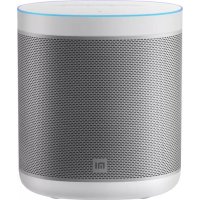



| Product Type | Connected speaker (loudspeaker) |
| Brand | Xiaomi |
| Model | Mi Smart Speaker (L09G) |
| Power supply | AC adapter 12 V / 1.5 A |
| Wireless connectivity | Wi-Fi IEEE 802.11a/b/g/n/ac (2.4 GHz / 5 GHz) |
| Bluetooth | BT 4.2 with A2DP |
| Voice assistant | Built-in Google Assistant |
| Chromecast | Built-in Chromecast (audio streaming from smartphone/tablet) |
| Network standby power consumption | ≤ 1.8 W |
| Status light | Orange fixed (micro disabled), slow white (configuration), fast yellow (reset) |
| Main functions | Voice command, music/podcasts/radio playback, scheduling, home control, answering questions, alarms, timers |
| Care and cleaning | Wipe with a soft dry cloth. Do not use abrasive products. |
| Safety | Minimum distance of 20 cm between the device and the body to comply with RF exposure. Indoor use for the 5 150-5 350 MHz band. |
| Spare parts | AC adapter provided. No spare parts available separately. |
| Repairability | Not specified. Contact Xiaomi after-sales service for repair. |
| General information | Manufacturer: Xiaomi Communications Co., Ltd. Manual version: V5.0. Certifications: CE, WEEE. |
Frequently Asked Questions - Mi Smart Speaker Xiaomi
User questions about Mi Smart Speaker Xiaomi
0 question about this device. Answer the ones you know or ask your own.
Ask a new question about this device
Download the instructions for your Speakers in PDF format for free! Find your manual Mi Smart Speaker - Xiaomi and take your electronic device back in hand. On this page are published all the documents necessary for the use of your device. Mi Smart Speaker by Xiaomi.
USER MANUAL Mi Smart Speaker Xiaomi
All images are for illustration purposes only and may differ from the actual product by model and region.

Table of Contents
English 2
French 12
German 22
Italian 32
Spanish 42
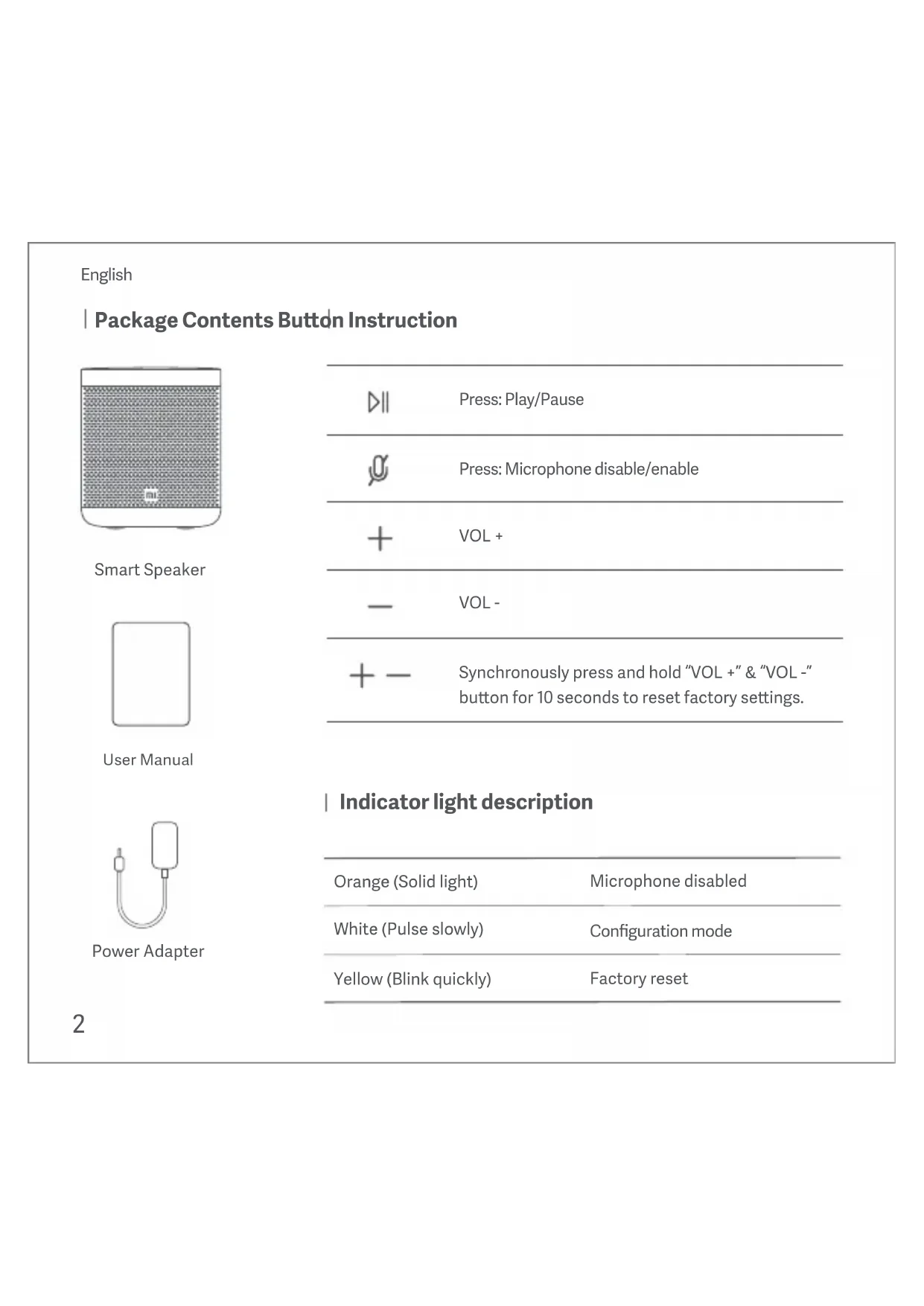
Package Contents Button Instruction
Smart Speaker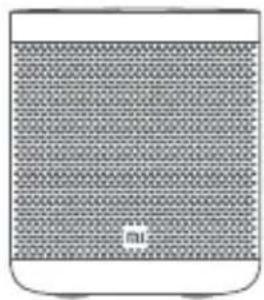
User Manual
Power Adapter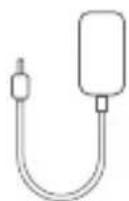
2
DII
Press: Play/Pause

Press: Microphone disable/enable

VOL +

VOL -

Synchronously press and hold "VOL +" and "VOL -" buttons for 10 seconds to reset factory settings.
Indicator light description
Orange (solid light)
Microphone disabled
White (pulse slowly)
Configuration mode
Yellow (blink quickly)
Factory reset
English
What you need to get started
1. Your Mi Smart Speaker. 2. A Google Account. 3. A mobile phone or tablet that
- Has Android 5.0 or higher.
- Works with 2.4 GHz and 5 GHz Wi-Fi network (a WPA-2 Enterprise network won't work).
- Has Bluetooth turned on. An internet connection and secure wireless network.
Getting Started
1 Download the Google Home app
All of the settings and controls during the setup process are carried out through the Google Home app, so you'll need to download it to your phone or tablet. Go into the app store on your device. On iOS this is the App Store and on Android devices it is the Google Play Store. Once in the store, search for Google Home and when you find the correct app, download and install it.
Plug in the device
Now that we have the software we need, it's time to get the hardware itself set up. Take the power adaptor that came packaged with the device and plug it into the DC input port, then take the adapter and plug it into your wall outlet.
3 Set up your device
The Google Home app will begin a tutorial, displaying a number of basic set up steps for you to follow. Scroll through these and follow the instructions to set up your Mi Smart Speaker.
4 Talking to your device
The Mi Smart Speaker has Google Assistant. Just say "Ok Google" to get started, and get more done at home, hands-free.
English
Using voice command or App to connect Bluetooth.
You can play music that's stored on your mobile device (phone or tablet) or computer on your Mi Smart Speaker using Bluetooth. This includes music downloaded from iTunes, Audible, Apple Music, and personal playlists.
Step 1. Pair your mobile device and speaker.
- Open the Google Home app.
- Touch and hold the tile of the device you want to pair.
- Tap Settings > Audio > Paired Bluetooth devices > Enable Pairing Mode.
Step 2. Connect your mobile device and speaker.
Using your mobile device
- Open Bluetooth settings on your mobile device.
- Under "Available devices," tap the speaker you paired to your mobile device.
Using your voice
- Connect: Say "Ok Google" or "Hey Google", then say "Connect" or "Connect to Bluetooth".
- Disconnect: Say "Ok Google" or "Hey Google", then say "Disconnect" or "Disconnect Bluetooth".
Note: Your mobile device will stay connected to your speaker until you disconnect.
Step 3. Manage paired and connected devices.
Check which mobile device is paired with your device.
- Open the Google Home app.
- Touch and hold your device's tile.
- At the top right, tap Settings > Audio > Paired Bluetooth devices.
- You'll find your mobile device and the date it was paired.
Unpair mobile device and your speaker.
- Open the Google Home app.
- Touch and hold the tile of the device you want to unpair.
- At the top right, tap Settings > Audio > Paired Bluetooth devices.
- Tap the "X" next to the device you want to unpair.

Play and control music
Play some music Turn up the volume Next song

Plan your day and get answers
What's the latest news? What's the weather this weekend? What time is it in London? What is my agenda today?

Control your home
Turn on the lights Set temperature to 22 degrees Is Daniel's bedroom light on?

Try fun things
Tell me a fun fact What can you do? Find my phone

Get things done
Good morning. Set a timer for 15 minutes. Set an alarm for 7am tomorrow. Remind me to buy milk tonight. Broadcast it's dinnertime.

Ok Google
English
Key Features
- Enjoy music and entertainment
Play and control music, podcasts, and radio, hands-free. You can also stream videos to your TV with Chromecast just by using your voice.
Plan your day
With your permission, get help with things like weather information, local time, or your daily schedule.
- Manage tasks
With your permission, you can set alarms, timers, or reminders, hands-free. Just say, "Ok Google."
Control your home
Simply ask Google on your speakers to turn on the light, or set the perfect temperature with Nest.
Get answers
Get answers on calculations, translations, and more.

Ok Google
Technical Specifications
| Name | Mi Smart Speaker |
| Model | L09G |
| Bluetooth | BT4.2 & A2DP |
| Input | 12 V =1.5 A |
| Wireless | IEEE 802.11a/b/g/n/ac (2.4 GHz/5 GHz) Wi-Fi |
English
| Operating Frequency and Radio Frequency Power | |
| Wi-Fi | 2412 MHz-2472 MHz (≤20 dBm), 5150 MHz-5250 MHz (≤23 dBm), 5250 MHz-5350 MHz (≤20 dBm), 5470 MHz-5725 MHz (≤20 dBm), 5725 MHz-5850 MHz (≤14 dBm) Note: 5470-5725 MHz is not supported in Russia, Egypt, Morocco |
| BT | 2402 MHz-2480 MHz (≤10 dBm) |
| BLE | 2402 MHz-2480 MHz (≤10 dBm) |
| Power Consumption | Network standby mode : ≤ 1.8 W |
| Time to Enter the Condition | Network standby mode : ≤ 1 S |
Note: The network standby power consumption is 1.8 W if all wireless networks are activated.
This device is restricted to indoor use only when operating in the 5150-5350 MHz frequency range in the following countries:

| AT | BE | BG | HR | CY | CZ | DK | EE | FI |
| FR | DE | EL | HU | IE | IT | LV | LT | LU |
| MT | NL | PL | PT | RO | SK | SI | ES | SE |
| UK(NI) | IS | LI | NO | CH | TR | |||
English
WARRANTY NOTICE
THIS WARRANTY GIVES YOU SPECIFIC RIGHTS, AND YOU MAY HAVE OTHER RIGHTS CONVEYED BY THE LAWS OF YOUR COUNTRY, PROVINCE OR STATE. IN SOME COUNTRIES, PROVINCES OR STATES, CONSUMER LAW MAY IMPOSE A MINIMUM WARRANTY PERIOD. OTHER THAN AS PERMITTED BY LAW, XIAOMI DOES NOT EXCLUDE, LIMIT OR SUSPEND OTHER RIGHTS YOU MAY HAVE. FOR A FULL UNDERSTANDING OF YOUR RIGHTS, WE INVITE YOU TO CONSULT THE LAWS OF YOUR COUNTRY, PROVINCE OR STATE.
This contractual warranty applies only to the hardware components of the Xiaomi Product (hereafter "Product") as originally supplied and does not apply to any software or other equipment that are owned by Xiaomi or third parties for which an end-user license agreement or separate warranty/guarantee statements or exclusions are provided or intended to apply.
1. LIMITED PRODUCT WARRANTY
Xiaomi warrants that the Products are free from defects in materials and workmanship under normal use and use in accordance with the respective Product user manual, during the Warranty Period.
The duration and conditions related to the legal warranties are provided by respective local laws. For more information about the consumer warranty benefits, please refer to Xiaomi's official website https://www.mi.com/global/support/warranty.
Xiaomi warrants to the original purchaser that its Xiaomi Product will be free from defects in materials and workmanship under normal use during the period mentioned above.
Xiaomi does not guarantee that the operation of the Product will be uninterrupted or error-free.
Xiaomi is not liable for damages arising from non-compliance with the instructions related to the use of the Product.
English
2 REMEDIES
If a hardware defect is found and a valid claim is received by Xiaomi within the Warranty Period, Xiaomi will either (1) repair the product at no charge, (2) replace the product, or (3) refund the Product, excluding potential shipping costs.
3 HOW TO OBTAIN WARRANTY SERVICE
To obtain warranty service, you must deliver the Product, in its original packaging or similar packaging providing an equal degree of Product protection, to the address specified by Xiaomi. Except to the extent prohibited by applicable law, Xiaomi may require you to present proofs or proof of purchase and/or comply with registration requirements before receiving warranty service.
EXCLUSIONS AND LIMITATIONS
Unless otherwise stipulated by Xiaomi, this Limited Warranty applies only to the Product manufactured by or for Xiaomi and identifiable by the trademarks, trade name or "Xiaomi" or "Mi" logo.
The Limited Warranty does not apply to any (a) Damage due to acts of nature or God, for example, lightning strikes, tornadoes, flood, fire, earthquake or other external causes; (b) Negligence; (c) Commercial use; (d) Alterations or modifications to any part of the Product; (e) Damage caused by use with non-Xiaomi products; (f) Damage caused by accident, abuse or misuse; (g) Damage caused by operating the Product outside the permitted or intended uses described by Xiaomi or with improper voltage or power supply; or (h) Damage caused by service (including upgrades and expansions) performed by anyone who is not a representative of Xiaomi.
It is your responsibility to backup any data, software, or other materials you may have stored or preserved on the product. It is likely that the data, software or other materials in the equipment will be lost or reformatted during the service process, Xiaomi is not responsible for such damage or loss.
No Xiaomi reseller, agent, or employee is authorized to make any modification, extension, or addition to this Limited Warranty. If any term is held to be illegal or unenforceable, the legality or enforceability of
English
the remaining terms shall not be affected or impaired.
Except as prohibited by laws or otherwise promised by Xiaomi, the after-sales services shall be limited to the country or region of the original purchase.
Products which were not duly imported and/or were not duly manufactured by Xiaomi and/or were not duly acquired from Xiaomi or a Xiaomi's official seller are not covered by the present warranties. As per applicable law you may benefit from warranties from the non-official retailer who sold the product.
Therefore, Xiaomi invites you to contact the retailer from whom you purchased the product.
The present warranties do not apply in Hong Kong and Taiwan.
5 IMPLIED WARRANTIES
Except to the extent prohibited by applicable law, all implied warranties (including warranties of merchantability and fitness for a particular purpose) will have a limited duration up to a maximum duration of this limited warranty. Some jurisdictions do not allow limitations on the duration of an implied warranty, so the above limitation will not be applied in these cases.
DAMAGE LIMITATION
Except to the extent prohibited by applicable law, Xiaomi shall not be liable for any damages caused by accidents, indirect, special or consequential damages, including but not limited to loss of profits, revenue or data, damages resulting from any breach of express or implied warranty or condition, or under any other legal theory, even if Xiaomi has been informed of the possibility of such damages. Some jurisdictions do not allow the exclusion or limitation of special, indirect, or consequential damages, so the above limitation or exclusion may not apply to you.
7 XIAOMI CONTACTS
For customers, please visit the website: https://www.mi.com/global/support/warranty
The contact person for the after-sale service may be any person in Xiaomi's authorized service network, Xiaomi's authorized distributors or the final vendor who sold the products to you. If in doubt please contact the relevant person as Xiaomi may identify.
English
Google Assistant
With Mi Smart Speaker, you can easily talk to Google and enjoy music at home just with your voice. You can play your favorite music, control volume and find information about the song that you are listening to, hands-free. You can also plan your day, set alarms and control smart devices around your home -- just say "Ok Google" to get started.
Chromecast built-inTM
With Chromecast built into your speakers, your phone becomes your remote. Simply tap the Cast button from apps you already know and love to stream music from your phone, tablet or laptop to your speakers.
Certifications:

Hereby, Xiaomi Communications Co., Ltd. declares that the radio equipment type L09G is in compliance with Directive 2014/53/EU, Directive 2011/65/EU and Directive 2009/125/EC. The full text of the EU declaration of conformity is available at the following internet address: http://www.mi.com/global/service/support/declaration.html

All products bearing this symbol are waste electrical and electronic equipment (WEEE as in directive 2012/19/EU) which should not be mixed with unsorted household waste. Instead, you should protect human health and the environment by handing over your waste equipment to a designated collection point for the recycling of waste electrical and electronic equipment, appointed by the government or local authorities. Correct disposal and recycling will help prevent potential negative consequences to the environment and human health. Please contact the installer or local authorities for more information about the location as well as terms and conditions of such collection points.

Caution:
The product can be used within all European Union countries.
To comply with CE RF exposure requirements, the device must be installed and operated 20cm (8 inches) or more between the product and all person's body.
The adapter shall be installed near the equipment and shall be easily accessible.
You can find the product specification label at the base of the device.
Google, Android, Google Play and Google Home are trademarks of Google LLC. Google Assistant is not available in certain languages and countries.
Manufactured by: Xiaomi Communications Co., Ltd.
Address: #019, 9th Floor, Building 6, 33 Xi'erqi Middle Road, Haidian District, Beijing, China, 100085
User Manual Version: V5.0
EXCLUSIONS AND LIMITATIONS
For customers, please visit the website: https://www.mi.com/global/support/warranty
Address: #019, 9th Floor, Building 6, 33 Xi'erqi Middle Road, Haidian District, Beijing, China, 100085
LIMITED PRODUCT WARRANTY
Chromecast built-inTM
http://www.mi.com/global/service/support/declaration.html

Address: #019, 9th Floor, Building 6, 33 Xi'erqi Middle Road, Haidian District, Beijing, China, 100085
Chromecast built-inTM
Manufactured by: Xiaomi Communications Co., Ltd. Address: #019, 9th Floor, Building 6, 33 Xi'erqi Middle Road, Haidian District, Beijing, China, 100085
Spanish
For customers, visit the website https://www.mi.com/global/support/warranty
Chromecast built-inTM
Address: #019, 9th Floor, Building 6, 33 Xi'erqi Middle Road, Haidian District, Beijing, China, 100085
Chromecast built-inTM
Address: #019, 9th Floor, Building 6, 33 Xi'erqi Middle Road, Haidian District, Beijing, China, 100085
Chromecast built-inTM


Ji: X19, 9th Floor, Building 6, 33 Xi'erqi Middle Road, Haidian District, Beijing, China, 100085 7
Kazakh
Instructions for connecting the device
Smartphone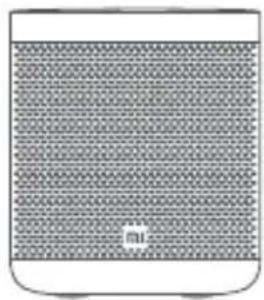
Settings
Device name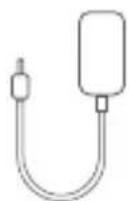
DII
Power: On/Off

Power: Microphone on/off

VOL +

VOL -

To adjust the volume parameters, press and hold the VOL + and VOL - buttons for 10 seconds.
Indicator light
Red (hot)
Microphone on


Ok Google
Ka3aK
Heri3ri MymkihdkTepe
My3bika MeH O'biH-caybIKTaH Ia33aT any
My3bIkaHbI, noDKaCTTapDbI XaHe paIIOHbI KOJIbI3 OINHaTbIHbI3 XaHe 6ackapbIHbI3. CoHdaI-aK, 6eHnepePi Tek DaybICTbI naJaIaNbIn Chromecast apKblBt TeJeIaPra TpaHnaIayra 6oJaBl.
Kyuhii3diXocnapaHbI3
C3diH pyKcaTbIHbI36eH aya paBtTypaJIbI aknapaT, XepriNkTI yaKbIT Hemece KYNdeJIkTI keCTe CnAKTBi HApCeIep 6oBbIHwa aHbIKTaMa ana anacbi3.
TancbIPMaJapdbI 6ackapy
CizdiHpyKcTaBbI36eH da6blnapbl, TaMepJIePi Hemece ecke calfblTapbl KOJbI3 opHaTyFa 60aIbI. Ka fHa «Ok Google» den aIbIbI3.
- YüiHizdi 6ackapy
ДиHamNKTepe Google-ДанЖарьктбI KocvbyH cypaHbI3 Hemece Nest KeMerimeh TamaWaTemNepaTypaHbI opHaTbIHbI3.
Kayantrap any
EcenTep, aydapMaJap XeHe T.6. 6oYbIHwa XayanTap aIbIHb3.

Ok Google
| TexHnKaIbIK cnPaTTaMaJap
ATbMi Smart Speaker
MoJeIb L09G
Bluetooth BT4.2 xəHe A2DP
Kipic 12 B 1,5 A
CbIMcbI3 IEEE 802.11a/b/g/n/ac (2,4 µ /5 µ) Wi-Fi
Ka3aK
| ЖуMbIC жилгі оже раднохилік куаты | |
| Wi-Fi | 2412-2472 MГц (≤ 20 дБМ), 5150-5250 MГц (≤ 23 дБМ), 5250-5350 MГц (≤ 20 дБМ), 5470-5725 MГц (≤ 20 дБМ), 5725-5850 MГц (≤ 14 дБМ) |
| Eсkeptу: Ресейde, Мьсьрda, МарokкоDA 5470-5725 MГц, жилікke колдay керсетимeДi | |
| BT 2402-2480 MГц (≤ 10 дБМ) | |
| BLE 2402-2480 MГц (≤ 10 дБМ) | |
| Куат ТУТыну | Женин, куту рекимi: ≤ 1,8 BT |
| Ша rtпы сгizу уakытbiЖенин, куту рекимi: ≤ 1 c | |
EckepTy: 6apIbIK, cbIMcbI3 xeni 6enceHipinreH 6oIca, xeniIderi kyTu peKmInderi KyaT TyTbHy 1,8 Bt KypaIdbI.
Бул Крьлфы Keleci eIepe 5150-5350 Mц xniik ayKbIMbHda xMbic icTeReHde raHa yi iwiHde naIdanaHymen weKeTEnreH:
| AT | BE | BG | HR | CY | CZ | DK | EE | FI |
| FR | DE | EL | HU | IE | IT | LV | LT | LU |
| MT | NL | PL | PT | RO | SK | SI | ES | SE |
| UK(NI) | IS | LI | NO | CH | TR | |||
Ka3aK
| KENIIДIK ECKEPTNECI
БУЛ KENIIДIK C13FE HAKTbI KYKbIKTAP BEPEДI JXÖHE CI3ДIH EJIHl3ДIH, OБЛbICbIHbI3ДbIH, HEMECE LITATTAPDbIH 3AHДAPbIHDA BEPIJIrH BACKA KYKbIKTAPbIHbI3 DA BOJybl MYMKIH. PACbIHDA, KEINBIP EJIDEPIDE, OBJIbICTAPDA HEMECE LITATTAPDA TYTbIHUbIAP 3AHbIMINHMALdbI KENIIДIK MEP3IMIH BEPYI MYMKIH. 3AH, PYKCAT BEPTEHDEPDEH BACKA, XIAOMI CI3ДIH, KYKbIKTAPbIHbI3Дbl KOIMAIdbI, WIEKTEMENI HEMECE TOKTATNAIDbl. KYKbIKTAPbIHbI3Дbl TOJIbIK TYCIHY IUIH bI3 CI3ДIH, EJIHl3ДIH, OБЛbICbIHbI3ДblH, HEMECE MEMLEKETIH3ДIH, 3AHdAPbIHHA JXYIHyTE LJAKbIPAMbl3.
OHIMRE WEKTEYJI KENIIIDIK
XIAOMI Keniinik Mep3imi iwiHne ΘHIMHI Tnicti naJaHaHybI HcKaylbIFbHa caikec Kaibntbl NaiaIaIaNy kezIHne eHIMdepJe XHe MaTePnaIapda Kypactbipy akaynapbIXoK, eKeHHe KeiINIK 6pepi.
3aHdbi KeiniiKTepre KaTbICTbI y3aKtBIfbI MeH 7apTTapbI TnicTi JepriikTi 3aHapMeH KapactbipbIFanH. TyTBiHyMbIHbIH KeiniiK apTbIKMbIBkTapbI TypaNb KocbIMwa aKnapaTbI Xiaomi pecMn caTbIHan KapaBbI3 https://www.mi.com/kz-kk/support/warranty
Xiaomi 6actankbI catbn anyu bfa OHbH, Xiaomi eHimHe Jxofapda aTaIraH Mep3imDe KaIbITbI nainanhy KezIHne MaTePnaIaIap MeH KypacTbIpy akaynapbI 6oImaTbIHbIHa KeniNik 6epeDi. Xiaomi eHIMHH XyMbICbI y3inicci3 Hemece kateci 3 6oNaTbIHbIHa KeniNik 6epMei. Xiaomi eHIMdi nainanahyFa KaTbICTbl HycKaynapdbI opbHdAmay caIapbIHah 6oNaTbIH 3nH ywiH XayantbI emc.
2 WARRANTY TERMS
If the product is found to be defective within the warranty period, Xiaomi will, at its sole discretion, either (1) repair the product free of charge, (2) replace the product, or (3) refund the purchase price, provided that the product is returned in accordance with the terms and conditions set forth herein.
Kazakh
3 HOW TO OBTAIN WARRANTY SERVICE
To obtain warranty service, you must return the product, in its original packaging or in equivalent packaging providing an equal degree of protection, to the Xiaomi authorized service center. Except as prohibited by applicable law, Xiaomi may require you to provide proof of purchase or other appropriate evidence of the date of purchase.
EXCLUSIONS AND LIMITATIONS
Unless Xiaomi specifies otherwise, this Limited Warranty applies only to the product manufactured by or for Xiaomi and identified by the trademark, trade name, or logos "Xiaomi" or "Mi" affixed to the product.
This Limited Warranty does not apply to: (a) defects caused by improper use, accident, negligence, misuse, water, fire, earthquake, or other external causes; (a) improper installation; (b) commercial use; (c) modifications or alterations to the product; (d) defects caused by use of the product with non-Xiaomi products; (e) defects caused by use of the product in a manner not in accordance with the product documentation or instructions; (f) defects caused by use of the product with accessories not authorized or intended by Xiaomi; or (g) defects caused by service performed by anyone other than Xiaomi or a Xiaomi authorized service provider (including unauthorized repairs and replacements).
You are responsible for maintaining the confidentiality of any passwords, security codes, or other sensitive information associated with the product. Xiaomi is not liable for any loss or damage arising from your failure to maintain the confidentiality of such passwords, security codes, or other information.
No Xiaomi reseller, agent, or employee is authorized to make any modification, extension, or addition to this Limited Warranty. If any term is held to be illegal or unenforceable, the legality or enforceability of the remaining terms shall not be affected or impaired.
Except as prohibited by applicable law or otherwise agreed by Xiaomi, warranty services are provided only to the original purchaser or the end user who purchased the product from an authorized reseller.
Kazakh,
This warranty applies only to products purchased directly from Xiaomi or Xiaomi's authorized resellers. If you purchased the product from an unauthorized reseller, you are not eligible for warranty services. Xiaomi may require you to provide proof of purchase from the authorized reseller.
These terms and conditions are governed by the laws of the Republic of Kazakhstan.
5 WARRANTY LIMITATIONS
Except as provided by applicable laws, all other warranties (including, but not limited to, any implied warranties of merchantability or fitness for a particular purpose) are limited to the maximum duration of this express warranty. Some jurisdictions do not allow limitations on the duration of an implied warranty, so the above limitation may not apply to you.
6 WARRANTY EXCLUSIONS
Except as provided by applicable laws, Xiaomi is not liable for any damages arising from unauthorized modifications, misuse, abuse, negligence, accidents, or improper use, including but not limited to damages caused by use of the product with non-compliant or third-party accessories, or use of the product in a manner not in accordance with the user manual. Some jurisdictions do not allow the exclusion or limitation of incidental or consequential damages, so the above limitation or exclusion may not apply to you.
7 XIAOMI WARRANTY SERVICE
- For consumers, please visit the website: https://www.mi.com/kz-kk/support/warranty Service hotline: 88-000-808-328
- Email: service.kz@support.mi.com
For after-sales service, please contact the Xiaomi authorized service center or the retailer where you purchased the product. If you have any questions, please contact Xiaomi customer service.
Kazakh
This warranty is distributed on the territory of Kazakhstan. NOTICE
THIS WARRANTY GIVES YOU SPECIFIC LEGAL RIGHTS, AND YOU MAY ALSO HAVE OTHER RIGHTS THAT VARY FROM STATE TO STATE OR PROVINCE TO PROVINCE. IN SOME STATES AND PROVINCES, THE LAW MAY PROVIDE FOR A MINIMUM WARRANTY PERIOD. XIAOMI DOES NOT EXCLUDE, LIMIT OR SUSPEND OTHER LEGAL RIGHTS YOU MAY HAVE. WE RECOMMEND THAT YOU REVIEW THE LAWS OF YOUR STATE, PROVINCE OR COUNTRY TO FULLY UNDERSTAND YOUR RIGHTS.
1 PRODUCT WARRANTY LIMITATIONS
Xiaomi warrants that the materials and workmanship of the products are free from defects in normal use in accordance with the user manual during the warranty period.
The duration and conditions of legal warranties are provided in the applicable local laws. For additional information on warranty benefits for consumers, please see the official Xiaomi website at https://www.mi.com/kz-ru/support/warranty.
Xiaomi warrants to the original purchaser that the materials and workmanship of its products are free from defects in normal use during the aforementioned period.
Xiaomi ensures that the product will operate without failures or errors.
Xiaomi is not liable for losses incurred as a result of non-compliance with the instructions for using the product.
LEGAL REMEDIES
If a defect is found in the device and Xiaomi receives a justified claim within the warranty period, Xiaomi will (1) repair the product free of charge, (2) replace the product, or (3) refund the cost of the product, excluding possible shipping costs.
Kazakhstan
HOW TO OBTAIN WARRANTY SERVICE
To obtain warranty service, you must deliver the product in its original or equivalent packaging, ensuring an equal level of protection for the product, to the address specified by Xiaomi. Xiaomi may require proof of purchase and/or proof of purchase or may require compliance with registration requirements before providing warranty service, unless otherwise provided by law.
4 EXCLUSIONS AND LIMITATIONS
This limited warranty applies only to the product manufactured by or for Xiaomi and bearing its trademarks, trade name, or logo "Xiaomi" or "Mi", unless otherwise provided by Xiaomi.
The limited warranty does not cover (a) damage resulting from natural disasters, such as lightning, storms, floods, fires, earthquakes, or other force majeure factors; (b) negligence; (c) commercial use; (d) modifications or alterations to any part of the product; (e) damage caused by use with products of other manufacturers; (f) damage resulting from accidents, misuse, or improper use; (g) damage caused by using the product beyond the permitted or allowable usage described by Xiaomi, as well as from incorrect voltage or power supply; (h) damage due to servicing (including updates and expansions) by individuals who are not representatives of Xiaomi.
Creating backup copies of data, software, and other materials that you may store on the product is your responsibility. Xiaomi is not liable for loss or reformatting of data, software, or other materials that occur during technical servicing.
No reseller, agent, or employee of Xiaomi is authorized to modify or supplement this warranty. If any condition is found to be unlawful or legally unenforceable, the legality or enforceability of the remaining provisions shall not be affected or impaired.
After-sales service is provided in the country or region of purchase, except for cases prohibited by law, or unless otherwise provided by Xiaomi.
Kazakhstan
This warranty does not cover products that have not been properly imported, were manufactured not by Xiaomi or its affiliates, or were not purchased from Xiaomi or its official representatives. According to applicable law, you may be entitled to a warranty from the official distributor who sold you the product. Therefore, Xiaomi recommends that you contact the seller from whom you purchased the product.
This warranty does not apply in Hong Kong or Taiwan.
5 IMPLIED WARRANTIES
Except for cases prohibited by law, implied warranties (including warranties of merchantability and fitness for a particular purpose) are limited to the duration of this limited warranty. In some jurisdictions, limitation of the duration of implied warranties is not permitted. In such cases, the above limitation does not apply.
Chromecast built-inTM
Address: #019, 9th Floor, Building 6, 33 Xi'erqi Middle Road, Haidian District, Beijing, China, 100085
Radio frequency specifications: V5.0
Russian
Package contents: Instructions for buttons
Smart lock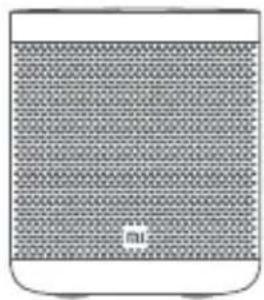
User guide
Power adapter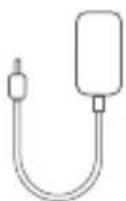
Press: Play/Pause
Press: Microphone on/off
- VOL+
VOL-
- Press and hold «VOL +» and «VOL -» for 10 seconds to reset to factory settings.
Description of indicator lamps
Orange (steady light) Microphone off
White (flashing) Alarm settings
Yellow (fast flashing) Reset to factory settings
Russian
Play music Increase volume Next song

Plan your day Get answers
What's the latest news? What's the weather this weekend? What time is it? What are my plans for today?

Control your home
Turn on the lights Set the temperature to 22 degrees Turn on the lights in the living room?

Try something interesting
Tell me a fun fact What can you do? Phone search

Set a timer for 15 minutes. Set an alarm for 7 a.m. tomorrow. Remind me to buy milk. Today at 4 p.m., remind me that it's time to eat.

Okay, Google
Russian
Key features
Enjoy music and relaxation
Listen to and control music with just your voice, no app needed. You can also cast video to your TV with Chromecast, just by using voice control.
- Plan your day
With your permission, we can help you with things like weather information, local time, and your daily schedule.
- Manage tasks
With your permission, you can set alarms, timers, and reminders without using your hands. Just say: "Okay, Google".
- Control your home
Just ask Google on your speakers to turn on the lights or set the ideal temperature with Nest.
- Get answers
Get answers to calculations, translations, and much more.

Technical specifications
Name: Mi Smart Speaker
Model
L09G
Bluetooth
BT4.2 and A2DP
Input
Wireless Wi-Fi IEEE 802.11a/b/g/n/ac (2.4GHz/5GHz)
Russian
4. Limited warranty
This limited warranty applies only to products manufactured by Xiaomi or its affiliates, bearing the trademarks, trade names, or logos of "Xiaomi" or "Mi", unless otherwise provided by Xiaomi.
The limited warranty does not cover: (a) damage caused by natural disasters, such as lightning, storms, floods, fires, earthquakes, or other force majeure events; (b) negligence; (c) commercial use; (d) modifications or alterations to any part of the product; (e) damage caused by using products of other manufacturers; (f) damage caused by accidents, abuse, or improper use; (g) damage caused by using the product beyond the scope of permitted or intended use described by Xiaomi, as well as damage resulting from improper installation or maintenance; (h) damage caused by maintenance (including updates and expansions) performed by individuals who are not representatives of Xiaomi.
Creating backup copies of data, software, and other materials that you may store on the product is your responsibility. Xiaomi is not liable for loss or reformatting of data, software, or other materials contained in the equipment during operation.
No reseller, agent or employee of Xiaomi is authorized to make any modification or addition to this warranty. If any term is found to be unlawful or legally invalid, the legality or enforceability of the remaining terms shall not be affected or impaired.
Russian
After-sales service is provided in the country or region of purchase, except for cases prohibited by law, or unless otherwise provided by Xiaomi.
This warranty does not cover products that were not properly imported, manufactured by a company other than Xiaomi and/or purchased from a source other than Xiaomi or its authorized representative. In accordance with applicable law, you may be entitled to a warranty from the official distributor who sold the product. Therefore, Xiaomi recommends contacting the seller from whom you purchased the product.
This warranty does not apply in Taiwan.
5 IMPLIED WARRANTIES
Except for cases prohibited by law, implied warranties (including warranties of merchantability and fitness for a particular purpose) are limited in duration to the duration of this limited warranty. In some jurisdictions, limitation of the duration of implied warranties is not permitted. In such cases, the aforementioned limitation shall not apply.
6 LIMITATION OF LIABILITY
Except for cases prohibited by law, Xiaomi shall not be liable for damages resulting from this, indirect, special, incidental or consequential damages, including loss of profits, revenues or data, losses arising from breach of express or implied warranties or conditions, or under any other legal theory, even if Xiaomi has been advised of the possibility of such damages. In some jurisdictions, exclusion or limitation of liability for special, indirect or consequential losses is not permitted. In such cases, the aforementioned exclusions or limitations shall not apply.
XIAOMI CONTACTS
For detailed information on warranty terms, please visit https://www.mi.com/global/support/warranty. The contact point for after-sales service may be any of the authorized Xiaomi service network, authorized Xiaomi distributor, or the seller from whom you purchased the product. If you have any questions, please contact the appropriate point in Xiaomi.
Russian
Google Assistant
With the Mi Smart Speaker, you can easily interact with Google and enjoy music at home using just voice control. You can listen to any music, adjust volume, and find information about the song being played without using your hands. In addition, you can plan your day, set alarms, and control smart devices in your home — just say "Okay, Google" to start.
Built-in Chromecast
Compliance with technical regulations:
TR CU 020/2011 "Electromagnetic compatibility of technical equipment"
TR CU 004/2011 "Safety of low-voltage equipment"
TR EAEU 037/2016 "On restricting the use of hazardous substances in electrical and electronic products"
Storage temperature: from -20°C to 40°C
Humidity during storage: 95%
Google Assistant is not available for some languages and countries.
Manufacturer: Xiaomi Communications Co., Ltd.
Address: #019, 9th Floor, Building 6, 33 Xi'erqi Middle Road, Haidian District, Beijing, China, 100085
User manual version: V5.0
EU REP.
Xiaomi Technology Netherlands B.V.
Prinses Beatrixlaan 582, 2595BM, The Hague, The Netherlands
contact@support.mi.com
UK REP.
Xiaomi Technology UK Limited
Davidson House, Forbury Square, Reading, Berkshire RG1 3EU
contact@support.mi.com




- TABLE OF CONTENTS
- PACKAGE CONTENTS BUTTON INSTRUCTION
- INDICATOR LIGHT DESCRIPTION
- ENGLISH
- WHAT YOU NEED TO GET STARTED
- GETTING STARTED
- DOWNLOAD THE GOOGLE HOME APP
- PLUG IN THE DEVICE
- SET UP YOUR DEVICE
- TALKING TO YOUR DEVICE
- USING VOICE COMMAND OR APP TO CONNECT BLUETOOTH
- STEP 1. PAIR YOUR MOBILE DEVICE AND SPEAKER
- STEP 2. CONNECT YOUR MOBILE DEVICE AND SPEAKER
- USING YOUR MOBILE DEVICE
- USING YOUR VOICE
- STEP 3. MANAGE PAIRED AND CONNECTED DEVICES
- CHECK WHICH MOBILE DEVICE IS PAIRED WITH YOUR DEVICE
- UNPAIR MOBILE DEVICE AND YOUR SPEAKER
- PLAY AND CONTROL MUSIC
- PLAN YOUR DAY AND GET ANSWERS
- CONTROL YOUR HOME
- TRY FUN THINGS
- GET THINGS DONE
- KEY FEATURES
- ENJOY MUSIC AND ENTERTAINMENT
- PLAN YOUR DAY
- MANAGE TASKS
- GET ANSWERS
- OK GOOGLE
- TECHNICAL SPECIFICATIONS
- WARRANTY NOTICE
- LIMITED PRODUCT WARRANTY
- REMEDIES
- HOW TO OBTAIN WARRANTY SERVICE
- EXCLUSIONS AND LIMITATIONS
- IMPLIED WARRANTIES
- DAMAGE LIMITATION
- XIAOMI CONTACTS
- GOOGLE ASSISTANT
- CHROMECAST BUILT-INTM
- CERTIFICATIONS
- CAUTION
- INSTRUCTIONS FOR CONNECTING THE DEVICE
- INDICATOR LIGHT
- HERI3RI MYMKIHDKTEPE
- MY3BIKA MEH O'BIH-CAYBIKTAH IA33AT ANY
- KYUHII3DIXOCNAPAHBI
- TANCBIPMAJAPDBI 6ACKAPY
- YÜIHIZDI 6ACKAPY
- KAYANTRAP ANY
- TEXHNKAIBIK CNPATTAMAJAP
- KA3AK
- KENIIДIK ECKEPTNECI
- OHIMRE WEKTEYJI KENIIIDIK
- WARRANTY TERMS
- WARRANTY LIMITATIONS
- WARRANTY EXCLUSIONS
- XIAOMI WARRANTY SERVICE
- KAZAKH
- THIS WARRANTY IS DISTRIBUTED ON THE TERRITORY OF KAZAKHSTAN. NOTICE
- PRODUCT WARRANTY LIMITATIONS
- LEGAL REMEDIES
- KAZAKHSTAN
- PACKAGE CONTENTS: INSTRUCTIONS FOR BUTTONS
- DESCRIPTION OF INDICATOR LAMPS
- RUSSIAN
- PLAN YOUR DAY GET ANSWERS
- TRY SOMETHING INTERESTING
- LIMITED WARRANTY
- LIMITATION OF LIABILITY
- BUILT-IN CHROMECAST
Brand : Xiaomi
Model : Mi Smart Speaker
Category : Speakers