
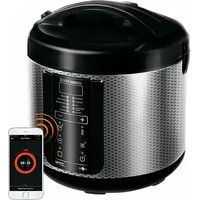
RMC-280E - Multi-cooker Redmond - Free user manual and instructions
Find the device manual for free RMC-280E Redmond in PDF.


| Product type | Multi-cooker |
| Brand | Redmond |
| Model | RMC-280E |
| Capacity | 5 L |
| Power | 700 W |
| Dimensions (L x W x H) | 28 x 28 x 25 cm |
| Weight | 3.5 kg |
| Power supply | 220-240 V, 50/60 Hz |
| Bowl material | Non-stick |
| Main functions | Rice cooking, stewing, steam, slow cooking, quick cooking, keep warm, timer, delayed cooking |
| Safety | Lid lock, overheating protection |
| Maintenance and cleaning | Removable dishwasher-safe bowl, body cleanable with a damp cloth |
| Spare parts | Inner bowl, gasket, measuring spoon, steamer basket |
| Repairability | Gasket and bowl user-replaceable |
| Warranty | 2 years |
Frequently Asked Questions - RMC-280E Redmond
User questions about RMC-280E Redmond
0 question about this device. Answer the ones you know or ask your own.
Ask a new question about this device
Download the instructions for your Multi-cooker in PDF format for free! Find your manual RMC-280E - Redmond and take your electronic device back in hand. On this page are published all the documents necessary for the use of your device. RMC-280E by Redmond.
USER MANUAL RMC-280E Redmond
Carefully read all instructions before operating and save them for future reference. By carefully following these instructions you can considerably prolong the service life of your appliance.
IMPORTANT SAFEGUARDS

The manufacturer is not responsible for any failures arising from the use of this product in a manner inconsistent with the technical or safety standards.
- This appliance is intended to be used in household and similar applications such as: staff kitchen areas in shops, offices and other working environments; farm houses; by clients in hotels, motels and other residential type environments; bed and breakfast type environments.
- Before installing the appliance, check that the device voltage corresponds with the supply voltage in your home (refer to rating plate or technical data).
- While using the extension cord, make sure that its voltage is the same as specified on the device. Using different voltage may result in a fire or other accident, causing appliance damage or short circuit.
- The appliance must be grounded. Connect only to a properly installed wall socket. Failure to do so may result in the risk of electrical shock. Use only grounded extension cords.

CAUTION! During use the appliance becomes hot! Care should be taken to avoid touching the housing, bowl, or any other metal parts while operating. Make sure your hands are protected before handling the device. To avoid possible burns, do not lean above the open appliance.
- Always unplug the device after use, before cleaning or moving. Never handle plug with wet hands. Do not pull power cord to disconnect from outlet; instead, grasp plug and pull to disconnect.
- Keep the power cord away from hot surfaces (gas or electric ovens) or sharp edges. Do not let cord hang over edge of table or counter.

Remember: damaging the cord may lead to a failure that will not be covered by the warranty. If the cable is damaged or requires replacing, contact an authorized service center only to avoid all risks.
- Never place the device on soft surfaces to keep ventilation slots clear of any obstruction.
- Do not operate the appliance outdoors, to prevent water or any foreign object or insect from getting into
the device. Doing so may result in serious damage of the appliance.
- Always unplug the device and let it cool down before cleaning. Follow cleaning and general maintenance guidelines when cleaning the unit.
⚠️ DO NOT immerse the device in water or wash it under running water!
- This appliance can be used by children aged from 8 years and above and persons with reduced physical, sensory or mental capabilities or lack of experience and knowledge if they have been given supervision or instruction concerning use of the appliance in a safe way and understand the hazards involved. Children shall not play with the appliance. Keep the appliance and its cord out of
reach of children aged less than 8 years. Cleaning and user maintenance shall not be made by children without supervision.
- Any kinds of modifications or adjustments to the product are not allowed. All the repairs should be carried out by an authorized service center. Failure to do so may result in device and property damage or injury.
TABLE OF CONTENTS
| I.PRIOR TO FIRST USE | 6 |
| II.OPERATING MULTICOOKER | 6 |
| III ADDITIONAL FEATURES | 7 |
| IV.CLEANING AND MAINTENANCE | 7 |
| V. COOKING TIPS | 8 |
| VI ADDITIONAL ACCESSORIES | 10 |
| VII.BEFORE CONTACTING SERVICE CENTER | 10 |
| VIII.PRODUCT WARRANTY | 10 |
Technical Specifications
| Model | RMC-2BDE |
| Power | 800 W |
| Voltage | 220-240 V, 50 Hz |
| Bowl capacity | 5L |
| Bowl coating | non-stick ceramic |
| Display | LCD |
| Steam release valve | removable |
| Deactivation of the audible signals | yes |
Programs
| 1. MULTICOOK | 10. STEW - CHICKEN |
| 2. STEAM/COOK - FISH | 11. STEW - SEAFOOD |
| 3. STEAM/COOK - MEAT | 12. STEW - VEGETABLES |
| 4. STEAM/COOK - CHICKEN | 13. OATMEAL |
| 5. STEAM/COOK - SEAFOOD | 14. YOGURT / YEAST DOUGH |
| 6. STEAM/COOK - VEGETABLES | 15. PAELLA/RISOTTO |
| 7. SOUP/BEANS | 16. BAKE |
| 8. STEW - FISH | 17. FRY - FISH |
| 9. STEW - MEAT | 18. FRY - MEAT |
| 19. FRY - CHICKEN | 22. RICE/GRAIN |
| 20. FRY - SEAFOOD | 23. PASTA/RAVIOLI |
| 21. FRY - VEGETABLES | 24. HOMEMADE BREAD |
Functions
| "Keep Warm" function....up to 12 hours |
| Preliminary deactivation of "Keep Warm"....yes |
| "Reheat" function....up to 12 hours |
| "Time Delay" function....up to 24 hours |
Packaging Arrangement
| Multicooker with removable bowl | 1 pc |
| Removable inner lid | 1 pc |
| Steaming container | 1 pc |
| Measuring cup | 1 pc |
| Deep fry basket | 1 pc |
| Serving spoon | 1 pc |
| Stirring paddle | 1 pc |
| "100 Recipes" | 1 pc |
| User manual | 1 pc |
| Service booklet | 1 pc |
| Power cord | 1 pc |
| Packaging | 1 pc |
In accordance with the policy of continuous improvement, the manufacturer reserves the right to make any modifications to design, packaging arrangement, or technical specifications of the product without prior notice.
Multicooker Assembly A1
| 1. The housing. |
| 2. Carrying handle. |
| 3. The lid. |
| 4. Removable inner lid. |
| 5. The bowl. |
| 6. Removable steam valve. |
| 7. Control panel with display. |
| 8. Serving spoon. |
| 9. Stirring paddle. |
| 10. Steaming container. |
| 11. Measuring cup. |
| 12. Deep fry basket. |
| 13. Power cord. |
Control Panel A2
| 1. | "Cancel/Reheat" button enables/disables "Reheat" function; interrupts cooking program; clears the settings. |
| 2. | "Time Delay / Cooking time" button is used to enter cooking time adjustment mode / "Time Delay" adjustment mode; to disable audible signals. |
| 3. | Display. |
| 4. | "Start" button starts selected cooking program; disables "Keep Warm" in advance. |
| 5. | "Temperature" button is used to enter temperature adjustment mode in "MULTICOOK". |
| 6. | "Menu" button selects automatic cooking program. |
| 7. | "Product selection" button is used to select type of product in "STEAM/COOK", "STEW", and "FRY" programs. |
| 8. | "Hour/-" button selects hour value in current time, cooking time, and "Time Delay" adjustment modes; used to enter current time adjustment mode and to reduce temperature value in "MULTICOOK". |
| 9. | "Minute/+4" button selects minute value in current time, cooking time, and "Time Delay" adjustment modes; used to increase temperature value in "MULTICOOK" program. |
REDMOND
Display A3
-
Automatic cooking programs indicators.
-
Timer / current time indicator / time of delay value indicator.
-
"Time Delay" adjustment mode indicat
-
"Reheat" function operation indicator
-
"Keep Warm" function operation indicator.
-
Indicators of the type of product in "STEAM/COOK", "STEW", and "FRY"
programs.
-
"MULTICOOK" temperature value indicator.
-
Audible signals enabled/disabled indicator.
I. PRIOR TO FIRST USE
Carefully remove multicooker and its accessories from the packaging. Dispose of all packaging materials. Keep all warning labels, including serial number identification label located on the housing. The absence of the serial number will deprive you of your warranty benefits! Wipe the housing of the unit with a soft, damp cloth. Wash the bowl with warm soapy water. Rinse and dry thoroughly. Odor on first use of the appliance is normal and does not indicate malfunction. In such case, clean the unit.

Caution! Do not use the appliance in case of any malfunctions.
Place the appliance on a flat, stable, and hard surface away from wallpaper, decorative coatings, or any other objects or cabinets that could be damaged by steam, humidity, or high temperatures.
Before operating, make sure that the outer and inner parts of the multi-cooker have no dents, cracks or any other visible damages. There should not be any obstructions between heating element and the bowl.
Standby Mode
After the appliance is connected, it enters standby mode and displays current time in 24-hour format and the following indicators: automatic cooking programs indicator, type of product indicators in "STEAM/COOK", "STEW", and "FRY" programs, audible signals enabled/disabled indicator. If no buttons are pressed within a minute in program adjustment mode, multicooker automatically goes into standby mode, all previous settings are lost.
Non-volatile Memory
Multicooker REDMOND RMC-280E is equipped with non-volatile memory. In case of short term power cut-off (up to 2 hours during cooking cycle or the time of delay) the appliance stores all current settings and resumes its operation without any memory loss.

Note! if you do not want cooking cycle to be resumed press and hold down "Cancel/Reheat" button. The appliance switches to standby mode.
To Enable/Disable Audible Signals
Multicooker REDMOND RMC-280E allows enabling/disabling audible signals. To disable audible signals press and hold down "Time Delay / Cooking time" button in standby mode (to reactivate audible signals, repress and hold "Time Delay / Cooking time" button).
To Set the Clock
Plug in the unit. Press and hold down the "Hour/-" button. Current time value indicator starts flashing. Press "Hour/-" button repeatedly to select hour value and "Minute/4" button to select minute value. Press and hold the corresponding button down to scroll through the digits. When the maximum value is reached, the adjustment starts from the minimum value.
When current time is adjusted, do not press any button for a few seconds to save the settings.
To Set Cooking Time
Multicooker REDMOND RMC-280E allows adjusting default cooking time of each program. Time adjustment range and interval depend on selected cooking program.
o adjust cooking time:
- Use "Menu" button to select automatic cooking program. Repeatedly press the button, default cooking time of each program is displayed. Keep pressing the "Menu" button until required program indicator is displayed. You can also use "Hour/-" and "Minute/+" buttons to select the program.
- Press "Time Delay / Cooking time" button to enter cooking time adjustment mode. "Start" button indicator, default cooking time indicator, and corresponding program indicator are flashing on the display.
- Press "Hour/-" button repeatedly to adjust hours and "Minute/+" button to adjust minutes. Press and hold the corresponding button down to scroll through the digits. When maximum value is reached the adjustment starts from the minimum value.
- To cancel the settings press and hold down "Cancel/Reheat" button and start adjusting from the beginning.

When adjusting cooking time of the program consider time adjustment range and interval featured by selected cooking program (refer to "Table of Default Settings").
Cooking time of "STEAM/COOK" group of programs starts to count down after water comes to a full boil and sufficient amount of steam is generated; of "PASTA/RAVIOLI" program - after water comes to a full boil, products are added, and "Start" button is repressed. Cooking time of the rest of the programs starts to count down after you press "Start" button.
"Time Delay" Function
The function allows programming multicooker to finish cooking cycle at specific time. Cooking program can be delayed for up to 24 hours. Time adjustment interval is 5 minutes.
- Select automatic cooking program, adjust the time, and program the appliance to delay the program. To delay cooking program repress "Time Delay / Cooking time" button. "Time Delay" adjustment mode indicator and the time by which the dish will be ready (set by default) are displayed. Time value indicator is flashing.
- Use "Hour/-" button to adjust hours and "Minute/+" button to adjust minutes. Press and hold the corresponding button down to scroll through the digits. When maximum value is reached, the adjustment starts from the minimum value.
- To cancel the settings press and hold down the "Cancel/Reheat" button and start adjusting from the beginning.

it is not recommended to use "Time Delay" function if diary or other perishable products are being used (eggs, milk, meat, cheese, etc.). The function is not available in "FRY" and "PASTA/RAVIOLI" programs.
"Keep Warm" Function
The function automatically activates at the end of cooking cycle and keeps the dish warm at 60–80°C for up to 12 hours. In "Keep Warm" mode "Start" button indicator goes off, "Cancel/Reheat" button indicator lights up. "Keep Warm" count up is displayed.
Preliminary Deactivation of "Keep Warm"
Multicooker REDMOND RMC-280E allows disabling "Keep Warm" function in advance. To disable the function in the beginning of cooking cycle press and hold down the "Start" button until "Cancel/Reheat" button indicator goes off. To reactivate the function repress and hold down the "Start" button, until "Cancel/Reheat" button indicator lights up.
"Reheat" Function
Multicooker REDMOND RMC-280E allows reheating cold dishes. To reheat: 1. Fill cooking bowl with food and position it inside the unit. Ensure that the bowl makes full contact with the heating element.
- Close the lid until it clicks into place and plug in the unit.
- Press and hold down the "Cancel/Reheat" button. Button indicator
lights up and reheating begins. "Rheat" function count up is displayed. - The dish will be warmed up to 50-80°C and the temperature will by maintained for 12 hours. To disable the function press "Cancel/Reheat" button (button Indicator goes off).

Multicooker is capable of maintaining the dish warm for up to 12 hours, however, it is not recommended to leave the food on "Keep Warm" for more than 2-3 hours, because this may affect its flavor characteristics.
Standard Operating Procedure for Automatic Programs
- Measure the ingredients according to the recipe and place them inside the bowl. Ensure that all ingredients are below maximum fill mark on the inside of the cooking bowl.
- Position the bowl inside the appliance and slightly rotate it from side to side to ensure, that it makes full contact with the heating element. Close the lid until it clicks into place. Plug in the unit.
- To select the program press "Menu" button repeatedly, until the indicator of required cooking program is displayed. You can also select the program using "Hour/-" and "Minute/-" buttons. Cooking program and "Start" button indicators are flashing; cooking time adjustment mode indicator and default cooking time are displayed.
If cooking program you selected is "MULTICOOK", the display will show cooking temperature adjustment mode indicator and default cooking temperature of the program.
- Press "Product selection" button to select the type of product. Corresponding subprogram indicator starts flashing, default cooking time is displayed. Type of product can be selected in "STEAM/COOK", "STEW", and "FRY" programs. Skip the step if you selected different cooking program.
- Adjust cooking time
-
If cooking program you selected is "MULTICOOK", press "Temperature" button to adjust the temperature. Temperature value indicator starts flashing. Use "Hour/-" button to reduce and "Minute/+" button to increase the temperature. Press and hold the corresponding button down to scroll through the digits. When maximum value is reached, the adjustment starts from the minimum value.
-
Delay the program if required.
-
Press and hold the "Start" button for a few seconds to begin cooking cycle. The display shows remaining cooking time and corresponding automatic cooking program indicator.
-
When cooking cycle is complete program indicator goes off, and audible sound is heard. Depending on current settings the unit either switches to "Keep Warm" mode ("Cancel/Reheat" button indicator lights up) or standby mode.
-
To interrupt cooking cycle or to cancel the program press and hold down the "Cancel/Reheat" button.
"MULTICOOK" Program
"MULTICOOK" program allows adjusting cooking times and temperatures to suit your personal taste. Default cooking time of the program is 30 minutes. Cooking time can be adjusted between 2 minutes and 15 hours in 1 minute intervals. Cooking temperature of the program can be adjusted between 35 and 170°C in 5°C intervals.

NOTE! If cooking temperature is above 140°C cooking time of the program should not exceed 2 hours.
For added convenience, "Keep Warm" function will be automatically disabled if cooking temperature is below 80°C. Press "Start" button in the beginning of cooking cycle to enable the function ("Cancel/Reheat" button indicator lights up).
"STEAM/COOK" Program
"STEAM/COOK" program is recommended for steaming and boiling different foods. Default cooking time of the program depends on the type of product selected (FISH - 25 minutes, MEAT - 40 minutes, CHICKEN - 35 minutes, SEAFOOD - 20 minutes, VEGETABLES - 30 minutes). Cooking time can be adjusted between 5 minutes and 2 hours in 5 minute intervals.
To steam foods:
- Fill the bowl with 600–1000 ml of water. Position steaming container inside the bowl.
• Measure and prepare the Ingredients according to the recipe instructions and evenly distribute them inside the steaming container. - Follow steps 2–10 of "Standard Operating Procedure for Automatic Programs".
When boiling vegetables and other foods, follow steps 1-10 of "Standard operating Procedure for Automatic Programs". Cooking time of "STEAM/COOK" program starts to count down after water comes to a full boil and sufficient amount of steam is generated.
"SOUP/BEANS" Program
"SOUP/BEANS" program is recommended for cooking soups and different legumes. Default cooking time of the program is 1 hour. Cooking time can be adjusted between 10 minutes and 8 hours in 5 minute intervals.

If you were unable to achieve the desired result please, refer to chapter "Cooking Tips" for additional recommendations, practical tips, and solutions to the problems you may be experiencing.
"STEW" Program
"STEW" program is recommended for stewing meat, fish, vegetables, poultry, and seafood. Default cooking time depends on the type of product selected (FISH = 30 minutes, MEAT = 1 hour, CHICKEN = 45 minutes, SEAFOOD = 25 minutes, VEGETABLES = 40 minutes). Cooking time of the program can be adjusted between 10 minutes and 12 hours in 5 minute intervals.

If you were unable to achieve the desired result please, refer to chapter "Cooking Tips" for additional recommendations, practical tips, and solutions to the problems you may be experiencing.
"OATMEAL" Program
"OATMEAL" program is recommended for cooking porridges using milk. Default cooking time of the program is 20 minutes. Cooking time can be adjusted between 5 minutes and 4 hours in 1 minute intervals.
General Guidelines for Cooking Porridges in Multicookers
It is recommended to use pasteurized low fat milk to cook porridges. For best results and in order to prevent milk from boiling away, we recommend you to do the following:
- rinse grain (rice, millet, etc.) thoroughly until water runs clear;
- grease the sides of the bowl, with butter;
- follow proportions suggested in the recipe book, increase or reduce amount of ingredients proportionately;
• using whole milk dilute it by half with water.
Cooking results may vary depending on the place of origin and the manufacturer of grain and milk used. If you were unable to achieve the desired result using "OATMEAL" program, please, refer to chapter "Cooking Tips" or use versatile program "MULTICOOR" to cook porridge (optimal temperature setting is 95°C).
"YOGURT / YEAST DOUGH" Program
"YOGURT / YEAST DOUGH" is recommended for making yogurt and proofing yeast dough. Default cooking time of the program is 8 hours. Cooking time can be adjusted between 10 minutes and 12 hours in 5 minute intervals. "Keep Warm" function is not available in this program.

If you were unable to achieve the desired result please, refer to chapter "Cooking Tips" for additional recommendations, practical tips, and solutions to the problems you may be experiencing.
"PAELLA/RISOTTO" Program
"PAELLA/RISOTTO" program is recommended for cooking paella, risotto, and other rice-based dishes. Default cooking time of the program is 40 minutes. Cooking time can be adjusted between 10 minutes and 2 hours in 5 minute intervals.

If you were unable to achieve the desired result please, refer to chapter "Cooking Tips" for additional recommendations, practical tips, and solutions to the problems you may be experiencing.
"BAKE" Program
"BAKE" program is recommended for baking cakes, puddings, and pies from puff and yeast pastry dough. Default cooking time of the program is 50 minutes. Cooking time can be adjusted between 10 minutes and 8 hours in 5 minute intervals. "Keep Warm" time in "BAKE" program is 4 hours.
The readiness of the cake may be checked with a toothpick. Insert a toothpick in and if it comes out dry, your cake is ready.

If you were unable to achieve the desired result please, refer to chapter "Cooking Tips" for additional recommendations, practical tips, and solutions to the problems you may be experiencing.
"FRY" Program
"FRY" program is recommended for frying meat, fish, poultry, vegetables, and seafood. Default cooking time depends on the type of product selected (FISH - 15 minutes, MEAT - 18 minutes, CHICKEN - 17 minutes, SEAFOOD - 16 minutes, VEGETABLES - 20 minutes). Cooking time of the program can be adjusted between 5 minutes and 2 hours in 1 minute intervals. "Time Delay" function is not available in this program.

To prevent food from burning follow instructions given in the recipe book and stir ingredients thoroughly while frying. Let the unit cool down completely before restarting the program.
The appliance is capable of maintaining the temperature of the dish for 12 hours, however, we recommend using the function moderately, to prevent food from drying out.
Fry foods with the lid of the multicooker open, to make the crust crispy. If you were unable to achieve the desired result please, refer to chapter "Cooking Tips" for additional recommendations, practical tips, and solutions to the problems you may be experiencing.
"RICE/GRAIN" Program
"RICE/GRAIN" program is recommended for cooking rice and other grains. Default cooking time of the program is 30 minutes. Cooking time can be adjusted between 5 minutes and 4 hours in 1 minute intervals.

If you were unable to achieve the desired result please, refer to chapter "Cooking Tips" for additional recommendations, practical tips, and solutions to the problems you may be experiencing.
"PASTA/RAVIOLI" Program
"PASTA/RAVIOLI" program is recommended for cooking pasta, ravioli, sausages, and other convenience foods. Default cooking time of the program is 8 minutes. Cooking time can be adjusted between 2 minutes and 1 hour in 1 minute intervals. "Time Delay" function is not available in this program.
Follow the steps of "Standard Operating Procedure for Automatic Programs". When water comes to a full boil, an audible sound is heard. Carefully open the lid, add Ingredients into boiling water, close the lid, and press and hold down the "Start" button. Cooking time of the program starts to count down.

If you were unable to achieve the desired result please, refer to chapter "Cooking Tips" for additional recommendations, practical tips, and solutions to the problems you may be experiencing.
"HOMEMADE BREAD" Program
"HOMEMADE BREAD" program is recommended for baking bread. Default cooking time of the program is 3 hours. Cooking time can be adjusted between 10 minutes and 4 hours in 5 minute intervals. "Keep Warm" time in "HOMEMADE BREAD" program is 4 hours.

CAUTION! During use the appliance and bread become hot! Use oven mitts when handling the unit and removing the hot bread.
Sift baking flour before using, to add air and remove any impurities present. Avoid opening the lid of the multicooker until the end of baking cycle for best results!
Do not fill multicooker past the 1/2 mark on the inside of the cooking bowl. Note, that the appliance proofs the dough for one hour before it starts baking. To reduce preparation time and to simplify the process, use bread mixes to bake bread. We recommend disabling "Keep Warm" function when baking bread.

If you were unable to achieve the desired result please, refer to chapter "Cooking Tips" for additional recommendations, practical tips, and solutions to the problems you may be experiencing.
III. ADDITIONAL FEATURES
- Proofs dough
- Makes tondue
-
Makes cheese
-
Makes halva
- Bakes bread
-
Pasteurizes
-
Sterilizes table
ware and personal items
IV. CLEANING AND MAINTENANCE
General Guidelines
- Prior to first use or in order to remove the odor after cooking, wipe the bowl and the inner lid of the appliance with vinegar-water solution and steam half a lemon for 15 minutes using "STEAM/COOK" program.
- Do not leave cooking bowl with foods or liquids inside closed multi-cooker for over 24 hours. Store cooked dish in the fridge and reheat when required, using "Reheat" function.
REDMOND
- Before you start cleaning the appliance, make sure that it is unplugged and has cooled down. Use soft cloth and mild soap to clean.

DO NOT use a sponge or tissue with hard or abrasive surface (unless otherwise specified in this user manual), or abrasive pastes. Do not use any chemically aggressive substances or any other agents which are not recommended for cleaning items that come into contact with food.
DO NOT immerse the appliance in water or wash it under running water! Be careful when cleaning rubber and silicone parts of the multicooker, because damaged or deformed parts may lead to malfunction of the unit.
Clean the housing as needed. Cooking bowl, inner aluminum lid, and removable steam valve need to be cleaned after each use. Condensate, accumulating during cooking, needs to be removed after each use. Clean the interior of the cooking chamber as needed.
To Clean the Housing
Use soft damp cloth or sponge to clean the housing. If needed, use a mild soap solution and wipe the surface dry to remove soap residue and water spots.
To Clean the Bowl
Wash the bowl by hand, using soft sponge and mild soap, or in a dishwasher (following its manufacturer's recommendations).
If required, fill the bowl with warm water, let soak for a while, and clean. For more effective soaking fill the bowl with cold water (do not fill above the maximum fill mark), position inside the multicooker, close the lid, and let reheat for 30-40 minutes. Wipe the outer surface of the bowl dry, before placing it back inside the multicooker.

When multicooker is used frequently, inner non-stick coating of the bowl may partially or completely change color, which does not indicate a defect.
To Clean Inner Aluminum Ltd
-
Open the main lid.
-
Press plastic holder located on the inner side of the lid; gently pull the Inner Lid toward yourself to remove.
-
Wipe the surfaces of both lids with a damp soft cloth or sponge. Rinse Inner Lid under running water and wash with mild soap, if required. Do not use dishwasher to clean.
-
Wipe the lids dry.
-
Insert aluminum lid into the lower slots on the main lid and align until they click.
To Clean Removable Steam Valve
It is recommended to clean the valve after each use. Gently pull the valve, holding it by the ledge. Disassemble the steam valve, rinse thoroughly under running water, and let dry. Reassemble the steam valve and place back into original position.
To Remove Condensation
Condensate accumulates in the special cavity on the housing around the bowl. Remove condensate using cloth or tissue.
To Clean Cooking Chamber
Compliance with the user manual guidelines minimizes the risk of food particles or liquids accumulating inside the cooking chamber. However, if the inside of the chamber gets dirty, clean it to prevent improper operation or malfunction of the unit.

Before cleaning cooking chamber ensure, that multicoaker is unplugged and has cooled down!
Walls of the cooking chamber, surface of the heating disk, and the casing of central thermal sensor (located in the middle of the heating disk) need to be cleaned with a damp (not wet!) sponge or cloth. Remove any traces of soap or detergent if using any to prevent extraneous odors during cooking.
If there is a foreign object in the cavity around central thermal sensor, carefully remove it using tweezers, trying to avoid pressing on the casing of the sensor.
Clean heating disk with a damp medium-hard sponge or synthetic brush, if required.

When multicooker is used frequently, heating disk may partially or completely change color, which does not indicate a defect and does not affect proper operation of the unit.
Multicooker Storage
- Unplug the appliance from outlet when not in use for a long period of time. Ensure that cooking chamber, heating disk, bowl, inner lid, and steam valve are dry and clean.
- You may store all additional accessories inside cooking bowl for easy and compact storage.
V. COOKING TIPS
Common Cooking Mistakes and Ways of Solving Them
This chapter familiarizes you with the practical tips and solutions to some common problems you may experience when using the multicooker.
| Possible Causes To Solve the Problem | ||
| Cooking temperature was not observed because the lid of the appliance was either open or was not closed properly. | Try to avoid opening the lid while cooking. Close the lid until it clicks into plate. Ensure that there are no foreign objects between the lid and the housing and that the rubber sealing ring is not deformed or damaged in any way. | |
| Cooking temperature was not observed because the bowl did not make full contact with the heading element. | Property position the bowl inside the appliance, ensuring that it makes full contact with the heating element. Ensure that there are no foreign objects inside the cooking chamber and that the heading element is clear. | |
| Wrong choice of ingredients. The ingredients cannot be cooked using the cooking method required. Strong cooking program selected. General proportions were not observed. Ingredients were cut into pieces that were too large. Wrong cooking time selected. Chases recipe is not applicable for the appliance. | We recommend using recipes adapted for the appliance. Chose proven relips only. Use ingredients, proportions, cooking programs, and line / temperature settings according to the recipe instructions. | |
| When steaming: the amount of water in the bowl is too small to create enough steam. | Use the amount of water recommended. If in doubt, check water level during steaming. | |
| When frying: | Too much cooking oil was added. | Not an amount of all enough just to cover the bottom of the bowl when frying. Follow recipe recommendations when deep frying. |
| Too much cooking liquid inside the bowl. | Do not close the lid of the appliance when frying, unless specified in the recipe. Using frozen ingredients detect and drain before cooking. | |
| When boiling: broth boiled away during the process of cooking high-sold foods. | Certain foods need to be processed before cooking washed, browned, etc. I follow recommendations given in the recipe. | |
| When baking (dough did not bite through) | Puffed dough has reached the lid and blanked the steam release valve. | Use smaller amount of dough. |
| Too much dough in the bowl. | Take the dough run, turn over, place back, and continue cooking. Next time use smaller amount of dough. | |
| Wrong ingredients in cooking time selected. Ingredients were cut into pieces that were too much. | Use proven recipes, adapted for the appliance. Use ingredients, proportions, cooking programs, and time / temperature settings according to the recipe instructions. |
| The dish remained in the unit with the "Keep Warm" on for too long after it's been cured. | We recommend using the "Keep Warm" function independently if your appliance features the function of preliminary deactivation of "Keep Warm" use it to avoid the problem. |
LIQUID BOILS AWAY DURING COOKING
| Milk rolls away. | Quality of milk depends on the manufacturer and the country of origin. Use of extra-pasteened 2.5% fat milk, dilute with water of required. |
| Ingredients were not properly processed [washed poorly, etc.]Wrong general proportions or ingredients; wrong type of product selected. | Use grown recipes, adapted for the appliance. Use ingredients, proportions, cooking programs, and time/temperature settings according to the recipe instructions.Always rinse meat, fish, and grains thoroughly before cooking. |
THE DISH IS BURNT
| The bowl was not washed property. Non-stick coating is caused. | Ensure that the bowl is clean and has no coating defects before cooking. |
| Amount of ingredients is smaller than recommended. Use proven recipes, adapted for the appliance. | |
| Cooking time was too long. | Reduce cooking time or follow recommendations of the recipe adapted for the appliance. |
| When frying cooking oil was not added; ingredients haven't been saline or burned one. | Add a amount of oil enough and to cover the bottom of the bowl when frying, stir or turn over occasionally to ensure that the foods fly evenly. |
| When stewing not enough liquid inside the bowl. Add more liquid avoid opening the tie when stewing. | |
| When boiling: not enough liquid inside the bowl (recommended proportions were not observed). | Follow recommended ratio of liquids to solids when boiling. |
| When baking: inner surface of the bowl was not greased with oil. | Grease the bottom and sides of the bowl with butter or all before baking (do not pure oil instead). |
INGREDIENTS LOOSE THEIR SHAPE WHEN COOKED
| Ingredients have been over-stirred. Do not stir Ingredients more often than every 5-7 minutes when frying. | |
| Cooking time was too long. | Reduce cooking time or follow recommendations given in the recipe adapted for the appliance. |
BAKED GOODS ARE TOO MOIST
| Improper Ingredients causing excess moisture have been used (jutty fruits or vegetables, frozen bottles, sour cream, etc.) | Use ingredients according to the recipe. Try to avoid using ingredients causing excess moisture at use them in similar accounts. |
| Baked product has been left inside the unit with the lid closed for two long | We recommend Lesing baked product out of the unit right after baking cycle is complete or leading its on the "Keep Warm" for a short period of time only. |
BAKED GOODS DID NOT RISE
| Figs and sugars were poorly whipped. | Use proven recipes, adapted for the appliance. Use ingredients, proportions, cooking programs, and time / temperature settings according to the recipe instructions. |
| The dough stayed for too long before being baked. | |
| The flour wasn't silted or the dough was poorly kneaded. | |
| Wrong procedure or proportions. | |
| Chosen recipe is not suitable for your model of multicooker. |

Certain REDMOND multicookers feature overheat protection in "STEW" and "SOUP" programs. In case there is not enough liquid in the bowl, the appliance activates overheat protection, automatically interrupts the program, and switches to "Keep Warm".
Table of Default Settings
| Program Recommendations for Use Default Cooking Time | Time Adjustment Range/Interval | Precast Time | "Time Daisy",hour | "Keep Warm", hour | ||
| MULTICOOK | Adjust cooking time and temperature to your needs to cook any dish of your choice | 30 min | 2 min - 15 hours / 1 minute | -24 | 12' | |
| STEAM/COOK Steam and bolt different foods | FISH: 25 minMEAT: 40 minCHICKLIN: 35 minSEAV/OOD: 10 minVX/CFTAB: FS: 30 min | 5 min - 2 hour / 3 min + 2 | 12 | |||
| SOUF/BPANS | Coat soups and different types of legumes | 1 hour | 10 minutes - 5 hours / 5 minutes | -24 | 12 | |
| STEW Make different stews | FISH: 50 minMFAT: 1 hourCHICKEN: 40 minSLAFOOD: 29 minVEGETABLES: 40 min | 10 minutes - 12 hours / 5 minutes | -24 | 12 | |
| OATMEAL Cook porridges using mils 20 min | 5 minutes - 4 hours / 1 minute | -24 | 12 | ||
| YOGURT / YEAST DOUGHMake yogurt and proud yeast dough 8 hours | 10 minutes - 12 hours / 5 minutes | -24 | - | ||
| PAELLA/RISOTTO Cook rice based dishes 40 minutes | 10 minutes - 2 hours / 3 minutes | -24 | 12 | ||
| BAKEBake cakes, puddings, and pies from pulp and yeast pastry dough 50 minutes | 10 minutes - 6 hours / 3 minutes | 24 | 4 | ||
| IRY Fry different foodsFISH: 15 minMFAT: 18 minCHICKEN: 17 minSLAFOOD: 16 minVEGETABLES: 20 min | 1 minutes - 2 hours / 1 minute | - - | 12 | ||
| RICE/GRAINCook rice and other grains 30 minutes | 5 minutes - 4 hours / 3 minute | -24 | 12 | ||
| PASTA/RAVIOLICook pasta, savocado, etc. 8 minutes | 2 minutes - 1 hour / 1 minute | + - | 12 | ||
| HOMEMADE BREADBake homemade bread 3 hours | 10 minutes - 4 hours / 3 minutes | -24 | 4 |
* if cooking temperature was above 80°C
Recommended Steaming Times for Different Products
| Product | Weight, g/pcs | Water, ml | Cooking time, min |
| Pork/beef fillet (cut into 1.5 x 1.5 cm cubes) | 500 | 500 | 40 |
| Mushen fillet (cut into 1.5 x 1.5 cm cubes) | 500 | 500 | 40 |
| Chicken fillet (cut into 1.5 x 1.5 cm cubes) | 500 | 500 | 35 |
| Meatballs/tartners | 180 (6 pcs), / 450 (3 pcs) | 500 | 12/75 |
| Fish (milk) | 500 | 500 | 25 |
| Shrimps (cooked, pret, frozen) | 500 | 500 | 5 |
| Dumpings | 4 pcs. | 500 | 30 |
| Potatoes (cut into 1.5 x 1.5 cm cubes) | 500 | 500 | 30 |
| Carrots (cut into 1.5 x 1.5 cm cubes) | 500 | 500 | 30 |
| Rice (cut into 1.5 x 1.5 cm cubes) | 500 | 500 | 40 |
| Vegetables (frozen) | 500 | 500 | 15 |
| Steamed eggs | 3 pcs. | 500 | 10 |

Remember, that these are approximate guidelines only. Steaming times may vary, depending on the quality of the products used and on your personal preferences.
Recommended Cooking Temperatures In "MULTICOOK"
| Operating Temperature | Recommendations for Use* |
| 35°C | Proof dough and make vintager |
| 40°C | Make yogurt |
| 45°C | Leaving |
| 50°C | Fermentation |
REDMOND
| Operating Temperature: Recommendations for Use* | |
| 65°C Make fondant | |
| 60°C Make green tea, baby food | |
| 65°C Cook vacuum sealed meat | |
| 70°C Make punch | |
| 75°C Make white tea, pasteurize | |
| 80°C Make mulled wine | |
| 85°C Make cottage cheese and other dishes requiring long cooking times | |
| 90°C Make red tea | |
| 95°C Cook porridges with milk | |
| 100°C Make jams and meringues | |
| 105°C Cook meat jelly | |
| 110°C Stabilize | |
| 115°C Make sugar syrup | |
| 120°C Make meat brisket | |
| 125°C Cook meat stew | |
| 130°C Bake puddings | |
| 135°C Brown cooked foods | |
| 140°C Smoke foods | |
| 145°C Roast fish and vegetables in fall | |
| 150°C Roast meat In fall | |
| 155°C Fry yeast dough | |
| 160°C Fry poultry | |
| 165°C Fry steaks | |
| 170°C Deep try French fries | |
* Also refer to recipe book included.
VI. ADDITIONAL ACCESSORIES
Additional accessories are not provided and can be purchased separately.
REDMOND RAM-CL1 — bowl tongs
The tongs ensure safe and convenient removal of inner bowl out of the multicooker. Suitable for any models with a bowl capacity up to 6 L.
REDMOND RAM-G1 — set of 4 yogurt jars with date dial lids
Use the set to make homemade yogurts. The jars have date dial lids, allowing to control expiration dates. The set is suitable for use with multicokers from other manufacturers.
RAM-FB1 — deep fry basket
The basket is used for frying foods in hot or boiling oil (deep fat). This stainless steel basket has a detachable handle and a drain hook. RAM-FB1 is suitable for any bowls with capacity of at least 3 L. May be used with multicookers from other manufacturers. The basket is dishwasher safe.
VII. BEFORE CONTACTING SERVICE CENTER
The following table gives the error codes that appear if multicooker malfunctions.
| Error Code Error Description Error Handling | ||
| E1 – E4 | System error (possible temperature sensors failure). | Do not operate the appliance with an empty inner box!!Utilpug the appliance and let cool down for 10–15 minutes, add water/stock and resume cooking.If this does not eliminate the error, contact an authorized service center. |
| L5 Overheat protection was activated. | ||
Common Problems and Possible Solution
| Problem Possible Cause Solution | ||
| The unit does not switch on | Voltage supply failure Check voltage supply | |
| The dish is taking too long to cook | Voltage supply interruption Check voltage supply | |
| There is a foreign object between the bowl and the heating element | Remove foreign object | |
| The bowl is not properly positioned Position the bowl | property | |
| Heating element is dirty. Under the appliance and set out down. Clean heating element. | ||
VIII. PRODUCT WARRANTY
We warrant this product to be free from defects for a period of 7 years from the date of purchase. If the appliance fails to operate properly within the warranty period and is found to be defective in material or workmanship, we will repair or replace it free of charge. This warranty comes into force only in case an original warranty service coupon with a serial article number and an accurate impress of the company of the seller proves the purchase date. This limited warranty does not cover damage caused by the failure to use this product for its normal purpose or in accordance with the Instructions on the proper use and maintenance of the product, or any kind of repair works. Do not try to disassemble the appliance and keep all package contents. This warranty does not cover normal wear of the appliance and its parts (filters, bulbs, non-stick coating, gaskets, etc.).
Service life and the applicable product warranty period start on the date of purchase or the date of manufacture (if the purchase date cannot be established).
You can determine manufacture date by serial number, located on the identification label on the housing of the appliance. The serial number consists of 13 digits. 6th and 7th digits of the serial number identify the month, 8th digit the year of manufacture.
Service life of the product, established by the manufacturer is 5 years from the date of purchase, provided that the unit is used and maintained in accordance with the user manual and applicable technical standards.
The packaging, user manual and the appliance itself shall be taken to the applicable collection point for the recycling of electrical and electronic equipment. Do not throw away the electronic waste with household trash to help protect the environment.
Kookprogramma "STEW" ("STOVEN")
Kookprogramma "OATMEAL" ("MELKPAP")
PRODUCT VERLIEST SNUDVORM
Programma "YOGURT / YEAST DOUGH"
Programa "STEAM/COOK"
Multikogers design A1
Program "STEAM/COOK"
Program "YOGURT / YEAST DOUGH"
Program "HOMEMADE BREAD"
PRODUKTET HAR KOGT FOR MEGET
RAM-FB1 - kurv for friturestegning
Programmet "OATMEAL"
Programmet "OATMEAL" er designet for tilberedning av melkgrøt. Tilberedningstid som standard i dette programmet er innstilt på 20 minutter. Du kan manuelt innstille tilberedningstid i omfang fra 5 minutter opp til 4 timer med et endringstrinn på 1 minutt.
Tips for tilberedning av melkgrot I multikokeren
"OATMEAL" programmet
BAKELSEN HAR INTE LYFT UPP
Programma "YOGURT / YEAST DOUGH"
Programm "YOGURT / YEAST DOUGH"
TOIT EI VALMINUD LÖPUNI
KEETMISEL KEEB TOODE VÄLJA
* seated temperature kornal aiates 80°C
Erinevate toiduainete aurul valmistamise soovitatav aeg
| Tõiduaine | Kool, g / kogus | Vee kogus, ml | Valmistaminuang, min |
| Scaliba/Aviciolita filos (1,5x1,5 koubikud) | 500 | 500 | 40/40 |
| Lambsta filer (1,5x1,5 koubikud) | 500 | 500 | 40 |
| Keselleen (1,5x1,5 koubikud) | 500 | 500 | 33 |
| Frikadečia/kodetid | 180 g (6 lks) / 150 (3 lks) | 500 | 30/33 |
| Kala (lice) | 500 | 500 | 23 |
| Salatikoveted polrastatek, kerdestel-tömlutated | 500 | 500 | 3 |
| Mandik/inkaid | 4 Pc | 500 | 30 |
| Kartu (1,5x1,5 koubikud) | 500 | 500 | 30 |
| Porgand (1,5x1,5 koubikud) | 500 | 500 | 30 |
| Port (1,5x1,5 koubikud) | 500 | 500 | 40 |
| Vitiskelt tällmutated juirelljad | 500 | 500 | 13 |
| Aurel valmistated nurse | 3 Pc | 500 | 10 |
A SÜTEMÉNY NEM EMELKEDET MEG
Program "YOGURT/ YEAST DOUGH"
Program „YOGURT/YEAST DOUGH“ preporučuje se za pripremu domaćeg jogurta i iskušavanje. Podrazumevano vrijeme kuhanja u ovom programu je 8 sati. Omogućeno ručno podešavanje vrijemena kuhanja u rasponu od 10 minuta do 12 sati, korak je 5 minuta. Automatsko podgrijavanje u ovom programu nije dostupno.
Program "YOGURT/YEAST DOUGH"
VARENDI STEW (OUJSEN) ERY (SMAZEN)
POTRAVINY ZTRATILY SVÚJ TVAR, KTERÝM BYLY NAKRÁJENY
WYPIEK WYSZEDŁ WILGOTNY
"STEAM/COOK" programi
"YOGURT/YEAST DOUGH" program
"YOGURT / YEAST DOUGH" ب pocketral طني
"L'ACCESSING THE MERCOTIVE, AND LAQIC, and VIGRADA, en la l'information of the PASTA/RAVIOLI". I discussed in this case. A fact that the information is a fact that the information in the organization has 8 days of time, and it's not to be found. The information in the organization is a fact that the information in the organization is a fact that the information in the organization is a fact that the information in the organization is a fact that the information in the organization is a fact that the information in the organization is a fact that the information in the organization is a fact that the information in the organization is a fact that the information in the organization is a fact that the information in the organization is a fact that the information in the organization is a fact that the information in the organization is a fact that the
/ "Time delay / Cooking time" 2
Produced by Redmond Industrial Group LLC
One Commerce Plaza, 99 Washington Ave, Ste. 805A,
Albany, New York, 12210, United States
www.redmond.company
www.multicooker.com
Made in China
RMC-280E-UM-1


- IMPORTANT SAFEGUARDS
- REDMOND
- DISPLAY A3
- PRIOR TO FIRST USE
- STANDBY MODE
- NON-VOLATILE MEMORY
- TO ENABLE/DISABLE AUDIBLE SIGNALS
- TO SET THE CLOCK
- TO SET COOKING TIME
- TIME DELAY" FUNCTION
- KEEP WARM" FUNCTION
- PRELIMINARY DEACTIVATION OF "KEEP WARM
- REHEAT" FUNCTION
- STANDARD OPERATING PROCEDURE FOR AUTOMATIC PROGRAMS
- MULTICOOK" PROGRAM
- STEAM/COOK" PROGRAM
- SOUP/BEANS" PROGRAM
- STEW" PROGRAM
- OATMEAL" PROGRAM
- GENERAL GUIDELINES FOR COOKING PORRIDGES IN MULTICOOKERS
- YOGURT / YEAST DOUGH" PROGRAM
- PAELLA/RISOTTO" PROGRAM
- BAKE" PROGRAM
- FRY" PROGRAM
- RICE/GRAIN" PROGRAM
- PASTA/RAVIOLI" PROGRAM
- HOMEMADE BREAD" PROGRAM
- ADDITIONAL FEATURES
- CLEANING AND MAINTENANCE
- GENERAL GUIDELINES
- TO CLEAN THE HOUSING
- TO CLEAN THE BOWL
- TO CLEAN INNER ALUMINUM LTD
- TO CLEAN REMOVABLE STEAM VALVE
- TO REMOVE CONDENSATION
- TO CLEAN COOKING CHAMBER
- MULTICOOKER STORAGE
- COOKING TIPS
- COMMON COOKING MISTAKES AND WAYS OF SOLVING THEM
- ADDITIONAL ACCESSORIES
- BEFORE CONTACTING SERVICE CENTER
- PRODUCT WARRANTY
- KOOKPROGRAMMA "STEW" ("STOVEN")
- KOOKPROGRAMMA "OATMEAL" ("MELKPAP")
- PROGRAMMA "YOGURT / YEAST DOUGH
- PROGRAMA "STEAM/COOK
- PROGRAM "STEAM/COOK
- PROGRAM "YOGURT / YEAST DOUGH
- PROGRAM "HOMEMADE BREAD
- RAM-FB1 - KURV FOR FRITURESTEGNING
- PROGRAMMET "OATMEAL
- TIPS FOR TILBEREDNING AV MELKGROT I MULTIKOKEREN
- OATMEAL" PROGRAMMET
- PROGRAMM "YOGURT / YEAST DOUGH
- PROGRAM "YOGURT/ YEAST DOUGH
- PROGRAM "YOGURT/YEAST DOUGH
- STEAM/COOK" PROGRAMI
- YOGURT/YEAST DOUGH" PROGRAM
- YOGURT / YEAST DOUGH" ب POCKETRAL طني
Brand : Redmond
Model : RMC-280E
Category : Multi-cooker