
ZIS8402 Pro-Compact - Iron Zelmer - Free user manual and instructions
Find the device manual for free ZIS8402 Pro-Compact Zelmer in PDF.


| Brand | Zelmer |
| Model | ZIS8402 Pro-Compact |
| Product Type | Steam Station (Steam Generator Iron) |
| Power Supply | 220-240 V ~ 50/60 Hz (estimated) |
| Power Consumption | Approx. 2400 W (estimated) |
| Water Tank Capacity | Approx. 1.2 L (estimated) |
| Soleplate Material | Stainless steel or ceramic (estimated) |
| Steam Output | Continuous steam up to 120 g/min (estimated) |
| Steam Boost | Up to 200 g/min (estimated) |
| Functions | ECO/BOOST mode, Steam Turbo Shot, Vertical steam, Auto switch-off |
| Safety Features | Auto shut-off after 8 minutes, Overheat protection, Hot surface indicator |
| Descaling System | Calc'nClean with indicator light and container |
| Cord Length | Approx. 1.8 m (estimated) |
| Weight | Approx. 4.5 kg (estimated) |
| Dimensions (L x W x H) | Approx. 35 x 25 x 30 cm (estimated) |
| Color | Black and white |
| Warranty | 2 years |
| Included Accessories | Calc'nClean container, user manual |
Frequently Asked Questions - ZIS8402 Pro-Compact Zelmer
User questions about ZIS8402 Pro-Compact Zelmer
0 question about this device. Answer the ones you know or ask your own.
Ask a new question about this device
Download the instructions for your Iron in PDF format for free! Find your manual ZIS8402 Pro-Compact - Zelmer and take your electronic device back in hand. On this page are published all the documents necessary for the use of your device. ZIS8402 Pro-Compact by Zelmer.
USER MANUAL ZIS8402 Pro-Compact Zelmer
natural_image
Electric iron machine with black and white body, labeled 'zelmer' and 'Zelmer 190-COMINEER', no visible text or symbols on the device itself.ZIS8402 PRO-Compact
PL INSTRUKCJE UŻYTKOWANIA
Generator pary
EN USER MANUAL
Steam station
DE BENUTZERHANDBUCH Dampfstation
CZ NÁVOD K POUŽITÍ
Parní stanice
SK NAVODILA ZA UPORABO
Parná stanica
WE WOULD LIKE TO THANK YOU FOR CHOOSING ZELMER. WE WISH THE PRODUCT PERFORMS TO YOUR SATISFACTION AND PLEASURE.
WARNING
Please read the instructions for use carefully prior to using the product. store these in a safe place for future reference.
DESCRIPTION
- Calc'nClean" descaling button with indicator light
- "ON/OFFbutton with indicator light
- Energy saving ECO and BOOST button with indicator light
- Supply hose
- Mains cable
- Supply hose storage fixin
- Water tank
- Level mark for maximum fillin
- Filling opening
- Iron lock
- Soleplate
- Steam release button
- "Calc'nClean" container
GENERAL SAFETY INSTRUCTIONS
The appliance must not be left unattended while it is connected to the supply mains.
Remove the plug from the socket before filling the appliance with water or before pouring out the remaining water after use.
The appliance must be used and placed on a flat, stable surface.
When placing the iron on its stand or on its heel, make sure that the surface on which the stand or heel is placed is stable.
The appliance should not be used if it has been dropped, if there are visible signs of damage or if it is leaking water.
With the aim of avoiding dangerous situations, any work
or repair that the appliance may need, e.g. replacing a faulty mains cable, must only be carried out by qualified personnel from an Authorised Technical Service Centre.
This appliance can be used by children aged from 8 years and above and persons with reduced physical, sensory or mental capabilities or lack of experience and knowledge if they have been given supervision or instruction concerning use of the appliance in a safe way and understand the hazards involved. Children shall not play with the appliance. Cleaning and user maintenance shall not be made by children without supervision.
Keep the appliance and its cord out of reach of children under 8 years of age when it is turned on or cooling down.
This appliance is designed only for household use up to 2000m above sea level.

CAUTION. Hot surface. Surface is liable to get hot during use.
IMPORTANT WARNINGS
Carefully read through the operating instructions for the appliance and safeguard them for future reference.
This appliance has been designed exclusively for normal household use in home environment.
This appliance must be used only for the purposes for which it was designed, i.e. as an iron. Any other use will be considered improper and consequently dangerous. The manufacturer will not be held responsible for any damage arising from misuse or improper use.
This appliance is to be connected and used in accordance with the information stated on its characteristics plate.
This appliance must be connected to an earthed socket. If it is absolutely necessary to use an extension cable, make sure that it is suitable for 16A and has a socket with an earth connection.
The appliance must never be placed directly under the tap to fill the water tank
The electrical plug must not be removed from the socket by pulling the cable.
Never immerse the appliance in water or any other liquid.
Do not leave the appliance exposed to weather conditions (rain, sun, frost, etc.)
This appliance reaches high temperatures and produces steam during use, this could cause scalds or burns if not used properly.
EN
Do not allow the power cable to come into contact with the soleplate when it is hot.
B&B Trends S.L. disclaims all liability for damages that may occur to people, animals or objects, for the non-observance of these warnings.
Before the first us
Before using the Steam Station, please ensure you read the user manual and understand all parts and features of the Steam Station. Be sure to remove any packaging material and labels before using for the first time.
In the first use they can break of odors or fumes that sent quickly. Do not spray for the first time on clothes and there may be traces of dirt on the soleplate.
USING YOUR APPLIANCE
1. Filling the water tank
Fill the water tank. Remove the water tank from the station and ◆ll it through the water inlet coverDo NOT fill over the MAX level indicato.
Make sure when placing it back to the station that it fits correctl.
Water to be used
The device is designed for use with tap water.
Important: Do not use additives!
If the water in your area is hard or semi-hard use mix tap water with distilled or demineralized water purchased in stores, in the ratio 2:1 and 1:1 respectively (distilled water: tap water). Check with your water supplier to determine the type of water in your area. Never use 100% distilled or demineralized, rain water, softened water, scented water, water from other appliances such as refrigerators, air conditioners, dryers or other types of home water preparation water.
2. Heating
-
Unwind the supply hose (4) and the mains cable (5). Plug mains cable into an earthed socket.
-
Press the button (2) to switch the appliance on. The indicator light (2) will flash indicating that the appliance is heating up.
-
When the iron is ready to use, the indicator light (2) will remain permanently lit. Two beeps will be heard.
3. Ironing
- Press the steam release button (12) for ironing with steam.
Important:
During first use: Press the steam release button for 40 seconds until steam comes out
During the first seconds of use the amount of steam will be lower and it will increase progressively. Drops of water may leak out while there is still air in the circuit.
Warning: Ironing with an excessive amount of steam may produce condensation of the hot water and dripping from the ironing board or through any other permeable surface.
"Steam Turbo Shot" function
This appliance has a special function for tackling difficult creases
- Press the steam release button (12) two times in quick succession (double-click). Powerful shots of steam will be released.
Vertical steam
Can be used to remove creases from hanging clothes, curtains, etc.
-
Hold the iron in an upright position 15 cm away from the garment to be steamed.
-
Press the steam release button (12) repeatedly with pauses of at least 5 seconds.
Warning: Never point the steam jet at garments being worn, or at people or animals.
4. Energy saving
If the energy saving setting is selected, you can save energy and water and still achieve good results when ironing most of your garments.
- Press the energy saving button "ECO/BOOST" (3). The indicator light will come on.
- To switch back to the normal energy setting, press the "ECO/BOOST" button again. It is advisable to use the normal energy setting to get optimum results on thick and very wrinkled fabrics.
Tips to help you save energy:
If you tumble dry your fabrics before ironing them, set the tumble drier on the iron dry programme.
Try to iron the fabrics while they are still damp and reduce the steam setting. Steam will be generated from the fabrics rather than the iron.
The most efficient way to iron with steam generators is to use the steam function in a forward direction (the steam permeates the fabric and gives volume back to it) and in a backwards direction without steam (fixing the fabric)
5. Maximum power mode
For garments that need more powerful steam, you can activate the "Boost" mode to obtain the maximum steam quantity.
- Press and hold down the button "ECO/BOOST" (3) during 5 seconds. The indicator light will flas .
- To switch back to the normal energy setting, press the "Eco" button again.
6. Auto switch off
For your safety and to save energy, the appliance switches off automatically when it has not been used for 8 minutes.
Three beeps will be heard, and all indicator lights (1, 2, 3) will flash
- To switch the steam station back on, press the steam release button (12) again.
CLEANING & MAINTENANCE
1. Descaling process
This appliance is equipped with an automatic clean warning indicator, which indicates that scale particles must be removed from inside the steam chamber.
When activated, three beeps will be heard and the "Calc'nClean" indicator light (1) will flash, indicating that the process should be performed.
You may continue ironing for a time. Once this time has passed, you will only be able to dry iron (without steam).
To start steam ironing again, follow this descaling process:
- Fill the tank (7) with water.
- Plug in the mains cable (5) and press the button (2) to switch the appliance on.
- Press the descaling button (1) for 2 seconds. Its indicator light will remain permanently lit.
- Wait until the indicator light (2) stops flashing and remains lit permanentl . Two beeps will be heard.
- Place the iron on the "Calc'nClean" container (13). Make sure that the surface on which the container is placed is stable.
Warnings:
Do not remove the iron from the container until the process has finished. Boiling water and steam will be released through the soleplate, removing limescale and/or deposits that may be inside.
EN
The container must only be used to perform the descaling process. It must not be used as a stand for the iron while ironing.
- Press the steam release button (12) for 2 seconds. The descaling process will start automatically. During this process, short beeps will be heard.
- After approximately 3 minutes, the iron will stop releasing steam. A long beep will be heard, indicating that descaling process has finished. The appliance will switch off automatically.
- To clean the soleplate (11), immediately rub off any residue by running the hot iron over a wet cotton cloth. Wipe the housing of the iron with a cloth.
Warning: The container gets hot during the descaling process.
- Let it cool down and then empty the container.
2. Cleaning the appliance
Regularly clean your appliance for properly maintenance.
Attention! Burn risk!
If the appliance is only slightly soiled, wipe it with a damp cotton cloth only, and then dry it.
To keep the soleplate smooth, you should avoid contact with hard metal objects. Never use a scouring pad, or chemicals to clean the soleplate.
3. Storing the appliance.
- Unplug the appliance and let it cool down. Empty the water tank (7).
- Place the iron on the steam station, standing on the pad (10).
- Roll up the mains cable (5) and the supply hose (4) in the storage fixing (6). Do not wrap the cords to tight.
Troubleshooting
| Problem Possible cause Solution | ||
| The iron begins to smoke when switched on. | During first use: certain components on the appliance have been lightly greased at the factory and may produce a small amount of smoke when initially heated. | This is completely normal and will stop after a short while. |
| The iron does not produce any steam. | During first use, water has no filled the hose (4) completel . | Press and hold the steam release button (12) until steam comes out. |
| The “Calc’nClean” indicator light (1) will flash. The descaling process has not been completed. | Perform a cleaning cycle (see the “Descaling process” section). | |
| Dirt comes out through the soleplate. | There is a build-up of lime scale or minerals in the iron. | Carry out a cleaning cycle (see the “Descaling process” section). |
| Chemical products or additives have been used. | Never add products to the water (see the “Filling the water tank” section). Clean the soleplate with a damp cloth. | |
| The “Calc’nClean” indicator light (1) does not turn off. | The iron descaling process has been stopped before being completed. | Restart and complete the iron descaling process. |
| The appliance makes a pumping sound. | Water is being pumped into the iron. | This is normal. |
| The water tank is empty. Fill the water tank. | ||
| There is too much steam coming out of the iron. | Mode BOOST is turned on. | Activate the normal mode by pressing the “ECO/BOOST” (3) button. |
| The iron produces little steam. | The iron has been switched on recently. | It is normal, the iron produces steam gradually until it is stabilized. |
If the above tips do not solve the problem, get in touch with our customer service.
EN
PRODUCT DISPOSAL
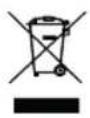
This product complies with European Directive 2012/19/EU on electrical and electronic devices, known as WEEE (Waste Electrical and Electronic Equipment), provides the legal framework applicable in the European Union for the disposal and reuse of waste electronic and electrical devices. Do not dispose of this product in the bin, instead going to the electrical and electronic waste collection centre closest to your home.
We hope that you will be satisfied with this product
WIR MÖCHTEN UNS BEI IHNEN BEDANKEN, DASS SIE SICH FÜR ZELMER ENTSCHIEDEN HABEN. WIR HOFFEN, DASS DAS PRODUKT ZU IHRER ZUFRIEDENHEIT UND IHREM VERGNÜGEN FUNKTIONIERT.
ACHTUNG
| Problém Možná příčina Řešení | ||
| The iron begins to smoke when switched on. | During first use: certain components on the appliance have been lightly greased at the factory and may produce a small amount of smoke when initially heated. | This is completely normal and will stop after a short while. |
| The iron does not produce any steam. | During first use, water has no filled the hose (4) completel . | Press and hold the steam release button (12) until steam comes out. |
| The “Calc'nClean” indicator light (1) will flash. The descaling process has not been completed. | Perform a cleaning cycle (see the “Descaling process” section). | |
| Dirt comes out through the soleplate. | There is a build-up of lime scale or minerals in the iron. | Carry out a cleaning cycle (see the “Descaling process” section). |
| Chemical products or additives have been used. | Never add products to the water (see the “Filling the water tank” section). Clean the soleplate with a damp cloth. | |
| The “Calc'nClean” indicator light (1) does not turn off. | The iron descaling process has been stopped before being completed. | Restart and complete the iron descaling process. |
| The appliance makes a pumping sound. | Water is being pumped into the iron. | This is normal. |
| The water tank is empty. Fill the water tank. | ||
| There is too much steam coming out of the iron. | Mode BOOST is turned on. | Activate the normal mode by pressing the “ECO/BOOST” button (3). |
| The iron produces little steam. | The iron has been switched on recently. | It is normal, the iron produces steam gradually until it is stabilized. |
ELIMINAREA PRODUSULUI
B&B TRENDS, S.L. guarantees compliance of this product for the use for which it is intended for a period of two years. In the case of breakdown during the term of this warranty, users are entitled to repair or else the replacement of the product at no charge if the former is unavailable, unless one of these options proves impossible to fulfill or is disproportionate. In this case, you can then opt for a reduction i price or cancellation of the sale, which must be dealt with directly with the sales vendor. This also covers replacement of spare parts provided that the product has been used according to the recommendations specified in this manual for both cases, and has not been tampered with by any third party that is no authorised by B&B TRENDS, S.L. The warranty will not cover any parts subject to wear and tear. This warranty does not affect your rights as a consumer in accordance with the provisions in Directive 1999/44/EC for member states of the European Union.
USE OF WARRANTY
Customers must contact a B&B TRENDS, S.L. authorised Technical Service for repair of the product. Since any tampering of the same by anyone not authorised by B&B TRENDS, S.L., or the careless or improper use of the same shall render this warranty null and void. The warranty must be fully completed and delivered along with the receipt or delivery docket for the effective exercise of rights under this warranty.
This warranty should be retained by the user as well as the invoice, receipt or the delivery docket to facilitate the exercise of these rights. For technical service and after-sales care outside the Polish territory, please submit your query to the point of sale where you purchased the item or check for further aftersales information at www.zelmer.com

- WARNING
- DESCRIPTION
- GENERAL SAFETY INSTRUCTIONS
- IMPORTANT WARNINGS
- EN
- Before the first us
- USING YOUR APPLIANCE
- Filling the water tank
- Water to be used
- Heating
- Ironing
- Important:
- "Steam Turbo Shot" function
- Vertical steam
- Energy saving
- Tips to help you save energy:
- Maximum power mode
- Auto switch off
- CLEANING & MAINTENANCE
- Descaling process
- Warnings:
- Cleaning the appliance
- Attention! Burn risk!
- Storing the appliance.
- PRODUCT DISPOSAL
- ACHTUNG
- ELIMINAREA PRODUSULUI
- USE OF WARRANTY
Brand : Zelmer
Model : ZIS8402 Pro-Compact
Category : Iron