
SS-16190 - Vacuum Cleaner Sogo - Free user manual and instructions
Find the device manual for free SS-16190 Sogo in PDF.
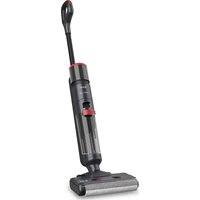


| Product type | Stick vacuum mop |
| Brand | Sogo |
| Model | SS-16190 |
| Power supply | 100-240 V ~ 50/60 Hz, 230 W (36 V DC adapter, 0.5 A) |
| Battery type | Li-ion 28.8 V, 2600 mAh |
| Runtime | 50 min (standard speed) / 22 min (high speed) |
| Charging time | 6 hours max. |
| Clean water tank capacity | 630 ml max. |
| Dirty water tank capacity | 500 ml max. |
| Motor type | BLDC (brushless), 28.8 V, 150 W, 1500 rpm |
| Suction power | 7 kPa (standard) / 13 kPa (high) |
| Air flow | 30 ml/min (standard) / 50 ml/min (high) |
| Filtration | Filter + HEPA filter |
| Noise level | ≤78 dBA |
| Cleaning modes | Smart, Max, Suction/water, Silent |
| LED display | Yes |
| Auto-cleaning function | Yes |
| Indicators | Low battery, clean water tank empty, dirty water tank full, roller brush jam |
| Included accessories | Charging station, adapter, cleaning solution, cleaning brush |
| Work surface | Marble, wood, tile, vinyl |
| Voice prompt function | English, Spanish, French, Portuguese, German, Italian |
| Standby/off consumption | Standby <0.8 W, Off <0.5 W |
| Weight | Approximately 4.5 kg (estimated) |
Frequently Asked Questions - SS-16190 Sogo
User questions about SS-16190 Sogo
0 question about this device. Answer the ones you know or ask your own.
Ask a new question about this device
Download the instructions for your Vacuum Cleaner in PDF format for free! Find your manual SS-16190 - Sogo and take your electronic device back in hand. On this page are published all the documents necessary for the use of your device. SS-16190 by Sogo.
USER MANUAL SS-16190 Sogo
Download your manual
RECHARGEABLE WET AND DRY VACUUM WITH MOP
CORDLESS, WET & DRY VACUUM CLEANER AND MOP
CORDLESS WET AND DRY VACUUM WITH HOSE
CORDLESS, WET & DRY VACUUM CLEANER AND MOP
CORDLESS, WET & DRY VACUUM CLEANER AND MOP
CORDLESS VACUUM CLEANER FOR DRY AND WET FLOORS WITH MOP
CORDLESS, WET & DRY VACUUM CLEANER AND MOP
CORDLESS, WET & DRY VACUUM CLEANER AND MOP
CORDLESS WET AND DRY VACUUM WITH MOP
CORDLESS WET AND DRY VACUUM WITH MOP
CORDLESS WET AND DRY VACUUM CLEANER WITH MOP
CORDLESS WET AND DRY VACUUM WITH MOP
Declaration of conformity, Responsibility of Electronic products disposal, Importers Details and After-sales service on the last pages.

SCREEN FUNCTIONS
INSTRUCTIONS FOR DISASSEMBLY AND ASSEMBLY OF THE ROLLER BRUSH
CLEANING AND MAINTENANCE
CLEANING THE BODY
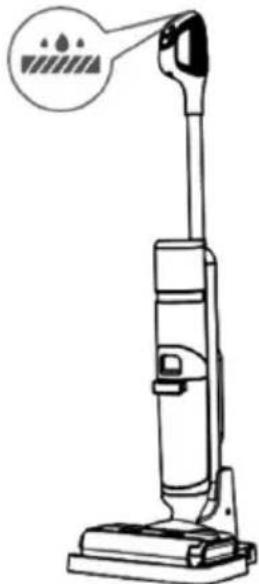
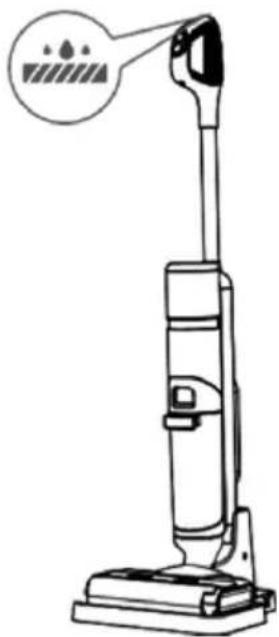
SELF-CLEANING MODE
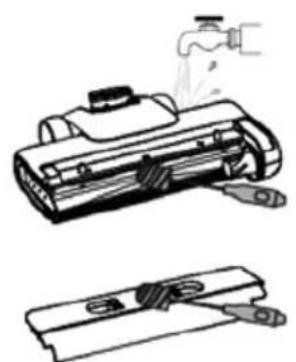
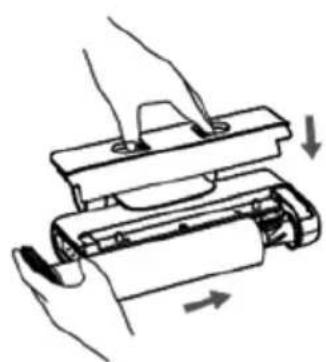
TIPS
• Always read the instruction manual carefully before use. - This manual can be downloaded from our website www.sogo.es. - Keep these instructions for future reference.
2. Safety instructions for the user
GENERAL
PRECAUTIONS
General precautions during the use of electrical equipment
- Do not use or store the appliance outdoors.
- This product is designed for indoor domestic, non-industrial and non-commercial use. Do not use the item outdoors or for any other purpose. Misuse or improper handling may cause problems with the appliance and may cause injury to the user.
- The unit must only be used for its intended purpose. No liability is accepted for damage resulting from improper use or incorrect handling.
- Make sure that the voltage indicated on the nameplate matches the mains voltage before plugging in the appliance.
- Always remove the plug from the socket when the appliance is not in use. Do not leave the appliance unattended when it is switched on.
- It is necessary to supervise when any electrical appliance is being used by or near children.
- Before cleaning or storing your appliance, always unplug the appliance from the power supply and allow it to cool down.
- The device is not completely disconnected from the power supply, even after it has been switched off. To disconnect it completely, unplug it from the mains socket.
- The appliances are not designed to be operated by an external timer or a separate remote-control system.

Restrictions on use to avoid personal injury
- Do not leave the appliance unattended.
- Do not place or use this appliance near water sources.
- Do not place or use the appliance and its power cord on or near hot surfaces (e.g., hotplates) or open flames.
- Do not leave the power cord hanging over sharp edges and keep it away from hot objects and naked flames. Do not coil the cord around the appliance or bend it.
- Never use accessories not recommended by the manufacturer.
- The use of accessories not recommended or sold by the appliance manufacturer may result in fire, electric shock or injury to persons.
- To avoid electric shock, make sure your hands are dry before plugging or unplugging the appliance.
- Do not use the appliance with wet hands, on wet floors or when the
environment is damp, there is a risk of electric shock.
- Never immerse the appliance or the plug-in water or any other liquid. Should the appliance fall into water, disconnect it immediately from the mains and take it to an authorised service centre for repair before using it again.
- Do not use the appliance if it has fallen on the floor, if it shows visible signs of damage, or if it is leaking.
- Do not use the appliance if the cable or plug is damaged. If the cord is damaged, it must be replaced only by the manufacturer, its service agent, or similarly qualified persons to avoid hazards.
- In case of malfunction or damage, return the appliance to the nearest authorized service center for examination, repair, or adjustment.
- To avoid overloading the circuit when using this product, do not operate another high-voltage product on the same electrical circuit.
- It is not recommended to use an extension cord with this product, but if an extension cord is used:
- The marked electrical rating of the cable must be at least as good as that of the product.
- Arrange the extension cord so that it does not hang down where it can be tripped over or pulled unintentionally.

Restrictions for use with children and the elderly
- This appliance is not intended for use by persons (including children) with reduced physical, sensory, or mental capabilities, or lack of experience and knowledge, unless they have been given supervision or instruction.
- Children should be supervised to ensure that they do not play with the appliance.
- Cleaning and maintenance must not be carried out by children without supervision. Children must not play with the appliance.
- This appliance can be used by children aged 8 years and above and persons with reduced physical, sensory, or mental capabilities or lack of experience and knowledge if they have been given supervision or instruction concerning use of the appliance in a safe way and understand the hazards involved.
- Keep the appliance and its cord out of the reach of children under 8 years of age.

Instructions to follow while using the appliance
- Incorrect operation and misuse can damage the appliance and cause injury to the user. This appliance is supplied with a detachable power supply unit and is only to be used with the power supply adaptor provided.
- This vacuum cleaner incorporates rotating brushes or similar
devices, and water-suction cleaning appliances. Therefore, for the user safety, please ensure that the plug must be removed from the socket-outlet before cleaning or maintaining the appliance.
- Appliance must be used with its provided rotating brushes.
- The instructions for appliance with a liquid dispensing system specify the amount and type of the liquid to be used.
- Use only indoors on multiple floor surfaces such as vinyl, tile, sealed wood, etc. Be careful not to run over loose objects or carpet edges.
- Use only the battery pack and charger specified by the manufacturer. Using any other battery pack may cause personal injury and fire risk.
- Do not touch the charger and the plug with wet hands.
- Do not use this appliance without the filter.
- Be extra careful when cleaning on the stairs.
- Do not use this appliance when the water depth exceeds 5 mm.
- Turn off this appliance before making any adjustments, replacing accessories, or storing this appliance.
- This appliance can only be used, charged, and stored in a dry room where the temperature is higher than 4°C and lower than 35°C.
- If you accidentally drop the battery, liquid may run out of the battery. Avoid touching it. If touched accidentally, rinse with water. If liquid gets into your eyes, seek medical help.
- If this appliance overheats, makes abnormal noise, produces abnormal smell, or leaks, stop using it immediately.
- For long-term storage, please turn off this appliance and disconnect the power from the socket.
- Be sure to clean the dirty water tank after each use to avoid clogging, which will result in poor suction, motor overheating, or shortened service life of this appliance.
- Never use this unit near a bathtub, shower, wash basin, or other receptacles containing water.
- Caution! Do not allow small children to play with the foil: DANGER OF SUFFOCATION!
- Never move the appliance by pulling on the cord. Make sure that the cable cannot be trapped in any way.
- Never coil the cable around the appliance and do not bend it.
- Be sure to unplug the appliance before cleaning the waste containers or filters.
- It may cause fire and injury to persons if the vacuum cleaner sucks up the following items:
- Heat source: charcoal fire, cigarette butts
- Large sharp fragment: piece of broken glass.
- Liquid: dangerous goods (solvent, corrosive), acidic agent, cleaner and water.
- Flammable and explosive goods: petrol and alcoholic products.
- Construction and cement waste.
- Keep the air outlet of the appliance away from hair, loose clothing, fingers, or other parts. Do not use the suction tube, tube extension handles, or other tool points in eyes, ears, or place in mouth.
- If large pieces of paper, paper balls, plastic sheets, or sharp objects, and anything thicker than a straw are found, remove them in advance in case the suction tube is blocked and affects the use of the product.
- Keep the air outlet unblocked to avoid loss of suction power, heating of the motor which can lead to reduced vacuum cleaner life.
⚠️ Instructions related to charger and battery
- It is recommended to use the supplied charging adaptor. Check the voltage of the unit and the charger, and make sure they are consistent.
- The charger shall be placed on a dry surface. Do not leave it unattended during charging.
- Never use any charger other than the one provided.
- Do not throw away the battery unit; it must be recycled in accordance with local regulations.
- The battery unit can only be used with this vacuum cleaner. Do not use it for other purposes. It can only be charged with the adapter provided with this vacuum cleaner.
- Do not disassemble the battery unit to avoid damage or short circuit.
- Do not place the battery unit near high-temperature objects or fire.
- Do not insert sharp objects into the battery unit, as the battery may break and cause electric shock.
- To replace a damaged battery, make sure it is replaced by an authorized person or through after-sales service.
- Do not immerse the motor part or battery in water, as this may cause short circuit or property damage.
- WARNING: When replacing a damaged battery, always use batteries recommended or sold by the manufacturer. The use of batteries not recommended or sold by the appliance manufacturer may result in fire, electric shock, or injury to persons.
- Do not attempt to disassemble or repair this product or charger yourself. Please call professionals for any repair or replacement of original parts or the unit.
- Please make sure the product can no longer be used before discarding it. The battery pack must be removed from the product for safe recycling and disposal.
CLEANING AND MAINTENANCE
See the cleaning and maintenance section for details on how to clean the appliance.
3. TECHNICAL SPECIFICATIONS
| Voltage Frequency Power | Battery Specifications | Clean water tank capacity | Dirty water tank capacity | ||
| 100-240V 50-60Hz 230W | 28.8V, 2600mA | mAh 0.65L 0.5L | |||
This product complies with EU regulation 2023/826 under directive 2009/125/EC on the Eco design requirements.
Power consumption in off mode: <0.5W
Power consumption in standby mode: <0.8W
Time after which the product enters into off mode: 5 min
PRODUCT SPECIFICATIONS
| Function Especificación | |
| BLDC Brushless motor | |
| Voice Broadcast function English, Spanish, French, Portuguese, German, Italian | |
| Battery 28.8V, 2600mAh | |
| Charging time 6 Hrs Max. | |
| Working time 50 min. (std. speed) / 22 min. (High speed) | |
| Motor 28.8V, 150W, 1500RPM | |
| Brush Speed | 560 RPM Max. |
| Working power | 120W (Std. Speed) / 230W (High Speed) |
| Vacuum power | 7Kpa (Std. Speed) / 13 Kpa (High Speed) |
| Air flow | 30ml / min(Std. speed) / 50ml / min. (High Speed) |
| Dual filter system | Strainer + Hepa filter |
| Dirt sensor Aperture | Yes |
| LED light Display | Yes |
| Auto cleaning function | Yes |
| Noise level | ≤78dBA |
| Water indicator light | Yes |
| Clean water tank capacity | 630ml max. |
| Dirty water tank capacity | 500 ml Max. |
| Low battery indicator | Yes |
| Add water indicator | Yes |
| Dirty water full indicator | Yes |
| Roller brush blockage indicator | Yes |
| Input | AC 100-240V~50/60Hz, 0.5 A(Adaptor) |
| Output | DC 36V, 0.5A |
| Working surface | Marble, Wooden, Tiles, Vinyl, Etc. |
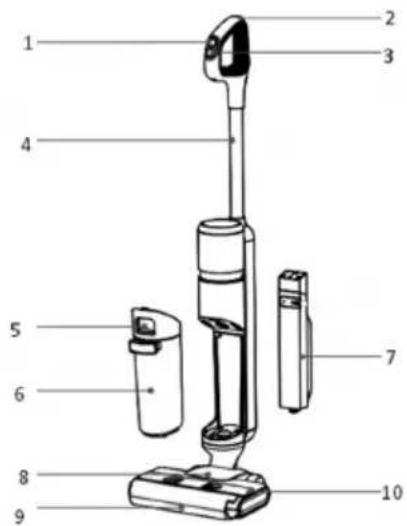
4. PARTS DESCRIPTION
- On/ Off button
- Auto cleaning button
- Mode switch button
- Handle
- Dirty water tank release button
- Dirty water tank
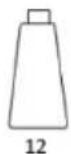
- Clean water tank
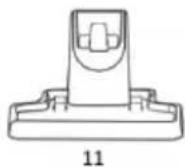
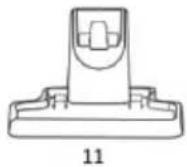
- Floor brush
- Roller brush
- Roller brush cover
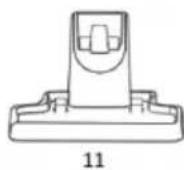
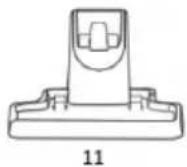
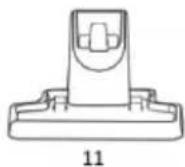
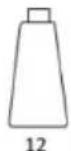
- Charging dock
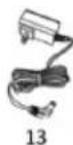
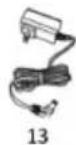
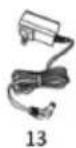
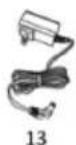
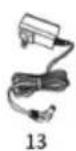
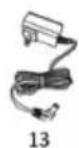
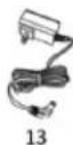
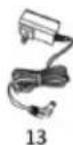
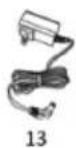
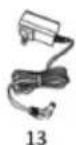
- Adaptor
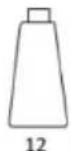
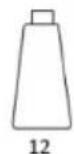
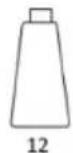
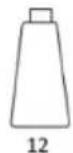
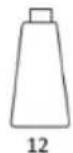
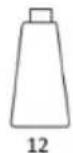
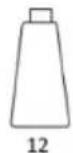
- Cleaning solution
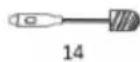
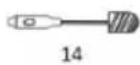
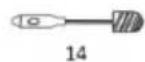
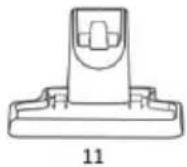
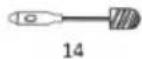
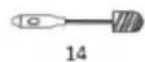
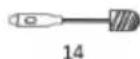
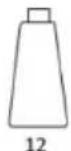
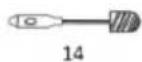
- Cleaning brush
- Hepa filter

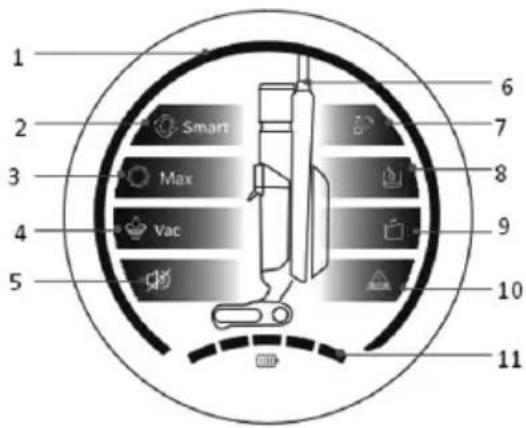
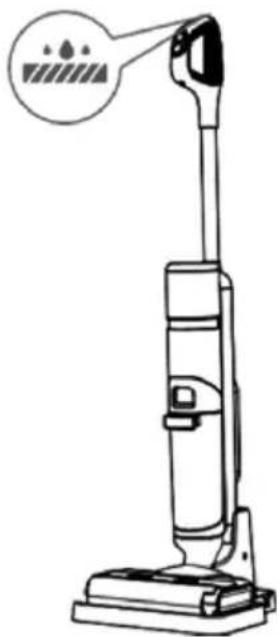
DISPLAY FUNCTIONS
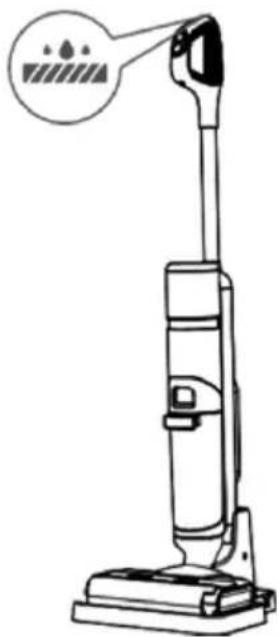
- Dirt sensing aperture
- Smart mode
- Max. mode
- Vac / Water absorption mode
- Silent mode
- Product image display
- Auto cleaning indicator
- Add water indication
- Dirty water indicator
- Roller brush blockage
- Battery capacity
5. FUNCTION DESCRIPTION
On/Off button: Press the ON/OFF button to turn the cleaner on/off.
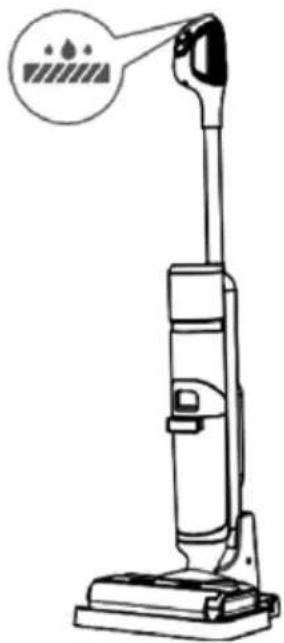
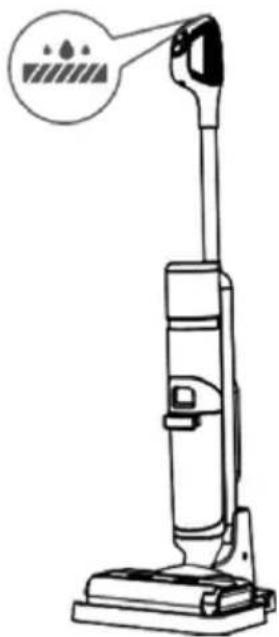
Smart mode: After turning on, the cleaner is in the smart mode, and automatically senses the dirt on the ground and adjusts the suction according to the dirt. This mode is suitable for daily cleaning in the home.
Max. Mode: Press the Mode switch button, and switch the mode to the MAX mode. The mode is suitable for removing stubborn stains and water accumulation.
Water absorption mode: This mode only absorbs water and is suitable for bathrooms to absorb excess water.
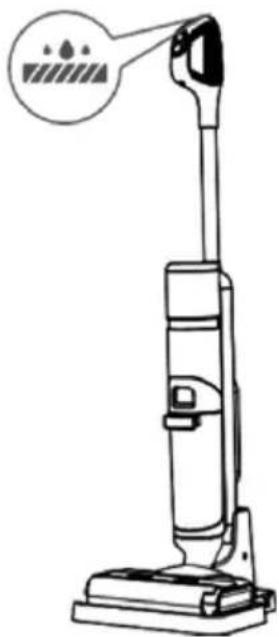
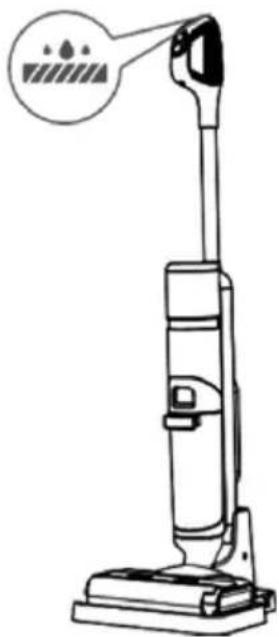
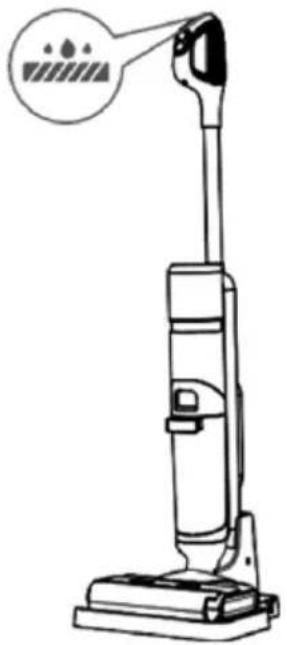
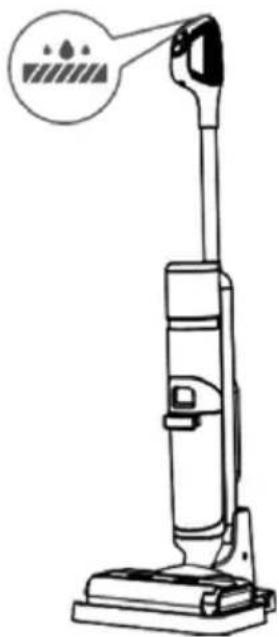
Auto cleaning: In the charging state, press the Auto Cleaning button, and the cleaner will automatically clean the roller brush and pipeline.
Low battery reminder: If the battery capacity is less than 20%, the red aperture light above the "battery capacity" of the battery pack start flashing. It is recommended to put the cleaner back into the charging dock to charge.
Dirty water pouring reminder: If the dirty water tank is full of dirty water, the dirty water tank indicator light start flashing, and the cleaner will automatically shut down. Please throw out the dirty water. Reinstall the dirty water tank onto the cleaner, and then start the cleaner.
Water add reminder: If the water in the clear water tank is used up, the clean water tank indicator light of the cleaner start flashing. Please turn off the cleaner and remove clear water tank to add clear water. Reinstall the clear water tank to the cleaner before starting again.
Roller brush blockage reminder: If the roller brush is blocked by hair and other objects, the floor brush indicator light of the cleaner start flashing, and the cleaner will automatically shut down. Please remove the roller brush and clean it. Then reinstall the roller brush and roller brush cover before starting the cleaner.
6. INSTRUCTIONS FOR USE
DISASSEMBLY AND ASSEMBLY INSTRUCTIONS
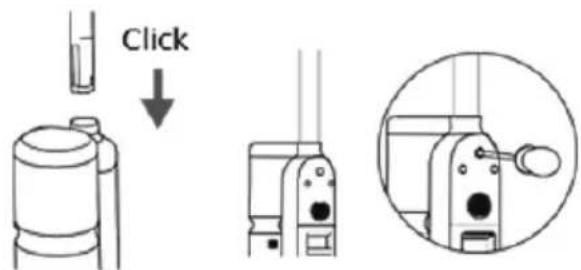
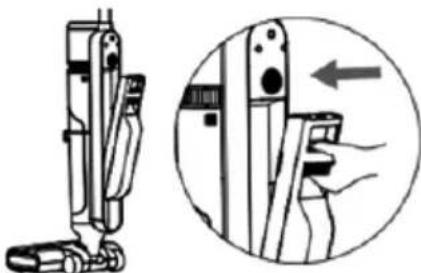
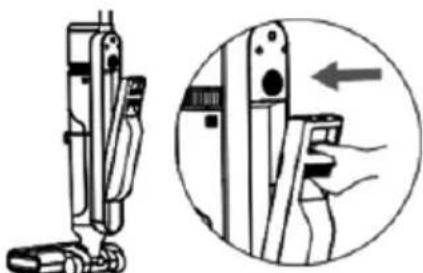
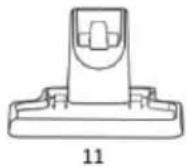
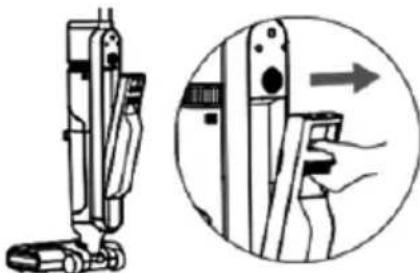
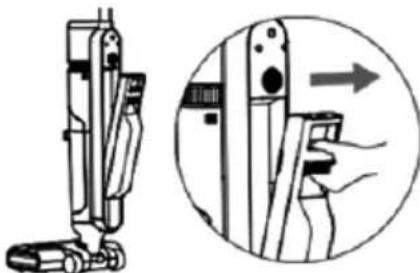
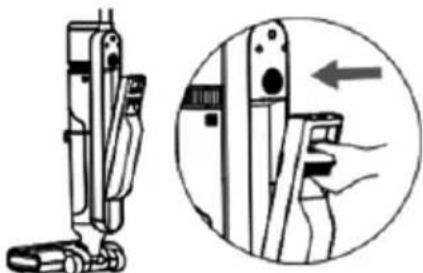
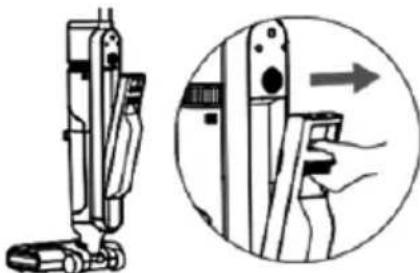
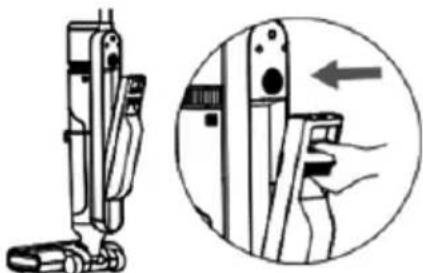
- Insert the other side of the handle into the main unit port along the direction shown in the figure. A click sound can be heard when the end reaches the bottom of the main unit. Moreover, keep the port flush with the schematic line of the handle to ensure that the handle is tight and not loose. At this point, the handle is installed.
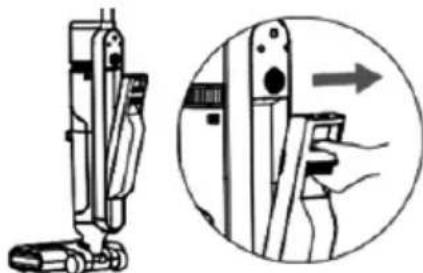
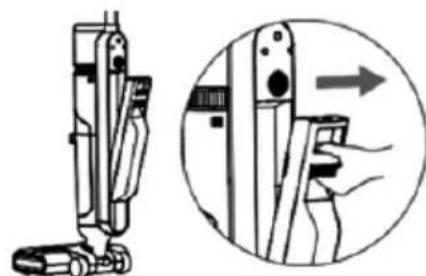
- To disassemble the main unit, use a hard object to reach into the hole on the back of the cleaner body and press the spring, then pull the handle upwards to remove it.
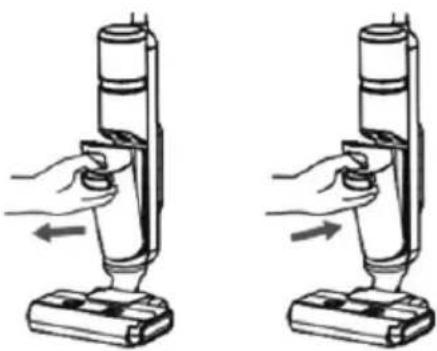
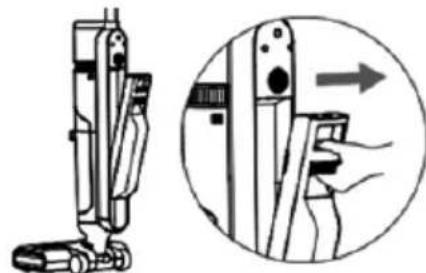
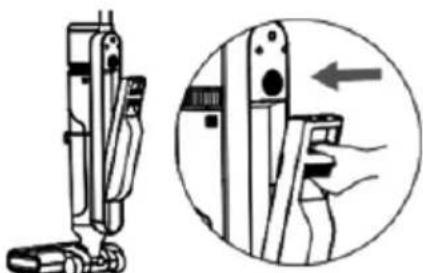
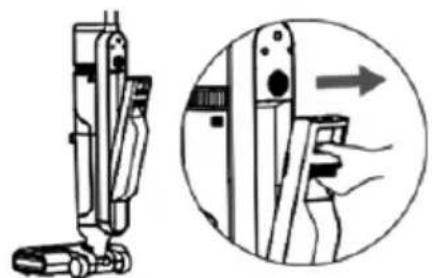
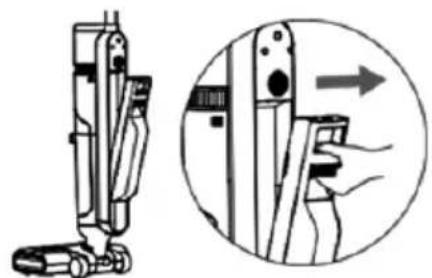
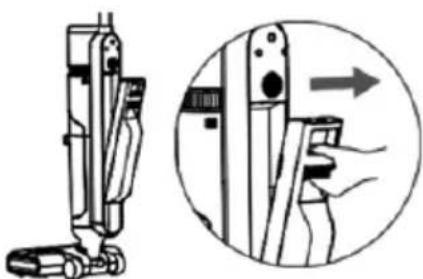
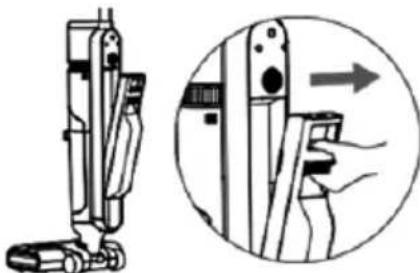
- Hold the handle of the dirty water tank, press the dirty water tank release button, and pull the dirty water tank outward to remove it.
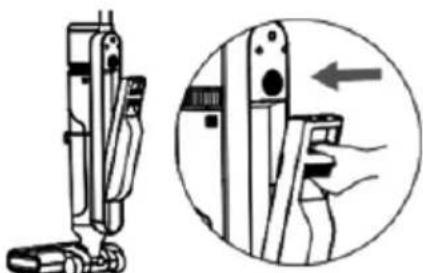
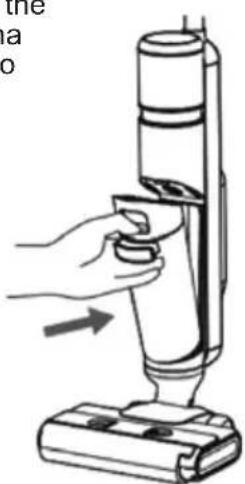
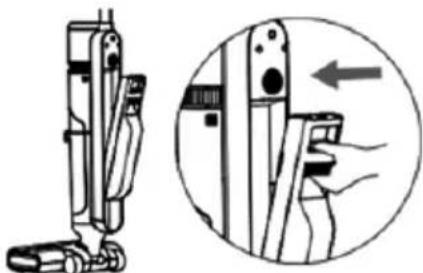
- First, place the bottom of the dirty water tank into the opening support position in front of the cleaner body. Gently push the dirty water tank, and it is installed when you hear a clicking sound.
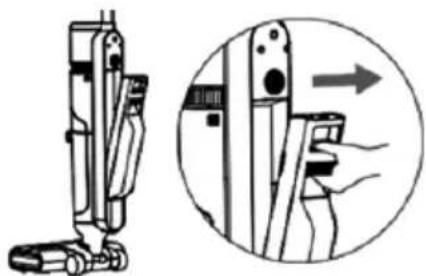
- Hold the cleaner body with one hand and push the clean water tank button with the other hand, then pull the clean water tank outward to take it out.
- First, place the bottom of the clean water tank into the opening position on the back of the cleaner body. Gently push the clean water tank, and it is installed with a clicking sound.
PRODUCT USE
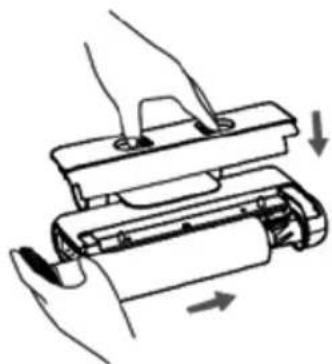
DISASSEMBLY AND ASSEMBLY INSTRUCTIONS OF ROLLER BRUSH COVER
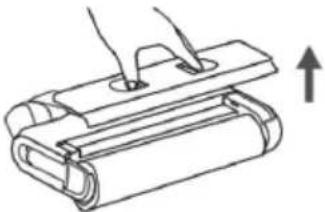
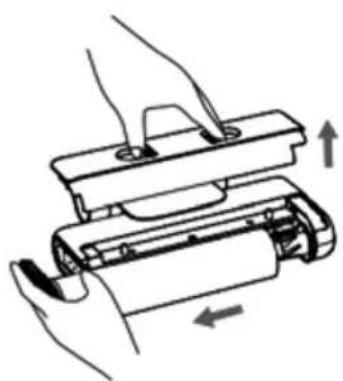
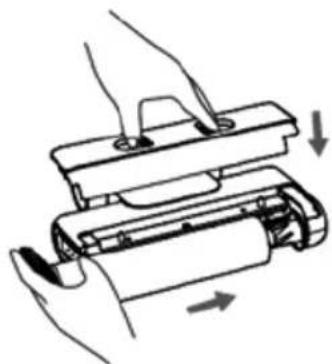
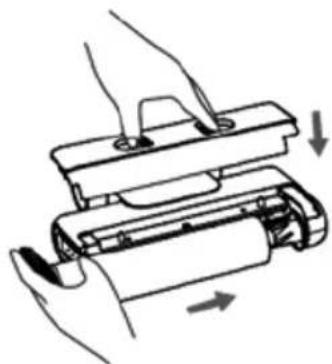
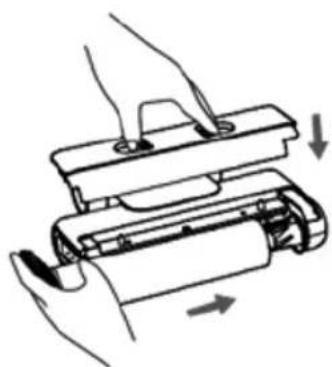
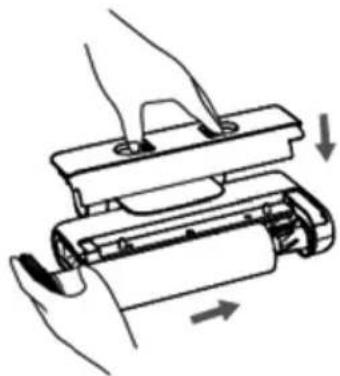
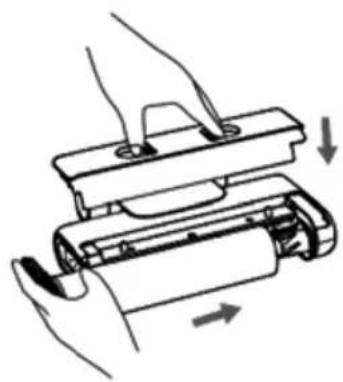
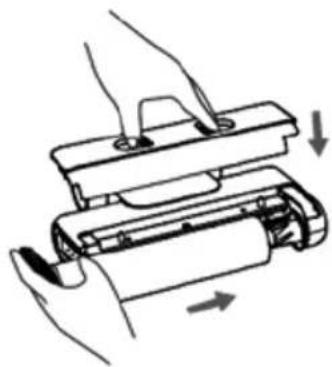
I. Press the button, and pull the roller brush cover upwards to remove it.
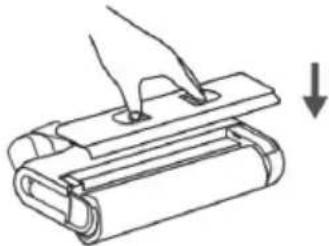
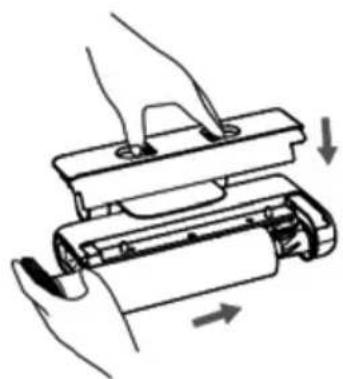
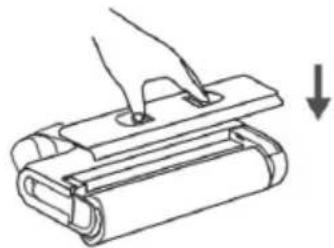
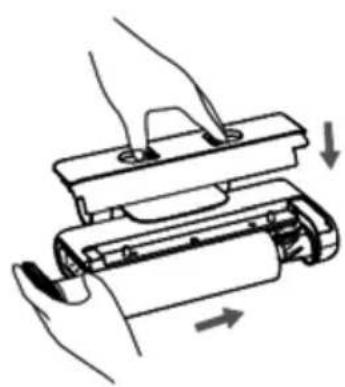
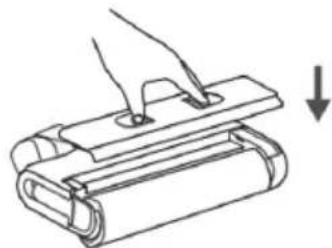
II. Align the roller brush cover with the floor brush, press it down, and the roller brush cover is installed when a clicking sound is heard.
DISASSEMBLY AND ASSEMBLY INSTRUCTIONS OF ROLLER BRUSH
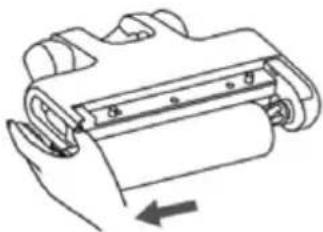
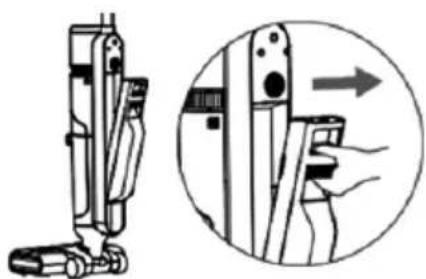
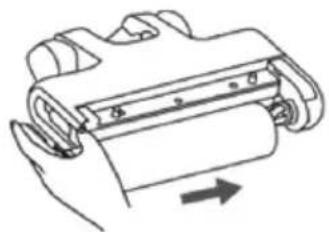
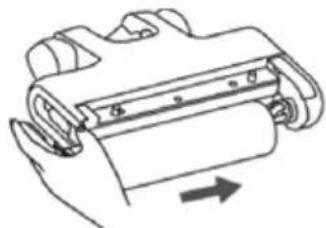
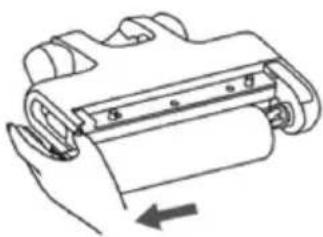
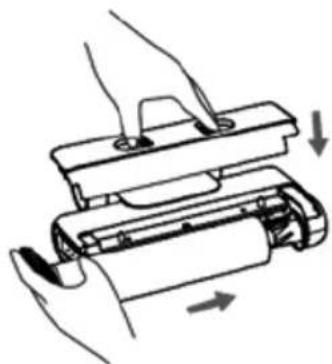
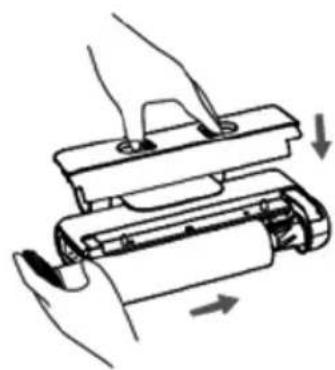
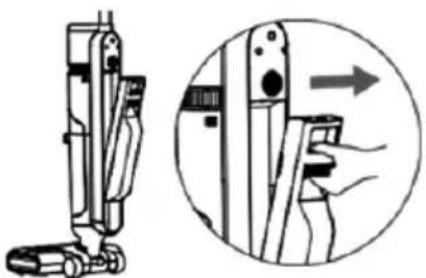
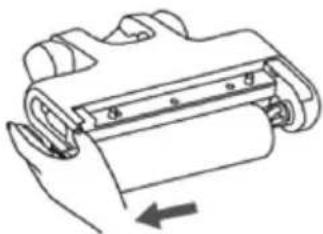
I. Grasp the side handle of the roller brush, pull it outward and remove the roller brush.
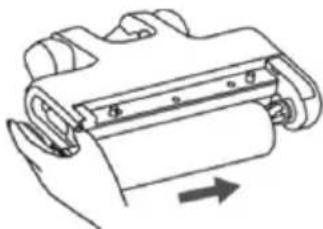
II. Align the right end of the roller brush with the right end of the floor brush, push it to the right, and insert the left handle into the corresponding position. At the moment, the roller brush is installed.
OPERATING INSTRUCTIONS
PREPARATION:
I. Before use, please check whether the cleaner is fully charged. If the power is insufficient, please charge it in time and use it after fully charging. 2. Smart mode is default power on mode. With the help of switch model button appropriate mode and function can be selected and switched according to the actual situation. 3. Add water to the clean water tank 1. Remove the clean water tank. 2. Open the rubber plug of the clean water tank and inject clean water (below 30.) to the water level. 3. Close the clean water tank cover to ensure it is tight. 4. Reinstall the clean water tank onto the cleaner body till you hear a clicking sound.
START TO WORK
I. The cleaner is equipped with a vertical ON button. Please tilt the cleaner for use after turning it on. Do not tilt it more than 140° to avoid leakage of the wastewater tank. 2. Tilt the main unit and start the cleaner.
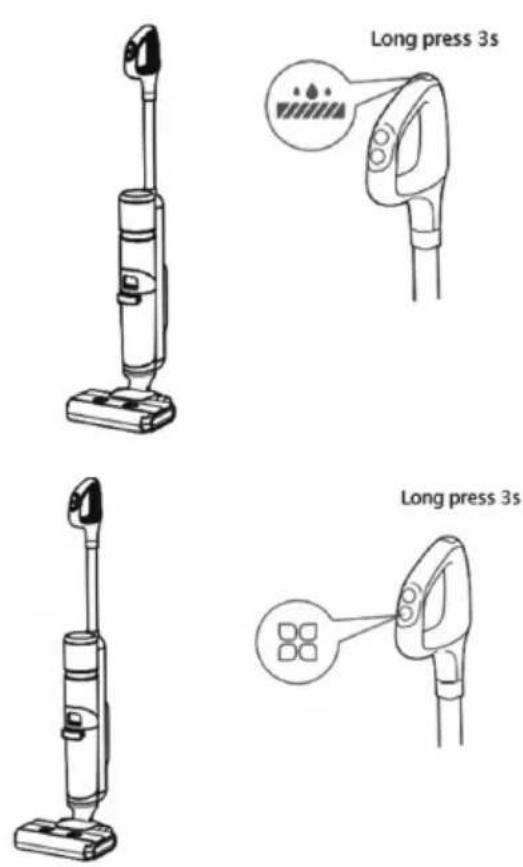
VOICE BROADCAST FUNCTION
Requirement: The machine has to be in upright position before the voice can be turned off or on.
Press and hold the self-cleaning button for 3 seconds to turn on/off the voice. When the voice is turned off, the screen will display a mute status.
LANGUAGE SWITCH BUTTON
Requirement: The machine has to be in upright standby before the language can be switched.
Press and hold the function button for 3 seconds to enter language switch mode. The screen will display a breathing state. Press the function button briefly to switch between languages (languages available: English, German, French, Italian, Spanish and Portuguese). Once the switch is complete, wait for 3 seconds to exit the language switch mode.
DIRTY WATER POURING FUNCTION INSTRUCTIONS
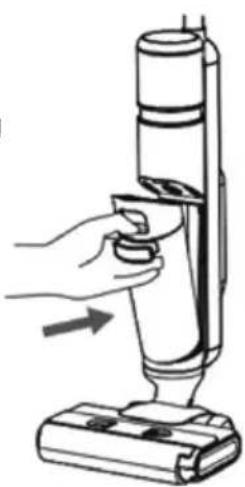
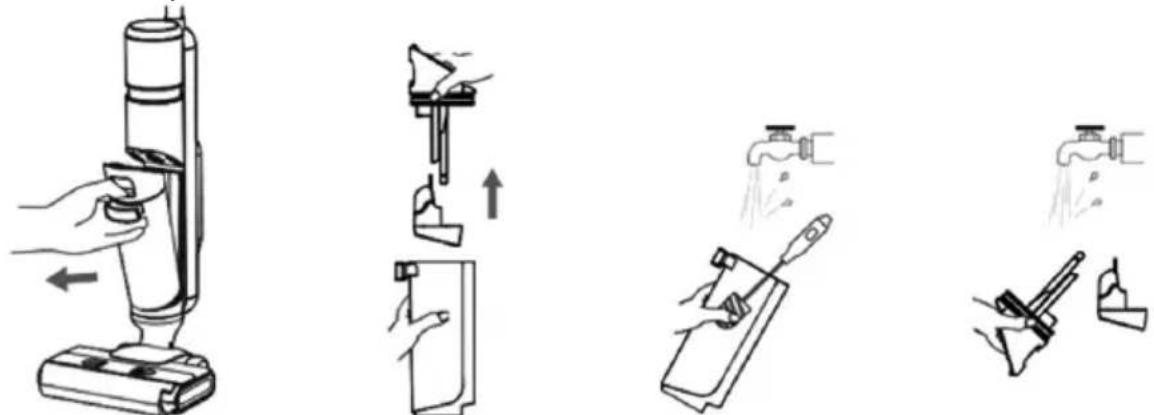
- Gently press the dirty water tank release button to remove dirty water tank.
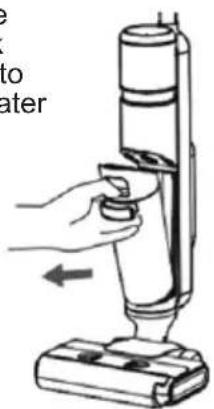
- Hold the tank body with one hand and pull out the dirty water tank upwards with the other hand.
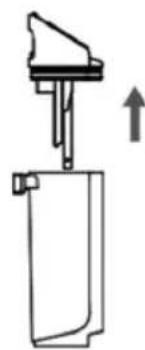
- Take out the solid-liquid separator, pour the solid waste into the trash can and pour out the dirty water.
Solid-liquid separator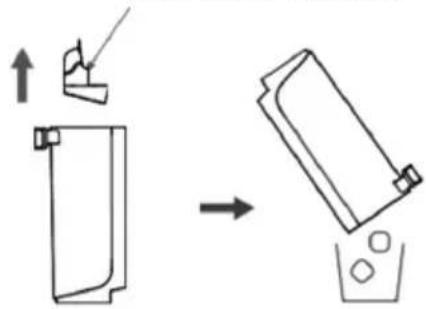
- Reinstall the dirty water tank onto the cleaner in place after hearing a clicking sound.
CHARGING INSTRUCTIONS
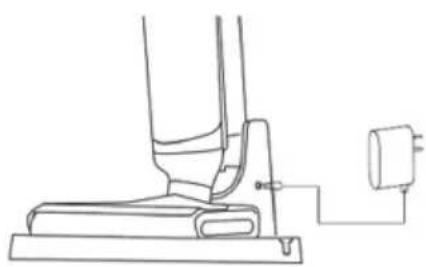
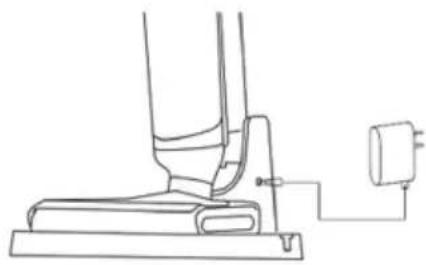
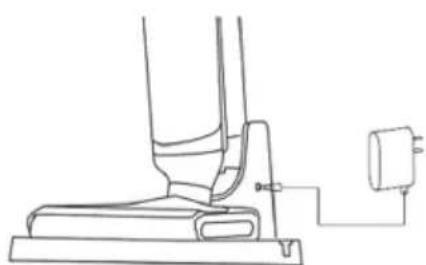
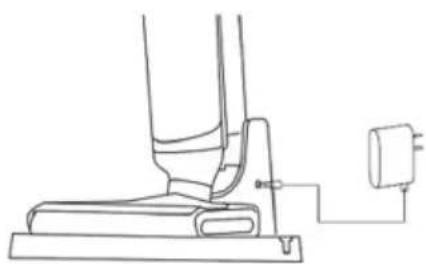
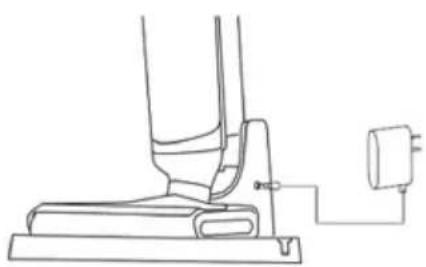
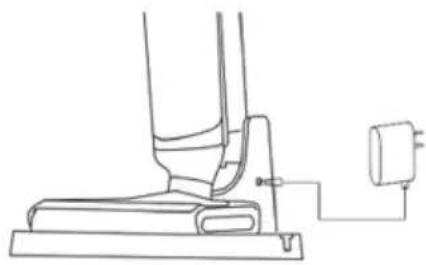
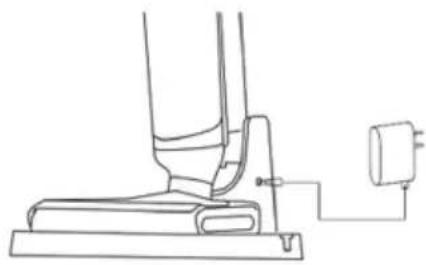
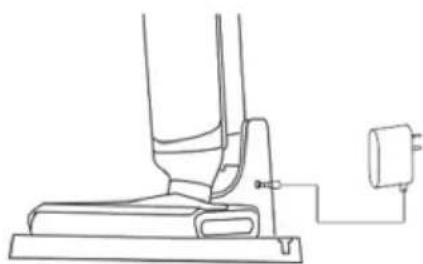
- After use, place the cleaner vertically on the charging station, insert one end of the adapter into the charging dock, and connect the other end to a socket in the home. During charging, keep the cleaner upright and close to the toe of the wall to avoid tripping and other injuries.
- The power indicator flashes during charging.
- Once the unit is charged completely, the power indicator light remains on and will go out after 1 hour.
NOTE:
- Generally, 10-50% of the battery capacity is reserved when the product leaves the factory. It is recommended to fully charge the product when using it for the first time to ensure the effect and duration of use.
- Please fully charge the battery before use if it has not been fully charged for a long time.
- It takes 6 hours for the battery to be fully charged at room temperature. The actual charging time varies depending on the ambient temperature and voltage.
- After fully charged, if there is no other operation, the cleaner will automatically shut down and all indicator lights remain off.
- If the product is not used for a long time after purchase, please use the special charging dock provided by us to charge the battery for at least 3 hours every 3 months (without full charging).
CLEANING AND MAINTENANCE
CLEAN THE BODY
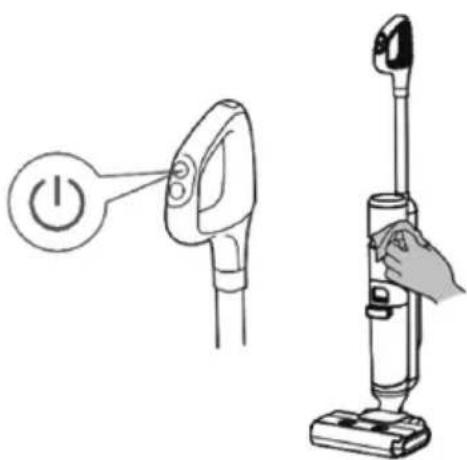
- Before cleaning, make sure that the machine is switched off.
- Wipe the body with water or neutral detergent. Before wiping, ensure that the cleaning cloth is dry, and do not let water flow into the machine.
CLEAN DIRTY WATER TANK
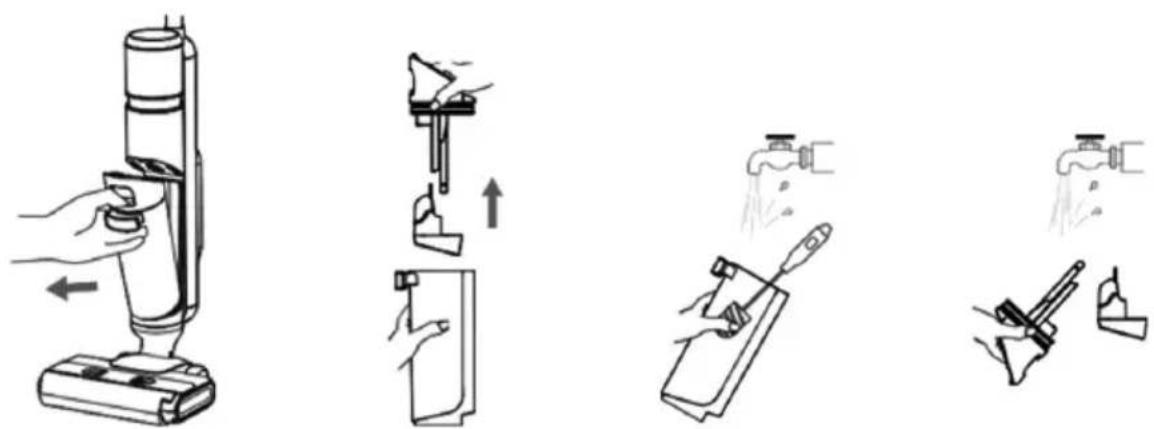
- When the dirty water tank is full or the machine is shut down, remove the dirty water tank.
- Throw out dirty water from the dirty water tank and wash the dirty water tank with clean water.
- Wash the dirty water tank cover, HEPA and solid-liquid separator.
- Once dirty water tank cover and the HEPA get dried, assemble them and place them back into the appliance.
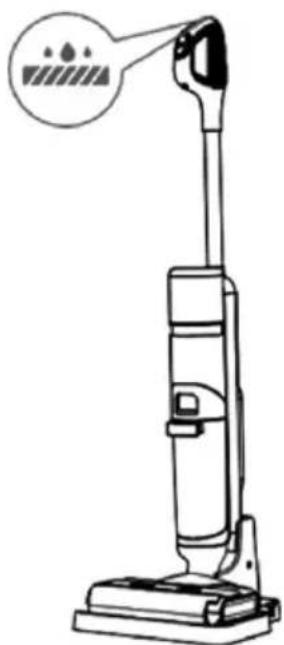
AUTO CLEANING MODE
- Please put the machine back to the base in time after use.
- Make sure that the water volume of the clean water tank exceeds the auto cleaning minimum water level, and the dirty water tank has no dirty water. Then press the auto cleaning button, and the machine will start auto cleaning.
- After auto cleaning, please clean the dirty water tank and dry the roller brush and HEPA in the air.
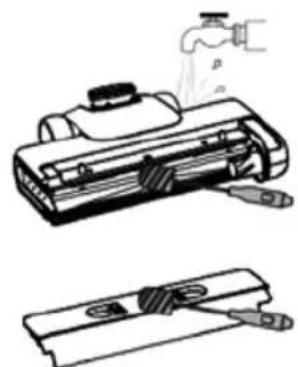
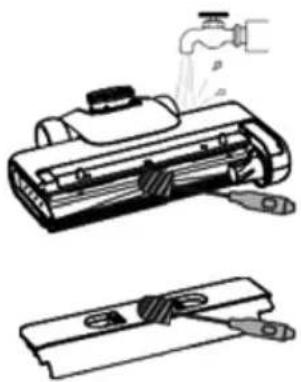
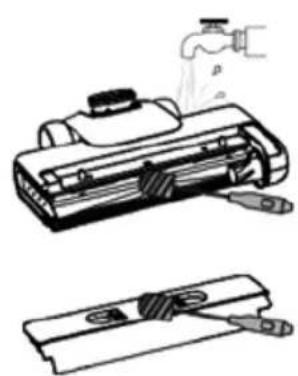
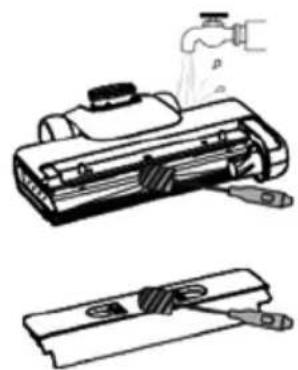
CLEANING OF SUCTION PORT OF FLOOR BRUSH AND ROLLER BRUSH COVER
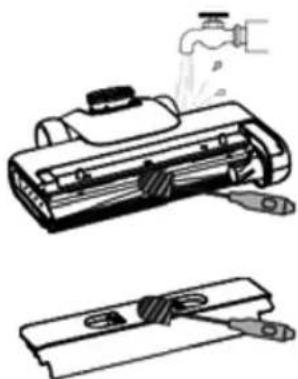
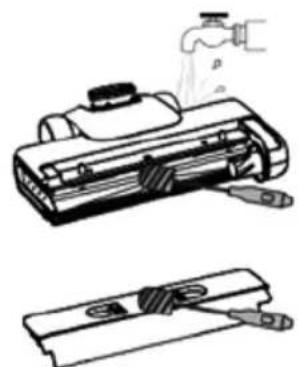
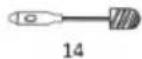
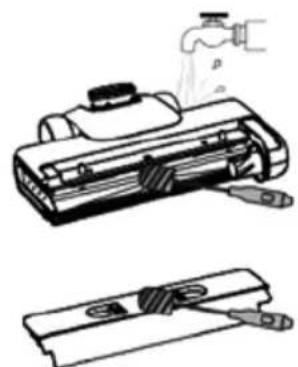
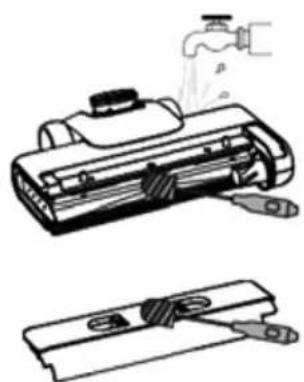
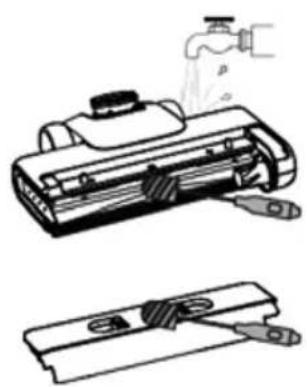
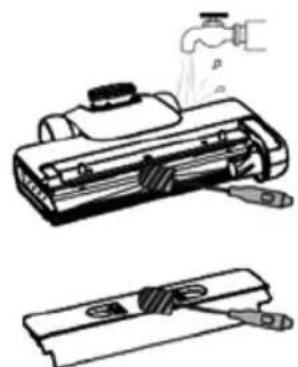
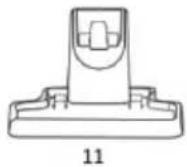
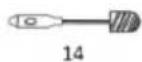
- Clean the suction port of the floor brush with a cleaning brush.
- Clean the roller brush cover with a cleaning brush.
- After cleaning, reinstall the roller brush and its cover onto the machine.
TIPS
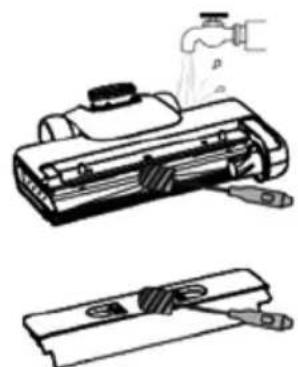
- It is recommended to clean the roller brush, roller brush cover, suction port and pipeline regularly.
- After the heavy oil stains are removed by the roller brush, it is recommended to start the auto cleaning function many times to clean the roller brush and pipeline. You can also take down the roller brush after auto cleaning and soak or wash the roller brush with warm water.
7. TROUBLE SHOOTING
| Problem Possible Cause Solution | ||
| Poor working of roller brush | The roller brush is blocked Please clean | the roller brush |
| The roller brush is damaged | Please contact the authorized after-sales service center to replace the roller brush | |
| The drive belt is damaged | Please contact the authorized after-sales service center to replace the drive belt | |
| Abnormal operation of the vacuum cleaner | The roller brush, roller brush cover and dirty water tank are not installed in place | Please reinstall them |
| The suction port or pipe is blocked | Please clean the suction port or pipe | |
| The dirty water tank is full | Please take out the dirty water tank to pour out wastewater | |
| The filter port above the dirty water sensor is dirty | Please clean the filter port | |
| The HEPA is dirty or missing Please clean or install the HEPA | ||
| The roller brush is entangled by objects such as hair | Please clean the roller brush | |
| Abnormal noise when the machine is running | The dirty water tank if full | Please take out the dirty water tank to pour out wastewater |
| The suction port is blocked Please clean the suction port | ||
| The floor brush is not installed in place | Please reinstall the floor brush | |
| No water comes out when the machine is working | Water shortage in the clean water tank | Add water to the clean water tank |
| The clean water tank is not installed in place | Please reinstall it | |
| The roller brush automatically stops working | The floor brush protection device is running | Please check whether there is any foreign matter hindering the operation of the roller brush. Remove the foreign matter and reinstall it before use |
| Air outlet leakage | The HEPA is not dried after cleaning Please dry the HEPA | |
| The HEPA is not installed Please install the HEPA | ||
| Water leakage at the bottom of the roller brush | The dirty water tank or HEPA is not installed | Please install the dirty water tank or HEPA |
| The water pump is damaged | Please contact the authorized after-sales service center to replace the water pump | |
| Auto cleaning fails to start | The machine is not correctly placed in the charging dock | Please correctly place the machine to the charging dock and correctly connect the adapter |
| Clean water tank leakage | The clean water tank is damaged | Please contact the authorized after-sales service center to replace the clean water tank |
| No voice function | The voice function is turned off | Press and hold the gear switch key for 3 seconds in the Power On state |
| The speaker is damaged | Please contact the authorized after-sales service center to repair the speaker | |
| The display doesn’t lit up and there is no display | The display is damaged | Please contact the authorized after-sales service center to repair the display |
| Error: Waste Water Tank is Full | When the machine is tilted too much during operation, the waste water level exceeds the max line. | The waste water level has reached the max line, and the machine has stopped. Clean the waste water tank immediately to prevent fan damage. |
| Too much foam due to the use of non-dedicated detergent or too much detergent. | Always use the recommended detergent and measure it correctly (one capful). Too much foam can ill the waste water tank, triggering the full tank warning. | |
| Ingestion of iron-containing liquid (such as soy sauce) can lead to inaccurate water level detection. | Clean the waste water tank and the cover contacts normally, and reassemble to resume normal operation. | |
| Water entering the waste water tank cover. | Don't soak or rinse the waste water tank cover under water. Prolonged water exposure can weaken the waterproof seal, causing water to enter the cover and trigger a false full-tank error. Shake out any excess water, let the cover dry in the sun for 24 hours, and then use it again. | |


DISPLAY FUNCTIONS

INSTRUCTIONS FOR DISASSEMBLY AND REASSEMBLY OF THE ROLLER BRUSH
OPERATING INSTRUCTIONS
PREPARATION:
CHARGING INSTRUCTIONS
CLEANING AND MAINTENANCE
CLEANING THE BODY
AUTOMATIC CLEANING MODE
TIPS

DISPLAY FUNCTIONS
INSTRUCTIONS FOR DISASSEMBLY AND ASSEMBLY OF THE ROLLER BRUSH
AUTOMATIC CLEANING MODE
TIPS

DISPLAY FUNCTIONS
INSTRUCTIONS FOR DISASSEMBLY AND ASSEMBLY OF THE ROLLER BRUSH
OPERATING INSTRUCTIONS
PREPARATION:
TIPS


INSTRUCTIONS FOR DISASSEMBLY AND ASSEMBLY OF THE ROLLER BRUSH
INSTRUCTIONS FOR USE
PREPARATION:
SELF-CLEANING MODE
TIPS


DISPLAY FUNCTIONS
INSTRUCTIONS FOR DISASSEMBLY AND ASSEMBLY OF THE ROLLER BRUSH
INSTRUCTIONS FOR USE
PREPARATION:
CHARGING INSTRUCTIONS
CLEANING AND MAINTENANCE
CLEANING THE BODY
AUTOMATIC CLEANING MODE
TIP

DISPLAY FUNCTIONS
INSTRUCTIONS FOR DISASSEMBLY AND ASSEMBLY OF THE ROLLER BRUSH
USER MANUAL
PREPARATION:
CLEANING AND MAINTENANCE
CLEANING THE CABINET
AUTOMATIC CLEANING
TIPS

DISPLAY FUNCTIONS
INSTRUCTIONS FOR DISASSEMBLY AND ASSEMBLY OF THE ROLLER BRUSH
USER MANUAL
PREPARATION:
FILLING INSTRUCTIONS
CLEANING AND MAINTENANCE
CLEANING THE HOUSING
- Before cleaning, make sure the device is turned off.
- Wipe the housing with water or a neutral detergent. Before wiping, make sure the cloth is dry, and do not allow water to seep into the device.
CLEANING THE DIRTY WATER TANK
- When the dirty water tank is full or the device is turned off, remove the dirty water tank.
- Empty the dirty water from the dirty water tank and wash the dirty water tank with clean water.
- Clean the dirty water tank cover, the HEPA filter, and the solid-liquid separator.
- Once the dirty water tank cover and the HEPA filter are dry, reassemble them and reinstall them in the appliance.
AUTOMATIC CLEANING MODE
TIP
II. Align the roller brush cover with the floor brush, press it down, and the roller brush cover is installed when a click sound is heard.
INSTRUCTIONS FOR DISASSEMBLING AND ASSEMBLING THE ROLLER BRUSH
I. Grasp the side handle of the roller brush, pull it outward, and remove the roller brush.
OPERATING INSTRUCTIONS
PREPARATION:
- Reinstall the dirty water tank onto the cleaner until you hear a click sound.
FILLING INSTRUCTIONS
CLEANING AND MAINTENANCE
CLEAN THE BODY
AUTOMATIC CLEANING MODE
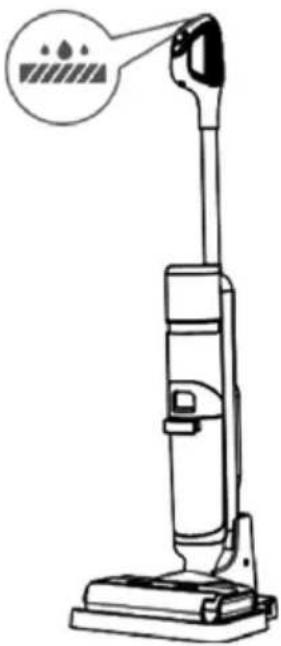
- Please place the machine back on the base after use.
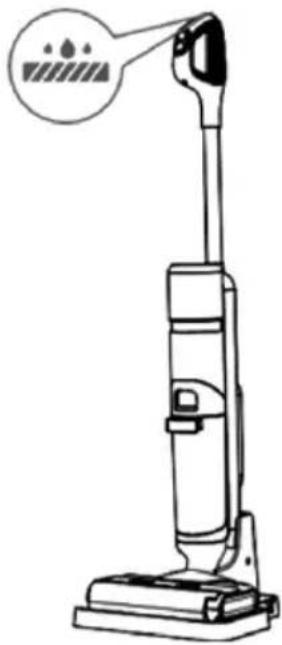
- Make sure that the water volume in the clean water tank exceeds the auto-cleaning minimum water level, and the dirty water tank has no dirty water. Then press the auto-cleaning button, and the device will start automatic cleaning.
- After automatic cleaning, clean the dirty water tank and dry the brush roller and HEPA in the air.
CLEANING THE SUCTION INLET OF THE FLOOR BRUSH AND THE ROLLER BRUSH COVER
TIPS
- It is recommended to clean the brush roller, brush roller cover, suction inlet, and pipeline regularly.
- After heavy oil stains are removed by the brush roller, it is recommended to start the automatic cleaning function multiple times to clean the brush roller and pipeline. You can also take down the brush roller after auto-cleaning and rinse or wash the brush roller with warm water.
7. TROUBLESHOOTING
| Problem Moguće Uzrok Otopina | ||
| Siromašno radni valjka četka | The valjak četka je blokiran Molim čist | the valjak četka |
| The valjak četka oštećen je | Molim kontakt the ovlašten postprodajna usluga centar do zamijeniti the valjak četka | |
| The pogon pojas je oštećen | Molim kontakt the ovlašten postprodajna usluga centar do zamijeniti the pogon pojas | |
| Nenormalan rad od vakuum čistač | The valjak četka, valjak poklopac četke i prljav voda tenk nisu instaliran u mjesto | Molimo vas da ih ponovno instalirate |
| The usisavanje luka ili cijev je blokiran | Molim čist the usisavanje luka ili cijev | |
| The prljav voda tenk je pun | Molim uzeti van the prljav voda tenk do sipati otpadne vode | |
| The filter luka iznad the prljava voda senzor je prljav | Molim čist the filter luka | |
| The HEPA je prljav ili nedostaje Molim | čist ili instalirati the HEPA | |
| The valjak četka je zapetljan po objektima takav kao dlaka | Molim čist the valjak četka | |
| Abnormalno buka kada the stroj je trčanje | The prljav voda tenk ako je pun | Molim uzeti van the prljav voda tenk do sipati otpadne vode |
| The usisavanje luka je blokiran Molim čist the usisavanje luka | ||
| The kat četka je ne instaliran na mjestu | Molim ponovno instaliraj the kat četka | |
| Nema vode dolazi van kada the stroj radi | Voda nedostatak u the čista voda tenk | Dodati voda do the čist voda tenk |
| The čist voda tenk je nije instalirano u mjesto | Molimo vas da ponovno instalirate | |
| The valjak četka se automatski zaustavlja radni | The kat četka zaštitni uređaj je trčanje | Molim provjeriti da li tamo je bilo koji strana tvar ometanje the operacija od the valjkasta četka. Ukloniti the strani stvar i ponovno instalirajte prije koristiti |
| Zrak utičnica propuštanje | The HEPA je ne osušen nakon čišćenja | Molim suho the HEPA |
| The HEPA je ne instaliran Molim instal | rati the HEPA | |
| Voda propuštanje na dno od valjak četka | The prljav voda tenk ili HEPA nije instaliran | Molim instalirati the prljav voda tenk ili HEPA |
| The voda pumpa je oštećen | Molim kontakt the ovlašten postprodajna usluga centar do zamijeniti the voda pumpa | |
| Auto čišćenje ne uspijeva do start | The stroj je ne ispravno postavljeno u the punjenje pristanište | Molim ispravno mjesto the stroj do punjenje pristanište i ispravno povezati adapter |
| Čist spremnik za vodu propuštanje | The čist voda tenk oštećen je | Molim kontakt the ovlašten postprodajna usluga centar do zamijeniti the čist voda tenk |
| Ne glas funkcija | The glas funkcija je okrenuo isključeno | Pritisnite i držati the oprema prekidač ključ za 3 sekunde u the Vlast Na stanje |
| The zvučnik je oštećen | Molim kontakt the ovlašten postprodajna usluga centar do popravak the zvučnik | |
| The prikaz ne svijetli i tamo je bez prikaza | The prikaz je oštećen | Molim kontakt the ovlašten postprodajna usluga centar do popravak the prikaz |
| Pogreška: Otpadne vode Tenk je Puno | Kada the stroj je nagnut previše tijekom operacija, otpad voda razina premašuje maksimum linija. | The gubljenje voda razina ima dosegao the maksimalna linija, i the stroj ima zaustavljen. Čist otpad voda tenk odmah do spriječiti oštećenje ventilatora . |
| Previše mnogo pjena zbog do the koristiti neposvećenih deterdžent ili previše mnogo deterdžent. | Uvijek koristiti the preporučeno deterdžent i mjeri to ispravno (jedan puna kapa). Previše puno pjene može bolestan the gubljenje voda tenk, pokretanje pun tenk upozorenje. | |
| Gutanje od tekućina koja sadrži željezo (kao što kao soja umak) može voditi do netočan voda detekcija razine. | Čist the gubljenje voda tenk i the kontaktne ploče za pokrivanje normalno, i ponovno sastaviti do nastaviti normalno operacija. | |
| Voda ulazak the otpadne vode tenk poklopac. | Nemoj upiti ili ispiranje the gubljenje voda poklopac spremnika pod voda. Dugotrajno voda izloženost može oslabiti the vodootporan pečat, uzrokujući vodu do ući the poklopac i okidač jedan lažni puni spremnik pogreška. Tresti van bilo koji višak voda, neka poklopac suho u the sunce za 24 sati, i zatim upotrijebite to opet. | |


DISPLAY FUNCTIONS
INSTRUCTIONS FOR DISASSEMBLY AND ASSEMBLY OF THE ROLLER BRUSH
OPERATING INSTRUCTIONS
PREPARATION:
CHARGING INSTRUCTIONS
CLEANING AND MAINTENANCE
CLEANING THE BODY
AUTOMATIC CLEANING MODE
TIPS
INSTRUCTIONS FOR DISASSEMBLY AND ASSEMBLY OF THE ROLLER BRUSH
OPERATING INSTRUCTIONS
PREPARATION:
CHARGING INSTRUCTIONS
AUTOMATIC CLEANING MODE
TIPS

DISPLAY FUNCTIONS
TIPS
INSTRUCTIONS FOR DISASSEMBLY AND ASSEMBLY OF THE BRUSH ROLL
I. Hold the side handle of the rotating brush, pull it outward, and remove the rotating brush.
CHARGING INSTRUCTIONS
CLEANING AND MAINTENANCE
CLEANING THE BODY
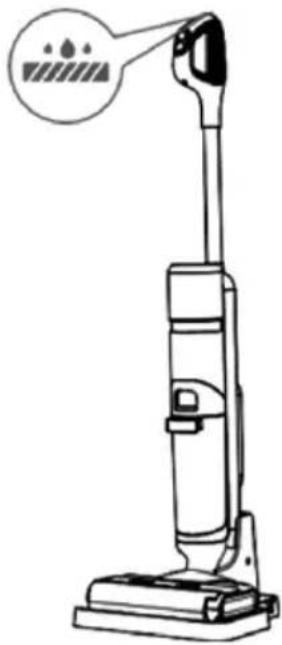
SELF-CLEANING MODE
TIPS
DÉCLARATION DE CONFORMITÉ
DECLARATION OF CONFORMITY
This device complies with EU Low Voltage Directive 2014/35/EC.
Electromagnetic Compatibility Directive 2014/30/EU. Directive 2015/863/EU on the restriction of the use of certain hazardous substances in electrical.
Directive 2009/125/EC on the eco-design requirements applicable to energy-related products.

This symbol on the product or on the packaging indicates that this product can't be disposed as normal rubbish or household waste. All the electrical, electronic equipment's and battery-operated units must recycle in proper manner and according to the local municipal laws. You can recycle them by taking them to government authorized disposal centres or specialized bins which you can find in any nearby big super markets, electronics or electro domestics products stores or malls who have these types of facilities available.
Designed by: SOGO based on European quality standards Imported by: Sanysan Appliances S.L, NIF: B98753056, C/ Barcas 2, 2, 46002 Valencia, Spain Product manufactured in CHINA. After-sales service: www.sogosat.com sogosat@sogosat.com / 0034 902 222 161

- SCREEN FUNCTIONS
- INSTRUCTIONS FOR DISASSEMBLY AND ASSEMBLY OF THE ROLLER BRUSH
- CLEANING AND MAINTENANCE
- CLEANING THE BODY
- SELF-CLEANING MODE
- TIPS
- SAFETY INSTRUCTIONS FOR THE USER
- GENERAL PRECAUTIONS DURING THE USE OF ELECTRICAL EQUIPMENT
- RESTRICTIONS ON USE TO AVOID PERSONAL INJURY
- RESTRICTIONS FOR USE WITH CHILDREN AND THE ELDERLY
- INSTRUCTIONS TO FOLLOW WHILE USING THE APPLIANCE
- ⚠️ INSTRUCTIONS RELATED TO CHARGER AND BATTERY
- TECHNICAL SPECIFICATIONS
- PARTS DESCRIPTION
- DISPLAY FUNCTIONS
- FUNCTION DESCRIPTION
- INSTRUCTIONS FOR USE
- DISASSEMBLY AND ASSEMBLY INSTRUCTIONS
- PRODUCT USE
- DISASSEMBLY AND ASSEMBLY INSTRUCTIONS OF ROLLER BRUSH COVER
- DISASSEMBLY AND ASSEMBLY INSTRUCTIONS OF ROLLER BRUSH
- OPERATING INSTRUCTIONS
- PREPARATION
- START TO WORK
- VOICE BROADCAST FUNCTION
- LANGUAGE SWITCH BUTTON
- DIRTY WATER POURING FUNCTION INSTRUCTIONS
- CHARGING INSTRUCTIONS
- NOTE
- CLEAN THE BODY
- CLEAN DIRTY WATER TANK
- AUTO CLEANING MODE
- CLEANING OF SUCTION PORT OF FLOOR BRUSH AND ROLLER BRUSH COVER
- TROUBLE SHOOTING
- INSTRUCTIONS FOR DISASSEMBLY AND REASSEMBLY OF THE ROLLER BRUSH
- AUTOMATIC CLEANING MODE
- TIP
- USER MANUAL
- CLEANING THE CABINET
- AUTOMATIC CLEANING
- FILLING INSTRUCTIONS
- CLEANING THE HOUSING
- CLEANING THE DIRTY WATER TANK
- INSTRUCTIONS FOR DISASSEMBLING AND ASSEMBLING THE ROLLER BRUSH
- CLEANING THE SUCTION INLET OF THE FLOOR BRUSH AND THE ROLLER BRUSH COVER
- TROUBLESHOOTING
- INSTRUCTIONS FOR DISASSEMBLY AND ASSEMBLY OF THE BRUSH ROLL
- DÉCLARATION DE CONFORMITÉ
- DECLARATION OF CONFORMITY
Brand : Sogo
Model : SS-16190
Category : Vacuum Cleaner