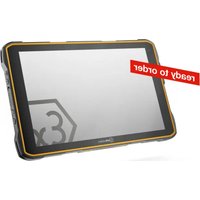
IS945.2 - Graphic tablet i.safe Mobile - Free user manual and instructions
Find the device manual for free IS945.2 i.safe Mobile in PDF.


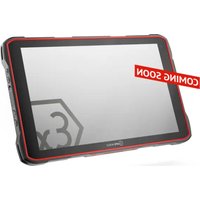
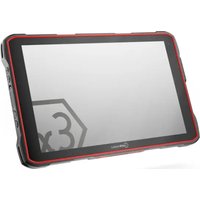
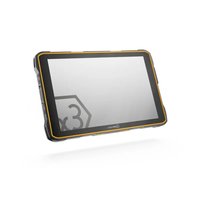
| Product Type | Rugged graphic tablet for explosive areas |
| Brand | i.safe Mobile |
| Model | IS945.2 |
| Power Supply | Charging via IS-DS940.1 docking station, ambient temperature 0 °C to +45 °C |
| Operating Temperature | -20 °C to +55 °C |
| Protection Rating | IP64 (estimated) |
| Use in Explosive Areas | Zones 1/21 and 2/22 per ATEX and IECEx |
| Main Functions | Navigation, communication, data entry in hazardous environments, docking station compatible |
| Connection Interface | 12-pin docking interface for charging and data transfer |
| Maintenance and Cleaning | Clean with a damp antistatic cloth, no chemicals. Disconnect before cleaning. |
| Safety | Do not open, do not modify. Repairs only by i.safe MOBILE GmbH. |
| Spare Parts and Repairability | No user-serviceable parts. Contact support for repair or replacement. |
| Included Accessories | IS-DS940.1 docking station, keys (2), M16 cable gland, PCB connector, safety instructions |
| Mounting | VESA 100 compatible mounting, installation by qualified personnel |
| Storage | Humidity 10-60%, temperature depending on duration: up to 1 month: -20°C to +45°C, up to 3 months: -10°C to +35°C, more than 3 months: -10°C to +25°C |
| Recycling | Do not dispose of with household waste. Deposit at an appropriate collection point. |
| Certifications | ATEX: II 2G Ex ib IIC T4 Gb, II 2D Ex ib IIIC T135°C Db ; IECEx |
| Warranty | Terms available at www.isafe-mobile.com/en/support/service |
Frequently Asked Questions - IS945.2 i.safe Mobile
User questions about IS945.2 i.safe Mobile
0 question about this device. Answer the ones you know or ask your own.
Ask a new question about this device
Download the instructions for your Graphic tablet in PDF format for free! Find your manual IS945.2 - i.safe Mobile and take your electronic device back in hand. On this page are published all the documents necessary for the use of your device. IS945.2 by i.safe Mobile.
USER MANUAL IS945.2 i.safe Mobile
IS-DS940.1
DOCKING STATION
FOR IS940.X/IS945.X
OPERATING MANUAL
i.safe
MOBILE
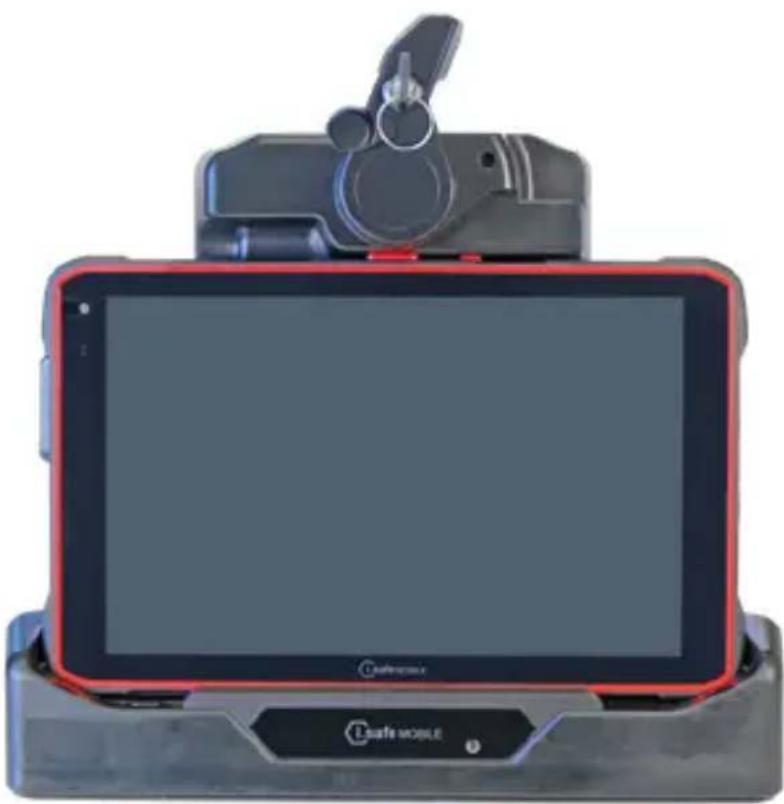
natural_image
Exterior view of a modern tablet device with a red cover and black camera mount (no visible text or symbols)IS-DS940.1 | MODEL MDS940A01
Document No. 1065MM03REV02
Version: 2025-10-24
i.safe MOBILE GmbH
i_Park Tauberfranken 10
97922 Lauda-Koenigshofen
Germany
Tel.+49 9343 60148-0
info@isafe-mobile.com
www.isafe-mobile.com
(c) 2025 i.safe MOBILE GmbH
Template:TEMPMM01REV10
CONTENTS
English. 4
Deutsch....12
Česky 20
Dansk....28
Español....36
Suomi....44
Français....52
Magyar 60
Italiano 68
Nederlands 76
Norsk 84
Polski 92
This Operating Manual complies with these standards:
IEC 60079, IEC 82079, ANSI Z535.6
IEC 60079, IEC 82079, ANSI Z535.6
ENGLISH

PROTECT YOUR LIFE AND READ THE OPERATING MANUAL
This Operating Manual is part of the device IS-DS940.1. This Operating Manual provides important information for safe use of the device.
» Before using the device, read this Operating Manual carefully and pay particular attention to the „Ex-relevant Safety Regulations“ section and the warnings highlighted with the warning symbol. If you do not follow these instructions or do not understand them, this could lead to death, severe injuries and damage to the device.
» Make sure you have access to this Operating Manual when you need it. You can find the current Operating Manual at www.isafe-mobile.com/en/support/downloads
» Follow all instructions given on the device and on the packaging.
»Follow local safety regulations.
» Only use the device in explosion hazardous areas of zones 1/21 and 2/22 or outside of explosion hazardous areas.
» Only connect approved devices by i.safe MOBILE GmbH to the IS-DS940.1.
» Do not modify the device structurally.
» Do not open the device or carry out any repairs yourself.
EX-RELEVANT SAFETY REGULATIONS
Use of this device assumes that the operator observes the conventional safety regulations and has read and understood Operating Manual, Safety Instructions and certificate.
When used in explosion hazardous areas, the following Safety Instructions must also be complied with:
INSTALLATION
» The Docking Station IS-DS940.1 must be installed regarding EN IEC 60079-14. Entity parameters of document 1065AD05 must be minded.
» Read and understand the document 1065AD05 Entity parameter Docking Station.
» Use a certified cable gland M16 at Docking Junction Box that is suitable for your purposes.
» Ensure that all cover screws of the Docking Junction Box are tightened. There must be no large gap between the cover and the housing.
» Protect the Docking Station IS-DS940.1 from permanent environmental influences like direct sunlight, rain or salt water.
12-PIN DOCKING INTERFACE COVER
»The 12-pin docking interface has to be protected by the cover provided within explosion hazardous areas when not in use.
» The cover should only be opened just before the tablet is used in the docking.
» The 12-pin docking interface must be checked for dust deposits and cleaned if necessary.
IP-PROTECTION
» To ensure the IP-protection, it has to be ensured that all gaskets are present and functional.
CHARGING
» It is allowed to connect the IS940.x and IS945.x or approved devices by i.safe MOBILE GmbH within explosion hazardous areas to the 12-pin docking interface, for charging and data connection.
» The device may only be charged at temperatures between 0 °C to +45 °C (+32 °F to +113 °F).
»The device must be protected against excessive UV light emission and high electrostatic charge processes.
» The device may not be exposed to any aggressive acids or alkalis.
IMPACTS
CONDITIONS OF USE
» The permitted ambient temperature range is -20 °C to +55 °C (-4 °F to +131 °F).
» The device may only be used in zones 1, 2, 21, or 22.
EX-RELEVANT SAFETY REGULATIONS FOR NORTH AMERICA

WARNING
»The batteries can be recharged outside and also inside of potentially explosive areas using docking station IS-DS940.1 connected as per control drawing 1065AD07 at 0 °C ≤ T _charge ≤ +45 °C.
» The device must be protected from impacts.
» The device must be protected from excessive exposure to UV light emissions.
» The device must be protected from high electrostatic charge environments and processes.
» The device is intended to be carried over during use in the hazardous area.
FAULTS AND DAMAGES
If there is any reason to suspect that the safety of the device has been compromised, it must be withdrawn from use and removed from any ex-hazardous areas immediately.
Measures must be taken to prevent any accidental restarting of the device. The safety of the device may be compromised, if, for example:
» Malfunctions occur.
» The housing of the device shows damage.
» The device has been exposed to excessive loads.
» The device has been stored improperly
» Markings or labels on the device are illegible.
We recommend that a device displaying errors or in which an error is suspected be sent back to i.safe MOBILE GmbH to be checked.
INTENDED USE
The IS-DS940.1 is a Docking Station for data transfer and charging the i.safe MOBILE IS940.x/IS945.x. It is suitable for use in explosion hazardous areas of Zone 1/21 and 2/22, in accordance with Directives 2014/34/EU, 1999/92/EC and the IECEx system, among others. Only use the device as described in this Operating Manual. Any other use is considered improper and can lead to death, severe injuries and damage to the device.
The manufacturer i.safe MOBILE GmbH does not assume any liability for damage caused by improper use. The warranty expires in the event of improper use.
INSTALLATION PERSONNEL
Only personnel who are authorised and qualified to install electrical components in explosion hazardous areas and who have read and understood the Operating Manual may assemble, disassemble and install this device.
USER
Only trained users who are qualified in the use of Ex devices in explosion hazardous areas and who have read and understood this Operating Manual may use this device.
WARRANTY
You can find the warranty conditions at www.isafe-mobile.com/en/support/service
EU DECLARATION OF CONFORMITY
You will find the EU declaration of conformity at www.isafe-mobile.com/en/support/downloads
EX MARKINGS
ATEX:
Ea II 2G Ex ib IIC T4 Gb
① II 2D Ex ib IIIC T135°C Db
EU Type Examination Certificate:
EPS 24 ATEX 1 010 X
CE-designation: 2004
>IECEx:
Ex ib IIC T4 Gb
Ex ib IIIC T135°C Db
IECEx Certificate: IECEx EPS 24.0001X
> North America (NEC500):
Class I Div. 1 Groups A, B, C, D, T4
Class II Div. 1 Groups E, F, G, T155 °C
Class III
$$ - 2 0 ^ {\circ} \mathrm{C} \leq T _ {\text { amb }} \leq + 5 5 ^ {\circ} \mathrm{C} $$
$$ 0 ^ {\circ} \mathrm{C} \leq T _ {\text { charge }} \leq + 4 5 ^ {\circ} \mathrm{C} $$
Evaluated against the following standards:
CSA 60079-0 4th ed.
CSA 60079-11 2nd ed.
UL 60079-0 7th ed.
UL 60079-11 6th ed.
>SCOPE OF DELIVERY
Your device packaging contains the following:
> 1 x IS-DS940.1
1 x Safety Instructions
2 x Key
1 x Cable gland M16
1 x PCB connector
> Temperature range:
-20 °C ≤ Ta ≤ +55 °C (EN/IEC 60079-0)
-10°C ... +55°C (EN/IEC 62368-1)
Manufactured by:
i.safe MOBILE GmbH
i_Park Tauberfranken 10
97922 Lauda-Koenigshofen
Germany
DEVICE OVERVIEW
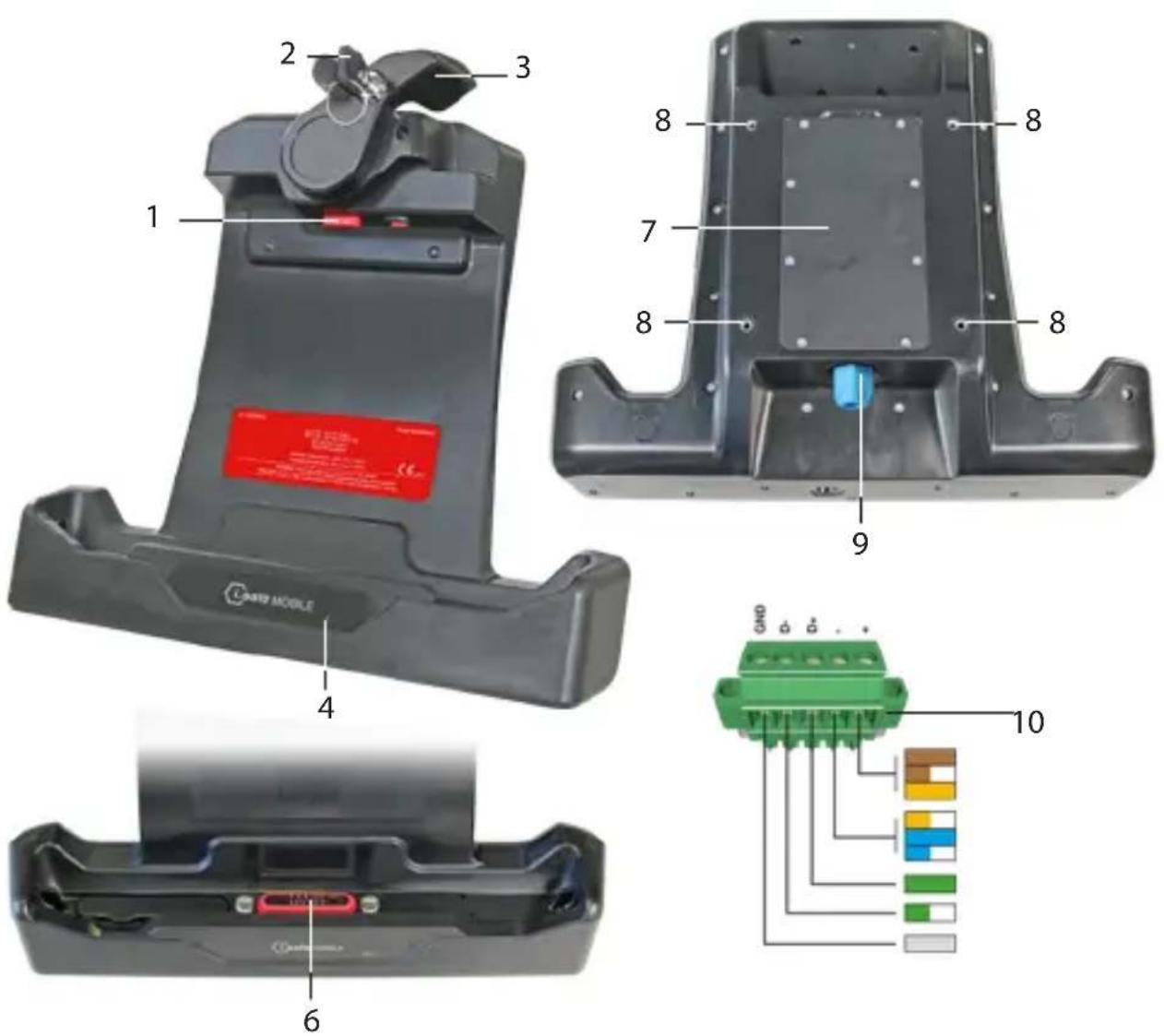
1 LOCK
2 KEY
3 LOCKINGLEVER
4) STATUS LED: Display for charging status of IS940.x/IS945.x.
5 INTERFACECOVER
6) 12-PIN DOCKING INTERFACE
7 REARCOVER
8) VESA STANDARD 100 SCREW CONNECTION
9) CABLE GLAND M16
10>PCB CONNECTOR
INSTALLATION

DANGER
Incorrect installation can result in death or severe injuries!
»Only install the device if you are authorised and qualified to install electrical components in explosion hazardous areas.
»Only install the device regarding EN IEC 60079-14.
»Observe the entity parameters of document 1065AD05.
» Losen the screws on the rear cover (7) and remove it.
»Guide the connection cable through the cable gland M16 (9) and screw it into the screw thread.
» Connect the connection cable to the PCB connector (10).
» Connect the PCB connector to the IS-DS940.1 PCB.
» Attach the rear cover and tighten the screws hand-tight.
» Ensure that all screws on the rear cover are tightened. There must be no large gap between the cover and the housing.
» Check that the cable gland M16 is firmly seated.
>ATTACHING THE DEVICE TO A MONITOR MOUNT
You can mount the device to a monitor mount with VESA standard 100.
» Screw the mount bracket to the screw connections (8) on the IS-DS940.1.
>CHARGING/DATA CONNECTION

DANGER
Improper use poses risk in death or severe injuries!
»Only connect the IS940.x/IS945.x or approved devices by i.safe MOBILE GmbH within explosion hazardous areas to the 12-pin docking interface of the IS-DS940.1.
»Protect the 12-pin docking interface by the cover provided within explosion hazardous areas when not in use.
»Only open the interface cover just before the IS940.x/IS945.x is placed into the IS-DS940.1.
»Check the 12-pin docking interface for dust deposits and clean if necessary.
»Only charge at ambient temperatures between 0 °C to +45 °C (+32 °F to +113 °F).
» Remove the interface cover (5) from the 12-pin docking interface (6).
» Place the interface cover into its holder.
» Place the IS940.x/IS945.x into the IS-DS940.1.
» Close the locking lever (3).
» Optionally lock the device with the key (2) and remove the key.
The status LED on the IS-DS940.1 switches on and lights up red. When the IS940.x/IS945.x is fully charged, the status LED on the IS-DS940.1 changes from red to green.
POSSIBLE DEVICE PROBLEMS
You can find information on possible device problems and how to rectify them at www.isafe-mobile.com/en/support/service under the menu item "FAQ".
If you have any further questions, please contact the i.safe MOBILE GmbH repair service at www.isafe-mobile.com/en/support/service
MAINTENANCE/REPAIR
The device itself has no serviceable parts.

WARNING
Incorrect repairs present a risk of explosion or fire, which can result in death or severe injuries! Do not open the device or carry out any repairs yourself.
» Contact the i.safe MOBILE GmbH repair service at www.isafe-mobile.com/en/support/service if the device is not working normally, if the device needs to be repaired or if a replacement part is required.
RETURN SHIPMENT
Contact the i.safe MOBILE GmbH repair service at www.isafe-mobile.com/en/support/service
DISTRIBUTION PARTNER
You can find the specialist distribution partner responsible for your country at www.isafe-mobile.com/en/contact
CLEANING
NOTICE
Incorrect cleaning can cause damage to the device. Please note the following when cleaning:
» Disconnect the device from the power socket before cleaning.
» Remove the IS940.x/IS945.x from the IS-DS940.1.
» Do not use chemical agents for cleaning.
» Clean the device with a soft, moistened antistatic cloth.
> STORAGE
NOTICE
Incorrect storage can cause damage to the device. Store the device at a humidity of 10 % to 60 % at the following ambient temperatures:
Up to one month: -20 °C to +45 °C (-4 °F to +113 °F)
Up to 3 months: -10 °C to +35 °C (+14 °F to +95 °F)
Over 3 months: -10 °C to +25 °C (+14 °F to +77 °F)
RECYCLING
NOTICE
Incorrect disposal of electronic products, batteries and packaging material puts the environment at risk. Please note the following when disposing of items:
»DO NOT throw away batteries with household waste.
» Always dispose electronic products, batteries and packaging material at the appropriate collection points. This way, you prevent uncontrolled waste disposal and promote the recycling of material resources.
You can obtain further information from regional waste disposal companies, state authorities or the i.safe MOBILE GmbH service centre responsible for your country or region at www.isafe-mobile.com/en/support/service
TRADEMARKS
i.safe MOBILE GmbH and the i.safe MOBILE GmbH logo are registered trademarks of the i.safe MOBILE GmbH. All other trademarks and copyrights are the properties of their respective owners.
DEUTSCH

1) ZÁMEK
2) TLAČÍTKO
3) PÁKA ZÁMKU
4) KONTROLKA STAVU: DISPLEJ STAVU NABÍJENÍ IS940.X/IS945.X.
5 KRYT ROZHRANÍ
6) 12 KOLÍKOVÉ DOKOVACÍ ROZHRANÍ
7 > ZADNÍ KRYT
8) ŠROUBOVÉ PŘIPOJENÍ PODLE STANDARDU VESA 100
9 > ŠROUBOVÝ ZÁVIT PRO KABELOVOU VÝVODKU M16
10 KONEKTOR PCB
> INSTALACE

NEBEZPEČÍ
1) LÅS
2) TAST
3) LÅSEGREB
4) STATUS-LED: Display ladestatus for IS940.x/IS945.x.
5) GRÅENSEFLADEAFDÆKNING
6 y12-BENSDOCKING-GRÅENSEFLADEN
7) BAGESTE AFDÆKNING
8) SKRUEFORBINDELSE TIL VESA STANDARD 100
9>KABELTYLLE M16
10>PCB-STIK
INSTALLATION

FARE
www.isafe-mobile.com/en/support/service
DETAILPARTNER
Du kan finde den specialiserede detailpartner med ansvar for dit land på www.isafe-mobile.com/en/contact
RENG∅RING
BEMÄRK
1) LUKITUS
2) AVAIN
3) LUKITUSVIPU
4) TILA-LED: Näyttää IS940.x/IS945.x:n lataustilan..
5 > LIITÄNNÄN SUOJUS
6 y12-NASTAISTATELAKOINTILIITÄNTÄÄ
7) TAKAKANSI
8) VESA-STANDARDIN 100 MUKAINEN RUUVILIITOS
9) M16-KAAPELIRUUVILIITOKSEN
10>PCB-LIITIN
ASENNUS

VAARA
DÉCLARATION DE CONFORMITÉ UE
Certification CE: 2004
IECEx:
Ex ib IIC T4 Gb
Ex ib IIIC T135°C Db
Certificat IECEx: IECEx EPS 24.0001X
Class I Div. 1 Groups A, B, C, D, T4
Class II Div. 1 Groups E, F, G, T155 °C
Class III
$$ \begin{array}{l} - 2 0 ^ {\circ} \mathrm{C} \leq T _ {\text {amb}} \leq + 5 5 ^ {\circ} \mathrm{C} \ 0 ^ {\circ} \mathrm{C} \leq T _ {\text { charge }} \leq + 4 5 ^ {\circ} \mathrm{C} \ \end{array} $$
CSA 60079-0 4th ed.
CSA 60079-11 2nd ed.
UL 60079-0 7th ed.
UL 60079-11 6th ed.
ÉTENDUE DE LA LIVRAISON
1) BLOCCO
2) CHIAVE
3) LEVA DI BLOCCAGGIO
4) LED DI STATO: Display di stato di carica dello IS940.x/IS945.x.
5) COPERCHIO DELL'INTERFACCIA
6) INTERFACCIA DI ALLOGGIAMENTO A 12 PIN
7) COPERCHIO POSTERIORE
8) COLLEGAMENTO A VITE STANDARD VESA 100
9) PRESSACAVO M16
10 > CONNETTORE PCB
>INSTALLAZIONE

PERICOLO
www.isafe-mobile.com/en/support/service
PARTNER COMMERCIALI
www.isafe-mobile.com/en/support/downloads
EX-MARKERINGEN
> ATEX:
Eii 2G Ex ib IIC T4 Gb
① II 2D Ex ib IIIC T135°C Db
1) VERGRENDELING
2) SLEUTEL
3) VERGRENDELINGSHENDEL
4) STATUSLAMPJE: Display voor oplaadstatus van IS940.x/IS945.x.
5) AANSLUITINGSAFDEKKING
6)12-PENSDOCKINGAANSLUITING
7) ACHTERAFDEKKING
8) STANDAARD SCHROEFAANSLUITING VESA 100
9> VOOR KABELWARTEL M16
10>PCB-CONNECTOR
>INSTALLATIE

GEVAAR
VEDLIKEHOLD / REPARASJON
www.isafe-mobile.com/en/support/service
DETALJHANDELSPARTNER
PERSONEL INSTALACYJNY
www.isafe-mobile.com/en/support/service
www.isafe-mobile.com/en/support/downloads
MARCAS
) ATEX:
Ea II 2G Ex ib IIC T4 Gb
① II 2D Ex ib IIIC T135°C Db
POKROV 12-PINSKOG DOCKING SUČELJA
www.isafe-mobile.com/en/support/service
ODRŽAVANJE/POPRAVAK
Sam uređaj nema dijelova koji se mogu servisirati.

UPOZORENJE
Neodgovarajući popravci predstavljaju opasnost od eksplozije ili požara, što može dovesti do smrti ili teških ozljeda! Ne otvarajte uređaj i ne obavljajte sami popravke.
Obratite se servisnoj službi tvrtke i.safe MOBILE GmbH na
www.isafe-mobile.com/en/support/service ako uređaj ne radi pravilno,
www.isafe-mobile.com/en/support/service
MALOPRODAJNI PARTNER
Možete pronaći stručnog maloprodajnog partnera odgovornog za svoju državu na www.isafe-mobile.com/en/contact
ČIŠĆENJE
NAPOMENA
1) ZÁMOK
2) KLÚČ
3) BLOKOVACIA PÁČKA
4) LED KONTROLKA STAVU: Displej na stav nabijania IS940.x/IS945.x.
5 KRYT ROZHRANIA
6) 12-KOLÍKOVÉ DOKOVACIE ROZHRANIE
7) ZADNÝ KRYT
8) SKRUTKOVÉ PRIPOJENIE PODLA ŠTANDARDU VESA 100
9) KÁBLOVÚ PRIECHODKU M16
10 KONEKTOR PCB
INŠTALÁCIA

NEBEZPEČENSTVO
www.isafe-mobile.com/en/support/service
VRÁTENIE ZÁSIELKY
www.isafe-mobile.com/en/support/service
> MALOOBCHODNÝ PARTNER
1) БРАВА
2) кључ
3)ПОЛУГА ЗА БЛОКАДУ
4) CTATYCHA LED: Приказ статуса пуњења IS940.x/IS945.x.
5) ПОКЛОПАЦ ИНТЕРФЕЈСА
6) 12-ПОЛНИ ИНТЕРФЕЈС ЗА ПРИКЉУЧИВАЊЕ
7) ЗАДЊИ ПОКЛОПАЦ
8) VESA STANDARD 100 ВИЛЧАНИ СПОЛ
9) КАБЛОВСКУ УВОДНИЦУ М16
10>КОНЕКТОР ЗА ШТАМПАНУ ПЛОЧУ
ИНСТАЛАЦИЈА

ОПАСНОСТ
www.isafe-mobile.com/en/support/downloads
-Discounted coverage of the highest level of the market was a 20% level, which is 55% level, and is 40% level.
www.isafe-mobile.com/en/support/service
FOR FURTHER QUESTIONS PLEASE CONTACT OUR SERVICE CENTRE:
» i.safe MOBILE GmbH, i_Park Tauberfranken 10, 97922 Lauda-Koenigshofen, Germany
» support@isafe-mobile.com
» https://support.isafe-mobile.com
ISAFE-MOBILE.COM

- CONTENTS
- ENGLISH
- PROTECT YOUR LIFE AND READ THE OPERATING MANUAL
- EX-RELEVANT SAFETY REGULATIONS
- INSTALLATION
- 12-PIN DOCKING INTERFACE COVER
- IP-PROTECTION
- CHARGING
- IMPACTS
- CONDITIONS OF USE
- EX-RELEVANT SAFETY REGULATIONS FOR NORTH AMERICA
- WARNING
- FAULTS AND DAMAGES
- INTENDED USE
- INSTALLATION PERSONNEL
- USER
- WARRANTY
- EU DECLARATION OF CONFORMITY
- EX MARKINGS
- ATEX:
- >IECEx:
- > North America (NEC500):
- >SCOPE OF DELIVERY
- > 1 x IS-DS940.1
- > Temperature range:
- Manufactured by:
- i.safe MOBILE GmbH
- DANGER
- >ATTACHING THE DEVICE TO A MONITOR MOUNT
- >CHARGING/DATA CONNECTION
- POSSIBLE DEVICE PROBLEMS
- MAINTENANCE/REPAIR
- RETURN SHIPMENT
- DISTRIBUTION PARTNER
- CLEANING
- NOTICE
- > STORAGE
- RECYCLING
- TRADEMARKS
- DEUTSCH
- > INSTALACE
- NEBEZPEČÍ
- FARE
- DETAILPARTNER
- RENG∅RING
- BEMÄRK
- ASENNUS
- VAARA
- DÉCLARATION DE CONFORMITÉ UE
- IECEx:
- ÉTENDUE DE LA LIVRAISON
- >INSTALLAZIONE
- PERICOLO
- PARTNER COMMERCIALI
- EX-MARKERINGEN
- > ATEX:
- >INSTALLATIE
- GEVAAR
- VEDLIKEHOLD / REPARASJON
- DETALJHANDELSPARTNER
- PERSONEL INSTALACYJNY
- MARCAS
- ) ATEX:
- POKROV 12-PINSKOG DOCKING SUČELJA
- ODRŽAVANJE/POPRAVAK
- UPOZORENJE
- MALOPRODAJNI PARTNER
- ČIŠĆENJE
- NAPOMENA
- INŠTALÁCIA
- NEBEZPEČENSTVO
- VRÁTENIE ZÁSIELKY
- > MALOOBCHODNÝ PARTNER
- ИНСТАЛАЦИЈА
- ОПАСНОСТ
Brand : i.safe Mobile
Model : IS945.2
Category : Graphic tablet