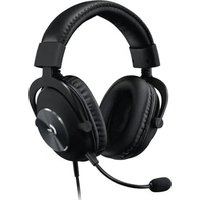
G Pro X Lightspeed - Earphones LOGITECH - Free user manual and instructions
Find the device manual for free G Pro X Lightspeed LOGITECH in PDF.
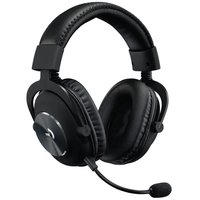
User questions about G Pro X Lightspeed LOGITECH
0 question about this device. Answer the ones you know or ask your own.
Ask a new question about this device
Download the instructions for your Earphones in PDF format for free! Find your manual G Pro X Lightspeed - LOGITECH and take your electronic device back in hand. On this page are published all the documents necessary for the use of your device. G Pro X Lightspeed by LOGITECH.
USER MANUAL G Pro X Lightspeed LOGITECH
natural_image
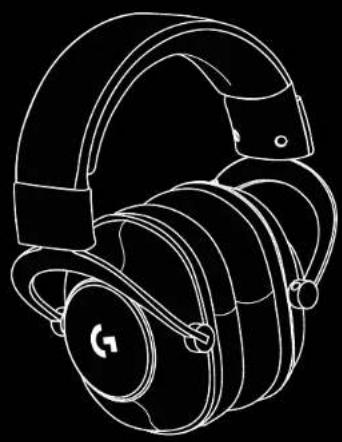
Black and white photo of a pair of black headsets with earphones, shown against a black background (no text or symbols visible)logitech G™


natural_image
Line drawing of a pair of headsets with a G logo on the front (no text or symbols)
natural_image
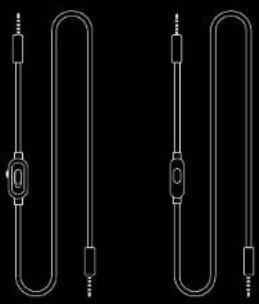
Pure electrical circuit lines without any symbols


natural_image
Simple black rectangle with a white border, no text or symbols present.ENGLISH 3
DEUTSCH. 7
FRANÇAIS 11
ITALIANO 15
ESPAÑOL....19
PORTUGUÊS 23
NEDERLANDS 27
SVENSKA 31
DANSK 35
NORSK 39
SUOMI 43
ΕΛΛΗΝΙΚΑ 47
ПО-РУССКИ 51
PO POLSKU 55
MAGYAR 59
ČESKÁ VERZE 63
SLOVENČINA....67
УКРАЇНСЬКА 71
EESTI 75
LATVISKI 79
LIETUVIU 83
БЪЛГАРСКИ 87
HRVATSKI. 91
SRPSKI 95
SLOVENŠČINA 99
ROMÂNĂ. .103
TÜRKÇE .107
111.
115
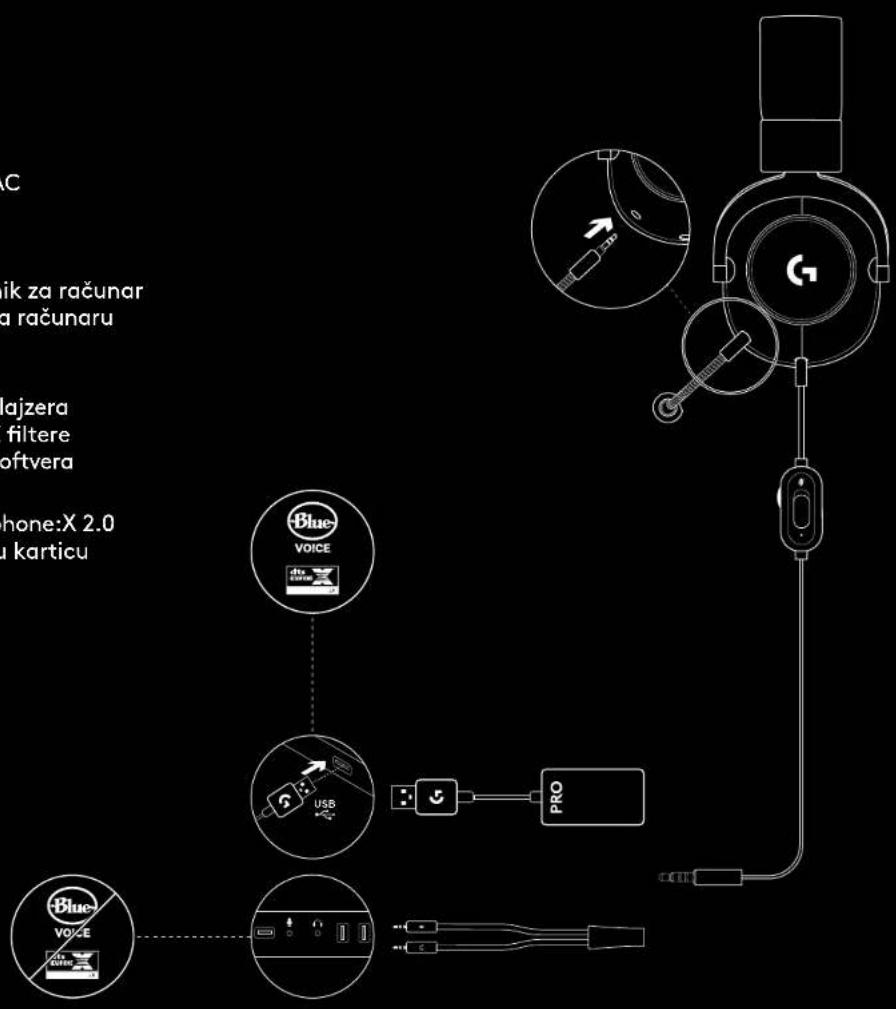
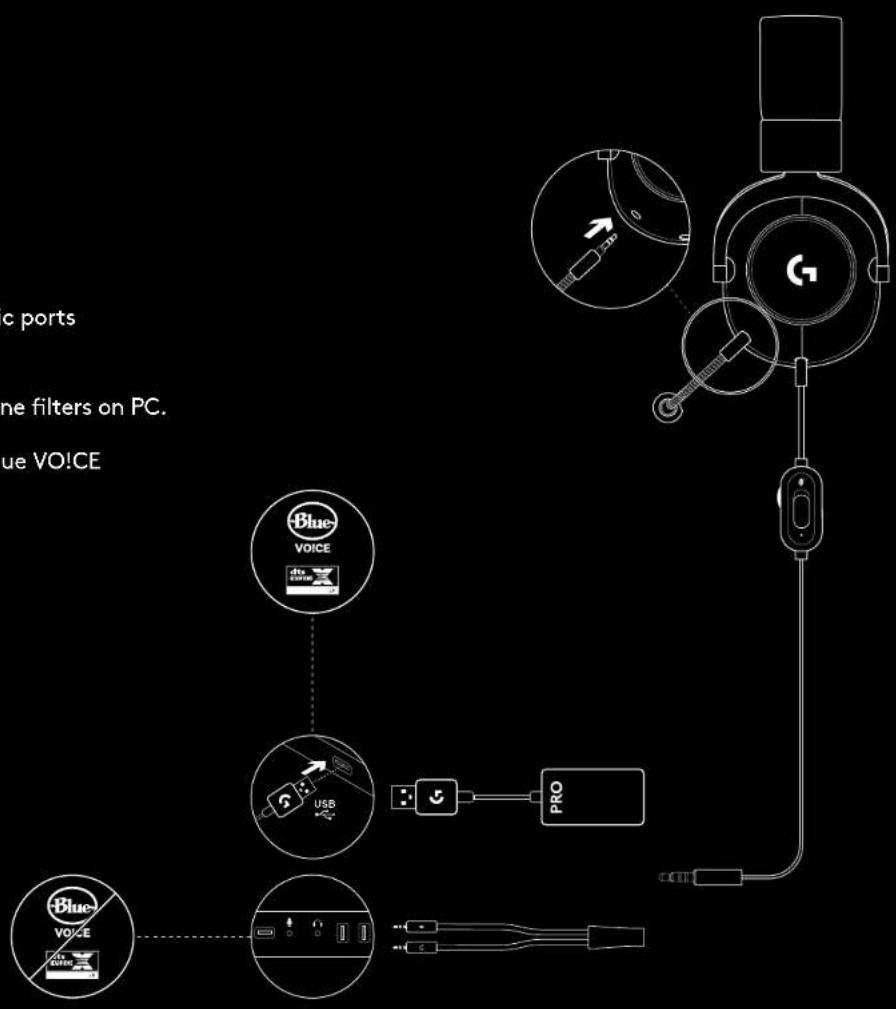
PC SETUP
1 Plug in microphone
2 Plug console/PC cable into headset
3 Using USB DAC:
- Plug console/PC cable into USB DAC
-
Plug USB DAC into PC
4 Using PC sound card: -
Plug console/PC cable into PC splitter
-
Plug PC splitter into PC's headphone and mic ports
^1 Included USB DAC enables 5-band EQ tuning,
DTS Headphone:X 2.0 and Blue VO!CE microphone filters on PC.
Requires Logitech G HUB software download.
5-band EQ tuning, DTS Headphone:X 2.0 and Blue VO!CE
are not available while using PC sound card.
text_image
c ports ne filters on PC. ue VO!CE Blue VOICE USB PRO Blue VOICE3 ENGLISH
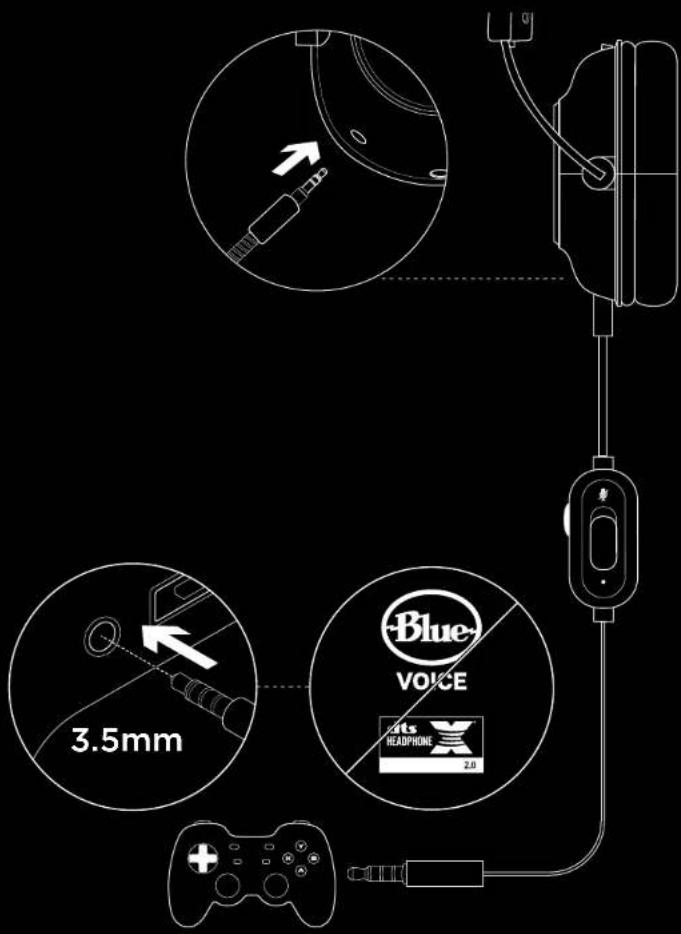
CONSOLE SETUP (XBOX ONE™, PLAYSTATION4)
1 Plug in microphone
2 Plug console/PC cable into headset
3 Plug other end into controller ^2
^2 Instructions may vary based on your system version. Please check your console manual for additional guidance. Xbox One and PlayStation 4 operate in stereo mode only via analog cable. Some Xbox One controllers may require Xbox One Stereo Headset Adapter, sold separately. 5-band EQ tuning, DTS Headphone:X 2.0 and Blue VO!CE are not available while connected to console controller.
text_image
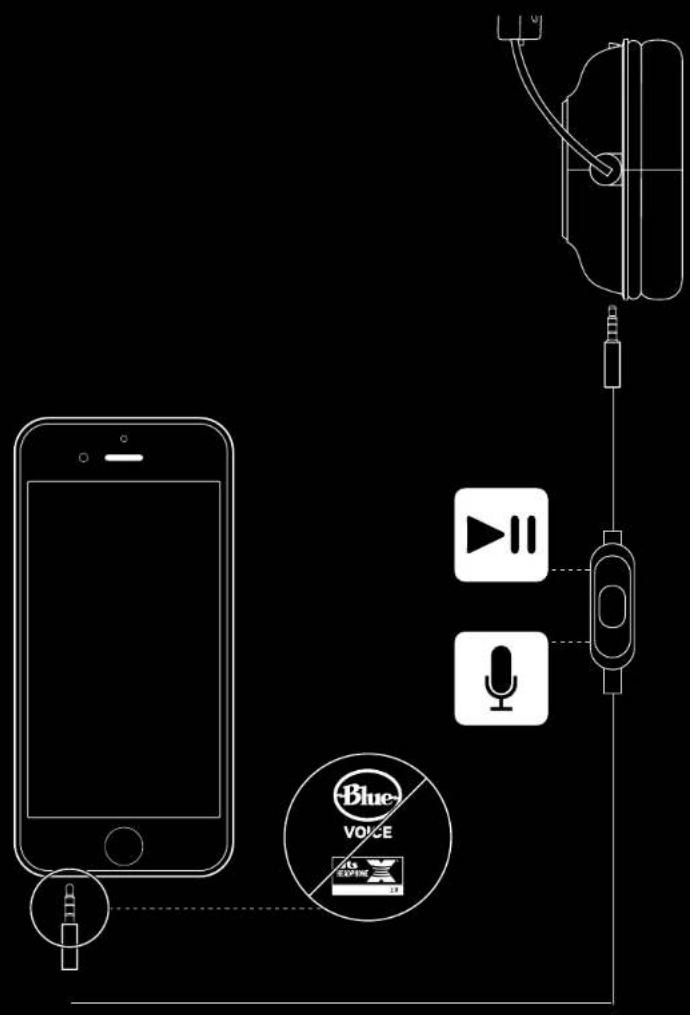
3.5mm Blue VOICE Rats HEADPHONE 2.0MICROPHONE POSITION SETUP
1 Remove microphone
2 Plug in mobile cable to headset
3 Plug mobile cable into phone ^3
^3 5-band EQ tuning, DTS Headphone:X 2.0 and Blue VO!CE are not available on mobile devices.
text_image
Diagram illustrating audio recording setup with smartphone, microphone, audio jack, and blue voice interface components5 ENGLISH
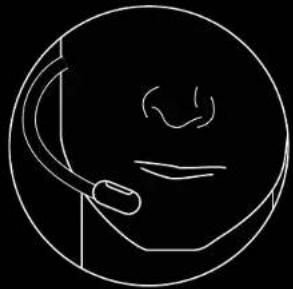
MICROPHONE PLACEMENT
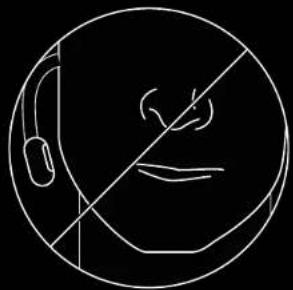
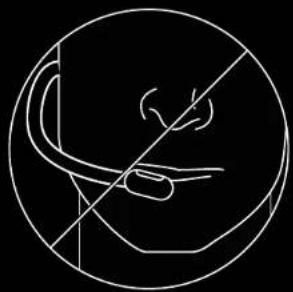
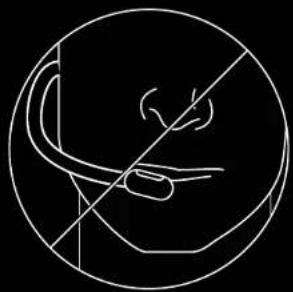
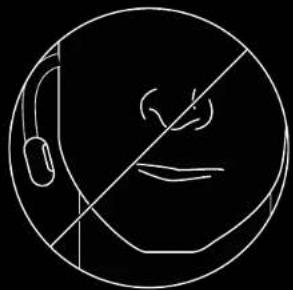
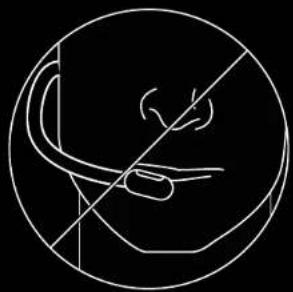
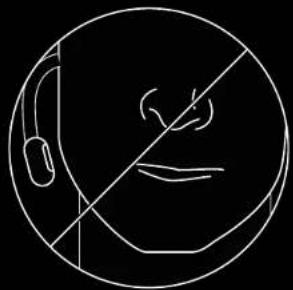
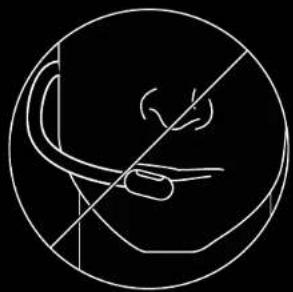
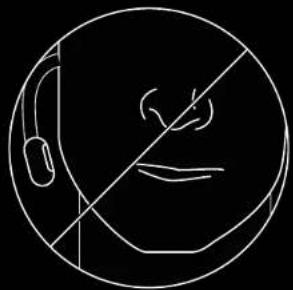
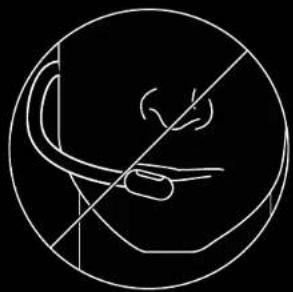
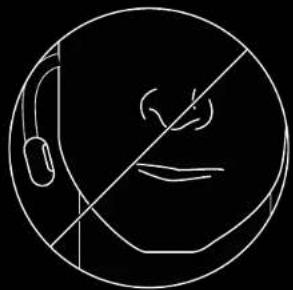
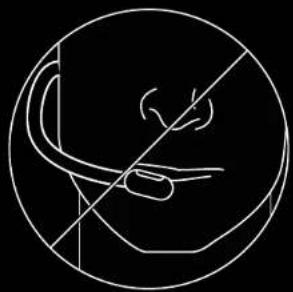
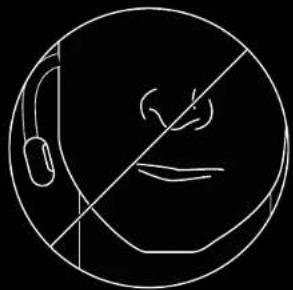
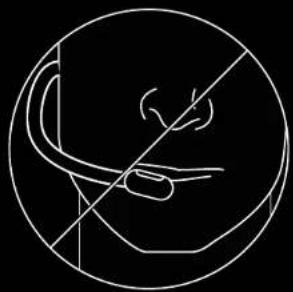
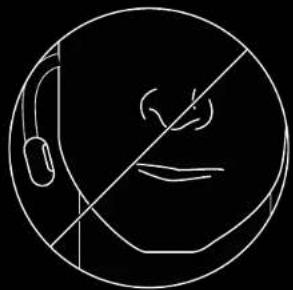
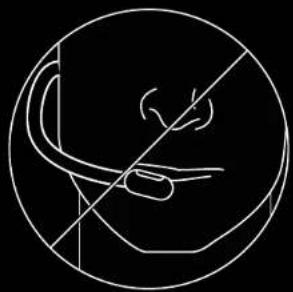
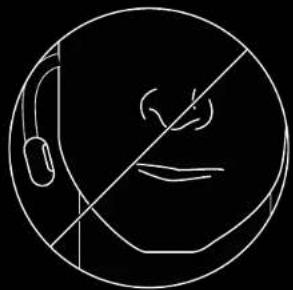
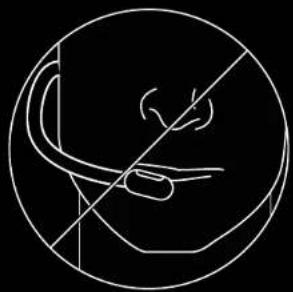
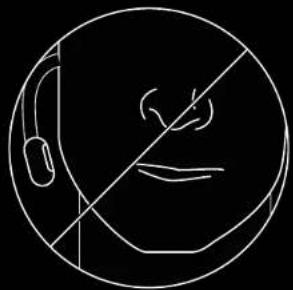
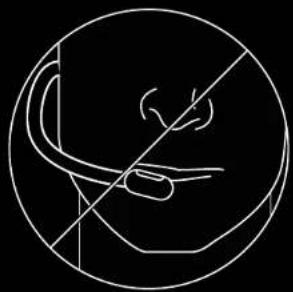
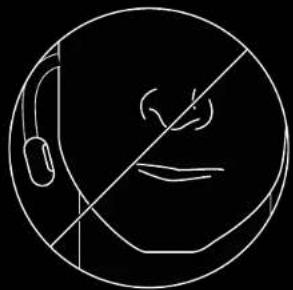
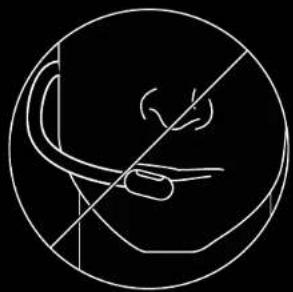
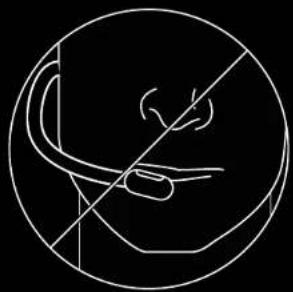
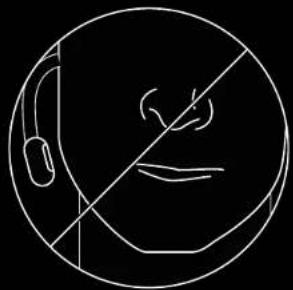
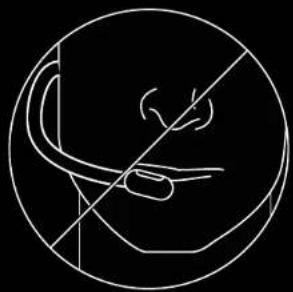
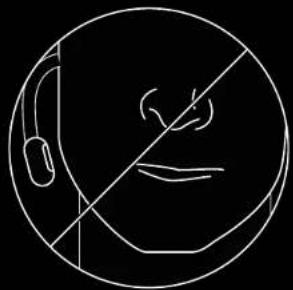
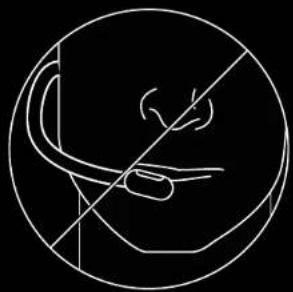
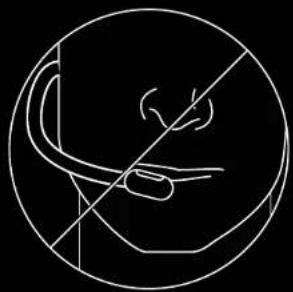
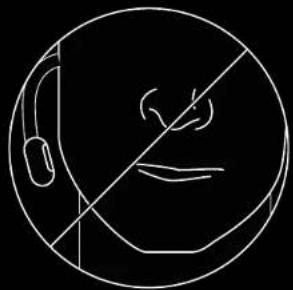
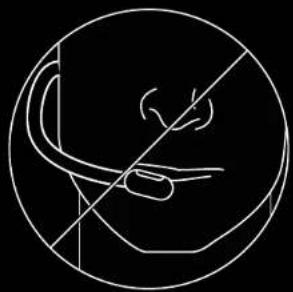
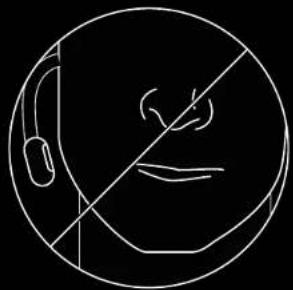
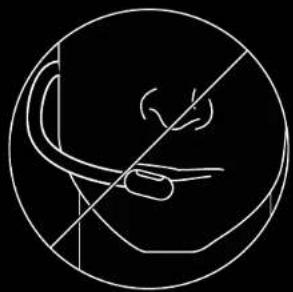
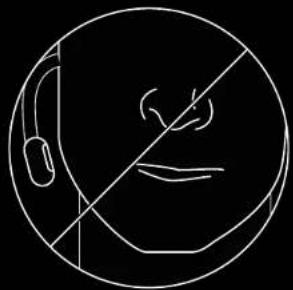
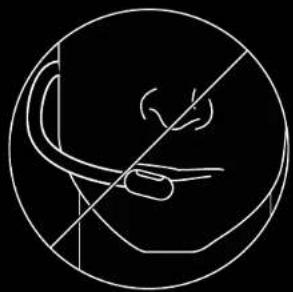
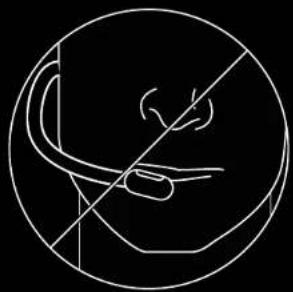
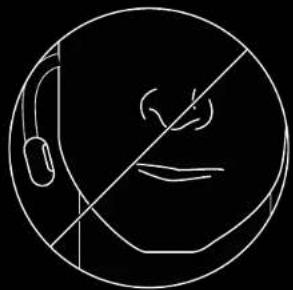
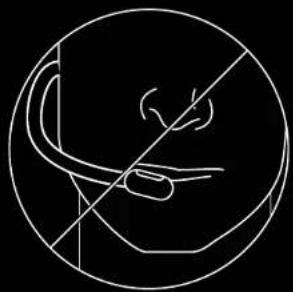
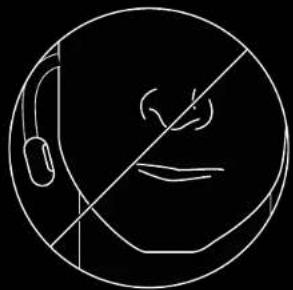
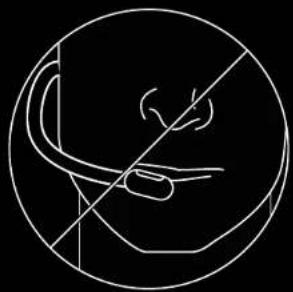
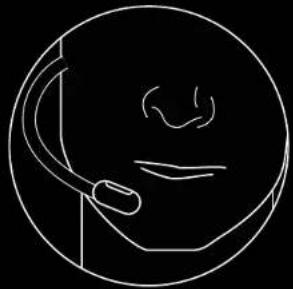
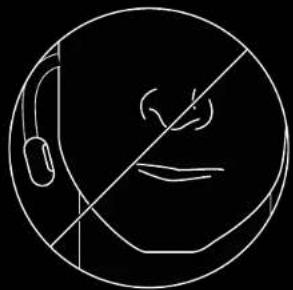
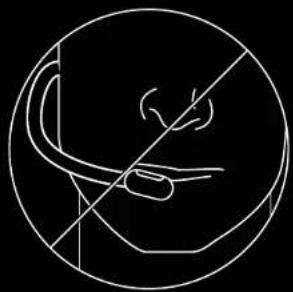
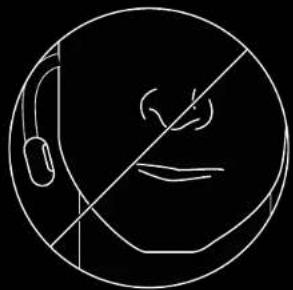
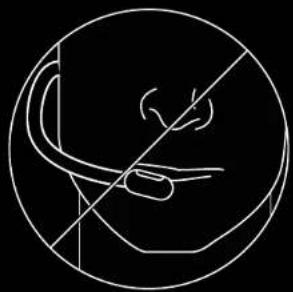
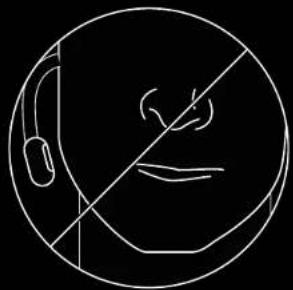
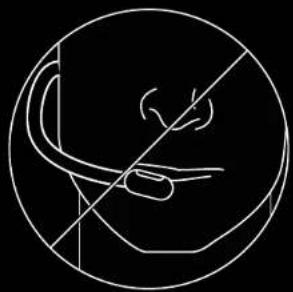
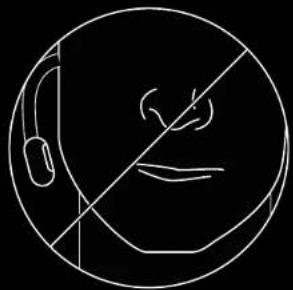
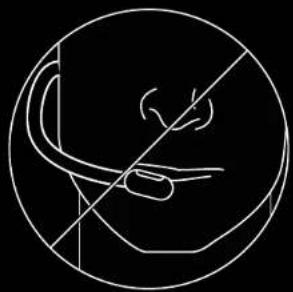
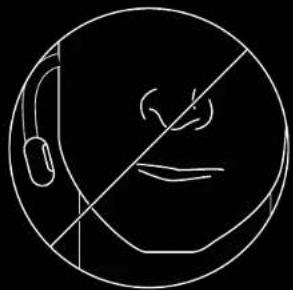
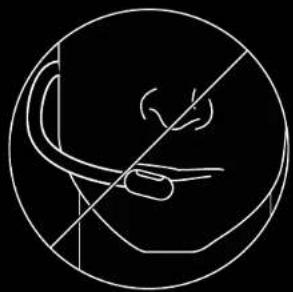
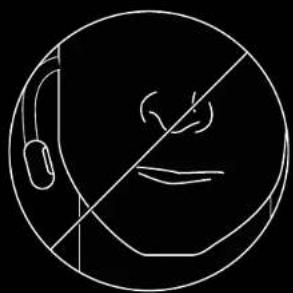
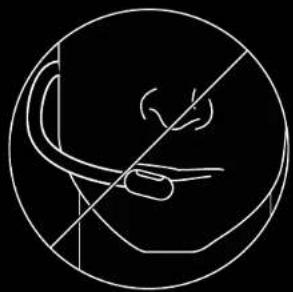
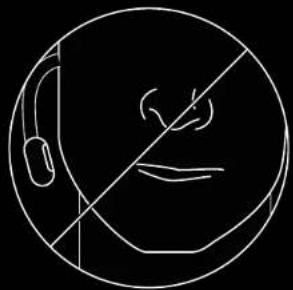
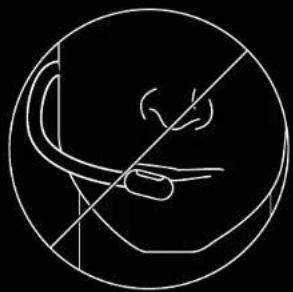
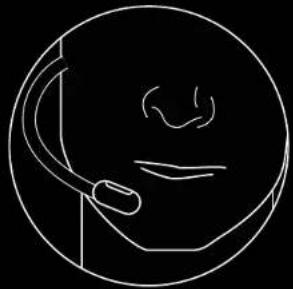
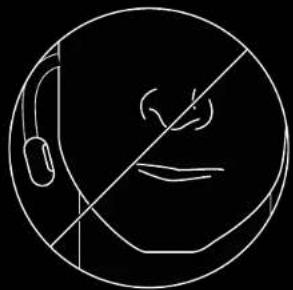
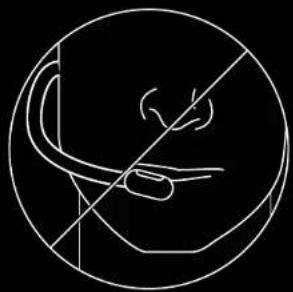
Ideal placement of the microphone is at the corner of your mouth. In this position, your voice can be heard clearly without the microphone picking up breathing sounds.
FREQUENTLY ASKED QUESTIONS
Q: How do I save a custom EQ to the USB DAC?
A: Connect the USB DAC to a PC's USB port and use G HUB software to download a pre-configured EQ from your favorite pro gamer, or to configure your own custom EQ settings. After using G HUB to save your EQ to the DAC, you can then enjoy your custom settings even on tournament PCs with no G HUB software installed.
Q: Can I save Blue VO!CE settings to the USB DAC?
A: No, Blue VO!CE technology is only available while using G HUB software and the USB DAC on PC.
Q: Can I save DTS Headphone:X 2.0 settings to the USB DAC?
A: No, DTS Headphone:X 2.0 is only available while using G HUB software and the USB DAC on PC.
www.logitechG.com/GHUB
www.logitechG.com/support/proxheadset
natural_image
Simple line drawing of a person wearing a headset, no text or symbols present
natural_image
Simple line drawing of a human face inside a circle with a diagonal line crossing through it (no text or symbols)
natural_image
Simple line drawing of a human head with a curved leg and hand, enclosed in a circle (no text or symbols)PC EINRICHTEN
text_image
Diagram illustrating audio recording setup with smartphone, microphone, audio jack, and blue voice interface components9 DEUTSCH
natural_image
Simple line drawing of a person wearing a headset, no text or symbols present
natural_image
Simple line drawing of a human face inside a circle with a diagonal line crossing through it (no text or symbols)
natural_image
Simple line drawing of a human head with a curved leg and hand, enclosed in a circle (no text or symbols)CONFIGURATION SUR PC
text_image
Diagram illustrating audio recording setup with smartphone, microphone, audio jack, and blue voice interface componentsPOSITIONNEMENT DU MICROPHONE
natural_image
Simple line drawing of a person wearing a headset, no text or symbols present
natural_image
Simple line drawing of a human face inside a circle with a diagonal line crossing through it (no text or symbols)
natural_image
Simple line drawing of a human head with a curved leg and hand, enclosed in a circle (no text or symbols)text_image
Diagram illustrating audio recording setup with smartphone, microphone, audio jack, and blue voice interface componentsnatural_image
Simple line drawing of a person wearing a headset, no text or symbols present
natural_image
Simple line drawing of a human face inside a circle with a diagonal line crossing through it (no text or symbols)
natural_image
Simple line drawing of a human head with a curved leg and hand, enclosed in a circle (no text or symbols)CONFIGURACIÓN DE PC
text_image
Diagram illustrating audio recording setup with smartphone, microphone, audio jack, and voice interface componentsnatural_image
Simple line drawing of a person wearing a headset, no text or symbols present
natural_image
Simple line drawing of a human face inside a circle with a diagonal line crossing through it (no text or symbols)
natural_image
Simple line drawing of a human head with a curved leg and hand, enclosed in a circle (no text or symbols)CONFIGURAÇÃO DE PC
text_image
3.5mm Blue VOICE 4ts HEADPHONE 2.0text_image
Diagram illustrating audio recording setup with smartphone, microphone, audio jack, and voice interface componentsnatural_image
Simple line drawing of a person wearing a headset, no text or symbols present
natural_image
Simple line drawing of a human face inside a circle with a diagonal line crossing through it (no text or symbols)
natural_image
Simple line drawing of a human head with a curved leg and hand, enclosed in a circle (no text or symbols)SET-UP VOOR PC
text_image
Diagram illustrating audio recording setup with smartphone, microphone, audio jack, and blue voice interface componentsMICROFOONPLAATSING
natural_image
Simple line drawing of a person wearing a headset, no text or symbols present
natural_image
Simple line drawing of a human face inside a circle with a diagonal line crossing through it (no text or symbols)
natural_image
Simple line drawing of a human head with a curved leg and hand, enclosed in a circle (no text or symbols)DATORKONFIGURATION
text_image
3.5mm Blue VOICE 4ts HEADPHONE 2.0INSTÄLLNING AV MIKROFONPOSITION
text_image
Diagram illustrating audio recording setup with smartphone, microphone, audio jack, and blue voice interface componentsMIKROFONPLACERING
natural_image
Simple line drawing of a person wearing a headset, no text or symbols present
natural_image
Simple line drawing of a human face inside a circle with a diagonal line crossing through it (no text or symbols)
natural_image
Simple line drawing of a human head with a curved leg and hand, enclosed in a circle (no text or symbols)PC-KONFIGURATION
text_image
Diagram illustrating audio recording setup with smartphone, microphone, audio jack, and blue voice interface componentsPLACERING AF MIKROFONEN
OFTE STILLEDE SP∅RGSMÅL
natural_image
Simple line drawing of a person wearing a headset, no text or symbols present
natural_image
Simple line drawing of a human face inside a circle with a diagonal line crossing through it (no text or symbols)
natural_image
Simple line drawing of a human head with a curved leg and hand, enclosed in a circle (no text or symbols)PC-OPPSETT
1 Koble til mikrofonen
2 Koble konsoll-/PC-kabelen til headsettet
3 Bruke USB DAC:
1. Koble konsoll-/PC-kabelen til USB DAC
2. Koble USB DAC til PC
4 Ved hjelp av PC-lydkortet:
-
Koble konsoll-/PC-kabelen til PC-splitteren
-
Koble PC-splitteren til PC-ens hodetelefon- og mikrofonporter
text_image
Diagram illustrating audio recording setup with smartphone, microphone, audio jack, and blue voice interface componentsMIKROFONPLASSERING
natural_image
Simple line drawing of a person wearing a headset, no text or symbols present
natural_image
Simple line drawing of a human face inside a circle with a diagonal line crossing through it (no text or symbols)
natural_image
Simple line drawing of a human head with a curved leg and hand, enclosed in a circle (no text or symbols)KÄYTTÖÖNOTTO TIETOKONEELLA
text_image
3.5mm Blue VOICE 4ts HEADPHONE 2.0MIKROFONIN KÄYTTÖÖNOTTO MOBIILILAITTEELLA
text_image
Diagram illustrating audio recording setup with smartphone, microphone, audio jack, and voice interface componentsMIKROFONIN SIJOITUS
natural_image
Simple line drawing of a person wearing a headset, no text or symbols present
natural_image
Simple line drawing of a human face inside a circle with a diagonal line crossing through it (no text or symbols)
natural_image
Simple line drawing of a human head with a curved leg and hand, enclosed in a circle (no text or symbols)ΤΟΠΟΘΕΤΗΣΗ ΣΕ ΡC
text_image
Diagram illustrating audio recording setup with smartphone, microphone, audio jack, and blue voice interface componentsnatural_image
Simple line drawing of a person wearing a headset, no text or symbols present
natural_image
Simple line drawing of a human face inside a circle with a diagonal line crossing through it (no text or symbols)
natural_image
Simple line drawing of a human head with a curved leg and hand, enclosed in a circle (no text or symbols)text_image
Diagram illustrating audio recording setup with smartphone, microphone, audio jack, and voice interface iconsnatural_image
Simple line drawing of a person wearing a headset, no text or symbols present
natural_image
Simple line drawing of a human face inside a circle with a diagonal line crossing through it (no text or symbols)
natural_image
Simple line drawing of a human head with a curved leg and hand, enclosed in a circle (no text or symbols)INSTALACJA NA KOMPUTERZE PC
INSTALACJA NA KONSOLI (XBOX ONE™ I PLAYSTATION4)
text_image
Diagram illustrating audio recording setup with smartphone, microphone, audio jack, and blue voice interface componentsPOZYCJA MIKROFONU
natural_image
Simple line drawing of a person wearing a headset, no text or symbols present
natural_image
Simple line drawing of a human face inside a circle with a diagonal line crossing through it (no text or symbols)
natural_image
Simple line drawing of a human head with a curved leg and hand, enclosed in a circle (no text or symbols)CSATLAKOZTATÁS SZÁMÍTÓGÉPHEZ
text_image
Diagram illustrating audio recording setup with smartphone, microphone, audio jack, and voice interface componentsA MIKROFON ELHELYEZÉSE
natural_image
Simple line drawing of a person wearing a headset, no text or symbols present
natural_image
Simple line drawing of a human face inside a circle with a diagonal line crossing through it (no text or symbols)
natural_image
Simple line drawing of a human head with a curved leg and hand, enclosed in a circle (no text or symbols)INSTALACE - PC
text_image
Diagram illustrating audio recording setup with smartphone, microphone, audio jack, and blue voice interface componentsUMÍSTĚNÍ MIKROFONU
natural_image
Simple line drawing of a person wearing a headset, no text or symbols presentČASTÉ OTÁZKY
natural_image
Simple line drawing of a human face inside a circle with a diagonal line crossing through it (no text or symbols)
natural_image
Simple line drawing of a human head with a curved leg and hand, enclosed in a circle (no text or symbols)www.logitechG.com/GHUB
www.logitechG.com/support/proxheadset
INŠTALÁCIA - PC
1 Zapojte mikrofón
2 Zapojte kábel pre konzoly/PC do slúchadiel
3 Použitie prevodníka USB DAC:
text_image
Diagram illustrating audio device connections with smartphone, microphone, audio jack, and voice interface iconsUMIESTNENIE MIKROFÓNU
natural_image
Simple line drawing of a person wearing a headset, no text or symbols present
natural_image
Simple line drawing of a human face inside a circle with a diagonal line crossing through it (no text or symbols)
natural_image
Simple line drawing of a human head with a curved leg and hand, enclosed in a circle (no text or symbols)ПІДКЛЮЧЕННЯ ДО ПК
text_image
Diagram illustrating audio recording setup with smartphone, microphone, audio jack, and voice interface componentsnatural_image
Simple line drawing of a person wearing a headset, no text or symbols present
natural_image
Simple line drawing of a human face inside a circle with a diagonal line crossing through it (no text or symbols)
natural_image
Simple line drawing of a human head with a curved leg and hand, enclosed in a circle (no text or symbols)PC SEADISTMINE
KONSOOLI SEADISTAMINE (XBOX ONE™, PLAYSTATION4)
text_image
Diagram illustrating audio recording setup with smartphone, microphone, audio jack, and voice interface componentsMIKROFONI ASETUS
natural_image
Simple line drawing of a person wearing a headset, no text or symbols present
natural_image
Simple line drawing of a human face inside a circle with a diagonal line crossing through it (no text or symbols)
natural_image
Simple line drawing of a human head with a curved leg and hand, enclosed in a circle (no text or symbols)SAVIENOŠANA AR DATORU
1 lespraudiet mikrofonu
2 lespraudiet spēļu konsoles/datora kabeli austiņās
text_image
Diagram illustrating audio recording setup with smartphone, microphone, audio jack, and blue voice interface componentsMIKROFONA NOVIETOJUMS
natural_image
Simple line drawing of a person wearing a headset, no text or symbols presentBIEŽAK UZDOTIE JAUTAJUMI
natural_image
Simple line drawing of a human face inside a circle with a diagonal line crossing through it (no text or symbols)
natural_image
Simple line drawing of a human head with a curved leg and hand, enclosed in a circle (no text or symbols)www.logitechG.com/GHUB
www.logitechG.com/support/proxheadset
KOMPIUTERIO SARANKA
text_image
Diagram illustrating audio recording setup with smartphone, microphone, audio jack, and blue voice interface componentsMIKROFONO PADÉTIES NUSTATYMAS
natural_image
Simple line drawing of a person wearing a headset, no text or symbols present
natural_image
Simple line drawing of a human face inside a circle with a diagonal line crossing through it (no text or symbols)
natural_image
Simple line drawing of a human head with a curved leg and hand, enclosed in a circle (no text or symbols)КОМПЮТЪРНА НАСТРОЙКА
text_image
Diagram illustrating audio recording setup with smartphone, microphone, audio jack, and blue voice interface componentsРАЗПОЛАГАНЕ НА МИКРОФОНА
natural_image
Simple line drawing of a person wearing a headset, no text or symbols present
natural_image
Simple line drawing of a human face inside a circle with a diagonal line crossing through it (no text or symbols)
natural_image
Simple line drawing of a human head with a curved leg and hand, enclosed in a circle (no text or symbols)POSTAVLJANJE OSOBNOG RAČUNALA
1 Priključite mikrofon
2 Priključite kabel za konzolu/osobno računalo na slušalice
3 Pomoću USB digitalno-analognog konvertera:
text_image
Diagram illustrating audio recording setup with smartphone, microphone, audio jack, and blue voice interface componentsPOLOŽAJ MIKROFONA
Idealan položaj mikrofona je na rubu vaših usta. U ovom položaju glas se može čuti jasno, bez da mikrofon pokupi zvukove disanja.
ČESTO POSTAVLJANA PITANJA
P: Kako da spremim prilagođeni ekvalizator na USB DAC?
O: Povežite USB DAC na USB priključak računala i koristite softver G HUB za preuzimanje unaprijed konfiguriranog ekvalizatora od omiljenog profesionalnog igrača ili prilagodite vlastite postavke ekvalizatora. Nakon spremanja ekvalizatora na DAC pomoću softvera G HUB, možete uživati u prilagođenim postavkama čak i na računalima za turnire bez instaliranog softvera G HUB.
P: Mogu li spremiti postavke za Blue VO!CE na USB DAC?
O: Ne, tehnologija Blue VO!CE je dostupna samo kad se koristi softver G HUB i USB DAC na računalu.
P: Mogu li spremiti postavke za slušalice DTS Headphone:X 2.0 na USB DAC?
O: Ne, slušalice DTS Headphone:X 2.0 dostupne su samo kad se koristi softver G HUB i USB DAC na računalu.
www.logitechG.com/GHUB
www.logitechG.com/support/proxheadset
natural_image
Simple line drawing of a person wearing a headset, no text or symbols present
natural_image
Simple line drawing of a human face inside a circle with a diagonal line crossing through it (no text or symbols)
natural_image
Simple line drawing of a human head with a curved leg and hand, enclosed in a circle (no text or symbols)PODEŠAVANJE RAČUNARA
1 Priključite mikrofon
2 Priključite kabl za konzolu/računar u slušalice
3 Korišćenje USB DAC konvertera:
- Priključite kabl za konzolu/računar u USB DAC
-
Priključite USB DAC u računař
4 Korišćenje zvučne kartice računara: -
Priključite kabl za konzolu/računar u razdelnik za računar
-
Priključite razdelnik za računar u priključke na računaru za slušalice i mikrofon
^1 Priloženi USB DAC omogućava podešavanje ekvilajzera sa 5 opsega, DTS Headphone:X 2.0 i Blue VO!CE filtere za mikrofon na računaru. Zahteva preuzimanje softvera Logitech G HUB.
Podešavanje ekvilajzera sa 5 opsega, DTS Headphone:X 2.0 i Blue VO!CE nisu dostupni kada koristite zvučnu karticu računara.

text_image
C ik za računar ra računaru lajzera filtere oftvera hone:X 2.0 u karticu Blue VOICE USB PRO Blue VOICEPODEŠAVANJE KONZOLE (XBOX ONE™, PLAYSTATION4)
text_image
Diagram illustrating audio recording setup with smartphone, microphone, audio jack, and blue voice interface componentsPOSTAVLJANJE MIKROFONA
Idealan položaj mikrofona je u uglu usta. U tom položaju se jasno čuje glas, a mikrofon ne registruje zvukove disanja.
NAJČEŠĆA PITANJA
P: Kako da sačuvam prilagođeni ekvilajzer na USB DAC?
O: Povežite USB DAC na USB port računara, pa pomoću softvera G HUB preuzmite unapred konfigurisani ekvilajzer vašeg omiljenog profesionalnog igrača ili konfigurišite lične prilagođene postavke ekvilajzera. Nakon što pomoću softvera G HUB sačuvate ekvilajzer na DAC, možete da uživate u prilagođenim postavkama na turnirskim računarima bez instaliranog softvera G HUB.
P: Mogu li da sačuvam Blue VO!CE postavke na USB DAC?
O: Ne, Blue VO!CE tehnologija dostupna je samo uz softver G HUB i USB DAC na računaru.
P: Mogu li da sačuvam DTS Headphone:X 2.0 postavke na USB DAC?
O: Ne, DTS Headphone:X 2.0 je dostupno samo uz softver G HUB i USB DAC na računaru.
www.logitechG.com/GHUB
www.logitechG.com/support/proxheadset
natural_image
Simple line drawing of a person wearing a headset, no text or symbols present
natural_image
Simple line drawing of a human face inside a circle with a diagonal line crossing through it (no text or symbols)
natural_image
Simple line drawing of a human head with a curved leg and hand, enclosed in a circle (no text or symbols)POVEZOVANJE Z RAČUNALNIKOM
1 Priključite mikrofon.
2 Kabel za povezovanje s konzolo/računalnikom priključite v slušalke.
3 Uporaba digitalno-analognega pretvornika USB:
1. Kabel za povezovanje s konzolo/računalnikom priključite v digitalno analogni pretvornik USB.
2. Digitalno-analogni pretvornik USB priključite v računalnik.¹
text_image
Diagram illustrating audio recording setup with smartphone, microphone, audio jack, and voice interface componentsNAMESTITEV MIKROFONA
Najbolje je, da mikrofon namestite ob kotičku ust. V tem položaju se glas sliši jasno, mikrofon pa ne zaznava zvokov pri dihanju.
POGOSTA VPRAŠANJA
natural_image
Simple line drawing of a person wearing a headset, no text or symbols present
natural_image
Simple line drawing of a human face inside a circle with a diagonal line crossing through it (no text or symbols)
natural_image
Simple line drawing of a human head with a curved leg and hand, enclosed in a circle (no text or symbols)CONFIGURAREA PC-ULUI
text_image
Diagram illustrating audio recording setup with smartphone, microphone, audio jack, and blue voice interface componentsPOZITIONAREA MICROFONULUI
natural_image
Simple line drawing of a person wearing a headset, no text or symbols present
natural_image
Simple line drawing of a human face inside a circle with a diagonal line crossing through it (no text or symbols)
natural_image
Simple line drawing of a human head with a curved leg and hand, enclosed in a circle (no text or symbols)BİLGİSAYAR KURULUMU
text_image
Diagram illustrating audio recording setup with smartphone, microphone, audio jack, and blue voice interface componentsnatural_image
Simple line drawing of a person wearing a headset, no text or symbols present
natural_image
Simple line drawing of a human face inside a circle with a diagonal line crossing through it (no text or symbols)
natural_image
Simple line drawing of a human head with a curved leg and hand, enclosed in a circle (no text or symbols)إعداد الكمبيوتر
16 توص
text_image
Diagram showing audio device connections with speaker, microphone, and play button symbolsموضع الميكروfound
natural_image
Simple line drawing of a person wearing a headset, no text or symbols present
natural_image
Simple line drawing of a human face inside a circle with a diagonal line crossing through it (no text or symbols)
natural_image
Simple line drawing of a human head with a curved leg and hand, enclosed in a circle (no text or symbols)בַרְשָׁה בַרְשָׁה
1
2
3:USB DAC-コウイン
text_image
Technical diagram of a G8 headset with labeled components and internal wiring connections( Xbox ONE™, PLAYSTATION4 )
1
2
text_image
Diagram showing audio device connections with speaker, microphone, and play button symbolsהכלה
?DTS Headphone:X 2.0 ₩ USB DAC-הַרְשָׁהִיָה:
natural_image
Simple line drawing of a person wearing a headset, no text or symbols present
natural_image
Simple line drawing of a human face with a diagonal line crossing it, no text or symbols present.
natural_image
Simple line drawing of a human head with a curved leg and hand, enclosed in a circle (no text or symbols)
logitech™
© 2019 Logitech, Logitech G, Logi and their respective logos are trademarks or registered trademarks of Logitech Europe S.A. and/or its affiliates in the U.S. and other countries. For DTS patents, see http://patents.dts.com. Manufactured under license from DTS Licensing Limited. DTS, the Symbol, & DTS and the Symbol together, Headphone:X, and the DTS Headphone:X logo are registered trademarks or trademarks of DTS, Inc. in the United States and/or other countries. All other trademarks are the property of their respective owners.
WEB-621-001475.003