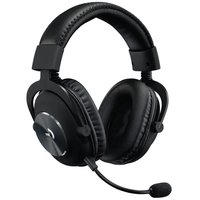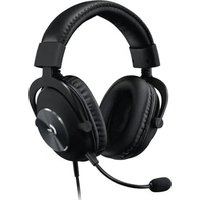
G Pro X SE - Earphones LOGITECH - Free user manual and instructions
Find the device manual for free G Pro X SE LOGITECH in PDF.


| Brand | Logitech |
| Model | G Pro X SE |
| Category | Headset |
| Product type | Wired gaming headset with microphone |
| Weight | Approximately 250 g |
| Dimensions | Approximately 200 x 180 x 90 mm |
| Main material | Plastic, foam and leatherette |
| Microphone | Detachable, unidirectional with Blue VOICE filter |
| Speakers | 40 mm neodymium magnet |
| Impedance | 32 ohms |
| Sensitivity | 91 dB/mW |
| Frequency response | 20 Hz - 20 kHz |
| Connectivity | 2 m cable with CTIA 3.5 mm jack, USB DAC |
| Built-in DAC | Yes, USB with 5-band equalizer and DTS Headphone:X 2.0 |
| Configuration software | Logitech G HUB |
| Compatibility | PC, Xbox One, PlayStation 4, mobile devices |
| Audio functions | DTS Headphone:X 2.0, Blue VOICE |
| Power | Via USB (DAC) or no power for Jack |
| Included accessories | Detachable microphone, console/PC cable, phone cable, PC splitter, USB DAC |
| Care and cleaning | Clean with a soft dry cloth |
| Safety | Respect listening levels to avoid hearing damage |
| Spare parts and repairability | Replaceable ear pads and cables |
| Warranty | 2 years |
| General information | Headset designed for gaming with customizable equalizer |
Frequently Asked Questions - G Pro X SE LOGITECH
User questions about G Pro X SE LOGITECH
0 question about this device. Answer the ones you know or ask your own.
Ask a new question about this device
Download the instructions for your Earphones in PDF format for free! Find your manual G Pro X SE - LOGITECH and take your electronic device back in hand. On this page are published all the documents necessary for the use of your device. G Pro X SE by LOGITECH.
USER MANUAL G Pro X SE LOGITECH
SETUPGUIDE|GUIDED INSTALLATION
logitech

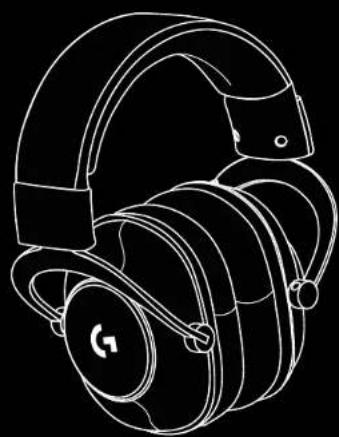
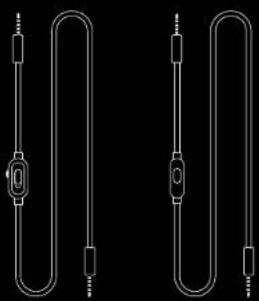
ENGLISH 3
FRANCAIS .7
ESPANOL 11
PORTUGUES 15





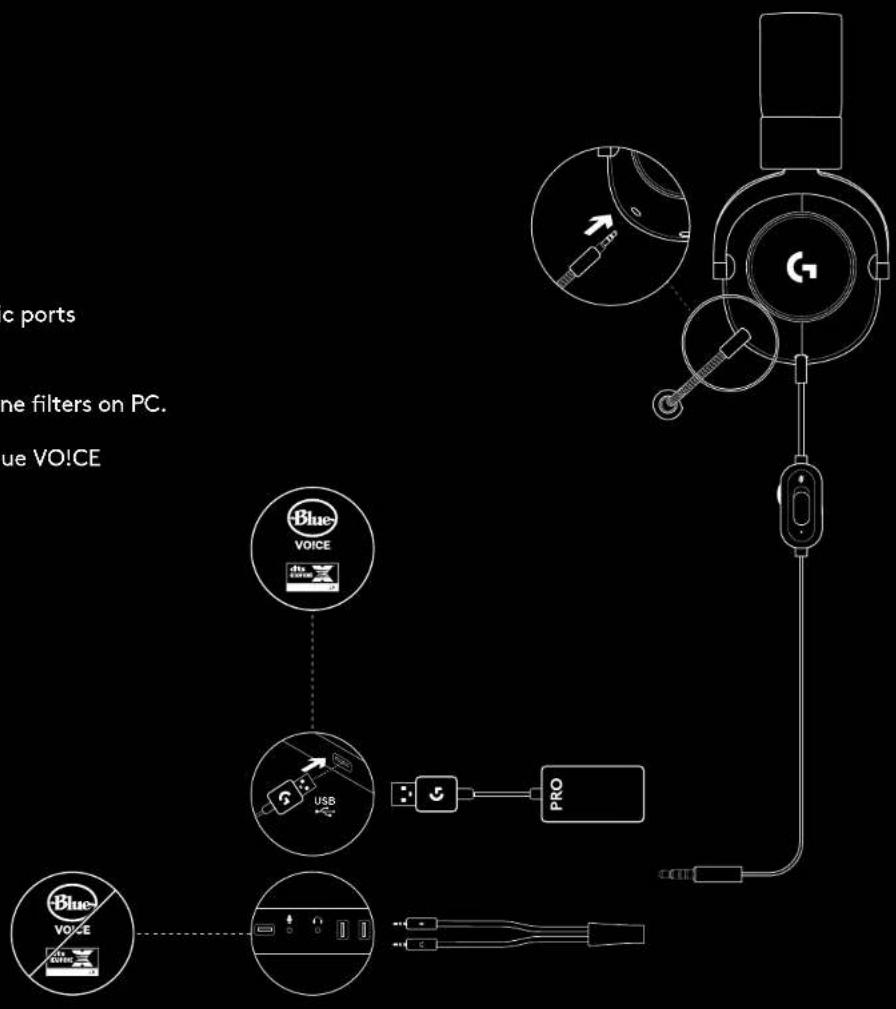
PC SETUP
1 Plug in microphone
2 Plug console/PC cable into headset
3 Using USB DAC:
- Plug console/PC cable into USB DAC
- Plug USB DAC into PC
4 Using PC sound card:
- Plug console/PC cable into PC splitter
- Plug PC splitter into PC's headphone and mic ports
1Included USB DAC enables 5-band EQ tuning, DTS Headphone:X 2.0 and Blue VO!CE microphone filters on PC. Requires Logitech G HUB software download. 5-band EQ tuning, DTS Headphone:X 2.0 and Blue VO!CE are not available while using PC sound card.
CONSOLE SETUP
(XBOX ONE™, PLAYSTATION®)
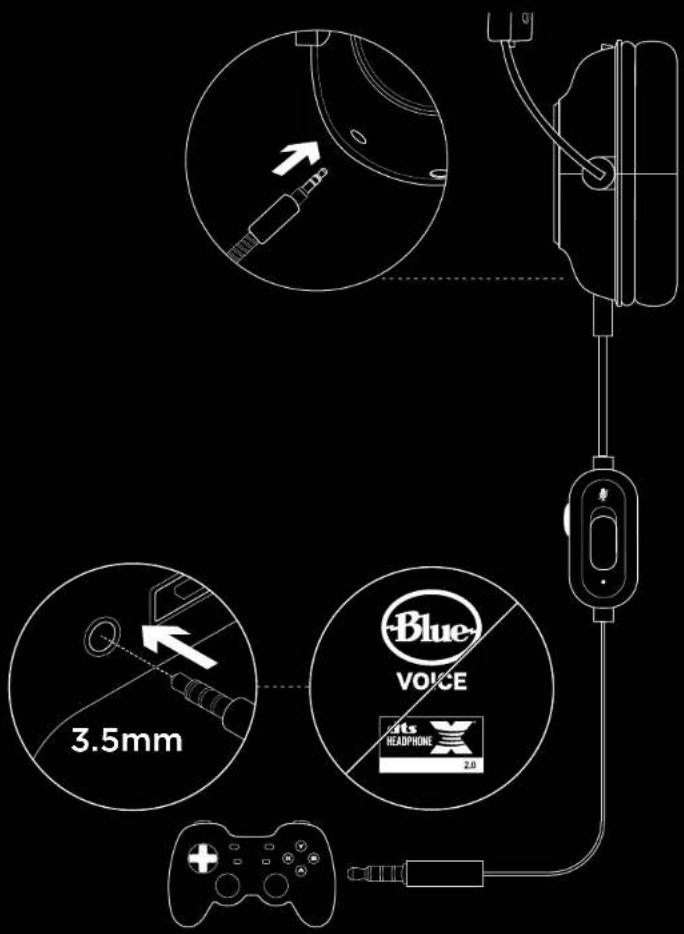
1 Plug in microphone
2 Plug console/PC cable into headset
3 Plug other end into controller?
2 Instructions may vary based on your system version. Please check your console manual for additional guidance. Xbox One and PlayStation 4 operate in stereo mode only via analog cable. Some Xbox One controllers may require Xbox One Stereo Headset Adapter, sold separately. 5-band EQ tuning, DTS Headphone:X 2.0 and Blue VO!CE are not available while connected to console controller.
MICROPHONE POSITION SETUP
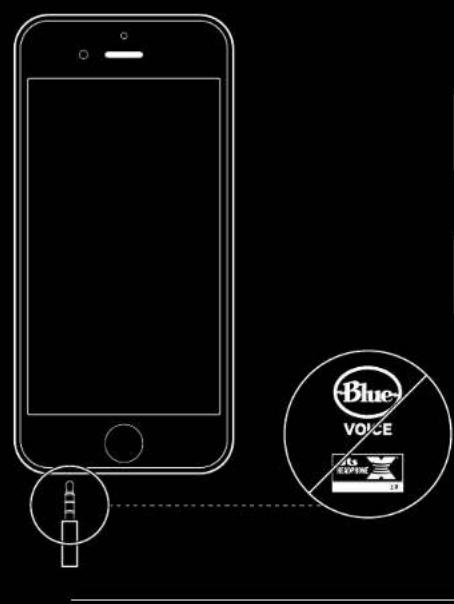
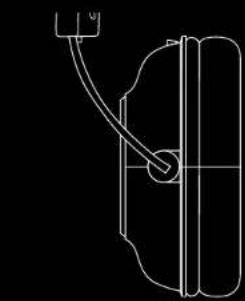
1 Remove microphone
2 Plug in mobile cable to headset
3 Plug mobile cable into phone
35-band EQ tuning, DTS Headphone:X 2.0 and Blue VO!CE are not available on mobile devices.


MICROPHONE PLACEMENT
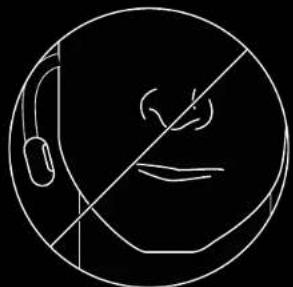
Ideal placement of the microphone is at the corner of your mouth. In this position, your voice can be heard clearly without the microphone picking up breathing sounds.
FREQUENTLY ASKED QUESTIONS
Q: How do I save a custom EQ to the USB DAC?
A: Connect the USB DAC to a PC's USB port and use G HUB software to download a pre-configured EQ from your favorite pro gamer, or to configure your own custom EQ settings. After using G HUB to save your EQ to the DAC, you can then enjoy your custom settings even on tournament PCs with no G HUB software installed.
Q: Can I save Blue VOICE settings to the USB DAC?
A: No, Blue VO!CE technology is only available while using G HUB software and the USB DAC on PC.
Q: Can I save DTS Headphone:X 2.0 settings to the USB DAC?
A: No, DTS Headphone:X 2.0 is only available while using G HUB software and the USB DAC on PC.


CONFIGURATION SUR PC
© 2019 Logitech, Logitech G. Logi and their respective logos are trademarks or registered trademarks of Logitech Europe S.A. and/or its affiliates in the U.S. and other countries. For DTS patents, see http://patents.dts.com. Manufactured under license from DTS Licensing Limited. DTS, the Symbol & DTS and the Symbol together, Headphone X, and the DTS HeadphoneX logo are registered trademarks or trademarks of DTS, Inc. in the United States and/or other countries. All other trademarks are the property of their respective owners.