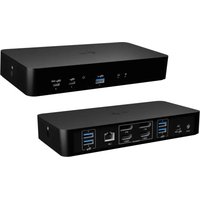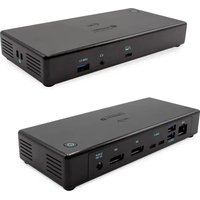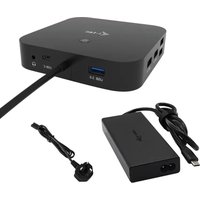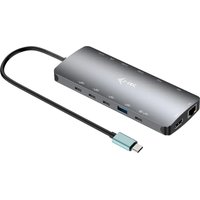
C31NANODOCKPD - Docking station i-TEC - Free user manual and instructions
Find the device manual for free C31NANODOCKPD i-TEC in PDF.


User questions about C31NANODOCKPD i-TEC
0 question about this device. Answer the ones you know or ask your own.
Ask a new question about this device
Download the instructions for your Docking station in PDF format for free! Find your manual C31NANODOCKPD - i-TEC and take your electronic device back in hand. On this page are published all the documents necessary for the use of your device. C31NANODOCKPD by i-TEC.
USER MANUAL C31NANODOCKPD i-TEC
natural_image
Exterior view of a gray USB device with a blue USB cable connector (no text or symbols visible)User guide • Gebrauchsanweisung • Mode d'emploi Manual de instrucciones • Manuale • Uživatelská príručka Instrukcje obsługi • Užívatel'ská príručka • Vartotojo vadovas Handleiding
P/N: CANANOTDOCKPD
EN Please read the entire instruction manual carefully. Detailed manual is available on our website www.i-tec.pro/en in the tab „Manuals, drivers“. In case of any issues, please contact our technical support at: support@itecproduct.com
text_image
QR code image containing encoded data, no visible human-readable textENGLISH 06-18
DEUTSCH....19-32
FRANÇAIS....33-46
ESPAÑOL 47-60
ITALIANO 61-74
ČESKY 75-88
POLSKI....89-102
SLOVENSKY....103-116
LIETUVOS....117-130
NEDERLANDS....131-144
WEEE....146-147
Declaration of Conformity 148–149
FCC....150
www.i-tec.pro
Quick Start / CANANOTDOCKPD/ English Quick Start / CANANOTDOCKPD/ English
SPECIFICATIONS
- Integrated 30 cm USB-C cable includes USB-C to USB 3.0 adapter
- Docking station technology: displayLink + USB-C DP Alt mode + USB-C PD
• Power Delivery: 100 W
• Video Ports: 2x HDMI, 1x VGA -
Resolution:
-
1 monitor - 1x HDMI 1 → up to 4K/30Hz*
- 1 monitor - 1x HDMI 2→ up to 1080p/60Hz
- 1 monitor - 1x VGA → up to 1080p/60Hz
- 2 monitors - 1x HDMI 1 + 1x HDMI 2 → up to 4K/30Hz* and 1080p/60Hz
- 2 monitors - 1x HDMI 1 + 1x VGA → up to 4K/30Hz* and 1080p/60Hz
- 2 monitors - 1x HDMI 2 + 1x VGA → up to 2x 1080p/60Hz
- 3 monitors - 1x HDMI 1 + 1x HDMI 2 + 1x VGA → up to 1x 4K/30Hz and 2x 1080p/60Hz
• 1x USB-C 3.2 Gen 1 port (data only)
• 1x USB-C port PD (power delivery only)
• 1x USB 3.2 Gen 1 (5Gbps)
- 3x USB 2.0
• 1x Ethernet GLAN RJ-45 port (DL-3900)
- 1x SD slot
- 1x microSD slot
- OS: Windows 10/11, macOS, Android, Chrome OS, and Linux with the latest updates
• Product dimensions: 127 x 60 x 18 mm
• Product weight: 122 g
* Devices with a free USB4, USB-C port with "DisplayPort Alternate Mode" support or Thunderbolt™ 3/4 port
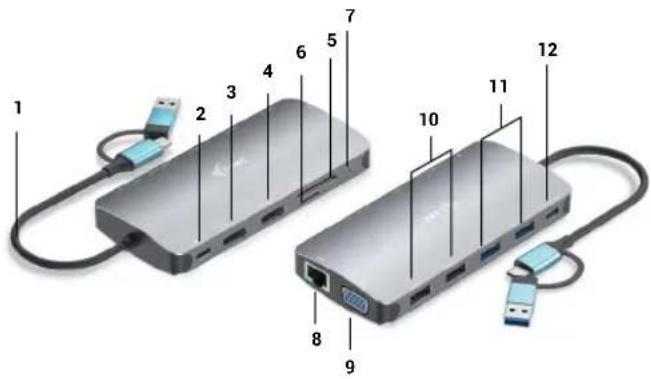
DESCRIPTION DOCKING STATION
- Integrated 30 cm USB-C cable includes USB-C to USB 3.0 adapter
- USB-C Power Delivery port - for charging Power Delivery-enabled devices. You can plug an original or universal AC adapter with a USB-C connector into this port to ensure constant charging while you work with your laptop, tablet or smartphone. When you unplug the USB-C adapter, the docking station restarts and all connected devices are disconnected and reconnected.
- 1x HDMI (HDMI1 port is only available when dock is connected to USB4, USB-C port with "DisplayPort Alternate Mode" support or Thunderbolt™ 3/4 port)
- 1x HDMI
- 1x SD slot
- 1x microSD slot
- LED indication
- Ethernet GLAN RJ-45 port - for connection to Ethernet network / router / switch / HUB and to the Internet
- 1x VGA
- 2x USB-A 2.0 port - for connecting USB devices
- 2x USB-A 3.2 Gen1 port - for connecting USB devices
- USB-C 3.1 Gen. 1 port (data only) - for connecting USB devices
text_image
Diagram of two USB devices with numbered ports and connectors, likely illustrating network topology or data transfer.Quick Start / CANANOTDOCKPD/ English Quick Start / CANANOTDOCKPD/ English
SYSTEM REQUIREMENTS
Hardware requirements: Device with a free USB-A, USB-C, USB4 or Thunderbolt™ 3/4 port Power Delivery requirements: Devices with a free USB-C or Thunderbolt 3 port with "Power Delivery" support.
HDMI1 video output requirements: Devices with a free USB4, USB-C port with "DisplayPort Alternate Mode" support or Thunderbolt™ 3/4 port
Operating system: Windows 10/11, macOS, Android, Chrome OS and Linux with latest updates
INSTALLING DRIVERS
Windows 10 32/64bit: When connected, the drivers for the dock are automatically installed from the system. Make sure you have the latest drivers for your device and an updated BIOS installed on your system before installing.
Mac OS X: Driver installation in Mac OS X is automatic. Before installing, make sure you have the latest OS for your device installed on your Mac.
HDMI/VGA MONITOR CONNECTION
The docking station is equipped with 2x HDMI and 1 x VGA ports for connecting external monitors, projectors or TVs with DisplayPort / HDMI interface. The graphics chip, which is the "heart" of the docking station. Use a quality HDMI/VGA cable to connect your monitor to the docking station. The screen of your laptop, Mac, tablet or PC may flicker during installation of the additional monitor, which is a standard condition.
CONNECTION TO THE LAN NETWORK
The GLAN RJ-45 port is used to connect to an Ethernet network to a router/switch and to the Internet, supporting speeds of 10 / 100 / 1000 Mbps.
USB DEVICE CONNECTION
Use the USB-A 3.0 ports to connect a keyboard, mouse, external drive, printer, and other peripherals, or use them to connect a HUB for additional free USB ports.
CHARGE
The docking station supports charging of connected USB mobile devices such as smartphones, e-book readers, media players, navigation devices and tablets. Simply connect the device to be charged with the original cable to the USB port of the docking station.
If the device does not charge, then plug the original or universal USB-C power adapter into the USB-C Power Delivery port of the dock.
CHARGING VIA POWER DELIVERY
The dock offers USB-C Power Delivery, which is designed to power the connected "parent" device using the original or universal AC adapter with USB-C connector.
Important:
When you disconnect the USB-C adapter, the dock restarts and all connected devices are disconnected and reconnected.
Notes on using the USB-C port:
Fully compatible devices/systems (Alt Mode & Power Delivery)
USB-C is a new standard with a great variety for use, while compatibility information is complex. Some USB-C devices/systems support Alt Mode video output while others do not. Some can be powered and charged via USB-C Power Delivery, while others cannot.
Partially compatible devices (support either Alt Mode or Power Delivery, not both) Many current USB-C devices that support Alt Mode video output do not support charging via USB-C Power Delivery. These devices still need their original chargers for charging. Conversely, some USB-C phones and tablets can charge via Power Delivery, but most do not support Alt Mode video output.
Incompatible devices/systems
The dock relies on new features introduced with USB 3.1 and as such, the USB-C Power Delivery feature is not backwards compatible with USB 3.0/2.0 for charging older devices. Additionally, USB-A 3.0/2.0 (Male) to USB-C (Female) converters are not compatible for connecting USB-C devices in the USB-A 3.0 ports of the dock. Most current phones and tablets with a USB-C port do not support Alt Mode video output, and some do not support USB-C Power Delivery. Check the device documentation or contact the device manufacturer to verify suitability with these technologies.
Most of the problems with the dock and connected peripherals can be solved by disconnecting the USB-C cable of the dock from the USB-C port of the PC/Mac/smartphone/tablet and reconnecting it after about 10s.
DRIVER INSTALLATION IN WINDOWS 7 / 8 / 8.1 / 10 / 11 (32/64 BIT VERSIONS)
WARNING! Do not connect the docking station to your laptop/tablet until you have installed the appropriate drivers. The drivers only need to be installed before first use. Make sure you have the latest drivers for your device and an updated BIOS installed on your system before installation.
Quick Start / CANANOTDOCKPD/ English Quick Start / CANANOTDOCKPD/ English
For Windows 7 / 8 / 8.1, download the drivers from our website www.i-tec.cz under the "Download" tab for this product. Start the installation from the downloaded file, select the installation language and follow the on-screen instructions.
In Windows 10 and Windows 11, the dock can be connected directly, and the drivers are automatically installed from the system when connected to the internet.
On Windows 7/8/8.1/10, install the drivers as the "Administrator" user. The screen may flicker during driver installation, this is a standard process. We recommend restarting your laptop/tablet after the installation is complete.
In a multi-laptop environment with Windows 7, 8, 8.1, a one-time corporate installation by a system administrator is possible. For more information on how to install, read the instructions here: http://www.displaylink.com/downloads/corporate
HARDWARE INSTALLATION
(CONNECTING THE DOCKING STATION TO THE LAPTOP/TABLET)
1) Turn on your laptop/tablet and connect the power adapter to the docking station.
2) Plug the USB-C power adapter of the docking station into an AC 110 V / 230 V mains power supply - (only if you have a USB-C adapter. The dock does not come with a USB-C adapter.)
3) Plug the USB-C connector into the USB-C port on your laptop/tablet. Use a USB-C to USB-A adapter to plug into the USB-A port of your laptop/tablet.
4) The automatic installation of ports on each system is then initiated.
5) After the installation is complete, restart your laptop/tablet.
If any of these devices are marked with a yellow ! or ?, then the docking station is not installed correctly. In this case, disconnect the docking station, uninstall the existing drivers (see the section "Uninstalling Drivers") and reinstall the latest drivers, which are available for download on our website www.i-tec.cz under the "Download" tab for this product. Then reconnect the docking station to the laptop/tablet. In case of problems, you can contact our technical support: support@itecproduct.com.
INSTALLING DRIVERS ON MAC OS X
WARNING! Do not connect the dock to your Mac until you have installed the appropriate drivers. Drivers only need to be installed before first use. We recommend that you have the latest macOS operating system installed.
Download the drivers from our website www.i-tec.cz under the "Download" tab for this product and start the installation:
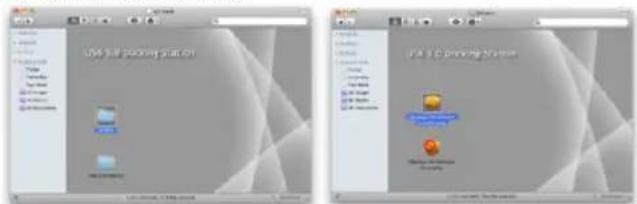
Extract the file to your MacBook desktop as a virtual disk, select "Drivers" and then "DisplayLink Software Installer". Then select the installation language and follow the on-screen instructions, entering the user password if necessary. The screen may flicker during driver installation, this is a standard process. When the installation is complete, restart your MacBook.
text_image
USB 3.0B pocket platform USB 3.0C Printing SystemInstalling Drivers in Mac OS X
HARDWARE INSTALLATION
(CONNECTING THE DOCKING STATION TO THE MACBOOK)
1) Turn on your laptop/tablet and connect the power adapter to the docking station.
2) Plug the dock's power adapter into a 110V/230V AC power outlet - (Only if you have a USB-C adapter. The dock does not come with a USB-C adapter.)
3) Plug the USB-C connector into the USB-C port on your laptop/tablet. Use a USB-C to USB-A adapter to plug into the USB-A port of your laptop/tablet.
4) The automatic installation of the ports will then begin.
5) After the installation is complete, restart your MacBook.
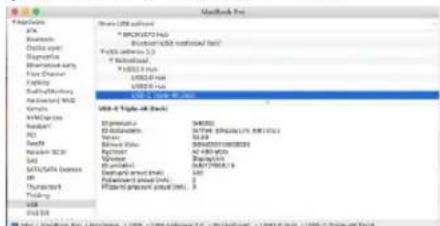
The installed ports are shown in Mac OS X as "USB-C Triple-4K Dock" in "About This Mac" → "System Profiler" → "Hardware" → "USB".
text_image
Microsoft Free File Edit View Insertion: 1 USB / USB Forward 2.0 - [Default] / USB 2.0 - [Default] (Edit) Browse Edit text Image Internet key First Channel Language Sub-Portfolio Forward Web Name AutoCADs Model1 Model2 Model3 Model4 Model5 Model6 Model7 Model8 Model9 Model10 Model11 Model12 Model13 Model14 Model15 Model16 Model17 Model18 Model19 Model20 Model21 Model22 Model23 Model24 Model25 Model26 Model27 Model28 Model29 Model30 Model31 Model32 Model33 Model34 Model35 Model36 Model37 Model38 Model39 Model40 Model41 Model42 Model43 Model44 Model45 Model46 Model47 Model48 Model49 Model50 Model51 Model52 Model53 Model54 Model55 Model56 Model57 Model58 Model59 Model60 Model61 Model62 Model63 Model64 Model65 Model66 Model67 Model68 Model69 Model70 Model71 Model72 Model73 Model74 Model75 Model76 Model77 Model78 Model79 Model80 Model81 Model82 Model83 Model84 Model85 Model86 Model87 Model88 Model89 Model90 Model91 Model92 Model93 Model94 Model95 Model96 Model97 Model98 Model99 Model100Viewing the dock on macOS
Quick Start / CANANOTDOCKPD/ English Quick Start / CANANOTDOCKPD/ English
For Android, Chrome OS and Ubuntu, use the DisplayLink chipset manufacturer's drivers. These can be downloaded from our website www.i-tec.cz under the "Download" tab for this product or here: http://www.displaylink.com/downloads.
USE IN WINDOWS
Advanced configuration for graphical output -
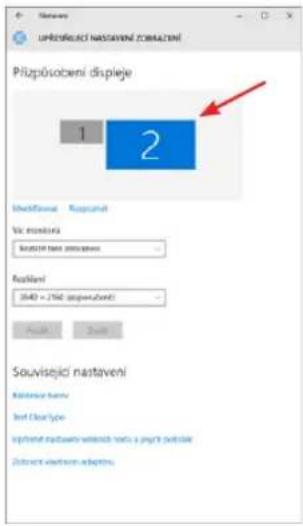
After connecting the monitor, right-click on the Desktop and select "Display Settings". Here you can select both the monitor usage and the monitor resolution and frequency.
text_image
UPROVLECI NASTAVENI ZOMULTENI Pluplobojeni displeje 1 2 Unifčenice Reputet Vic monitora Nostavni nastaveni Rostaveni 340 = 256 (upervčeni) Pvalent Zust Souvisejici nastaveni Reference form Inf. ClearType Inšteni nastaveni vinklých text a jejty belska Dinšte vinklom adětěnClick and drag the second monitor to position it as needed. to the original monitor of your laptop/tablet
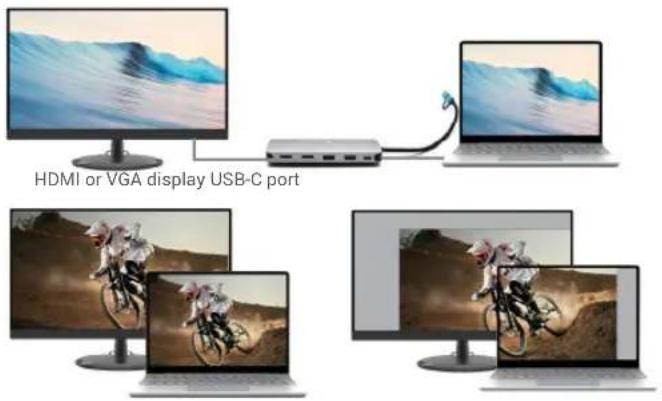
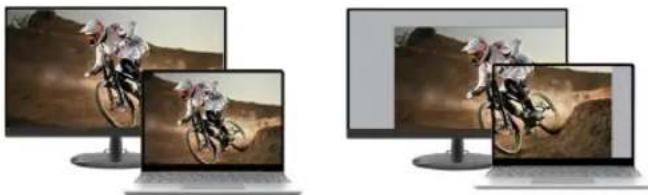
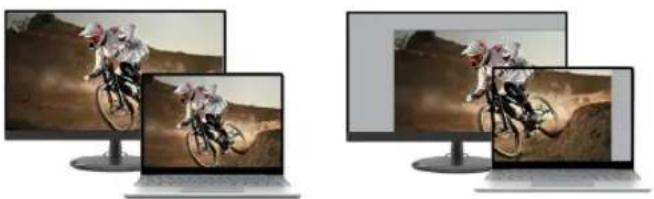
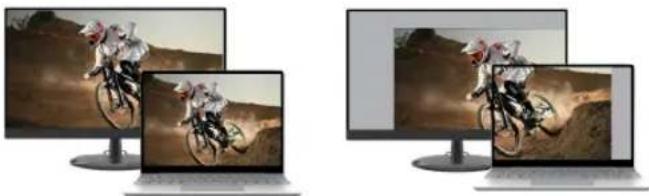
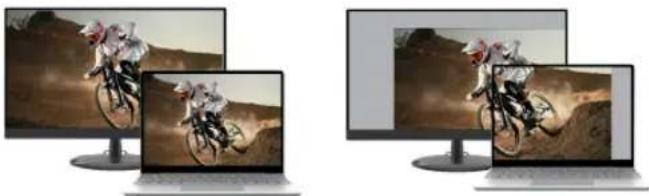
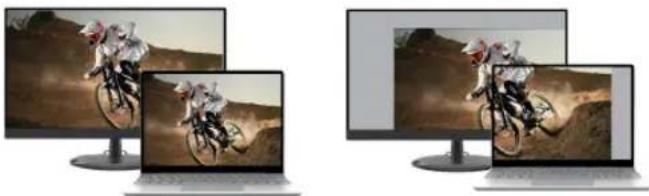
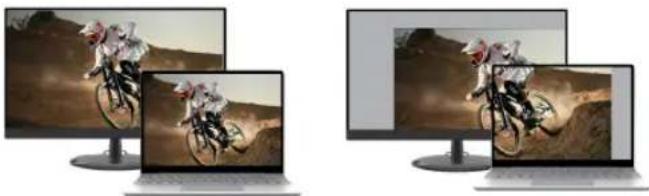
Extend and Mirror/Duplicate settings can be made:
- Mirror / Duplicate (Mirror) mode: on the screen, select the 2nd monitor, for Multiple monitors Duplicate this view OK.
- Extend mode: on the screen, select the 2nd monitor, at Multiple monitors → Extend this view → OK.
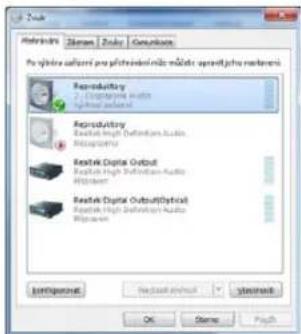
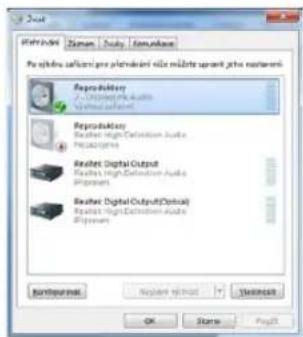
Sound settings - Windows → System → Sound
text_image
HDMI or VGA display USB-C portExpand and Mirror modesMirror mod
Expand and Mirror modes
Quick Start / CANANOTDOCKPD/ English Quick Start / CANANOTDOCKPD/ English
text_image
Zuka Reproduktory 2.10000000000000000000000000000000000000000000000000000000000000000000000000000000000000 Reproduktory Output High Definition Audio Retrochopper Zuka Digital Output Output High Definition Audio Retrochopper Zuka Digital Output(Digital) Output High Definition Audio Retrochopper Reproduktory output(Digital) Output High Definition Audio Retrochopper Reproduktory output(Digital) Output High Definition Audio Retrochopper Reproduktory output(Digital) Output High Definition Audio Retrochopper Reproduktory output(Digital) Output High Definition Audio Retrochopper Reproduktory output(Digital) Output High Definition Audio Retrochopper Reproduktory output(Digital) Output High Definition Audio R retrochopper Reproduktory output(Digital) Output High Definition Audio R retrochopper Reproduktory output(Digital) Output High Definition Audio R retrochopper Reproduktory output(Digital) Output High Definition Audio R retrochopper Reproduktory output(Digital) Output High Definition Audio R retrochopper Reproduktory output(Digital) Output High Definition Audio R retrochopper Reproduktory output(D digital) Output High Definition Audio R retrochopper Reproduktory output(D digital) Output High Definition Audio R retrochopper Reproduktory output(D digital) Output High Definition Audio R retrochopper Reproduktory output(D digital) Output High Definition Audio R retrochopper Reproduktory output(D digital) Output High Definition Audio R retrochopper Reproduktory output(D digital) Output High Definition Audio R retroch copper Reproduktory output(D digital) Output High Definition Audio R retroch copper Reproduktory output(D digital) Output High Definition Audio R retroch copper Reproduktory output(D digital) Output High Definition Audio R retroch copper Reproduktory output(D digital) Output High Definition Audio R retroch copper Reproduktory output(D digital) Output High Definition Audio R retroch copper Reproduktory output(D digital) 输出高光盘 124bit 124bit 124bit 124bit 124bit 124bit 124bit 124bit 124bit 124bit 124bit 124bit 124bit 124bit 124bit 124bit 124bit 124bit 124bit 124bit 124 bit 124 bit 124 bit 124 bit 124 bit 124 bit 124 bit 124 bit 124 bit 124 bit 124 bit 124 bit 124 bit 124 bit 124 bit 124 bit 124 bit 124 bit 124 bit 124 bit 124 bits 124 bits 124 bits 124 bits 124 bits 124 bits 124 bits 124 bits 124 bits 124 bits 124 bits 124 bits 124 bits 124 bits 124 bits 124 bits 124 bits 124 bits 124 bits 124 bits 124bitsSound settings
Standby / Hibernate mode and Video port - after activating the laptop/tablet from
Standby / Hibernate mode, the primary (original) monitor is displayed, so we recommend using the one integrated with the laptop/tablet as the primary monitor to log back into the system.
Mirror mode - the additional monitor is controlled by the parameters of the original monitor in the system, i.e. if you set the Mirror mode and the original monitor has a resolution of e.g. 1280x1024, then the screen is transferred to the additional monitor at a maximum resolution of 1280x1024 (even if you set it to a higher resolution).
You can also easily control the monitors using the "Windows" + P keyboard option - to use the monitor in Windows 10, you can choose: Computer screen only, Duplicate, Expand, Second screen only.
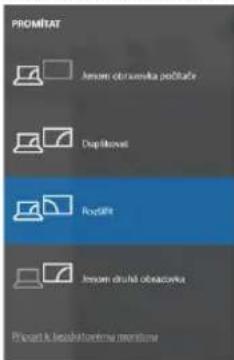
Control the monitor in Windows 10
USE IN MAC OS X
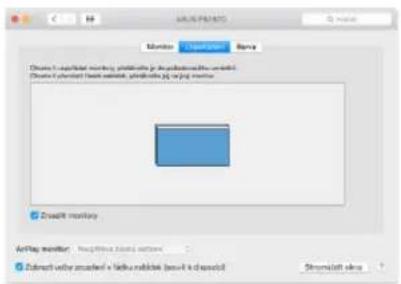
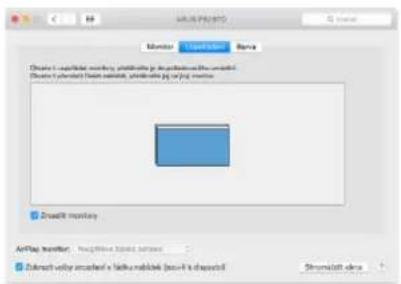
Once the monitor is connected, the screen on your Mac will flicker, which is the default state, and once it has settled down, you can make the standard settings here:
System Preferences-Monitors:
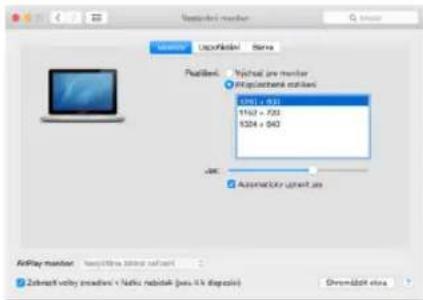
text_image
Installed monitor System Lock/Monitor Status Default: Not available on monitor IP addressbank mbkali 100 x 200 1162 x 200 1224 x 243 JAK Automaticly upstart as AirPlay monitor - Not available in this system Zebrafit voltasisturi + Naticu neblak (pass it's deployed) Shromidisk eliteClick Arrange, and in the default mode (Expand), click and drag the new monitor as needed relative to the Mac monitor. Selecting Mirror Monitors will change the mode to Mirror (the resolution of the monitors will automatically adjust to their parameters, setting the highest possible resolution on both monitors). Deselect Mirror Monitors to restore the Expand mode.
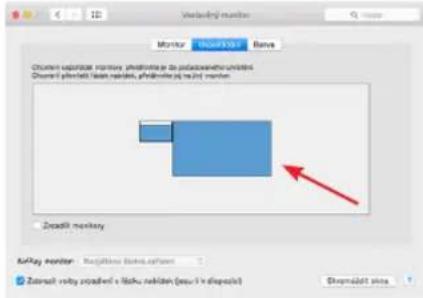
text_image
Myrista Hok/1301 Bare Chumen sejutjat marnay, phodotnje je do podavandru unidini Chumen j phodoti kian nandin, phodotnje je na i j mornen Zeadil monkey kuyay monitor - Kugjihne bana sylam Zastali roby skadrevi e haku neblan (pau i v dispost) Sharmadit sinaExtend mode: The arrow indicates the possibility of positioning the connected monitor relative to the Mac monitor.
Quick Start / CANANOTDOCKPD/ English Quick Start / CANANOTDOCKPD/ English
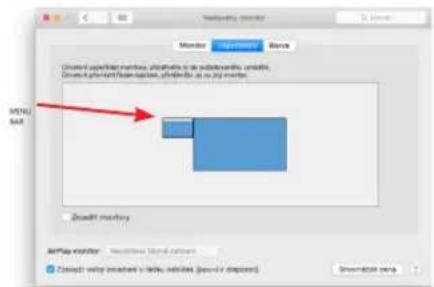
text_image
MIDU SAB Monitor Monitor Blanche Onseted specifilar membras, photohisto di sodderovirlo omabili. Onseted specifilar finan ration, photohisto at 10 p.m. mmb. Zoedil monitoring AirPlay monitor Zoedil wolo specifilar v lletu mobrass (pavlov di diagnos) Shroomist screenExtend mode: In this mode, you can select the Main Monitor by dragging the Menu Bar.
text_image
Monitor Update Help Choose 1. AppWizard monitoring, monitoring je degraduation-line software Choose 2. Projected fresh website, projectable jg & jg monitor Zcredit monitor Anplay monitor: Reagibility based software Submit filter masked x folder masked (submit k channel) Streamshift infoMirror mode: can only be used if it is offered by Mac.
By selecting Gather Windows, you can choose the settings for the corresponding monitor - Customized Resolution (offers usable resolutions), Rotation (Standard, 90°, 180° and 270°) and Refresh Rate (if offered). Depending on the monitor you are using, these settings are:

In Customized mode, click on the icon of your choice, the resolution will be described
below the screen
(here visually 3008x1692 = 4K@30Hz)
Closed display mode - Working on a connected external monitor when the Mac monitor is tilted is only possible when the Mac is powered on and the mouse and keyboard are connected. More information here: https://support.apple.com/en-euro/HT201834
SAFETY INSTRUCTIONS FOR USING THE DOCKING STATION
- Do not expose to extreme temperatures and humidity.
- Use the device on flat pads to avoid slipping and falling on the ground.
- Keep the drivers and manual for later use.
In cooperation with the service department:
- Check functionality after falling into water or on the ground.
- Verify functionality when the cover is cracked.
- Complain about the device not working according to the manual.
FREQUENTLY ASKED QUESTIONS - available on our website www.i-tec.cz under the "FAQ" tab for this product
If you have further questions or problems with the docking station, you can contact our technical support: support@itecproduct.com.
SPEZIFIKATIONEN
text_image
Diagram of two USB devices with numbered labels pointing to ports and cablesSYSTEMANFORDERUNGEN
text_image
USB 3.6 Packing Station Download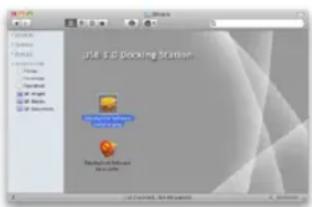
text_image
File 3.5. Packaging Station File 3.5. Packaging Station File 3.5. Packaging Stationnatural_image
Two laptops connected via a cable to a desktop monitor displaying a snowy landscape image (no text or symbols visible)HDMI or VGA display USB-C port
natural_image
Two computer monitors displaying a racing scene with cyclists on a dirt road (no text or symbols visible)Expand and Mirror modesMirror mod
text_image
Installing monitor Monitor Imported Name Default: Windows.exe monitor ● Photocoustic monitor 1100 x 646 1182 x 730 1504 x 646 Jas: Automatically installed as RisKey monitor: Not applicable, base pattern Select voltry soundset / radio buttons (play - I is displayed) ShrsMaltch screentext_image
Mybox Mybox Name Options: Applicable inventory, not available group, available inventory unit, or Class 1: inventory flash version, flash size (px) (px) member. Zcredit inventory Mybox number Zoback value created in 1 basis points (pass 0% display) Drawn/alt valuetext_image
Monitor Audio Bags Chinese: 1. superlifter monitoring, photolysis je deplasing the world's world Chinese: 2. superlifter test result, photolysis jg on jag monitor Zonalit monitor Audio monitor Audio files (main software) Subtract value analysis x latke analysis (local k channel) Shrsshift viewtext_image
Control Panel Control Panel Control Panel Control Panel Control Panel Control Panel Control Panel Control Panel Control Panel Control Panel Control Panel Control Panel Control Panel Control Panel Control Panel Control Panel Control Panel Control Panel Control Panel Control Panel Control Panel Control Panel Control Panel Control Panel Control Panel Control Panel Control Panel Control Panel Control Panel Control Panel Control Panel Control Panel Control Panel Control Panel Controls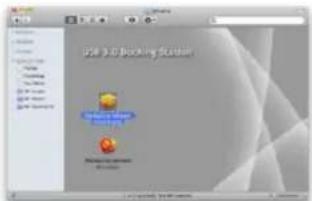
text_image
25.0.3D booking solution Prompts to be completedhttp://www.displaylink.com/downloads.
Quick Start / CANANOTDOCKPD/ Français
Quick Start / CANANOTDOCKPD/ Français
UTILISATION DANS LES FENÊTRES
natural_image
Two desktop computers connected via a cable to a network device, one displaying a snowy landscape image (no text or symbols visible)HDMI or VGA display USB-C port
natural_image
Two computer monitors displaying a racing scene with cyclists on a desert terrain (no text or symbols visible)Expand and Mirror modesMirror mc
Modes "expansion" et "miroir
Quick Start / CANANOTDOCKPD/ Français
Quick Start / CANANOTDOCKPD/ Français
text_image
Reversal器 2 - Disinquent Audio Transfers performed Reversal器 Resist in High-Discension Audio Transfers performed Resist in Digital Output Resist in High-Discension Audio Transfers performed Resist in Digital Outputs/Options Resist in High-Discension Audio Transfers performed Referanseer Import of Host Showout OK Name PreviewRéglages du son
text_image
Monitor SALIFILER Flow Create an upstream directory. Initialize you to publish available website. Choose 1. admin which has been done, then choose your website. Deadfill directory AirPlay monitor Startframe (stream) version Zobrack Valley streamer + https://roadshow/assv-04-dispnl/ Drumental viewtext_image
Mac OS X Monitor Monitor Blanche Onset screen displays, display is in database format, available. Onset screen displays, display is in job market. MENI-MAT Scanoff monitor AirPlay monitor AirPlay monitor AirPlay monitor AirPlay monitortext_image
ARUS PASSS Monitor Lipid filter Bags Choose a multi-modal monitoring, photolysis is depolarized by the operator. Choose a precast from context, photolysis is just on the monitor Zreadit monkey Arifray monitor - Recognize based software Extract vinyl acadian x lathe mablab (base-1 is channel) Shramkott infohttp://www.displaylink.com/downloads.
Quick Start / CANANOTDOCKPD/ Español Quick Start / CANANOTDOCKPD/ Español
USO EN VENTANAS
text_image
Monitor OK/START Name Chimer's specified monthly, in millions of pct polystyrolino unrolled Disease 1 after which has been available, after which is not required. Zonalit mandatory Affay member Zebrafish vialny icardini's + bales reabink (no 0% displayed) Streamshift viewtext_image
Mac OS X Monitor Monitor Blanche Onset screen displays, display is in the database. Onset Onset screen displays, display is in the database. MENI-MAT Scanoff monitors AirPlay monitor AirPlay monitor AirPlay monitor AirPlay monitortext_image
ARUS PASSS Monitor Lipid filter Bags Choose a multi-modal monitoring, photolysis is depolarized by the operator. Choose a precast from context, photolysis is just on the monitor Zreadit monkey Arifamp monitor - Recognize based software Extract vinyl acadian x lathus mablab (base-1 is channel) Shramkott infotext_image
DLL P3416Q Browser Berve RecBench: Vigneszi pro monitor Phlovdavend mailbendi Home's Widell text Horn's 200000000000000000000000000000000000000000000000000000000000000000000 View mode in worklist, for the photodiscerned broadband network video Cirebendi Standardize Shramathin closetext_image
Lock 3.0 Docking System File Edit View Insert Help
text_image
USB 3.0 Docking Platform Microsoft Excel logonatural_image
Two laptops connected via a cable to a desktop monitor displaying a snowy landscape image (no text or symbols visible)HDMI or VGA display USB-C port
natural_image
Two computer monitors displaying a racing scene with riders on a desert terrain (no visible text or symbols)
natural_image
Two computer monitors displaying a racing game scene: one with a rider on a dirt path, the other with a motorcycle in action (no visible text or symbols)Expand and Mirror modesMirror mc
text_image
MyTrip myTrip Barra Chromer: spaclast territory, preprint in the publication engine model. Chrome 1: phonetic base repasis, phodrading p2.2.23 monitor. Dreadit mandatory MyTrip manager Deselect voley created + helix rebuild (see link diagnostic) Dreadit historytext_image
MNTL 5.04 Monitor Monitor Block Onset screen displays monitor, plushcode or add-on file, edit, and log files. Onset screen displays options, plushcode as an app monitor. Build it directory AirPlay monitor AirPlay monitor AirPlay monitor AirPlay monitortext_image
ARUS PASSS Monitor LED LED Bags Choose a portable mouse, photolysis by appellation the available Choose a portable fresh mouse, photolysis by the mouse Zreadit monkey Arifay monster - Recognize based software Extract vinyl acadian x lathe mablek (base-1 is chosen) Shramkott ideatext_image
DILL P3416Q Browser: Berva RecBench: Vipknout Pro monitor Vipknout Berva Home's Vill text View table in website, for video download or network monitoring CreBench: Standard Shramathin closeVariante del display 2
text_image
Diagram of two connected USB devices with numbered labels pointing to ports and cablesSYSTÉMOVÉ POŽADAVKY
text_image
USB 3.0 Docking Station User Store Inventory Managerhttp://www.displaylink.com/downloads.
Quick Start / CANANOTDOCKPD/ Česky Quick Start / CANANOTDOCKPD/ Česky
POUŽITÍ V OS WINDOWS
natural_image
Two desktop computers connected via a cable, one displaying a snowy landscape image (no text or symbols visible)HDMI or VGA display USB-C port
natural_image
Two computer monitors displaying a racing scene with multiple bikes in action (no visible text or symbols)text_image
Projector Projector Projector Projector Projector Projector Projector Projector Projector Projector Projector Projector Projector Projector Projector Projector Projector Projector Projector Projector Projector Projector Projector Projector Projector Projector Projector Projector Projector Projector Projector Projector Projector Projector Targetor Targetor Targetor Targetor Targetor Targetor Targetor Targetor Targetor Targetor Targetor Targetor Targetor Targetor Targetor Targetor Targetor Targetor Targetor Targetor Targetor Targetor Targetor Targetor Targetor Targetor Targetor Targetor Targetor Targetor Targetor Targetor Targetor TargetOR TargetOR TargetOR TargetOR TargetOR TargetOR TargetOR TargetOR TargetOR TargetOR TargetOR TargetOR TargetOR TargetOR TargetOR TargetOR TargetOR TargetOR TargetOR TargetOR TargetOR TargetOR TargetOR TargetOR TargetOR TargetOR TargetOR TargetOR TargetOR TargetOR TargetOR TargetOR TargetOR TargetORNastavení zvuku
text_image
AutoFisher monitor Monitor AutoFisher Save Chinese + app address memory, image files in the open environment installed. Phase 2: phonetic feature networks, phonetic data on PC monitor. Zreadit maxillary AutoPlay monitor AutoFlow mini-program Zobault valley mode(s) is healthy model (see 6% desktop) Streamshift viewtext_image
Monitor Monitor Balance Close-up upstream monitor, print volume or up postoperative update. Close-up physical format update, print volume or up post update. Balance monitor Play report: Next available (check) options Refresh status: 100% displayed in table. Additional (see this image)text_image
Monitor Operation Menu Close 1: insertable monitor, printable in the physical media world. Close 2: insertable time available, printable in the image world. Zoomify monitors Zoomify monitor Zoomify monitor - Recompute times patterns Zoomify active screen in static media world (base 4: Advanced) Shrsushk viewstext_image
Diagram of two USB devices with numbered labels pointing to ports and cablesWYMAGANIA SYSTEMOWE
text_image
Edit All Security System File Edit View Helptext_image
LGA & Other Software Version Product Manager Product ManagerINSTALACJA SPRZETU (PODŁĄCZENIE STACJI DOKUJĄCEJ DO MACBOOKA)
text_image
MacBook Pro Hardware ATS Bluetooth USB drive1.0 Bluetooth USB drive1.0 USB drive 2.0 USB drive 2.0 USB drive 2.0 USB drive 2.0 USB drive 2.0 USB drive 2.0 USB drive 2.0 USB drive 2.0 USB drive 2.0 USB drive 2.0 USB drive 2.0 USB drive 2.0 USB drive 2.0 USB drive 2.0 USB drive 2.1 USB drive 2.1 USB drive 2.1 USB drive 2.1 USB drive 2.1 USB drive 2.1 USB drive 2.1 USB drive 2.1 USB drive 2.1 USB drive 2.1 USB drive 2.1 USB drive 2.1 USB drive 2.1 USB drive 2.1 USB drive 2.1 USDC - Multiple-80 Dock USB drive 2.1 USB drive 2.1 USB drive 2.1 USB drive 2.1 USB drive 2.1 USB drive 2.1 USB drive 2.1 USB drive 2.1 USB drive 2.1 USB drive 2.1 USB drive 2.1 USB drive 2.1 USB drive 2.1 USB drive 2.1 SBDC - Multiple-80 Dock USB drive 2.1 USB drive 2.1 USB drive 2.1 USB drive 2.1 USB drive 2.1 USB drive 2.1 USB drive 2.1 USB drive 2.1 USB drive 2.1 USB drive 2.1 USB drive 2.1 USB drive 2.1 USB drive 2.1 USDC - Multiple-80 Deck USB drive 2.1 USB drive 2.1 USB drive 2.1 USB drive 2.1 USB drive 2.1 USB drive 2.1 USB drive 2.1 USB drive 2.1 USB drive 2.1 USB drive 2.1 USB drive 2.1 USB drive 2.1 USB drive 2.1 USB drive 2.1 GBDC - Multiple-80 Dock GBDC - Multiple-80 Dock GBDC - Multiple-80 Dock GBDC - Multiple-80 Dock GBDC - Multiple-80 Dock GBDC - Multiple-80 Dock GBDC - Multiple-80 Dock GBDC - Multiple-80 Dock GBDC - Multiple-80 Dock GBDC - Multiple-80 Dock GBDC - Multiple-80 Dock GBDC - Multiple-80 DockWyświetlanie doku w systemie macOS
INSTALOWANIE STEROWNIKÓW W INNYCH SYSTEMACH OPERACYJNYCH
natural_image
Two computer monitors connected via a cable to a network device, one displaying a snowy landscape image (no text or symbols visible)HDMI or VGA display USB-C port
natural_image
Two computer monitors displaying a racing scene with riders on their backs, shown from different angles (no text or symbols visible)Expand and Mirror modesMirror mc
Tryby Expand i Mirror
Quick Start / CANANOTDOCKPD/ Polski Quick Start / CANANOTDOCKPD/ Polski
text_image
Available monitor Status: 100% Status Position: ✓ Not available monitor ✓ Not available monitor 1162 x 733 1162 x 733 1024 x 943 ✓ Available grant as Addlay monitor Installtime (minutes) software ✓ Zebnack vicky posdavni x helix nizifik (pesa-8 k dispost) Shromidite infotext_image
Mac OS X Monitor Monitor Blanche Onset screen displays, display is in the database. Onset Onset screen displays, display is in the database. MENI-MAT Scanoff monitors AirPlay monitor AirPlay monitor AirPlay monitor AirPlay monitortext_image
ARUS PASSS Monitor Lipid filter Bags Choose a multi-modal monitoring, photolysis is depolarized by the operator. Choose a precast from context, photolysis is just on the monitor Zreadit monkey Arifray monitor - Recognize based software Extract vinyl acadian x lathus mablab (base-1 is channel) Shramkott infotext_image
Diagram of two connected hardware devices with numbered components, likely representing a network or device layout.SISTEMSKE ZAHTEVE
Zahteve za strojno opremo: Naprava s prostim priključkom USB-A, USB-C, USB4 ali Thunderbolt™ 3/4
Zahteve za Power Delivery: naprave s prostim priključkom USB-C ali Thunderbolt 3 s podporo "Power Delivery".
Zahteve za video izhod HDMI1: naprave s prostim priključkom USB4, USB-C s podporo "DisplayPort Alternate Mode" ali priključkom Thunderbolt™ 3/4
text_image
USB to Customize Password Password Password Passwordnatural_image
Two desktop computers connected via a cable to a network device, one showing a snowy landscape image (no text or symbols visible)HDMI or VGA display USB-C port
natural_image
Two identical computer monitors displaying a racing scene with riders on the back, shown from different angles (no text or symbols visible)Expand and Mirror modesMirror mc
text_image
Product Reproducibility 2 - Selected pre-Output High-Definition Audio Post-Output Reproducibility Reputet High-Duration Audio Post-Output Reputet Digital Output Reputet High-Duration Audio Post-Output Reputet Digital Output(Option) Reputet High-Duration Audio Post-Output Appendixment Appendixment Options Standard OK Name HelpNastavitve zvoka
Način stanja pripravljenosti / mirovanja in video vrata - po aktiviranju prenosnega računalnika/tablice iz načina stanja pripravljenosti / mirovanja se prikaže primarni
(prvotni) monitor, zato priporočamo, da za ponovno prijavo v sistem kot primarni monitor uporabite monitor, ki je vgrajen v prenosni računalnik/tablico.
Način zrcaljenja - dodatni monitor se upravlja s parametri prvotnega monitorja v sistemu, tj. će nastavite način zrcaljenja in ima prvotni monitor ločljivost npr. 1280x1024, se zaslon na dodatni monitor prenese z najvećjo ločljivostjo 1280x1024 (tudi će ste nastavili višjo ločljivost).
text_image
Monitor TAYLINDI Sire Unsuren audio/beat monitor, preprint (a) or post-credit monitor. Degree 1: preprint face-mass, preprint (b) or (c) monitor. Zeadill monitor Airplay monitor Zabrafit valley sounders' radio, preprint Streambird storetext_image
Mac OS X Monitor Monitor Blanche Onset screen displays monitor, printer or device screen, available. Onset screen displays monitor, printer or device screen, available.Način razširitve: V tem načinu lahko izberete glavni monitor tako, da povlečete menijsko vrstico.
text_image
ARUS PASSS Monitor LED LED Bags Choose a portable mouse, photolysis by depolarization the mouse! Choose a portable fresh mouse, photolysis by pin mouse Zreadit monkey ARUS PASS S Retractive lipid synthase Extract vinyl acetate x fathe reagent (box-1 is deleted) Shamidash adstext_image
Diagram of two USB devices with numbered labels pointing to ports and cablesSISTEMOS REIKALAVIMAI
text_image
USB and Blocking Platform User Object Discrete Objectnatural_image
Two desktop computers connected via a cable to a network device, one showing a snowy landscape image (no text or symbols visible)HDMI or VGA display USB-C port
natural_image
Two identical computer monitors displaying a racing scene with riders on the hillside (no text or symbols visible)Expand and Mirror modesMirror mc
text_image
Disk drive Disk drive: disk drive Disk drive: Disk drive: disk drive Disk drive: disk drive Disk drive: disk drive Disk drive: disk drive Disk drive: disk drive Disk drive: disk drive Disk drive: disk drive Disk drive: disk drive Disk drive: disk drive Disk drive: disk drive Disk drive: disk drive Disk drive: disk drive Disk drive: disk drive Disk drive: disk drive Disk drive: disk drive Disk drive: disk drive Disk drive: disk drive Disk drive: Disk drive Disk drive: Disk drive Disk drive: Disk drive Disk drive: Disk drive Disk drive: Disk drive Disk drive: Disk drive Disk drive: Disk drive Disk drive: Disk drive Disk drive: Disk drive Disk drive: Disk drive Disk drive: Disk drive Disk drive: Disk drive Disk drive: Disk drive Disk drive: Disk drive Disk drive: Disk drive Disk drive: Disk drive Disk drive: Disk drive Disk drives: Disk drives: Disk drives: Disk drives: Disk drives: Disk drives: Disk drives: Disk drives: Disk drives: Disk drives: Disk drives: Disk drives: Disk drives: Disk drives: Disk drives: Disk drives: Disk drives: Disk drives: Disk drives: Disk drives: Disk drives: Disk drives: Disk drives: Disk drives: Disk drives: Disk drives: Disk drives: Disk drives: Disk drives: Disk drives: Disk drives: Disk drives: Disk drives: Disk drives: Desktops: Desktops:text_image
Wednesday number Monitor Surferer Barre Unknowns are/justed monitor, preprintable (pre-polling) systems unibased. Choose 3 percent/10 percent monitor, pre-printed (pre-12) monitor. ZnaEdit monitor Airplay monitor Unipartite monitor system Debrait valley standard = 140x 100x (see 5% download) Promark89-linetext_image
Monitoring monitor Monitor My Monitor Block Created platform monitor, phototube in the subchannel, installed. Created platform server, phototube in the job monitor. Zoulli monitor MyPlay monitor Not currently available Zoulli only recorded's status address (default desktop) Greenwood screentext_image
AVRUS PASS/MS Monitor Load On Bpca Create a bookmark member, photovoltaic jg. Acquisition (the available) Create a protect from outlet, photovoltaic jg. or jg. monitor Zookeeper monitor ArtMap monitor: Weighted Image software Extract vinyl acetate's Lakhia mablab (base-1 & desktop) Shramath.exetext_image
Diagram of two connected hardware devices with numbered ports and USB connectors labeled 1 through 12SYSTEEMVEREISTEN
USB APPARAAT AANSLUITING
text_image
LOG 3.0 & CHECKING TARGET LOG 3.0 & CHECKING TARGETnatural_image
Two computer monitors connected via a cable to a network device, one displaying waves on the wall (no text or symbols visible)HDMI or VGA display USB-C port
natural_image
Two identical laptops displaying a racing scene with riders on their back, shown from different angles (no text or symbols visible)Expand and Mirror modesMirror mc
Uitbreiden en spiegelen
Quick Start / CANANOTDOCKPD/ Nederlands Quick Start / CANANOTDOCKPD/ Nederlands
Geluidsinstellingen - Windows → Systeem → Geluid
text_image
2x34 Reproduktary - 1.00000000000000000000000000000000000000000000000000000000000000000000000000000000000000 Reproduktary - Reverter High-Delamination Audio - Preoperative Reverter Digital Output - Reverter High-Delamination Audio - Preoperative Reverter Digital Output(Optical) - Reverter High-Delamination Audio - Preoperative Reverter Digital Output(Optical) Reverter High-Delamination Audio - Preoperative Reverter Digital Output(Optical) Reverter High-Delamination Audio - Preoperative Reverter Digital Output(Optical) Reverter High-Delamination Audio - Preoperative Reverter Digital Output(Optical) Reverter High-Delamination Audio - Preoperative Reverter Digital Output(Optical) Reverter High-Delamination Audio - Preoperative Reverter Digital Output(Optical) Rear Postman Rear Postman Status OK Cancel Help? OK Cancel Help?Geluidsinstellingen
text_image
Yesterday's latest Monitor Surfilter Series Unread updated inventory, metadata in configuration/analysis installed. Choose 1 platform stack version, progress by 20 months. ZnaEdit monitor Airplay reader: Unreadable database system Zebrafish valley processed + fastly download (see 5.x format) Promelith screentext_image
Mac OS X Monitor Monitor Blanche Onset screen displays monitor, printer or device screen, available. Onset screen displays monitor, printer or device screen, available.text_image
ARUS PASSS Monitor Lipid filter Bags Choose a multi-modal monitoring, photolysis is depolarized by the operator. Choose a precast from context, photolysis is just on the monitor Zreadit monkey Arifamp monitor - Recognize based software Extract vinyl acoustel x lathe mablab (base-1 is channel) Shramkott infotext_image
DLL P3416Q Browser: Berva NextBench: Vjrcnost pro monitor Phlovdavend rallbendi Home's Vill text New York New York New York View Mobile in website, the photodiscerned broadband network glasses Cirebendi: Standardai Shramathin closeWeergavevariant 2
Note: Marking is in compliance with EU WEEE Directive

English
This equipment is marked with the above recycling symbol. It means that at the end of the life of the equipment you must dispose of it separately at an appropriate collection point and not place it in the normal domestic unsorted waste stream. This will benefit the environment for all. (European Union only)
Deutsch
We declare under our sole responsibility that the above named product is in conformity with the following European Union directives:
This equipment has been tested and found to comply within the limits of a Class B digital device pursuant to Part 15 of the FCC Rules. These limits are designed to provide reasonable protection against harmful interference in a residential installation.