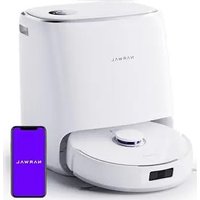
Freo X Ultra - Robot vacuum Narwal - Free user manual and instructions
Find the device manual for free Freo X Ultra Narwal in PDF.


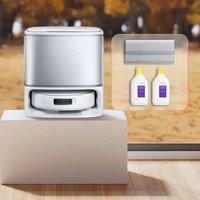
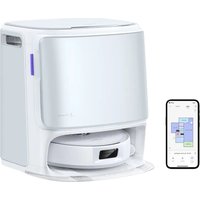
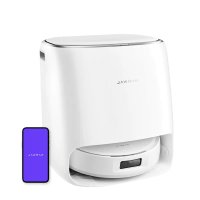
| Product Type | Robot vacuum and mop |
| Brand | Narwal |
| Model | Freo X Ultra |
| Robot Dimensions | 350 × 350 × 107 mm |
| Robot Weight | ≈ 4.25 kg |
| Base Station Dimensions | 415 × 370 × 434 mm |
| Base Station Weight | ≈ 8.5 kg |
| Power Supply | 100-240 V ~ 50/60 Hz, output 20 V ⎓ 3 A |
| Rated Power | 72 W |
| Battery | Rechargeable Li-ion, 5000 mAh, 72 Wh, 14.4 V |
| Connectivity | WiFi IEEE 802.11b/g/n (2.4 GHz), Bluetooth BLE 5.0 |
| Cleaning Modes | Vacuum, mop, vacuum + mop, vacuum then mop |
| Freo Mind | Intelligent automatic cleaning assistant |
| Mapping | Map creation and editing via app |
| Clean Water Tank Capacity | Not specified (integrated in base station) |
| Dirty Water Tank Capacity | Not specified (integrated in base station) |
| Disposable Dust Bag | 2 bags included, capacity not specified |
| Side Brushes | 2 side brushes included |
| Specific Detergent | 1 bottle included, automatic dispensing possible |
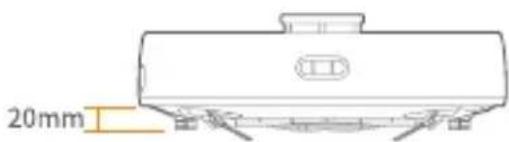
| Obstacle Crossing Height | 20 mm maximum |
| Child Safety | Lock via base station (long press 2s) |
| Indicator Lights | Robot and base station: white, blue, purple, red, orange |
| Noise Level | Not specified (estimated ~65 dB) |
Frequently Asked Questions - Freo X Ultra Narwal
User questions about Freo X Ultra Narwal
0 question about this device. Answer the ones you know or ask your own.
Ask a new question about this device
Download the instructions for your Robot vacuum in PDF format for free! Find your manual Freo X Ultra - Narwal and take your electronic device back in hand. On this page are published all the documents necessary for the use of your device. Freo X Ultra by Narwal.
USER MANUAL Freo X Ultra Narwal
Narwal Freo X Ultra Robot Vacuum and Mop
Dear users:
Thank you for purchasing Narwal products. To access comprehensive support from Narwal, you are recommended to read carefully the manual and illustrations before using the product. Please keep the manual properly.
The manual may be updated from time to time based on product updates and user feedback. Please scan the QR code below to browse the official website and view the latest version.
In case of any problem in using the product, please contact Narwal after-sales customer service through the following ways:
Customer service email:
support@naval.com(North America)
support.eu@global.narwal.com(Germany)
support.it@global.narwal.com(Italy)
support.jp@narwal.com(Japan)
support.fr@global.narwal.com(France)
support.kr@narwal.com(South Korea)
support.es@global.narwal.com(Spain)
*For other countries, please refer to the after-sales contact information provided by your local vendors
We wish you a pleasant experience!
WWW.NARWAL.COM
Electronic user manual
電子取扱說明書
徒者,
1. Product At A Glance
1.1 Check list
Main parts
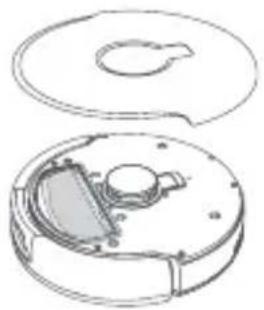
Robot × 1 (including disposable dust bag × 1 , mopping module × 2 )
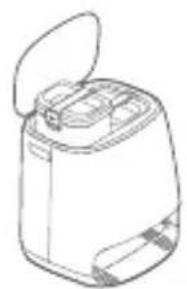
Base station × 1 (including cleaning base × 1 , cleaning tray × 1 , clean water tank × 1 , dirty water tank × 1 )
Accessories
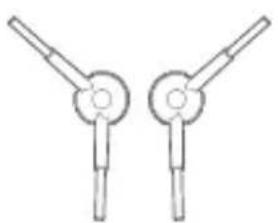
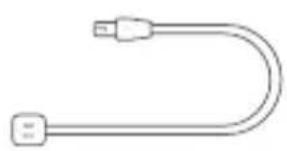
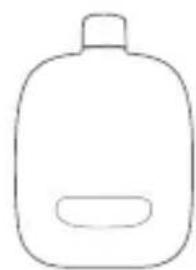
Side brush × 2 Power cord × 1 Dedicated detergent × 1
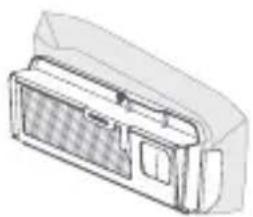
Disposable Dust Bag × 2 Dust bin × 1
1.2 Robot
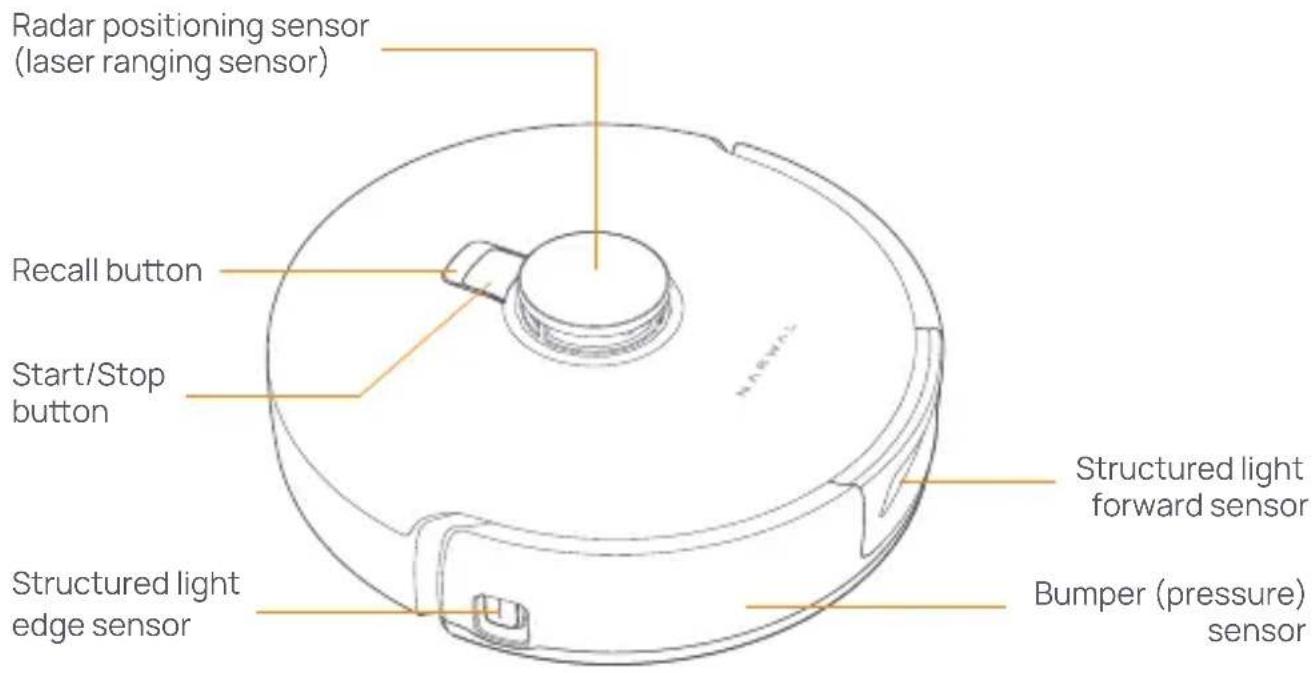
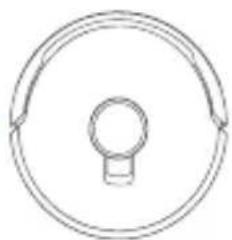
Front (top cover closed)
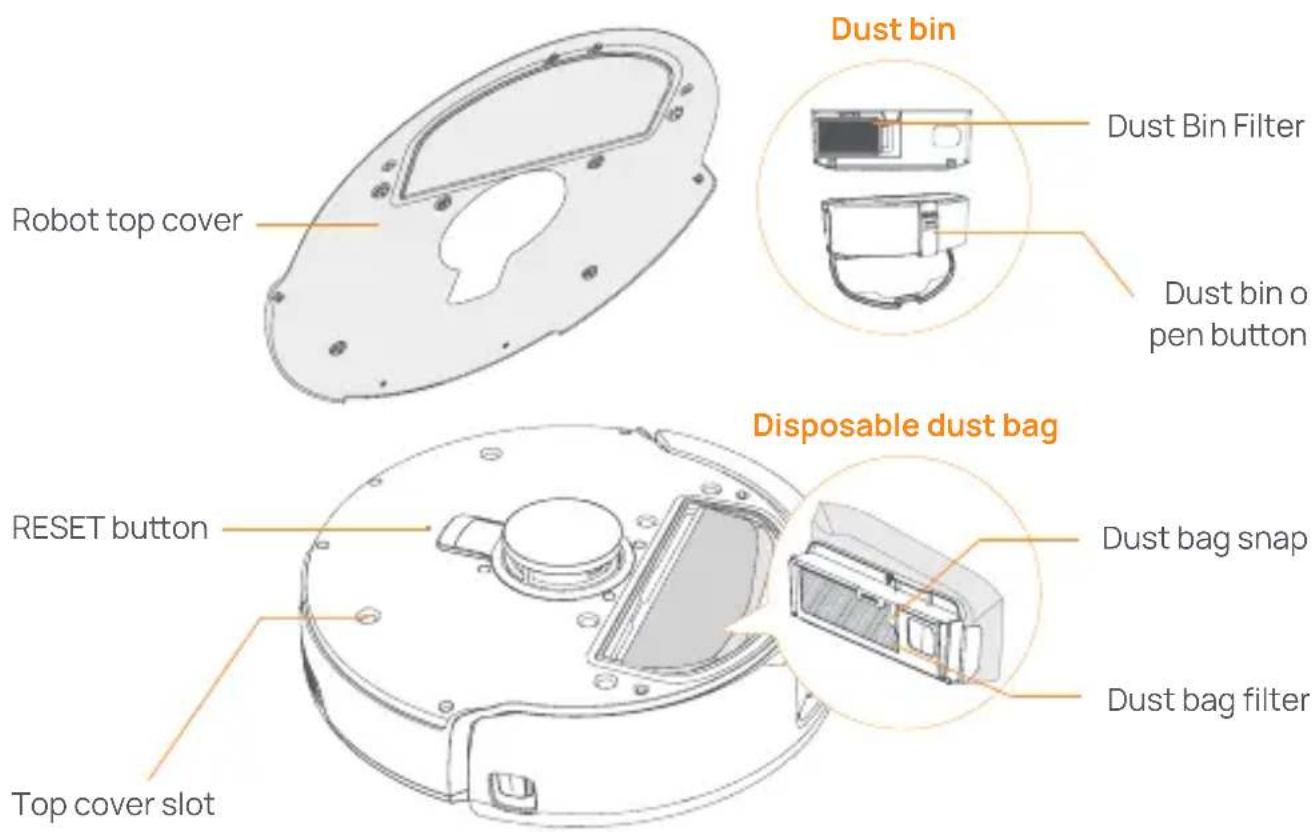
Front (top cover open)
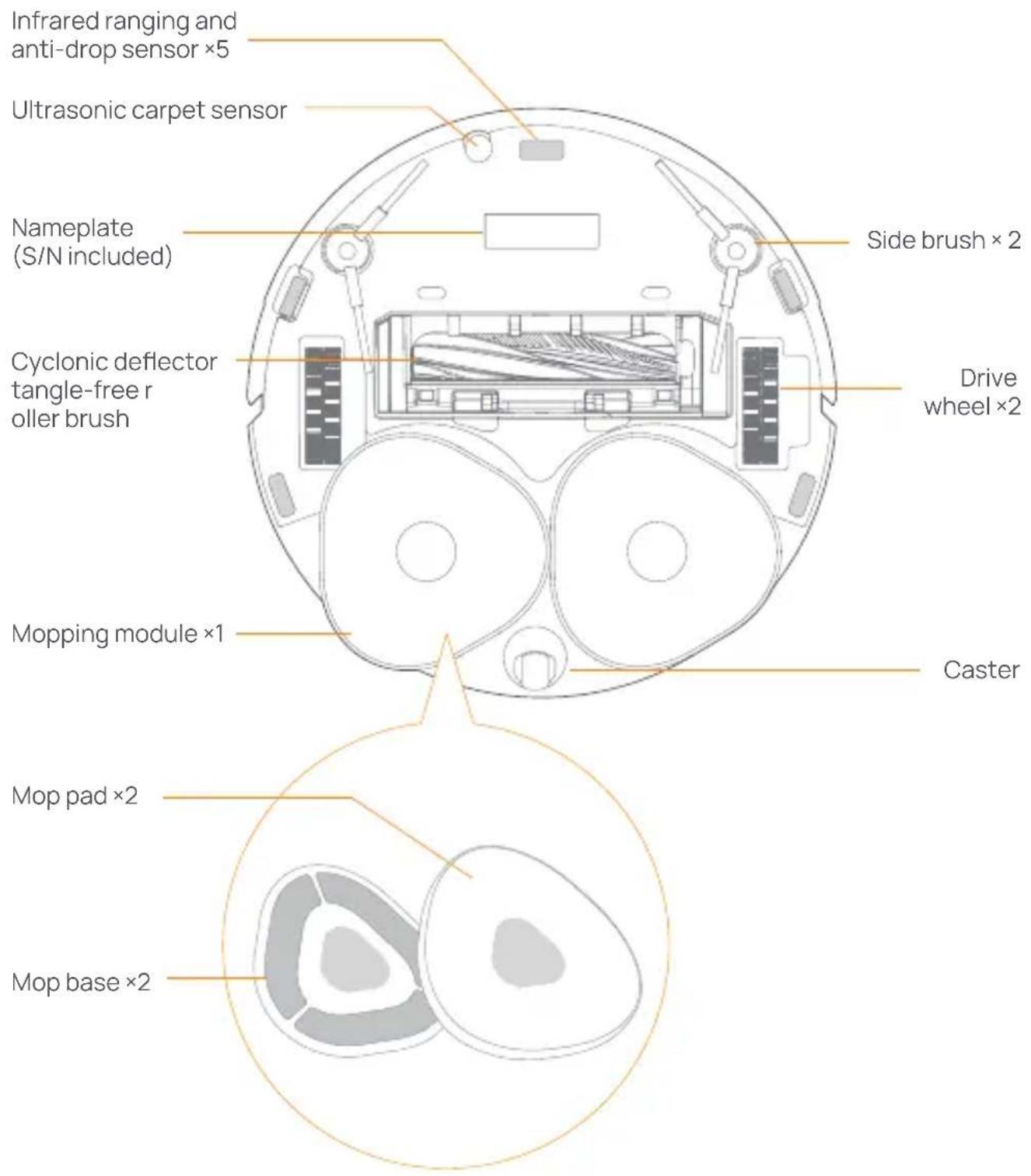
Robot bottom
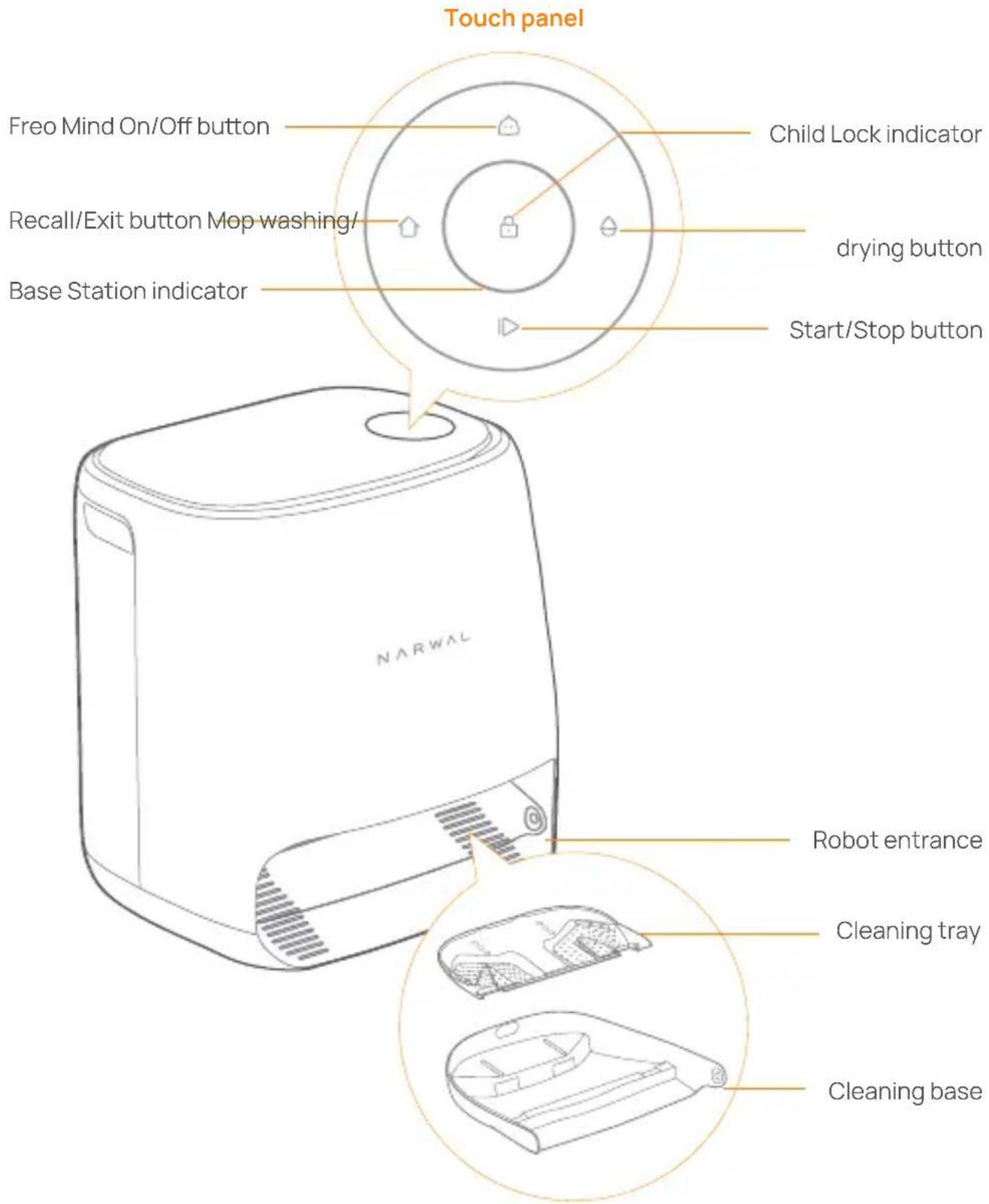
1.3 Base station
Front (lid closed)
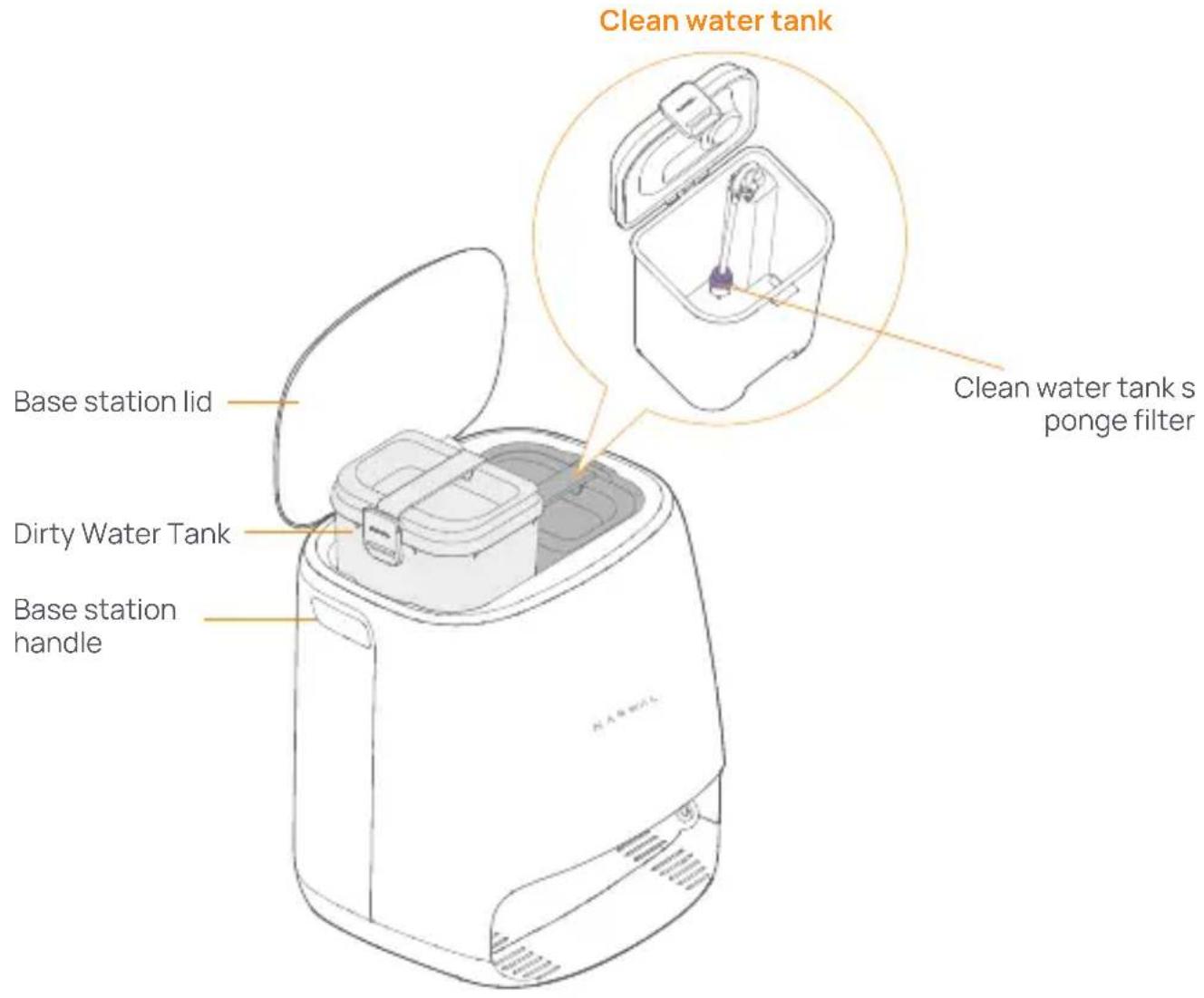
Front (lid open)
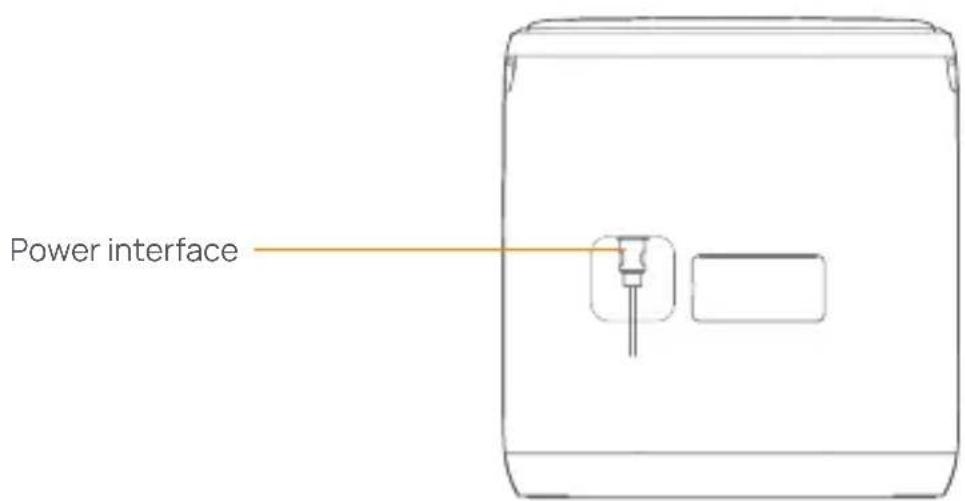
Back
1.4 Buttons and indicators
Robot buttons
Button Action Function
| Start/Stop | Short press | Start/pause/resume current task |
| Press and hold for 2s | Power on/off | |
| Recall Home | Short press | Return to the base station |
| Short press | Enter the pairing mode | |
| Reset | Press and hold for 5s | Unbind the account and clear user data |
| Press and hold for 10s | Restore factory settings |
Base station buttons
Button Action Function
| ID | Short press | Start/pause/resume current task |
| Press and hold for 2s during a task | End current task | |
| O | Short press | (Cancel) Recall/Exit |
| Press and hold for 2s | turn on child lock | |
| +O | Press and hold for 2s | Child Lock off |
| O | Short press | Turn On/Off Freo Mind |
| Press and hold for 10s | Enter Standby Mode (For US Market) | |
| Θ | Short press | Start/cancel mop washing and drying |
| Press and hold for 10s | Refill/discharge self-check | |
| +Θ | Press and hold for 2s | Enter/exit the pairing mode |
| +Θ | Press and hold for 2s | Restart mapping |
Robot & base station indicators
| Indicator Robot | indicator | Base Station indicator | Meaning |
| Off | ✓ | ✓ | Robot is turned off Base station shutdown or touch panel in AOD. Touch to wake up |
| Steady white | ✓ | ✓ | Base station and robot on standby |
| Breathing white | ✓ | ✓ | Base station and robot idle |
| Steady blue | ✓ | ✓ | Cleaning underway |
| Breathing blue | ✓ | ✓ | Cleaning paused |
| Steady purple | ✓ | ✓ | Disinfection underway |
| Breathing purple | ✓ | ✓ | Disinfection paused |
| Breathing red | ✓ | ✓ | Base station or robot abnormal or base station and robot disconnected |
| Breathing orange | ✓ | ✓ | Pairing or update underway |
| Colorful meteor light | × | ✓ | Waking up the base station |
2.2. Get Ready Before Use
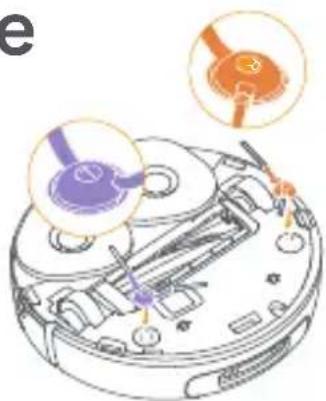
Install the side brushes
Press side brushes into the slots as indicated by color until they click into place.
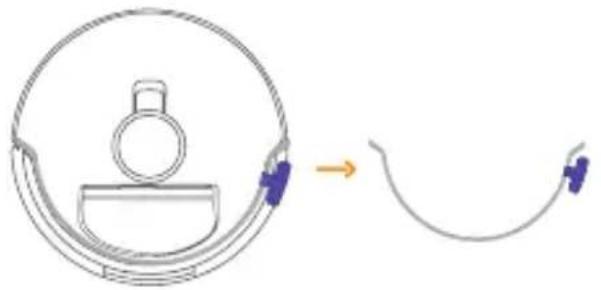
Remove the anti-collision foam
Open the robot top cover and remove the anti-collision foam.
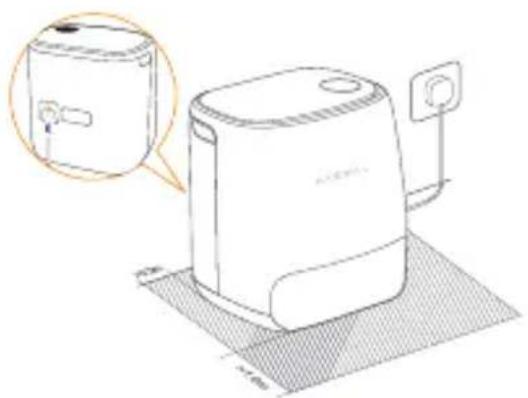
Place the base station
Plug the power cord into the socket on the back of the base station and leave an open space of at least 1.0m in front of the base station for the robot to enter and leave the base station.
Note: If the base station is placed tilted or there are table legs, curtains, and ornaments around, the robot's obstacle avoidance function may be triggered, affecting its entry and exit.
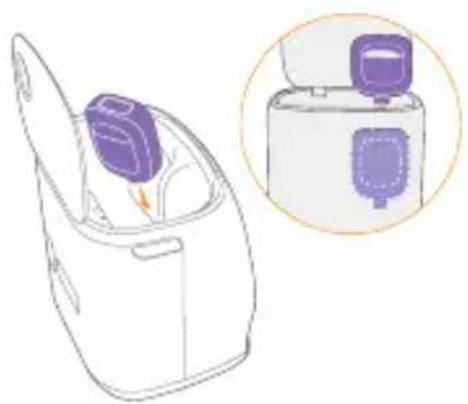
Place dedicated detergent
- Turn the detergent upside down (DO NOT remove the cap) and insert it into the slot. The dedicated detergent bottle is properly in place when it is fixed without tipping over.
- You can set in the App whether to add the detergent automatically when mopping.
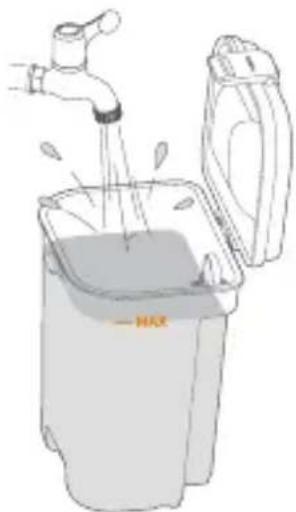
Add clean water
Before mopping, add water to the clean water tank for mop washing.
- Lift up the base station lid. Take out the clean water tank, snap it open and fill it with clean water (DO NOT exceed the MAX water level mark).
- Snap the tank shut and put the water tank back into the base station.
Note: DO NOT add any third-party detergents or disinfectants into the clean water tank to avoid product damage.
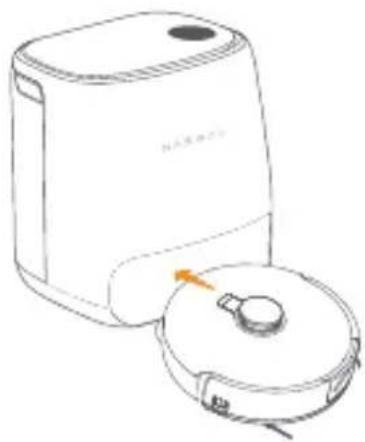
Startup settings
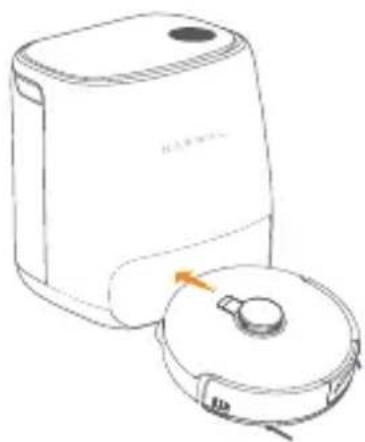
Push the robot into the base station with side brushes facing outward. The base station will beep once to indicate that charging is successful and the robot will switch itself on and broadcast the message.
Connect and bind the robot in the App
Scan the QR code to download the Narwal Freo App, tap "Add Device" and select the model in the App, and follow the instructions for connecting and binding the robot.

3. How to Use
Before using the robot, please make sure you have finished the installation and base station setup in Chapter 2.
3.1 Organize the home environment
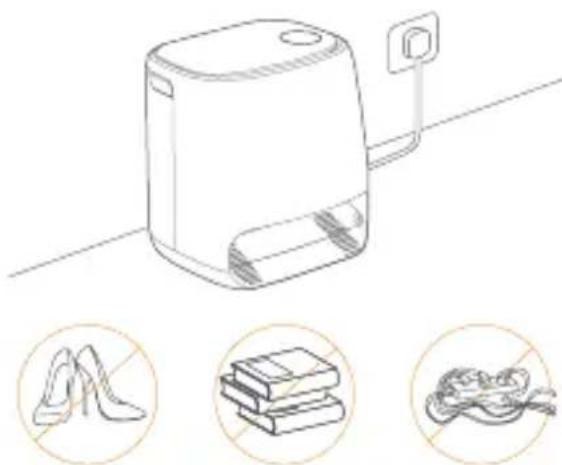
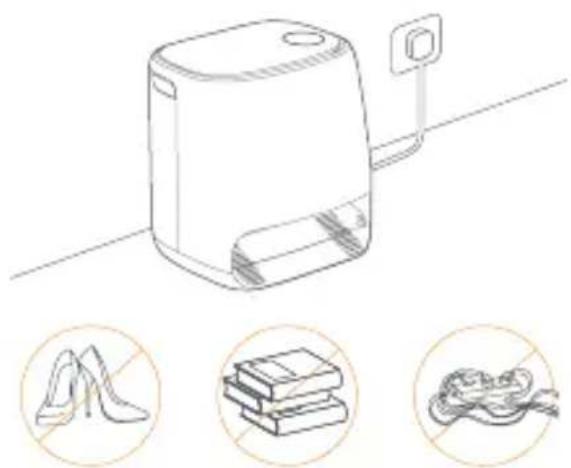
A. Put away the clutter on the floor, e.g. scattered cables, rags, slippers, clothes and books.

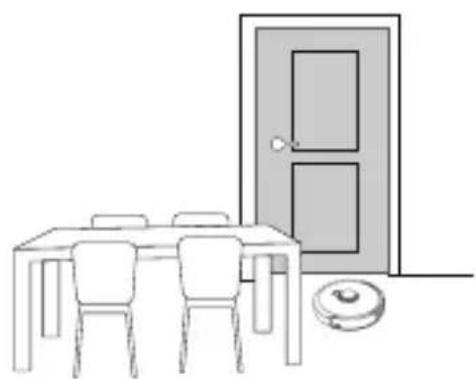
C. Leave other doors closed and install the fence to prevent the robot from entering elevated or low areas.
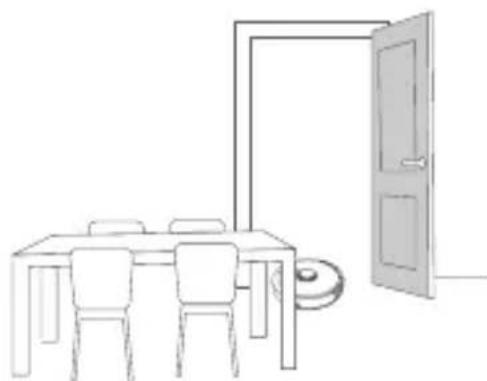
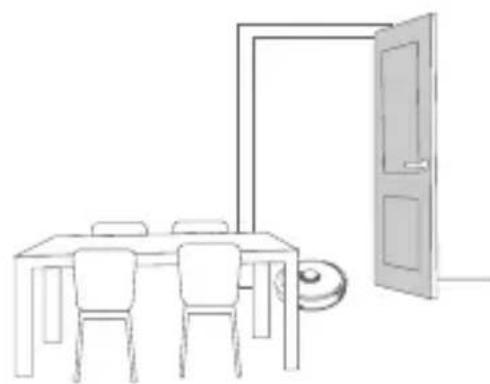
B. Open the doors of the rooms to be cleaned and arrange the furniture to leave as much space as possible for cleaning.
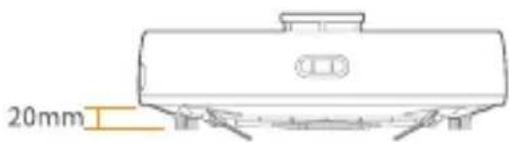
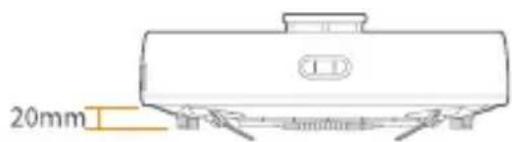
D. The maximum obstacle crossing height is 20mm and the robot cannot enter rooms with a threshold height of over 20mm. You can purchase Narwal Threshold Ramp to help the robot climb over and around obstacles more efficiently.
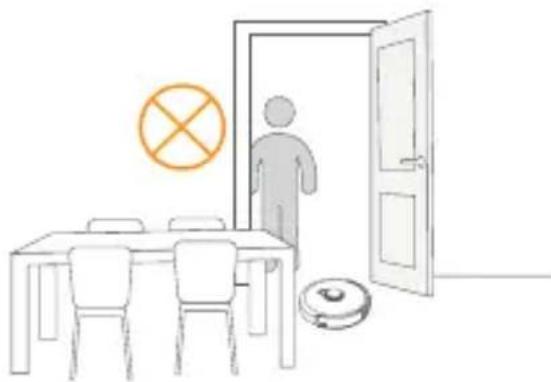
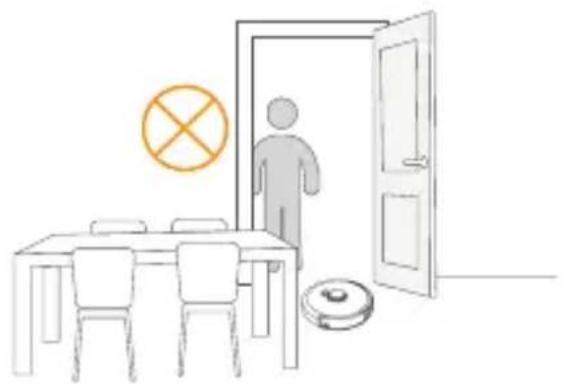
E.DO NOT stand in front of the robot, on the threshold or in narrow aisles to avoid omission.
3.2 Mapping
Before cleaning a new home, the robot needs to explore the environment and create a map. Before first-time cleaning, you can trigger mapping by short pressing the 【Start/Stop】 button on the robot or tapping "Start Mapping" in the App.
Note:
1.Once a map is created, it can be edited in the App.
- Please do not move the base station after a map is created, or you have to restart mapping. If large furniture in your home is rearranged, it is recommended to create a new map.
3.3 Cleaning
Select cleaning modes
The product comes with four built-in cleaning modes: Vacuum, Mop, Vacuum and Mop, and Vacuum then Mop. You can select and adjust parameters like cleaning cycles, suction, and mop humidity for each mode in the App.
Set Freo Mind
The Freo Mind is an intelligent cleaning assistant. When the Freo Mind is enabled, the robot can:
- set cleaning parameters based on the environmental data collected by sensors;
- enhance edge-to-edge cleaning.
You can enable the Freo Mind in two ways:
- Select the Freo Mind in the cleaning modes in the App;
- Short press 【Freo Mind On/Off】 button on the base station. When the indicator turns on, it means the Freo Mind is on.
Start cleaning task
You can start the robot for cleaning in the following three ways:
- Tap 【Start Cleaning】 in the App
- Short press the 【Start/Stop】 button on the robot and the robot will activate the Vacuum Mode by default;
- Short press the 【Start/Stop】 button on the base station to start cleaning. The robot will activate the Vacuum and Mop Mode by default; Note: You can adjust the cleaning mode and set more cleaning parameters in the App.
Pause/resume current task
You can pause/resume current task in three ways:
- Tap 【Pause】/ 【Resume】 in the App;
- Short press the 【Start/Stop】 button on the robot;
- Short press the 【Start/Stop】 button on the base station.
Mop washing
If the robot is set for multiple mopping runs or the area for cleaning is large, the robot will automatically return to the base station for mop washing. The number of mopping runs and returns can be modified in the App before cleaning starts, and cannot be modified during the current cleaning task.
End current task
The robot will navigate itself back to the base station when cleaning ends. You can view the current cleaning report in the App.
You can manually end the task in the following three ways:
- Press and hold 【Finish】 for 2s in the App;
- Short press the 【Recall】 button on the robot;
- Short press the Home 【Recall】 button or press and hold the Start/Stop button on the base station for 2s.
Drying and disinfection
After the last mopping run, the robot will return to the base station for mop washing and drying. The drying time can be modified in the App.
You can also start mop washing and drying manually in the following two ways:
- Tap 【Mop Washing & Drying】 in the App;
- Short press 【Mop Washing & Drying】 on the base station.
4. Parameters
4.1 Specifications
| Robot | Base station |
| Dimensions: 350*350*107 mm | Dimensions: 415*370*434mm |
| Color: White | Color: White |
| Weight: ~4.25kg | Weight: ~8.5kg |
| Wi-Fi | Rated input: 100-240V~ |
| Protocol: IEEE 802.11b/g/n | Rated output: 20V== 3.0A |
| Frequency Range: 2412~2472MHz | Rated frequency: 50-60Hz |
| Max. Transmitter Power (EIRP): ≤20dBm | Rated power: 72W |
| Bluetooth | Bluetooth |
| Protocol: BLE 5.0 | Protocol: BLE 5.0 |
| Frequency Range: 2402-2480MHz | Frequency Range: 2402-2480MHz |
| Max. Transmitter Power (EIRP): ≤10dBm | Max. Transmitter Power (EIRP): ≤10dBm |
| Battery (Robot) | |
| Battery Type | Rechargeable Li-ion Battery |
| Battery Pack Quantity Per Pack | 1 pcs |
| Quantity of Battery Cells Per Battery Pack | 8 pcs |
| Rated Capacity, Rated Energy | 5000mAh, 72Wh |
| Nominal Voltage | 14.4V= |
Retirez la mousse anti-collision
INHdkaTop 6a30BOB CTaHcN
3начени
C. 頭SSa 落JohJiHJiJiJiJiJiJiJiJiJiJiJiJiJiJiJiJiJiJiJiJiJiJiJiJiJiJiJiJiJiJiJiJiJiJiJiJiJiJiJiJiJiJiJiJiJiJiJiJiJiJiJ1
Declaration of the Presence Condition of the Restricted Substances Marking
| 設備名稱Equipment name:拖掃一體機器人Robot Vacuum and mop 型號(型式)Type designation (Type):YJCC015 (with Charging Station YJCB015) | ||||||
| 單元 Unit | 限用物質及其化學符號 Restricted substances and its chemical symbols | |||||
| 鉛 Lead (Pb) | 汞 Mercury (Hg) | 鎘 Cadmium (Cd) | 六價鉻 Hexavalent chromium (Cr+6) | 多溴聯苯 Polybrominated biphenyls (PBB) | 多溴二苯醚 Polybrominated diphenyl ethers (PBDE) | |
| 電路板 | × | ○ | ○ | ○ | ○ | ○ |
| 金屬件 | × | ○ | ○ | ○ | ○ | ○ |
| 殼體 | ○ | ○ | ○ | ○ | ○ | ○ |
| 電池 | ○ | ○ | ○ | ○ | ○ | ○ |
| 配件 | ○ | ○ | ○ | ○ | ○ | ○ |
Note 1: "Exceeding 0.1 wt %" and "exceeding 0.01 wt %" indicate that the percentage content of the restricted substance exceeds the reference percentage value of presence condition.
Note 2: “○”indicates that the percentage content of the restricted substance does not exceed the percentage of reference value of presence.
nulusuunlunuunuunnuuunnuuuaanu uan nnuuauauuuuuuuuuuuuuuuuuuuuuuuuuuuuuuuuuuuuuuuuuuuuuuuuuuuuuuuuuuuuuuuuuuuuuuuuuuuuuuuuuuuuuuuuuuuuuuuuuuuuuuuuuuuuuuuuuuuuuuuuuuuuuuuuuuuuuuuuuuuuuuuuuuuuuuuuuuuuuuuuuuuuuuuuuuuuuuuuuuuuuuuuuuuUU
wua:wnlsuonluu
aunuln QR wonuulkauu Narwal u: "wuaunsu" ua=anu lu uua=umnuu=unnsouca ua=nswntu

3. 5slu
noun=lsuon lusosoaouuluiuunlaoaunsuaaauua=nssovnuu un2
3.1 ous:Uguanwuaaunuul
A. iuuaS:In:s=n=nonvuuwu u u an W Iauwn sowinun: taWnua:Kuvan on vns:vans:v
B. iuaus=qkovn n nnnaa=na uaa=naWosuovskuwunnsnau a=nnnnna
C. Uus=knovu 15 ua=annovwa Uovulilisuaunluluwunks
D. nnuuulnssuavnuovau 20 u.u.a:lsuuaunusaiuulukau nuuaussus: qiu 20 u.nu anunsa Narwal Threshold Ramp (mvaunussus: q) wovltsuau Juvuaovnuovlaosu: answ
E.aaagkunisauuusuKsul nuaun uWokaniaovnsnna aonnn
3.2 msnwun
nunnuuuaunuuku Isuauoovansanwuaaasuvwn nounns nuanaonssusn nuanunsans quansuwunlaansu [isu/ka] uuls uauu qkou: "isunnsuwun"uuuU
Unn:
1.aaunnnaaannnnnauu
2.Usaunukavannuwnu Kaanuaovunnku Knaunnuovunnuwnu knnunnu n 1sWosuiosuvnokayluunvovnuu uuuuunkaevwunu
3.3 msnnaa
iakunnsnaa
wannunwnwsouunuknnsmna:anuadalkua: gnu wu gnnuua:wu u a: gnuuauw u nuanusiaaua:Usuwsinncnv uu sounsmnna: an ns qua:nnuulunsqwaanksuiia:knuuau
Freo Mind
- Dear users:
- Product At A Glance
- Check list
- Main parts
- Accessories
- Robot
- Robot bottom
- Base station
- Front (lid closed)
- Front (lid open)
- Back
- Buttons and indicators
- Robot buttons
- Base station buttons
- Robot & base station indicators
- Get Ready Before Use
- Install the side brushes
- Remove the anti-collision foam
- Place the base station
- Place dedicated detergent
- Add clean water
- Startup settings
- Connect and bind the robot in the App
- How to Use
- Organize the home environment
- Mapping
- Cleaning
- Select cleaning modes
- Set Freo Mind
- Start cleaning task
- Pause/resume current task
- Mop washing
- End current task
- Drying and disinfection
- Parameters
- Specifications
- Retirez la mousse anti-collision
- INHdkaTop 6a30BOB CTaHcN
- 3начени
- wua:wnlsuonluu
- 5slu
- ous:Uguanwuaaunuul
- msnwun
- msnnaa
- iakunnsnaa
- Freo Mind
Brand : Narwal
Model : Freo X Ultra
Category : Robot vacuum