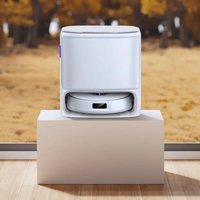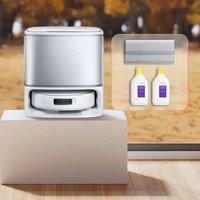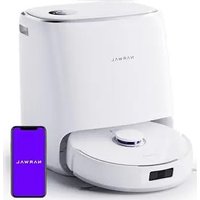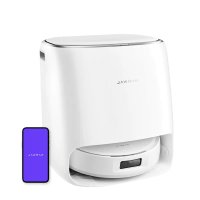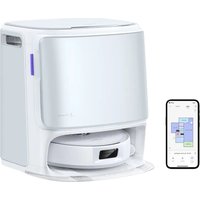
Freo Z10 - Robot vacuum Narwal - Free user manual and instructions
Find the device manual for free Freo Z10 Narwal in PDF.


| Product Type | Robot Vacuum |
| Brand | Narwal |
| Model | Freo Z10 |
| Dimensions (Robot) | 355 x 350 x 107.7 mm |
| Dimensions (Base Station) | 431 x 426.8 x 461.5 mm |
| Weight (Robot) | ~4.6 kg |
| Weight (Base Station) | ~11.3 kg |
| Power Supply (Station) | 220-240 V~, 50-60 Hz / 100-127 V~, 50-60 Hz |
| Battery (Robot) | Lithium-ion 14.4 V, 5000 mAh (nominal), 5200 mAh (typical) |
| Runtime | Up to 120 min (estimated) |
| Cleaning Modes | Vacuum, Mop, Vacuum + Mop, Vacuum then Mop |
| Clean Water Tank Capacity | Not specified (removable tank) |
| Dust Bag Capacity | Not specified (disposable bag) |
| Connectivity | Wi-Fi 2.4 GHz (802.11 b/g/n), Bluetooth BLE 5.0 |
| Smart Assistant | Freo Mind (automatic settings) |
| Mapping | Yes (Lidar + sensors) |
| Obstacle Detection | Laser, structured light sensor, bumper |
| Obstacle Climbing | Up to 20 mm |
| Automatic Functions | Dust collection, mop washing and drying |
| Included Accessories | Side brushes, detergent, dust bags, cleaning tray, extension ramp |
| Regional Compatibility | Use restricted to country of purchase |
Frequently Asked Questions - Freo Z10 Narwal
User questions about Freo Z10 Narwal
0 question about this device. Answer the ones you know or ask your own.
Ask a new question about this device
Download the instructions for your Robot vacuum in PDF format for free! Find your manual Freo Z10 - Narwal and take your electronic device back in hand. On this page are published all the documents necessary for the use of your device. Freo Z10 by Narwal.
USER MANUAL Freo Z10 Narwal
Robot Vacuum and Mop
CONTENTS
en 03
fr-ca 12
de 21
it 30
fr 39
es 48
ru 57
tr 66
pI 75
vi 84
th 93
he 102
ar-sa 111
Thank you for purchasing Narwal products. To access comprehensive support from Narwal, you are
recommended to read carefully the manual and illustrations before using the product. Please keep the manual properly.
The manual may be updated from time to time based on product updates and user feedback. Please scan the QR code below to browse the official website and view the latest version.
In case of any problem in using the product, please contact Narwal after-sales customer service through the following ways:
Customer service email:
support.eu@global.narwal.com(Germany)
support.it@global.narwal.com(Italy)
support.jp@global.narwal.com(Japan)
support.fr@global.narwal.com(France)
support.kr@global.narwal.com(South Korea)
support.es@global.narwal.com(Spain)
*For other countries, please refer to the after-sales contact information provided by your local vendors.
We wish you a pleasant experience!
Correction Notice: Battery Specifications
Dear Valued Customers,
We have recently received feedback regarding inconsistencies in the battery specifications printed in the Freo Z10 user manual. After thorough verification, we confirm that the correct specifications for the Freo Z10 battery are:
Rated Capacity: 5000mAh
Typical Capacity: 5200mAh
We have updated all incorrect information across our official website, authorized sales channels, and product documentation.
We sincerely apologize for any confusion this may have caused and appreciate your understanding.
The NARWAL Team
April 3, 2025
Regional Availability and Compatibility
Based on user experience consideration and relevant legal and compliant requirements, Narwal products normally sold by Narwal (and its authorized retailers) are only available for use and after-sales service support in the country or region in which they were originally sold. If a product is shipped to any other countries or regions, you might not be able to use the Narwal App to bind the product or perform relevant operations. We recommend that you purchase the local version of the Narwal product from Narwal or its authorized retailers in order to obtain the best product use and service experience.
For avoidance of doubt, Narwal products sold by Narwal (and its authorized retailers) in the PRC are only available for use and after-sales service support in the PRC (for this purpose, excluding Hong Kong, Macao and Taiwan).
1. Product At A Glance
1.1 Check list
Main parts
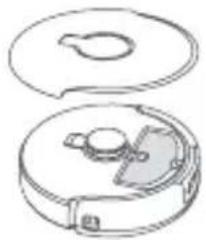
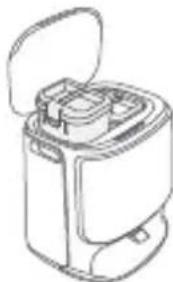
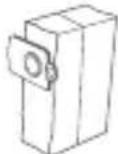
Robot × 1 (Dust collection box × 1 and Roller brush × 1 already installed)
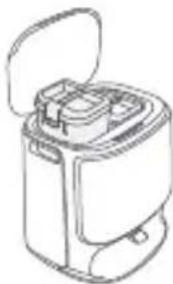
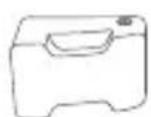
Base station × 1 (including cleaning base × 1 , clean water tank × 1 , dirty water tank × 1 )
Accessories
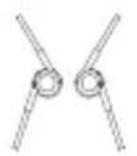
Side brush × 2
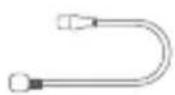
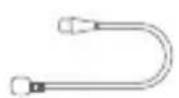
Base station power cord × 1
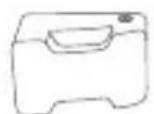
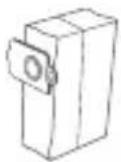
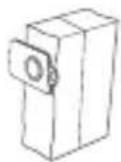
Detergent × 1 Dust Bag × 1 Base station
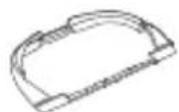
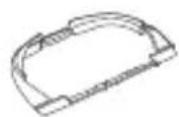
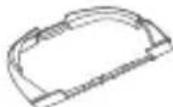
Cleaning tray×1

extension ramp × 1
1.2 Robot Accessory
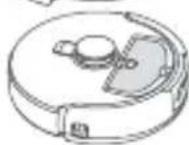
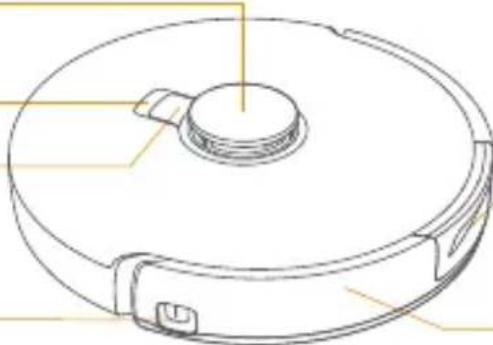
Front (top cover closed)
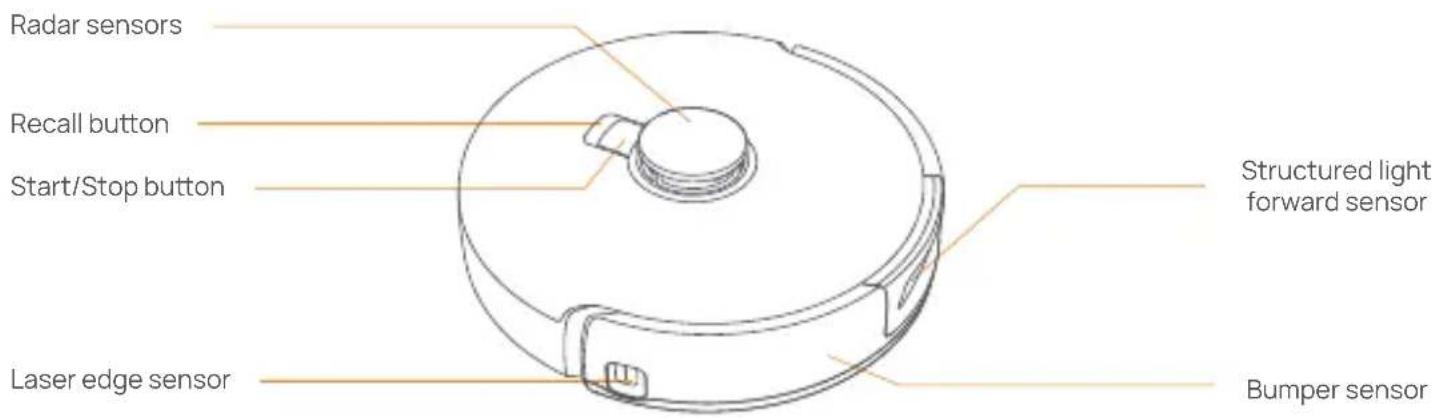
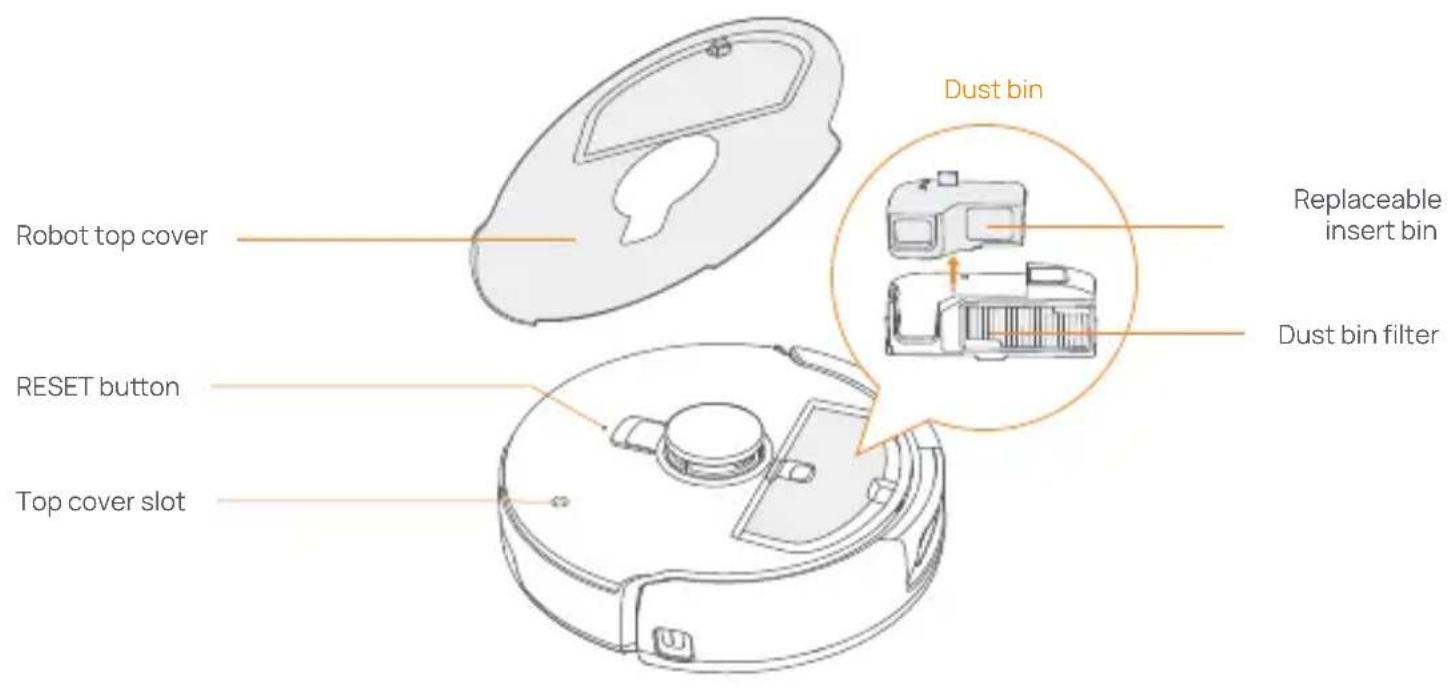
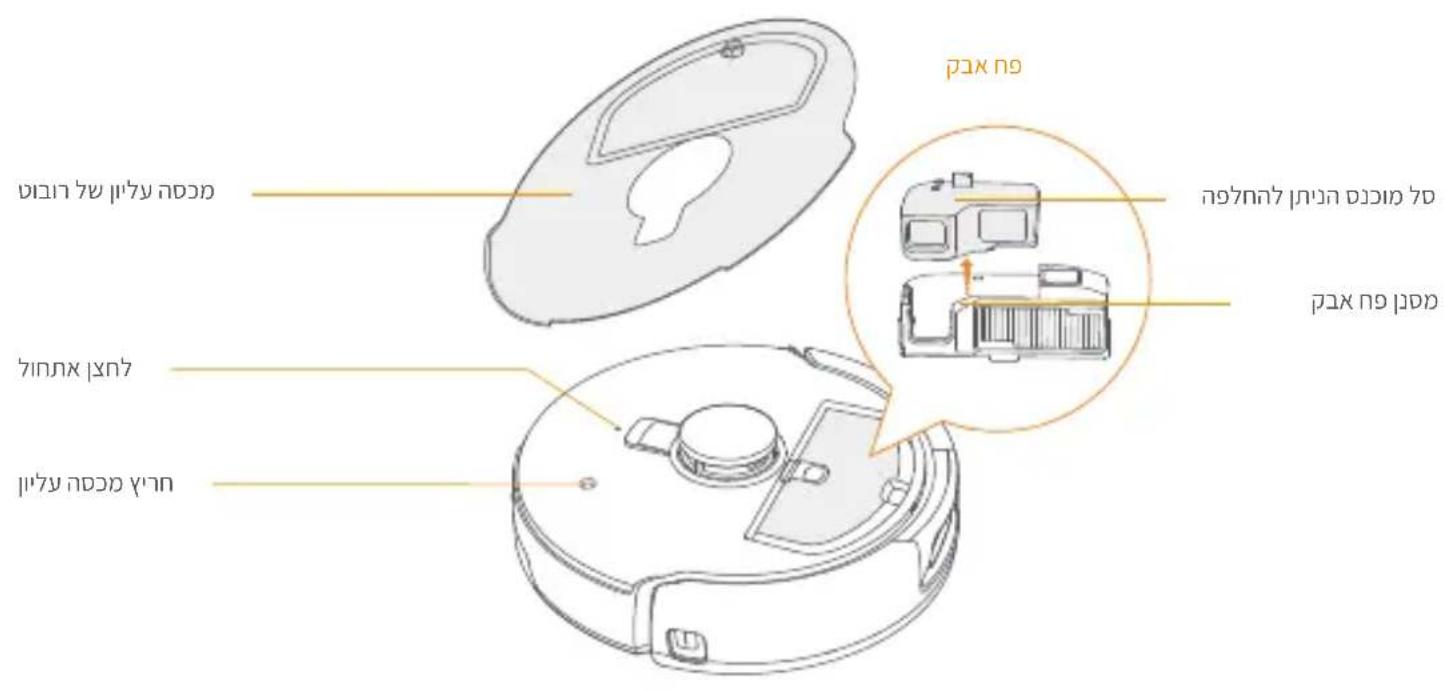
Front (top cover open)
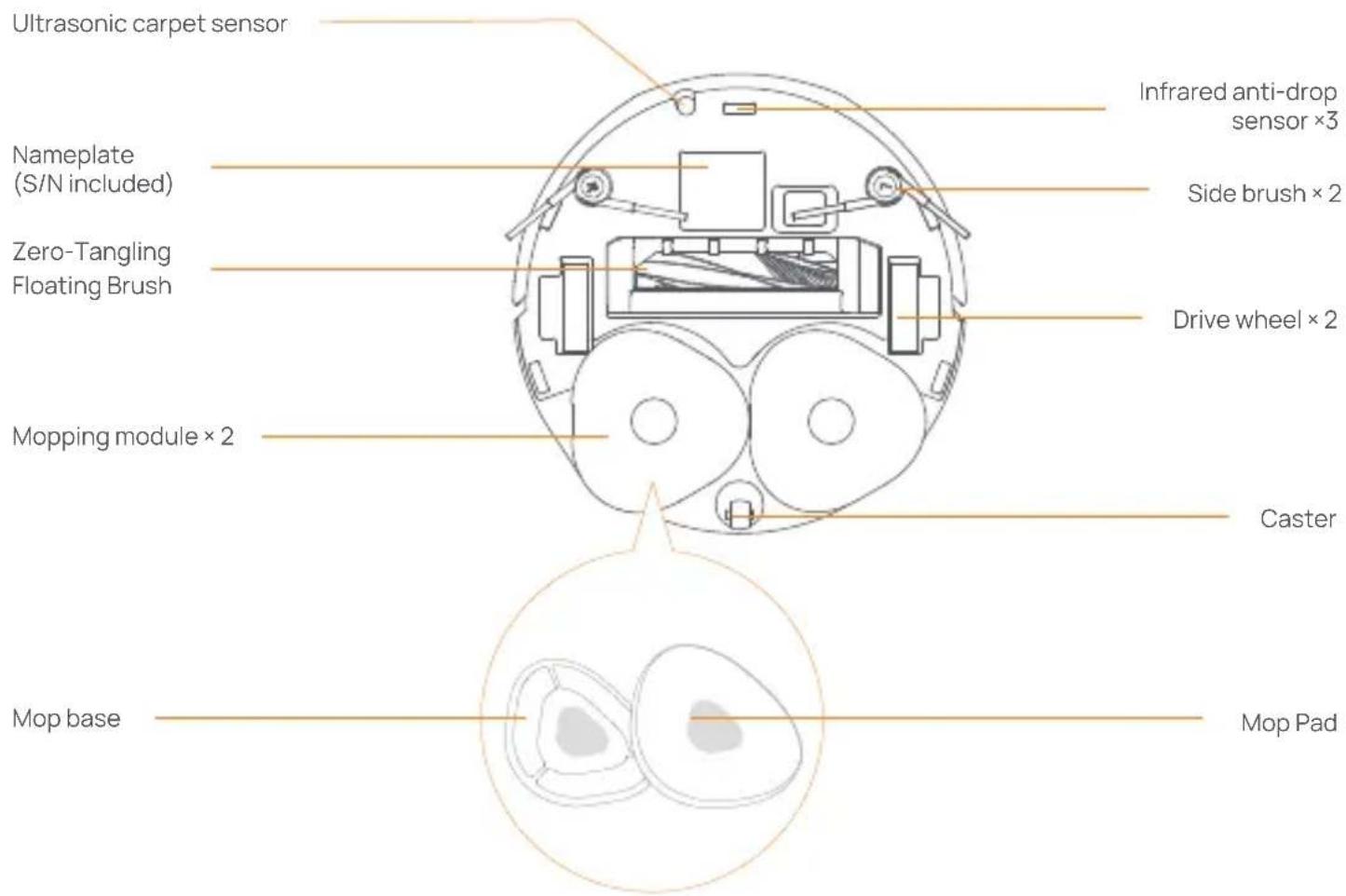
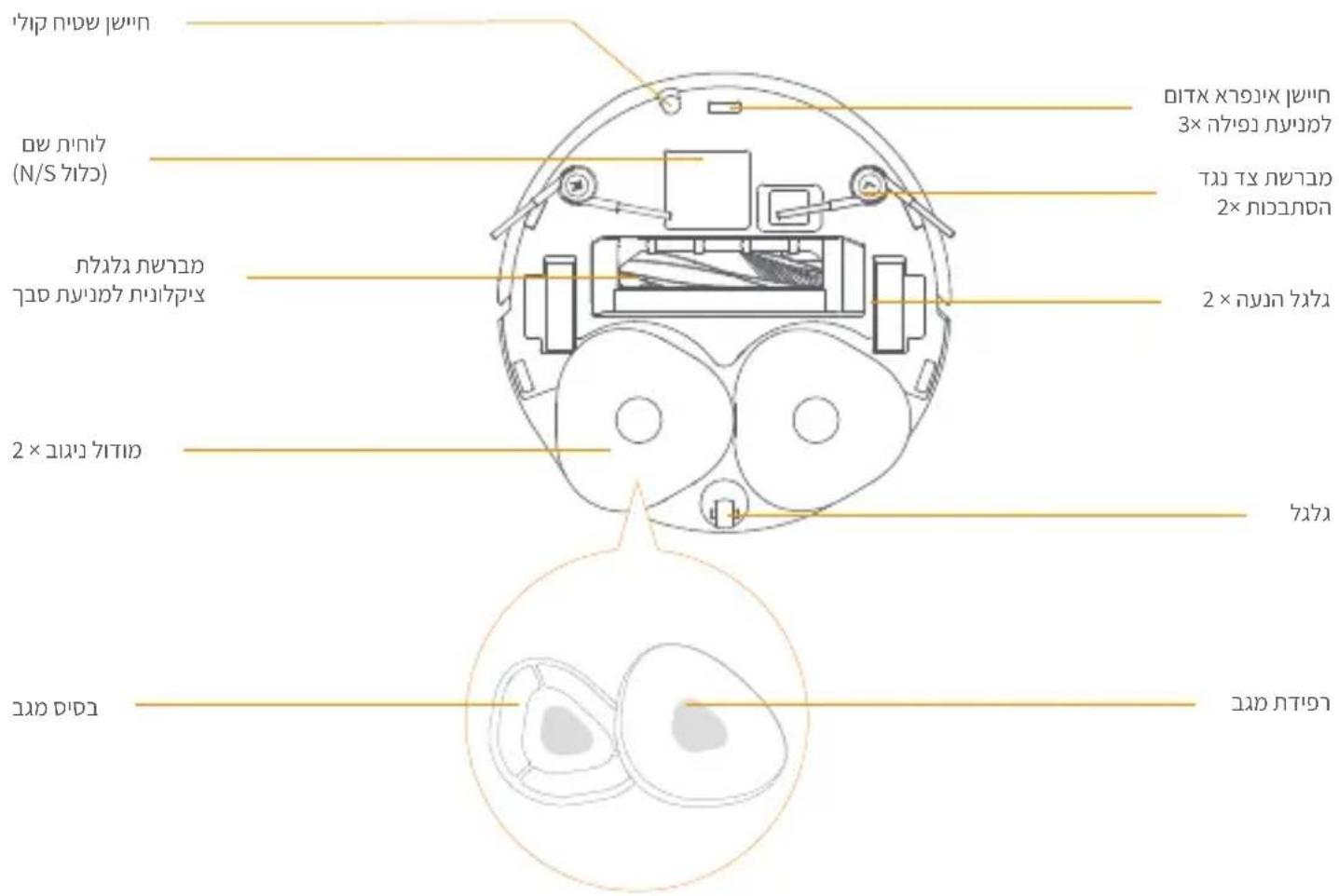
Robot bottom
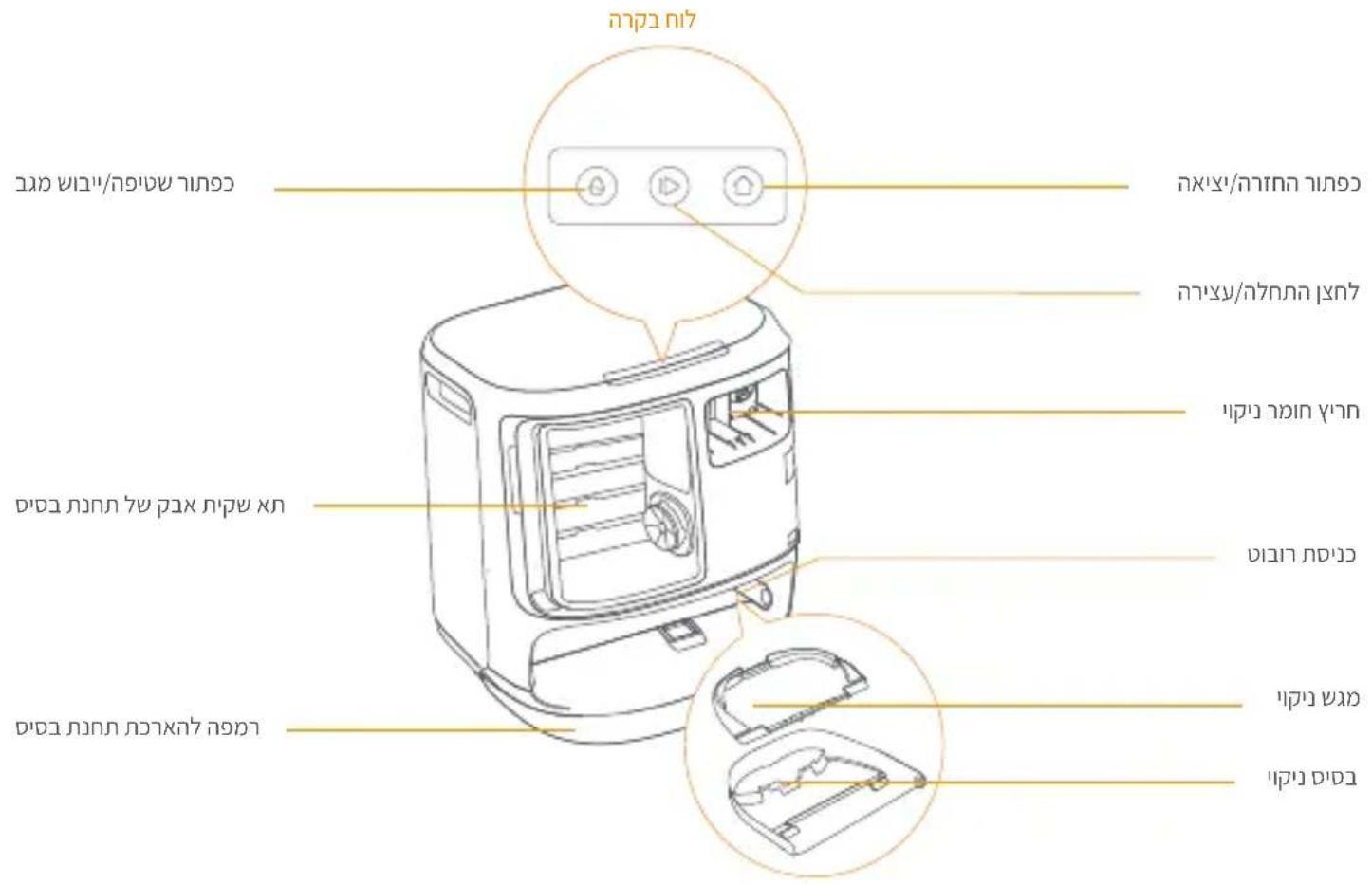
1.3 Base station
Front of the base station (open the front cover)
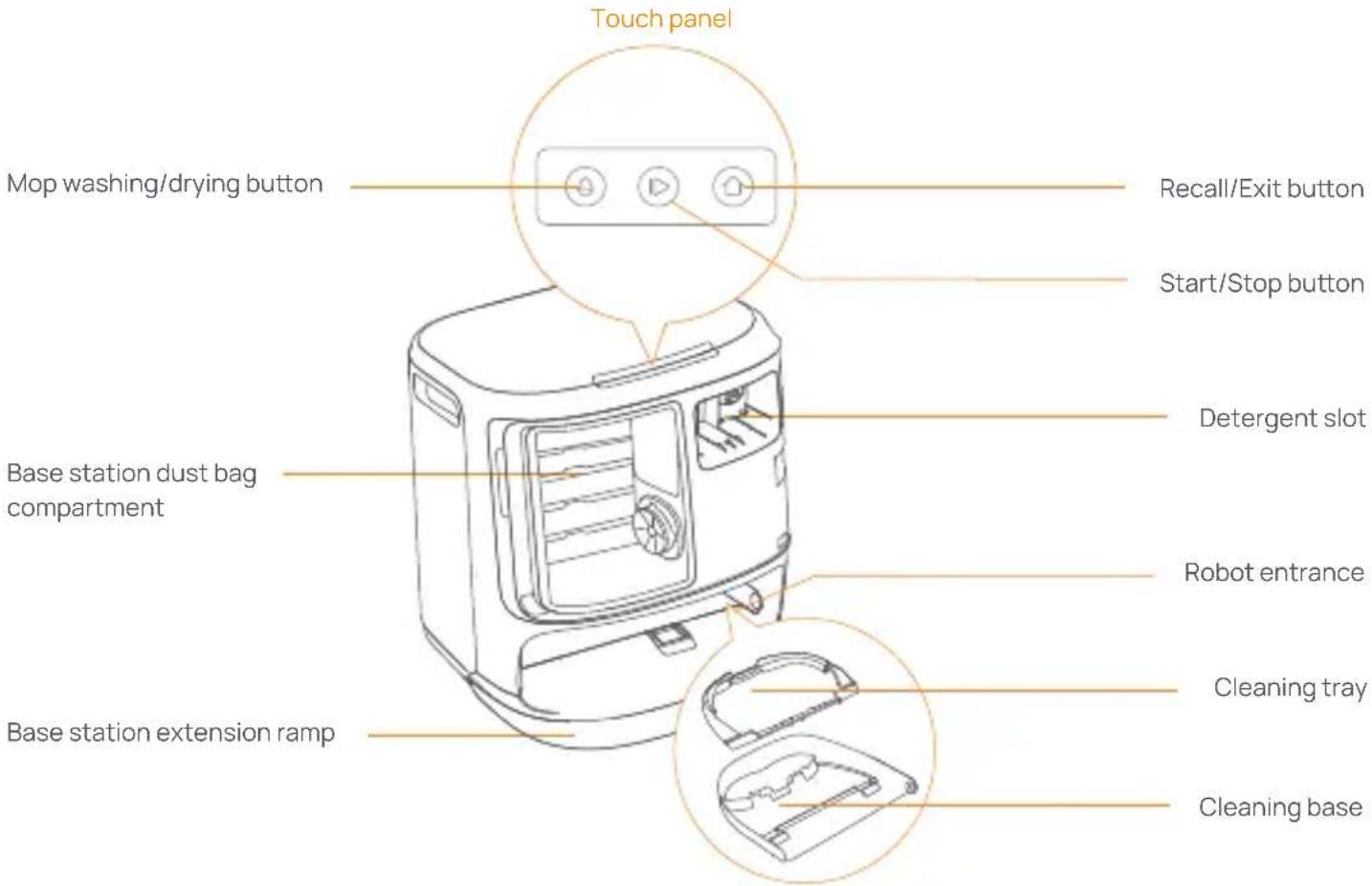
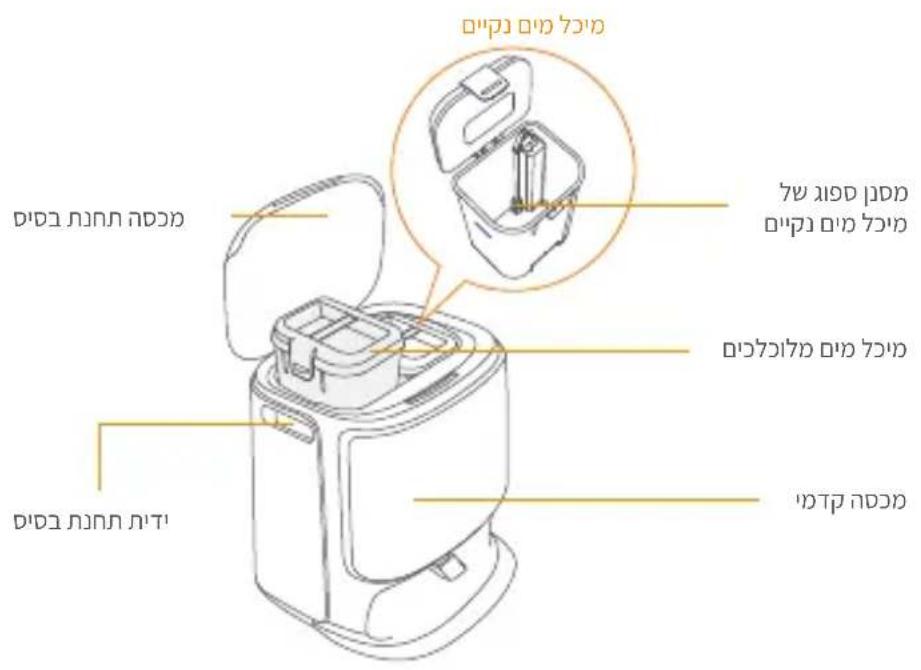
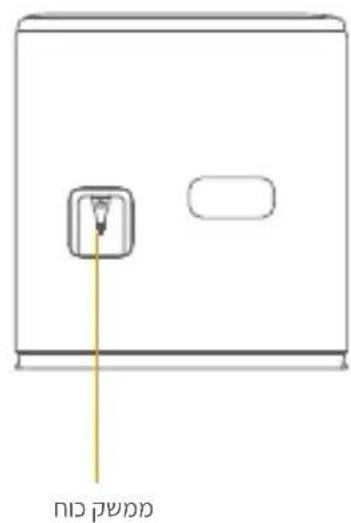
Front (lid open) Back
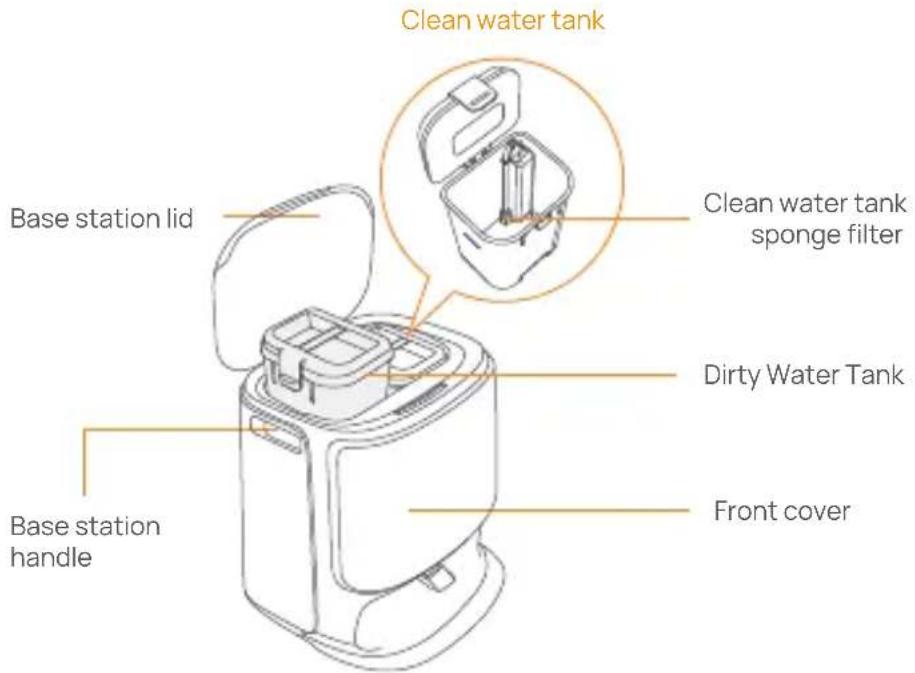
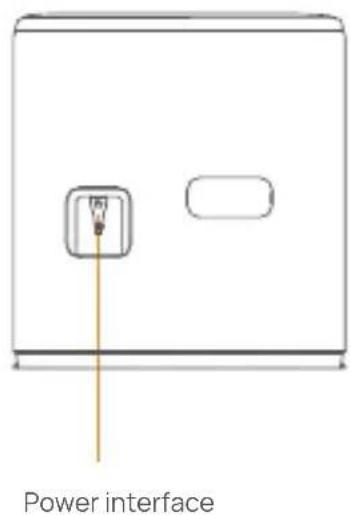
1.4 Buttons and indicators
Robot buttons
| Button | Action Function | |
| Start/Stop | Short press | Start/pause/resume the current task |
| Press and hold for 2s | Power on/off | |
| Recall Home | Short press | Return to the base station |
| Reset | Short press | Enter the pairing mode |
| Press and hold for 5s | Unbind the account and clear user data | |
| Press and hold for 10s | Restore factory settings | |
Base station button
| Button | Action Function | |
| Short press | Start/pause/resume the current task | |
| Press and hold for 2s during a task | End current task | |
| Short press | Recall/Exit | |
| Short press | Start/cancel mop washing | |
| Press and hold for 10s | Refill/discharge self-check | |
| +D | Press and hold for 2s | Enter/exit the pairing mode |
| +θ | Press and hold for 2s | Restart mapping |
| +θ | Press and hold for 2s | Child Lock on/off |
Robot & base station indicators
| Indicator | Meaning |
| Steady white | Standby or working |
| Breathing white | Powering on/Pairing/Updating |
| Steady Red | Robot error or disconnected |
Note: The touch panel goes dark after no operation for 30 seconds.
2. Get Ready Before Use
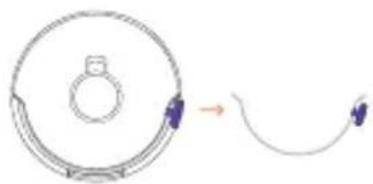
Install the side brushes
Press side brushes into the slots as indicated by color until they click into place.
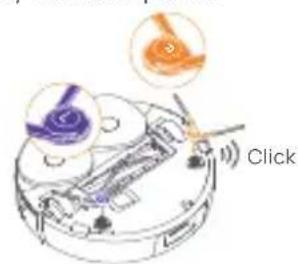
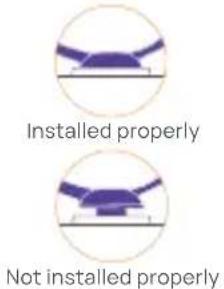
Remove the anti-collision foam
- Lift the top cover sticker to open the robot top cover and remove the anti-collision foam.
- Close the robot's top cover.
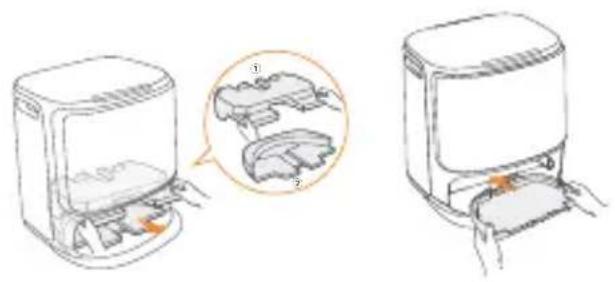
Remove the foam and install the cleaning tray
- Remove the two foam pieces that secure the robot inside the base station.
- Insert the cleaning tray into the base station and secure it
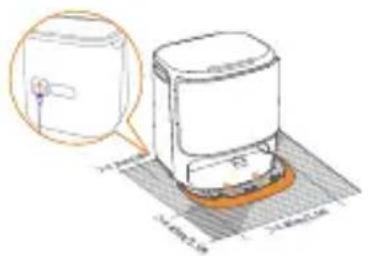
Place the base station
- Plug in the power cord in the back of the base station.
- Put the base station extension ramp on the floor and push it into the bottom of the base station until it clicks into place.
- Leave an open space of at least 0.45 meter long in front of the base station for the robot to enter and leave the base station.
Tips: DO NOT put the base station close to a heat source.
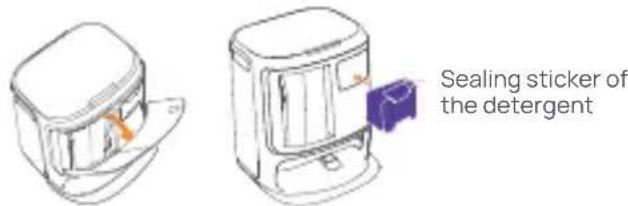
Place the detergent
- Remove the base station front cover, face the cap of the detergent to the base station (DO NOT remove the cap; make sure that the sealing sticker is removed), and horizontally push it into the detergent bin.
- When the detergent is in place, put the base station front cover back.
Base Station Disinfection Dust Bag Installation
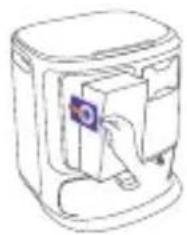
- Remove the base station front cover.
- Insert the dust bag into the slot in the marked direction until it hits the bottom.
- Put back the base station front cover.

Add clean water
- Unsnap the clean water tank and fill it with clean water
- Close the clean water tank cap and put the clean water tank back into the base station.
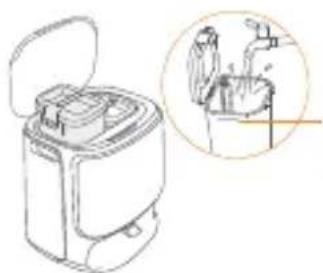
MAX water level mark
Boot settings
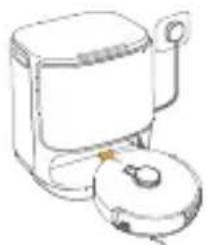
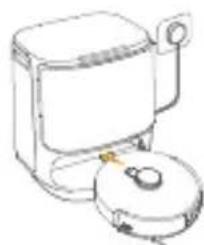
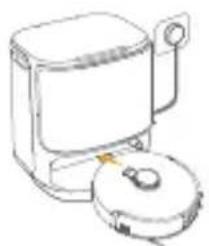
Push the robot into the base station with side brushes facing outward. The base station will beep once to indicate that charging is successful and the robot will turn itself on and prompt a voice message.
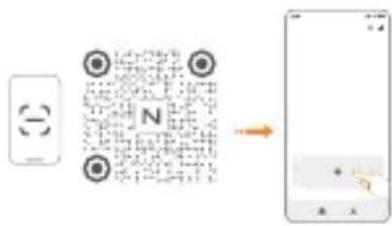
Connect and bind the robot in the App
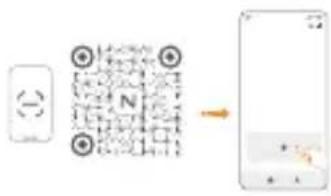
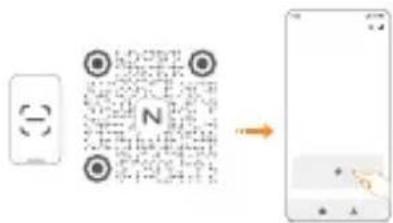
Download the Narwal App and follow the instructions for connecting and binding the robot.
Note: In the App device page, tap "Settings" > "Device" and then press hold the "Restart Robot" for 10s to turn on/off the power-saving mode.
- The power-saving mode is only available in North America.
3. How to Use
Before using the robot, please make sure you have finished the installation and base station setup in Chapter 2.
3.1 Organize the home environment
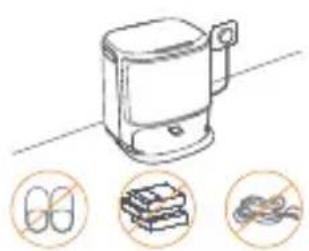
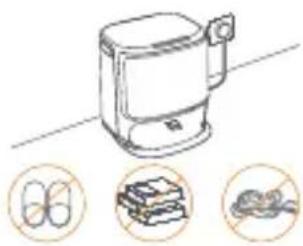
A. Put away the clutter on the floor, e.g. scattered cables, rags, slippers, clothes, and books.
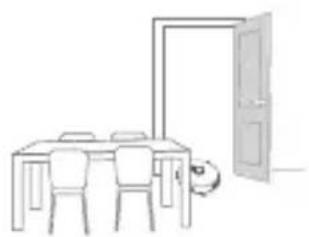
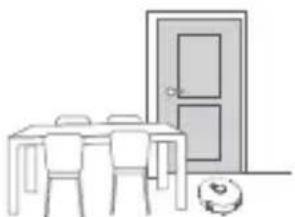
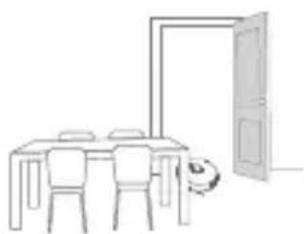
B. Open the doors of the rooms to be cleaned and arrange the furniture to leave as much space as possible for cleaning.
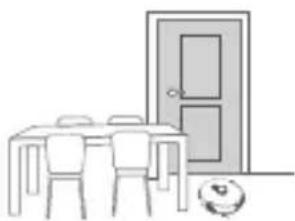
C. Leave other doors closed and install the fence to prevent the robot from entering elevated or low areas.
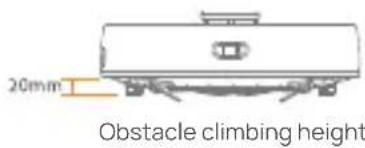
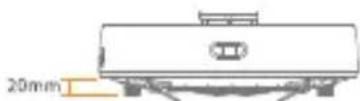
D. The maximum obstacle crossing height is 20mm and the robot cannot enter rooms with a threshold height of over 20mm . You can purchase Narwal Threshold Ramp to help the robot climb over obstacles.
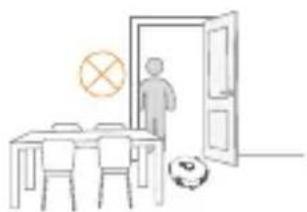
E. DO NOT stand in front of the robot, on the threshold, or in narrow aisles to avoid omission.
3.2 Mapping
Before cleaning a new home, the robot needs to explore the environment and create a map. Before first-time cleaning, you can trigger mapping by short pressing the [Start/Stop] button on the base station or tapping [Start Mapping] in the App.
Note:
-
Once a map is created, it can be edited in the App.
-
Please do not move the base station after a map is created, or you have to restart mapping. If large furniture in your home is rearranged, it is recommended to create a new map.
3.3 Cleaning
Select cleaning modes
The product comes with four built-in cleaning modes: Vacuum, Mop, Vacuum and Mop, and Vacuum then Mop. You can select and adjust parameters like cleaning cycles, suction, and mop humidity for each mode in the App.
Set Freo Mind
The Freo Mind is an intelligent cleaning assistant. When Freo Mind is turned on, the robot will intelligently adjust cleaning parameters, without needing manual settings.
You can select whether to activate Freo Mind when starting a cleaning task in the App.
Start cleaning task
You can start the robot for cleaning in three ways:
- Tap [Start Cleaning] in the App;
- Short press the [Start/Stop] button on the robot to start cleaning. The robot will activate the Vacuum Mode by default;
- Short press the [Start/Stop] button on the base station to start cleaning. The robot will activate the Vacuum and Mop Mode by default;
Note: You can adjust the cleaning mode and set more cleaning parameters in the App.
Pause/resume the current task
You can pause/resume the current task in three ways:
- Tap [Pause]/[Resume] in the App;
- Short press the [Start/Stop] button on the robot;
- Short press the [Start/Stop] button on the base station.
Dust collection
After a vacuuming task starts, the base station will transfer dirt and debris within the robot canister to the dust bag in it. You can also tap dust collection in the App to start dust collection manually.
Mop washing
If the robot is set for multiple mopping runs or the area for cleaning is large, the robot will automatically return to the base station for mop washing.
The number of mopping runs and return frequency can be modified in the App before cleaning starts, and the modification during the current cleaning task will take effect during the next task.
End current task
The robot will navigate itself back to the base station when cleaning ends. You can view the current cleaning report in the App.
You can manually end the task in the following three ways:
- Press and hold [Finish] for 2s in the App;
- Short press the Home [Recall] button on the robot;
- Short press the [Recall] button or long press and hold the [Start/Stop] button on the base station for 2s.
Mop Drying
After the last mopping run, the robot will return to the base station for mop washing and drying. The drying time can be modified in the App.
You can also start mop washing and drying manually in the following two ways:
- Tap [Mop Washing & Drying] in the App;
- Short press [Mop Washing & Drying] button on the base station.
4. Parameters
4.1 Specifications
| Robot Station | |
| Dimensions: 355*350*107.7 mm | Dimensions: 431*426.8*461.5 mm |
| Weight: ~4.6 kg | Weight: ~11.3kg |
| Wireless Connection: 2.4GHz, 802.11b/g/n | Rated input: 220-240V~, 50-60Hz/ 100-127V~,50-60Hz (The actual rated input is based on the product nameplate information.) |
| Rated input (charging): 20V=2.0A | Rated output: 20V=2.0A |
| Rated voltage (working): 14.4V= (lithium ion battery, 5000mAh) | Rated power: Charging: 45W Water heating: 1100W(220-240V~, 50-60Hz) 850-1250W(100-127V~, 50-60Hz) Dust Collection: 450W Drying:65W |
| Wi-Fi | |
| Protocol: IEEE 802.11b/g/n | |
| Frequency Range: 2412~2472MHz | |
| Max. Transmitter Power (EIRP): ≤20dBm | |
| Bluetooth | Bluetooth |
| Protocol: BLE 5.0 | Protocol: BLE 5.0 |
| Frequency Range: 2402-2480MHz | Frequency Range: 2402-2480MHz |
| Max. Transmitter Power (EIRP): ≤10dBm | Max. Transmitter Power (EIRP): ≤10dBm |
| Battery (Robot) | |
| Battery Pack Quantity Per Pack: | 1 pcs |
| Battery Type: | Rechargeable Li-ion Battery |
| Nominal Voltage: | 14.4V= |
| Quantity of Battery Cells Per Battery Pack: | 8 pcs |
| Rated Capacity, Rated Energy: | 5000mAh, 72Wh |
Retirez la mousse anti-collision
Tastender Dockingstation
Retirez la mousse anti-collision
Alternatively, you can use the trapezoid method to create a trapezoid in your hand.
Yan firca × 2
guç kablosu × 1
4.1 Thóc So'Ky Thuat
| Robot | Dé Sân |
| Kích chuóc: 355*350*107,7 mm | Kích chuóc: 431*426,8*461,5 mm |
| Trong luong: 4,6 kg | Trong luong:11,3 kg |
| Pin: 5000 mAh | Dietenfty不斷升降: 220-240V~, 50-60Hz 100-127V~, 50-60Hz (Dietenfty升降升降: tê d淘汰teen先进技术在泰国sân khác.) |
| Dietenfty升降升降: 14.4V => | Dietenfty升降升降: 20V => 2.0A |
| Cộng suat升降升降: 65W | Cộng suat升降升降: SAC: Sac: 45W Làm nóc: 1100W(220-240V~, 50-60Hz) 850-1250W(100-127V~, 50-60Hz) Thu gom bái: 450W Sân: 65W |
| Wi-Fi (robot) | |
| Giao thóc: IEEE 802.11b/g/n | |
| Dài tiên sô: 2412 ~ 2472 MHz | |
| Cộng suat phát tõi da (EIRP): 20dBm | |
| Bluetooth | Bluetooth |
| Giao thóc: BLE 5.0 | Giao thóc: BLE 5.0 |
| Dài tiên sô: 2402-2480 MHz | Dài tiên sô: 2402-2480 MHz |
| Cộng suat phát tõi da (EIRP): ≤10dBm | Cộng suat phát tõi da (EIRP): ≤10dBm |
yuuuunuunuunuunuunuunuunuunuunuun uuuuuuuuuuuuuuuuuuuuuuuuuuuuuuuuuuuuuuuuuuuuuuuuuuuuuuuuuuuuuuuuuuuuuuuuuuuuuuuuuuuuuuuuuuuuuuuuuuuuuuuuuuuuuuuuuuuuuuuuuuuuuuuuuuuuuuuuuuuuuuuuuuuuuuuuuuuuuuuuuuuuuuuuuuuuuuuuuuuuu
yannnnnynnnnnnnnnnnnnnnnnnnnnnnnnnnnnnnnnnnnnnnnnnnnnnnnnnnnnnnnnnnnnnnnnnnnnnnnnnnnnnnnnnnnnnnnnnnnnnnnnnnnnnnnnnnnnnn
aunwauanuunnau Narwal Freo uanannnnnunun nnuonnnnnaeauanuon 10nwnwnwnnnn nn nnnnnnnnnnnnnnnnnnnnnnnnnnnnnnnnnnnnnnnnnnnnnnnnnnnnnnnnnnnnnnnnnnnnnnnnnnnnnnnnnnnnnnnnnnnnnnnnnnnnnnnnnnnnnnnnnnnnnnnnnnnnnnnnnnnnnnnnnn
3. 55
nouu 10000000000000000000000000000000000000000000000000000000000000
3.1
n. 与前日的比 的 即 即 即 即 即 即 即 即 即 即 即 即 即 即 即 2x = 0
a. 1uTuTuTuTuTuTuTuTuTuTuTuTuTuTuTuTuTuTuTuTuTuTuTuTuTuTuTuTuTuTuTuTuTuTuTuTuTuTuTuTuTuTuTuTuTuTuTuTuTuTuTuTuTuTuTuTuTuTuTuTuTuTuTuTuTuTuTuTuTuTuTuTuTuTuTuTuTuTuTuTuTuTuTuTuTuTuTuTuTuTuTuTuTuTuTuTuTuTuTuTu
四. 1000000000000000000000000000000000000000
20
D. nannnnae nnne nee nee nee 20 mnnnennnnn
nnuuueeaeonne nnuuunnuuueaennnnnnae aennnnnae ne e uuuuuaeeauu uuaanuuaa uuuuauu uuuuauu uuuuuuuuuuuuuuuuuuuuuuuuuuuuuuuuuuuuuuuuuuuuuuuuuuuuuuuuuuuuuuuuuuuuuuuuuuuuuuuuuuuuuuuuuuuuuuuuuuuuuuuuuuuuuuuuuuuuuuuuuuuuuuuuuuuuuuuuuuuuuuuuuuuuuuuuuuuuuuuuuuuuuuuuuuuuuuuuuuuuuUU
huanyu
yuuuueueueueueueueueueueueueueueueueueueueueueueueueueueueueueueueueueueueueueueueueueueueueueueueueueueueueueueueueueueueueueueueueueueueueueueueueueueueueueueueueueueueueueueueueueueueueueueueuee
例如 1,2,3 的次序为 2,3,4 .
Home [vunnu] vuuu
·nun [nu:n] nju wonu [nu/nua] uanruan 2 sun
n
nannnnnnae nnnnne nnnnne nnnnne nnnnne nnnnne nnnnne nnnnne nnnnne nnnnne nnnnne nnnnne nnnnne nnnnne nnnnne nnnnne nnnnne nnnnne nnnnne nnnnne nnnnne nnnnne nnnnne nnnnne nnnnne nnnnne nnnnnee nnnnne nnnnne nnnnne nnnnne nnnnne nnnnne nnnnne nnnnne nnnnne nnnnne nnnnne nnnnne nnnnne nnnnne nnnnne nnnnne nnnnne nnnnne nnnnne nnnnne nnnnne nnnnne nnnnne nnnnne nnnnae
·[n]
·nun [nunuaouu] uuaan
4. w
4.1
| 伺服电机 | 574 |
| vhu: 355*350*107.7 mm. | vhu: 431*426.8*461.5 mm. |
| ühu: 4.6 mm. | ühu: 11.3 mm. |
| 5000 m³/min | 500-240V~, 50-60Hz 100-127V~, 50-60Hz (500-240V) |
| whu: 14.4V= | whu: 20V= 2.0A |
| whu: 65W | whu: 45W whu: 1100W(220-240V~, 50-60Hz) 850-1250W(100-127V~, 50-60Hz) whu: 450W whu: 65W |
| lhw | |
| lhw: IEEE 802.11b/g/n | |
| whu: 2412~2472MHz | |
| mhu: 2402-2480MHz (EIRP): ≤20dBm | |
| uans | uans |
| lhu: 5.0 | lhu: 5.0 BLE 5.0 |
| whu: 2402-2480MHz | whu: 2402-2480MHz |
| mhu: 2402-2480MHz (EIRP): ≤10dBm | mhu: 5.0 whu: ≤10dBm |
(701)TJ 701701701701701701701701701701701701701701701701701701701701701701701701701701701701701701701701701701
Tn 100000000000000000000000000000000000000000000000
#
nTn1.1

1x1n 1xPnNn
1xDnnnn,1xPn7n,1xPn7n(1xD7nDn
TATXn
ywnnn 1xnn
1x
1xPn
1x

y nnnn 1xnn
D117.2
(1)
TNT
TINN
nxy/n7nnn nn7
77777
nnpnnn
V
(nin nn)nn
(nin nipn)nnnX
xn7n7y0
n, n, n, n, n, n, n, n, n, n, n, n, n, n, n, n, n, n, n, n, n, n, n, n, n, n, n, n, n, n, n, n, n, n, n, n, n, n, n, n, n, n, n, n, n, n, n, n, n, n, n,
TINN
77, 1999 900000000000000000000000000000000000000000
n nn
:17777777777777777777
;ni7y[1]nnnn] 7yn
7n nnnnnnnn [nynnnn] 1nnn nn nnnn
77n nnnnnnnnnnnnnnnnnnnnnnnnnnnnnnnnnnnnnnnnnnn
.1792 1792 1792 1792 1792 1792 1792 1792
nnn nn nn nn nn nn
:17 17 17 17 17 17 17 17 17 17 17
;ynp70x[ynn] / [nnyn] yypn.
;ian [nynnn] nynn ny npnnp
.1nnn [ny/7nn] 1y7 nyx np
PANIDIN
.
11111111111111111111111
#
n nnnnnnnnnnnnnnnnnnnnnnnnnnnnnnnnnnnnnnnnnnnnnnnnnnnnnnnnnnnnnnnnnnnnnnnnnnnnnnnnnnnnnnnnnnnnnnnnn
.
nndnn nn nn nn
nnpnnnnnnnnnnnnnnnnnnnnnnnnnnnnnnnnnn
nixn n 17nn nn nn nn nn
;nx70x2y7[0] nx pnnn7
;n [n] Home n7 ny np
n2777nnn [n/7nn] | n777n nn n n n n n n n n n n n n n
"
.1n nn [nnn, n] 7y nx
| הכלה | הכלה |
| ה"ה 461.5*426.8*431:ה"ה | ה"ה 107.7*350*355:ה"ה |
| ה"ה 11.3:ה"ה | ה"ה 4.6:ה"ה |
| ה"ה 50-60,ה"ה 100-127/ה"ה 50-60,ה"ה 220-240:ה"ה .(ה"ה 100-127/ה"ה 50-60,ה"ה 220-240:ה"ה .(ה"ה 100-127/- )(ה"ה 50-60,ה"ה 100-127) W450:ה"ה 1250(ה"ה 50-60,ה"ה 100-127) W450:ה"ה 1250(- W65:ה"ה) | mAh 5000:ה"ה |
| 20V = 2.0A:ה"ה (- W45:- W1100(- W850-1250(- W450:- W65:- W450:- W65:- W450:- W65:- W450:- W65:- W450:- W65:- W450:- W65:- W450:- W65:- W450:- W65:- W450:- W65:- W450:- W65: - W450:- W65:- W450:- W65:- W450:- W65:- W450:- W65:- W450:- W65:- W450:- W65:- W450:- W65:- W450:- W65:- W450:- W65:- w" - "II" | |
| IEEE 802.11b/g/n'- 2412~2472:- 20dBm≥ (EIRP) '- 20dBm≥:(EIRP) ' | |
| - - - - - - - - - - - - - - - - - - - - - - - - - - - - - - - - - - - - - - - - - - - - - - - - - - - - - - - - - - - - - - - - - - - - - - - - - - - - - - - - - - - - - - - - - - - - - - - - - - - - - | |
| BLE 5.0:- 2480-2402:- 2480-2402:- 2480-2402:- 2480-2402:- 2480-2402:- 2480-2402:- 2480-2402:- 2480-2402:- 2480-2402:- 2480-2402: - 10dBm≥:(EIRP) '- 10dBm≥:(EIRP) ' | |
| (בִר)הכלה | |
| הכלה 1 | הכלה 2, 3, 4, 5, 6, 7, 8, 9, 10, 11, 12, 13, 14, 15, 16, 17, 18, 19, 20, 21, 22, 23, 24, 25, 26, 27, 28, 29, 30, 31, 32, 33, 34, 35, 36, 37, 38, 39, 40, 41, 42, 43, 44, 45, 46, 47, 48, 49, 50, 51, 52, 53, 54, 55, 56, 57, 58, 59, 60, 61, 62, 63, 64, 65, 66, 67, 68, 69, 70, 71, 72, 73, 74, 75, 76, 77, 78, 79, 80, 81, 82, 83, 84, 85, 86, 87, 88, 89, 90, 91, 92, 93, 94, 95, 96, 97, 98, 99, 100, 101, 102, 103, 104, 105, 106, 107, 108, 109, 110, 111, 112, 113, 114, 115, 116, 117, 118, 119, 120, 121, 122, 123, 124, 125, 126, 127, 128, 129, 130, 131, 132, 133, 134, 135, 136, 137, 138, 139, 140, 141, 142, 143, 144, 145, 146, 147, 148, 149, 150, 151, 152, 153, 154, 155, 156, 157, 158, 159, 160, 161, 162, 163, 164, 165, 166, 167, 168, 169, 170, 171, 172, 173, 174, 175, 176, 177, 178, 179, 180, 181, 182, 183, 184, 185, 186, 187, 188, 189, 190, 191, 192, 193, 194, 195, 196, 197, 198, 199, 200, 201, 202, 203, 204, 205, 206, 207, 208, 209, 210, 211, 212, 213, 214, 215, 216, 217, 218, 219, 220, 221, 222, 223, 224, 225, 226, 227, 228, 229, 230, 231, 232, 233, 234, 235, 236, 237, 238, 239, 240, 241, 242, 243, 244, 245, 246, 247, 248, 249, 250, 251, 252, 253, 254, 255, 256, 257, 258, 259, 260, 261, 262, 263, 264, 265, 266, 267, 268, 269, 270, 271, 272, 273, 274, 275, 276, 277, 278, 279, 280, 281, 282, 283, 284, 285, 286, 287, 288, 289, 290, 291, 292, 293, 294, 295, 296, 297, 298, 299, 300, 301, 302, 303, 304, 305, 306, 307, 308, 309, 310, 311, 312, 313, 314, 315, 316, 317, 318, 319, 320, 321, 322, 323, 324, 325, 326, 327, 328, 329, 330, 331, 332, 333, 334, 335, 336, 337, 338, 339, 340, 341, 342, 343, 344, 345, 346, 347, 348, 349, 350, 351, 352, 353, 354, 355, 356, 357, 358, 359, 360, 361, 362, 363, 364, 365, 366, 367, 368, 369, 370, 371, 372, 373, 374, 375, 376, 377, 378, 379, 380, 381, 382, 383, 384, 385, 386, 387, 388, 389, 390, 391, 392, 393, 394, 395, 396, 397, 398, 399, 400, 401, 402, 403, 404, 405, 406, 407, 408, 409, 410, 411, 412, 413, 414, 415, 416, 417, 418, 419, 420, 421, 422, 423, 424, 425, 426, 427, 428, 429, 430, 431, 432, 433, 434, 435, 436, 437, 438, 439, 440, 441, 442, 443, 444, 445, 446, 447, 448, 449, 450, 451, 452, 453, 454, 455, 456, 457, 458, 459, 460, 461, 462, 463, 464, 465, 466, 467, 468, 469, 470, 471, 472, 473, 474, 475, 476, 477, 478, 479, 480, 481, 482, 483, 484, 485, 486, 487, 488, 489, 490, 491, 492, 493, 494, 495, 496, 497, 498, 499, 500, 501, 502, 503, 504, 505, 506, 507, 508, 509, 510, 511, 512, 513, 514, 515, 516, 517, 518, 519, 520, 521, 522, 523, 524, 525, 526, 527, 528, 529, 530, 531, 532, 533, 534, 535, 536, 537, 538, 539, 540, 541, 542, 543, 544, 545, 546, 547, 548, 549, 550, 551, 552, 553, 554, 555, 556, 557, 558, 559, 560, 561, 562, 563, 564, 565, 566, 567, 568, 569, 570, 571, 572, 573, 574, 575, 576, 577, 578, 579, 580, 581, 582, 583, 584, 585, 586, 587, 588, 589, 590, 591, 592, 593, 594, 595, 596, 597, 598, 599, 600, 601, 602, 603, 604, 605, 606, 607, 608, 609, 610, 611, 612, 613, 614, 615, 616, 617, 618, 619, 620, 621, 622, 623, 624, 625, 626, 627, 628, 629, 630, 631, 632, 633, 634, 635, 636, 637, 638, 639, 640, 641, 642, 643, 644, 645, 646, 647, 648, 649, 650, 651, 652, 653, 654, 655, 656, 657, 658, 659, 660, 661, 662, 663, 664, 665, 666, 667, 668, 669, 670, 671, 672, 673, 674, 675, 676, 677, 678, 679, 680, 681, 682, 683, 684, 685, 686, 687, 688, 689, 690, 691, 692, 693, 694, 695, 696, 697, 698, 699, 700, 701, 702, 703, 704, 705, 706, 707, 708, 709, 710, 711, 712, 713, 714, 715, 716, 717, 718, 719, 720, 721, 722, 723, 724, 725, 726, 727, 728, 729, 730, 731, 732, 733, 734, 735, 736, 737, 738, 739, 740, 741, 742, 743, 744, 745, 746, 747, 748, 749, 750, 751, 752, 753, 754, 755, 756, 757, 758, 759, 760, 761, 762, 763, 764, 765, 766, 767, 768, 769, 770, 771, 772, 773, 774, 775, 776, 777, 778, 779, 780, 781, 782, 783, 784, 785, 786, 787, 788, 789, 790, 791, 792, 793, 794, 795, 796, 797, 798, 799, 800, 801, 802, 803, 804, 805, 806, 807, 808, 809, 810, 811, 812, 813, 814, 815, 816, 817, 818, 819, 820, 821, 822, 823, 824, 825, 826, 827, 828, 829, 830, 831, 832, 833, 834, 835, 836, 837, 838, 839, 840, 841, 842, 843, 844, 845, 846, 847, 848, 849, 850, 851, 852, 853, 854, 855, 856, 857, 858, 859, 860, 861, 862, 863, 864, 865, 866, 867, 868, 869, 870, 871, 872, 873, 874, 875, 876, 877, 878, 879, 880, 881, 882, 883, 884, 885, 886, 887, 888, 889, 890, 891, 892, 893, 894, 895, 896, 897, 898, 899, 900, 901, 902, 903, 904, 905, 906, 907, 908, 909, 910, 911, 912, 913, 914, 915, 916, 917, 918, 919, 920, 921, 922, 923, 924, 925, 926, 927, 928, 929, 930, 931, 932, 933, 934, 935, 936, 937, 938, 939, 940, 941, 942, 943, 944, 945, 946, 947, 948, 949, 950, 951, 952, 953, 954, 955, 956, 957, 958, 959, 960, 961, 962, 963, 964, 965, 966, 967, 968, 969, 970, 971, 972, 973, 974, 975, 976, 977, 978, 979, 980, 981, 982, 983, 984, 985, 986, 987, 988, 989, 990, 991, 992, 993, 994, 995, 996, 997, 998, 999, 1000 |
a
( LII)
Fre0 Z10
e 5000
e 5200 gai
aalwai aalwai yolai ealil ay.
48021 131313
J 1
a a a a a a a a a a a a a a a a a a a a a a a a a a a a a a a a a a a a a a
a_i = ( a_1 + a_2 + a_3) = a_5
aill llll 1
aaii i 1
aill 1
Home
a 1
aannnnn
aill 8 aaii i 10
y
gail [aunall]
xell 100000000000000000000000000000000000000000