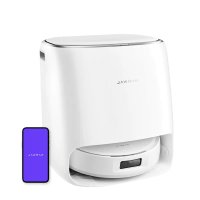
USER MANUAL Flow Narwal
Thank you for purchasing Nanwal products. To access comprehensive support from Nanwal, you are recommended to read carefully the manual and illustrations before using the product. Please keep the manual properly.
The manual may be updated from time to time based on product updates and user feedback. Please scan the QR code below to browse the official website and view the latest version.
In case of any problem in using the product, please contact Nerval after-sales customer service through the following ways:
Customer service email:
Email du service client support.na@global.narwal.com (Arrerque du Nord)
support.na@global.narwal.com (North America)
support.eu@global.narwal.com(Germany)
support.it@globalnewal.com(taly)
support.jp@global.nerwal.com(Japan)
support.fr@global.narwal.com(France)
support.kr@gloal.narwal.com(South Korea)
support as@globalmarwal.com(Spain)
*For other countries, please refer to the after-sales contact information provided by your local vendors
We wish you a pleasant experience!
Electronic version of the user manual
Regional Availability and Compatibility
Based on user experiences consideration and relevant legal and compliant requirements, Narwal product is normally sold by Narwal (and its authorized retailers) are only available for use and after-sales service support in the country or region in which they were originally sold. If a product is shipped to any other countries or regions, you might not be able to use the Narwal App to bind the product or perform relevant operations. We recommend that you purchase the local version of the Narwal product from Narwal or its authorized retailers in order to obtain the best product use and service experience.
For avoidance of doubt, Narwal products sold by Narwal (and its authorized retailers) in the PRC are only available for use and after-sales service support in the PRC (for this purpose, excluding Hong Kong, Macao and Taiwan).
1 Product At A Glance
1.1 Check List
Main parts
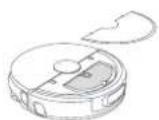
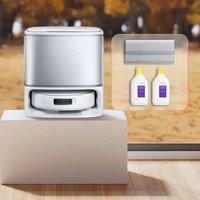
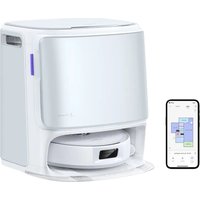
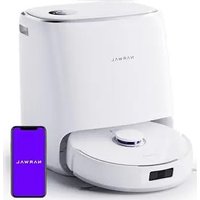
Robot × 1
(Dust collection box × 1 and track mopping module × 1 already installed)
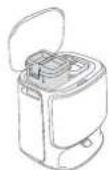
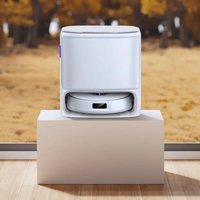
Multifunctional dock × 1
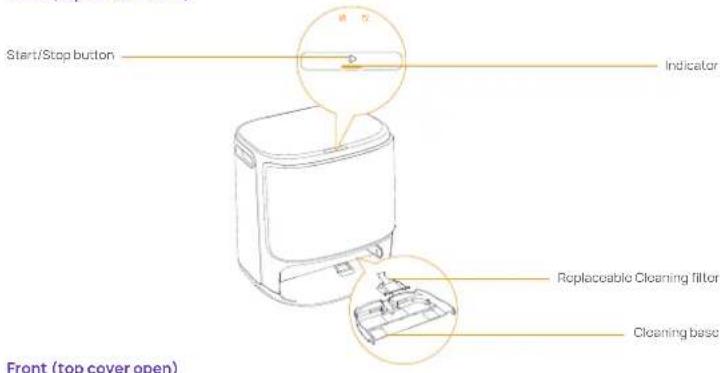
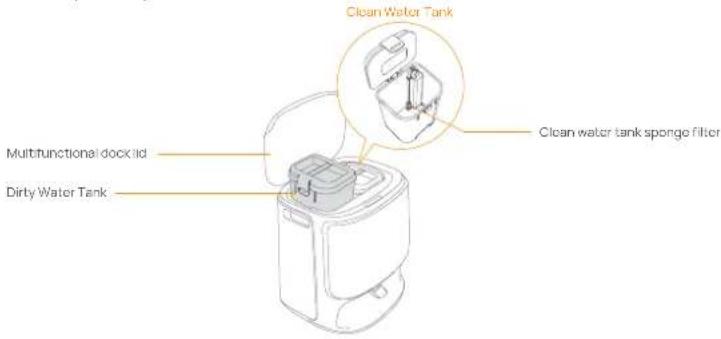
cleaning base×1, clean water tank×1, dirty water tank×1 included)
Accessories
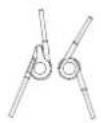
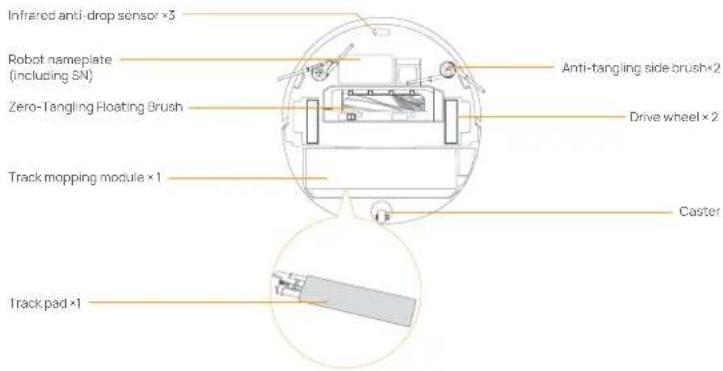
Anti-tangling side brush×2 (Accessory)
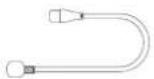
Power cord × 1
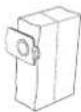
Dust Bag ×2 (Accessory)

Detergent×1 (Accessory)
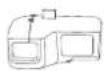
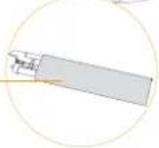
Replaceable insert bin × 1 (Accessory)

Dust bin filter × 1 (Accessory)

Replaceable Cleaning filter ×1 (Accessory)
1.2 Robot
Front (top cover closed)
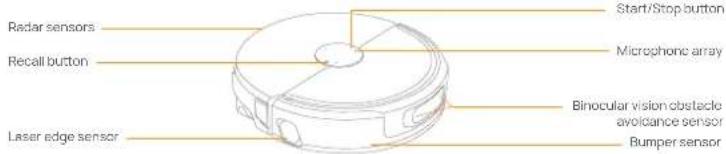
Front (top cover open)
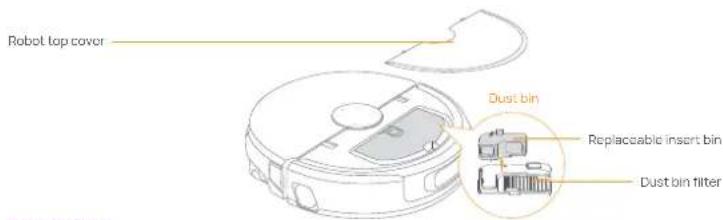
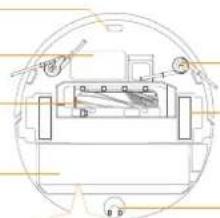
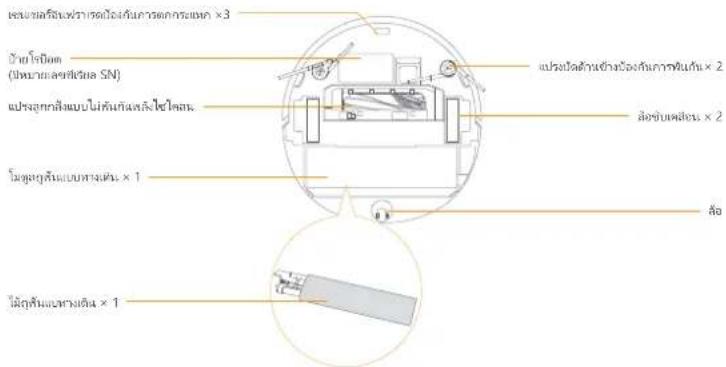
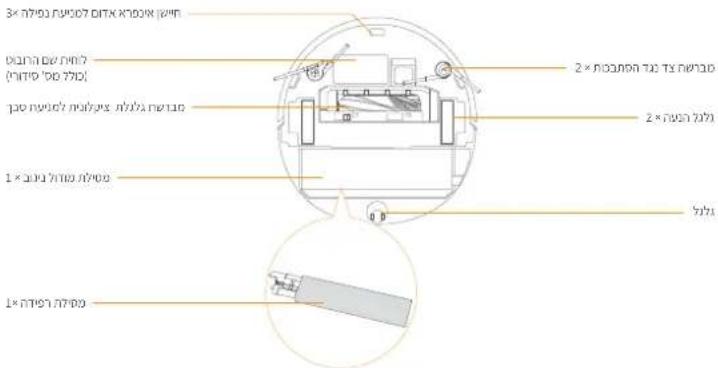
Robot bottom
1.3 Multifunctional dock components
Front (top cover closed)
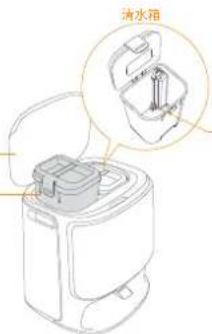
Front (top cover open)
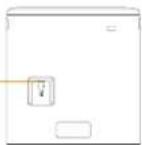
Back
Robot buttons
| Button | Action Function |
| Start/Stop | Short press | Start/pause/resume the current task |
| Press and hold for 2s | On/Off, End Task |
| Press and hold for 10s | Forced power-off of robot |
| Triple tap the button | Turn On/Off Child Lock |
| Recall | Short press | Return to the dock |
| Press and hold for 5s | Enter the pairing mode |
| Press and hold for 15s | Reset system version and clear user data |
| Triple tap the button | Enable robot video call |
Multifunctional dock button
| Button | Action Function |
| Short press | Start/pause/resume the current task |
| Double click | Start/cancel mop washing |
| Press and hold for 2s | End current task |
| Press and hold for 5s | Enter/exit the pairing mode |
Robot indicators
| Indicator | Meaning |
| Dynamic spinning blue | Task Underway |
| Dynamic breathing blue | Task paused |
| Smart spinning blue | Nawa response status |
| Flashing red | During an error |
| Breathing red | Disconnected |
| Breathing orange | Pairing/Updating |
| Dynamic color | Device startup |
Multifunctional dock indicators
| Indicator | Meaning |
| Off | Standby/drying |
| Steady | In task/standby mode |
| Breathing | Task paused/pairing/updating |
| Flashing | Error/disconnected |
2. Get Ready Before Use
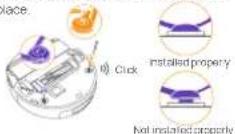
(1) Install the side brushes
Press side brushes into the slots of the same color until they click into place.
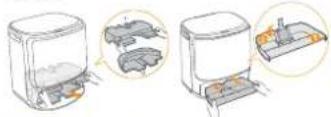
(3) Remove the paper trays and install the replacable cleaning filter
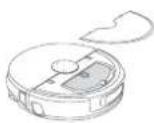
- Remove the paper trays that fix the robot inside the dock.
- Take out the cleaning tray, clip the replaceable filter into the slot of the tray and press it down to install it in place.
- Put the cleaning base with cleaning filter installed back to the cock.
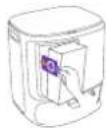
(5) Dust Bag Installation
- Remove the dock front cover
- Insert the dust bag into the slot in the marked direction until it hits the bottom.
• Install the dock front panel in proper place.
(7) Add detergent
With the clean water tank full, using the detergent cap to measure an appropriate amount of detergent into the clean water tank, securely close the tank lid, and shake gently to mix.
Tips: Please use the detergent from Narwal, otherwise, the device may become faulty. Please use the bottle cap to measure the detergent. For the specific method, refer to the "HOW TO USE" on the bottle.
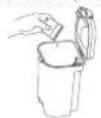
(2) Remove the anti-collision foam
- Lift the top cover sticker to open the robot top cover and remove the anti-collision foam.
- Close the robot's top cover
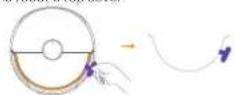
(4) Placing the multifunctional dock
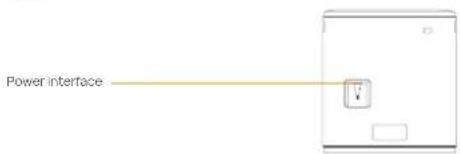
- Plug in the power cord in the back of the dock to connect the power
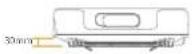
- Leave an open space of at least 0.45 meter long in front of the dock for the robot to enter and leave the dock.
Tips: DO NOT put the dock close to a heat source.
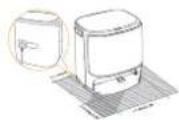
(6) Add clean water
- Open the clean water tank and fill it with clean water.
- Please fasten the upper lid of the water tank and put it back into the Multifunctional dock.
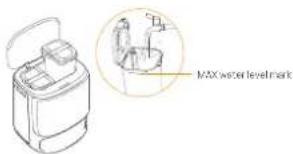
(8)Boot settings
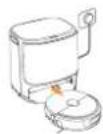
Push the robot into the dock with side brushes facing outward. The dock will beep once to indicate that charging is successful and the robot will turn itself on and prompt a voice message.
(9) Connect and bind the robot in the App
Download the Narwal App and follow the instructions for connecting and blinding the robot. Note: In the App device page, top "Settings" > "Device" and then press hold the "Rostar Robot" for 10s to turn on/off the power-saving mode.
—The power-saving mode is only available in North America.

3. How to Use
Before using the robot, please make sure you have finished the installation and multifunctional dock setup in Chapter 2.
3.1 Organize the home environment
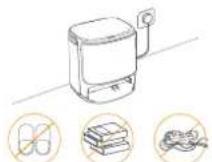
A. Put away the clutter on the floor, e.g. scattered cables, rags, slippers, clothes, and books, slippers, clothes, and books.
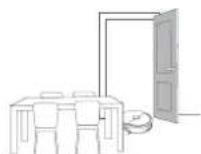
B. Open the doors of the rooms to be cleaned and arrange the furniture to leave as much space as possible for cleaning.

C. Leave other doors closed and install the fence to prevent the robot from entering elevated or low areas.
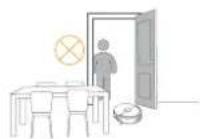
E. DO NOT stand in front of the robot, on the threshold, or in narrow aisles to avoid omission.
3.2 Mapping
Before cleaning a new home, the robot needs to explore the environment and create a map. Before first-time cleaning, you can trigger mapping by short pressing the ▶ [Start/Stop] button on the dock or tapping "Start Mapping" in the App. Note:
-
You can edit or manage all maps in Narwal APP after mapping finished, including creating sub-map for NO-GO Zones or multi floors.
-
Do not move the dock after mapping finished, otherwise you need to rebuild the map. If there is a change in the location of large pieces of furniture, it is recommended to rebuild the map.
3.3 Cleaning
Before a cleaning task, please make sure that the robot has a proper battery level, which can be viewed in the App.
Select cleaning modes
The product comes with four built-in cleaning modes: Vacuum, Mop, Vacuum and Mop, and Vacuum then Mop. You can select and adjust parameters like cleaning cycles, suction, and mop humidity for each mode in the App.
Set Freo Mind
The Freo Mind is an intelligent cleaning assistant. When Freo Mind is turned on, the robot will intelligently adjust cleaning parameters, without needing manual settings.
You can select whether to activate Freo Mind when starting a cleaning task in the App.
Start cleaning task
You can command the robot to start cleaning in the following ways:
• Tap [Start Cleaning] in the App
- Short press the [Start/Stop] on the robot and the robot will activate the Vacuum Mode by default;
- Short press the dock ▶ [start and stop] to start cleaning, and the robot will default to the simultaneous cleaning mode of scanning and dragging.
Note: You can adjust the cleaning mode and set more cleaning parameters in the App. DO NOT touch both sides of the mop assembly with your hands when the robot is executing tasks.
Pause/resume the current task
You can pause/resume the current task in the following ways:
• Tap 📊 [Pause]/ 🐵 [Resume] in the App;
- Short press the [Start/Stop] button;
- Short press the dock ▶ [Start-Stop].
Dust collection
When vacuuming task started, solid waste in the robot dust box will be automatically vaccinated to the dust bag in the dock. You can click [Dust Collection] in the App to start dust collection.
Clean Mop
If the robot is set for multiple mopping runs or the area for cleaning is large, the robot will automatically return to the dock for mgo washing.
The number of mopping runs and return frequency can be modified in the App before cleaning starts, and they cannot be modified during the current cleaning task.
You can also have the Multifunctional dock wash the mop
• Tap [Mop Washing] in the App.
• Double-click the dock ▶ [mop]
Note: Please DO NOT pull the robot out the dock during mop cleaning process so as to avoid component damage.
End current task
The robot will navigate itself back to the dock when cleaning ends. You can view the current cleaning report in the App.
You can also manually end a task in the following four ways:
- Press and hold 📋 Finish button for 2s in the App;
- Short press the [Recall] button on the robot,
- Press and hold the [Start/Stop] button on the robot for 2s;
- Press and hold for 2s on the dock ▶ [start-stop]
Start mop drying
After the last mopping run, the robot will return to the dock for mop washing and drying. The drying time can be modified in the App.
- Click [Map drying] in the APP to dry the maps.
4. Parameters
4.1 Specifications
| Robot(YJCC026) | Multifunctional dock(YJCB026BL) |
| Dimensions: 363.5*351.2*95 mm | Dimensions: 430*402*461mm |
| Weight: 5.0kg | Weight: 10.2 kg |
| Wireless Connection: 2.4GHz/5GHz WI-FI | Rated input: 220-240V~, 50-50Hz100-127V~, 50-50Hz(The actual rated input is based on the product nameplate information.) |
| Rated input (charging): 8-17.8V== 0.2-3.5A |
| Rated power: 65W | Rated output: 8-17.8V== 0.2-3.5A |
| Rated voltage (working): 14.4V==(lithium ion battery: >5900mAh) | Rated powerCharging: 65WWater heating: 1350W (220-240V~, 50-50Hz)950-1450W (100-127V~, 50-50Hz)Dust Collection: 450W (220-240V~, 50-60Hz)360-450W (100-127V~, 50-50Hz)Drying:100W(Note: The rated drying power refers to the drying power of the mop pads at full power.) |
| Charging takes about 3 hours at a normalambient temperature |
| WI-FI |
| Protocol: IEEE 802.11a/b/g/n/ac/ax |
| Frequency Range&Max. Transmitter Power:2400~2485.5MHz /EIRP≤20dBm5150MHz-5350MHz/EIRP≤23dBm5470MHz-5725MHz/EIRP≤20dBm5725MHz-5850MHz/EIRP≤13.98dBm |
| Bluetooth | Bluetooth |
| Protocol: BLE 5.0 | Protocol: BLE 5.0 |
| Frequency Range: 2402-2480MHz | Frequency Range: 2402-2480MHz |
| Max. Transmitter Power (EIRP): ≤10dBm | Max. Transmitter Power (EIRP): ≤10dBm |
| Battery (Robot) |
| Battery Pack Quantity Per Pack: | 1 pcs |
| Battery Type: | Rechargeable Li-ion Battery |
| Nominal Voltage: | 14.4V= |
| Quantity of Battery Cells Per Battery Pack: | 8 pcs |
| Rated Capacity, Rated Energy: | 5900mAh, 84.96Wn |
de
Moppmodul, Track × 1
Steuerplatte × 1
natural_image
Technical line drawing of a mechanical assembly with no visible text or symbols
(2) Retirez la mousse anti-collision
natural_image
Line drawing of a kitchen appliance with two circular annotations highlighting internal components (no text or symbols present)
状態
可替换清潔連網
清潔底座
充電站正面(開啟上蓋)
充电站上盖
汗水箱
清水箱過濾棉
充電站背面
電源介面
1.4 按鍵及燈效
機器人按鍵
按链
操作功能
起動/停止
開始/暫停/繼續任務
長按2s
開/關機,結束任務
長按10s
機器人強制斷電
三擎按钮
開啟/閑閉重鑰
召回
短按
召回自清潔充電站
長按5秒後鬆開
進入配對模式
長按15s
重置系统版本并清除用户数据
三学按题
同啟機器人視訊通話權限
自清潔充電站按鍵
按键
操作功能
D
開始/暫停/繼續任務
21.02
開始/取消洗拖布
長按2s
結束任務
長按5s
進入/退出配對模式
機器人燈效
煜效
含義
動態蓝色旋轉常亮
任務中
動藍蓝色呼吸
任务暂停中
智感蓝色旋转常亮
Nawa語音應答狀態
紅色快閃
元常時
紅色呼吸
失聯時
橙色呼吸
配對中/升級中
動態彩色
装置開機
自清潔充電站燈效
煜效
含義
热减
空閉中/烘乾中
常元
任務中/待機模式中
呼吸
任務暂停中/配對中/升級中
快閃
元中/失聯中
2. 使用前準備
(1) 安装機器人邊刷
natural_image
Illustration of three different kitchen appliances with labeled parts, shown in circular views (no text or symbols present)
(5)集壓袋安裝
Declaration of the Presence Condition of the Restricted Substances Marking
Note 1: "Exceeding 0.1 wt %" and "exceeding 0.01 wt %" indicate that the percentage content of the
restricted substance exceeds the reference percentage value of presence condition.
Note 2: "O" indicates that the percentage content of the restricted substance does not exceed the
percentage of reference value of presence.
備考3. 一係指該項限用物質為排除項目
Note 3: The"—" indicates that the restricted substance corresponds to the exemption.SJ/T11364的规定编制
tr
natural_image
Illustration of a pair of kitchen appliances with hand gestures, showing internal components (no text or symbols)
natural_image
Technical line drawing of a mechanical component with no visible text or symbols
natural_image
Illustration of three different kitchen appliances with hand gestures, shown in separate views (no text or symbols present)
natural_image
Illustration of a pair of kitchen appliances with close-ups showing internal components (no text or symbols)
(5)Lắp túi rác
ด้านล่างของโรปอต
natural_image
Illustration of three different kitchen appliances with hand gestures, showing internal components and packaging (no text or symbols)
(8)การตั้งค่าการบุต
flood warning is the first warning of a flood warning.
The following table provides the information in a specific format:
1. וכלהה
הכלה 1.1
תְרָהִי אַלְא
1×0.017
• 1. 100000000000000000000000000000000000000000
הכלה
הכלה (5)
•
(2) Retirez la mousse anti-collision
Manufacturer/Fabricant: Yunjing Intelligence Innovation (Shenzhen) Co., Ltd.
Address/Adresse: Room A2901, Yunzhongcheng, Building 1, Vanke Yuncheng VI, Dashi 2nd Road, Xili
Community, Xili Street, Nanshan District, Shenzhen, Guangdong, China
Copyright © 2025 Yunjing Intelligence Innovation (Shenzhen) Co., Ltd. All Rights Reserved.
NARWAL is a trademark of Yunjing Intelligence Innovation (Shenzhen) Co., Ltd.