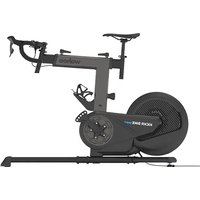
KICKR Bike Shift - Indoor bike trainer Wahoo - Free user manual and instructions
Find the device manual for free KICKR Bike Shift Wahoo in PDF.



User questions about KICKR Bike Shift Wahoo
0 question about this device. Answer the ones you know or ask your own.
Ask a new question about this device
Download the instructions for your Indoor bike trainer in PDF format for free! Find your manual KICKR Bike Shift - Wahoo and take your electronic device back in hand. On this page are published all the documents necessary for the use of your device. KICKR Bike Shift by Wahoo.
USER MANUAL KICKR Bike Shift Wahoo
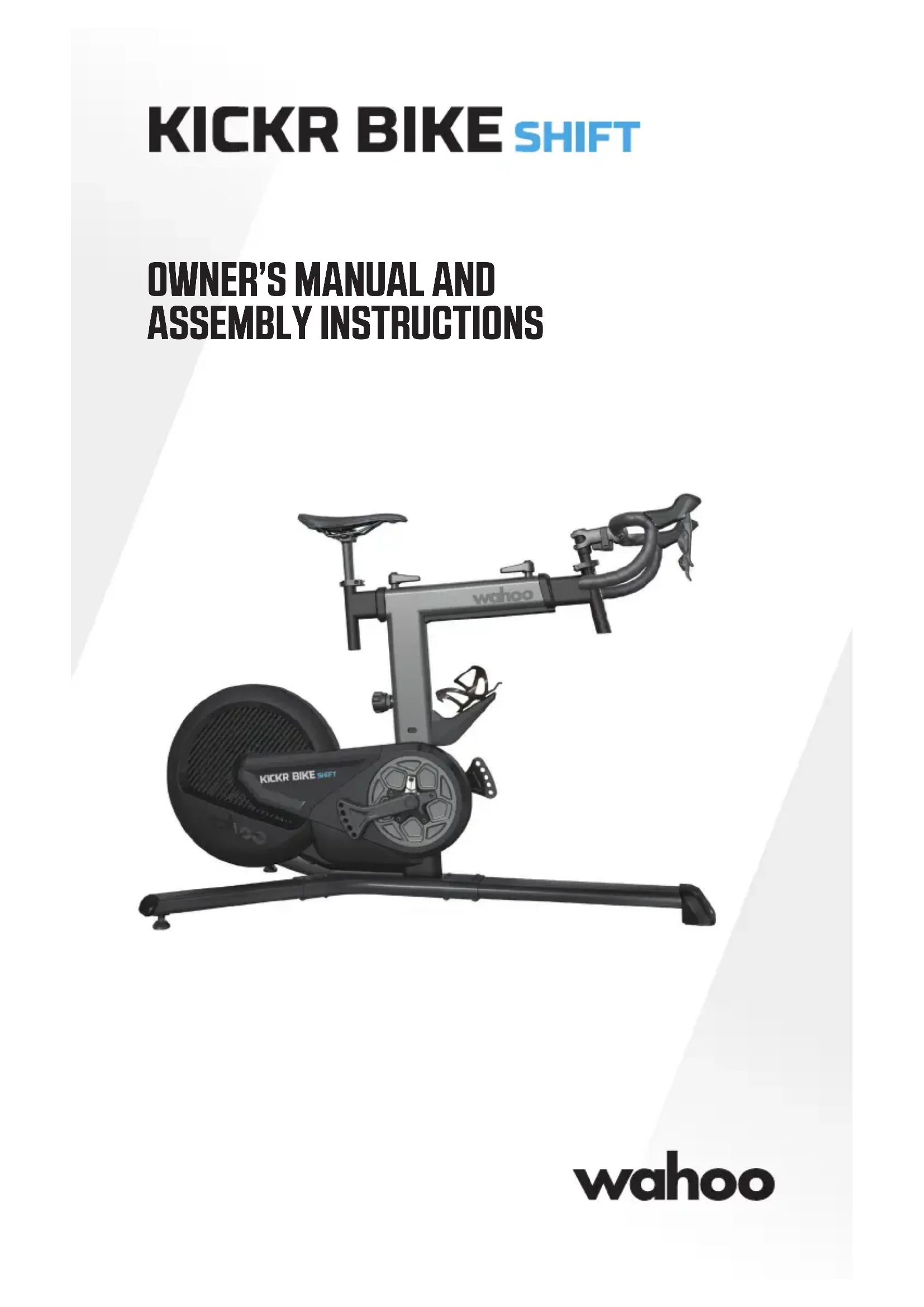
OWNER'S MANUAL AND ASSEMBLY INSTRUCTIONS
natural_image
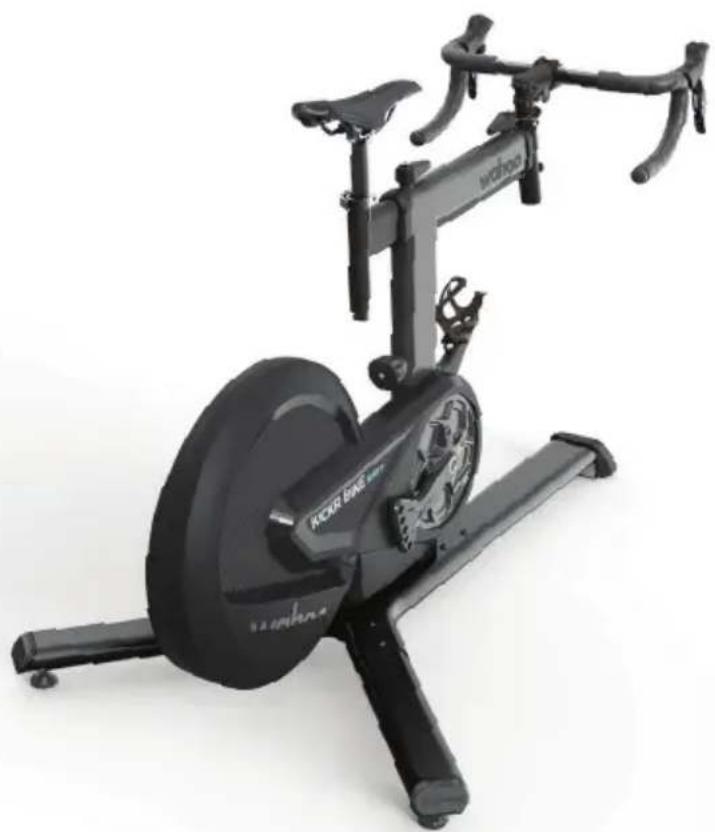
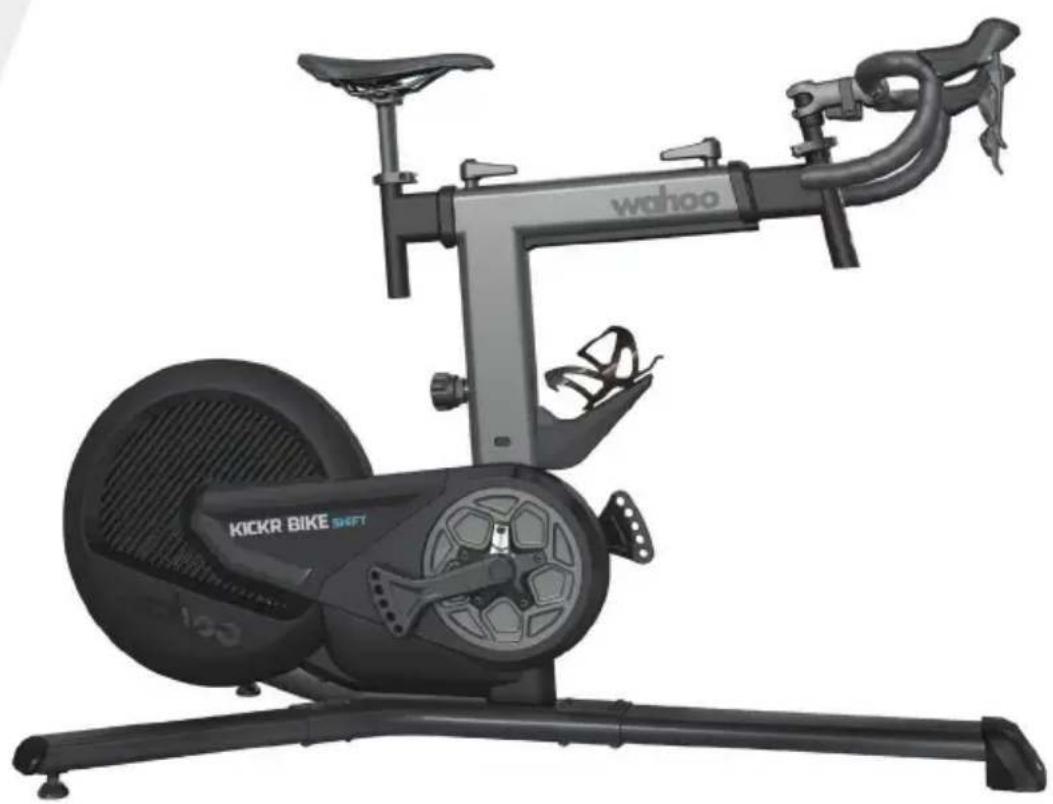
Exterior view of a Wahoo stationary bike with visible branding and control panel (no text-heavy elements)wahoo
Thank you for purchasing a Wahoo KICKR BIKE SHIFT!
SCAN QR CODE TO SET UP YOUR KICKR BIKE SHIFT >>

text_image
QR code image containing encoded data, no visible human-readable textLEARN MORE
For more information or to submit a support request, visit www.wahoofitness.com/support
CONTACT US
Wahoo Fitness
90 W. Wieuca Rd NE, Suite 110
Atlanta, GA 30342 United States
support@wahoofitness.com
TELEPHONE
US: 1-877-978-1112
UK: +44-800-808-5773
US phone hours: Monday - Friday
9 AM - 5 PM ET
UK phone hours: Monday - Friday
2 PM - 10PM GMT
The instructions below are classified according to the degree of danger or damage which may occur if the product is used incorrectly:

DANGER
Failure to follow the instructions will result in death or serious injury.

WARNING
Failure to follow the instructions could result in death or serious injury.

CAUTION
Failure to follow the instructions could cause personal injury and/or physical damage to equipment or surroundings.

WARNING
Read this manual and all safety information thoroughly before assembly and use. Failure to follow the warnings and instructions could cause personal injury and/or physical damage to equipment or surroundings.
- Assemble the KICKR BIKE SHIFT only as stated in the information contained in this manual.
- Do not modify the KICKR BIKE SHIFT.
- All instructions can be viewed on our website: www.wahoofitness.com/instructions.
- Images may not reflect final product exactly.
GENERAL SAFETY INFORMATION
- Improper or excessive exercise can result in serious injury. Always consult your physician before beginning or modifying any exercise program.
• The Wahoo KICKR BIKE SHIFT Fit algorithm does not guarantee injury prevention. - Contact with the moving parts of the KICKR BIKE SHIFT could result in serious injury.
- Do not put hands or objects near moving parts of the KICKR BIKE SHIFT.
- Keep children and pets away from the KICKR BIKE SHIFT.
- Do not wear loose clothing or shoes with loose laces that could result in unintended contact with moving parts.
- Do not exceed the maximum rider weight of 250 lbs. (113.5 KG).
- Instability of the KICKR BIKE SHIFT could result in serious injury. Only use the KICKR BIKE SHIFT on stable, level surfaces.
- The KICKR BIKE SHIFT is intended for indoor use only. Do not store outdoors or near water.
- The KICKR BIKE SHIFT may become hot to the touch when used for extended periods of time. Allow components to cool before touching.
- To avoid risk of fire or electric shock, only use the included power adapter with the KICKR BIKE SHIFT.
- During your peak training season, keep the KICKR BIKE SHIFT plugged in for automatic updates via Wi-Fi. Unplug your KICKR BIKE SHIFT prior to cleaning and maintenance or if left unused for extended periods of time.
• Device alterations, improper and/or incomplete use, assembly or operation can result in serious injury.
ENSURE PROPER ASSEMBLY
- Follow the instructions provided in the manual when assembling the product.
- Read all safety information and ensure understanding of assembly instructions before assembling and using the KICKR BIKE SHIFT.
- Keep this manual for future reference.
- Improper assembly, maintenance or use will void the warranty.
• The KICKR BIKE SHIFT may be placed on a mat to protect floor or carpet if desired.
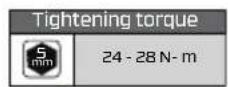
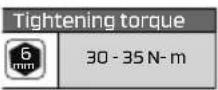
• Refer to this manual for proper torque specs and failure to properly tighten the bolts could cause personal injury and/or physical damage to equipment or surroundings. - Wahoo Fitness is not liable for improper or incomplete assembly of the KICKR BIKE SHIFT
WARNING
BEFORE EACH RIDE
- Check to ensure that stem bolts are tight and that handlebars cannot rotate.
- Confirm that your saddle is properly installed and all bolts are properly tightened.
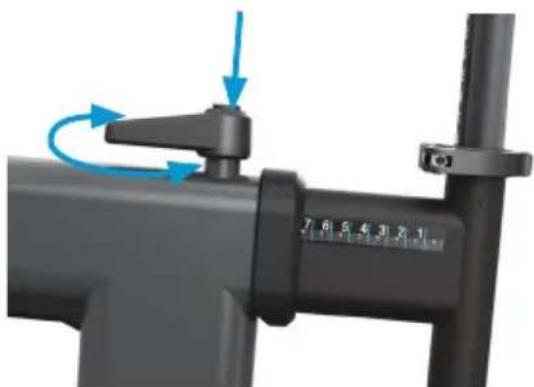
- Ensure that both the levers for adjusting reach and setback are fully closed.
- Check that the seatpost and steer tube quick release clamps are tightened and fully closed.
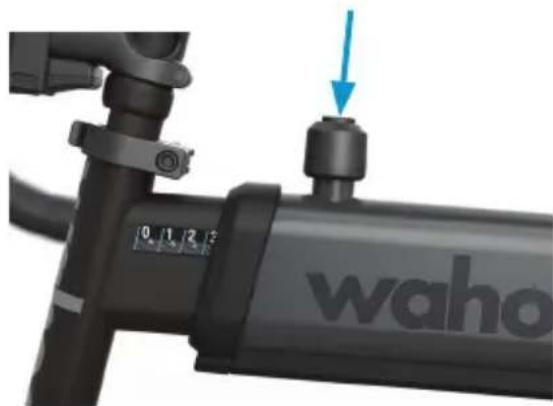
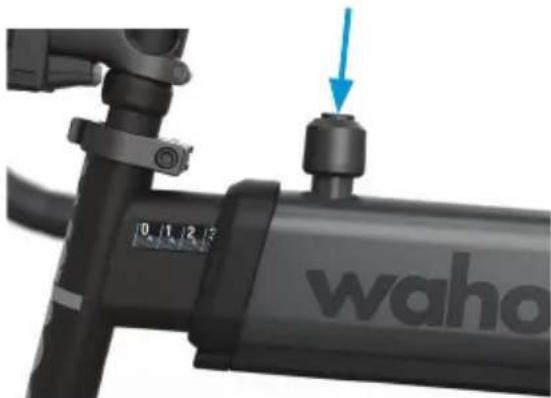
- Ensure that the standover height pin is properly seated and resting in the corresponding height position hole and that the lever is fully closed.
- Ensure that your pedals are properly installed and adequately tightened.
• Refer to this manual for proper torque specs. - Ensure that the KICKR BIKE SHIFT area is clear.
- Level the KICKR BIKE SHIFT's feet and make sure the floor is clear of any debris.
- Check the power cord and brick for any damage before plugging it in.
MAINTENANCE AND STORAGE
It is important to follow the below maintenance tips to ensure optimal performance of your KICKR BIKE SHIFT:
After each training session:
- Use a soft cloth to wipe the KICKR BIKE SHIFT dry or remove any sweat or water.
- Unplug the KICKR BIKE SHIFT when stored or plug into surge protector.
- Routinely check for signs of rust, corrosion, or excessive wear.
- Inspect all bolts and screws for rust or damage.
BOX CONTENTS
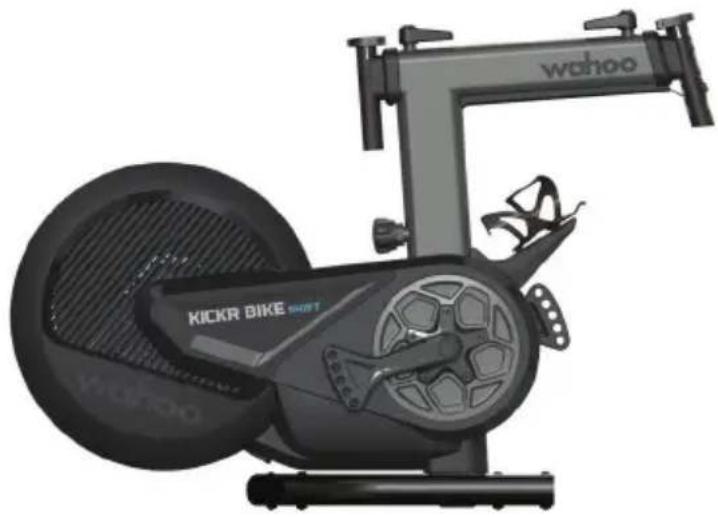
(1) KICKR BIKE SHIFT Main Assembly
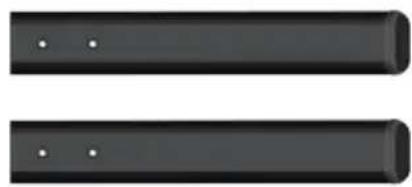
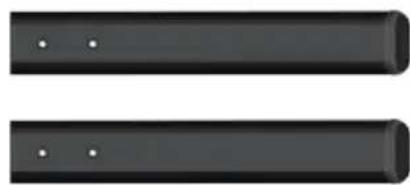
(6) 5mm Hex Bolts (x8)
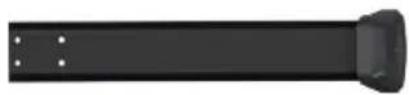
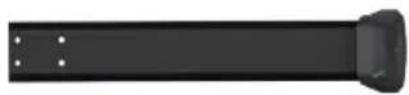
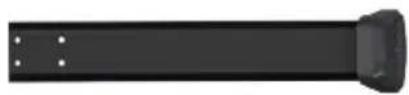
(2) Front Leg
(7) AC Power Adapter
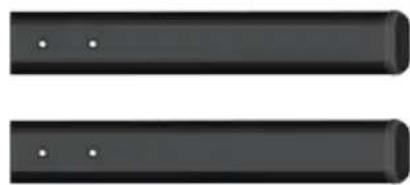
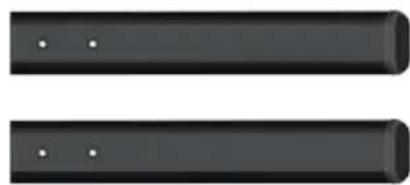
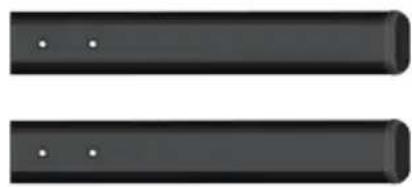
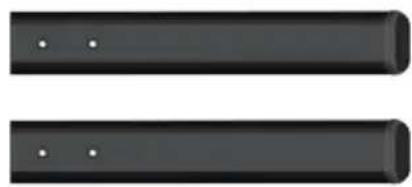
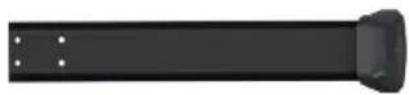
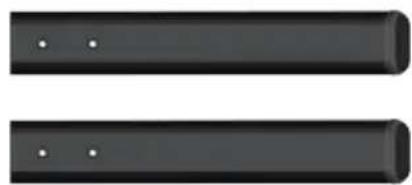
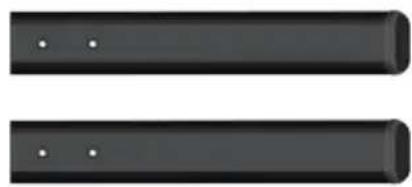
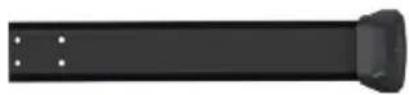
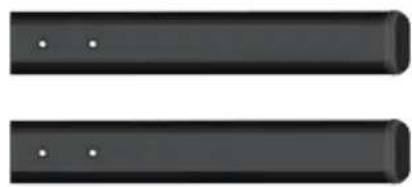
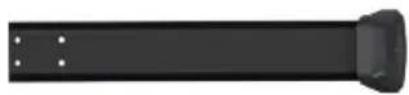
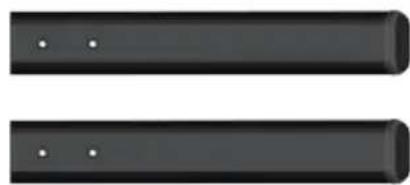
(3) Rear Stabilizer Legs (x2)
(8) Allen Wrenches (4,5mm)
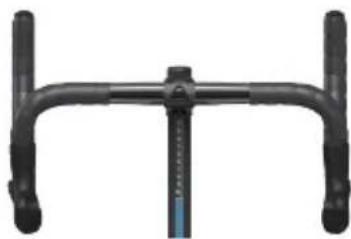
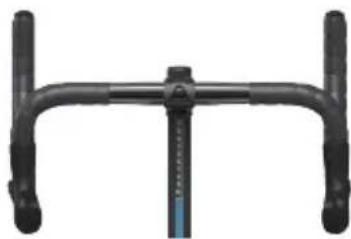
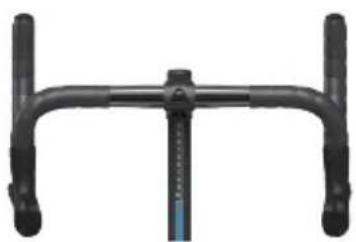
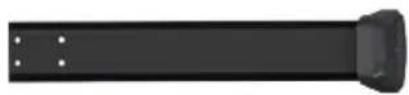
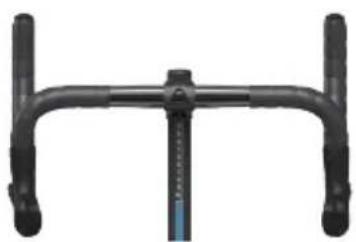
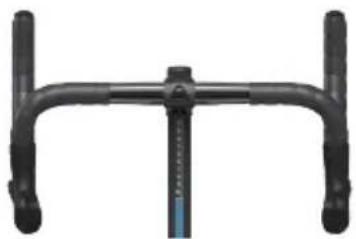
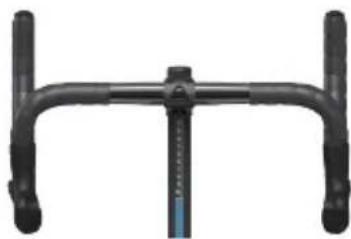
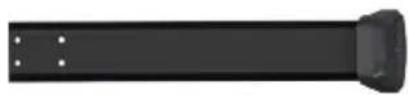
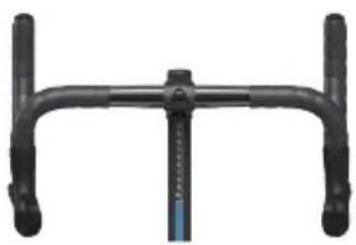
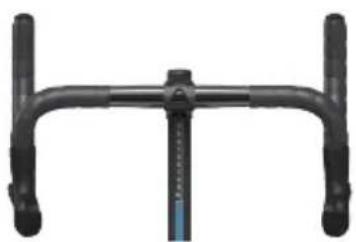
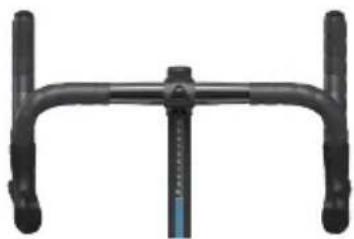
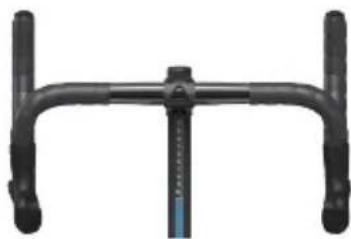
(4) Handlebar Assembly
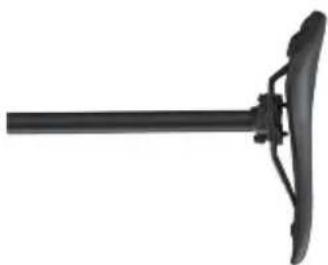
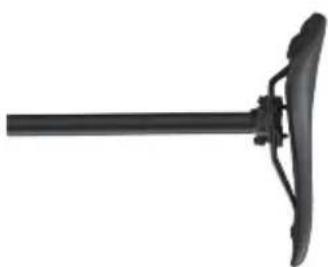
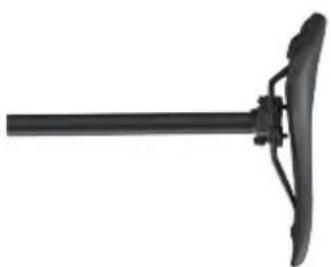
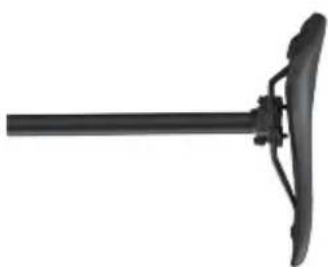
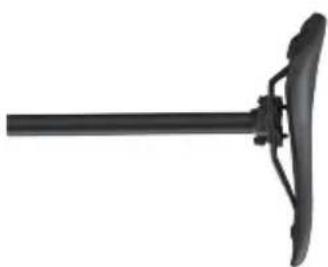
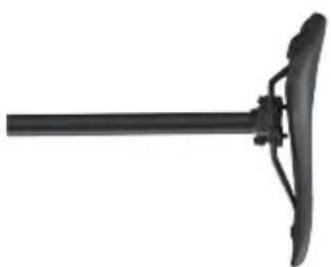
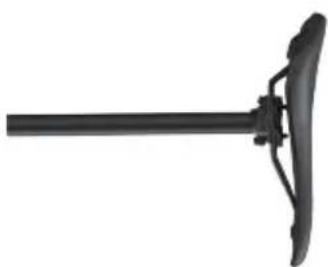
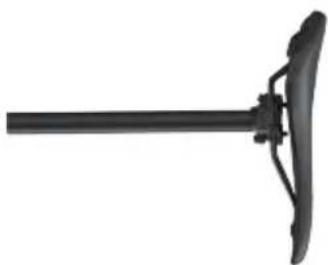
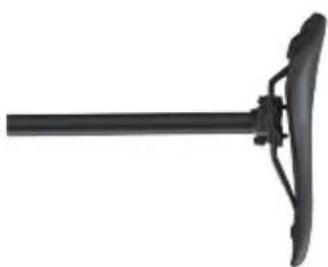
(5) Seatpost Assembly
(1)
natural_image
Exterior view of a Wahoo stationary bike with visible branding and wheel (no text-heavy elements)(2)
(3)
natural_image
Two black cylindrical objects with small white dots, no text or symbols visible(4)
natural_image
Close-up of a black bicycle bike handle with two vertical posts (no text or symbols visible)(5)
natural_image
Black mechanical lever with fulcrum and leverhead (no text or symbols)(6)

(7)

natural_image
Pure electrical circuit lines without any symbols(8)


PROTIP: Save all packaging and protective material for transportation and storage
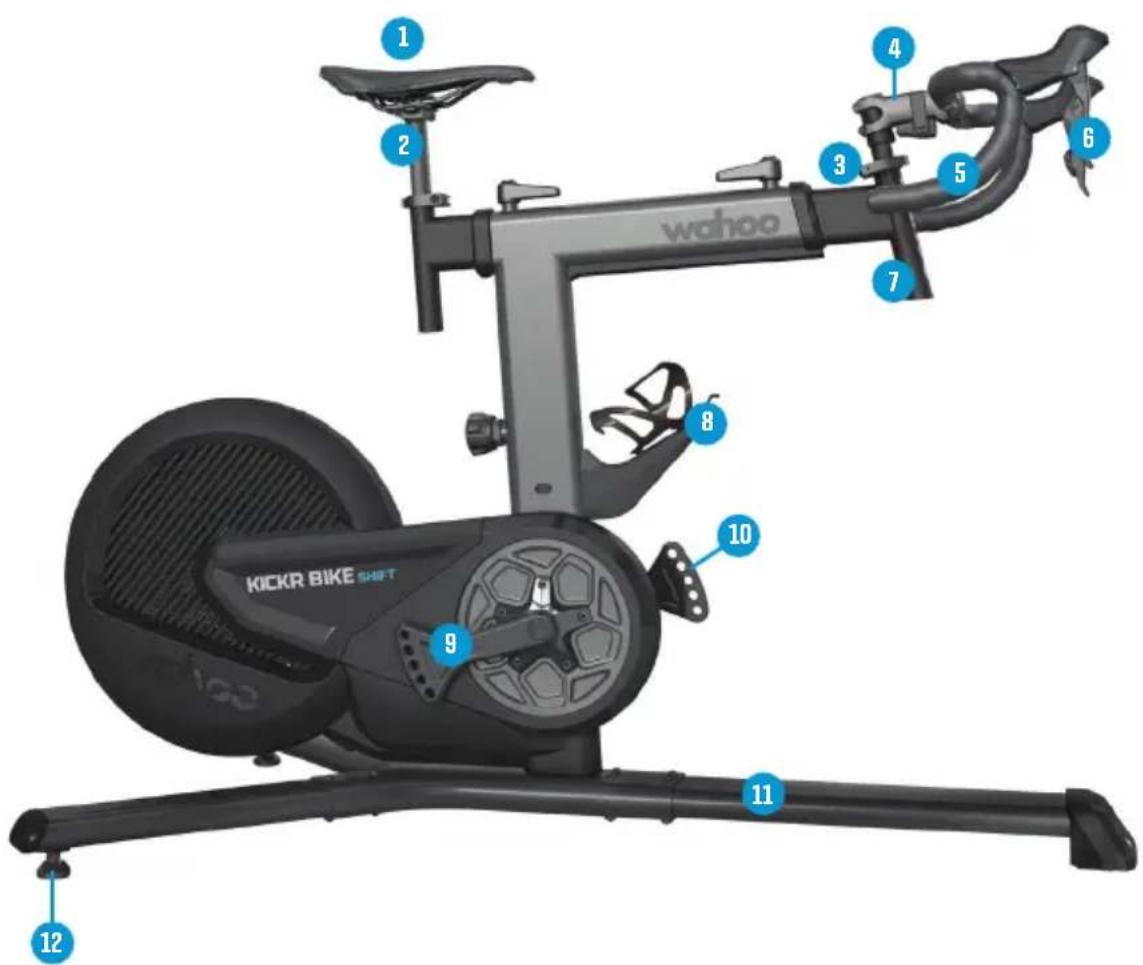
(7) Head Tube
(8) Water Bottle Cage
(9) Crank Arms
(10) Crank Length Adjustment
(11) Base Legs
(12) Rear Leveling Feet
text_image
wahoo KICKR BIKE SHIFT 1 2 3 4 5 6 7 8 9 10 11 12KICKR BIKE SHIFT ADJUSTMENT POINTS
natural_image
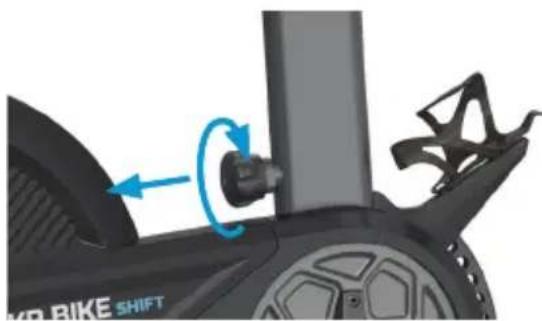
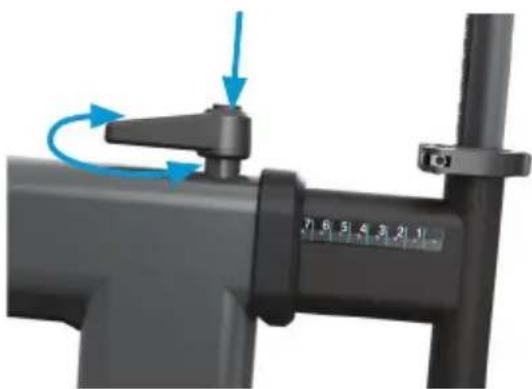
Close-up of a black KIR-BIKE shift bike with blue motion arrow indicating rotation (no text or symbols)Standover Height Adjustment
natural_image
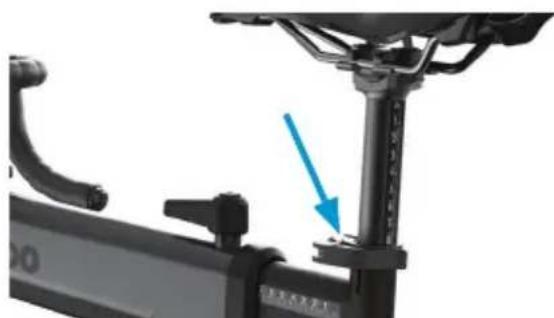
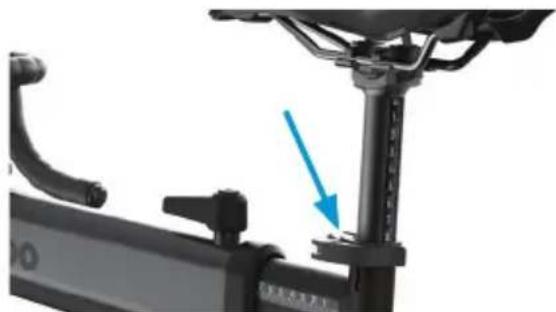
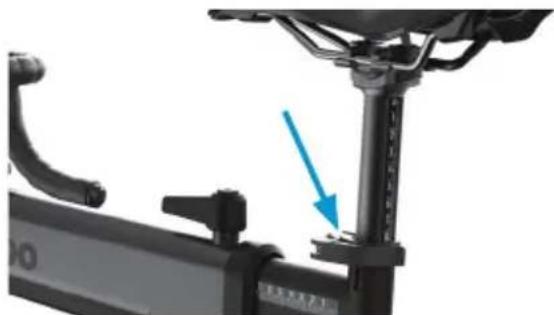
Mechanical assembly diagram showing a vertical support structure with a blue arrow pointing to a component (no text or symbols present)Saddle Height Adjustment
natural_image
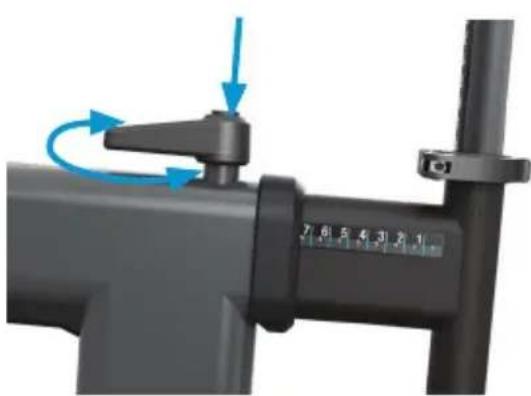
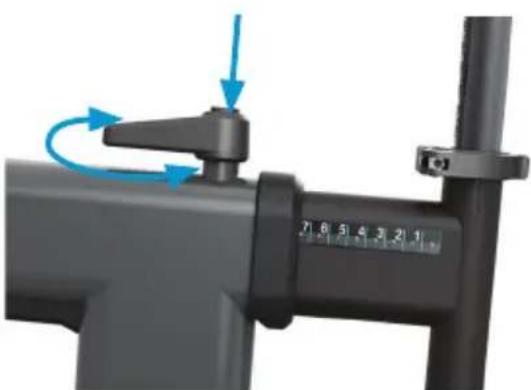
Mechanical device with blue arrows indicating rotational motion, no visible text or symbolsSetback Adjustment
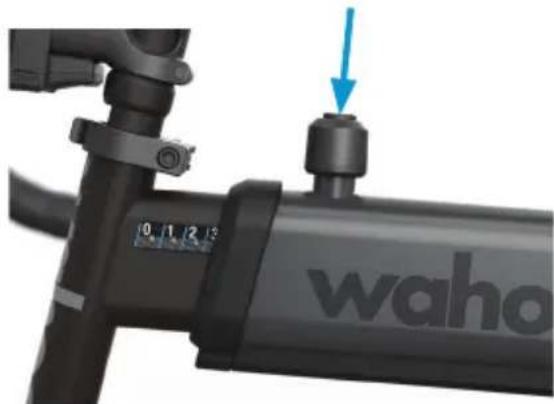
natural_image
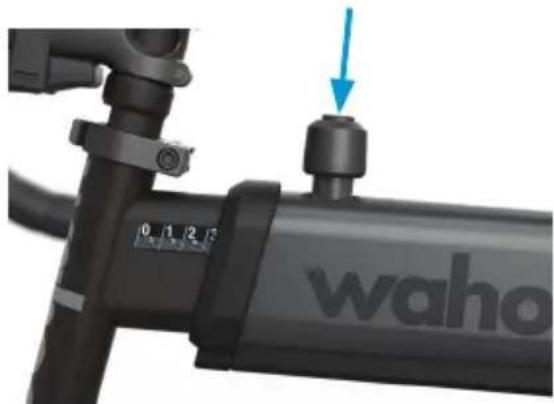
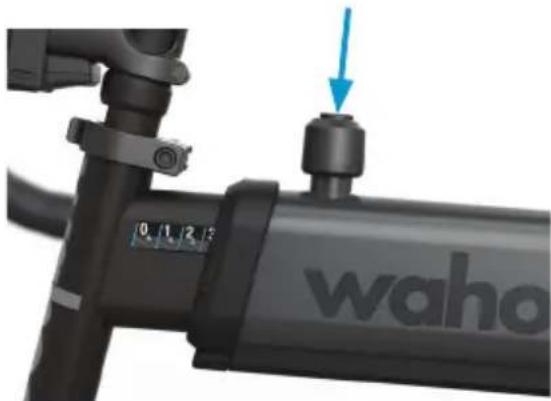
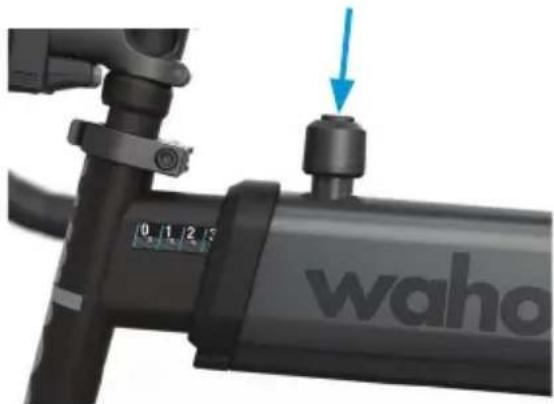
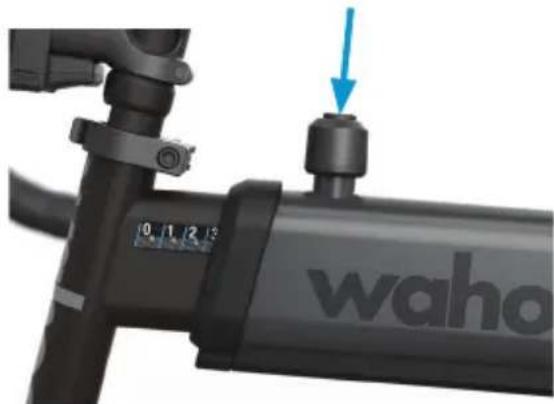
Close-up of a waho-branded mechanical device with a blue arrow pointing to a bolt (no text or symbols on the device itself)Reach Adjustment
After adjusting the setback and reach on KICKR BIKE SHIFT, lift the adjustment handle to center it with the frame.
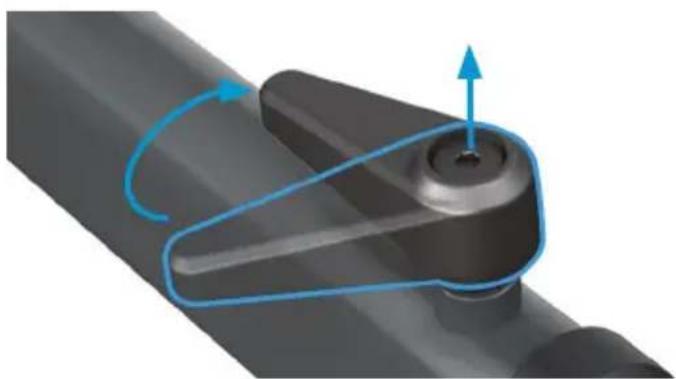
natural_image
Mechanical component with blue motion arrow indicating rotational motion (no text or symbols)Note: When adjusting KICKR BIKE SHIFT to shorter setback and reach positions, you will need to lift and re-adjust the lever to tighten in increments. The shorter setback and reach will prevent the lever from spinning 360 degrees.
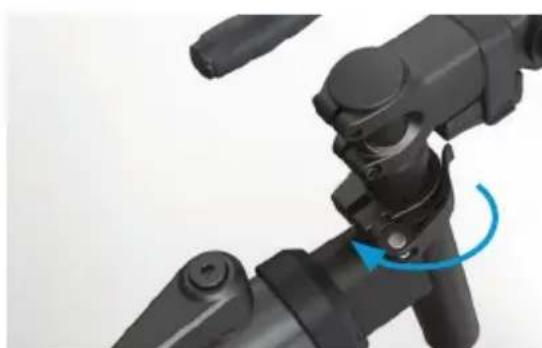
natural_image
Close-up of a black mechanical device with a blue circular arrow indicating rotation (no text or symbols visible)Stack Height Adjustment
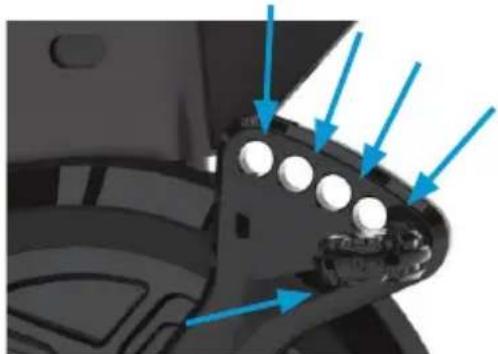
natural_image
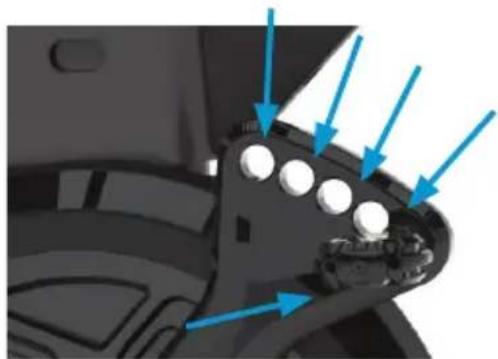
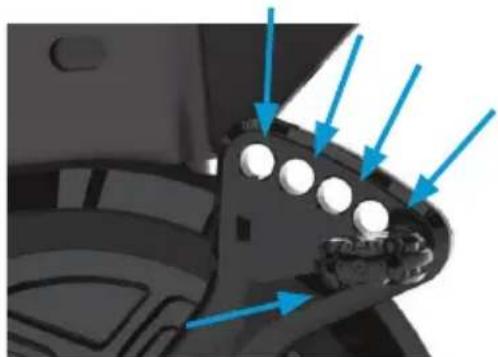
Close-up of a mechanical component with blue arrows pointing to features (no text or symbols visible)Crank Length Adjustment
KICKR BIKE SHIFT SETUP
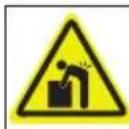
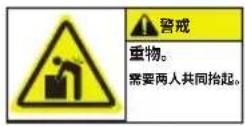
CAUTION
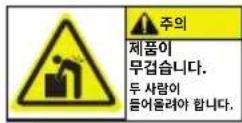
Heavy object.
Two person lift required.
KICKR BIKE SHIFT assembly requires two people.
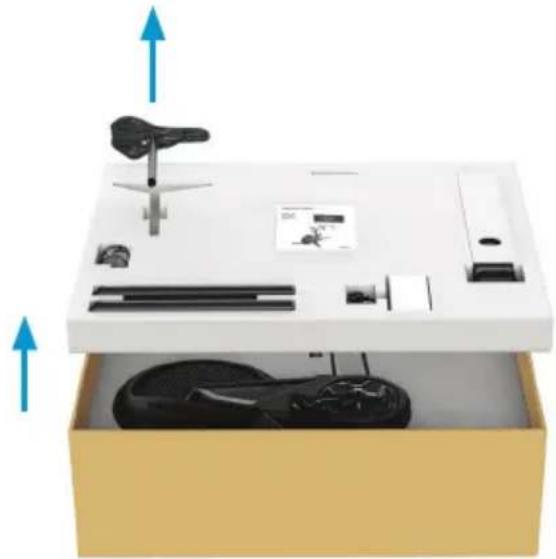
- Begin by laying the package on its side. Once you've opened the box, remove contents from the top layer and set them on the floor near the assembly location.
natural_image
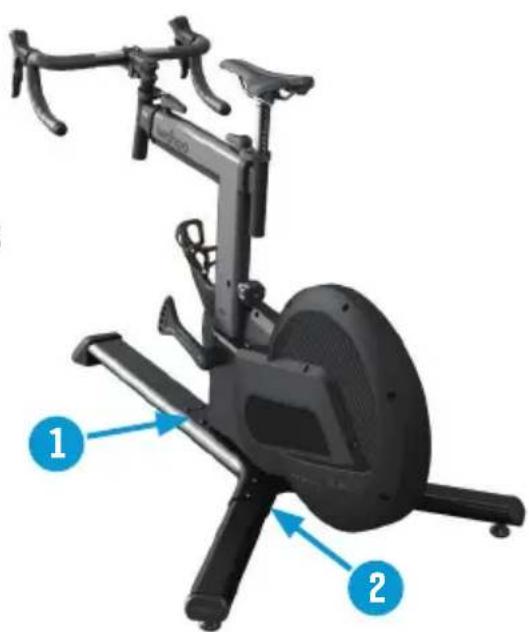
White box with black electronic components and a device, showing directional arrows (no text or symbols)- Install the rear leg and secure it with two 5mm Allen bolts. Team lift the unit out of the box, with one person holding the recently installed leg, and the other person holding the head tube.
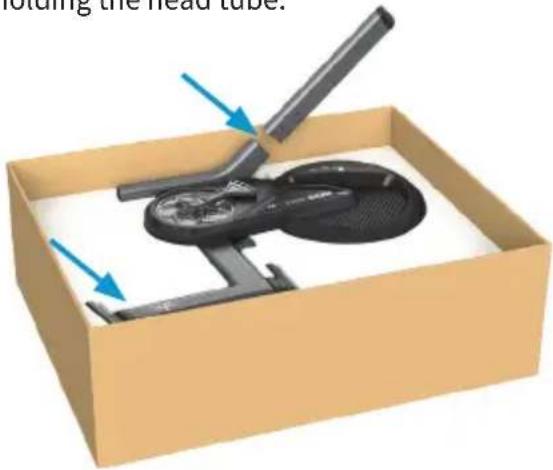
text_image
olding the head tube.- Install the other rear leg and secure it with two 5mm Allen bolts. Proceed onto installing the front leg and securing it with four 5mm Allen bolts.
natural_image
Exterior view of a stationary exercise bike with labeled parts (1 and 2), no text or symbols on the device itself.KICKR BIKE SHIFT SETUP
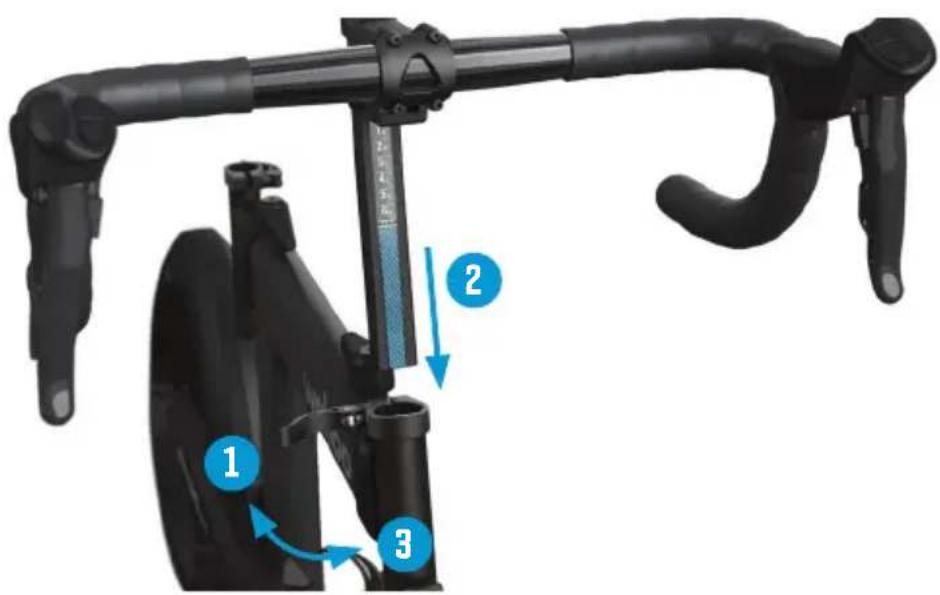
- Attach the handlebar assembly to the KICKR BIKE SHIFT using front reach extension quick release. The handlebars will be tipped down.
text_image
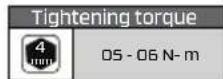
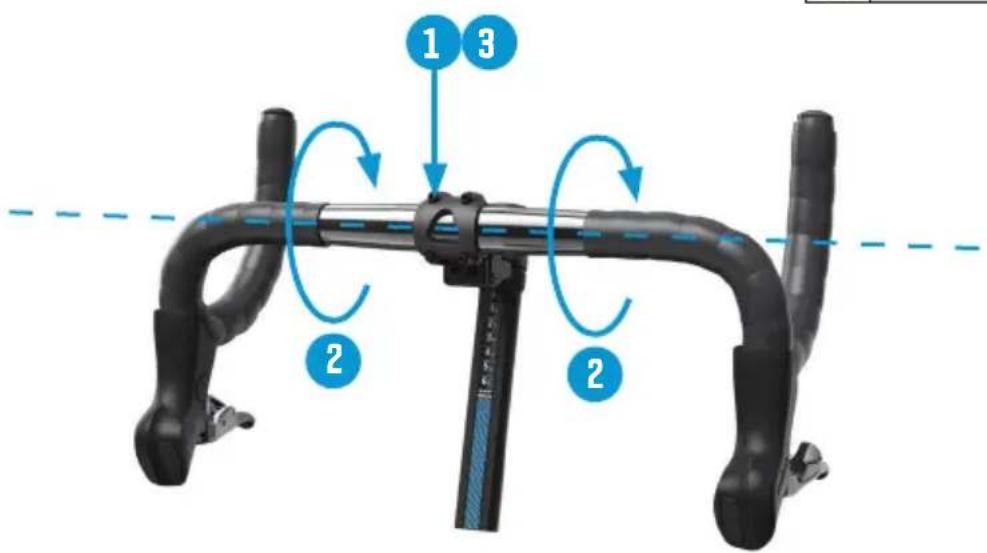
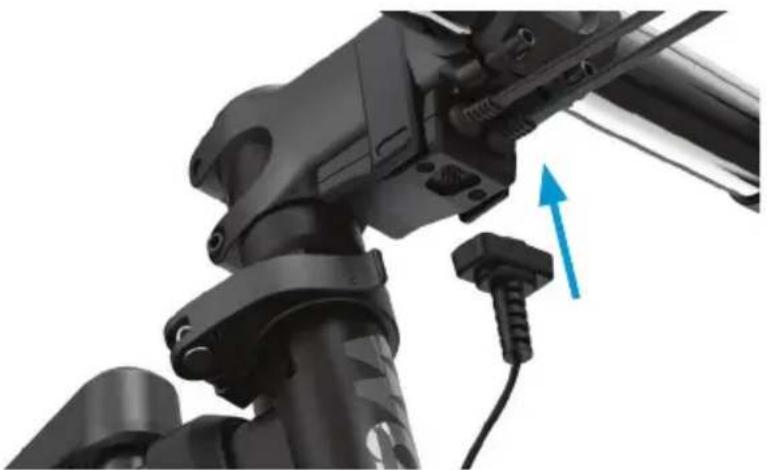
Diagram of a stationary bike with labeled parts and directional arrows indicating motion or movement.- Use a 4mm Allen wrench to loosen (but do not remove) the stem bolts on the face plate. Rotate the handlebars to your desired position. Tighten the stem faceplate bolts evenly in an X pattern. Attach the main shifter cable magnetically to the pod located underneath the stem.
text_image
1 3 2 2KICKR BIKE SHIFT SETUP
- Attach the main shifter cable magnetically to the bod located underneath the stem.
natural_image
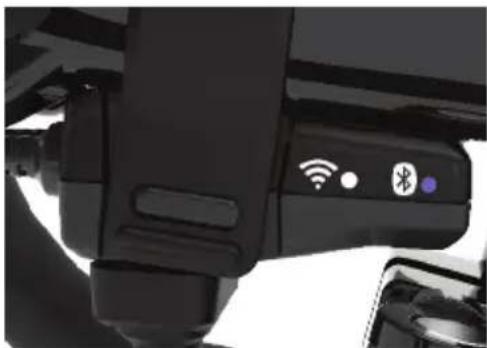
Close-up of a black mechanical device with blue directional arrow indicating movement or force (no text or symbols visible)KICKR BIKE SHIFT has two LEDs to indicate its power and connection status.
natural_image
Close-up of a black mechanical device with wireless signal icons and Bluetooth symbol (no readable text or labels)Blue LED slow blink- standby mode Blue LED solid - application connected Blue LED solid + fast blink - control commands
White LED slow blink - searching for networks White LED fast blink - connecting to a network White LED solid - connected to network
Blue and White LED off - Sleep mode (after 15min) or power disconnected
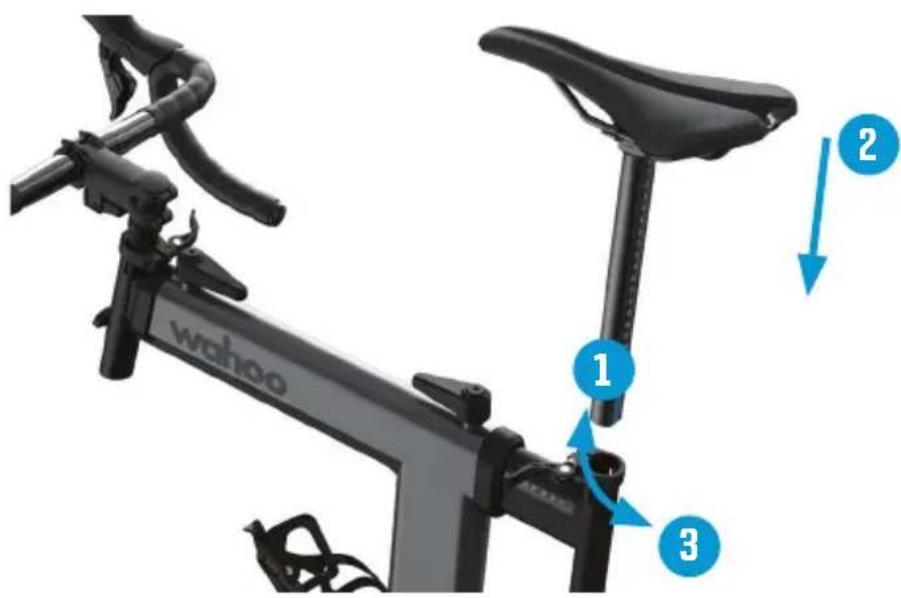
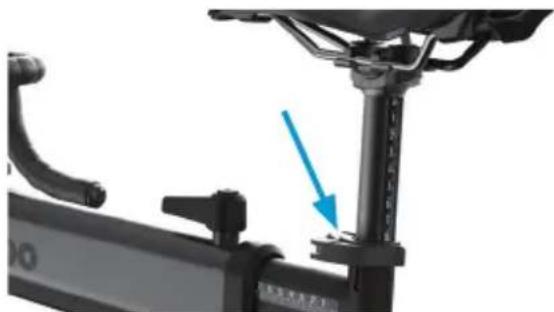
- Insert the seatpost assembly into the KICKR BIKE SHIFT by loosening/tightening the rear extension quick release.
text_image
wahoo 1 2 3KICKR BIKE SHIFT SETUP
- Some pedal axles may require the use of pedal washers for necessary clearances to KICKR BIKE SHIFT housings.
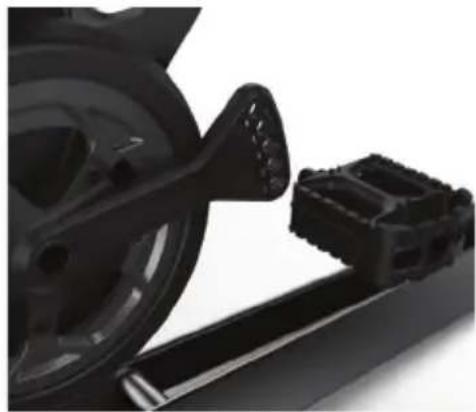
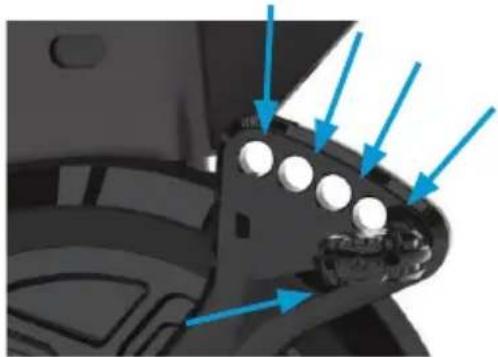
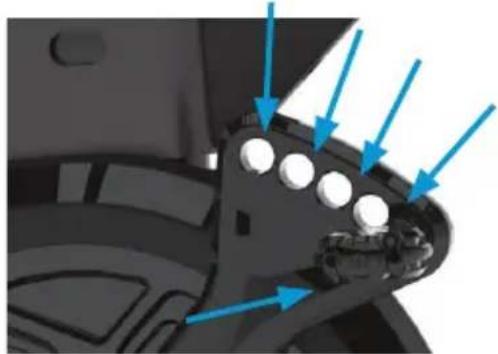
The KICKR BIKE SHIFT crank arm is designed for you to customize your bike fit. This design accommodates 165mm, 167.5mm, 170mm, 172.5mm and 175mm crank lengths by simply moving your pedal to the corresponding hole on the crank arm. - Identify the left and right pedals. Grease the threads on both pedals. Thread the right pedal into the drive side crank using washer for correct spacing (if needed). Use a wrench to ensure snug fit. Thread the left pedal into non drive side crank using washer for correct spacing (if needed). Use a wrench to ensure snug fit.
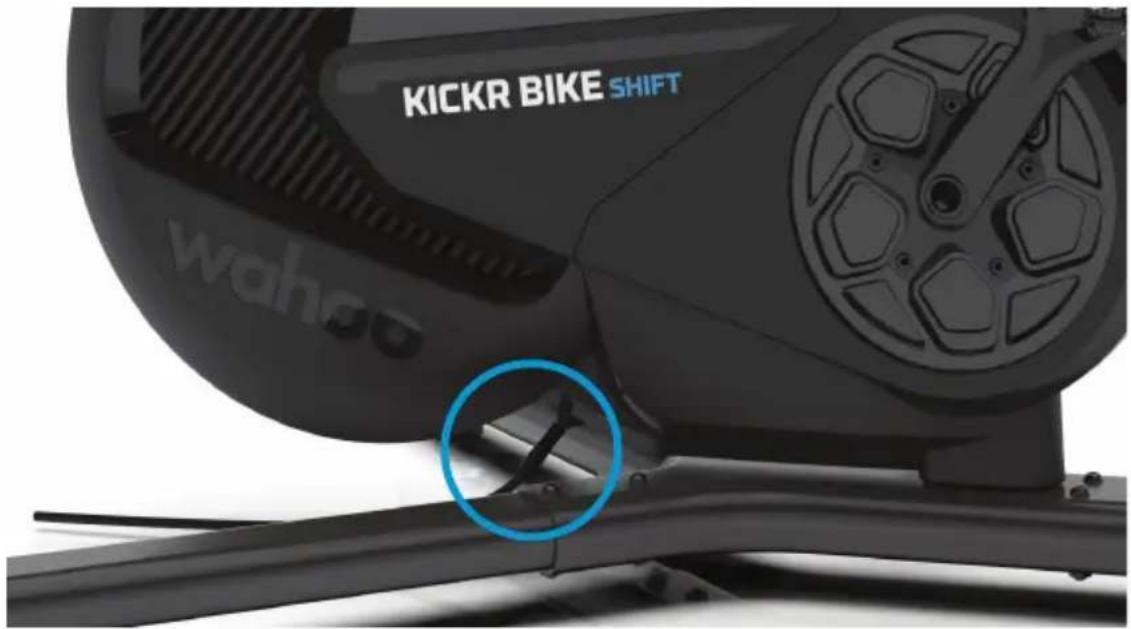
- Use the included AC power adapter to connect the KICKR BIKE SHIFT to a standard wall outlet.
text_image
KICKR BIKE SHIFT wahoo
To avoid risk of fire or electric shock, only use the included power adapter with the KICKR BIKE SHIFT.
natural_image
Close-up of a black bicycle wheel and attached mechanical bracket (no visible text or symbols)
NOTE: Pedal threads are different from left to right. Right side pedals have right-hand threads (removes counterclockwise, installs clockwise). The left side pedal has left-hand threads (removes clockwise, installs counterclockwise). Improper installation or cross threading can cause damage to the KICKR BIKE SHIFT's cranks.
WAHOO X ECOSYSTEM
Wahoo offers the most connected ecosystem for indoor and outdoor cycling.
APPS: Wahoo X makes it simple to access two completely unique indoor cycling apps through one account. Choose between Wahoo SYSTM's immersive, integrated workouts designed by world-class coaches, and Wahoo RGT, the virtual cycling world where you can connect with cyclists around the globe to ride, race and explore.

DEVICES: Complete your KICKR BIKE SHIFT experience with an ELEMENT Bike Computer, TICKR Heart Rate Monitor, KICKR MAT, and KICKR HEADWIND.
DISPLAY SETUP: We recommend an external display setup (iPad, PC, Mac, or Apple TV) to enhance your indoor riding experience. Download Wahoo RGT on your preferred display setup and jump on a test ride to complete the bike setup.
text_image
x-yahoo SYSTM wahoo RGT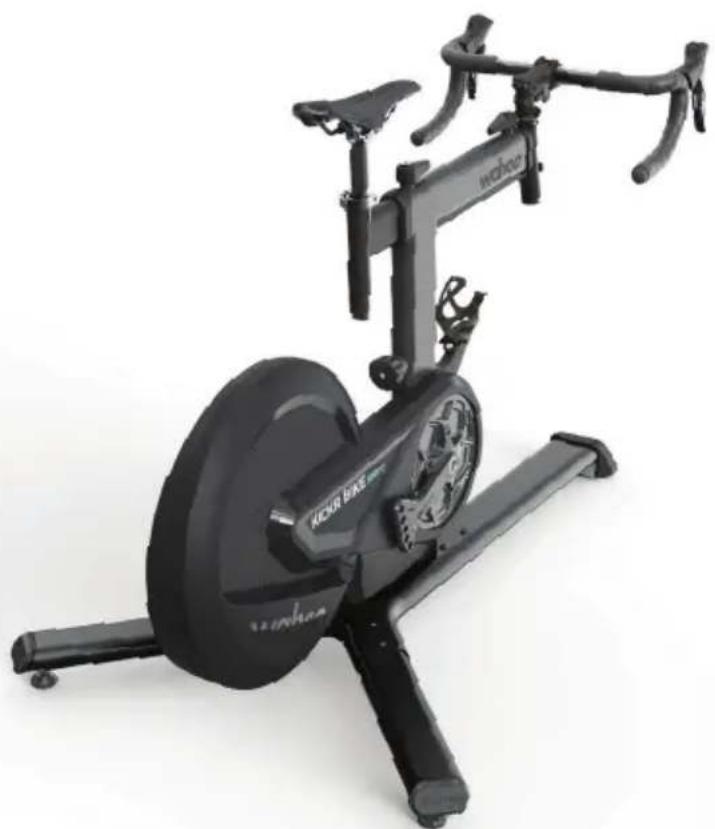
natural_image
Exterior view of a black KDOA BEA stationary bike with visible branding and control panel (no text-heavy elements)WAHOO APP
From the Wahoo App you will be able to complete your bike fit, customize, update and control your KICKR BIKE SHIFT. Download the Wahoo App for free from the Apple App Store or from the Android Google Play Store.

FIT: The Wahoo App ensures you get the best fit on your KICKR BIKE SHIFT. The in-app fit calculation walks you through recreating your outdoor bike fit indoors.
CUSTOMIZE: Once your fit is dialed in, use the Wahoo App to further customize your KICKR BIKE SHIFT. From number of speeds to gear ratio and shifter configuration, the KICKR BIKE SHIFT is designed to mirror your outdoor bike.
UPDATE: Use the Wahoo App to make sure your KICKR BIKE SHIFT is always up to date with the latest firmware to ensure accuracy and get the latest features.
CONTROL: The Wahoo App has the following workout modes that you can use to control the KICKR BIKE SHIFT:
LEVEL: Just like riding on a fluid or wind trainer, the faster you go, the harder it gets. The level you select determines the progression of your power curve.
ERG: Set your desired power and the KICKR BIKE SHIFT will increase or decrease the resistance to maintain a constant power output, regardless of speed.
SIM: Enter your weight, bike type, riding position, Headwind and grade and the KICKR BIKE SHIFT will accurately model the power curve just as if you were riding outdoors.
COMPATIBILITY
• ELEMNT GPS Bike Computers
• Apple devices running iOS 15 or newer
- Android devices with Android 11 or newer
- Windows or MacOS computer with Bluetooth, ANT+, a Wi-Fi network or Direct Connect Ethernet accessory.
LIMITED WARRANTY
Wahoo Fitness warrants this product to be free from defects in material and workmanship, under normal use, for one year from the date of original purchase. Defects that have resulted from improper or unreasonable use or maintenance, accidents, excess moisture, insects, improper packaging, lightning, power surges, or unauthorized tampering, alteration, or modification will not be covered. Wahoo Fitness will, at its discretion, repair or replace with a comparable product, at no charge to the customer for parts or labor, so long as customer is responsible for shipping costs. Products may be new, refurbished, or reconditioned and are warranted for the unexpired period of the original purchase or 60 days from the return, whichever is greater. Any products replaced become the property of Wahoo Fitness.
WHERE PERMITTED, THE PROVISIONS OF THIS LIMITED WARRANTY ARE IN LIEU OF ANY OTHER WRITTEN WARRANTY, WHETHER EXPRESSED OR IMPLIED, WRITTEN OR ORAL, INCLUDING ANY WARRANTY OF MERCHANTABILITY OR FITNESS FOR A PARTICULAR PURPOSE. IN NO EVENT SHALL WAHOO FITNESS BE LIABLE FOR SPECIAL, INCIDENTAL, CONSEQUENTIAL, OR INDIRECT DAMAGES. SOME PLACES DO NOT ALLOW LIMITATIONS ON THE EXCLUSION OR LIMITATION OF LIABILITY TO SPECIFIED AMOUNTS SO THE ABOVE LIMITATIONS OR EXCLUSIONS MAY NOT APPLY TO YOU.
To obtain warranty services, contact Wahoo Fitness for shipping instructions and an RMA tracking number. Return your device, freight prepaid, along with the original sales receipt which is a required proof of purchase for warranty repairs, with the RPM tracking number written on the outside of the package, and mail it to Wahoo Fitness.
WFBIKE2
FCC: PADWF143
IC: 10563A-WF143

natural_image
Warning symbol with a triangle and checkmark inside (no text)AUSTRALIAN WARRANTY INFORMATION
This document details the terms and conditions of the warranty provided with this product. Please disregard any other representations contained on this product's packaging or provided with this product, which constitute or appear to constitute a warranty. Subject to the exclusions and limitations set out below, we warrant to you that if you purchase a product directly from us, or from any of our authorised resellers, that it will not contain defects which are a result of faulty manufacturer workmanship or materials. This warranty subsists for 1 year from the date of purchase.
Subject to any rights you have under the Australian Consumer Law, we will not be liable for defects which are a result of damage or loss caused by factors beyond our control, any product which has not been maintained according to any care or maintenance instructions provided with the product, any alterations to a product which are not performed by us, or damage or defects caused to the product due to unusual or non-recommended use. We will not be liable for any special, indirect, consequential or economic loss or damage or loss of profits whatsoever suffered by you or any other person resulting from any act or omission by us.
Our total liability in respect of this Warranty against Defects is limited to the replacement of the goods.
Any claim made under this warranty must be made by returning the defective goods to us, at your expense. Please provide details of the defect and evidence of purchase to support@wahoofitness.com
This Warranty against Defects is provided in addition to other rights and remedies that you may have at law. Our goods come with guarantees that cannot be excluded under the Australian Consumer Law. You are entitled to a replacement or refund for a major failure and for compensation for any reasonably foreseen loss or damage. You are also entitled to have the goods repaired or replaced if the goods fail to be acceptable quality and the failure does not amount to a major failure.
Consult the dealer or an experienced radio/TV technician for help.
To assure continued compliance, any changes or modifications not expressly approved by the party responsible for compliance could void the user's authority to operate this equipment. (Example- use only shielded interface cables when connecting to a computer or peripheral devices).
Caution! The manufacturer is not responsible for any radio or TV interference caused by unauthorized modifications to this equipment. Such modifications could void the user's authority to operate the equipment.
IC Statement
IC Statement This device complies with Industry Canada license-exempt RSS standard(s). Operation is subject to the following two conditions: (1) this device may not cause interference, and (2) this device must accept any interference, including the interference that may cause undesired operation for the device. The device meets the exemption from the routine evaluation limits in section 2.4 of RSS 102 and users can obtain Canadian information on RF exposure and compliance.
CE Statement
Hereby, Wahoo Fitness declares that this product is in compliance with:
The essential requirements and essential relevant provisions of directive 2014/53/EU
The full text of EU declaration of conformity (DoC) is available at the following internet address: www.wahoofitness.com/regulatory-notices. The object of the declaration described above is in conformity with the relevant European Union harmonization Legislation: Directive 2014/53/EU and any other applicable directives. This declaration is issued under the sole responsibility of Wahoo Fitness, LLC.
All listed Wahoo products operate within the 2402-2480MHz frequency band and below the maximum output power threshold of 100mW (20dBm).
Regulatory authorities within the EU may obtain compliance information by writing to:
Wahoo Fitness LLC
90 W. Wieuca Road 110
Atlanta, GA 30342
Before beginning or modifying any exercise program, please consult your physician. If you have a pacemaker or other implanted electronic device, consult your physician before using a heart rate sensor. This product is intended for recreational use only and is not intended for medical purposes. Heart rate and other readings could be influenced by interference from external sources. If you use this product with navigation software, always be aware of your surroundings and do not fixate on the screen. Moreover, set destinations and other user inputs prior to your departure to ensure your attention stays on task and your facilities are directed to your activity and not the device. The device contains no user user serviceable parts and repairs / modifications should only be made by a technician authorized by Wahoo Fitness. Any unauthorized modifications or repairs will void your warranty. Do not leave devices exposed to excessive heat or cold.
California Proposition 65
"The enclosed hardware and its packaging contain chemicals the State of California has found to cause cancer, birth defects or reproductive harm.
FCC Rules Part 15
The enclosed hardware device complies with part 15 of the FCC Rules. Operation is subject to the following two conditions: (1) This device may not cause harmful interference and (2) it must accept any interference received, including interference that may cause undesired operation.
FCC Compliance Statement:
This equipment has been tested and found to comply with limits for a Class B digital device, pursuant to Part 15 of the FCC rules. These limits are designed to provide reasonable protection against harmful interference in residential installations. The equipment generates, uses, and can radiate radio frequency energy, and if not installed and used in accordance with the instructions, may cause harmful interference to radio communications. However, there is no guarantee that interference will occur in a particular installation.
If this equipment does cause interference to radio or television equipment reception, which can be determined by turning the equipment off and on, the user in encouraged to try to correct the interference by one or more of the following measures:
-Reorient or relocate the receiving antenna
-Increase the separation between the equipment and receiver
-Connect the equipment into an outlet on a circuit different from that to which the receiver is connected.
text_image
QR code image containing encoded data, no visible human-readable textAPRENDE MÁS
90 W. Wieuca Rd NE, Suite 110
Atlanta, GA 30342 United States
support@wahoofitness.com
TELÉFONO
natural_image
Exterior view of a Wahoo stationary bike with visible branding and wheel (no text or symbols beyond branding)(2)
(3)
natural_image
Two black cylindrical objects with small white dots, no text or symbols visible(4)
natural_image
Close-up of a black bicycle leg with two vertical bars and a central handle (no text or symbols visible)(5)
natural_image
Black mechanical lever with fulcrum and lever handle (no text or symbols)(6)

(7)

natural_image
Pure electrical circuit lines without any symbols(8)


natural_image
Close-up of a bicycle seat with blue motion arrows indicating rotational movement (no text or symbols)natural_image
Mechanical assembly diagram showing a vertical support structure with a blue arrow pointing to a component (no text or symbols present)natural_image
Mechanical device with blue arrows indicating rotational motion, no visible text or symbolsAjuste de retroceso
natural_image
Close-up of a black cylindrical device with a blue arrow pointing to a small component labeled 'waho' (no readable text beyond branding)Ajuste de alcance
natural_image
Mechanical component with blue motion arrow indicating rotational motion (no text or symbols)natural_image
Close-up of a black mechanical device with a blue circular arrow indicating rotation (no text or symbols visible)natural_image
Close-up of a mechanical component with blue arrows pointing to features (no text or symbols visible)natural_image
White box with black electronic components and a small device, showing no visible text or symbols.natural_image
3D illustration of a mechanical device inside a cardboard box, showing internal components and directional arrows (no text or symbols)text_image
Diagram of a stationary exercise bike with labeled parts 1 and 2, showing body structure and motion arrows.text_image
Diagram of a bicycle leg mechanism with numbered steps and directional arrows indicating motionnatural_image
Close-up of a black mechanical device with a blue upward arrow indicating a component or adjustment (no text or symbols visible)natural_image
Close-up of a black camera lens with wireless signal icons and Bluetooth symbol (no readable text or labels)text_image
wahoo 1 2 3natural_image
Close-up of a black bicycle wheel and attached brake pad (no text or symbols visible)
WAHOO X ECOSISTSTEM
text_image
x@yahoo SYSTM wwhoo RGT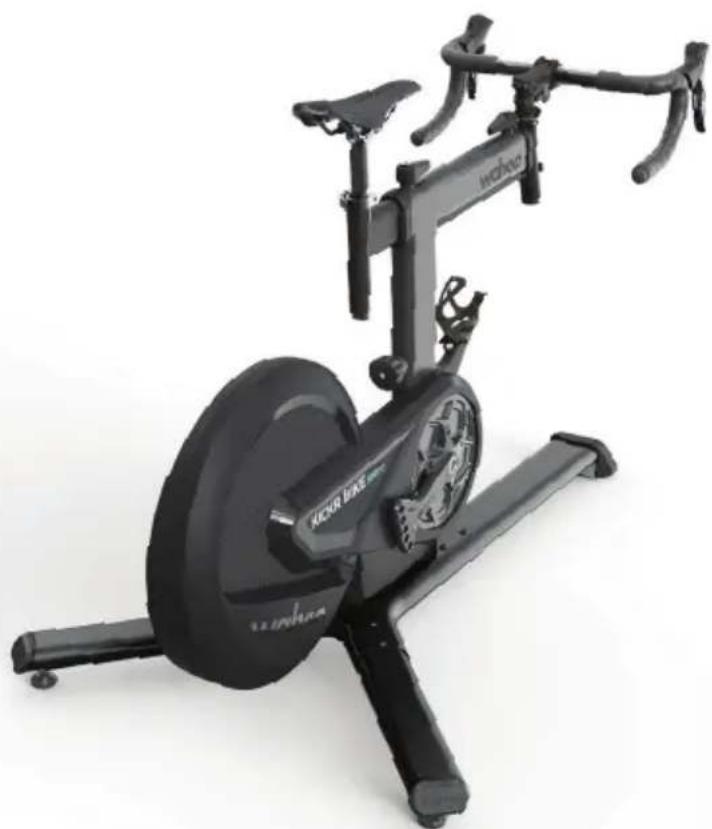
natural_image
Black Jokur bike stationary exercise machine with visible branding and wheel (no text or symbols on the device itself)APLICACIÓN WAHOO
text_image
QR code image containing encoded data, no visible human-readable textPLUS D'INFORMATIONS
90 W. Wieuca Rd NE, Suite 110
Atlanta, GA 30342 United States
support@wahoofitness.com
TÉLÉPHONE
US:1-877-978-1112
UK:+44-800-808-5773
natural_image
Exterior view of a Wahoo stationary bike with visible branding and wheel (no text or symbols beyond branding)(2)
(3)
natural_image
Two black cylindrical objects with small white dots, no text or symbols visible(4)
natural_image
Close-up of a black bicycle bike frame with no visible text or symbols(5)
natural_image
Black mechanical lever with fulcrum and leverhead (no text or symbols)(6)

text_image
(7) (8)
CONSEIL: CONSERVEZ L'EMBALLAGE ET LES PROTECTIONS POUR LE TRANSPORT OU LE RANGEMENT
KICKR BIKE SHIFT PIÈCES DÉTACHÉES
natural_image
Close-up of a bike shift mechanism with blue arrow indicating rotational motion (no text or symbols)natural_image
Close-up of a stationary bike with a blue arrow pointing to the seat (no text or symbols visible)natural_image
Mechanical device with blue directional arrows indicating motion or force, no visible text or symbolsnatural_image
Close-up of a black cylindrical device with a blue arrow pointing to a small component labeled 'waho' (no readable text beyond branding)natural_image
Mechanical component diagram showing a lever mechanism with blue motion arrows (no text or symbols)natural_image
Close-up of a black mechanical device with a blue curved arrow indicating rotation (no text or symbols visible)natural_image
Close-up of a mechanical component with blue arrows pointing to features (no text or symbols visible)natural_image
White box with black electronic devices and a blue upward arrow, no visible text or symbolsnatural_image
3D illustration of a mechanical device inside a cardboard box, showing internal components and directional arrows (no text or symbols)text_image
Diagram of a stationary exercise bike with labeled parts 1 and 2, showing body structure and motion arrows.ASSEMBLAGE DU KICKR BIKE SHIFT SETUP
text_image
Diagram of a stationary bike with labeled parts and directional arrows indicating motion stepsnatural_image
Close-up of a robotic arm joint with a blue upward arrow indicating motion or force (no text or symbols visible)natural_image
Close-up of a black camera lens with wireless signal icons and Bluetooth symbol (no readable text or labels)text_image
wahoo 1 2 3ASSEMBLAGE DU KICKR BIKE SHIFT SETUP
natural_image
Close-up of a black bicycle wheel and attached brake bracket (no visible text or symbols)text_image
x@yahoo SYSTM wwhoo RGT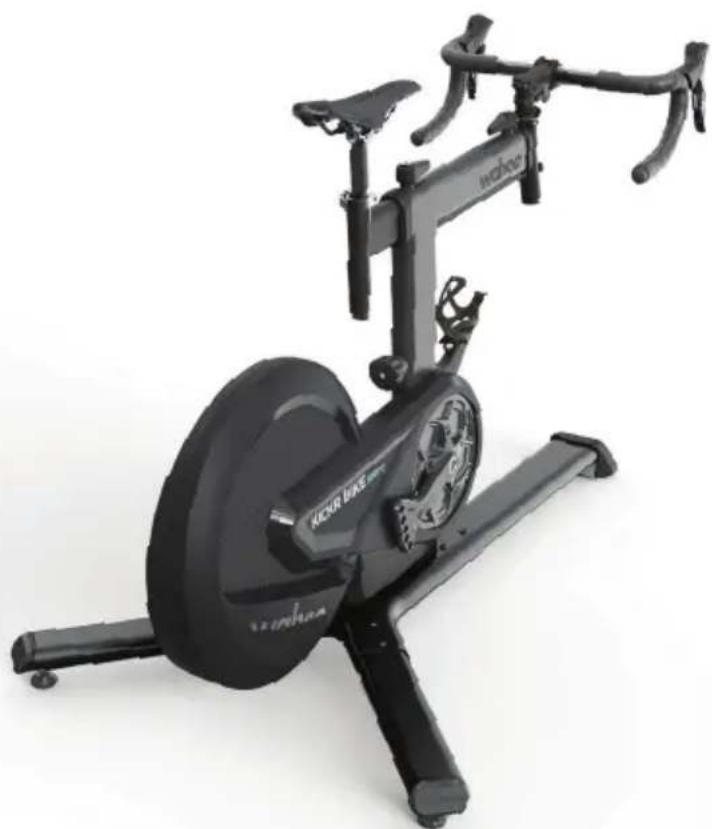
natural_image
Exterior view of a JACVR bike stationary exercise machine (no signage or text visible on the device body)WAHOO APP
text_image
QR code image containing encoded data, no visible human-readable textPER SAPERNE DI PIU
90 W. Wieuca Rd NE, Suite 110
Atlanta, GA 30342 United States
support@wahoofitness.com
TELEFONO
USA: 1-877-978-1112
natural_image
Exterior view of a Wahoo stationary bike with visible branding and wheel (no text or symbols beyond branding)(2)
(3)
natural_image
Two black cylindrical objects with small white dots, no text or symbols visible(4)
natural_image
Close-up of a black bicycle bike frame with no visible text or symbols(5)
natural_image
Black mechanical lever with fulcrum and leverhead (no text or symbols)(6)


natural_image
Simple diagram of a black rectangular component connected to a straight line with arrows, labeled (7) (no text or symbols on the object itself)(8)


CONSIGLIO: CONSERVARE TUTTI GLI IMBALLAGGI E IL MATERIALE PROTETTIVO PER IL TRASPORTO E LO STOCCAGGIO.
natural_image
Close-up of a bicycle bike shift mechanism with blue arrow indicating rotational motion (no text or symbols)natural_image
Mechanical assembly diagram showing a vertical component with a blue arrow pointing to a small component (no text or symbols present)natural_image
Mechanical device with blue arrows indicating rotational motion, no visible text or symbolsnatural_image
Close-up of a black cylindrical device with a blue arrow pointing to a small component labeled 'waho' (no readable text beyond branding)natural_image
3D mechanical component diagram showing a lever mechanism with blue arrows indicating motion (no text or symbols)natural_image
Close-up of a black mechanical device with a blue circular arrow indicating rotation (no text or symbols visible)natural_image
Close-up of a mechanical component with blue arrows pointing to features (no text or symbols visible)natural_image
Interior view of a white electronic device box with a black-and-white photo showing a device, battery, and cable (no text or symbols visible)natural_image
3D illustration of a mechanical device inside a cardboard box, with blue arrows indicating direction (no text or symbols)text_image
Diagram of a stationary exercise bike with labeled parts 1 and 2, showing body structure and control buttons.MONTAGGIO DELLA KICKR BIKE SHIFT
text_image
Diagram of a bicycle leg mechanism with numbered parts and directional arrows indicating motion or positioning.natural_image
Close-up of a black robotic arm with a blue upward arrow indicating motion or force (no text or symbols visible)natural_image
Close-up of a black mechanical device with wireless signal icons and Bluetooth symbol (no readable text or labels)text_image
wahoo 1 2 3MONTAGGIO DELLA KICKR BIKE SHIFT
natural_image
Close-up of a black bicycle wheel and attached brake pad (no visible text or symbols)
text_image
x@yahoo SYSTM wwhoo RGT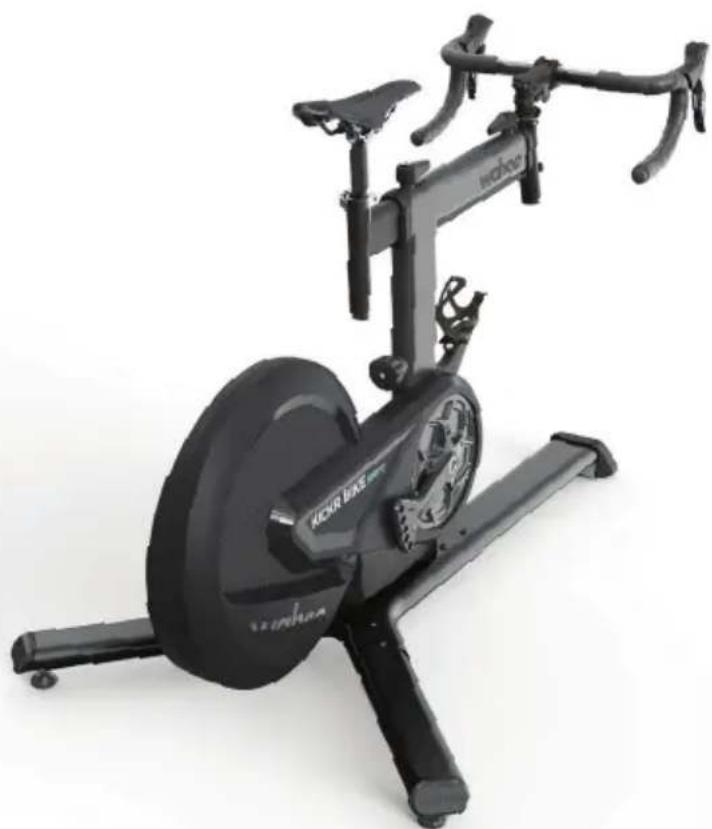
natural_image
Exterior view of a black JCKR bike stationary exercise machine (no text or symbols visible on the device body)APP WAHOO
text_image
QR code image containing encoded data, no visible human-readable text더 알아보기
90 W. Wieuca Rd NE, Suite 110
Atlanta, GA 30342 United States
support@wahoofitness.com
전화
미국:1-877-978-1112
영국:+44-800-808-5773
natural_image
Exterior view of a Wahoo stationary bike with visible branding and wheel (no text or symbols beyond branding)(2)
(3)
natural_image
Two black cylindrical objects with small white dots, no text or symbols visible(4)
natural_image
Close-up of a black bicycle bike handle with two vertical posts (no text or symbols visible)(5)
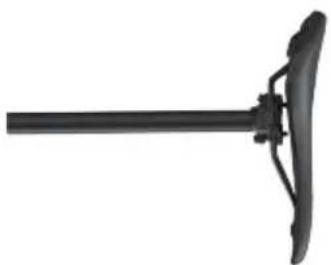
natural_image
Black mechanical lever with handle and leverhead (no text or symbols visible)(6)


natural_image
Pure electrical circuit lines without any symbols(8)


natural_image
Close-up of a bicycle seat with a rotating shaft and blue directional arrow indicating rotation (no text or symbols)스텐드 오버 높이 조정
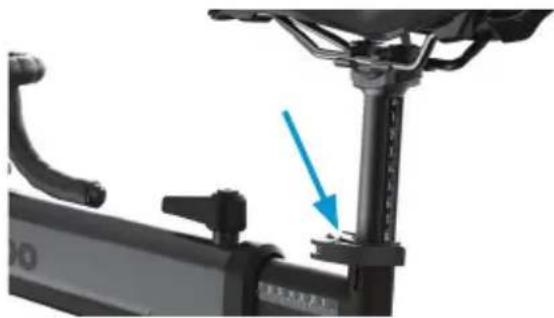
natural_image
Close-up of a stationary bike with a blue arrow pointing to the seat (no text or symbols visible)안장 높이 조정
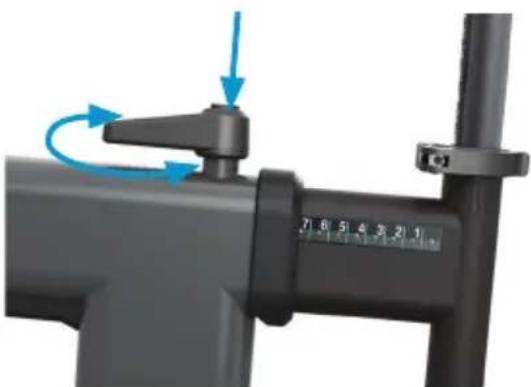
natural_image
Mechanical device with blue arrows indicating rotational motion, no visible text or symbols셋백 조정
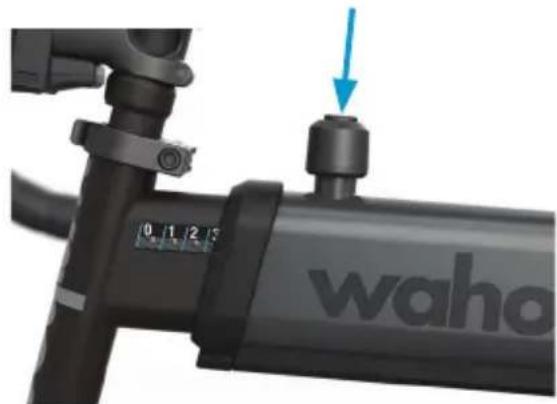
natural_image
Close-up of a black cylindrical device with a blue arrow pointing to a small component labeled 'waho' (no other text or symbols visible)리치 조정
natural_image
3D mechanical component diagram showing a lever mechanism with blue arrows indicating motion (no text or symbols)natural_image
Close-up of a black mechanical device with a blue curved arrow indicating rotation or adjustment (no text or symbols visible)스택 높이 조정
natural_image
Close-up of a car's head panel with blue arrows pointing to specific components (no text or symbols visible)크랭크 길이 조정
크랭크 길이 조정
natural_image
White box with black electronic components and a doorbell, showing internal wiring and a small inset image (no text or symbols visible)natural_image
3D illustration of a mechanical device inside a cardboard box, with blue arrows indicating direction (no text or symbols)natural_image
Exterior view of a stationary exercise bike with labeled parts (1 and 2), no text or symbols on the device itself.KICKR바이크시프트설정
text_image
Diagram of a bicycle leg mechanism with numbered parts and directional arrows indicating motion or movement.natural_image
Close-up of a black robotic arm joint with a blue upward arrow indicating motion (no text or symbols)natural_image
Close-up of a black mechanical device with wireless signal icons and Bluetooth symbol (no readable text or labels)text_image
wahoo 1 2 3KICKR바이크 시프트 설정
natural_image
Close-up of a black bicycle wheel and attached mechanical bracket (no visible text or symbols)
natural_image
Exterior view of a black KDOA bike with visible branding and control panel (no text or symbols on the bike itself)WAHOO APP
text_image
QR code image containing encoded data, no visible human-readable textMEHR INFOS
90 W. Wieuca Rd NE, Suite 110
Atlanta, GA 30342 USA
support@wahoofitness.com
TELEFON
USA: 1 877 978 1112
natural_image
Exterior view of a Wahoo stationary bike with visible branding and wheel (no text-heavy elements)(2)
(3)
natural_image
Two black rectangular objects with small white dots, resembling stylized letters or symbols (no text or labels)(4)
natural_image
Close-up of a black bicycle bike handle with two vertical posts (no text or symbols visible)(5)
natural_image
Black mechanical lever with fulcrum and lever handle (no text or symbols)(6)

(7)

natural_image
Pure electrical circuit lines without any symbols(8)


natural_image
Close-up of a black KRO BIKE SHIFT bike with blue motion arrows indicating rotational movement (no text or symbols on the diagram itself)natural_image
Close-up of a stationary bike with a blue arrow pointing to the seat (no text or symbols visible)natural_image
Mechanical device with blue arrows indicating rotational motion, no visible text or symbolsEinstellung Setback
natural_image
Close-up of a black cylindrical device with a blue arrow pointing to a small component labeled 'waho' (no readable text beyond branding)Einstellung Reach
natural_image
3D mechanical component diagram showing a lever mechanism with blue arrows indicating motion (no text or symbols)Hinweis: Wenn die
natural_image
Close-up of a black mechanical device with a blue curved arrow indicating rotation or adjustment (no text or symbols visible)natural_image
Close-up of a mechanical component with blue arrows pointing to features (no text or symbols visible)natural_image
White box with black electronic components and a small device, showing no visible text or symbols.natural_image
3D illustration of a mechanical device inside a cardboard box, with arrows indicating direction (no text or symbols)text_image
Diagram of a bicycle leg mechanism with numbered parts and directional arrows indicating motion or movement.natural_image
Close-up of a black robotic arm with blue directional arrow indicating movement or force (no text or symbols)natural_image
Close-up of a black mechanical device with wireless signal icons and Bluetooth symbol (no readable text or labels)text_image
wahoo 1 2 3natural_image
Close-up of a black automotive wheel and mechanical bracket assembly (no visible text or symbols)
text_image
x@yahoo SYSTM wwhoo RGT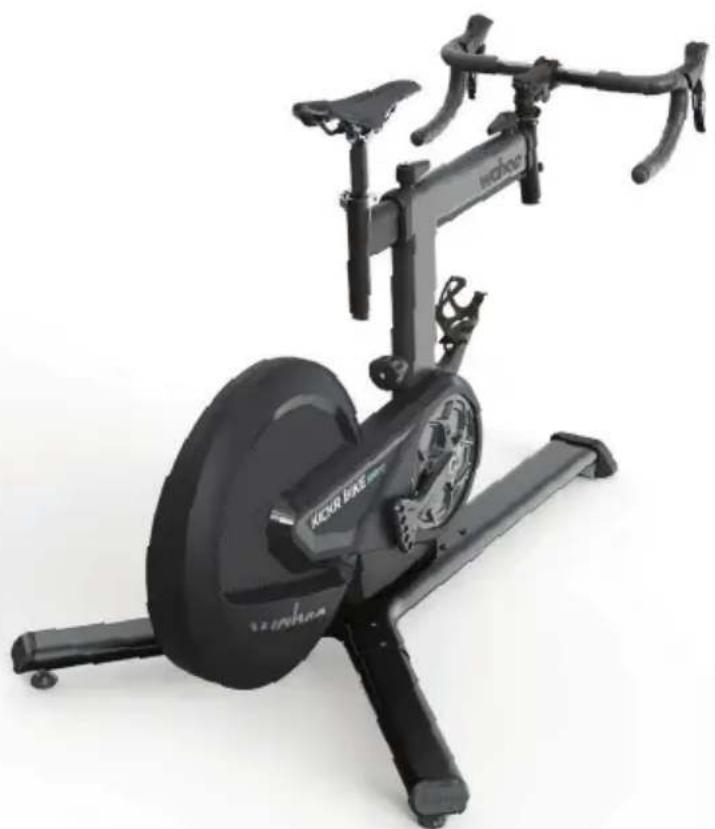
natural_image
Exterior view of a black KDOA bike with visible branding and side-mounted seat (no text or symbols on the bike body)WAHOO APP
text_image
QR code image containing encoded data, no visible human-readable text了解更多
90 W. Wieuca Rd NE, Suite 110
Atlanta, GA 30342 United States
support@wahoofitness.com
电话
美国:1-877-978-1112
英国:+44-800-808-5773
natural_image
Exterior view of a Wahoo stationary bike with visible branding and wheel (no text or symbols beyond branding)(2)
(3)
natural_image
Two black cylindrical objects with small white dots, no text or symbols visible(4)
natural_image
Top-down view of a black bicycle bike handle with two articulated arms (no text or symbols visible)(5)
natural_image
Black mechanical lever with fulcrum and lever handle (no text or symbols)(6)

(7)

natural_image
Pure electrical circuit lines without any symbols(8)


提醒:请保留所有外包装、保护包装材料
KICKR BIKE SHIFT 零件
natural_image
Close-up of a bicycle seat with a blue circular arrow indicating rotational motion (no text or symbols)支撑架高度调整节
natural_image
Close-up of a stationary bike with a blue arrow pointing to the seat (no text or symbols visible)座垫高调节
natural_image
Mechanical device with blue arrows indicating rotational motion, no visible text or symbols后倾量调整
natural_image
Close-up of a black cylindrical device with a blue arrow pointing to a small component labeled 'waho' (no readable text beyond branding)延展量调整
natural_image
Mechanical component with blue motion arrow indicating rotational motion (no text or symbols)natural_image
Close-up of a black mechanical device with a blue circular arrow indicating rotation (no text or symbols visible)堆高量调节
natural_image
Close-up of a mechanical component with blue arrows pointing to features (no text or symbols visible)曲柄长度调节
KICKR BIKE SHIFT 设置
natural_image
White box with black electronic components and a doorbell, showing internal wiring and a blue directional arrow (no text or symbols)natural_image
3D illustration of a mechanical device inside a cardboard box, with blue arrows indicating direction (no text or symbols)natural_image
Exterior view of a stationary exercise bike with labeled parts (1 and 2), no text or symbols on the device itself.KICKR BIKE SHIFT 安装
text_image
Diagram of a bicycle leg mechanism with numbered parts and directional arrows indicating motion or positioning.natural_image
Close-up of a black robotic arm joint with a blue upward arrow indicating motion or force (no text or symbols visible)natural_image
Close-up of a camera lens with Wi-Fi and Bluetooth indicators (no readable text or symbols)text_image
wahoo 1 2 3KICKR BIKE SHIFT 安装
natural_image
Close-up of a black bicycle wheel and attached mechanical bracket (no visible text or symbols)
text_image
x@yahoo SYSTM xwhoo RGT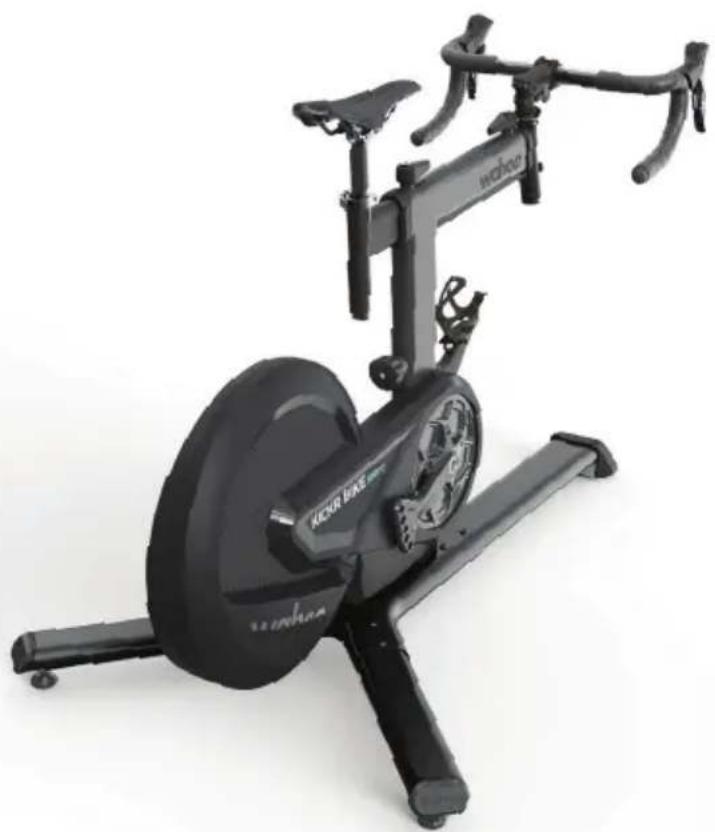
natural_image
Exterior view of a black Kicker PNE stationary bike with visible branding and control panel (no text-heavy elements)WAHOO 应用程序
text_image
QR code image containing encoded data, no visible human-readable text了解更多
90 W. Wieuca Rd NE, Suite 110
Atlanta, GA 30342 United States
support@wahoofitness.com
電話
美國 1-877-978-1112
英國:+44-800-808-5773
natural_image
Exterior view of a Wahoo stationary bike with visible branding and wheel (no text-heavy elements)(2)
(3)
natural_image
Two black cylindrical objects with small white dots, no text or symbols visible(4)
natural_image
Close-up of a black bicycle bike frame with no visible text or symbols(5)
natural_image
Black mechanical lever with fulcrum and leverhead (no text or symbols)(6)

(7)

natural_image
Pure electrical circuit lines without any symbols(8)


提醒:請保留所有外包裝、保護包材
KICKR BIKE SHIFT 零件
natural_image
Close-up of a black bike shift mechanism with blue motion arrows (no text or symbols)支架高度調節
natural_image
Mechanical exercise bike with blue arrow indicating a component (no text or symbols visible)座墊高度調節
natural_image
Mechanical device with blue arrows indicating rotational motion, no visible text or symbols後傾量調整
natural_image
Close-up of a black waho fuel pump component with a blue arrow pointing to the valve (no text or symbols on the pump body)延伸量調整
natural_image
Mechanical component with blue motion arrow indicating rotational motion (no text or symbols)natural_image
Close-up of a black mechanical device with a blue circular arrow indicating rotation (no text or symbols visible)堆高量調節
natural_image
Close-up of a mechanical component with blue arrows pointing to features (no text or symbols visible)曲柄長度調節
KICKR BIKE SHIFT 設定
natural_image
Interior view of a white electronic device with open box showing internal components and directional arrows (no text or symbols)natural_image
3D illustration of a mechanical device inside a cardboard box, showing internal components and directional arrows (no text or symbols)text_image
Diagram of a stationary exercise bike with labeled parts 1 and 2, showing body structure and motion arrows.KICKR BIKE SHIFT 設定
text_image
Diagram of a stationary bike with labeled parts and directional arrows indicating motion or movement.natural_image
Close-up of a black robotic arm with a blue upward arrow indicating motion or force (no text or symbols visible)natural_image
Close-up of a camera lens with wireless signal icons and a light bulb (no text or symbols visible)藍色LED閃爍 - 待機模式
藍色LED長亮 - 連接應用程序
藍色LED長亮+快速閃爍 - 控制命令
白色LED慢速閃爍 - 搜索網路
白色LED快速閃爍 - 連接網路中
白色LED長亮 - 已連接網路
text_image
wahoo 1 2 3KICKR BIKE SHIFT 設定
natural_image
Close-up of a black bicycle wheel mounted on a metal platform, with no visible text or symbols.
natural_image
Exterior view of a black KAGR bike with visible branding and body components (no text or symbols on the bike itself)WAHOO APP
text_image
QR code image containing encoded data, no visible human-readable text90 W. Wieuca Rd NE, Suite 110
Atlanta, GA 30342 United States
support@wahoofitness.com
電話
アメリカ:1-877-978-1112
natural_image
Exterior view of a Wahoo stationary bike with visible branding and wheel (no text or symbols beyond branding)(2)
(3)
natural_image
Two black cylindrical objects with small white dots, no text or symbols visible(4)
natural_image
Close-up of a black bicycle leg with two vertical posts and a horizontal bar (no text or symbols visible)(5)
natural_image
Black mechanical lever with fulcrum and lever handle (no text or symbols)(6)

(7)

natural_image
Pure electrical circuit lines without any symbols(8)


natural_image
Close-up of a bicycle seat with blue motion arrows indicating rotational movement (no text or symbols)スタンドオーバーハイト
natural_image
Close-up of a stationary bike with a blue arrow pointing to the seat (no text or symbols visible)サドルハイト
natural_image
Mechanical device with blue arrows indicating rotational motion, no visible text or symbolsセットバック
natural_image
Close-up of a black wheeled device with a blue arrow pointing to a cylindrical component labeled 'waho' (no other text or symbols visible)リーチ
natural_image
3D mechanical component diagram showing a lever mechanism with blue arrows indicating motion (no text or symbols)natural_image
Close-up of a black mechanical device with a blue circular arrow indicating rotation (no text or symbols visible)スタックハイトの調整
natural_image
Close-up of a mechanical component with blue arrows pointing to features (no text or symbols visible)クランク長の調整
natural_image
Interior view of a white electronic device with open box showing internal components and arrows indicating orientation (no text or symbols)natural_image
3D illustration of a mechanical device inside a cardboard box, with blue arrows indicating direction (no text or symbols)natural_image
Exterior view of a stationary exercise bike with labeled parts (1 and 2), no text or symbols on the device itself.text_image
Diagram of a bicycle leg mechanism with numbered parts and directional arrows indicating motion or positioning.natural_image
Close-up of a black robotic arm joint with a blue upward arrow indicating motion or force (no text or symbols visible)natural_image
Close-up of a camera lens with wireless signal icons and a light bulb (no text or symbols visible)text_image
wahoo 1 2 3natural_image
Close-up of a black bicycle wheel and attached mechanical bracket (no visible text or symbols)
text_image
x@yahoo SYSTM xwhoo RGT
natural_image
Exterior view of a black KRON bike with visible branding and control panel (no text or symbols on the bike itself)WAHOOアプリ
text_image
QR code image containing encoded data, no visible human-readable textDOWIEDZ SIĘ WIĘCEJ
90 W. Wieuca Rd NE, Suite 110
Atlanta, GA 30342 USA
support@wahoofitness.com
TELEFON
USA: 1-877-978-1112
UK: +44-800-808-5773
UPEWNIĆ SIE, ŻE MONTAŻ JEST PRAWIDŁOWY
natural_image
Exterior view of a Wahoo stationary bike with visible branding and wheel (no text-heavy elements)(2)
(3)
natural_image
Two black cylindrical objects with small white dots, no text or symbols visible(4)
natural_image
Close-up of a black bicycle bike handle with two vertical posts (no text or symbols visible)(5)
natural_image
Black mechanical lever with fulcrum and lever handle (no text or symbols)(6)

(7)

natural_image
Pure electrical circuit lines without any symbols(8)


PROTIP: ZAPISZ WSZYSTKIE OPAKOWANIA I MATERIAŁY OCHRONNE DO TRANSPORTU I PRZECHOWYWANIA
KICKR BIKE SHIFT CZĘŚCI
natural_image
Close-up of a black KIR-BIKE shift bike with blue motion arrow indicating rotation (no text or symbols)natural_image
Mechanical assembly diagram showing a vertical support structure with a blue arrow pointing to a component (no text or symbols present)natural_image
Mechanical device with blue arrows indicating rotational motion, no visible text or symbolsRegulacja napadu
natural_image
Close-up of a waho-branded mechanical device with a blue arrow pointing to a bolt (no text or symbols on the device itself)Regulacja zasięgu
natural_image
Mechanical component with blue motion arrow indicating rotational motion (no text or symbols)natural_image
Close-up of a black mechanical device with a blue circular arrow indicating rotation (no text or symbols visible)natural_image
Close-up of a mechanical component with blue arrows pointing to features (no text or symbols visible)natural_image
White box with black electronic components and a handheld device, showing upward arrows indicating motion or assembly (no text or symbols visible)natural_image
3D illustration of a mechanical device inside a cardboard box, with arrows indicating direction (no text or symbols)text_image
Diagram of a stationary exercise bike with labeled parts 1 and 2, showing body structure and motion arrows.INSTALACJA KICKR BIKE SHIFT
text_image
Diagram of a stationary bike with labeled parts and directional arrows indicating motion or movement.natural_image
Close-up of a black robotic arm with blue directional arrow indicating movement or force (no text or symbols)natural_image
Close-up of a black mechanical device with Wi-Fi, Bluetooth, and signal icons (no readable text or symbols)text_image
wahoo 1 2 3INSTALACJA KICKR BIKE SHIFT
natural_image
Close-up of a black bicycle wheel and attached mechanical bracket (no visible text or symbols)
text_image
wahoo SYSTM wahos RGT