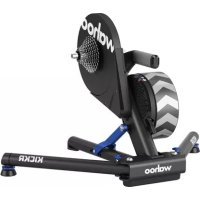
Kickr Power Trainer - Indoor bike trainer Wahoo - Free user manual and instructions
Find the device manual for free Kickr Power Trainer Wahoo in PDF.



| Product Type | Smart trainer (indoor bike trainer) |
| Brand | Wahoo |
| Model | Kickr Power Trainer |
| Power Supply | AC adapter (alternating current) included |
| Weight (estimated) | Approximately 21 kg |
| Dimensions (estimated) | ~ 60 × 50 × 40 cm |
| Connectivity | ANT+ and Bluetooth Smart (BLE) |
| Compatibility | iOS 8+, Android 4.3+, Mac with ANT+ or BLE, Windows with ANT+ or BLE |
| Training Modes | Level, Resistance (0-100%), ERG, SIM |
| Height Adjustment | Adjustment button on central foot (wheel size compatible) |
| Leveling Feet | Two adjustable feet with blue locking nuts |
| Bike Mount | Quick release (130/135 mm) or thru axle (12×142/148 mm) |
| Included Accessories | KICKR, adapter, quick release, spacers (disc brake, 1.8 mm), A-D adapters |
| Mobile App | Wahoo Fitness (free on App Store and Google Play) |
| Calibration | Initial spindown recommended, then every 2 weeks via the app |
| Safety | Keep hands away from moving parts; use on stable surface; do not disassemble while in motion; keep away from children and pets |
| Maintenance | Keep packaging for transport; avoid contact with water; use only the provided power supply |
| Customer Service | USA: 1-877-978-1112, Germany: +49-30-568-373827, UK: +44-800-808-5773 (Mon-Fri 10am-7pm ET) |
Frequently Asked Questions - Kickr Power Trainer Wahoo
User questions about Kickr Power Trainer Wahoo
0 question about this device. Answer the ones you know or ask your own.
Ask a new question about this device
Download the instructions for your Indoor bike trainer in PDF format for free! Find your manual Kickr Power Trainer - Wahoo and take your electronic device back in hand. On this page are published all the documents necessary for the use of your device. Kickr Power Trainer by Wahoo.
USER MANUAL Kickr Power Trainer Wahoo
See full instructions for complete setup.
Thank you for purchasing the Wahoo KICKR!
LEARN MORE:
For instructional videos, compatible apps, FAQs, or to submit a support request please visit: www.wahoofitness.com/support
PLEASE CONTACT US WITH QUESTIONS OR CONCERNS AT:
Wahoo Fitness
90 W. Wieuca Rd NE
Suite 110
Atlanta, GA 30342 United States
TELEPHONE:
United States: 1-877-978-1112
Germany: +49-30-568-373827
United Kingdom: +44-800-808-5773
Phone Hours: Monday - Friday
10am-7pm Eastern Time Zone
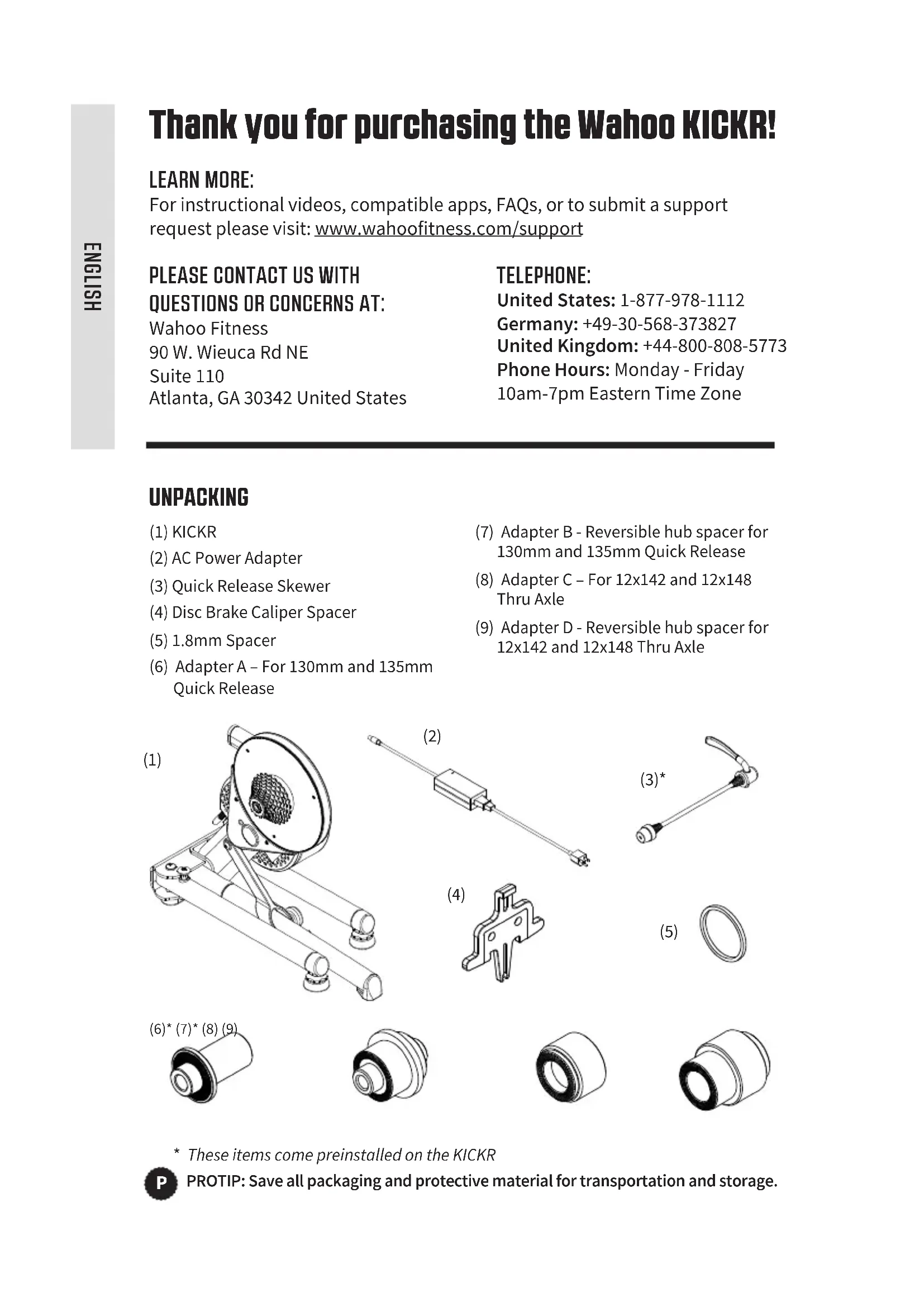
UNPACKING
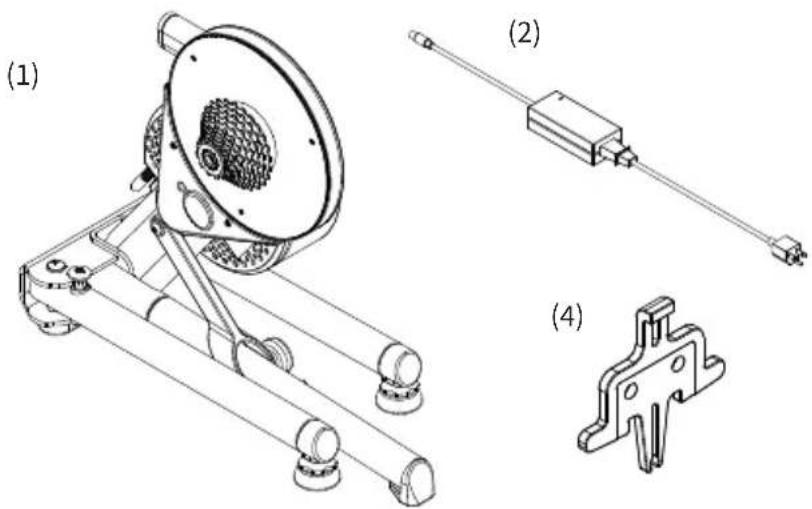
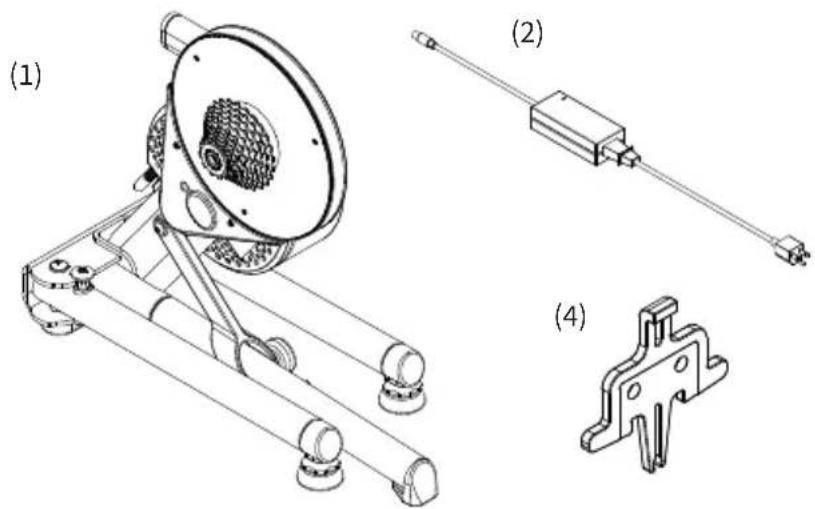
(1) KICKR
(2) AC Power Adapter
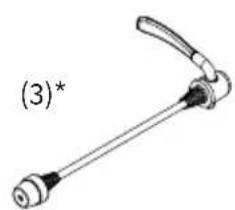
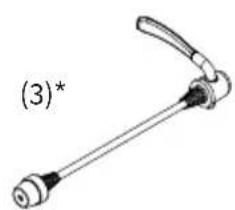
(3) Quick Release Skewer
(4) Disc Brake Caliper Spacer
(5) 1.8mm Spacer
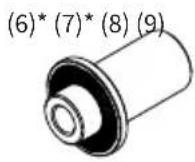
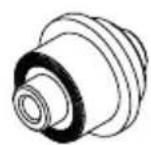
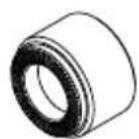
(6) Adapter A - For 130mm and 135mm Quick Release
(7) Adapter B - Reversible hub spacer for 130mm and 135mm Quick Release
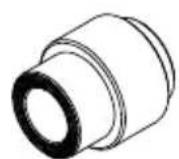
(8) Adapter C - For 12x142 and 12x148 Thru Axle
(9) Adapter D - Reversible hub spacer for 12x142 and 12x148 Thru Axle
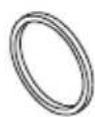
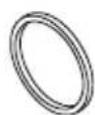
(5)
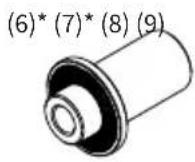
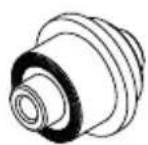
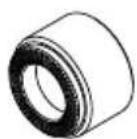
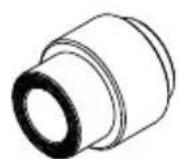
- These items come preinstalled on the KICKR

PROTIP: Save all packaging and protective material for transportation and storage.
- Before beginning or modifying any exercise program please consult your physician.
- Do not put hands or objects near moving parts of the KICKR.
- The KICKR may become hot to the touch when used for extended periods of time.
- Do not attempt to dismount the bicycle while the flywheel is in motion.
-
Keep children and pets away from the KICKR while in use.
-
Only use the KICKR on a stable, level surface with properly adjusted leveling feet.
- Use caution when standing while riding on the KICKR.
- Keep the KICKR away from water.
Only use the power adapter that comes with the KICKR. - Check to make sure the bicycle is properly secured to the KICKR before every ride.
KICKR SETUP
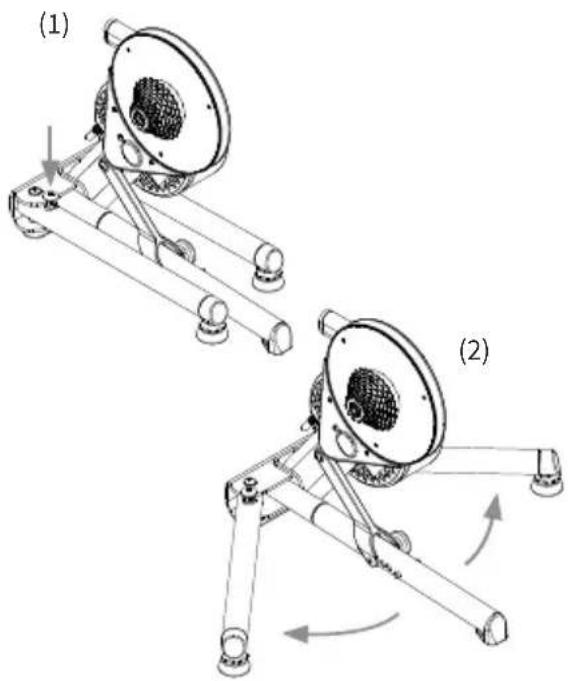
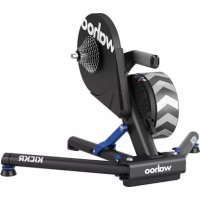
Place your KICKR on a stable, level surface and open the legs by (1) pressing down on the blue leg-lock tabs and (2) pivoting the legs outward until they snap in place. (NOTE: Ensure the leg-lock tabs have popped back up and secured the legs in an open position.)
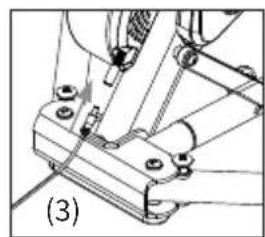
(3) Use the included AC power adapter to connect the trainer to a standard wall outlet.

Download the Wahoo Fitness app for free from the Apple App Store or from the Android Google Play Store.
Follow the in app setup guide to complete your profile and to pair sensors.
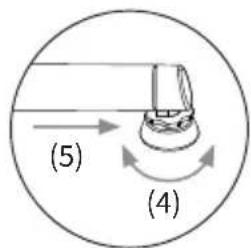
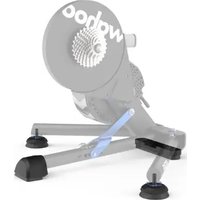
To stabilize the trainer, adjust the two leveling feet (4) by twisting them left or right until the trainer is level and (5) lock them into place by tightening the blue locknuts against the KICKR leg frame. (NOTE: Check that your trainer is stable before every ride; if needed re-adjust the leveling feet.)
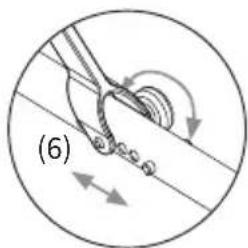
Adjust the height of the trainer to fit your specific wheel size by (6) relocating the height adjustment knob on the center leg to the appropriate setting. If you are unsure of your wheel size, check the tire sidewall or consult your local bike shop.
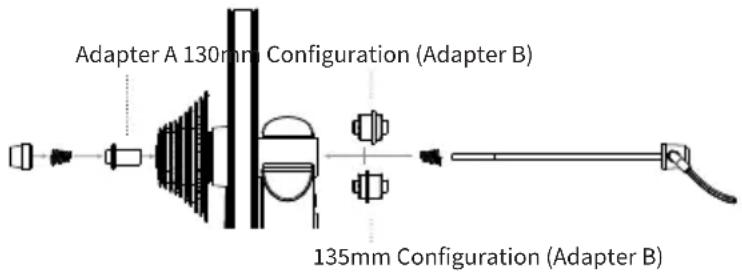
FOR 130MM OR 135MM QUICK RELEASE
Adapters Needed: A and B
KICKR comes pre-configured out of the box for bicycles with 130mm quick release spacing. If you have a bicycle with 130mm spacing proceed to "Attaching your Bicycle". For 135mm spacing, remove quick release skewer, reverse Adapter B and reinstall quick release skewer.
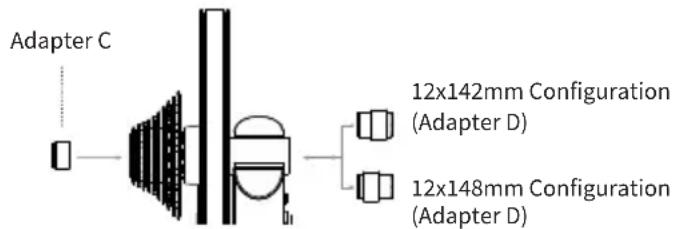
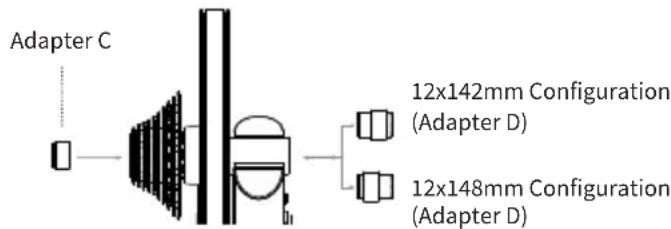
FOR 142MM OR 148MM THRU AXLE
Adapters Needed: C and D
To be used with the 12mm thru axle supplied with bicycle.
ATTACHING YOUR BICYCLE
Shift your bicycle chain into the smallest sprocket in the front and rear, then remove your rear wheel. Install your bicycle on the KICKR by aligning the chain with the smallest sprocket on the KICKR and pressing down to fully seat the dropouts on the KICKR's axle.
For bicycles with quick release - Secure your bicycle by tightening the quick release acorn nut and clamping the quick release lever shut. The quick release lever is "open" when it curves away from the bicycle frame (1); the lever is "closed" when it curves towards the bicycle
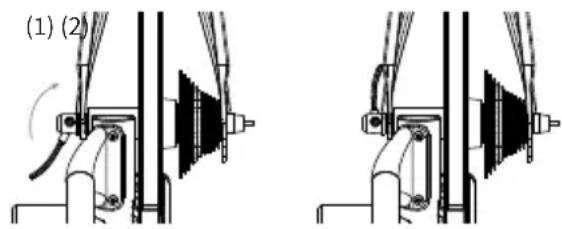
frame (2). The handle of the quick release skewer is always on the non-drive (non cassette) side of the KICKR. Only use the provided quick release skewer while using the KICKR.
For bicycles with thru axle - Secure your bicycle by reinstalling your bicycle's thru axle (3) and tightening to manufacturer specifications (4).
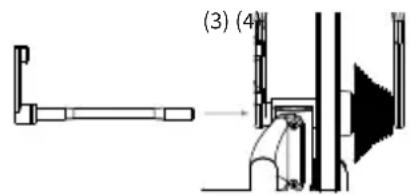
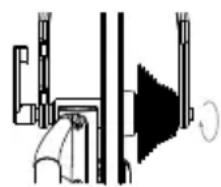
CAUTION! Failure to properly tighten the quick release skewer or thru axle may result in property damage or personal injury. If you are unsure of the proper tension, please consult your local bike shop or contact Wahoo Fitness for assistance. Do NOT ride the KICKR until the quick release skewer or thru axle is tightened.

PROTIP: Lift the front wheel up while pressing down on the saddle to ensure the bicycle is fully seated on the trainer.
COMPLETE YOUR SETUP USING THE WAHOO FITNESS APP
SPINDOWN: Before using the KICKR for the first time you should perform a spindown to calibrate your device. Additionally, a spindown should be repeated approximately every 2 weeks through the Wahoo Fitness App to ensure the most accurate power data.
START A WORKOUT: From the workout screen select the green "Start" button to begin the workout. Swipe right to view the KICKR page. This page enables you to view your workout and control the KICKR.
KICKR WORKOUT MODES:
The Wahoo Fitness App has the following workout modes that you can use to control your KICKR:
LEVEL: Just like riding on a fluid or wind trainer, the faster you go, the harder it gets. The level you select determines the progression of your power curve.
RESISTANCE: This allows you to set the resistance of the brake anywhere from 0 to 100% . Regardless of speed, the brake will remain set until you decide to change it.
ERG: Set your desired power, the KICKR will increase or decrease the resistance to maintain a constant power output, regardless of speed.
SIM: Enter your weight, bike type, riding position, headwind, and grade and the KICKR will accurately model the power curve just as if you were riding outdoors.
COMPATIBILITY
From your phone, tablet or laptop to your bike computer, heart rate monitor or bike sensors, KICKR Smart Trainers offer the widest range of compatibility and connectivity.
- iOS must be running version 8 or newer
Android 4.3 or newer and BLE enabled
Mac requires ANT+ USB Stick or BLE enabled - Windows PC when paired with ANT+ USB Stick or BLE enabled
For a full list of KICKR compatible apps visit: www.wahoofitness.com/fitness-apps#kickr
Atlanta, GA 30342 United States
TELEFOND:
Adapters Needed: A and B
Adapters Needed: C and D
Atlanta, GA 30342 United States
TELEPHONE:
Adapters Needed: A and B
Adapters Needed: C and D
Atlanta, GA 30342 United States
TELEFONO:
Adapters Needed: A and B
Adapters Needed: C and D
www.wahoofitness.com/support
将之在上,以示其能为人所用。
海孕
Wahoo Fitness
90 W. Wieuca Rd NE
Suite 110
Atlanta, GA 30342 United States
朝:
明国:1-877-978-1112
目录:+49-30-568-373827
国:+44-800-808-5773
前海龍龍龍龍龍龍龍龍龍龍龍龍龍龍龍龍龍龍龍龍龍龍龍龍龍龍龍龍龍龍龍龍龍龍龍龍龍龍龍龍龍龍
OuH7i
表长
(1) KICKR
(2) AC 译码器
(3) 契ルリス フ喹ーナ
(4)DIsKbrReIOKelRrSpeI
(5) 1.8mm 1
(6)Adapter A-130mm吳135mm制
(7)Adapter B-130mm及135mm制 錾LRIss用RlB街HhBStpeIi
(8)Adapter C-12x142及12x148串用
(9)Adapter D-12x142及12x148串扰
鍵符用RiBrBerHbrSpeIeIe
(5)
K
Adapters Needed: A and B
Adapters Needed: C and D
Atlanta, GA 30342 United States
TELEFONNUMMERN:
USA: 1-877-978-1112
Deutschland: +49-30-568-373827
Adapters Needed: A and B
Adapters Needed: C and D
Atlanta, GA 30342 United States
电话:
美国:1-877-978-1112
Adapters Needed: A and B
Adapters Needed: C and D
可配用适于自行车的12mm贯通轴。
连接您的自行车(安装到自行车上)
www.wahoofitness.com/support
如有問題或顧慮,請聯絡我們:
Wahoo Fitness
90 W. Wieuca Rd NE
Suite 110
Atlanta, GA 30342 United States
電話:
美國:1-877-978-1112
Adapters Needed: A and B
Atlanta, GA 30342 United States
電話:
米国:1-877-978-1112
D1V: +49-30-568-373827
伊里次:+44-800-808-5773
電話受付時間:月-金10am-7pm
東部標準時
開梟
Adapters Needed: A and B
Adapters Needed: C and D
- See full instructions for complete setup.
- Thank you for purchasing the Wahoo KICKR!
- LEARN MORE:
- PLEASE CONTACT US WITH QUESTIONS OR CONCERNS AT:
- TELEPHONE:
- UNPACKING
- KICKR SETUP
- FOR 130MM OR 135MM QUICK RELEASE
- Adapters Needed: A and B
- FOR 142MM OR 148MM THRU AXLE
- Adapters Needed: C and D
- ATTACHING YOUR BICYCLE
- COMPLETE YOUR SETUP USING THE WAHOO FITNESS APP
- KICKR WORKOUT MODES:
- COMPATIBILITY
- TELEFOND:
- TELEFONO:
- 表长
- K
- TELEFONNUMMERN:
- 电话:
- 连接您的自行车(安装到自行车上)
- 如有問題或顧慮,請聯絡我們:
- 電話:
- 開梟
Brand : Wahoo
Model : Kickr Power Trainer
Category : Indoor bike trainer