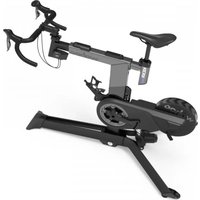
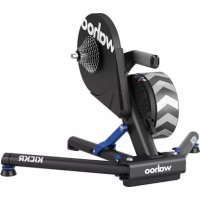
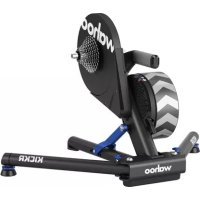
KICKR PRO - Indoor bike trainer Wahoo - Free user manual and instructions
Find the device manual for free KICKR PRO Wahoo in PDF.


Pick your language and provide your email: we'll send you a specifically translated version.
| Product type | Smart indoor bike trainer |
| Brand | Wahoo |
| Model | KICKR PRO |
| Dimensions (L x W x H) | Approximately 68 x 58 x 28 cm |
| Weight | Approximately 21 kg |
| Power supply | Power adapter 100-240 V AC, 50-60 Hz |
| Maximum simulated power | Up to 2500 watts |
| Resistance | Electromagnetic, belt brake |
| Connectivity | ANT+, Bluetooth Smart, Wi-Fi |
| Compatibility | Third-party apps (Zwift, TrainerRoad, etc.) |
| Gradient simulation | Up to 20% |
| Inertia | Integrated flywheel (simulated mass) |
| Power measurement | Integrated, accuracy ±2% |
| Folding / Portability | Foldable legs for transport |
| Noise | Low (approximately 50-60 dB) |
| Care and cleaning | Clean with a dry cloth; avoid moisture |
| Safety | Use on stable surface; turn off after use |
| Spare parts / repairability | Parts available through Wahoo; repair by authorized center |
| Warranty | 2 years (depending on country) |
| Certifications | CE, FCC, IC |
Frequently Asked Questions - KICKR PRO Wahoo
How do I install my Wahoo KICKR PRO?
Unfold the feet, plug in the power adapter, then attach your bike by tightening the rear axle. Make sure the rear wheel is properly in place. Consult the manual for more details.
How do I connect the KICKR PRO to an app?
Enable Bluetooth or ANT+ on your device. Open the app (Zwift, TrainerRoad, etc.) and search for sensors. The KICKR PRO will appear as 'KICKR PRO'. Pair it.
What is the noise level of the KICKR PRO?
The KICKR PRO is designed to be quiet, around 50-60 dB, comparable to a normal conversation. Use a mat to reduce vibrations.
Can I use the KICKR PRO without electricity?
No, the unit requires a mains power supply to operate (electromagnetic resistance). It cannot be used solely by pedaling.
Does the KICKR PRO simulate climbs?
Yes, it can simulate gradients up to 20% by tilting the frame. This feature requires a compatible app and stable power supply.
How do I calibrate the power?
Perform a 'spin down' via the Wahoo Fitness app. Ride at 32 km/h for a few seconds, then stop completely. The app adjusts the resistance.
What types of bikes are compatible?
The KICKR PRO is compatible with most rear-wheel bikes from 650c to 700c, with 9x130mm or 10x135mm axles. Adapters for thru-axles are available.
How do I clean my KICKR PRO?
Use a soft, dry cloth to wipe off dust. Do not use solvents or water directly. Clean the feet and belt regularly.
What to do if the KICKR PRO does not turn on?
Check that the power adapter is properly plugged into the wall and the unit. Try another outlet. If the problem persists, contact Wahoo support.
Where to find spare parts?
Spare parts (belt, feet, adapter) are available on the Wahoo website or from authorized dealers. Repair must be done by a qualified technician.
User questions about KICKR PRO Wahoo
0 question about this device. Answer the ones you know or ask your own.
Ask a new question about this device
No questions yet. Be the first to ask one.
Download the instructions for your Indoor bike trainer in PDF format for free! Find your manual KICKR PRO - Wahoo and take your electronic device back in hand. On this page are published all the documents necessary for the use of your device. KICKR PRO by Wahoo.
USER MANUAL KICKR PRO Wahoo
Manual assistant
Powered by Anthropic
Waiting for your message
Product information
Brand : Wahoo
Model : KICKR PRO
Category : Indoor bike trainer