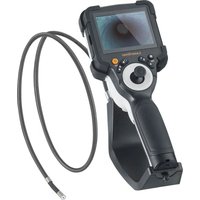
VideoInspector 3DX - Inspection camera Laserliner - Free user manual and instructions
Find the device manual for free VideoInspector 3DX Laserliner in PDF.


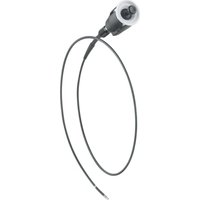
| Product Type | Professional Video Inspection Camera |
| Brand | Laserliner |
| Model | VideoInspector 3DX |
| Screen | 3.5" TFT color screen (640 x 480 pixels resolution) |
| Photo/Video Resolution | 1280 x 720 pixels |
| Image/Video Format | JPEG, MJPG (AVI) |
| Memory | Micro SD card up to 32 GB |
| Protection Rating | IP 54 |
| Connections | USB Type-C |
| LED Lighting | 4 adjustable levels |
| Digital Zoom | 2x in 10 steps |
| Rotation/Reflection | 180° rotation and horizontal/vertical reflection (4 directions) |
| Power Supply | 3.7 V / 2.8 Ah Li-ion battery (rechargeable via USB-C) |
| Battery Life | Approximately 5 hours |
| Charging Time | Approximately 3 hours |
| Operating Temperature | 0 °C to 45 °C |
| Storage Temperature | -10 °C to 60 °C |
| Dimensions (L x H x D) | 108 x 260 x 110 mm (with mount) |
| Weight | 650 g (including battery) |
| Menu Languages | French, English, German, Japanese, Italian, Portuguese, Spanish, Dutch |
| Additional Features | Media gallery, real-time clock, auto power off, SD card formatting, aspect ratio setting (4:3, 16:9, compressed) |
| Included Accessories | Camera unit, USB-C cable, power adapter, magnetic mount, tripod mount (1/4" thread) |
| Maintenance | Clean with a slightly damp cloth, without solvents. Store in a dry and clean place. |
| Safety | Use only original accessories, do not expose to moisture or extreme temperatures, do not use near dangerous voltages. |
| Repairability | Battery replaceable by after-sales service; contact Umarex-Laserliner for removal. |
Frequently Asked Questions - VideoInspector 3DX Laserliner
User questions about VideoInspector 3DX Laserliner
0 question about this device. Answer the ones you know or ask your own.
Ask a new question about this device
Download the instructions for your Inspection camera in PDF format for free! Find your manual VideoInspector 3DX - Laserliner and take your electronic device back in hand. On this page are published all the documents necessary for the use of your device. VideoInspector 3DX by Laserliner.
USER MANUAL VideoInspector 3DX Laserliner




Laserliner
!


| 1 = 25% |
| 2 = 50% |
| 3 = 75% |
| 4 = 100% |



| x 1.1 = 110% |
| x 1.2 = 120% |
| x 1.3 = 130% |
| x 1.4 = 140% |
| x 1.5 = 150% |
| x 1.6 = 160% |
| x 1.7 = 170% |
| x 1.8 = 180% |
| x 1.9 = 190% |
| x 2.0 = 200% |
https://packd.li/ll/ALL/in
Laserliner
!
Completely read through the operating instructions, the „Warranty and Additional Information" booklet as well as the latest information under the internet link at the end of these instructions. Follow the instructions they contain. These documents must be kept in a safe place and passed on together with the device.
Intended use
This professional video inspection system Videolinspector combined with an exchangeable camera unit is suitable for easy visual inspection of hard-to-reach places in pipes, cavities, shafts, masonry and motor vehicles. Images and videos can be stored on the Micro-SDHC memory card for analysis and documentation.
General safety instructions
- The device must only be used in accordance with its intended purpose and within the scope of the specifications.
- This product and its accessories are not toys. Keep out of reach of children.
– The structure of the device must not be modified in any way. - Do not expose the device to mechanical stress, extreme temperatures, moisture or significant vibration.
- The device must not be used if one or a number of its functions fails, or if the housing or connecting cables are damaged.
- When using the device outdoors, make sure that the weather conditions are appropriate and/or that suitable protection measures are taken.
– Charge the device's battery completely prior to use. - Charging is completed when the LED indicator lights green.
- The battery can also be charged while using the device.
- Use only genuine accessories. Use of inappropriate accessories will invalidate the warranty.
- The base unit must not come in contact with liquids.
- It is absolutely vital to ensure that the Videolinspector does not come into contact with chemicals, voltage, moving or hot objects. This can damage the device and put its user at risk of serious injury.
- The Videolinspector must not be used for medical examinations / examining people.
- To maintain the IP 54 protection class, the caps on the connections must be firmly locked in.
- Please ensure compliance with the safety regulations set out by local and national authorities with regard to the correct and proper use of the device.
- The unit is not suitable for taking measurements close to dangerous voltages. Therefore always make sure that conductive parts are at zero potential when carrying out measurements in the vicinity of electrical systems. Safe isolation from the power supply and precautions to prevent systems being switched on again must be ensured by implementing suitable measures.
Safety instructions
Dealing with electromagnetic radiation and electromagnetic disruptions
- The measuring device complies with safety and electromagnetic compatibility regulations and limit values in accordance with Directive 2014/35/EU (Low Voltage Directive / LVD) and 2014/30/EU (Electromagnetic Compatibility Directive / EMC).
- Local operating restrictions – for example, in hospitals, aircraft, petrol stations or in the vicinity of people with pacemakers – may apply. Electronic devices can potentially cause hazards or interference or be subject to hazards or interference.

1 LcD
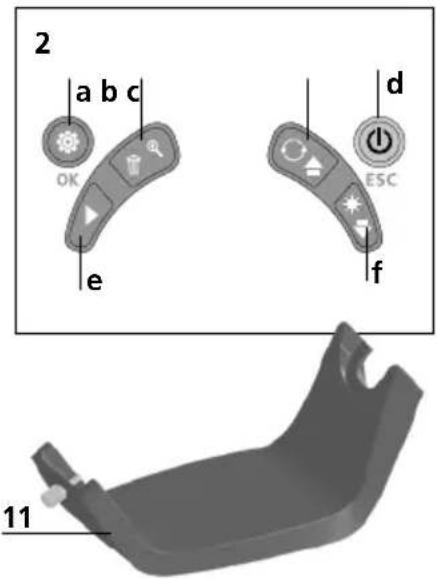
2 Hot keys
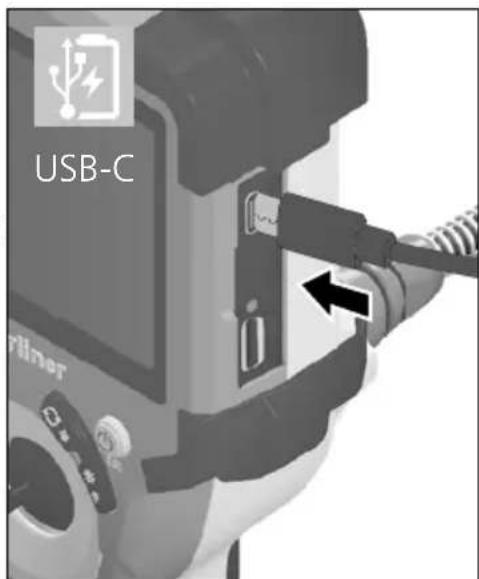
3 Type C USB interface / Charging port
4 Charge status indicator
5 Micro SD card slot
6 Camera unit lock
7 Trigger
8 Camera head
9 LED lighting
10 Optics
11 Magnetic holder 1/4" tripod thread (underside)
a Settings mode / Confirm
b Zoom / Delete recording
c Rotation 180° / Mirroring / Menu control
d ON/OFF / Cancel
e Media gallery
f LED lighting / Menu control
1 Using the power supply / lithium-ion rechargeable battery
- Use the power supply/charger unit only in closed rooms; do not expose to moisture or rain otherwise risk of electric shock.
- Charge the device's battery completely prior to use.
- Connect the power pack/charger to the mains power supply and the socket in the battery pack. Please only use the power pack/charger supplied. Using any other power pack/charger will invalidate the warranty.
- The LED lights up red while the device is charging. The LED changes to green when charging is complete.
- Remove the charging cable after charging and disconnect the power pack from the mains.
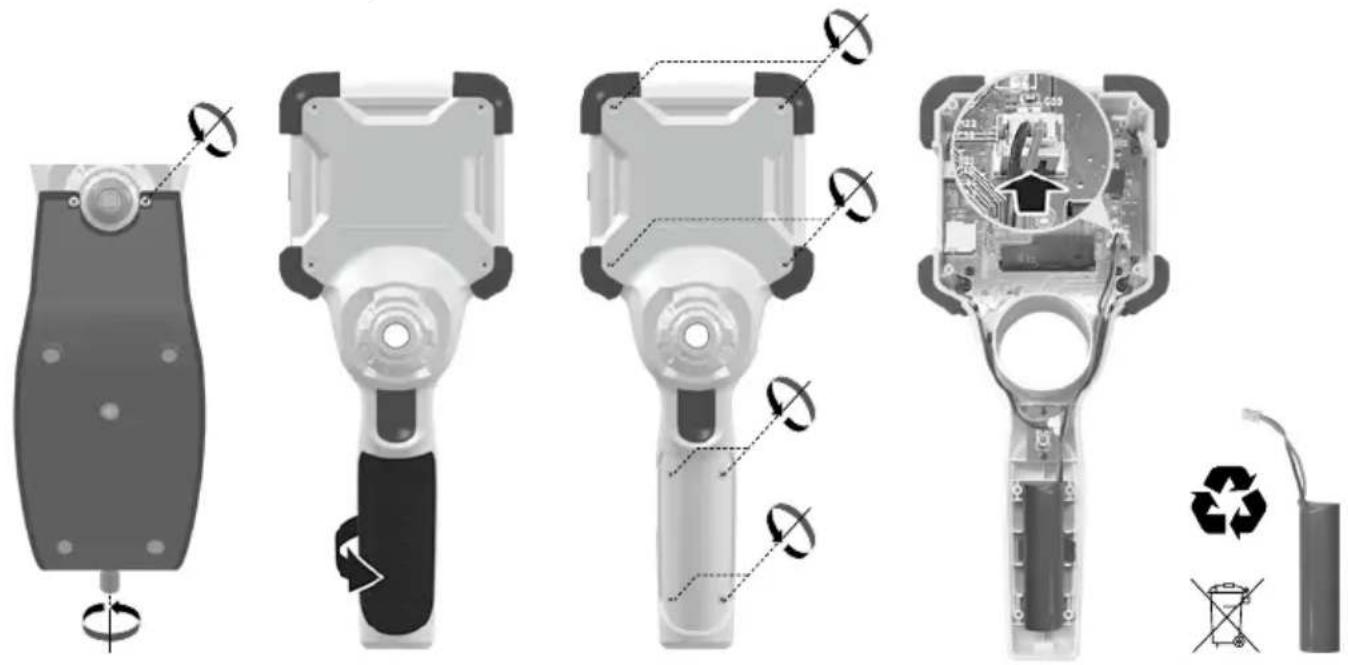
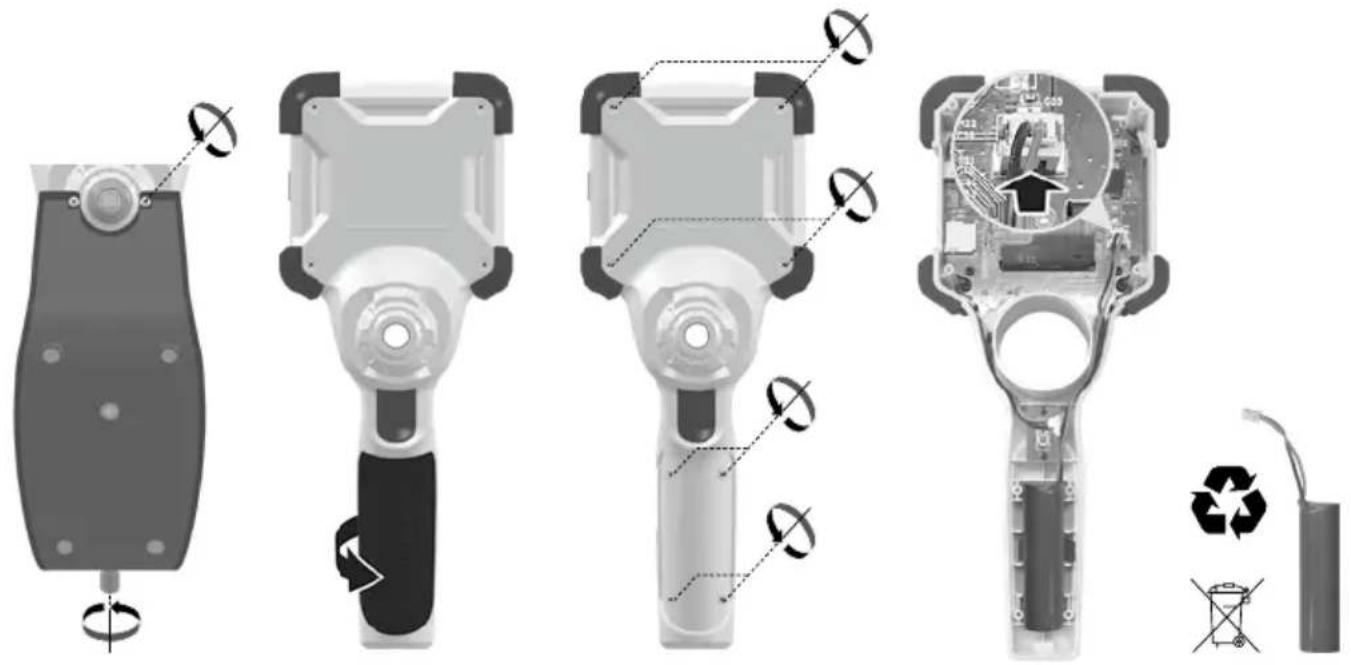
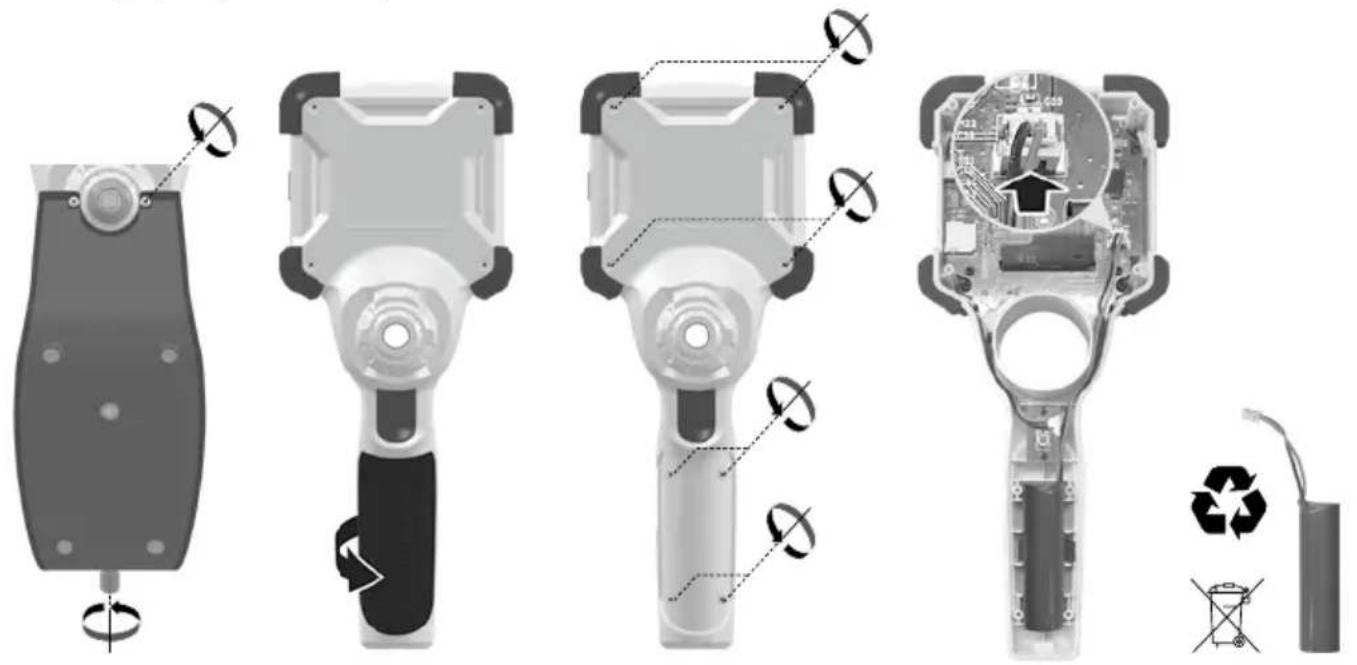
The device has a replaceable battery. Contact your distributor or the UMAREX-LASERLINER service department.
2 ON/OFF

3 Inserting micro-SD card
To insert a micro-SD card, first open the rubber cover and then insert the memory card as illustrated. You cannot record anything without a storage medium.
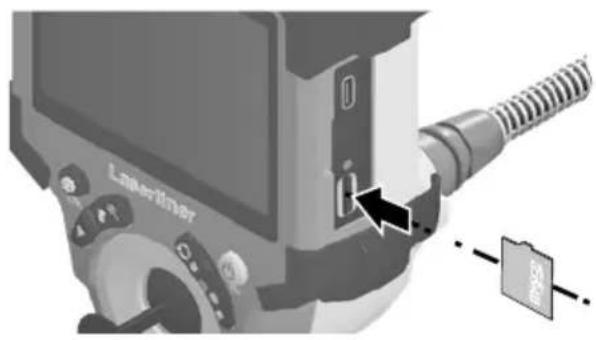
! The device must be switched off before removing the micro-SD.
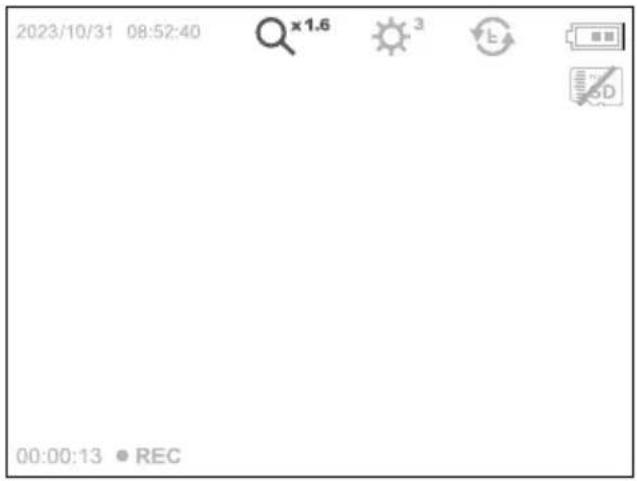
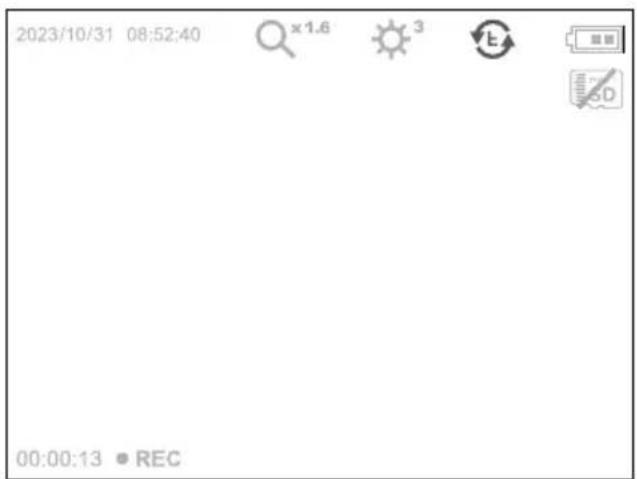
4.0 Record mode
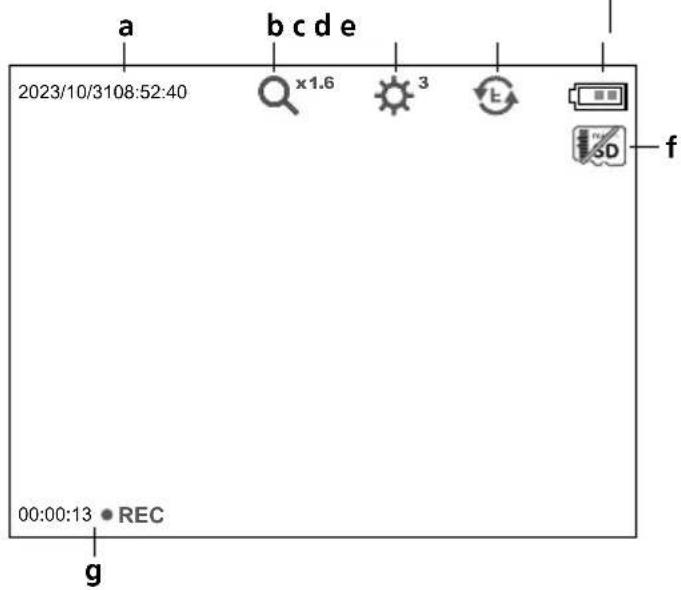
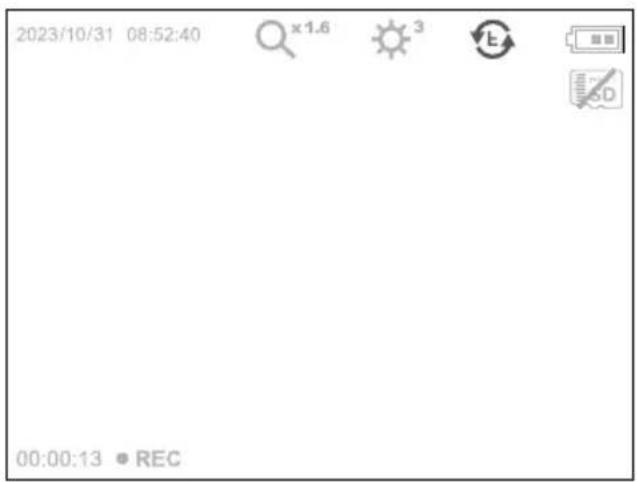
a Current date / time
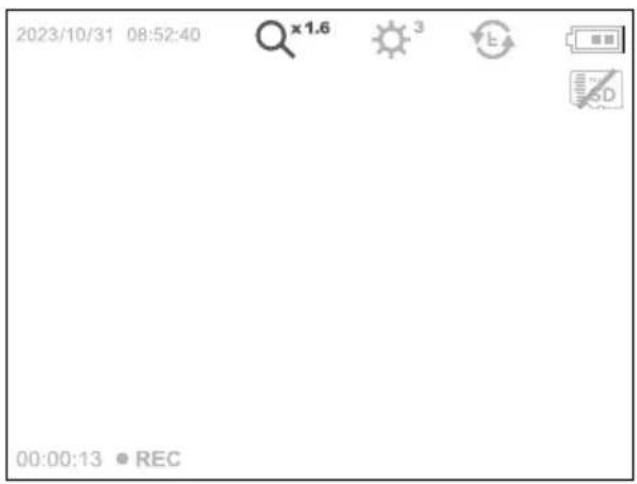
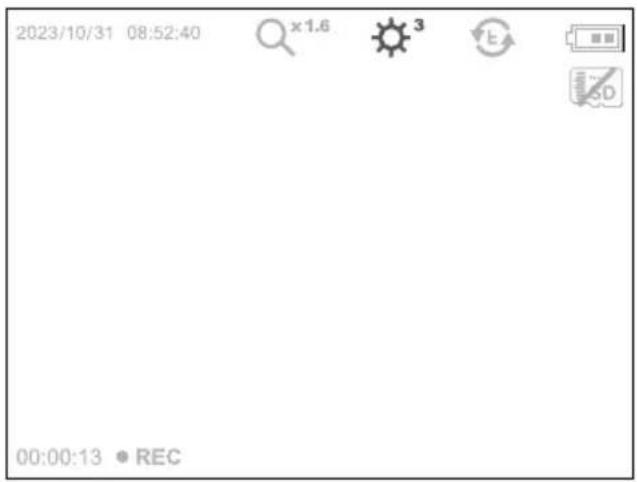
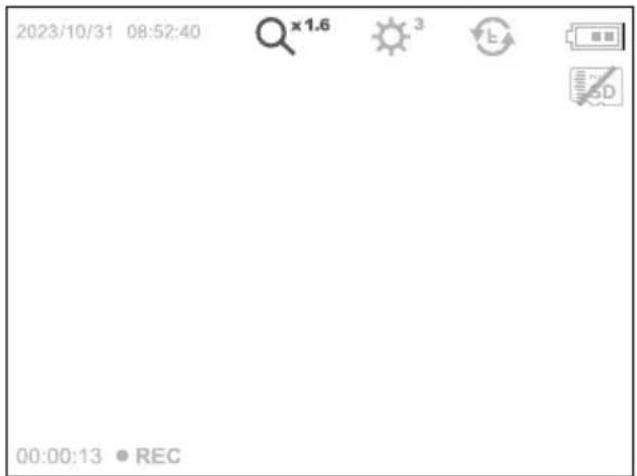
b Zoom
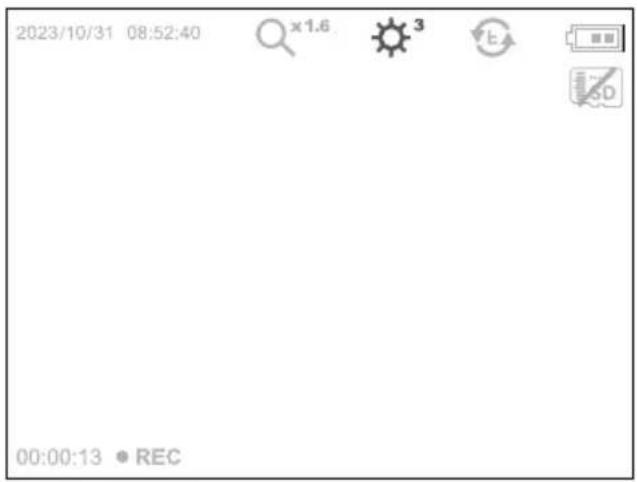
c LED lighting
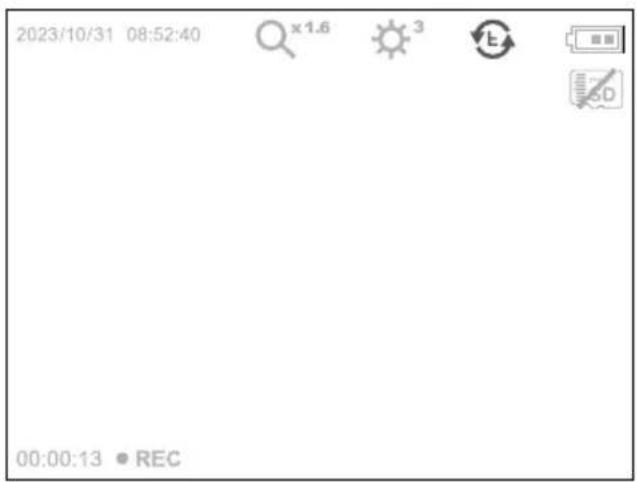
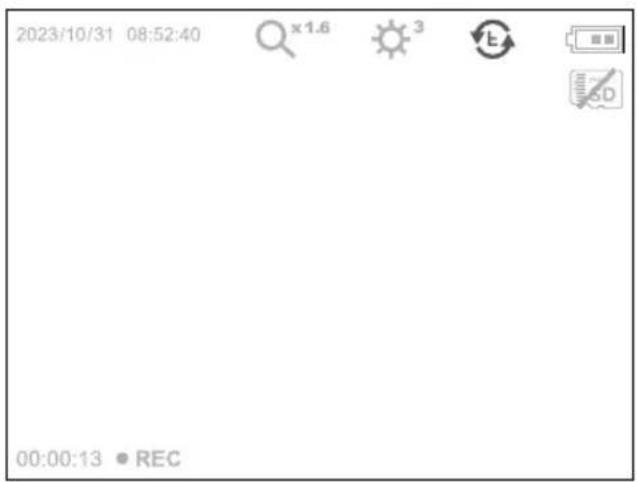
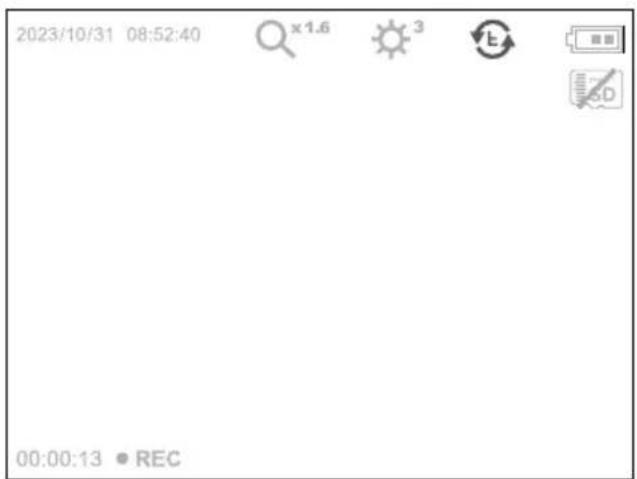
d Rotation 180° / mirroring
e Battery status
f Insert SD card
g REC: Recording
4.1 Record mode: Image / video recording
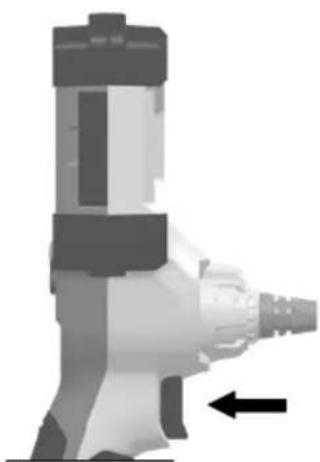
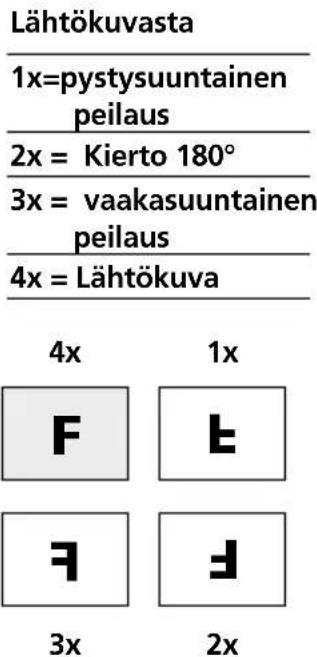
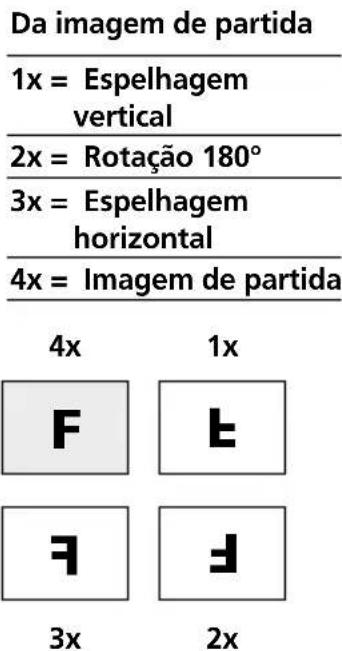
Move the camera head on the camera probe to the desired position and align. If lighting conditions are poor, switch on the LED lighting. Zoom in on distant or small objects. For optimal visibility of the inspected object, the manual image rotation function allows the original image to be rotated by 180° and mirrored horizontally and vertically. By pressing the trigger (8) quickly an image is taken and saved to the SD card while pressing it for longer records and saves a video.
Press the button again to stop recording.
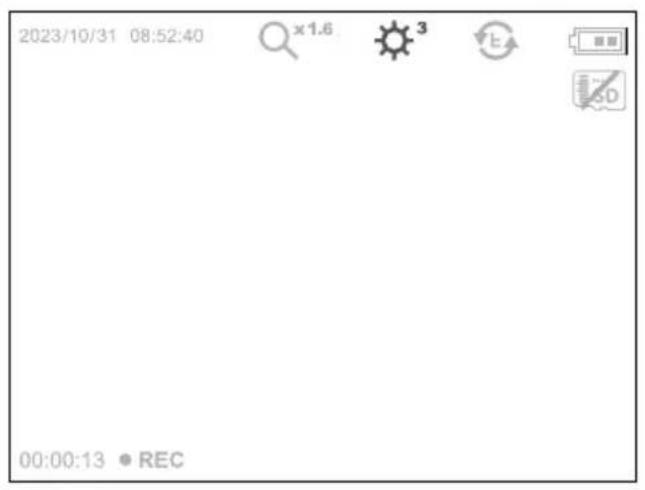
4.2 Record mode: LED lighting
▶
| 1x = 25% |
| 2x = 50% |
| 3x = 75% |
| 4x = 100% |
4.3 Record mode: Zoom

▶
| x 1.1 = 110% |
| x 1.2 = 120% |
| x 1.3 = 130% |
| x 1.4 = 140% |
| x 1.5 = 150% |
| x 1.6 = 160% |
| x 1.7 = 170% |
| x 1.8 = 180% |
| x 1.9 = 190% |
| x 2.0 = 200% |
4.4 Record mode: Image rotation / Mirroring

▶
From the original image
| 1x=vertical mirroring |
| 2x = Rotation 180° |
| 3x = horizontal mirroring |
| 4x = Original image |
4x
1x




3x
2x
5.0 Playback mode: Playback image / video recordings
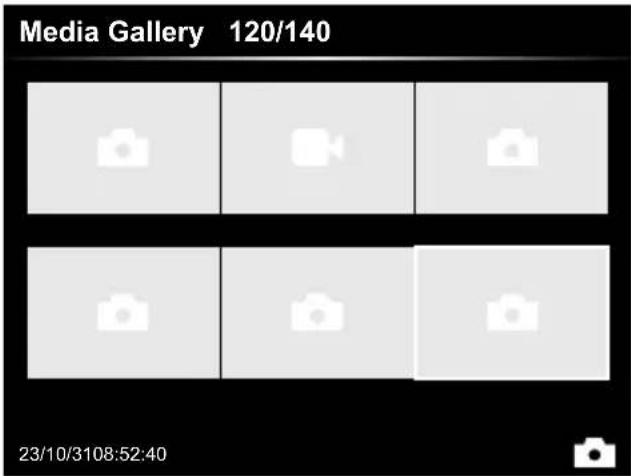
Press the „e“ button to call up the media gallery. Confirm with „OK“ to show the selected image or video in full screen mode. Use the arrow keys to navigate in the media gallery and full screen mode. Press the „d“ button to exit playback mode.
5.1 Playback mode: Delete recording

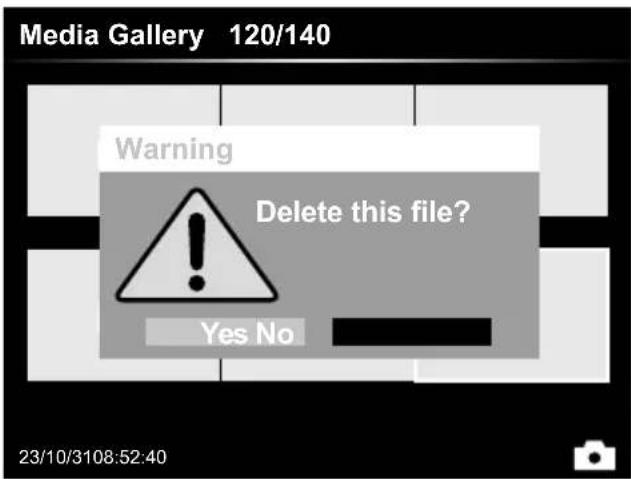
Images can be deleted from the image itself and in the gallery. Deleting cannot be undone. All files and folders can be deleted by reformatting the data medium. Refer to „6.4.1 System settings”.
5.2 Playback mode: Playback

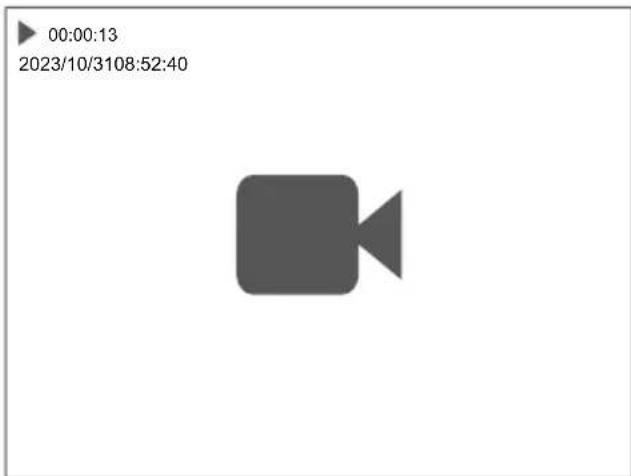
Press the „a” button to stop playback.
6.0 Settings mode
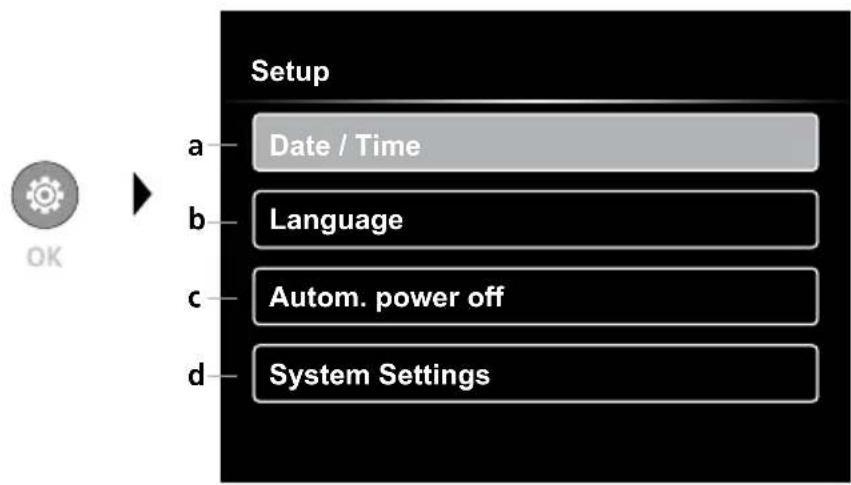
a Time stamp ON/OFF / Set date / time
b Select language (EN, DE, JP, FR, IT, PT, ES, NL)
c Set automatic power off
d System settings
Firmware/hardware version
! To return to recording mode, press the ESC button several times.
6.1 Settings mode: Set date / time
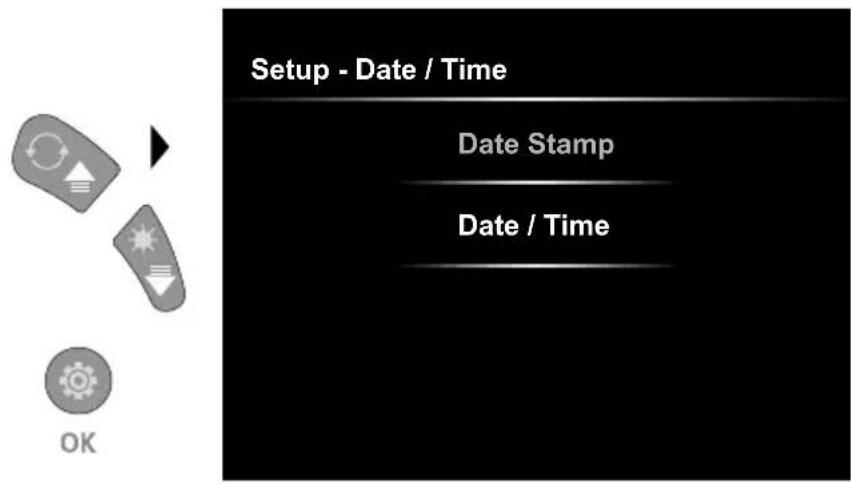
Select from here whether to include date/time information in the photo. The time and date can be adjusted using the arrow buttons.
6.2 Settings mode: Select language (EN, DE, JP, FR, IT, PT, ES, NL)
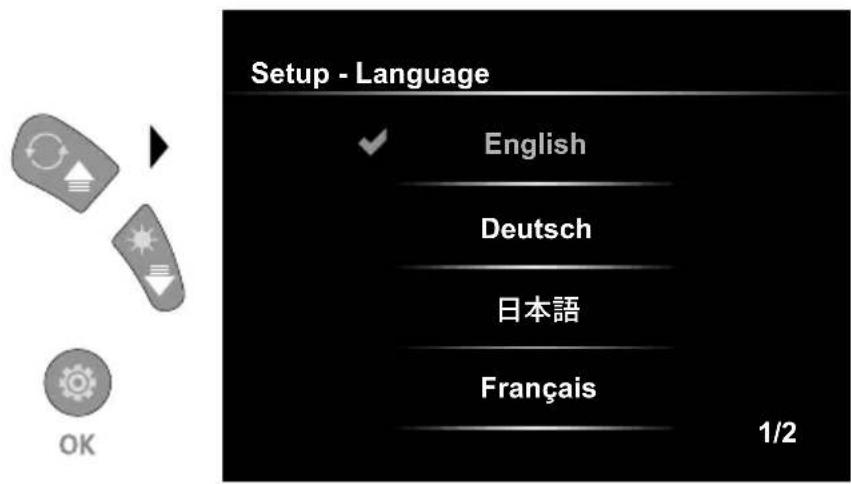
The preferred language can be set in this menu.
6.3 Settings mode: Automatic power off
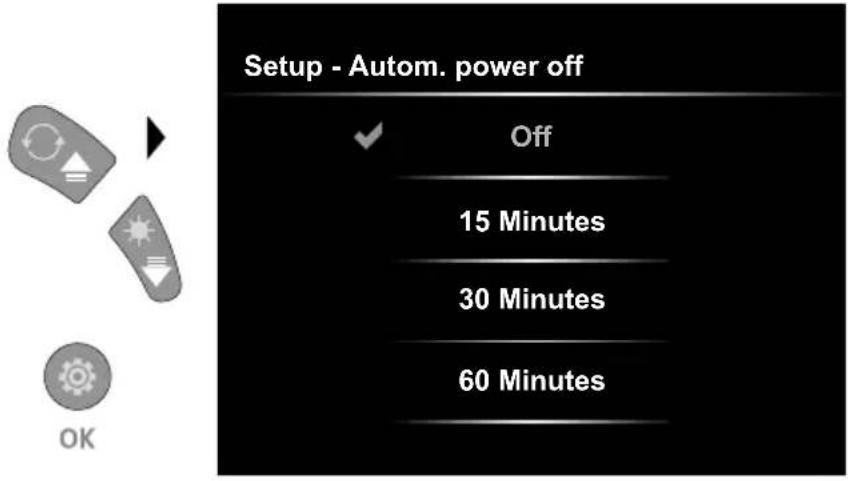
The automatic power off time can be set here.
6.4.0 Settings mode: System Settings
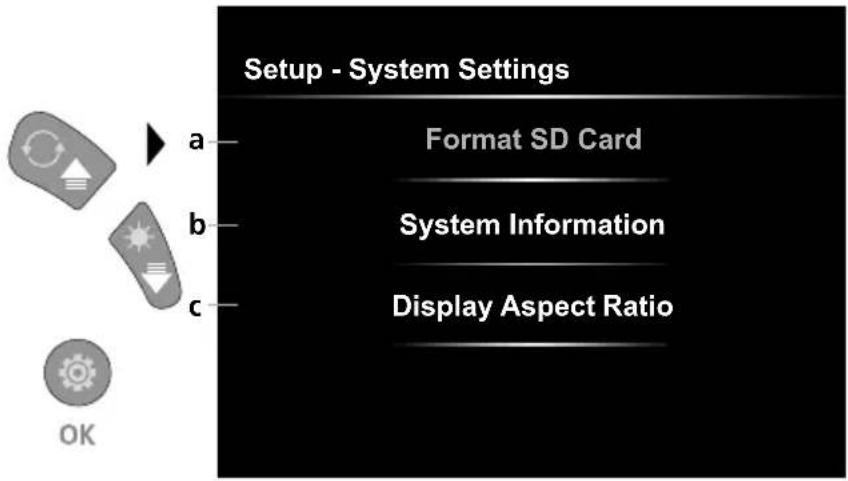
a Format SD card
b Software / hardware version
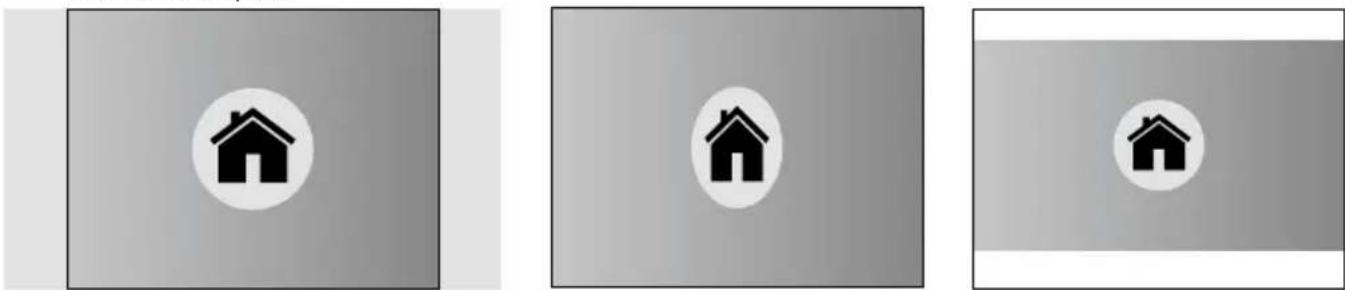
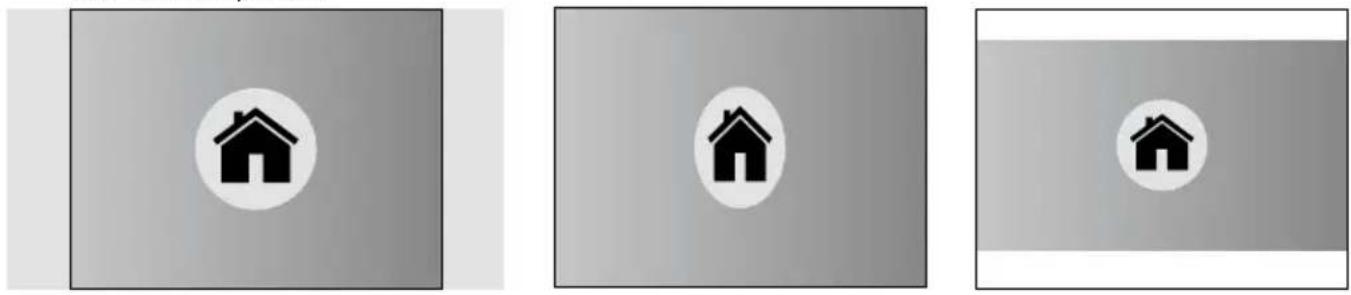
c Adjust aspect ratio of the camera image
6.4.1 Settings mode: Format SD Card
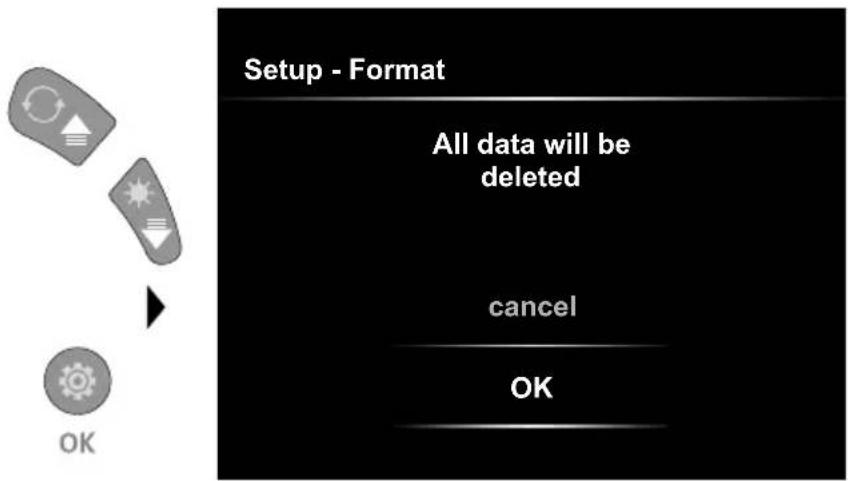
All data on the SD card will be deleted. This procedure cannot be undone.
6.4.2 Settings mode: System Information
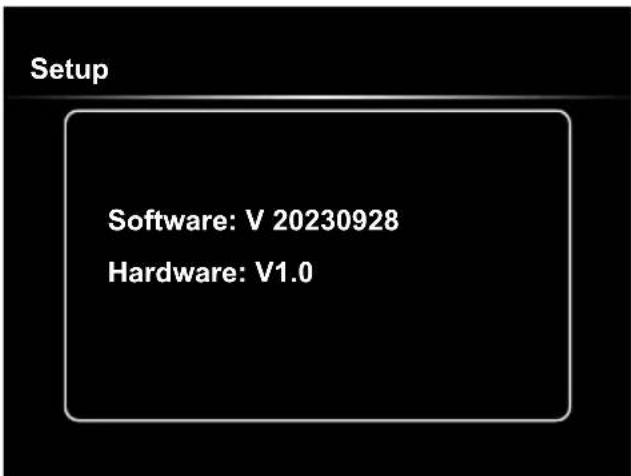
6.4.3 Settings mode: Display Aspect Ratio
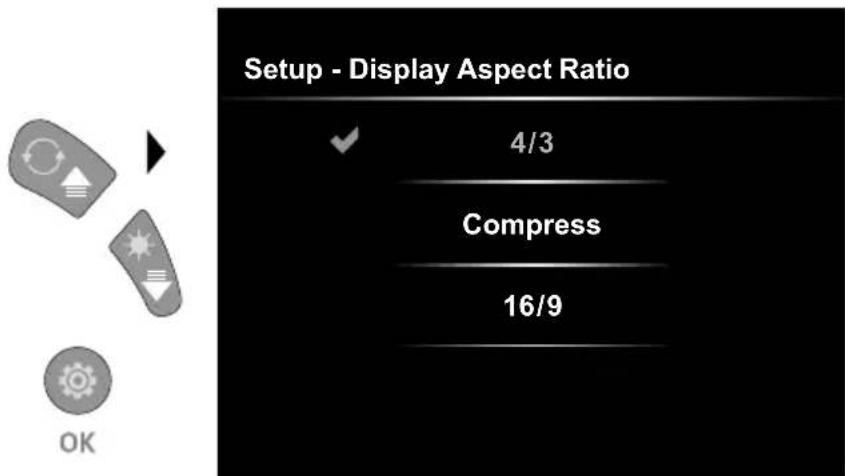
4/3 16/9 Compress
USB data transfer
Data saved on the SD card can be transferred to PC either with a suitable card reader or directly via the USB port. Please refer to the manual supplied with your card reader for information about connecting your card adapter or card reader to a PC.
Laserliner
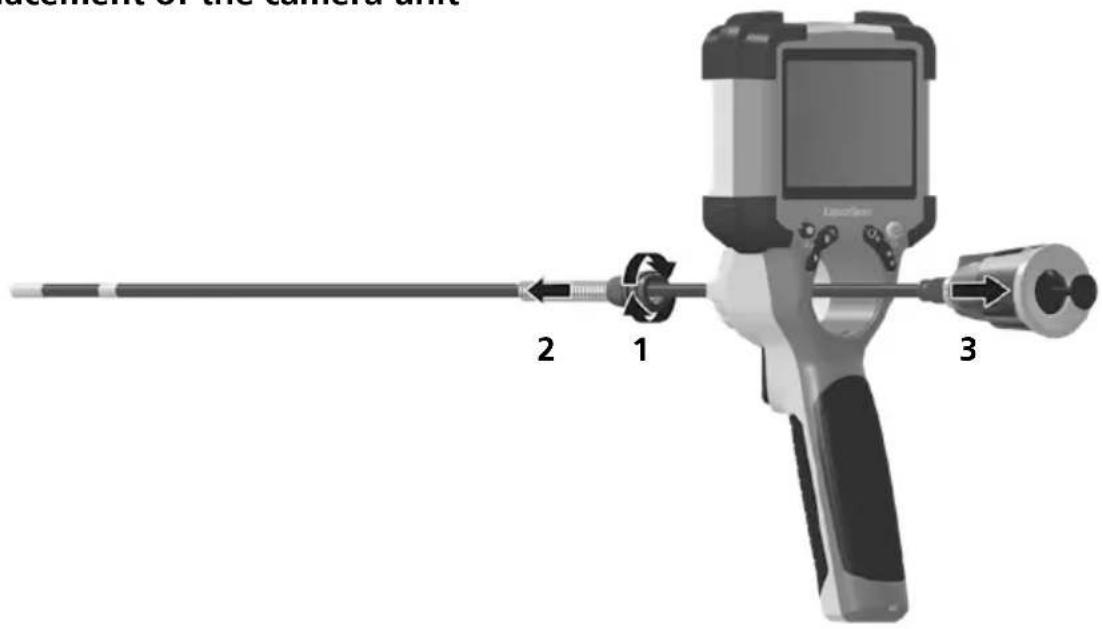
Replacement of the camera unit
Removal of the battery
Information on maintenance and care
Clean all components with a damp cloth and do not use cleaning agents, scouring agents and solvents. Store the device in a clean and dry place.
| Technical Data Technical revisions reserved. 24W07 | |
| Screen type 3,5" Colour TFT | |
| Display resolution 640 x 480 pixels | |
| Image/Video resolution 1280 x 720 pixels | |
| Image/Video format JPEG, MJPG (AVI) | |
| Memory Micro-SD memory card up to 32 GB | |
| Protection class IP 54 | |
| Connections USB type C | |
| Menu language EN, DE, JA, FR, IT, PT, ES, NL | |
| Functions | 4-step illumination, digital zoom 2x in 10 increments, image rotation / mirroring (4*F), image and video recording, media gallery, automatic power off, real-time clock, SD card, selectable aspect ratio, soft reset |
| Mains operation yes | |
| Power supply | Li-ion battery pack 3,7V / 2,8AhUSB type C 5V / 2A |
| Operating time approx. 5 hours | |
| Charging time approx. 3 hours | |
| Operating conditions | -10°C ... 45°C, max. humidity 80% rH, no condensation, max. working altitude 2000 m above sea level |
| Storage conditions -10°C ... 60°C | C, max. humidity 80% rH, no condensation |
| Dimensions (W x H x D) 108 x 260 x 110 mm (incl. holder) | |
| Weight | 650 g (incl. battery pack) |
EU and UK directives and disposal
This device complies with all necessary standards for the free movement of goods within the EU and the UK. This product, including accessories and packaging, is an electrical appliance that must be recycled in an environmentally appropriate manner in accordance with European and UK directives on waste electrical and electronic equipment, batteries and packaging, in order to recover valuable raw materials. Electrical devices, batteries and packaging do not belong in household waste. Users are obliged by law to surrender used batteries or battery packs to a public collection point, to sales outlets, or to technical customer services, free of charge. Remove the battery pack from the device without damaging it using standard tools and a separate collection arranged before returning the device for disposal. Please do not hesitate to contact the UMAREX-LASERLINER service department if you have any queries regarding removing the battery. Look for information on local disposal facilities and note the relevant disposal and safety information at the collection points.
Further safety and supplementary notices at:
https://packd.li/ll/ALL/in
!



x 1. 1 = 1 1 0 %
x 1.2 = 120 %
x 1.3 = 130 %
x 1.4 = 140 %
x 1.5 = 150 %
x 1.6 = 160 %
x 1.7 = 170 %
x 1.8 = 180 %
x 1.9 = 190 %
x 2.0 = 200 %


2 x = Draaiing 1 8 0 ^ °
3 x = h o r i z o n t a l e s p i e g e l i n g
https://packd.li/ll/ALL/in
Laserliner
!
4.2 Optagelsesmodus: Diodelampe

▶
| 1x = 25% |
| 2x = 50% |
| 3x = 75% |
| 4x = 100% |
4.3 Optagelsesmodus: Zoom



▶
| x 1.1 = 110% |
| x 1.2 = 120% |
| x 1.3 = 130% |
| x 1.4 = 140% |
| x 1.5 = 150% |
| x 1.6 = 160% |
| x 1.7 = 170% |
| x 1.8 = 180% |
| x 1.9 = 190% |
| x 2.0 = 200% |
4.4 Optagelsesmodus: Billedrotation / Spejling

▶
Når man trykker på knappen „a“, stoppes gengivelsen.
6.0 Indstillingsmodus

6.4.3 Indstillingsmodus: Billedformat
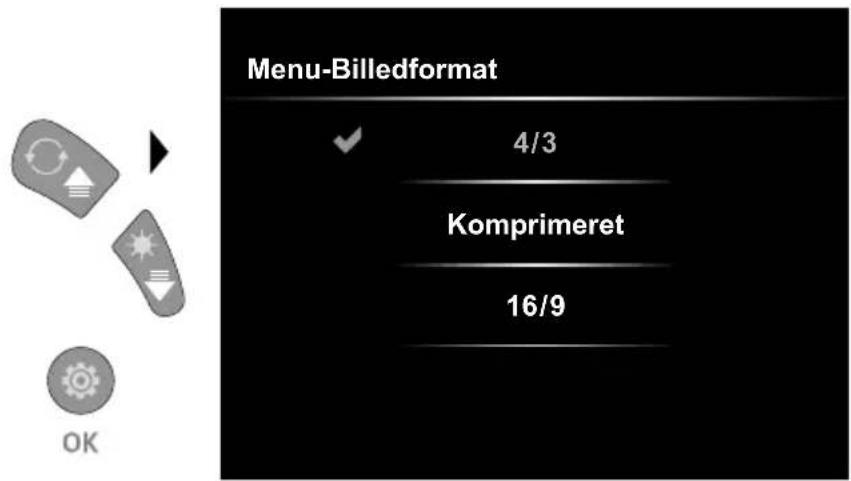
4/3 16/9Komprimeret
USB-dataoverførsel
https://packd.li/ll/ALL/in
!
▶
| 1x = 25% |
| 2x = 50% |
| 3 x = 75% |
| 4x = 100% |

▶
| x 1.1 = 110% |
| x 1.2 = 120% |
| x 1.3 = 130% |
| x 1.4 = 140% |
| x 1.5 = 150% |
| x 1.6 = 160% |
| x 1.7 = 170% |
| x 1.8 = 180% |
| x 1.9 = 190% |
| x 2.0 = 200% |



| x 1.1 = 110% |
| x 1.2 = 120% |
| x 1.3 = 130% |
| x 1.4 = 140% |
| x 1.5 = 150% |
| x 1.6 = 160% |
| x 1.7 = 170% |
| x 1.8 = 180% |
| x 1.9 = 190% |
| x 2.0 = 200% |


https://packd.li/ll/ALL/in
Laserliner
!


| x 1.1 = 110% |
| x 1.2 = 120% |
| x 1.3 = 130% |
| x 1.4 = 140% |
| x 1.5 = 150% |
| x 1.6 = 160% |
| x 1.7 = 170% |
| x 1.8 = 180% |
| x 1.9 = 190% |
| x 2.0 = 200% |

Premendo il tasto „a“ si interrompe la riproduzione.
https://packd.li/ll/ALL/in
!


| x 1.1 = 110% |
| x 1.2 = 120% |
| x 1.3 = 130% |
| x 1.4 = 140% |
| x 1.5 = 150% |
| x 1.6 = 160% |
| x 1.7 = 170% |
| x 1.8 = 180% |
| x 1.9 = 190% |
| x 2.0 = 200% |

https://packd.li/ll/ALL/in
!
▶
| 1x = 25% |
| 2x = 50% |
| 3x = 75% |
| 4x = 100% |

▶
| x 1.1 = 110% |
| x 1.2 = 120% |
| x 1.3 = 130% |
| x 1.4 = 140% |
| x 1.5 = 150% |
| x 1.6 = 160% |
| x 1.7 = 170% |
| x 1.8 = 180% |
| x 1.9 = 190% |
| x 2.0 = 200% |

▶
USB-tiedonsiirto
https://packd.li/ll/ALL/in
!


| x 1.1 = 110% |
| x 1.2 = 120% |
| x 1.3 = 130% |
| x 1.4 = 140% |
| x 1.5 = 150% |
| x 1.6 = 160% |
| x 1.7 = 170% |
| x 1.8 = 180% |
| x 1.9 = 190% |
| x 2.0 = 200% |


https://packd.li/ll/ALL/in
Laserliner
!



x 1. 1 = 110 %
x 1.2 = 120 %
x 1.3 = 130 %
x 1.4 = 140 %
x 1.5 = 150 %
x 1.6 = 160 %
x 1.7 = 170 %
x 1.8 = 180 %
x 1.9 = 190 %
x 2.0 = 200 %
4.4 Spela in-läge: Bildrotation / Spegling


Från utgångsbilden
1 x = v e r t i k a l
s p e g l i n g
2 x = Vridning 1 8 0 ^ °
3 x = horisontell
spegling
https://packd.li/ll/ALL/in
!
! Før Micro-SD-kortet tas ut, må instrumentet slås av.
4.0 Opptaksmodus
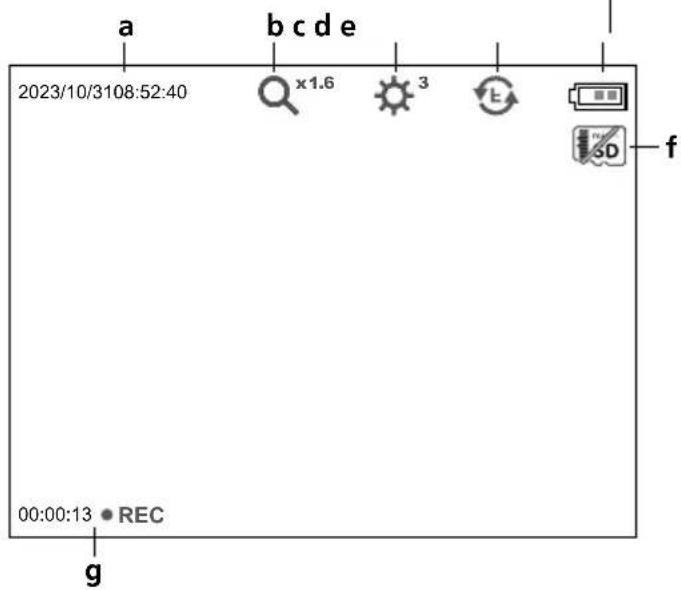
a Aktuell dato / klokkeslett
b Zoom
c LED-belysning
d Rotasjon 180°/ Speiling
e Batteriestatus
f Legge inn SD-kort
g REC: Opptak pågår
4.1 Opptaksmodus: Foto-/videoopptak
4.2 Opptaksmodus: LED-belysning

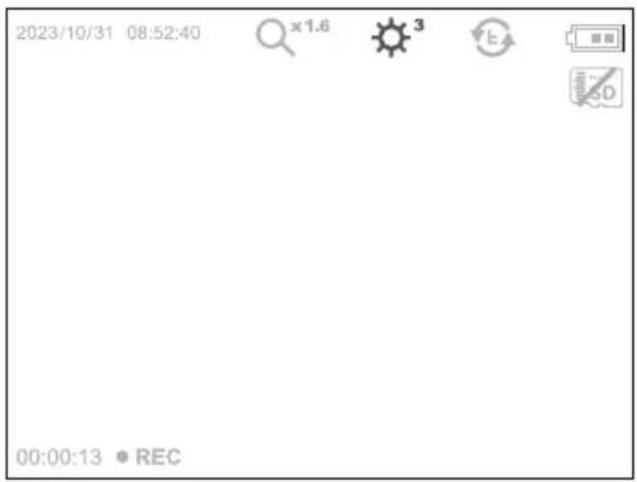

1 = 25 %
2 = 50 %
3 = 75 %
4 = 100 %
4.3 Opptaksmodus: Zoom

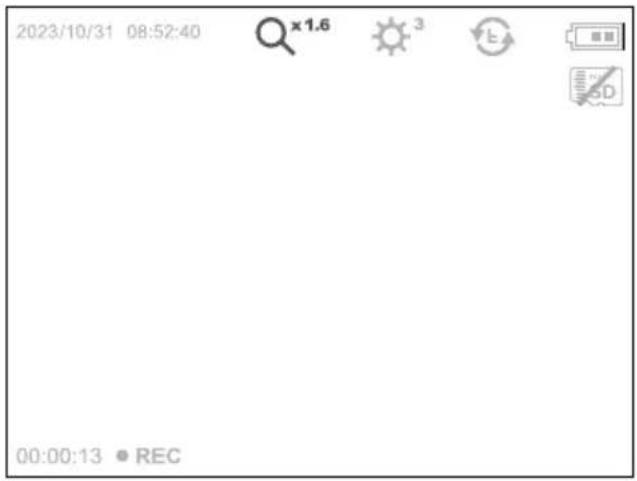


x 1. 1 = 1 1 0 %
x 1.2 = 120 %
x 1.3 = 130 %
x 1.4 = 140 %
x 1.5 = 150 %
x 1.6 = 160 %
x 1.7 = 170 %
x 1.8 = 180 %
x 1.9 = 190 %
x 2.0 = 200 %

Fra utgangsbildet
1 x = vertical speiling
https://packd.li/ll/ALL/in
Laserliner
!
4.2 Aufnahmemodus: Kayıt modu: LED Işıklandırması

▶
| 1x = 25% |
| 2x = 50% |
| 3x = 75% |
| 4x = 100% |
4.3 Kayıt modu: Zoom

▶
| x 1.1 = 110% |
| x 1.2 = 120% |
| x 1.3 = 130% |
| x 1.4 = 140% |
| x 1.5 = 150% |
| x 1.6 = 160% |
| x 1.7 = 170% |
| x 1.8 = 180% |
| x 1.9 = 190% |
| x 2.0 = 200% |
▶
USB veri aktarımı
https://packd.li/ll/ALL/in
!
▶
1x = 25 %
2x = 50 %
3x = 75 %
4x = 100 %

▶
x 1. 1 = 1 1 0 %
x 1.2 = 120 %
x 1.3 = 130 %
x 1.4 = 140 %
x 1.5 = 150 %
x 1.6 = 160 %
× 1.7 = 170 %
x 1.8 = 180 %
x 1.9 = 190 %
× 2.0 = 200 %
▶
https://packd.li/ll/ALL/in
Laserliner
!

1x = 25 %
2 x = 50 %
3x = 75 %
4x = 100 %
4.3 Режим запису: Зум



x 1. 1 = 1 1 0 %
x 1.2 = 120 %
x 1.3 = 130 %
x 1.4 = 140 %
x 1.5 = 150 %
x 1.6 = 160 %
x 1.7 = 170 %
x 1.8 = 180 %
x 1.9 = 190 %
x 2.0 = 200 %

https://packd.li/ll/ALL/in
!


▶
| x 1.1 = 110% |
| x 1.2 = 120% |
| x 1.3 = 130% |
| x 1.4 = 140% |
| x 1.5 = 150% |
| x 1.6 = 160% |
| x 1.7 = 170% |
| x 1.8 = 180% |
| x 1.9 = 190% |
| x 2.0 = 200% |

▶
Z výchozího obrázku
Přenos dat přes USB
https://packd.li/ll/ALL/in
!
▶
| 1x = 25% |
| 2x = 50% |
| 3x = 75% |
| 4x = 100% |

▶
| x 1.1 = 110% |
| x 1.2 = 120% |
| x 1.3 = 130% |
| x 1.4 = 140% |
| x 1.5 = 150% |
| x 1.6 = 160% |
| x 1.7 = 170% |
| x 1.8 = 180% |
| x 1.9 = 190% |
| x 2.0 = 200% |

▶
https://packd.li/ll/ALL/in
!
▶
| 1x = 25% |
| 2x = 50% |
| 3x = 75% |
| 4x = 100% |

▶
| x 1.1 = 110% |
| x 1.2 = 120% |
| x 1.3 = 130% |
| x 1.4 = 140% |
| x 1.5 = 150% |
| x 1.6 = 160% |
| x 1.7 = 170% |
| x 1.8 = 180% |
| x 1.9 = 190% |
| x 2.0 = 200% |
Transmitere date prin USB
Demontare accumulator
https://packd.li/ll/ALL/in
!

| 1 = 25% |
| 2 = 50% |
| 3 = 75% |
| 4 = 100% |
| x 1.1 = 110% |
| x 1.2 = 120% |
| x 1.3 = 130% |
| x 1.4 = 140% |
| x 1.5 = 150% |
| x 1.6 = 160% |
| x 1.7 = 170% |
| x 1.8 = 180% |
| x 1.9 = 190% |
| x 2.0 = 200% |
4.4 Режим заснемане: Ротация / Огледална функция


https://packd.li/ll/ALL/in
Laserliner
!



| x 1.1 = 110% |
| x 1.2 = 120% |
| x 1.3 = 130% |
| x 1.4 = 140% |
| x 1.5 = 150% |
| x 1.6 = 160% |
| x 1.7 = 170% |
| x 1.8 = 180% |
| x 1.9 = 190% |
| x 2.0 = 200% |


https://packd.li/ll/ALL/in
!
U potpunosti pročitajte Upute za uporabu, priloženu knjižicu „Jamstvene i dodatne upute” kao i aktualne informacije i napomene na internetskoj poveznici na kraju ovih Uputa. Slijedite upute navedene u njima. Ovu dokumentaciju potrebno je sačuvati i u slučaju prosljeđivanja uređaja proslijediti je zajedno s njime.



x 1. 1 = 110 %
x 1.2 = 120 %
x 1.3 = 130 %
x 1.4 = 140 %
x 1.5 = 150 %
x 1.6 = 160 %
× 1.7 = 170 %
x 1.8 = 180 %
x 1.9 = 190 %
x 2.0 = 200 %

od početne slike
1 x = okomito zrcaljenje
2 x = zakretanje za 1 8 0 ^ °
3 x = vodoravno zrcaljenje
Reprodukcija se zaustavlja pritiskom na tipku „a“
Prijenos podataka USB-om
Podaci spremljeni na SD kartici mogu se prenijeti na osobno računalo pomoću odgovarajućeg čitača kartica ili preko mini USB sučelja. Informacije o povezivanju računala i adaptera kartice, odn. čitača kartice naći ćete u priručniku za Vaš čitač kartica.
Laserliner
Vađenje punjive baterije
https://packd.li/ll/ALL/in
!
はじめに
4.2 摄影モード: LED 輝度

▶
| 1x = 25% |
| 2x = 50% |
| 3x = 75% |
| 4x = 100% |
4.3 撮影モード: ズーム


▶
| x 1.1 = 110% |
| x 1.2 = 120% |
| x 1.3 = 130% |
| x 1.4 = 140% |
| x 1.5 = 150% |
| x 1.6 = 160% |
| x 1.7 = 170% |
| x 1.8 = 180% |
| x 1.9 = 190% |
| x 2.0 = 200% |
4.4 摄影モード:画像回転 / 反転

▶
通常の状態から見て

- LASERLINER
- INTENDED USE
- GENERAL SAFETY INSTRUCTIONS
- SAFETY INSTRUCTIONS
- 1 USING THE POWER SUPPLY / LITHIUM-ION RECHARGEABLE BATTERY
- 3 INSERTING MICRO-SD CARD
- 4.1 RECORD MODE: IMAGE / VIDEO RECORDING
- 5.0 PLAYBACK MODE: PLAYBACK IMAGE / VIDEO RECORDINGS
- 5.1 PLAYBACK MODE: DELETE RECORDING
- 5.2 PLAYBACK MODE: PLAYBACK
- 6.0 SETTINGS MODE
- 6.1 SETTINGS MODE: SET DATE / TIME
- 6.2 SETTINGS MODE: SELECT LANGUAGE (EN, DE, JP, FR, IT, PT, ES, NL)
- 6.3 SETTINGS MODE: AUTOMATIC POWER OFF
- 6.4.0 SETTINGS MODE: SYSTEM SETTINGS
- 6.4.1 SETTINGS MODE: FORMAT SD CARD
- 6.4.2 SETTINGS MODE: SYSTEM INFORMATION
- 6.4.3 SETTINGS MODE: DISPLAY ASPECT RATIO
- USB DATA TRANSFER
- INFORMATION ON MAINTENANCE AND CARE
- EU AND UK DIRECTIVES AND DISPOSAL
- 6.0 INDSTILLINGSMODUS
- 6.4.3 INDSTILLINGSMODUS: BILLEDFORMAT
- USB-DATAOVERFØRSEL
- USB-TIEDONSIIRTO
- 4.1 OPPTAKSMODUS: FOTO-/VIDEOOPPTAK
- 4.2 AUFNAHMEMODUS: KAYIT MODU: LED IŞIKLANDIRMASI
- 4.3 KAYIT MODU: ZOOM
- USB VERI AKTARIMI
- PŘENOS DAT PŘES USB
- TRANSMITERE DATE PRIN USB
- PRIJENOS PODATAKA USB-OM
- はじめに
Brand : Laserliner
Model : VideoInspector 3DX
Category : Inspection camera