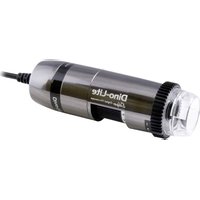
Digital Microscope - Microscope Dino-Lite - Free user manual and instructions
Find the device manual for free Digital Microscope Dino-Lite in PDF.


User questions about Digital Microscope Dino-Lite
0 question about this device. Answer the ones you know or ask your own.
Ask a new question about this device
Download the instructions for your Microscope in PDF format for free! Find your manual Digital Microscope - Dino-Lite and take your electronic device back in hand. On this page are published all the documents necessary for the use of your device. Digital Microscope by Dino-Lite.
USER MANUAL Digital Microscope Dino-Lite
Dino-Lite User Manual
EN ......User Manual
natural_image
Two black Dino-Lite sensor devices with visible lens and cable, no text or symbols on the devices themselves.Dino-Lite
Digital Microscope
www.dino-lite.eu
English 1
Français 15
Deutsch 29
Español....43
Italiano....57
Nederlands....71
Svenska 85
Polski....99
Dansk....113
Türkçe 127
Português....141
Русский.... 155
Magyar....169
183
ENGLISH
Thank you for purchasing a Dino-Lite microscope. The DinoCapture software is designed to give you the best possible digital microscopy experience by the inventors of the handheld digital microscope. The DinoCapture software runs on computers with a Windows XP or above operating system (8MP Windows 11 or above). The DinoXcope software is designed to work with Apple macOS.
Important safety information

- Avoid touching the lens with finger to protect the product from electrostatic damage
- Do not drop
- Keep dry
Index
Software installation 2
Software interface DinoCapture / Windows 4
Software interface DinoXcope / Mac 11
Cleaning and maintenance, Warranty, Support 13
Software installation
The DinoCapture and DinoXcope software is licensed from Anmo Electronics Corporation and is subject to an End User License Agreement (EULA) that users will have to accept during the installation process.

Important notice: DO NOT connect the USB cable of the Dino-Lite to the PC before installing the software.
- Download and run the latest version of the software from the support section of the website: www.dino-lite.eu.
- Click 'Next' and the Installshield wizard will start. (An 'Open File-security warning' may appear on some systems. Select 'Run' or 'YES'). Choose the language you want for the DinoCapture 2.0 interface.
- Read the User License Agreement. If you agree, press 'Yes' to continue or press 'no' to stop the installation.
- Select a destination folder for the DinoCapture software. When done, press 'Next'. Click 'Install' to start installing the software. If the Windows security warning message appears, click 'Install this driver software anyway'.
- When the installation is complete, selecting 'Finish' completes the software installation.
- A full manual can be found in the help function of DinoCapture, as a pdf on the website.
Hardware installation
- After full installation of the DinoCapture software and driver package, connect the Dino-Lite to one of the USB ports of your computer.
- Please use a USB 2.0 port that is fully powered. Some USB ports on portable computers do not supply sufficient power.
- The driver will be automatically installed. Please WAIT until the notification appears: 'Device driver software installed successfully'.
- Now start DinoCapture 2.0 by double clicking on the desktop icon.
- The LED lights should go on and an image should appear in DinoCapture. If this is not the case, refer to the frequently-asked-questions (FAQ) on www.dino-lite.eu.
Features
T microtouch, touch-sensitive area, captures image on usb models, toggles leds on/off on analog (tv) models
M metal, aluminum-body, reinforced cord attachment, ruggedized model
Z polarizer, reduces glare on reflective objects
L working distance (long), magnification up to 140x, focus from farther away than normal
F longest working distance (far), magnification up to 70x, focus from farther away than normal
Xa coaxial lighting models, 2a – 200x, 4a – 400x, 8a – 800x
S shortened nozzle (85x and 145x magnification focus at touching distance)
W macro view, low magnification with zoom lens (2 focusable magnifications at any working distance)
T4 430x - 470x magnification
T5 500x fixed magnification
T8 700x - 900x magnification
Tb strobe light
1P/2P Aim point laser
L - M40 working distance/wide viewing angle, magnification up to 37x
Led spectrum
Fv 28 x 375nm leds
Fu 8 x 375nm leds
Fv2w 4 x 375nm leds / 4 x white leds
Fv 8 x 390nm leds
Fvw 4 x 390nm leds / 4 x white leds
Jv 4 x 395nm leds / 4 x 940nm
Fk 8 x 780nm leds
Fi 8 x 850nm leds
Fj 8 x 940nm leds
Led wavelength
Cfvw 7 x leds 400nm excitation (430nm emission filter) / 1 x white led
Gfbw 7 x leds 480nm (510nm emission filter) /
1 x white led blue light for green fluorescence
Grfby 4 x leds 480nm / 4 x leds 575nm (510nm/610nm emission
filter) blue and yellow light for green and red fluorescence
Yfgw 7 x leds 525nm (570nm emission filter) / 1 x white led green light for yellow fluorescence
Rfyw 7 x leds 575nm (610nm emission filter) / 1 x white led yellow light for red fluorescence
Dfrw 7 x leds 620nm (650nm emission filter) / 1 x white led
Software interface DinoCapture / Windows
There are five key sections in the DinoCapture software:
- Menu bar
- Image list tools
- Preview window management bar
- Tool bar
- Preview window tools
Menu bar
 | Folder – create folders or access existing folders. |
 | Files – manage files, such as open, copy, save, print or delete as well as send as e-mail or create slide show. |
 | Settings – customize the way the software operates such as:Showing or hiding elements on the screenThe properties for measurementsThe way the Microtouch or foot pedal (if attached) workAccessing the Motorized focus accessory settingsConnecting over IPBar code recognition functionExternal GPSAuto update function |
 | Help – access the full user guide on screen, or read DinoCapture 2.0 information or the license agreement. |
Image list tools
 | Open – open a picture selected from the image thumbnail gallery below the image list tool bar. |
 | Copy – copy a selected picture to the windows clipboard. |
 | Save as – save selected picture(s) to the desired file format or folder. |
 | E-mail – attach the selected picture(s) to a new message opened in your default e-mail client. |
 | Print – print the selected picture. |
 | Slideshow – run a slideshow of the selected pictures. |
 | Delete – clean up the image thumbnail gallery by deleting the selected picture(s). |
Preview window management bar
This window enables you to switch between windows if two or more Dino-Lite's are connected at the same time or multiple pictures are opened.

natural_image
Three cropped image buttons: two with corner markers labeled '1' and '2', and a close-up of a small object (no readable text or symbols)Tool bar
The tool bar is divided into four parts:
Draw tools – The draw tool set allows you to write text and draw on the images. The bar is located below the preview window management bar.
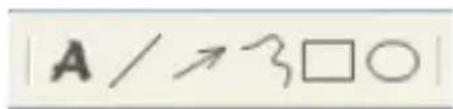
text_image
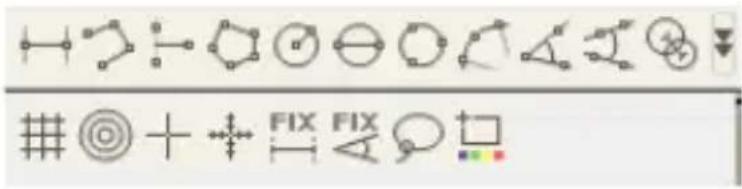
A / ↗ 3 □ ○Measurement tools – Many different measurement types can be done with the measurement tools. The double flash icon gives you access to the grid and ruler settings.

Notice: The measurement and calibration feature is only available for certain models. For the DinoEye models, it is recommended to make calibrated measurements only. Please contact a local sales representative for further information.
text_image
Screenshot of a software toolbar with geometric and diagram editing icons, including symbols like circles, triangles, and squares.| Line Left click and drag to the desired length, and click again to finish. |
| Continuous line Click and drag to form one section of distance, click again to start another section. Continue until the total desired distance is measured. Double click to finish. |
| Point to line Create a line to represent the base by clicking once to start, drag, and then click again to set the endpoint. Branch off from the base line to start measuring the line that is 90 degrees from the base line and a final click to finish the measurement. |
| Polygon Click and drag to form the desired length, and click again to start the next section. When finished, double click to finish the polygon measurement. |
| Radius circle Click and extend out to the desired radius. |
| Diameter Click and extend out to the desired diameter. |
| Three point circle | Click on any three points on the circle you wish to measure. |
| Three point arc C | Click on three consecutive points on an arc to measure. |
| Three point angle | Start at the pivot point and extend out to start measuring an angle. |
| Four points angle | Select two points from one line segment and another two points from another line segment to complete the angle measurement. |
| Center distance A | After drawing at least two circles, select the icon and the mouse pointer will change to a pointing finger for selectable circles. Click on each circle and the software will measure the distance. |
| Gridlines The pitch | which will match the magnification inputted. |
| Circle grid The pitch | which will match the magnification inputted. |
| Crosshair on camera | The crosshair XY position can be moved when you select it. The cursor position is the location of the mouse pointer and location 0,0 is the center coordinates of the crosshair. |
| Scale crosshair The | the scale crosshair increments can be compared to the scale on the bottom left corner. The centre of the crosshair can be moved. (Magnification value needs to be entered for this feature to work). |
| Fixed length Type | in the desired length. The line can be rotated and moved without changing the length of the measurement. By double clicking on the measurement results a new length can be inserted. |
| Fixed angle The | required angle can be fixed with this tool. No matter the direction or location of the angle, the angle will stick to the input data. |
| Lasso Measurement | ent tool for freehand tracing and outline selection around an image. As you trace, the lenght (mm) and area ( mm^2 ) of the selection outline will update. |
| Color average A | tool to measure the average RGB color values within the selected image region. Colors are displayed in hex triplet format. |
Text and line tools
| Line format Select line color, style and width |
| Font Select font, font style, size and color |
Measurement options

text_image
50 mm| Measurement properties | Organize and show the status of all the measurements as well as the ability to adjust how the results are shown on the image. Export to excel. |
| Magnifier Digitally | enlarge the area around your mouse pointer for more details and accurate measurements. |
| Snapmode When m | making a new measurement, snap mode is used for quickly locating the endpoints of a line, midpoints of a line, and the center of a circle of a previous measurement. |
| MagnificationInput | the magnification in the blue box. The magnification can be read from the dial on the microscope. Models with AMR display the magnification rate here. |
| Units Select the unit | of measurement, inch, mil, mm or um. |
| Calibration menu S | Select calibration, create new calibration profile or open the calibration folder. |
| Barcode Reader Click | on the icon to enable and disable barcode detection. |
Preview window tools

text_image
Row of black-and-white icons representing various software and technical functions such as M, WE, AE, ON, wrench, square, and X. | Microtouch - Activated when you touch the Microtouch sensor. Activate or deactivate the Microtouch. Some Dino-Lite models do not have this feature. |
 | White Balance - Select the required White Balance Mode (available on certain models only) |
 | Auto Exposure – This allows you to change the exposure or turn off auto exposure. Sliding the bar to the right increases the exposure time and vice versa. |
 | LED control - Lets you turn ON/OFF or switch LED's on the Dino-Lite (most models). |
 | DF - Darkfield |
 | BF - Brightfield illumination |
 | FLC - The LED's on the Dino-Lite models with the FLC function are divided in 4 different quadrants which can be adjusted separately. 6 levels of illumination can be chosen. |
 | Setting - The setting window allows you to control the camera settings. |
 | Maximize - Lets you see the live video or picture in full screen. To exit full screen mode, click anywhere on the screen or press "ESC". |
 | Close window - Allows you to close the current window. |
 | Snapshot - Take a picture. |
 | Video recorder - Start/stop recording of a video. |
 | Time-Lapsed Video - Create a series of images or videos taken at a regular time interval |
 | EDR - Save a picture using Extended Dynamic Range (EDR) |
 | EDOF - Save a picture using EDOF (Extended Depth of Field). Place the mouse pointer over the EDOF icon and scroll the mouse wheel to the desired focal depth for the automatic mode. Or scroll with the mouse wheel until the word "Manual" appears and follow EDOF-manual wizard. |
| Automatic Refocus. Hold the Ctrl key, then click on an area of interest in the live preview and the camera will attempt to focus at the selected depth. Release the Ctrl key to revert back to the original focused depth. | |
| Manual Refocus. Hold the Ctrl key, then scroll the mouse wheel in the live preview window to focus at depths above or below the initial focus. Release the Ctrl key to revert back to the original focused depth. | |
| Edge Detection. Set your detection criteria and measurement tool (line or circle) to detect the edges. Use the Validation Rule to set the parameters for pass/fail warnings. | |
 | Choose the resolution for the image. Please note that an additional Codec may be required to display 5 megapixel resolution. See the support section on www.dino-lite.eu for further information. |
 | Choose the folder where images/videos will be stored |
 | Click on the grey bar on the bottom of the preview window and the annotation box will expand. Write text within this box and press ENTER to start a new line. When done, left click anywhere in the preview window to save the annotation and exit the annotation box. |
Focus strength indicator - Indicates the level of focus achieved (available on certain models only)
Software interface DinoXcope / Mac
There are four main sections in the DinoXcope program window:
1. Action bar
natural_image
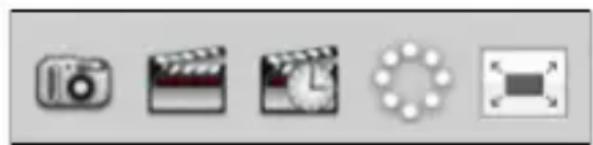
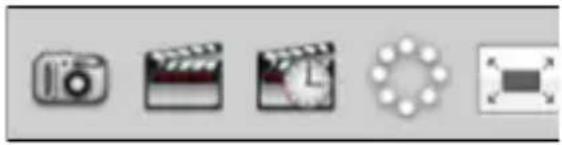
Five grayscale icons representing camera, film clapperboard, clock face, circular design element, and rectangle (no text or symbols)- Make picture. If you want to make measurements on the picture later, open the picture by double clicking and add the input magnification that you read from the focus dial.
- Make video. Choose frame rate, recording time, quality and compression. To stop recording manually, use the ESC key
- Make time lapse video. Choose capture interval, number of frames and playback frame rate, as well as quality and compression.
- Switch LED's on/off
- Go to full screen mode, to end full screen mode use the ESC key
2. Image list
text_image
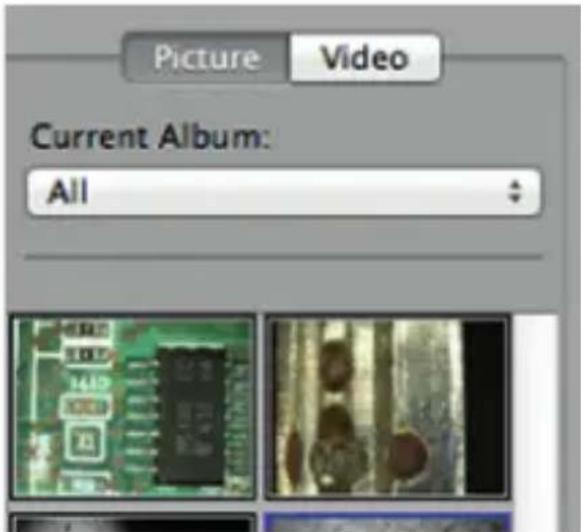
Picture Video Current Album: All- Choose between pictures or video's
- Look at an image with mouse-over, or double-click to open in new window
- Select Album
• Create new album
3. Live image
- Use the action bar for the action that you want to perform
- Use the Controls menu (the menu bar is on top of the screen) to change settings, use (digital) zoom, freeze the image, change the resolution or change the functioning of the Microtouch button.
- Use the Live measurement function (in the Tools menu) to open a special selection window for drawing and measurement tools. After selection, click okay and use the tool on the live image.
4. Open image

text_image
Share... Save As... Text Clear Continuous Line 5 Pixels Input Mag: 50,0 millimeters Calibration Setting - None ?- If you open a stored image, you will see a menu bar above it, that allows you to choose saving, drawing and measurement tools.
Cleaning and maintenance
Avoid touching the lens with any substance. Clean the lens periodically with compressed air. Clean the body of the microscope regularly with a soft cloth dampened with disinfectant. Clean the detachable caps with a 50%-70% alcohol solution, do not use diethyl ether, 100% alcohol or alcohol gel.
Warranty
The DinoCapture software is provided for use with a Dino-Lite digital microscope supplied by AnMo Electronics or one of its distributors or resellers. The use of the DinoCapture software is guided by the End User License Agreement.
The Dino-Lite product is delivered with a two year warranty from the date of purchase by the end customer. Please note that accessories (i.e. detachable caps/extensions) are not covered under warranty. For warranty issues please contact the reseller or store where you bought the product.
Support
If you have any problem or issue with your Dino-Lite or the DinoCapture software, please contact your reseller or check the Dino-Lite Europe support pages at www.dino-lite.eu. An extensive user manual for DinoCapture can be found within the software and on the website.
IDCP BV / Dino-Lite Europe
No part of this publication may be reproduced or distributed unless for personal use in conjunction with usage of Dino-Lite digital microscopes.
Patent info:
US Pat. No. 7.102.817.B1
Germany Pat. No. 20 2006 001 409.8
Japan Pat. No. 3123176
Taiwan Pat. No. M302031
AnMo Electronics Corporation and its authorized representative in the EU, IDCP BV, declare that the apparatus Dino-Lite and DinoEye comply with the essential requirements and other relevant provisions of Directive 2014/30/EU.
Version 2024Q1 Copyright

text_image
FC CE UK CA 0°C 60°CFRANÇAIS
T microtouch, touch-sensitive area, captures image on usb models, toggles leds on/off on analog (tv) models
M metal, aluminum-body, reinforced cord attachment, ruggedized model
Z polarizer, reduces glare on reflective objects
L working distance (long), magnification up to 140x, focus from farther away than normal
F longest working distance (far), magnification up to 70x, focus from farther away than normal
Xa coaxial lighting models, 2a – 200x, 4a – 400x, 8a – 800x
S shortened nozzle (85x and 145x magnification focus at touching distance)
W macro view, low magnification with zoom lens (2 focusable magnifications at any working distance)
T4 430x - 470x magnification
T5 500x fixed magnification
T8 700x - 900x magnification
Tb strobe light
1P/2P Aim point laser
L - M40 working distance/wide viewing angle, magnification up to 37x
Led spectrum
Fv 28 x 375nm leds
Fu 8 x 375nm leds
Fv2w 4 x 375nm leds / 4 x white leds
Fv 8 x 390nm leds
Fvw 4 x 390nm leds / 4 x white leds
Jv 4 x 395nm leds / 4 x 940nm
Fk 8 x 780nm leds
Fi 8 x 850nm leds
Fj 8 x 940nm leds
Led wavelength
Cfvw 7 x leds 400nm excitation (430nm emission filter) / 1 x white led
Gfbw 7 x leds 480nm (510nm emission filter) /
1 x white led blue light for green fluorescence
Grfby 4 x leds 480nm / 4 x leds 575nm (510nm/610nm emission
filter) blue and yellow light for green and red fluorescence
Yfgw 7 x leds 525nm (570nm emission filter) / 1 x white led green light for yellow fluorescence
Rfyw 7 x leds 575nm (610nm emission filter) / 1 x white led yellow light for red fluorescence
Dfrw 7 x leds 620nm (650nm emission filter) / 1 x white led
natural_image
Three cropped image buttons: two with square indicators labeled '1' and '2', and one with a blurred background (no readable text or symbols)Barre d'outils
text_image
| A / → 3 □ ○ |text_image
Screenshot of a software toolbar with geometric and diagram editing icons, including symbols like circles, triangles, and squares.text_image
Row of seven black-and-white icons with white text, including 'M', 'WE', 'AE on', and various symbols.natural_image
Five grayscale icons representing camera, film clapperboard, clock face, refresh, and square (no text or symbols)text_image
Share... Save As... Text Clear Continuous Line 5 Pixels Input Mag: 50,0 millimeters Calibration Setting - None ?IDCP BV/Dino-Lite Europe
Brevet US No. 7.102.817.B1
Software installation
Software installation
T microtouch, touch-sensitive area, captures image on usb models, toggles leds on/off on analog (tv) models
M metal, aluminum-body, reinforced cord attachment, ruggedized model
Z polarizer, reduces glare on reflective objects
L working distance (long), magnification up to 140x, focus from farther away than normal
F longest working distance (far), magnification up to 70x, focus from farther away than normal
Xa coaxial lighting models, 2a – 200x, 4a – 400x, 8a – 800x
S shortened nozzle (85x and 145x magnification focus at touching distance)
W macro view, low magnification with zoom lens (2 focusable magnifications at any working distance)
T4 430x - 470x magnification
T5 500x fixed magnification
T8 700x - 900x magnification
Tb strobe light
1P/2P Aim point laser
L - M40 working distance/wide viewing angle, magnification up to 37x
Led spectrum
Fv 28 x 375nm leds
Fu 8 x 375nm leds
Fv2w 4 x 375nm leds / 4 x white leds
Fv 8 x 390nm leds
Fvw 4 x 390nm leds / 4 x white leds
Jv 4 x 395nm leds / 4 x 940nm
Fk 8 x 780nm leds
Fi 8 x 850nm leds
Fj 8 x 940nm leds
Led wavelength
Cfvw 7 x leds 400nm excitation (430nm emission filter) / 1 x white led
Gfbw 7 x leds 480nm (510nm emission filter) /
1 x white led blue light for green fluorescence
Grfby 4 x leds 480nm / 4 x leds 575nm (510nm/610nm emission
filter) blue and yellow light for green and red fluorescence
Yfgw 7 x leds 525nm (570nm emission filter) / 1 x white led green light for yellow fluorescence
Rfyw 7 x leds 575nm (610nm emission filter) / 1 x white led yellow light for red fluorescence
Dfrw 7 x leds 620nm (650nm emission filter) / 1 x white led
natural_image
Three small square icons labeled 1, 2, and a blurred image with no readable text or symbols.Symbolleiste
text_image
Diagram showing various geometric and symbolic icons with labels like 'FIX' and directional arrowstext_image
Row of black-and-white icons representing various software and technical functions such as M, WE, AE, ON, wrench, square, cross, and directional arrows.natural_image
Five grayscale icons representing camera, film clapperboard, clock, refresh, and square (no text or symbols)text_image
Share... Save As... Text Clear Continuous Line 5 Pixels Input Mag: 50,0 millimeters Calibration Setting - None ?IDCP BV / Dino-Lite Europe
US Pat. No. 7.102.817.B1
Germany Pat. No. 20 2006 001 409.8
Japan Pat. No. 3123176
Taiwan Pat. No. M302031
T microtouch, touch-sensitive area, captures image on usb models, toggles leds on/off on analog (tv) models
M metal, aluminum-body, reinforced cord attachment, ruggedized model
Z polarizer, reduces glare on reflective objects
L working distance (long), magnification up to 140x, focus from farther away than normal
F longest working distance (far), magnification up to 70x, focus from farther away than normal
Xa coaxial lighting models, 2a – 200x, 4a – 400x, 8a – 800x
S shortened nozzle (85x and 145x magnification focus at touching distance)
W macro view, low magnification with zoom lens (2 focusable magnifications at any working distance)
T4 430x - 470x magnification
T5 500x fixed magnification
T8 700x - 900x magnification
Tb strobe light
1P/2P Aim point laser
L - M40 working distance/wide viewing angle, magnification up to 37x
Led spectrum
Fv 28 x 375nm leds
Fu 8 x 375nm leds
Fv2w 4 x 375nm leds / 4 x white leds
Fv 8 x 390nm leds
Fvw 4 x 390nm leds / 4 x white leds
Jv 4 x 395nm leds / 4 x 940nm
Fk 8 x 780nm leds
Fi 8 x 850nm leds
Fj 8 x 940nm leds
Led wavelength
Cfvw 7 x leds 400nm excitation (430nm emission filter) / 1 x white led
Gfbw 7 x leds 480nm (510nm emission filter) /
1 x white led blue light for green fluorescence
Grfby 4 x leds 480nm / 4 x leds 575nm (510nm/610nm emission
filter) blue and yellow light for green and red fluorescence
Yfgw 7 x leds 525nm (570nm emission filter) / 1 x white led green light for yellow fluorescence
Rfyw 7 x leds 575nm (610nm emission filter) / 1 x white led yellow light for red fluorescence
Dfrw 7 x leds 620nm (650nm emission filter) / 1 x white led
Interfaz de Software DinoCapture / Windows
natural_image
Three small square icons labeled 1, 2, and a blurred image with no visible text or symbols.text_image
Screenshot of a software toolbar with geometric and editing icons, including symbols like circles, triangles, and directional arrows.natural_image
Five grayscale icons representing camera, film clapperboard, clock face, refresh, and square (no text or symbols)text_image
Share... Save As... Text Clear Continuous Line 5 Pixels Input Mag: 50,0 millimeters Calibration Setting - None ?IDCP BV / Dino-Lite Europe
US Pat. No. 7.102.817.B1
Germany Pat. No. 20 2006 001 409.8
Japan Pat. No. 3123176
Taiwan Pat. No. M302031
T microtouch, touch-sensitive area, captures image on usb models, toggles leds on/off on analog (tv) models
M metal, aluminum-body, reinforced cord attachment, ruggedized model
Z polarizer, reduces glare on reflective objects
L working distance (long), magnification up to 140x, focus from farther away than normal
F longest working distance (far), magnification up to 70x, focus from farther away than normal
Xa coaxial lighting models, 2a – 200x, 4a – 400x, 8a – 800x
S shortened nozzle (85x and 145x magnification focus at touching distance)
W macro view, low magnification with zoom lens (2 focusable magnifications at any working distance)
T4 430x - 470x magnification
T5 500x fixed magnification
T8 700x - 900x magnification
Tb strobe light
1P/2P Aim point laser
L - M40 working distance/wide viewing angle, magnification up to 37x
Led spectrum
Fv 28 x 375nm leds
Fu 8 x 375nm leds
Fv2w 4 x 375nm leds / 4 x white leds
Fv 8 x 390nm leds
Fvw 4 x 390nm leds / 4 x white leds
Jv 4 x 395nm leds / 4 x 940nm
Fk 8 x 780nm leds
Fi 8 x 850nm leds
Fj 8 x 940nm leds
Led wavelength
Cfvw 7 x leds 400nm excitation (430nm emission filter) / 1 x white led
Gfbw 7 x leds 480nm (510nm emission filter) /
1 x white led blue light for green fluorescence
Grfby 4 x leds 480nm / 4 x leds 575nm (510nm/610nm emission
filter) blue and yellow light for green and red fluorescence
Yfgw 7 x leds 525nm (570nm emission filter) / 1 x white led green light for yellow fluorescence
Rfyw 7 x leds 575nm (610nm emission filter) / 1 x white led yellow light for red fluorescence
Dfrw 7 x leds 620nm (650nm emission filter) / 1 x white led
Interfaccia software DinoCapture / Windows
natural_image
Three cropped image buttons: two with square selection handles and one with a circular icon, all without any readable text or symbols.text_image
Screenshot of a software toolbar with geometric and diagram editing icons, including symbols like circles, triangles, and squares.text_image
Row of black-and-white icons representing various software and technical functions such as M, WE, AE, ON, wrench, square, and X.natural_image
Five grayscale icons representing camera, film clapperboard, clock face, refresh, and document (no text or symbols)text_image
Share... Save As... Text Clear Continuous Line 5 Pixels Input Mag: 50,0 millimeters Calibration Setting - None ?IDCP BV / Dino-Lite Europe
US Pat. No. 7.102.817.B1
Germany Pat. No. 20 2006 001 409.8
Japan Pat. No. 3123176
Taiwan Pat. No. M302031
T microtouch, touch-sensitive area, captures image on usb models, toggles leds on/off on analog (tv) models
M metal, aluminum-body, reinforced cord attachment, ruggedized model
Z polarizer, reduces glare on reflective objects
L working distance (long), magnification up to 140x, focus from farther away than normal
F longest working distance (far), magnification up to 70x, focus from farther away than normal
Xa coaxial lighting models, 2a – 200x, 4a – 400x, 8a – 800x
S shortened nozzle (85x and 145x magnification focus at touching distance)
W macro view, low magnification with zoom lens (2 focusable magnifications at any working distance)
T4 430x - 470x magnification
T5 500x fixed magnification
T8 700x - 900x magnification
Tb strobe light
1P/2P Aim point laser
L - M40 working distance/wide viewing angle, magnification up to 37x
Led spectrum
Fv 28 x 375nm leds
Fu 8 x 375nm leds
Fv2w 4 x 375nm leds / 4 x white leds
Fv 8 x 390nm leds
Fvw 4 x 390nm leds / 4 x white leds
Jv 4 x 395nm leds / 4 x 940nm
Fk 8 x 780nm leds
Fi 8 x 850nm leds
Fj 8 x 940nm leds
Led wavelength
Cfvw 7 x leds 400nm excitation (430nm emission filter) / 1 x white led
Gfbw 7 x leds 480nm (510nm emission filter) /
1 x white led blue light for green fluorescence
Grfby 4 x leds 480nm / 4 x leds 575nm (510nm/610nm emission
filter) blue and yellow light for green and red fluorescence
Yfgw 7 x leds 525nm (570nm emission filter) / 1 x white led green light for yellow fluorescence
Rfyw 7 x leds 575nm (610nm emission filter) / 1 x white led yellow light for red fluorescence
Dfrw 7 x leds 620nm (650nm emission filter) / 1 x white led
Software interface DinoCapture / Windows
text_image
Screenshot of a software toolbar with geometric and symbolic icons, including line, circle, triangle, and rectangle shapes.natural_image
Five grayscale icons representing camera, film clapperboard, clock, refresh, and document (no text or symbols)text_image
Share... Save As... Text Clear Continuous Line 5 Pixels Input Mag: 50,0 millimeters Calibration Setting - None ?IDCP BV / Dino-Lite Europe
US Pat. No. 7.102.817.B1
Germany Pat. No. 20 2006 001 409.8
Japan Pat. No. 3123176
Taiwan Pat. No. M302031
Programvaruinstallation
86
Programvarugränssnitt DinoCapture / Windows 88
Programvaruinstallation
T microtouch, touch-sensitive area, captures image on usb models, toggles leds on/off on analog (tv) models
M metal, aluminum-body, reinforced cord attachment, ruggedized model
Z polarizer, reduces glare on reflective objects
L working distance (long), magnification up to 140x, focus from farther away than normal
F longest working distance (far), magnification up to 70x, focus from farther away than normal
Xa coaxial lighting models, 2a – 200x, 4a – 400x, 8a – 800x
S shortened nozzle (85x and 145x magnification focus at touching distance)
W macro view, low magnification with zoom lens (2 focusable magnifications at any working distance)
T4 430x - 470x magnification
T5 500x fixed magnification
T8 700x - 900x magnification
Tb strobe light
1P/2P Aim point laser
L - M40 working distance/wide viewing angle, magnification up to 37x
Led spectrum
Fv 28 x 375nm leds
Fu 8 x 375nm leds
Fv2w 4 x 375nm leds / 4 x white leds
Fv 8 x 390nm leds
Fvw 4 x 390nm leds / 4 x white leds
Jv 4 x 395nm leds / 4 x 940nm
Fk 8 x 780nm leds
Fi 8 x 850nm leds
Fj 8 x 940nm leds
Led wavelength
Cfvw 7 x leds 400nm excitation (430nm emission filter) / 1 x white led
Gfbw 7 x leds 480nm (510nm emission filter) /
1 x white led blue light for green fluorescence
Grfby 4 x leds 480nm / 4 x leds 575nm (510nm/610nm emission
filter) blue and yellow light for green and red fluorescence
Yfgw 7 x leds 525nm (570nm emission filter) / 1 x white led green light for yellow fluorescence
Rfyw 7 x leds 575nm (610nm emission filter) / 1 x white led yellow light for red fluorescence
Dfrw 7 x leds 620nm (650nm emission filter) / 1 x white led
text_image
| A / → 3 □ ○ |text_image
Diagram showing various geometric and symbolic icons with labels like 'FIX', 'FIX', and a plus symbol.text_image
Row of black-and-white icons representing various software and technical functions such as M, WE, AE, ON, wrench, square, cross, and directional arrows.natural_image
Five grayscale icons representing camera, film clapperboard, clock face, refresh, and square (no text or symbols)text_image
Share... Save As... Text Clear Continuous Line 5 Pixels Input Mag: 50,0 millimeters Calibration Setting - None ?IDCP BV / Dino-Lite Europe
E-post: support@dino-lite.eu
US Pat. No. 7.102.817.B1
Germany Pat. No. 20 2006 001 409.8
Japan Pat. No. 3123176
Taiwan Pat. No. M302031
T microtouch, touch-sensitive area, captures image on usb models, toggles leds on/off on analog (tv) models
M metal, aluminum-body, reinforced cord attachment, ruggedized model
Z polarizer, reduces glare on reflective objects
L working distance (long), magnification up to 140x, focus from farther away than normal
F longest working distance (far), magnification up to 70x, focus from farther away than normal
Xa coaxial lighting models, 2a – 200x, 4a – 400x, 8a – 800x
S shortened nozzle (85x and 145x magnification focus at touching distance)
W macro view, low magnification with zoom lens (2 focusable magnifications at any working distance)
T4 430x - 470x magnification
T5 500x fixed magnification
T8 700x - 900x magnification
Tb strobe light
1P/2P Aim point laser
L - M40 working distance/wide viewing angle, magnification up to 37x
Led spectrum
Fv 28 x 375nm leds
Fu 8 x 375nm leds
Fv2w 4 x 375nm leds / 4 x white leds
Fv 8 x 390nm leds
Fvw 4 x 390nm leds / 4 x white leds
Jv 4 x 395nm leds / 4 x 940nm
Fk 8 x 780nm leds
Fi 8 x 850nm leds
Fj 8 x 940nm leds
Led wavelength
Cfvw 7 x leds 400nm excitation (430nm emission filter) / 1 x white led
Gfbw 7 x leds 480nm (510nm emission filter) / 1 x white led blue light for green fluorescence
Grfby 4 x leds 480nm / 4 x leds 575nm (510nm/610nm emission filter) blue and yellow light for green and red fluorescence
Yfgw 7 x leds 525nm (570nm emission filter) / 1 x white led green light for yellow fluorescence
Rfyw 7 x leds 575nm (610nm emission filter) / 1 x white led yellow light for red fluorescence
Dfrw 7 x leds 620nm (650nm emission filter) / 1 x white led
Interfejs oprogramowania DinoCapture / Windows
text_image
Diagram showing various geometric and symbolic icons with labels like 'FIX' and directional arrowsPreview window tools

text_image
Row of black-and-white icons representing various software and technical functions such as M, WE, AE, ON, wrench, square, and X.natural_image
Five grayscale icons representing camera, film clapperboard, clock, refresh, and document (no text or symbols)text_image
Share... Save As... Text Clear Continuous Line 5 Pixels Input Mag: 50,0 millimeters Calibration Setting - None ?IDCP BV / Dino-Lite Europe
US Pat. No. 7.102.817.B1
Germany Pat. No. 20 2006 001 409.8
Japan Pat. No. 3123176
Taiwan Pat. No. M302031
T microtouch, touch-sensitive area, captures image on usb models, toggles leds on/off on analog (tv) models
M metal, aluminum-body, reinforced cord attachment, ruggedized model
Z polarizer, reduces glare on reflective objects
L working distance (long), magnification up to 140x, focus from farther away than normal
F longest working distance (far), magnification up to 70x, focus from farther away than normal
Xa coaxial lighting models, 2a – 200x, 4a – 400x, 8a – 800x
S shortened nozzle (85x and 145x magnification focus at touching distance)
W macro view, low magnification with zoom lens (2 focusable magnifications at any working distance)
T4 430x - 470x magnification
T5 500x fixed magnification
T8 700x - 900x magnification
Tb strobe light
1P/2P Aim point laser
L - M40 working distance/wide viewing angle, magnification up to 37x
Led spectrum
Fv 28 x 375nm leds
Fu 8 x 375nm leds
Fv2w 4 x 375nm leds / 4 x white leds
Fv 8 x 390nm leds
Fvw 4 x 390nm leds / 4 x white leds
Jv 4 x 395nm leds / 4 x 940nm
Fk 8 x 780nm leds
Fi 8 x 850nm leds
Fj 8 x 940nm leds
Led wavelength
Cfvw 7 x leds 400nm excitation (430nm emission filter) / 1 x white led
Gfbw 7 x leds 480nm (510nm emission filter) /
1 x white led blue light for green fluorescence
Grfby 4 x leds 480nm / 4 x leds 575nm (510nm/610nm emission
filter) blue and yellow light for green and red fluorescence
Yfgw 7 x leds 525nm (570nm emission filter) / 1 x white led green light for yellow fluorescence
Rfyw 7 x leds 575nm (610nm emission filter) / 1 x white led yellow light for red fluorescence
Dfrw 7 x leds 620nm (650nm emission filter) / 1 x white led
natural_image
Three small square icons labeled 1, 2, and a blurred background with no visible text or symbols.Værktøjslinje
text_image
Screenshot of a software toolbar with geometric and diagram editing icons, including symbols like circles, triangles, and squares.Preview window tools

text_image
Row of black-and-white icons representing various software and technical functions such as M, WE, AE, ON, wrench, square, cross, and directional arrows.natural_image
Five grayscale icons representing camera, film clapperboard, clock, refresh, and document (no text or symbols)text_image
Share... Save As... Text Clear Continuous Line 5 Pixels Input Mag: 50,0 millimeters Calibration Setting - None ?IDCP BV / Dino-Lite Europe
US Pat. No. 7.102.817.B1
Germany Pat. No. 20 2006 001 409.8
Japan Pat. No. 3123176
Taiwan Pat. No. M302031
T microtouch, touch-sensitive area, captures image on usb models, toggles leds on/off on analog (tv) models
M metal, aluminum-body, reinforced cord attachment, ruggedized model
Z polarizer, reduces glare on reflective objects
L working distance (long), magnification up to 140x, focus from farther away than normal
F longest working distance (far), magnification up to 70x, focus from farther away than normal
Xa coaxial lighting models, 2a – 200x, 4a – 400x, 8a – 800x
S shortened nozzle (85x and 145x magnification focus at touching distance)
W macro view, low magnification with zoom lens (2 focusable magnifications at any working distance)
T4 430x - 470x magnification
T5 500x fixed magnification
T8 700x - 900x magnification
Tb strobe light
1P/2P Aim point laser
L - M40 working distance/wide viewing angle, magnification up to 37x
Led spectrum
Fv 28 x 375nm leds
Fu 8 x 375nm leds
Fv2w 4 x 375nm leds / 4 x white leds
Fv 8 x 390nm leds
Fvw 4 x 390nm leds / 4 x white leds
Jv 4 x 395nm leds / 4 x 940nm
Fk 8 x 780nm leds
Fi 8 x 850nm leds
Fj 8 x 940nm leds
Led wavelength
Cfvw 7 x leds 400nm excitation (430nm emission filter) / 1 x white led
Gfbw 7 x leds 480nm (510nm emission filter) /
1 x white led blue light for green fluorescence
Grfby 4 x leds 480nm / 4 x leds 575nm (510nm/610nm emission
filter) blue and yellow light for green and red fluorescence
Yfgw 7 x leds 525nm (570nm emission filter) / 1 x white led green light for yellow fluorescence
Rfyw 7 x leds 575nm (610nm emission filter) / 1 x white led yellow light for red fluorescence
Dfrw 7 x leds 620nm (650nm emission filter) / 1 x white led
text_image
Diagram showing various electrical symbols and labels including circuit, diode, capacitor, and fuse symbolstext_image
Row of black-and-white icons representing software and tools including M, WE, AE, ON, wrench, square, cross, and directional arrows.natural_image
Five grayscale icons representing camera, film clapperboard, clock, refresh, and document (no text or symbols)text_image
Share... Save As... Text Clear Continuous Line 5 Pixels Input Mag: 50,0 millimeters Calibration Setting - None ?IDCP BV / Dino-Lite Europe
US Pat. No. 7.102.817.B1
Germany Pat. No. 20 2006 001 409.8
Japan Pat. No. 3123176
Taiwan Pat. No. M302031
T microtouch, touch-sensitive area, captures image on usb models, toggles leds on/off on analog (tv) models
M metal, aluminum-body, reinforced cord attachment, ruggedized model
Z polarizer, reduces glare on reflective objects
L working distance (long), magnification up to 140x, focus from farther away than normal
F longest working distance (far), magnification up to 70x, focus from farther away than normal
Xa coaxial lighting models, 2a – 200x, 4a – 400x, 8a – 800x
S shortened nozzle (85x and 145x magnification focus at touching distance)
W macro view, low magnification with zoom lens (2 focusable magnifications at any working distance)
T4 430x - 470x magnification
T5 500x fixed magnification
T8 700x - 900x magnification
Tb strobe light
1P/2P Aim point laser
L - M40 working distance/wide viewing angle, magnification up to 37x
Led spectrum
Fv 28 x 375nm leds
Fu 8 x 375nm leds
Fv2w 4 x 375nm leds / 4 x white leds
Fv 8 x 390nm leds
Fvw 4 x 390nm leds / 4 x white leds
Jv 4 x 395nm leds / 4 x 940nm
Fk 8 x 780nm leds
Fi 8 x 850nm leds
Fj 8 x 940nm leds
Led wavelength
Cfvw 7 x leds 400nm excitation (430nm emission filter) / 1 x white led
Gfbw 7 x leds 480nm (510nm emission filter) /
1 x white led blue light for green fluorescence
Grfby 4 x leds 480nm / 4 x leds 575nm (510nm/610nm emission
filter) blue and yellow light for green and red fluorescence
Yfgw 7 x leds 525nm (570nm emission filter) / 1 x white led green light for yellow fluorescence
Rfyw 7 x leds 575nm (610nm emission filter) / 1 x white led yellow light for red fluorescence
Dfrw 7 x leds 620nm (650nm emission filter) / 1 x white led
Interface do Software DinoCapture / Windows
text_image
Diagram showing various geometric and symbolic icons with labels like 'FIX', 'FIX', and a plus symbol.Preview window tools

text_image
Row of black-and-white icons representing various software and technical functions such as M, WE, AE, ON, wrench, square, cross, and directional arrows.natural_image
Five grayscale icons representing camera, film clapperboard, clock face, refresh symbol, and document icon (no text or labels)text_image
Share... Save As... Text Clear Continuous Line 5 Pixels Input Mag: 50,0 millimeters Calibration Setting - None ?IDCP BV / Dino-Lite Europe
US Pat. No. 7.102.817.B1
Germany Pat. No. 20 2006 001 409.8
Japan Pat. No. 3123176
Taiwan Pat. No. M302031
T microtouch, touch-sensitive area, captures image on usb models, toggles leds on/off on analog (tv) models
M metal, aluminum-body, reinforced cord attachment, ruggedized model
Z polarizer, reduces glare on reflective objects
L working distance (long), magnification up to 140x, focus from farther away than normal
F longest working distance (far), magnification up to 70x, focus from farther away than normal
Xa coaxial lighting models, 2a – 200x, 4a – 400x, 8a – 800x
S shortened nozzle (85x and 145x magnification focus at touching distance)
W macro view, low magnification with zoom lens (2 focusable magnifications at any working distance)
T4 430x - 470x magnification
T5 500x fixed magnification
T8 700x - 900x magnification
Tb strobe light
1P/2P Aim point laser
L - M40 working distance/wide viewing angle, magnification up to 37x
Led spectrum
Fv 28 x 375nm leds
Fu 8 x 375nm leds
Fv2w 4 x 375nm leds / 4 x white leds
Fv 8 x 390nm leds
Fvw 4 x 390nm leds / 4 x white leds
Jv 4 x 395nm leds / 4 x 940nm
Fk 8 x 780nm leds
Fi 8 x 850nm leds
Fj 8 x 940nm leds
Led wavelength
Cfvw 7 x leds 400nm excitation (430nm emission filter) / 1 x white led
Gfbw 7 x leds 480nm (510nm emission filter) /
1 x white led blue light for green fluorescence
Grfby 4 x leds 480nm / 4 x leds 575nm (510nm/610nm emission
filter) blue and yellow light for green and red fluorescence
Yfgw 7 x leds 525nm (570nm emission filter) / 1 x white led green light for yellow fluorescence
Rfyw 7 x leds 575nm (610nm emission filter) / 1 x white led yellow light for red fluorescence
Dfrw 7 x leds 620nm (650nm emission filter) / 1 x white led
text_image
Screenshot of a software toolbar with geometric and editing icons, including symbols like circles, triangles, and squares.text_image
M WE AE on ×natural_image
Five grayscale icons representing camera, film clapperboard, clock face, refresh, and document (no text or symbols)text_image
Share... Save As... Text Clear Continuous Line 5 Pixels Input Mag: 50,0 millimeters Calibration Setting - None ?IDCP BV/Dino-Lite Europe
T microtouch, touch-sensitive area, captures image on usb models, toggles leds on/off on analog (tv) models
M metal, aluminum-body, reinforced cord attachment, ruggedized model
Z polarizer, reduces glare on reflective objects
L working distance (long), magnification up to 140x, focus from farther away than normal
F longest working distance (far), magnification up to 70x, focus from farther away than normal
Xa coaxial lighting models, 2a – 200x, 4a – 400x, 8a – 800x
S shortened nozzle (85x and 145x magnification focus at touching distance)
W macro view, low magnification with zoom lens (2 focusable magnifications at any working distance)
T4 430x - 470x magnification
T5 500x fixed magnification
T8 700x - 900x magnification
Tb strobe light
1P/2P Aim point laser
L - M40 working distance/wide viewing angle, magnification up to 37x
Led spectrum
Fv 28 x 375nm leds
Fu 8 x 375nm leds
Fv2w 4 x 375nm leds / 4 x white leds
Fv 8 x 390nm leds
Fvw 4 x 390nm leds / 4 x white leds
Jv 4 x 395nm leds / 4 x 940nm
Fk 8 x 780nm leds
Fi 8 x 850nm leds
Fj 8 x 940nm leds
Led wavelength
Cfvw 7 x leds 400nm excitation (430nm emission filter) / 1 x white led
Gfbw 7 x leds 480nm (510nm emission filter) /
1 x white led blue light for green fluorescence
Grfby 4 x leds 480nm / 4 x leds 575nm (510nm/610nm emission
filter) blue and yellow light for green and red fluorescence
Yfgw 7 x leds 525nm (570nm emission filter) / 1 x white led green light for yellow fluorescence
Rfyw 7 x leds 575nm (610nm emission filter) / 1 x white led yellow light for red fluorescence
Dfrw 7 x leds 620nm (650nm emission filter) / 1 x white led
text_image
Diagram showing various geometric and symbolic icons with labels like 'FIX' and directional arrowstext_image
Row of black-and-white icons representing software and tools including megaphone, alert, AE on, wrench, grid, and Xnatural_image
Five grayscale icons representing camera, film clapperboard, clock, refresh, and document (no text or symbols)text_image
Share... Save As... Text Clear Continuous Line 5 Pixels Input Mag: 50,0 millimeters Calibration Setting - None ?IDCP BV / Dino-Lite Europe
US Pat. No. 7.102.817.B1
Germany Pat. No. 20 2006 001 409.8
Japan Pat. No. 3123176
Taiwan Pat. No. M302031
.'driver software installed successfully
T microtouch, touch-sensitive area, captures image on usb models, toggles leds on/off on analog (tv) models
M metal, aluminum-body, reinforced cord attachment, ruggedized model
Z polarizer, reduces glare on reflective objects
L working distance (long), magnification up to 140x, focus from farther away than normal
F longest working distance (far), magnification up to 70x, focus from farther away than normal
Xa coaxial lighting models, 2a – 200x, 4a – 400x, 8a – 800x
S shortened nozzle (85x and 145x magnification focus at touching distance)
W macro view, low magnification with zoom lens
(2 focusable magnifications at any working distance)
T4 430x - 470x magnification
T5 500x fixed magnification
T8 700x - 900x magnification
Tb strobe light
1P/2P Aim point laser
L - M40 working distance/wide viewing angle, magnification up to 37x
Led spectrum
Fv 28 x 375nm leds
Fu 8 x 375nm leds
Fv2w 4 x 375nm leds / 4 x white leds
Fv 8 x 390nm leds
Fvw 4 x 390nm leds / 4 x white leds
Jv 4 x 395nm leds / 4 x 940nm
Fk 8 x 780nm leds
Fi 8 x 850nm leds
Fj 8 x 940nm leds
Led wavelength
Cfvw 7 x leds 400nm excitation (430nm emission filter) / 1 x white led
Gfbw 7 x leds 480nm (510nm emission filter) /
1 x white led blue light for green fluorescence
Grfby 4 x leds 480nm / 4 x leds 575nm (510nm/610nm emission
filter) blue and yellow light for green and red fluorescence
Yfgw 7 x leds 525nm (570nm emission filter) / 1 x white led green light for yellow fluorescence
Rfyw 7 x leds 575nm (610nm emission filter) / 1 x white led yellow light for red fluorescence
Dfrw 7 x leds 620nm (650nm emission filter) / 1 x white led
| הכלהה-Open.הכלהה-Open |  |
| .(Windows) (Windows) (Windows) - Copy |  |
| (Write) (Write) (Write) (Write) - Save as.(Write) (Write) (Write) |  |
| "Write" (Write) (Write) (Write) (Write) - E-mail.(Write) (Write) (Write) |  |
| .הכלהה-Print |  |
| .הכלהה-Write |  |
| Write" (Write) (Write) (Write) - Delete.(Write) (Write) (Write) |  |
natural_image
Pure electrical circuit lines without any symbols
| .הכלהה-הכלהה-הכלהה-הכלהה-הכלהה-הכלהה-הכלהה-הכלהה-הכלהה-הכלהה-הכלהה-הכלהה-הכלהה-הכלהה-הכלהה-הכלהה-הכלהה-הכלהה-הכלהה-הכלהה-הכלהה -הכלהה -הכלהה -הכלהה -הכchia |
| ,הכchia,הכchia,הכchia,הכchia,הכchia,הכchia,הכchia,הכchia,הכchia,הכchia,הכchia,הכchia,הכchia,הכchia,הכchia,הכchia,הכchia,הכchia,הכchia,הכchia,הכchia,הכchia,הכchia,הכchia,הכchia,הכ<|box_start|> |
| ,הכchia,הכchia,הכchia,הכchia,הכchia,הכchia,הכchia,הכchia,הכchia,הכchia,הכchia,הכchia,הכchia,הכchia,הכchia,הכchia,הכchia,הכchia,הכchia,הכchia,הכchia,הכchia,הכchia,הכchia |
| ,הכchia,הכchia,הכchia,הכchia,הכchia,הכchia,הכchia,הכchia,הכchia,הכchia,הכchia,הכchia,הכchia,הכchia,הכchia,הכchia,הכchia,הכchia,הכchia,הכchia,הכchia,הכchia,הכchia, |
| ,הכchia,הכchia,הכchia,הכchia,הכchia,הכchia,הכchia,הכchia,הכchia,הכchia,הכchia,הכchia,הכchia,הכchia,הכchia,הכchia, |
| ,הכchia,הכchia,הכchia,הכchia,הכchia,הכchia,הכchia,הכcia,הכchia,הכchia,הכchia,הכchia,הכchia, |
| .הכלההוּרָהוּרָהוּרָהוּרָהוּרָהוּרָהוּרָהוּרָהוּרָהוּרָהוּרָהוּרָהוּרָהוּרָהוּרָה�ּרָהוּרָהוּרָהוּרָהוּרָהוּרָהוּרָהוּרָהוּרָהוּרָהוּרָהוּרָהוּרָהוּרָהוֱרָהוּרָהוּרָהוּרָהוּרָהוּרָהוּרָהוּרָהוּרָהוּרָהוּרָהוּרָהוּרָהוּרָהוּר‘ | 3 72777777 |
| .הכלההוּרָהוּרָהוּרָהוּרָהוּרָהוּרָהוּרָהוּרָהוּרָהוּרָהוּרָהוּרָהוּרָהוֱרָה: | 3 72777777 |
| הכלההוּרָהוּרָהוּרָהוּרָהוּרָהוּרָהוּרָהוּרָהוּרָהוּרָהוּרָהוּרָהוּרָהוּר‘ | הכלההוּרָהוּרָהוּרָהוּרָהוּרָהוּרָהוּרָהוּרָהוּרָהוּרָהוּר‘ |
| הכלההוּרָהוּרָהוּרָהוּרָהוּרָהוּרָהוּרָהוּרָהוּר‘ | הכלההוּרָהוּרָהוּרָהוּרָהוּר‘ |
| הכלההוּרָהוּרָהוּרָהוּרָהוּרָהוּר‘ | + 100000000 |
| הכלההוּרָהוּרָהוּרָהוּרָהוּרָהוּר‘ | + 100000000 |
| הכלההוּרָהוּרָהוּרָהוּרָהוּר‘ | + 100000000 |
| הכלההוּרָהוּרָהוּרָהוּרָהוּר‘ | + 100000000 |
הַרְפָרִי
:DinoScope 4 DinoScope
הכלה.1
natural_image
Five grayscale icons representing camera, film clapperboard, clock, refresh, and square (no text or symbols)text_image
Share... Save As... Text Clear Continuous Line 5 Pixels Input Mag: 50,0 millimeters Calibration Setting - None ?IDCP BV / Dino-Lite Europe
No part of this publication may be reproduced or distributed unless for personal use in conjunction with usage of Dino-Lite digital microscopes.
Patent info:
US Pat. No. 7.102.817.B1
Germany Pat. No. 20 2006 001 409.8
Japan Pat. No. 3123176
Taiwan Pat. No. M302031
AnMo Electronics Corporation and its authorized representative in the EU, IDCP BV, declare that the apparatus Dino-Lite and DinoEye comply with the essential requirements and other relevant provisions of Directive 2014/30/EU.
Version 2024Q1 Copyright