
Smart Air Purifier Elite - Air purifier Xiaomi - Free user manual and instructions
Find the device manual for free Smart Air Purifier Elite Xiaomi in PDF.
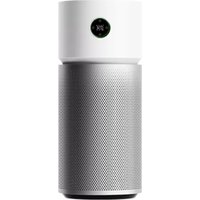



| Product type | Air purifier |
| Brand | Xiaomi |
| Model | Smart Air Purifier Elite (Y-600) |
| Dimensions | Φ 310 × 730 mm |
| Net weight | About 6.5 kg |
| Rated voltage | 100-240 V~ |
| Rated frequency | 50/60 Hz |
| Network standby power consumption | < 2.0 W |
| Clean air delivery rate for particles (CADR) | 600 m³/h |
| Clean air delivery rate for TVOC (CADR) | 135 m³/h |
| Wireless connectivity | Wi-Fi IEEE 802.11 b/g/n 2.4 GHz |
| Operating modes | Auto, Night, Speed 1/2/3, Custom (via app) |
| Special features | Plasma and UV-C sterilization, laser dust sensor, PM2.5 and large particle display |
| Filter | Compatible filter model AFEP7TFX19 |
| Maintenance | Regular cleaning of the screen, blades, air duct, and laser sensor |
| Child lock | Child lock can be activated by holding the mode button for 7 s |
| Minimum distance from walls | 20 cm |
| Warranty | Limited warranty covering hardware defects (see terms) |
Frequently Asked Questions - Smart Air Purifier Elite Xiaomi
User questions about Smart Air Purifier Elite Xiaomi
0 question about this device. Answer the ones you know or ask your own.
Ask a new question about this device
Download the instructions for your Air purifier in PDF format for free! Find your manual Smart Air Purifier Elite - Xiaomi and take your electronic device back in hand. On this page are published all the documents necessary for the use of your device. Smart Air Purifier Elite by Xiaomi.
USER MANUAL Smart Air Purifier Elite Xiaomi
Xiaomi Smart Air Purifier Elite User Manual
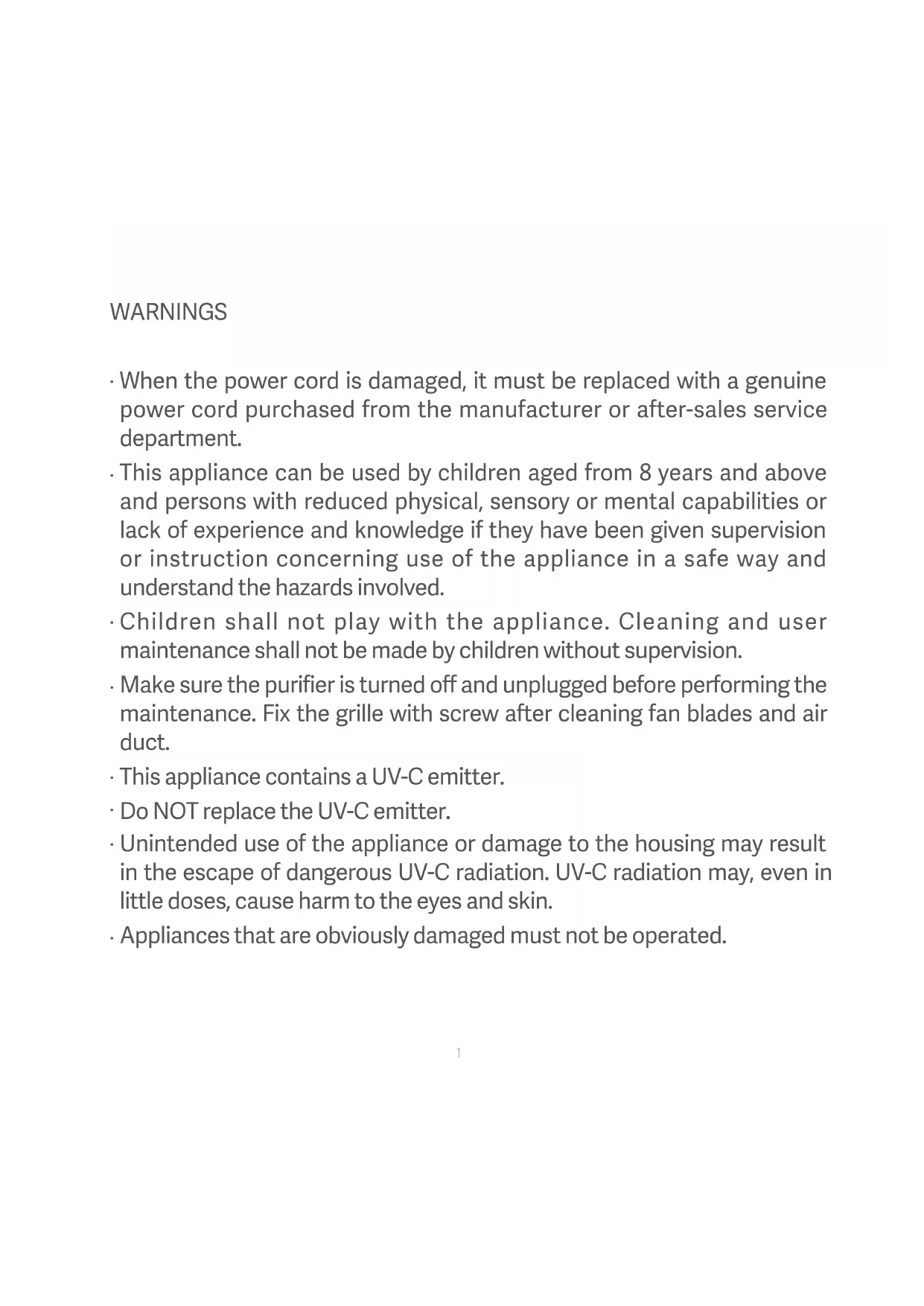
- When the power cord is damaged, it must be replaced with a genuine power cord purchased from the manufacturer or after-sales service department.
- This appliance can be used by children aged from 8 years and above and persons with reduced physical, sensory or mental capabilities or lack of experience and knowledge if they have been given supervision or instruction concerning use of the appliance in a safe way and understand the hazards involved. Children shall not play with the appliance. Cleaning and user maintenance shall not be made by children without supervision.
- Make sure the purifier is turned off and unplugged before performing the maintenance. Fix the grille with screw after cleaning fan blades and air duct. This appliance contains a UV-C emitter.
- Do NOT replace the UV-C emitter.
- Unintended use of the appliance or damage to the housing may result in the escape of dangerous UV-C radiation. UV-C radiation may, even in little doses, cause harm to the eyes and skin.
- Appliances that are obviously damaged must not be operated.
Precautions
Turn off and unplug the purifier before moving it. When moving the purifier, do not touch the release buttons of the upper compartment. Otherwise, the filter compartment may fall off and a possible injury may occur.
The purifier cannot turn on when the fan grille and the filter compartment cover are not installed properly.
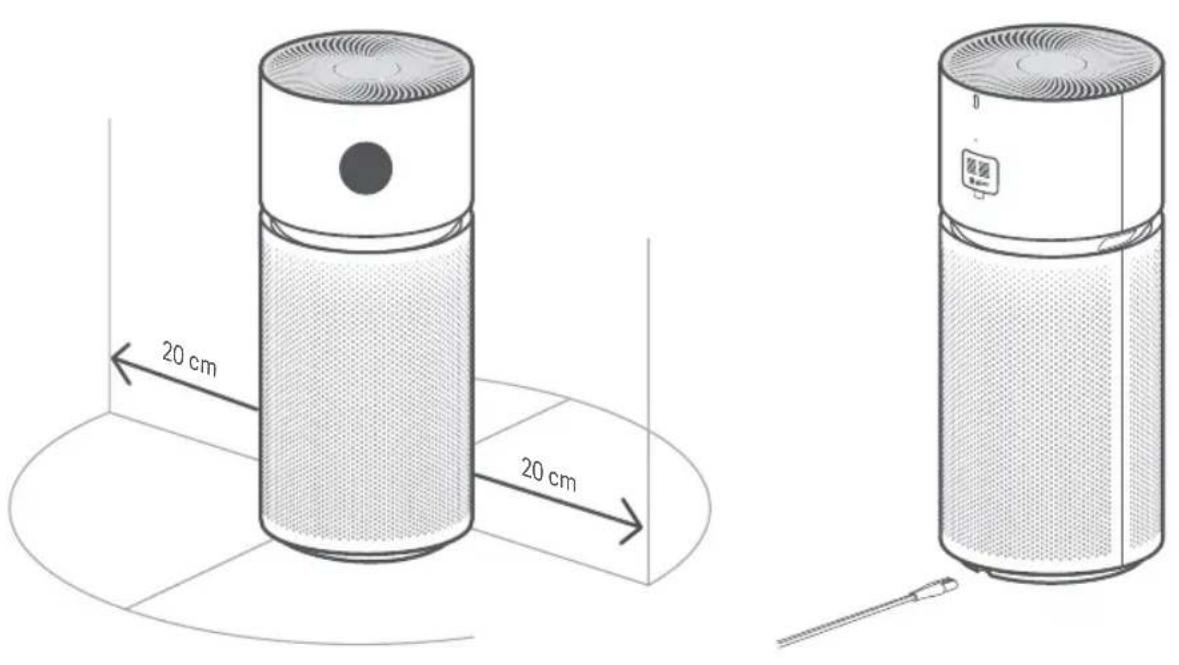
Maintain a distance of at least 20 cm between the air inlets and walls or other objects.
The purifier must be placed on firm and flat floor.
Prior to cleaning or other maintenance, the appliance must be disconnected from the supply mains.
Frequently remove dust, hair, and other particles from the outer mesh screen of the filter, so as to reduce the chance of bacteria growth.
Remove dust, hair, and particles from the purifier's air inlets to prevent a reduction of air intake.
· Cover the air outlet to prevent dust, hair, and other particles from falling in when the purifier is left unused for a long time.
To avoid fire, electric shocks, or other damage, use the power cord and electrical outlet as instructed below:
- Do not excessively pull, twist or bend the power cord; otherwise, the cord's core may be exposed or broken.
- The power cord must be plugged into a suitable electrical outlet.
- Use the power cord that is provided with the purifier, do not use any third-party power cords.
· Always unplug the purifier before carrying out maintenance to or moving the purifier.
- Immediately stop using the purifier when it makes unusual sounds, gives off bad odors, overheats, or its fan rotates irregularly.
· Do not stick your fingers or foreign objects into the protective parts, movable parts, air inlets, or air outlets.
- Keep objects such as hairs or fabrics away from the purifier to avoid blocking the air inlets or air outlets.
- Do not sit on, lean on or tilt the purifier.
- When using in conjunction with gas-fueled appliances (such as gas stoves, gas heaters), please ventilate sufficiently to avoid carbon monoxide poisoning.
- Do not pour liquids, nor throw powders or other small substances into the purifier's air outlet.
- Make sure no inflammable objects get into the purifier.
Do not use the purifier in the following circumstances to avoid electric shocks, fire, or other damage:
· Near open flames, such as candles, incense burners, stoves, fireplaces, cigarettes, firecrackers, lighters, multipurpose torches, candle lighters, or fire pans.
- Near appliances that generate high temperatures, such as electric heaters, fan heaters, electric foot warmers, electric stoves, or electric irons.
- In unstable locations where the purifier can easily fall over.
- In environments that are extremely hot, humid, or damp, such as bathrooms.
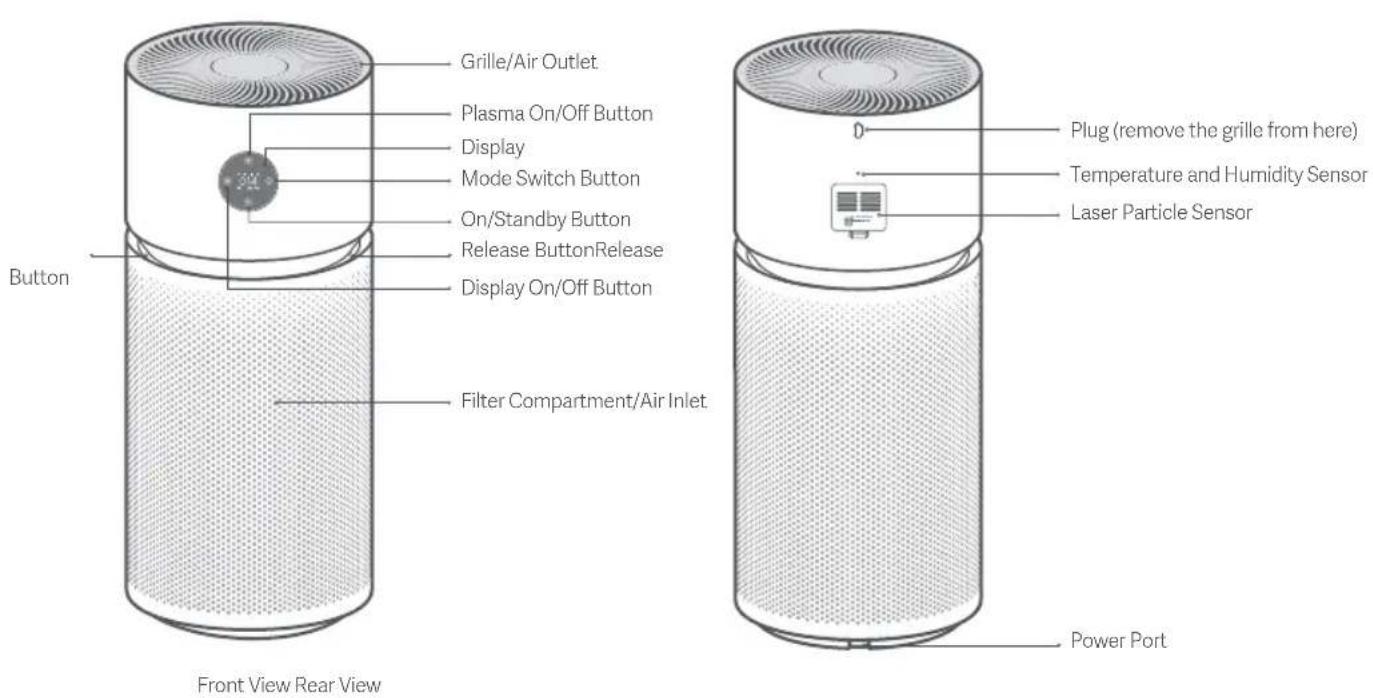
Product Overview
Read this manual carefully before use, and retain it for future reference.
Note: Illustrations of the product, accessories, and user interface in this user manual are for reference purposes only. The actual product and functions may vary due to product enhancements.
Display Instructions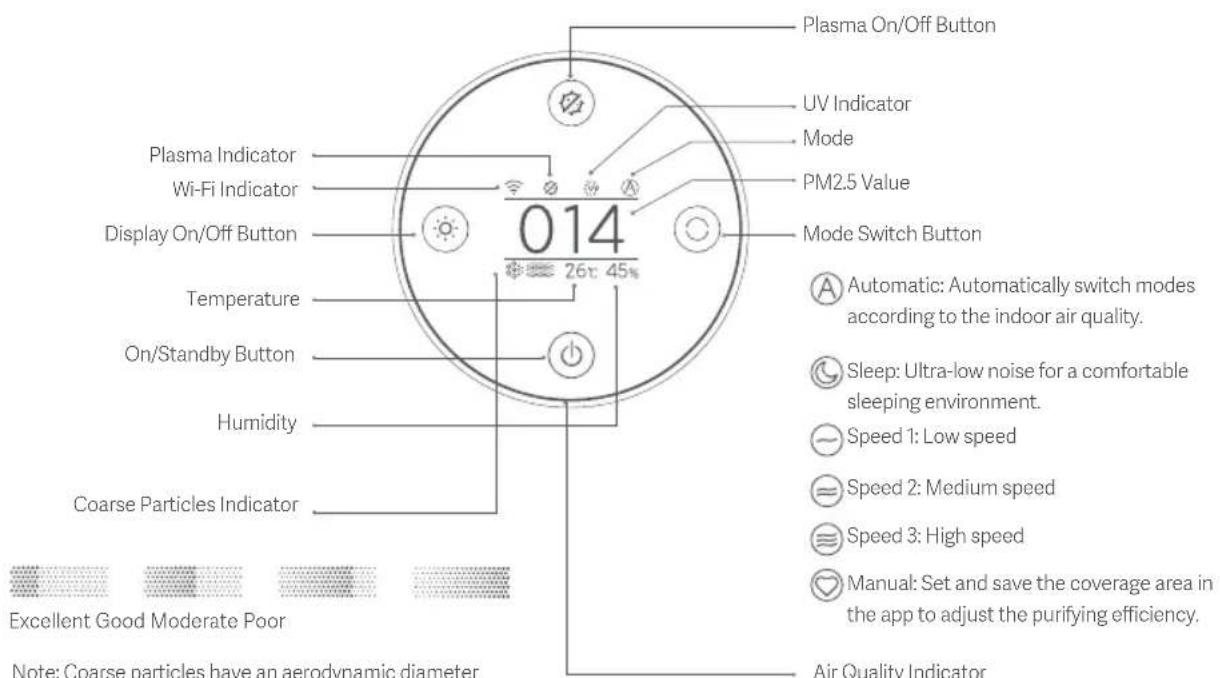
Note: Coarse particles have an aerodynamic diameter ranging from 2.5 to 10 μm (PM10–PM2.5). Examples of coarse particles include dust, pollen, spores, and fly ash. The indicator displays green, yellow, orange, or red based on the highest concentration of fine particles (PM2.5) and coarse particles (PM10-2.5) in the air.
| Coarse Particles | ||||
| Excellent Good Moderate Poor | ||||
| PM2.5 Value | 1-20 μg/m3 Green | Yellow | Orange | Red |
| 21-35 μg/m3 | ||||
| 36-55 μg/m3 | ||||
| >55 μg/m3 | ||||
How to Install
Placing the purifier Connecting to an electrical outlet
For optimal performance, make sure the distances between the purifier's air inlets and other objects such as walls meet the requirements as suggested below.
Connect the power cord to the power port at the bottom of the purifier and then plug it into an electrical outlet.
Note: It is recommended to keep doors and windows closed for a better purifying effect when using the purifier.
How to Use
On/Standby
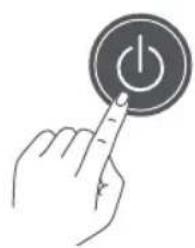
Tap the on/standby button to turn on the purifier. When the purifier is on, tap the on/standby button to enter standby mode.
Switching mode
While the purifier is on, tap the mode switch button to cycle through modes.
![graph TD A["A"] --> B["Process Step 1"] B --> C["Process Step 2"] C --> D["Process Step 3"] D --> E["Process Step 4"] E --> F["Process Step 5"] F --> G["Process Step 6"] G --> H["Process Step 7"] H --> I["Process Step 8"] I --> J["End"]](/content/2026/04/656743/images/7a17ea1776f88ababad7538e2a98409b687d69771c07b5d913d678a35c973464.jpg)
Enabling & disabling plasma/UV sterilization
Tap the plasma on/off button to enable or disable plasma sterilization. Tap and hold the plasma on/off button for seven seconds to enable or disable UV sterilization.

Adjusting the display's brightness
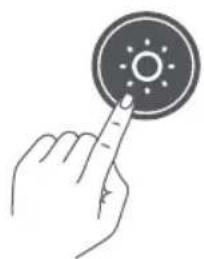
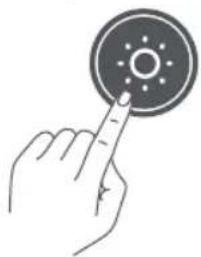
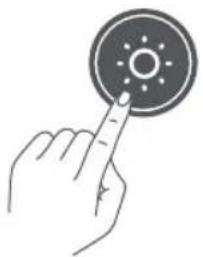
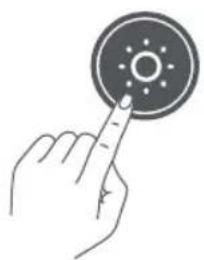
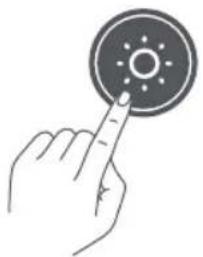
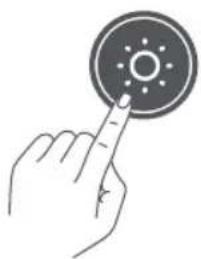
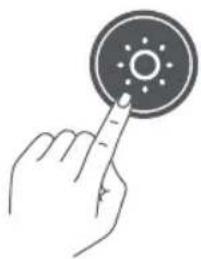
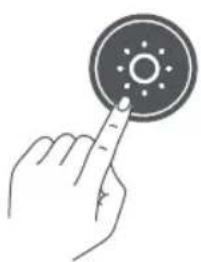
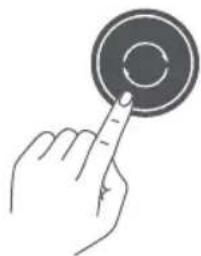
Press the display on/off button to cycle through its brightness levels: on, dim, and off.
Resetting Wi-Fi
When connecting the purifier to the app for the first time or unable to connect to it, press and hold the display on/off button for 7 seconds. The purifier will make a notification sound once Wi-Fi is successfully reset.
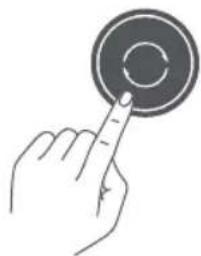
Enabling/disabling the child lock function
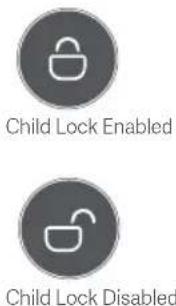
Press and hold the mode switch button for 7 seconds to enable or disable the child lock function. The purifier will make the corresponding notification sound and show the corresponding icon on the display.
Enabling/Disabling Wi-Fi
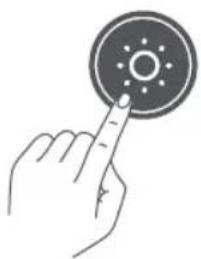
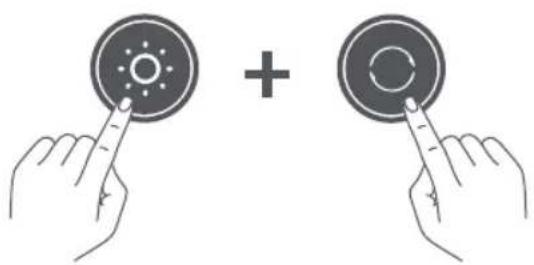
Simultaneously press and hold the mode switch button on the display and the display on/off button for 7 seconds. The purifier will make a notification sound and the Wi-Fi will be disabled.
While Wi-Fi is off, simultaneously press and hold the mode switch button on the display and the display on/off button for 7 seconds. The purifier will make a notification sound and the Wi-Fi will be enabled.
Filter life notification
The display will show the remaining service time of the filter when the purifier is turned on.
The display will show a warning icon if no genuine filter is detected.
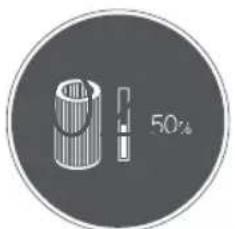
Filter service time remaining notification
Not a genuine filter warning
Connecting with the Mi Home/Xiaomi Home App
This product works with the Mi Home/Xiaomi Home app*. Control your device with Mi Home/Xiaomi Home app.
Scan the QR code to download and install the app. You will be directed to the connection setup page if the app is installed already. Or search for "MI Home/Xiaomi Home" in the app store to download and install it.
Open the Mi Home/Xiaomi Home app, tap "+" on the upper right, and then follow the instructions to add your device.
*The app is referred to as Xiaomi Home app in Europe (except for Russia). The name of the app displayed on your device should be taken as the default. Note: The version of the app might have been updated, please follow the instructions based on the current app version.

Replacing the Filter Daily Care & Maintenance
Warning: Make sure the purifier is turned off and the power cord is unplugged before replacing the filter.
Notes:
To avoid injuries, do not put your fingers between the upper and filter compartments when replacing the filter.
- Unpack the new filter before replacing the old one.
1 Opening the filter 2 Replacing the filter
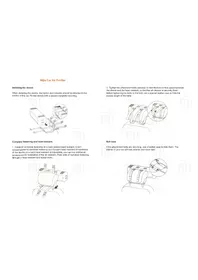
Press and hold the release buttons with both of your hands to separate the upper compartment from the filter compartment.
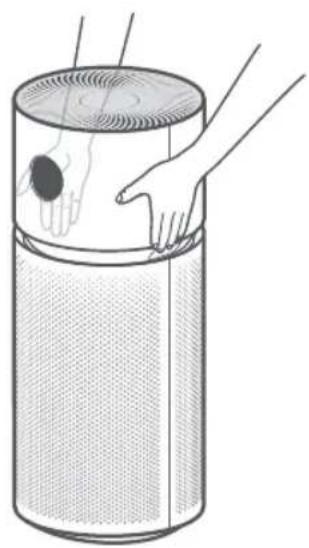
Note: This purifier is compatible with the model AFEP7TFX19 filter.
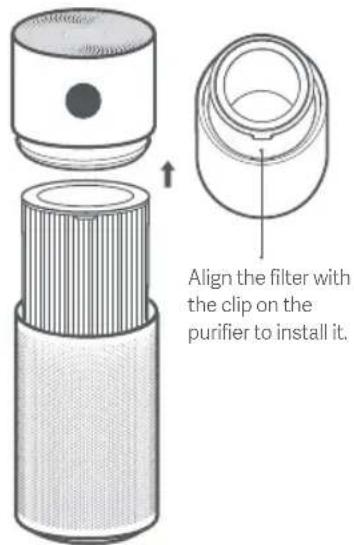
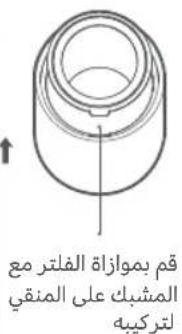
Remove the old filter upwards and place the new filter into the filter compartment. Then reinstall the upper compartment.
The dirt may rise in the air when removing the old filter, and it is recommended to wear gloves and a mask before replacing the filter. Then put the old filter into a plastic bag, and secure the bag before discarding it. If you come into physical contact with dust, wash it off with water instead of wiping it off.
⚠ Warning: Make sure the purifier is turned off and unplugged before performing the following operations.
Cleaning fan blades and air duct
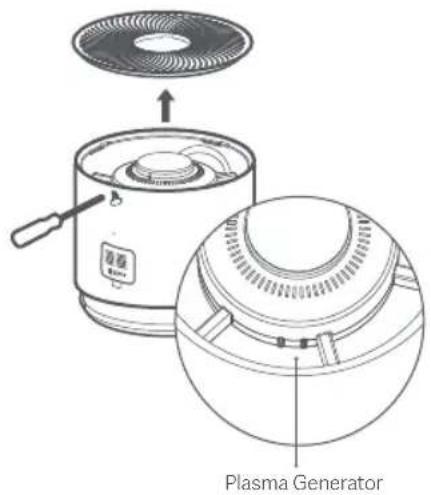
- Open the plug, loosen the screw inside it with a screwdriver, and rotate the grille clockwise to remove it upwards.
- Use a vacuum cleaner to remove any dust from the air duct and fan blades, or wipe the dust off gently with a soft cloth.
- Use a brush or soft cloth to gently wipe the plasma generator.
- After cleaning, rotate the grille counterclockwise to install it. Tighten the screw with a screwdriver, and close the plug.
Note: To avoid damaging the purifier, do not rinse or spray the air duct and fan blades directly with water, or wipe them with a soaking wet cloth.
Cleaning the filter compartment Cleaning the laser particle sensor
To ensure optimal ventilation and purification, use a vacuum cleaner to remove any dust from the air inlets and the filter compartment, or wipe these areas gently with a soft cloth.
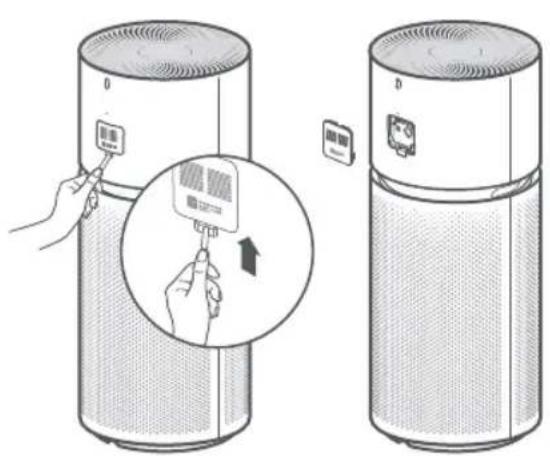
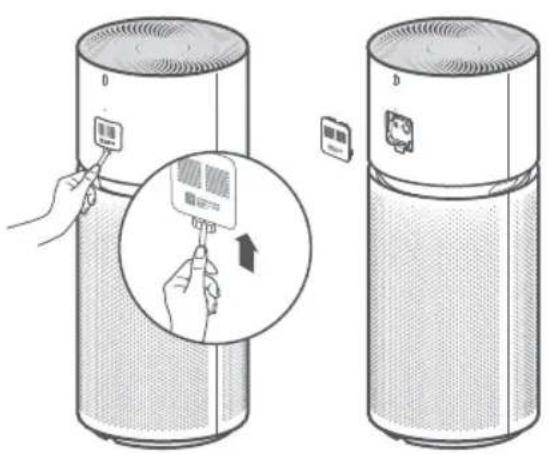
Use a non-sharp tool to open the cover of the laser particle sensor, then use an air blow gun or hair dryer to clean the filter on the cover and the sensor, as illustrated in the figure.
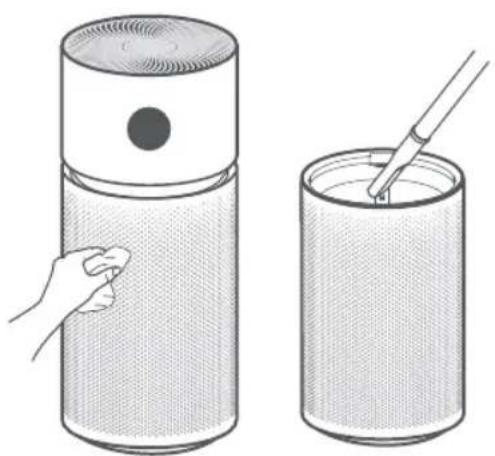
filter compartment directly with water, or wipe it with a soaking wet cloth.
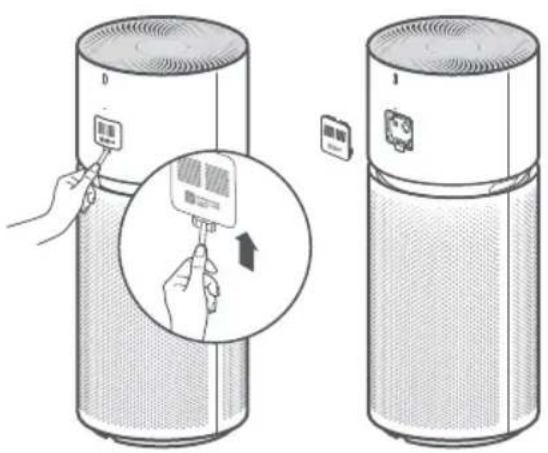
Note: Do not use hot air. Note: To avoid damaging the purifier, do not rinse or spray the
Specifications
Name: Air Purifier
Model: Y-600
Item Dimensions: Φ 310 × 730 mm
Net Weight: Approx. 6.5 kg
Rated Voltage: 100–240 V~
Rated Frequency: 50/60 Hz
Rated Power: 60 W
Noise Level: ≤ 68 dB(A)
Calculated according to standard GB/T 18801-2015
Network Standby Power Consumption: < 2.0 W
Particle Purification Efficiency: High
Particle's Clean Air Delivery Rate (CADR Particle): 600 m³/h
TVOC Clean Air Delivery Rate (CADR TVOC): 135 m³/h
Wireless Connectivity: Wi-Fi IEEE 802.11 b/g/n 2.4 GHz
Storage Temperature: -10 °C to 40 °C
Storage Humidity: 5%–90%
Production Date: See packaging
For details of the importer, please refer to the box.
RF Specification:
Wi-Fi 2.4 GHz (2400–2483.5 MHz), Max. RF Output Power: < 20 dBm
RFID (13.56 MHz), Max. Magnetic Field Strength: < 42 dBμA/m@10 m
Under normal use of condition, this equipment should be kept a separation distance of at least 20 cm between the antenna and the body of the user.
Regulatory Compliance Information
Europe — EU declaration of conformity

Hereby, Beijing Smartmi Electronic Technology Co., Ltd. declares that the radio equipment - Air Purifier, type Y-600 is in compliance with Directive 2014/53/EU. The full text of the EU declaration of conformity is available at the following internet address: http://www.mi.com/global/service/support/declaration.html
Disposal and recycling information

All products bearing this symbol are waste electrical and electronic equipment (WEEE as in directive 2012/19/EU) which should not be mixed with unsorted household waste. Instead, you should protect human health and the environment by handing over your waste equipment to a designated collection point for the recycling of waste electrical and electronic equipment, appointed by the government or local authorities. Correct disposal and recycling will help prevent potential negative consequences to the environment and human health. Please contact the installer or local authorities for more information about the location as well as terms and conditions of such collection points.
Precautions
Changing the mode
Network standby power consumption: < 2.0 W
Activation/deactivation of plasma/UV sterilization
![graph TD A["A"] --> B["Process Step"] B --> C["Step 1"] C --> D["Step 2"] D --> E["Step 3"] E --> F["Step 4"] F --> G["Step 5"] G --> H["Step 6"] H --> I["Step 7"] I --> J["Step 8"] J --> K["Step 9"] K --> L["Step 10"] L --> M["Step 11"] M --> N["Step 12"] N --> O["Step 13"] O --> P["Step 14"] P -->…](/content/2026/04/656743/images/e6241fd945f5ac8f968ee81cc5886c274576c6935ea8db2f6d9100f2ab2c5415.jpg)
Changing the mode
Changing the mode
![graph TD A["A"] --> B["B"] B --> C["C"] C --> D["D"] D --> E["E"] E --> F["F"] F --> G["="] G --> H["="] H --> I["="] I --> J["="] J --> K["="] K --> L["="] L --> M["="] M --> N["="] N --> O["="] O --> P["="] P --> Q["="] Q --> R["="] R --> S["="] S --> T["="] T --> U["="] U --> V["="] V --> W["="]…](/content/2026/04/656743/images/a2470961cee5da159107f63571d79916c227472cf3eb917bdcd8e15a490ef8c5.jpg)

Wi-Fi / Acid connection
Switch mode
Activating & Deactivating Plasma/UV Sterilization
Activating/deactivating the child lock function
Filter lifespan notification
Warning for non-original filter
D29D97D
D29D97D
Warning: do not use hot air. Warning: do not damage the purifier.
THIS WARRANTY GIVES YOU SPECIFIC RIGHTS, AND YOU MAY HAVE OTHER RIGHTS CONVEYED BY LAWS OF YOUR COUNTRY, PROVINCE OR STATE. INDEED, IN SOME COUNTRIES, PROVINCES OR STATES, CONSUMER LAW MAY IMPOSE A MINIMUM WARRANTY PERIOD. OTHER THAN AS PERMITTED BY LAW, XIAOMI DOES NOT EXCLUDE, LIMIT OR SUSPEND OTHER RIGHTS YOU MAY HAVE. FOR A FULL UNDERSTANDING OF YOUR RIGHTS WE INVITE YOU TO CONSULT THE LAWS OF YOUR COUNTRY, PROVINCE OR STATE.
1. LIMITED PRODUCT WARRANTY
XIAOMI warrants that the Products are free from defects in materials and workmanship under normal use and use in accordance with the respective Product user manual, during the Warranty Period.
The duration and conditions related to the legal warranties are provided by respective local laws. For more information about the consumer warranty benefits, please refer to Xiaomi's official website https://www.mi.com/global/support/warranty.
Xiaomi warrants to the original purchaser that its Xiaomi Product will be free from defects in materials and workmanship under normal use in the period mentioned above.
Xiaomi does not guarantee that the operation of the Product will be uninterrupted or error free.
Xiaomi is not liable for damages arising from non-compliance with the instructions related to the use of the Product.
2. REMEDIES
If a hardware defect is found and a valid claim is received by Xiaomi within the Warranty Period, Xiaomi will either (1) repair the product at no charge, (2) replace the product, or (3) refund the Product, excluding potential shipping costs.
3. HOW TO OBTAIN WARRANTY SERVICE
To obtain warranty service, you must deliver the Product, in its original packaging or similar packaging providing an equal degree of Product protection, to the address specified by Xiaomi. Except to the extent prohibited by applicable law, Xiaomi may require you to present proofs or proof of purchase and / or comply with registration requirements before receiving warranty service.
4. EXCLUSIONS AND LIMITATIONS
Unless otherwise stipulated by Xiaomi, this Limited Warranty applies only to the Product manufactured by or for Xiaomi and identifiable by the trademarks, trade name or "Xiaomi" or "Mi" logo.
The Limited Warranty does not apply to any (a) Damage due to acts of nature or God, for example, lightning strikes, tornadoes, flood, fire, earthquake or other external causes; (b) Negligence; (c) Commercial use; (d) Alterations or modifications to any part of the Product; (e) Damage caused by use with non-Xiaomi products; (f) Damage caused by accident, abuse or misuse; (g) Damage caused by operating the Product outside the permitted or intended uses described by Xiaomi or with improper voltage or power supply; or (h) Damage caused by service (including upgrades and expansions) performed by anyone who is not a representative of Xiaomi.
It is your responsibility to backup any data, software, or other materials you may have stored or preserved on the product. It is likely that the data, software or other materials in the equipment will be lost or reformatted during the service process, Xiaomi is not responsible for such damage or loss.
No Xiaomi reseller, agent, or employee is authorized to make any modification, extension, or addition to this Limited Warranty. If any term is held to be illegal or unenforceable, the legality or enforceability of the remaining terms shall not be affected or impaired.
Except as prohibited by laws or otherwise promised by Xiaomi, the after-sales services shall be limited to the country or region of the original purchase.
Products which were not duly imported and/or were not duly manufactured by Xiaomi and/or were not duly acquired from Xiaomi or a Xiaomi's official seller are not covered by the present warranties. As per applicable law you may benefit from warranties from the non-official retailer who sold the product. Therefore, Xiaomi invites you to contact the retailer from whom you purchased the product.
The present warranties do not apply in Hong Kong and Taiwan.
5. IMPLIED WARRANTIES
Except to the extent prohibited by applicable law, all implied warranties (including warranties of merchantability and fitness for a particular purpose) will have a limited duration up to a maximum duration of this limited warranty. Some jurisdictions do not allow limitations on the duration of an implied warranty, so the above limitation will not be applied in these cases.
6. DAMAGE LIMITATION
Except to the extent prohibited by applicable law, Xiaomi shall not be liable for any damages caused by accidents, indirect, special or consequential damages, including but not limited to loss of profits, revenue or data, damages resulting from any breach of express or implied warranty or condition, or under any other legal theory, even if Xiaomi has been informed of the possibility of such damages. Some jurisdictions do not allow the exclusion or limitation of special, indirect, or consequential damages, so the above limitation or exclusion may not apply to you.
7. XIAOMI CONTACTS
For customers, please visit the website: https://www.mi.com/global/support/warranty
The contact person for the after-sale service may be any person in Xiaomi's authorized service network, Xiaomi's authorized distributors or the final vendor who sold the products to you. If in doubt please contact the relevant person as Xiaomi may identify.
WARRANTY STATEMENT
https://www.mi.com/global/support/warranty.
For customers, please visit the website: https://www.mi.com/global/support/warranty
https://www.mi.com/global/support/warranty Xiaomi
• Manufactured for: Xiaomi Communications Co., Ltd.
Manufactured by: Beijing Smartmi Electronic Technology Co., Ltd. (a Mi Ecosystem company)
Address: Room 6111, 1st Floor, Building 6, No.18 Xueqing Road, Haidian District, Beijing, China For further information, please go to www.mi.com Made in China
Address: Room 6111, 1st Floor, Building 6, No.18 Xueqing Road, Haidian District, Beijing, China
Xiaomi Technology Netherlands B.V.
Prinses Beatrixlaan 582, 2595BM, The Hague, The Netherlands contact@support.mi.com
UK REP
Xiaomi Technology UK Limited
Davidson House, Forbury Square, Reading, Berkshire RG1 3EU contact@support.mi.com
EU-240802
PAP


- XIAOMI SMART AIR PURIFIER ELITE USER MANUAL
- PRECAUTIONS
- PRODUCT OVERVIEW
- HOW TO INSTALL
- HOW TO USE
- ON/STANDBY
- SWITCHING MODE
- ENABLING & DISABLING PLASMA/UV STERILIZATION
- ADJUSTING THE DISPLAY'S BRIGHTNESS
- RESETTING WI-FI
- ENABLING/DISABLING THE CHILD LOCK FUNCTION
- ENABLING/DISABLING WI-FI
- FILTER LIFE NOTIFICATION
- CONNECTING WITH THE MI HOME/XIAOMI HOME APP
- REPLACING THE FILTER DAILY CARE & MAINTENANCE
- OPENING THE FILTER 2 REPLACING THE FILTER
- CLEANING FAN BLADES AND AIR DUCT
- CLEANING THE FILTER COMPARTMENT CLEANING THE LASER PARTICLE SENSOR
- SPECIFICATIONS
- REGULATORY COMPLIANCE INFORMATION
- CHANGING THE MODE
- ACTIVATION/DEACTIVATION OF PLASMA/UV STERILIZATION
- WI-FI / ACID CONNECTION
- SWITCH MODE
- ACTIVATING & DEACTIVATING PLASMA/UV STERILIZATION
- ACTIVATING/DEACTIVATING THE CHILD LOCK FUNCTION
- FILTER LIFESPAN NOTIFICATION
- LIMITED PRODUCT WARRANTY
- REMEDIES
- HOW TO OBTAIN WARRANTY SERVICE
- EXCLUSIONS AND LIMITATIONS
- IMPLIED WARRANTIES
- DAMAGE LIMITATION
- XIAOMI CONTACTS
- WARRANTY STATEMENT
Brand : Xiaomi
Model : Smart Air Purifier Elite
Category : Air purifier