
Mi Air Purifier 2H - Air purifier Xiaomi - Free user manual and instructions
Find the device manual for free Mi Air Purifier 2H Xiaomi in PDF.
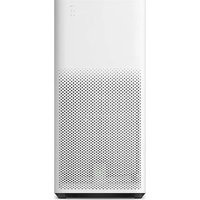


| Product Type | Air Purifier |
| Brand | Xiaomi |
| Model | Mi Air Purifier 2H (AC-M9-AA) |
| Dimensions | 240 × 240 × 520 mm |
| Net Weight | Approx. 5.2 kg |
| Rated Voltage | 100 – 240 V~, 50/60 Hz |
| Rated Power | 31 W |
| Noise Level | ≤66 dB(A) |
| CADR (PM) | 260 m³/h |
| CADR (Formaldehyde) | 60 m³/h |
| Effective Coverage | 18 – 31 m² |
| Filtration Efficiency | 99.97% for particles ≥0.3 µm |
| PM Filtering Efficiency | High |
| Formaldehyde Filtering Efficiency | High |
| Filter Replacement Interval | Every 6 – 12 months |
| Air Quality Sensor | Dust sensor |
| Air Quality Indicator | LED ring (green, orange, red) |
| Modes | Multiple fan speed modes (via Power/Mode button) |
| Light Brightness | Adjustable (strong, soft, off) |
| Connectivity | Wi-Fi IEEE 802.11 b/g/n 2.4 GHz |
| App Control | Mi Home / Xiaomi Home app |
| Network Standby Power | < 2.0 W |
| Safety Interlock | Unit will not operate if filter compartment panel is not correctly installed |
| Certifications | CE (EU Declaration of Conformity) |
Frequently Asked Questions - Mi Air Purifier 2H Xiaomi
User questions about Mi Air Purifier 2H Xiaomi
0 question about this device. Answer the ones you know or ask your own.
Ask a new question about this device
Download the instructions for your Air purifier in PDF format for free! Find your manual Mi Air Purifier 2H - Xiaomi and take your electronic device back in hand. On this page are published all the documents necessary for the use of your device. Mi Air Purifier 2H by Xiaomi.
USER MANUAL Mi Air Purifier 2H Xiaomi
Do not use under the following circumstances, as this may lead to electric shock, fire, or other damage:
- Unstable places where the unit is easy to topple and fall. High-temperature, humid, or wet places such as the bathroom.
- This appliance can be used by children aged 8 years and above and persons with reduced physical, sensory, or mental capabilities or lack of experience and knowledge if they have been given supervision or instruction concerning use of the appliance in a safe way and understand the hazards involved.
- Children shall not play with the appliance. Cleaning and user maintenance shall not be made by children without supervision.
- Prior to cleaning or other maintenance, the appliance must be disconnected from the supply mains.
Product Overview
Instructions
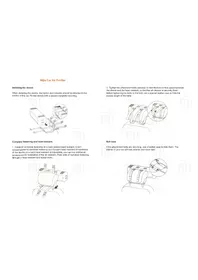
1. Open the filter compartment panel.
Press the filter compartment panel to make sure the filter is correctly installed.
2. Take out the power cord.
Take out the power cord and close the filter compartment panel.
3. Connect the power cord.
Connect the power cord with the power connector at the bottom of your purifier, then connect the power cord to a power outlet.


Power/Mode Button: Light Button: Air Quality Indicator:
Press the power/mode button to turn on the purifier, and to switch modes. Press and hold for two seconds to turn off the purifier.
Press the light/filter reset button on the back of the purifier to adjust the light brightness. Brightness statuses are: strong, soft, and off.
A green, orange, or red light indicates the current air quality.


Maintenance
Notes
⚠️ Please make sure to turn off and unplug the purifier before cleaning the filter compartment or the dust sensor.
The average filter replacement period is 6-12 months. When the filter needs to be replaced, the filter replacement indicator will blink red.

Cleaning Filter Compartment
To ensure your purifier properly works and purifies, use a vacuum cleaner or soft cloth to remove any dust from the ventilation holes and the filter compartment.
Cleaning Dust Sensor:
- The latch of the dust sensor's cover is located at the top inside the filter compartment panel. Lift to open the cover.
- It is suggested to use a dry cotton swab and gently wipe the dust adhering to the sensor every half year.
When the filter is saturated by harmful gases, it may give off odors. Please place the filter in a sunny and ventilated place to eliminate odors.

Filter Replacement: Resetting the Wi-Fi:
- Please refer to the Filter Replacement label on the inside of the filter compartment panel for detailed instructions.
- After replacing the filter, turn on the purifier, and press and hold the filter reset button for 6 seconds. A beeping sound indicates that the filter has been successfully replaced, and the filter service time has been reset.
If your phone is unable to connect to the air purifier, simultaneously press and hold the mode and the light button for 5 seconds. A beeping sound indicates that Wi-Fi has been successfully reset.
Connect with Mi Home / Xiaomi Home App
This product works with Mi Home / Xiaomi Home app * .
Control your device with Mi Home / Xiaomi Home app.

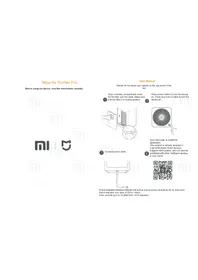
Scan the QR code to download and install the app. You will be directed to the connection setup page if the app is installed already. Or search "Mi Home / Xiaomi Home" in the app Store to download and install it.
Open Mi Home / Xiaomi Home app, tap "+" on the upper right, and then follow
prompts to add your device.
*The app is referred to as Xiaomi Home app in Europe (except for Russia). The name of the app displayed on your device should be taken as the default.
Note: The version of Mi Home app might have been updated, please follow the instructions based on the current app version.
Specifications
| Name | Mi Air Purifier 2H | Rated Voltage | 100 - 240 V~ P | M CADR 260 m | 3/h^* |
| Model AC-M9-AA | Rated Frequency | 50/60 Hz | Formaldehyde CADR | 60 m3/h^* | |
| Item Dimensions | 240 × 240 × 520 mm | Rated Power | 31 W | Formaldehyde Filtering Efficiency | High |
| Net Weight A | Approx. 5.2 kg Noise Level ≤66 dB(A) | Wireless Connectivity | Wi-Fi IEEE 802.11 b/g/n 2.4 GHz | ||
| Effective Coverage | 18 - 31 m2 | PM Filtering Efficiency | High | Network Standby Power Consumption | < 2.0 W |
| Filtration Efficiency | 99.97%For particles with a size of 0.3 PM, the filtration efficiency reaches 99.97%. | ||||
| Max RF Output Power | Wi-Fi 2.4 G (2400 - 2483.5 MHz): 17.4 dBm | ||||
*Tested by third party lab according to standard GB/T 18801-2015
Regulatory Compliance Information
Europe — EU declaration of conformity
CE Hereby, Beijing Smartmi Electronic Technology Co., Ltd. declares that the radio equipment - Mi Air Purifier 2H, type AC-M9-AA is in compliance with Directive 2014/53/EU. The full text of the EU declaration of conformity is available at the following internet address: http://www.mi.com/global/service/support/declaration.html
Disposal and recycling information

All products bearing this symbol are waste electrical and electronic equipment (WEEE as in directive 2012/19/EU) which should not be mixed with unsorted household waste. Instead, you should protect human health and the environment by handing over your waste equipment to a designated collection point for the recycling of waste electrical and electronic equipment, appointed by the government or local authorities. Correct disposal and recycling will help prevent potential negative consequences to the environment and human health. Please contact the installer or local authorities for more information about the location as well as terms and conditions of such collection points.
Safety Precautions
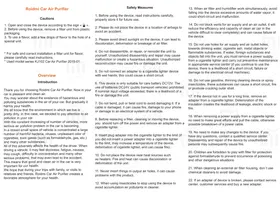
Moving • Turn off the purifier and unplug it before moving.
Installation
- The purifier does not work until the filter compartment panel is correctly installed.
- Maintain a distance of 20 cm or more between the air inlets and walls or other objects.
Power cord
Use the power cord and outlet as follows to avoid fire, electric shocks, or damage:
- Only plug the power cord into suitable power outlets.
- Use the power cord provided by Mi, and do not use any other brand's power cord.
- Always unplug the purifier before performing any maintenance work or transporting it.
- Do not use the provided power cord on any other product.
Usage
- Stop using the purifier immediately in the event of abnormal noise, odors, excessive heat or irregular fan rotation.
- Do not put your fingers or foreign objects into the fan grille, air inlet and air outlet.
- Keep hair and bits of fabric away from the purifier, so as not to block the air inlet and outlet.
- Do not sit on, lean on or tilt the purifier.
- When using in conjunction with gas appliances (such as gas stoves, gas water heaters), please ventilate to avoid carbon monoxide poisoning.
- Do not over-tighten, bend or twist the power cord, as this may cause the core to be exposed or break.
- Do not pull the power cord when unplugging the purifier.
- Do not use improper power outlets.
Manufactured by: Beijing Smartmi Electronic Technology Co., Ltd.
(a Mi Ecosystem company)
Address: 11-1102, Office Building Rainbow City, 68 Qinghe Middle Street, Haidian District, Beijing, China
For further information, please go to www.mi.com

- INSTRUCTIONS
- OPEN THE FILTER COMPARTMENT PANEL
- TAKE OUT THE POWER CORD
- CONNECT THE POWER CORD
- POWER/MODE BUTTON: LIGHT BUTTON: AIR QUALITY INDICATOR
- MAINTENANCE
- NOTES
- CLEANING FILTER COMPARTMENT
- CLEANING DUST SENSOR
- FILTER REPLACEMENT: RESETTING THE WI-FI
- CONNECT WITH MI HOME / XIAOMI HOME APP
- REGULATORY COMPLIANCE INFORMATION
- EUROPE — EU DECLARATION OF CONFORMITY
- DISPOSAL AND RECYCLING INFORMATION
- SAFETY PRECAUTIONS
- INSTALLATION
- POWER CORD
- USAGE
Brand : Xiaomi
Model : Mi Air Purifier 2H
Category : Air purifier