
MiJia Car Air Purifier - Air purifier Xiaomi - Free user manual and instructions
Find the device manual for free MiJia Car Air Purifier Xiaomi in PDF.
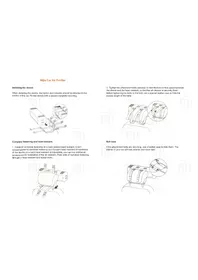


| Product Type | Car Air Purifier |
| Brand | Xiaomi |
| Model | MiJia Car Air Purifier (CZJHQ01RM) |
| Dimensions | 380 x 112 x 112 mm |
| Weight | 1500 g |
| Rated Voltage | 12 V (car cigarette lighter) |
| Rated Power | 6.5 W |
| Noise Level | < 55 dB(A) |
| CADR (PM2.5) | 60 m³/h |
| CCM (Solid Particles) | > 1000 mg |
| Efficiency | High level of cleaning |
| Recommended Area | 4.2–7.2 m² |
| Operating Modes | Silent, Standard, Quick (cycle) |
| Wireless Connection | Bluetooth 4.0 (Android 4.4+, iOS 7.0+) |
| Power Cable Length | 4.5 m |
| Filter Type | Replaceable genuine Mi filter |
| Filter Replacement Interval | Every 3–6 months |
| Installation Location | Rear center head restraint |
| Status Indicators | LED (flash for error/filter change) |
| Smart App Control | Mi Home app (iOS/Android) |
| Safety Certifications | CMIIT ID: Module 2014DP1395 |
| Special Features | Dust sensor, leather belt case |
Frequently Asked Questions - MiJia Car Air Purifier Xiaomi
User questions about MiJia Car Air Purifier Xiaomi
0 question about this device. Answer the ones you know or ask your own.
Ask a new question about this device
Download the instructions for your Air purifier in PDF format for free! Find your manual MiJia Car Air Purifier - Xiaomi and take your electronic device back in hand. On this page are published all the documents necessary for the use of your device. MiJia Car Air Purifier by Xiaomi.
USER MANUAL MiJia Car Air Purifier Xiaomi
Mijia Car Air Purifier
Installing the device
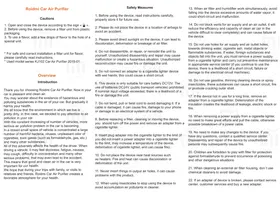
When installing the device, the button and indicator should be directed to the interior of the car. Fix the device with a special complete mounting.

Complete fastening and head restraint
- Establish complete fastening on a back central head restraint. It isn't recommended to establish fastening on a forward head restraint (if installation of the device on a back head restraint is impossible, you can buy additional accessories for installation of the air cleaner). Pass belts of complete fastening through a head restraint and fasten them.

- Tighten the attachment belts securely so that there is no free space between the device and the head restraint, so that the air cleaner is securely fixed. Before tightening the belts to the limit, use a special leather case to hide the excess length of the belts.

Belt case
If the attachment belts are very long, use a leather case to hide them. The interior of your car will look cleaner and more neat

Installing the power cable
If you can not properly route the power cord from the device to the cigarette lighter, use the qualified help of an expert of the nearest 4S store («4-re in one»: car sales, service center, consultation, spare parts sale) or other reliable service center.

Connecting the device to the power supply
To connect the air cleaner to the power supply, connect one end of the cable to the corresponding connector of the device, and connect the other end to the cigarette lighter.

Turn on the device
To turn on the device, press and hold the power button for 3 seconds. When pressed briefly, the air cleaner's operating modes are alternately switched: «silent mode», «standard mode» and «quick mode».
![graph TD A["Start"] --> B["Silent mode"] B --> C["Quick mode"] C --> D["Standard mode"] D --> A](/content/2026/05/1052189/images/d31cdf4282457257cc975bfd06418e674e5e77f72c573b35bb4752c994cd9d82.jpg)
Connecting to the network
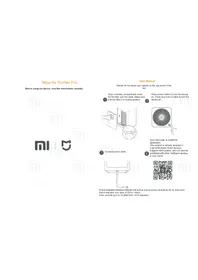
Scan the QR code, install the "Mi Home" app on your phone, then add the "Mijia (Mi Home) Car Air Purifier" to your device list. Now you can take advantage of a variety of different functions.

You can find even more smart devices on the mi.com website or purchase devices in the Mi Home mobile app.
For more detailed information on the installation and use of this device, see the instructions for the "Mijia (Mi Home) Car Air Purifier".
Mijia (Mi Home) Car Air Purifier. Read the instructions carefully before using the device.

Introduction

Click the handle to open the protective cover of the filter compartment.
Components
Installing the device
1. Mounting bracket x1

2. Leather case x1
Before tightening the straps to the limit, use the special leather case to hide the excess length of the straps. See step 5 in the "Installing the device" section.
Front side / Back side


1. Installing the device
When installing the device, the button and indicator should be directed toward the interior of the car. Fix the device with the help of the included mounting bracket, with the air outlet holes pointing upward.
2. Lock the device
Spread the belts, fix with them air cleaner by fastening the fasteners.

3. Installing the complete mounting
Install the complete mounting on the rear center head restraint. It is not recommended to install the mount on the front head restraint (if the installation of the device is not possible with the rear head restraint, you can purchase additional components for installing the air cleaner). Thread the complete mounting belts through the head restraint and fasten the fasteners.

4. Fixing the complete mounting
Tighten the attachment belts securely so that there is no free space between the device and the head restraint, so that the air cleaner will be securely fixed. Before tightening the belts to the limit, use a special leather case to hide the excess length of the belts.


5. Belts case
If the attachment belts are very long, use a leather case to hide them. The interior of your car will look cleaner and tidy.

Installing the power cable
If you can not properly route the power cord from the device to the cigarette lighter, use the qualified help of an expert of the nearest 4S store («4-re in one»: car sales, service center, consultation, spare parts sale) or other reliable service center.

Connecting the device to the power supply
To connect the air cleaner to the power supply, connect one end of the cable to the corresponding connector of the device, and connect the other end to the cigarette lighter.


Using the device
On / Off / Mode Switch
To turn on the device, press and hold the power button for 3 seconds. When pressed briefly, the air cleaner's operating modes are switched alternately: «silent mode», «standard mode» and «quick mode».
Status Indicators

* Flashing indicators indicate an error or the need to replace the filter in the near future. The user can obtain more detailed information in the APP.
Sound signals
| Two short beeps | Turning on |
| One short beep | Enabling the manual fan control mode |
| Software updating completed successfully | |
| One long beep | Problems with the operation of the fan |
| Low battery | |
| Standby mode on |
Quick Settings
This device is already on the list of Mi Smart Home devices, it can be controlled by using Mi Home APP, supports Android and iOS.
- Installing the application
In the Mi Store, find the Mi Home app or scan the QR code to install the application.
- Adding a new device
Open the application, click on the «my devices» icon and add «Car Air Purifier» to your list. After the successful addition of the device, you will find it in the list of «Smart Devices».
- Connecting via Bluetooth
Turn on Bluetooth on your phone, the system will automatically pair.

Even more smart devices you can find on the site mi.com or purchase devices in the mobile application Mi «Smart Home»
Maintaining the device
Filter Replacement
- Remove the old filter from the device.

- Insert a new filter into the device. Note that the special filter handles must be on top so that you can easily get it from the air cleaner later on.
- Cut the package and remove the new filter.

- After changing the filter, turn on the device. Open the APP and reset the settings. The application will begin a new countdown of the operating time of the new filter.

Note:
It is recommended to change the filter every 3-6 months. It is necessary to replace the filter if the yellow light on the device is lit, and in the APP you have received a notification about the need to replace the filter.
For optimum performance of the air cleaner and its normal operation, please use genuine Mi filters.
Maintaining the device
1. Cleaning the filter compartment
For optimum ventilation and air purification, use a vacuum cleaner or a soft cloth to clean the dust compartment and air outlets.

2. Cleaning the dust sensor
Using the appropriate auxiliary items, open and remove the dust cover of the sensor from dust.
To clean the sensor, use a soft, dry cloth. It is recommended to clean the sensor every six months.


Technical specifications
| Model | CZJHQ01RM | Noise | <55dB(A) | Rated voltage | 12V= |
| Dimensions | 380 x 112 x 112mm | Weight | 1500g | Rated power | 6.5W |
| CARD (PM 2.5) Solid fines | 60 m3 | CCM (Solid particles) | >1000mg | Efficiency | High level of cleaning |
| Wireless connection | Bluetooth 4.0 | Power cable | 4.5m | Recommended area | 4.2-7.2m2 |
| Requirements | Bluetooth 4.0 support for Android 4.4 and iOS 7.0 and later editions | ||||
| This device has a certified model number: CMIIT ID: Module 2014DP1395 | |||||
The presence of toxic and harmful substances
| Part name | The presence of toxic and harmful substances | |||||
| Pb | Hg | Cd | Cr6+ | PBB | PBDE | |
| External housing | O | O | O | O | O | O |
| Circuit board | X | O | O | O | O | O |
| Internal components | O | O | O | O | O | O |
| Complete fastening | O | O | O | O | O | O |
These tables are provided in accordance with SJ/T 11364.
O: Toxic and harmful substances in all components of this device are contained in an amount below the limit value in accordance with standard GB/T 26572-2011.
X: The presence of toxic and noxious substances in at least one of the components of this device in an amount exceeding the limit value, according to GB/T 26572-2011.
Special instructions
Transportation:
- During transportation, it is necessary to switch off the device and disconnect it from the power supply.
- Make sure that the device is securely fixed to prevent it from falling and injuring passengers.
Installation:
- Make sure that the device and the complete fixing are securely fixed to prevent loosening and falling of the device.
- Pay attention to the direction of installation of the device. The button and indicator should be located in the direction of the car interior.
- Install the device on the rear center head restraint. It is not recommended to mount the mount on the front head restraint (if it is not possible to install the device on the rear head restraint, you can purchase additional components for installing the air cleaner).
Using:
- In case of malfunctions, problems with fan rotation, detection of specific odor, heating and other signs not characteristic for normal operation, immediately stop using the device.
- It is forbidden to put any objects on the device, block the air supply and its outlet.
- Hair and other small objects should not be near the device, this can block the normal outlet and air inlet.
- Do not sit or lean against this device.
Restrictions in use:
The following information will help you prevent a fire, avoid electric shock or injury.
- It is forbidden to use the device if the complete mounting is broken and reliable installation of the air cleaner in the car is not possible.
- Do not allow water or other liquids to enter the device.
Power and precautions:
The following information will help you prevent a fire, avoid electric shock or other damage.
- Do not twist or bend the power cord, otherwise the cable wires may remain bare or even break. It is recommended to lay the power cable from the device to the cigarette lighter compactly, see step 6 of the section "Installing the device" (if you cannot properly lay the power cord yourself, use the qualified help of a specialist of the service center).
- Do not pull on the power cord when turning off/on the power.
- Please do not plug the power cord into an improper outlet.
- After turning off the ignition of the car, it is recommended to remove the plug from the cigarette lighter, so as not to consume the battery.
- Please do not plug the power cords of other devices into a single outlet with an air cleaner.
- Unauthorized persons are forbidden to open and perform maintenance of the device.
- If the power cable is damaged, use a special flexible cable, repair the old cable, or purchase a new one from the manufacturer.
- Before you start technical maintenance of the air cleaner or before moving it, disconnect the device from power.
- The cigarette lighter must be clean. Please do not allow foreign objects to enter the cigarette lighter, otherwise this may adversely affect the safety of this device.

- MIJIA CAR AIR PURIFIER
- INSTALLING THE DEVICE
- COMPLETE FASTENING AND HEAD RESTRAINT
- BELT CASE
- INSTALLING THE POWER CABLE
- CONNECTING THE DEVICE TO THE POWER SUPPLY
- TURN ON THE DEVICE
- CONNECTING TO THE NETWORK
- COMPONENTS
- MOUNTING BRACKET X
- LEATHER CASE X
- LOCK THE DEVICE
- INSTALLING THE COMPLETE MOUNTING
- FIXING THE COMPLETE MOUNTING
- BELTS CASE
- USING THE DEVICE
- ON / OFF / MODE SWITCH
- STATUS INDICATORS
- SOUND SIGNALS
- QUICK SETTINGS
- MAINTAINING THE DEVICE
- FILTER REPLACEMENT
- NOTE
- CLEANING THE FILTER COMPARTMENT
- CLEANING THE DUST SENSOR
- SPECIAL INSTRUCTIONS
- TRANSPORTATION
- INSTALLATION
- USING
- RESTRICTIONS IN USE
- POWER AND PRECAUTIONS
Brand : Xiaomi
Model : MiJia Car Air Purifier
Category : Air purifier