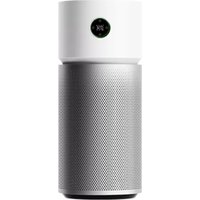
Smart Air Purifier 4 Compact - Air purifier Xiaomi - Free user manual and instructions
Find the device manual for free Smart Air Purifier 4 Compact Xiaomi in PDF.


Pick your language and provide your email: we'll send you a specifically translated version.
| Product type | Air purifier |
| Brand | Xiaomi |
| Model | Smart Air Purifier 4 Compact |
| Dimensions (L x W x H) | 220 x 220 x 350 mm |
| Net weight | 2.8 kg |
| Power supply | 220-240 V ~ 50/60 Hz |
| Rated power | 20 W |
| Filter type | HEPA H13 + activated carbon |
| Recommended area | Up to 28 m² |
| CADR air flow | 200 m³/h |
| Speed levels | 3 speeds + auto mode |
| Connectivity | Wi-Fi 2.4 GHz, Mi Home app |
| Programmable timer | Yes, from 1 to 8 hours |
| Filter replacement indicator | Yes, by LED |
| Noise level | 31 dB (quiet) to 64 dB (max) |
| Maintenance and cleaning | Clean the inlet grille with a soft cloth. Replace the filter every 6 to 12 months depending on usage. |
| Safety | Overheat protection, non-slip base, automatic shutoff if tipped over. |
| Spare parts and repairability | Replaceable filter (reference: Xiaomi Filter). No user repair for electronic components. |
| General information | Compact air purifier with particle sensor, compatible with voice assistants (Google Assistant, Alexa). |
Frequently Asked Questions - Smart Air Purifier 4 Compact Xiaomi
How to connect the purifier to the Mi Home app?
Download the Mi Home app on your smartphone, create an account or log in. Turn on the purifier, press and hold the Wi-Fi button until the indicator blinks. Follow the instructions in the app to add the device.
How often should the filter be replaced?
The HEPA + activated carbon filter should be replaced every 6 to 12 months, depending on air quality and usage. The LED indicator will warn you when to replace it.
How to clean the air purifier?
Unplug the device. Clean the air inlet grille with a soft, dry cloth. You can also gently vacuum the grille. Do not use water or chemicals.
Can the purifier be used in a child's room?
Yes, it is suitable for rooms up to 28 m². It is quiet in night mode (31 dB) and contains no dangerous parts. Make sure to place it on a stable surface out of reach of children.
How to reset the filter indicator?
After replacing the filter, turn the device back on. Press and hold the mode button for 3 seconds until the filter light turns off. You can also do this via the Mi Home app.
What to do if the purifier does not turn on?
Check that the power cord is properly plugged in and the outlet works. If the problem persists, contact Xiaomi customer service. Do not attempt to repair yourself.
Does the purifier work with Alexa or Google Assistant?
Yes, it is compatible with voice assistants. Enable the Mi Home skill in your Alexa or Google Home app, then link your Xiaomi account.
What is the power consumption in standby?
Standby consumption is very low, less than 1 W. To save energy, you can turn off Wi-Fi via the app if not in use.
Can I use the purifier 24/7?
Yes, it is designed for continuous use. Auto mode adjusts speed based on air quality. Night mode allows silent operation.
Where can I buy a replacement filter?
Filters are available on the official Xiaomi website, from authorized dealers, and on online platforms. Use only original filters to ensure performance.
User questions about Smart Air Purifier 4 Compact Xiaomi
0 question about this device. Answer the ones you know or ask your own.
Ask a new question about this device
No questions yet. Be the first to ask one.
Download the instructions for your Air purifier in PDF format for free! Find your manual Smart Air Purifier 4 Compact - Xiaomi and take your electronic device back in hand. On this page are published all the documents necessary for the use of your device. Smart Air Purifier 4 Compact by Xiaomi.
USER MANUAL Smart Air Purifier 4 Compact Xiaomi

Manual assistant
Powered by Anthropic
Waiting for your message
Product information
Brand : Xiaomi
Model : Smart Air Purifier 4 Compact
Category : Air purifier