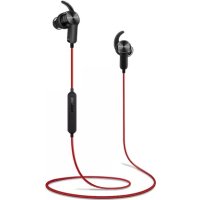
Sport Bluetooth Headphones - Bluetooth headphones HUAWEI - Free user manual and instructions
Find the device manual for free Sport Bluetooth Headphones HUAWEI in PDF.



| Product Type | Bluetooth Audio Headset |
| Brand | Huawei |
| Model | Sport Bluetooth Headphones |
| Main Functions | Calls, music, magnetic Hall-effect controls |
| Call Controls | Function button, volume buttons |
| Music Controls | Function button (play/pause), volume buttons, double press (next track), triple press (previous track) |
| Magnetic Function | Answer calls by separating, end calls by bringing together, pause/resume music by bringing together |
| Power Supply | Built-in rechargeable battery (models VDL1254 or CP1254 A3) |
| Charging Indicator | Solid red (charging), solid blue (fully charged) |
| Operating Temperature | 5 °C to 35 °C |
| Storage Temperature | 5 °C to 35 °C |
| Care and Cleaning | Clean, dry, soft cloth; power off before cleaning |
| Safety Instructions | Do not disassemble, avoid heat, moderate volume, keep away from children |
| Regulatory Compliance | Directive 2014/53/EU, Bluetooth max 20 dBm |
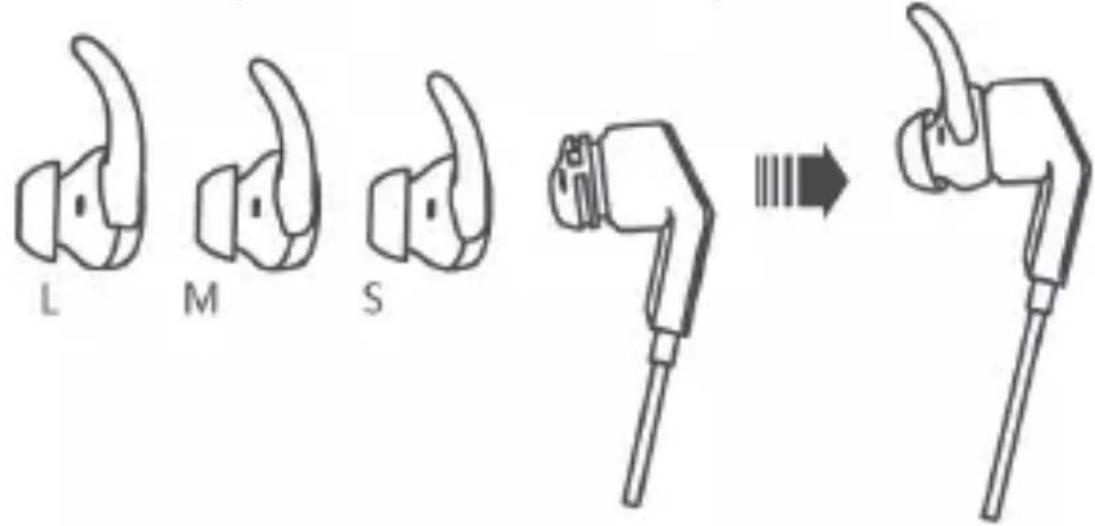
| Included Accessories | Ear tips L, M, S |
| Software Version | AM60_EN_1.1.0 |
Frequently Asked Questions - Sport Bluetooth Headphones HUAWEI
User questions about Sport Bluetooth Headphones HUAWEI
0 question about this device. Answer the ones you know or ask your own.
Ask a new question about this device
Download the instructions for your Bluetooth headphones in PDF format for free! Find your manual Sport Bluetooth Headphones - HUAWEI and take your electronic device back in hand. On this page are published all the documents necessary for the use of your device. Sport Bluetooth Headphones by HUAWEI.
USER MANUAL Sport Bluetooth Headphones HUAWEI
HUAWEI Sport Bluetooth® Headphones User Guide
Please visit http://consumer.huawei.com/en/support/hotline for recent updated hotline and email address in your country or region.
The Bluetooth ® word mark and logos are registered trademarks owned by Bluetooth SIG, Inc. and any use of such marks by Huawei Technologies Co., Ltd. is under license.
Contents
English 1
Czech 11
Dutch 21
French 31
German 42
Italian....52
Polish 62
Portuguese(Eu)....73
Romanian....83
Russian....93
Slovak 104
Spanish 114
Turkish 124
Hungarian 134
Choosing your earplug
Choose the earplug that is most comfortable in your ear.
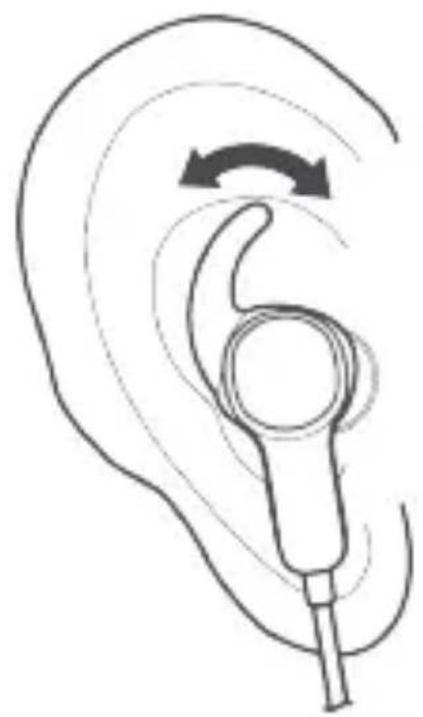
Wearing your headphone
Adjust the headphone so that it rests in a comfortable and secure position.
English
Power
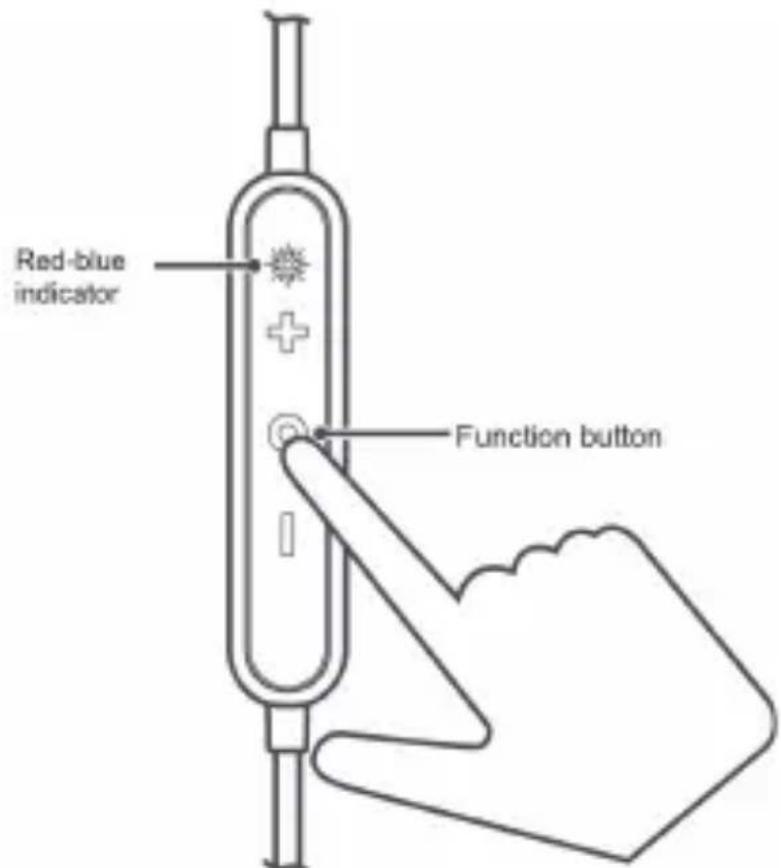
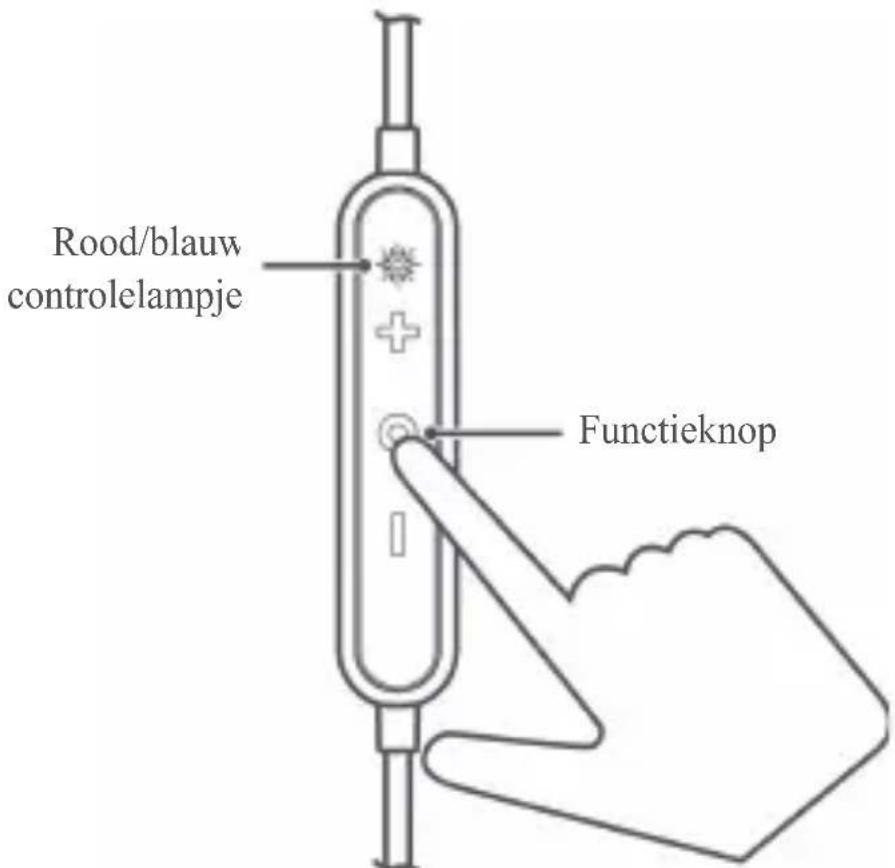
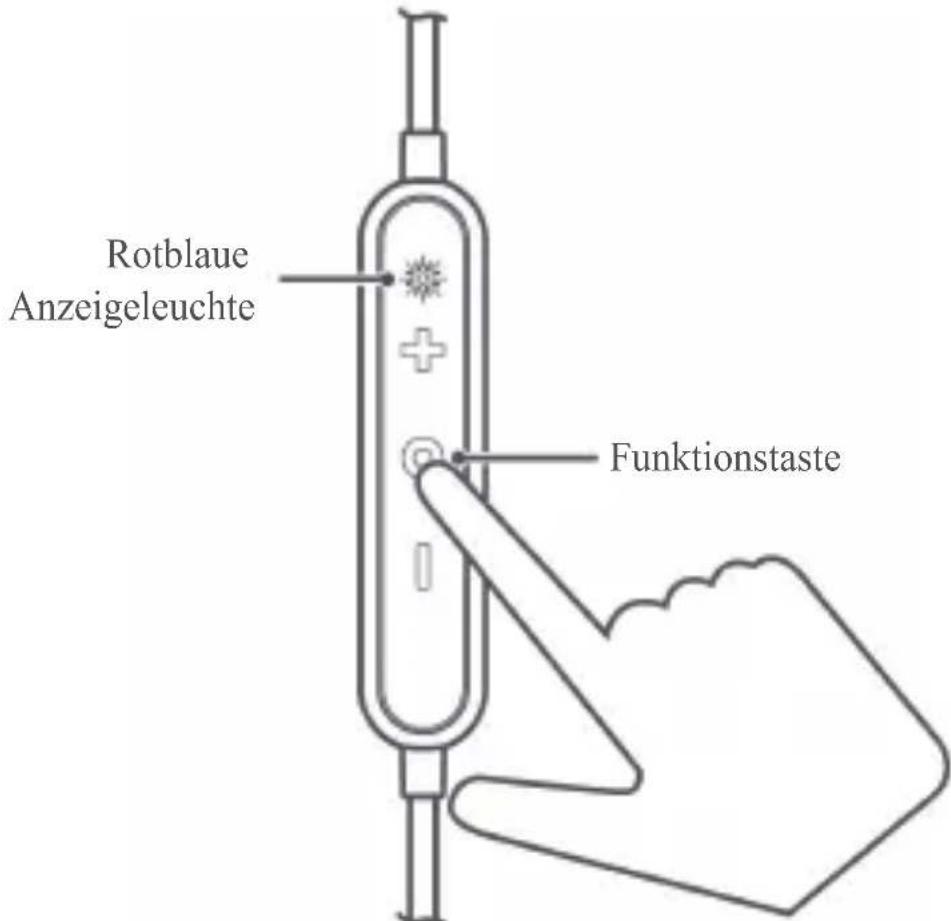
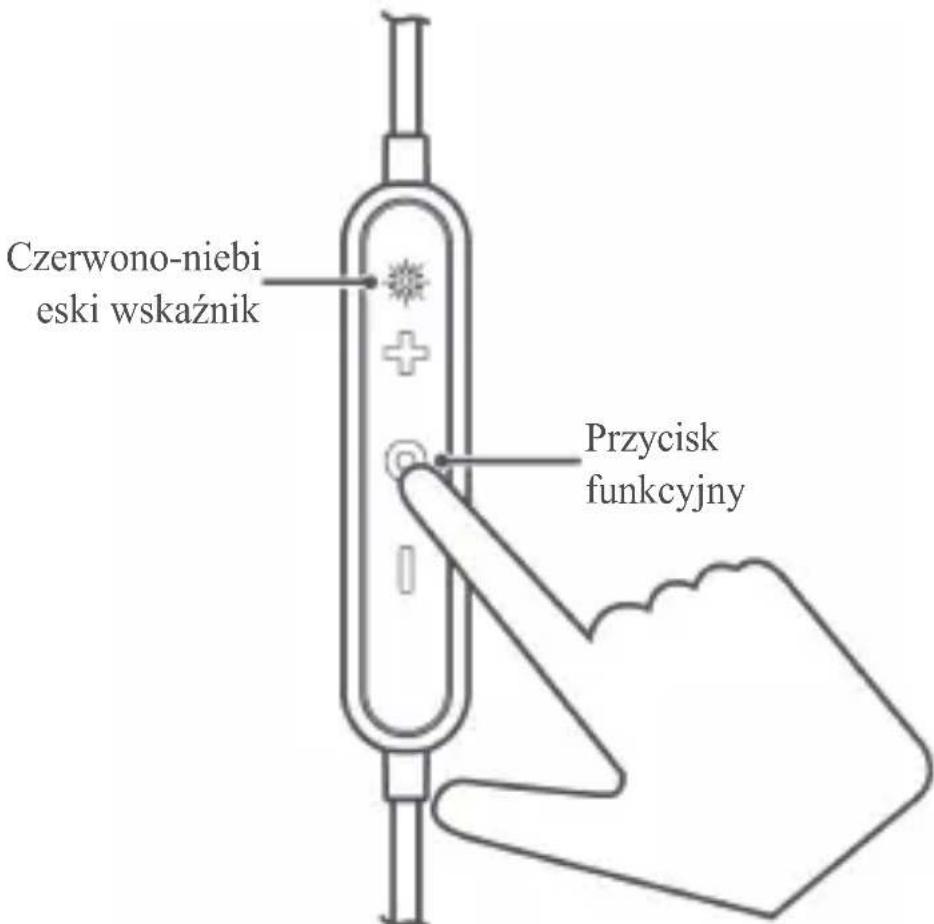
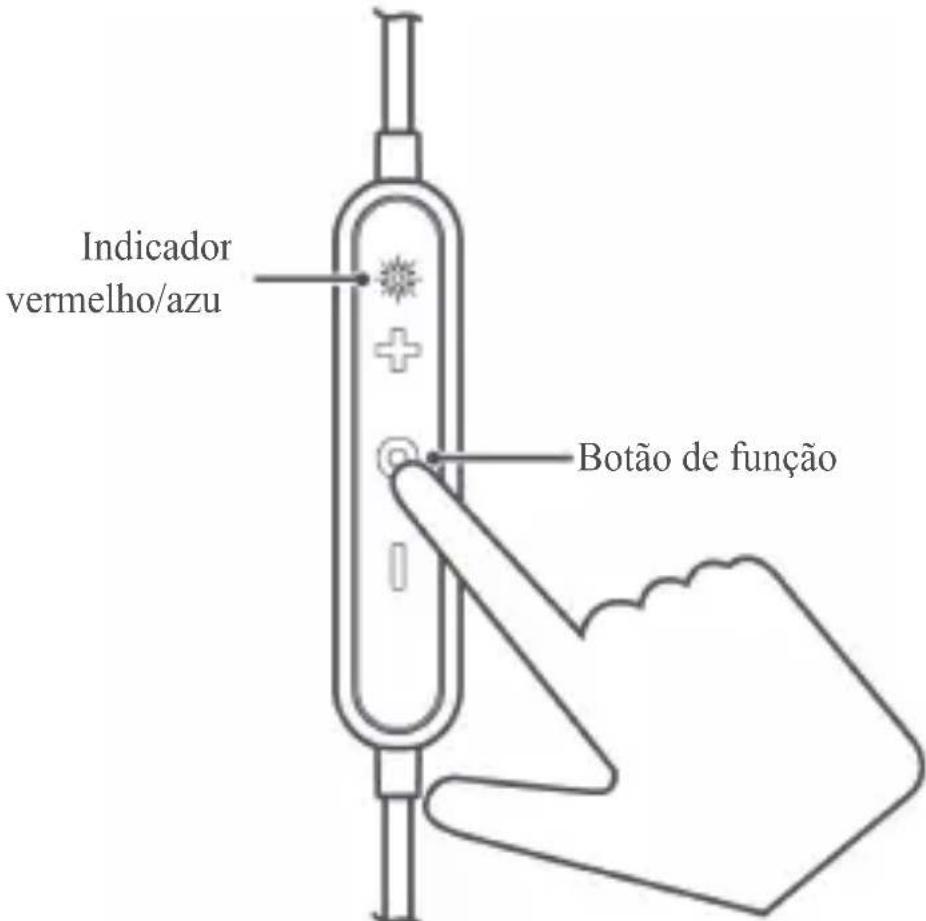
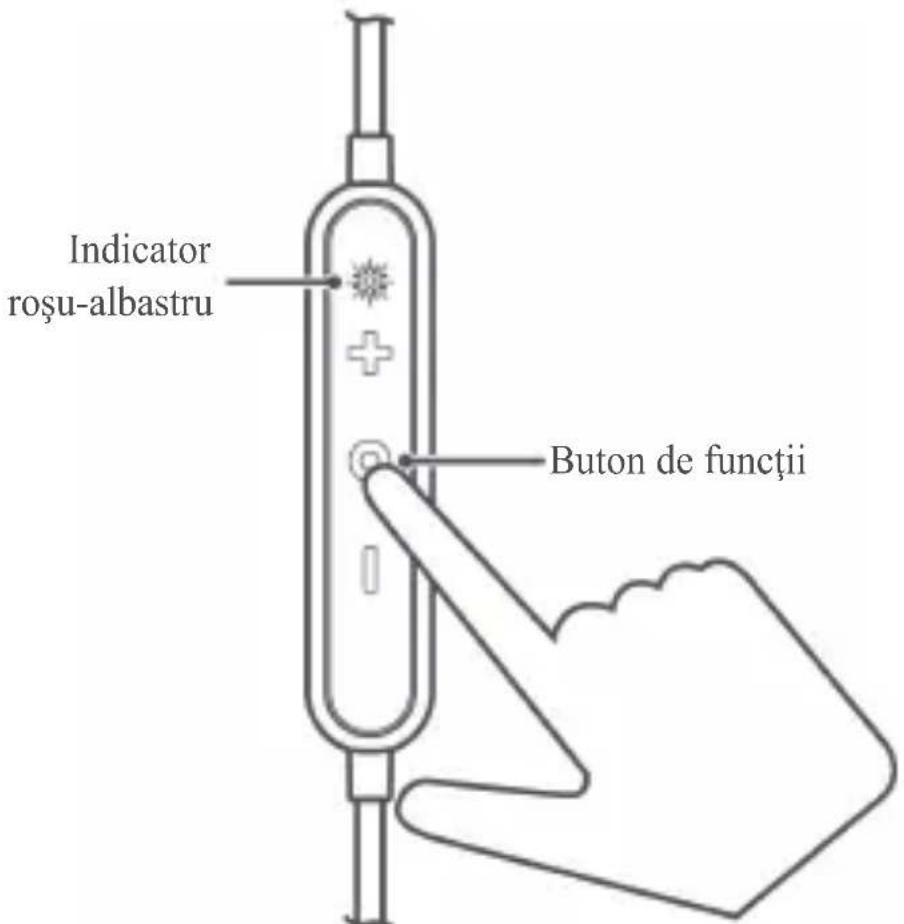
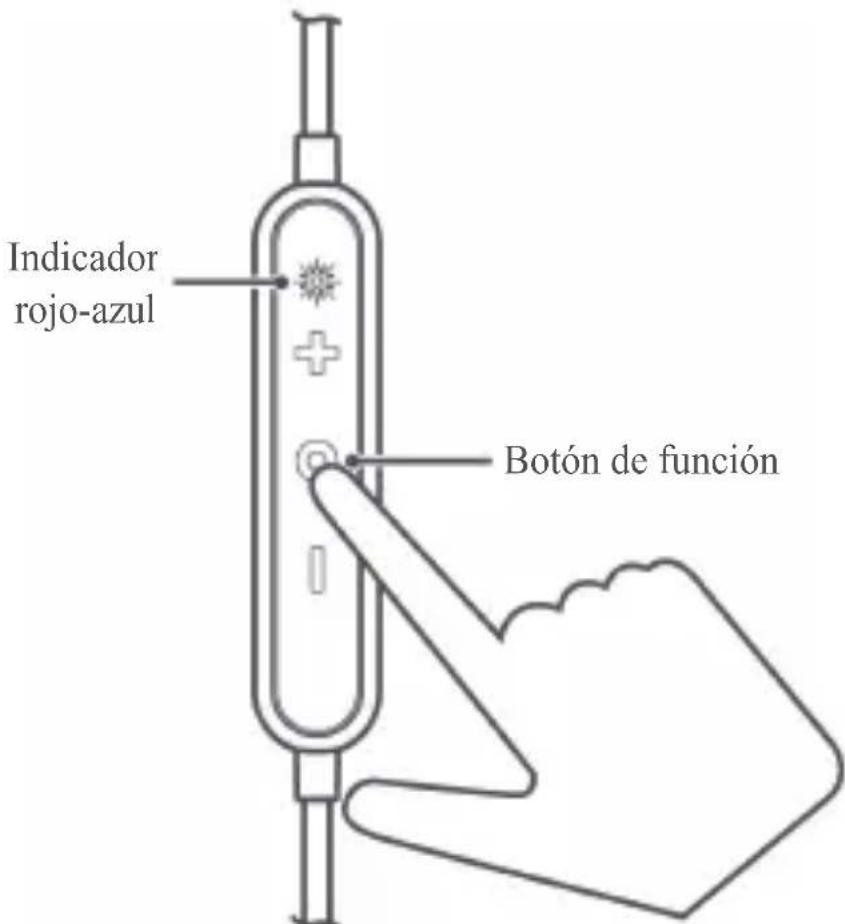
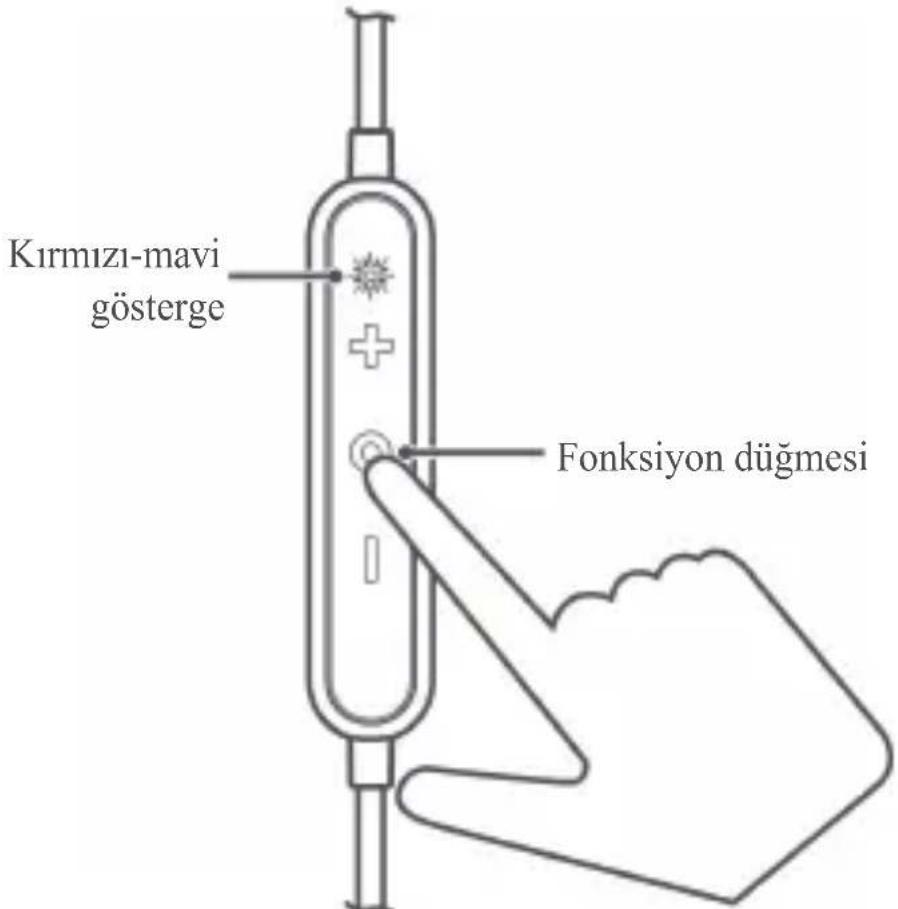
To power on the headphone, press and hold the function button for 2 to 4 seconds.
To power off the headphone, press and hold the function button for over 4 seconds.
Pairing
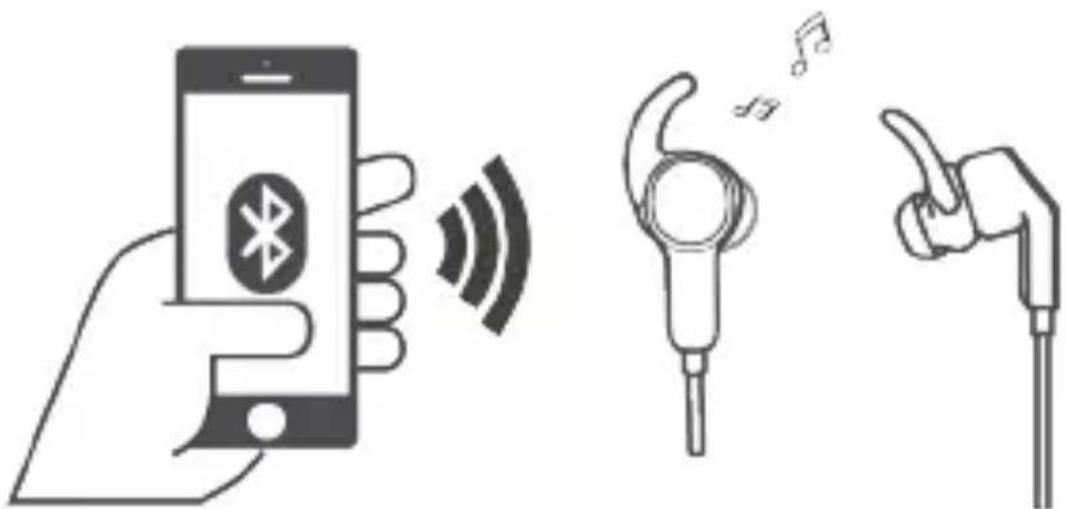
Pairing with your phone for the first time
-
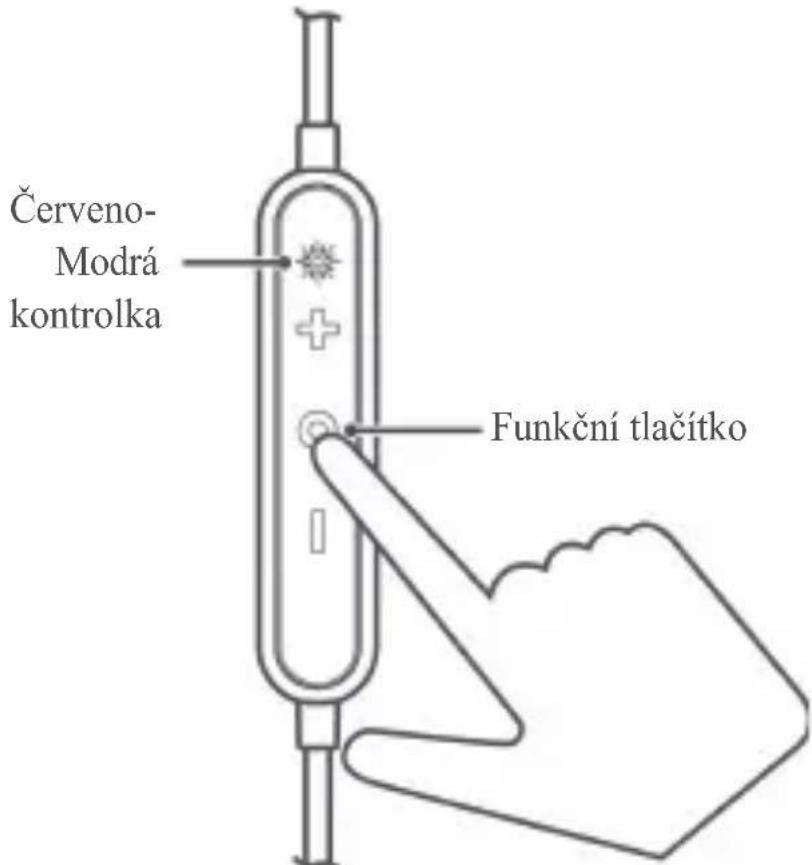
Power on your headphone. It auto-enters Bluetooth pairing mode, where the indicator blinks red and blue, and plays a voice alert.
-
Enable Bluetooth on your phone and pair with the headphone.
Automatic reconnection after power-on
Power on the headphone. The headphone will automatically connect to the recently-connected phone.
Re-pairing
-
Press and hold the function button for over 5 seconds to power on your headphone and enter Bluetooth pairing mode. You will hear a voice message instructing you to wait for the Bluetooth connection. The red-blue indicator will blink.
-
Enable Bluetooth on your phone and pair with the headphone.

The headphone will power off after 3 minutes if it is not connected to any phones in pairing mode.
Paring with two phones simultaneously
- Pair your headphone with the first phone.
- Power off your headphone.
- Press and hold the function button for over 5 seconds to power on your headphone and enter Bluetooth pairing mode. Pair your headphone with the second phone.
- Open the list of available Bluetooth devices in your first phone, and pair your phone with your headphones.

When your headphone is paired with two phones simultaneously only one phone can play music at a time. If you want to play music in your second phone, pause the music playback in your first phone.
Reconnection after long-distance disconnection
After the headphone disconnects from your paired phones:
- If you return to Bluetooth range within 10 minutes, the connection will automatically resume.
- If you return to Bluetooth range within 30 minutes, the connection can be manually reconnected by pressing the function button.
- If you do not return to Bluetooth range within 30 minutes, the headphone will automatically power off.

Some phones cannot reconnect to the headphone automatically due to differences in Bluetooth technologies. Such concerns are not likely to be a quality issue with your headphone.
English
Handling calls
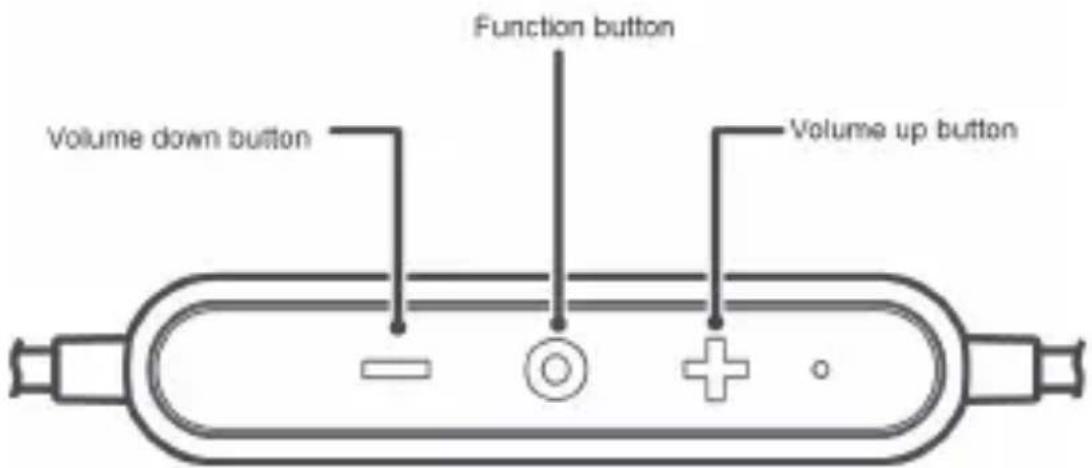
For an incoming call:
• To answer the call, press the function button.
- To reject the call, press and hold the function button for 2 to 4 seconds.
During call:
• To end the call, press the function button.
- To switch between the phone and the headphone, press and hold the function button for 2 to 4 seconds.
- To mute or unmute a call, simultaneously press the volume up and volume down buttons.
To cancel a call, press the function button.
To call back the last outgoing call, double-press the function button.
Music playback
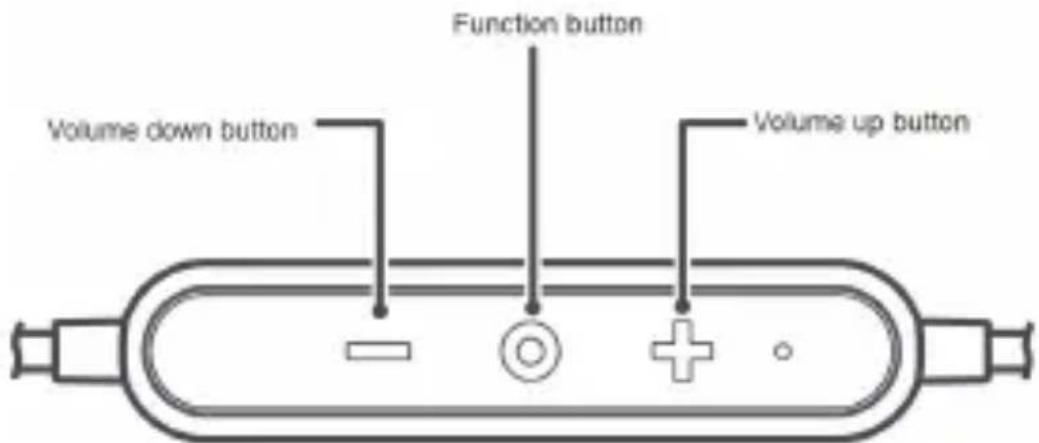
To resume playback, press the function button.
During playback:
• To pause playback, press the function button.
• To increase volume, press the volume up button.
• To decrease volume, press the volume down button.
- To advance to the next audio track within a playlist, double-press the function button.
- To return to a previous track within a playlist, triple-press the function button.
- When you receive an incoming call during music playback, the music pauses automatically. To answer the call, press the function button. To end the call and resume playback, press the function button again.

To help ensure music playback quality and connectivity, keep the headphone close to your phone with as few obstacles as possible.
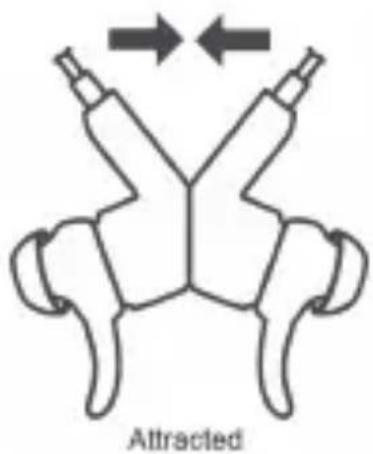
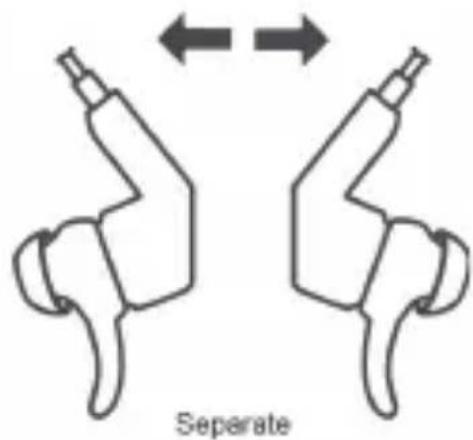
Magnetic Hall effect features
English
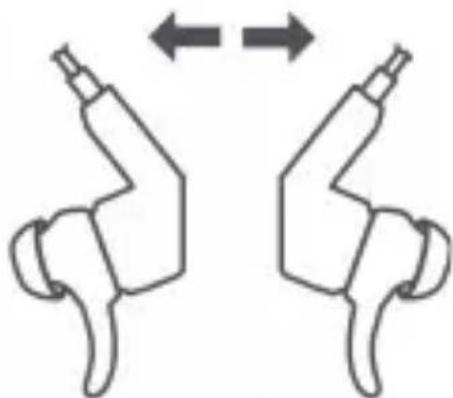
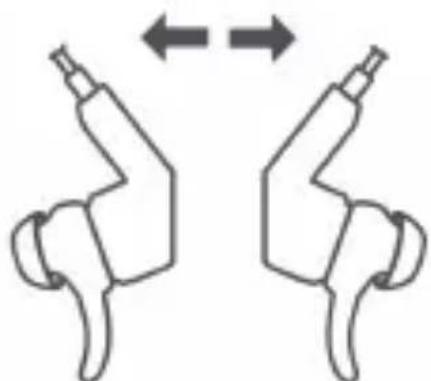
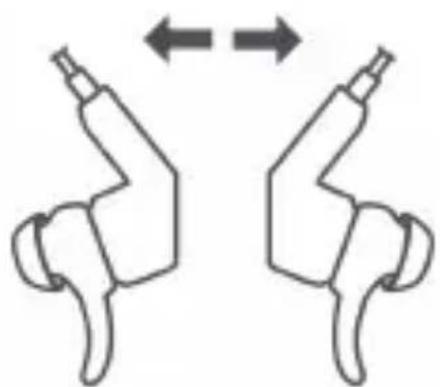
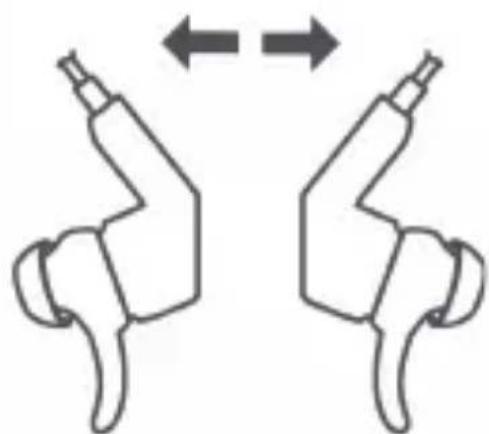
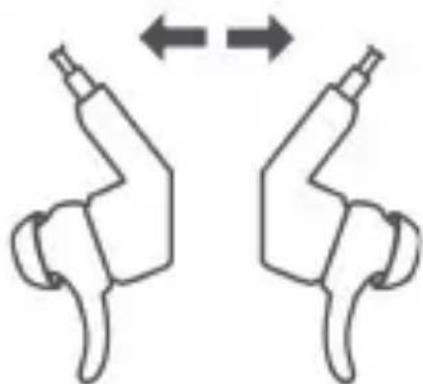
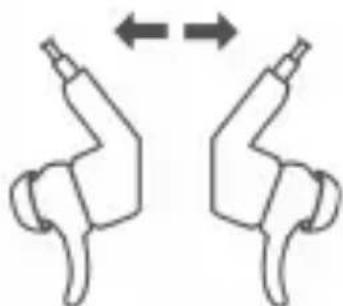
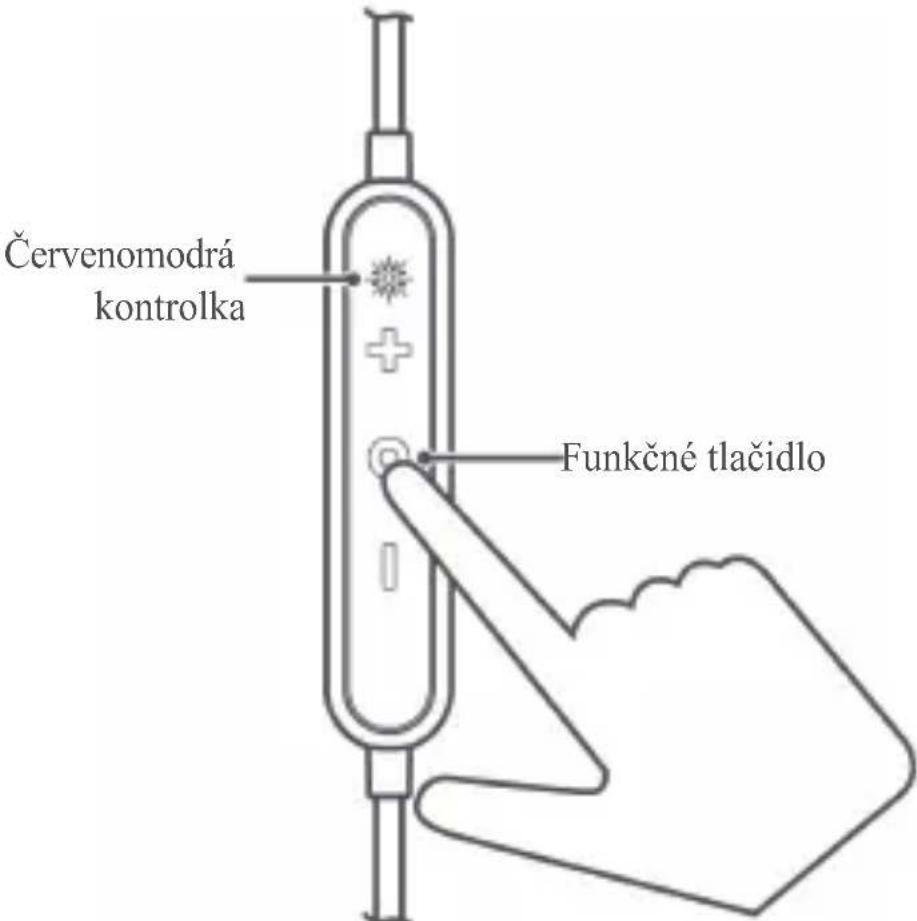
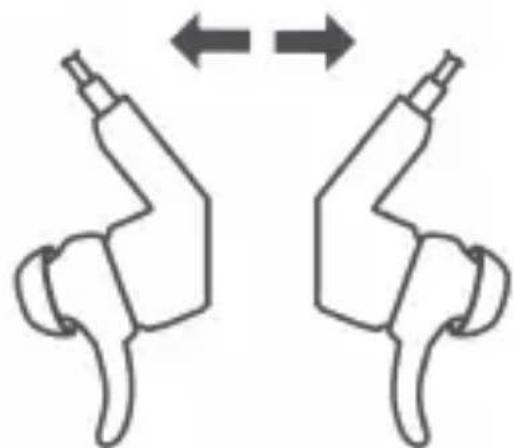
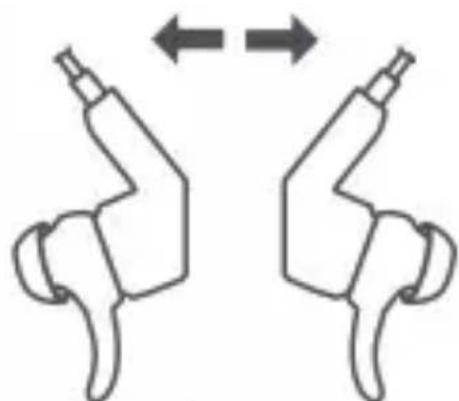
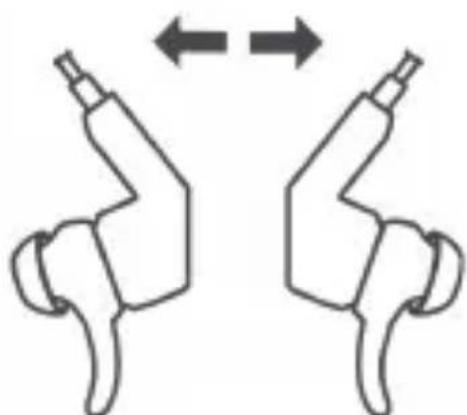
The backs of your headphone earpieces attract each other. Placing them in this configuration allows the following functionality:
• Answer an incoming call by separating the earpieces
• End a call by attracting the earpieces.
- Pause music playback by attracting the earpieces.
- Resume playback after a call by attracting the earpieces.

• Some third-party players may not support this feature.
• Some third-party players may start playback from the beginning of the current music after attracting the earpieces.
Charging
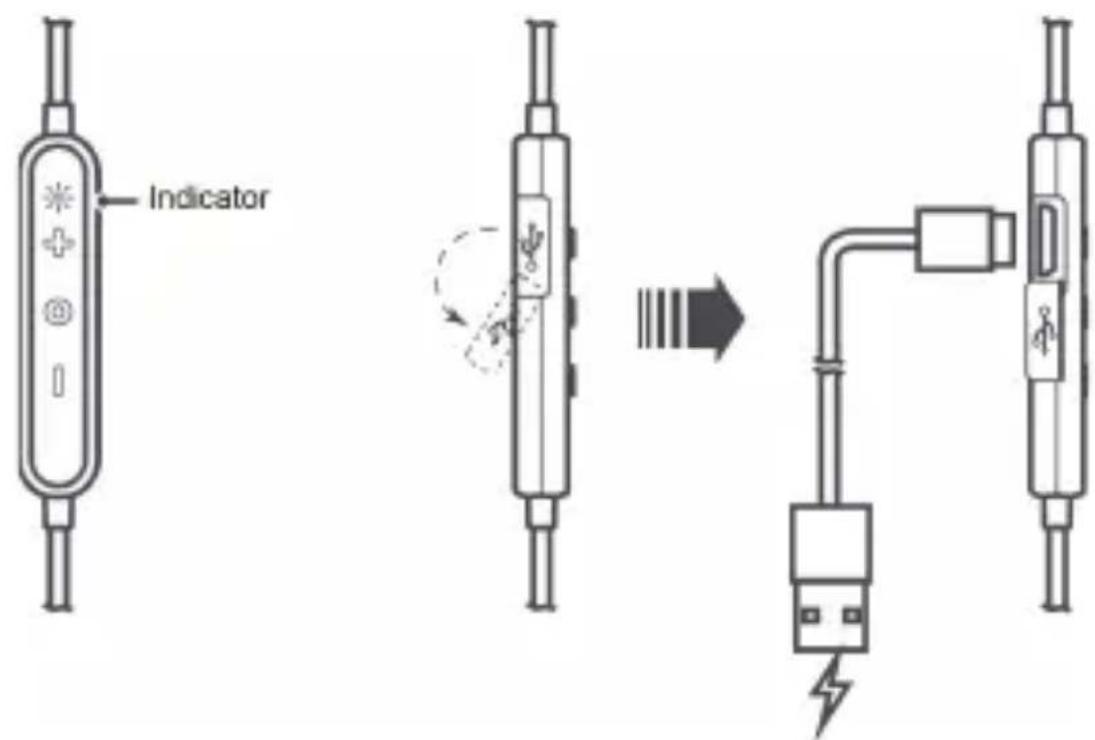
• During charging, the indicator is steady red.
- When the headphone is fully charged, the indicator is steady blue.

If the headphone powers off due to insufficient battery level, charge the headphone within 30 days. Otherwise, charging failure may occur.
Safety information
Before you use the device, read the following precautions carefully to ensure optimal performance and to avoid danger or violation of laws and regulations.
- Avoid dusty, damp, or dirty environments as well as strong magnetic fields. Using the device in such environments may result in circuit malfunctions.
- Adjust the headphone volume to a proper range, as listening at high volume for a long time may result to permanent hearing impairment.
- High volume during driving may cause distraction and car accidents.
- Do not wrap or seal the headphone, or place other materials on the headphone. Do not use the headphone in a closed environment.
- Keep your headphone away from fire or other heat sources, such as electric heaters, microwave ovens, stoves, or water heaters. Avoid using such devices to dry the headphone.
- Protect your headphone and accessories from collision to avoid battery explosion or device damage.
- Use a clean, soft, and dry cloth to clean the headphone. Power off the headphone before cleaning and maintenance.
- Ideal operating temperatures range from 5°C to 35°C (40° to 90°F). Ideal storage temperatures range from 5°C to 35°C (40° to 90°F). Extreme heat or cold may damage the headphone. When the temperature is lower than 5°C (40°F), the battery performance will be affected.
- Keep the headphone and accessories in a cool, well-ventilated area away from direct sunlight.
- Children should be supervised when using the headphone and its accessories. The headphone and its accessories may contain small components that may be damaged or present a choking hazard to children. Please place them out of the reach of children.
- Do not attempt to replace the battery. This device is equipped with a built-in rechargeable battery that cannot be removed.
- Do not dismantle the device or accessories. Such action voids the warranty and releases the manufacturer from damage liability.
English
In case of device malfunction, please contact an authorized service center.
- Do not dispose of the headphone and its accessories in normal household refuge. Dispose of or recycle your headphone and its accessories according to local laws.
- Do not use your device where prohibited. Follow rules and regulations set forth by hospitals and health care facilities.
- It is recommended that you keep a minimum distance of 15 cm between a device and a pacemaker or artificial cochlea to prevent potential interference.
- Do not use unauthorized or incompatible power supplies, chargers, or batteries to avoid hazards such as fire and explosion.
Disposal and recycling information
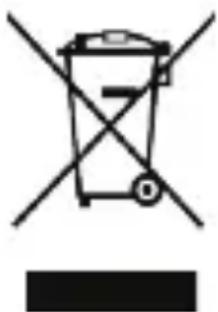
The crossed-out wheeled-bin symbol on your product, battery, literature or packaging reminds you that all electronic products and batteries must be taken to separate waste collection points at the end of their working lives; they must not be disposed of in the normal waste stream with household garbage. It is the responsibility of the user to dispose of the equipment using a designated collection point or service for separate recycling of waste electrical and electronic equipment (WEEE) and batteries according to local laws.
Proper collection and recycling of your equipment helps ensure electrical and electronic equipment (EEE) waste is recycled in a manner that conserves valuable materials and protects human health and the environment, improper handling, accidental breakage, damage, and/or improper recycling at the end of its life may be harmful for health and environment. For more information about where and how to drop off your EEE waste, please contact your local authorities, retailer or household waste disposal service or visit the website
http://consumer.huawei.com/en/.
Reduction of hazardous substances
This device and any electrical accessories are compliant with local applicable rules on the restriction of the use of certain hazardous
substances in electrical and electronic equipment, such as EU REACH, RoHS and Batteries (where included) regulations, etc. For declarations of conformity about REACH and RoHS, please visit our web site http://consumer.huawei.com/certification.
EU regulatory conformance
Hereby, Huawei Technologies Co., Ltd. declares that this device is in compliance with the essential requirements and other relevant provisions of Directive 2014/53/EU.
The most recent, effective version of the DoC (declaration of Conformity) can be viewed at http://consumer.huawei.com/certification.
This device may be operated in all member states of the EU.
Observe national and local regulations where the device is used.
This device may be restricted for use, depending on the local network.
Frequency bands and power
(a) Frequency bands in which the radio equipment operates: Some bands may not be available in all countries or all areas. Please contact the local carrier for more details.
(b) Maximum radio-frequency power transmitted in the frequency bands in which the radio equipment operates: The maximum power for all bands is less than the highest limit value specified in the related Harmonized Standard.
The frequency bands and transmitting power (radiated and/or conducted) nominal limits applicable to this radio equipment are as follows Bluetooth: 20 dBm.
Accessories and Software Information
It is recommended that the following accessories should be used:
Batteries: 1. VDL (VDL1254) 2. VARTA (CP1254 A3)
The product software version is AM60_EN_1.1.0. Software updates will be released by the manufacturer to fix bugs or enhance functions after the product has been released. All software versions released by the manufacturer have been verified and are still compliant with the related rules.
English
All RF parameters (for example, frequency range and output power) are not accessible to the user, and cannot be changed by the user.
For the most recent information about accessories and software, please see the DoC (declaration of Conformity) at
http://consumer.huawei.com/certification.
Protecting your hearing when using a headphone
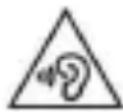
• To prevent possible hearing damage, do not listen at high volume levels for long periods.
- Using a headphone at high volumes may damage your hearing. To reduce this risk, lower the headphone volume to a safe and comfortable level.
- Exposure to high volumes while driving may cause distraction and increase your risk of an accident.
Legal statement
Copyright © Huawei Technologies Co., Ltd. 2017. All rights reserved.
This document is for reference only. Nothing in this guide constitutes a warranty of any kind, express or implied.
Privacy protection
To understand how we protect your personal information, please visit http://consumer.huawei.com/privacy-policy and read our privacy policy.
All pictures and illustrations in this guide, including but not limited to the phone color, size, and display content, are for your reference only. The actual product may vary. Nothing in this guide constitutes a warranty of any kind, express or implied.
Please visit http://consumer.huawei.com/en/support/hotline for recent updated hotline and email address in your country or region.
Výběr špuntů
Czech
Zapnutí a vypnutí
Spojené
Rozpojené
Czech
Dutch
Stroom
Aangetrokken
Gescheiden
Dutch
French
Rapprochement

Séparation
French
Stromversorgung
Angezogen
Getrennt
Alimentazione
Attratti
Separati
Zasilanie
Przyciągnięte
Rozdzielone
Portuguese (Eu)
Ligar/Desligar
Romanian
Pornire
Alăturate
Separate
Romanian
Russian
Присоединены
Разъединены
Russian
Napájanie
Spojené
Oddelené

Encendido
Güç
Yapışık
Ayrı
Összeillesztés
Szétválasztás
- HUAWEI SPORT BLUETOOTH® HEADPHONES USER GUIDE
- CONTENTS
- CHOOSING YOUR EARPLUG
- WEARING YOUR HEADPHONE
- ENGLISH
- POWER
- PAIRING
- PAIRING WITH YOUR PHONE FOR THE FIRST TIME
- AUTOMATIC RECONNECTION AFTER POWER-ON
- RE-PAIRING
- PARING WITH TWO PHONES SIMULTANEOUSLY
- RECONNECTION AFTER LONG-DISTANCE DISCONNECTION
- HANDLING CALLS
- MUSIC PLAYBACK
- MAGNETIC HALL EFFECT FEATURES
- CHARGING
- SAFETY INFORMATION
- DISPOSAL AND RECYCLING INFORMATION
- REDUCTION OF HAZARDOUS SUBSTANCES
- EU REGULATORY CONFORMANCE
- FREQUENCY BANDS AND POWER
- ACCESSORIES AND SOFTWARE INFORMATION
- PROTECTING YOUR HEARING WHEN USING A HEADPHONE
- LEGAL STATEMENT
- PRIVACY PROTECTION
- VÝBĚR ŠPUNTŮ
- ZAPNUTÍ A VYPNUTÍ
- CZECH
- STROOM
- DUTCH
- FRENCH
- STROMVERSORGUNG
- ALIMENTAZIONE
- ZASILANIE
- LIGAR/DESLIGAR
- PORNIRE
- ROMANIAN
- RUSSIAN
- NAPÁJANIE
- ENCENDIDO
- GÜÇ
Brand : HUAWEI
Model : Sport Bluetooth Headphones
Category : Bluetooth headphones