EasyManual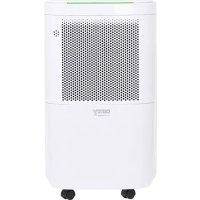
CR 7851 - Dehumidifier CAMRY - Free user manual and instructions
Find the device manual for free CR 7851 CAMRY in PDF.


User questions about CR 7851 CAMRY
0 question about this device. Answer the ones you know or ask your own.
Ask a new question about this device
Download the instructions for your Dehumidifier in PDF format for free! Find your manual CR 7851 - CAMRY and take your electronic device back in hand. On this page are published all the documents necessary for the use of your device. CR 7851 by CAMRY.
USER MANUAL CR 7851 CAMRY
1. Before using the device, read the operating manual and follow the instructions
contained in it. The manufacturer is not liable for damages caused by using the device contrary to its intended purpose or improper operation.
2. The device is for home use only. Do not use for other purposes that are not for its
3. The device should only be connected to an AC outlet with a grounded 220 240V ~
50Hz. To increase operational safety, multiple electrical devices should not be connected to one current circuit at the same time.
4. Use extreme caution when using the device when children are nearby. Do not allow
children to play with the device, do not allow children or people unfamiliar with the device to use it.
5. WARNING: This equipment may be used by children over 8 years of age and people
with limited physical, sensory or mental ability, or people who have no experience or knowledge of the equipment, if this is done under the supervision of a person responsible for their safety or have been granted them information on the safe use of the device and are aware of the dangers of using it. Children should not play with the equipment. Cleaning and maintenance of the device should not be performed by children, unless they are over 8 years old and these activities are carried out under supervision.
6. Always disconnect the power plug by holding the socket with your hand after use. DO
NOT pull on the power cord.
7. Do not immerse the cable, plug and the whole device in water or any other liquid. Do
not expose the device to atmospheric conditions (rain, sun, etc.) or use in conditions of high humidity (bathrooms, damp mobile homes).
8. Periodically check the condition of the power cord. If the power cord is damaged, it
should be replaced by a specialist repair shop to avoid danger.
9. Do not use the appliance with a damaged power cord or if it has been dropped or
damaged in any other way or if it is not working properly. Do not repair the device yourself, as there is a risk of electric shock. Take the damaged device to an appropriate service center for checking or repair. All repairs may only be carried out by authorized service points. Incorrectly performed repairs can cause serious danger for the user.
10. Place the device on a cool, stable surface, away from hot kitchen appliances such
as: electric stove, gas burner, etc.
11. Make sure that nothing is blocking the air inlet and outlet of the device
12. Use the device only on a level surface to prevent the condensation from spilling out
13. To provide additional protection, it is advisable to install a residual current device
(RCD) in the electric circuit with a rated residual current not exceeding 30mA. Ask an electrician for this.5
14. Clean the air filter regularly. The frequency of cleaning depends on the cleanliness of the
15. After turning off the machine, wait at least 5 minutes before turning it back on.
16. For effective dehumidification, a gap of at least 20 cm should be used between the side
walls of the devices and the compressed furniture or curtains.
17. To avoid the risk of fire or explosion, do not spray the dryer
18. To use the housing parts, do not place the dehumidifier near heating devices.
19. Remove the water collected in the tank. Accidentally drinking water or using it with other
people may cause illness.
20. Does not support devices with the back cover removed due to moving and hot parts.
21. Do not use any means to carry out the thawing or operating process other than those
recommended by the manufacturer.
22. The device should be available as part of a permanent list of ignition sources, i.e. without
open flame, without a working gas device or without a working device heater.
23. Do not pierce or smoke.
24. Please note that refrigeration manufacturers may not contain fragrance.
Before first use: 1. The dehumidifier must be used on a level and stable surface, keep distances between unit and other objects according to picture 1 to ensure suitable efficiency. Close all windows and doors of room you want to dehumidify the air.
2. To prevent the water from freezing, do not use the dehumidifier and the drain hose at ambient temperature below 0°C
3. Do not use the dehumidifier outside. Exposure to direct sunlight or rain may result in overheating, electric shock and fire. 4. Do not put water tank on the dehumidifier to avoid any spill of water into the unit inside and deteriorates the insulation. 5. Never attempt to use the dehumidifier for special uses, such as food dehumidification or preservation of art objects, or the like. 6. Do not use the dehumidifier where any leakage of oil or flammable gas may take place. Do not use the unit in places subject to chemicals.
7. For continuous draining, make sure that the drain hose is set properly with slope.
8. Be careful that a heating appliance is not exposed to the wind from the dehumidifier.
9. Do not use the dehumidifier as a chair or a footstool.
10. Do not remove the float lever from the water tank.
11. Do not block up the air intakes and the air outlets.
12. Do not cover the unit with washed clothes.
Prior to continuous operation for a long duration, periodical checking is required especially for the air clean filter, the drain hose, or the like. Product description: CR7851 Air dehumidifier
9. Filter's housing 10. Humidity indicator light 11. Rubber plug for drainage function 12. Activated carbon filter
Control panel A. Power button B. Mode button B1. Ordinary dehumidification mode indicator B2. Continuous dehumidification mode indicator B3. Strong dehumidification mode indicator B4. Clothes drying mode indicator C. Timer 0-24 hours button C1. Time unit indicator D. Additional fan mode button / indicator E. Child lock button / indicator F. Fan speed button F1. Low fan speed indicator F2. High fan speed indicator G. Sleep mode button / indicator H. Setting button for humidity 30-80% relative humidity H1. Humidity unit indicator J. Defrost mode indicator K. Full water tank indicator L. Digital display of humidity and timer6 Efficiency
1. The appliance automatically performs defrosting in regular intervals according to the room temperature.
a) If room temperature is equal or exceed 24°C, the defrosting is stopped. b) If room temperature is 18°C -24°C, the defrosting is turned on for 5 minutes after every 120 minutes of dehumidification. c) If room temperature is 12°C -18°C, the defrosting is turned on for 5 minutes after every 25 minutes of dehumidification. d) If room temperature is 5°C -12°C, the defrosting is turned on for 5 minutes after every 20 minutes of dehumidification.
2. During the defrosting operation, the dehumidification function may be intermitted.
3. Please don't turn off the switch or pull out the power plug of the dehumidifier during the defrosting operation.
4. This dehumidifier can't be applicable to keep extreme low temperature. The function of this dehumidifier is to pump off the unpleasant, high humidity. Dehumidifying capacity 1. This dehumidifier doesn't have cooling function. It will produce heat during the operation and increase the room temperature by 1-4°C. 2. The daily dehumidifying capacity of the dehumidifier depends on room temperature and relative humidity. At different temperatures and relative humidity, it may have different dehumidifying capacity. 3. In the same room temperature, the dehumidifying capacity is higher in higher relative humidity and the dehumidifying capacity is lower in lower relative humidity. In the same relative humidity, the dehumidifying capacity is higher in higher temperature and the dehumidifying capacity is lower in lower temperature. 4. If the dehumidifier is placed in the cabinet, its dehumidifying capacity may highly reduce in a short period after operating due to the humidity in the cabinet has been highly reduced. 5. For 5°C / 10°C / 15°C /20°C /25°C / 30°C of room temperature and 80% of relative humidity the dehumidifying capacity is respectively around 2 / 4 / 6 / 8 /10 liters of water when the air outlet is fully open. Humidity indicator light (10) During operation, the humidity indication light shows current humidity level in room: - Blue color means low humidity below 50% relative humidity - Green color means medium humidity in range 51% - 69% relative humidity - Red color means high humidity over 70% relative humidity Please note, the relative humidity value has got 3% tolerance when illuminates up the corresponding indication light. Operation 1.Please place the machine unit upright to avoid misoperation and unusual sound. Keep distances between other objects like shown at picture 1. Plug in the device. 2.Power switch (A) on the control panel (1) should be pressed to turn on the device. The digital display (L) will show present humidity level in room. 3.Mode button (B) should be pressed again to choose desired operation mode between: B1. Ordinary dehumidification mode When choose this mode, the indicator B1 will light up. B2. Continuous dehumidification mode When choose this mode, the indicator B2 will light up. B3. Strong dehumidification mode When choose this mode, the indicator B3 will light up. B4. Clothes drying mode When choose this mode, the indicator B4 will light up. 4. Humidity setting button (H) should be pressed again to set up desired room humidity between 30-80% with 5% adjustment factor. Humidity setting is valid under ordinary dehumidification mode (B1) only. After set up required room humidity the digital display (L) will flashing to remember it and device start to operate. Next at the digital display (L) is shown present room humidity. It is need to set up required room humidity at lower level than present room humidity, otherwise the device will not start dehumidification. When the relative humidity in the room equals the level of relative humidity previously set on the display, the device will automatically turn off the compressor, the dehumidifier will stop, only the fan will work.
5. Timer button (C) operates two functions:
DELAY START function The timer can be set when the device is in the off status. Press the timer button ©: “Hr” indicator (C1) at the LED display lights up and “00” will appear on the digital display (L); within 5 seconds, you should press the timer button (C) to select the desired time when the device must switch on. Once the timer has been set, the time will be displayed for 5 seconds, the “ Hr ” indicator (C1) will be on. The device will switch on automatically after set up time passed. Setting the Timer OFF function - DELAY STOP The timer off function can be set when the device is in switch on status. Press the Timer button ©: the “Hr” indication (C1) at the LED display lights up and “00” appears on the digital display (L); within 5 seconds, you should press the timer button (C) to select the desired time for the device to switch off. After the timer is set, the time will be displayed for 5 sec and the “Hr” indicator (C1) turns on. The device will switch off automatically after set up time passed. The timer range is from 1 to 24 hours with a 1-hour interval. 6. Additional fan mode button (D) should be pressed to active or reactive air circulation in addition to fan operation. When this fan mode is7 switch on for extra air circulation the dehumidification mode is switch off. 7. Child lock button (E) should be pressed and hold for 3 seconds to hear the sound confirming enter the buttons to lock state, at this time pressing any button is invalid. The child lock button is light up at this time also. To switch off the buttons lock sate press the child lock button (E) again and hold it for 3 seconds to hear the sound confirming cancel the buttons lock state. 8. Fan speed button (F) can be operated when the device is switched to fan mode (D) or ordinary dehumidification mode (B1). Press the fan speed button (F) to select between low speed or high speed. The suitable indicator will be light up (F1 or F2). 9. Sleep mode button (G) should be pressed to switch off all other indicators lights except sleep mode. Press any button to see earlier set up functions at control panel. After 5 seconds, the operation of sleep mode will be continued. To cancel sleep mode press the sleep mode button (G) again.
10. Press the power switch (A) again to turn off the device, the unit machine stops running.
Water tank service 1. If the water tank (3) is full or the water tank (3) isn't installed in correct position then, the full water tank indication (K) lights up at control panel (1). The device will give repeated alarm sounds, the humidity indicator light (10) starts to flashing in red color. 2. When the full water tank indicator light (K) is flashing, the compressor installed inside the machine stops so that it does not condense water until the water tank is empty or set in the correct position, but the fan continues to run. 3. To remove the water tank (3) please do hold the water tank sides and pull out. Do not dismantle the floater (6) from the water tank (3). Look at picture 3. 4. To empty the water tank (3), tilt it as shown at picture 5 and drain the water slowly. Then reinstall the water tank (3) in the dehumidifier. Continuous drainage function
1. If you need to dehumidify the air for a long time, you can use the continuous drainage function.
2. Pull the rubber plug (11), then insert the attached continuous drain hose (7) as on picture 2.
3. After ending the continuous draining, replace the rubber plug (11) and switch off the device.
Continuous drain hose: length: 30 cm, internal diameter: 17 mm, external diameter: 19 mm. Cleaning and Maintenance
1. Turn off the unit and disconnect the power plug before starting any cleaning or other routine maintenance.
2. To avoid the risk of electric shock, never sprinkle or spill water on the dehumidifier when cleaning.
3. Turn off the device and empty the water out of the water tank before moving the device. Be sure to hold the handle while moving.
4. Wipe up the housing o device with wet cloth.
5. Don't dismantle the floater (6) from the water tank (3).
6. Prior to planned continuous operation for a long duration, periodical checking is required especially for the net air filter (8), active carbon filter (12) and the drain hose (7), or the like.
7. To clean or replace the filters:
- disconnect the plug and take out the water tank (3), - remove the filter housing (9) as shown in figure 4, - remove the mesh filter (8) from the housing and gently remove the activated carbon filter (12) - clean both filters every two weeks with a vacuum cleaner. Dehumidification performance may decrease when the filters are clogged with debris. - put the filters inside the filter housing (9) and put them into the device housing.
8. Don't clean the device with gasoline, thinner or liquid detergent.
TECHNICAL DATA: Dehumidify capacity at 30°C / 80% RH): 10 liters / 24 hours Dehumidify capacity at 27°C / 60% RH): 5 liters / 24 hours Noise level: <= 45dB Water tank capacity: 2,2 liters Air flow: 120 m3 / hour R290 coolant weight: max. 35 grams Ratted Input Power: 200W Max. Ratted Input Power: 245W Power supply: 220-240V ~50Hz Caution, risk of fire. Do NOT pierce or burn. Be aware that the refrigerant may not contain an odour. The maximum refrigerant charge amount: 35g.8 Please transfer cardboard packaging to waste paper. Pour the polyethylene bags (PE) into the plastic container Worn device should be returned to the appropriate point storage because it is dangerous in the device ingredients may pose a threat to the environment. The electrical device should be handed over to limit its reuse and use. If in the device there are batteries you have to take out and give to the point stored separately. WICHTIGE SICHERHEITSHINWEISE SORGFÄLTIG DURCHLESEN UND FÜR DIE ZUKUNFT AUFBEWAHREN