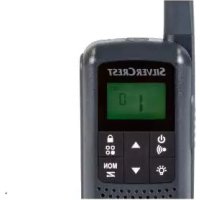
SPMR1 B1 - Walkie-talkie SILVERCREST - Free user manual and instructions
Find the device manual for free SPMR1 B1 SILVERCREST in PDF.



| Product type | PMR walkie-talkie set |
| Brand | SilverCrest |
| Model | SPMR1 B1 |
| Number of channels | 16 |
| Sub-codes | CTCSS: 38, DCS: 83 |
| Frequency band | 446.00625 – 446.19375 MHz (PMR 446) |
| Transmission power | ≤ 500 mW ERP |
| Maximum range | Up to 10 km in open field |
| Modulation type | FM-F3E |
| Power supply | 3 AA batteries or 3 rechargeable Ni-MH AA batteries (included: 6 Ni-MH AA batteries) |
| Charging voltage (USB) | 5 V ⎓, 550 mA |
| Dimensions (walkie-talkie) | 175 × 54 × 33 mm |
| Weight (walkie-talkie, without batteries) | 122.6 g |
| Dimensions (charging cradle) | 50 × 140 × 82 mm |
| Weight (charging cradle) | 91.3 g |
| Protection rating | IPX4 (splash-proof) |
| Operating temperature | 0 °C to 40 °C |
| Main functions | VOX, channel scan, dual channel, keypad lock, 20 call tones, Roger beep, LED lamp, backlit display |
| Package contents | 2 walkie-talkies, charging cradle, USB cable (Type-A to Micro-USB), 6 Ni-MH AA batteries, 2 belt clips, user manual |
| Cleaning | Soft, dry cloth, no solvents |
| Warranty | 3 years |
| Customer service | France: 0800904879, Belgium: 080071011, Luxembourg: 80023970, email: owim@lidl.fr / owim@lidl.be |
Frequently Asked Questions - SPMR1 B1 SILVERCREST
User questions about SPMR1 B1 SILVERCREST
0 question about this device. Answer the ones you know or ask your own.
Ask a new question about this device
Download the instructions for your Walkie-talkie in PDF format for free! Find your manual SPMR1 B1 - SILVERCREST and take your electronic device back in hand. On this page are published all the documents necessary for the use of your device. SPMR1 B1 by SILVERCREST.
USER MANUAL SPMR1 B1 SILVERCREST
PMR-SPRECHFUNK-SET/ PMR 2-WAY RADIO SET/ SET DE TALKIES-WALKIES PMR SPMR1 B1
DE AT CH
PMR-SPRECHFUNK-SET
Operation and Safety Notes
FR BE
SET DE TALKIES-WALKIES PMR
Operation and Safety Notes Page 31
FR/BE
natural_image
Line drawing of a device casing with a handle and base, labeled with number 18 (no text or symbols on the diagram itself)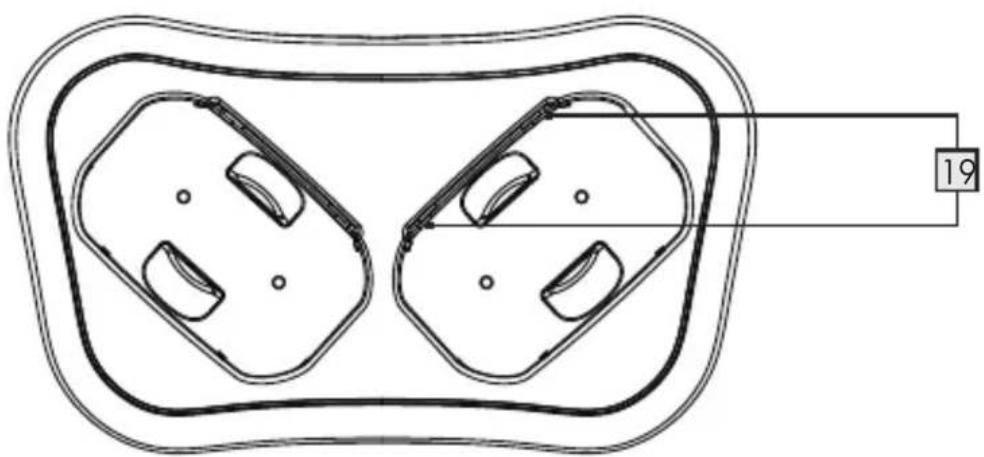
natural_image
Technical line drawing of two symmetrical mechanical components with mounting holes, enclosed in a rounded rectangular frame (no text or symbols)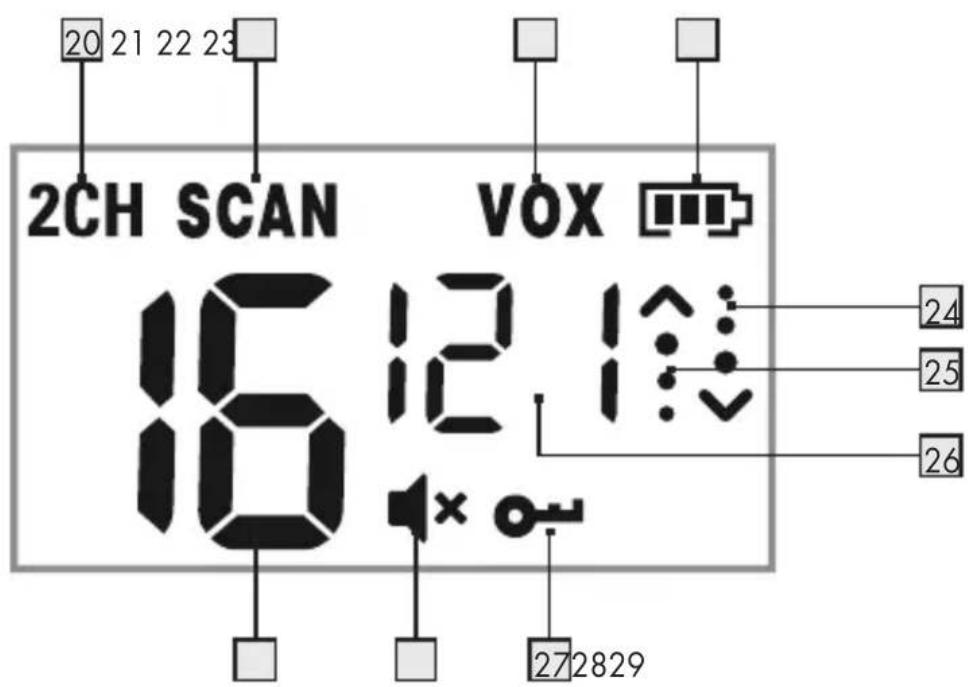
USB power supply not included.
Alimentation USB non incluse.
⚠️ WARNUNG! EXPLOSIONSGEFAHR!

TRAGEN SIE SCHUTZHANDSCHUHE!
Subcode: CTCSS 38/DCS 83
Frequenz: 446.00625 - 446.19375 Mhz
Band: 446 PMR
natural_image
Technical line drawing of a device casing with internal components and a numbered connection point (no text or symbols)CTCSS (Continuous Tone-Coded Squelch System)/
DCS (Digital Code Squelch)
Warnings and symbols used.... Page 32
Introduction...... Page 33
Intended use...... Page 33
Trademark notices...... Page 33
Scope of delivery Page 34
Safety notes...... Page 34
Description of parts...... Page 38
Technical data Page 40
Before use ...... Page 41
Operation Page 42
Setting up your product ...... Page 42
Getting started...... Page 43
Advance settings ...... Page 45
Storage when not in use.... Page 49
Cleaning Page 49
Troubleshooting Page 50
Disposal Page 51
Simplified EU declaration of conformity.... Page 52
Warranty and service Page 52
Warranty Page 52
Warranty claim procedure Page 52
Service Page 53
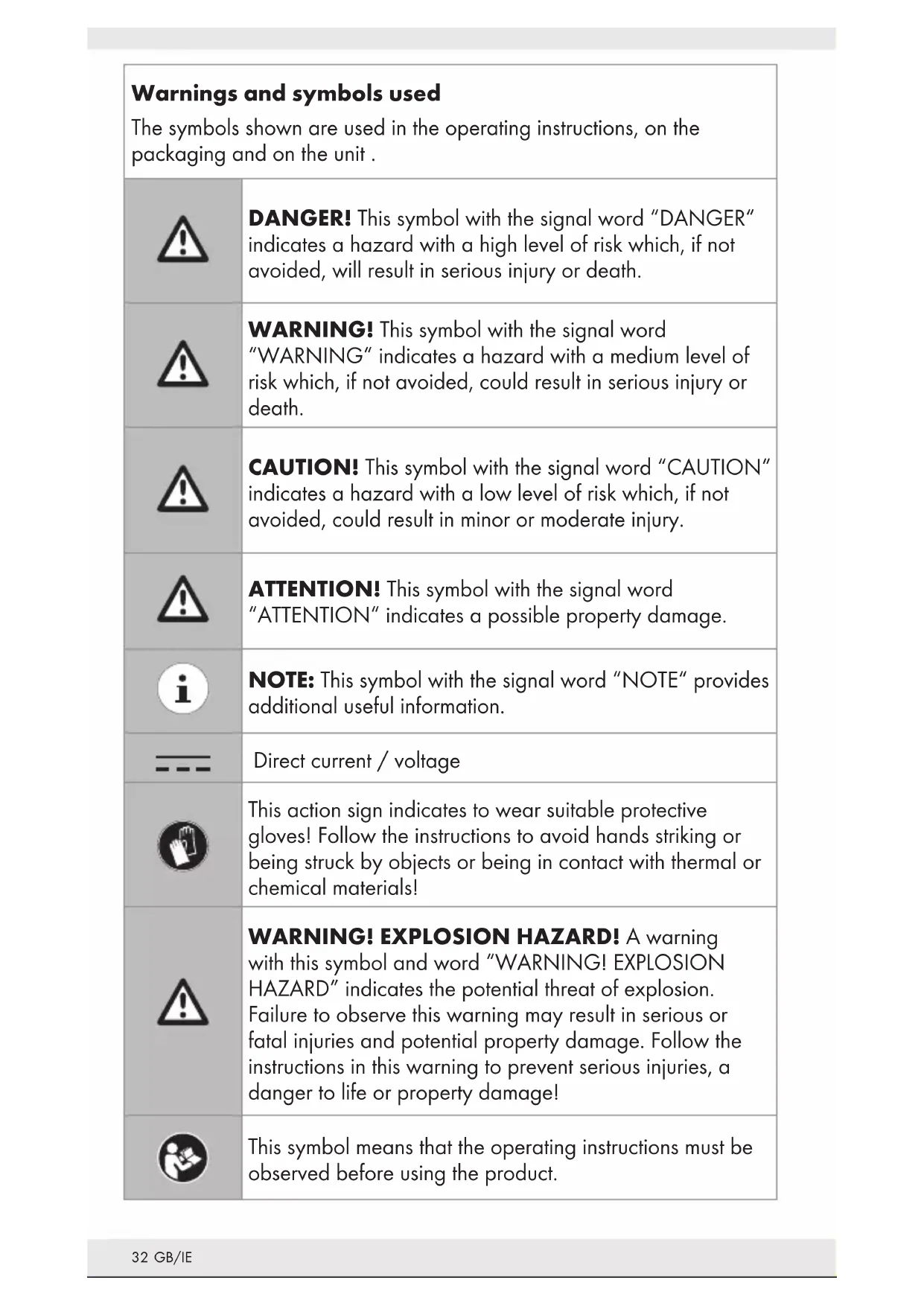
| Warnings and symbols usedThe symbols shown are used in the operating instructions, on the packaging and on the unit. | |
 | DANGER! This symbol with the signal word “DANGER” indicates a hazard with a high level of risk which, if not avoided, will result in serious injury or death. |
 | WARNING! This symbol with the signal word “WARNING” indicates a hazard with a medium level of risk which, if not avoided, could result in serious injury or death. |
 | CAUTION! This symbol with the signal word “CAUTION” indicates a hazard with a low level of risk which, if not avoided, could result in minor or moderate injury. |
 | ATTENTION! This symbol with the signal word “ATTENTION” indicates a possible property damage. |
 | NOTE: This symbol with the signal word “NOTE” provides additional useful information. |
 | Direct current / voltage |
 | This action sign indicates to wear suitable protective gloves! Follow the instructions to avoid hands striking or being struck by objects or being in contact with thermal or chemical materials! |
 | WARNING! EXPLOSION HAZARD! A warning with this symbol and word “WARNING! EXPLOSION HAZARD” indicates the potential threat of explosion. Failure to observe this warning may result in serious or fatal injuries and potential property damage. Follow the instructions in this warning to prevent serious injuries, a danger to life or property damage! |
 | This symbol means that the operating instructions must be observed before using the product. |
PMR 2-WAY RADIO SET
●Introduction
We congratulate you on the purchase of your new product. You have chosen a high quality product. The instructions for use are part of the product. They contain important information concerning safety, use and disposal. Before using the product, please familiarise yourself with all of the safety information and instructions for use. Only use the product as described and for the specified applications. If you pass the product on to anyone else, please ensure that you also pass on all the documentation with it.
●Intended use
This PMR 2-WAY RADIO SET (hereinafter referred to as "product") is an information technology device. This product is intended for wireless transmission of voice messages for small-site, same-building and line of sight outdoor activities. This product is not intended for use in companies or for other commercial uses (e.g. office productivity applications).
Use this product only for private purposes. Any other use is considered improper. Any claims resulting from improper use or due to unauthorised modification of the product will be considered un-warranted. Any such use is at your own risk.
●Trademark notices
- iUSB Registered trademark of USB Implementers Forum, Inc.
■ The SilverCrest trademark and trade name is the property of their respective owners.
■ Any other names and products are trademarks or registered trademarks of their respective owners.
- Scope of delivery
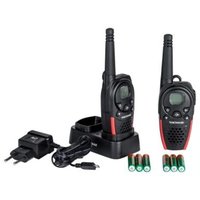
2 x Handheld radio transceivers
1 x Charger cradle
1 x USB cable (Type A to Micro-USB) - for charging only
6 x AA Ni-MH rechargeable batteries
2 x Belt clips
1 x User manual

Safetynotes
Before using the product, please familiarize yourself with all of the safety instructions and instructions for use! When passing this product on to others, please also include all the documents!
The product must be checked before each use, a defective or damaged device must not be used.
⚠ WARNING! DANGER TO LIFE AND RISK OF ACCIDENT FOR INFANTS AND CHILDREN!
⚠️ DANGER! RISK OF SUFFOCATION! Never leave children unsupervised with the packaging material. The packaging material poses a suffocation hazard. Children frequently underestimate the dangers. The packaging material is not a toy.
This product may be used by children age 8 years and up, as well as by persons with reduced physical, sensory or mental capacities or lacking experience and/or knowledge, so long as they are supervised or instructed in the safe use of the product and understand the associated risks. Do not allow children to play with the product. Cleaning and user maintenance should not be performed by children without supervision. The product is not a toy.
⚠️ DANGER! Some of the provided parts can be swallowed. If a part is swallowed, seek immediate medical attention.
⚠ WARNING! Radio interference
■ Switch the product off on aeroplanes, in hospitals, or near medical electronic systems. The wireless signals transmitted could impact the functionality of sensitive electronics.
- Keep the product at least 20 cm from pacemakers or implantable cardioverter defibrillators, as the electromagnetic radiation may impair the functionality of pacemakers.
The radio waves transmitted could cause interference in hearing aids
- Do not place or use the product near flammable gasses or potentially explosives areas (e.g. paint shops) with the wireless components on, as the radio waves emitted can cause explosions and fire.
The range of the radio waves varies by environmental conditions. In the event of wireless data transmission, unauthorised third parties receiving the data cannot be excluded.
■ The product must not be used in a blasting area or in the vicinity of detonators.
⚠️ DANGER! Keep batteries/rechargeable batteries out of reach of children. If accidentally swallowed seek immediate medical attention.
■ Swallowing may lead to burns, perforation of soft tissue, and death. Severe burns can occur within 2 hours of ingestion.
⚠ WARNING! EXPLOSION HAZARD!

Never recharge non-rechargeable batteries. Do not short-circuit batteries/rechargeable batteries or open them. Overheating, fire or bursting can be the result. Never throw batteries/rechargeable batteries into fire or water. Do not exert mechanical loads to batteries.
The operation with batteries/rechargeable batteries may only take place in exceptional situations. The batteries/rechargeable batteries must be removed from the radio immediately after use.
If non-rechargeable are used, the radio must never be placed in the charging cradle.
The radio also has a USB charging port. if non-rechargeable batteries are used, they must never be connected to USB charger via the charging port.
Risk of batteries/rechargeable batteries leakage
Avoid extreme environmental conditions and temperatures, which could affect batteries/rechargeable batteries, e.g. radiators / direct sunlight.
In the event of a leakage of batteries/rechargeable batteries, immediately remove them from the product to prevent damage.
Avoid contact of leaked chemicals with skin, eyes and mucous membranes. In the event of contact with battery acid, thoroughly flush the affected area with plenty of clean water and seek immediate medical attention.
WEAR PROTECTIVE GLOVES!

Leaked or damaged batteries/rechargeable batteries can cause burns on contact with the skin. Wear suitable protective gloves at all times if such an event occurs.
Batteries/ rechargeable batteries
- All batteries/rechargeable batteries must always be replaced at the same time.
- Insert batteries/rechargeable batteries according to polarity marks (+) and (-) on the battery/rechargeable battery and the product.
- Clean the contacts on the battery/rechargeable and in the battery/rechargeable battery compartment before inserting!
■ Remove exhausted batteries/rechargeable batteries from the product immediately.
■ Only use the specified type of battery/rechargeable battery!
■ Using the wrong batteries / rechargeable batteries can damage or destroy the protective device of the product.
■ Use of lithium batteries/ rechargeable batteries must be prohibited.
■ Remove the battery/rechargeable battery when the product is not to be used for a long time. - Improper use may cause explosions and danger to life.
- Do not dispose of batteries/rechargeable batteries into fire or a hot oven, or mechanically crush or cut batteries/rechargeable batteries. There is a risk of an explosion.
■ Leaving a battery in an extremely high temperature surrounding environment that can result in an explosion or the leakage of flammable liquid or gas.
A battery subjected to extremely low air pressure that may result in an explosion or the leakage of flammable liquid or gas.
ATTENTION! RISK OF PROPERTY DAMAGE
■ Sudden temperature changes may cause condensation inside the product. In this case, allow the product to acclimate for some time before using it to prevent short circuits!
- Do not operate the product near heat sources, e.g. radiators or other devices emitting heat!
- Do not throw the product into fire and do not expose to high temperatures.
■ Never open the product!! It has no internal parts requiring maintenance.
This product complies with IPX4 protection against splash water, but must not be immersed in water or other liquids. Do not place the product near containers with water or other liquids.
WARNING! Ensure that:
■ The product is not used in the immediate vicinity of magnetic fields (e.g. speakers).
- No fire sources (e.g. burning candles) are placed on or near the product.
No objects are inserted into the interior of the product.
The product is never subjected to excessive shocks and vibrations.
■ Position the product on a stable, flat surface and do not place any heavy objects on top of the components.
■ To avoid damaging the cord, do not squeeze, bend or chafe it on sharp edges. Keep the cord away from hot surfaces and open flames as well.
- Lay out cords in such a way that no unintentional pulling or tripping over is possible.
During cleaning or operation, do not immerse the electrical parts of the product in water or other liquids.
All cables must be removed from the product and the batteries must be removed from the radios. Before further use, the equipment must be checked by a qualified person.
■ The product must not be covered during charging.
The OWIM GmbH & Co KG is not responsible for interference with radios or televisions due to unauthorised modification of the product.
The user of the product is fully responsible for correcting interference caused by such unauthorised modification of the product, as well as replacement of such products.
It is necessary to repair the product if they have been damaged in a way, for example, if the housing is damaged, if liquid or objects have penetrated the product or if the product has been exposed to rain or moisture.
Repair work is also required if the product is not working properly or has been dropped. If smoke is produced, or there are any unusual sounds or smells, turn the product off immediately and remove the batteries. In such cases, the product should not be used until they have been inspected by authorised service personnel. Only have the product repaired by qualified personnel. Never open the housing of the product.
- Observe the regulations and laws in the country of use. In some countries it is forbidden to use your PMR while driving a vehicle, in which case stop your vehicle beside the road before using it.
- Radio must never be operated with a damaged antenna. Even if the insulation of the antenna is damaged, the operation of the radio must be stopped.
The device meets RF exposure guidelines when used against the face at a distance of at least 25 mm or when positioned at least 0 mm
away from the body. When a carry case, belt clip or other form of device holder is used for body-worn operation, it must not contain any metal and should provide at least the above stated separation distance from the body.
■ Always keep as much distance from the antenna as possible. The antenna shall not be touched during use.
- Do not look directly into the beam of the LED light. The luminaire is not intended for household use.
Use the belt clip if you want to carry the handeld transceiver with you.
The charging tray does not meet any protection class against dripping or splashing water. It must be kept away from dripping and splashing water.
The charging cradle has a current consumption of 550mA. The use of a USB port of a PC or notebook must be avoided.
Observe the regulations and laws in the country of use:
■ Power your PMR off when on an aircraft and the cabin attendants instruct you to do so. You must follow the airline flight and cabin crew instructions when using the product.
■ Power the product off wherever you encounter any signs indicating you must do so. Hospitals and medical facilities may use devices that are sensitive to RF fields.
In some countries it is forbidden to use your PMR while driving a vehicle, in which case stop your vehicle beside the road before using it.
- Do not touch the antenna while transmitting, as this may result in decreased range.
●Description of parts
Please refer to the fold out pages.
Handheld transceiver
1 Display
2 Antenna
3 2.5mm connection for headset (with rubber cover)
4 LED lamp
5 Up button
6 Menu button
7 MON Monitor/ Channel Scan button
8 Down button
9 USB charging socket (with rubber cover)
10 Microphone
11 Speaker
12 Lamp ON/ OFF Button
13 Call button/ Power ON/OFF
14 PTT button
15 Belt clamp
16 Battery compartment cover lock
17 Charging contacts
Charger cradle
18 Micro-USB socket
19 Charging contacts
Display panel items
20 Dual channel icon
21 Scan icon
22 VOX icon
23 Battery level indicator
24 Reception icon (RX)
25 Transmission icon (TX)
26 Sub Channel indication (CTCSS/ DCS)
27 Button lock icon
28 Speaker volume
29 Transmission Channel
Other items
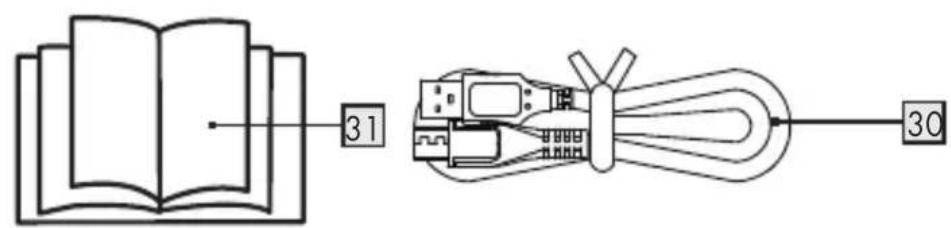
30 USB cable (Type A to Micro-USB) - for charging only
31 User manual
●Technical data
Handheld radios
| Channels: 16 | |
| Subcode: CTCSS 38/DCS 83 | |
| Frequency: 446.00625 - 446.19375 Mhz | |
| Band: 446 PMR | |
| Highest Reported SAR VOX (100% duty cycle) | |
| In-front of Face: | 0.290 W/kg |
| Body-Worn: | 0.733 W/kg |
| Push-to-Talk (50% duty cycle) | |
| In-Front-of Face: | 0.145 W/kg |
| Body-Worn: | 0.366 W/kg |
| Power output: <27 dBm | |
| Range: Up to 10 km (Open field)* | |
| Transmission power: ≤500 mW ERP | |
| Modulation type: FM-F3E | |
| Channel separation: 12.5 kHz | |
| Conventional/rechargeable batteries: | 3x AA sized batteries or 3x rechargeable AA sized NiMH batteries |
| Micro USB input voltage/current: | 5 V---, 550mA |
| Jack for the headset: 2.5mm jack | |
| Operating temperature range: | 0 - 40 °C |
| Storage temperature range: | 0 - 45 °C |
| Humidity (no condensation): | 10 to 70 % RH |
Dimension (L x W x H): 175 x 54 x 33 mm
Weight (without batteries/ 122.6 g rechargeable batteries):
IP standard: IPX4
Charging cradle
Micro USB input voltage/ 5 V ---, 550mA current:
Operating temperature 0 - 40 °C range:
Storage temperature 0 - 45 °C range:
Storage Humidity (no 10 to 70 % RH condensation):
Dimension (L x W x H): 50 x 140 x 82 mm
Weight: 91.3g
* i NOTE: The communication range is calculated based on optimum conditions, with no obstructions. Actual range will vary depending on terrain and conditions. The specification and design may be changed without notification.
●Before use
NOTE:
■ Before use, verify the package contents are complete and undamaged!
- All parts have to be unpacked and the packaging material has to be removed completely.
■ Remove the protective film from the displays of both transceivers.
Operation
- Setting up your product
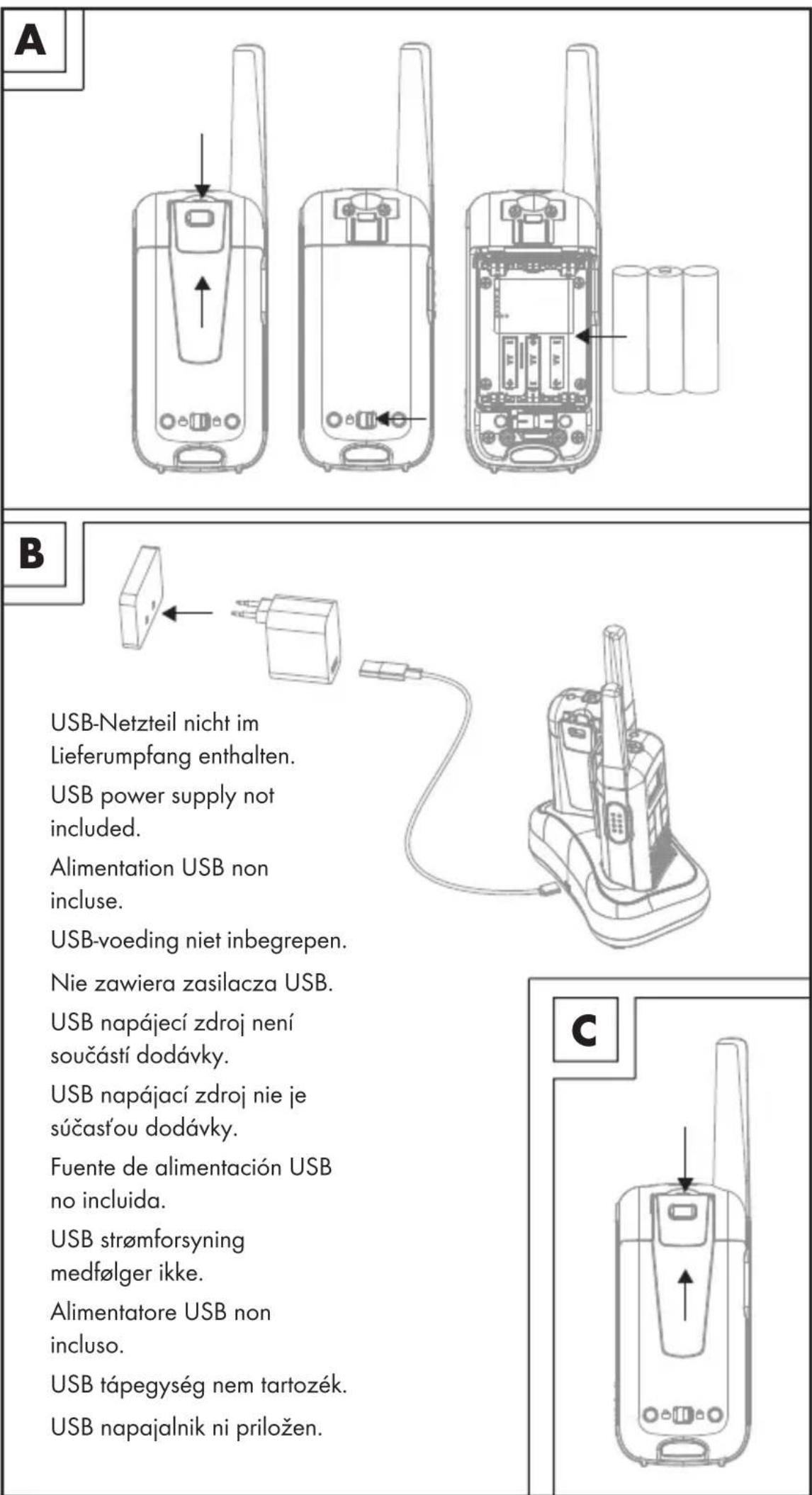
Installing/removing the belt clip (see fig. C)
Installing the belt clamp
Insert the belt clamp 15 into the slot located at the back of the handheld transceiver. The belt clamp 15 must audibly click into place.
Removing the belt clamp
To remove the belt clamp 15 from the handheld transceiver, release the belt clamp lock. Once it is unlocked, slide the belt clamp out of the slot.
Inserting/ Replacing the batteries (see fig. A)
Step 1: Remove the belt clamp 15.
Step 2: Unlock the battery compartment cover lock 16 and remove battery compartment cover.
Step 3: Insert 3 AA sized batteries/rechargeable batteries into the battery compartment with the correct polarity ensuring that the positive + and negative - of the batteries/rechargeable batteries and the battery terminals inside the battery compartment are aligned.
Step 4: Mount the battery compartment cover and lock it back with the lock 16.
Step 5: Replace the belt clamp 15.
Charging the rechargeable batteries (see fig. B)
This product can use either alkaline or Ni-MH rechargeable batteries. If you choose to use rechargeable batteries on your handheld radio transceiver set, please follow the information detailed in this section.
Setting up the charging cradle:
Step 1: Make sure to place the charging cradle on a flat, stable surface.
Step 2: Plug the USB cable into the Micro-USB socket 18 of the charging cradle.
Step 3: Connect the USB cable to a USB power supply (not included). Then plug the USB power supply into a well-accessible power outlet.
Step 4: Place the handheld transceivers onto the charging cradle.
You can see the charging status from the Battery level indicator ^23 to check the battery charging status. Total charging time is approx. 16 hours.
You can also charge the handheld transceivers directly without using the charging cradle. Open the rubber cover of the USB charging socket 9 before you insert the Micro-USB plug to the USB charging socket 9. Plug USB Type A plug into a USB power supply, and then plug the USB power supply into a nearby wall socket.
The Battery level indicator 23 in the upper right corner of the display scrolls while charging

Connecting the headset
natural_image
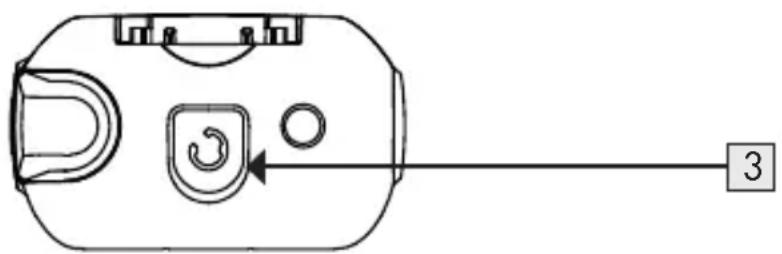
Technical line drawing of a device casing with internal components and a numbered connection point (no text or symbols)On the top of handheld transceiver there is a 2.5mm connection for a headset 3.
Open the rubber cover and then plug you headphones (not included) into this socket.
●Getting started
NOTE: The handheld transceivers work as a pair and need to communicate with each other using the same communication channel and also the same CTCSS (Continuous Tone-Coded Squelch System), or DCS code (Digital Code Squelch). Also, they will need to be within a 10 km range in an open field to work, as buildings, forests and areas of high ground can reduce the range. On a free channel, others who have a PMR or receiver can follow your conversation.
Power ON the handheld transceiver
To power ON the handheld transceiver press and hold the button 13 for at least 3 seconds. Then an acoustic signal can be heard and the current set channel will be shown in the display 1. At this moment, the handheld transceiver will be in receiver mode.
Power OFF the handheld transceiver
To power OFF the handheld transceiver press and hold the button 13 for at least 3 seconds. Then an acoustic signal can be heard and the display 1 will turn off.
Adjusting the volume
Press the Up button 5 to increase the audio volume. The speaker volume range will be indicated between 0 to 7L, (highest volume being 7L, and the lowest volume being 0L).
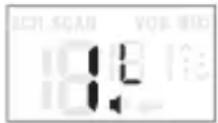
The set volume is shown flashing on the display for approx. 8 seconds and is then automatically saved. If you set the volume to "0" a "x" will also appear next to the loudspeaker symbol.
LED flash light ON/OFF
You can turn on the LED flash light at anytime by pressing the flash light ON/OFF Button 12.
NOTE: All settings are automatically saved after approx. 8 seconds and the handheld transceiver will then return to standby mode.
Setting up a different channel (Total 16 PMR radio channels)
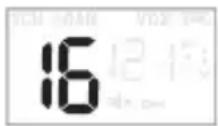
Both of the PMR radio handheld transceivers need to be set to the same channel for communication.
Step 1: Press the Menu button 6 once and the Transmission Channel 29 indicator will start flashing.
Step 2: Press the Up button 5 or the Down button 8 to select the desired channel for both handheld transceivers.
Step 3: Press the PTT button 14 to confirm.
NOTE: When using the handheld transceivers, all devices that are set to the same channel can participate in the conversation.
Transmission
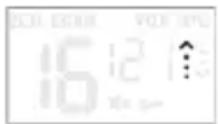
NOTE: All PMR radio handheld transceivers within the range and set to the same channel, the receive symbol appears and the message will be played.
Step 1: Press and hold the PTT button 14. The above transmission icon will appear in the display 1.
Step 2: Hold the handheld transceiver at about 3 to 5 cm from your mouth and speak into the microphone 10.
Step 3: Release the PTT button 14 once you have completed your message.
Battery status indicator
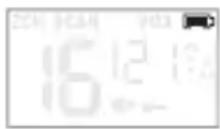
When the product is switched ON, the Battery level indicator 23 will show on the top right corner of the display 1.
Rechargeable batteries fully charged.
Rechargeable batteries 2/3 charged.
Rechargeable batteries 1/3 charged.
Rechargeable batteries empty.
When the batteries drop to 1/3 charged, a double beep tone is emitted every 10 minutes, at this time start to charge the rechargeable batteries. The signal tone is also emitted after each broadcast.
●Advance settings
CTCSS (Continuous Tone-Coded Squelch System)/
DCS (Digital Code Squelch)
In order to avoid receiving other signals from nearby, you can apply for CTCSS or DCS technology by following the information detailed in this section.
The CTCSS or DCS three-digit code is basically a tone frequency that the handheld transceivers will use for transmission. Two handheld transceivers that have been set to the same channel and the same CTCSS or DCS code can listen to each other. No other transceiver will be heard on the same channel, unless it is using the same CTCSS or DCS code.
This product supports a total of 38 analogue CTCSS (1 to 38) and 83 digital DCS (39 to 121) codes. Any receiver tuned to the same channel and using the same CTCSS or DCS code can listen to your message.
Setting up the sub-channel CTCSS/ DCS code
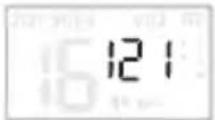
Setting up a sub channel allows you to not be disturbed by other handheld transceivers transmitting on the same channel or get any interference from other sources using the same frequency.
Step 1: Press the Menu button 6 twice and the sub channel indication 26 starts flashing.
Step 2: Use the Up button 5 or the Down button 8 to set the desired sub-channel (1 - 121) or disable this function by selecting "0".
Step 3: Press the PTT button 14 to confirm which channel you prefer.
Disable the CTCSS/ DCS code
To disable the CTCSS or DCS code, select the code "0". "0" will appear in the menu.
NOTE: Handheld transceivers with a sub channel "0" can receive all signals on that channel, also when you have set a sub channel on your handheld transceiver.
Channel monitoring
You can use this function to disable the noise reduction, allowing you to also listen to weak transmitters on the current channel.
Step 1: Press and hold the Monitor/ Channel Scan button 7 for 3 seconds to disable the noise reduction and to monitor the channel.
Step 2: Release the button 7 to turn the noise reduction on again.
Voice-controlled send function (VOX)
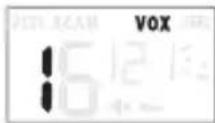
The handheld transceiver will start transmitting as soon as it detects your voice something like using the hands-free function of your mobile phone. This allows you to send a message without pressing the PTT button 14. Using this function is not recommended when you are located in a noisy or windy environment.
Step 1: Press the Menu button 6 4 times. The VOX icon 22 will illuminate in the display and the current VOX setting will flash on the display 1.
Step 2: Press the Up button 5 to set the sensitivity of the VOX function. The higher the set value the more sensitive the VOX function will become. You can set a value from "1" to "3".
Step 3: To deactivate the VOX set the value to "0".
Step 4: Press the PTT button 14 to confirm the setting.
NOTE: It would be preferably to use this function in combination with a headset. Keep in mind that it can take over a second after you have started talking before the handheld transceiver starts transmitting.
Channel scan
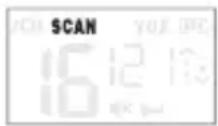
Use this function to scan all active channels (1-16) in the loop.
Step 1: Briefly press the button 7 to start scanning
Step 2: Briefly press the Up button 5 or Down button 8 to continue scanning if you are only receiving noise on certain channel.
Step 3: If the reception of the same channel keeps during the scan, you may remove this channel from the scan by pressing and holding Up button 5 or Down button 8 for 2 seconds. Then the scan will resume but the selected channel will be skipped.
NOTE: You cannot remove a channel to which the walkie-talkie was set when the scan was started. The next time you initiate a channel scan, all channels will be scanned again.
Step 4: Press the Monitor/Channel Scan button 7 again to end the scan.
Dual channel scan
Use the 2 channel scan to consecutively monitor the channel to which the handheld transceiver is currently set and a 2nd channel.
Step 1: Press the Menu button 6 5 times and the "2CH" icon 20 will appear on the display 1.
Step 2: Use the Up button 5 or the Down button 8 to select the 2nd channel ('OF' means Off).
Step 3: Press the PTT button 14 to confirm.
Step 4: Repeat these instructions and select the option 'OF' in step 2 to disable this function.
The two monitored channels are shown alternately in the display. If the second monitored channel is displayed "2CH" also appears in the display.
Call alert (CA) tones
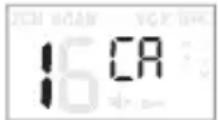
The call tone is an audible signal that alerts other stations that you want to transmit a message. This product has 20 different call tones.
Selecting the call tone:
Step 1: Press the Menu button 6 3 times. The indication "CA" will appear on the display 1 and the number of the current call tone will flash and the call tone can be heard.
Step 2: Press the Up button 5 or the Down button 8 to set a different call tone.
Step 3: Press the PTT button 14 to confirm the selected call alert tones. You can use the function by pressing the Call button 13. The call tone is then sent.
i NOTE: "0" = Tone OFF
Roger Beep ON/OFF
If this function is enabled, a signal tone will sound at the receiving end as soon as you stop transmitting. The receiving person now knows when he or she can talk back.
Step 1: Make sure that the handheld transceiver is switched OFF.
Step 2: Press and hold the Up button 5 and depress the button 13 for 3 seconds to switch ON the handheld transceiver.
Step 3: If the Roger beep was enabled, it will now be disabled, and vice versa.
Button sound ON/OFF
Key tones are the tones that sound upon pressing a button. You may switch these tones on or off as follows:
Step 1: Make sure that the handheld transceiver is switched OFF.
Step 2: Press and hold the Down button 8 and depress the button 13 for 3 seconds to switch on the handheld transceiver.
Step 3: If the key tones were enabled, they'll now be disabled, and vice versa. The key tones are also deactivated if the user sets the volume to "0".
KEYPAD button LOCK:
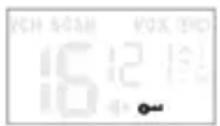
When the keylock is enabled, the Up button 5, Down button 8, Menu button 6 and button 7 are locked.
Step 1: Press and hold the Menu button 6 until after approx. 3 seconds the Button lock icon 27 appears on display 1.
Step 2: Press and hold the Menu button 6 again for 2 seconds to unlock these buttons.
The "call function" and the "send" function can still be used normally.
Display backlight
Each time you press a function button (except the PTT button 14, button 13 or button 12) the background lighting of the display will illuminate.
This lighting will automatically switch OFF in 5 seconds after pressing the last button.
●Storage when not in use
- Batteries/rechargeable batteries must be removed before storage.
■ Store the product in a dry indoor location protected from direct sunlight, preferably in its original packaging.
●Cleaning
■ Switch the product off before cleaning!
No acid, chafing or solvent cleaning agents should be used or the product can be damaged.
■ Only clean the outside of the product using a soft, dry cloth!
At persistent soiling, a mild cleaning agent can be used.
●Troubleshooting
Problem Solution
The device cannot be switched on.
Option 1: Replace the product with new batteries/recargeable batteries.
Option 2: Check that the batteries/recargeable batteries have been inserted into the battery compartment with the correct polarity orientation.
Option 3: Charge the rechargeable batteries of product inside battery compartment.
Option 4: Make sure press and hold the ON/OFF button 13 for at least 3 seconds.
Not charging Option 1: Install new batteries/recargeable batteries.
Option 2: Check that the batteries/recargeable batteries have been inserted into the battery compartment with the correct polarity orientation.
Option 3: Check if power adaptor (not included) correctly plug into socket.
Option 4: Check if the both ends of the USB cable are connected to the charging cradle and power adaptor (not included) properly.
Poor reception or interference
Option 1: Weak signal, move away from those electromagnetic sources.
Option 2: Running out of batteries, replace with new batteries or full charge your product again.
Option 3: Try to switch different channel to see if quality can be improved.
Option 4: The distance between transmitter and receiver is too long. Move the transmitter and receiver closer and try again.
Option 5: No communication possible, check channel settings.
Option 6: No playback, check volume setting.
●Disposal
Packaging:
The packaging is made of environmentally friendly materials, which may be disposed of through your local recycling facilities.
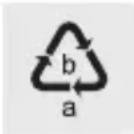
Observe the marking of the packaging materials for waste separation, which are marked with abbreviations (a) and numbers (b) with following meaning: 1–7: plastics / 20–22: paper and fibreboard / 80–98: composite materials.
Product:

Contact your municipality for information on how to dispose of your worn-out product.
The adjacent symbol of a crossed out dustbin on wheels indicates this product is subject to Directive 2012/19/EU. This directive states at the end of the life this product must not be disposed of through regular household refuse but must be returned to special collection sites, recycling depots or waste management companies.
This disposal is free of charge to you.
Protect the environment and dispose of properly.

The product is recyclable, subject to extended manufacturer responsibility, and collected separately.
Batteries:
Think about the environment and your personal health. Dispose empty batteries in separate collecting boxes. These can be found in many public buildings or in shops where batteries are sold.
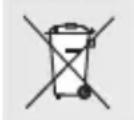
Improper disposal of batteries can harm the environment!
Never dispose of batteries in your household waste. They may contain toxic heavy metals and are subject to hazardous waste regulations. The chemical symbols of the heavy metals are:
Cd = cadmium, Hg = mercury, Pb = lead. Therefore dispose of used batteries through your local collection site.
●Simplified EU declaration of conformity
Hereby, OWIM GmbH & Co. KG, Stiftsbergstraße 1, 74167 Neckarsulm, GERMANY, declares that the product PMR 2-WAY RADIO SET, HG06837, is in compliance with Directives 2014/53/EU and 2011/65/EU.
The full text of the EU declaration of conformity is available at the following internet address: www.owim.com
CE
●Warranty and service
Warranty
The product has been manufactured to strict quality guidelines and meticulously examined before delivery. In the event of product defects you have legal rights against the retailer of this product. Your legal rights are not limited in any way by our warranty detailed below.
The warranty for this product is 3 years from the date of purchase. The warranty period begins on the date of purchase. Please keep the original sales receipt in a safe location. This document is required as your proof of purchase.
Should this product show any fault in materials or manufacture within 3 years from the date of purchase, we will repair or replace it – at our choice – free of charge to you. This warranty becomes void if the product has been damaged, or used or maintained improperly.
The warranty applies to defects in material or manufacture. This warranty does not cover product parts subject to normal wear, thus possibly considered consumables (e.g. batteries) or for damage to fragile parts, e.g. switches, rechargeable batteries or glass parts.
● Warranty claim procedure
To ensure quick processing of your case, please observe the following instructions:
Please have the till receipt and the item number (IAN 394862_2107) available as proof of purchase.
You will find the item number on the rating plate, an engraving, on the front page of the instructions for use (bottom left), or as a sticker on the rear or bottom of the product.
If functional or other defects occur, please contact the service department listed either by telephone or by e-mail.
You can return a defective product to us free of charge to the service address that will be provided to you. Ensure that you enclose the proof of purchase (till receipt) and information about what the defect is and when it occurred.
Service
GB Service Great Britain
Tel.: 08000569216
E-Mail: owim@lidl.co.uk
IE Service Ireland
Tel.: 1800 200736
E-Mail: owim@lidl.ie
Piles/piles rechargeables
natural_image
Technical line drawing of a device casing with internal components and a numbered connection point (no text or symbols)⚠ WAARSCHUWING! Radiostoringen
WAARSCHUWING! EXPLOSIEGEVAAR!

25 Transmissiepictogram (TX)
26 Subkanaalindicatie (CTCSS/ DCS)
27 Knopvergrendeling-pictogram
28 Luidsprekervolume
●Uw product instellen
natural_image
Technical line drawing of a device casing with internal components and a numbered connection point (no text or symbols)CTCSS (Continuous Tone-Coded Squelch System)/DCS (Digital Code Squelch)
natural_image
Technical line drawing of a mechanical component with no visible text or symbolsCTCSS (Continuous Tone-Coded Squelch System)/
DCS (Digital Code Squelch)
POUŽÍVEJTE OCHRANNÉ RUKAVICE!
natural_image
Technical line drawing of a mechanical component with no visible text or symbolsCTCSS (Continuous Tone-Coded Squelch System)/DCS (Digital Code Squelch)
POUŽÍVAJTE OCHRANNÉ RUKAVICE!
natural_image
Technical line drawing of a device casing with internal components and a numbered connection point (no text or symbols)natural_image
Diagram of a device casing with internal components and a numbered connection point (no text or symbols)⚠ ADVARSEL! EKSPLOSIONSFARE!

natural_image
Technical line drawing of a mechanical component with no visible text or symbolsnatural_image
Technical line drawing of a mechanical component with no visible text or symbolsCTCSS (Continuous Tone-Coded Squelch System)/DCS (Digital Code Squelch)
i NOTA: "0" = Tono OFF
Roger Beep ON/OFF
Kijelző panel elemei
natural_image
Technical line drawing of a device casing with internal components and a numbered connection point (no text or symbols)natural_image
Technical line drawing of a mechanical component with no visible text or symbolsPooblaščeni serviser:
OWIM GmbH & Co. KG
Stiftsbergstraße 1
74167 Neckarsulm
NEMČIJA


- PMR-SPRECHFUNK-SET/ PMR 2-WAY RADIO SET/ SET DE TALKIES-WALKIES PMR SPMR1 B1
- PMR-SPRECHFUNK-SET
- SET DE TALKIES-WALKIES PMR
- ⚠️ WARNUNG! EXPLOSIONSGEFAHR!
- TRAGEN SIE SCHUTZHANDSCHUHE!
- CTCSS (Continuous Tone-Coded Squelch System)/
- DCS (Digital Code Squelch)
- PMR 2-WAY RADIO SET
- ●Introduction
- ●Intended use
- ●Trademark notices
- - Scope of delivery
- Safetynotes
- ⚠ WARNING! DANGER TO LIFE AND RISK OF ACCIDENT FOR INFANTS AND CHILDREN!
- ⚠️ DANGER! Keep batteries/rechargeable batteries out of reach of children. If accidentally swallowed seek immediate medical attention.
- ⚠ WARNING! EXPLOSION HAZARD!
- Risk of batteries/rechargeable batteries leakage
- WEAR PROTECTIVE GLOVES!
- Batteries/ rechargeable batteries
- ATTENTION! RISK OF PROPERTY DAMAGE
- WARNING! Ensure that:
- ●Description of parts
- Handheld transceiver
- Charger cradle
- Display panel items
- Other items
- ●Technical data
- Charging cradle
- ●Before use
- NOTE:
- Operation
- - Setting up your product
- Installing/removing the belt clip (see fig. C)
- Installing the belt clamp
- Removing the belt clamp
- Inserting/ Replacing the batteries (see fig. A)
- Charging the rechargeable batteries (see fig. B)
- Setting up the charging cradle:
- Connecting the headset
- ●Getting started
- Power ON the handheld transceiver
- Power OFF the handheld transceiver
- Adjusting the volume
- LED flash light ON/OFF
- Setting up a different channel (Total 16 PMR radio channels)
- Transmission
- Battery status indicator
- ●Advance settings
- Setting up the sub-channel CTCSS/ DCS code
- Disable the CTCSS/ DCS code
- Channel monitoring
- Voice-controlled send function (VOX)
- Channel scan
- Dual channel scan
- Call alert (CA) tones
- Selecting the call tone:
- Roger Beep ON/OFF
- Button sound ON/OFF
- KEYPAD button LOCK:
- Display backlight
- ●Storage when not in use
- ●Cleaning
- ●Troubleshooting
- Problem Solution
- ●Disposal
- Packaging:
- Product:
- This disposal is free of charge to you.
- Batteries:
- Improper disposal of batteries can harm the environment!
- ●Simplified EU declaration of conformity
- CE
- ●Warranty and service
- Warranty
- ● Warranty claim procedure
- Service
- GB Service Great Britain
- IE Service Ireland
- Piles/piles rechargeables
- WAARSCHUWING! EXPLOSIEGEVAAR!
- ●Uw product instellen
- CTCSS (Continuous Tone-Coded Squelch System)/DCS (Digital Code Squelch)
- POUŽÍVEJTE OCHRANNÉ RUKAVICE!
- POUŽÍVAJTE OCHRANNÉ RUKAVICE!
- ⚠ ADVARSEL! EKSPLOSIONSFARE!
- Kijelző panel elemei
- Pooblaščeni serviser:
Brand : SILVERCREST
Model : SPMR1 B1
Category : Walkie-talkie