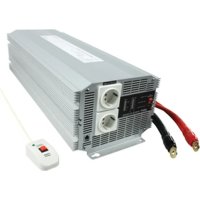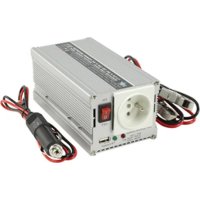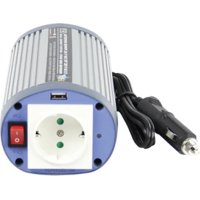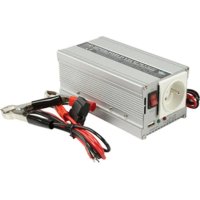
INV300WU12F - Power inverter HQ - Free user manual and instructions
Find the device manual for free INV300WU12F HQ in PDF.

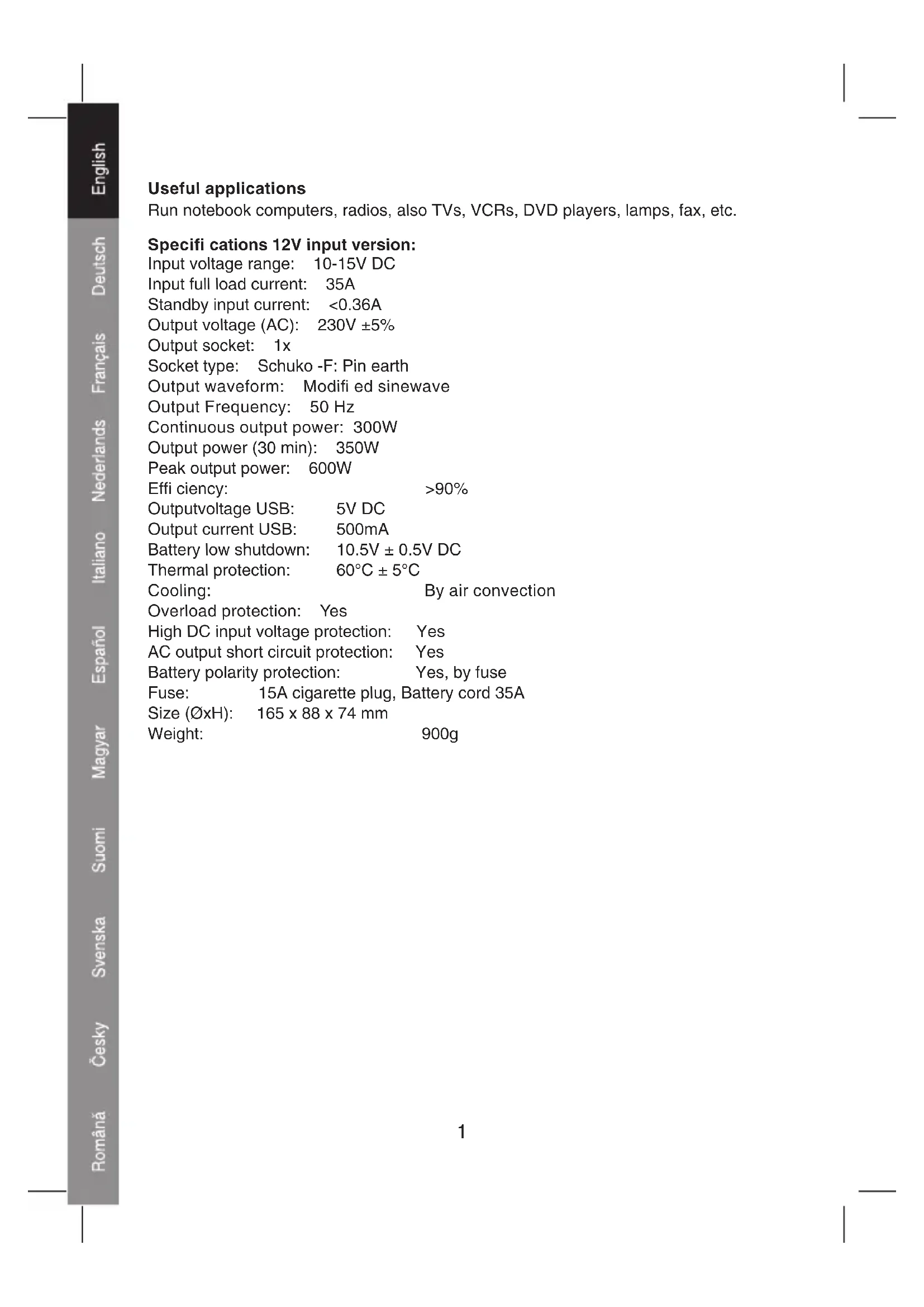


| Product type | Power inverter (voltage converter) |
| Brand | HQ |
| Model | INV300WU12F |
| Dimensions (L x W x H) | 165 x 88 x 74 mm |
| Weight | 900 g |
| Input voltage (DC) | 12 V (range 10-15 V) |
| Full load input current | 35 A |
| Standby input current | < 0.36 A |
| Output voltage (AC) | 230 V ±5% |
| Continuous output power | 300 W |
| Output power (30 min) | 350 W |
| Peak power | 600 W |
| Output frequency | 50 Hz |
| Output waveform | Modified sine wave |
| Efficiency | > 90% |
| USB port (output) | 5 V DC, 500 mA |
| Output socket | 1x Schuko with earth pin |
| Low battery protection | Cut-off at 10.5 V ±0.5 V |
| Thermal protection | Shut down at 60°C |
| Overload protection | Yes |
| Short circuit protection | Yes (AC output) |
| Reverse polarity protection | Yes, by fuse |
| Fuse (cigarette lighter input) | 15 A |
| Cooling | Air convection |
| Maintenance | Clean with a dry cloth. Do not use solvents. |
| Warranty | Warranty void if modified or used incorrectly. |
Frequently Asked Questions - INV300WU12F HQ
User questions about INV300WU12F HQ
0 question about this device. Answer the ones you know or ask your own.
Ask a new question about this device
Download the instructions for your Power inverter in PDF format for free! Find your manual INV300WU12F - HQ and take your electronic device back in hand. On this page are published all the documents necessary for the use of your device. INV300WU12F by HQ.
USER MANUAL INV300WU12F HQ
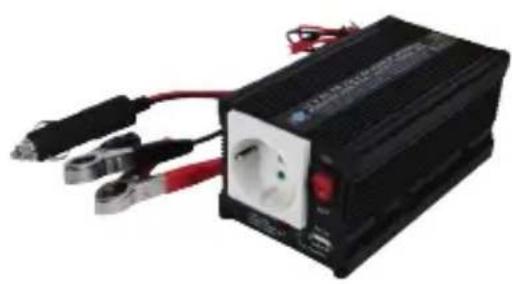
300 WATT DC TO AC MODIFIED SINEWAVE INVERTER WITH USB OUTPUT
natural_image
Black industrial power supply unit with terminal connectors and a central socket (no visible text or symbols)MANUAL
MODE D'EMPLOI
MANUALE
HASZNÁLATI ÚTMUTATÓ
BRUKSANVISNING
MANUAL DE UTILIZARE
ANLEITUNG
GEBRUIKSAANWIJZING
MANUAL DE USO
KÄYTTÖOHJE
NÁVOD K POUŽITÍ
Useful applications
Run notebook computers, radios, also TVs, VCRs, DVD players, lamps, fax, etc.
Specifications 12V input version:
Input voltage range: 10-15V DC
Input full load current: 35A
Standby input current: <0.36A
Output voltage (AC): 230V ±5%
Output socket: 1x
Socket type: Schuko -F: Pin earth
Output waveform: Modifi ed sinewave
Output Frequency: 50 Hz
Continuous output power: 300W
Output power (30 min): 350W
Peak output power: 600W
Efficiency: >90%
Output voltage USB: 5V DC
Output current USB: 500mA
Battery low shutdown: 10.5V ± 0.5V DC
Thermal protection: 60^ C ± 5^ C
Cooling: By air convection
Overload protection: Yes
High DC input voltage protection: Yes
AC output short circuit protection: Yes
Battery polarity protection: Yes, by fuse
Fuse: 15A cigarette plug, Battery cord 35A
Size (∅xH): 165 x 88 x 74 mm
Weight: 900g
Specifications 24V input version
Input voltage range: 20-30V DC
Input full load current: 15A
Standby input current: <0.2A
Output voltage (AC): 230V ±5%
Output socket: 1x
Socket type: Schuko (-F: Pin earth)
Output waveform: Pure sinewave
Output Frequency: 50 Hz
Continuous output power: 300W
Output power (30 min): 350W
Peak output power: 600W
Efficiency: >90%
Output voltage USB: 5V DC
Output current USB: 500mA
Battery low shutdown: 21V ± 0.8V DC
Thermal protection: 60^ C ± 5^ C
Cooling: By air convection
Overload protection: Yes
High DC input voltage protection: Yes
AC output short circuit protection: Yes
Battery polarity protection: Yes, by fuse
Fuse: 10A, cigarette plug, battery cord 20A
Size (∅xH): 165 x 88 x 74 mm
Weight: 900g
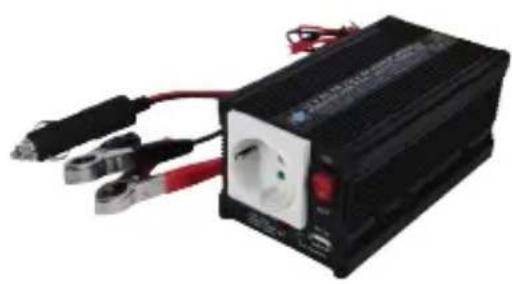
Operating instruction:
1.
text_image
INDICATOR USB PORT CIGARETTE PLUG AC OUTPUT SOCKET2.
natural_image
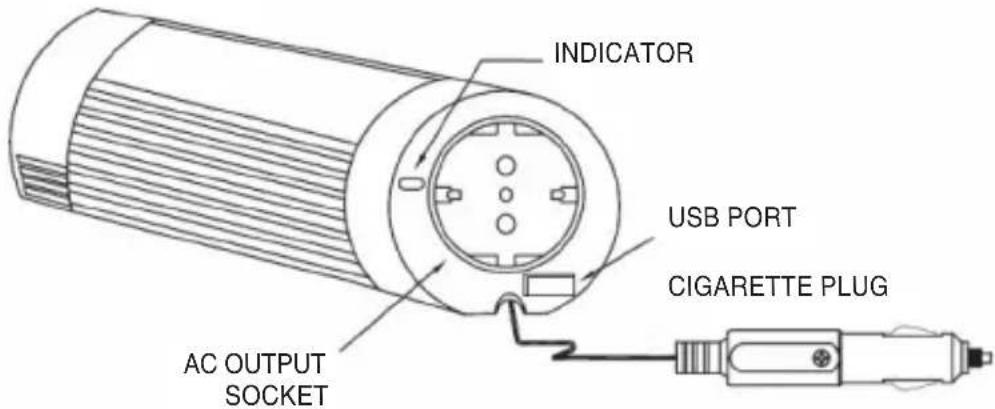
Line drawing of a cylindrical device connected to a computer via cable (no text or symbols)When using for longer periods it is wise to have the engine of the car running, to prevent a fully discharged battery. When the alarm for low battery starts, start the car engine to continue using the inverter and connected appliances.
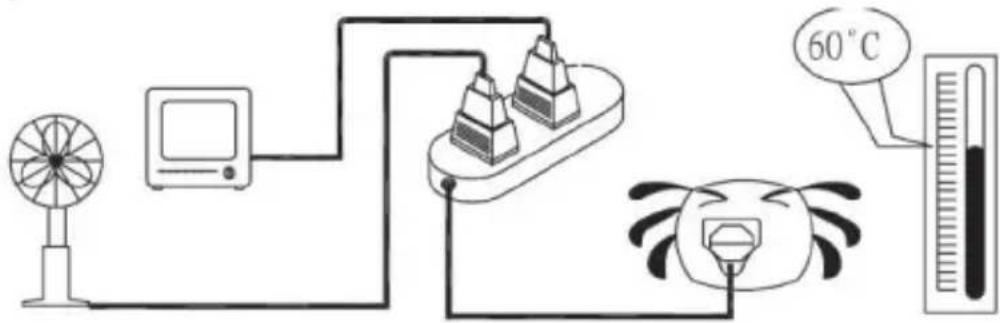
Make sure that the maximum power demand of the connected apiances does not exceed the output power of this inverter (300W continuously, 350W for max. 30 minutes)
text_image
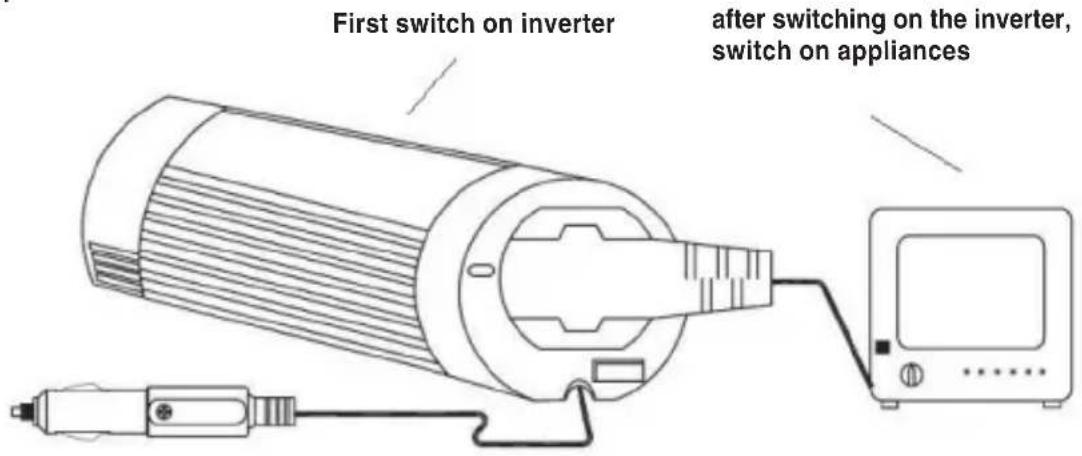
First switch on inverter after switching on the inverter, switch on appliancesAlways make sure to turn on the power of the inverter first, before turning on the power of the connected equipment.
text_image
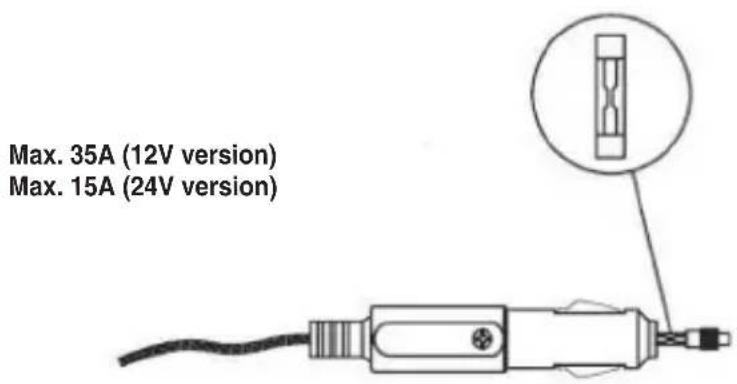
Max. 35A (12V version) Max. 15A (24V version)When the inverter and the power indicator do not work, but the power is on, check the fuse in the cigarette plug. If the fuse is spoilt, use similar fuse for replacement.
5.
text_image
Diagram illustrating a temperature measurement setup with fan, monitor, pyramidal unit, thermometer, and cartoon character.When the total watts of the connected appliance(s) exceed(s) the output capacity of the inverter or when the inverter is operating for a long time and the temperature reaches 60^ C, the inverter will be shut down by the protection circuit.
6.
LED indicator:
- With normal use: LED is green
• Overload / overtemperature: LED is red and blinks
7.
natural_image
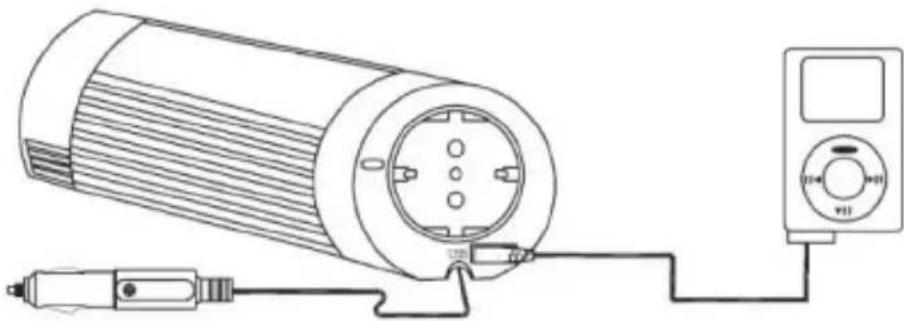
Technical line drawing of a cylindrical device connected to a multimeter (no text or symbols present)Built-in USB port makes this inverter extra versatile, allowing to charge and power USB devices!
Troubleshooting
If the inverter doesn't function properly, there can be several possible reasons for it:
1) Poor contact
- Clean contact parts thoroughly
2) Inverter has no power
- Check car fuse, replace damaged fuse
- Check connection of wires
3) Fuse is blown
- The fuse is located in the DC (cigarette) plug. Replace the fuse with a similar fuse of equivalent value
4) AC output shutdown caused by overload
• Make sure the continuous load of the attached appliances does not exceed 100 Watts
5) AC output shutdown caused by overheating
• Under heavy loads for extended periods of time, the inverter will shutdown the output to prevent damage from excess heat. If this happens, please proceed as below:
(A) Switch off the power switch of the inverter
(B) Decrease load of the machine i.e. disconnect some of the appliances or wait until this inverter cools down.
(C) Switch on the power switch of the inverter.
6) Low-battery shutdown
- Recharge your battery and resume operation.
Caution!
Always place the inverter in an environment that is:
- Well ventilated
- Not exposed to direct sunlight or heat source
- Out of reach from children
- Away from water, moisture, oil or grease
- Away from any infl ammable substances
DECLARATION OF CONFIRMITY
We,
Nedis B.V.
De Tweeling 28
Declare under our responsibility that the product;
Brandname: HQ
Model: HQ-INV300WU-12, HQ-INV300WU-24
Description: 300W DC to AC Modified Sinewave Inverter with USB port
Is in confi rmity with the following standards;
e-Mark (72/245/CEE, 2006/28/CE): e13*72/245*2006/28*3948*00
EMC (89/336/EEC):
EN 61000-6-3:2001 / EN 61000-6-1:2001
LVD (73/23/EEC): + 93/68/EEC
EN 60950-1:2001, EN 61558-1:1997 +A1:1998
Conform this regulation it's allowed to use this product in all European Community & EFTA countries.
Nedis BV is not responsible for the use of this product outside the European Community & EFTA countries.
's-Hertogenbosch, 17-08-2007
Mrs. J. Gilad
Purchase Director
Safety precautions:

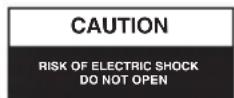

To reduce risk of electric shock, this product should ONLY be opened by an authorized technician when service is required.
Disconnect the product from mains and other equipment if a problem should occur.
Maintenance:
Clean only with a dry cloth. Do not use cleaning solvents or abrasives.
Warranty:
No guarantee or liability can be accepted for any changes and modifications of the product or damage caused due to incorrect use of this product.
General:
Designs and specifications are subject to change without notice.
All logos brands and product names are trademarks or registered trademarks of their respective holders and are hereby recognized as such.
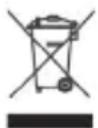
Attention:
This product is marked with this symbol. It means that used electrical and electronic products should not be mixed with general household waste. There is a separate collections system for these products.
Copyright ©


text_image
HQHQ-INV300WU-12 HQ-INV300WU-24
300 WATT WECHSELRICHTER MIT USB-AUSGANG
natural_image
Black and white photo of a power supply unit with red and black wires, no visible text or symbolsMANUAL
MODE D'EMPLOI
MANUALE
HASZNÁLATI ÚTMUTATÓ
BRUKSANVISNING
MANUAL DE UTILIZARE
ANLEITUNG
GEBRUIKSAANWIJZING
MANUAL DE USO
KÄYTTÖOHJE
NÁVOD K POUŽITÍ
natural_image
Line drawing of a cylindrical device connected to a computer via cable (no text or symbols)text_image
Diagram illustrating a temperature measurement setup with fan, monitor, pyramidal unit, thermometer, and cartoon character.natural_image
Line drawing of a cylindrical device connected to a digital multimeter via cable (no text or symbols)LVD (73/23/EEC): + 93/68/EEC
EN 60950-1:2001, EN 61558-1:1997 +A1:1998
natural_image
Black and white photo of a power inverter with red and black wires, no visible text or symbolsMANUAL
MODE D'EMPLOI
MANUALE
HASZNÁLATI ÚTMUTATÓ
BRUKSANVISNING
MANUAL DE UTILIZARE
ANLEITUNG
GEBRUIKSAANWIJZING
MANUAL DE USO
KÄYTTÖOHJE
NÁVOD K POUŽITÍ
Applications utiles
natural_image
Line drawing of a cylindrical device connected to a computer via cable (no text or symbols)text_image
Maximum 35A (12V version) Maximum 15A (24V version)text_image
Diagram illustrating a temperature measurement setup with fan, monitor, thermometer, and condenser connected to a 60°C scale.natural_image
Technical line drawing of a cylindrical device connected to a multimeter via cable (no text or symbols)DBT (73/23/CEE) : + 93/68/CEE
EN 60950-1:2001, EN 61558-1:1997 +A1:1998
natural_image
Black and white photo of a power inverter with three connected cables (no visible text or symbols)MANUAL
MODE D'EMPLOI
MANUALE
HASZNÁLATI ÚTMUTATÓ
BRUKSANVISNING
MANUAL DE UTILIZARE
ANLEITUNG
GEBRUIKSAANWIJZING
MANUAL DE USO
KÄYTTÖOHJE
NÁVOD K POUŽITÍ
natural_image
Line drawing of a cylindrical device connected to a computer via cable (no text or symbols)text_image
Diagram illustrating a temperature measurement setup with fan, monitor, thermometer, and condenser connected to a 60°C scale.natural_image
Technical line drawing of a cylindrical device connected to a meter via cable (no text or symbols)LVD (73/23/EEC): + 93/68/EEC
EN 60950-1:2001, EN 61558-1:1997 +A1:1998
natural_image
Black industrial power source with terminal connectors and red cables (no visible text or symbols)MANUAL
MODE D'EMPLOI
MANUALE
HASZNÁLATI ÚTMUTATÓ
BRUKSANVISNING
MANUAL DE UTILIZARE
ANLEITUNG
GEBRUIKSAANWIJZING
MANUAL DE USO
KÄYTTÖOHJE
NÁVOD K POUŽITÍ
Applicazioni utili
natural_image
Line drawing of a cylindrical device connected to a computer via cable (no text or symbols)text_image
Diagram illustrating a thermal measurement setup with fan, monitor, pyramidal unit, thermometer, and ice cream tube.natural_image
Technical line drawing of a cylindrical device connected to a multimeter via cable (no text or symbols)LVD (73/23/EEC): + 93/68/EEC
EN 60950-1:2001, EN 61558-1:1997 +A1:1998
natural_image
Black industrial power source with terminal connectors and a central socket (no visible text or symbols)MANUAL
MODE D'EMPLOI
MANUALE
HASZNÁLATI ÚTMUTATÓ
BRUKSANVISNING
MANUAL DE UTILIZARE
ANLEITUNG
GEBRUIKSAANWIJZING
MANUAL DE USO
KÄYTTÖOHJE
NÁVOD K POUŽITÍ
Aplicaciones útiles
natural_image
Line drawing of a cylindrical device connected to a computer via cable (no text or symbols)text_image
Diagram illustrating a temperature measurement setup with fan, monitor, thermometer, and condenser connected to a 60°C scale.natural_image
Technical line drawing of a cylindrical device connected to a meter via cable (no text or symbols)LVD (73/23/EEC): + 93/68/EEC
EN 60950-1:2001, EN 61558-1:1997 +A1:1998
natural_image
Black industrial power source with terminal connectors and red cables (no visible text or symbols)MANUAL
MODE D'EMPLOI
MANUALE
HASZNÁLATI ÚTMUTATÓ
BRUKSANVISNING
MANUAL DE UTILIZARE
ANLEITUNG
GEBRUIKSAANWIJZING
MANUAL DE USO
KÄYTTÖOHJE
NÁVOD K POUŽITÍ
natural_image
Line drawing of a cylindrical device connected to a computer via cable (no text or symbols)text_image
Diagram illustrating a thermal measurement setup with fan, monitor, condenser, thermometer, and temperature reading of 60°Cnatural_image
Line drawing of a cylindrical device connected to a multimeter via cable (no text or symbols)LVD (73/23/EGK): + 93/68/EEC
EN 60950-1:2001, EN 61558-1:1997 +A1:1998
natural_image
Black industrial power source with terminal connectors and red cables (no visible text or symbols)MANUAL
MODE D'EMPLOI
MANUALE
HASZNÁLATI ÚTMUTATÓ
BRUKSANVISNING
MANUAL DE UTILIZARE
ANLEITUNG
GEBRUIKSAANWIJZING
MANUAL DE USO
KÄYTTÖOHJE
NÁVOD K POUŽITÍ
natural_image
Line drawing of a cylindrical device connected to a computer via cable (no text or symbols)text_image
Diagram illustrating a thermal measurement setup with fan, monitor, pyramidal unit, thermometer, and temperature reading of 60°C.natural_image
Technical line drawing of a cylindrical device connected to a meter via cable (no text or symbols)LVD (73/23/EY): + 93/68/EEC
EN 60950-1:2001, EN 61558-1:1997 +A1:1998
natural_image
Black industrial power source with terminal connectors and red cables (no visible text or symbols)MANUAL
MODE D'EMPLOI
MANUALE
HASZNÁLATI ÚTMUTATÓ
BRUKSANVISNING
MANUAL DE UTILIZARE
ANLEITUNG
GEBRUIKSAANWIJZING
MANUAL DE USO
KÄYTTÖOHJE
NÁVOD K POUŽITÍ
Användningsområden
natural_image
Line drawing of a cylindrical device connected to a computer via cable (no text or symbols)text_image
Diagram illustrating a thermal measurement setup with fan, monitor, condenser, thermometer, and temperature reading of 60°Cnatural_image
Technical line drawing of a cylindrical device connected to a multimeter (no text or symbols present)LVD (73/23/EEC): + 93/68/EEC
EN 60950-1:2001, EN 61558-1:1997 +A1:1998
natural_image
Black industrial power source with red and black wires, no visible text or symbolsMANUAL
MODE D'EMPLOI
MANUALE
HASZNÁLATI ÚTMUTATÓ
BRUKSANVISNING
MANUAL DE UTILIZARE
ANLEITUNG
GEBRUIKSAANWIJZING
MANUAL DE USO
KÄYTTÖOHJE
NÁVOD K POUŽITÍ
Použití
natural_image
Line drawing of a cylindrical device connected to a computer via cable (no text or symbols)text_image
Diagram illustrating a temperature measurement setup with fan, monitor, thermometer, and condenser connected to a 60°C scale.natural_image
Technical line drawing of a cylindrical device connected to a multimeter (no text or symbols present)LVD (73/23/EEC): + 93/68/EEC
EN 60950-1:2001, EN 61558-1:1997 +A1:1998
natural_image
Black industrial power source with terminal connectors and red cables (no visible text or symbols)MANUAL
MODE D'EMPLOI
MANUALE
HASZNÁLATI ÚTMUTATÓ
BRUKSANVISNING
MANUAL DE UTILIZARE
ANLEITUNG
GEBRUIKSAANWIJZING
MANUAL DE USO
KÄYTTÖOHJE
NÁVOD K POUŽITÍ
Poate fi folosit:
natural_image
Line drawing of a cylindrical device connected to a computer via cable (no text or symbols)text_image
Diagram illustrating a thermal measurement setup with fan, monitor, pyramidal unit, thermometer, and ice cream tube.natural_image
Line drawing of a cylindrical device connected to a meter via cable, no text or symbols presentLVD (73/23/EEC): + 93/68/EEC
EN 60950-1:2001, EN 61558-1:1997 +A1:1998