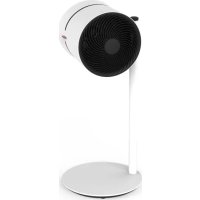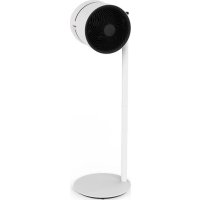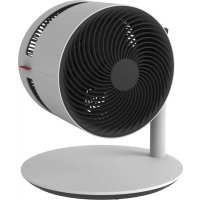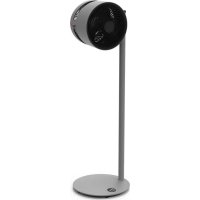
F235 - Fan BONECO - Free user manual and instructions
Find the device manual for free F235 BONECO in PDF.



| Product Type | BONECO Air Shower Column Fan |
| Model | F235 |
| Brand | BONECO |
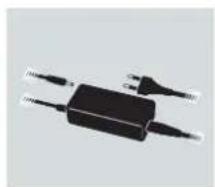
| Supply Voltage | 24 V DC |
| Power Consumption | 1.5 – 22 W |
| Sound Level | 34 – 64 dB(A) |
| Max. Airflow | 1439 m³/h |
| Max. Air Velocity | 273 m/min |
| Dimensions (L × W × H) | 375 × 375 × 1212 mm |
| Net Weight | 7.6 kg |
| Adjustable Height | Yes, up to 2 removable columns |
| Orientation | Manual tilt 270° |
| Number of Speed Levels | 32 |
| Timer (Auto-off) | Yes, adjustable in 1-hour increments |
| Timer (Auto-on) | Yes, adjustable in 1-hour increments |
| Connectivity | Bluetooth, BONECO healthy air app |
| App Features | Timers, Baby-Lock, weather conditions |
| Maintenance | Clean housing with a damp cloth; removable blades for cleaning |
| Safety Instructions | Disconnect before cleaning; do not use alcohol or aggressive cleaning agents |
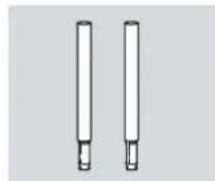
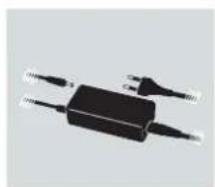
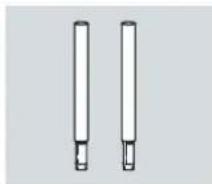
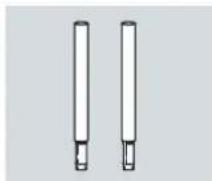
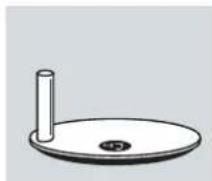
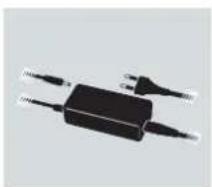
| Package Contents | Fan unit, 2 support columns, base, instruction manual |
Frequently Asked Questions - F235 BONECO
User questions about F235 BONECO
0 question about this device. Answer the ones you know or ask your own.
Ask a new question about this device
Download the instructions for your Fan in PDF format for free! Find your manual F235 - BONECO and take your electronic device back in hand. On this page are published all the documents necessary for the use of your device. F235 by BONECO.
USER MANUAL F235 BONECO
natural_image
Circular object with concentric rings and a small protrusion, resembling a camera lens or lens (no text or symbols visible)Read and save these instructions
natural_image
Two technical diagrams showing a circular component with spiral pattern and two cylindrical shafts (no text or symbols)natural_image
Simple line drawing of a circular mechanical part with a cylindrical shaft and central hole (no text or symbols)Standfuss
natural_image
Two electronic devices: a black rectangular device with wires and a white speech bubble with glasses on a stand (no text or symbols visible)natural_image
Simple line drawing of a notepad with an exclamation mark (no text or symbols)natural_image
Close-up of a mechanical component with a red directional arrow indicating rotation (no text or symbols visible)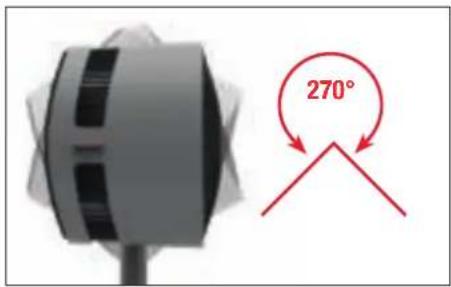
text_image
270°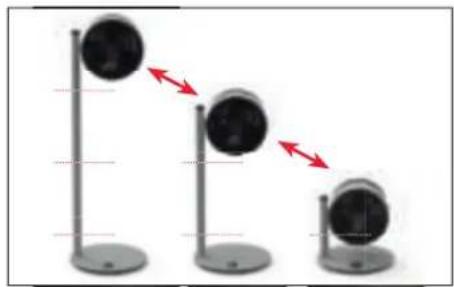
natural_image
Three identical black circular objects on vertical stands, each with a red double-headed arrow indicating direction (no text or symbols)TIMER-FUNKTION
VERWENDUNG
text_image
free Extension Venuenatural_image
Interior view of a modern living room with blue sofas, a coffee table, and a potted plant (no visible text or symbols)FRISCHLUFT
natural_image
Interior view of a modern living room with a large window, a sofa, and a decorative wall art (no visible text or symbols)MEHRERE STOCKWERKE
natural_image
Interior view of a modern building with a wooden staircase and glass railing, overlooking a window with greenery (no visible text or symbols)HOHE RÄUME
natural_image
Interior view of a modern living room with large windows, a sofa, and a small potted plant (no visible text or symbols)REINIGUNG
SICHERHEITSHINWEISE
natural_image
Close-up of a white electronic device with a black ventilation grille and a red circle highlighting a small circular feature (no text or symbols visible)natural_image
Close-up of a black circular object with a red curved arrow indicating rotation or motion (no text or symbols visible)natural_image
Close-up of a black circular object with a red curved line, resembling a stylized fan or knob (no text or symbols visible)natural_image
Close-up of a dark fabric with a red circle highlighting a small circular feature, no text or symbols present.natural_image
Close-up of a hand holding a small electronic component with a red arrow pointing to it, next to an open electrical outlet (no visible text or symbols)natural_image
Vertical gray object with a red arrow pointing to its left side (no text or symbols)natural_image
Simple diagram showing a circular object with a vertical line and a red arrow pointing upward (no text or symbols)natural_image
Vertical gray object with a red arrow pointing left, no visible text or symbolsnatural_image
Close-up of a gray mechanical device with a red upward arrow indicating motion or force (no text or symbols visible)INSTRUCTIONS FOR USE BONECO F225 – F235
TABLE OF CONTENTS
Technical data 21
| Introduction | 22 |
| Items included 22 |
Overview and part names 23
| Start-up | 24 |
| Handling | 25 |
| Handling | 25 |
| Alignment | 25 |
| Height adjustment 25 |
| Timer function 26 | |
| Use | 26 |
| Setting the OFF timer 26 | |
| Setting the ON timer 26 | |
These are the benefits of the BONECO app 27
| About the BONECO app 27 |
| Scope of services 27 |
Bluetooth and factory settings 28
| Switching off Bluetooth 28 |
| Factory settings 28 |
| Source of the BONECO app 29 | |
| BONECO app for iOS | 29 |
| App for Android | 29 |
| Connecting the app to the BONECO F225 –F235 | 30 |
| Preparing for first use | 30 |
| Connection | 30 |
| Positioning tips | 31 |
| Notes on output | 31 |
| Air-conditioning System (AC) | 31 |
| Fresh air | 31 |
| Multiple floors | 31 |
| Rooms with high ceilings | 31 |
| Cleaning | 32 |
| Safety instructions | 32 |
| Cleaning the housing | 32 |
| Cleaning the fan blades 32 |
Power supply voltage 24V DC
Power consumption 20 W
Operation noise level 34–64 dB(A)
| Air flow 1439 m | ^3/h (maximum level) |
Air-speed 273 m/min (maximum level)
| Dimensions L×W×H | BONECO F225 375 × 375 × 852 mm (with one connector piece) |
| BONECO F235 375 × 375 × 1212 mm (with two connector pieces) |
Weight (empty) BONECO F225 6.0 kg
| BONECO F235 7.6 kg |
* Subject to change
INTRODUCTION
DEAR CUSTOMER,
Congratulations on your purchase of the BONECO Air Shower Fan. These high-performance units seamlessly adapt to your needs. When set to the lower output levels, they provide a pleasant breeze in your home on hot days. On the other hand, if you use an air-conditioning system, the unit's powerful fan distributes the air throughout the room ensuring a uniform temperature.
In developing the BONECO Air Shower Fan, low maintenance and durability were of primary importance. The fan blade's one-of-a-kind shape creates a uniform air flow using minimal energy, which is also good for the environment. The elegant design harmonizes with any decorative style so that you can use your BONECO Air Shower Fan throughout the entire year.
We hope you enjoy your new BONECO Air Shower Fan!
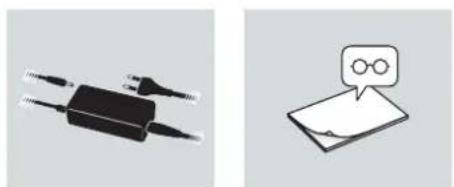
ITEMS INCLUDED
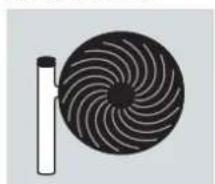
natural_image
Circular object with concentric black spiral patterns next to a vertical white bar (no text or symbols)BONECO fan unit
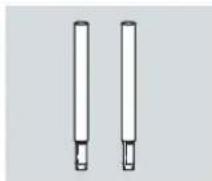
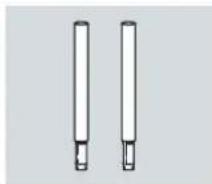
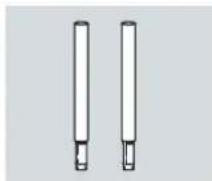
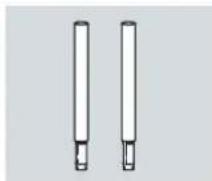
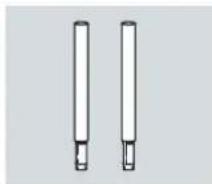
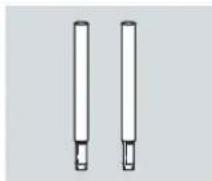
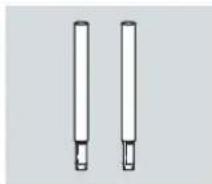
Removable connector piece (F225: 1×/ F235: 2×)
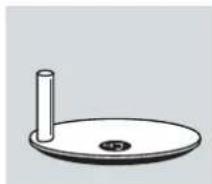
natural_image
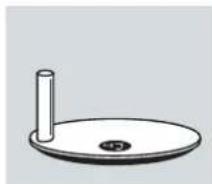
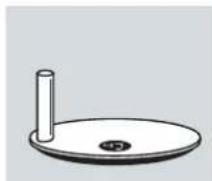
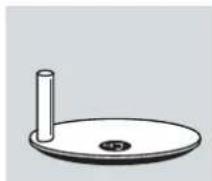
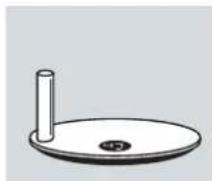
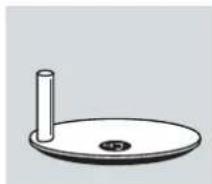
Simple line drawing of a circular object with a cylindrical stem and central hole (no text or symbols)Base
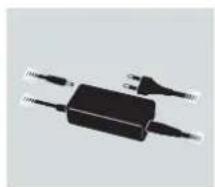
natural_image
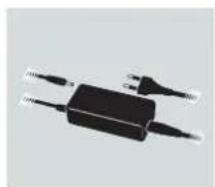
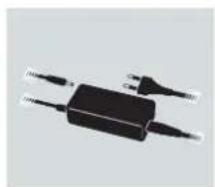
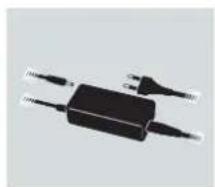
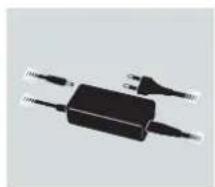
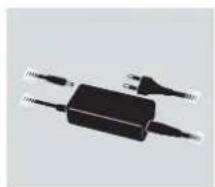
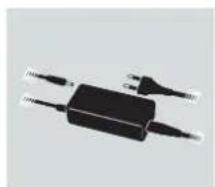
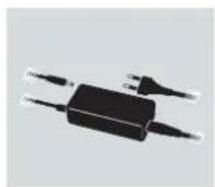
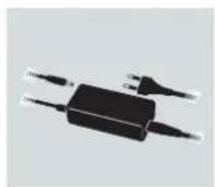
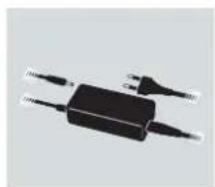
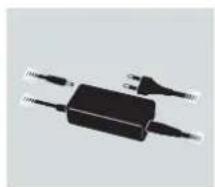
Black rectangular electronic device with two leads, no visible text or symbolsPower supply
natural_image
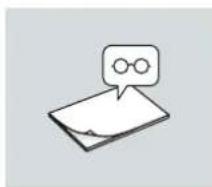
Simple line drawing of a stack of papers with a speech bubble containing two glasses (no text or symbols)Manual Safety instructions
natural_image
Simple line drawing of a stack of papers with a warning symbol (no text or labels)BONECO F225 and BONECO F235 are only different in that the BONECO F235 includes a second connector piece.
You can use the fan unit with one, with a second or without connector pieces. It can be customized to your needs.
OVERVIEW AND PART NAMES
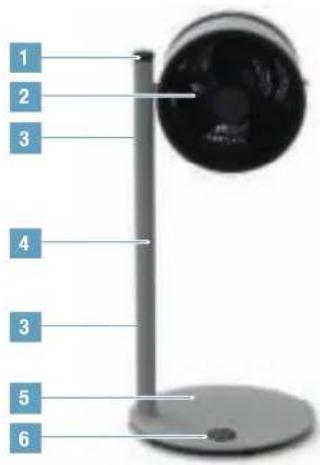
text_image
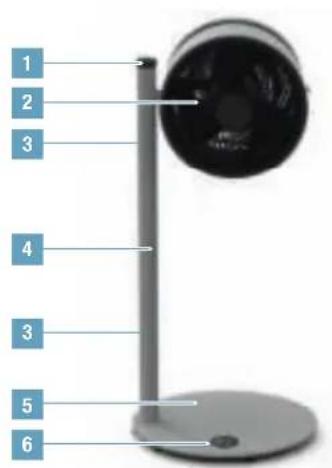
1 2 3 4 3 5 6BONECO F225
Air Shower Ventilator
text_image
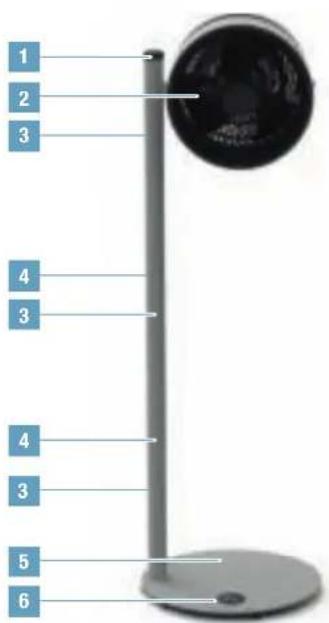
1 2 3 4 3 4 3 5 6BONECO F235
Air Shower Ventilator
1 ON-OFF / Output regulator
2 Fan head
3 Button for unlocking
4 Split supportive pole
5 Foot stand with power cord
6 Display
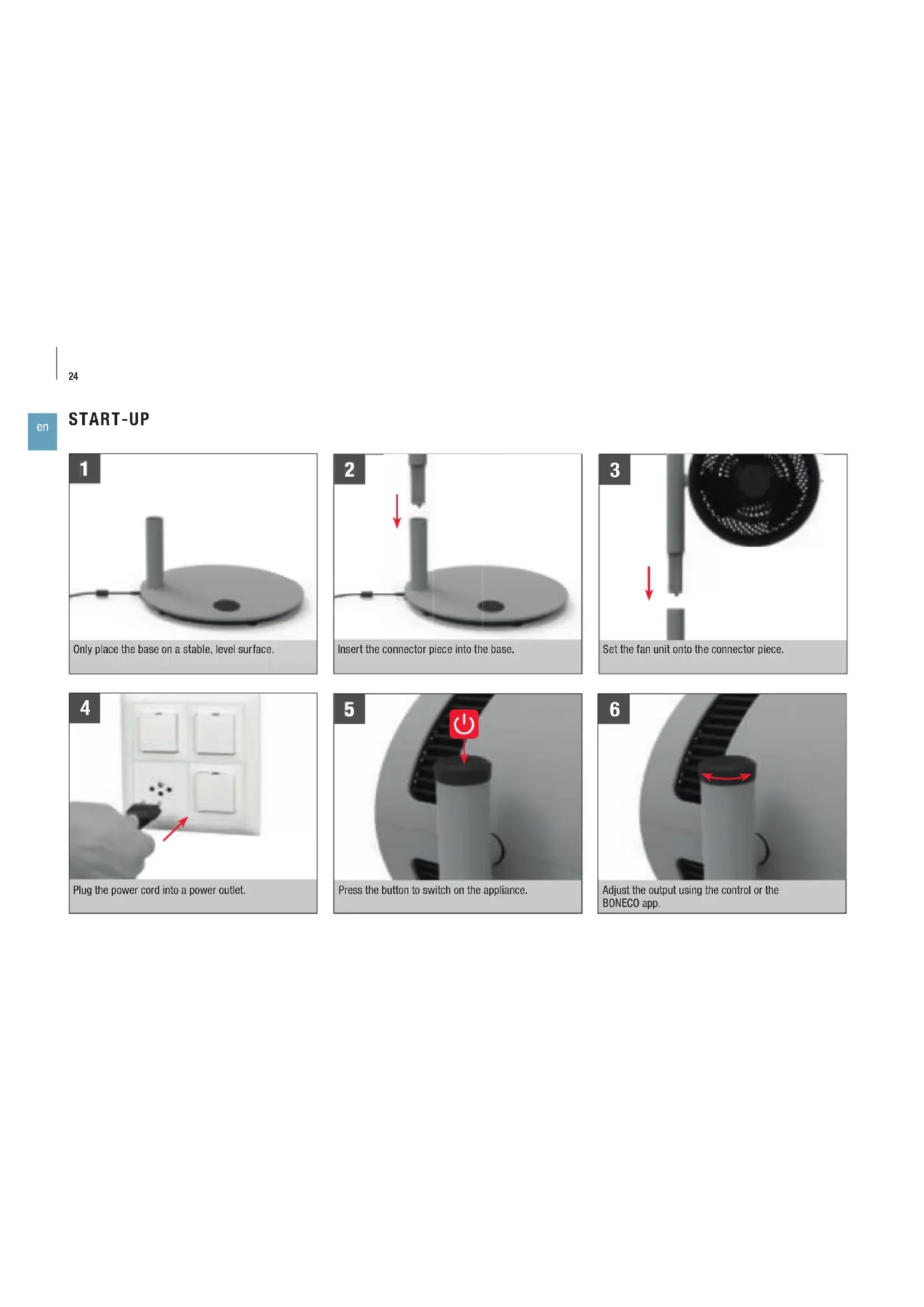
START-UP
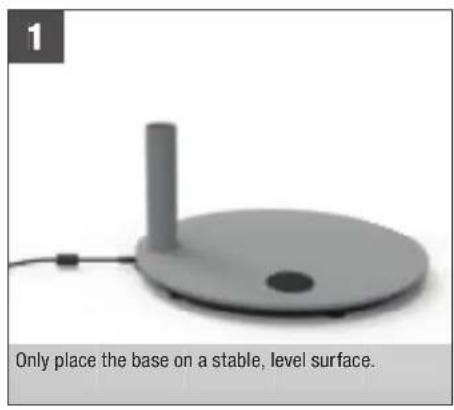
natural_image
Gray circular device with a vertical rod and base, placed on a stable surface (no text or symbols visible)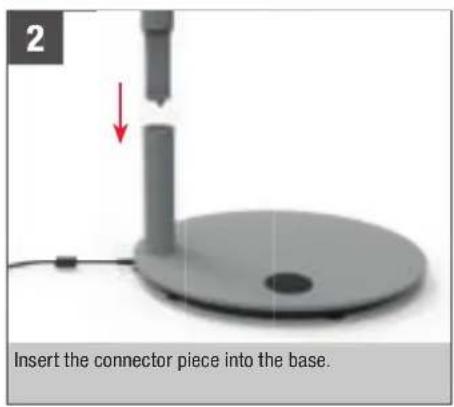
text_image
2 Insert the connector piece into the base.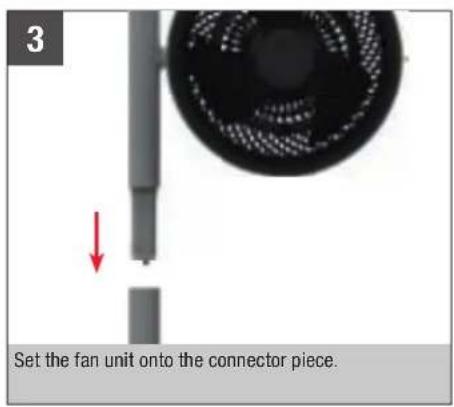
text_image
3 Set the fan unit onto the connector piece.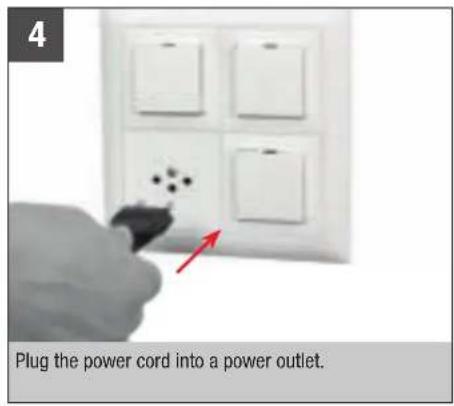
text_image
Plug the power cord into a power outlet.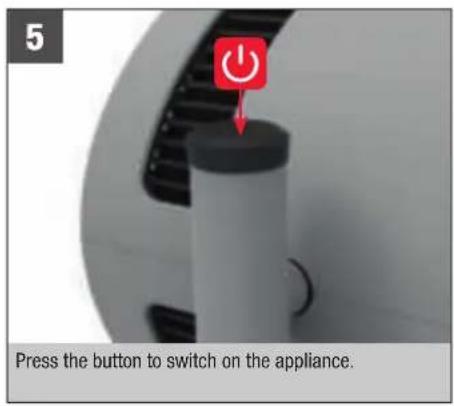
text_image
5 Press the button to switch on the appliance.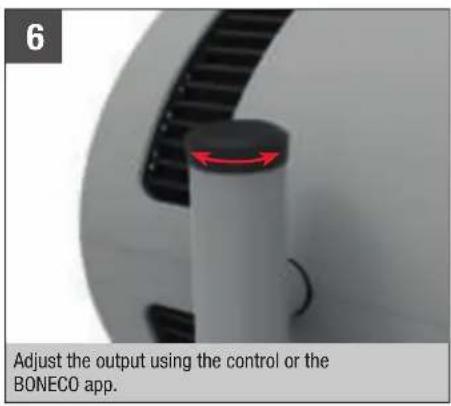
text_image
6 Adjust the output using the control or the BONECO app.HANDLING
HANDLING
All BONECO Air Shower fans are designed for easy handling. The output is adjusted in 32 levels using a single control.
ALIGNMENT
The fan unit can be manually tilted 270 degrees.

The fan unit does not rotate a full 360 degrees.
HEIGHT ADJUSTMENT
All electrical components are completely integrated in the connector. Therefore, you can adjust the height at any time by adding connector pieces or by pulling them off after pressing down the knob to unlock them.

For safety reasons, a maximum of two connector pieces can be used at once (F235).
natural_image
Close-up of a mechanical component with a red arrow indicating rotational motion (no text or symbols visible)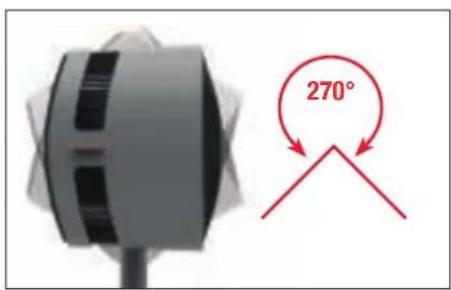
text_image
270°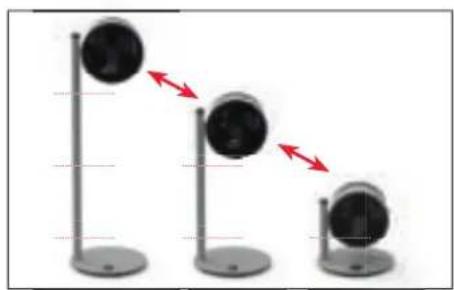
natural_image
Three identical stand-mounted devices with circular heads, each showing a red double-headed arrow indicating motion or change (no text or symbols present)TIMER FUNCTION
USE
The timer function lets you determine how long the BONECO F225–F235 should run before it switches off automatically (OFF timer).
Alternatively, you can specify a time period for the appliance to wait before switching on automatically (ON timer). For example, you can use this function to ensure that the BONECO F225–F235 will switch itself on before you return home. When you get back, you'll have the perfect home climate waiting for you.
SETTING THE OFF TIMER
- Switch on the appliance using the ⏻ button.
- Select the desired fan level.
- Hold the ⏻ button for 3 seconds until the indicator «Oh» flashes in the display.

- Use the controller to set the hours until switch-off. After approximately 5 seconds without input, the selected value is accepted and the TIMER symbol is shown on the display.

The appliance runs for the specified period before switching off.
- To terminate the timer early, hold the ⏻ button for 3 seconds and select «Oh». Alternatively, you can switch off the appliance using the ⏻ button.
SETTING THE ON TIMER
- Switch off the appliance using the ⏻ button.
- Hold the ⏻ button for 3 seconds until «Oh» flashes in the display.

- Use the controller to set the hours until switch-on. After approximately 5 seconds without input, the selected value is accepted and the remaining duration in hours is shown on the display.

- Select the desired fan level.
The appliance switches on after the defined time and operates at the selected fan level. - To deactivate the ON timer early, hold the ⏻ button for 3 seconds and select «Oh». Alternatively, you can switch on the appliance using the ⏻ button.
THESE ARE THE BENEFITS OF THE BONECO APP
ABOUT THE BONECO APP
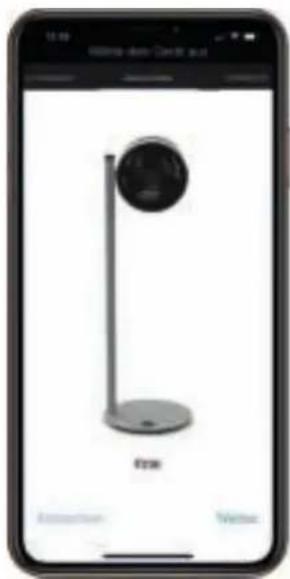
The "BONECO healthy air" app is used to control the BONECO F225 – F235 and lets you take full advantage of its potential. The app includes functions such as a timer or the specification of fan levels.
SCOPE OF SERVICES
ON timer The appliance switches on after a set time
OFF timer The appliance switches off after a set time
Child lock Block function for the control knob
Weather Displays the current weather and outside temperature
text_image
free Extension VenueBLUETOOTH AND FACTORY SETTINGS
SWITCHING OFF BLUETOOTH
- Hold the ⏻ button for 5 seconds until the indicator «bt» (Bluetooth) flashes on the display.

- Turn the controller to the left or right until the indicator «--» is shown.

- Press the ⏻ button to switch off Bluetooth.
- To reactivate Bluetooth, hold the ⏻ button for 5 seconds again until «bt» flashes. Bluetooth has been re-activated.

FACTORY SETTINGS
After a reset, the appliance must be paired with the BONECO app again so that it can be controlled remotely.
- Hold the ⏻ button for 10 seconds until the «fd» (Factory default) indicator flashes on the display.

- All settings are deleted and the appliance is reset to factory settings.
SOURCE OF THE BONECO APP
BONECO APP FOR IOS
Search the App Store for "BONECO healthy air" or scan the QR code below. Reading the QR code under iOS 10 or earlier requires installing a corresponding app. Under iOS 11 and later, the QR code is read automatically whenever you direct the camera at it.
APP FOR ANDROID
Search the Google Play Store for "BONECO healthy air" or scan the QR code below. Reading the QR code requires installing a corresponding app on your device.




CONNECTING THE APP TO THE BONECO F225 - F235
PREPARING FOR FIRST USE
- Make sure that Bluetooth is activated on your smartphone.
- During connection, make sure that the smartphone is in the same room as the BONECO F225 – F235.
Once connected successfully, you can control the BONECO F225 - F235 with your smartphone from the same room or even from an adjacent room. However, the maximum distance between smartphone and BONECO F225 - F235 depends on the specific structural conditions.
CONNECTION
- Make sure that Bluetooth is activated on your smartphone.
- Start the BONECO app.
- Follow the instructions in the app.
POSITIONING TIPS
NOTES ON OUTPUT
All BONECO Air Shower fans are equipped with a high-performance fan that can move large amounts of air. Making use of this feature: Guide the air in a specific direction to achieve an uniform room climate. The following examples illustrate how to do this.
AIR-CONDITIONING SYSTEM (AC)
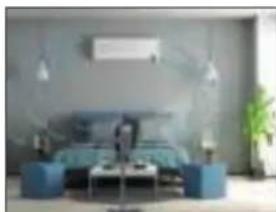
An air conditioner distributes temperature in various ways. Use the BONECO Air Shower Fan to move the warm air towards the air-conditioning system. This can be done directly or indirectly via air circulation, as shown in this image.
natural_image
Modern living room interior with blue sofas, coffee table, and ambient lighting (no visible text or symbols)FRESH AIR
The BONECO Air Shower Fan helps you achieve better ventilation indoors. If cross-ventilation is not created, guide fresh air directly from the window into the desired room.
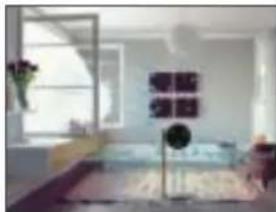
natural_image
Interior view of a modern living room with a large window and wall art (no visible text or symbols)MULTIPLE FLOORS
In the summer, it can become hot and muggy on the upper floors. The powerful BONECO Air Shower Fan directs the cool air from the ground floor to multiple floors achieving a uniform temperature.
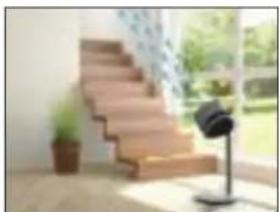
natural_image
Exterior view of a modern staircase with a glass stand and potted plant in front (no signage or text visible)ROOMS WITH HIGH CEILINGS
In air-conditioned rooms with high ceilings, the cold air sinks to the floor while the warm air rises to the ceiling. Turn the BONECO Fan straight up for an air-shower sensation.
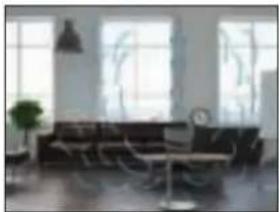
natural_image
Interior view of a modern living room with large windows, a sofa, and a small potted plant (no visible text or symbols)CLEANING
SAFETY INSTRUCTIONS
Always unplug the BONECO Air Shower Fan before you begin cleaning! Failure to do so can result in electric shock and fatal injury!
Do not use alcohol or corrosive cleaning agents for cleaning.
CLEANING THE HOUSING
All BONECO Air Shower fans are designed for low-maintenance operation, even after years of use. In most cases, a dry cloth can be used for cleaning.
If stubborn dirt is present, clean the housing using a damp cloth. Add a small amount of dishwashing detergent to the water.
CLEANING THE FAN BLADES
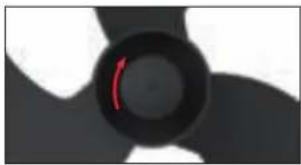
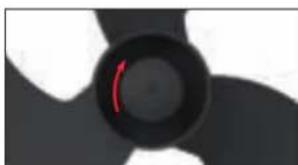
- Tilt the fan unit upwards and loosen the safety screw.
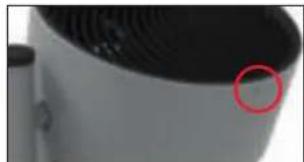
natural_image
Close-up of a white cylindrical device with a red circle highlighting a small circular feature on its surface (no text or symbols visible)- Remove the front grill by turning it counterclockwise slightly.
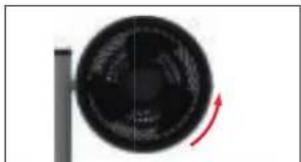
natural_image
Close-up of a black circular object with a red curved arrow indicating rotation or motion (no text or symbols visible)- Loosen the safety screw in the middle clockwise.
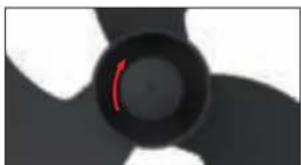
natural_image
Close-up of a black propeller with white blades and a red curved line on the center (no text or symbols)- Remove the fan blades and clean them with a damp cloth.
- Put the unit back together by following the steps in reverse order.
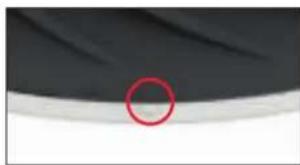
- Attach the front grill with the safety screw. When doing so, pay attention to the position of the screw on the front grill.
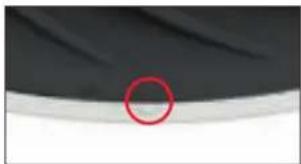
natural_image
Close-up of a dark fabric with a red circle highlighting a small circular feature, no text or symbols present.DISASSEMBLY AND STORAGE
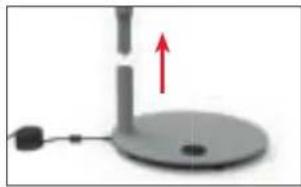
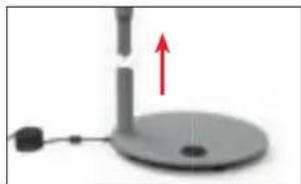
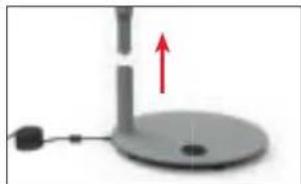
Please note that the removable connector pieces are detachable. When moving the unit to a new location, disassemble the unit into the detachable parts, transport the individual parts to the desired location, and then reassemble.
Storage is easiest and most efficient when you use the original packaging. Store the BONECO Air Shower Fan in a dry place.
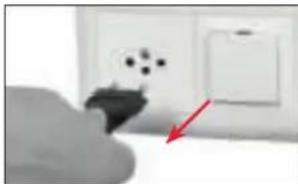
- Unplug the power cord from the power outlet.
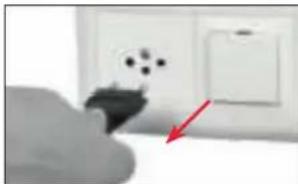
natural_image
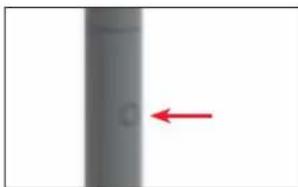
Close-up of a hand holding a small electronic component with a red arrow pointing to it, next to an open electrical outlet (no visible text or symbols)- Press the release knob on the upper connector piece.
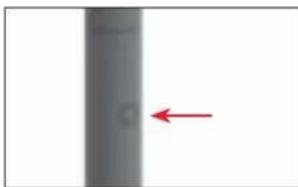
natural_image
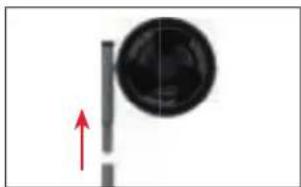
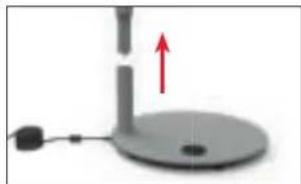
Vertical gray gradient bar with a red arrow pointing left (no text or symbols)- Remove the fan by pulling firmly upwards.
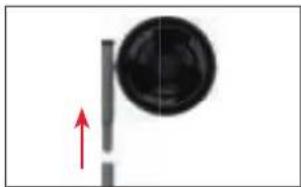
natural_image
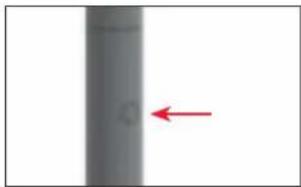
Simple diagram showing a black circular object with a red upward arrow, no text or symbols present- Press the release knob on the lower connector piece.
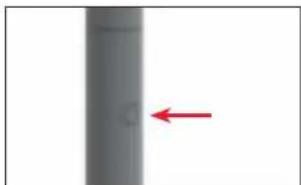
natural_image
Vertical gray cylindrical object with a red arrow pointing left (no text or symbols)- Remove the connector piece from the base.
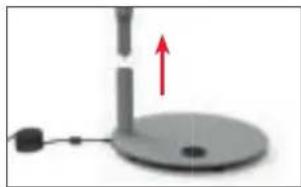
natural_image
Simple diagram of a mechanical device with a red upward arrow indicating motion or force (no text or symbols)MODE D'EMPLOI
BONECO F225 – F235
SOMMAIRE
natural_image
Diagram of a circular object with concentric spiral patterns and a vertical rod beside it (no text or symbols)Unité de ventilation BONECO
natural_image
Two vertical cylindrical objects with internal features, no text or symbols presentnatural_image
Simple line drawing of a circular base with a cylindrical top and a small circular hole at the bottom (no text or symbols)Socle
natural_image
Black rectangular electronic device with two leads, no visible text or symbols
natural_image
Simple line drawing of a notepad with a speech bubble containing an infinity symbol (no text or numbers present)natural_image
Simple line drawing of a document with an exclamation mark and speech bubble (no text or symbols)natural_image
Close-up of a mechanical component with a red directional arrow indicating rotation (no text or symbols visible)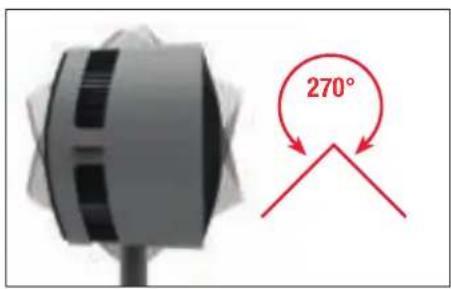
text_image
270°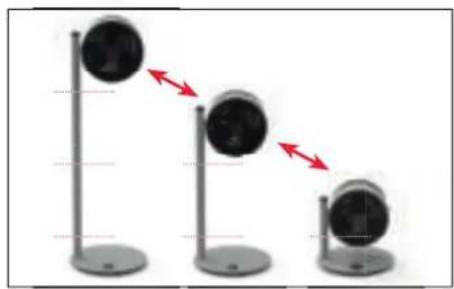
natural_image
Three identical stand-mounted devices with circular heads, showing a downward trend indicated by red arrows (no text or symbols present)FONCTION MINUTEUR
UTILISATION
text_image
free Extension Venue
BLUETOOTH ET RÉGLAGES USINE
DÉSACTIVATION DE BLUETOOTH
APPLI BONECO POUR IOS
natural_image
Modern living room interior with blue sofas and ambient lighting (no visible text or symbols)AIR FRAIS
natural_image
Interior view of a modern living room with a window, wall art, and furniture (no visible text or symbols)PLUSIEURS ÉTAGES
natural_image
Interior view of a modern building with wooden stairs and a small black-and-white lamp on a stand (no visible text or symbols)natural_image
Interior view of a modern living room with large windows and a sofa (no visible text or symbols)NETTOYAGE
CONSIGNES DE SÉCURITÉ
natural_image
Close-up of a white cylindrical device with a red circle highlighting a small circular feature (no text or symbols visible)natural_image
Close-up of a black circular object with a red curved arrow indicating rotation or motion (no text or symbols visible)natural_image
Close-up of a black circular object with a red curved line inside, resembling a stylized fan or knob (no text or symbols visible)natural_image
Close-up of a dark fabric with a red circle highlighting a small circular feature, no text or symbols present.DÉMONTAGE ET CONSERVATION

natural_image
Close-up of a hand holding a small electronic component with a red arrow pointing to it, next to an open electrical outlet (no visible text or symbols)natural_image
Vertical gray object with a red arrow pointing to its left side (no text or symbols)natural_image
Simple diagram showing a circular object with a vertical line and a red arrow pointing upward (no text or symbols)natural_image
Vertical gray cylindrical object with a red arrow pointing left, no visible text or symbols- Retirez la colonne de support de la base.
natural_image
Simple diagram of a desk lamp with a red upward arrow indicating motion (no text or symbols)fr
ISTRUZIONI PER L'USO
BONECO F225 – F235
SOMMARIO
Dati tecnici 53
Introduzione 54
Elementi inclusi 54
natural_image
Diagram of a circular object with concentric black spiral patterns and a vertical line on the left (no text or symbols)natural_image
Black rectangular electronic device with two leads, no visible text or symbolsnatural_image
Simple line drawing of a notepad with a speech bubble containing two glasses (no text or symbols)natural_image
Simple line drawing of a stack of papers with a warning symbol (no text or labels)natural_image
Close-up of a white cylindrical device with black buttons and a red arrow indicator, no visible text or symbols.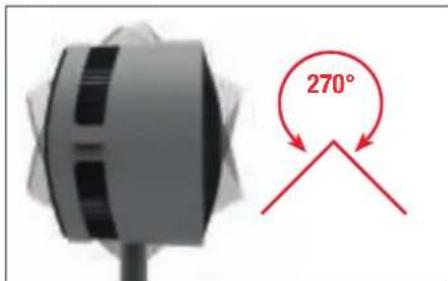
text_image
270°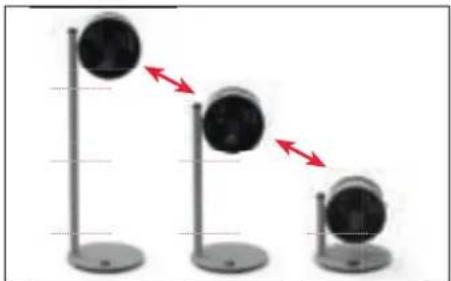
natural_image
Three identical stand-mounted devices with circular heads, each connected by red arrows indicating direction (no text or symbols)FUNZIONE TIMER
UTILIZZO
text_image
free Extension Venuenatural_image
Interior view of a modern living room with blue sofas, coffee table, and hanging lights (no visible text or symbols)ARIA FRESCA
natural_image
Interior view of a modern living room with a large window, wall art, and furniture (no visible text or symbols)PIANI MULTIPLI
natural_image
Interior view of a modern staircase with a potted plant and a blackboard on a stand, overlooking a window and greenery (no text or symbols visible)natural_image
Interior view of a modern living room with large windows, a sofa, and a coffee table (no visible text or symbols)PULIZIA
ISTRUZIONI PER LA SICUREZZA
natural_image
Close-up of a white industrial fan or vent with a red circle highlighting a small circular feature (no text or symbols visible)natural_image
Close-up of a black circular object with a red curved arrow indicating rotation or motion (no text or symbols visible)natural_image
Close-up of a black circular object with a red curved line, resembling a stylized fan or knob (no text or symbols visible)natural_image
Close-up of a dark fabric with a red circle highlighting a small circular feature on the surface (no text or symbols)natural_image
Close-up of a hand holding a small electronic component with a red arrow pointing to it, next to an open electrical outlet (no visible text or symbols)natural_image
Vertical gray object with a red arrow pointing left, no visible text or symbolsnatural_image
Simple diagram showing a circular object with a vertical line and a red arrow pointing upward (no text or symbols)natural_image
Vertical cylindrical object with a red arrow pointing left, no visible text or symbolsnatural_image
Simple diagram of a mechanical device with a red upward arrow indicating motion or force (no text or symbols)it
GEBRUIKSAANWIJZING
BONECO F225 – F235
INHOUDSOPGAVE
natural_image
Diagram of a circular object with concentric black spiral patterns and a vertical line on the left (no text or symbols)BONECO-ventilatoreenheid
natural_image
Black rectangular electronic device with two leads, no visible text or symbolsStroomvoorziening
natural_image
Simple line drawing of a notepad with a speech bubble containing two glasses (no text or symbols)natural_image
Simple line drawing of a stack of papers with a warning symbol (no text or labels)natural_image
Close-up of a mechanical component with a red arrow indicating rotational motion (no text or symbols visible)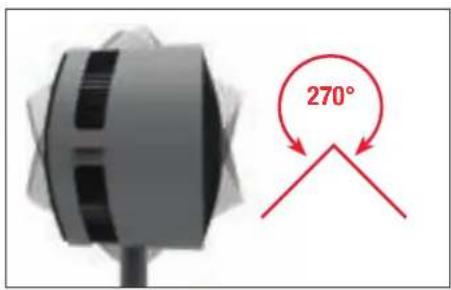
text_image
270°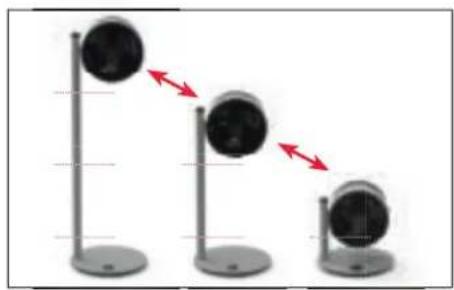
natural_image
Three identical stand-mounted devices with circular heads, each connected by red arrows indicating direction (no text or symbols)TIMER-FUNCTIE
GEBRUIK
text_image
free Extension VenueBLUETOOTH EN FABRIEKSINSTELLINGEN
BLUETOOTH UITSCHAKELEN
natural_image
Interior view of a modern living room with blue sofas, coffee table, and ambient lighting (no visible text or symbols)FRISSE LUCHT
natural_image
Interior view of a modern living room with a large window and a small table, featuring a wall-mounted display (no visible text or symbols)MEERDERE VERDIEPINGEN
natural_image
Interior view of a modern building with wooden stairs and a small black-and-white lamp (no visible text or symbols)RUIMTEN MET HOGE PLAFONDS
natural_image
Interior view of a modern living room with large windows and a sofa (no visible text or symbols)REINIGING
natural_image
Close-up of a white industrial fan or vent with a red circle highlighting a small circular feature (no text or symbols visible)natural_image
Close-up of a black circular object with a red curved arrow indicating rotation or motion (no text or symbols visible)natural_image
Close-up of a black circular object with a red curved line, resembling a stylized fan or knob (no text or symbols visible)natural_image
Close-up of a dark fabric with a red circle highlighting a small circular feature, no text or symbols present.DEMONTAGE EN OPSLAG

natural_image
Close-up of a hand holding a small electronic component with a red arrow pointing to it, next to an open electrical outlet (no visible text or symbols)natural_image
Vertical gray bar with a red arrow pointing left, no text or symbols presentnatural_image
Simple diagram showing a circular object with a vertical line and a red arrow pointing upward (no text or symbols)natural_image
Vertical cylindrical object with a red arrow pointing left, no visible text or symbolsnatural_image
Simple diagram of a mechanical device with a red upward arrow and a circular base (no text or symbols)nl
INSTRUCCIONES DE USO BONECO F225 – F235
ÍNDICE
Datos técnicos 85
natural_image
Diagram of a circular object with concentric rings and a vertical rod beside it (no text or symbols)Cabezal de rutina BONECO
natural_image
Two vertical cylindrical objects with small protrusions, no text or symbols presentnatural_image
Simple line drawing of a circular object with a cylindrical stem and central hole (no text or symbols)Base
natural_image
Black rectangular electronic device with two leads, no visible text or symbolsnatural_image
Simple line drawing of a notepad with a speech bubble containing two glasses (no text or symbols)natural_image
Simple line drawing of a stack of papers with a warning symbol (no text or labels)natural_image
Close-up of a mechanical component with a red arrow indicating rotational motion (no text or symbols visible)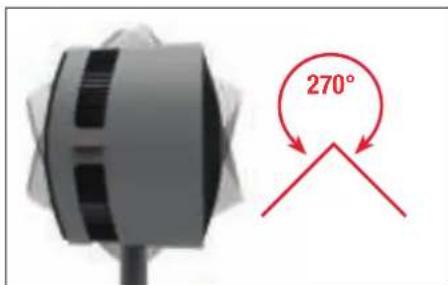
text_image
270°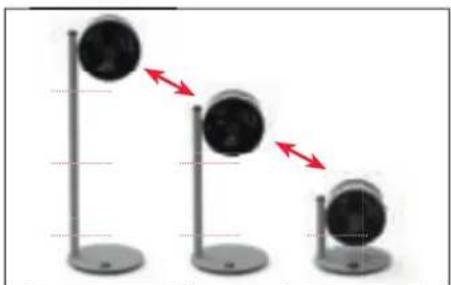
natural_image
Three identical stand-mounted devices with red directional arrows indicating motion or movement (no text or symbols)text_image
free Extension ViewBLUETOOTH Y AJUSTES DE FÁBRICA
natural_image
Modern living room interior with blue sofas and ambient lighting (no visible text or symbols)AIRE FRESCO
natural_image
Interior view of a modern living room with a window, wall art, and furniture (no visible text or symbols)VARIOS PISOS
natural_image
Interior view of a modern building with wooden stairs and a small black-and-white lamp on a stand (no visible text or symbols)natural_image
Interior view of a modern living room with large windows and a sofa (no visible text or symbols)LIMPIEZA
natural_image
Close-up of a white electronic device with a black ventilation grille and a red circle highlighting a small circular feature (no text or symbols visible)natural_image
Close-up of a black circular object with a red curved arrow indicating rotation or movement (no text or symbols visible)natural_image
Close-up of a black circular object with a red curved line, resembling a stylized fan or knob (no text or symbols visible)natural_image
Close-up of a dark fabric with a red circle highlighting a small circular feature, no text or symbols present.DESMONTAJE Y ALMACENAMIENTO
natural_image
Close-up of a hand holding a small electronic component with a red arrow pointing to it, next to an open electrical wall (no visible text or symbols)natural_image
Vertical gray object with a red arrow pointing left, no visible text or symbolsnatural_image
Simple diagram showing a rotating object with a red arrow pointing upward (no text or symbols)natural_image
Vertical cylindrical object with a red arrow pointing left, no visible text or symbolsnatural_image
Simple diagram of a mechanical device with a red upward arrow indicating motion or force (no text or symbols)INSTRUÇÕES DE USO
BONECO F225-F235
ÍNDICE
Dados técnicos 101
natural_image
Diagram of a circular object with concentric rings and a vertical rod, no text or symbols presentUnidade de ventilador BONECO
natural_image
Two vertical cylindrical objects with small protrusions, resembling laboratory or industrial components (no text or symbols visible)Conector amovível (F225: 1×/F235: 2×)
natural_image
Simple line drawing of a circular object with a cylindrical stem and central hole (no text or symbols)Base
natural_image
Black rectangular electronic device with two leads, no visible text or symbolsFonte de energia
natural_image
Simple line drawing of a notepad with a speech bubble containing two glasses (no text or symbols)natural_image
Simple line drawing of a stack of papers with a warning symbol (no text or labels)natural_image
Close-up of a mechanical component with a red arrow indicating rotational motion (no text or symbols visible)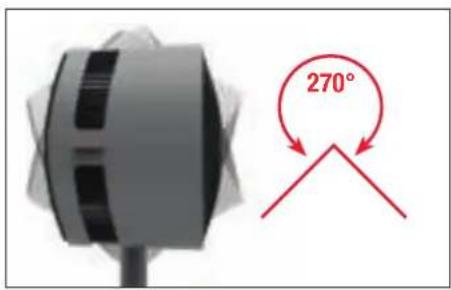
text_image
270°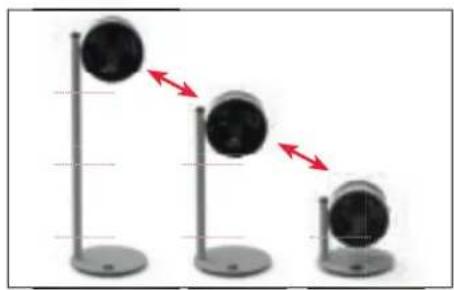
natural_image
Three identical stand-mounted devices with circular heads, each connected by red arrows indicating direction (no text or symbols)text_image
free Extension ViewBLUETOOTH E DEFINIÇÕES DE FÁBRICA
DESLIGAR O BLUETOOTH
natural_image
Interior view of a modern living room with blue sofas, coffee table, and wall-mounted lighting (no visible text or symbols)AR FRESCO
natural_image
Interior view of a modern living room with a large window, wall-mounted furniture, and a small black sphere (no visible text or symbols)VÁRIOS PISOS
natural_image
Interior view of a modern building with a wooden staircase and a black camera on a stand, overlooking greenery and windows (no text or symbols visible)DIVISÕES COM PÉ DIREITO ALTO
natural_image
Interior view of a modern living room with large windows, a black sofa, and a white chair (no visible text or symbols)LIMPEZA
INSTRUÇÕES DE SEGURANÇA
natural_image
Close-up of a white electronic device with a black ventilation grille and a red circle highlighting a small circular feature (no text or symbols visible)natural_image
Close-up of a black circular object with a red curved arrow indicating rotation or movement (no text or symbols visible)natural_image
Close-up of a black circular object with a red curved line, resembling a stylized fan or knob (no text or symbols visible)natural_image
Close-up of a dark fabric with a red circle highlighting a small circular feature, no text or symbols present.natural_image
Close-up of a hand holding a small electronic component with a red arrow pointing to it, next to an open electrical outlet (no visible text or symbols)natural_image
Vertical gray object with a red arrow pointing left, no visible text or symbolsnatural_image
Simple diagram showing a circular object with a vertical line and a red arrow pointing upward (no text or symbols)natural_image
Vertical gray cylindrical object with a red arrow pointing left, no visible text or symbolsnatural_image
Simple diagram of a mechanical device with a red upward arrow indicating motion or force, no text or symbols present.pt
HASZNÁLATI ÚTMUTATÓ BONECO F225 – F235
TARTALOMJEGYZÉK
Müszaki adatok 117
natural_image
Black rectangular electronic device with two leads, no visible text or symbolsTápegység
natural_image
Simple line drawing of a notepad with a speech bubble containing two glasses (no text or symbols)natural_image
Simple line drawing of a notepad with an exclamation mark icon (no text or symbols)natural_image
Close-up of a mechanical component with a red arrow indicating rotation, no visible text or symbols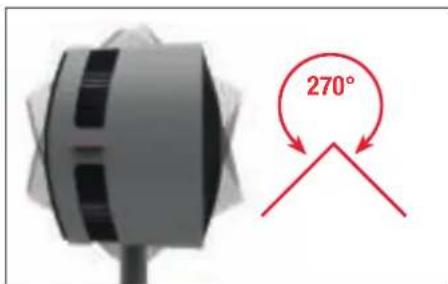
text_image
270°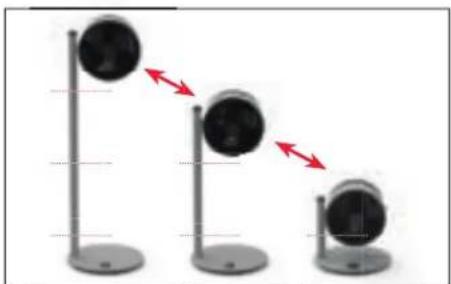
natural_image
Three identical vertical stands with black circular objects and red arrows pointing downward, no text or symbols present.IDŐZÍTŐ FUNKCIÓ
HASZNÁLAT
text_image
free Extension VenueBLUETOOTH ÉS GYÁRI BEÁLLÍTÁSOK
BLUETOOTH KIKAPCSOLÁSA
natural_image
Modern living room interior with blue sofas, coffee table, and hanging lamps (no visible text or symbols)FRISS LEVEGŐ
natural_image
Interior view of a modern living room with a large window, wall art, and a small table (no visible text or symbols)TÖBBSZINTES ÉPÜLETEK
natural_image
Exterior view of a modern staircase with a potted plant on the left (no signage or text visible)NAGY BELMAGASSÁGÚ HELYISÉGEK
natural_image
Interior view of a modern living room with large windows and a sofa (no visible text or symbols)TISZTÍTÁS
BIZTONSÁGI ELŐÍRÁSOK
natural_image
Close-up of a white cylindrical device with a red circle highlighting a small circular feature on its surface (no text or symbols visible)natural_image
Close-up of a black circular object with a red curved arrow indicating rotation or motion (no text or symbols visible)natural_image
Close-up of a black circular object with a red curved line inside, resembling a stylized fan or knob (no text or symbols visible)natural_image
Close-up of a curved surface with a red circle highlighting a small circular feature (no text or symbols)natural_image
Close-up of a hand holding a small electronic component with a red arrow pointing to it, next to an open electrical outlet (no visible text or symbols)natural_image
Vertical gray gradient bar with a red arrow pointing left (no text or symbols)natural_image
Simple diagram showing a black circular object with a red upward arrow, no text or symbols presentnatural_image
Vertical gray cylindrical object with a red arrow pointing left (no text or symbols)natural_image
Simple diagram of a mechanical device with a red upward arrow and a circular base (no text or symbols)INSTRUKCJA OBSŁUGI
BONECO F225 – F235
SPIS TREŚCI
Dane techniczne 133
Wstep 134
Zakres dostawy 134
natural_image
Diagram of a circular object with concentric black spiral patterns and a vertical line on the left (no text or symbols)Wentylator BONECO
natural_image
Black rectangular electronic device with two leads, no visible text or symbolsZasilacz
natural_image
Simple line drawing of a notepad with a speech bubble containing two glasses (no text or symbols)natural_image
Simple line drawing of a stack of papers with a warning symbol (no text or labels)czeństwa
natural_image
Close-up of a mechanical component with a red arrow indicating rotational motion (no text or symbols visible)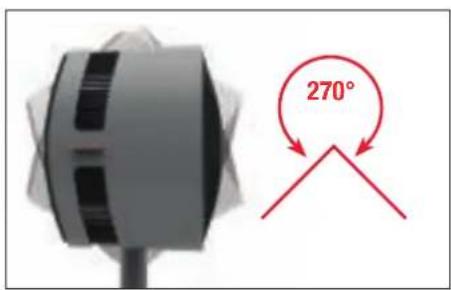
text_image
270°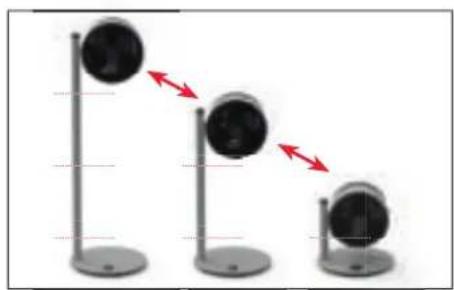
natural_image
Three identical stand-mounted devices with circular heads, each showing a red double-headed arrow indicating motion or change (no text or symbols present)FUNKCJA TIMERA
ZASTOSOWANIE
TO ZAPEWNIA APLIKACJA BONECO
O APLIKACJI BONECO
text_image
free Extension VenueBLUETOOTH I USTAWIENIA FABRYCZNE
WYŁĄCZANIE FUNKCJI BLUETOOTH
natural_image
Modern living room interior with blue sofas, coffee table, and hanging lamps (no visible text or symbols)ŚWIEŻE POWIETRZE
natural_image
Interior view of a modern living room with a large window and wall art (no visible text or symbols)KILKA PIĘTER
natural_image
Exterior view of a modern staircase with a small bird perched on top, overlooking a window and greenery (no signage or text visible)WYSOKIE POMIESZCZENIA
natural_image
Interior view of a modern living room with large windows, a sofa, and a small potted plant (no visible text or symbols)CZYSZCZENIE
POLECENIA DOTYCZACE BEZPIECZEŃSTWA
natural_image
Close-up of a white electronic device with a black ventilation grille and a red circle highlighting a small circular feature (no text or symbols visible)natural_image
Close-up of a black circular object with a red curved arrow indicating rotation or movement (no text or symbols visible)natural_image
Close-up of a black circular object with a red curved line, resembling a stylized fan or knob (no text or symbols visible)natural_image
Close-up of a dark fabric with a red circle highlighting a small circular feature, no text or symbols present.DEMONTAŻ I PRZECHOWYWANIE
natural_image
Close-up of a hand holding a small electronic component with a red arrow pointing to it, next to an open electrical wall (no visible text or symbols)natural_image
Vertical gray object with a red arrow pointing left, no visible text or symbolsnatural_image
Simple diagram showing a circular object with a vertical line and a red arrow pointing upward (no text or symbols)natural_image
Vertical gray cylindrical object with a red arrow pointing left, no visible text or symbolsnatural_image
Simple diagram of a mechanical device with a red upward arrow and a circular base (no text or symbols)pl
BRUKSANVISNING
BONECO F225 – F235
INNEHÅLLSFÖRTECKNING
Tekniska data 149
natural_image
Diagram of a circular object with concentric black spiral patterns and a vertical line on the left (no text or symbols)BONECO fläktenhet
Avtagbart mellanstycke (F225: 1×/ F235: 2×)
Bas
natural_image
Black rectangular electronic device with two leads, no visible text or symbolsStrömförsörjning
natural_image
Simple line drawing of a notepad with a speech bubble containing two glasses (no text or symbols)natural_image
Simple line drawing of a stack of papers with a warning symbol (no text or labels)ÖVERSIKT OCH DELARNAS NAMN
text_image
1 2 3 4 3 5 6natural_image
Close-up of a mechanical component with a red arrow indicating rotation, no visible text or symbols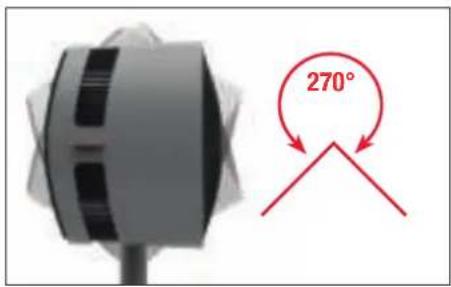
text_image
270°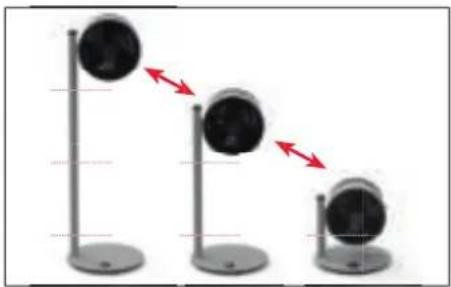
natural_image
Three identical stand-mounted devices with circular heads, each connected by red directional arrows indicating motion (no text or symbols)TIMERFUNKTION
ANVÄNDNING
text_image
free Extension VenueBLUETOOTH OCH FABRIKSINSTÄLLNINGAR
STÄNGA AV BLUETOOTH
natural_image
Modern living room interior with blue sofas, coffee table, and wall-mounted pendant lights (no visible text or symbols)FRISK LUFT
natural_image
Interior view of a minimalist living room with a window, wall art, and furniture (no visible text or symbols)FLERA VÅNINGAR
natural_image
Interior view of a modern building with wooden stairs and a small black-and-white object on a stand (no visible text or symbols)UTRYMMEN MED HÖG TAKHÖJD
natural_image
Interior view of a modern living room with sofa, coffee table, and large windows (no visible text or symbols)RENGÖRING
SÄKERHETSINSTRUKTIONER
natural_image
Close-up of a white cylindrical device with a red circle highlighting a small circular feature (no text or symbols visible)natural_image
Close-up of a black circular object with a red curved arrow indicating rotation or motion (no text or symbols visible)natural_image
Abstract black and white circular shape with a red curved line (no text or symbols)natural_image
Close-up of a dark fabric with a red circle highlighting a small circular feature on the surface (no text or symbols)ISÄRTAGNING OCH FÖRVARING
natural_image
Close-up of a hand holding a small black object with a red arrow pointing to a white electrical outlet (no text or symbols visible)natural_image
Vertical gray object with a red arrow pointing left, no visible text or symbolsnatural_image
Simple diagram showing a black circular object with a red upward arrow, no text or symbols presentnatural_image
Vertical gray gradient bar with a red arrow pointing left (no text or symbols)natural_image
Simple diagram of a mechanical device with a red upward arrow indicating motion or force, no text or symbols present.
KÄYTTÖOHJEET
BONECO F225 – F235
SISÄLLYSLUETTELO
Tekniset tiedot 165
natural_image
Diagram of a circular object with concentric black spiral patterns and a vertical line on the left (no text or symbols)natural_image
Simple line drawing of a circular object with a cylindrical stem and central hole (no text or symbols)Alusta
natural_image
Black rectangular electronic device with two leads, no visible text or symbolsVirtalähde
natural_image
Simple line drawing of a notepad with a speech bubble containing two glasses (no text or symbols)natural_image
Simple line drawing of a stack of papers with a warning symbol (no text or labels)natural_image
Close-up of a gray circular device with a vertical rod and small base, labeled '1' and text below (no technical symbols or readable labels)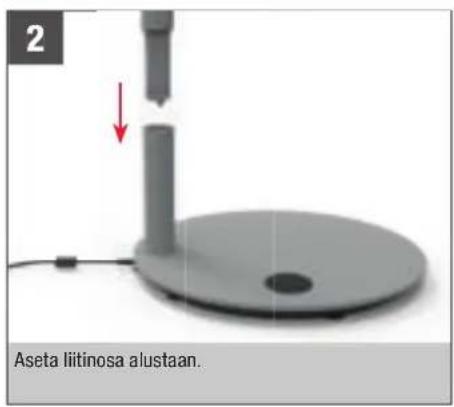
natural_image
Close-up of a mechanical component with a red arrow indicating rotation, no visible text or symbols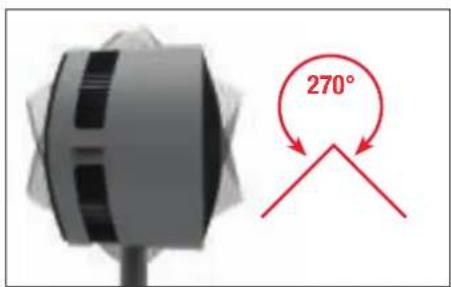
text_image
270°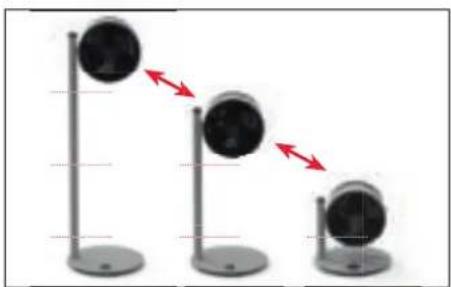
natural_image
Three identical stand-mounted devices with circular heads, showing a downward trend indicated by red arrows (no text or symbols present)AJASTINTOIMINTO
KÄYTTÖ
text_image
free Extension Venuetext_image
Download on the App Store
text_image
GOFFROOM Google PlayAPP-SOVELLUKSEN YHDISTÄMINEN BONECO F225 - F235 - LAITTEESEEN
VALMISTELUT
natural_image
Modern living room interior with blue sofas, coffee table, and ambient lighting (no visible text or symbols)RAITIS ILMA
natural_image
Interior view of a modern living room with a window, wall art, and a small table (no visible text or symbols)USEAMMAT KERROKSET
natural_image
Exterior view of a modern staircase with a glass stand and potted plant in front (no signage or text visible)KORKEAKATTOISET HUONEET
natural_image
Interior view of a modern living room with large windows, a sofa, and a small plant (no visible text or symbols)PUHDISTUS
TURVALLISUUSOHJEET
natural_image
Close-up of a white electronic device with a red circle highlighting a small circular feature (no text or symbols visible)natural_image
Close-up of a black circular object with a red curved arrow indicating rotation or motion (no text or symbols visible)natural_image
Close-up of a black propeller with a red accent line (no text or symbols visible)natural_image
Close-up of a dark fabric with a red circle highlighting a small circular feature, no text or symbols present.PURKAMINEN JA VARASTOINTI
natural_image
Close-up of a hand holding a small black object with a red arrow pointing to a white electrical outlet (no text or symbols visible)natural_image
Vertical gray object with a red arrow pointing left, no visible text or symbolsnatural_image
Simple diagram showing a black circular object with a red upward arrow, no text or symbols presentnatural_image
Vertical gray object with a red arrow pointing left (no text or symbols)- Poista tanko jalustasta.
natural_image
Close-up of a mechanical device with a red upward arrow indicating motion or force, no visible text or symbols
BRUGSANVISNING
BONECO F225 – F235
INDHOLDSFORTEGNELSE
Tekniske data 181
| Introduktion | 182 |
| Leverede dele 182 |
natural_image
Diagram of a circular object with concentric rings and a vertical rod beside it (no text or symbols)BONECO-ventilatorenhed
natural_image
Simple line drawing of a circular object with a cylindrical stem and central hole (no text or symbols)Fod
natural_image
Black rectangular electronic device with two leads, no visible text or symbolsStrømforsyning
natural_image
Simple line drawing of a stack of papers with a speech bubble containing two glasses (no text or symbols)natural_image
Simple line drawing of a stack of papers with a warning symbol (no text or labels)natural_image
3D rendered image of a circular electronic device with a vertical rod and base, labeled 'Anbring altid foden på et stabilt, plant underlag.' (no other text or symbols)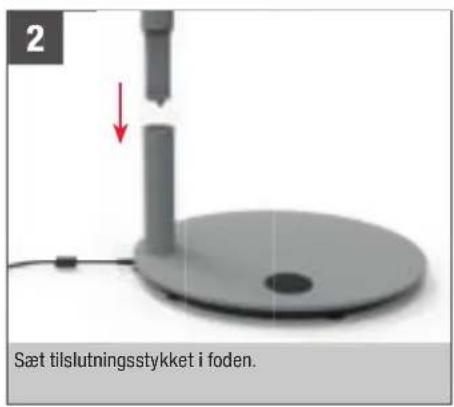
natural_image
Close-up of a mechanical component with a red directional arrow indicating rotation (no text or symbols visible)
text_image
270°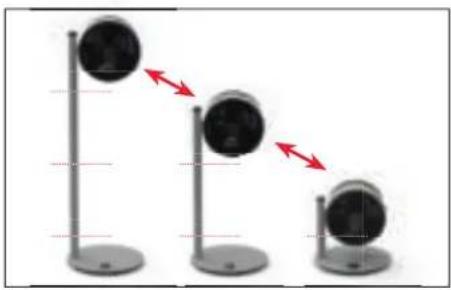
natural_image
Three identical stand-mounted devices with circular heads, each connected by red arrows indicating direction (no text or symbols)TIMERFUNKTION
ANVENDELSE
text_image
free Extension VenueBLUETOOTH OG FABRIKSINDSTILLINGER
DEAKTIVERING AF BLUETOOTH
- Tryk på knappen ⏻ i fem sekunder, indtil visningen "bt" (Bluetooth) blinker på displayet.

natural_image
Modern living room interior with blue sofas, coffee table, and ambient lighting (no visible text or symbols)FRISK LUFT
natural_image
Exterior view of a modern staircase with a black-and-white photo of a potted plant on the left (no signage or text visible)RUM MED H∅JT TIL LOFTET
natural_image
Interior view of a modern living room with a window, wall art, and furniture (no visible text or symbols)
natural_image
Interior view of a modern living room with sofa, chair, and large windows (no visible text or symbols)RENG∅RING
SIKKERHEDSANVISNINGER
natural_image
Close-up of a white cylindrical object with a red circle highlighting a small circular feature, no visible text or symbols.natural_image
Close-up of a black circular object with a red curved arrow indicating rotation or motion (no text or symbols visible)natural_image
Close-up of a black circular object with a red curved line inside, resembling a stylized fan or mechanical component (no text or symbols visible)natural_image
Close-up of a dark fabric with a red circle highlighting a small circular feature on the surface (no text or symbols)ADSKILLELSE OG OPBEVARING
natural_image
Close-up of a hand holding a small black object with a red arrow pointing to a white electrical outlet (no text or symbols visible)natural_image
Vertical gray object with a red arrow pointing left, no visible text or symbolsnatural_image
Simple diagram showing a black circular object with a red upward arrow, no text or symbols presentnatural_image
Vertical gray object with a red arrow pointing left, no visible text or symbolsnatural_image
Simple diagram of a mechanical device with a red upward arrow indicating motion or force (no text or symbols)no
BRUKSANVISNING
BONECO F225 – F235
INNHOLDSFORTEGNELSE
Tekniske data 197
natural_image
Diagram of a circular object with concentric black spiral patterns and a vertical line on the left (no text or symbols)BONECO vifteenhet
Avtagbart koblingsstykke (F225: 1×/ F235: 2×)
Fotstykke
natural_image
Black rectangular electronic device with two leads, no visible text or symbolsStrømforsyning
natural_image
Simple line drawing of a notepad with a speech bubble containing two glasses (no text or symbols)natural_image
Simple line drawing of a notepad with an exclamation mark speech bubble (no text or symbols on the notepad)natural_image
Close-up of a mechanical component with a red directional arrow indicating rotation (no text or symbols visible)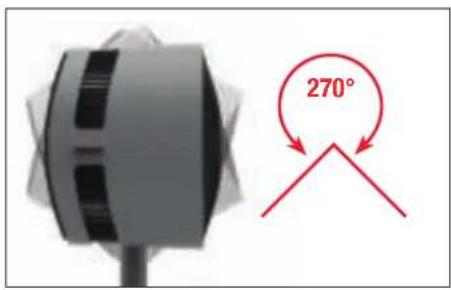
text_image
270°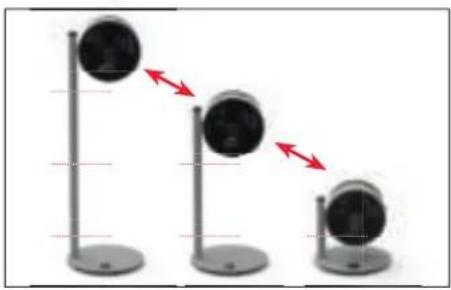
natural_image
Three identical stand-mounted devices with circular heads, each showing a red double-headed arrow indicating direction (no text or symbols)TIDSUR-FUNKSJON
BRUK
text_image
free Extension VenueBLUETOOTH OG FABRIKKINNSTILLINGER
SLÅ AV BLUETOOTH
- Trykk på tasten ⏻i 5 sekunder til indikatoren «bt» (Bluetooth) blinker i displayet.

natural_image
Modern living room interior with blue sofas, coffee table, and ambient lighting (no visible text or symbols)FRISK LUFT
natural_image
Interior view of a modern living room with a window, wall art, and a small table (no visible text or symbols)FLERE ETASJER
natural_image
Exterior view of a modern staircase with a glass stand in front (no signage or text visible)ROM MED STOR TAKH∅YDE
natural_image
Interior view of a modern living room with sofa, chair, and large windows (no visible text or symbols)RENGJ∅RING
SIKKERHETSANVISNINGER
natural_image
Close-up of a white cylindrical device with ventilation grille and a red circle highlighting a small circular feature (no text or symbols visible)natural_image
Circular mechanical component with a red curved arrow indicating rotation (no text or symbols visible)- Løsne sikkerhetsskruen i midten. Skru med klokken.
natural_image
Close-up of a black propeller with a red curved line on its side (no text or symbols visible)natural_image
Close-up of a curved surface with a red circle highlighting a small circular feature (no text or symbols)natural_image
Close-up of a hand holding a small black object with a red arrow pointing to a white electrical outlet (no visible text or symbols)- Trykk på opplåsningsknappen på det øvre forbindelsesstykket.
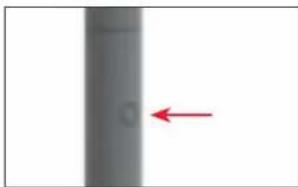
natural_image
Vertical gray object with a red arrow pointing left, no visible text or symbolsnatural_image
Simple diagram showing a black circular object with a red upward arrow, no text or symbols present.- Trykk på opplåsningsknappen på det nedre forbindelsesstykket.
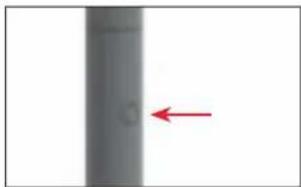
natural_image
Vertical gray object with a red arrow pointing left, no visible text or symbolsnatural_image
Close-up of a gray mechanical device with a red upward arrow indicating motion or force (no text or symbols visible)LIETOŠANAS INSTRUKCIJA BONECO F225 – F235
SATURA RĀDĪTĀJS
Tehniskie dati 213
levads 214
Piegades komplektacija 214
natural_image
Diagram of a circular object with concentric black spiral patterns and a vertical line on the left (no text or symbols)BONECO ventilators
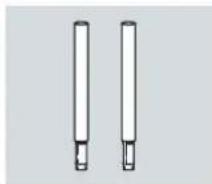
natural_image
Two vertical cylindrical objects with small protrusions, resembling laboratory or industrial components (no text or symbols visible)Nonemama savienotajdaļa (F225: 1 gab./F235: 2 gab.)
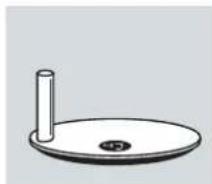
natural_image
Simple line drawing of a circular object with a cylindrical stem and central hole (no text or symbols)Bazè
natural_image
Black rectangular electronic device with two leads, no visible text or symbolsEnerğijas padeve
natural_image
Simple line drawing of a stack of papers with a speech bubble containing two glasses (no text or symbols)natural_image
Simple line drawing of a stack of papers with a warning symbol (no text or labels)natural_image
Close-up of a mechanical device with a red directional arrow indicating motion (no text or symbols visible)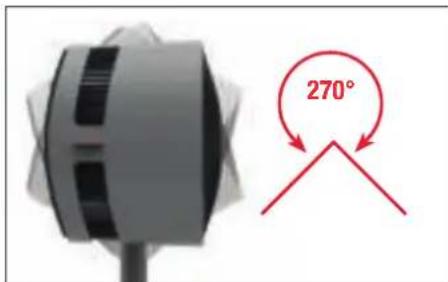
text_image
270°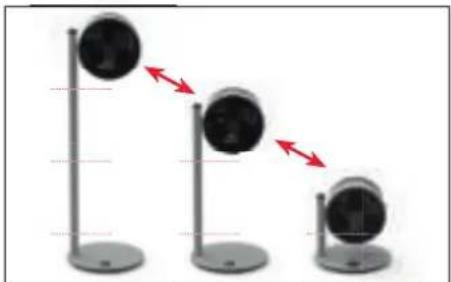
natural_image
Three identical stand-mounted devices with circular heads, showing a decreasing trend indicated by red arrows (no text or symbols present)TAIMERA FUNKCIJA
IZMANTOŠANA
text_image
free Extension VenueBLUETOOTH UN RÜPNİCAS IESTATIJUMI
BLUETOOTH IZSLĘGŠANA
natural_image
Modern living room interior with blue sofas, coffee table, and ambient lighting (no visible text or symbols)SVAIGS GAISS
natural_image
Interior view of a modern living room with a large window, wall art, and a sofa (no visible text or symbols)VAIRAKI STAVI
natural_image
Exterior view of a modern staircase with a potted plant and a small black-and-white object on the right (no signage or text visible)TELPAS AR AUGSTIEM GRIESTIEM
natural_image
Interior view of a modern living room with large windows and a sofa (no visible text or symbols)TİRİŞANA
DROŠĪBAS NORĀDĪJUMI
natural_image
Close-up of a white electronic device with a black ventilation grille and a red circle highlighting a small circular feature (no text or symbols visible)natural_image
Close-up of a black circular object with a red curved arrow indicating rotation or motion (no text or symbols visible)natural_image
Close-up of a black circular object with a red curved line, resembling a stylized fan or knob (no text or symbols visible)natural_image
Close-up of a dark fabric with a red circle highlighting a small circular feature, no text or symbols present.DEMONTĀŽA UN GLABĀŠANA
natural_image
Close-up of a hand holding a small electronic component with a red arrow pointing to it, next to an open electrical outlet (no visible text or symbols)natural_image
Vertical gray object with a red arrow pointing left, no visible text or symbolsnatural_image
Simple diagram showing a rotating object with a red arrow pointing upward (no text or symbols)natural_image
Vertical cylindrical object with a red arrow pointing left, no visible text or symbols- Nonemiet savienotajstieni no pamatnes.
natural_image
Close-up of a gray mechanical device with a red upward arrow indicating motion or force (no text or symbols visible)lv
NAUDOJIMO INSTRUKCIJOS
BONECO F225 – F235
TURINYS
natural_image
Diagram of a circular object with concentric black spiral patterns and a vertical line on the left (no text or symbols)BONECO ventilatorius
Nuimama jungtis
(F225: 1×/ F235: 2×)
Pagrindas
natural_image
Black rectangular electronic device with two leads, no visible text or symbolsMaitinimas
natural_image
Simple line drawing of a notepad with a speech bubble containing two glasses (no text or symbols)natural_image
Simple line drawing of a stack of papers with a warning symbol (no text or labels)natural_image
Close-up of a mechanical component with a red arrow indicating a downward motion, next to a circular fan-like structure (no text or symbols visible)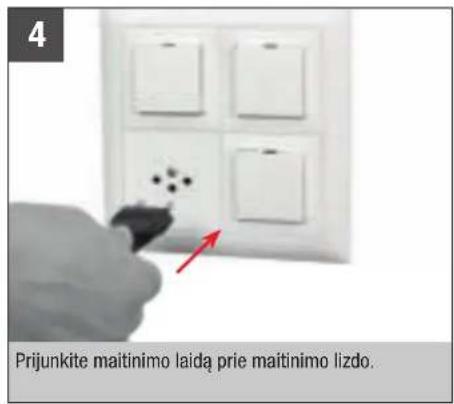
natural_image
Close-up of a mechanical component with a red arrow indicating rotational motion (no text or symbols visible)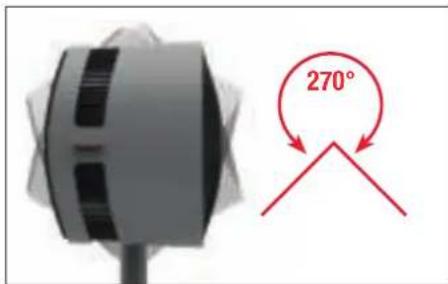
text_image
270°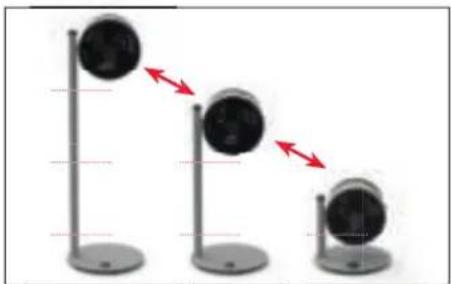
natural_image
Three identical stand-mounted devices with red arrows indicating downward motion, no text or symbols presentLAIKMAČIO FUNKCIJA
NAUDOJIMAS
text_image
free Extension Venue„BLUETOOTH“ IR GAMYKLINES NUOSTATOS
„BLUETOOTH“ IŠJUNGIMAS
- 5 sekundes spauskite mygtuka ⏻, kol ekrane ims mirkséti rodmuo „bt“ (Bluetooth).

natural_image
Interior view of a modern living room with blue sofas, coffee table, and large wall lighting (no visible text or symbols)ŠVIEŽIAS ORAS
natural_image
Interior view of a modern living room with a window, wall art, and furniture (no visible text or symbols)KELI AUKŠTAL
natural_image
Interior scene with a wooden staircase and a small black-and-white lamp on a paved walkway (no visible text or symbols)PATALPOS AUKŠTOMIS LUBOMIS
natural_image
Interior view of a modern living room with large windows and a dark sofa (no visible text or symbols)VALYMAS
SAUGOS INSTRUKCIJOS
natural_image
Close-up of a white electronic device with a red circle highlighting a circular feature (no text or symbols visible)natural_image
Circular object with radial gradient and red arrow, no visible text or symbolsnatural_image
Close-up of a black circular object with a red curved line, resembling a stylized fan or knob (no text or symbols visible)natural_image
Close-up of a dark fabric with a red circle highlighting a small circular feature, no text or symbols present.IŠARDYMAS IR LAIKYMAS
natural_image
Close-up of a hand holding a small electronic component with a red arrow pointing to it, next to a white square (no text or symbols visible)natural_image
Vertical gray object with a red arrow pointing left, no visible text or symbolsnatural_image
Simple diagram showing a black circular object with a red upward arrow, no text or symbols presentnatural_image
Vertical gray object with a red arrow pointing left, no visible text or symbols- Nuo pagrindo nuimkite sujungimo elementa.
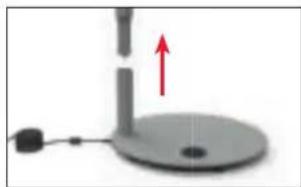
natural_image
Simple diagram of a mechanical device with a red upward arrow indicating motion or force (no text or symbols)
KASUTUSJUHEND
BONECO F225 – F235
SISUKORD
Tehnilised andmed 245
| Sissejuhatus | 246 |
| Tarnekomplekt | 246 |
natural_image
Diagram of a circular object with concentric black spiral patterns and a vertical line on the left (no text or symbols)BONECO ventilaator
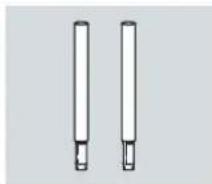
natural_image
Two vertical cylindrical objects with small protrusions, resembling laboratory or industrial components (no text or symbols visible)Eemaldatav ühendustükk (F225: 1×/ F235: 2×)
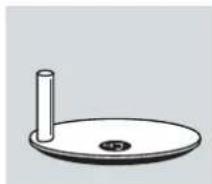
natural_image
Simple line drawing of a circular object with a cylindrical stem and central hole (no text or symbols)Alus
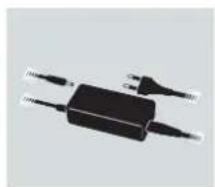
natural_image
Black rectangular electronic device with two leads, no visible text or symbolsToiteallikas
natural_image
Simple line drawing of a notepad with a speech bubble containing two glasses (no text or symbols)natural_image
Simple line drawing of a stack of papers with a warning symbol (no text or labels)natural_image
Close-up of a mechanical device with a red circular arrow indicating rotation (no text or symbols visible)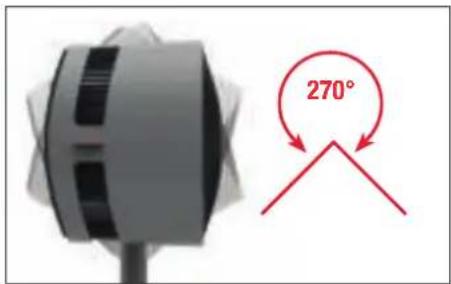
text_image
270°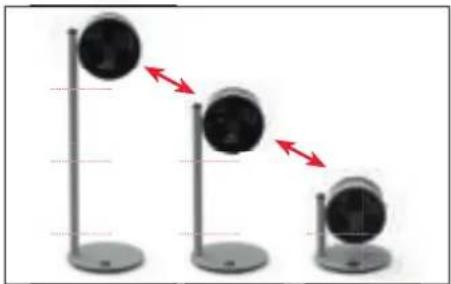
natural_image
Three identical stand-mounted devices with red directional arrows indicating motion or sequence (no text or symbols)TAIMERIFUNKTSIOON
KASUTAMINE
text_image
free Extension VenueBLUETOOTH JA TEHASESEADED
BLUETOOTHI VÄLJALÜLITAMINE
natural_image
Modern living room interior with blue sofas, coffee table, and wall-mounted pendant lights (no visible text or symbols)VÄRSKE ÖHK
natural_image
Interior view of a minimalist living room with a window, wall art, and furniture (no visible text or symbols)MITU KORRUST
natural_image
Interior view of a modern building with wooden stairs and a small black-and-white object on a stand (no visible text or symbols)KÖRGETE LAGEDEGA RUUMID
natural_image
Interior view of a modern living room with sofa, coffee table, and large windows (no visible text or symbols)PUHASTAMINE
OHUTUSJUHISED
natural_image
Close-up of a white cylindrical device with a red circle highlighting a small circular feature (no text or symbols visible)natural_image
Close-up of a black circular object with a red curved arrow indicating rotation or motion (no text or symbols visible)natural_image
Close-up of a black circular object with a red curved line, possibly a knob or dial (no text or symbols visible)natural_image
Close-up of a curved surface with a red circle highlighting a small circular feature (no text or symbols)LAHTIVÕTMINE JA LADUSTAMINE
natural_image
Close-up of a hand holding a small electronic component with a red arrow pointing to it (no visible text or symbols)natural_image
Vertical gray gradient bar with a red arrow pointing to the left edge (no text or symbols)natural_image
Simple diagram showing a black circular object with a red upward arrow, no text or symbols presentnatural_image
Vertical gray cylindrical object with a red arrow pointing to its left side (no text or symbols)natural_image
Simple diagram of a mechanical device with a red upward arrow indicating motion or force, no text or symbols present.NÁVOD K POUŽITÍ
BONECO F225 - F235
OBSAH
Technické údaje 261
natural_image
Circular object with concentric black spiral patterns next to a vertical white bar (no text or symbols)natural_image
Simple line drawing of a circular object with a cylindrical stem and central hole (no text or symbols)Základna
natural_image
Black rectangular electronic device with two leads, no visible text or symbolsZdroj napájení
natural_image
Simple line drawing of a stack of papers with a speech bubble containing two glasses (no text or symbols)natural_image
Simple line drawing of a stack of papers with a warning symbol (no text or labels)natural_image
Close-up of a mechanical component with a red directional arrow indicating rotation (no text or symbols visible)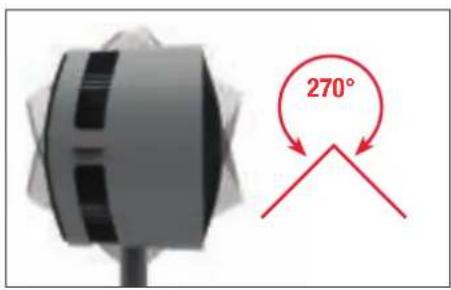
text_image
270°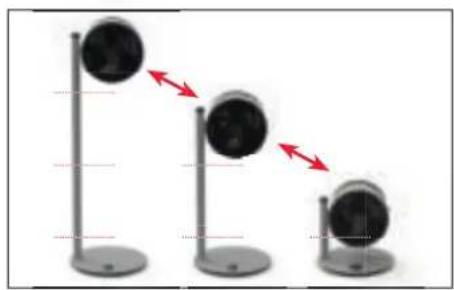
natural_image
Three identical stand-mounted devices with black circular tops and red directional arrows indicating motion or alignment (no text or symbols)FUNKCE ČASOVAČE
POUŽITÍ
text_image
free Extension VenueBLUETOOTH A NASTAVENÍ Z VÝROBY
VYPNUTÍ BLUETOOTH
natural_image
Interior view of a modern living room with blue sofas, pendant lights, and a potted plant (no visible text or symbols)VICE PATER
natural_image
Interior view of a modern staircase with a black-and-white lamp on a stand, overlooking a green outdoor background (no text or symbols visible)ČERSTVÝ VZDUCH
natural_image
Interior view of a modern living room with a large window, a small table, and a wall-mounted display (no visible text or symbols)MÍSTNOSTI S VYSOKÝM STROPEM
natural_image
Interior view of a modern living room with large windows and a sofa (no visible text or symbols)ČIŠTĚNÍ
BEZPEČNOSTNÍ POKYNY
natural_image
Close-up of a white cylindrical device with a red circle highlighting a small circular feature (no text or symbols visible)natural_image
Close-up of a black circular object with a red curved arrow indicating rotation or motion (no text or symbols visible)natural_image
Close-up of a black circular object with a red curved line, resembling a stylized fan or knob (no text or symbols visible)natural_image
Close-up of a dark fabric with a red circle highlighting a small spot, no text or symbols present.DEMONTÁŽA SKLADOVÁNÍ
natural_image
Close-up of a hand holding a small black object with a red arrow pointing to a white electrical outlet (no text or symbols visible)natural_image
Vertical gray object with a red arrow pointing left, no visible text or symbolsnatural_image
Simple diagram showing a black circular object with a red upward arrow, no text or symbols presentnatural_image
Vertical gray object with a red arrow pointing left, no visible text or symbolsnatural_image
Simple diagram of a mechanical device with a red upward arrow and a circular base (no text or symbols)NÁVOD NA POUŽÍVANIE BONECO F225 – F235
OBSAH
Technické údaje 277
| Üvod | 278 |
| Obsah balenia 278 |
natural_image
Diagram of a circular object with concentric rings and a vertical rod beside it (no text or symbols)Jednotka ventilátora BONECO
natural_image
Two vertical cylindrical objects with small protrusions, resembling laboratory or industrial components (no text or symbols visible)natural_image
Simple line drawing of a circular object with a cylindrical stem and central hole (no text or symbols)Základňa
natural_image
Black rectangular electronic device with two leads, no visible text or symbolsZdroj
natural_image
Simple line drawing of a notepad with a speech bubble containing two glasses (no text or symbols)natural_image
Simple line drawing of a stack of papers with a warning symbol (no text or labels)i BONECO F225 a BONECO F235 sa lišia len tým, že BONECO F235 obsahuje druhý konektor.
natural_image
Close-up of a mechanical component with a red circular arrow indicating rotation (no text or symbols visible)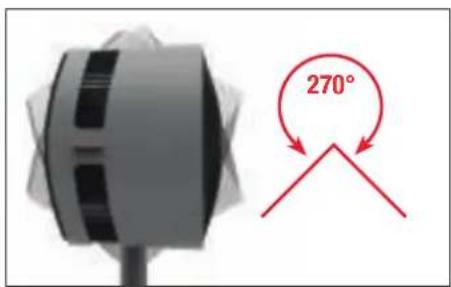
text_image
270°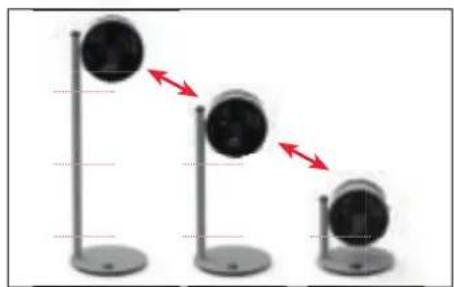
natural_image
Three identical vertical stands with circular objects, each showing a red double-headed arrow indicating direction (no text or symbols)FUNKCIA ČASOVAČA
POUŽITIE
text_image
free Extension VenueBLUETOOTH A VÝROBNÉ NASTAVENIA
VYPNUTIE BLUETOOTH
natural_image
Interior view of a modern living room with blue sofas and ambient lighting (no visible text or symbols)ČERSTVÝ VZDUCH
natural_image
Interior view of a modern living room with a large window, wall art, and minimalist furniture (no visible text or symbols)VIACERO PODLAŽÍ
natural_image
Interior view of a modern building with wooden stairs and a small black-and-white photo on a stand (no visible text or symbols)MIESTNOSTI S VYSOKÝMI STROPMI
natural_image
Interior view of a modern living room with large windows, a black sofa, and a small plant (no visible text or symbols)ČISTENIE
BEZPEČNOSTNÉ POKYNY
natural_image
Close-up of a white industrial fan or vent with a red circle highlighting a small circular feature (no text or symbols visible)natural_image
Close-up of a black circular object with a red curved arrow indicating rotation or motion (no text or symbols visible)natural_image
Close-up of a black circular object with a red curved line, resembling a stylized fan or knob (no text or symbols visible)natural_image
Close-up of a dark fabric with a red circle highlighting a small circular feature, no text or symbols present.DEMONTÁŽA SKLADOVANIE
DEMONTÁŽ A USCHOVANIE
natural_image
Close-up of a hand holding a small black object with a red arrow pointing to a white electrical outlet (no text or symbols visible)- Stlačte odistovacie tlačidlo na hornom spájacom prvku.
natural_image
Vertical gray gradient bar with a red arrow pointing left (no text or symbols)natural_image
Simple diagram showing a black circular object with a red upward arrow, no text or symbols presentnatural_image
Vertical gray object with a red arrow pointing left, no visible text or symbolsnatural_image
Simple diagram of a mechanical device with a red upward arrow indicating motion or force, no text or symbols present.NAVODILA ZA UPORABO
BONECO F225 – F235
KAZALO VSEBINE
natural_image
Diagram of a circular object with concentric black spiral patterns and a vertical line on the left (no text or symbols)Ventilatorska enota BONECO
Odstranljiv priključni del (F225: 1×/ F235: 2×)
Podnožje
natural_image
Black rectangular electronic device with two leads, no visible text or symbolsNapajanje
natural_image
Simple line drawing of a stack of papers with a speech bubble containing two glasses (no text or symbols)natural_image
Simple line drawing of a stack of papers with a warning symbol (no text or labels)Modela BONECO F225 in BONECO F235 se razlikujeta samo v tem, da ima BONECO F235 še drugi priključni del.
natural_image
Close-up of a mechanical component with a red arrow indicating rotation, no visible text or symbols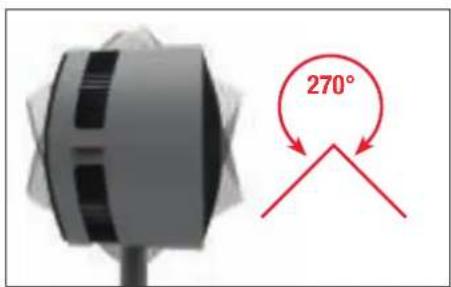
text_image
270°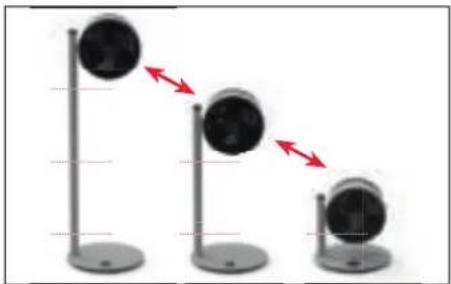
natural_image
Three identical stand-mounted devices with circular heads, each showing a red double-headed arrow indicating direction (no text or symbols)FUNKCIJA ČASOVNIKA
UPORABA
text_image
free Attention WinterBLUETOOTH IN TOVARNIŠKE NASTAVITVE
IZKLOP FUNKCIJE BLUETOOTH
- Pritisnite in 5 sekund držite tipko ⏻, da na zaslonu začne utripati prikaz «bt» (Bluetooth).

- Obrnite vrtljivi gumb v levo ali desno, da se na za- slonu prikaže «--».

natural_image
Interior view of a modern living room with blue sofas and ambient lighting (no visible text or symbols)SVEŽ ZRAK
natural_image
Interior view of a modern living room with a large window and wall art (no visible text or symbols)VEČ NADSTROPIJ
natural_image
Interior view of a modern building with wooden stairs and a small black-and-white object on a stand (no visible text or symbols)PROSTORI Z VISOKIMI STROPI
natural_image
Interior view of a modern living room with large windows and a dark sofa (no visible text or symbols)ČIŠČENJE
VARNOSTNA NAVODILA
natural_image
Close-up of a white cylindrical device with a black lid and ventilation grille, marked by a red circle (no visible text or symbols)natural_image
Close-up of a black circular object with a red curved arrow indicating rotation or motion (no text or symbols visible)- Odvijte varnostni vijak na sredini v smeri urnega kazalca.
natural_image
Close-up of a black propeller with a red scroll wheel (no text or symbols visible)natural_image
Close-up of a dark fabric with a red circle highlighting a small circular feature, no text or symbols present.natural_image
Close-up of a hand holding a small electronic component with a red arrow pointing to it, next to an open electrical outlet (no visible text or symbols)natural_image
Vertical gray object with a red arrow pointing left, no visible text or symbols- Odstranite ventilator, tako da ga močno povlečete navzgor.
natural_image
Simple diagram showing a circular object with a vertical line and a red arrow pointing upward (no text or symbols)natural_image
Vertical gray object with a red arrow pointing left (no text or symbols)natural_image
Simple diagram of a mechanical device with a vertical rod and base, showing a red upward arrow (no text or symbols)UPUTE ZA UPORABU
BONECO F225 – F235
SADRŽAJ
Tehnički podaci 309
| Uvod | 310 |
| Opseg isporuke 310 |
natural_image
Diagram of a circular object with concentric black spiral patterns and a vertical line on the left (no text or symbols)Ventilator BONECO
natural_image
Two vertical cylindrical objects with small protrusions, no text or symbols presentUklonjiva spojnica (F225: 1× / F235: 2×)
natural_image
Simple line drawing of a circular object with a cylindrical stem and central hole (no text or symbols)Baza
natural_image
Black rectangular electronic device with two leads, no visible text or symbolsTápegység
natural_image
Simple line drawing of a stack of papers with a speech bubble containing two glasses (no text or symbols)natural_image
Simple line drawing of a stack of papers with a warning symbol (no text or labels)Ventilator možete upotrebljavati uz jednu ili dvije spojnice, kao i bez spojnica. Uređaj se može prila-goditi vašim potrebama.
natural_image
Close-up of a mechanical component with a red arrow indicating a downward motion, next to a circular fan-like structure (no text or symbols visible)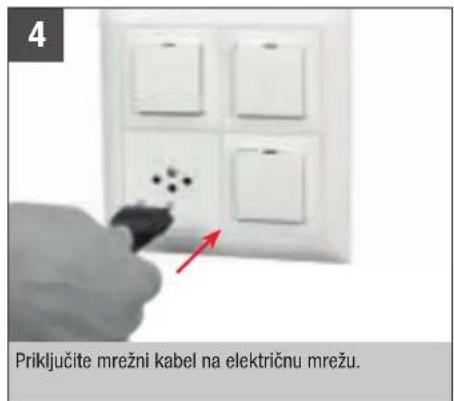
text_image
4 Priključite mrežni kabel na električnu mrežu.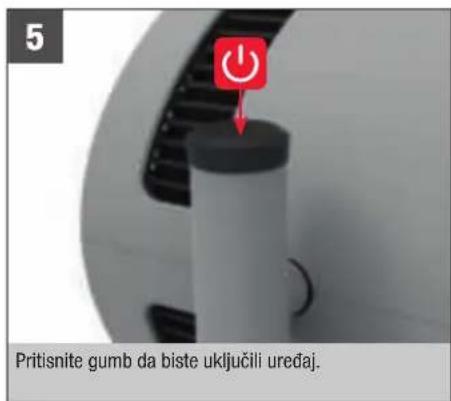
text_image
5 Pritisnite gumb da biste uključili uređaj.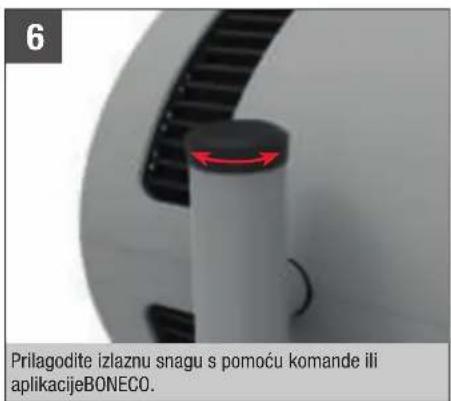
text_image
6 Prilagodite izlaznu snagu s pomoću komande ili aplikacijeBONECO.RUKOVANJE
RUKOVANJE
Svi su ventilatori BONECO Air Shower dizajnirani tako da su jednostavni za upotrebu. Izlazna snaga prilagođava se u 32 razine s pomoću jedne komande.
PORAVNAVANJE
natural_image
Close-up of a mechanical component with a red arrow indicating rotation, no visible text or symbols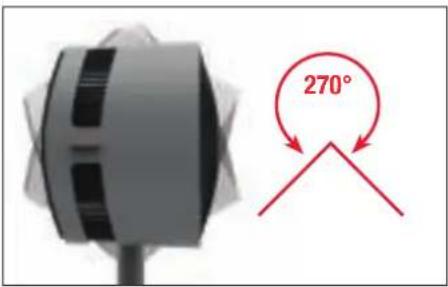
text_image
270°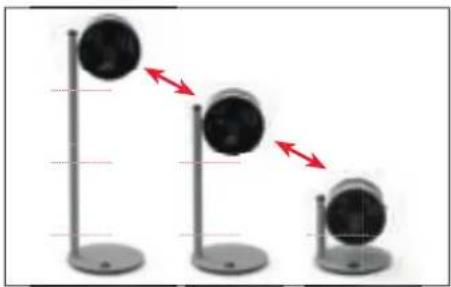
natural_image
Three identical stand-mounted devices with circular heads, each showing a red double-headed arrow indicating motion or change (no text or symbols present)FUNKCIJA TAJMERA
UPÔTREBA
APLIKACIJA BONECO NUDI VAM OVO
O APLIKACIJI BONECO
Aplikacija "BONECO healthy air" upotrebljava se za upravljanje uređajem BONECO F225 – F235 i omogućuje vam da iskoristite sav njegov potencijal. Aplikacija nudi funkcije poput timera ili prikaza stupnjeva ventilatora.
OPSEG DJELOVANJA
Timer za uključivanje Uređaj se nakon određenog vremena uključuje
text_image
free Extension VenueBLUETOOTH I TVORNIČKE POSTAVKE
ISKLJUČIVANJE FUNKCIJE BLUETOOTH
- Pritisnite i držite tipku ⏻ 5 sekundi dok na zaslonu ne zatreperi indikator «bt» (Bluetooth).

- Okrećite regulator ulijevo ili udesno dok se na za- slonu ne prikaže «--».

natural_image
Modern living room interior with blue sofas, coffee table, and ambient lighting (no visible text or symbols)SVJEŽI ZRAK
natural_image
Interior view of a modern living room with a large window, wall art, and minimalist furniture (no visible text or symbols)VIŠE KATOVA
natural_image
Interior view of a modern building with a wooden staircase and a black-and-white lamp on the floor (no visible text or symbols)PROSTORIJE S VISOKIM STROPOVIMA
U prostorijama s visokim stropovima s klimatizacijom hladan zrak pada na tlo dok se topli zrak podiže prema stropu. Postavite ventilator BONECO u uspravan položaj za efekt zračnog tuša.
natural_image
Interior view of a modern living room with large windows and a sofa (no visible text or symbols)ČIŠĆENJE
SIGURNOSNE UPUTE
Prije čišćenja ventilator BONECO Air Shower obavezno iskopčajte iz struje! Ako to ne učinite može doći do strujnog udara i nezgoda sa smrtnim posljedicama!
Pri čišćenju je zabranjena upotreba alkohola i koro-zivnih sredstava za čišćenje.
ČIŠĆENJE KUĆIŠTA
natural_image
Close-up of a white electronic device with a black ventilation grille and a red circle highlighting a small circular feature (no text or symbols visible)natural_image
Close-up of a black circular object with a red curved arrow indicating rotation or motion (no text or symbols visible)natural_image
Close-up of a black propeller blade with a red accent line (no text or symbols)- Uklonite krilca ventilatora i očistite ih vlažnom krpom.
- Ponovno sastavite uređaj primjenom istih koraka, samo obrnutim redoslijedom.
- Pričvrstite prednju rešetku s pomoću sigurnosnog vijka. Dok to činite pripazite na položaj vijka na prednjoj rešetki.
natural_image
Close-up of a dark fabric with a red circle highlighting a small circular feature, no text or symbols present.RASTAVLJANJE I POHRANA
Obratite pozornost na to da se uklonjive spojnice mogu odvojiti. Kada uređaj prenosite na novo mjesto, rastavite ga na dijelove koji se mogu odvojiti i prenesite pojedine dijelove na željeno mjesto, a zatim ponovno sastavite uređaj.
Upotrijebite originalnu ambalažu za najjednostavniju i najučinkovitiju pohranu. Pohranite ventilator BONECO Air Shower na suhom mjestu.
DEMONTAŽA I SKLADIŠTENJE
- Izvucite mrežni kabel iz utičnice.
natural_image
Close-up of a hand holding a small electronic component with a red arrow pointing to it, next to an open electrical outlet (no visible text or symbols)- Pritisnite gumb za deblokadu na gornjem spojnom elementu.
natural_image
Vertical gray object with a red arrow pointing left, no visible text or symbolsnatural_image
Simple diagram showing a circular object with a vertical line and a red arrow pointing upward (no text or symbols)- Pritisnite gumb za deblokadu na donjem spojnom elementu.
natural_image
Vertical gray cylindrical object with a red arrow pointing left, no visible text or symbols- Uklonite spojni element s postolja.
natural_image
Simple diagram of a mechanical device with a red upward arrow indicating motion or force (no text or symbols)hr
ΟΔΗΓΙΕΣ ΧΡΗΣΗΣ
BONECO F225 – F235
natural_image
Diagram of a circular object with concentric black spiral patterns and a vertical line on the left (no text or symbols)natural_image
Black rectangular electronic device with two leads, no visible text or symbolsnatural_image
Simple line drawing of a stack of papers with a speech bubble containing two glasses (no text or symbols)natural_image
Simple line drawing of a stack of papers with a warning symbol (no text or labels)natural_image
Close-up of a white cylindrical object with black side panels and a red arrow indicating rotation (no text or symbols)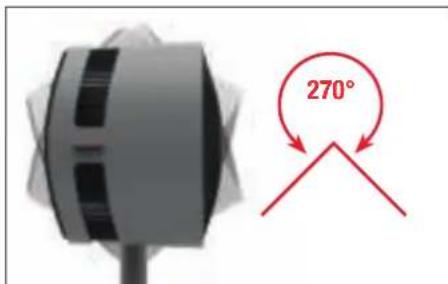
text_image
270°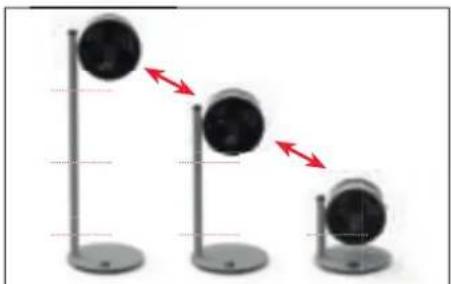
natural_image
Three identical stand-mounted cameras with red directional arrows indicating motion or alignment (no text or symbols)text_image
free Extension VenueBLUETOOTH KAI EPROSTAΣΙΑΚΕΣ PYΟΜΙΣΕΙΣ
natural_image
Interior view of a modern living room with blue sofas, coffee table, and ambient lighting (no visible text or symbols)ΦΡΕΣΚΟΣ ΑΕΡΑΣ
natural_image
Interior view of a modern living room with a window, wall art, and a small table (no visible text or symbols)ПОЛЛАПЛА ДАПЕДА
natural_image
Interior view of a modern building with a wooden staircase and a small black-and-white lamp (no visible text or symbols)natural_image
Interior view of a modern living room with large windows, a black sofa, and a small potted plant (no visible text or symbols)ΚΑΘΑΡΙΣΜΟΣ
ΟΔΗΓΙΕΣ ΑΣΦΑΛΕΙΑΣ
natural_image
Close-up of a white electronic device with a red circle highlighting a small circular feature (no text or symbols visible)natural_image
Close-up of a black circular object with a red curved arrow indicating rotation or motion (no text or symbols visible)natural_image
Close-up of a black circular object with a red curved arrow indicating rotation (no text or symbols)natural_image
Close-up of a curved surface with a red circle highlighting a small circular feature (no text or symbols)natural_image
Close-up of a hand holding a small electronic device with a red arrow pointing to it, next to an open electrical outlet (no visible text or symbols)natural_image
Vertical gray object with a red arrow pointing to its left side (no text or symbols)natural_image
Simple diagram showing a cylindrical object with an arrow pointing upward, no text or symbols presentnatural_image
Vertical gray cylindrical object with a red arrow pointing left, no visible text or symbolsnatural_image
Mechanical device with a red upward arrow indicating motion or force, no visible text or symbolsgr
natural_image
Diagram of a circular object with concentric rings and a vertical rod, no text or symbols presentnatural_image
Black rectangular electronic device with two leads, no visible text or symbolsИсточник питания
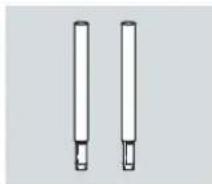
natural_image
Two vertical cylindrical objects with small protrusions, resembling laboratory or industrial components (no text or symbols visible)natural_image
Simple line drawing of a notepad with a speech bubble containing two glasses (no text or symbols)natural_image
Simple line drawing of a circular object with a cylindrical stem and central hole (no text or symbols)База
natural_image
Simple line drawing of a stack of papers with a warning symbol (no text or labels)безопасности
natural_image
Close-up of a mechanical component with a red arrow indicating rotational motion (no text or symbols visible)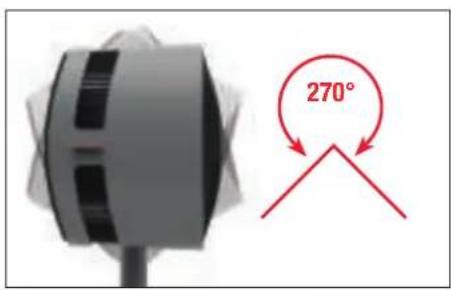
text_image
270°
natural_image
Three identical stand-mounted devices with circular heads, showing a downward trend indicated by red arrows (no text or symbols present)ТАЙМЕР
ИСПОЛЬЗОВАНИЕ
text_image
free Extension Viewnatural_image
Modern living room interior with blue sofas and ambient lighting (no visible text or symbols)СВЕЖИЙ ВОЗДУХ
natural_image
Interior view of a modern living room with a large window, wall art, and a small table tennis setup (no visible text or symbols)natural_image
Interior view of a modern building with a wooden staircase and a small black-and-white object on a stand (no visible text or symbols)natural_image
Interior view of a modern living room with large windows, a sofa, and a coffee table (no visible text or symbols)ОЧИСТКА
natural_image
Close-up of a white cylindrical device with a red circle highlighting a small circular feature (no text or symbols visible)natural_image
Close-up of a black circular object with a red curved arrow indicating rotation or motion (no text or symbols visible)natural_image
Close-up of a black propeller with a red scroll wheel (no text or symbols visible)natural_image
Close-up of a curved surface with a red circle highlighting a small circular feature (no text or symbols)РАЗБОРКА И ХРАНЕНИЕ

natural_image
Close-up of a hand holding a small electronic component with a red arrow pointing to it, next to an open electrical outlet (no visible text or symbols)natural_image
Vertical gray object with a red arrow pointing left, no visible text or symbolsnatural_image
Simple diagram showing a circular object with a vertical line and a red arrow pointing upward (no text or symbols)natural_image
Vertical gray object with a red arrow pointing to a small circular feature (no text or symbols)natural_image
Simple diagram of a mechanical device with a red upward arrow indicating motion or force, no text or symbols present.






























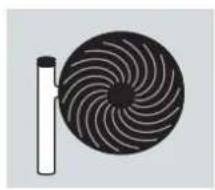
natural_image
Diagram of a circular object with concentric rings and a vertical rod beside it (no text or symbols)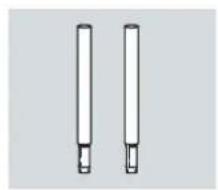
natural_image
Two vertical cylindrical objects with small protrusions, resembling pens or tubes (no text or symbols visible)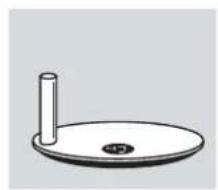
natural_image
Simple line drawing of a circular object with a vertical rod and a small dot on the base (no text or symbols)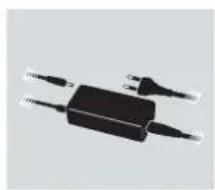
natural_image
Black rectangular electronic device with two leads and a power outlet, no visible text or symbols
natural_image
Simple line drawing of a notepad with a speech bubble containing glasses (no text or symbols)
natural_image
Simple line drawing of a notepad with an exclamation mark speech bubble (no text or symbols on the notepad)i
i
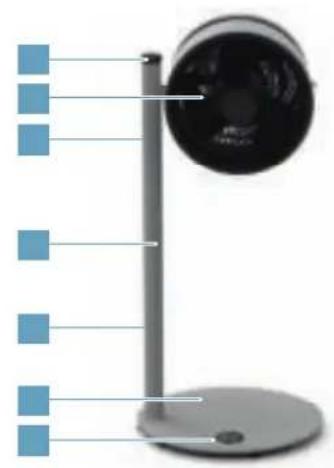
natural_image
Illustration of a desktop desk lamp with blue indicator lights and a black head (no text or symbols)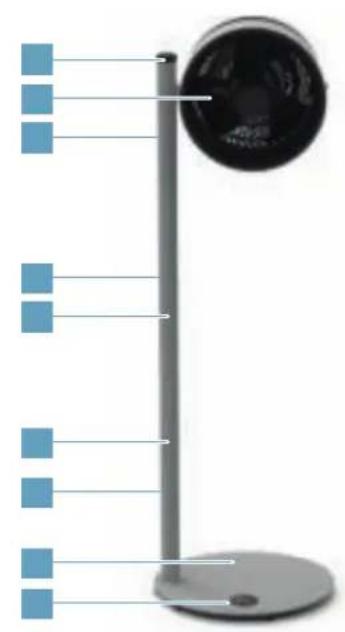
natural_image
Diagram of a vertical pole with blue square markers and a circular component, no text or symbols present
natural_image
Solid blue rectangular shape with no text, symbols, or patterns.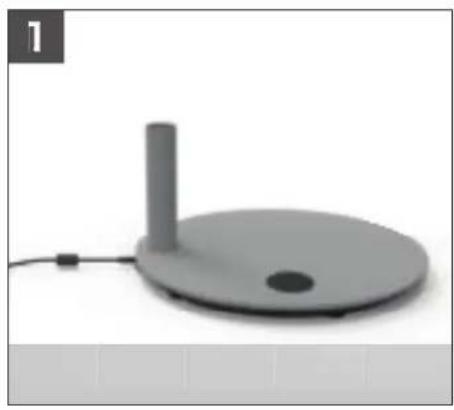
natural_image
3D rendered image of a gray circular device with a vertical cylindrical top and small dot on the base, connected by a cable (no text or symbols visible)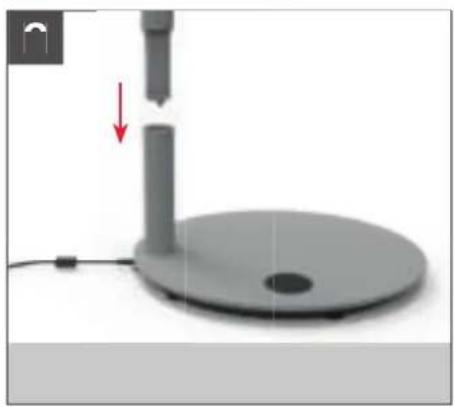
natural_image
3D rendered image of a mechanical device with a vertical rod and base, showing a red arrow indicating motion or force (no text or symbols)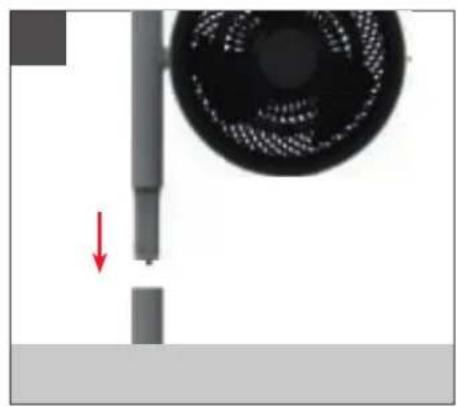
natural_image
Close-up of a mechanical component with a red arrow indicating a downward motion, next to a circular fan-like structure (no text or symbols visible)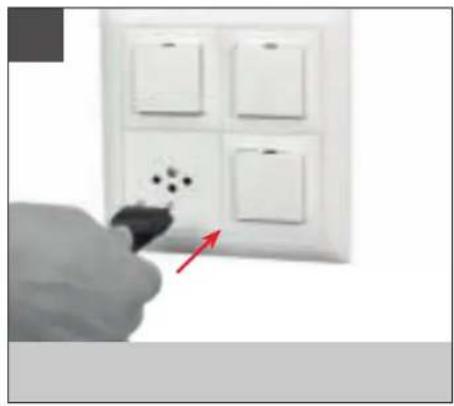
natural_image
Hand holding a black tool near a white wall-mounted switch with four switches (no text or symbols visible)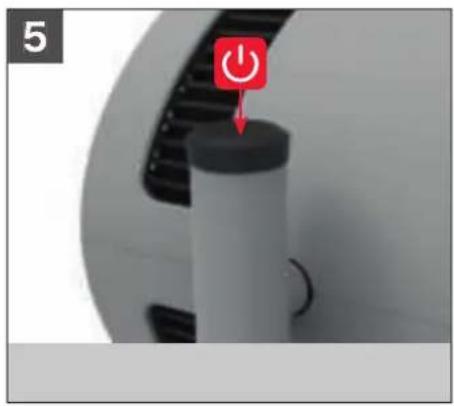
natural_image
Close-up of a mechanical device with a red power button icon (no text or symbols visible)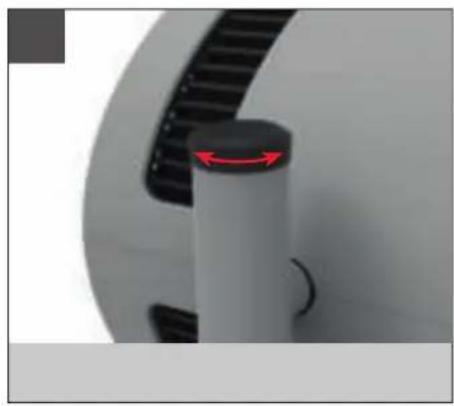
natural_image
Close-up of a mechanical component with a red arrow indicating a specific feature (no text or symbols visible)

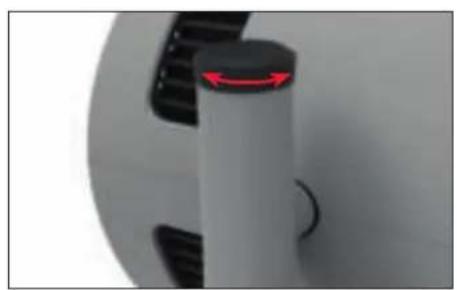
natural_image
Close-up of a mechanical component with a red arrow indicating rotation, no visible text or symbols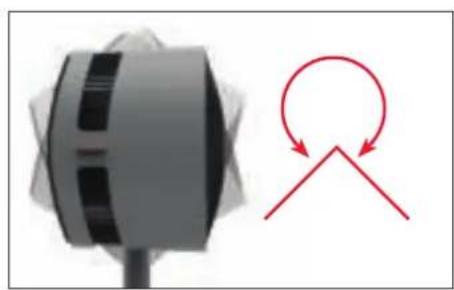
natural_image
Diagram showing a mechanical component with a circular arrow and a triangular cutout (no text or symbols)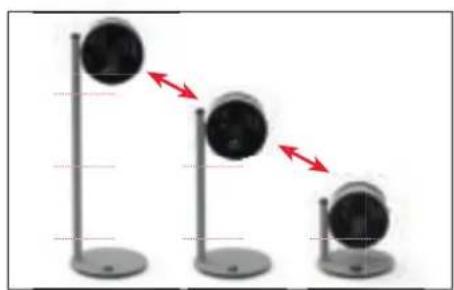
natural_image
Three identical stand-mounted devices with circular heads, each showing a downward arrow indicating motion or change (no text or symbols present)(
(1)
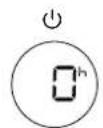
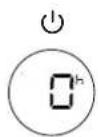
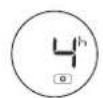

[Non-Text]
(
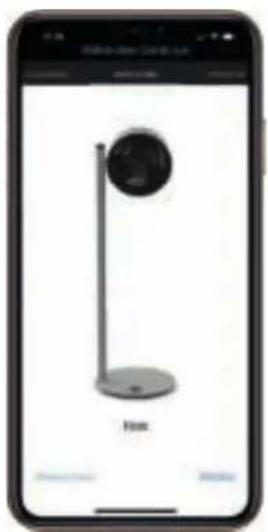
natural_image
Smartphone screen displaying a black-and-white photo of a stand with a circular object, labeled 'Home' (no other text or symbols visible)

[Non-Text]

[Non-Text]

[Non-Text]
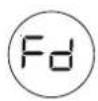
(







|
|
|
|
|
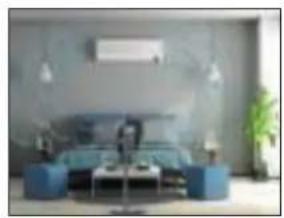
natural_image
Interior view of a modern living room with blue sofas, coffee table, and ambient lighting (no visible text or symbols)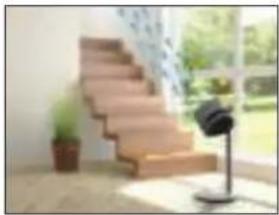
natural_image
Interior view of a modern building with a wooden staircase and a small black-and-white object on a stand, overlooking a window with greenery (no visible text or symbols)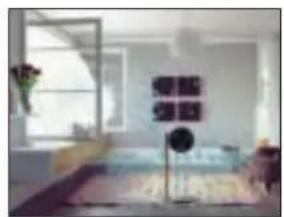
natural_image
Interior view of a modern living room with a large window and wall art (no visible text or symbols)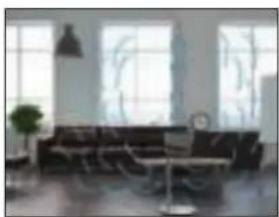
natural_image
Interior view of a modern living room with large windows, a black sofa, and a small table (no visible text or symbols)
火
!
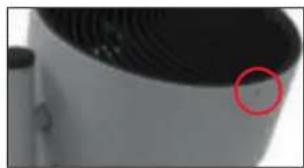
natural_image
Close-up of a white cylindrical object with a black lid and ventilation grille, marked by a red circle (no text or symbols visible)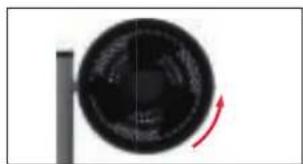
natural_image
Circular object with a red curved arrow indicating rotation or motion (no text or symbols visible)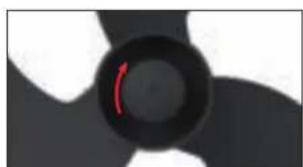
natural_image
Close-up of a black and white abstract circular object with a red arrow, no visible text or symbols.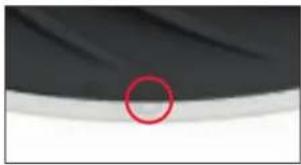
natural_image
Close-up of a dark fabric with a red circle highlighting a small circular feature, no text or symbols present.

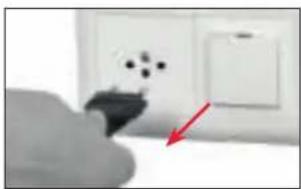
natural_image
Close-up of a hand holding a small electronic device with a red arrow pointing to it, next to an open electrical wall (no visible text or symbols)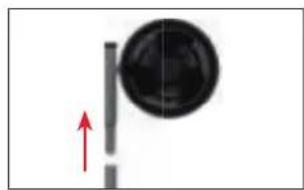
natural_image
Simple diagram showing a circular object with a vertical line and an upward arrow, no text or symbols present.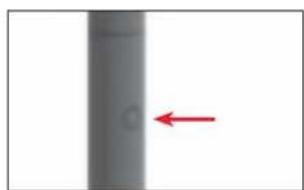
natural_image
Vertical gray object with a red arrow pointing left, no visible text or symbols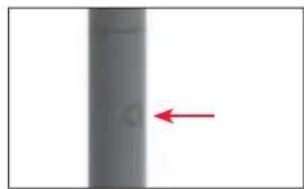
natural_image
Vertical gray object with a red arrow pointing to its left side (no text or symbols)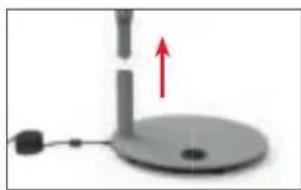
natural_image
Simple diagram of a mechanical device with a red upward arrow and a small base (no text or symbols)



|
|
|
|
|





natural_image
Diagram of a circular object with concentric curved lines, connected to a vertical rod (no text or symbols)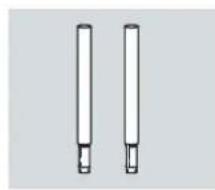
natural_image
Two vertical cylindrical objects with small protrusions, resembling pens or tubes (no text or symbols visible)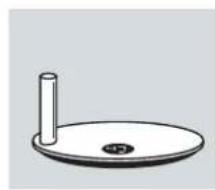
natural_image
Simple line drawing of a circular base with a vertical rod and a small circular hole at the bottom (no text or symbols)
natural_image
Black rectangular electronic device with two leads, no visible text or symbols
natural_image
Simple line drawing of a folded paper with a speech bubble containing two glasses (no text or symbols)
natural_image
Illustration of a stack of papers with a warning symbol (no text or labels)i
i
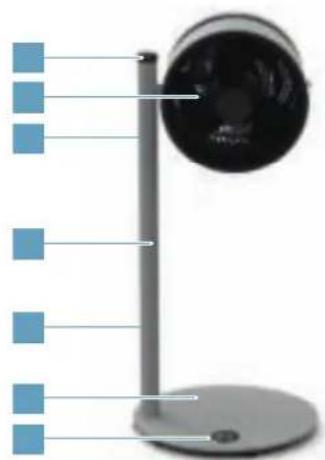
natural_image
Illustration of a desktop desk with a spherical device and blue square buttons, no text or symbols present.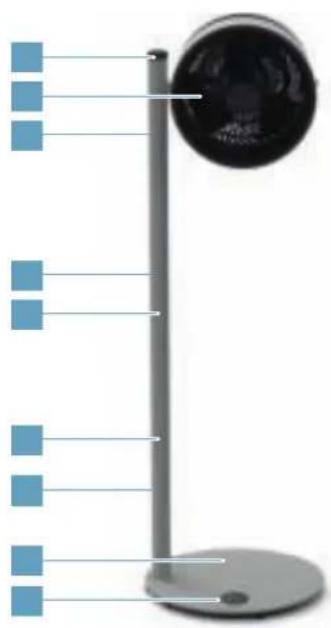
natural_image
Diagram of a vertical pole with blue square markers and a circular component, no text or symbols present
natural_image
Solid light blue background with no text, symbols, or discernible features.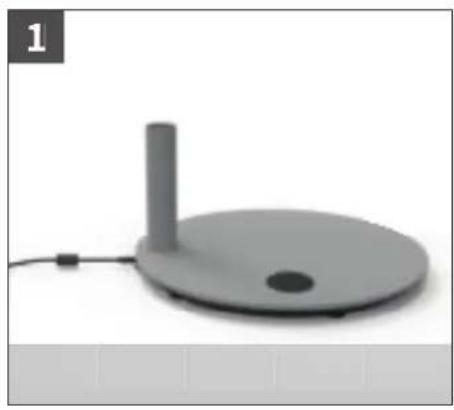
natural_image
Gray circular device with a vertical cylindrical top and small dot on the base, connected to a cable (no text or symbols visible)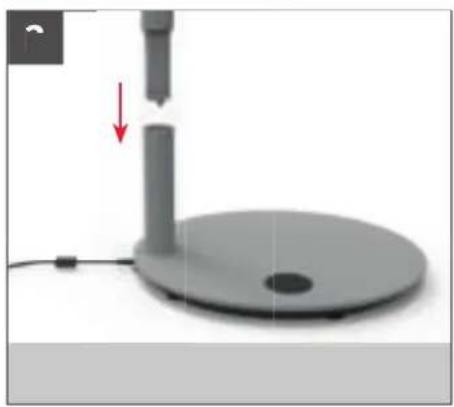
natural_image
3D rendered image of a mechanical device with a red arrow indicating a downward motion or force, no visible text or symbols.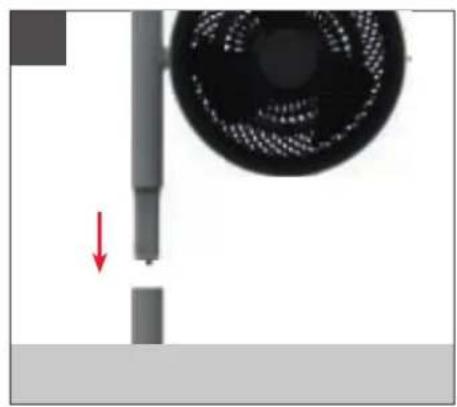
natural_image
Close-up of a mechanical component with a red arrow indicating a downward motion, next to a circular fan-like structure (no text or symbols visible)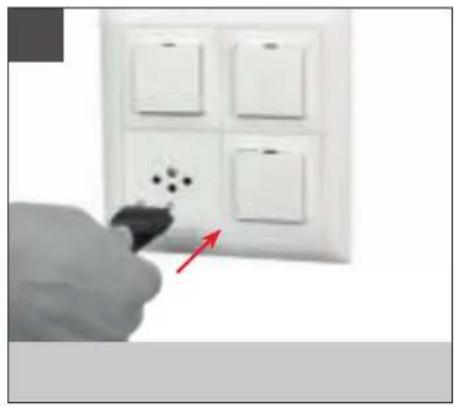
natural_image
Hand holding a pen next to four white wall-mounted switches (no text or symbols visible)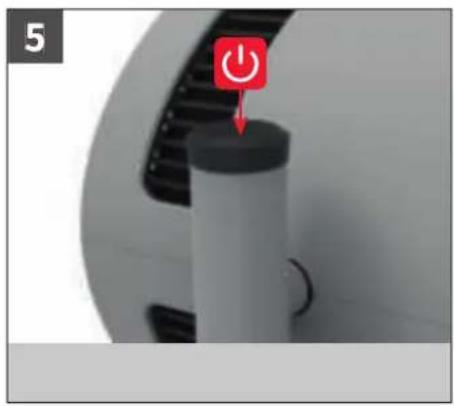
natural_image
Close-up of a mechanical device with a red power button icon (no text or symbols visible)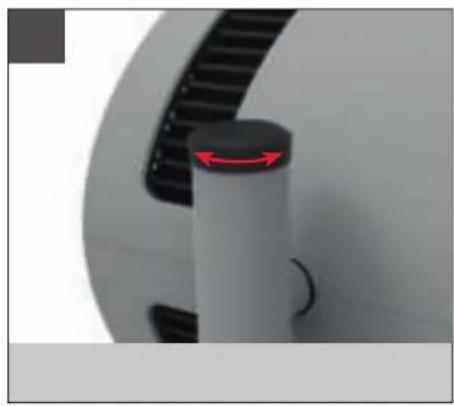
natural_image
Close-up of a mechanical component with a red arrow indicating a specific feature (no text or symbols visible)

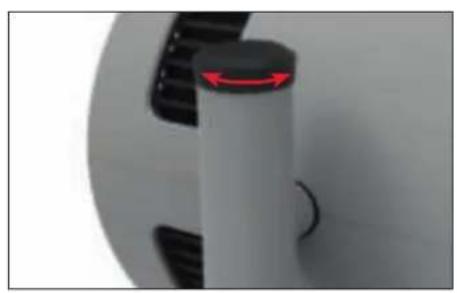
natural_image
Close-up of a mechanical component with a red arrow indicating rotational motion (no text or symbols visible)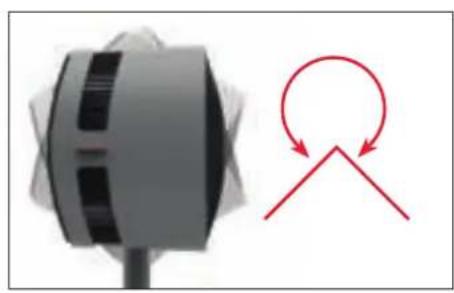
natural_image
Diagram showing a mechanical component with a red circular arrow and a triangular cutout, no text or symbols present.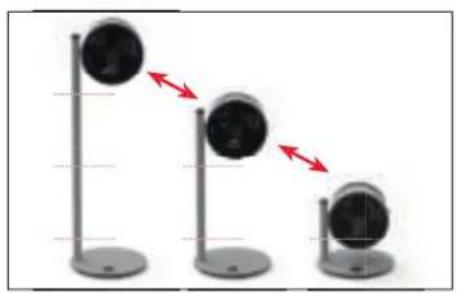
natural_image
Three identical stand-mounted devices with circular heads, showing a downward trend indicated by red arrows (no text or symbols present)(
(1)
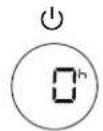
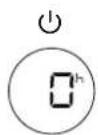
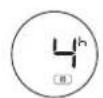

(1)
(1)
[Non-Text]
(1)
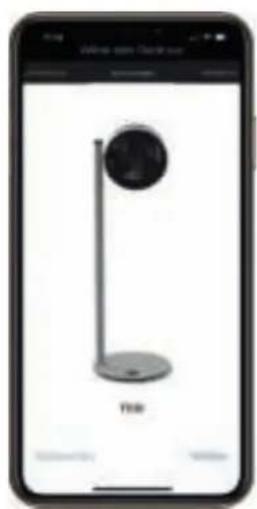
natural_image
Smartphone screen displaying a black-and-white photo of a stand with a circular object, labeled 'YBR' at the base (no other text or symbols visible)


(1)

(1)
i

(1)
[Non-Text]







|
|
|
|
|
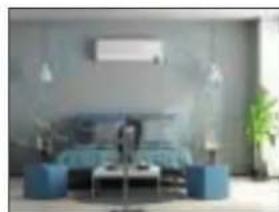
natural_image
Interior view of a modern living room with blue sofas, a sofa, and plants (no visible text or symbols)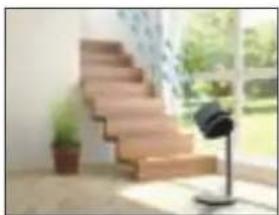
natural_image
Interior view of a modern building with a wooden staircase and a small black-and-white lamp (no visible text or symbols)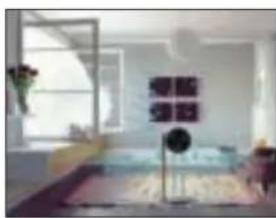
natural_image
Interior view of a modern living room with a window, wall art, and furniture (no visible text or symbols)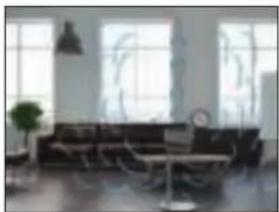
natural_image
Interior view of a modern living room with large windows and a sofa (no visible text or symbols)
火
!
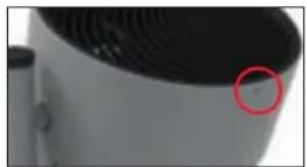
natural_image
Close-up of a white cylindrical object with a red circle highlighting a small circular feature, possibly part of a device or component (no text or symbols visible)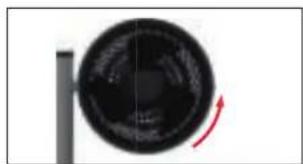
natural_image
Circular object with a red curved arrow indicating rotation or motion, no visible text or symbols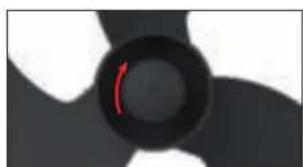
natural_image
Close-up of a black propeller with a red arrow indicating rotation (no text or symbols)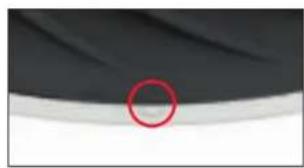
natural_image
Close-up of a dark fabric with a red circle highlighting a small circular feature, no text or symbols present.
i
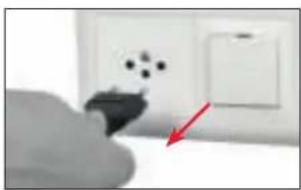
natural_image
Close-up of a hand holding a small electronic component with a red arrow pointing to it, next to an open electrical wall (no visible text or symbols)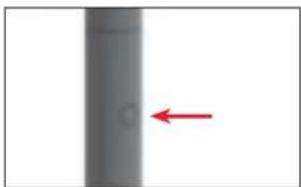
natural_image
Vertical gray object with a red arrow pointing left, no visible text or symbols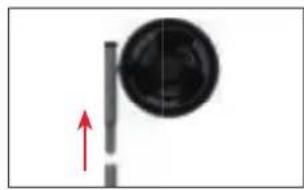
natural_image
Simple diagram showing a circular object with a vertical line and an upward arrow, no text or symbols present.
natural_image
Vertical gray cylindrical object with a red arrow pointing to its left side (no text or symbols)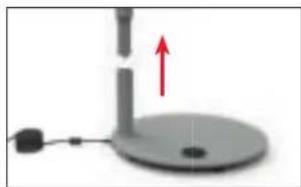
natural_image
Simple diagram of a mechanical device with a red upward arrow indicating motion or force, no text or symbols present.



|
|
|
|
|

CEEAC
www.luv.com ID 1419076152
BONECO
healthy air
www.boneco.com
BONECO is a registered trademark of BONECO AG, Switzerland
BONECO AG, Espenstrasse 85, 9443 Widnau, Switzerland