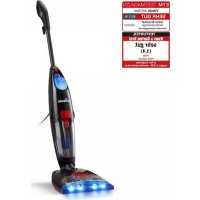
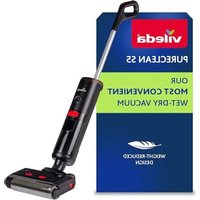
USER MANUAL JetClean Vileda
THANK YOU FOR PURCHASING OUR NEW VILEDA JetClean!
This manual represents an indispensable guide for the correct and safe use of the Vileda JetClean. Read all instructions before using the product for the first time because it contains information necessary to ensure that the product can be used in compliance with safety standards and environmental protection for the entire period of product usage. Retain this document for future reference. Instructions also available on: www.vileda.com. This appliance is intended for indoor private household use only.
Contents
- GENERAL WARNINGS 7
2.PRODUCT OVERVIEW 10
- ASSEMBLY & OPERATIONS 10
- MAINTENANCE AND CARE 11
5.TROUBLESHOOTING 13
- VILEDA WARRANTY 15
- TECHNICAL SPECIFICATION 16
- ENVIRONMENTAL AND PRODUCT RECYCLING 16
SYMBOLS IN THE OPERATING INSTRUCTIONS

Danger - Immediate danger that can cause severe injury or death.
1. GENERAL WARNINGS
READ ALL INSTRUCTIONS BEFORE USING YOUR JetClean.
When using an electrical appliance, basic precautions should be observed, including the following:
IGNORING THE FOLLOWING INSTRUCTIONS CAN CAUSE DANGER TO HEALTH AND SAFETY AS IT MAY CAUSE FIRE, ELECTRIC SHOCK AND SERIOUS INJURY.
WARNING
To reduce the risk of fire, electric shock, or injury: Connect to a properly grounded outlet only. Do not modify the 3-prong grounded plug. Unplug from electrical socket when not in use and before cleaning, maintaining or servicing the appliance. This appliance can be used by children aged from 8 years and above and persons with reduced physical, sensory or mental capabilities or lack of experience and knowledge if they have been given supervision or instruction concerning use of the appliance in a safe way and understand the hazards involved. Cleaning and user maintenance shall not be made by children without supervision. Children should be supervised to ensure they do not play with the appliance. If the supply cord is damaged, it must be replaced by the manufacturer, service agent or similarly qualified persons in order to avoid a hazard. Keep hair, loose clothing, fingers, and all parts of body away from openings and moving parts of the appliance and its accessories. Use only the type and amount of liquids specified under the Operations section of this guide. Do not leave appliance when plugged in. Do not modify earthed plug. Roller may start unexpectedly. Do not remove the nozzle cover while the appliance is running. Do not run the appliance without all the elements (dirt water tank with 2in1 filter, roller and nozzle cover) properly assembled. Unplug before cleaning or servicing. Do not expose to rain. Store indoors. Do not allow to be used as a toy. Use only as described in the user guide. Use only manufacturer's recommended attachments. Do not use with damaged cord or plug. Do not immerse in water or liquid. If appliance is not working as it should, or has been dropped, damaged, left outdoors, or dropped into water; do not attempt to operate it and have it repaired at an authorized service center. Liquid must not be directed towards equipment containing electrical components. Do not pull or carry by cord, use cord as a handle, close a door on cord, or pull cord around sharp edges or corners. Do not run appliance over cord.
Keep cord away from heated surfaces. Do not unplug by pulling on cord. To unplug, grasp the plug, not the cord. Do not handle plug or appliance with wet hands. Do not put any object into openings. Plug must be removed from the socket-outlet before cleaning or maintaining the appliance. Do not use with any opening blocked; keep openings free of dust, lint, hair, and anything that may reduce air flow. Turn off all controls before plugging or unplugging appliance. Use extra care when cleaning on stairs. Do not use to pick up flammable or combustible materials (lighter fluid, gasoline, kerosene, etc.) or use in areas where they may be present. Do not use to pick up toxic material (chlorine bleach, ammonia, drain cleaner, etc.). Do not use appliance in an enclosed space filled with vapors given off by oil base paint, paint thinner, some moth proofing substances, flammable dust, or other explosive or toxic vapors. Use indoors only. Close attention is necessary when used by or near children. Do not use for any purpose other than described in this User's Guide. Use only manufacturer's recommended attachments. Donotickup hard or sharp objects such as glass, nails, screws, coins, etc. Keep appliance on a level surface. To reduce the risk of injury from moving parts, correctly assemble the Roller nozzle cover before operation. Do not immerse. Use only on surfaces moistened by the cleaning process.Use only cold water, optionally with non-foaming floor cleaner detergent in intended dosage, with this appliance to prevent internal component damage. Do not pick up anything that is burning or smoking, such as cigarettes, matches, or hot ashes. Verify presence and correct function of the floater before any use. Do not lift the nozzle from the floor while in use. Do not use in combination with hot liquids. The max. temperature must not exceed 40^ . Do not overfill the appliance. Do not pour water on the nozzle to clean the roller or the nozzle cover, follow the 'cleaning the nozzle' instructions.
2.PRODUCT OVERVIEW
see page 3 of this instruction manual.
| 1. Handle 8. Nozzle cover | |
| 2. Power ON / OFF 9. Spray indicator LEDs | |
| 3. Clean water tank 10. Clean water spray switch | |
| 4. Main unit 11. Quick release cord hooks | |
| 5. Dirt water tank 12. Plug | |
| 6. 2in1-Filter 13. Easy clean storage tray | |
| 7. Microfiber roller 14. Water cup | |
3. ASSEMBLY & OPERATIONS
see page 2 of this instruction manual.
1 Remove protecting elements including carton in the bottom of the nozzle. Insert the handle into body of main unit until you hear a click.
Place the appliance on its nozzle in the upright park positon.
3 Fill the water cup with tap water, optionally with a drop of non-foaming floor cleaner detergent. Important: Fill with cold water or hand warm tap water (max. 40^ ). Do not under any circumstances add hot or boiling water.
4 Open the clean water tank cap and fill with water.
The clean water tank might still be wet inside after production tests.
Do not overfill the tank, watch out for the MAX level sign!
Unwrap the power cord from the cord hooks and plug into main power socket. To facilitate the cleaning, the cord can be positioned in the cord holder.
Press the power ON button above the clean water tank to switch on the appliance.
6 Recline the body of the appliance by placing your foot gently on the nozzle and tilting the handle backward.
To activate wet mopping, press the clean water spray switch on the handle grip. LED lights will turn on when water is being distributed. Press a second time to stop the water distribution.
It is possible to control manually the amount of water which is being released and, thus, to cover bigger surface with one filling of the clean water tank. Simply pause water release by pressing the blue button on the handle. It can be reactivated any time.
Clean and vacuum in a forward-backward movement over the same area to remove excess water from the floor. > Forward movement: the suction mouth in the front picks up dust and all kinds of particles; the rotating microfiber roller mops the floors with clean water. > Backward movement: the rotating microfiber roller mops a second time and the suction mouth sucks up excess dirty water from the floor, leaving the floor clean and dry.
When finished cleaning, turn power OFF and disconnect plug from electric main power socket before emptying the dirt water tank.
Do not remove the plug by pulling the cable.
Take the dirt water tank out from the main unit.
Open the dirt water tank by pressing the red opening buttons on the front and back of the dirt water tank and with your other free hand, carefully remove the upper tank cover.
Empty out the contents of the dirt water tank, rinse out with clean water until clean, then set aside to dry.
For further maintenance or troubleshooting please read the instruction manual.
Cord
see page 5 of this instruction manual.
1 Wrap the cord around the quick release cord hook and the lower cord hook.
To easily unwrap the cord for use, just turn the quick release cord hook downward to remove the cord from the cord hook.
Detach handle
see page 5 of this instruction manual.
Unscrew only the top centered screw on the back of the product and do not drop the screw.
To detach the handle from the body, gently insert the screw driver into the hole where the screw used to be and lift the handle to release it from the body. Once the handle is released, you can screw the screw back into the hole so it does not get lost.
Filling your clean water tank
a. The clean water tank is located on the front of the device.
b. Open the blue cap of the clean water tank.
c. Fill with cold water or hand warm tap water (max. 40^ ) with help of the water cup to the MAX.
d. Optional: add a drop of non-foaming floor cleaner detergent into the water cup. USE DETERGENT INSTRUCTION FOR RIGHT DOSAGE; IMPORTANT: DO NOT OVERDOSE THE DETERGENT, IT MAY DAMAGE THE FLOOR AND THE APPLIANCE
Do not overfill the tank, watch out for the MAX level sign!
e. Close the blue cap.
Do not fill with hot or boiling water!
4. MAINTENANCE AND CARE
Cleaning the nozzle.
see page 4 of this instruction manual.
Plug must be removed from the socket-outlet before cleaning or maintaining the appliance. Do not remove the plug by pulling the cable.
It is important to clean JetClean directly after use to ensure a longer life and full functionality of the device.
Press nozzle cover button and rotate outwards to remove.
Pull microfiber roller out by grabbing the roller tab and pulling upward.
3 Clear out debris and coarse dirt from the suction mouth and channel.
Hand rinse the nozzle cover and microfiber roller. For easier cleaning of the microfiber roller, see 'Easy clean storage tray' instruction. Running your machine with a wet microfiber roller will help the roller dry faster. Wet mopping and the LEDs in the nozzle should be deactivated.
Set your microfiber roller and nozzle cover aside to dry before reassembling.
Return the microfiber roller to the main unit by inserting roller end into the left side of the foot, then press the roller tab back into place.
7 Return the nozzle cover by first lining up nozzle cover with edges of the nozzle. Then press the nozzle cover back into place until you hear a click. Check the side to ensure the proper nozzle cover assembly.
Empty and clean dirt water tank
see page 4 and 5 of this instruction manual.
To release dirt water tank from the main unit, pull on red grip of the dirt tank and remove the tank from the unit.
10 Open the dirt water tank by pressing the red opening buttons on the front and back of the dirt water tank and with your other free hand, carefully remove the dirt water tank cap.
11 Empty dirty water and debris. Rinse clean the inside of the dirty water tank.
12 Remove the filter from the top part of the dirt water tank by pulling it up. Rinse it with water to clear off debris and coarse particles.
13 Open the mesh grid filter and rinse with warm water through the filter to clear off debris and coarse particles.
14 Hand wash the dirt water tank cap (without filter), removing trapped debris and coarse dirt. In particular clean the float from all sides, verify the free movement of it. If the inside area where the dirty water tank sits is dirty, wipe it clean with a cloth or sponge.
15 Leave all parts out to dry before reassembling.
16 Once parts are dry, reassemble and place the 2in1 filter back into the top of the dirt water tank.
17 Return the reassembled dirt water tank to the main unit, inserting the tank at the bottom first then tilting it and pressing it with two hands at the top of the tank into the unit until you hear a click.
Note: Replace the 2in1 filter every 4 months or if too dirty
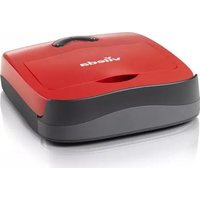
Easy Clean Storage Tray
see page 6 of this instruction manual.
To prevent any harm to delicate floors, always store the appliance in the storage tray. As the appliance works with water, it could retain water and humidity that can damage delicate floors when not in use.
The storage tray can also be used for a quick clean of the microfiber roller before or after use. For a thorough cleaning of the device, please refer to MAINTENANCE & CARE on page 11.
It is important to clean JetClean directly after use to ensure a longer life and full functionality of the device.
1 Place unit on Easy clean storage tray.
Ensure the dirt water tank is empty before running the cleaning mode. If not, empty the dirt water tank, following the instruction for 'Empty and clean the dirt water tank', before running the cleaning mode.
3 Fill the water cup with 150~ml of water (until the mark), optionally add a drop of non-foaming floor cleaner detergent. In the case of a high limescale concentration in water, it is recommended to add limescale remover into the water cup to avoid limescale accumulation in the device.
Caution: The amount of limescale remover should be added accordingly to the limescale remover's instruction.
4 Unwrap the power cord from the cord hooks, plug into main power socket, and press the power ON button.
Pour 150ml of water into the water chamber at the back of the storage tray while the unit is ON! Allow the cleaning mode to run 60 seconds until all water flows through and has been picked up. Repeat if needed.
6 Once all water has been picked up, press the power OFF button. Unplug the unit from the main power socket.
Do not remove the plug by pulling the cable.
Empty and clean the dirt water tank, following the instruction for 'Empty and clean the dirt water tank'.
89 Open the nozzle cover and leave open to dry. From time to time, clean the storage tray under tap water and let it dry completely before using again.
Note: Pour water in the easy clean storage tray only when the appliance is ON! If the appliance is not running, the water will spill on the floor. If too much water is poared into the easy cleaning storage tray, this will spill onto the floor. Do not leave the appliance unattended while the cleaning process in running.
Storage: Store the unit in a protected, dry area. Since the product uses water, it must not be stored where there is a danger of freezing. Freezing will damage internal components and will void the warranty.
5. TROUBLESHOOTING
| Problem description Possible | le cause Possible solution | |
| Reduced spray OR no spray ·Clean water tank may be empty·System isn't wet enough·Roller nozzle cover is not latched in place·Water flow not activated.·Internal system may be clogged with dirt.·Spray tips on nozzle clogged | ·Turn OFF and unplug unit. Refill clean water tank with cold water.·Activate wet mopping by pressing the clean water spray switch on the handle grip. LED lights will turn on when water is being distributed. Move the appliance back and forth to wet the microfiber roller.·Turn OFF and unplug unit. Remove and re-position nozzle cover to firmly click onto nozzle.·Activate wet mopping by pressing the clean water spray switch on the handle grip. LED lights will turn on when water is being distributed.·Turn OFF and unplug unit. Send unit to authorized maintenance service.·Turn OFF unit. Clean the nozzle holes from dirt with descaling liquid. | |
| Loss of suction power ·Dirt water tank may be not be inserted properly·Dirt water tank has picked up maximum amount of dirty water and needs to be emptied·Nozzle cover is not attached in correct place·Vacuum channel in nozzle is clogged by debris·Air filter clogged by debris | ·Turn power OFF and remove dirt water tank. Reposition it properly and press into the appliance until it clicks.·Turn power OFF and remove dirt water tank. Empty dirt water tank·Turn OFF and unplug appliance. Remove and re-position nozzle cover to firmly click onto nozzle.·Turn OFF and unplug appliance. Remove and rinse clean the nozzle cover under tap water.·Turn OFF and unplug appliance. Remove the dirt water tank and take out the 2in1 filter from the tank cap. Clean the filter following the instruction of 'Empty and clean dirt water tank'. If the filter is too dirty, replace the filter with a new Vileda 2in1 filter. | |
| Water puddle remain on floor·Floor very uneven with deep tiles joint·Nozzle cover damaged (rubber element eroded) | ·Change cleaning direction, go over the puddles in backwards direction with water spray off·Replace the nozzle cover with a new one | |
GB
| Problem description Possible | cause Possible solution | |
| Microfiber roller is not turning (LED light in the nozzle blinking fast) | • Blocking has caused microfiber roller to stop
• Nozzle cover not properly in place.
• Microfiber roller is not properly in place. | • Turn power OFF and unplug unit.
Remove nozzle cover and microfiber roller to ensure the system is free from hairs, dirt or larger particles.
• Turn power OFF and unplug unit.
Detach the nozzle cover and re-position it.
• Turn power OFF and unplug unit.
Remove and reposition the roller following the instructions for 'Cleaning the nozzle' |
| Device does not turn on • Product | uct not properly plugged into the power socket or issue with mains power | • Verify presence of power in the main power socket. Ensure proper connection of appliance to the mains power socket.
• Try in different power socket.
• Turn power OFF and unplug unit immediately. Send unit to authorized maintenance service. |
| • Cord is damaged |
| Device dripping from air exhaust during or after use | • Product fell on the floor when OFF.
• Too much water in the dirt water tank due to jammed floater. | • Check product to ensure that it has not been damaged. 1. Turn power OFF, follow instruction for 'Empty and clean dirt water tank'. 2. Turn power ON and run in its storage tray, allowing the airflow to dry the air channels. Note: The product remains safe even if water is dripping from the air exhaust during or after use.
• 1. Turn power OFF, follow instruction for 'Empty and clean dirt water tank'. 2. Turn power ON and run in its storage tray, allowing the airflow to dry the air channels. Note: The product remains safe even if water is dripping from the air exhaust during or after use. |
| Water spillage on floor during cleaning mode | • Dirt water tank is not emptied before running the cleaning mode.
• Too much water filled into the water chamber at the back of the easy clean storage tray
• The product is not ON during the cleaning mode. | • Turn power OFF, follow instruction for 'Empty and clean dirt water tank'.
• Turn power OFF. Use the prescribed amount of water (150 ml) during cleaning mode.
• Turn the unit ON during the cleaning mode to ensure the water is sucked up into the dirt water tank. |
| Problem description Possible | le cause Possible solution | |
| Water is dipping from the back of the dirty water tank | ·Foamy detergent was used.
·Dirty water tank is too full.
·Dirty water tank is not fixed properly | ·Turn OFF and unplug appliance.
Empty the clean water tank and add new water with non-foamy detergent instead
·Turn OFF and unplug appliance and follow instruction for 'Empty and clean dirt water tank'.
·Turn OFF and unplug appliance.
Follow the instruction for extracting and placing back the dirty water tank from the "Maintenance and Care" section. |
6. VILEDA WARRANTY
A. SCOPE
-
Freudenberg Household Products LP ("FHP") guarantees the product to be free from defects in materials and workmanship a for a period of two years from the date of purchase. 2. If the product becomes faulty for any reason for which FHP is responsible within two years from the date of purchase ("the Guarantee Period"), FHP or an authorised service network member in the Guarantee Area (meaning anywhere within the United Kingdom, including the Channel Islands and the Isle of Man and the Republic of Ireland) will repair or replace it subject to the terms and limitations below. FHP may replace defective products or parts with new or refurbished products or parts. All products and parts replaced become the property of FHP. 3. This guarantee does not cover: a) periodic maintenance or repair or parts replacement due to wear and tear; b) consumables (namely components that are expected to require necessary periodic replacement during the lifetime of a product such as pads and rubber lip); c) damage or defects caused by use, operation or treatment of the product inconsistent with normal personal or domestic use; d) damage or deterioration in the condition or performance of the product arising as a result of: I. misuse, including:
-
treatment resulting in physical, cosmetic or surface damage to or deterioration in product;
- failure to install or use the product for its normal purpose or in accordance with FHP's instructions on installation or use;
- failure to maintain the product in accordance with FHP's instructions on maintenance;
- installation or use of the product in a manner inconsistent with the technical or safety laws or standards in the country where it is installed or used; II. use of the product with accessories, peripheral equipment and other products of a type, condition and standard other than prescribed by FHP; III. repair or attempted repair by persons who are not FHP or authorised service network members; IV. accidents, fire, liquids, chemicals, other substances, flooding, vibrations, excessive heat, improper ventilation, power surges, excess or incorrect supply or input voltage, radiation, electrostatic discharges including lighting, other external forces and impacts; or V. any event or circumstances beyond the reasonable control of FHP.
B. TERMS
- Guarantee services will be provided only if the original invoice or sales receipt (indicating the date of purchase, model name and dealer's name) is presented with the defective product within the Guarantee Period. FHP may refuse free-of- charge guarantee service if these documents are not presented or if they are incomplete or illegible. This Guarantee will not apply if the model name or serial number on the product has been altered, deleted, removed or made illegible.
- Except where FHP has a legal duty to reimburse them, this Guarantee does not cover transport costs or any risks as - associated with the transportation of the product to and from FHP. 3. If FHP or one of its authorised service network members carries out a diagnostic test on the product and that test demonstrates that the product is working properly and no hardware fault is present, you will not be entitled to a repair under this Guarantee. In that event, you will be liable to pay for any repairs to rectify the defect and the cost of the diagnostic test.
C. EXCLUSIONS AND LIMITATIONS
- Except as stated above, FHP makes no guarantee (express, implied, statutory or otherwise) regarding product quality, performance, accuracy, reliability, fitness for a particular purpose, or otherwise. 2. FHP does not take responsibility for any damage caused by the incorrect use of the product. Save as set out elsewhere in this Guarantee, the responsibility of FHP will not exceed the purchase price of the product. If you have any doubts referring to the correct use of the product or in relation to this Guarantee, please call Vileda Customer Service. 3. Nothing in this Guarantee is intended to restrict or limit FHP's liability in any way in which it would be unlawful to do so, including for death or personal injury caused by FHP's negligence, or damage to private property caused by the goods proving to be defective while in the consumer's use as a result of FHP's negligence or for defective products under the Consumer Protection Act 1987.
D. YOUR LEGAL RIGHTS RESERVED
This Guarantee is in addition to, and does not affect, your legal rights in relation to goods that are faulty or not as described. All products will be provided in accordance with the contract. Further advice relating to your legal rights can be obtained from your local Citizens Advice Bureau or Trading Standards Office. You may assert any rights you have at your sole discretion.
E. YOUR GUARANTOR
The Guarantee for this product is provided and will be honoured by Freudenberg Household Products LP, 2 Chichester Street, Rochdale, Lancashire, OL16 2AX. www.vileda.com/uk Tel: 0345 7697356.
- TECHNICAL SPECIFICATION
| Power connection |
| Voltage 220 - 240 V | 50-60 Hz |
| Protection class IPX 4 | |
| Protective class I | |
| Performance Data |
| installed power 400 W | |
| Roller revolutions per minute 3000 rpm | |
| Filling quantity | |
| Clean water tank 640 ml | |
| Dirty water tank 400 ml | |
| Dimensions |
| Cable length | 7,0m |
| weight (without water) 4,7 kg | |
| length 26 cm | |
| width | 27 cm |
| height 124 cm | |
8. ENVIRONMENTAL AND PRODUCT RECYCLING
The Vileda JetClean fulfils the EU directive 2012/19/EU, covering electrical and electronic appliances and the management of its disposal.
The packaging material is entirely recyclable, and marked with the recycling symbol. Follow local regulations for scrapping. Keep the packaging materials (plastic bags, polystyrene parts, etc) out of children's reach, as they are potentially dangerous.
When the product has reached the end of its life please do not dispose of it with general household waste. To prevent possible harm to the environment of human from uncontrolled waste disposal, recycle it responsibly to promote the sustainable reuse of material resources.
The symbol identifies the Vileda JetClean as a product submitted to the regime of selective electrical appliance recycling collection.
For more detailed information about treatment, recovery and recycling of this cleaning tool, please contact your local city office, your household waste disposal service or the shop where you purchased the product.
The product falls under the WEEE Category 4 (large equipment, at least one outer dimension more than 50cm ) and has no built-in battery.
Vileda®
VIELEN DANK FÜR DEN KAUF DES NEUEN VILEDA JetClean!
6. VILEDA PRODUKTGARANTIE
A. GELTUNGSBEREICH
2. APERÇU DU PRODUIT
6. GARANTIE DU PRODUIT VILEDA
A. PORTÉE
1. ALGEMENE WAARSCHUWINGEN
LEES ALLE INSTRUCTIES VOORDAT U UW JetClean GEBRUIKT.
5. PROBLEEMOPLOSSING
6. VILEDA PRODUCTGARANTIE
A. OVMANG
6. GWARANCJA NA PRODUKT VILEDA
A. ZAKRES
D. VAŠA PRIDRžANA ZAKONSKA PRAVA
VÀ MULTUMIM PENTRU ACHIZITIONAREA NOULUI NOSTRU APARAT
VILEDA JetClean!
6. GARANTIA PRODUSELOR VILEDA
A. OBJECT