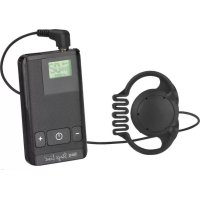
ATS20R - Microphone IMG STAGE LINE - Free user manual and instructions
Find the device manual for free ATS20R IMG STAGE LINE in PDF.
Download the instructions for your Microphone in PDF format for free! Find your manual ATS20R - IMG STAGE LINE and take your electronic device back in hand. On this page are published all the documents necessary for the use of your device. ATS20R by IMG STAGE LINE.
USER MANUAL ATS20R IMG STAGE LINE
INTERNATIONAL GmbH & Co. KG ge schützt. Eine Reproduktion für eigene kommerzielle Zwecke – auch auszugsweise – ist untersagt.All operating elements and connections described can be found on the fold-out page 3. 1 Operating Elements and Connections (fig. 1: transmitter, fig. 2: receiver) 1 Bicolour power LED: shows green during operation on the transmitter: to indicate trans- mission of a radio signal; on the receiver: to indicate reception of a radio signal from the transmitter; when it changes to red, the (recharge- able) batteries are almost exhausted 2 Red battery status LED lights up when the (rechargeable) bat- teries are completely exhausted 3 Adjusting wheel for selecting the trans- mission channel 4 Power switch and volume control 5 On the transmitter: internal microphone; will be switched off when the jack MIC. (6) or the jack AUX IN (10) is connected On the receiver: opening for inserting the earphone ET-16* (acoustic tube with earpiece, will transmit the sound of the internal speaker directly to your ear) 6 On the transmitter: 3.5mm jack MIC. for connecting the supplied tie clip microphone or the neck microphone ECM-16N*; this micro- phone input will be switched off when the jack AUX IN (10) is connected On the receiver: 3.5mm jack EAR. for connecting the supplied earphone; the internal speak - er will be switched off when the jack is connected 7 Belt clip 8 Battery compartment cover 9 Contacts for charging the inserted re - chargeable batteries via the charging station ATS-16PS* or the charging case ATS-36C* 10 On the transmitter: line level input jack AUX IN (3.5mm jack, mono) for connecting an audio unit (e.g. CD player) On the receiver: line level output jack AUX OUT (3.5mm jack, stereo) for connecting an amplifier 11 Power supply jack for connecting a power supply unit with an output voltage of 5V , as an alternative to operation via (re chargeable) batteries dimensions of the connector plug: 3.5/1.3mm (∅ outside/inside), inside contact = positive pole 2 Important Notes The unit corresponds to all relevant direc- tives of the EU and is therefore marked with .
The unit is suitable for indoor use only. Pro- tect it against humidity and heat (admissi- ble ambient temperature range 0–40°C).
For cleaning only use a dry, soft cloth; never use chemicals or water.
Always insert two (rechargeable) batteries of the same type.
If the unit is not used for a longer time, remove the (rechargeable) batteries as a precaution to prevent damage to the unit caused by battery leakage. Attention: When connecting a power supply unit, make sure that the battery compartment is empty.
- available as an accessory from the “img Stage Line” rangeG No guarantee claims for the unit and no lia- bility for any resulting personal damage or material damage will be accepted if the unit is used for other purposes than originally intended, if it is not correctly operated or not repaired in an expert way. 3 Applications In combination with a receiver or several receivers of the type ATS-16R, the transmit- ter ATS-16T creates a mobile wireless trans- mission system for speech and music. This system is ideally suited for any application where the signal of one audio source is trans- mitted to several people, e.g. for guided tours or multilingual lectures. For wireless trans- mission, 16 channels in the frequency range of 863–865MHz are available. (For simulta- neous use of several channels see the note in chapter 7.)
3.1 Conformity and Approval
Herewith, MONACOR INTERNATIONAL de - clare that the transmitter ATS-16T is in ac cor- d ance with the basic requirements and the other relevant regulations of the directive 1999/5/EC. The declaration of conformity is available on request from MONACOR INTERNATIONAL. The system is licence-free and generally approved for ope r ation in EU and EFTA coun- tries. 4 Power Supply The transmitter and the receiver can be sup- plied with power via batteries, rechargeable batteries or a 5V power supply unit.
4.1 (Rechargeable) Batteries
Each unit is supplied with two 1.2V recharge- able NiMH batteries. For fast and conven ient charging of these batteries, the following items are available as accessories: – the charging station ATS-16PS (for charging the batteries of up to 2 trans- mitters/receivers at the same time) – the transport and charging case ATS-36C (for charging the batteries of up to 36 trans- mitters/receivers at the same time) Instead of the rechargeable batteries, two 1.5V AA batteries may be used. To insert the (rechargeable) batteries:
1) Slightly press the marked area on the bat-
tery compartment cover (8) while simulta- neously pulling the cover downwards.
2) Insert the (rechargeable) batteries with
their positive and negative connections as indicated in the compartment.
3) Replace the cover and lock it into place.
4.2 Power supply unit
Connect a power supply unit with an output voltage of 5V and a permanent rating of 150mA to the jack DC IN 5V (11). For con- nection a low-voltage plug of the dimensions 3.5/1.3 mm (outside/inside diameter) is re - quired. The positive pole must be at the inside contact of the plug. If the unit is to be put out of opera- tion definitively, take it to a local recycling plant for a disposal which is not harmful to the environment. Never put exhausted batteries / defective rechargeable batteries in the household waste; always take them to a special waste disposal (e.g. collection container at your retailer). Attention: To prevent damage to the bat - teries or to the transmitter/receiver, always remove the (rechargeable) batteries from the battery compartment before connecting a power supply unit.
GB5 Selecting the Signal Source The transmitter can be operated with a micro- phone, however, a unit with line output level may also be connected. a) Microphone operation: – Either use the internal microphone (5) – or connect an external microphone, the supplied electret tie clip microphone or the neck microphone ECM-16N (avail - able as an accessory) to the jack MIC. (6). When the jack is connected, the internal microphone will be switched off. Place the windshield on the micro- phone and attach the microphone to your body: attach the tie clip micro- phone to your clothes (e.g. lapel) via its clip or put the neck microphone around your neck. b) Operation with an audio unit: Connect the output of the audio unit (e.g. cassette recorder, CD player) via a 3.5mm plug to the jack AUX IN (10). When con- necting the jack, both the internal micro- phone and any external microphone con- nected to the jack MIC. (6) will be switched off. 6 Selecting the Sound Reproduction The receiver offers different ways to repro- duce the sound. a) Via the internal speaker: The sound of the speaker can either be radiated freely or be directly transmitted to your ear via the acoustic tube earphone ET-16 available as an accessory. Place the acoustic tube into the opening (5) pro- vided on the receiver and insert the yellow earpiece into your ear in such a way that a tight fit is ensured. b) Via the supplied earphone: Connect the earphone to the jack EAR. (6) and attach it to your ear. When con necting the jack EAR., the internal speak er will be switched off. c) Via an amplifier system: Connect the amplifier via a 3.5mm plug to the stereo jack AUX OUT (10). Note: When connecting the jack AUX OUT, the internal speaker is still switched on. To switch it off, connect a 3.5mm plug to the jack EAR. (6). 7 Operation
1) With the adjusting wheel (3) on the trans-
mitter, select the channel for transmission from the 16 channels (0 to F): Turn the wheel in such a way that the arrow below it will point to the desired channel (in fig. 1, channel 0 is adjusted as an example). Set the adjusting wheel (3) on the receiver to the same channel.
2) Attach the units to your clothes, e.g. your
belt, via their clips (7). For attaching the units to your body, the following items are available as additional accessories: – ATS-16BAG, protective bag, to be at - tached to your belt via a loop – ATS-16CORD, neck cord (for attaching it to the unit see fig. 3)
3) To switch on the units, turn the control (4)
clockwise from the position OFF: On the transmitter, the LED TX (1) shows green to indicate transmission of a radio signal. On the receiver, the red LED PL (2) briefly lights up first. Then the LED RX (1) shows
GBgreen to indicate reception of a radio sig- nal from the transmitter. (If it fails to light up, check if the transmitter and receiver have been adjusted to the same channel.) When the LED TX or RX (1) changes to red, the (rechargeable) batteries are al - most exhausted. When the LED TX or RX is extinguished and the red LED PL (2) lights up instead, the (rechargeable) bat- teries are completely exhausted.
4) With the control (4), adjust the volume for
the audio signal transmitted on the trans- mitter and the reproduction volume on the receiver.
5) In case of poor reception or interference
please check a) if the reception can be improved by using a different transmission channel. b) if the transmitter and the receiver are too far apart. c) if the reception is disturbed by objects in the transmission path.
6) To switch off the units, set the control (4) to
- the left stop (OFF): On the transmitter, the LED PL lights up for a few seconds before it is complete ly extinguished. On the receiver, the LED PL flashes briefly. Note concerning multichannel operation (Simultaneous operation of several ATS-16 sys tems) It is possible to simultaneously operate 5 to maximally 8 transmission systems transmit- ting on different channels. The number of channels to be used in parallel depends on the distance between the individual transmis- sion systems, on any local RF interference sources and other local conditions. When operating several systems, assign the chan- nels in ascending order (e.g. for 8 systems, use the channels 0–7) and keep the systems as far apart as possible. 8 Specifications Type of system: PLL mono wireless system for audio transmission Radio frequency range: 863–865MHz, divided into 16 channels Range: approx. 50 m Noise suppression: pilot tone and noise squelch Ambient temperature: . 0–40°C Power supply for each unit: via two 1.2 V rech. NiMH bat- teries (supplied) or via two 1.5V AA batteries or via +5V at the jack DC IN 5V Transmitter ATS-16T Transmitting power:
- ≤ 10 mW (EIRP) Audio connections Microphone: p. 3
- .5mm jack, mono Line input: p. 3
- .5mm jack, mono Dimensions: p. 66
- × 111 × 35mm Weight: g (without rechargeable batteries) Receiver ATS-16R Earphone ES-16 (supplied): mono earphone, dynamic p. 85
system with 1.2m cable and 3.5mm plug ET-16 (optional): . . . acoustic tube with silicone earpiece, length 1m Line output: . . . . . . . . . 3.5 mm jack, stereo Dimensions: . . . . . . . . 66 × 111 × 35mm Weight: . . . . . . . . . . . . 100g (without rechargeable batteries) Subject to technical modification.
All rights reserved by MONACOR
by MONACOR INTERNATIONAL. All rights reserved. A-0480.99.03.04.2013
ManualGo.com