TXS2401SX - Microphone IMG STAGE LINE - Free user manual and instructions
Find the device manual for free TXS2401SX IMG STAGE LINE in PDF.



User questions about TXS2401SX IMG STAGE LINE
0 question about this device. Answer the ones you know or ask your own.
Ask a new question about this device
Download the instructions for your Microphone in PDF format for free! Find your manual TXS2401SX - IMG STAGE LINE and take your electronic device back in hand. On this page are published all the documents necessary for the use of your device. TXS2401SX by IMG STAGE LINE.
USER MANUAL TXS2401SX IMG STAGE LINE
These instructions are intended for users without any specific technical knowledge. Please read these instructions carefully prior to operating the unit and keep them for later reference.
All operating elements and connections described can be found on the fold-out page 3.
1 Operating Elements and Connections
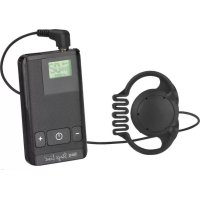
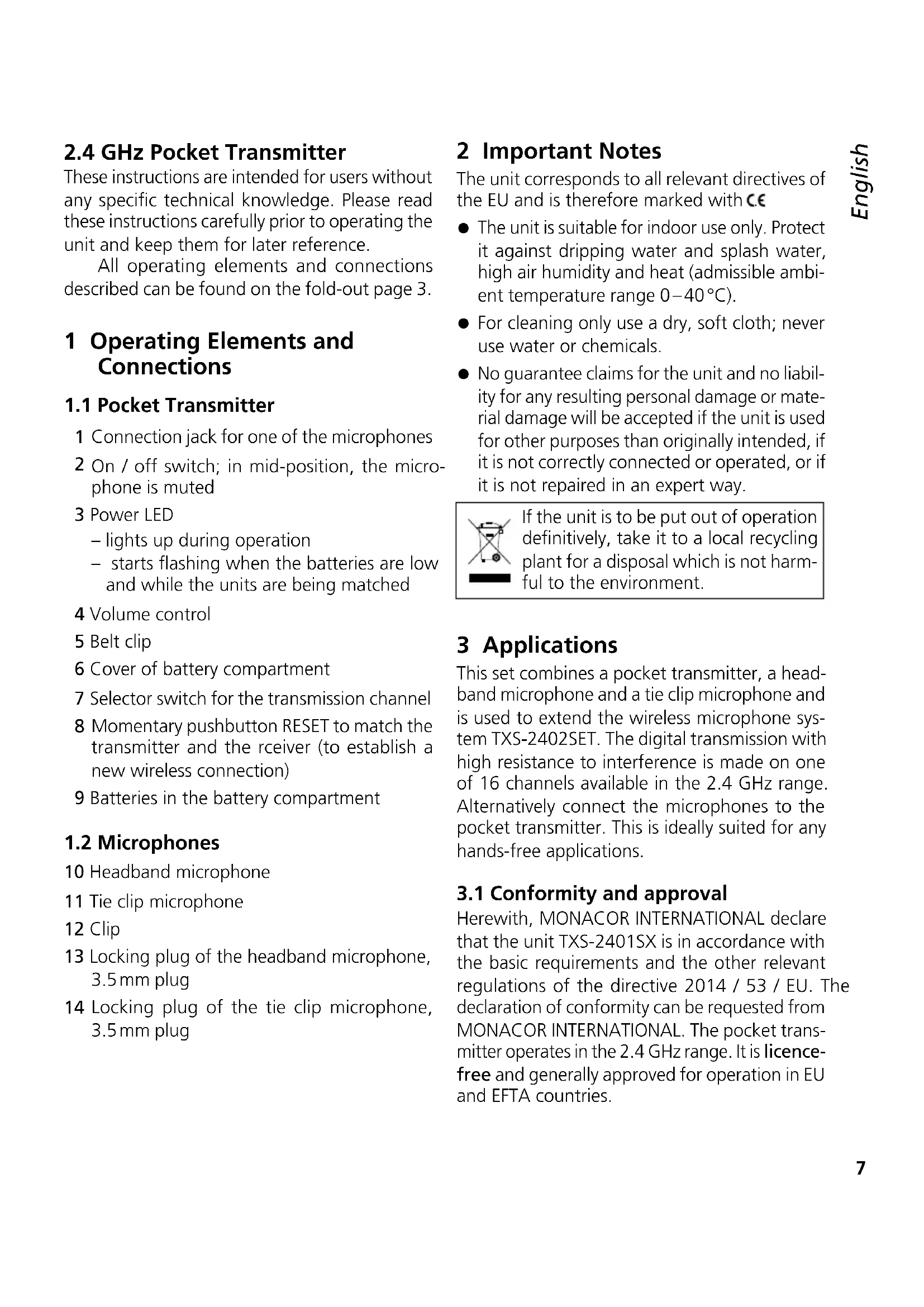
1.1 Pocket Transmitter
1 Connection jack for one of the microphones
2 On / off switch; in mid-position, the microphone is muted
3 Power LED
- lights up during operation
- starts flashing when the batteries are low and while the units are being matched
4 Volume control
5 Belt clip
6 Cover of battery compartment
7 Selector switch for the transmission channel
8 Momentary pushbutton RESET to match the transmitter and the rceiver (to establish a new wireless connection)
9 Batteries in the battery compartment
1.2 Microphones
10 Headband microphone
11 Tie clip microphone
12 Clip
13 Locking plug of the headband microphone, 3.5mm plug
14 Locking plug of the tie clip microphone, 3.5 mm plug
2 Important Notes
The unit corresponds to all relevant directives of the EU and is therefore marked with C€
- The unit is suitable for indoor use only. Protect it against dripping water and splash water, high air humidity and heat (admissible ambient temperature range 0 - 40^ ).
- For cleaning only use a dry, soft cloth; never use water or chemicals.
- No guarantee claims for the unit and no liability for any resulting personal damage or material damage will be accepted if the unit is used for other purposes than originally intended, if it is not correctly connected or operated, or if it is not repaired in an expert way.

If the unit is to be put out of operation definitively, take it to a local recycling plant for a disposal which is not harmful to the environment.
3 Applications
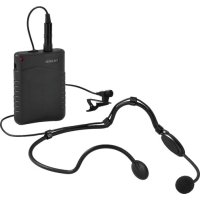
This set combines a pocket transmitter, a headband microphone and a tie clip microphone and is used to extend the wireless microphone system TXS-2402SET. The digital transmission with high resistance to interference is made on one of 16 channels available in the 2.4 GHz range. Alternatively connect the microphones to the pocket transmitter. This is ideally suited for any hands-free applications.
3.1 Conformity and approval
Herewith, MONACOR INTERNATIONAL declare that the unit TXS-2401SX is in accordance with the basic requirements and the other relevant regulations of the directive 2014 / 53 / EU. The declaration of conformity can be requested from MONACOR INTERNATIONAL. The pocket transmitter operates in the 2.4 GHz range. It is licence-free and generally approved for operation in EU and EFTA countries.
4 Setting into Operation
4.1 Power supply
1) Remove the belt clip (5): Press together the securing lugs on the left and on the right and push the clip downwards to remove it (see figure 2).
2) To insert the batteries, slide down the cover (6) to open the battery compartment. Insert two 1.5V batteries of size AA into the compartment (9) with the positive and negative poles as indicated.
3) Replace the cover.

Never put discharged batteries or defective rechargeable batteries in the household waste; always take them to a special waste disposal, e. g. collection container at your retailer.
4.2 Connection and attachment
Connect the plug of the tie clip microphone (14) or the plug of the headband microphone (13) to the 3.5mm jack (1) of the pocket transmitter. The DC voltage required by the microphone is available at this jack. The connector is provided with a locking mechanism to prevent accidental disconnection. Connect the plug to the jack and turn the nut clockwise to secure the plug.
Attach the tie clip microphone (11) with its clip (12) (e.g. to your clothes) so that it is close to your mouth.
Put on the headband microphone according to figure 4. Place the microphone cartridge (10) close to your mouth in a good position for talking. The microphone arm will bend in any direction.
Use the belt clip (5) to attach the pocket transmitter to your clothes. After inserting the batteries (R chapter 4.1), slide the clip from the bottom into the support until it engages.
5 Operation
1) Before initial operation, turn back both volume controls on the receiver to "1".
2) Switch on the receiver.
3) Switch on the pocket transmitter: Set the switch (2) to the left stop (position ON): The LED (3) lights up during operation. If it fails to light up or if it starts flashing, the batteries may be low and should be replaced.
After switching on the transmitter, a wireless connection to the receiver is made. An LED on the receiver will indicate successful connection to the corresponding transmitter.
Before operating the transmitter together with a receiver for the first time, match the two units (13 chapter 5.1). If the LED fails to light up or starts flickering although matching has been successful and the transmitter has been switched on, another transmitter may cause interference in transmission. In this case, change the transmission channel of the transmitter (13 chapter 5.2).
If there is still interference in transmission, please check
- if the batteries of the transmitter are low.
- if there are objects or other wireless transmitters (e.g. microwaves, WLAN, baby monitors) in the transmission path which may interfere with reception. Metal objects in the vicinity of the transmitter or receiver may affect the directivity of the antenna.
- if the reception can be improved when you turn the antennas.
- if the distance between the transmitter and the receiver is too long (range: approx. 20m ).
4) Speak into the microphone. Adjust the desired volume with the corresponding VOLUME control on the receiver. Turn up the volume control (4) on the transmitter without distorting the sound.
5) To briefly mute the microphone, set the switch (2) to mid-position (ST.BY).
6) To switch off the transmitter, set the switch to the right stop (position OFF). To avoid unnecessary battery consumption, the transmitter will switch off [LED (3) off] automatically after 5 minutes when nobody speaks into the microphone or when the microphone is muted. To switch the transmitter on again, briefly set the switch to OFF and then to ON again.
5.1 Matching the transmitter and the receiver
To enable communication between the transmitter and the receiver, match the two units once.
1) Remove the belt clip (5) [chapter 4.1].
2) Switch on the transmitter and the receiver.
3) Use a thin object to press the pushbutton RESET (8) on the transmitter until the LED (3) starts flashing.
4) Then use a thin object to press the pushbutton RESET of the desired reception channel on the rear of the receiver until the corresponding connection LED starts flashing.
After a short while, both LEDs stop flashing to indicate that connection has been made.
5.2 Changing the transmission channel
If another unit interferes with the transmission [there are sound interruptions or the connection LED on the receiver keeps flickering], it is possible to change the transmission frequency. 16 transmission channels are available.
The receiver will automatically change to the new frequency.
1) Remove the belt clip (5) [ chapter 4.1].
2) Use a small screwdriver to set the selector switch (7) to a different position. When the
All rights reserved by MONACOR® INTERNATIONAL GmbH & Co. KG. No part of this instruction manual may be reproduced in any form or by any means for any commercial use.
transmitter and the receiver are switched on, the new connection can be checked immediately by means of the connection LED on the receiver.
To prevent mutual interference of two transmitters, observe a minimum distance of 2 channels. The ideal distance is 8 channels.
6 Specifications
Carrier frequency range: 2404-2476 MHz, 16 channels
Transmitting power: . . . . . . 10 mW
Range: 20m
Audio frequency range: . . . 80-12000 Hz
Microphones
Type of transducer: . . . . . . electret Directivity
Headband microphone: cardioid
Tie clip microphone: . . . omnidirectional
Power supply: 2 × 1.5 V battery, size AA
Operating time: 20 h
Ambient temperature: . . . . 0-40°C
Dimensions: 62× 90× 28mm
Weight: 105 g
(without batteries)
Subject to technical modification.
Dimensions: 62 × 90 × 28 mm
Poids: 105g (sans batteries)
Tipode transductor:....Electret Directionalidad