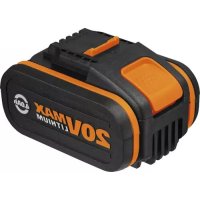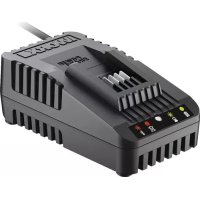
WA3880 - Battery WORX - Free user manual and instructions
Find the device manual for free WA3880 WORX in PDF.



| Product type | Battery charger |
| Brand | Worx |
| Model | WA3880 |
| Input voltage | 100-240 V ~ 50/60 Hz |
| Rated output voltage | 20 V |
| Charging current | 2 A |
| Rated power | 40 W |
| Compatible battery type | Li-ion |
| Number of supported cells | 4, 5 or 10 |
| Charging time (1.3 Ah battery) | Approximately 42 minutes |
| Weight | 0.45 kg |
| Usage | Indoor only |
| Charge indicator | Green LED (charging, full) and red (defective battery, thermal protection) |
| Thermal protection | Yes, automatic shutdown if battery too hot or too cold |
| Maintenance | Clean with a dry cloth, store in a dry place |
| Protection class | II (double insulation) |
Frequently Asked Questions - WA3880 WORX
User questions about WA3880 WORX
0 question about this device. Answer the ones you know or ask your own.
Ask a new question about this device
Download the instructions for your Battery in PDF format for free! Find your manual WA3880 - WORX and take your electronic device back in hand. On this page are published all the documents necessary for the use of your device. WA3880 by WORX.
USER MANUAL WA3880 WORX
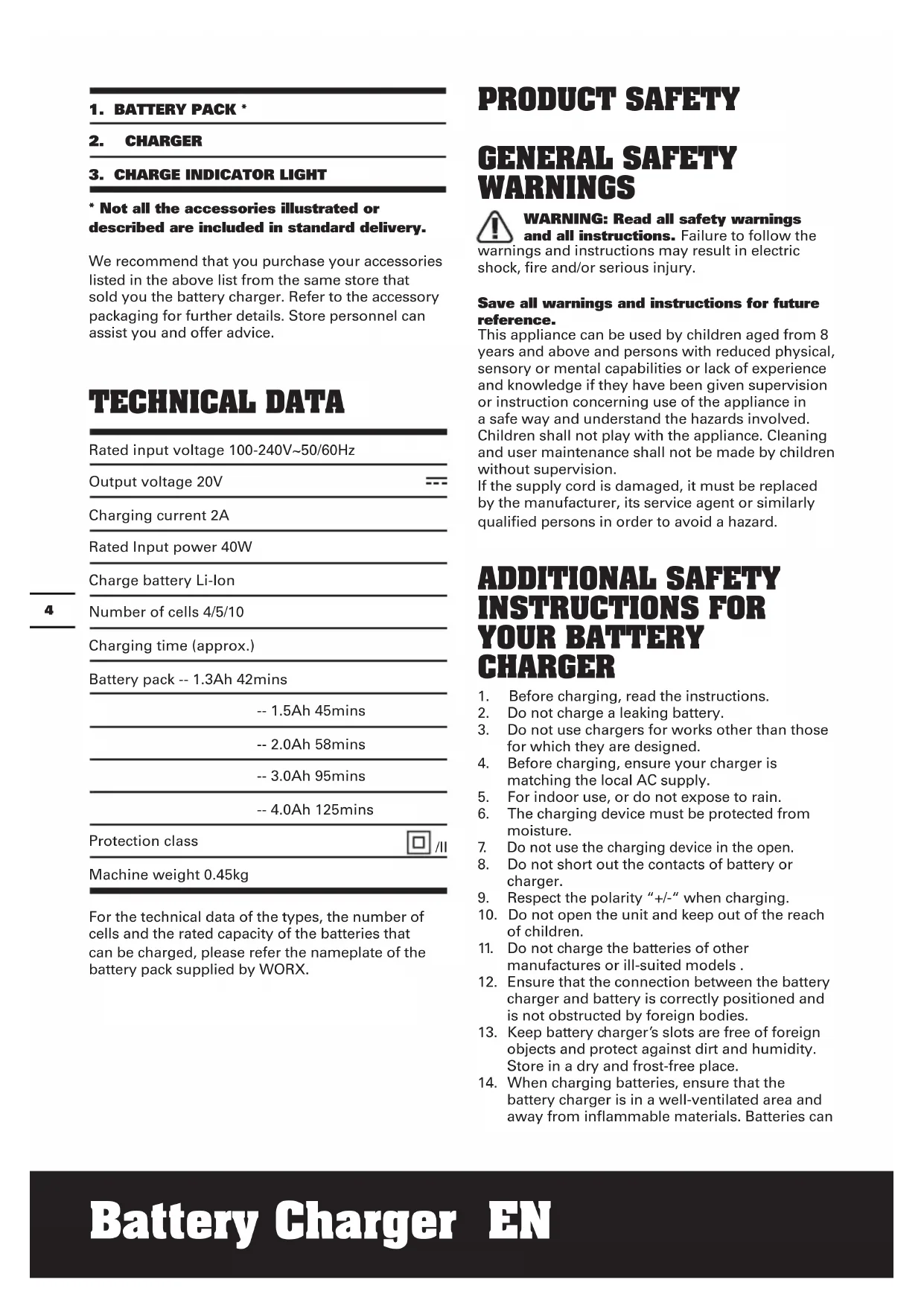
- Not all the accessories illustrated or described are included in standard delivery.
We recommend that you purchase your accessories listed in the above list from the same store that sold you the battery charger. Refer to the accessory packaging for further details. Store personnel can assist you and offer advice.
TECHNICAL DATA
Rated input voltage 100-240V~50/60Hz
Output voltage 20V
一
Charging current 2A
Rated Input power 40W
Charge battery Li-ion
Number of cells 4/5/10
Charging time (approx.)
Battery pack -- 1.3Ah 42mins
-- 1.5Ah 45mins
--2.0Ah 58mins
-- 3.0Ah 95mins
-- 4.0Ah 125mins
Protection class

Machine weight 0.45kg
For the technical data of the types, the number of cells and the rated capacity of the batteries that can be charged, please refer the nameplate of the battery pack supplied by WORX.
PRODUCT SAFETY
GENERAL SAFETYWARNINGS

WARNING: Read all safety warnings and all instructions. Failure to follow the
warnings and instructions may result in electric shock, fire and/or serious injury.
Save all warnings and instructions for future reference.
This appliance can be used by children aged from 8 years and above and persons with reduced physical, sensory or mental capabilities or lack of experience and knowledge if they have been given supervision or instruction concerning use of the appliance in a safe way and understand the hazards involved.
Children shall not play with the appliance. Cleaning and user maintenance shall not be made by children without supervision.
If the supply cord is damaged, it must be replaced by the manufacturer, its service agent or similarly qualified persons in order to avoid a hazard.
ADDITIONAL SAFETY INSTRUCTIONS FOR YOUR BATTERY CHARGER
- Before charging, read the instructions.
- Do not charge a leaking battery.
- Do not use chargers for works other than those for which they are designed.
- Before charging, ensure your charger is matching the local AC supply.
- For indoor use, or do not expose to rain.
- The charging device must be protected from moisture.
- Do not use the charging device in the open.
- Do not short out the contacts of battery or charger.
- Respect the polarity + / - when charging.
- Do not open the unit and keep out of the reach of children.
- Do not charge the batteries of other manufactures or ill-suited models.
- Ensure that the connection between the battery charger and battery is correctly positioned and is not obstructed by foreign bodies.
- Keep battery charger's slots are free of foreign objects and protect against dirt and humidity. Store in a dry and frost-free place.
- When charging batteries, ensure that the battery charger is in a well-ventilated area and away from inflammable materials. Batteries can
get hot during charging. Do not overcharge any batteries. Ensure that batteries and chargers are not left unsupervised during charging.
- Do not recharge non-rechargeable batteries, as they can overheat and break.
- Longer life and better performance can be obtained if the battery pack is charged when the air temperature is between 18^ and 24^ . Do not charge the battery pack in air temperatures below 4.5^ , or above 40.5^ . This is important as it can prevent serious damage to the battery pack.
- Charge only battery pack of the same model provided by WORX and of models recommended by WORX.
SYMBOLS

Read the operator's manual
Warning

For indoor use only

Double insulation

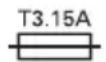
Fuse
Positive terminal

Negative terminal
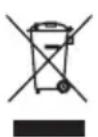
Waste electrical products must not be disposed of with household waste. Please recycle where facilities exist. Check with your local authorities or retailer for recycling advice.
CHARGING PROCEDURE

NOTE: Before using the tool, read the instruction book carefully.
CHARGING INSTRUCTIONS
1. CHARGING YOUR BATTERY PACK

WARNING: The charger and battery pack are specifically designed to work together so do
not attempt to use any other devices. Never insert or allow metallic objects into your charger or battery pack connections because an electrical failure and hazard will occur.
Your battery pack is UNCHARGED and you must charge once before use.
3. HOW TO CHARGE YOUR BATTERY CHARGING PROCEDURE
1) Plug the charger into an appropriate outlet.
2) Slide the battery pack into the charger. The LIGHT (3) will become green and flash to show charging has started.
3) After charging approx 1-2 hours, the light will stay green without flashing, which means the battery is full, and charging is completed.

WARNING: When battery charge runs out after continuous use or exposure
to direct sunlight or heat, allow time for the battery to cool down before re-charging to achieve the full charge.
CHARGING INDICATOR
This charger is designed to detect some problems that can arise with battery packs. Indicator lights indicate problems (see table below). If this occurs, insert a new battery pack to determine if the charger is OK. If the new battery charges correctly, then the original pack is defective and should be returned to a service center or recycling service center. If the new battery pack displays the same problem as the original Battery Pack, have the charger tested at an authorized service center.
| Light ON/ | Flash Status | |
| Red on | —— | Defective Battery |
| Red flash | —— | Battery Temperature Protection The temperature of battery pack is less than 0°C or more than 45°C. |
| Green on ● | — | Fully Charged |
| Green flash ● | --- - - - C | Charging |
BATTERY TEMPERATURE PROTECTION
This charger has a battery temperature protection feature. When the charger detects a battery pack that is too hot or cold (the light will be red and flash), it automatically activates the protection circuit, and suspends charging until the battery pack has reached the correct temperature. The charging process will then automatically begin (the light will be green and flash). This feature ensures maximum battery life.
LEAVING THE BATTERY PACK IN THE CHARGER
If a fully charged battery pack is left in the charger, the Light will remain green. The battery pack will remain charging with a maintenance trickle current.
DEFECTIVE BATTERY PACKS
This charger will detect a defective battery pack. When a defective battery pack is inserted into the charger, the charger will try to repair it. This process will last about 30mins (the light will be green and flash). If the repair is successful, the charger will automatically begin to charge the battery pack to the highest capacity possible (the light will be green and flash). If the light becomes solid red, the battery pack is dead.
NOTE: Repaired battery packs are still usable but should not be expected to perform as much work as new battery packs.
IMPORTANT CHARGING NOTES:
- For a new battery or a battery that has been in storage for sometime, please recharge the battery before use. If you want to store the battery for a long time, please fully charge the battery pack to ensure maximum battery life.
- Longer life and better performance can be obtained if the battery pack is charged when the air temperature is between (18^ - 24^) . Do not charge the battery pack in air temperatures below 4.5^ , or above 40.5^ . This is important as it can prevent serious damage to the battery pack.
- Never freeze your charger or immerse charger in water or any other liquid.
- When the battery pack fails to produce sufficient power on jobs that were previously done easily, please recharge your battery, do not continue to use under this condition. You may charge a partially used pack whenever you desire with
no adverse affect on the battery pack.
- When charging it is normal that the charger and battery pack may become warm to touch.
- If the battery pack does not charge properly:
a. Check current at power outlet by plugging in another appliance.
b. Plug and unplug to check whether the charger is ok
c. Check whether the battery has been damaged
d. Move the charger and battery pack to a location where the surrounding air temperature is approximately 18^ - 24^
e. If the charging problem persists, take the tool, battery pack and charger to an authorized service center.
f. Under certain conditions, when the charger is plugged into the power supply, the exposed charging contacts inside the charger can be shorted by foreign material. Foreign materials of a conductive nature such as metallic particles should be kept away from charger cavities. Always unplug the charger from the power supply when there is no battery pack in the charger or before attempting to clean.
PROBLEM SOLUTION
I CANNOT FIT THE BATTERY INTO THE BATTERY CHARGER. WHY?
a) Check if the charger and the battery pack are specifically designed for working together.
b) The battery can be inserted into the charger only in one direction. Turn the battery around until it can be inserted into the slot, the indicator light should be green and flash when the battery is charging.
REASONS FOR DIFFERENT CHARGING TIMES
The charging time can be affected by many reasons which are not defects in your product.
a) If the battery pack is only partly discharged it may be re-charged in less than rated charging time.
b) If the battery pack and ambient temperature are very cold/ hot, it may take longer to re-charge. Please find an appropriate environment with proper air temperature to start charging.
c) If the battery pack is very hot, remove battery pack from the charger and allow battery pack to cool first to ambient temperature and then recharging can be started.
MAINTENANCE
Remove the plug from the socket before carrying out any adjustment, servicing or maintenance.
Your battery charger requires no additional lubrication or maintenance. Never use water or chemical cleaners to clean your charger. Wipe clean with a dry cloth. Always store your charger in a dry place. If the supply cord is damaged, it must be replaced by the manufacturer, its service agent or similarly qualified persons in order to avoid a hazard.
ENVIRONMENTAL PROTECTION
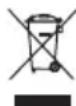
Waste electrical products must not be disposed of with household waste. Please recycle where facilities exist. Check with your
local authorities or retailer for recycling advice.
PLUG REPLACEMENT (UK & IRELAND ONLY)
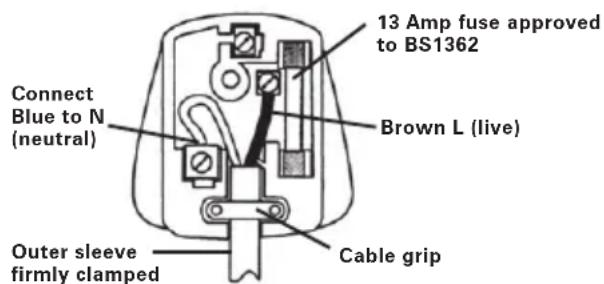
If you need to replace the fitted plug then follow the instructions below.
IMPORTANT
The wires in the mains lead are colored in accordance with the following code:
Blue - Neutral
Brown - Live
As the colors of the wires in the mains lead of this appliance may not correspond with the coloured markings identifying the terminals in your plug, proceed as follows. The wire which is coloured blue must be connected to the terminal which is marked with N. The wire which is coloured brown must be connected to the terminal which is marked with L.

WARNING: Never connect live or neutral wires to the earth terminal of the plug. Only approved BS1363/A plug and the correct rated
NOTE: If a moulded plug is fitted and has to be removed take great care in disposing of the plug and severed cable, it must be destroyed to prevent engaging into a socket.
DECLARATION OF CONFORMITY
We,
POSITEC Germany GmbH
Gruner Weg 10, 50825 Cologne, Germany
Declare that the product,
Description WORX Battery Charger Type WA3880
Complies with the following Directives, 2014/35/EU, 2014/30/EU, 2011/65/EU
Standards conform to
EN 60335-1, EN 60335-2-29, EN 62233, EN 55014-1, EN 55014-2, EN 61000-3-2, EN 61000-3-3

2018/10/01
Allen Ding
Deputy Chief Engineer, Testing & Certification
Positec Technology (China) Co., Ltd
18, Dongwang Road, Suzhou Industrial
Park, Jiangsu 215123, P. R. China
1. AKKU*
2. LADEGERÄT
3. AKKUANZEIGE
18, Dongwang Road, Suzhou Industrial
Park, Jiangsu 215123, P. R. China
1. UNITÀ BATTERIA*
2. CARICATORE BATTERIA
3. SPIA INDICATORE CARICA IN CORSO
Standards conform to
EN 60335-1, EN 60335-2-29, EN 62233, EN 55014-1, EN 55014-2, EN 61000-3-2, EN 61000-3-3

2018/10/01
Allen Ding
18, Dongwang Road, Suzhou Industrial
Park, Jiangsu 215123, P. R. China
1. BATERÍA*
2. CARGADOR
3. LUX INDICADORA DE CARGA COMPLETA
18, Dongwang Road, Suzhou Industrial
Park, Jiangsu 215123, P. R. China
1. ACCUPACK*
2. OPLADER
3. LED LIGHT INDICATOR "OPGELADEN"
18, Dongwang Road, Suzhou Industrial
Park, Jiangsu 215123, P. R. China
1. POJEMNIK BATABERYJNY*
2. LADOWARKI
3. ŚWIATŁO WSKAZNIKA LADOWANIA
18, Dongwang Road, Suzhou Industrial
Park, Jiangsu 215123, P. R. China
1. AKKUMULÁTOR*
2. TÖLTOKÉSZÜLEK
3. TÖLTÉSJELZO FÉNY
18, Dongwang Road, Suzhou Industrial
Park, Jiangsu 215123, P. R. China
1. ACUMULATOR*
2. INCÁRCÁTOR
3. BEC DE INDICARE A INCÁRCÁRII
Timp incarcare (Aprox.)
Accumulator -- 1.3Ah 42mins
INDICATOR INCÁRCAIRE
considerabile la accumulator.
18, Dongwang Road, Suzhou Industrial
Park, Jiangsu 215123, P. R. China
1. AKUMULÁTOR*
2. NABIJEČKA
3. INDIKÁTOR NABİJENİ
Doba nabijeni (Pribl.)
Akumulator -- 1.3Ah 42mins
18, Dongwang Road, Suzhou Industrial
Park, Jiangsu 215123, P. R. China
1. JEDNOTKA BATÉRI*
2. NABIJACKA
3. INDIKÁTOR NABÍJANIA
18, Dongwang Road, Suzhou Industrial
Park, Jiangsu 215123, P. R. China
1. CONJUNTO DE BATORIAS *
2. CARREGADOR
18, Dongwang Road, Suzhou Industrial
Park, Jiangsu 215123, P. R. China
1. LADDARE*
2. BATTERILUCKA
3. BATTERIPAKET
Antal enheter 4/5/10
18, Dongwang Road, Suzhou Industrial
Park, Jiangsu 215123, P. R. China
1. AKUMULATOR*
2. POLNILNIK
3. LUCKA POLNJENJA
Stevilo celic 4/5/10
Cas poljenja (pribl.)
Akumulator -- 1.3Ah 42mins
-- 1.5Ah 45mins
-- 2.0Ah 58mins
-- 3.0Ah 95mins
-- 4.0Ah 125mins
Razred zaščite

Teza naprave 0.45kg
18, Dongwang Road, Suzhou Industrial
Park, Jiangsu 215123, P. R. China
WORX
www.worx.com
Copyright © 2018, Positec. All Rights Reserved.
AR03030301