WRE 1855 - Sweeper Kärcher - Free user manual and instructions
Find the device manual for free WRE 1855 Kärcher in PDF.



User questions about WRE 1855 Kärcher
0 question about this device. Answer the ones you know or ask your own.
Ask a new question about this device
Download the instructions for your Sweeper in PDF format for free! Find your manual WRE 1855 - Kärcher and take your electronic device back in hand. On this page are published all the documents necessary for the use of your device. WRE 1855 by Kärcher.
USER MANUAL WRE 1855 Kärcher
natural_image
Product image of a KITCHER tool with attached battery and plug (no text or symbols visible)Deutsch 6
English 12
Français 18
Italiano 25
Nederlands 31
Español 37
Português 43
Dansk 49
Norsk 55
Svenska 61
Suomi 67
Ελληνικά 72
Türkçe 79
Русский 85
Magyar 92
Čeština 99
Slovenščina 105
Polski 111
Românește 117
Slovenčina 123
Hrvatski 129
Srpski 135
Български 141
Eesti 148
Latviešu 154
Lietuviškai 160
Українська 166
Қазақша 172
日本語 179
العربيya 186
A
text_image
Technical diagram of a Koreth tool with numbered parts and exploded view, showing mechanical components and assembly details.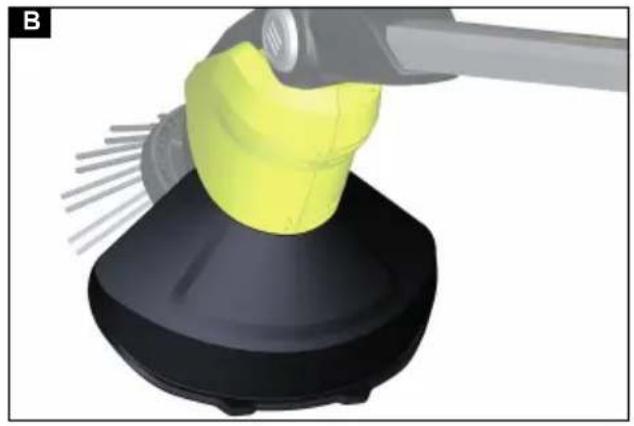
natural_image
3D rendering of a yellow object being handled by a tool, mounted on a black base (no text or symbols visible)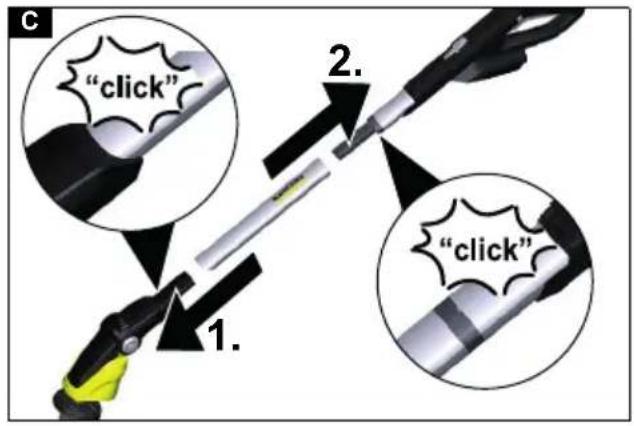
text_image
"click" 1. 2. "click"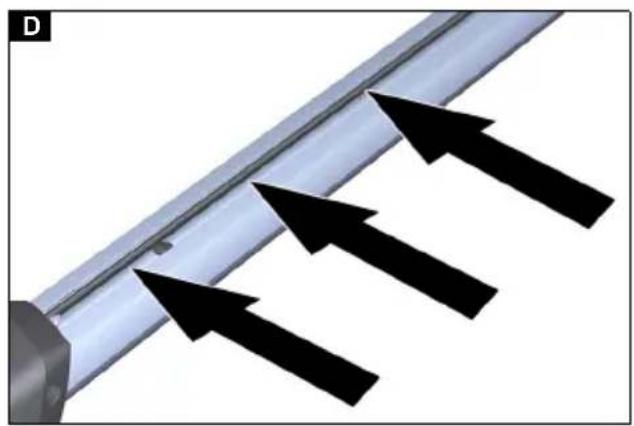
natural_image
Diagram showing three black arrows pointing toward a metallic rod or pipe, with no visible text or symbols.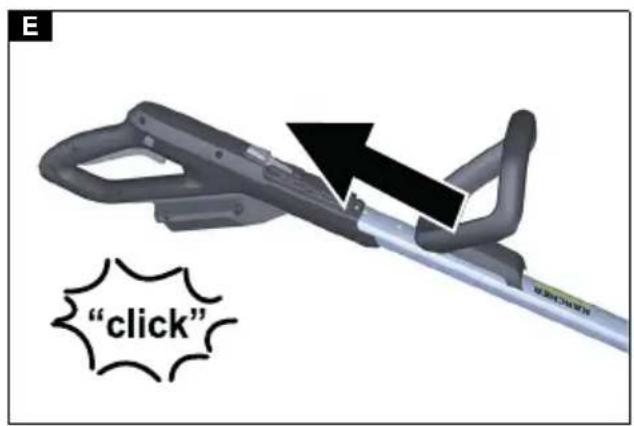
text_image
"click"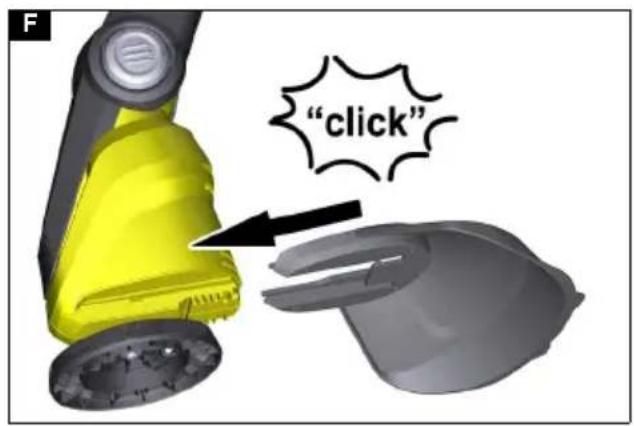
text_image
"click"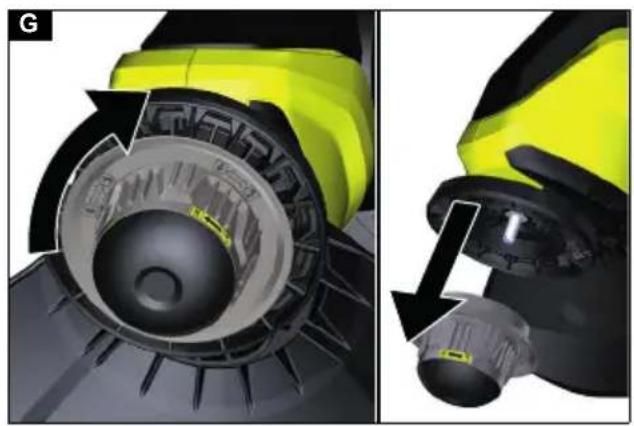
natural_image
Close-up of a yellow and black industrial machine component showing internal components and a close-up view (no text or symbols visible)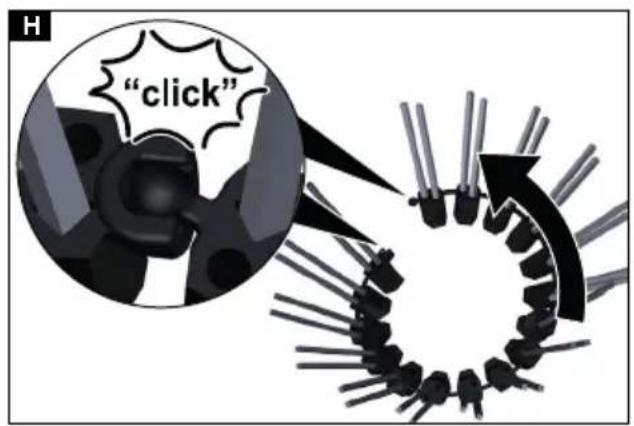
text_image
"click"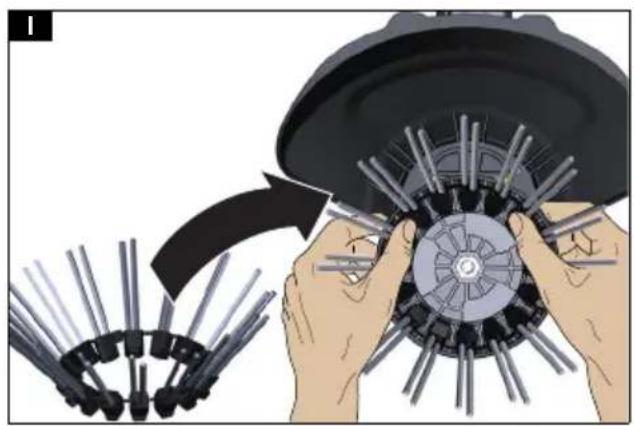
natural_image
Illustration of hands assembling a mechanical component with pins, showing a curved arrow indicating motion (no text or symbols present)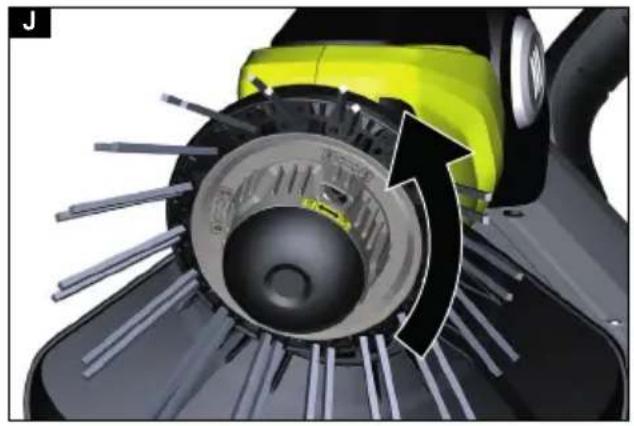
natural_image
Close-up of a green and yellow electric scooter blade assembly with visible blades and internal components (no text or symbols)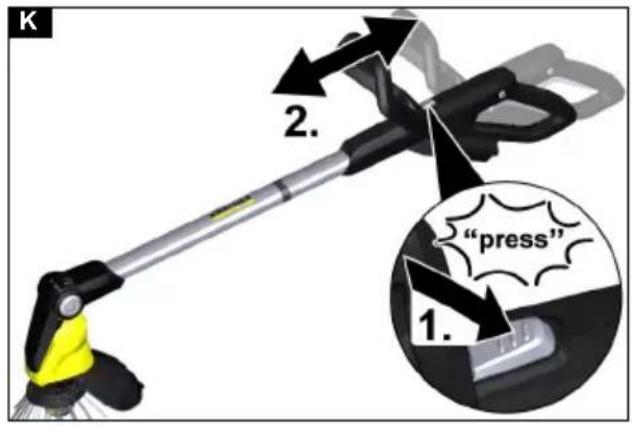
text_image
K 2. "press" 1.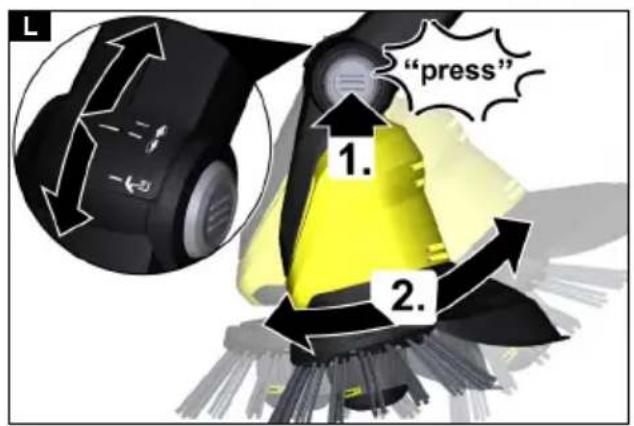
text_image
L "press" 1. 2.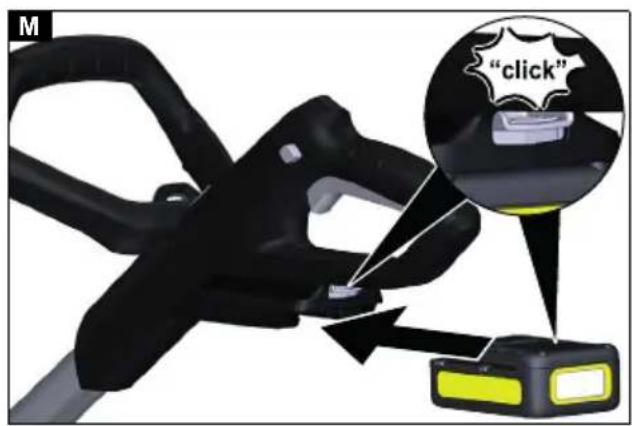
text_image
M "click"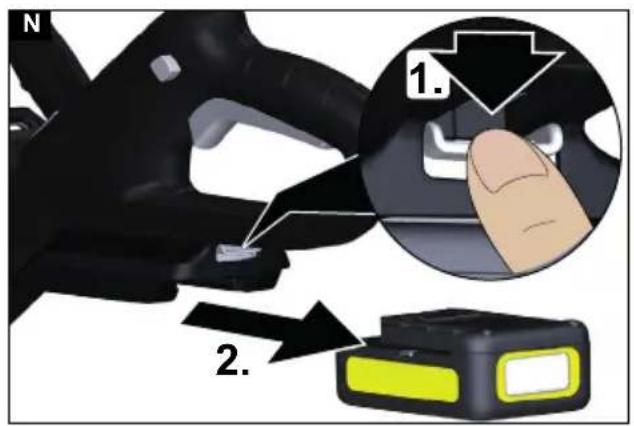
text_image
N 1. 2.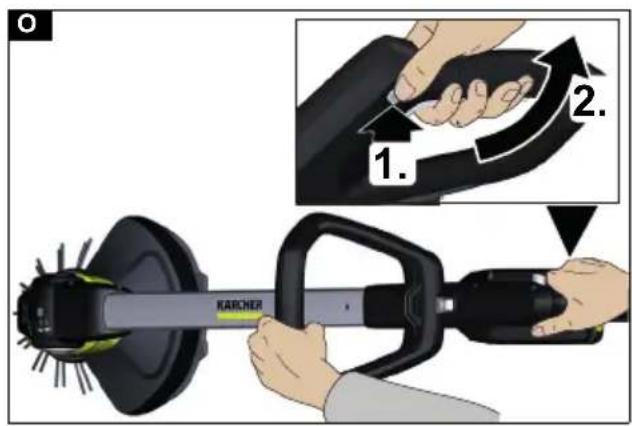
text_image
KARCHER 1. 2.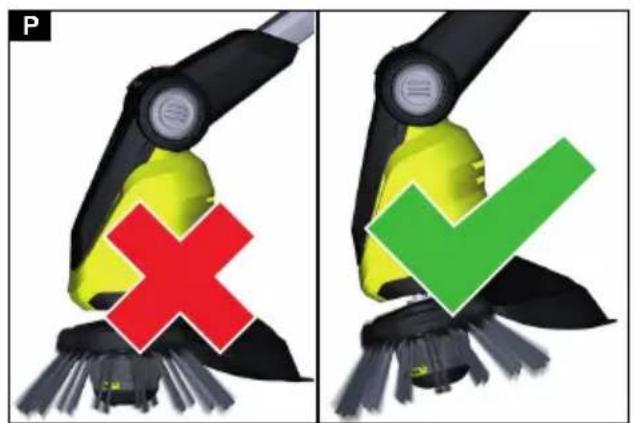
text_image
P ✓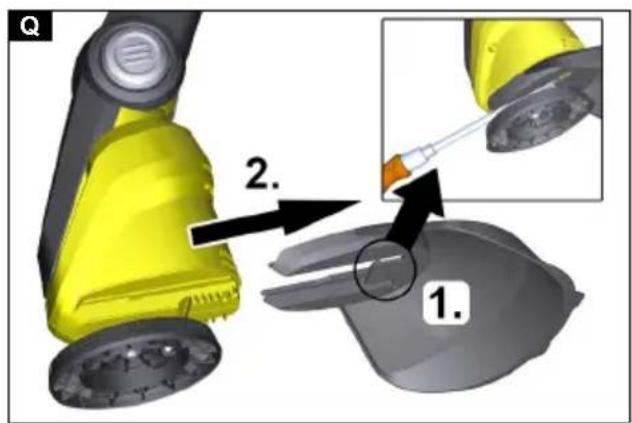
text_image
Q 2. 1.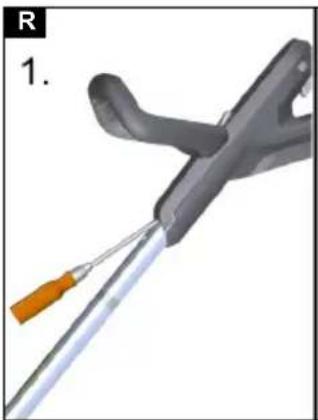
natural_image
Close-up of a medical or laboratory tool with a pen inserted, showing no visible text or symbols.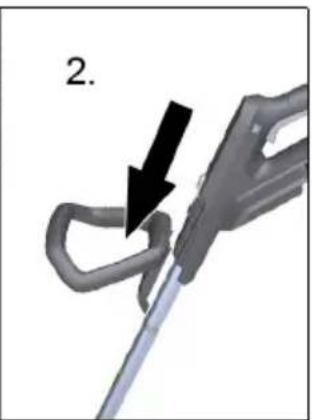
natural_image
Close-up of a mechanical tool with a black arrow pointing to a curved component (no text or symbols visible)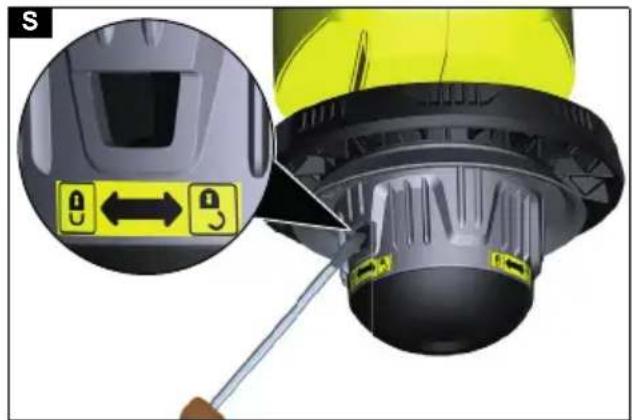
text_image
SInhalt
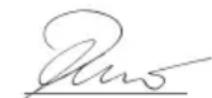
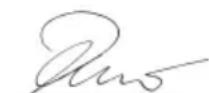
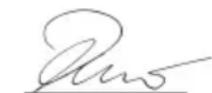
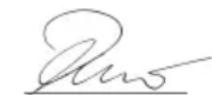
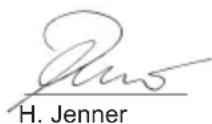
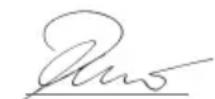
H. Jenner
Chairman of the Board of Management
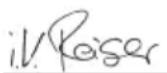
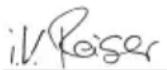
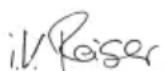
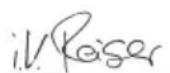
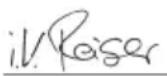
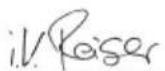
S. Reiser
Director Regulatory Affairs & Certification
71364 Winnenden (Germany)
Tel.: +49 7195 14-0
Fax: +49 7195 14-2212
Winnenden, 2020/01/01
Contents
General notes.... 12
Safety instructions.... 12
Battery pack/charger.... 13
Intended use 13
Environmental protection 13
Accessories and spare parts...... 13
Scope of delivery.... 13
Safety devices.... 13
Symbols on the device.... 14
Description of the device.... 14
Assembly.... 14
Initial startup.... 14
Operation 15
Transport.... 15
Storage.... 15
Care and service.... 16
Troubleshooting guide.... 16
Warranty.... 17
Technical data 17
EU Declaration of Conformity...... 18
General notes

Read the original instructions before using the device for the first time and act in accordance with it.
Keep the original instructions for future reference or for future owners.
Safety instructions
General safety instructions
⚠️ DANGER ● Risk of asphyxiation. Keep packaging film out of the reach of children.
△WARNING ● Persons with reduced physical, sensory or mental capabilities and persons lacking experience and knowledge may only use the appliance if they are properly supervised, have been instructed on use of the appliance safely by a person responsible for their safety, and understand the resultant hazards involved. ● Children must not operate the device. ● Children must be supervised to prevent them from playing with the appliance. Note ● Do not operate the device when other persons or animals are in the work area.
Safety instructions
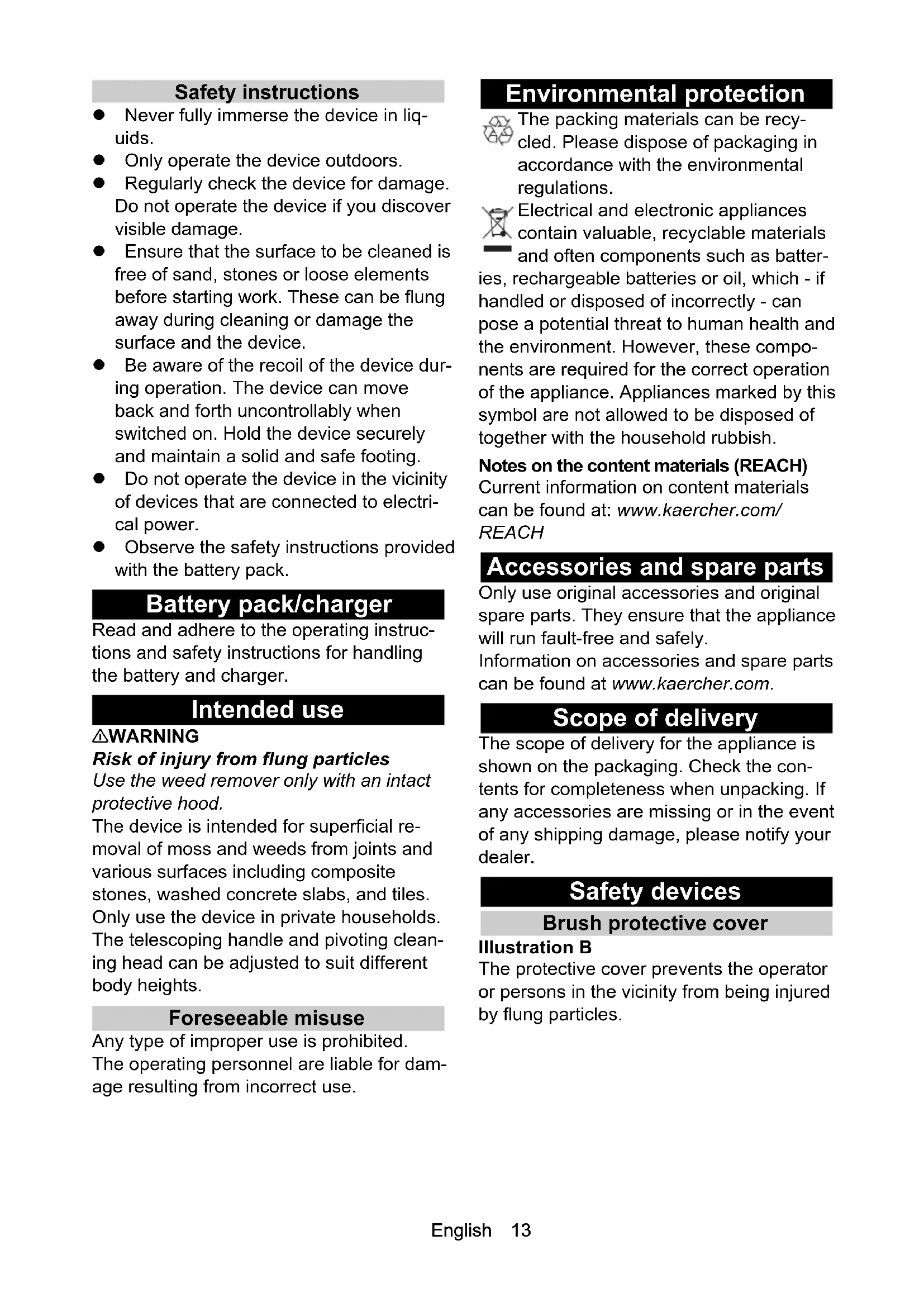
- Never fully immerse the device in liquids.
- Only operate the device outdoors.
- Regularly check the device for damage. Do not operate the device if you discover visible damage.
- Ensure that the surface to be cleaned is free of sand, stones or loose elements before starting work. These can be flung away during cleaning or damage the surface and the device.
- Be aware of the recoil of the device during operation. The device can move back and forth uncontrollably when switched on. Hold the device securely and maintain a solid and safe footing.
- Do not operate the device in the vicinity of devices that are connected to electrical power.
- Observe the safety instructions provided with the battery pack.
Battery pack/charger
Read and adhere to the operating instructions and safety instructions for handling the battery and charger.
Intended use
⚠ WARNING
Risk of injury from flung particles
Use the weed remover only with an intact protective hood.
The device is intended for superficial removal of moss and weeds from joints and various surfaces including composite stones, washed concrete slabs, and tiles. Only use the device in private households. The telescoping handle and pivoting cleaning head can be adjusted to suit different body heights.
Foreseeable misuse
Any type of improper use is prohibited.
The operating personnel are liable for damage resulting from incorrect use.
Environmental protection

The packing materials can be recycled. Please dispose of packaging in accordance with the environmental regulations.

Electrical and electronic appliances contain valuable, recyclable materials and often components such as batter-rechargeable batteries or oil, which - if filled or disposed of incorrectly - can be a potential threat to human health and environment. However, these compounds are required for the correct operation the appliance. Appliances marked by this symbol are not allowed to be disposed of either with the household rubbish.
Notes on the content materials (REACH)
Current information on content materials can be found at: www.kaercher.com/REACH
Accessories and spare parts
Only use original accessories and original spare parts. They ensure that the appliance will run fault-free and safely.
Information on accessories and spare parts can be found at www.kaercher.com.
Scope of delivery
The scope of delivery for the appliance is shown on the packaging. Check the contents for completeness when unpacking. If any accessories are missing or in the event of any shipping damage, please notify your dealer.
Safety devices
Brush protective cover
Illustration B
The protective cover prevents the operator or persons in the vicinity from being injured by flung particles.
Symbols on the device

Warning of flying objects.
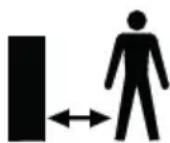
Keep other persons away from the work area.

Wear suitable hearing protection and safety goggles when operating the device.

Protect the device from rain and spray water.

For users up to 177 cm tall.

For users taller than 178 cm.

For use under objects (e.g. benches).

Direction of rotation for opening the bristle strip locking cover.

Direction of rotation for closing the bristle strip locking cover.
Description of the device
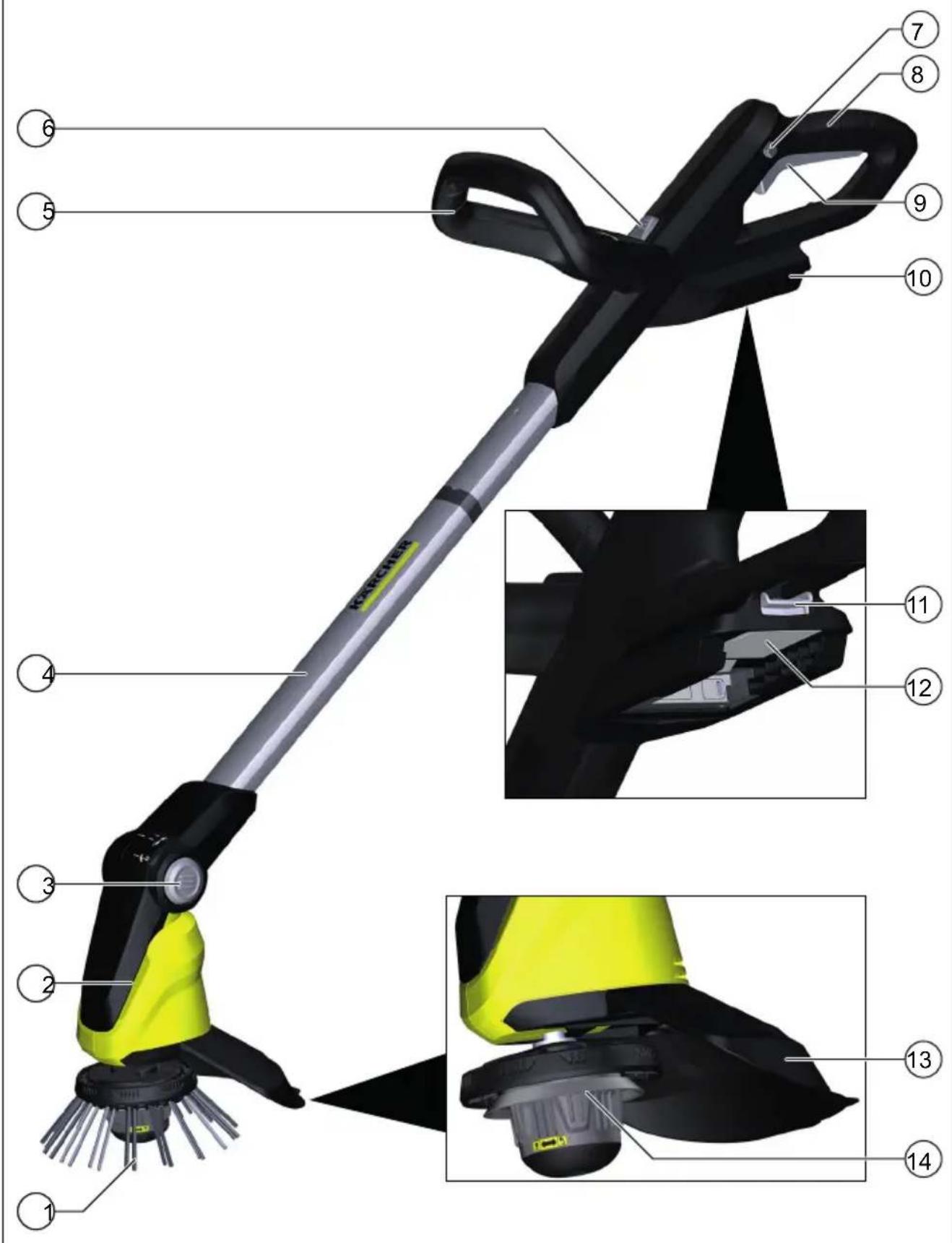
See graphics page for illustrations Illustration A
① Rotating nylon brush
②Pivoting cleaning head
③Pivoting cleaning head unlocking button
④Telescoping handle
⑤ Second handle
⑥Telescoping handle unlocking button
⑦Trigger lockout button
⑧Handle
⑨Trigger
⑩Mount for 18 V Battery Power battery pack
⑪Battery pack unlocking button
⑫ Type plate
⑬Brush protective cover
⑭Guide aid with bristle strip locking cover
Assembly
- Push the pipe provided with the chamfered side into the motor housing.
The pipe latches audibly into place.
ATTENTION
Risk of damage
The handle is pre-installed and set to the shortest telescopic length. Do not change the setting until the telescoping handle is completely installed.
- Insert the upper tube section into the mount on the handle until it audibly latches into place.
Illustration C
- Fit the power cable into the cable duct in the telescoping handle from the bottom to the top.
Illustration D
- Push the second handle into the mount until it audibly latches into place.
Illustration E
- Push the protective cover into the mount until it audibly latches into place.
Illustration F
- Screw open the handle lock of the bristle strip holder in a clockwise direction and remove it.
Illustration G
- Join the bristle strip into a crown by snapping the ball into the recess.
Illustration H
- Place the bristle crown into the holder.
Illustration I
- Put on the guide aid including the bristle strip locking cover and screw closed in an anti-clockwise direction.
Illustration J
Initial startup
Adjusting the device
Adjusting the telescoping handle
You can adjust the length of the device to suit your requirements.
- Press the unlocking button.
- Adjust the telescoping handle as desired.
Illustration K
Adjusting the cleaning head
You can adjust the angle of the cleaning head to suit your requirements. The device has the following setting options:
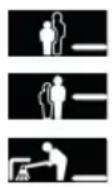
For users up to 177 cm tall.
For users taller than 178 cm.
For use under objects (e.g. benches).
-
Press the cleaning head unlocking button.
-
Adjust the cleaning head.
Illustration L
Inserting the battery pack
ATTENTION
Dirty contacts
Damage to the device and battery
Check the battery mount and the contacts for soiling and clean them as necessary before inserting the battery.
Illustration M
- Push the battery into the mounting in the device until it audibly latches into place.
Removing the battery
⚠ WARNING
Uncontrolled startup
Risk of injury
Remove the battery pack from the device during work breaks and before carrying out any service or care work.
Illustration N
-
Press the unlocking button.
-
Remove the battery from the device.
Operation
Switching on the device
You must press the unlocking button to enable the trigger (safety function). Only then can the device be switched on via the trigger.
-
Press the trigger lockout button. Illustration O
-
Press the trigger at the same time. The device starts up.
-
Release the trigger lockout button. The device continues running.
-
Release the trigger. The device stops.
Removing weeds
Note
Please note that the device only removes weeds at the surface. It does not remove the roots.
Note
We recommend using the device only in a horizontal, slightly angled position. Vertical use can result in faster wear of the bristle strip.
The gentle nylon brush is capable of removing a wide range of weed types from and between almost any hard surface. The cleaning results can however vary depending on external influences (ambient humidity, ground moisture and ambient temperature).
ATTENTION
Risk of damage
Do not scrub with the device or use the protective cover for scraping. This may damage the device
- Always guide the device with slow movements over the surface to be cleaned, at a slight angle without applying any pressure. Do nor guide the device flat over the surface.
Illustration P
-
Work on stubborn weeds multiple times slowly.
-
Hold the device at the side of the second handle when cleaning joints so that it is slightly titled. Please note that loose material in the joint may also be removed.
Transport
△CAUTION
Failure to observe the weight
Risk of injury and damage
Be aware of the weight of the device during transportation.
Storage
△CAUTION
Failure to observe the weight
Risk of injury and damage
Be aware of the weight of the device during storage.
Correct storage of the device
Store the device by hanging from the eye in the handle. You can also alternatively place the device on the edge of the protective cover.
ATTENTION
Risk of damage to the bristles
Do not store the device standing on the bristles.
Care and service
Changing the bristle strip
Note
The bristle strip must be replaced when the bristles show signs of wear.
- Remove the battery pack from the device.
- Screw open the handle lock of the bristle strip holder in a clockwise direction and remove it.
Illustration G
-
Pull out worn out bristle strip and the removal aid.
-
Join the new bristle strip into a crown by snapping the ball into the recess.
Illustration H
-
Place the bristle crown into the holder. Illustration I
-
Put on the guide aid including the bristle strip locking cover and screw closed in an anti-clockwise direction.
Illustration J
Replacing the protective cover
⚠ WARNING
Risk of injury from flung particles
Use the weed remover only with an intact protective hood.
The protective cover must be replaced when it shows signs of wear such as cracks or fractures.
- Remove bristle strip.
- Release the lock on the protective cover with a flat-blade screwdriver.
Illustration Q
-
Pull the protective cover away to the rear.
-
Attach the new protective cover and snap it into place; see chapter Assembly.
Cleaning
The battery pack must be removed from the device before cleaning.
ATTENTION
Improper cleaning
Damage to the device
Do not clean the device with a hose or high-pressure water jet.
Do not use aggressive detergents.
Do not knock the brush on the ground.
- Remove the battery pack.
- Remove the plant residue using a brush.
- Clean the device with a moist cloth.
Removing the second handle
Illustration R
The second handle can be removed for repair purposes.
-
Release the lock on the second handle with a flat-blade screwdriver.
-
Pull the second handle downwards and out of the holder.
Take care to ensure that the second handle engages on re-installation.
Troubleshooting guide
Malfunctions often have simple causes that you can remedy yourself using the following overview. When in doubt, or in the case of malfunctions not mentioned here, please contact your authorised Customer Service. As the battery pack ages, even if it is looked after, its capacity reduces such that the full run time will no longer be reached when fully charged. This does not indicate a defect.
The device does not start up
The battery pack is not inserted correctly.
- Push the battery pack into the mounting in the device until it audibly latches into place.
The battery pack is discharged.
- Charge the battery pack.
The battery pack is in sleep mode. -
Press and hold the power switch longer or press the power switch a second time.
The battery pack is defective. -
Replace the battery pack.
Bristle strip blocked/device overloaded/motor protection has triggered.
- Allow the device to cool down for a few minutes.
- Press less hard when operating the device
The device stops during operation
The battery has overheated
- Stop working and allow the battery to cool down to the permissible temperature range. This can take a few minutes.
Unsatisfactory cleaning results
Worn bristles
- Replace the bristle strip.
Bristle strip locking cover including guide aid cannot be opened
Soiling
- Remove the battery pack.
- Insert a flat screwdriver into the guide aid recess.
Illustration S
- Using the screwdriver as a lever, turn the brush protective cover in the direction of the "lock open" symbol.
Warranty
The warranty conditions issued by our relevant sales company apply in all countries. We shall remedy possible malfunctions on your appliance within the warranty period free of cost, provided that a material or manufacturing defect is the cause. In a warranty case, please contact your dealer (with the purchase receipt) or the next authorised customer service site.
(See overleaf for the address)
Technical data
| WRE18-55 | WRE18-55BatterySet | |
| Device performance data | ||
| Battery pack type - Battery | Power18/25 | |
| Working voltage of V the battery | 1 | 8 1 |
| Brush speed 1/min 2300-2800 | 2300-2800 | |
| Brush diameter mm 180 180 | ||
| Brush material Nylon Nylon | ||
| Dimensions and weights | ||
| Weight | kg | 2,8 3,3 |
| Length x width x height | mm 1370 x230 x380 | 1370 x230 x380 |
| Determined values | ||
| Hand-arm vibration value | m/s ^2 | 3,2 3,2 |
| Uncertainty K | m/s ^2 | 0,5 0,5 |
| Sound pressure level | dB(A) | 71 71 |
| Uncertainty K_pA | dB(A) | 2 2 |
| Sound power level L_WA + K uncertainty_WA | dB(A) | 87 87 |
Subject to technical modifications.
EU Declaration of Conformity
We hereby declare that the machine described below complies with the relevant basic safety and health requirements in the EU Directives, both in its basic design and construction as well as in the version placed in circulation by us. This declaration is invalidated by any changes made to the machine that are not approved by us.
Product: Weed remover Type: WRE18-55 Battery
Currently applicable EU Directives
2006/42/EC (+2009/127/EC)
2014/30/EU
2011/65/EU
2000/14/EC
Harmonised standards used
EN 60335-1
EN 62233: 2008
EN 55014-1: 2006+A2: 2011
EN 55014-2
EN 50581
Conformity evaluation procedure used
2000/14/EC: Appendix V
Sound power level dB(A)
Measured: 83
Guaranteed: 87
The signatories act on behalf of and with the authority of the company management.
H. Jenner
Chairman of the Board of Management
S. Reiser
Director Regulatory Affairs & Certification
Documentation supervisor: S. Reiser
Alfred Kärcher SE & Co. KG
Alfred-Kärcher-Str. 28 - 40
71364 Winnenden (Germany)
Ph.: +49 7195 14-0
Fax: +49 7195 14-2212
Winnenden, 2020/01/01
Contenu
2006/42/CE (+2009/127/CE)
2014/30/UE
2011/65/EU
2000/14/CE
H. Jenner
Chairman of the Board of Management
S. Reiser
Director Regulatory Affairs & Certification
Responsable de la documentation : S. Reiser
Alfred Kärcher SE & Co. KG
Alfred-Kärcher-Str. 28 - 40
71364 Winnenden (Germany)
H. Jenner
Chairman of the Board of Management
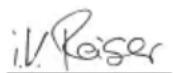
S. Reiser
Director Regulatory Affairs & Certification
71364 Winnenden (Germany)
Tel.: +49 7195 14-0
Fax: +49 7195 14-2212
Winnenden, 01/01/2020
Inhoud
Accupack / laadapparaat
Het accupack is defect.
De accu is oververhit
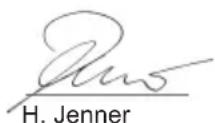
Chairman of the Board of Management
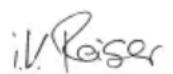
S. Reiser
Director Regulatory Affairs & Certification
71364 Winnenden (Germany)
Tel.: +49 7195 14-0
Fax: +49 7195 14-2212
Winnenden, 2020/01/01
2006/42/CE (+2009/127/CE)
2014/30/UE
2011/65/UE
2000/14/CE
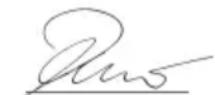
H. Jenner
Chairman of the Board of Management
S. Reiser
Director Regulatory Affairs & Certification
71364 Winnenden (Germany)
Tel.: +49 7195 14-0
Fax: +49 7195 14-2212
Winnenden (Alemania), 01/01/2020
Índice
Remover as ervas daninhas
Aviso
2006/42/CE (+2009/127/CE)
2014/30/UE
2011/65/UE
2000/14/CE
H. Jenner
Chairman of the Board of Management
S. Reiser
Director Regulatory Affairs & Certification
Winnenden, 01/01/2020
Indhold
2006/42/EF (+2009/127/EF)
2014/30/EU
2011/65/EU
2000/14/EF
Chairman of the Board of Management
S. Reiser
Director Regulatory Affairs & Certification
71364 Winnenden (Germany)
Tlf.: +49 7195 14-0
Fax: +49 7195 14-2212
Winnenden, 2020/01/01
Indhold
Generelle merknader 55
Type: WRE18-55 Battery
Gjeldende EU-direktiver
2006/42/EF (+2009/127/EF)
2014/30/EU
2011/65/EU
2000/14/EF
Anvendte harmoniserte standarder
EN 60335-1
EN 62233: 2008
EN 55014-1: 2006+A2: 2011
EN 55014-2
EN 50581
2000/14/EF: Vedlegg V
Lydeffektnivå dB(A)
Målt: 83
Garantert: 87
Chairman of the Board of Management
S. Reiser
Director Regulatory Affairs & Certification
71364 Winnenden (Germany)
Tlf.: +49 7195 14-0
Winnenden, 2020/01/01
Innehåll
Allmän information 61
Säkerhetsanvisningar.... 61
Batteripaket/laddare.... 62
Typ: WRE18-55 Battery
H. Jenner
Chairman of the Board of Management
S. Reiser
Director Regulatory Affairs & Certification
Dokumentationsbefullmäktigad: S. Reiser Alfred Kärcher SE & Co. KG
Alfred-Kärcher-Str. 28 - 40
D-71364 Winnenden (Germany)
Tfn: +49 7195 14-0
Fax: +49 7195 14-2212
Winnenden, 2020/01/01
Sisältö
H. Jenner
Chairman of the Board of Management
S. Reiser
Director Regulatory Affairs & Certification
Dokumentointivastaava: S. Reiser
Alfred Kärcher SE & Co. KG
Alfred-Kärcher-Str. 28 - 40
71364 Winnenden (Germany)
Puh.: +49 7195 14-0
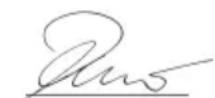
H. Jenner
Chairman of the Board of Management
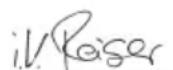
S. Reiser
Director Regulatory Affairs & Certification
71364 Winnenden (Germany)
Tηλ.: +49 7195 14-0
Φαξ: +49 7195 14-2212
Winnenden, 2020/01/01
İçindekiler
Tip: WRE18-55 Battery
2006/42/AT (+2009/127/AT)
2014/30/AB
2011/65/AT
2000/14/EG
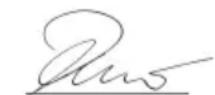
H. Jenner
Chairman of the Board of Management
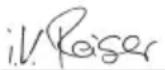
S. Reiser
Director Regulatory Affairs & Certification
Winnenden, 01/01/2020
Содержание
Общие указания 85
Chairman of the Board of Management
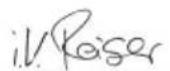
S. Reiser
Director Regulatory Affairs & Certification
71364 Winnenden (Germany)
Тел.: +49 7195 14-0
Факс: +49 7195 14-2212
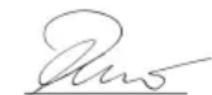
H. Jenner
Chairman of the Board of Management
S. Reiser
Director Regulatory Affairs & Certification
Winnenden, 2020/01/01
Obsah
2006/42/ES (+2009/127/ES)
2014/30/EU
2011/65/EU
2000/14/ES
H. Jenner
Chairman of the Board of Management
S. Reiser
Director Regulatory Affairs & Certification
Zmocněnec pro dokumentaci: S. Reiser Alfred Kärcher SE & Co. KG
Alfred-Kärcher-Str. 28 - 40
Winnenden, 2020/01/01
Kazalo
Splošna navodila.... 105
Varnostna navodila 105
Paket akumulatorskih baterij/polnilnik 105
Namenska uporaba.... 105
Varovanje okolja.... 106
Pribor in nadomestni deli 106
Obseg dobave.... 106
Varnostne naprave.... 106
Simboli na napravi 106
Opis naprave.... 106
Montaža 107
Zagon.... 107
Obratovanje 107
Transport.... 108
Tip: WRE18-55 Battery
Zadevne EU-direktive
2006/42/ES (+2009/127/ES)
2014/30/EU
2011/65/EU
2000/14/ES
H. Jenner
Chairman of the Board of Management
S. Reiser
Director Regulatory Affairs & Certification
Winnenden, 1. 1. 2020
Spis treści
2006/42/WE (+2009/127/WE)
2014/30/UE
2011/65/UE
2000/14/WE
H. Jenner
Chairman of the Board of Management
S. Reiser
Director Regulatory Affairs & Certification
71364 Winnenden (Germany)
Tel.: +49 7195 14-0
| WRE18-55 | WRE 18-55 Battery Set |
Tip: WRE18-55 Battery
Directive UE relevante
2006/42/UE (+2009/127/UE)
2014/30/UE
2011/65/UE
2000/14/UE
Norme armonizate aplicate
EN 60335-1
EN 62233: 2008
EN 55014-1: 2006+A2: 2011
EN 55014-2
EN 50581
H. Jenner
Chairman of the Board of Management
S. Reiser
Director Regulatory Affairs & Certification
71364 Winnenden (Germania)
Tel.: +49 7195 14-0
Fax: +49 7195 14-2212
Winnenden, 2020/01/01
Obsah
Všeobecné upozornenia 123
Typ: WRE18-55 Battery
2006/42/ES (+2009/127/ES)
2014/30/EÚ
2011/65/EÚ
2000/14/ES
H. Jenner
Chairman of the Board of Management
S. Reiser
Director Regulatory Affairs & Certification
71364 Winnenden (Germany)
Tel.: +49 7195 14-0
Fax: +49 7195 14-2212
Winnenden, 1.1.2020
Sadržaj
Opće napomene.... 129
Sigurnosne napomene.... 129
Komplet baterija / punjač.... 130
2006/42/EZ (+2009/127/EZ)
2014/30/EU
2011/65/EU
2000/14/EZ
H. Jenner
Chairman of the Board of Management
S. Reiser
Director Regulatory Affairs & Certification
Opunomoćenik za dokumentaciju: S. Reiser
Alfred Kärcher SE & Co. KG
Alfred-Kärcher-Str. 28 - 40
71364 Winnenden (Njemačka)
Tel.: +49 7195 14-0
Telefaks: +49 7195 14-2212
Winnenden, 1.1.2019.
Sadržaj
Opšte napomene.... 135
Sigurnosne napomene.... 135
Akumulatorsko pakovanje / punjač .... 136
Namenska upotreba.... 136
2006/42/EZ (+2009/127/EZ)
2014/30/EU
2011/65/EU
2000/14/EZ
Primenjeni harmonizovani standardi
EN 60335-1
EN 62233: 2008
EN 55014-1: 2006+A2: 2011
EN 55014-2
EN 50581
Chairman of the Board of Management
S. Reiser
Director Regulatory Affairs & Certification
Lice ovlašćeno za dokumentaciju: S. Reiser
Alfred Kärcher SE & Co. KG
Alfred-Kärcher-Str. 28 - 40
71364 Winnenden (Germany)
Tel.: +49 7195 14-0
Winnenden, 2020/01/01
Съдържание
Общи указания 141
Указания за безопасност 141
Chairman of the Board of Management
S. Reiser
Director Regulatory Affairs & Certification
71364 Winnenden (Germany)
Тел.: +49 7195 14-0
Факс: +49 7195 14-2212
Виненден, 2020/01/01
Sisukord
Üldised juhised.... 148
Ohutusjuhised 148
2006/42/EÜ (+2009/127/EÜ)
2014/30/EL
2011/65/EL
2000/14/EÜ
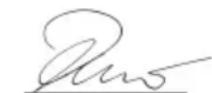
H. Jenner
Chairman of the Board of Management
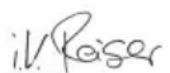
S. Reiser
Director Regulatory Affairs & Certification
71364 Winnenden (Germany)
Tel: +49 7195 14-0
Winnenden, 2020/01/01
Saturs
Tips: WRE18-55 Battery
H. Jenner
Chairman of the Board of Management
S. Reiser
Director Regulatory Affairs & Certification
Pilnvarotais sagatavot dokumentāciju: S. Reizers (S. Reiser)
Alfred Kärcher SE & Co. KG
Alfred-Kärcher-Str. 28 - 40
Chairman of the Board of Management
S. Reiser
Director Regulatory Affairs & Certification
Chairman of the Board of Management
S. Reiser
Director Regulatory Affairs & Certification
71364 Winnenden (Germany)
Тел.: +49 7195 14-0
Факс: +49 7195 14-2212
H. Jenner
Chairman of the Board of Management
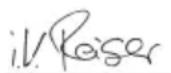
S. Reiser
Director Regulatory Affairs & Certification
文書の全権委員:S. Reiser
Alfred Kärcher SE & Co. KG
Alfred-Kärcher-Str. 28 - 40
71364 Winnenden (Germany)
電話番号:+49 7195 14-0
- retirement des Privacy Group
الجهاز ي Coordف.

[REDACTED RECOCONYLOGIC symbols]


natural_image
Black silhouette of a hand giving a thumbs-up gesture (no text or symbols)THANK YOU!
MERCI! DANKE! iGRACIAS!
Registrieren Sie Ihr Produkt und profitieren Sie von vielen Vorteilen. Register your product and benefit from many advantages. Enregistrez votre produit et bénéficier de nombreux avantages. Registre su producto y aproveche de muchas ventajas.
www.kaercher.com/welcome

Bewerten Sie Ihr Produkt und sagen Sie uns Ihre Meinung. Rate your product and tell us your opinion. Évaluer votre produit et dites-nous votre opinion. Reseñe su producto y díganos su opinión.

natural_image
Icon showing a gear and wrench inside a square frame (no text or symbols)www.kaercher.com/dealersearch
Alfred Kärcher SE & Co. KG
Alfred-Kärcher-Str. 28-40
71364 Winnenden (Germany)
Tel.: +49 7195 14-0
Fax: +49 7195 14-2212