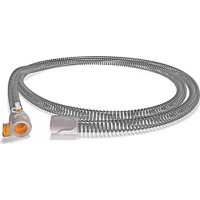
ClimateLine MAX Oxy - Respiratory medical device ResMed - Free user manual and instructions
Find the device manual for free ClimateLine MAX Oxy ResMed in PDF.



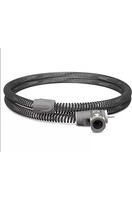
| Product Type | Heated breathing circuit with oxygen connector |
| Brand | ResMed |
| Model | ClimateLine MAX Oxy |
| Internal diameter | 19 mm |
| Length | 1.9 m |
| Circuit temperature range | 16 °C – 30 °C |
| Safety cutoff temperature | ≤ 41 °C |
| Maximum recommended pressure | 30 cm H₂O |
| Material | Soft plastic and electrical components |
| Humidifier compatibility | H5i (exclusively) |
| CPAP device compatibility | S9 (with H5i) |
| Features | Climate Control Auto and Manual, supplemental oxygen |
| Weekly maintenance | Clean with warm water and mild detergent, dry away from direct sunlight |
| Daily maintenance | Detach and hang in a clean, dry place |
| Safety | Mechanical lock, thermal cutoff, leak warnings |
| Warranty | Limited – refer to S9 Information Manual |
Frequently Asked Questions - ClimateLine MAX Oxy ResMed
User questions about ClimateLine MAX Oxy ResMed
0 question about this device. Answer the ones you know or ask your own.
Ask a new question about this device
Download the instructions for your Respiratory medical device in PDF format for free! Find your manual ClimateLine MAX Oxy - ResMed and take your electronic device back in hand. On this page are published all the documents necessary for the use of your device. ClimateLine MAX Oxy by ResMed.
USER MANUAL ClimateLine MAX Oxy ResMed
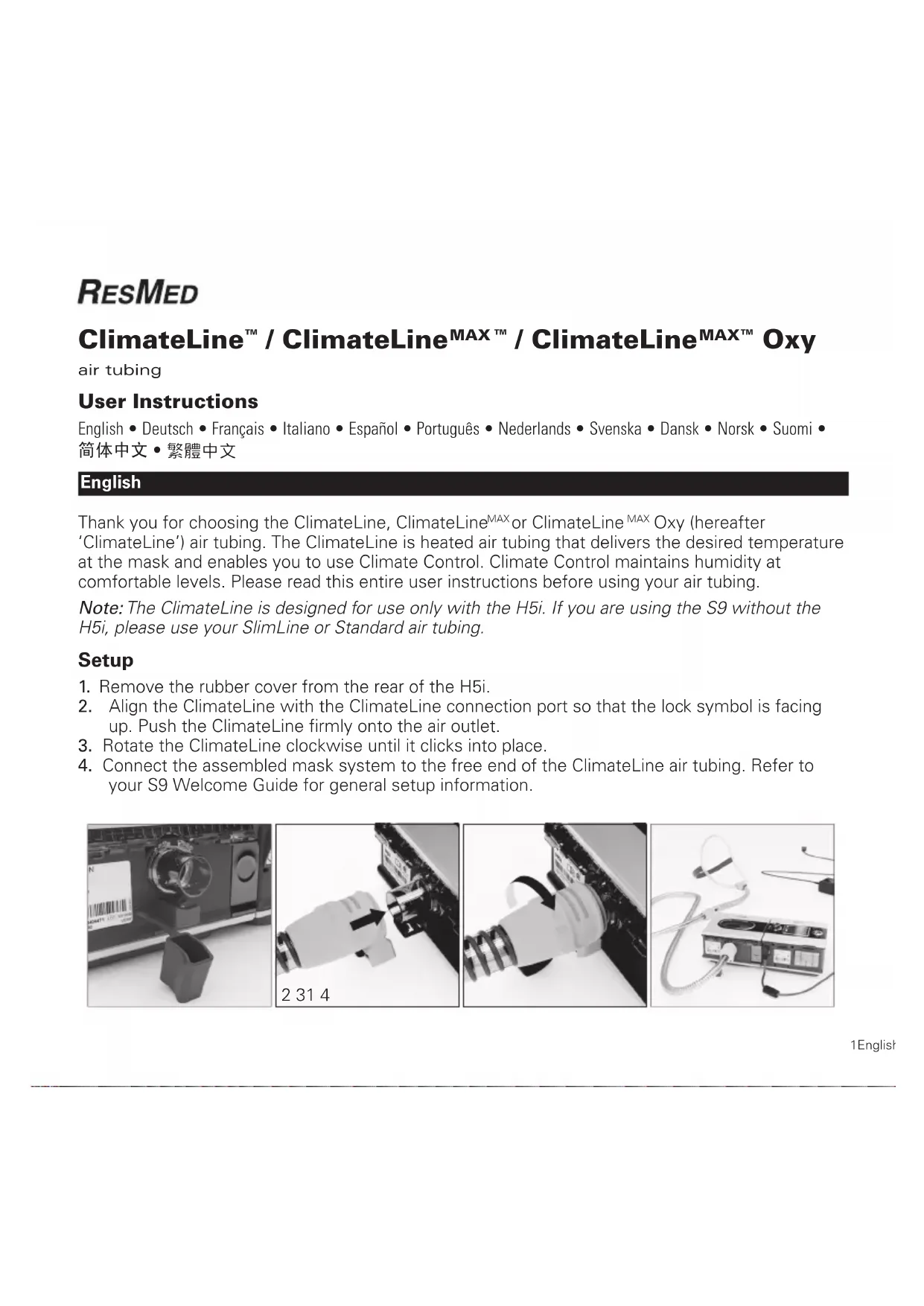
Thank you for choosing the ClimateLine, ClimateLine ^MAX or ClimateLine ^MAX Oxy (hereafter 'ClimateLine') air tubing. The ClimateLine is heated air tubing that delivers the desired temperature at the mask and enables you to use Climate Control. Climate Control maintains humidity at comfortable levels. Please read this entire user instructions before using your air tubing.
Note: The ClimateLine is designed for use only with the H5i. If you are using the S9 without the H5i, please use your SlimLine or Standard air tubing.
Setup
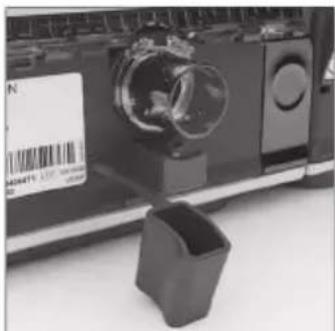
- Remove the rubber cover from the rear of the H5i.
- Align the ClimateLine with the ClimateLine connection port so that the lock symbol is facing up. Push the ClimateLine firmly onto the air outlet.
- Rotate the ClimateLine clockwise until it clicks into place.
- Connect the assembled mask system to the free end of the ClimateLine air tubing. Refer to your S9 Welcome Guide for general setup information.
natural_image
Close-up of a camera lens mounted on a device with a plastic cup nearby (no visible text or symbols)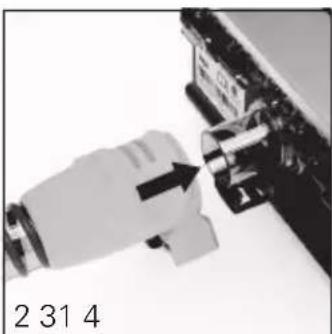
natural_image
Close-up of a hand inserting a component into a device (no visible text or symbols)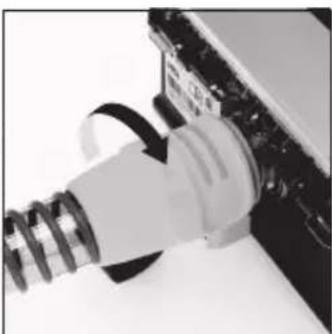
natural_image
Close-up of a white plastic plug inserted into a black electronic device (no visible text or symbols)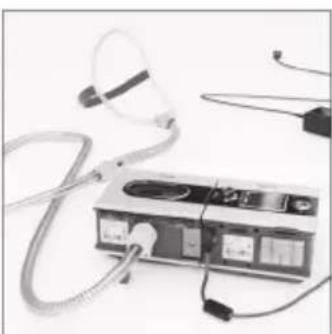
natural_image
Medical device with coiled tubing and earplugs, no visible text or symbols1English
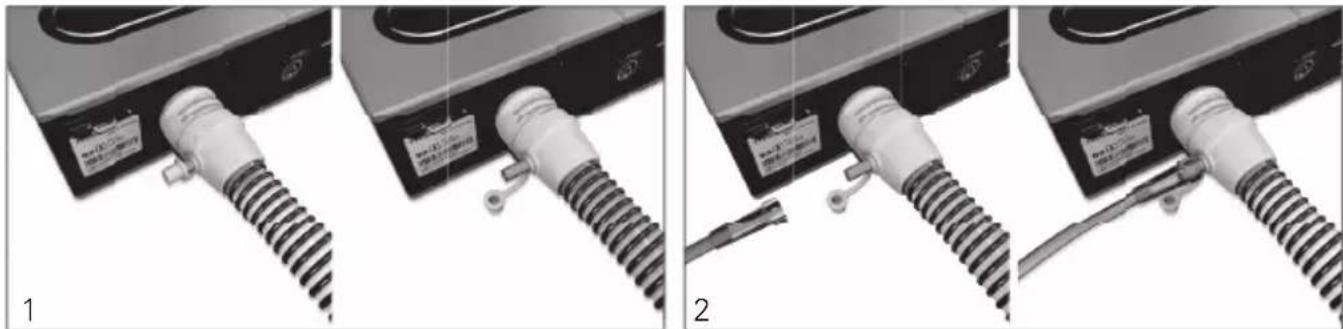
If you use the ClimateLine ^MAX Oxy with supplemental oxygen, perform the following steps in addition to the ones described above:
- Remove the cap from the oxygen connector.
- Connect the oxygen supply tubing to the oxygen connector. Ensure that it is attached firmly.
natural_image
Three-panel image showing a coiled cable connector with labeled parts, no visible text or symbols.Notes:
- Before adding oxygen, familiarize yourself with the specific warnings relating to the use of supplemental oxygen. These can be found at the end of your S9 Information Guide.
- If you use the ClimateLine ^MAX Oxy without supplemental oxygen, ensure that the cap of the oxygen connector is attached firmly.
Climate Control
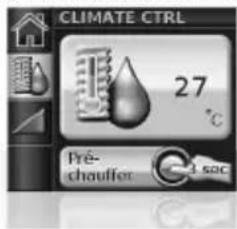
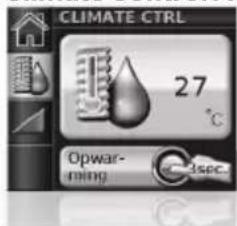
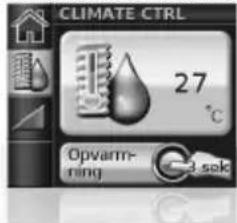
Climate Control is an intelligent system that controls the H5i and the ClimateLine to deliver constant, comfortable temperature and humidity levels during therapy. Designed to prevent dryness of the nose and mouth, it automatically maintains the temperature and relative humidity while you sleep.
Climate Control modes
Climate Control Auto
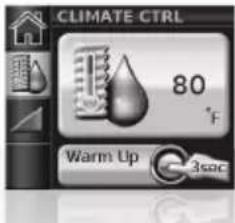
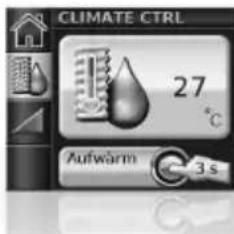
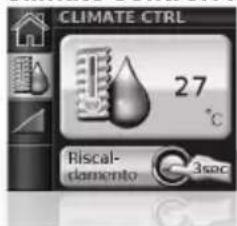
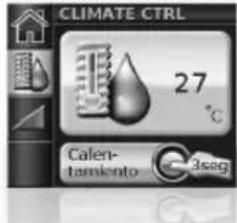
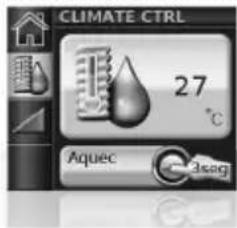
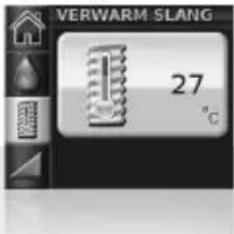
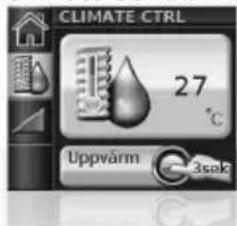
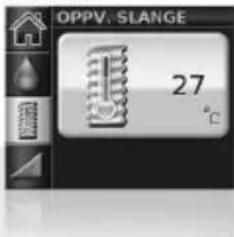
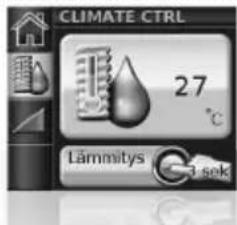
The recommended (default) setting for Climate Control is Auto mode. In Auto mode, you have the ability to adjust air temperature (61-86°F (16-30°C)) depending on preference. Based on your selected air temperature, Climate Control automatically adjusts the humidifier output to maintain a constant, comfortable humidity level of 80% relative humidity while protecting against rainout. In Auto mode the default air temperature is set to 80°F (27°C).
Climate Control Manual
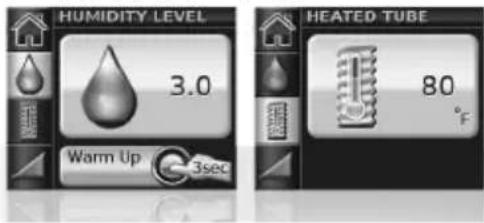
If enabled by the clinician, Climate Control can also be set to Manual. In this mode, air temperature and humidity can be set independently, providing you greater flexibility but without the rainout protection guaranteed in Auto mode. In this mode, air temperature (61–86°F (16–30°C)) and humidity level (0–6) can be set independently. If rainout occurs, either increase air temperature or decrease the humidity setting.
Note: Images depict the US product. Temperatures will be displayed in celsius for all other regions.
Cleaning and maintenance
You should regularly carry out cleaning and maintenance as described in this section.
Daily
Disconnect the air tubing and hang it in a clean, dry place until next use.
Notes:
• Do not hang the air tubing in direct sunlight as it may harden over time and eventually crack.
- Do not wash the air tubing in a washing machine or dishwasher.
Weekly
- Remove the air tubing from the H5i and the mask.
- Wash the air tubing in warm water using mild detergent.
- Rinse thoroughly, hang and allow to dry out of direct sunlight.
- Before next use, reconnect the air tubing to the air outlet and mask.
Technical specifications
| ClimateLine | ClimateLineMAX /ClimateLineMAX Oxy | ||
| Maximum recommended pressure 25 cm H | _2O 30 cm H | _2O | |
| Inner diameter 0.6" (15 mm) 0.75" (19 mm) | |||
| Length 6'6" (2.0 m) | 6'3" (1.9 m) | ||
| ClimateLine temperature range | 60°F–86°F (16°C–30°C) | 60°F–86°F (16°C–30°C) | |
| ClimateLine temperature cut-out | ≤ 106°F (≤ 41°C) | ≤ 106°F (≤ 41°C) | |
| Material | Flexible plastic and electrical components. | ||
| Electromagnetic compatibility | Refer to the S9 Information Guide. | ||
3English
Symbols which appear on the air tubing

Lock/unlock
Limited warranty
Please refer to your S9 Information Guide.

WARNINGS
- Read the entire instructions before using this device.
• In the US, Federal law restricts this device to sale by or on the order of a physician.
• If damage to the air tubing results in air leaking, stop using the air tubing.
• The ClimateLine is designed for use only with the H5i.
Deutsch
natural_image
Three-panel image showing a coiled cable connector with labeled parts, no visible text or symbols.Hinweise:
Climate Control Auto
natural_image
Close-up of a camera lens and a small mechanical component (no visible text or symbols)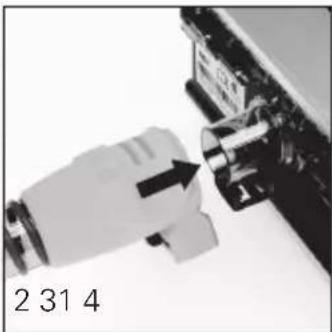
natural_image
Close-up of a mechanical component with an arrow pointing to a pin (no visible text or symbols)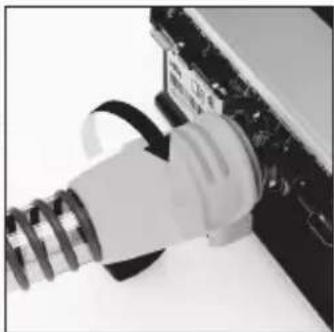
natural_image
Close-up of a white plastic plug inserted into a black electronic device (no visible text or symbols)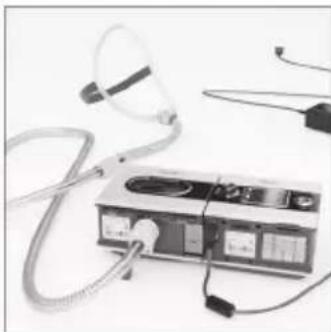
natural_image
Medical device with coiled tubing and connectors, no visible text or symbolsnatural_image
Two identical mechanical components with coiled and threaded connectors, no visible text or symbols.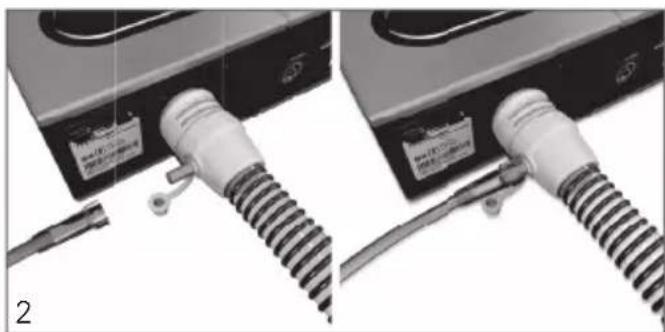
natural_image
Close-up of two electronic devices with coiled cable connectors and a connector, no visible text or symbolsRemarques :
Climate Control Auto
natural_image
Close-up of a camera lens mounted on a device with a small container, no visible text or symbols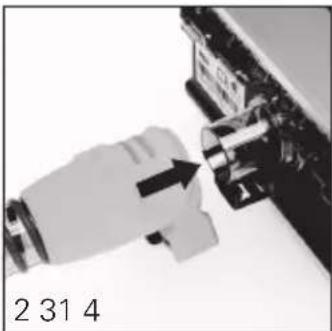
natural_image
Close-up of a mechanical component with an arrow pointing to a shaft (no visible text or symbols)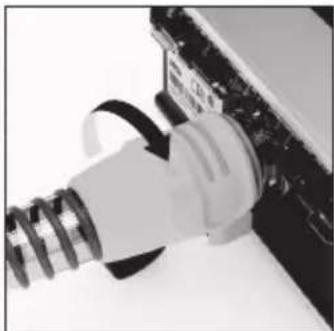
natural_image
Close-up of a white plastic plug inserted into a black electronic device (no visible text or symbols)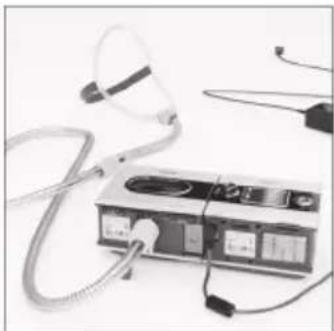
natural_image
Medical device with tubing and connectors, no visible text or symbolsnatural_image
Three-panel image showing cable installation steps: initial, connected to a device, and final with a connector (no visible text or symbols)Note
Climate Control Auto
Climate Control Auto
Climate Control Auto
natural_image
Close-up of a device with a glass lens and a small container, no visible text or symbols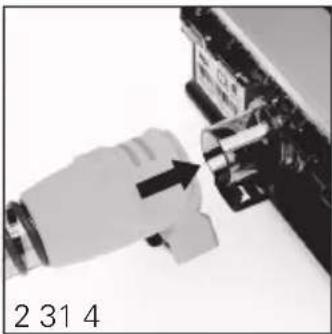
natural_image
Close-up of a mechanical component with a white connector and arrow indicating assembly (no visible text or symbols)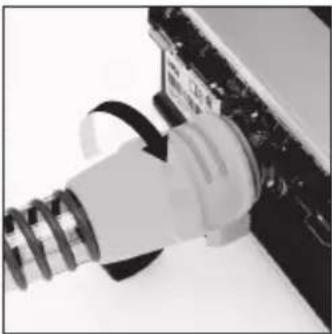
natural_image
Close-up of a white plastic plug inserted into a black electronic device (no visible text or symbols)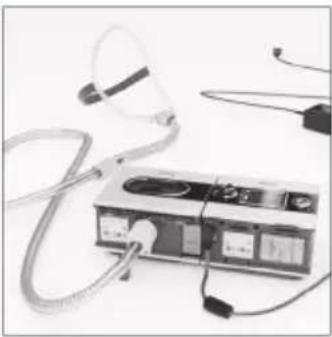
natural_image
Medical device with tubing and earplugs, no visible text or symbolsnatural_image
Three-panel image showing a mechanical device with coiled tubing and labeled parts, no readable text or symbols present.NB
Climate Control Auto
natural_image
Close-up of a camera lens and a small mechanical component (no visible text or symbols)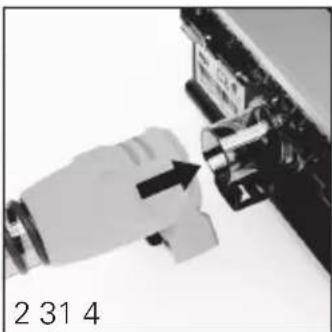
natural_image
Close-up of a mechanical component with a hand inserting a component, labeled '2 31 4' (no other text or symbols visible)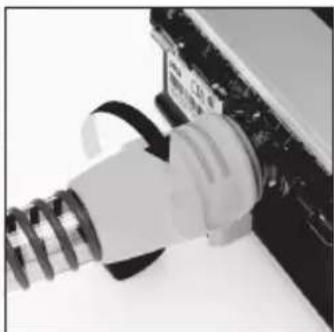
natural_image
Close-up of a white plastic plug inserted into a black electronic device (no visible text or symbols)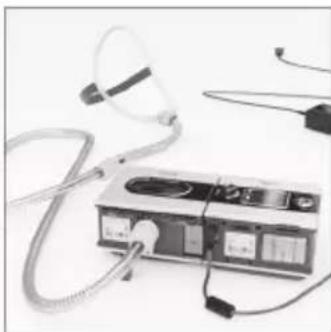
natural_image
Medical device with tubing and connectors, no visible text or symbolsnatural_image
Close-up of a black electronic device with a coiled cable inserted, labeled 'MAXIC COMBINATION' (no other text or symbols visible)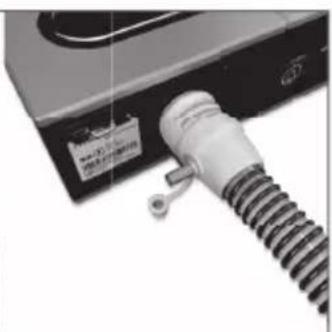
natural_image
Close-up of a mechanical component with a coiled spring and label (no readable text or symbols)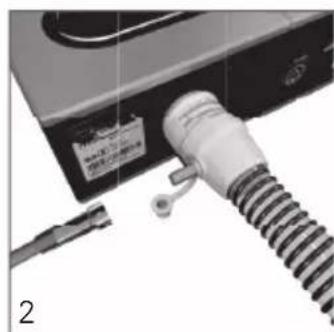
natural_image
Close-up of a mechanical device with a coiled spring and attached cable, no visible text or symbols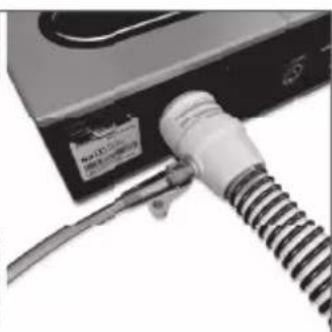
natural_image
Close-up of a mechanical device with a coiled cable and attached label (no readable text or symbols)Obs!
Climate Control Auto
natural_image
Close-up of a camera lens and a small mechanical component (no visible text or symbols)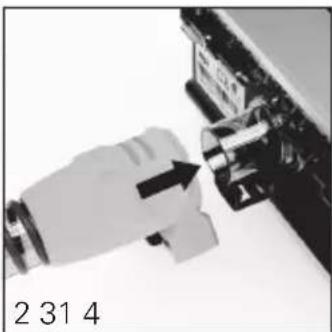
natural_image
Close-up of a mechanical component with a hand inserting a component, labeled '2 31 4' (no other text or symbols visible)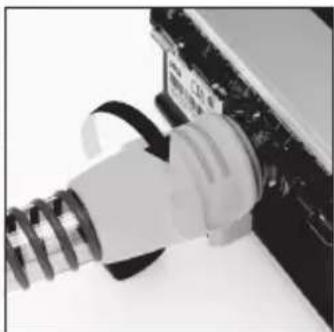
natural_image
Close-up of a white plastic plug inserted into a black electronic device (no visible text or symbols)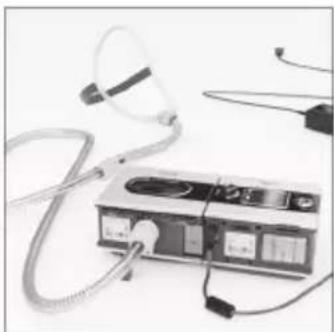
natural_image
Medical device with tubing and connectors, no visible text or symbolsnatural_image
Close-up of a black electronic device with a coiled cable and label (no readable text or symbols)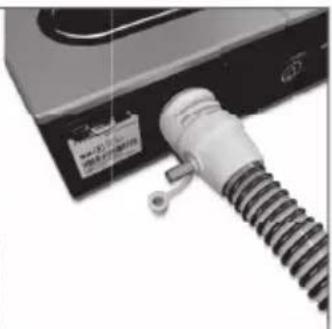
natural_image
Close-up of a mechanical component with a coiled spring and label (no readable text or symbols)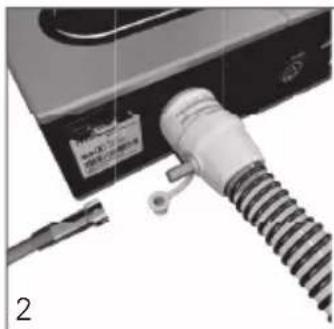
natural_image
Close-up of a mechanical device with a coiled spring and connector, no visible text or symbols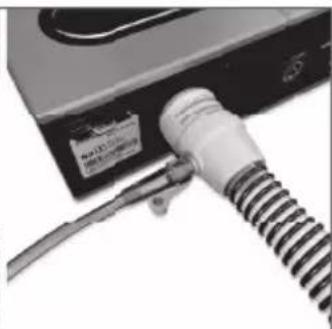
natural_image
Close-up of a black electronic device with a coiled cable and a label, no visible text or symbols on the device itself.Bemærk:
Climate Control Auto
natural_image
Close-up of a camera lens and a small container with barcode, no visible text or symbols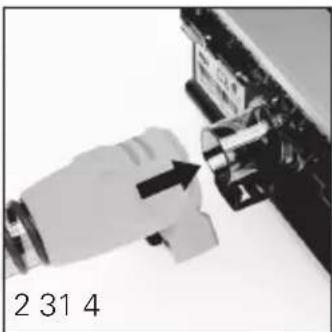
natural_image
Close-up of a mechanical component with a black arrow pointing to a component, labeled '2 31 4' (no other text or symbols visible)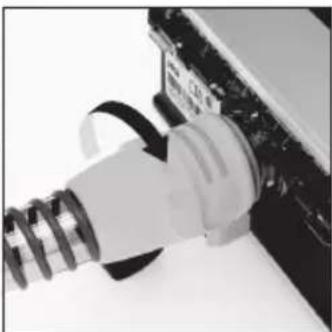
natural_image
Close-up of a white plastic plug inserted into a black electronic device (no visible text or symbols)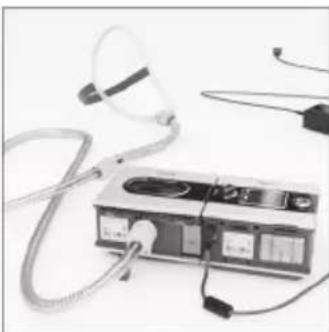
natural_image
Medical device with coiled tubing and connectors, no visible text or symbolsnatural_image
Close-up of a mechanical device with a coiled cable and label (no readable text or symbols)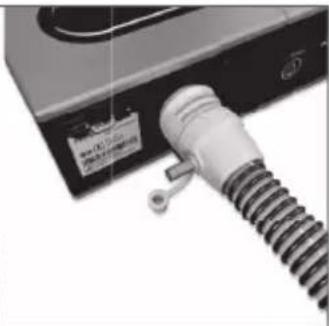
natural_image
Close-up of a mechanical device with a coiled spring and label (no readable text or symbols)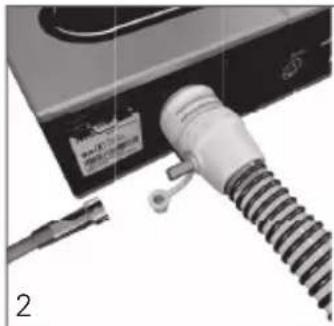
natural_image
Close-up of a medical device with a coiled tube and attached cable, no visible text or symbols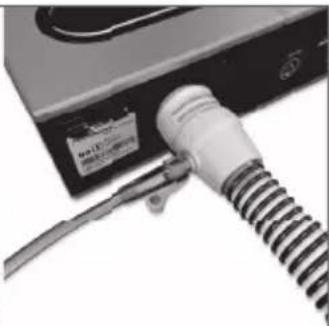
natural_image
Close-up of a cable being inserted into a device (no visible text or symbols)Merknader:
Climate Control Auto
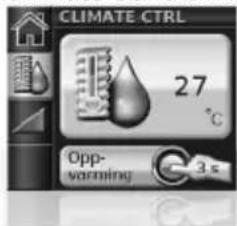
Den anbefalte innstillingen (standard) for Climate Control er Auto-modus. I automodus kan du regulere lufttemperaturen (16-30 °C) etter eget ønske. Climate Control justerer fukteren automatisk ut fra den valgte lufttemperaturen, slik at det holdes et konstant, komfortabelt fuktighetsnivå på 80 % relativ fuktighet, samtidig som kondens unngås. Standard lufttemperatur i automodus er 27 °C.
Climate Control Manuelle
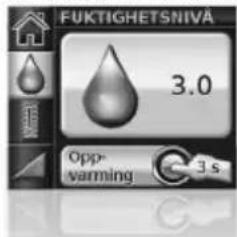
Climate Control Auto
natural_image
Close-up of a mechanical device with a transparent glass component and a black plastic cup, no visible text or symbols.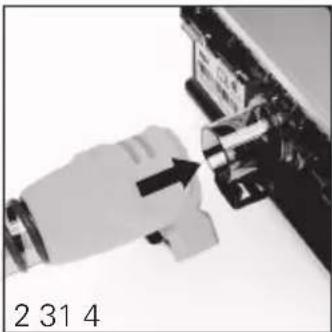
natural_image
Close-up of a mechanical component with an arrow pointing to a pin (no visible text or symbols)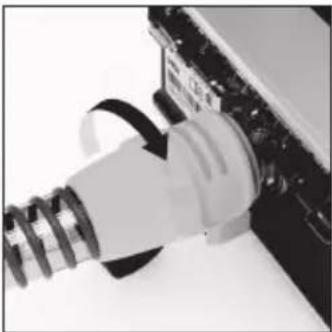
natural_image
Close-up of a white plastic plug inserted into a black electronic device (no visible text or symbols)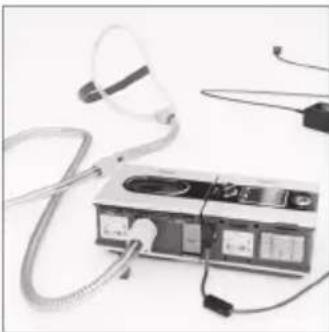
natural_image
Medical device with coiled tubing and earplugs, no visible text or symbolsnatural_image
Close-up of a white cable with coiled cable connector attached to a black electronic device (no visible text or symbols)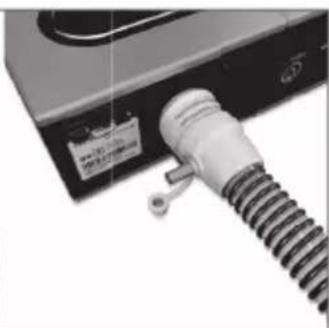
natural_image
Close-up of a mechanical device with a coiled spring attached to a black base (no visible text or symbols)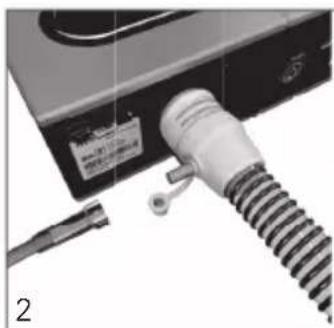
natural_image
Close-up of a mechanical device with a coiled cable and attached component (no visible text or symbols)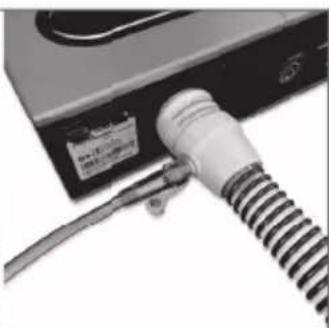
natural_image
Close-up of a cable being inserted into a device (no visible text or symbols)简体中文
备注:
natural_image
Close-up of a camera module with a visible lens and a small box, no text or symbols present.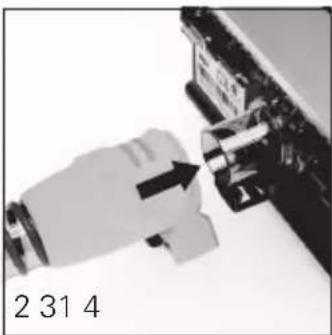
natural_image
Close-up of a mechanical component with an arrow pointing to a component, labeled '2 31 4' (no other text or symbols visible)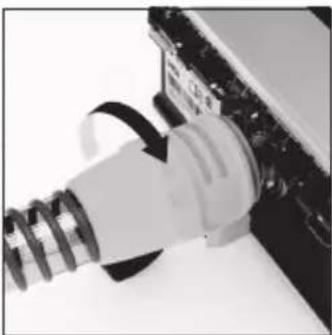
natural_image
Close-up of a white plastic plug inserted into a black electronic device (no visible text or symbols)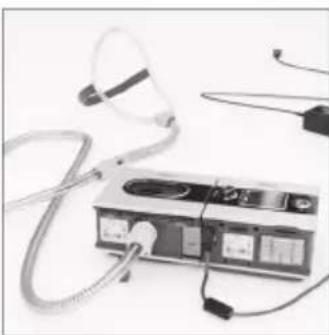
natural_image
Medical device with tubing and connectors, no visible text or symbolsnatural_image
Close-up of a black electronic device with a coiled cable and label (no readable text or symbols)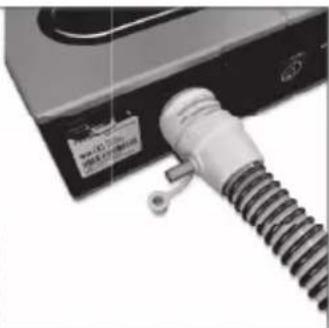
natural_image
Close-up of a mechanical component with a coiled spring attached to a black base (no visible text or symbols)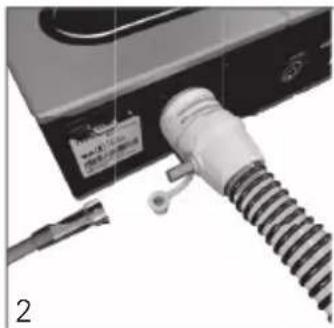
natural_image
Close-up of a mechanical device with a coiled spring and cable, no visible text or symbols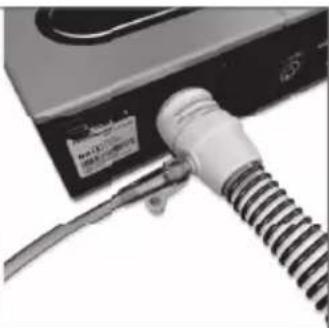
natural_image
Close-up of a black electronic device with a coiled cable and attached label (no readable text or symbols)備註:
Manufacturer: ResMed Pty Ltd 1 Elizabeth Macarthur Drive Bella Vista NSW 2153 Australia.
See www.resmed.com for other ResMed locations worldwide.
For patent information, see www.resmed.com/ip.
ClimateLine, H5i and S9 are trademarks of ResMed and ClimateLine and S9 are registered in U.S. Patent and Trademark Office.
© 2021 ResMed. 3681090/1 2021-02


0123