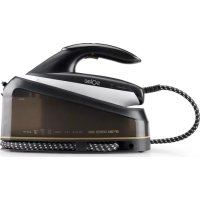
USER MANUAL Optima Center 3000 CPB6100 SOLAC
Many thanks for choosing to purchase a SOLAC brand product.
Thanks to its technology, design and operation and the fact that it exceeds the strictest quality standards, a fully satisfactory use and long product life can be assured.
- Read these instructions carefully before switching on the appliance and keep them for future reference. Failure to follow and observe these instructions may result in an accident. Failure to follow and observe these instructions may result in an accident.
SAFETY ADVICE AND WARNINGS
- The appliance should be used and kept over a flat and stable surface.
. When the appliance is placed on its support, make sure that the surface on which it is placed is stable.
- This appliance can be used by children aged from 8 years and above and persons with reduced physical, sensory or mental capabilities or lack of experience and knowledge if they have been given supervision or instructions concerning use of the appliance in a safe way and understand the hazards involved.
. Keep the appliance and its cable out of reach of children under the age of eight.
. Do not use the appliance if it
has fallen on the floor, if there are visible signs of damage or if it has a leak.
The temperature of the accessible surfaces may be high when the appliance is in use.
If the mains connection is damaged, it must be replaced. Take the appliance to an authorised Technical Assistance Service In order to prevent any danger, do not attempt to dismantle or repair it yourself.
- Do not leave the appliance unattended while it is connected to the mains supply.
- Cleaning and user maintenance must not be done by children unless they are supervised
This appliance is for household use only, not professional or industrial use.
- This appliance is not a toy. Children should be supervised to ensure that they do not play with the appliance.
- Surfaces are liable to get hot during use.
- Ensure that the voltage indicated on the nameplate matches the mains voltage before plugging in the appliance.
- Connect the appliance to a base with an earth socketwithstanding a minimum of 16 amperes.
- Do not use or store the appliance outdoors.
- Do not force the electrical wire. Never use
EN
the electric wire to lift up, carry or unplug the appliance.
- Check the state of the power cord. Damaged or tangled cables increase the risk of electric shock.
- Do not touch the plug with wet hands.
- If any of the appliance casings breaks, immediately disconnect the appliance from the mains to prevent the possibility of an electric shock.
- Do not touch metal parts or the body when it is operating, as it may cause serious burns.
USE AND CARE:
- Fully unroll the appliance's power cable before each use.
- Do not use the appliance if the accessories or parts are not fastened together properly.
- Use the appliance handle/s, to catch it or move it.
- Respect the MAX level (Fig. 3)
- Disconnect the appliance from the mains when not in use and before undertaking any cleaning task.
- This appliance should be stored out of reach of children and/or those with reduced physical, sensorial or mental abilities or who are unfamiliar with its use.
- Do not store or transport the appliance if it is still hot.
To ensure that the iron functions correctly, keep the iron face smooth and do not hit it against metallic objects (for example, the ironing board, buttons, zips...)
- The use of demineralised water is recommended, especially if the water in your area contains any type of grit or is "hard" (contains calcium or magnesium).
N.B.: It is normal to hear a pumping sound as the water is pumped into the steam generator.
- Never leave the appliance connected and unattended if is not in use. This saves energy and prolongs the life of the appliance.
- Do not use the appliance on any part of the body of a person or animal.
- Do not use the appliance with pets or animals.
SERVICE:
- Make sure that the appliance is serviced only by specialist personnel, and that only original spare parts or accessories are used to replace
existing parts/accessories.
- Any misuse or failure to follow the instructions for use renders the guarantee and the manufacturer's liability null and void.
DESCRIPTION
Fig. 1
1.Water tank
2.Water tank cap
3.Locker button
4.Lampshade
5.Steam adjustment button
6.Calc cleaning button (Selfcleaning)
7. Continuous steam button
8.Soleplate
9.Clamp for cord storage
Fig. 2
a.Calc cleaning indicator
b.No water warning
c. MAX steam
d. Auto shut off indicator
e.Eco mode with lower steam
SUGGESTIONS BEFORE USING THE IRON FOR THE FIRST TIME
-
- Certain parts of the iron have been lightly greased therefore the iron could give off a little smoke when plugged in for the first time. This will cease after a short while.
- 2.Before using the iron for the first time, remove the plastic protector from the base (if it has one) clean the base with a soft cloth.
-
- Keep the base very smooth. Do not run it over metal objects (such as against the ironing board, buttons, zips, etc.)
- Pure wool fibres (100% wool) can be ironed with the appliance in the steam position by preference, select a high steam position and use a dry ironing cloth.
STEADY TEMPERATURE
- Check the ironing instructions on the garment to be ironed.
- Electronic temperature control, no need to manually adjust temperature
HOW TO FILL THE WATER TANK.
- Disconnect iron power supply
- Open the water cap
- Fill the water tank to the MAX water level and close the cap. Fig.3
EN
- If you have hard water, it is advisable to use only distilled or demineralized water.
- Do not use chemically delimed water or perfumed
STEAM IRONING
- Fill the iron as described in the section "how to fill the water tank".
-
- Plug the iron into the mains.
- Steam ironing is possible only when heating is complete. Otherwise, water may escape through the soleplate.
-
- Wait until the indicator does not flicker to prove that the bottom plate has been heated.
- Press Steam switch to realize Steam ironing. Fig. 4
-
- When the iron is finished, place the iron in an upright position or on the base when the iron is interrupted
- 7.Disconnect the iron from the mains supply. Pour of any remaining water and leave the iron to cool off.
CONTINUOUS STEAM
- Heating completed, temperature stabilized
2.Start steam switch, can choose large steam or ECO steam at the same time, the two stalls can be switched at any time. Fig. 5
SHOT OF STEAM
- When the heating is completed, the temperature is stable.
- Press the steam in two seconds quickly, and the steam will start to explode in two seconds, while the steam will flash for 2 seconds. Fig.6
SELF CLEANING
- Please make sure there is enough
water in the tank before cleaning
-
- Please put the iron in a safe position before cleaning to prevent people from being injured by hot water during cleaning
- 3.After the heating is complete, the long press the cleaning switch for 3 seconds, and the iron enters the cleaning mode. The display on the screen flashes and goes with the 3 sound of bees. Fig. 7
-
- Two minutes later, the buzzer rang three times, indicating that the cleaning was complete.
AUTO SHUT OFF
- When the iron is stationary for more than 7 minutes, the iron goes out of power mode
- The poweroff sign flashed on the display, accompanied by six buzzing sounds
- Press the steam switch to restore the power
- Irons will not be cut off during steam discharge
- If you need stop the process switch off the item
ANTI DRIP
- This iron is equipped with a drip stop function: the iron automatically stops steaming when the temperature is too low to prevent water from dripping out of the soleplate.
ANHYDROUS DETECTION (NO WATER DETECTION)
- In the course of working, if there is no water in the water tank, the pump will automatically stop working to protect the life of the pump
DEFECTS AND REPAIRS
- Do not attempt to replace a defective mains lead. The appliance has to be returned to an authorized service centre for repair.
CORD STORAGE
Follow Fig. 8
FAULTSREASONS AND SOLUTIONS
IRON EMITS AN ODD OR SMOKE
- Iron gives off an odor when turned on for the first time. Oils used during manufacture need to be burnt off allow ten minutes for odor to disappear.
IRON DOES NOT HEAT
- The iron should be plugged into a 230 Volt, Whether the power switch is turned on
IRON DOES NOT STEAM
- The water tank many be empty. Turn off the steam regulator and add water. Allow the iron to heat, and then set the turn on to the steam setting.
IRON IS LEAKING
- The temperature setting is too low to produce steam. Shot of steam used too much, allow iron to re-heat.
ANOMALIES AND REPAIR
- Take the appliance to an authorised technical
EN
support service if problems arise. Do not try to dismantle or repair without assistance, as this may be dangerous.
FOR EU PRODUCT VERSIONS AND/ OR IN THE CASE THAT IT IS REQUESTED IN YOUR COUNTRY:
ECOLOGY AND RECYCLABILITY OF THE PRODUCT
- The materials used to make the packaging of this appliance are covered by a system for collecting, classifying and recycling them. Should you wish to dispose of them, use the appropriate public containers for each type of material.
- The product does not contain concentrations of substances that could be considered harmful to the environment

This symbol means that in case you wish to dispose of the product once its working life has ended, take it to an authorised
waste agent for the selective collection of waste electrical and electronic equipment (WEEE)
This appliance complies with Directive 2014/35/ EC on Low Voltage, Directive 2014/30/EC on Electromagnetic Compatibility, Directive 2011/65/EU on the restrictions of the use of certain hazardous substances in electrical and electronic equipment and Directive 2009/125/ EC on the ecodesign requirements for energy-related products.
FRANÇAIS FR
Centrale Vapeur
Cher Client,
NAPL NTZASOBNIK VODY.
FUNKCE ,EXPLOZE PÁRY"
-
- Po dokončeni ohřevu je teplota stabilné.
- Po dobu dvou sekund rychle mackejte tlacitko pary a para zaene dve sekundy explodovat, zatimco indicator para bude po dobu 2 sekund blikat. (obr. 6)
SAMOCISTIC
CHBY PRICINY A RESENI
ZEHLICKA VYDAVA ZAPACH NEBO KOUR
ZELAZKO WYDZIELA ZAPACH LUB DYM
DLA URZADZEN WYPRODUKOWANYCH W UNII EUROPEJSKIEJ I W PRZYPADKU WYMAGAN PRAWNYCH OBOWIAZUACYCH W DANYM KRAJU:
EKOLOGIA I ZARZADZANIE ODPADAMI
PRÍCINY PORUCH A RIESENIA
ZEHLICKA VYDAVA ZAPACH A DYM
A VASALO NEM AD KI GOZT
CbBETN UKA3AHNA 3A B630PACHOCT
. YpeIbT cIeIbA da ce n3noJ3Ba I NOCTaBbPxy paBHa I yCTOuINBa NOBbpXHOCT.
. PnnoctabHe Ha ypea Bbp-xy OCHOBaTa My, NODcNpyteCe, Ye NOBbpxHOCTTa, BbpxY KOrTO Ce NoCTaBcBuaTa e cTaNHa.
. YpeIbT MoKe Da 6bIe N3NoJ3- BAH OT Xopa, HeymeeUd Da 6opabRT C To3n BnD IpOdyKTN, Xopa C cH3nueckn yBpeKda-Hnra HnI DeuHaad 8 rOdnHn, HO CAMO I eINHCTBeHO aKO Ce HAMnPaT NOd HaD3Opa Ha Hr-KoB Bb3pacteH YoBEK nIIaKO npEiBaPHTeHNO IM e O6rCheHo KaK 6e3OpacHO Da n3noJ3-BaT ypeDa, a CbIo n aKO pa3-6npaT HaInuHNTe pNCKOBe.
CbxpahBaIte ypea n HeroBnT 3axpaHbau Ka6eI daJeU
OTdoctbnaHaDeecaNo8roDINHn.
MolnHe n3noJ3BaIte ypeDa, aKo e naJaI nJIu aKO nMa BVdIMN cJeDN OT yBpeXdaHe.
Korato ypeIbT ce HAMnpa B pa60TeH peXIM, DOCTbHNHTe NOBbPxHOCTN MOKe Da 6bDaT BnCOKOHaRpeTN.
BcnyaHa nobpeDeH 3axpaHBaU Ka6eI, Cbunr CneDbA da6bJe nOdmHeH. C cen n36raBaHe Ha npOn3WeCTBn, MoJr He nonpaBnTe nPi pa3rNo6BaYte ypeDa. OTheceTe ypeDa B IInCeH3npan cepBn3 3a TexHHuecko o6cnykBaHe.
To3n ypeE npedHa3NaueH eINHCTBeHO 3a 6HTOBn HJxDN, He 3a npocceNoHaJIHa HHTO npomnIeHa ynoTpe6a
Molna, He octabraye ypeda 6e3 HaD3Op, DOKaTo e BKNIOueH B eIeKTPo3axpaHBaUaTa MpeXa.
.Почиства_HEТО И ПОДдрьжКаТа
Ha IOTЯТа He може Дa ce ИЗ-
ВыршВа OT Deцa 6e3 HaДЗОр.
. YpeIbT He e nIrpauka. Deca-Ta cIeIbBa Da ce HAmIpaT NOd NaI3Op, Taka Ye da He cn IrpaTc ypeDa.
No Bpeme Ha n3noJ3BaHeTo Ha ypeJa NOBbpxHOCTnTe MoKe Da ce 3aIpeT.
BG
- Ппдь Вклочане на урета Кьм Мрекаразуверете се, чу посоченят на tabелкага ВOLTAKСхарakтеристкite CBВпада с ВOLTажаб мрекараз.
BknHouTe ypeIa B 3a3eMeH n3ToUHnK Ha eJeK-tpuYeCKn TOK, n3IbpxKaI 16 amnpa.
- He n3noJ3BaITe n He cBxpaHЯBaITe ypeJa Ha OTKPITO.
HeIbpaIe eIeKtpnueckna Ka6en Ha ypeJa. B HnkaKbB cIyauH He n3noJ3BaIte eIeKtpnueckn IHyp 3a NOBnIraHe, ppeHacrHe nnNn3KJIIOUbaHe Ha anapata.
-Поверяваite 3a cbctOraHneTo Ha eNeKtpnueckna Ka6eI. NOBpeDeHnte uNOnonTeHn Ka6eIIOBnWabat pncA ot TOKOB yap.
- He nipaTe c Mokpn Pbue uencena 3a BknouBaHe B Mpexkata.
Ako HraKo Yact OT Kopnyca Ha anapaTa ce Chynn, He3a6abH0 rN3KnIOuYeTe OT MpeXaTa, 3a Da N36eHHeTe ONaCHOCT OT eJNEKTpuYeCKn ynap.
He nIpaIte MeaJIHnTe Yactn HnTO TAnOHaypea, KOrato e BkJIoueH, 3aUTo MOraT Da npuHHrT n3rapAHHa.
YIOTPEBA IN IPREDA3HN MEPKN:
-Пре徳 BCЯka ynoTpe6a, pa3BnTe DoKpa3 3axpaHbawma Ka6eJ Ha anapata.
- He n3no3BaIte ypeDa, aKo npHaadneKHOCTnTe nJIn KOHCymaTbNTe He ca noCTaBeHn IpaBUNHO.
XbaaTe n npenacryte ypeDa cmo 3a dpbkkata/nte.
- MoJIa, He HaIxBbPJIaIe paBnIue MAX. (Fig. 3)
- N3KnHouTe ypeDa, KOraTo He ro n3nOJ3BaTe nnKorato Ce rotBnte Da ro NOUHCTnte.
CbxaHraBaTe To3n ypeD daJeU OT Docera Ha Deua N/INX Xopa C HamaJIeHN 0n3NUeCKN, CEH3OpHN INJY UMCTBEHN Bb3MOxHOCTN, INI INAKBa 6e3 ONNT IN NO3HaHnA 3a 6opabeHe C Hero.
- He cbxpanhaBae ypea, ako BCE oue e TOnbI.
3a npabnHNO n3no3BaHe, noDbpxaHTe Do6pe noInpaHa nIoOyata 3a rnaDeHe. He ydpnTe Bbpy MeTaHn IpeMmTn, KaTo Ha-npImep Bbpy Macata 3a rnaDeHe, KonYeTa, UINOBe N T.H.
- PpenopbunTeHa e ynoTpe6aTa Ha deCTnIpaHa BOda, OcOBeHO aKO BOdA ta 3a eKeIHeBHa ynoTpe6a cblbpka KaI NII NbK e TBbpda,
T.e. CbDbPka KaIzni nn MaHne3n.
BENEKKA: Np BpeMe Ha HABNIm3aHeTo Ha BOdaTa B naporeHepaTopa ige ce ye 3Byk Ha n3nomBaHe. ToBa e HopMaIHO.
B HnkaKbB CnyaH He octabYte ypeDa BKnIO-yeH, Korato He ro n3noI3BaTe. Toba cneCTBa pa3xOd Ha eHepnna N yDbJXkaba NoJe3Hnja XNBOT Ha ypeda..
- He n3non3BaIte ypeDa Bbpxy qactn OT TAnoto Ha YOBek INN JINBOTHO.
He n3no3BaIte ypeDa 3a DomauHn IIO6mUu nn XIBOTn.
ПОДДРьЖKA:
- YBepete ce, Ye noDpBkKaTa Ha ypeJa ce OcbIeCTBraBa OT CneuHaNIm3npaHn Iua, NYe, B CnyaJy e HEO6xOIMo NOCTabRHe Ha pe3epBHN qactn, TO Te3N qactn Ca opunHaHn.
Ako donyche Te ypeBt da 6bde n3no3BaH He npabomepHo, INN B pa3pe3 c HactoIte Yka3aHHraHcunra NTROBOPHOCTTa Ha npou3BOIDTEJIe ce aHynpat.
ONUCAHNE
Fig. 1
1.BoDEN KOHTeHep
2. Kanak Ha BoDnKa KOHTeHep
3. Byton 3a 6Jokupahe Ha noJIOKkaTa Ha OCHObata
4. CBeTJINHeH INDInKaTOp 3a pa6oTeH peKIM
5. ByToH 3a peryIinaHe Ha naponoIaBaHaTeO
6. ByToH 3a noUcTbaHe Ha KaJIcIa (camOIOuNCTBaHe)
7. Byton 3a noctoHHno nponoDaBaHe
8. PoiJIOKka
9. 3axbaaane Ha xpaHnIuTeTo 3a cxbpaaHne Ha ka6eJa
Fig. 2
a. INHdNkATOp 3a NOUcNTBaHe Ha KaIzur
b. CnHnJ 3a TOBa, Ye HMa BOda
c. Napa MAX.
d.ИндикаторзаabTomatuHOnI3KJIIOUBAHe
e. Pexim "Eko" c hamaJeHo nponoJaBaHe
PENEOPbKN, INPEdN N3NOJ3-BAHETO HA IOTnRA 3A IIbPBNIbT
1.HaONOTyactnteHaIOTnTaCaNOKpNTu C TbHbK CNOI CMA3Ka; eTO 3aIo, npN NpBpBaTa yNotpe6a B HauJATO E Bb3MOxHO Da Ce NOBu IN3BeCTHO KOnUcECTBO DmCneHraKoKMOHyTu, DmBt IN3Ye3Ba.
BG
2.AKOBbpyOCHOBATAIMAnIJaTMacOB npoTeKTOp,piNpBpaYnoTpe6a roOTcPaHete INOHCTeTE OCHOBATA C MeKa Kbpna.
3. MoIa, noIdbpkaTe OCHObTa YnCTa. He n3IOJI3BaIe ToTna Ta BbpXy MeTaJIInueckn npEIMeTN, KaTO HApPmEp DbCKa 3a rJaDeHe 6e3 NOKpITne, KOnUeTa, cIINObe I T.H.
4. Bnakhata ot Yncta BbJHa, t.e. Te3n c 100% YnCTota, MoT a ce rnaIrp npu ypei, npe-nopbTuTeJIHO NoCTaBeH Ha noLoXeHne "napa". N36epete BncoKa CTeneH Ha napoNoDaBaHe i npu rJaDeHeTo n3NoJ3BaIte cyxa Kbpna.
IOCTOHHA TEMNEPATYPA
1.Почетete уka3aHnraTa 3a rnaJeHe Ha etKETNTe Ha npexnte, KOnTO ce rotBnte Da rnaDNTe.
2. UnpabJIeHHeTo Ha TemnepaTypaHa ypea e eNEKTPoHNo, TbI Ye He e Heo6xOIMO da Ra HarnacTa He pKa.
ПьлHEHe HA BOДнЯ PE3EPBOAP.
1.ИЗкlnуete hToTnra ot 3axpaHbaHeTo.
- 2. OTbopete Kanaka Ha BOdHnpe3epBoap.
3. HanbHHeTe BOHnpe3epBoap Do paBnue MAX", cJeI KOeTo 3aTBopeTe kanaKa. Fig. 3
4. Ako BodaTa e c BucOKO cbDbpxKaHne Ha KaIcN, npenOpBvBa ce Da n3NON3BaTe eINHCTBeHO dectnInpapaHa INn demnHepaInn3paHa BODa.
·MOJI, He n3nOJ3BaIte apOMaTn3IpaHa IIN XIMUeCKN DEkAJIcIpaHa BODa.
NAPHO TIADEHE
- HanbHHeTe IOTnTa, cNopeK KaTKe yKa3aHo Ha ypeDa " KaK Da HanbNHm pe3epBoapa".
- BkJIIOUeTe IOITnIa KbM MpeKaTa.
3.ΓaTe Ha npapa, eHnCTBeHO KOrato IOTNa Ta e HnBnHo ropeua. B npOtBuH cnyaH e Bb3MOxH0 n3TuHaHe Ha BOda ppe3 OCHOBaTa.
4.ИЗчakайт,ДOKATO CBETПНнггИнДИКАТОnpпессандпремигь.KoratoToTOBa cTa-He,TOO3Haayaba,YeNoДLOKKaTae e 3aRpyJa.
·5. 5.HaTnchHeTe onuYra 3a npaponoDaBaHe, 3a da npncbnte KbM napHo rJaedeHe.Fig.4
-
- След КATO поклочис с гаденeto, посты ВOTИТАВ OTBECHO NOLOЖЕп, Или я посты Вьрху ochobata, korato пpeкбichte Гаденeto.
7.ИЗкlioуeteIOTnЯТаOT3axpaHBaUaTaMpe-ka.I3npa3HeTeOCTaHaJaTAtBOdaNOCtAbTe
IOTnTa Da n3CTnHe.
NOCTOHNAIAPA
-
- Ппклочило 3агряBaHe, стбилзирану Temпepатура.
- BkIIOUcTe napOBnI npEkbCBAu, cNeI KOeTo n36epTe Bucoka CTenEn Ha napoNoDaBaHe nn paBnue "ECO" Ha napoNoDaBaHe. I DBete Bb3MOxHOctn MORaT Da 6bDat n36paHN BBB BCEKn eIN Hmoment. Fig. 5
IAPEN yIDAP
-
- Cnéi ānpkIIOUbaHe Ha 3aIrpBaHéTo, TemnepaIypaTa ce cTa6bIIN3npa.
- HatncheTe cnycbka 3a naponoDaBaHe HnKoKo nTn.Cnei DBe cekyHn ydapHo ue n3ne3e npa.ToBa ue Tpae DBe cekyHn,doKaTO CbueBpeMeHHO CBETnnHHnT INDnKaTop npemrBa.Fig.6
CAMONOQUCTBAHE
- Ппдд дл пистьнite Кьм почисвае уверете ce, чь в peзервоаразima дocтаты-HO BODa.
- Ппедида письнite Кьм поочтвашия поставete IOTNЯТВ CTa6HnHO nOLOKeHne.Taka ue n36eHete n3rapHe C BPraJaT BODa NO BpeMe Ha nouchtbaHoTo.
3.CneI KaTo 3aRpaBaHeTo npKlOuH,dpbXte HaTnCHaT 6yToHa 3a NouchTaBHe B npOdbJIxKeHHe Ha 3 cekyHn. IOTnra Bn3a B pexm "NouchTaBaHe". CBeTnHHnT nHdNkAtOp npMNIRBa n ce YuBaT n3CBnPbaHn. Fig.7
4.Cnei n3TnuaHeTo Ha DBe MmHyTu Ce CyBa TpNKpaTHO N33BbHraBaHe, yKa3BaUo, ye no- uNCTBaHeTo e npKluOuNo.
-5.AkoJxelaTe da npekbcheTe npoceca, MOJIa N3KIIuOte ypeJa.
CAMON3KJIIOUBAHE
1.AKOIOITnTaHe Ce N3NOI3Ba 3a BpeMe,HaBnUbaAio7MHyTu,3aJeNCTBa cepeKIM"camOn3KIOUcBAHe".
2.HaekpaHcyTo 3anOyBa Da TpeTn 3HaKbT 3a n3KnIOUbaHe, npndpyKeH C WeCT Bn6pnpauu n3CBnPBAHH.
3. 3aДаВКПИЧУТЕурEDAOTHOBO,HATINCHETe napOBnI ppeKbCBAU.
4. IOTnra He MoKe Da ce cAmOn3KJIouHn No BpeMe Ha napOnoDaBaHe.
BG
CNCTEMA 3A INPEIOTBPATRAHE HA TEU
- YpeIbT pa3noJara cbc cnCTema 3a npedeTbPaTBAHe Ha TeU: ToI aBToMaTuHNo npecTaBa Da NODaBa npapn ppeKaJIeHo HnCKa TemnepaTypa, 3a Da npedeOTbPaTN pOHHKBaHe Ha BOda Ipe3 OCHOBATA.
DETEKTOP 3A OTCbCTBNE HA BOIDA (BE3 BOIDA)
Bcnya,ye BOata B pe3epBOapa 3a BOa ce n3eepnno BpeMe Ha ynoTpe6a Ha IOTnra, NOMnata aBTOMaTHNO pectaba da pa6oTN, c ueYdbJkabaHe Ha HeHnra XINBOT.
HEN3INPABHOCTN IN PEMOH
-Пи NOВpeHEn 3axpaHbauKaben,MOJI He ce ONITBaIte Da ro NODMeHrTe camn. YpeIbT cIeIbA da 6bJe OTHeceH 3a NOppaBka B OTOpN3IpaH ueHTbp 3a NOpdpbXkKa.
ПИЧИН И PA3PEШАВЕ HA NOВРЕДN
HOTNRAI3NYCKA MUPN3MA NIN DIM
- PnBKNIOUBAHe 3a NpBn NbT, IOTNtA n3NycKa n3BeCTHa Mnpu3Ma. MacnaTa, n3NoJ3BaHn npn pOn3BOJcTBOTo Ha IOTnTa CneJDa a n3TogPrt B IpOJbJIKeHne Ha DeceT MInHyTu, CNej KOeTO Mnpu3MaTa n3Ye3Ba.
IOTNRTA HE CE 3APRABA.
-ПиВКЛIOUBAHeHaTOKOBnI ppeKbCBAu ype-ДБТСпEDBaДа ce BKNIOUBA KbM Мржа ot 230 BOJTA.
IOTNRTA HE IIOJABA IAPA
Bb3MOxH O BODHnT pe3epBoap da e npa3eH. N3KnIOyTe ypeDa n do6aBeTe BOda. OctabeTe IOTnra Ta da ce 3arpee n OTHOBO BKIOyTe naPONoDABaHeTo.
OTHTNRTAKANE BODA
- YpeIbTe HarnaceH Ha npeKaIeHo Hncka TemnepaTpa, 3a Da MoKe Da npOn3BeDe npapa. Ako ynapHOTo noDaBaHe Ha npape Ce n3noJ3Ba npkeAneHO, No3BOJeTe Ha IOTnTa da 3arpee.
HEN3ПРABHOCTN I PEMOHT
B CnyaHa HEn3npaBHOCT MoJr OTHecTe ypeDa B OTOpn3npaH cepBn3 3a TexHNuecko 06CnykBaHe. He ce ONNTBaIte Da ro pa3- rIO6BAte Hn peMOHTnpaTe, TbN KaTO TOBa MOKe Da ce OKaKe OnaCHO.
3A PA3HOBUNHOCTNE B EC HA TOBA N3DEJNE I/IIIN B CJIYUAR, PIPJIOXIM 3A BALWATA CTPAHA:
ОПАЗВАЕ HA OKOLHATA CРЕДА И ВьзMOЖHOCT 3A PEЦКЛИРА HE HA YPEДА
MaTePnAnIte,OT KOnTO n3pa6OteHa onaKOB KaTa Hb To3n eJIeKTPoUpei Ca BKnIOUeHb CnCTema 3a TExHOTo c6HpAne,KnacuNcHnCupaneH peuKInpAne. Ako JeaTe Da ce ocBO6OdTe OT TApX, N3NoJ3BaIe Te oBSeCTBeHnte KOHTeHepn, npurodeHn 3a BCEKn OTDeJeHn BnD MaTePnAn.
Bn3dJIeHTo HMa KOHcEHTpaCn Ha BeueCTBa, KOnTO MoRaT Da 6bDaT OnpeDeNeHn KaTO BpeHN 3a OKONHaTa CpeA.

To3n cIMBOJ O3NaUaBA, Ye aKO XeJaTe Ta ce ocB6Odnte OT ypeDa CneI n3TuHaHe Ha ekCnIooatauOnHHrT My XINBOT
Tp6Ba da ro npedeaete no noDxOJaH aHH Ha cnpMa 3a npepa6oTKa Ha OTnadbU, OTOpn3npaHa 3a pa3dEnHO cb6npaHe Ha OTHoCHO OTnAdBuOn OT eNeKtpnuecko n eNeKtpoHNo obopyDaHe (OEEO).
Hactoianytpedn3nbHnBaDnpeKtNbBa 2014/35/EC 3a Hnckn HnpeXeHn, DnpeKtNbBa 2014/30/EC 3a eNekTpomarHeTuHo CbOTBeTCTBne n DnpeKtNbBa 2011/65/EU 3a orpaHnueHnra TprnyoTpe6ha HnKoN onpeJeHn Opanchn BeuEcTBa B eneKtpuYeCKn n eneKtpoHNn anapatn N DnpeKtNbBa 2009/125/ EC 3a cb3daBaHe Ha pamka 3a onpeJeHne Ha n3nCKBaHnTa 3a ekOJn3aHn KbM npOdyKTn, CBbp3aHn c eHeproNoTpe6JIeHNeTo.
ROMÁNA RO
Stimate client,
DEFECTE $I REPARATII
aallll alall alidil saiy eliaolill
aalg 1 g jn g j Jai
·
iiylyjuiy
J 1
i 1

a1g jS21 g a1y jS 11 s j=11 c1la:
.(WEEE)
2014/35/EC j
2014/30/EC
4 g
2011/65/EU
- 5. 6. 7. 8. 9. 10. 11.
2009/125/EC
aBblll bll lcl lllll 1le gbball
AR
#
Jalal gilgill jll jll J
S ACD = S COD + S_ CDA
Laiic jglall jia g aiizao cljai jui
- 与 y = a 无关
:Lg
1
j 1
12g = 12 · 12 · 12
1
This product enjoys the recognition and protection of the legal guarantee in accordance with current legislation. To enforce your rights or interests you must go to any of our official technical assistance services.
You can find the closest one by accessing the following web link: http://solac.com
You can also request related information by contacting us by phone.
You can download this instruction manual and its updates at http://solac.com
DE) GARANTIE UND TECHNISCHER SERVICE
jia jia cui bai jiu liu jiu liu liu jiu liu
sial y slide
Unit 25 & 26, San Croy Office Park, Die Agora
Road, Croydon, Kempton Park, 1619
Johannesburg
(+27) 0113925652
solac