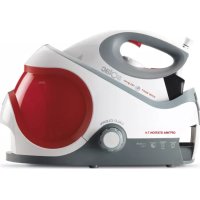
Optima Station 7.4 CPP6001 - Steam cleaner SOLAC - Free user manual and instructions
Find the device manual for free Optima Station 7.4 CPP6001 SOLAC in PDF.



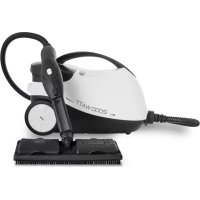
| Product type | Steam cleaner with ironing station and iron |
| Brand | Solac |
| Model | Optima Station 7.4 CPP6001 |
| Power supply | 220-240 V ~ 50/60 Hz |
| Rated power | 2000 W (estimated) |
| Water tank capacity | Approximately 500 ml (removable) |
| Dimensions (L x W x H) | Approximately 40 x 30 x 30 cm (estimated) |
| Weight | Approximately 5 kg (estimated) |
| Main functions | Dry ironing, steam ironing, vertical ironing, ECO mode, automatic shut-off (stand-by) after 8 minutes |
| Temperature setting | Temperature selector for different fabric types (synthetic, silk, wool, cotton, linen) |
| Steam flow | Adjustable via control (S) |
| Indicator lights | Power-on indicator (J), ECO mode indicator (G), low water level indicator (I), descaling indicator (K), stand-by indicator (M) |
| Safety | Safety thermal protector, automatic shut-off (stand-by) |
| Maintenance and cleaning | Clean with a damp cloth and mild detergent; regular descaling with appropriate anti-limescale product; do not immerse |
| Spare parts and repairability | Contact an authorized Solac technical support service; do not attempt to repair yourself |
| Warranty | Complies with current legislation; contact customer service via http://solac.com |
| Included accessories | Iron, iron rest, steam hose, removable water tank |
| General information | Product designed for domestic use; remove new smell by operating at maximum power for 2 hours in a ventilated room |
Frequently Asked Questions - Optima Station 7.4 CPP6001 SOLAC
User questions about Optima Station 7.4 CPP6001 SOLAC
0 question about this device. Answer the ones you know or ask your own.
Ask a new question about this device
Download the instructions for your Steam cleaner in PDF format for free! Find your manual Optima Station 7.4 CPP6001 - SOLAC and take your electronic device back in hand. On this page are published all the documents necessary for the use of your device. Optima Station 7.4 CPP6001 by SOLAC.
USER MANUAL Optima Station 7.4 CPP6001 SOLAC
A Steam hose
B Iron stand
C Mains cable
D ON button
E Hose disconnection tabs
F Boiler cleaning cap
G ECO mode indicator
H Function change button from default to ECO mode
Low water indicator
J Steam by default indicator
K Scale cleaning indicator (red)
L Stand activator and boiler scale cleaning warning reset button
M On standby indicator (green)
N Water tank release button
O Removable water tank
P Max. water level indicator
Q Transportation lock
R Transportation unlock button
S Steam activation trigger
U Temperature selection control
V Iron ready indicator
W Soleplate
INSTRUCTIONS FOR USE
BEFORE USE:
- Make sure that all products' packaging has been removed.
- To eliminate the smell given off by the appliance when used for the first time, it is recommended to have it on at full power for 2 hours in a well-ventilated room.
FILLING WITH WATER:
- You must fill the water compartment before turning on the appliance.
- Remove the appliance's deposit.
- Fill the deposit taking care to observe the MAX level (P) (Fig.1 + Fig.2).
- Put the deposit back into its housing, ensuring that it is inserted properly.
- Check that the safety cap is screwed on tightly before switching on the appliance.
USE:
- Unroll the cable completely before plugging it in.
- Connect the appliance to the mains.
- Turn the appliance on, by using the on/off button.
-
The pilot light (J) comes on.
-
Turn the thermostat control to the desired temperature position.
-
Do not use temperatures higher than those indicated on the garments to be treated.
-
Temperature for synthetic fibres ( Polyester, Nylon...).
- Temperature for silk and wool.
- Temperature for cotton. (Minimum temperature for steam ironing)
Max Temperature for linen.
- If garment has various kinds of fibres, select the temperature for the fibre that requires the lowest temperature. (For example, select the temperature for polyester for an article made out of 60% polyester and 40% cotton).
- Wait until the steam ready light (J) comes on.
- If the red scale cleaning light is on (K) proceed immediately with the boiler descending process, see CLEANING section, and then after cleaning press the reset button (L) to restart the cycle again.
DRY IRONING:
- The appliance has a steam activation trigger, which if not pressed makes it possible to iron dry (without steam).
STEAM IRONING:
- It is possible to iron with steam whenever the deposit is filled with water and the adequate temperature is selected.
STEAM FLOW CONTROL:
- The appliance has a control knob (S) that allows to get the control of the steam flow.
VERTICAL STEAMING:
- It is possible to iron hanging curtains, items of clothing on his hanger, etc. To do so, follow the instructions:
- Select the maximum temperature of the iron, while turning the temperature regulator of the iron in a clockwise direction (U
- Move the iron in a top to bottom direction while pressing the steam control (S). Important: for cotton and linen, its recommended to put the iron base in contact with the material. For other more delicated fibres, it's recommended to keep the iron base at some centimetres of distance.
- During extended periods of vertical ironing, drops of water may come out of the soleplate, put the iron back in the horizontal position, wait
a few seconds and then continue normally.
STAND-BY FUNCTION:
- In order to save energy, the appliance passes to stand-by after 8 minutes if the user does not use it.
- The auto-disconnection light (M) will blink to indicate that this function has activated (green color).
To turn it on again, you simply have to press the on/off button.
ECO
- Select the ECO setting for optimal ironing performance, only select it between the points and MAX.
- The ECO function uses less energy, but ensuring sufficient steam
- to iron your clothes properly. Only activate this function when the boiler and iron temperatures are correct. The ECO function can be used with all types of fabrics. Nonetheless, for very thick or heavily creased fabrics we recommend that you use the maximum steam output function to ensure optimal results
ONCE YOU HAVE FINISHED USING THE APPLIANCE:
- Select the minimum position (MIN) using the thermostat control.
- Turn the appliance off, using the on/off switch.
- Unplug the appliance from the mains.
- Put the cable back in the cable housing.
- Remove the water from the water tank.
- Clean the appliance.
CABLE COMPARTMENT
- This appliance has a cable compartment situated on its posterior. (E)
PRACTICAL RECOMMENDATIONS:
- Classify the garments into groups by ironing temperature. The appliance heats up more quickly than it cools down, therefore, to avoid accidents, minimise energy consumption and optimise time, it is advisable to start off ironing items that require lower temperatures and progress to those that need higher temperatures.
Pure wool fabrics (100%) can be ironed with the iron set to steam. Select a high steam temperature and place a cotton cloth between the iron's metal surface and the garment.
SAFETY THERMAL PROTECTOR:
- The appliance has a safety device, which protects the appliance from overheating.
TRANSPORTATION
- Place the iron correctly into its transportation system and lock it, making sure it is seated correctly, and lift it upright by holding the iron handle..
CLEANING
- Disconnect the appliance from the mains and allow it to cool before undertaking any cleaning task (Fig.4).
- Clean the equipment with a damp cloth with a few drops of washing-up liquid and then dry.
- Do not use solvents, or products with an acid or base pH such as bleach, or abrasive products, for cleaning the appliance.
- Never submerge the appliance in water or any other liquid or place it under running water.
HOW TO DEAL WITH LIME SCALE INCRUSTATIONS:
- For the appliance to work correctly it should be kept free of limescale or magnesium incrustations caused by the use of hard water.
- To avoid this kind of problem it is advisable to use distilled water.
However, if it is not possible to use the kind of water recommended above, you should periodically remove the limescale from the appliance. - A specific anti-lime scale product should be used on this kind of product.
- Homemade solutions are not recommended in the decaling of this appliance, such as the use of vinegar.
CLEANING THE BOILER
- Check that appliance has cooled down (wait at least 3 hours after disconnecting the appliance).
- Empty the water tank and after the boiler (O).
To empty the boiler, unscrew the cleaning cap (F) in an anti-clockwise direction - Empty the boiler and close it by screwing the cleaning cap by follow the previous procedure in reverse (Fig.5).
- Fill the water tank (O) with approximately 500ml of water and add the selected anti-lime scale product.
- Connect the appliance (with the maximum se
EN
lected steam) and wait for 20 minutes approximately in order for the anti-scale product begin to take effect.
- Let all the steam out (in a suitable place, for example the sink) until the water tank is empty.
- Wait the appliance to cooled down, rinse the water tank and boiler with cold water.
ANOMALIES AND REPAIR
- Take the appliance to an authorised technical support service if product is damaged or other problems arise. Do not attempt to disassemble or repair the appliance yourself as this may be dangerous.
DESCRIPTION
KONTROLA WYPŁYWU PARY:
HEN3INPABHOCTN INONPABKA
B cnuya Ha Hen3npaBHocT, MoJr OTHeceTe ypeDa B OToPn3npaH cepBn3 3a TexHnuecko o6cnykBaHe. MoJr He ce ONITbaIte da pa3rno6bAte ypeDa HnN PbK Da rO nonpaBraTe -TOBa e OnacHo.
DESCRIBE
aclll jae alj (Fig.5)
四边形 AOBC 为正方形
2
区
0
i 1
Jaaill 1
1,2,3,4
Jzj 1
四
J 1
aaiie 1
四边形
4 1
j
:
(MIN)
2
.
S OBC = S COD + S_ BOC
1
- jy 11 jll no jg 11
1
L
.
四. jingling 13. jiu liang
aill 1
y
Jgilllll 1s jglal (y)
四
(E).
:
i
g j
1
1
111 1
i
1.2.
jll
:
y
j
J
J 1
a
a.
2.44 45 j81 gil yjgll jil jil jil jil
a
1
a
J 1
y 1
jlaal abil abils
jll jlll lal .S) Jlll
a aao 0o ool ooll g
jui jui iaiy aaiy jaiy jaiy jaiy
i j 1
1,2,3,4
i
jaiw g jg jg jg jg jg jg jg jg
S_ ACD = 12 · CD · AB
:(STAND-BY)
(stand-by)
M
()
1,2,3,4 1,3,4,5
jglalbuaa 1
ECO
S OBC = S COD + S_ BOC
MAX 1
区j
a aaiia aiee bja eae 100000000000000000000000000000
i 1
a 1
ECO
1 1
J 1
i
x 15yddgdsagdlaa aaiiill dduo hbc jdiagll
jglal jusu
A
S ACD = S COD + S_ BDO
| x - 2| = 1| x| · | r1^2 + r2^2 + r_3^2| < 34| x| ^2
C
D
x. jySll jill jgll lgl
OE BC
四边形 AOBC 为正方形
F
ECO G
(J)gall gall
H
H
a 1000
all
J
()
OE BC
a 1
aegill jg jncld
:clalai
LJ 1J.
j_L = 1
MAX
.(Fig.1 + Fig.2) (P)
1,2,3,4,5,6
J 1
This product enjoys the recognition and protection of the legal guarantee in accordance with current legislation. To enforce your rights or interests you must go to any of our official technical assistance services.
You can find the closest one by accessing the following web link: http://solac.com
You can also request related information by contacting us by phone.
You can download this instruction manual and its updates at http://solac.com
DE) GARANTIE UND TECHNISCHER SERVICE
Unit 25 & 26, San Croy Office Park, Die Agora
Road, Croydon, Kempton Park, 1619
Johannesburg
(+27)0113925652
sOlac
what we do, we do well
Espanol / ES
English / EN
Français/FR
Deutsch / DE
Portugues / PT
Italiano / IT
Nederlandsl/NL
Cesky/CS
Polski/PL
Slovenský / SK
Magyar/HU
6bIraPCK/BG
Româna / RO
AR

- INSTRUCTIONS FOR USE
- BEFORE USE:
- FILLING WITH WATER:
- USE:
- DRY IRONING:
- STEAM IRONING:
- STEAM FLOW CONTROL:
- VERTICAL STEAMING:
- STAND-BY FUNCTION:
- ECO
- ONCE YOU HAVE FINISHED USING THE APPLIANCE:
- CABLE COMPARTMENT
- PRACTICAL RECOMMENDATIONS:
- SAFETY THERMAL PROTECTOR:
- TRANSPORTATION
- CLEANING
- HOW TO DEAL WITH LIME SCALE INCRUSTATIONS:
- CLEANING THE BOILER
- EN
- ANOMALIES AND REPAIR
- DESCRIPTION
- KONTROLA WYPŁYWU PARY:
- HEN3INPABHOCTN INONPABKA
- DESCRIBE
- DE) GARANTIE UND TECHNISCHER SERVICE
- sOlac
Brand : SOLAC
Model : Optima Station 7.4 CPP6001
Category : Steam cleaner